Upgrade to v2.2.1:Explore the New Enhancements in the PrestaShop eBay Module

Suppose you are a store manager of a PrestaShop store. Your products are selling, your customers are happy, but something is still missing. You are doing all the right things, but the majority of your traffic is from the local area. You have millions of people shopping on eBay every day, but putting up your products there manually sounds like a nightmare.

eBay reported $2.82 billion in revenue for Q3 2025 alone, a 9% year-over-year increase, with Gross Merchandise Volume hitting $20.1 billion in just three months. For the full year 2024, the platform processed $75 billion in GMV across more than 190 markets worldwide, serving 134 million active buyers.

What makes these figures particularly relevant for PrestaShop merchants isn’t just the scale; it’s the buyer behavior. eBay shoppers are search-driven, not loyalty-driven. They’re not looking for your brand specifically; they’re looking for a product. If yours appears in the right category at the right price, they buy it. For merchants selling electronics, auto parts, fashion, collectibles, or home goods, this represents a significant opportunity beyond the traffic your own website generates.

Now, what if all your PrestaShop products could go live on eBay in just a few minutes, with minimal effort? This is exactly what the PrestaShop eBay Marketplace Integration Module by Knowband does for store owners.

New Features and Essential Key Features in the Upgraded Version

Knowband has developed the PrestaShop eBay Integration Module to be easy and potent for store admins. Each of the features is meant to save time and make business management easier.

[New Enhancement] Inventory Comparison

Ensure accurate stock levels between PrestaShop and eBay with the Inventory Comparison feature. It retrieves the latest inventory data from eBay via cron jobs, compares it with your PrestaShop stock, and clearly indicates mismatches using Yes/No status, helping you avoid overselling and streamline inventory management.

[New Enhancement] Rate Limit

Maintain stable eBay integration with the Rate Limit feature. Moreover,  it monitors your eBay API usage, displays the number of API calls made, and notifies you when limits are exceeded, reducing synchronisation issues and ensuring uninterrupted operations

Explore more key features that make the Prestashop eBay Content Generator game changer.
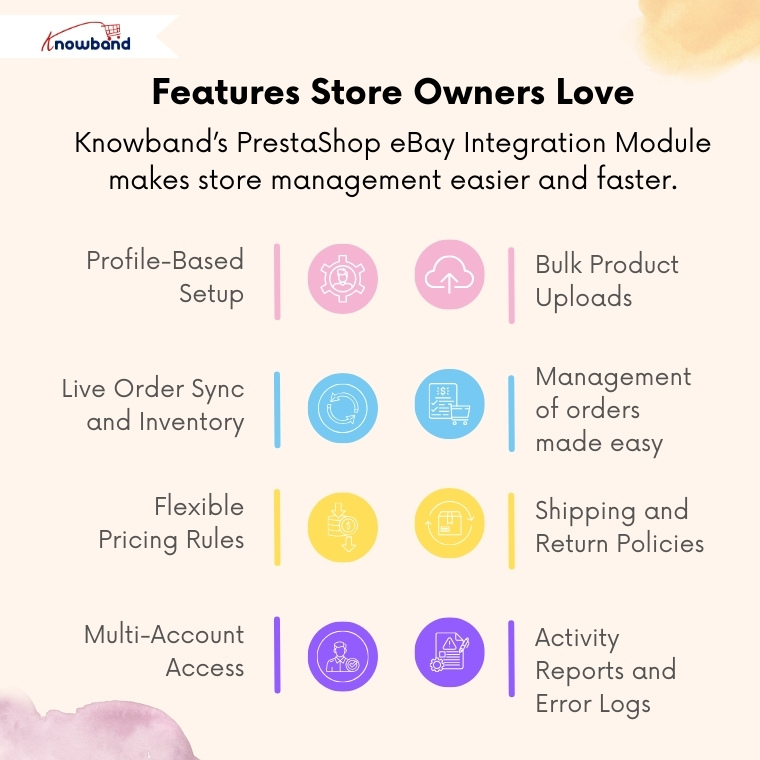
 

Profile-Based Setup

You can make as many profiles as you want, which can be utilised in dealing with different types or categories of products. Each profile has the option of prices, shipping, and returns.

Bulk Product Uploads

Add up to hundreds of products to eBay. The Prestashop eBay Marketplace Connector will save time in performing repeated tasks and updating listings in real-time.

Live Order Sync and Inventory.

Products purchased on eBay automatically get transferred to PrestaShop. PrestaShop eBay Integrator makes sure that the inventory is always on track.

Management of orders made easy

Orders on eBay are displayed directly on your PrestaShop admin panel. And any change from the PrestaShop backend can be seen in eBay’s frontend.

Flexible Pricing Rules

Want to make increases or cuts in price on eBay? It is easy to markup or even discount any category. 

Shipping and Return Policies

Design and operate shipping templates on a per-product basis. Thus, your eBay listings will automatically comply with the marketplace guidelines.

Multi-Account Access

When you want to use different eBay accounts to sell, you can customise all the accounts in one place with the eBay Prestashop Connector Addon.

Activity Reports and Error Logs.

To trace the updates, errors, or the API performance, admins can view the synchronisation logs in detail. Hence, it is not as problematic to troubleshoot and to be in control.

Why Every Store Owner Needs the PrestaShop eBay Integration Module

Obviously, it is like operating two businesses together with the Prestashop eBay Integration Addon without excessive manual work.

One Dashboard, Total Control

You do not have to re-log in to eBay repeatedly. You can control the listings of inventory and orders directly in the PrestaShop dashboard using the PrestaShop eBay Integration Addon.

Real-Time Sync = Real-Time Growth

The PrestaShop eBay API Integration Module updates eBay with price, title, or stock changes automatically. Thus, your stores never make errors that can happen when uploading manually.

Save Time, Sell More

The eBay Prestashop Integrator performs automatic tasks like product uploads, category mapping, and order importation, instead of spending hours working on it manually. Hence, store owners can do additional planning for sales and promotions.

Global Expansion Made Easy

The Prestashop eBay Marketplace Integration Module will make your brand visible to new people. In a few minutes, you can be seen by millions of global eBay customers.

Conclusion

Consider this: rather than accessing numerous dashboards and posting the same product twice, you can now conduct your eBay business directly in Prestashop.

Knowband eBay Prestashop Integration Module is the solution that provides store owners with all the features to grow within a short period of time on eBay with automation, control, and consistency.

Therefore, if you are a new eBay merchant, the Prestashop eBay Integration Module is the easiest route for your multi-channel success – it is simple to install, simple to operate, and grows as you do.

eBay, Etsy, and Google Shopping – Which Marketplace Is Right for Your Business?


You may also like to read:
Discover how integrating your PrestaShop store with Etsy can save time and maximize sales. Read MoreIn today’s highly competitive e-commerce world, it’s no longer enough to sell products on just your own website. Instead, to reach more customers and increase your revenue, selling across multiple marketplaces has become a smart and often necessary strategy.

Among the most popular platforms for online sellers are eBay, Etsy, and Google Shopping. Each of these marketplaces has its own unique audience, benefits, and requirements. That leads to the question of how to pick the right one for your business needs.

Let’s take a closer look at each platform, so you can make an informed decision that matches your goals. Additionally, we’ll show you how you can simplify the integration process with a ready-to-use plugin.

Ebay Marketplace

[New Upgrade Alert]

Knowband is excited to announce the release of Prestashop eBay Marketplace Addon version 2.2.1, packed with the latest enhancements to streamline your PrestaShop–eBay operations. This update focuses on making inventory management and API tracking easier, faster, and more reliable.

With this new version, you can now:

1. Inventory Comparison

The Inventory Comparison tab helps you keep your PrestaShop store and eBay listings perfectly in sync. It automatically compares stock levels between platforms, highlights discrepancies, and prevents overselling, saving you time and reducing manual errors.

2. Rate Limit Monitoring

The Rate Limit tab allows you to monitor your eBay API usage in real time.  You can check the data of all APIs with the Total limit, how much is used & remaining usage before you hit API limits, ensuring your store continues to sync smoothly without interruptions.

These two major enhancements give you better control, fewer errors, and a seamless integration experience.

Upgrade to v2.2.1 today and take your PrestaShop – eBay integration to the next level!

Check out the user manual for detailed guidance

Let’s start with eBay, one of the longest-running and most reliable online marketplaces globally. With millions of active buyers across the globe, it offers a variety of products for customers of all kinds of products, from electronics and apparel to home goods and collectables.

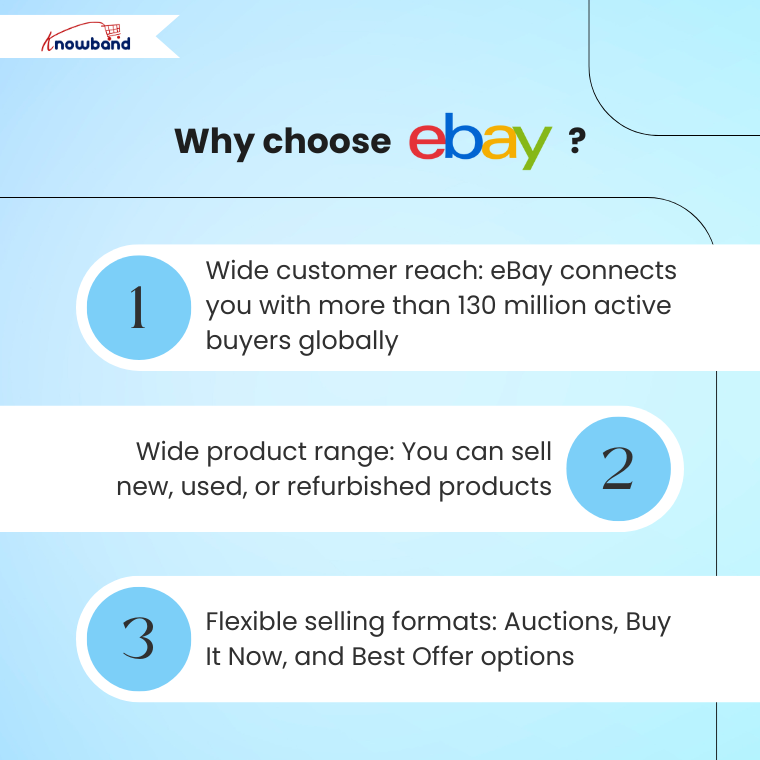
Why choose eBay?

  • Wide customer reach: eBay connects you with more than 130 million active buyers globally.
  • Wide product range: You can sell new, used, or refurbished products
  • Flexible selling formats: Auctions, Buy It Now, and Best Offer options

However, eBay is highly competitive, especially for generic products. As a result, to succeed, sellers need high ratings, fast shipping, and clear, detailed product descriptions.

If you’re using platforms like PrestaShop or OpenCart, you can use Knowband’s eBay Marketplace Integration Plugins to automate product listings, sync inventory, and manage orders right from your store backend, thereby saving you time and effort.

Etsy Marketplace

On the other hand, Etsy is a platform for creative sellers. If you sell handmade goods, craft supplies, artwork, or vintage products, Etsy is where your products will shine.

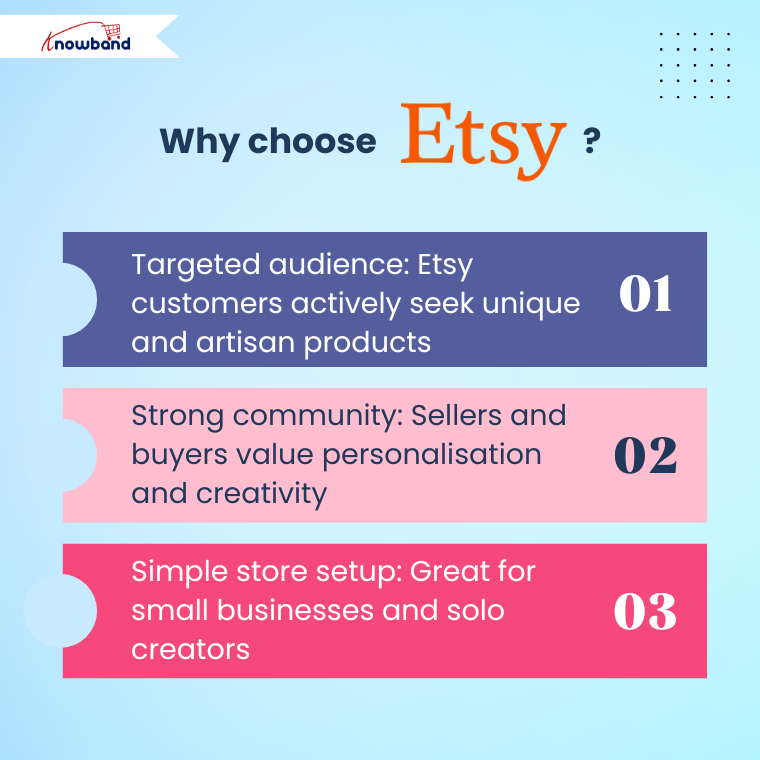
Why choose Etsy?

  • Targeted audience: Etsy customers actively seek unique and artisan products
  • Strong community: Sellers and buyers value personalisation and creativity
  • Simple store setup: Great for small businesses and solo creators

Etsy has clear rules about what types of products are allowed on the platform. In fact, mass-produced items are generally not allowed unless they’re designed by you and manufactured through approved partners.

Similar to eBay, Knowband’s Etsy Marketplace Integration Plugins helps you list your products on Etsy directly from your existing store platform. 

Furthermore, inventory sync, price updates, and order management are all handled automatically, thus letting you focus more on creativity and less on manual work.

Google Shopping Marketplace

In contrast, unlike traditional marketplaces, Google Shopping is a product listing service from Google that displays your items directly in Google Search in the Shopping tab. Moreover, it’s ideal for sellers who want to drive traffic to their own store while still reaching a large audience.

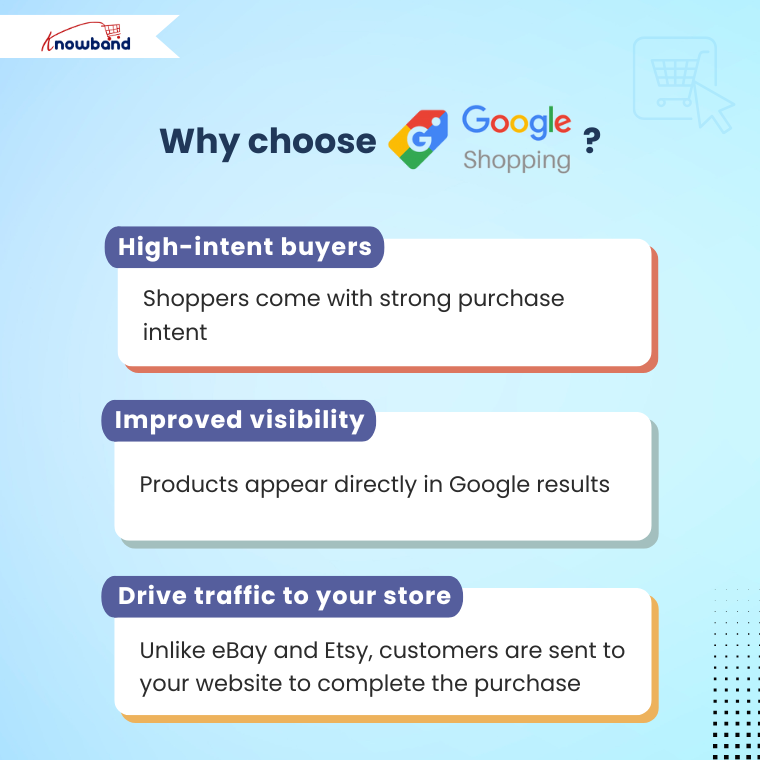
Why choose Google Shopping?

  • High-intent buyers: Shoppers come with strong purchase intent
  • Improved visibility: Products appear directly in Google results
  • Drive traffic to your store: Unlike eBay and Etsy, customers are sent to your website to complete the purchase

However, Google Shopping requires you to manage a product feed and comply with Google Merchant Centre policies.

Similarly, Knowband’s Google Shopping Integration Module links your store directly to the Google Merchant Centre.

It also automates product feed creation, keeps your listings up to date, and makes sure they follow Google’s guidelines.


So, which platform is the right choice for your business?

That depends on what you’re selling, who you want to reach, and your business goals. Here’s a quick guide to help you decide:

eBay is ideal for selling general products, branded items, and electronics. With its global reach, it’s perfect for sellers targeting a broad and diverse audience. Furthermore, the platform attracts customers looking for variety, deals, and trusted brands.

On the other hand, Etsy is a great choice for selling handmade, vintage, custom, or creative items.

 It’s popular with people who like special, one-of-a-kind products, craftsmanship, and unique items. Specifically, if your products tell a story or are made with a personal touch, Etsy is a great fit.

Meanwhile, Google Shopping works well for nearly any product type and is especially effective for driving traffic to your own online store. In addition, it places your products directly in front of search engine customers who are actively looking and often ready to purchase.

But you don’t have to stick to just one platform. In fact, many successful sellers use a multichannel strategy, listing their products on all three platforms to maximise reach and revenue.

Final Thoughts

Whether you’re a small creator selling handcrafted candles or a growing business offering electronics and fashion accessories, choosing the right marketplace or combination of marketplaces can have a huge impact on your success.

By leveraging ready-made integration modules for platforms like PrestaShop, OpenCart & Magento 2, you can eliminate manual uploads, sync inventories in real time, and manage orders from a centralised dashboard.

Finally, if you’re ready to expand your reach across eBay, Etsy, and Google Shopping, explore our integration solutions designed to save you time and grow your business faster.

You may also like to read:
Discover how integrating your PrestaShop store with Etsy can save time and maximize sales. Read More

Complete Guide to Integrating Your Products with Google Shopping: Knowband OpenCart Extension!

In today’s competitive eCommerce landscape, getting your products in front of potential customers is crucial for success. One of the most effective ways to increase your online visibility is through Google Shopping, which allows retailers to display their products directly in Google’s search results. Furthermore, if you’re running an OpenCart store, integrating your product catalog with Google Shopping can be made simple with the Knowband OpenCart Google Merchant Feeds Plugin.

In this guide, we’ll walk you through everything you need to know about integrating your OpenCart store with Google Shopping using the Knowband extension. Whether you’re a novice or an expert, this guide will help you streamline your product listings and increase your chances of getting your products noticed on Google Shopping.

About Google Merchant Console?

Before we dive into the integration, let’s first understand what Google Shopping is. Essentially, Google Shopping is a service that allows businesses to display their products in the form of ads. These ads appear in Google search results and on the Google Shopping platform, providing customers with a visual, product-based search experience.

Using Google Shopping, your products can appear with images, prices, and merchant details, increasing the chances of catching customers’ attention. But to tap into this lucrative marketing channel, your product feed needs to be properly integrated with Google Merchant Centre, where Google will assess your products before making them live.

This is where the Knowband OpenCart Google Shopping Integration Module comes in.

Benefits of Google Shopping for OpenCart Store Owners!

Increased visibility: Your products can appear directly in Google’s search results, putting them in front of more potential customers.

Targeted advertising: Google Shopping allows you to target specific audiences based on location, interests, and browsing habits.

Visual appeal: Google Shopping ads feature product images, prices, and descriptions, which can capture customers’ attention more effectively than text-based ads.

Higher conversion rates: Because Google Shopping ads provide detailed product information upfront, they attract more qualified leads, which can result in higher conversion rates.

The Challenges of Manual Integration!

While Google Shopping is a powerful tool for eCommerce businesses, manually integrating your product catalog with Google Merchant Centre can be tedious. Therefore, you need to create a product feed that includes all the relevant details such as product titles, descriptions, prices, availability, and images. On top of that, you must ensure that your feed meets Google’s strict guidelines.

Without an automated solution, keeping your product feed up to date can become a full-time job. This is where the Knowband OpenCart Google Shopping Feed Integration Extension becomes essential for your store.

Why Choose Knowband OpenCart Google Shopping Connector Plugin?

The Knowband OpenCart Google Shopping Connector is designed to make Google Shopping feed management simple and efficient. Furthermore, it automates the process of synchronizing your product feed with Google Merchant Centre, ensuring that your listings are always up to date with the latest prices, inventory levels, and other essential product information.

Automated Sync: The extension allows for the automatic synchronization of your product catalog with Google Merchant Centre. This saves you time and ensures that your Google Shopping listings reflect real-time information about your products.

Error Handling: The Google Merchant Feed for Opencart automatically detects and corrects errors in your product feed to ensure that it complies with Google’s strict feed requirements.

Customizable Feeds: You can create custom product feeds based on specific categories, brands, or other attributes, giving you full control over which products you list on Google Shopping.

Multi-language and Multi-currency Support: The OpenCart Google Shopping Synchronizer supports multi-language and multi-currency stores, making it ideal for global businesses.

User-Friendly Interface: The plugin offers an easy-to-use admin panel that allows store owners to configure the feed settings without any technical expertise.

Key Features of the Knowband OpenCart Google Shopping Integration Module!

The Knowband OpenCart Google Shopping Integration Extension offers a range of features that streamline the process of listing your products on Google Shopping:

Real-Time Synchronization: Automatically sync product data, including prices, availability, and other key details, between your OpenCart store and Google Merchant Centre.

Product Filter Options: The Opencart Google merchant console integration plugin provides the ability to filter products based on categories, availability, and other parameters to help you select what you want to list on Google Shopping.

Error Logging and Reporting: The extension logs any issues with the feed and helps you quickly resolve them.

Bulk Upload: Upload thousands of products to Google Shopping in one go with the OpenCart Google Merchant Centre Connector.

SEO-friendly: The module generates SEO-optimized product feeds, improving your product visibility in search results.

Knowband’s OpenCart Google Shopping Integration Module

Discover Knowband’s OpenCart Google Shopping Integration to easily sync your products with Google Shopping and boost your online visibility and sales.

SHOP NOW

Free Google Shopping Opencart Integration Module!

One of the most attractive features of the Knowband Opencart Google Shopping Merchant Free Extension is that it offers a free version. This Opencart Free Google Shopping synchronization module provides basic functionality, enabling you to get started with Google Shopping without a major investment. Moreover, for store owners looking to explore Google Shopping for the first time, this Free Google Shopping integration module for Opencart is an excellent option to test the waters.

Conclusion!

Integrating your OpenCart store with Google Shopping can unlock tremendous growth opportunities for your eCommerce business. With the Knowband OpenCart Google Shopping Connector Plugin, the process becomes effortless, allowing you to focus on other aspects of your business while your product listings are kept up-to-date in Google Shopping.

Whether you are using the Opencart Free Google Shopping synchronization module or opting for the paid version, this extension offers a comprehensive solution for getting your products in front of more potential customers through Google Merchant Listings.

How to Expand Your Prestashop Store by Selling on Etsy: A Comprehensive Guide!

In today’s competitive eCommerce landscape, expanding your online store across multiple sales channels is essential for sustained growth. Etsy, a well-established marketplace for handmade, vintage, and unique goods, offers a golden opportunity to reach a wider audience. If you’re a Prestashop store owner, integrating your shop with Etsy can unlock new sales opportunities, streamline operations, and increase revenue.

In this comprehensive guide, we will walk you through the benefits of selling on Etsy and how integrating it with your Prestashop store can boost your business. We’ll also introduce you to the Prestashop Etsy Integration Addon which simplifies the process and keeps your shop running smoothly across both platforms.

[New] Enhancements in Knowband’s PrestaShop Etsy Integrator 4.0.1

A new version of the Prestashop Etsy Marketplace Addon has been released, which introduces improvements that make selling on Etsy even easier:

OpenAPI Authentication for Etsy APIs

The Prestashop Etsy Marketplace module now supports Etsy’s updated authentication standards. Every API request automatically includes the required headers according to Etsy’s requirements, ensuring smooth and uninterrupted communication with Etsy.

Streamlined Return Policy Management
Now with the return policy feature, you can create and sync multiple return policies and link them to profiles. Once linked, any categories under those profiles will automatically reflect the assigned return policy on Etsy, saving time and preventing manual errors.

Why Sell on Etsy?

Etsy is one of the largest global marketplaces, particularly known for attracting customers interested in handcrafted, vintage, and niche products. Whether you’re a small artisan or a large retailer, selling on Etsy provides numerous benefits, including:

Increased visibility: Etsy has a huge user base with millions of active buyers.

Targeted audience: Etsy attracts a specific demographic of customers who are passionate about unique and creative products.

Global reach: Etsy’s international presence can help you reach customers in different countries without having to establish a new market.

Now, if you’re a Prestashop store owner, you might be wondering how to connect your store to Etsy without managing two different inventories or dealing with double listings. This is where Knowband’s Prestashop Etsy Integration Module comes in handy.

Why You Need the Prestashop Etsy Integration Addon!

Managing two different platforms—Prestashop and Etsy—manually can be time-consuming and error-prone. Therefore, the Prestashop Etsy Integration Addon is designed to sync your Prestashop store with Etsy, allowing you to easily manage products, orders, and inventory across both platforms.

Here’s why you should consider using the Prestashop Etsy Integration Plugin for your business:

Centralized Management: Instead of managing separate inventories and listings on Prestashop and Etsy, the Etsy Prestashop Connector helps synchronize everything automatically.

Real-Time Synchronization: With the Prestashop Etsy Synchronization Addon, changes made in your Prestashop store, such as pricing, stock levels, and product details, will be reflected on Etsy in real time. Furthermore, it ensures you never oversell or mismanage inventory.

Bulk Product Uploads: The Prestashop Etsy API Integrator allows you to list multiple products on Etsy at once, saving time on manual uploads.

Order Management: All Etsy orders can be managed directly from your Prestashop back-office, simplifying the fulfillment process.

Automated Shipping and Pricing: The Prestashop Etsy Marketplace Integration Addon helps in automating pricing, shipping settings, and even promotional discounts, ensuring you comply with Etsy’s policies.

Knowband’s Etsy Prestashop Integration Module

Effortlessly sync your Prestashop store with Etsy using the Prestashop Etsy Marketplace Integration, allowing easy product listing and order management between both platforms.

SHOP NOW

How to Set Up Prestashop Etsy Integration?

Setting up a Prestashop Etsy Integration Module is straightforward, thanks to user-friendly plugins and addons available for this purpose. Follow these steps to seamlessly integrate Etsy with your Prestashop store:

1. Choose the Right Etsy Integration Addon:

To begin, you’ll need a reliable Etsy Prestashop Integration Addon. Several paid and free Prestashop Etsy Integration modules are available. It’s important to select an addon that supports all your requirements, such as product synchronization, order management, and real-time updates.

At Knowband, we offer an advanced Prestashop Etsy Integrator that ticks all these boxes and more. Whether you’re looking for a free PrestaShop Etsy Connector Addon to test out basic functionality or a premium version for enhanced features, we have you covered.

2. Install the Prestashop Etsy API Integrator:

Once you have chosen the right Etsy Prestashop API Integrator, install it in your Prestashop backend. Follow the provided documentation to configure the module, which typically involves connecting your Etsy seller account with your Prestashop store using API keys. Furthermore, this step enables communication between the two platforms.

3. Sync Your Products:

With the Prestashop Etsy Connector in place, you can now sync your Prestashop product catalog with Etsy. Moreover, the Prestashop Etsy Synchronization Addon will allow you to map categories, set pricing rules, and configure shipping settings to align with Etsy’s requirements.

4. Manage Orders:

As orders start coming in from Etsy, they will be automatically imported into your Prestashop backend. The Etsy Prestashop Synchronization Addon ensures that you can manage and fulfill these orders just like your regular Prestashop orders, streamlining the workflow.

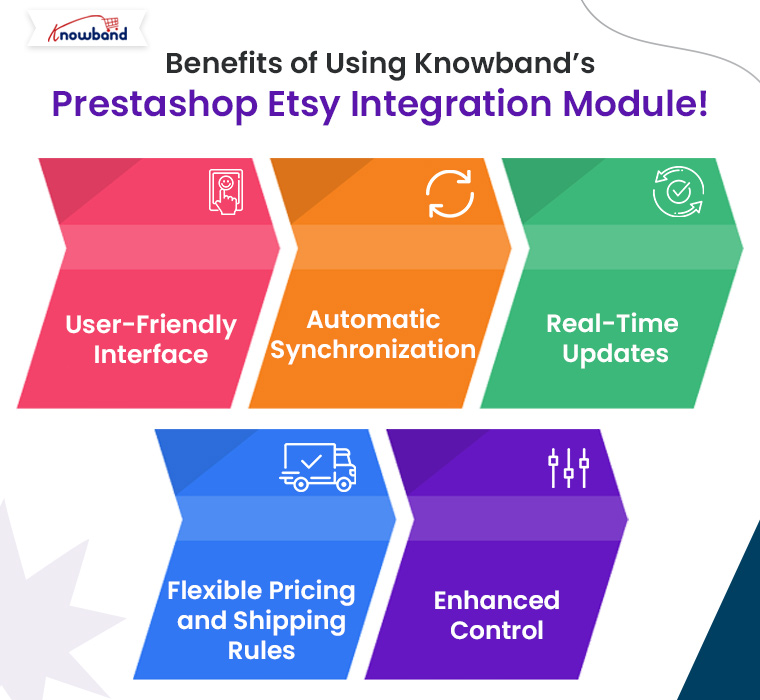
Benefits of Using Knowband’s Prestashop Etsy Integration Module!

At Knowband, we offer one of the most comprehensive solutions for Prestashop Etsy Integration. On top of that, our module simplifies the integration process, providing seamless synchronization between your Prestashop store and Etsy marketplace. Here are some of the key benefits:

User-Friendly Interface: Our Prestashop Etsy Integration Plugin features an intuitive and easy-to-use interface that helps you manage both platforms with ease.

Automatic Synchronization: Products, orders, and inventories are synced automatically, saving time and reducing errors.

Real-Time Updates: Keep your product information, such as prices, descriptions, and stock levels, up to date on Etsy with our real-time Prestashop Etsy Synchronization Addon.

Flexible Pricing and Shipping Rules: Easily manage different pricing strategies for your Etsy listings compared to your Prestashop store using the built-in rule settings.

Enhanced Control: Gain full control over your product listings, including the ability to bulk upload, update, or remove products in a few clicks.

Our Prestashop Etsy Integration Free Module is perfect for small businesses looking to test the integration with basic features. As your business grows, you can opt for advanced features with the premium version of our Etsy Prestashop Connector.

Conclusion!

Expanding your Prestashop store to the Etsy marketplace is a smart move for increasing your reach and boosting sales. By using Knowband’s Prestashop Etsy Integration Addon, you can automate processes, reduce manual workload, and effectively manage both platforms from a single interface. Knowband’s Prestashop Etsy Integrator is the ideal tool for simplifying this integration, offering both free and premium options to suit businesses of all sizes.

If you’re ready to take your Prestashop store to the next level, explore Knowband’s Free PrestaShop Etsy Integration module and get started on Etsy today!

You may also like to read:
See how this free connector simplifies Etsy integration for your PrestaShop store and enhances marketplace reach. Read More

How to Drive Traffic and Sales Using Google Shopping for Prestashop!

In today’s competitive eCommerce landscape, increasing visibility and driving traffic are essential for success. One of the most effective ways to achieve this is through Google Shopping. By integrating your Prestashop store with Google Shopping, you can display your products on Google’s search results, attracting more targeted traffic and boosting your sales.

If you’re using Prestashop, the process of integrating with Google Shopping is streamlined with Knowband’s Prestashop Google Shopping Connector. In this article, we’ll guide you through how this module can help you drive more traffic and sales for your Prestashop store.

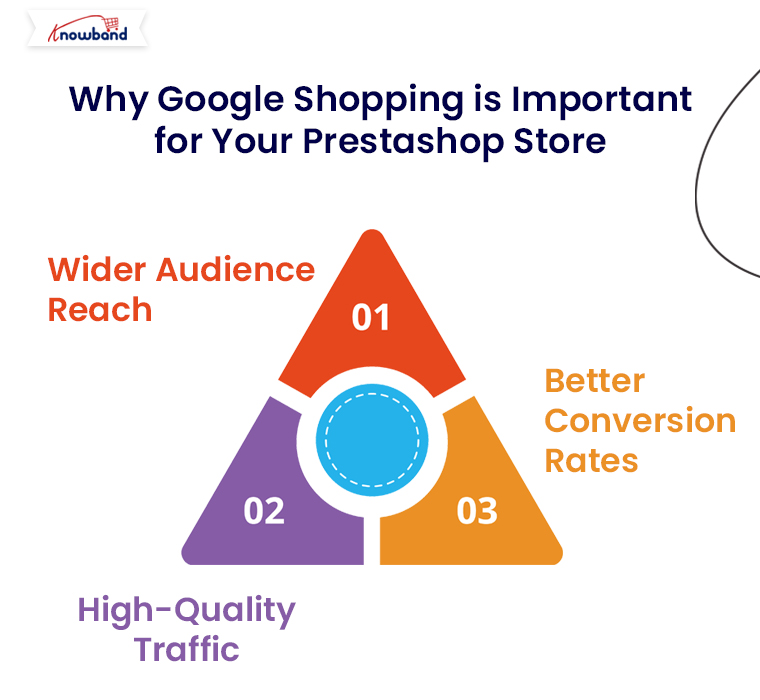
Why Google Shopping is Important for Your Prestashop Store:

Google Shopping allows eCommerce retailers to showcase their products directly on Google’s search results with high visibility. Here’s why this is a great opportunity for Prestashop store owners:

Wider Audience Reach: Google Shopping listings appear at the top of Google search results, giving your products greater exposure to a wide audience.

High-Quality Traffic: These ads are triggered by search queries, which ensures that users who see your ads are already interested in products like yours.

Better Conversion Rates: Google Shopping displays rich product information upfront, making it easier for customers to make purchase decisions and boosting conversion rates.

Now, let’s dive into how you can easily integrate Google Shopping into your Prestashop store using Knowband’s Google Shopping Connector.

Knowband’s Google Shopping Connector for Prestashop!

The Knowband Google Shopping Connector for Prestashop is an advanced module designed to simplify the integration process between your Prestashop store and Google Merchant Center. This module automates the product feed creation and synchronization, ensuring that your products are always updated and displayed correctly on Google Shopping.

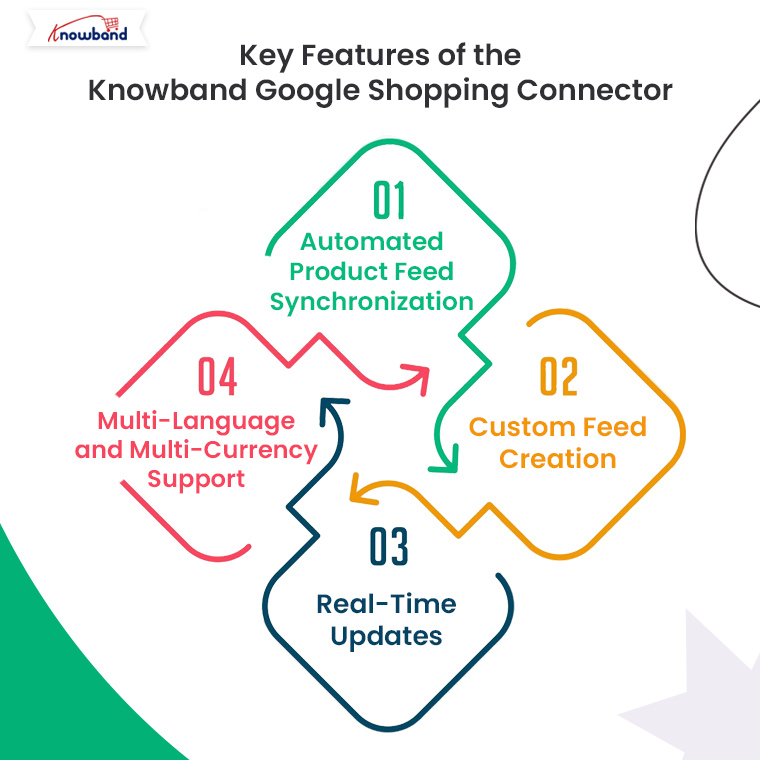
Key Features of the Knowband Google Shopping Connector:

Automated Product Feed Synchronization: No need to manually update your product listings. The module automatically syncs your Prestashop store’s product feed with Google Merchant Center.

Custom Feed Creation: You can create customized product feeds based on specific categories, product types, or attributes.

Real-Time Updates: The Prestashop Google Shopping module keeps your product data, including prices, stock levels, and descriptions, up-to-date on Google Shopping.

Multi-Language and Multi-Currency Support: If you run a global store, the module ensures that your products are displayed in multiple languages and currencies as per the customer’s location.

Knowband’s Prestashop Google Shopping Connector

Boost your PrestaShop store’s visibility with the Google Shopping Integration Plugin, streamlining product listings and enhancing your reach on Google Shopping.

SHOP NOW

How to Integrate Google Shopping with Prestashop Using Knowband’s Connector?

1. Install the Knowband Google Shopping Connector:

The first step is to purchase and install the Google Shopping Connector Module from the Knowband website. Here’s how you can do it:

  • Download the module from Knowband’s Google Shopping Connector page.
  • Log into your Prestashop back office.
  • Navigate to the Modules section and click on Add New Module.
  • Upload the module zip file and install it.
  • Once installed, the module will appear in your Prestashop admin panel, ready to configure.

2. Configure Google Merchant Center Account:

Before you can sync your products with Google Shopping, you need to set up your Google Merchant Center account. This is where your product feed will be sent.

Go to Google Merchant Center and create an account if you haven’t already.

Enter your business details, verify your website, and set up shipping and tax rules.

Now, link your Merchant Center account to your Google Ads account to start running Shopping campaigns.

3. Link Your Prestashop Store to Google Merchant Center via Knowband Connector:

Once your Google Merchant Center is set up, it’s time to connect it to your Prestashop store using the Knowband connector module. Follow these steps:

  • In the Prestashop admin panel, navigate to the Knowband Google Shopping Connector module settings.
  • Enter your Google Merchant Center credentials (Client ID and Secret Key) to establish a secure connection between your store and Merchant Center.
  • This secure integration ensures seamless synchronization of product data between your Prestashop store and Google Shopping.

4. Create and Customize Product Feeds:

With the connection established, you can now create your product feeds. The Knowband module allows you to tailor your feeds based on specific preferences:

Select Product Categories: Choose which product categories to include in your Google Shopping feed.

Filter Products by Attributes: You can filter products by price, availability, or custom attributes.

Feed Language and Currency: The module supports multi-language and multi-currency, ensuring your products are properly displayed for international customers.

Once you’ve customized the feed to your preferences, the module will automatically generate the product feed in a format compatible with Google Shopping.

5. Schedule Automatic Feed Updates:

To ensure that your product data is always up to date, the Knowband Google Shopping Connector allows you to schedule automatic feed updates. This is critical for keeping prices, stock levels, and other product information accurate on Google Shopping.

You can set the feed to update daily, weekly, or based on your store’s activity. This automation saves time and ensures that your Google Shopping ads reflect the latest product information.

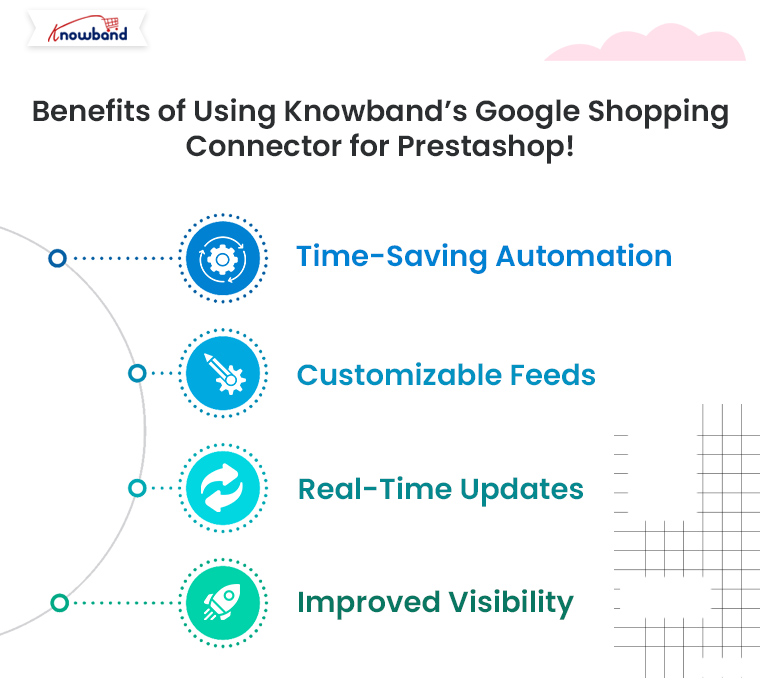
Benefits of Using Knowband’s Google Shopping Connector for Prestashop!

Integrating Google Shopping with your Prestashop store using Knowband’s connector module provides several advantages:

Time-Saving Automation: No need for manual updates. The module automatically syncs your product feed, saving time and reducing errors.

Customizable Feeds: Tailor your feeds according to specific categories, languages, and currencies.

Real-Time Updates: Ensure your product listings are always accurate with real-time synchronization between your store and Google Merchant Center.

Improved Visibility: Drive more traffic and boost sales by making your products visible to millions of potential customers through Google Shopping.

Conclusion!

Using Google Shopping to promote your Prestashop products is one of the best ways to boost traffic and sales. With Knowband’s Prestashop Google Shopping Connector, integrating your store with Google Shopping becomes a hassle-free process, allowing you to focus on optimizing your campaigns and increasing your revenue. Get started today and see how Google Shopping can transform your Prestashop store’s visibility and success.

Explore how this module helps you manage Google Shopping listings more efficiently and attract more customers. Read More

Sell More, Manage Less: Automate Your Etsy Store with the Knowband’s Prestashop Marketplace Connector Addon!

In the fast-paced world of eCommerce, managing multiple online platforms can be a daunting task. For businesses that sell on both Prestashop and Etsy, keeping everything in sync while trying to maximize sales can become overwhelming. Therefore, enter the Prestashop Etsy Marketplace Integration Addon — a game-changing solution that simplifies your workflow, allowing you to focus on growing your business rather than getting bogged down in the details.

Upgrade to Prestashop Etsy Integrator v4.0.1 for New Key Enhancements

The latest version of our Etsy integration module has been released and is designed to make your workflow with the Etsy marketplace smoother.

Here’s what’s new in V4.0.1:

1. OpenAPI Support for Etsy
Etsy’s API now requires OpenAPI authentication. Now the module contains the necessary authentication header change according to Etsy’s requirements, so your PrestaShop store continues the connection with Etsy without interruption. Make sure to upgrade before 18 January, as connections may be disrupted if the update isn’t applied by then.

2. Improved Return Policy Handling
Admins can now manage and sync multiple return policies and map them to specific profiles. Furthermore, categories associated with these profiles automatically update the return policies on Etsy, making returns management effortless and accurate.

Why You Need the Prestashop Etsy Marketplace Integration Addon:

Running an online store involves a lot of moving parts, from managing product listings to tracking inventory and fulfilling orders. If you’re operating on multiple platforms like Prestashop and Etsy, these tasks can multiply, leading to increased chances of errors and wasted time. On the other hand, Knowband’s Prestashop Etsy Integration Addon is designed to automate these processes, providing a seamless connection between your Prestashop store and your Etsy shop.

With the Prestashop Etsy Integration Module, you can synchronize your products, manage orders, and handle inventory across both platforms effortlessly.

Key Features of the Prestashop Etsy Integration Addon!

The Prestashop Etsy Integration Extension comes packed with features that make it an indispensable tool for any eCommerce business looking to expand its reach on Etsy without the added workload.
Here are some of the standout features:

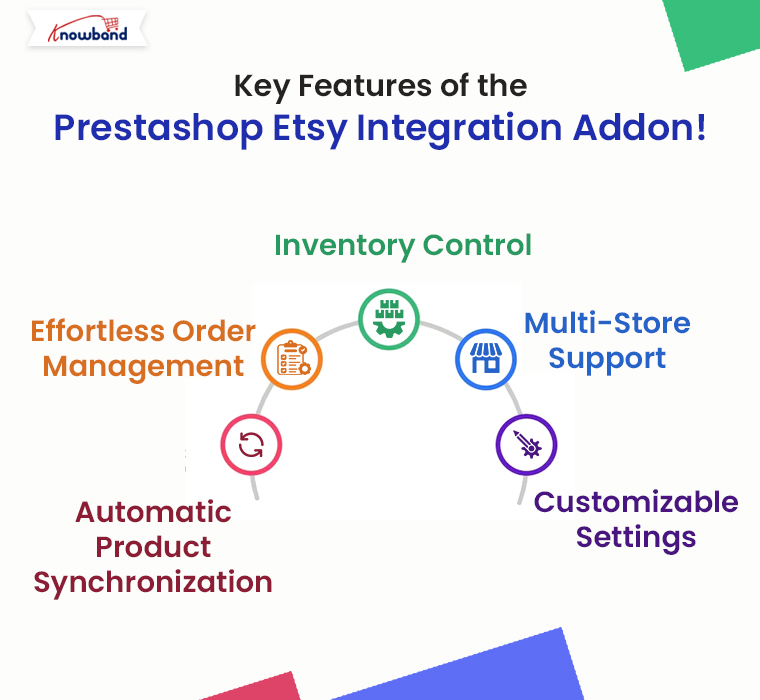
Automatic Product Synchronization: The Prestashop Etsy Synchronization Addon allows you to sync products between Prestashop and Etsy automatically. Any changes you make in your Prestashop store, whether it’s updating product descriptions, changing prices, or adjusting stock levels, are instantly reflected on your Etsy shop.

Effortless Order Management: Managing orders across multiple platforms can be tricky, but the Etsy Prestashop Integration Addon simplifies this by centralizing order management. Furthermore, all orders placed on Etsy are automatically imported into your Prestashop store, where you can process them alongside your other orders.

Inventory Control: The Prestashop Etsy Connector ensures that your inventory is always up-to-date across both platforms. This means you’ll never have to worry about overselling a product on one platform because of outdated stock information.

Multi-Store Support: If you manage multiple Etsy shops, the Prestashop Etsy Integration Plugin can handle them all. The addon allows you to connect multiple Etsy stores to a single Prestashop installation, making it easy to manage all your shops from one central location.

Customizable Settings: The Etsy Prestashop API Integrator provides a range of customization options, allowing you to tailor the integration to suit your specific needs. Whether you want to synchronize only certain products or control how orders are imported, the addon offers the flexibility to adapt to your workflow.

Knowband’s Prestashop Etsy Marketplace Integration Addon

Knowband’s Prestashop Etsy Marketplace Integration module helps Prestashop store owners seamlessly connect their stores with Etsy to expand their reach and increase sales.

SHOP NOW

Benefits of Using the Prestashop Etsy Marketplace Integration Addon!

Integrating your Prestashop store with Etsy using this powerful addon offers several benefits:

Save Time: By automating routine tasks such as product updates and order processing, Knowband’s Prestashop Etsy Integration Module frees up valuable time that you can invest in growing your business.

Reduce Errors: Manual data entry is prone to mistakes, which can lead to incorrect product listings, pricing discrepancies, and stock issues. Therefore, the Etsy Prestashop Connector eliminates these risks by ensuring all data is synchronized automatically.

Increase Sales: With accurate and consistent product listings across both platforms, you can attract more customers and boost sales. The Prestashop Etsy Integration Extension helps you maintain a professional and reliable online presence, which is crucial for building trust with your customers.

Simplified Multi-Channel Management: The Etsy Prestashop Synchronization Addon consolidates all your eCommerce operations into one platform, making it easier to manage your business as it grows.

How to Get Started with the Prestashop Etsy Integration Addon

Getting started with the Prestashop Etsy Marketplace Integration Addon is straightforward. Here’s a simple guide to help you begin:

Install the Addon: Download and install the Prestashop Etsy API Integrator from your Knowband account.
If you’re looking for a cost-effective solution, you might also explore the Free Etsy PrestaShop Integration module options available online.

Configure Your Settings: Once installed, navigate to the addon settings in your Prestashop dashboard. Here, you can connect your Etsy account, configure product synchronization settings, and customize how orders are handled.

Sync Your Products: After configuring your settings, start syncing your products. The Prestashop Etsy Integrator will handle the rest, ensuring all your product details are accurately reflected on Etsy.

Manage Orders: With the addon in place, you’ll receive Etsy orders directly in your Prestashop store. Process these orders as you would any other, and watch as your business runs more smoothly than ever before.

Why Choose Our Prestashop Etsy Marketplace Integration Addon?

Knowband’s Etsy Prestashop Integrator stands out for its ease of use, reliability, and comprehensive feature set. Whether you’re just starting or have an established business, this addon provides the tools you need to succeed on Etsy without the hassle of manual management.

For those who are cost-conscious, consider exploring a Prestashop Etsy Integration Free Module. These options can provide a great starting point and give you a taste of what full integration can do for your business.

Conclusion!

The Prestashop Etsy Integration Addon is a must-have for any eCommerce business looking to sell more while managing less. By automating key processes, this addon not only saves time and reduces errors but also opens up new opportunities for growth on the Etsy platform.
Whether you’re a seasoned seller or new to eCommerce, the Etsy Prestashop Connector is the ultimate tool for streamlining your multi-channel strategy and maximizing your online sales.

You may also like to read:
See how this free connector simplifies Etsy integration for your PrestaShop store and enhances marketplace reach. Read More

How to Set Up a Grocery Marketplace with Knowband’s Multi-Vendor Marketplace for Prestashop!

Setting up an online grocery marketplace is a fantastic way to tap into the growing demand for online shopping. With the help of Knowband’s Multi-Vendor Marketplace Module for Prestashop, you can easily transform your existing Prestashop store into a fully functional multi-seller platform. Or, if you are planning to launch a multi-seller grocery marketplace from scratch, this guide will walk you through the process, highlighting why Knowband’s solution is the ideal choice for your marketplace.

Why Choose Knowband’s Multi-Vendor Marketplace for Prestashop?

When it comes to creating a multi-vendor marketplace, choosing the right tool is crucial. Knowband’s Prestashop Multi-Vendor Marketplace Addon offers a comprehensive solution that makes the entire process smooth and efficient. Furthermore, this module is packed with features that make managing a multi-seller marketplace straightforward, even if you’re just starting out.

One of the biggest advantages of using Knowband’s Prestashop Marketplace Module is its user-friendly design. It allows you to manage multiple vendors with ease, giving each vendor access to their own dashboard where they can manage their products, orders, and inventory. Moreover, this setup not only simplifies the process for you but also for the vendors, making your marketplace an attractive option for them to join.

Moreover, the module is highly customizable. You can set different commission rates for different vendors or product categories, allowing you to tailor the marketplace to fit your specific business model. This flexibility is a key feature of the Prestashop Multi-vendor Marketplace Extension, ensuring that it can grow with your business.

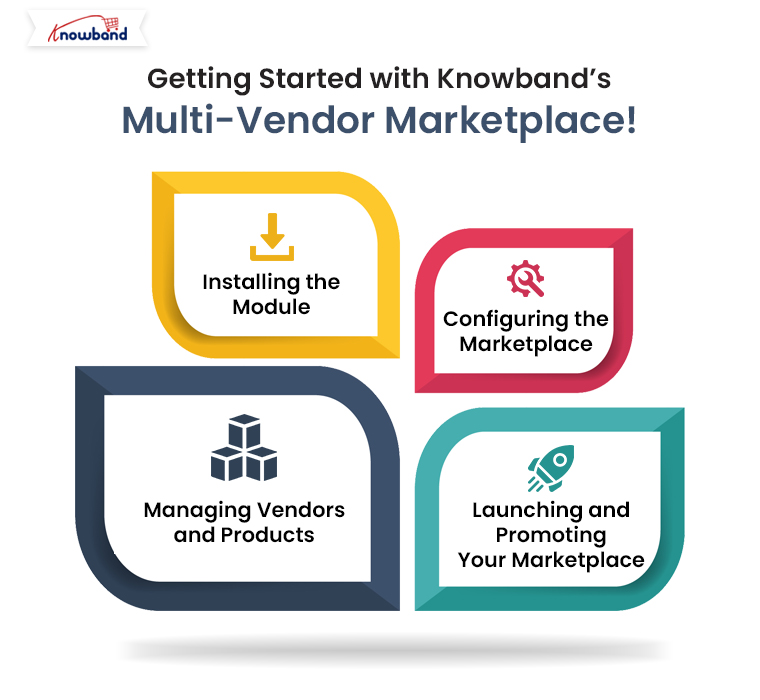
Getting Started with Knowband’s Multi-Vendor Marketplace!

The first step in setting up your grocery marketplace is to install the Prestashop Multi-seller Marketplace Module. If you’re unsure about purchasing the module right away, Knowband provides a Prestashop Free Marketplace Module that allows you to test out the basic functionalities. Once you’re comfortable, you can upgrade to the full version to unlock all the advanced features.

Installing the Module:

To install the module, you need to download it from the Knowband website. After downloading, log in to your Prestashop admin panel and navigate to the “Modules and Services” section.
Here, you can upload the module and click the install button. Once the installation is complete, the module will be ready to configure.

Configuring the Marketplace:

After installation, the next step is to configure the module to suit your marketplace’s needs. The Prestashop Multi-vendor Marketplace Plugin is highly customizable, allowing you to set up the marketplace exactly how you want it.
In the general settings, you can name your marketplace, upload a logo, and adjust other basic settings. You can also enable vendor registration, allowing sellers to sign up and start listing their products. The registration process is simple and can be customized to gather all the necessary information from vendors.

Therefore, one of the key aspects of managing a multi-vendor marketplace is setting up a fair and effective commission structure. The Prestashop Marketplace Plugin allows you to set different commission rates for different vendors or product categories. This means you can charge a higher commission for premium product categories or offer discounts to attract more vendors to your platform.

Another essential feature of the Prestashop Multi-vendor Marketplace Addon is the ability to manage payments and shipping methods. You can configure various payment gateways and shipping options, which vendors can then use to manage their transactions. This level of control is vital for ensuring that the marketplace operates smoothly.

Knowband’s Prestashop Multi-Vendor Marketplace Addon

Turn your PrestaShop store into a fully functional marketplace! Easily manage sellers, products, and commissions with this powerful PrestaShop Marketplace module.

SHOP NOW

Managing Vendors and Products:

Once the marketplace is set up, you can start inviting vendors to join. The Multi-Vendor Marketplace for Prestashop makes it easy for vendors to register and start selling. Furthermore, each vendor will have access to a personal dashboard where they can add and manage their products, track orders, and handle inventory. This autonomy makes the platform attractive to sellers, as they have control over their own stores within your marketplace.

As the marketplace admin, you have the option to approve or disapprove vendors before they start selling. This feature ensures that only high-quality sellers join your platform, maintaining the overall quality of your marketplace.

Product management is another crucial aspect of running a successful grocery marketplace. With Knowband’s Multi-Vendor Marketplace for Prestashop, you can create product categories that are specific to your marketplace. For a grocery marketplace, this might include categories like fruits, vegetables, dairy, and snacks. Vendors can then add their products to these categories, making it easy for shoppers to find what they need.

Launching and Promoting Your Marketplace:

After setting up your marketplace, it’s time to launch and start attracting customers. Promoting your marketplace is crucial to its success, and there are several strategies you can use to get the word out.

Search Engine Optimization (SEO) is a great place to start. By optimizing your marketplace with SEO-friendly URLs, meta tags, and product descriptions, you can improve your site’s visibility on search engines like Google. This will help attract more organic traffic to your marketplace.

Social media is another powerful tool for promotion. Creating social media accounts for your marketplace on platforms like Facebook, Instagram, and Twitter can help you reach a broader audience. Regularly posting about new products, special offers, and other updates will keep your audience engaged and encourage them to shop on your marketplace.

Conclusion!

Setting up a grocery marketplace with Knowband’s Prestashop Multi-Vendor Marketplace Plugin is a straightforward process that offers a wide range of benefits. Whether you’re just starting out or looking to expand an existing business, this module provides all the tools you need to create a successful and thriving online marketplace. By following the steps outlined above, you can set up your marketplace, manage vendors and products efficiently, and start attracting customers in no time.

How to Seamlessly Sync Your WooCommerce Store with eBay Marketplace!

Expanding your online store’s reach to new audiences is crucial in today’s competitive eCommerce environment. Therefore, integrating your WooCommerce store with eBay Marketplace is an excellent strategy to tap into millions of potential customers.
This guide will walk you through the process of seamlessly syncing your WooCommerce store with eBay Marketplace using the WooCommerce eBay Integration Module. We’ll explore the benefits, steps to integrate, and tips to make the most of this powerful combination.

Why Integrate WooCommerce with eBay?

Before diving into the integration process, it’s essential to understand why syncing your WooCommerce store with eBay can be a game-changer. eBay is one of the largest online marketplaces, offering exposure to millions of potential buyers worldwide. Thus, by using a WooCommerce eBay Integration Plugin, you can effortlessly manage your product listings on both platforms from a single dashboard. This integration not only increases your store’s visibility but also simplifies inventory management and order processing, which can lead to significant sales growth.

The WooCommerce eBay Marketplace Integration Extension allows you to list your WooCommerce products on eBay, ensuring that your inventory remains synchronized across both platforms. This means that any changes you make to your products in WooCommerce, such as price updates or stock levels, will automatically reflect on eBay. Moreover, this seamless integration helps you avoid overselling, maintain accurate inventory records, and save time that would otherwise be spent manually updating each platform.

Steps to Sync Your WooCommerce Store with eBay:

Integrating WooCommerce with eBay might sound complex, but it’s quite straightforward with the right tools. Here’s a step-by-step guide to help you get started.

1. Choose the Right Integration Tool:

When choosing an integration tool, look for one that offers easy installation, user-friendly settings, and reliable customer support. A well-chosen eBay WooCommerce Connector will simplify the integration process and ensure that your store runs smoothly on both platforms. If you are looking for a no-code eBay integration solution for WooCommerce, we have the best option for you at Knowband.

2. Install and Configure Knowband’s eBay Integration Tool for WooCommerce:

Once you’ve selected the appropriate tool, the next step is installation and configuration. Typically, you’ll start by installing the plugin or extension on your WooCommerce site. After installation, you’ll need to connect your eBay seller account to WooCommerce using the eBay WooCommerce API Integrator by Knowband. This involves entering your eBay API credentials, which securely link your store to the eBay platform.

After establishing the connection, you can configure various settings, such as how often your product listings and inventory should sync, whether to automatically list new WooCommerce products on eBay and how to handle orders placed on eBay. The goal is to tailor the integration to suit your specific business needs, ensuring that the process is as automated and hands-free as possible.

Knowband’s WooCommerce eBay Marketplace Integration Extension

Seamlessly list and manage your WooCommerce products on eBay with this WooCommerce eBay Marketplace Integration Extension. Simplify your workflow and expand your reach effortlessly!

SHOP NOW

3. Map WooCommerce Products to eBay Categories:

One of the critical steps in the integration process is mapping your WooCommerce products to the appropriate eBay categories. This ensures that your products are listed in the correct sections on eBay, making them easier for buyers to find. Furthermore, the WooCommerce eBay Integrator usually provides tools to help you match your products with eBay’s category structure. This step might take some time, but it’s essential for optimizing your listings and ensuring they reach the right audience.

After mapping your products, you can also customize how each product is displayed on eBay. This includes setting specific pricing rules, shipping options, and return policies that may differ from those on your WooCommerce store. Thus, by fine-tuning these details, you can create a more appealing shopping experience for eBay customers while maintaining consistency with your WooCommerce store.

4. Sync and Manage Orders:

Once your products are listed on eBay, Knowband’s WooCommerce eBay Integration Plugin will continuously sync data between WooCommerce and eBay. This means that any orders placed on eBay will automatically appear in your WooCommerce dashboard, where you can manage them alongside your WooCommerce orders. The WooCommerce eBay Integration Module ensures that inventory levels are updated in real time, preventing overselling and keeping both platforms synchronized.

Managing orders from a single dashboard streamlines your workflow, making it easier to track sales, process shipments, and handle customer inquiries. Moreover, the integration also helps you manage returns and refunds across both platforms, ensuring a smooth experience for your customers.

Tips for Optimizing Your eBay WooCommerce Integration!

To make the most of your WooCommerce eBay Integration Plugin, consider these tips:

Regularly Update Listings: Keep your product listings fresh by regularly updating them with new information, images, and descriptions. This can help improve their visibility on eBay.

Monitor Performance: Use the analytics tools provided by your integration module to monitor the performance of your eBay listings. This data can help you identify which products are selling well and which may need adjustments.

Leverage eBay Promotions: Take advantage of eBay’s promotional tools to boost your listings. This can include discounts, coupons, or special offers designed to attract more buyers.

Conclusion!

Integrating your WooCommerce store with eBay Marketplace using a WooCommerce eBay Integrator is a powerful way to expand your reach, streamline operations, and boost sales. By following the steps outlined in this guide, you can set up a seamless connection between WooCommerce and eBay, allowing you to manage your multi-channel sales efficiently. With the right tools and strategies in place, you’ll be well on your way to maximizing your store’s potential on eBay and beyond.


5 Common Challenges in Managing a Multi-Vendor Marketplace and How Our Plugin Solves Them!

Managing a multi-vendor marketplace can be a rewarding yet challenging endeavor. The concept of having multiple sellers on a single platform offers immense potential for growth, as it attracts a broader customer base and provides diverse product offerings. However, this model also comes with its set of unique challenges. Thankfully, with the right tools, such as Knowband’s Prestashop Multi-vendor Marketplace Module, these challenges can be effectively managed. Thus, in this article, we will explore five common challenges faced by marketplace owners and how our Prestashop Marketplace Addon can solve them.

  1. Vendor Management:

One of the most significant challenges in managing a multi-vendor marketplace is keeping track of multiple vendors, their products, and their activities. Therefore, ensuring that all vendors adhere to marketplace guidelines, manage their inventories effectively, and deliver quality products can be a daunting task.

On the other hand, Knowband’s Prestashop Multi-vendor Marketplace Plugin simplifies vendor management by offering a comprehensive vendor dashboard. This dashboard provides vendors with an intuitive interface to manage their products, track orders, and handle returns. Furthermore, the marketplace admin can monitor vendor activities, approve or reject products, and set commission rates, all from a centralized platform. This not only streamlines vendor management but also ensures that the marketplace maintains a high standard of quality.

2. Commission Management:

Another common challenge is managing commissions. Different vendors might have different commission structures based on the products they sell, their sales volume, or their agreement with the marketplace. Thus, without a robust system, keeping track of these commissions and ensuring accurate payouts can become complex.

Therefore, our Prestashop Multi-vendor Marketplace Extension offers a flexible commission management system that allows marketplace admins to set different commission rates for different vendors or product categories. Moreover, the system automatically calculates the commission for each sale and provides detailed reports, making it easier to manage payments. This feature ensures transparency and accuracy in financial transactions, fostering trust between the marketplace and its vendors.

3. Product Approval and Quality Control:

Maintaining the quality of products listed on the marketplace is crucial for its success. However, when dealing with multiple vendors, it can be challenging to ensure that all products meet the required standards before they are listed.

The Prestashop Multi-seller Marketplace Module by Knowband addresses this issue by incorporating a product approval system. Before a product goes live on the marketplace, it must be approved by the admin. This allows the admin to review product descriptions, images, and pricing to ensure they meet the marketplace’s standards. Moreover, this feature helps in maintaining the overall quality and reputation of the marketplace.

4. Order Management and Fulfillment:

Order management becomes increasingly complex in a multi-vendor marketplace. Each vendor is responsible for fulfilling their orders, but customers may place orders from multiple vendors in a single transaction. Coordinating these orders, ensuring timely delivery, and managing returns can be a significant challenge.

Our Prestashop Marketplace Module offers a robust order management system that simplifies this process. It allows vendors to manage their orders independently while providing the marketplace admin with a global view of all orders. Moreover, the system also supports partial order fulfillment, where different parts of an order can be fulfilled by different vendors. This feature ensures a smooth and seamless shopping experience for customers, which is crucial for the success of any marketplace.

5. Customer Support and Dispute Resolution:

In a multi-vendor marketplace, customer support can become complicated. Issues such as product quality, shipping delays, or miscommunication between the vendor and the customer can lead to disputes. Managing these disputes effectively is essential to maintain customer trust and satisfaction.

The Prestashop Multi-vendor Marketplace Addon includes a built-in dispute management system. Customers can raise concerns directly through the platform, and the admin can mediate between the vendor and the customer to resolve issues. Additionally, the module supports vendor ratings and reviews, providing customers with valuable insights into the reliability of each vendor. This not only helps in resolving disputes but also enhances the overall customer experience.

Prestashop Multi-vendor Marketplace Module

Transform your PrestaShop store into a dynamic marketplace with ease! Enable multiple vendors, manage commissions, and grow your business with this comprehensive marketplace solution.

SHOP NOW

Conclusion!

Managing a multi-vendor marketplace comes with its share of challenges, but with the right tools, these challenges can be easily overcome. Our Prestashop Marketplace Addon is designed to address the most common issues faced by marketplace owners, from vendor management and commission handling to product approval and customer support. By leveraging this powerful Prestashop Marketplace Extension, you can focus on growing your marketplace, knowing that the complexities of management are well taken care of.

Whether you’re running a large-scale marketplace or just starting, our Prestashop Multi-vendor Marketplace Plugin offers the flexibility, functionality, and ease of use you need to succeed. And if you’re looking to get started without an upfront investment, we also offer a FREE Prestashop Marketplace addon that allows you to explore the capabilities of our module before committing to a purchase. With our Prestashop Free Marketplace Module, you can experience firsthand how it simplifies marketplace management and drives growth.