7 Reasons Why Your Offline Business Must Have an Online Presence

If you have landed into this article, it would not be wrong of me to assume that you are thinking to take your offline business online, and are looking for some strong reasons that explain why having an online presence for your existing offline business can be an ideal move.

This is the common query of every second traditional retail business owner- “Why should I have an online presence for my brand?”

If you have successfully set up your offline business, making a good revenue, and maintaining a good brand image in the market, your mind is bound to be hit with such questions.

So, what’s the point of moving online? If you are seeking answers for these sorts of questions, this guide will help you. In this write-up, I have listed seven reasons that will help you understand why your business must have an online presence.

Let’s begin.

1. Expanding Your Business

The primary reason to establish an online presence is it provides you with the opportunity to expand your business. What was earlier limited to a specific location can then be visited by people all over the world. Not only it gives a boost to your business but improves your brand image in the online market.

2. More Customers

For a brick-and-mortar store, the number of customers is limited. More often, you would have only those people visiting your store who live nearby whereas if you take your business online, you can drive customers to your website from any part of the world.

3. 24×7 Availability

At what time do you close your store? 10 pm? 11 pm? And how many days does it remain open? There would surely be a day off which means no customers, no orders on that particular day whereas if you have an online store, timings and day off are no concern at all.

Online stores are open 24×7 for shopping. While you take a peaceful nap on your bed, some customers would be placing their order on your website. This is one of the major advantages of eCommerce over the traditional retail business.

4. Going Online Requires Minimal Cost

Unlike your traditional retail business that would have cost you huge bucks in setting it up, an online website requires a much lower cost in comparison. You do not have to pay heavy monthly rent, no utility expense, or bear other expenses.

When you are just starting your online business, building an eCommerce website will require only a small amount of money. With time as your business grows, you can think of spending more.

Initially, you only require a domain name, a web hosting and a platform where you could build your eCommerce website and these will cost you a few dollars.

5. Enhanced Customer Support

When you take your existing business to an online platform, addressing your customers’ queries can be a challenging task as you will have customers coming from everywhere with lots of doubts in their mind. But this can be solved in many ways.

For example, having product images, product videos and product description can clear customers’ concerns regarding the product quality. You can have a “Frequently Asked Questions” section as well which we call as FAQ page for related concerns. Your return policy is also an important factor when it comes to addressing queries related to returns. Not only it saves you time but also helps customers in their buying decision.

For any other queries, you can have a live chat option on your website alongside a customer support number and en email address if in case they want to reach out to you via call or email, respectively.

Interacting with buyers in a brick-and-mortar store can be time-consuming as well as daunting.

6. Social Media will help you in Brand Awareness

Social media plays a vital role in brand promotion. People of every age are present on social media platforms like Facebook and Instagram. Hence, you can reach out to your target audience and promote your products.

Your potential customers are waiting for you. Turn them into your regular customers before they are taken away by your competitors. Today, social media is arguably the best platform to acquire new clients and customers and boost your business.

Related: Social Media Marketing for eCommerce: Strategies and Best Practices

7. Easy Management

When you have a website for your business, everything can be managed without any hassle in a few clicks. You can customize your website as per your requirements and give it the desired look. You can work on your product pages, checkout, and navigation and make your website as convenient as you can for your visitors.

And most importantly, having an eCommerce website provides you with useful customer data which can use to provide customers with a personalized shopping experience.

Final Thoughts

Today, the focus of the customers has shifted from brick-and-mortar stores to online stores. And there cannot be a better thing if you have both. With millions of people searching for the desired product on the Internet, you should not leave any opportunity to list your business in their search query.

Higher the brand and product visibility, higher the number of customers. And whether you are a small or medium business, having an online presence can add to your brand’s success on a global level. I hope this write-up encouraged you to take your offline business online.

Own a Clinic? Try Knowband’s Appointment Booking System Module and Let Your Customers Book an Appointment Comfortably

In this global pandemic where everyone has been advised to stay at home, doctors and the other medical staff are putting their lives at risk, working continuously day and night trying to save people. We express our heartfelt gratitude to those heroes.

Amid the Coronavirus outbreak and the imposed lockdown, doctors who consult patients in their clinic are also finding a tough time managing their hectic schedule. This is where the Appointment Booking System module by Knowband makes things easier.

Appointment Booking System Module

The Appointment Booking System module by Knowband lets you list your clinic on your website and allows your customers (patients) to schedule an appointment. The module offers various configuration options to adjust your bookings as per your convenience.

So, if you are a doctor who is looking for a module that could help you manage your appointments online and get rid of manual bookings, this module is for you. Not necessarily be a doctor but if you want to open a website and tie-up with different doctors and list their clinic on your website, this module will help you do so.

The module is available for PrestaShop and OpenCart. PrestaShop website owners can make the booking facility more convenient by having a related mobile app.

What does the Appointment Booking System Module offer?

Wondering what features does this module offer? Let’s take a look.

1. Add your Business/Clinic Easily

The Appointment booking system makes it easy for you to add your clinic on your website. Simply head over to Products, followed by Add New Booking Product. Select Appointment. You will be presented with five columns to specify your clinic details and other necessary information.

2. Specific the Service Type: Clinic Visit or Home Service

Many people are looking to claim the home service facility be it about receiving grocery items or medicines. The same goes for a consultation. While adding your clinic, you will have the option to specify the service type which can be- Branch Visit or Home Service. The former means your customers will be required to visit your clinic whereas, in Home service, you will be visiting the patient’s home to consult him or her.

3. Set an Upfront Booking Price

You can set an initial/upfront booking price that will be displayed to the users at the time of booking. The price can be adjusted for different hours. For example, the booking price for peak hours can be a bit high as compared to regular hours.

4. Let Customer Pick the Desired Date and Time-slot

Inside the module configurations, you can add the period and time slots within/for which the customers can create a booking. You can enable a different price for a different time-slot. So when customers are on the booking page, the booking price will fluctuate as per their picked time slot.

5. Specify Non-booking Days

With the help of the Appointment booking system module, you can specify the days for which bookings cannot be created. So like if you take a day off on Monday, you can disable that day and hence customers won’t be able to create bookings for Monday.

6. Limit the Number of Bookings per day

Under Quantity, you can specify how many appointments you wish to take in a single day. For example, if the quantity is set to 10, no booking will be generated after the limit (10) is exhausted.

7. Add Business Location, Info and Images

Let customers know what service you are offering. Specify your clinic name and a bit of information related to it. You can also add your business location and set coordinates so that it becomes easy for people to navigate to your clinic via Google Maps.

Besides, you can also add images related to your business to make it more appealing in front of your clients.

8. Run Offers on Specific Days

Leaving aside the usual booking price which will work as per the defined time slots, if you want to run some offers on a specific date or a specific period, our Appointment booking system module will let you do so.

Under Booking Price Rule, Choose a specific date or specify the period and set the discount value for booking made on that day or within that period. It can be a flat discount or on a percentage basis.

9. Track your Orders

All the booking generated can be viewed under the Orders section.

Final Thoughts

The Appointment booking system provides your customers with a hassle-free booking experience, and at the same time makes your job easier.

You do need an assistant to schedule appointments over call and hence there is no time-related issue as well. Your customers can create a booking at any time of the day. This also provides you with the opportunity to make good revenue.

The module is not restricted to appointment bookings but also provides hotel and vehicle rental booking facility.

You May Also Like:

Why should you have an Online Booking System?

Take your Salon Business Online with our Online Booking System Module

How to set up your Online Grocery Business with Store Pick-up Facility?

Take your Salon Business Online with our Online Booking System Module

With the lockdown being imposed in many countries due to the Coronavirus pandemic, one of the problems that common people are facing is not being able to get a haircut. This might not seem a bigger concern than getting groceries and medicines, but people are having a tough time maintaining long hairs.

Some have turned into Jon Snow while some have made themselves Vin Diesel by shaving head on their own, as currently, the salon shops are closed and people are left with no other option.

If you are having a salon outlet, you probably are facing the same set of challenges that almost every other business is facing currently, i.e. “No Customers, No Sales”

This is when you can think of taking your salon business online and provide customers with the required solution. People cannot come at your outlet but how about a home-visit haircut from your end? Seems a pretty good option right where people can book a salon service online and the concerned person visits the customer’s home and gives him a haircut?

Well, our Online booking system module helps you exactly that way. If you are a salon outlet owner yourself and thinking to provide home services or if you want to create a salon chain where you could register salon outlets and act as a medium between customers and the outlets, the Online booking system module will cover all your requirements.

How to Manage your Salon Bookings through Online Booking System?

Before we delve into the online booking system module, we would like to let you know that the module is available only for the PrestaShop and OpenCart platform.

So, in order to set up your online booking system and start providing booking services, first, you need to purchase a domain name for your business, a hosting plan and choose the desired eCommerce platform, be it PrestaShop or OpenCart.

As per the selected platform, you can choose the respective module, install it and integrate on your website. The configurations are almost the same for both the modules.

Once you have successfully installed the module, here’s how you can start providing online salon services. (I am taking the example of PrestaShop here)

Step-1: Open the Admin Demo

Step-2: Head over to “Products”

The Products section will consist of some default booking services which you can customize or delete and add new ones.

Step-3: To list your salon, click on “Add New Booking Product”

Once you click on it, you will be presented with four options: Appointment, Hotel Booking, Daily Rental, and Hourly Rental.

To be more specific about this module, it not only provides you with an appointment booking facility but also with Hotel booking and Vehicle Rental booking. So if you are involved in those kinds of businesses, you can manage such bookings with the help of this module. But since we are particular about the salon bookings in this module, only the first option (Appointment) matters to us.

Step-4: Click on Appointment

You will now be presented with five columns that are: General Information, Booking Information, Location, Image, and Date/Time.

Under General Information, as the name suggests, you can give a brief about the salon service that you want to add. You can specify the name, reference, short description, long description, and give it a category.

Under Booking Confirmation, you can specify the service type; Branch and Home Service. The former means that a user can confirm a booking to visit your outlet and claim the service, the latter is what this entire write-up is focused on, i.e. home service with the help of which the customers can get the service at their home.

So, in the current scenario, you need to choose home service.

Moving further, choose date and time from the “period type” option so that the customers can book the desired time slot to receive the service.

The next option we have is Quantity where you can specify the maximum number of bookings that can be made in a single day.

Then you can set an upfront booking price that will be visible to the visitors at the time of booking. Depending on the region or country, you can select the tax rule.

Under location, you can set up your store address so that customers can know where the service person would be coming from.

Coming to next column- Images, you can add images about that particular service and display it on the product page. The more appealing pictures you use, the higher would be the chances of a customer booking your service.

Under Date/Time, you get to specify the days for which the customers can create a booking. You can choose the days on which you don’t provide services and hence customers would not be able to make bookings on those days.

Then you can specify the date and time slot and set your price accordingly. You can define different periods for bookings, mention the timings within which the bookings can be made and fix the booking price for it.

To run offers on a particular day or for a specific period, head over to “Booking Price Rule” and make the required changes.

To view your booking orders, you can click on “orders” and track your bookings.

That’s it. This way you can add as many salon services as you want and solve customers’ haircut related concerns easily. Isn’t this amazing? Get the module by visiting the links below:

For PrestaShop- PrestaShop Booking and Rental System Addon

For OpenCart- OpenCart Booking and Rental System Extension

If you want to provide your customers with the facility of booking a haircut through a mobile app, you can try out the PrestaShop Booking and Rental Mobile App

Benefits of Providing the Home-based Salon Services

For providing home services, especially during this time when cleanliness and social distancing is highly required, ensure your customers that everything will be completely sanitized. You need to win your customer’s trust so that they do not hesitate to get a home service.

The salon persons should wear proper masks and gloves and should maintain distancing from customer other family members.

If all these things are settled, you will not face a hard time getting online bookings.

Coming to the benefits-

1. Customers do not need to go outside. They can get the facility at their home and avoid social gathering outside.

2. Customers can book a service as per their convenience.

3. For peak hours, you can charge customers accordingly.

4. You can disable booking for specific days.

5. 24×7 online booking option for customers.

Things to consider before opening an Online Salon Services booking website (plus marketing ideas)

1. Create a roadmap for your salon business-

No business starts without planning. Identify how you are going to market your business, tackle the problems and be ahead of your competitors.

2. Be specific about the Regions-

When starting out, it would be challenging to target all the regions (if you are a salon chain) but if you have your own outlet, you should be targeting only the region your outlet is located in so that you can reach out to the customers conveniently.

3. Create your social media accounts-

f you want to highlight your brand in front of a huge audience, social media is the best place. For a salon services booking website, Facebook and Instagram are the best. Aware your audience about your salon business and services.

4. Do SEO for your website-

Contact SEO experts who can help you rank your website when people search for an online salon services booking website in your region. This will give you a huge organic boost.

Final Thoughts

Imagine waking up in the morning and seeing you have got bookings for the entire week and made a whopping $1000. All this can be possible if you give serious thought to move your salon business online. And this is the best time to open an online salon business.
Try out our Online booking system module and make the online booking experience of your customers convenient.

If you need any kind of help in setting up your website, you can raise a quote by clicking here or submit your query at support@knowband.com

How To Create An Online Store With OpenCart?

It’s 2020 already & most businesses are willing to bring their shops & services online. With the growing usage & popularity of online shopping, it has become a necessity for businesses to be online to thrive. The most effective way to do so is by launching your own OpenCart eCommerce online store.

Although many startups are already maintaining their presence on social platforms like Facebook marketplace & on other marketplaces like Amazon, etc, these platforms have a lot of limitations & marketplaces even end up taking some share of the profit.

The most efficient way is an eCommerce website (for selling online) or a catalogue website built using well-renowned eCommerce solutions like OpenCart, PrestaShop, etc. For startups, these two are the best platforms as they are open source solutions yet extremely feature-rich & customizable.

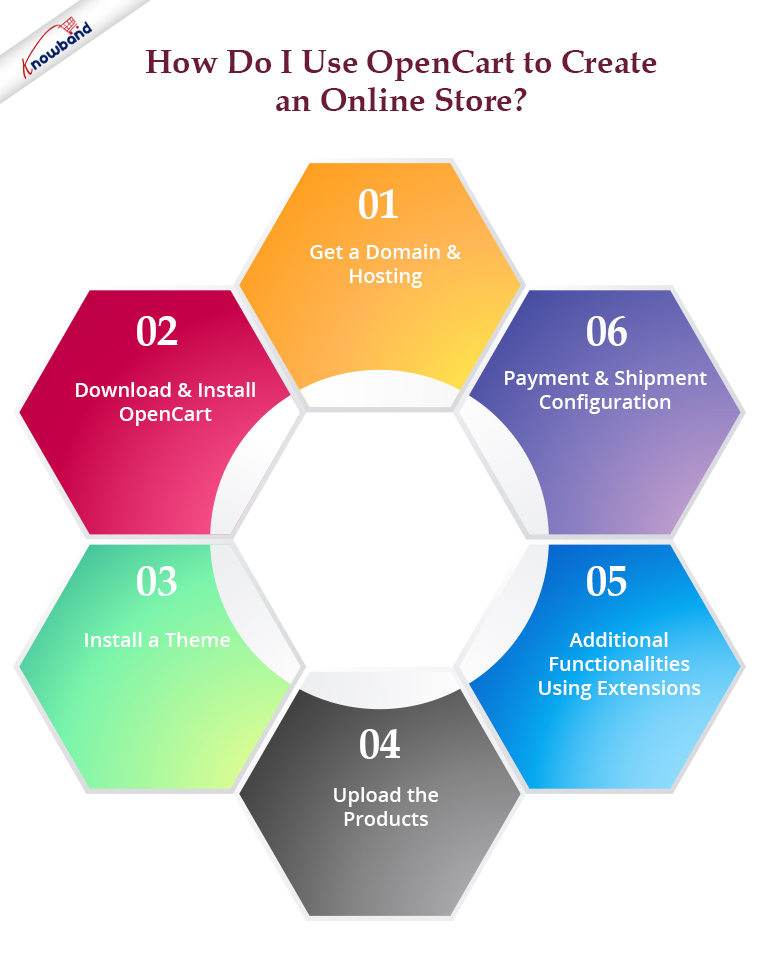
In this article, I will elaborate on various factors that can help you create an online store with OpenCart. Following are the steps to build & design an OpenCart Website:

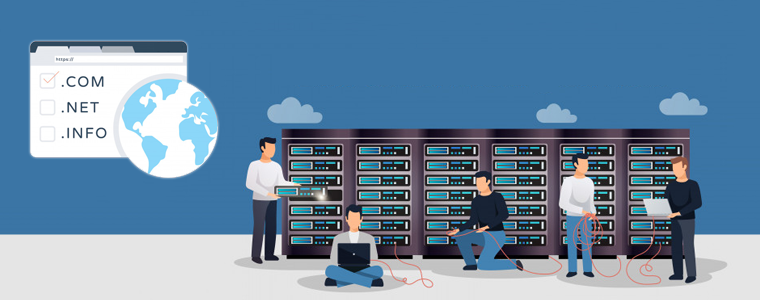
1. Get A Domain & Hosting:

The benefit of having your website is the option to have your unique web address. For example, Facebook has its web address i.e. facebook.com. Having your choice of domain name helps you build a better brand reputation. It also provides you with all possible kinds of marketing opportunities. You also get a better hold of getting more profound insights into your audiences & customers. This allows you to improve your services by following a customer-centric approach & it all eventually boosts your revenue & helps your business thrive.

The first step you need to take is to buy a domain name & suitable hosting (shared/ VPS, dedicated, cloud hosting, etc.) according to your needs. Once you get a hosting space, you can install & design your OpenCart website on it.

Alternatively, you can design your OpenCart website on your local computer (using Xampp/ Wamp/ Mamp) & then later upload your well-designed OpenCart website to your domain & hosting space.

Recommended Read: Top 10 Important Website Elements You Must Keep an Eye On

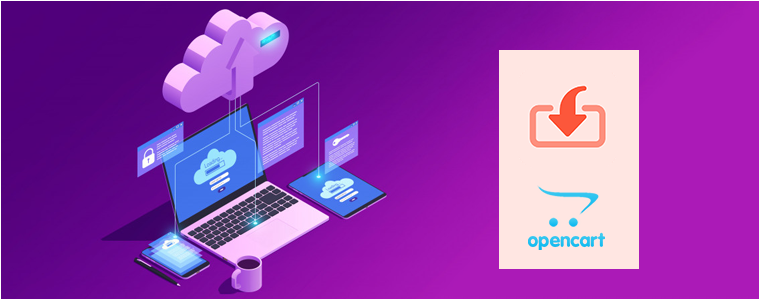
2. Download & Install OpenCart:

Download the latest version of OpenCart from the official website of OpenCart. Upload the downloaded file to your hosting space (usually the public_html folder of the cPanel of your Linux Hosting). Then simply set up the database (MySQL for OpenCart), connect it with your OpenCart website & run the installation.

Viola! Now, you can easily sign in to the backend of your website & design your site. OpenCart has a very flexible yet easy-to-use backend with features that even a non-tech-savvy person can use.

3. Install A Theme:

OpenCart has several theme templates that already are mobile-responsive & customisable to every extent. Choose the one that suits your business needs. You can also design your theme from scratch or heavily customize an existing theme as per your needs & budget. You can even outsource the OpenCart development & hosting task to a professional eCommerce firm.

4. Upload The Products:

No eCommerce website can function without the products being listed on it. Simply add the products & enter the relevant description, price, tax rules, delivery fees, etc. You can also upload the products in bulk using the ‘.csv’ file upload method.

Recommended Read: 6 Must-Have OpenCart Extensions for Your eCommerce Store

5. Additional Functionalities Using Extensions:

To add more designs & functions other than what your theme offers, you can install 3rd party extensions on your OpenCart website. Some of the common OpenCart extensions are the ‘One-Page Checkout’ extension, ‘ZIP code product availability check’ extension, ‘Mobile App Builder’ extension, etc.

6. Payment & Shipment Configuration:

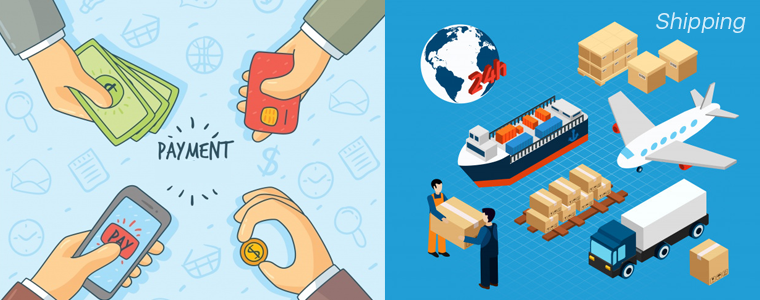
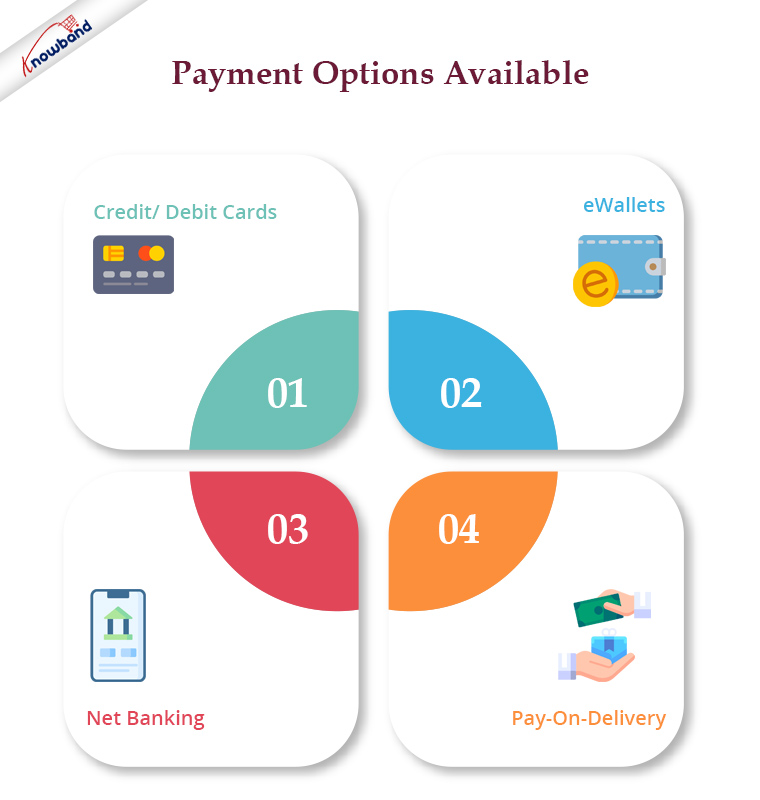
Set up the payment methods according to the popularity of your potential audience. The easiest one to set up is PayPal. You can also add payment options using Credit/ Debit cards, eWallets, Net Banking, Pay-On-Delivery, etc.
Next, you must set up the shipment. The most popular shipment companies are FedEx, DHL, etc. Based on your business location & the location of your target audiences, make sure to choose relevant shipment companies.

These are all the minimum steps you would need to get your OpenCart eCommerce website up & running. Later on, you can make any desired modifications on your OpenCart site whenever you need them.

From the backend of your OpenCart website, you can manage orders, add site managers/ editors with selective privilege, add CMS pages like ‘about-us’, ‘privacy policy, etc.

OpenCart can also be used by brick & mortar shops to simply display their products like a catalogue website (without setting payment & shipment options). This can help them build a better online presence with improved branding. Those who sell products via affiliate links can also build a catalogue website using OpenCart. The options with OpenCart are just endless.

Recommended Read: Real-Life Example of Knowband’s Opencart Mobile app

Wrap Up

Great news for OpenCart Store Owners !!!

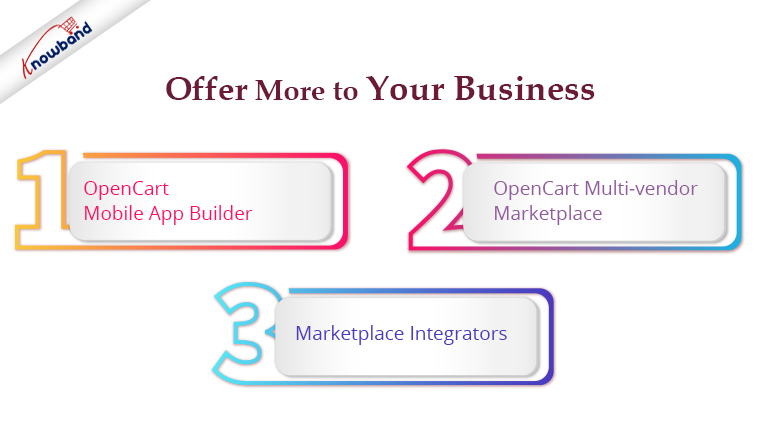
Knowband has decided to drastically alter your company’s operations as a result of its outstanding OpenCart Extensions, which are exceptional in many ways. These modules can be easily installed and set up because of their responsive design, device compatibility, and ease of installation. We, at KnowBand, offer OpenCart plugins along with website development and designing services. Check out the following ones as they can be used to offer more for your business:

They can assist in rescuing your online stores from the suffering of declining product sales and conversion rates. Don’t wait; visit our Knowband store right away and make a hasty business selection in this regard. Check other useful plugins from here or drop us an email at support@knowband.com in case of prompt assistance.

How To Create An Online Store With PrestaShop?

As more & more businesses are coming online, the competition among eCommerce companies is ever-increasing. To stand out among them while providing the most efficient online shopping experience to the online shoppers, having a professional functioning eCommerce website is a must. The PrestaShop eCommerce platform fits perfectly with that requirement.

Building an eCommerce website isn’t a piece of cake for everyone. A proper functioning store with appealing design doubles the audience and conversions for the business. PrestaShop is an open-source eCommerce solution with all the possible features that an eCommerce business (Start-up or Enterprise) would need. No need to indulge in coding or hiring a developer. Stick to the end of the write-up and you’ll be aware of the best possible way to achieve that.

The first thing that comes in the mind of someone willing to build/ design a PrestaShop website is the hosting space or localhost platform where the PrestaShop website can be installed. The rest is just designing & configuring the site. The options with PrestaShop are endless.

Where Can A PrestaShop Site Be Installed & Hosted?

You can either buy a domain & choose a hosting plan of your choice (shared/ VPS/ dedicated/ cloud hosting etc.). In the alternative, you can install your PrestaShop website on a web server solution stack package (like XAMPP, WAMP, MAMP) to design your PrestaShop website offline on your local computer. It can later be transferred & hosted to your choice of domain & server.

Websites Types To Build Using PrestaShop Platform:

You can opt to build an eCommerce PrestaShop website (with all the payments & shipment configurations set in place) or you can also make a catalog website to simply display your brick & mortar shop (with no payment & shipment options). Being a brick & mortar shop owner, if you also sell on sites like Amazon, you can also equip your catalog site with your products’ affiliate links.

This article will give you a deep insight into efficiently making an eCommerce PrestaShop website. Follow along until the end of this article for step-by-step guidance.

Main Steps For Building A PrestaShop eCommerce Website:

Step 1: Download PrestaShop from the official PrestaShop website.
Step 2: Name your store & choose from a pre-existing theme template or create your own.
Step 3: Upload your website logo or a sample image for your logo.
Step 4: Add products to your catalog & add a relevant product description.
Step 5: For your PrestaShop eCommerce site, set up the payment methods of your choice.
Step 6: Set up the shipment configuration.
Step 7: Activate your PrestaShop website & it will be live on your domain.
Step 8: Start to sell online. You can manage the orders, customers’ data & even edit your site later on whenever needed.

How To Design A PrestaShop eCommerce Website?

1. Choose A Customizable Theme:

You can choose a PrestaShop theme that fits your needs but make sure that it is customizable to a good extent as well. Design an elegant & professional looking PrestaShop website aligning with business model & customers’ needs. You can customize your theme colors, change fonts, layouts & typography. If you plan to design your theme, ensure that it is responsive on mobile devices too.

2. Set Up Your Product Catalog:

On the website backend, in the catalog section, add & list the products on your website. If you are a bit experienced with the eCommerce industry, you must be aware that products can be easily bulk uploaded using mediums like ‘.csv’ files. PrestaShop allows that & makes cataloging convenient. Make sure to use a unique product ID for each product because when the same ids are encountered, the older products get overwritten.

3. Set Up Payment Methods:


The easiest payment option to configure on PrestaShop is PayPal. You can add more such as debit/ credit cards, e-Wallets, Net Banking/ Mobile Banking, Pay-On-Delivery, etc. to make it easier for website visitors to use their preferred method of payment. You can also configure multiple currencies if you are serving in multiple countries. Make sure to have secure payment gateways. Keep your whole PrestaShop website secure by installing an SSL certificate.

4. Shipment & Order Delivery:

Based on the location of your business & the location of the potential customers you are serving, choose the right shipment company. Some of the worldwide popular ones are FedEx, DHL, etc.

These are the basic things to get your PrestaShop site up and running. Later on, you can add more customization, add admins & editors with selective privileges, add support for multiple languages, add CMS pages for information like the ‘about us’ page, ‘contact-us’ page, etc. Install 3rd party modules to add more functionalities to your website, transform your site into a Mobile App, & a lot more.

If you need any expert assistance while PrestaShop development and designing, reach out to us at support@knowband.com. Our experts at KnowBand, a leading eCommerce Solutions Company, would be more than happy to assist you.

We, at KnowBand, offers everything for PrestaShop Stores along with development services. Check our best-in-class extensions and add more functionalities on your website:

That’s not all. Here are 500+ such amazing plugins. Check all of them from here.

How COVID-19 has affected Online Shopping Behaviour and eCommerce Sales?

Remember the 31st Dec night? Like every year, people were excited to welcome the new year 2020 as well. “Happyyyyyy Newwww Yearrrrr”, greeted everyone to each other, only if they could realize that the year isn’t going to be happy at all.

It’s been four months into 2020 and things have only gone from worse to worst. And the only reason for that is Coronavirus.

Originated from the Wuhan city of China at the end of 2019, the Coronavirus also denoted as COVID-19, has turned into a global pandemic within a few months.

It started at a small scale but soon spread like wildfire all over the world. In a few months span, nearly 2 million cases have been reported worldwide and the count is increasing rapidly each day. The USA is currently having the most number of cases as well as reported deaths, followed by Spain, Italy, France and Germany with each crossing the 100K mark.

(Results can fluctuate by the time you read this post, for latest updates click here)

It has led to complete lockdown in many countries, which has made a severe impact on businesses. Be it offline businesses or eCommerce, COVID-19 has left no one. People have been asked to maintain social distancing and keep themselves quarantined along with some other preventive measures like washing hands properly at regular intervals.

Schools, Colleges, Bars, anything that involves social gathering has been shut down. Flights have been cancelled, borders have been sealed. Offices are closed and employees have been asked to work from home. Only a few stores are opened such as Pharmacies, Grocery stores, etc. to deliver essentials to the citizens.

The current situation is very critical and frightening, and no one knows how long it will take before we get rid of this completely.

While staying at home seems to be the only solution to prevent the spread of COVID-19, the global economy, on the other hand, has been hit hard due to the Coronavirus outbreak. Businesses have suffered huge losses as they are not getting customers and hence no sales. Online businesses are also facing a major downfall as they are not currently accepting orders due to shipping and delivery troubles.

As per the World Economic Forum, it can take up to three years for the US and European economy to recover from the crisis created due to the Corona pandemic.

How COVID-19 has changed Online Shopping Behaviour?

As people are aware of how infectious this disease can be, they are concerned about how safe it is to receive online orders, the reason being that the virus can live on surfaces for up to two days.

With that being said, people are worried that the item they purchase can contain the virus. A product travels through many places before it reaches the end customer and you simply cannot figure out if it came in contact with the virus anyhow, though it is highly unlikely that you will be exposed to the virus through a package, since shipping and delivery are getting highly delayed and the virus would not survive that long. The WHO, i.e. the World Health Organization has also addressed the concerns saying that it is completely safe to receive orders from countries with COVID-19 cases.

A statement from their website read- “The likelihood of an infected person contaminating commercial goods is low and the risk of catching the virus that causes COVID-19 from a package that has been moved, travelled, and exposed to different conditions and temperature is also low.”

Besides all this, shoppers are raising doubts over interacting with the delivery guys too. And let’s be honest, the fear is genuine. You never know who the next victim of Coronavirus is as it doesn’t show symptoms very early but within 2 weeks. This had led to eCommerce businesses providing the option of “contactless” delivery to the consumers.

Impact of COVID-19 on eCommerce Sales and Revenue: Which sectors are dominating?

Since public places have been shut down and people fear to step out of their houses, offline shopping has witnessed a drastic downfall. Ultimately this has led to the only possible solution, i.e. online shopping. Which sectors are dominating the eCommerce market?

1. Food and Groceries

As the news of lockdown reached the public, people realized that it is going to be challenging to buy groceries or other food items. This made people purchase all the essential items in bulk so that they could avoid the hassle of visiting supermarkets later.

E-retailers providing grocery items witnessed heavy traffic and the orders almost doubled or tripled.

2. Medical Sector

Online businesses that deal in the supply of medicines are among the top sectors that are dominating during these hard times. Purchase of medicines related to cold, cough, and fever have increased by a significant margin. The demand for masks has touched the sky.

Medical eCommerce businesses are making sure that people do not have to come out of their houses to purchase medicines.

3. Online Streaming Services

As people are left with no other option except spending their days in quarantine till the lockdown gets over, they are keeping themselves busy by watching movies or web series.

The subscription rate of online streaming platforms like Netflix, Hotstar, and Amazon prime has increased exponentially, leading to higher conversions and revenue.

Final Thoughts

I had never thought that such time would come where the entire world would be in the survival mode. This feels not less than an apocalypse.

Things are getting difficult for each individual. And we can understand what you are going through. Let’s just hope things are back on track and we are living the same life we used to live prior to this COVID-19 pandemic.

As a token of support, we are also offering some free modules to our customers/merchants. You can view the list of the modules here.

Advantages of eCommerce over Traditional Retail

Going back a decade, no one would have thought that eCommerce would become such a huge thing in the coming years.

I would have laughed if someone had said it would be possible to get almost everything at your doorstep within a few clicks.

But as time passed by, eCommerce became a popular term and online shopping became convenient. And today, in 2020, eCommerce is dominating the traditional retail business.

Many offline businesses are taking or thinking to take their business online to expand it. Why is it so? What benefits does eCommerce provide over traditional retail? Let’s try to find out.

Benefits of Ecommerce Over Traditional Retail Business (Online Vs Offline)

Buying and selling of products or services over the Internet are what we call eCommerce. In other words, you can also define it as when commercial transactions are conducted online, it is eCommerce.

Some of the major benefits of eCommerce are:

1. Business is not Restricted to Limited Locations

As an e-retailer, you can get customers from all the areas and zones where you are targeting your business which in the case of traditional retail would have been limited to people living within a certain area range.

This becomes beneficial for the customers as well. They are not limited to buying from their nearby stores and shops which could make them compromise on the quality and the variety. In an online shop, they do not need to step outside. They can enter the store lying on their bed and look out for their desired products.

So, this creates a win-win situation for both the sellers as well as the customers.

Recommended Read: Benefits of Having Live Chat Option on Your eCommerce Website

2. Cost-Efficient

Opening an eCommerce store involves lower costs than opening a retail store. For the latter, there is too much headache. First, you need to choose the location wisely; an area that is decently crowded with people and keeps the customers coming. Then if you are taking some space on rent, you will have to pay monthly rental, which again depends on the space occupied and the market.

The more popular the market, the higher the rent! Apart from rent, there are other areas which can add to your expense such as the utilities and the employees. This is what makes the traditional retail business expensive.

E-commerce, on the other hand, requires lesser space and lower operational costs, making it one of the major reasons for businesses to go online rather than thinking about a brick-and-mortar store. To go online, you can simply choose an eCommerce platform and set up your store accordingly, cutting down the additional costs.

3. Data Analysis

Having an eCommerce business helps you keep track of some invaluable information about your customers and their shopping behavior. For example, you can analyze how many orders have been made in your store, which those specific areas or countries where most of your orders are coming from, how many people are visiting your website, and which age group is shopping the most from your store, which gender is seen mostly on your website, which products are getting hits. All these sorts of information are highly useful for your business growth.

This is likely impossible in the traditional retail business or is too tough a task to perform.

4. Number of Orders

How many customers can be accumulated in a brick-and-mortar store? From the smallest shop to large stores, maybe 10 or 100 or 500, even 500 looks too much. This means that you can receive only limited orders at a particular time, while in the case of eCommerce, the number goes countless.

A million people can visit your website at once, and there is no foundation on the number of orders. It’s just a matter of your brand getting popular. E-commerce giants like Amazon, and Wal-Mart receive countless orders in a day.

Recommended Read: How to write an abandoned cart email to bounced customers?

5. Customer Reviews

One of the major advantages of eCommerce over traditional commerce is that the former provides you with customer reviews or product reviews which is an important factor as far as brand credibility and customer satisfaction are concerned.

When people visit an offline store, they can only assume that the product matches their expectations. They have concerns regarding product quality, which is genuine from a buyer’s point of view. In the case of eCommerce, prospects can read customer reviews and know about the quality from the experience of past customers. This has a crucial role in influencing the prospect’s buying decision.

And the customer feedback also helps you as a seller to find out the flaws in your product so that you can rectify them later.

6. Brand Visibility on Search Engine

The success of your offline retail business is primarily measured by its reputation and popularity. And to make your brand popular and acquire new customers, you need to spend a huge sum on your marketing to get your brand noticed by the people.

Whereas in eCommerce, you can get huge “organic” traffic on your website through search engines. Almost everyone owns a smartphone today and has access to the Internet, so whatever people feel to purchase, they just enter their query on the search engine. And the chances of your website appearing on the search results are very high if the query relates to your business and if your website is SEO optimized.

If your business shows on top of the search results, you cannot even imagine the kind of boost it can give to your business. That’s the advantage of taking your business online. Organic traffic can bring you thousands or lakhs of customers.
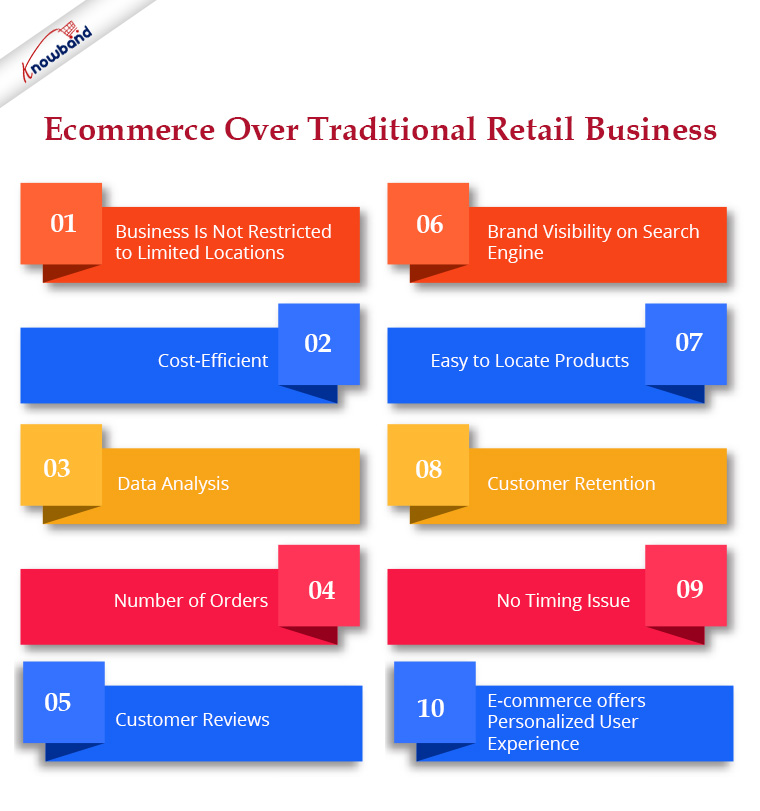
7. Easy to locate Products

Unlike physical retail where people have to look here and there or consult the concerned person to find the desired product, an eCommerce website simply requires users to enter their search query in the search bar.

People no longer need to carry their carts and put their items in. They can simply browse through the products, add them to the cart, and checkout.

8. Customer Retention

While retaining customers in eCommerce is not a cupcake due to the availability of too many businesses focusing on the same niche and your competitors trying to snatch your customers every time, it is still not difficult when compared to traditional retail business.

When a customer shops offline, you never know when he would return or whether he would even return or not. There is no way you can reach out to your customers and encourage them to shop again.

But when you have an eCommerce website, you can run many deals, offers, and promotions and reach out in many ways like through email marketing or your social media channels. This helps you entice customers and ensures repeat purchases.

Recommended Read: 6 eCommerce Marketing Strategies to Grow your Business

9. No Timing Issue

E-commerce websites remain open 24×7 so people can place an order at their preferred time. This is very convenient from the customer’s point of view as such a facility is not seen in physical stores as they have a fixed number of days and a fixed opening and closing time of the store and are often closed on holidays.

10. E-commerce offers Personalized User Experience

A customer’s past purchases and shopping behavior helps business owners to give them a customized user experience based on their preference and taste, and enhance their shopping experience. You can even encourage cross-selling in eCommerce and boost the average order value.

Final Thoughts

I hope this write-up on eCommerce vs traditional commerce gave you more than enough reasons to consider taking your business online. It is not that traditional retail business has lost its charm, but having an eCommerce website is like a cherry on the cake. You can expand your business and reach new heights.

Most traditional retail businesses, be it on a small scale or large, are trying to set up their online presence. And it is high time you have your eCommerce website too. We, at Knowband, provide eCommerce development services and help you set up your eCommerce website from scratch. We have a dedicated support team that is always available to aid clients when they need any assistance from us to deliver the best and most effective post-sale support to our customers. Even on weekends, we continue to fulfill our obligations to customers who need assistance with urgent website problems.

For any queries, get in touch with us at support@knowband.com

How to set up your Online Grocery Business with Store Pick-up Facility?

The COVID-19 pandemic has created a frightening situation worldwide. Businesses are experiencing a heavy downfall and the global economy has dipped due to the current crisis.

While the countries remain in lockdown with almost everything being shut, stores providing essential items such as Grocery and Pharmacy are still available so that people can fulfill their basic needs.

This is the time when Grocery retail store owners can take their business online and give it a huge boost. Besides, you can set up the store pick up facility on your website using the Store Locator and Pick up module and manage your orders efficiently.

How does Online Store Pick-up module help?

The module lets you add your retail stores on your website and allows customers to safely pick up their order at their desired time. This will help you avoid a massive crowd near the stores and would save customers a lot of time.

You can configure the pick-up timing, upload your stores through CSV and do much more. More details are mentioned at the end of this blog post.

The grocery business is currently the most benefited in eCommerce amid the Coronavirus outbreak. Due to intense demand, many physical grocery stores have moved towards the online platform. If you are also looking to make a shift and set up an online grocery store, this write-up is specifically for you.

Did you know the online shopping grocery sales hit nearly $29 billion in the United States in 2019? And it is expected to reach the $60 billion mark by 2023, says Statista.

How to create your Online Grocery Store?

To start an online grocery business, follow the below-mentioned steps.

1. Register your Business

The first thing to do when you are thinking to set up your business online is to register a business name. Think of a catchy brand name. Purchase a domain with that name along with the hosting plan. Afterwards, you need to choose the desired eCommerce platform where you want to set up your grocery store, for example, PrestaShop, Magento, OpenCart, Shopify, etc.

You need to register your business legally to avoid troubles since you would be involved in buying and selling of goods.

2. Customize Your Website

You can customize the website design as per your taste and preference. Starting from scratch, you can choose the desired theme, font, add banners, etc.

Moving further, you can create the navigation bar highlighting the product categories and subcategories, and other important links.

You will have the option to customize a product page, cart page, checkout page, etc. Put simply, you will have all the options to design the website your way.

3. Add Products

Once you have the platform ready, you can start adding your products or to be specific, your grocery items. Set a category for them, specify the price, description, use images or whatever necessary.

Ensure you are using high-quality product images so that your product pages leave a great impression and speak about the product quality.

4. Set up Payment Methods

Now comes the main part of an eCommerce website, i.e. setting up your payment methods. Just like you receive cash in physical retail, you will need a payment portal from where the user can pay the amount.

Different eCommerce platforms help you connect with different payment options.

5. Shipping and Delivery Settings

Once the payment options are linked, the next thing is about shipping and delivery of the products.

Just like the payment options, you will also find different kind of shipping options on different eCommerce platforms.

Specify the shipping zones where you can ship the products. Choose the type of shipping options that you want to provide to your customers such as Free Shipping, Flat Rate, Store Pickup, etc. You will also need to pick your courier partners to deliver your products.

That’s it. Your online grocery store is ready.

BUT! Before you start selling,

–  Study your Target Audience

Determining your target audience is the first step towards starting an online business. You should be very specific about the age group you want to target along with the gender type, location, occupation, marital status, and income level.

Besides, you should conduct market research, understand your existing competitors and prepare your marketing strategies.

Though an online grocery business would not require narrowing your audience as everyone requires grocery stuff, having a defined audience helps you reach out to relevant and potential customers.

– Optimize your Website for SEO

There’s no point of going online if people cannot discover you. That is why SEO is important. Hire SEO experts to make your website visible in front of your target audience. Once your site is SEO-optimized, you will start receiving organic traffic after some time.

How to set up your Online Grocery Store using PrestaShop?

PrestaShop is amongst the best open-source eCommerce platforms and has an intuitive interface. Today, there are more than 270,000 stores worldwide that are powered by PrestaShop.

Why PrestaShop?

PrestaShop provides you with many rich features. First of all, it is a free and open-source platform and is easy to use. Secondly, it lets you add custom features to your website such as special offers, free shipping, discount mode, etc. Thirdly, it supports multiple payment gateways such as First Data, PayPal, and Amazon Pay.

Read more about PrestaShop here.

Now, if you are thinking to have your online grocery store on the PrestaShop platform, follow the below steps.

Step-1: Get a domain name and a web hosting server.

Step-2: Install PrestaShop and add your domain

Once you have successfully installed PrestaShop, you will be presented with default PrestaShop back-end configurations which you can modify as per your requirements. First, disable your shop.

Step-3: Delete the pre-existing products.

Step-4: Customize your website by adding your brand name, logo, pages, social media links, menu bar, etc.

Step-5: Configure your Payment Methods and Shipments

Step-6: Choose your theme and PrestaShop modules

Step- 7: Add your Products

Step-8: Activate your shop by enabling Shop option

For a detailed guide, click here.

Once your online grocery store is set-up, you are ready to go. But since in the current ongoing scenario, delivering products is becoming very challenging, you can encourage the online grocery pick up facility on your website. This is possible with the PrestaShop Store Locator and Pickup module.

PrestaShop Store Locator and Pickup

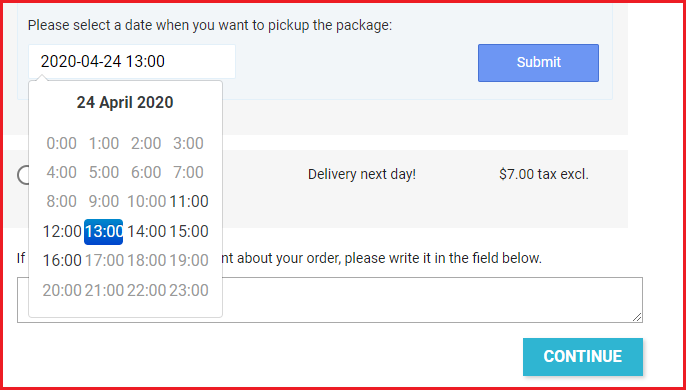
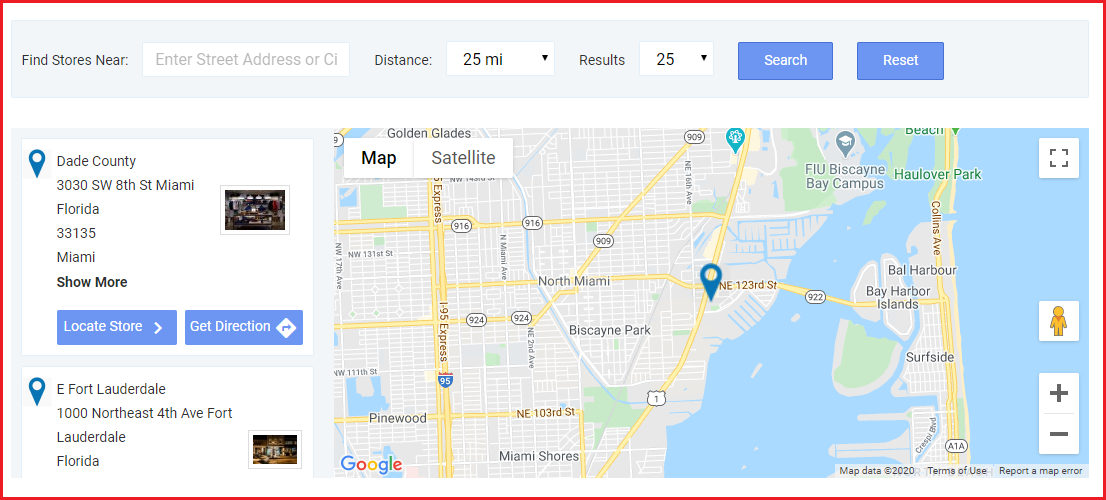
The module lets you map your stores on your website and provides buyers with the option to choose the “pickup from store” facility. They can choose their nearby store; specify the pickup date and time, and then pick up the item at their convenience.

So, like for your grocery business, you can list the stores from where people can get the essential grocery items. They can select the items and choose the date and time at which they want to pick up their items.

Benefits

1. Customers do not need to spend hours standing outside the store to collect their order.

2. Safe pickup since there would not be many gatherings around the shop.

3. Pick up at a convenient time.

4. Customers can find the stores by specifying the location or filter stores by distance; to find the nearest stores.

5. Reduces shipping and delivery cost

6. Minimum interaction involved

Set your Online Grocery Business Today!

By now, you would have probably made up your mind of taking your grocery business online. Want to start your grocery website? Request a quote from here or you can reach out to us with your queries and requirements at support@knowband.com

Knowband is amongst the leading eCommerce solution providers. We provide eCommerce development services for multiple eCommerce platforms like PrestaShop, OpenCart, Magento, Magento 2, and Shopify.

Knowband is also a leading mobile commerce solution provider. We provide mobile app development services for multiple platforms. The PrestaShop Store Locator and Pickup module is also compatible with our Mobile App Builder, letting you allow your customers to shop from your grocery mobile app.

6 Ways to Reduce Email Unsubscribe Rate and Retain Your Subscribers

For every email marketer, an increase in the number of email unsubscribers is a major concern. Now and then, they keep looking for ways to reduce the email unsubscribe rate.

Reality is, you will have to deal with unsubscribers very often, and you can’t help it because users do opt-out of emails.

Sometimes, you may get worried thinking about it. But you also need to understand that you cannot please everyone in your email list. You will find critics even for the movie “The Godfather”.

The problem arises when the email unsubscribers’ count increases.

So, in this article, I will be providing you with some few tips or say best practices to reduce the churn rate. Though it is something that cannot be eradicated, it can surely improve your email unsubscribe rate.

Let’s begin.

How to Reduce Email Unsubscribe Rate?

I have listed down 6 effective methods that can be helpful to reduce the number of unsubscribers.

1. Ask Them When They Want To Receive Updates

At the first place when you are asking a visitor to subscribe to your newsletters or email updates, you should give them a choice regarding how often do they want your emails to land in their inbox. It’s a healthy way to start your relationship with your subscribers.

Whether they want to get daily updates, one email per week, twice per week, the choice should be theirs. And this shouldn’t be taken casually. Be committed to delivering the way a user demands it.

If you are sending emails on a daily basis when they have opted to receive it weekly, you are indirectly telling them that you do not value their opinion. So do not send emails too frequently.

On the other hand, if they are not receiving emails weekly, it is not going to leave a good impression either. You need to be consistent. Inconsistency in your communication may weaken the trust of your subscribers in your Brand.

If you stick to your promises, the email unsubscribe rate will drop.

2. Sending At The Right Time Is Important

Though it is impossible to know the perfect time to send an email to someone, you can figure out the timing when you have the highest open rates. In general, in between 8 am- 9 am and 4 pm is considered to be the best time to send emails to your subscribers.

Your emails will be impactful when the readers are in a fresh state of mind and a bit free. Sending them emails at a time when they haven’t even opened their eyes properly or when they are home with their family after office hours would not do anything good for you.

Users will get annoyed and it is likely to happen that they unsubscribe to your emails.

3. Use Double Opt-in And Double Opt-out

If you want to have a quality email list that does not contain junk in the form of an irrelevant audience, use double Opt-ins. It is one of the best ways to reduce your email unsubscribe rates.

A double opt-in is when visitors submit their email address but are asked to verify it. So, they are sent an email where they have to confirm their email address, and only after that, they become your subscriber. A single opt-in, on the other hand, doesn’t require email verification.

Why is it helpful?

You know those users are genuine and relevant if they are putting the effort to confirm their email address. Double Opt-in ensures lesser spams and unsubscribes.

Although the conversion rate is slightly less in double opt-in as compared to single opt-in, which is very obvious, it gives you a valid audience to target.

Just like double opt-in, you should use a double opt-out unsubscribe option too. This doesn’t unsubscribe users immediately. They are presented with a confirmation message that asks them whether they are sure that they do not want to receive emails. You can make an emotional attempt here and convince them not to unsubscribe.

4. Segment Your Audience

Is there any point of selling a shirt to someone who needs a mobile phone? Totally irrelevant, right? This is exactly what happens in traditional email marketing. A hierarchy is not followed and many users unsubscribe because they feel the emails are not relevant to them.

Segmentation is necessary. You want your emails to deliver to the right people, segmenting your list is the best option. Segment users according to their age, location, gender, activity, etc. and then target them accordingly.

Do not fumble up things. If your emails are not reaching the right audience, the email unsubscribes rate is bound to increase.

5. Do Not Create Misleading Subject Lines

While you want to be creative with your subject lines to capture user attention, it should be strictly kept in mind that they are not misleading and goes well with the email content.

Do not create click-baits. You may succeed in making people open your emails but the happiness won’t last for long. Sooner or later, there will be many unsubscribers.

To improve your email unsubscribe rate, write encouraging and catchy subject lines that aroused curiosity in the users to check out the inside email content. If it is worth their attention, they will become your loyal readers and would never unsubscribe to your emails.

6. Collect Feedback

Though I know you do not want to get unsubscribes, it would be ideal to ask why they are unsubscribing. Have a few options on the unsubscribe page that lets them select their unsubscribe reason along with the comment box so that they could leave feedback.

You might not be able to stop that particular user but through feedback, you will able to prevent unsubscribes in the future.

Also, on the unsubscribe page, you can also let users unsubscribe from some specific type of emails rather than unsubscribing from everything. You can highlight the different types of marketing emails that you send and ask them which among those are not relevant to them.

Final Thoughts

Getting new subscribers on your list is not a difficult task. The challenge lies in keeping those users in your list in the long run. If you are able to do that, you are on the right track.

Follow the above-mentioned six ways to reduce your email unsubscribe rate. Besides all this, make sure that your emails are equally optimized for mobile devices as a majority of the people read their emails through their smartphones.

What are your strategies to improve email unsubscribe rates?

Also Read:

8 Email Popup Best Practices to Grow Email List and Boost Conversions

Custom Mobile App Development – E-Commerce

Mobile Commerce shouldn’t be ignored in 2020 for all the eCommerce business owners. The steady shift of eCommerce (online retail) to mobile commerce (smartphone shopping) is leading to eCommerce mobile app development becoming a necessity than just a luxury.

With such a boom in the usage of smartphones and handheld devices, it’s more likely for e-merchants to take such a route. Also, from the online users’ point-of-view, eCommerce Mobile Apps have been serving in a better manner when compared to desktop websites & mobile sites. If you are willing to get a custom-built eCommerce Mobile App, now is the right time. Seeing such a demand for apps & also rise in the competition in the market, it is quite obvious to extend your reach to the most-used channel i.e. mobile devices.

In this write-up, you will get to know about the eCommerce shopping app & how can you get one custom solution for your business?

Types of E-Commerce Mobile Applications

Following are the types of eCommerce Mobile Apps based on different business models:

  • B2C eCommerce Mobile Apps
  • B2B eCommerce Mobile Apps
  • B2A eCommerce Mobile Apps
  • C2C eCommerce Mobile Apps
  • C2B eCommerce Mobile Apps
  • Hybrid eCommerce Mobile Apps

Each of these categories of eCommerce apps mostly requires some unique features & functionalities that are different from each other. To meet such a requirement, it’s best suited to have custom-built apps according to specific business needs.

We mostly come across two scenarios when any businesses decide to build their eCommerce Apps:

a) The first scenario is when e-business already has its eCommerce website running & decides to be available on mobile platforms too. For example, Amazon.

b) The second scenario is when a business initially decides to directly build a custom Mobile App for their online presence. For instance, food delivery apps.

The former would require to make both the app & the website be in real-time synchronization with each other whereas the latter would require to build all things in the app from scratch with no reference from its parent website (if there is any).

Factors To Check While eCommerce Mobile App Development:

#1. Platform Support:

In case, you have a running online store on any of the eCommerce platforms, here are the perfect solutions:

PrestaShop Mobile App Builder
OpenCart Mobile App Builder
Magento Mobile App Builder
Magento 2 Mobile App Builder
WooCommerce Mobile App Builder

But for those who are building an eCommerce Mobile App from scratch (with no parent website), be sure to choose the right platform according to your business needs. Take expert consultation & guidance before investing huge amounts in the project.

In case you don’t have any website and looking for a custom application, drop us an email at support@knowband.com or visit KnowBand.

#2. Omni-Channel eCommerce App:

Ideally, it’s good to be available on both operating systems i.e. Android & iOS & the app must be compatible with smartphones as well as tablets. But if the business model requires, you must choose only the channels selectively.

#3. Custom mCommerce Theme:

Take expert assistance to develop a well-tailored & unique theme for your eCommerce Mobile App. The eCommerce App Developers’ team at KnowBand ensures that all such goals are accomplished & you can make the best out of your custom mobile app Theme.

#4. User-Centric Design:

To cater to the app users in a better way, having a customer-centric design is a must these days. Such designs not only improve the UI & UX of the app but also help in boosting sales.

#5. Enhanced Navigation:

Have convenient navigation in your App using sorting & filtering options. Also, keep the navigation bar/ toggle-menu as a sticky bar so that users did need to scroll to the top to access the menu.

#6. Language & Currency Support:

Based on the audiences & the countries that your business is serving, set your app in one or multiple languages as well as currencies. Catering global or regional audiences can be an effective way to increase sales.

#7. Offline Mode Accessibility:

The reason why apps stand out from the websites is their ability to be accessed in offline mode. Adding this functionality, while developing your eCommerce Mobile App, ensures that users can access previously loaded data (like wishlist, cart, previously loaded products & categories) even if there is no internet connection.

#8. Advanced Search Options:

Ease the task of searching & browsing products by adding advanced search options like Voice Search, Bar-Code Search & Image Search options.

#9. Payment Gateway Setup:

To cater to all kinds of customers, add multiple payment methods on the application. Some of the payment methods are debit/ credit cards, net banking, eWallets, Gift Cards, mobile banking, cryptocurrencies, cash-on-delivery, EMI, etc. Also, be sure to have secure payment gateways that are convenient to use as well.

#10. Checkout Optimization:

Add a simplified version of the checkout page, like one-page checkout with limited yet necessary entries. This aids the app users to shop without the hassle to go through lengthy checkout pages.

#11. Order Tracking & Shipment:

Develop your eCommerce Mobile App with efficient shipping methods & order tracking. The order tracking feature is what most online shoppers look for these days as it keeps them updated with the whereabouts & estimate of their ordered products. Also, in case of any shipment mishap, it’s easier for the customer support team to track down the fault using the order tracking feature.

#12. Returns, Exchange & Refunds:

Configure your eCommerce Mobile App to have options for returns, exchange & refunds. At KnowBand, we ensure that on the vendor panel/ admin panel, the merchants get full control of the products on which they want to enable/ disable the return or exchange options. Similarly, the modes of refunds are also configured so that admins & customers don’t face any glitch while sending/ receiving the refunds by desired payment methods.

#13. Security:

On every eCommerce platform, adding an extra layer of security is a must. Be sure to have all the relevant encryption & certificates to have your eCommerce App secure on both frontends as well as backend.

#14. Brand Uniqueness:

Don’t go for the pre-existing templates & styles as it may set your app off-brand. Have your own unique Mobile App design as it also helps in brand recognition & hence promotion.

#15. Push Notifications:

Set up Push Notifications using Firebase to drive more user engagement & retention. They are mostly used to inform the app users about upcoming offers, about their abandoned carts, price drops & a lot more. Push Notifications help reduce the cart abandonment rate & increase overall sales.

#16. Quick HomePage Editing:

Because of the nature of the eCommerce Industry, the homepage must undergo frequent changes designed to be in line with the new arrivals, trending items, sale & offers. So, be sure to have to feature quick-edit options for effectively modifying the home page. Also, such editing panels must be user friendly for the non-tech savvy admins as well.

#17. Chat Support & Chatbot Integrations:

Add chat support options in your eCommerce Mobile App to easily communicate with your customers. You can even add automated chatbots. These chat support options help resolve the issues your customers could be facing. Be sure to choose the right platform for your chat support.

#18. Live Synchronization With The Website:

If you also have an eCommerce website, both your app and website likely are to use the same database. This ensures Automatic Inventory Management & both the platforms remain synchronized in real-time with each other. Hence, changes made on one must instantly reflect on the other.

#19. Testing & Quality Assurance:

Upon the completion of the eCommerce Mobile Development task, have your developers thoroughly test & debug the app for better Quality Assurance.

#20. Option For Unlimited Customizations:

Like most businesses, you may want to customize your app in the future. So, make sure that your eCommerce Mobile App can undergo heavy modifications of any kind. Having the app updated according to the latest trends is a must-considered factor while eCommerce Mobile App Development.