All You Need to Know About New Prestashop 8.1.5

Why PrestaShop:

In the year 2007, PrestaShop comes into the picture and becomes one of the most usable e-commerce platforms just because of its various features. At current time it is being used by almost 667,000 sites worldwide.

PrestaShop stands out as an excellent e-commerce solution thanks to its open-source nature, which means it’s both free and highly adaptable. It boasts a user-friendly interface, supports multiple languages and currencies, and includes essential e-commerce features.

However, It offers SEO tools and scalability for business expansion. A large community providing robust support, modules, and frequent updates, PrestaShop is an ideal choice for small to medium-sized businesses looking to expand globally.

What’s New in Prestashop 8.1.5?

In 2022 PrestaShop launched its version 8 with new features. From that day to now it has continuously updated its features and functionality. In 2024 PrestaShop released its latest version 8.1.5.

PrestaShop, the popular e-commerce platform, has unveiled its latest release, version 8.1.5. Hence, this update brings a host of enhancements, bug fixes, and refinements, aimed at delivering a smoother experience for both store owners and developers. Now we will go through the improvements and fixes introduced in this latest version.

Let’s take a closer look at the key improvements and fixes introduced in this version.

Back Office Improvements:

Enhancements:

Cart View Page:

The cart view page has been enhanced to provide more information, making the checkout process more transparent and user-friendly. The following improvements are included:

  • Introducing a shareable link for carts pending order placement.
  • Displaying the cart creation date on the cart page.
  • Displaying the last update date for the cart on the cart page.
  • Enhancing the visual appeal and functionality of buttons on the cart page.

Back office Bugs which are fixed in the version:

  • Catalog Filters: Multiple filters in the Stocks section of the Catalog were not working correctly. This issue has been fixed, ensuring accurate stock management.
  • Rule Group for New Products: The most used rule group has been added to new products, simplifying the process of adding products and improving efficiency for store administrators.
  • File Manager: A newer method has been integrated into the file manager, enhancing its functionality and performance.
  • MetaType Length Constraint: Moreover the Length constraints have been implemented for MetaType, ensuring data integrity and consistency.
  • HelperKpi Source: HelperKpi source is now consistently set and uses conditional refresh for improved performance.
  • Product CSV Import: An issue where importing products via CSV could inadvertently wipe category assignments has been fixed, providing a more reliable import process.

Front Office Enhancements:

Improvements:

Classic Theme: The classic theme has been updated to version 2.1.3, incorporating enhancements and optimizations for a better front-end user experience.

Front office Bugs which are fixed in the version:

  • Invoice Download: Non-logged-in customers can now download invoices, ensuring accessibility to important documents.
  • Import/Export Store Contact: An issue with importing store contacts via the Back Office Import/Export functionality has been addressed, improving data management capabilities.
  • Hidden Vouchers: A display issue where hidden vouchers were still being shown has been fixed, ensuring accurate voucher management.

Core Enhancements and Fixes

Improvements:

  • Google Analytics Module: The ps_googleanalytics module has been updated, incorporating enhancements and optimizations.
  • Composer Modules Update: Modules have been updated via Composer for PrestaShop 8.1.5, ensuring compatibility and stability.
  • Version Update: The version has been bumped to 8.1.5, marking the release of this latest version.

Bug Fixes:

  • Google Analytics Downgrade: The ps_googleanalytics module has been downgraded to address issues or regressions introduced in the latest version.
  • Backup Tool: An issue where the backup tool was creating nulls has been resolved, ensuring data integrity during backup operations.
  • Shipping Cost Display: The display of shipping costs on the order details page has been fixed by backporting from version 9, ensuring accurate order information.

This latest release of PrestaShop, version 8.1.5, brings a range of enhancements and fixes that will improve the overall user experience and functionality of your e-commerce store. Further, Upgrade now to take advantage of these improvements and stay ahead in the competitive e-commerce landscape.

Recommended read: Which One To Choose: PrestaShop 1.7 or PrestaShop 8.1?

You can also explore a wide range of Prestashop, Opencart, WooCommerce, Shopify, and Magento 2 ready-to-use eCommerce extensions.

In case you have queries/suggestions, you can reach out to our technical support portal at our email address support@knowband.com.

Take a look at our bestseller module One Page Supercheckout for Prestashop and Android and iOS App Maker for Prestashop here:


How to Set up Different Payment Methods in Prestashop

Several payment alternatives must be set up in PrestaShop to provide customers with flexibility and convenience throughout the checkout process. When it comes to payment methods, different consumers have varied preferences. For example, some customers could like using their credit or debit cards, while others might prefer PayPal, bank transfers, or other options.
Moreover, lowering cart abandonment rates can be achieved by streamlining the checkout procedure and providing dependable, well-known payment options. Customers may leave their carts empty before purchasing if they come across a Different Payment Method option they are uncomfortable using or don’t believe.

Different Payment Methods in Prestashop:

Accessing the Payments page:

Further, look for the “Payment” option in the left vertical navigation menu after logging into the PrestaShop admin area. Click on it once you’ve located it. There will be a drop-down menu with the following choices: “Preferences” and “Payment Methods.”

Once clicking on the  “Payment Methods” option, the user will be redirected to a page called “Payment Methods”.

The page is divided into two sections.

  1. In the “Active payment” section all the already installed payment methods will be shown. Right next to each of the already installed methods for paying, there will be a “Configure” button of course if the method supports any configuration.
  2. All of the alternate payment options are displayed in the “Modules list” section once you scroll down to it. The “Install” button appears next to each module, and clicking it will install and enable the selected different Payment Method.

Default Payment Methods:

By default, 4 payment methods are installed on Prestashop stores. Therefore, all we need to do is configure these payment methods if you wish to offer them to the customers.

  • Payment by bank transfer
  • Payment by cheque
  • Payment by Stripe
  • Payment by Paypal

Payment by bank transfer

To accept payment by bank transfer on your store :

  1. Navigate to the Payment page > Payment methods.
  2. In the list of available payment modules, search for “Wire payment” and select it by clicking the Configure button.
  3. Fill in all the account details that will enable your customers to make the transfer, then click on Save.
  4. Reservation lead time: This could be used to inform customers of the duration (in days) for which the products they want to buy will be held in reserve while they wait for the transfer to be completed.
  5. Customer information: Provide any details to share with customers, such as the processing time or the dispatch time following transfer reception.

Payment by cheque

To accept payment by cheque in your store :

  1. Navigate to the Payment page > Payment methods.
  2. Select “Payment by check” from the list of available payment modules by looking for it, and then press the Configure button.
  3. After entering the beneficiary’s name (the order) and the address where the check is to be sent, then click on the Save button.

PrestaShop supports different payment methods such as Amazon Pay, ViaBill, Skrill Official, CCBill  USA, Canada, U.K. & EU v5.0.0, Cash on delivery

Payment by Stripe

First, select “Upload a module” from the module manager in the back office.

Next, choose the file from the system or drag and drop the module file. In this way, the module installation will be successful.


Once after installation of the module click on configure. The below page will be opened.

Now, need to create the API keys, for the same it is required to register your account on https://stripe.com/.

If you’re using it for the live site, you can use the live keys; otherwise, you can use the test keys to simply test the module.

Payment by Paypal

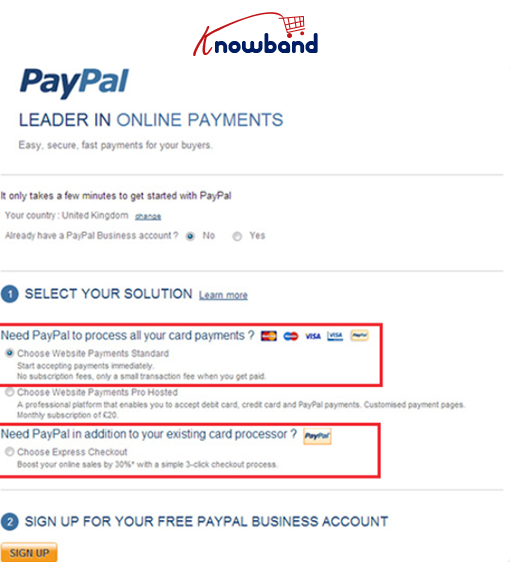
Once after install the module, we will click on the configure button, We will see the below page:

  1. To use PayPal to accept credit cards, select “Website Payments Standard.”
  2. If your website currently accepts credit cards and you just want to add PayPal as an extra payment option for your consumers, choose “Express Checkout.”


Register for a free PayPal Business Account. (Refer to the above image for reference)

  • You can skip this step if you already have a PayPal Business Account.
  • Click “Sign Up” to open a PayPal Business Account if you don’t already have one.

Fill out the following three API fields after clicking the “Get My PayPal API Credentials” button:

  • API signature; 
  •  API password;
  •  API username;

To find the above details please use the below steps 

  1. Create an account on www.paypal.com and if you already have one then Login to and click Profile.
  2. Click on the My Selling Tools tab on the pay, In the section of API access click on the update button


3. On the API access page select the Request API Credentials

Now use these credentials to configure PayPal. Now you are ready to use the same on your store

Recommended read: What Are the Different Payment Methods Used in E-commerce? 

You can also explore a wide range of Prestashop, Opencart, WooCommerce, Shopify, and Magento 2 ready-to-use eCommerce extensions.

In case you have queries/suggestions, you can reach out to our technical support portal at our email address support@knowband.com.

Take a look at our bestseller module One Page Supercheckout for Prestashop and Android and iOS App Maker for Prestashop. Also, you can watch our latest videos here:


Which One To Choose: PrestaShop 1.7 or PrestaShop 8.1?

PrestaShop stands out as a compelling choice between Prestashop 1.7 and Prestashop 8.1 for e-commerce ventures, thanks to its open-source nature, which makes it both free and highly customizable. It boasts a user-friendly interface, supports multiple languages and currencies, and comes equipped with essential e-commerce functionalities. 

Additionally, PrestaShop offers SEO capabilities and scalability to accommodate the growth of your business. Supported by a large community, the platform provides extensive support, modules, and regular updates, making it ideal for small to medium-sized businesses aiming for a global market reach.

The release of PrestaShop 8, with its numerous improvements, has sparked interest among e-commerce enthusiasts. Hence, if you’re considering upgrading to PrestaShop 8, or if you’re unsure which version to choose for your online store, so this blog will help you make an informed decision. We’ll root about the differences and comparisons between PrestaShop 1.7 and PrestaShop 8.

Why Choose the Right Platform?

Choosing the right e-commerce platform is significant for the success of your online business. An inadequate platform can lead to limitations in scalability, customization, security, and other critical areas. PrestaShop, being a robust and customizable platform, could be the ideal choice for your e-commerce venture. With SW Hosting, you can deploy PrestaShop with its pre-configured version 8 in just one click.

Pros and Cons of PrestaShop 1.7 and PrestaShop 8.1

When deciding between PrestaShop 1.7 and PrestaShop 8.1, it’s crucial to consider how each version aligns with your business needs, technical resources, and future goals. Here’s a practical comparison:

PrestaShop 1.7

Pros:

  • Stability: With years of market presence, this version is well-vetted and reliable for everyday operations.
  • Strong Community: An extensive array of themes and modules, supported by a vibrant community, ensures you have numerous resources for troubleshooting or enhancing your store.
  • Continued Support: Despite its age, PrestaShop 1.7 still receives essential updates and support, keeping it viable for many businesses.

Cons:

  • Aging Technology: The technology underpinning 1.7 is somewhat dated, potentially limiting your ability to leverage newer web technologies.
  • Performance Limitations: For stores with high traffic volumes or large inventories, 1.7 may struggle to keep up, impacting user experience.
  • Diminishing Updates: As newer versions emerge, the focus on 1.7 will wane, possibly reducing the frequency and scope of future updates.

PrestaShop 8.1

Pros:

  • Improved Performance: 8.1 brings optimizations that enhance loading times and overall responsiveness, crucial for retaining customers and improving search engine rankings.
  • Updated Infrastructure: Built on the latest versions of Symfony and PHP, 8.1 offers increased security and efficiency, making your site more robust against vulnerabilities.
  • User-Friendly Backend: The redesigned backend simplifies daily management tasks, which can be particularly beneficial for new users or expanding businesses.

Cons:

  • Migration Challenges: Upgrading from 1.7 might involve significant hurdles due to changes in core and module architectures.
  • Compatibility Issues: Some existing modules and themes may need updates or replacements to work seamlessly with 8.1, incurring additional time and cost.
  • Increased Resource Needs: The newer technology stack might require a more powerful hosting solution, increasing monthly operational expenses.

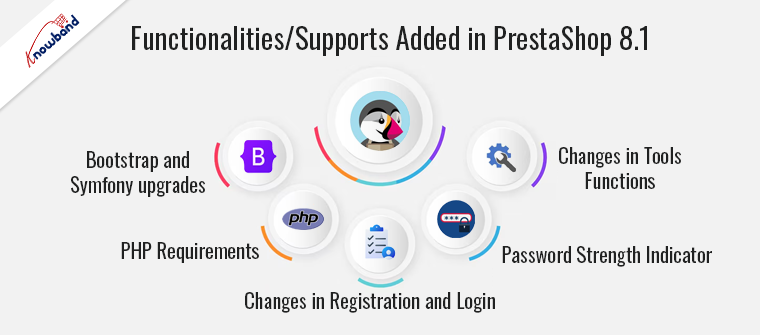
Functionalities/Supports added in PrestaShop 8 and above versions:

Bootstrap and Symfony upgrades: 

Versions 8 and above have upgraded to Bootstrap and Symfony versions v4.4.

PHP requirements: 

PrestaShop 8 and above require at least PHP 7.2.5 and are compatible with PHP v8.1, while some previous versions of PrestaShop 1.7 support PHP v7.1.

Changes in registration and login: 

Customer registration and login have been divided between two controllers, potentially causing issues with third-party modules incompatible with PrestaShop 8.

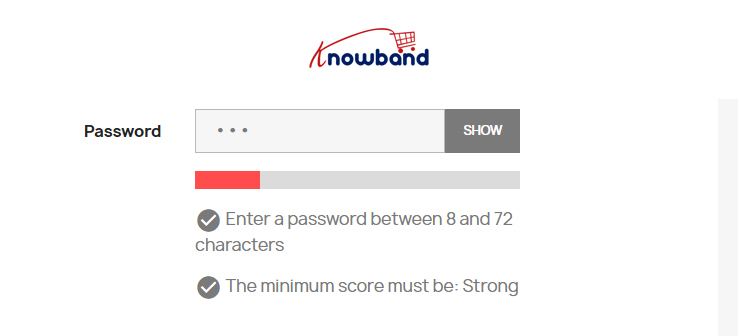
Password Strength Indicator: 

Introduced to provide real-time clues for a strong password, with the minimum password length set to 8 characters.

Changes in Tools functions: 

Parameters like $id_lang and $separator have been removed from Tools::displayDate(), and Tools::jsonDecode() and Tools::jsonEncode() functions have been replaced with PHP functions json_decode() and json_encode() respectively.

Conclusion:

Further, if you value stability and have existing familiarity with the platform, PrestaShop 1.7 might be easier for you to continue using. On the other hand, if you’re starting fresh or seeking a platform with a more modern and efficient user interface, PrestaShop 8.1 could be easier to adopt and use effectively. Carefully weighing these factors against your specific needs and goals will help you make an informed decision between PrestaShop 1.7 and PrestaShop 8.1 for your e-commerce venture.

Recommended read: Why migrate from PrestaShop1.7 to PrestaShop 8.1?

You can also explore a wide range of Prestashop, Opencart, WooCommerce, Shopify, and Magento 2 ready-to-use eCommerce extensions.

In case you have queries/suggestions, you can reach out to our technical support portal at our email address support@knowband.com.

Take a look at our bestseller module One Page Supercheckout for Prestashop and Android and iOS App Maker for Prestashop. Also, you can watch our latest videos here:

 

Step-by-Step Guide for Adding Custom HTML Block in PrestaShop

Why should we add a custom HTML block on our PrestaShop Store?

Adding a custom HTML block in PrestaShop website can enhance its functionality or overall style by allowing the store owners to include custom texts, images, links, or other HTML elements to the website and these blocks can be added to showcase different content on different controllers or pages. 

The process of adding a custom HTML block in PrestaShop store is similar for all the versions.

To add a custom block, we will use a Custom Module in the PrestaShop store.

Why a Custom Module?

Flexibility and tighter integration within an online store are two major advantages of creating a bespoke HTML block using a specific PrestaShop module and this strategy works especially well when store owners have specific criteria that the pre-existing modules do not meet, or when adding new functionality without modifying the platform’s core files is desired.

By choosing to create a custom module, PrestaShop store owners can precisely tailor the look and feel of their eCommerce environment to match their marketing objectives and customer interaction strategies and this customization enables further personalization of the user experience, which may increase customer satisfaction and loyalty and along with that it gives business owners the flexibility to swiftly adapt to shifting market trends and maintain a competitive edge by including unique features that raise customer satisfaction and operational efficiency.

Below is a step-by-step guide on how to create and use a custom HTML block in PrestaShop store:-

Step 1: Make Basic Files and Module Directory

  1. Add a Fresh Directory: Navigate to the PrestaShop installation’s modules directory and create a new folder named ‘myhtmlblock’.
  2. PHP Main File: Please create a file called ‘myhtmlblock.php’ inside this directory. This file will contain the main class of your module.

Step 2: Code Your Module

Open ‘myhtmlblock.php’ and add the following PHP code to define your module:


Also make sure that in each and every folder of the HTML Module, there is a file named ‘index.php’ having below code:


Step 3: Add a Template File

Create a folder structure within the module directory like this: views/templates/hook and inside the hook directory, create a file named ‘displayHome.tpl’:


Please note that, at the beginning of the Template file, a comment on the file path and its name has been added to show the same in the HTML content of your store.

Step 4: If desired, include a Configuration Page

If the store owner wants to make the HTML content configurable from the admin panel then they will need to implement a configuration form in the ‘getContent()’ method of your module class and as a result, the admin or store owner will be able to change the HTML text without changing the code.

Step 5: Installing the Module

  • Get into the PrestaShop admin panel.
  • Under Modules choose Module Manager.
  • Click on ‘Upload a Module’ and select the zip file of your module, or find your module in the module list if it’s already on the server.
  • Select ‘Install’.


Step 6: Place the Module on Other Hooks (Optional)

The custom HTML block in Prestashop will need to be displayed in several places throughout the PrestaShop website, thus we will need to change the module’s ‘install()’ method to register multiple hooks. Every hook has a designated spot on the website where content can be shown.

Typical hooks include the following:

  • displayFooter
  • displayLeftColumn
  • displayRightColumn
  • displayProductAdditionalInfo
  • displayTop

Step 7: Test Your Module

After installation, go to the homepage of your site to see your new custom HTML block in action.


If you added a configuration form, try changing the HTML block content through the PrestaShop back office to see if it updates correctly.

This approach gives you full control over what your module does and where it appears within your PrestaShop site, making it a powerful way to customize your store’s functionality and design.

In case you have queries/suggestions, you can reach out to our technical support portal at our email address support@knowband.com.

Take a look at our bestseller module One Page Supercheckout for Prestashop and Opencart Android and iOS Mobile App Builder Plugin here and you can enhance the product visuals on your store using the Prestashop Product Designer/Customizer addon.

Also, you can watch our latest videos here:


How to Integrate PrestaShop with eBay & Etsy Marketplaces

We are excited to share the latest improvements in our PrestaShop Etsy Integrator and Prestashop eBay Marketplace Integrator.

Prestashop Etsy Marketplace Connector version 4.0.1 

New Enhancements of Prestashop Etsy Marketplace Connector version 4.0.1 focus on better authentication and simplified return policy management.

1. Stay Compliant with Etsy’s OpenAPI
Our module now uses Etsy’s new OpenAPI authentication system. All API calls include the proper headers, so your integration continues to run smoothly without manual adjustments. Upgrade before 18 January to ensure smooth operations across the Etsy marketplace.

2. Return Policies That Work for You
Now you can create multiple return policies and assign them to different profiles. Once a product is linked to a profile, its return policy updates automatically on Etsy. This ensures your listings always show the right information to customers.

Prestashop eBay Marketplace Integrator Version 2.2.1

1. Inventory Comparison Made Easy
Store admins can now compare their eBay inventories with their PrestaShop store directly from the module. Furthermore, rhis feature ensures that the number of products available is always accurate across both platforms, reducing overselling or stock errors.

2. API Rate Limit Tracking
The Knowband’s Prestashop eBay Marketplace Connector module now allows store owners to track API usage. Moreover, you can see how many times the APIs have been called, helping you monitor and manage your API limits more efficiently.

These updates are part of our ongoing commitment to make managing your PrestaShop integrations with Etsy and eBay as seamless and hassle-free as possible.

Multi-channel selling is one of the most trending selling methods nowadays. This strategy allows you to gain income from multiple resources by selling the same inventory in different places. You may consider selling on different multi-vendor websites, offline in different locations, or on major marketplaces like eBay and Etsy for your Prestashop Store as an example of multi-channel selling.

Thus, expanding your online store to include eBay and Etsy is a great strategy to amplify your reach and increase sales. With Knowband’s “Prestashop Etsy Marketplace Connector” and “Prestashop eBay Marketplace Connector“, you can easily achieve multi-channel selling for your Prestashop store. Following the same, this article explains the steps for integrating these global marketplaces with your Presta store and highlights the benefits of doing so.

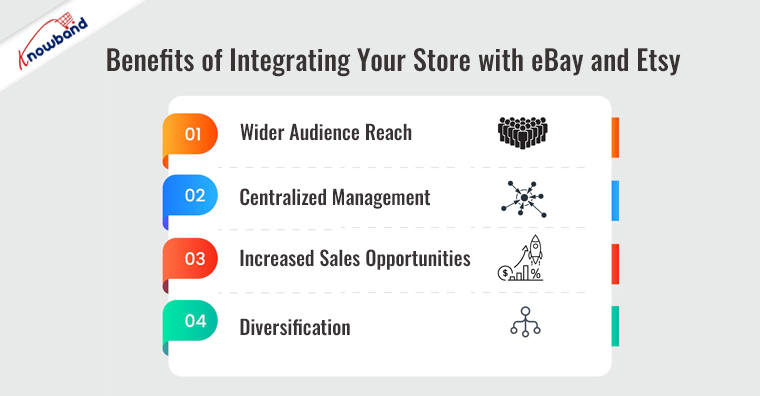
Benefits of Integrating Your Store with eBay and Etsy!

Connecting your online store with larger marketplaces like eBay and Etsy exposes your products to a broader audience, which can significantly boost your visibility and sales. Here’s why integrating these platforms is advantageous:

Wider Audience Reach: 

eBay and Etsy host millions of active users globally. Thus, if you start selling on these marketplaces, you get a chance to offer your unique products in front of a vast customer audience.

Centralized Management: 

The only con of multi-channel selling is that the merchant needs to manage inventory on different platforms. It’s a daunting task. However, on the other hand, with Knowband’s eBay marketplace connector for Prestashop, managing product listings, orders, and inventory from your PrestaShop dashboard simplifies the management process.

Increased Sales Opportunities: 

With greater exposure comes the potential for increased sales, helping your business grow more quickly.

Diversification: 

Selling on multiple platforms can help mitigate risks by diversifying your sales channels. Furthermore, it also allows you to expose what you are offering in front of a large and potential customer base.

Using Knowband’s Marketplace Integrators for Seamless Integration!

PrestaShop eBay Marketplace Connector!

Step 1: Installation

Purchase the “Prestashop eBay Marketplace Connector” from Knowband and install it in your store. The module includes a setup wizard that helps you through the installation process.

Step 2: Configuration

After installation, configure the module with your eBay API credentials. We have mentioned all the steps in the module user manual to help the Prestashop admin take care of API and other configurations.
Once the APIs are approved, the credentials will connect your PrestaShop store with your eBay account, enabling secure synchronization of data.

Step 3: Product Management

Select which products to list on eBay from your PrestaShop dashboard. The module provides options for automatic synchronization of product details, prices, and stock levels, ensuring your listings remain current without manual intervention.

PrestaShop Etsy Marketplace Connector!

Connecting with the Etsy marketplace with Knowband’s Prestashop Etsy marketplace integration extension is at ease. Furthermore, the store admin can establish smooth synchronization between both Prestashop and Etsy platforms just by following these simple steps.

Step 1: Installation

Start by purchasing and installing the “Prestashop Etsy Marketplace Connector” from Knowband. Once the installation is done, you will need the Etsy API App ID and App secret to connect the Prestashop with Etsy.

Step 2: API Integration

Follow the steps mentioned in the Prestashop Etsy Connector user manual and get your Etsy API key details. Input your Etsy shop details and API credentials into the module’s connection setting tab and save the data.

Step 3: Synchronization

Choose the products you wish to list on Etsy. The module automatically syncs your selected product information, keeping your Etsy listings up-to-date. Either you can create the Etsy profile for each product one by one. You can also map your Prestashop store category to the Etsy category.

Enhancing Your Store’s Performance:

Integrating your store with eBay and Etsy not only increases sales opportunities but also enhances your store’s overall performance. Moreover, these platforms offer unique user bases, each with different preferences and shopping behaviors. By tapping into these markets, you can gather valuable insights about different customer segments, which can inform your marketing strategies and product development.

Additionally, using platforms like eBay and Etsy can help improve your store’s SEO performance. Listings on these sites can rank well in search results, driving additional traffic back to your site.

Conclusion!

Expanding your PrestaShop store to include eBay and Etsy is an effective way to reach new customers and boost your sales. On the other hand, Knowband’s connectors streamline this integration, allowing you to manage your listings efficiently and keep your inventory synchronized.

Updated September 30, 2026: Sell on more channels from one dashboard. The PrestaShop marketplace integration syncs products, inventory, and orders with Etsy, eBay, and Google Shopping, and it is compatible with PrestaShop 9. x.x. The full introduction and feature list are available on the website around PrestaShop Marketplace Integration .

Prestashop Etsy Integration Addon

How to Build a No-Code Online Mobile App in 2024!

In the digital age, creating a mobile app for your online store is no longer limited to software developers. Thanks to no-code solutions like Knowband’s “Mobile App Builder for PrestaShop” and “Mobile App Builder for OpenCart,” even non-tech entrepreneurs can now easily develop their mobile apps. Furthermore, the app comes with the most advanced mobile app development technology “Flutter” to ensure a smooth synchronization between your shop and the app end. The clutter-free app user experience helps your business turn your single-time customers into regular ones.

This guide will show you how to utilize these innovative modules in 2024 to transform your PrestaShop or OpenCart store into a sleek, functional mobile app without any coding.

The No-Code Revolution:

The no-code revolution allows store owners to implement their visions directly without even writing a single line of code. With Knowband’s solutions, the process is not only simplified but also tailored specifically for e-commerce platforms like PrestaShop, WooCommerce, Magento 2, and OpenCart, ensuring that your app aligns perfectly with your business needs.

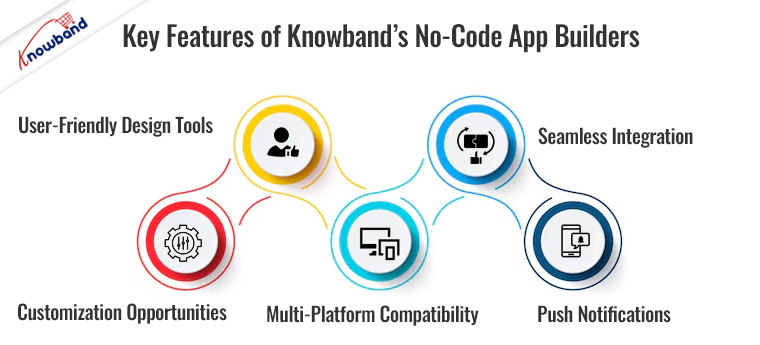
Key Features of Knowband’s No-Code App Builders:


  1. User-Friendly Design Tools: The Android and iOS App Builder for Prestashop comes with feature intuitive drag-and-drop interfaces. This makes it incredibly easy to customize your app’s appearance and functionality without any coding knowledge.
  2. Seamless Integration: Mobile App Builder for Opencart ensures smooth synchronization with your eCommerce platform. For instance, the Mobile App Maker ensures that your product listings, orders, and customer data are perfectly aligned between your website and mobile app. This factor not only enhances the customer experience but also facilitates a smooth operational flow.
  3. Customization Opportunities: Knowband’s no-code Android app maker comes equipped with a variety of home page layout components and customization options that allow you to design your app in a way that reflects your brand’s identity. Whether it’s modifying the layout, adjusting the color scheme, or adding logos, you have full control over how your app presents to users.
  4. Multi-Platform Compatibility: Whether your customers use Android or iOS, Knowband’s solutions cover all bases. The Prestashop Android and iOS Mobile App Builder Module ensures that your app works seamlessly across different operating systems, enhancing customer reach and satisfaction.
  5. Push Notifications: You can engage your customers effectively with unlimited push notifications offered by Prestashop Mobile App Builder. This feature enables you to send real-time updates on promotions, new arrivals, and exclusive offers directly to your user’s mobile devices. You can not only enhance customer engagement but also the push notifications can help you skyrocket your sales.

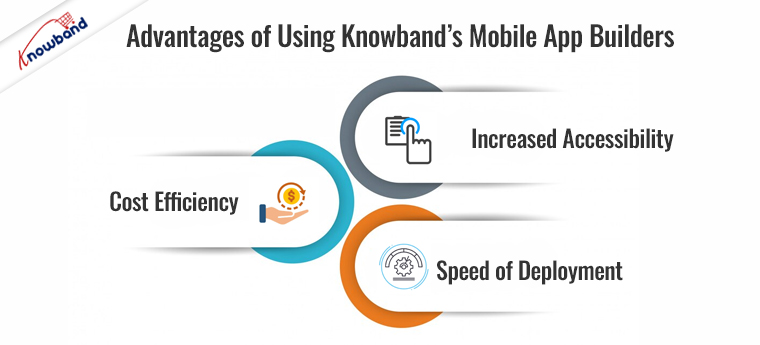
Advantages of Using Knowband’s Mobile App Builders!

Increased Accessibility:

By transforming your online store into a mobile app, you make shopping easier for your customers. This factor potentially increases your sales and customer loyalty.

Cost Efficiency:

Developing an app through traditional coding can be costly. On the other hand, Knowband’s no-code app builders are a cost-effective solution, eliminating the need for expensive developers.

Speed of Deployment:

One of the most sounding advantages of building apps with no-code mobile apps is the deployment time. Instance, the store admin can configure, create, and deploy the Android app within 2-3 business days. Thus, you can go live with your app much quicker than traditional development methods would allow.

Getting Started with Knowband’s App Builders!

PrestaShop Mobile App Builder

Get the mobile app created for your store in few hours with Knowband Mobile App Builder Module.

SHOP NOW

To start building your app, simply visit our Mobile App Builders and choose the appropriate module for your platform. Each builder comes with a detailed setup guide to help you through the process. Plus, Knowband offers dedicated support to assist you with any questions or challenges you might encounter along the way.

Conclusion!

Creating a mobile app for your eCommerce store is a strategic move in 2024. On top of that, with Knowband’s no-code app builders, the process is accessible, straightforward, and aligned with your business goals. Whether you are a novice in technology or an experienced e-commerce admin looking to expand your digital footprint, Knowband’s solutions provide all the tools you need to succeed in the mobile marketplace. Start building your mobile app today and open up a new channel for growth and customer engagement.

Also, you can watch our latest video here:

Continue reading How to Build a No-Code Online Mobile App in 2024!

What to Choose for App Development: Firebase vs Supabase

When it comes to app development, at this fast pace, one factor that cannot be bypassed is to choose the right services for your backend. Now the world has two best options: Firebase, backed by Google; and Supabase, which is billed as an open-source alternative to Firebase. This blog goes through some of the features, advantages, and use cases of both platforms to make the right choice for developers.

Firebase: Features and Benefits

Firebase is one of the well-renowned players in the market. It has a very comprehensive suite of tools that caters to diverse dimensions when it comes to app development. Here are some key features:

Realtime Database and Firestore:

Firebase provides two options for cloud-hosted databases. These options allow for the storage and synchronization of user information in real-time.

Authentication: 

Support for authentication with passwords, phone numbers, and popular federated identity providers such as Google, Facebook, Twitter, and more.

Cloud Functions: 

Developers can let backend code run in response to events triggered by Firebase features and HTTPS requests without managing servers.

Analytics: 

Firebase integrates with Google Analytics, a free app measurement solution, to provide you with some insights on app usage and user engagement.

Firebase is great for developers who need solid, scalable solutions with good documentation and community support. It works perfectly for those scenarios where rapid development and deployment are needed, all thanks to the integrated environment.

Recommended Read: How to save data to Firebase in Android?

Supabase: Features and Benefits

Supabase bills itself as an open-source alternative to Firebase, duplicating most of its functionality and adding the following features:

Realtime Subscriptions: 

In the same way, Firebase offers real-time functionalities, but Supabase takes it a step further by integrating this into any PostgreSQL database, providing more flexibility.

RESTful and Postgres APIs: 

Automatically generate the RESTful APIs from your Postgres database schemas, which makes back-end development a piece of cake.

Row-level Security: 

Supabase directly leverages powerful row-level security capabilities by PostgreSQL, which enables fine-grained access control.

Open Standards-Based: 

Supabase has been built on top of open technologies, meaning developers interested in being vendor-agnostic and maintaining control of their stack may find it much more appealing to work with.

Supabase is perfect for developers who care about open-source solutions and who need all the PostgreSQL powers with traditional strengths but modern, real-time abilities.

Firebase vs. Supabase

When choosing between Firebase and Supabase, consider the following:

  • Ease of use: Firebase perhaps has a slight edge because of its comprehensive documentation and mature ecosystem. Besides, the fact that it integrates with other Google services can also be a determining factor for many developers. 
  • Control and Flexibility: The development of Supabase over the PostgreSQL engine adds a layer of freedom for users to do advanced database operations, which is critical for users with queries of the complexity above. 
  • Cost-effectiveness: While Firebase is free at the bottom line, its pricing can become pretty concerning once the application scales up. Supabase, on the other hand, being open-source, is generally cost-effective and suitable for a project of almost any magnitude. 

Conclusion: 

E-human Both Firebase and Supabase are wonderful. The project can always be adjusted, depending on the complexity of data operations and how much your team is already used to working with PostgreSQL or other NoSQL databases. 

In the case of an easy, prepacked, and quick setup, Firebase is your best bet, but if your projects are those that will find robustness in PostgreSQL and a more flexible, open-source setup, then Supabase is your pick. Both are living, so their updates and community feedback may give you some extra arguments on your side. 

Choose the tool that you think aligns best with your philosophy of development and with the technical specifications of your project.

In case you have queries/suggestions, you can reach out to our technical support portal at our email address support@knowband.com. or you can check our bestseller module Prestashop Mobile App and Prestashop One Page Checkout.

Also, take a look at our latest video here:


Why Migrate from PrestaShop1.7 to PrestaShop 8.1?

Migrating your PrestaShop 1.7 store to Prestashop 8.1 offers a lot of noticeable benefits, which include the enhanced performance of your store, improved security features, and access to the latest technologies.

The PrestaShop 8.1 brings a more efficient and secure operating environment with support for the latest PHP and MySQL versions, enhancing the site speed and responsiveness of your store.

For example, the new functionalities introduced in the PrestaShop 8 and above versions such as the Password Strength Indicator which not only enhance the security of your store but also improve the user experience are notable improvements in this version.


Hence, by upgrading the store’s PrestaShop version to 8.1, you also ensure continued support from the community of PrestaShop, access to updates, and better compliance with current web standards, keeping your store competitive and well-optimized for search engines.

Migrating from PrestaShop 1.7 to PrestaShop 8.1 is highly beneficial for several reasons and some of those are mentioned below:-

  1. Updated Core Technologies: The move to PrestaShop 8.1 brings significant upgrades to essential technologies like Bootstrap and Symfony versions have been upgraded to v4.4.
  2. Support for the newer PHP versions: PrestaShop 8.1 provides the support for the latest versions of PHP ranging from 7.2.5 up to 8.1. 
  3. Enhanced Security Features: The introduction of a Password Strength Indicator is a significant enhancement in PrestaShop 8.1 which provides real-time feedback to customers creating accounts encouraging the creation of stronger and more secure passwords by showing clues for strength improvement.


Prerequisites for the Migration

1. Technical Requirements Check

  • Server Compatibility: Verify that your hosting environment meets the updated specifications required by PrestaShop 8.1, especially PHP version 7.4 or newer and MySQL version 5.6 or higher as it ensures your server can effectively handle the new software without compatibility issues.


  • Theme and Module Compatibility: Assess whether your existing themes and modules are compatible with PrestaShop 8.1. If they aren’t, you will need to either update them or look for suitable replacements to maintain the functionality and design of your store.

2. Data Backup

  • Comprehensive Backups: Rigorously back up all your website files, database entries, and configuration settings. This step is vital as it provides a safety net, allowing you to restore your store to its original state should there be any issues during the migration process.
  • Backup Validation: Test these backups in a staging environment to confirm their integrity and functionality. This validation helps ensure that you can reliably revert to the original system if needed.

3. Staging Environment Setup

  • Replicate Live Environment: A staging environment needs to be set up that replicates the live configuration as closely as possible and then uses this environment to perform the migration tests. 

Migration of Data

Export Data: 

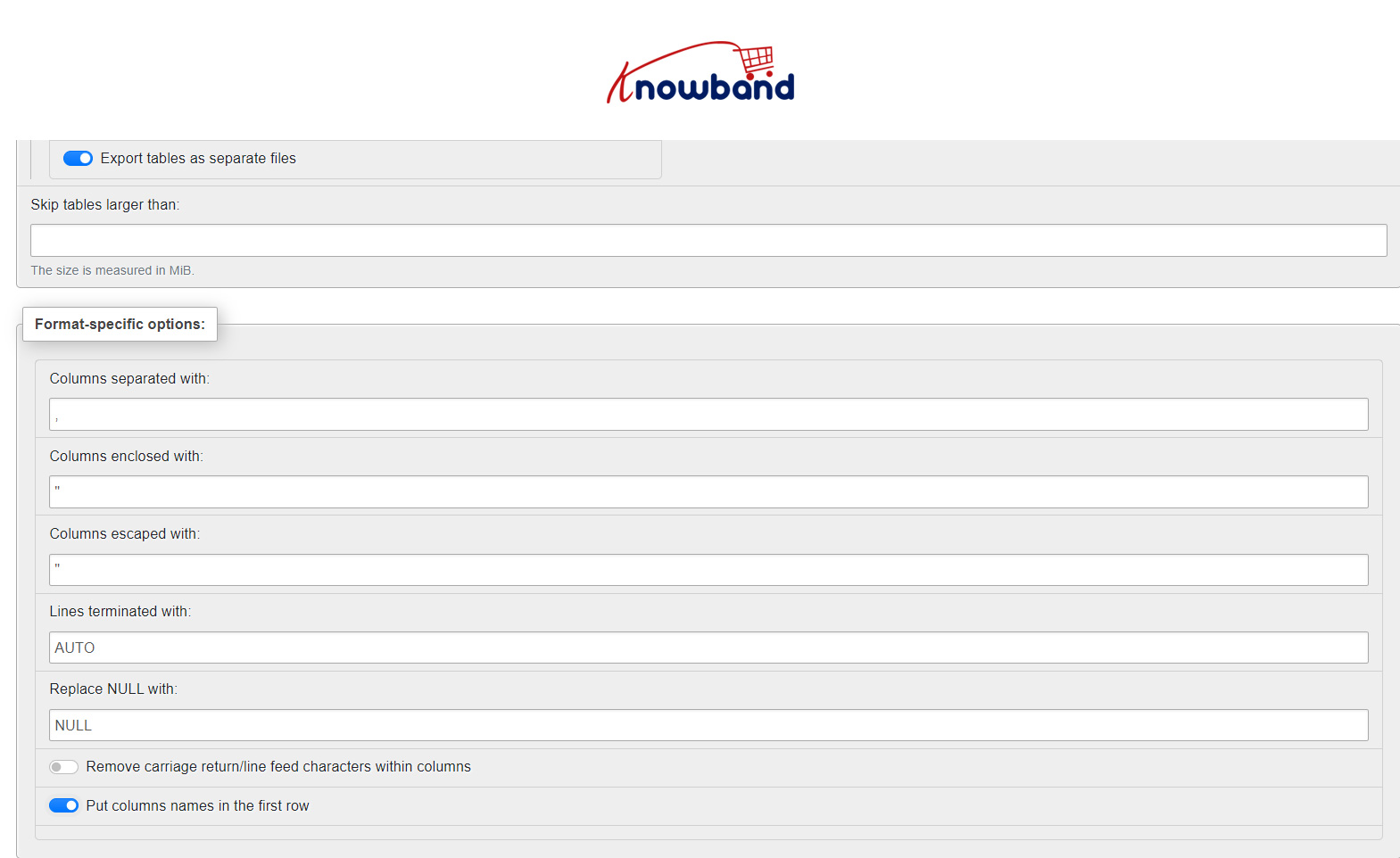
  • Use tools like phpMyAdmin to export your database in CSV from the PrestaShop 1.7 store.
  • Go to the Database of your store and then click on the Export button present at the top of the phpMyAdmin. 
  • Please check the breadcrumbs to verify that you are exporting a Database and a table.


  • While exporting the data, please make sure to check the ‘Put columns names in the first row’ and ‘Export tables as separate files’. This will provide separate CSV files for each table present in your Database.


Modify and Import Data:

Depending on the changes in database structure between 1.7 and 8.1, you may need to adjust the SQL data (like altering table structures, column names, etc.) before importing it into your new PrestaShop 8.1 database. Therefore, this step can be complex and requires thorough testing.

For every change in the new structure, we have to modify our respective CSVs.

Import the Data-

  • Install the Prestashop 8.1. While installation, be aware that, you don’t need to install the Demo data as we need a clean store for the Import.
  • Now, install the languages you are using on your live store to the PS8.1 store.
  • Now, for every table on the PS8.1 store in the phpMyAdmin, please clear the data of the table first and then import the CSV for that table.
  • While importing, please make sure that the format of the file is marked as CSV and skip the import of the first line of CSV as it holds the name of the columns.
  • Document every change made to the data and the reasoning behind each modification as this documentation will be helpful for future reference and for maintaining the store.

Final Stage in the Migration: –

Furthermore, Complete testing will be required once the data is imported into the new PrestaShop 8.1 setup needs to be done to make sure that all the store’s functionalities are working as desired and at last the store can be made live to the public when there are no issues found in the testing process of the store.

Related Blog: Prestashop 8.1.1 Stability Tests: A Look into the Results 

Take a look at our bestseller module One Page Supercheckout for Prestashop and Opencart Android and iOS Mobile App Builder Plugin:

Also, watch our latest video here:

From Angular to React: Enhancing the PrestaShop PWA Addon for Faster Performance!

In the dynamic world of eCommerce, technology continuously evolves, pushing businesses to adapt and innovate to stay ahead. At Knowband, we understand the importance of staying current with the latest technology trends to ensure our clients receive the best tools for success. That’s why we’ve made a significant move for our PrestaShop PWA Addon: transitioning from Angular to React. This shift is designed to enhance the performance of your PrestaShop eCommerce sites, ensuring they are faster, more responsive, and better suited to your business needs.

Furthermore, we promise a more stable and enhanced user experience for your customers in the upcoming React PWA for Prestashop.

Why React?

React’s popularity and efficiency as a frontend library come from its virtual DOM (Document Object Model), which allows for superior performance and faster user interface rendering compared to Angular. On top of that, this transition means that any actions customers take on your PrestaShop site, whether browsing products or completing purchases, will now be smoother and more efficient.

Improved Performance and User Experience:

One of the main advantages of using React for Knowband’s PWA Addon is the significant improvement in loading times and app responsiveness. The reason behind the same is that React allows for a more seamless interaction on mobile devices, replicating a native app’s feel more effectively than ever before. Thus, for any eCommerce business, the speed and fluidity with which users can navigate your site can dramatically affect sales and customer satisfaction.

Streamlined Development Process:

At Knowband, we offer Progressive web app solutions for Prestashop, WooCommerce, Magento 2, and Opencart eCommerce platforms. Furthermore, the amazing fact is that the vendors do not require any kind of technical knowledge to create their Android and iOS web apps using our PWA addon.

Furthermore, the store admin can create the PWA apps within no time just by installing the PWA addon on the store and adding Firebase configurations.

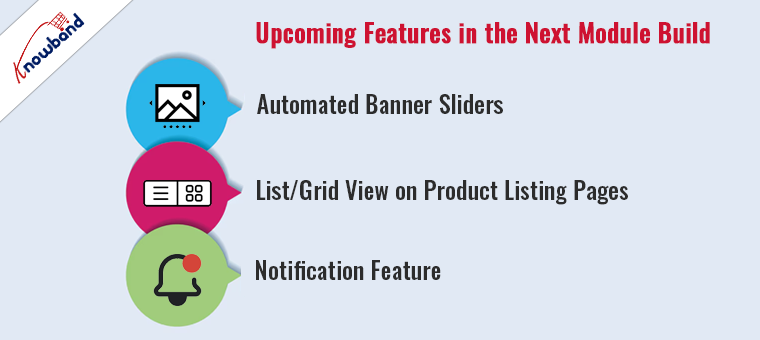
Upcoming Features in the Next Module Build:

Looking ahead, Knowband is excited to introduce new features in the upcoming build of our React-based PrestaShop PWA Addon, which will bring even more capabilities to your online store:

Automated Banner Sliders:

The admin now has the ability to add automated banner sliders on the home page of the PWA app. Therefore, the following feature will help in engaging your customers with high-quality, dynamic banners that are easy to manage and automate. This feature enhances the visual appeal of your site and can be used to highlight promotions, new arrivals, or popular items.

List/Grid View on Product Listing Pages:

You can provide your PWA App users with the flexibility to view products in a format that suits their preferences. A toggle between list and grid views on product listing pages will make it easier for customers to browse products, compare them, and make purchasing decisions based on their personal shopping habits.

Notification Feature:

Keeping your customers informed and engaged with real-time notifications about new products, special offers, and order statuses will be easier with the to be introduced notification feature in the PWA App. Furthermore, this feature ensures that your customers feel connected and valued, which can help increase customer loyalty and repeat business.

Conclusion!

By transitioning from Angular to React, Knowband’s PrestaShop PWA Mobile App Builder Addon is set to offer even more robust features and improved performance. Moreover, these enhancements are designed to help your eCommerce site not just keep up with the market trends but to stay ahead of them, offering your customers a faster, more engaging online shopping experience.
Stay tuned for our upcoming module build, which promises to take your eCommerce site to new heights.

At Knowband, we’re committed to providing our clients with cutting-edge solutions that drive success and innovation in the eCommerce space. Explore the benefits of the new React-based PWA Addon and get ready to take your PrestaShop store to the next level. 

Must-Have PrestaShop and OpenCart Plugins for 2024!

As we venture into 2024, e-commerce platforms like PrestaShop and OpenCart continue to evolve. These major platforms offer robust and user-friendly features that can significantly enhance online store performance and customer satisfaction. Both Prestashop and Opencart provide a ton of default features that are enough to start selling online and shop management. However, the need to modern customers evolves with time, and the default platform-specific functionalities are not sufficient.

Thus, in today’s article, we are going to introduce the top 4 extensions that you are missing on your eCommerce store. Certain plugins stand out for their exceptional functionality and proven results among the many available extensions.

Mobile App Builder:

In an era where mobile commerce is king, having a responsive and intuitive mobile app is crucial for any online store. Knowband’s Mobile App Builder for PrestaShop and OpenCart is an essential and easy-to-use tool that effortlessly converts your e-commerce store into a feature-rich mobile application.

Features:

  • User-Friendly Interface: The Android and iOS App built with Knowband’s Opencart Mobile App Builder ensures that your app is accessible to all users, regardless of their tech savviness.
  • Customization Options: The mobile app builder offers extensive customization features that allow you to align the app’s design with your brand.
  • Push Notifications: As an eCommerce store admin, you can engage your customers with real-time updates and personalized offers. Furthermore, as per the reports, push notifications are one of the most advanced marketing methods that allows businesses to interact directly with customers.
  • Social Media Integration: Allows users to log in through social media platforms, enhancing user convenience and engagement.

Thus, the iOS mobile app maker plugin not only boosts your accessibility but also enhances customer engagement, leading to increased sales and customer loyalty.

One Page SuperCheckout Extension:

Checkout is one of the most important aspects of a website. Thus, along with other components, streamlining the checkout process is essential for reducing cart abandonment rates and improving customer satisfaction. Moreover, the One Page SuperCheckout Extension is a versatile plugin for PrestaShop and OpenCart that simplifies the checkout process into a single page.

Benefits:

  • Faster Checkout: The quick checkout addon for Prestashop reduces the time customers take to complete their purchases.
  • Higher Conversion Rates: By minimizing the steps to checkout, this extension helps in reducing cart abandonment. The following factor not only ensures a smooth checkout experience but also helps in reducing checkout abandonment.
  • Customizable Layouts: The Supercheckout extension for Opencart offers various layouts to best fit your site’s design and customer preferences.
  • Compatible with Major Payment Gateways: Ensures smooth payment transitions with support for numerous payment methods.

Abandoned Cart Notifications:

Cart abandonment is a persistent challenge for online retailers. Not only it is a huge problem for the website owners but also impacts the entire conversation rate for a business. Knowband’s Abandoned Cart Notifications plugin helps tackle this issue by reminding customers of their incomplete purchases through timely notifications.

Key Features:

  • Automated Emails: With the help of the Abandoned cart recovery extension for Prestashop, the admin can send automated emails to remind customers about their abandoned carts.
  • Customizable Templates: Tailor your notification emails to match your brand and appeal to your target audience.
  • Actionable Insights: The store admin can gain insights and use them to make a healthier environment for the visitors. The approach optimizes the shopping experience.

This plugin not only helps recover lost sales but also provides valuable insights into customer shopping behaviors, enabling more targeted marketing strategies.

Return Manager:

Efficient handling of returns is vital for maintaining customer trust and satisfaction. Returns not only cause losses but also impact brand image. The Return Manager plugin from Knowband simplifies the management of product returns for both merchants and customers.

Advantages:

  • Simplified Return Process: The Prestashop return manager allows customers to easily submit return requests through a user-friendly interface. This factor eliminates the hassles faced during the return process for the customers.
  • Status Updates: The module’s advanced features keep both merchants and customers informed about the status of return requests.
  • Customizable Return Policies: Offers flexibility in managing return terms based on product type, category, or other criteria.

By making the return process more transparent and straightforward, this plugin significantly enhances customer satisfaction and loyalty.

Conclusion!

The integration of these four plugins from Knowband into your PrestaShop or OpenCart store can profoundly impact your business’s operational efficiency, customer satisfaction, and overall profitability. As the digital landscape continues to evolve, equipping your e-commerce site with the right tools is more important than ever. These must-have plugins for 2024 are designed to streamline operations, enhance user experience, and boost your sales figures remarkably.

Recommendation for you: