Due to the marketplace’s dynamic nature, it is necessary to continuously improve and update your marketing plan. Your brand might acquire a competitive edge by looking for ways to enhance your marketplace approach. The most popular locations for today’s online shoppers are still online marketplaces like eBay, Etsy, and many others. Online marketplaces are now used by around half of US businesses and European ones to sell their products.
Making the proper online marketplace decisions is crucial for brands all around the world. To be sure you’re on the right path, we have listed 2 the Advantages of two Marketplaces to enhance your online marketplace approach.
eBay Marketplace
One of the most popular online marketplaces in the world is eBay Marketplace thanks to its huge user base. Concurrently operating eBay businesses and internet stores may be challenging. The handling of orders and inventory on the eBay Marketplace takes a lot of time and effort. For owners of e-commerce businesses, this eBay plugin is an excellent option. Owners of online stores can easily link them with eBay storefronts by using eBay Integration. To manage both your eBay store and your offline business, use eBay integration.
The following are the benefits of using eBay:
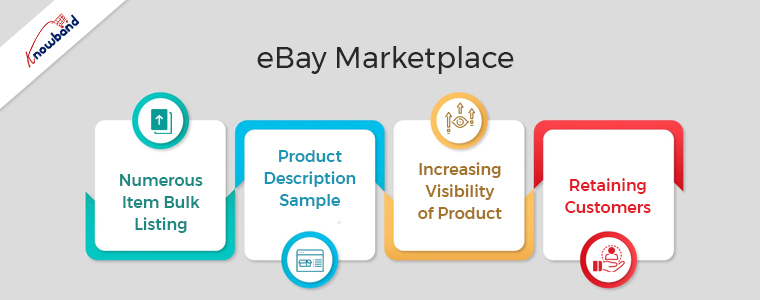
Numerous Item Bulk Listing
The bulk product listing feature of the eBay Integration plugin is very beneficial. The admin can also link the shop category to the eBay Marketplace category. The eBay Marketplace will never run out of the shop class products in that particular eBay category. Furthermore, a single eBay category connection to the administrator is possible with several courses.
Product Description Sample
To reflect the presence of the HTML layout, the shop administrator might apply this plugin. The API Integrator for eBay works with HTML layouts. Shop owners may track eBay product descriptions more easily with the help of this plugin.
Increasing Visibility of Product
By subscribing to an eBay store, more people can see your stuff. You can draw in more customers by being subjected to more crowds. Sales for sellers who switched to eBay store subscriptions significantly increases over the period.
Retaining Customers
When you stock your store with standout goods, people will return to you because they will remember you. They’ll contact you again the next time they need that thing. You can successfully improve your client experience and service if you operate an eBay store. One of the most important elements that affect customer retention is excellent customer service.
Etsy Marketplace
Utilizing the Etsy marketplace is essential for companies offering handmade goods, antique goods, and creative supplies. The US’s fourth-most popular eCommerce site is Etsy. Even though it has a limited user base, there are several advantages for merchants using Etsy Marketplace.
To sell their goods, effectively manage inventory, and process orders, Etsy offers retailers APIs. The Etsy Marketplace Integration module utilizes these APIs, which eliminates the requirement for a store administrator. The Etsy Marketplace is not required for sellers who have separate listings for their products on each platform. Your products need only be present in your store for the Etsy Integration module to immediately list them on the Etsy Marketplace.
Following are the advantages of Etsy Marketplace:
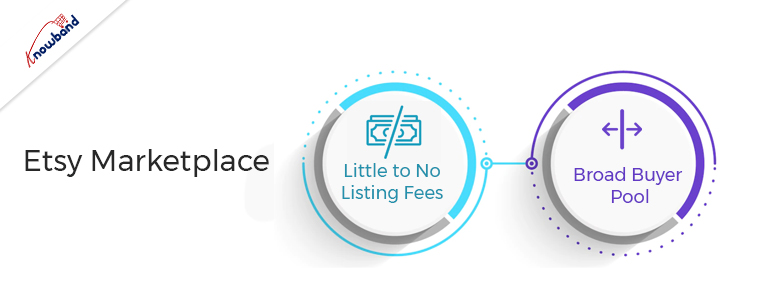
Little to No Listing Fees
You can get access to a variety of tools and the knowledge of a seller community by opening an Etsy shop, which is free to do. When you list items, a small fee of $0.20 per listing applies. It is less expensive to open a shop because there are no ongoing expenses, unlike other possibilities. A minor commission fee and a standard payment processing fee are there for the completion of a sale. To encourage the success of small businesses, Etsy generally maintains moderate fees.
Broad Buyer Pool
One of the main benefits of the website is that it is widely known. This shows that you already have a market for your products. Compared to larger eCommerce sites, Etsy is more frequently visited by customers looking for authentic goods. Etsy has distinct products rather than a product with numerous entries that are comparable.
If your company shares Etsy’s mission of offering customers unique, handcrafted, vintage items, then this is the place for you. This helps you attract visitors who are currently spending time on the website.
Wrapping Up
In this article, we have explained the advantages of two marketplaces and why they are useful for eCommerce businesses. If you want our help with the same, please contact us at support@knowband.com. For specific developments for your company also you can get in touch with us. We will also help you to add additional functionality to the plugins. Kindly let us know in case you need our help regarding any concerns or issues related to our modules.
New Enhancements Alert: Prestashop eBay Marketplace Connector v2.2.1 Release
Prestashop merchants, the time to act is now! Knowband has released the new version of Prestashop eBay Integration Addon introduces new must have features designed to save time, prevent errors, and boost your sales.
With Rate Limit API Monitoring, you can now track your API usage to avoid disruptions, ensuring continuous synchronization between Prestashop and eBay. Meanwhile, the Inventory Comparison feature helps you spot stock mismatches instantly, avoiding overselling and keeping your customers satisfied.
Every delay in upgrading could lead to missed opportunities, lost sales, or customer dissatisfaction. Don’t wait, install v2.2.1 immediately and enjoy optimised eBay store management like never before.
For those operating an e-commerce company, small challenges emerge every single day.
To make it worse, if you want your organization to succeed, there are bigger, looming risks that you will need to counteract immediately.
These existential challenges may come from goods, clients, applications, and even from your overall sales strategy. Luckily, if you have a challenge, we have a solution to handle it.
There is various marketplace integration software available that automate product listing and helps you manage orders on major eCommerce platforms like eBay, Etsy, Walmart, etc.
What is Marketplace Integration?
Integrating a marketplace is the integration of a popular, well-developed online store that already exists. These marketplaces help to introduce the eCommerce brand to a broader audience since they are already widely focused on consumers.
Multi-channeling is one of the easiest ways for a large spectrum of online shoppers to reach out. One such platform that can help online sellers extend their reach is the online marketplace. With emerging technology and changing consumer behavior, selling their goods through these common channels is important for all sellers.
Marketplace integration provides sellers with the following benefits:
Effortless product listing process with the functionality of bulk uploading
Mapping the attributes and categories of the store with the respective attributes and categories of the marketplace
The effective management of the inventory of products
Effective management of orders in the marketplace and more…
KnowBand Offers eBay Marketplace Integration for PrestaShop, OpenCart, and Magento Platforms:
Already selling on your eCommerce store?
If yes, then why not expand!
If you want to expand and start selling on the eBay marketplace, managing orders and listing products on two different platforms will be tedious and this might make you think twice before starting.
Marketplace Integrators are the lifesavers!
The eBay marketplace integration module developed by KnowBand is one best solution which is available for popular eCommerce platforms Prestashop, Opencart, Magento, and Shopify.
This smart integration can help sellers to start selling on eBay Marketplace in a short period.
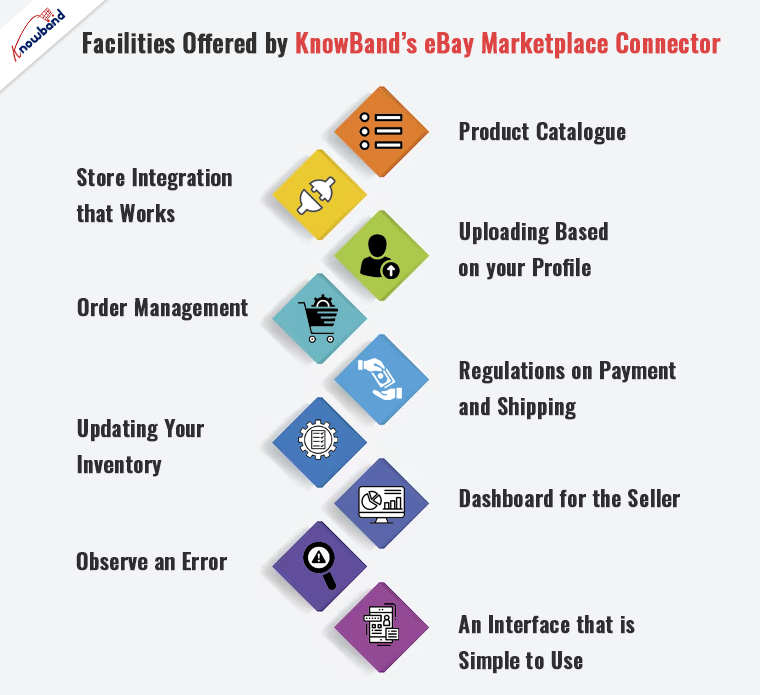
Facilities Offered by KnowBand’s eBay Marketplace Connector
The eBay Marketplace Integration Module allows the store admin to manage product listings and inventory on eBay Marketplace directly from their website(PrestaShop, OpenCart, Magento). This plugin is a smart way to save time and manage PrestaShop and eBay products from your online store.
Product Catalogue
Easy and quick product listing will save you time and effort.
Store Integration that Works
Integrate your store regardless of the country or region in which it operates.
Uploading based on your profile
Synchronization of product features and categories in the marketplace in real-time.
Order Management
Keep track of and manage order details with ease.
Regulations on Payment and Shipping
Handle the order’s payment and shipping with care.
Updating Your Inventory
With just a few mouse clicks, you can keep an eye on the product inventories.
Dashboard for the Seller
From the backend, you can manage your profile, inventory, and orders.
Observe an error
Check for any issues that happened throughout the product listing process.
An interface that is simple to use
A user-friendly interface for smooth internet trading.
How Sellers Benefited by eBay Marketplace Integration:
In just a few clicks, you can create a bulk product listing.
To list the products on eBay Marketplace, you’ll need an automated solution.
It allows you to manage your eBay Marketplace inventory from within your PrestaShop store.
It allows you to process eBay orders from your PrestaShop store.
Manage the eBay Marketplace prices effectively.
You can easily list your stuff on several eBay storefronts.
How to Sell PrestaShop Products on eBay Marketplace?
Being a PrestaShop store owner you must be listing all your products and managing your orders on the store once. Now at that same time, you can list those products on eBay as well.
The PrestaShop eBay Marketplace Integration Module automates the product listing process. From your PrestaShop store, you can track and manage the orders with minimum hassle. It is easy to regulate your profile, inventory, and orders with its user-friendly interface.
From your profile, real-time synchronization of the product attribute and categories in the marketplace is possible. It doesn’t matter where you live, you can operate and integrate your store anytime from anywhere.
OpenCart- ebay Marketplace integration to sell OpenCart Products on eBay
It is now easy to sell directly on eBay from your OpenCart eCommerce store. The OpenCart eBay Marketplace Integration Module integrates your OpenCart store with an eBay marketplace profile.
From one place you can manage all your inventories, product listings, and orders on both platforms. It reduces all your efforts. All the data like product attributes, categories, payment and shipping methods, orders, etc. will get synced in real-time.
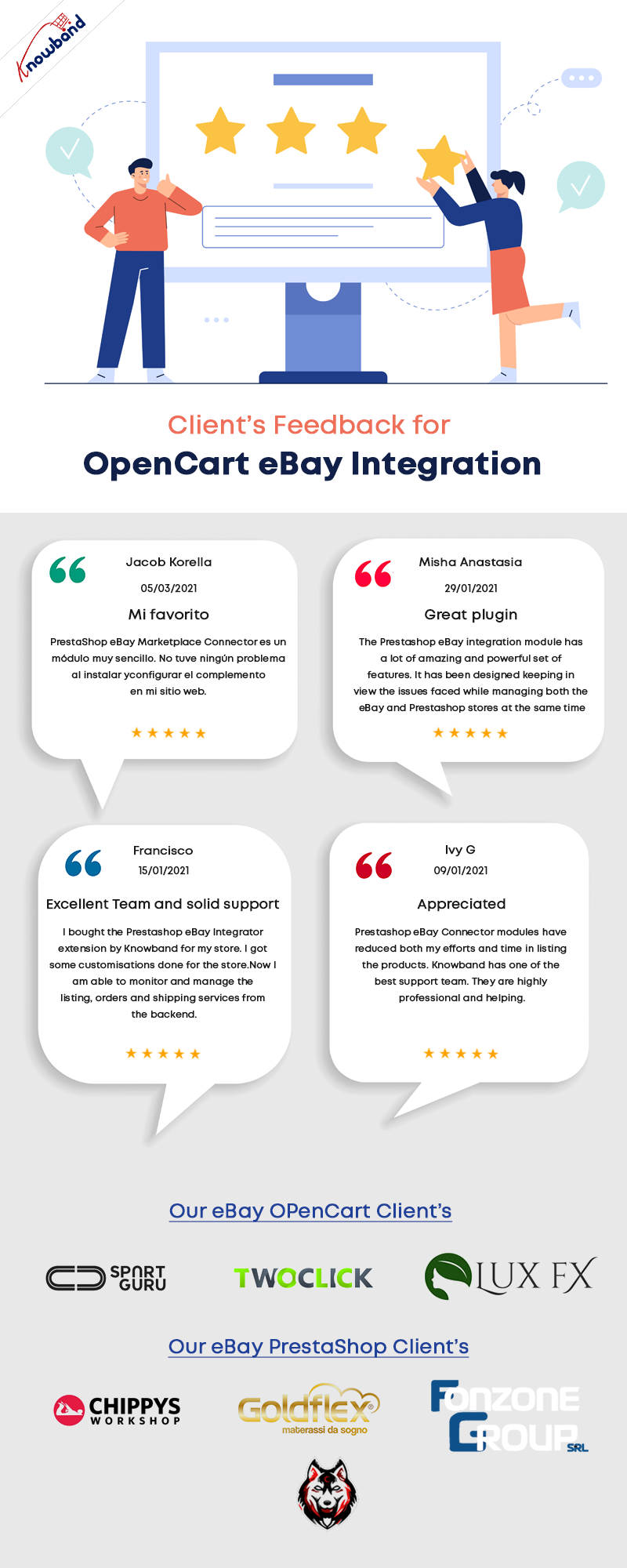
How Clients are reacting to its features and Knowband’s services
This module allows you to manage both profiles from the Magento store. You can easily manage inventories; handle orders, product listings, and all other functionalities that can be handled from the Magento store itself and will be automatically reflected on your eBay Marketplace profile.
Conclusion
Now sell on various eCommerce Marketplaces effortlessly and take your company to different heights. Knowband has developed several modules and extensions for all the major eCommerce platforms. KnowBand provides the best price for this integration plugin and in addition to this, free service for 3 months.
eBay Marketplace Integrator, eBay Prestashop Marketplace Integrator, Opencart eBay Marketplace Integrator, and Shopify eBay Marketplace Integrator are available at KnowBand store. Choose the appropriate integrator module for your store.
The marketplace is the professional seller community that provides sellers a platform for selling their products and earn a huge chunk of profits. eBay is one of the best and most popular Marketplaces all over the world. Selling on eBay will definitely help sellers to earn a huge chunk of profits. Sellers can avail access to millions of customers worldwide which will rapidly boost up sales and revenues.
With over 182 million active users, eBay is a continuously growing marketplace that has provided a lot of sellers a platform with an infinite conversion rate. Selling on eBay marketplace is a dream for many sellers and luckily if you got this chance then here are the 4 ultimate tips which would help you to increase your sales on eBay:
1) Make friendly communication with your customers:
This point may sound murky but trust me this is the most useful way to all your leads. In today’s world, you have to play smartly and try to provide an enhanced shopping experience to your beloved customers to be remembered for the long term and repeated sales. Instead of running towards materialistic things, sellers should keep a check on the quality of the product as it is directly related to the feedback of consumers.
eBay has an outcome with a user-friendly interface for marketplace sellers which lures them to sell more and to add more product listings to it. It’s very important to understand the market base and go for the right decision which will suit best for your niche.
For example, if you deal in eyewear and the summer season is around the corner then my dear friend, you should add some cool sunglasses to your listings and earn a huge chunk of profits and a huge customer base too.
2) Use relevant tools for increment in the sale:
Sellers should be efficiently involved in multichannel selling as it is a big boon nowadays. For the past 10-20 years, multichannel selling is one of the most popular ways of marketing in all forms of selling and will be even in the future too.
All sales channels are efficiently interlinked with each other to achieve every possible facet and convert them into fruitful leads.
So interlinking and back-linking your website on different selling platforms and website blogs would be beneficial to you in terms of sales and revenues.
Although the process sounds a bit tricky due to the presence of certain tools but believes me, these tools help you to easily manage the products, inventory and their prices too.
So, here are some tools discussed which helps in increasing sales on eBay:
i) When you manage your eBay orders Directly:
Managing orders directly could be a hectic task on eBay. However, the journey from selling on the store to selling on eBay has taken a few steps ahead. Here are some Product Lister services which will certainly help you list your products in bulk in just a single click.
ii) When you manage your orders from an online store:
eBay Marketplace supports all the tools used for conversion rate optimization driven by the concept of multi-channel selling. If you own an eCommerce store on an open-source platform like Magento, PrestaShop, etc., or on SaaS-based platforms like Shopify, etc., then you can use various eBay Integration Apps which come with the following features:
Product Listing
Seamless Store Integration
Profile-based upload
Order Management
Payment and Shipping Regulation
Inventory Update
Seller’s Dashboard
View error
User-friendly interface
This is the sure-shot method to achieve Conversion Rate Optimisation!
3) Product Detail Optimisation:
Just imagine your product is shown interest by your customers but you failed to describe your product efficiently. How will a customer feel? Frustrated, right? Why is this so? This is because the way you described your product was not appropriate for a customer to understand and this will result in loss of sales.
Once your product detail is been optimized, it’s also important to rank your product listings in the search results. If your products are not visible on the top of search results, then there is no benefit from product detail optimization.
Below are some of the points to be kept in mind as they will directly help sellers to rank their products on top of the search results.
a) Keywords and Titles should be a priority!
Being able to identify and use the correct keywords is the most important task to perform. The product keyword should be user-friendly so put yourself in customer’s shoes and try to think like them and search any product using the keywords that come to your mind first.
Titles should be nice and user-friendly and it is important to use the relevant keywords. A title will help to attract the huge amount of traffic to your eBay listings.
Although eBay has set its own algorithm this strategy is totally inevitable and could really work to rank your product listings.
b) Include multiple and high-quality images:
eBay’s search engine analyses product images by analyzing the number of photos and the product information conveyed by them. So if you want to rank your product on top of the list, it is important to use high-quality photos with detailed information about the product.
Avoid using overly bright colors and click a picture in light background with high resolution to get a clear image of the product. Always try to click multiple photos of the product from different angles as it helps the customers to know more about the product. The image should be uncluttered and should not be overlayed with other text or line art.
c) List your product in relevant category:
Selecting a relevant category is incredibly important as this directly influences the search results and helps the buyer to find your products. Opting a wrong category will definitely limit you from being found by customers. So list your products accordingly in the category and your listings should comply with eBay algorithms.
4) Popularity and efficiency in Market to build customer’s trust:
In the current scenario where the customer is the thrown owner and we work only in the direction of achieving better consumer experience, it’s the responsibility of sellers to include them in your selling process and involves them actively.
You can make the visitors and customers a part of your process by the following simple practices:
Reviews: Sometimes there are customers who are not sure about the quality of the product at the time of purchase. To overcome this, it’s very important for you to grab feedback from your customers on your products in order to ensure that the products are working well and what is needed for the betterment.
e-mail advertisement: email marketing is one of the best ways to promote your business nowadays. With the help of email, you can initiate different e-mail campaigns to let your customers know about your upcoming products.
Social Media Marketing:Social Media Marketing is the primary key to marketing key these days. Consumers today are at-least present on one social media profile these days, so you can make the leads out of it by promoting your brand on the same. You can make your brand profile and follow random customers. This will not only help you to promote your brand, but it will also help you to direct your followers on eBay which can give you good leads in return.
Conclusion:
The above compilation of 4 ultimate tips would definitely help you to optimize, enhance and emerge out as a leading seller on eBay Marketplace. Just follow these simple guidelines like product description, shipping process, customer reviews and many more. So try to accommodate all these strategies and keep yourself updated about the latest trends and techniques and excel like never before!
Opencart eBay Marketplace Integrator by Knowband is one of the fastest means to connect your OpenCart store with eBay. The OpenCart plugin makes it easier for the store admin to connect their store with the marketplace. At the same time, the Opencart eBay Marketplace Integrator automates the entire process of product listing, inventory, and order management.
eBay is one of the most popular online marketplaces. Operating in over 30 countries worldwide, the marketplace has secured a significant place in online trading. ebay.com has gained the reputation of an online space where buyers and sellers come together and trade almost anything. The OpenCart store owners can streamline their selling and find a larger audience base in the popular marketplace.
OpenCart eBay Marketplace Integration Module by Knowband allows the OpenCart store admin to list their products on the eBay marketplace and manage their inventory and orders with a few button clicks. The Opencart eBay Marketplace Integrator makes it easier for the store admin to connect their store with the marketplace. At the same time, the OpenCart eBay API integrator automates the entire process of product listing, inventory, and order management.
1.1 Benefits offered by the Opencart eBay Marketplace Integrator:
The OpenCart eBay Integrator allows the store admin to skip the steps involved in lengthy store integration. The store admin can connect the store in a few simple steps.
The admin can create as many profiles as they wish from the back-end of the Opencart eBay Marketplace Integrator.
The profile-based product listing of the Opencart eBay Marketplace Integrator allows the store admin to skip manual listing.
The inventory can be easily managed with the help of these profiles created in the OpenCart eBay API Integration.
The eBay Connector makes it easier for the store admin to map the product attribute and categories with that attribute and categories of eBay.
The Opencart eBay Marketplace Integrator allows the merchants to add, remove, revise or relist the products on the marketplace.
Along with easy inventory management, the OpenCart eBay Connector offers easy order management as well. The admin can sync the orders received from ebay.com with their OpenCart store and process them from there. Thus, the merchants need not visit the marketplace.
The Opencart eBay Marketplace Integrator offers two-way synchronization that can be done by executing cron in the back-end.
The merchants can check the error that occurred while product listing from the back-end of the Opencart eBay Marketplace Integrator.
Discover the Latest Enhancements!
[New]Inventory Comparison
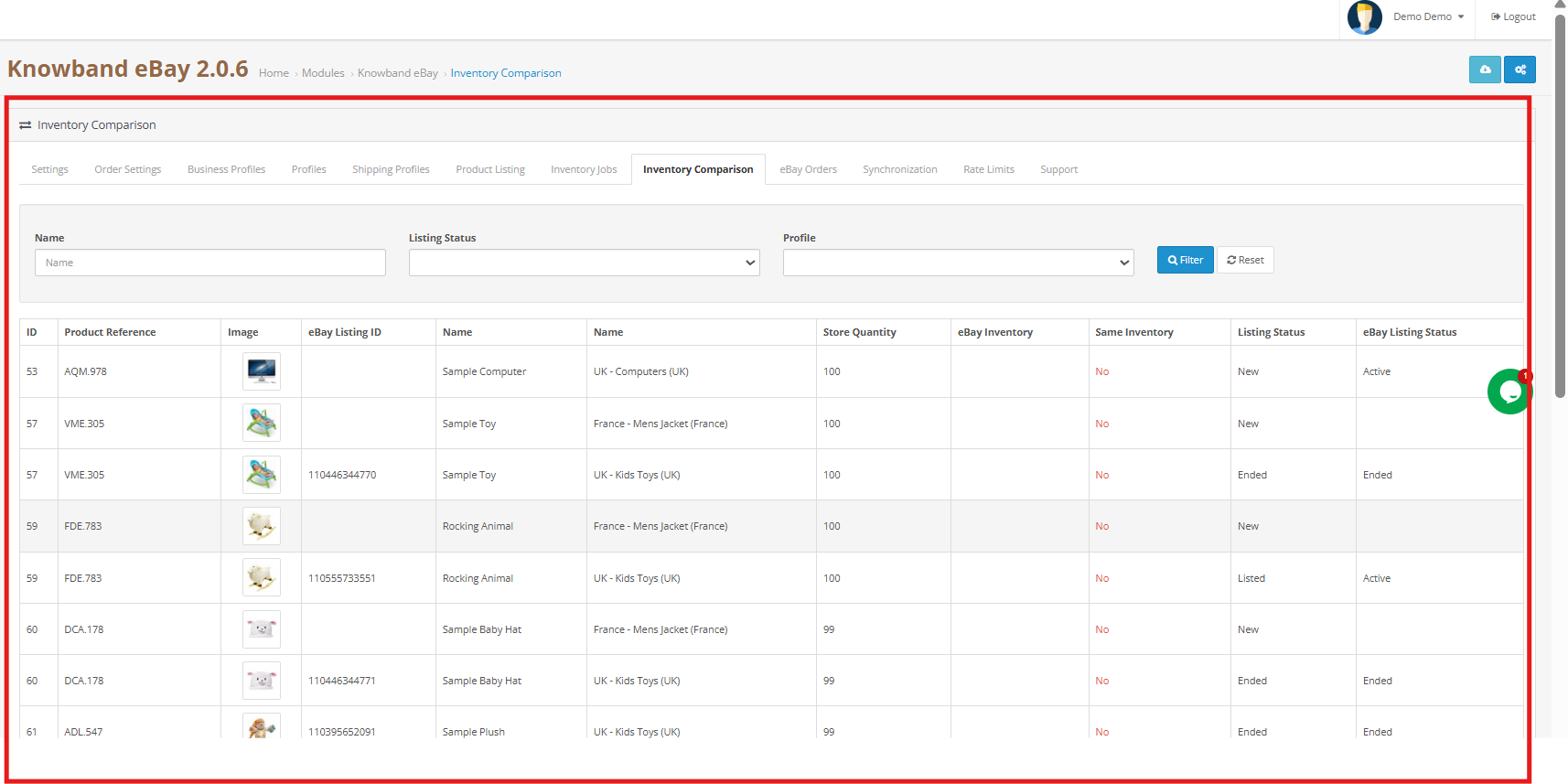
The Inventory Comparison feature ensures your OpenCart store and eBay stock stay consistent. Furthermore, it fetches the latest inventory from eBay, compares it with your store quantities, and marks any differences as Yes or No, helping to prevent overselling, stockouts, and manual errors while keeping your inventory accurate.
[New]Rate Limit Monitoring
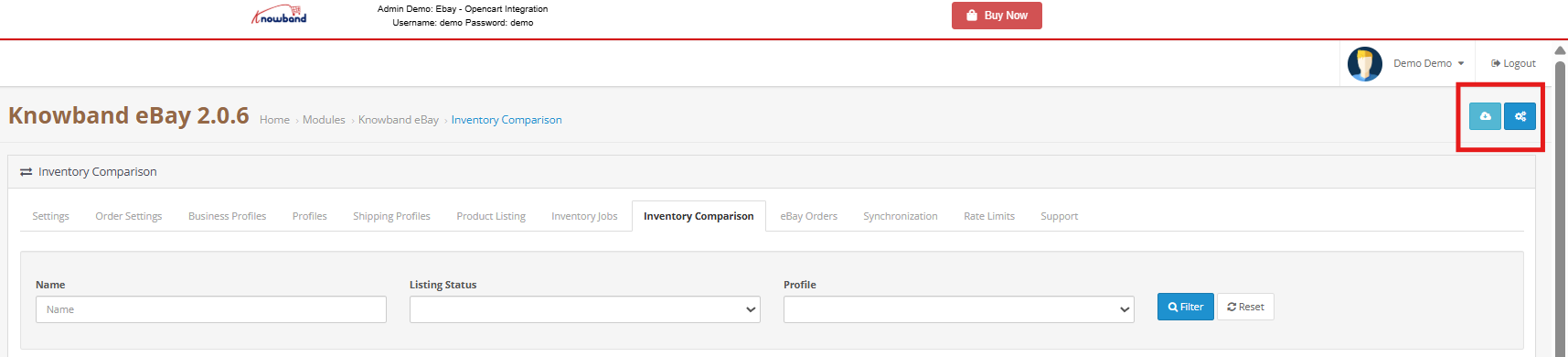
The extension now includes a built-in feature to monitor eBay API usage and limits. Moreover, it tracks how frequently each API is called, displays the total allowed requests, and shows how many calls are still available.
Profile-Level Product Synchronisation:
Knowband’s Opencart eBay marketplace connector addon now includes profile-level product synchronization. This feature enables merchants to efficiently manage and synchronize their product listings by organizing them into profiles. Each profile can be customized with specific synchronization settings, streamlining inventory management and maintaining consistency across platforms.
Product Listings with Custom Titles and Descriptions:
The enhanced eBay Opencart connector addon allows merchants to create product listings with custom titles and descriptions on eBay. Merchants can now tailor these elements to better align with eBay’s search criteria and buyer preferences. This customization improves visibility, attracts more potential buyers, and ultimately increases sales.
eBay Business Policy Import:
The latest update to Knowband’s Opencart eBay marketplace connector includes the ability to import eBay business policies. This feature simplifies the process of bringing eBay’s business policies into Opencart, ensuring alignment in shipping, return, and payment policies. It enhances compliance, reduces manual errors, and saves time for merchants managing multiple platforms.
OpenCart eBay Marketplace Integration Module
Effortlessly sync your OpenCart store with eBay for seamless product listing and order management with Knowband’s OpenCart eBay Integration module.
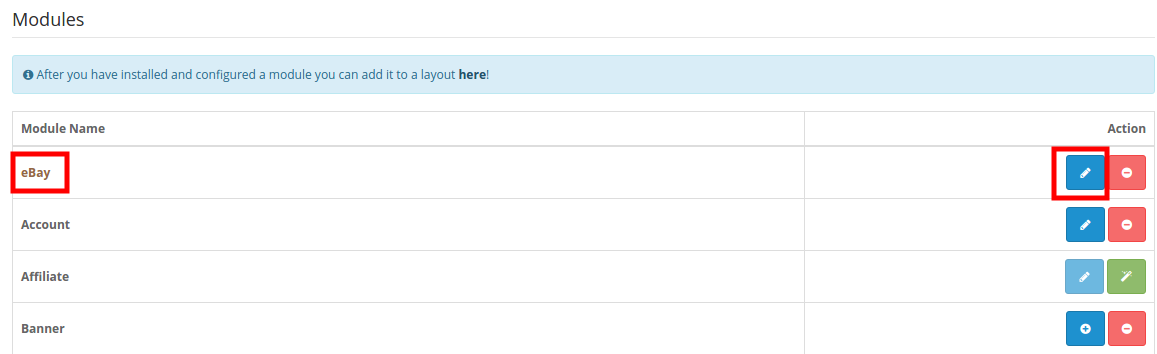
To start selling on eBay Marketplace you need to have a seller account on eBay. In this section, we are listing all the steps to create a seller account on eBay. Please find them below –
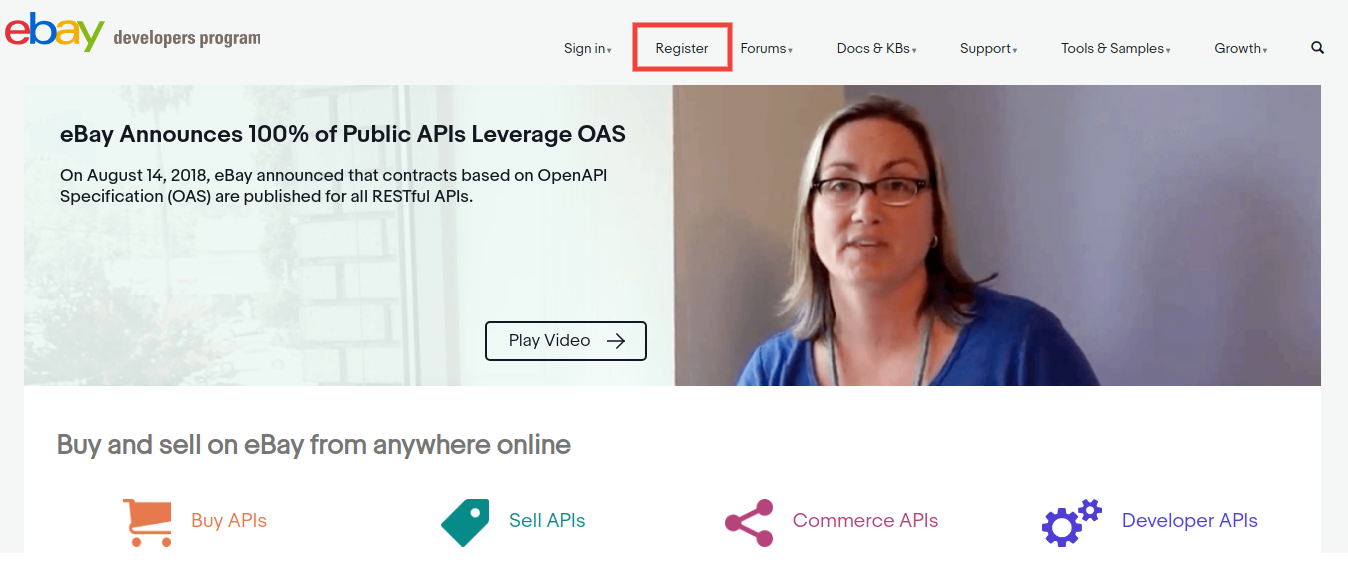
2. Click on the “Register” button for registration.
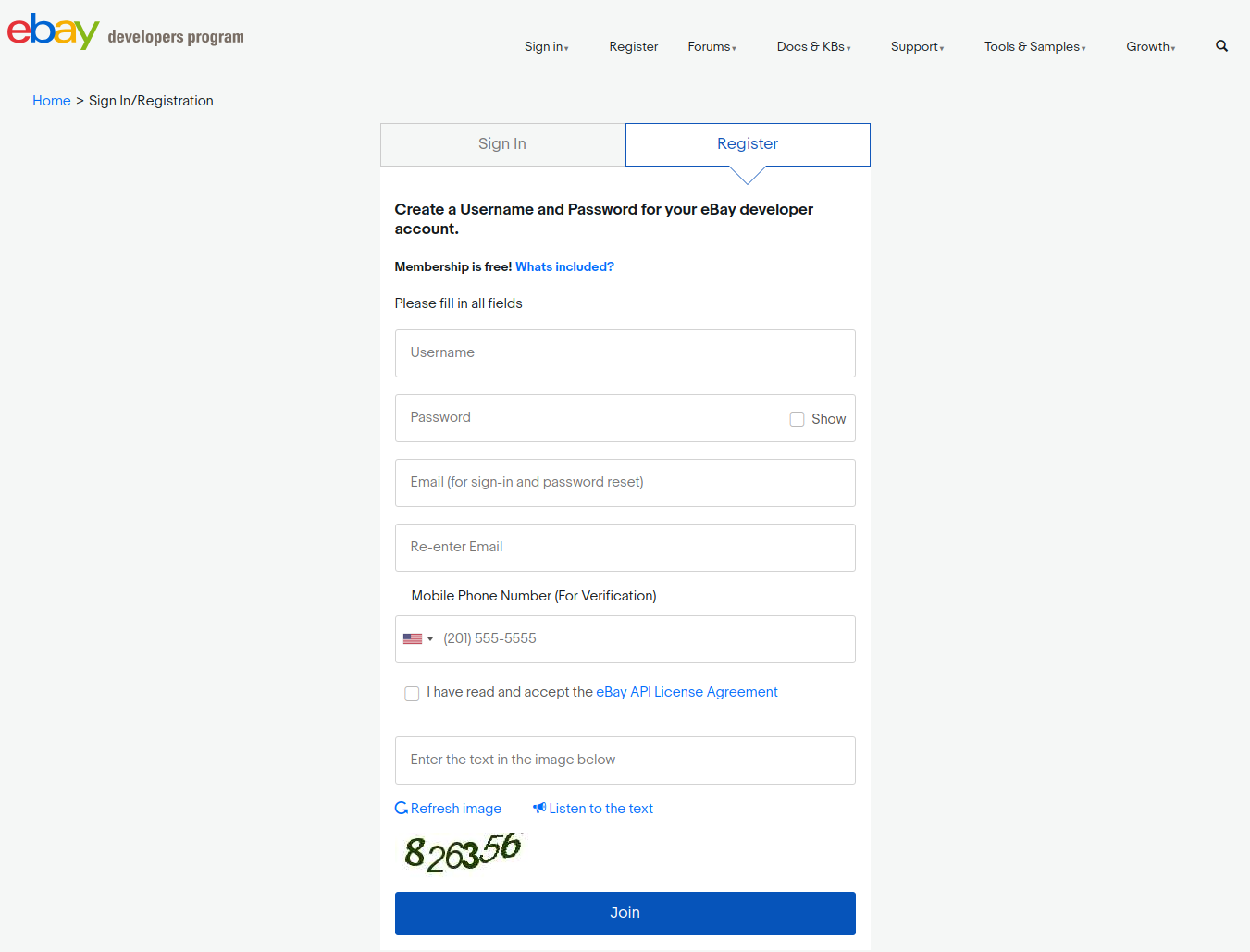
3. After filling-in valid data click on join and you will be redirected to the application creation page.
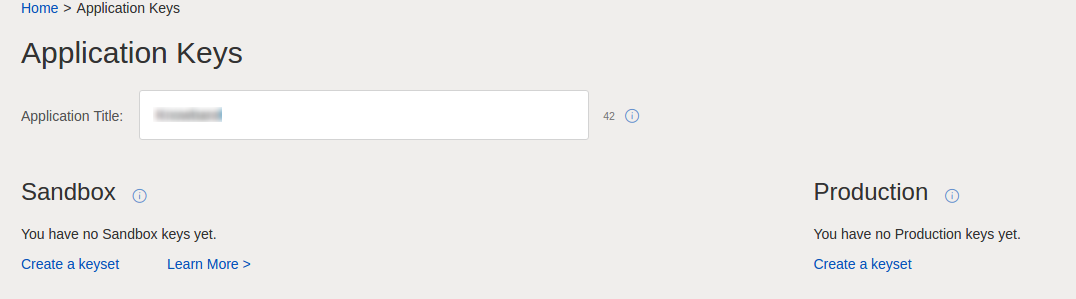
4. Enter the application name and click on ‘Create a keyset’ under the Production section, a new form will be opened.
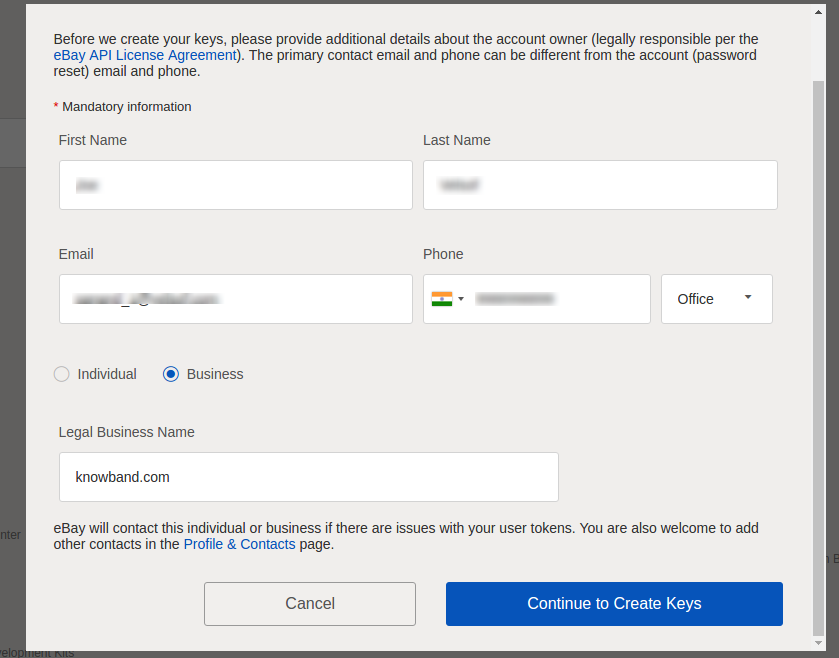
5. Enter the details and click on Continue to create Keys.
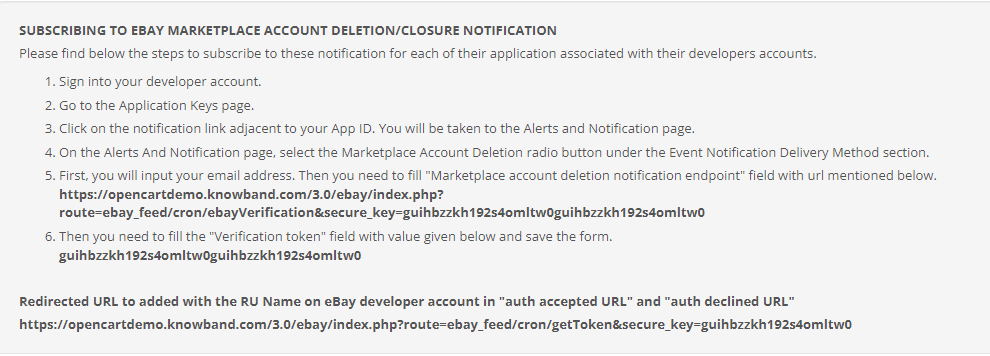
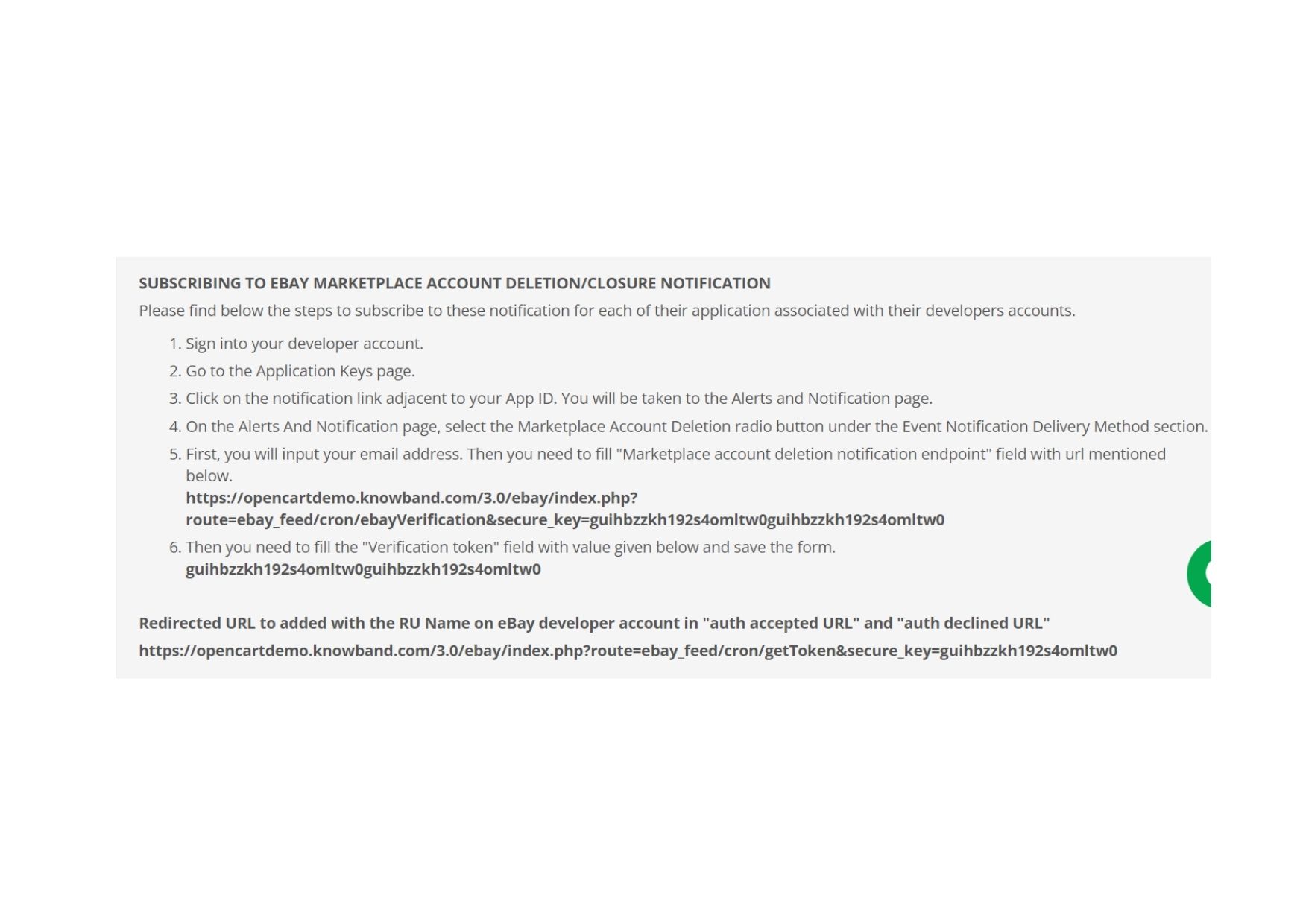
6. The application keys will be disabled until subscribed to eBay Marketplace Account Deletion/Closure Notifications.
7. To comply witheBay Marketplace Account Deletion/Closure Notifications follow steps mentioned in general setting steps of OpenCart eBay Marketplace Integrator module.
After you have successfully subscribed to eBay marketplace account deletion/closure notifications, you will be able to access API Keys from the developer’s account.
8. RU Name:
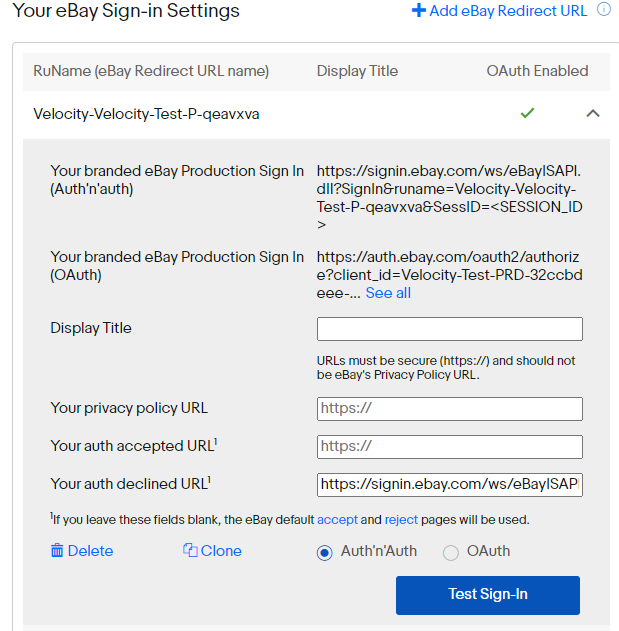
If your RU Name is not created click on “+Add eBay Redirect URL”.
Kindly copy the redirected URL from the module general setting and place it in the accept/decline field wall line.
Place
Click Save.
3.0 Admin Interface
The admin panel of the OpenCart eBay Integration plugin offers 5 configuration options. They are discussed in detail below:
3.1 General Settings
Once you have created a seller’s account, you need to synchronize the store with the marketplace. To validate the synchronization go to General Settings of the admin interface of the OpenCart eBay Integrator Module.
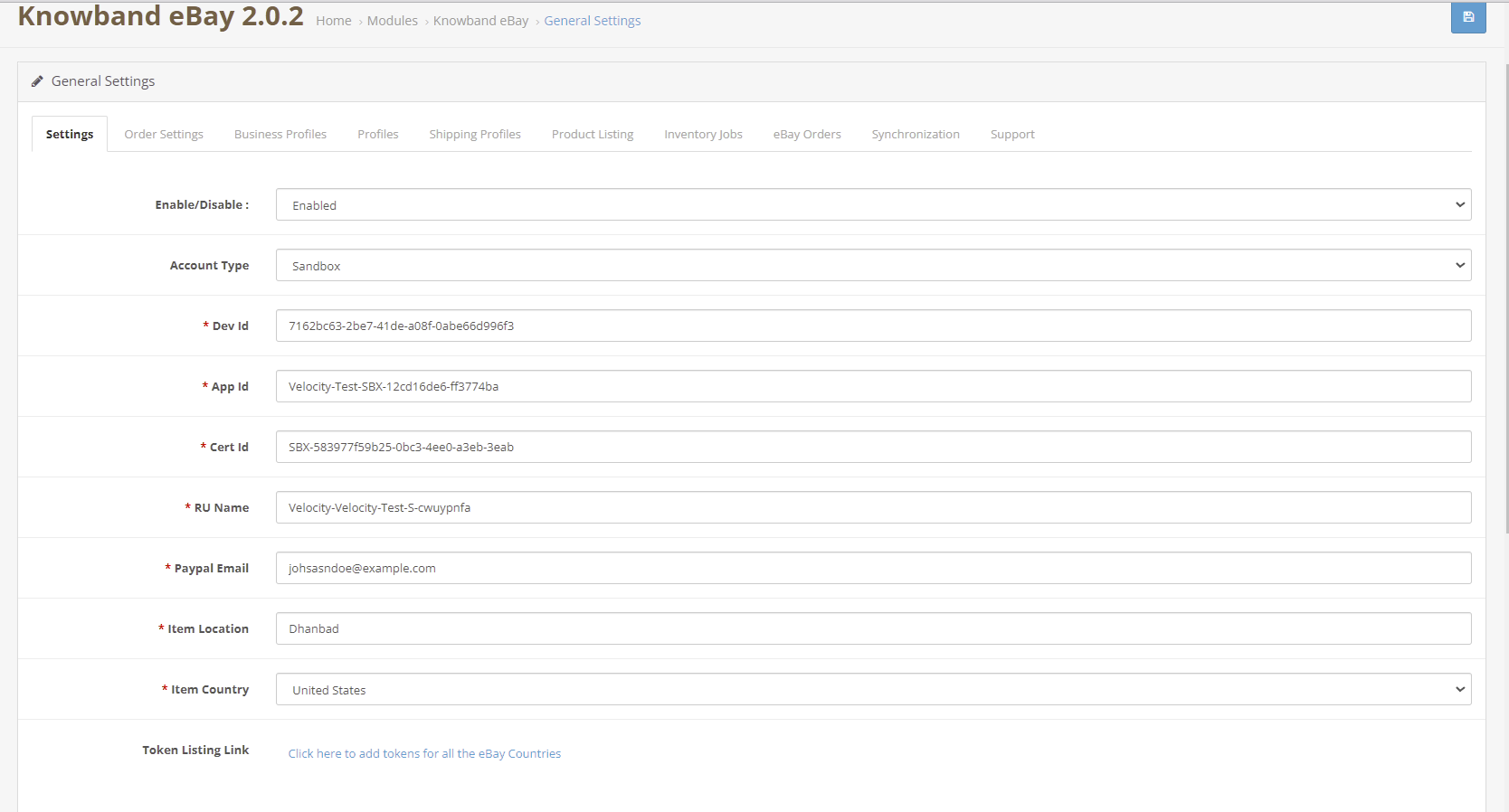
Fill out the form shown in the General settings section. Each field for the configuration panel of the OpenCart eBay Connector Plugin is explained below:-
1. Enable/Disable
The drop-down menu consists of Enable or Disable option. Select the options to enable/disable the eBay OpenCart API integrator.
2. Account Type
The admin can either choose the Sandbox account for testing purposes or the Live eBay account for the final store integration.
3. Dev Id
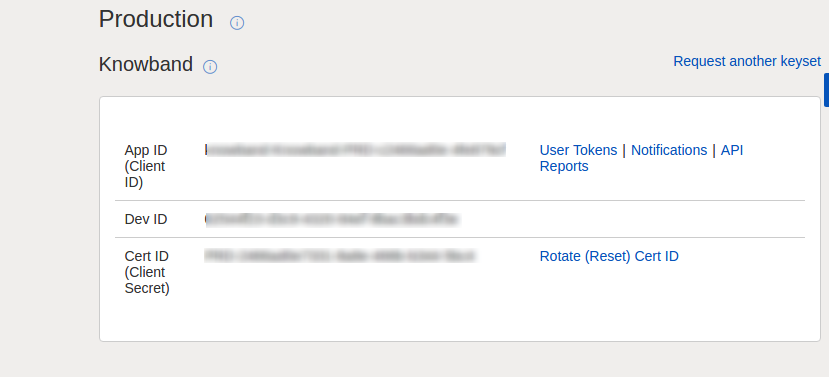
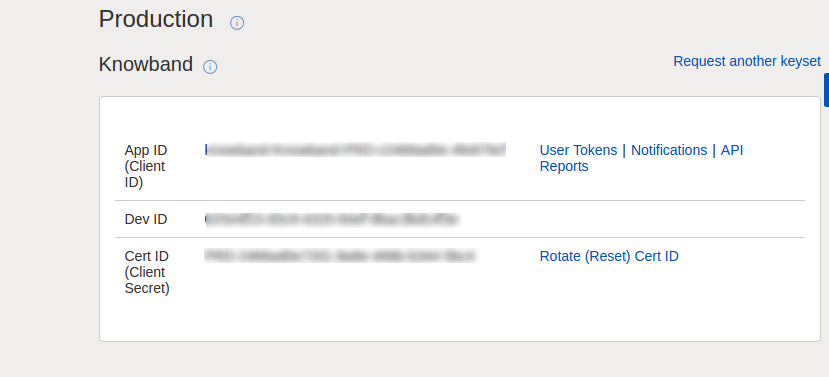
Enter the Dev ID of your eBay account here. To find your Dev ID, sign in to the eBay developer account. In the application key section, you’ll find App ID, Dev ID, and Cert ID as shown in the image below.
4. App Id
Copy the App ID from your eBay account as shown above and copy it in this field.
5. Cert Id
Enter the Cert Id of the eBay account in this section. You can find the Cert Id as shown in the above image.
6. RU Name
Enter the RU Name of the eBay account. To obtain your RU name, go to the ‘Get a Token from eBay via Your Application’ tab after adding a redirect URL.
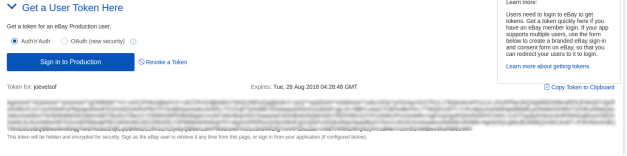
7. Token
Click on the Token Listing Link from the general settings of the module.
2. Login with your eBay seller’s account.
3. A message will be received of success or failure.
4. Follow the instructions given in the window.
5. Once Token is connected, you can enable/disable countries.
8. Paypal Email
Enter a valid PayPal ID connected to your eBay account. Follow the steps mentioned below:
Log in to your eBay seller account.
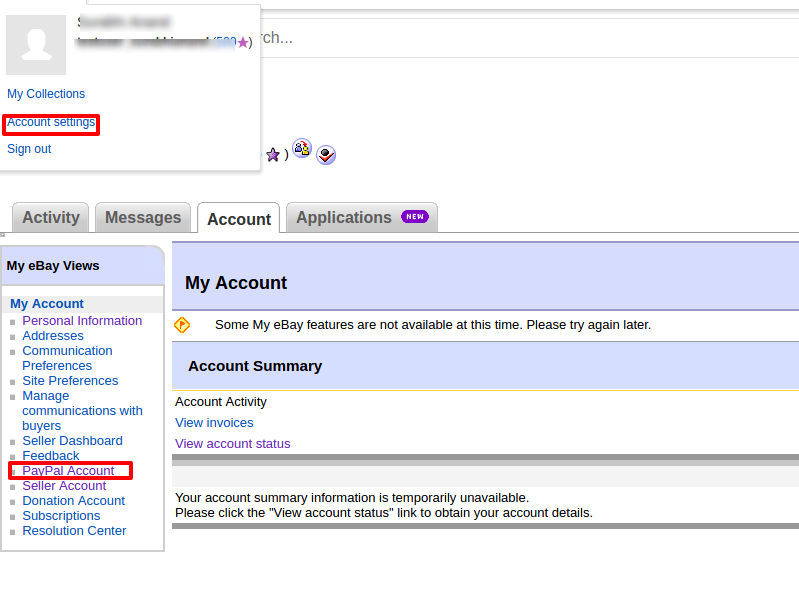
Click on account settings from the top-left dropdown and click on Paypal account.
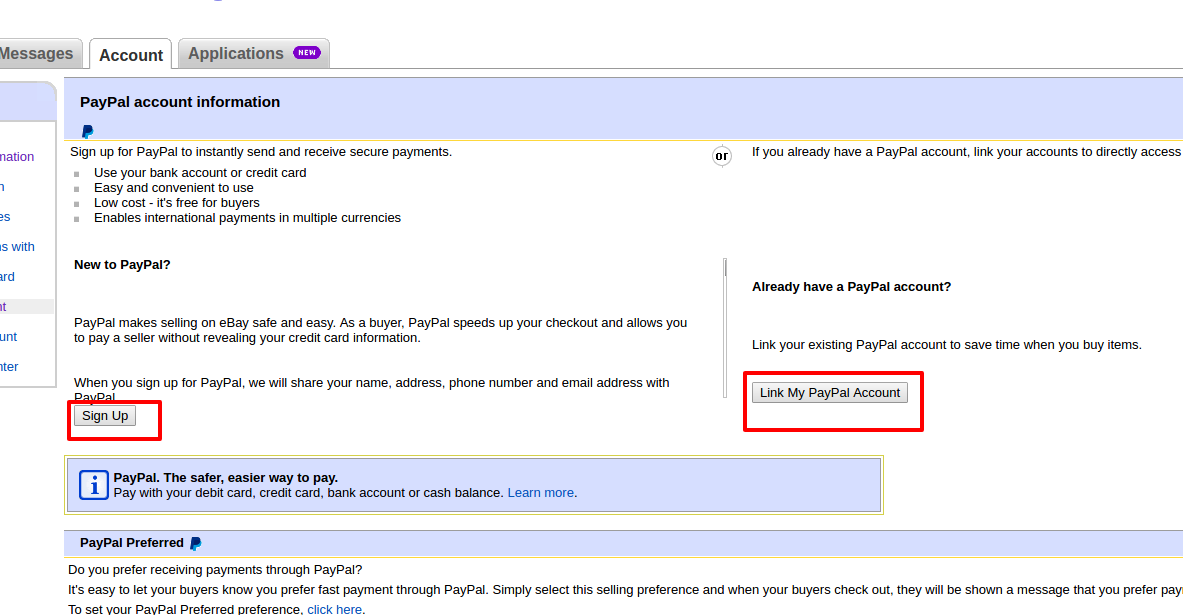
3. Now Sign up or link your already created PayPal account with the eBay seller account.
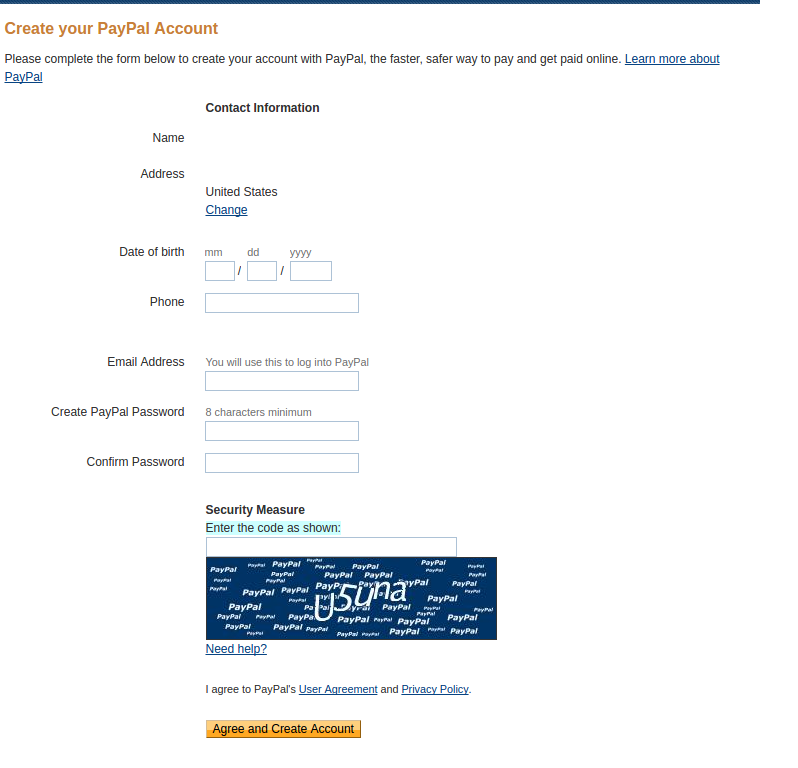
4. On clicking Sign Up, you will be redirected to the PayPal account creation page. Just create a profile by filling in the details and linking it to your seller’s account.
9. Item Country: Choose the product country from the list of country choices available.
10. Item Location: Enter the location (within that country) of the product while creating the admin profile in the admin panel.
3.2 Order Settings
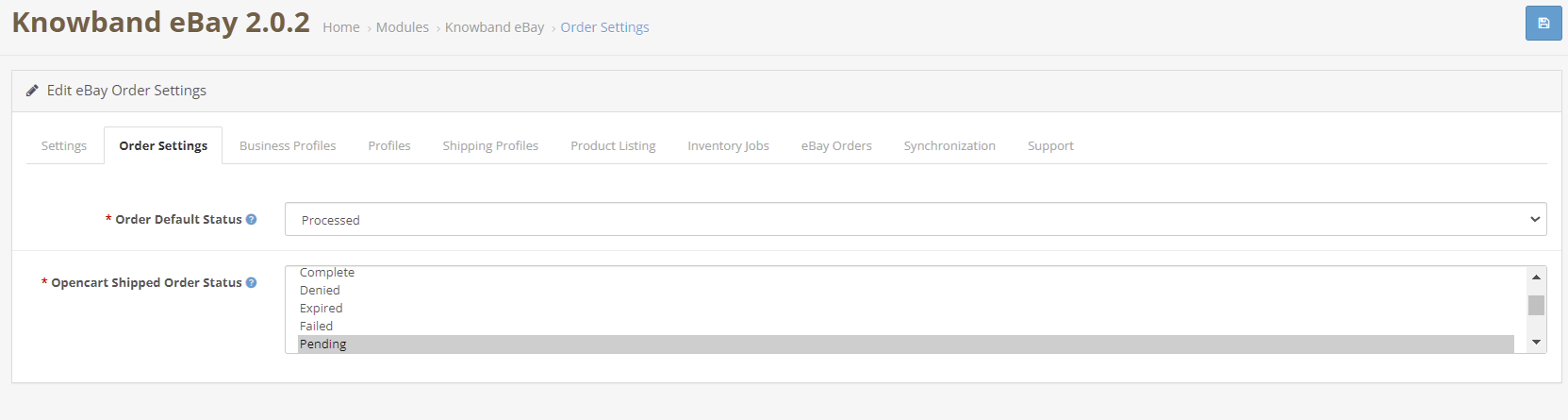
The OpenCart eBay Integrator allows the store admin to process the order to form the OpenCart admin panel. The admin can select the default order status from this tab. Further, sync with the marketplace by executing cron in the Synchronization tab.
Order Default Status: Default status is the first status of the order when it is placed in the store. Select the default status of the orders that will be displayed in the marketplace.
OpenCart Shipped Order Status: Shipped status means that ordered items have been shipped. Select the status for shipped orders.
3.3 Profiles
The OpenCart eBay Marketplace connector extension offers an option of a profile-based product listing to the store admin. The merchants can create profiles and manage them from the back-end of the OpenCart eBay Integration Addon.
3.3.1 How to Create a New Profile?
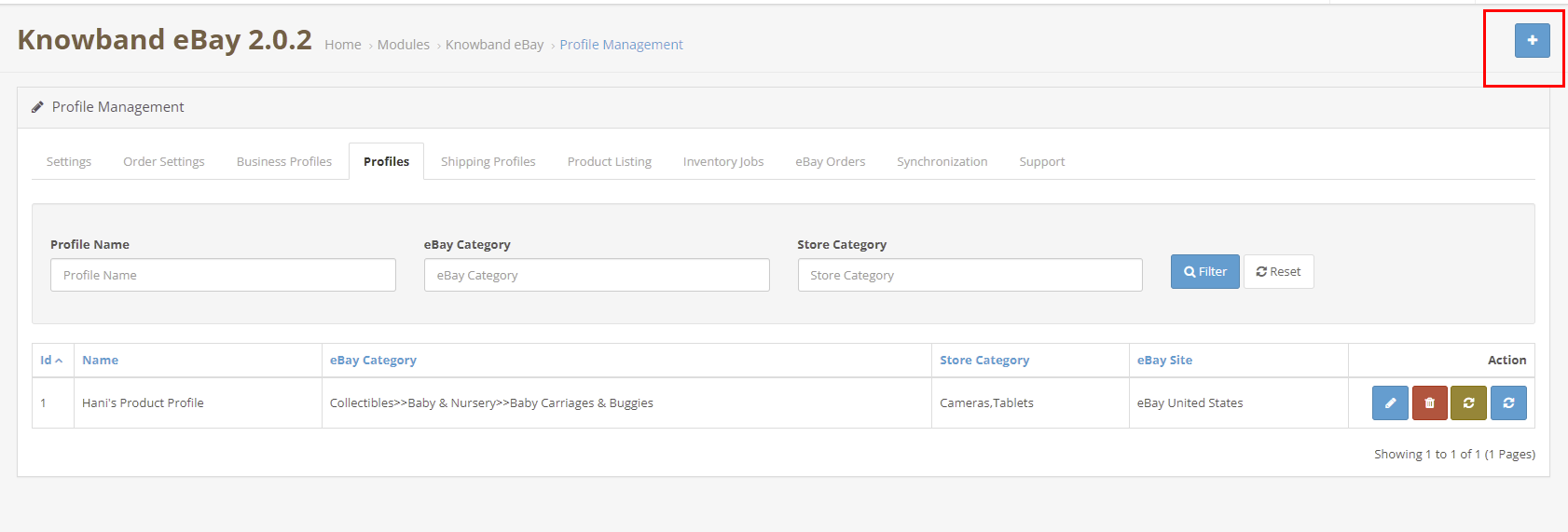
To create a new profile, click on the ‘+’ sign in the top right section.
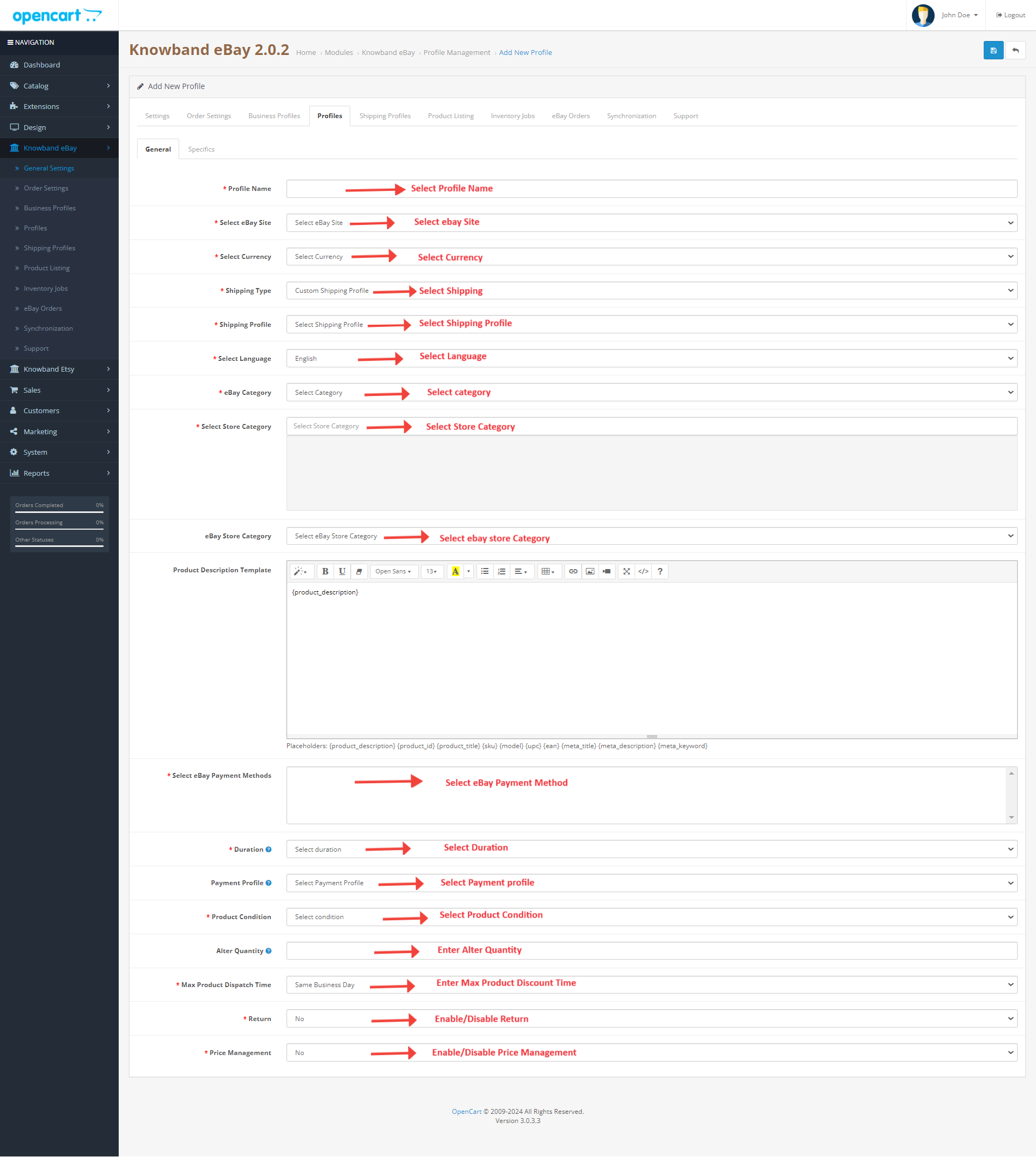
The profile management tab of the OpenCart eBay connector plugin is further categorized into two tabs:
General
Specifics
3.3.1.1 General
Profile Name: Enter a unique name for the profile here.
Select eBay Site: The eBay OpenCart API integrator allows the store admin to integrate their site with multiple eBay sites operating worldwide. Further, select the site from the drop-down menu.
Select Currency: Select the Currency type.
Shipping Profile: Select a Shipping Profile.
Select Language: Select the language.
eBay Category: The admin can easily map the eBay categories with OpenCart categories. Select the eBay category from the drop-down menu in which you want to map the categories of the OpenCart store.
Select Store Category: Check the categories that you want to map in the respective category of eBay. The store admin can map multiple categories of the store with a single category of eBay.
Select eBay Payment Methods: Check the payment methods that you want to map on eBay.
Duration: Select the duration for which the products of the profile are to be listed in the eBay marketplace from the drop-down menu.
Product Condition: Select the condition of your product to be listed.
Alter Quantity: The quantity is the minimum quantity that will be sent to eBay for listing. That is if “20” is the quantity set as “Product Quantity” in the profile and the quantity of any particular product is greater than “20” (Opencart product quantity ) let’s assume “30”, then, “20” will be sent as the product quantity to eBay for that product and if the product quantity is less than “20” let’s assume “7”, then, “7” will be sent as the product quantity to eBay.
Maximum Product Dispatch Time: Enter the maximum expected product dispatch time.
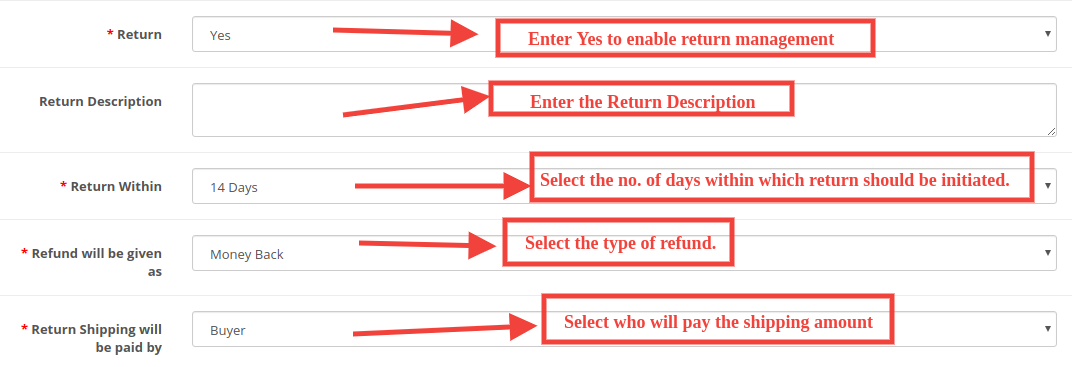
Return: Select whether you want to offer the return option for the listed products. If the admin selects Yes, then, the customers would be allowed to return the products.
Return Description: Enter the suitable return description.
Return Within: Select the no. of days within which return should be initiated.
Refund will be given as: The drop-down list shows several options in which the refund can be initiated. Select the one that suits your requirements.
Refund Shipping will be paid by Select who will pay for the shipping amount of the returned products.
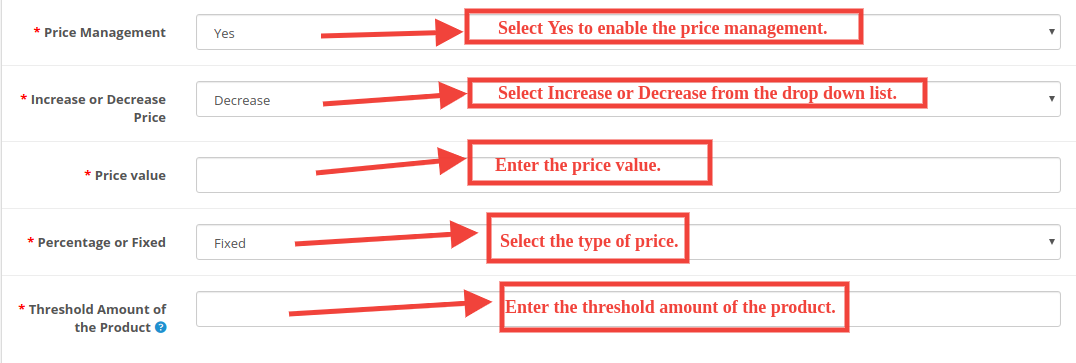
Price Management: Enable/Disable price management. If the admin selects Yes, then, the sellers would be allowed to manage the product price.
Increase or Decrease Price: Select an Increase or Decrease from the drop-down list.
Price value: Enter the price value.
Percentage or Fixed: Select the type of price.
Threshold Amount of the Product: Enter the threshold amount of the product.
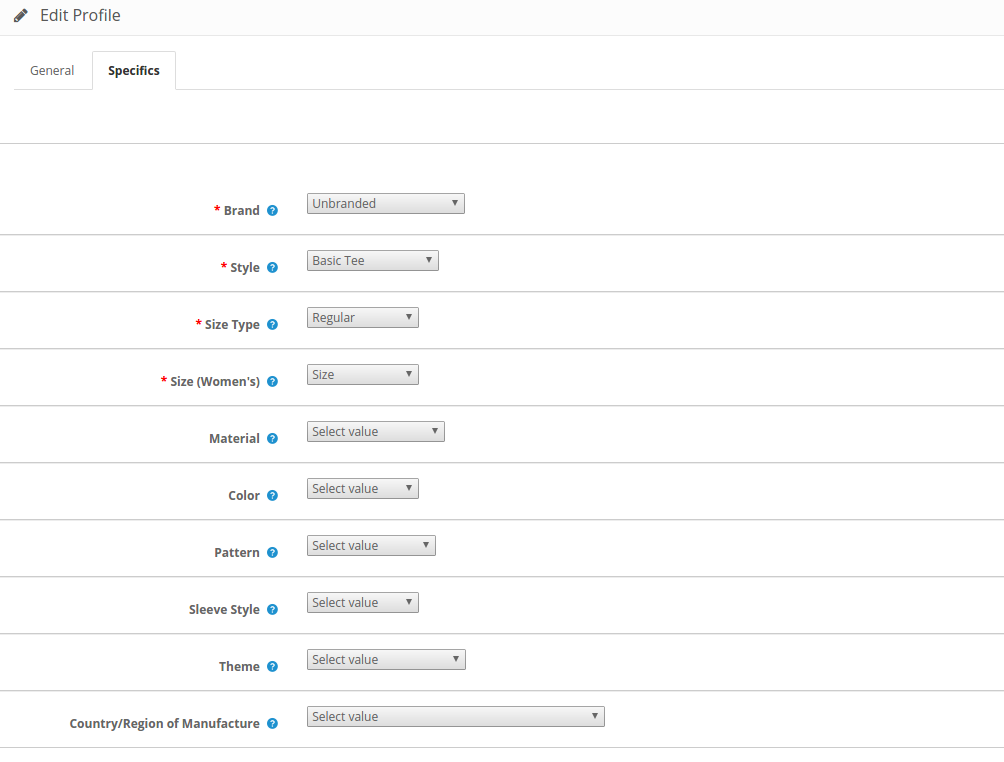
3.3.1.2 Specifics
The specifics in this section appear as per the eBay category selected in the General tab. The field marked with * is mandatory.
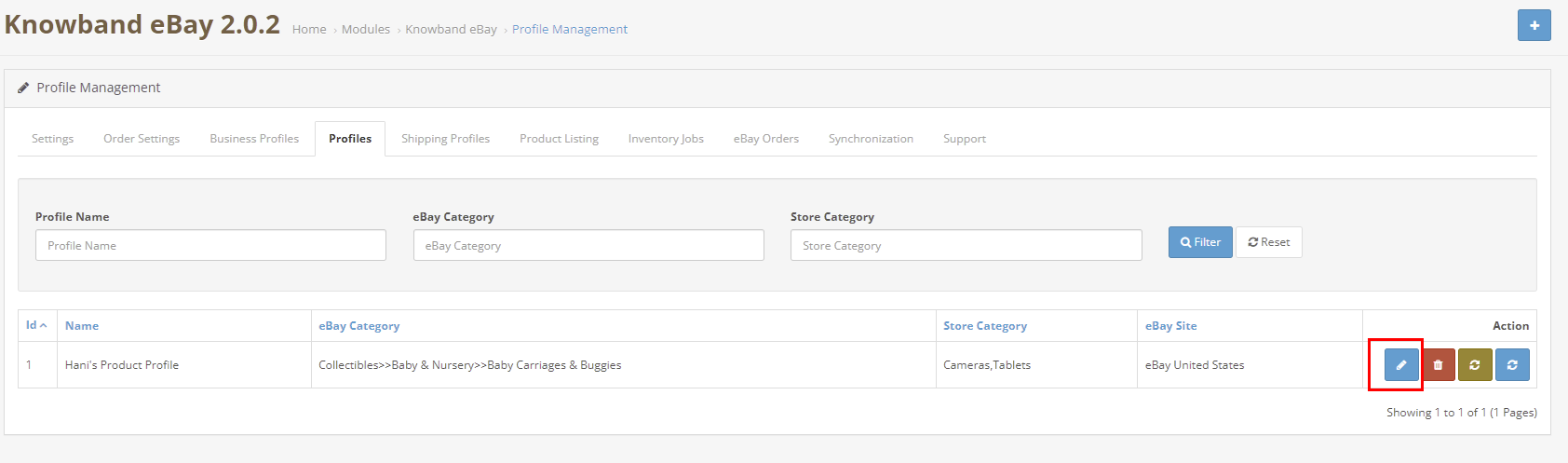
3.3.2 How to Edit the existing Profile?
The store admin gets an option to edit the existing profile as per the requirement from the back-end of the OpenCart eBay Integrator extension. Click on the Edit button corresponding to the profile to make the changes as shown in the image below.
3.4 Shipping Profiles
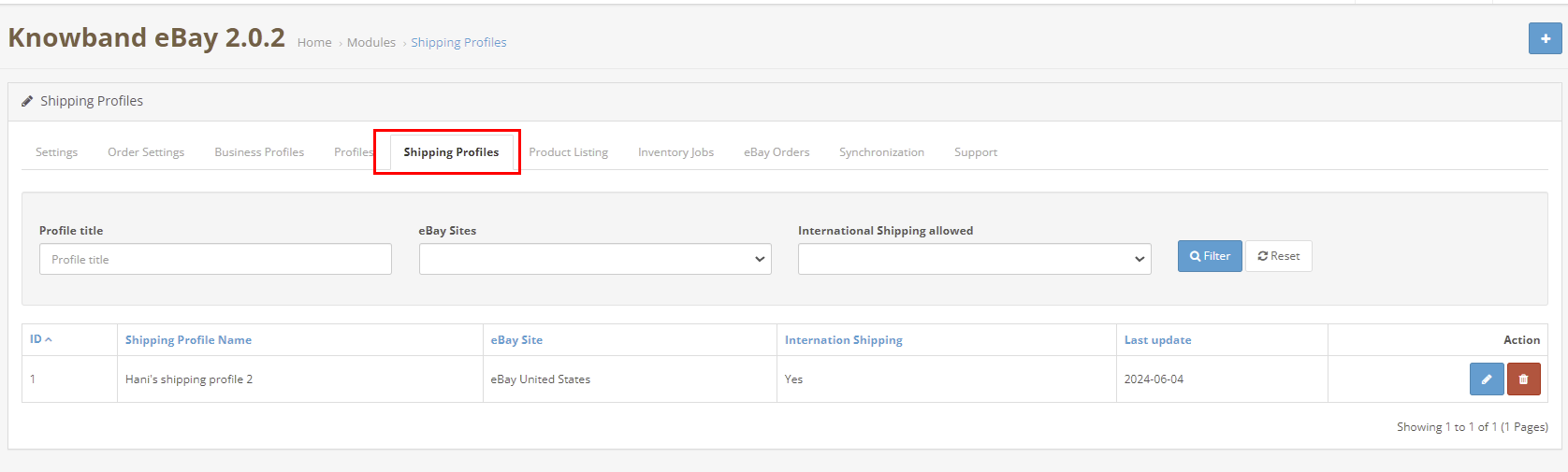
This tab showcases the list of all the shipping profiles of the eBay Marketplace.
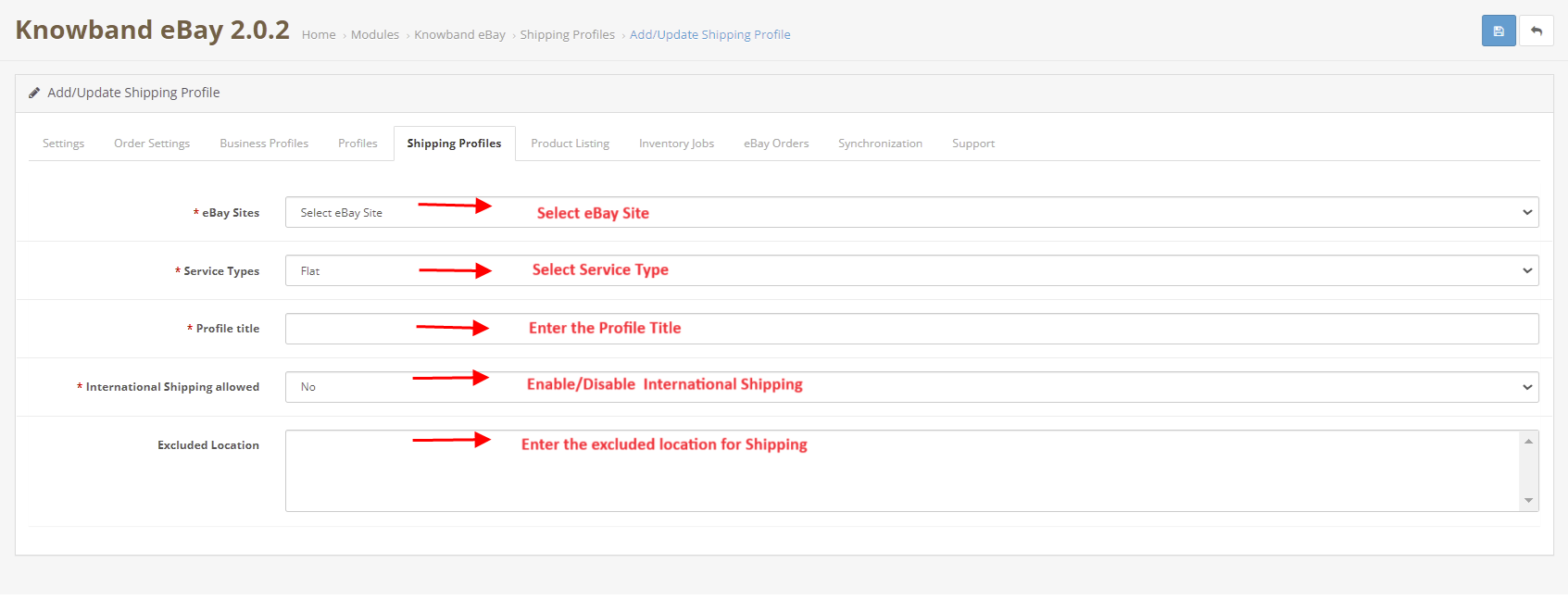
You can add multiple shipping profiles while you can also edit the existing shipping profiles too.
eBay Sites: Select the eBay site. Service Types: Select the service type. Profile Title: Enter the profile title. International Shipping allowed: Enable/Disable the international shipping. Excluded Location: Enter the excluded locations for shipping.
3.5 Product Listing
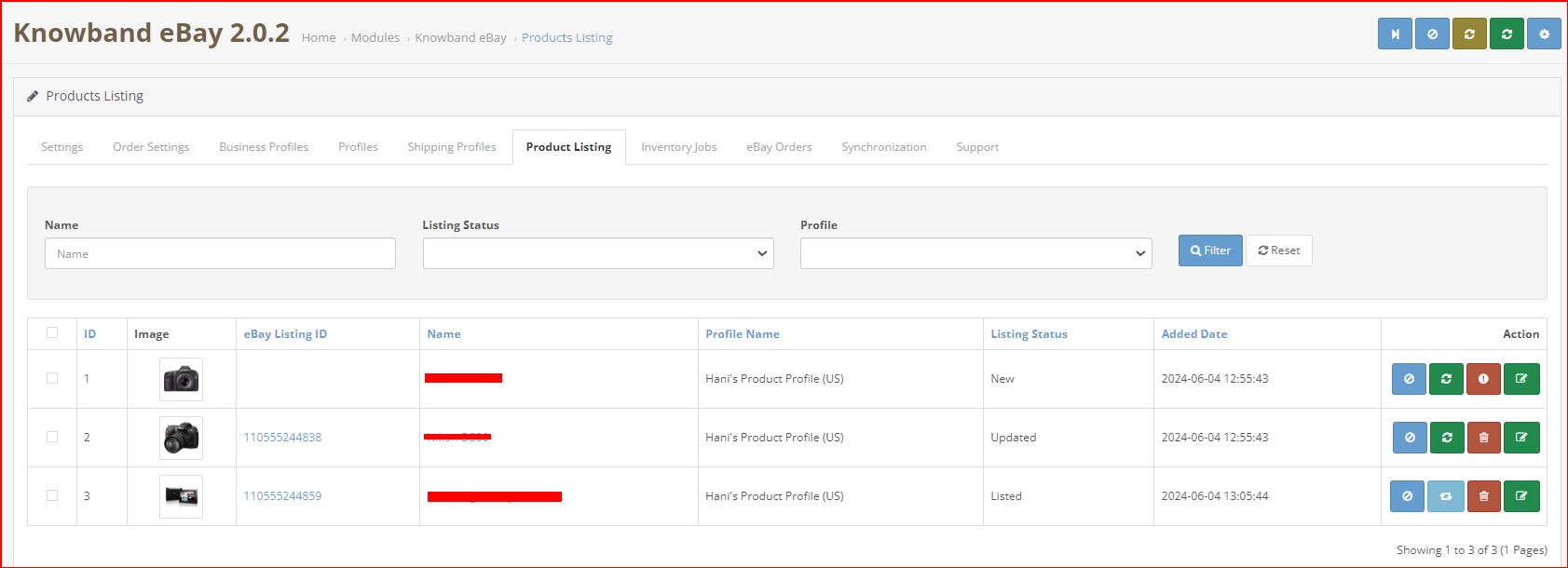
The OpenCart eBay Marketplace integrator makes it easier for the OpenCart store admin to view the product listing report. The products listed in the marketplace can be viewed from the back-end of the OpenCart eBay Integration plugin. The admin can remove the products by clicking on the ‘Delete’ button as shown in the image below.
There are the following options available corresponding to each product listing:
Disable the Product
This tab enables the admin to disable the product from the backend of the module. After disabling the product, it will not be shown on the front-end of the Marketplace. It can be only visible after enabling the product from the backend.
Product Listing Relisting
This option offered by eBay Prestashop integrator allows the admin to relist products in case the listing is expired on eBay Marketplace. To relist the product, the admin has to click on the “Relist” action given in bulk actions.
Product Listing Revision
If any update is done in product details then by default it will be marked as updated and if cron is set for this action then it will be sent for revision. If the admin manually wants to send products for revision then he can mark the product and click on “revise” from bulk actions.
Individual Product Synchronization
This feature enables the admin to sync the products one by one (Along with the bulk sync option at the top right corner). By this, the admin can filter out the products that need not be shown on the front end of the eBay Marketplace.
Delete the product
This feature enables the admin to delete the product. Admin can simply click on the Delete button and the product will be deleted from the front-end of the website.
Adding products from the product listings tab
If you want to add a product to the product listing tab, the admin has to create a profile of the product in the Profile section of the module. (read section 3.3.1) There you will get a step-by-step procedure of creating a profile and adding the product in the products listing tab.
Different statues in the filter of the product listing
Here are some different statuses in the filter of the product listing.
New: After applying this filter, the admin can view the new products listed on the Marketplace.
Listed: After applying this filter, the admin can view the listed products listed on the Marketplace.
Disabled: After applying this filter, the admin can view the list of disabled products.
Updated: After applying this filter, the admin can view the updated products listed on the Marketplace.
Ended: After applying this filter, the admin can view the list of ended products.
Relisting: After applying this filter, the admin can view the relist products listed on the Marketplace.
Listing a Product with Custom Product Details: The Opencart eBay marketplace connector provides custom product details features that enable listing the Opencart store’s products with a different name and different product description on the eBay marketplace.
Use Product Details: The store admin can enable/disable this feature from this button.
Custom Product Title: Enter the customized product title you want to synchronize on the eBay marketplace.
Custom Product Description: In this section, you can add the different product descriptions that you want to synchronize on the eBay marketplace for the mentioned product listing.
3.6 Inventory Cron:
This feature allows the store admin to sync the inventory of all the listed products from the OpenCart store to eBay.
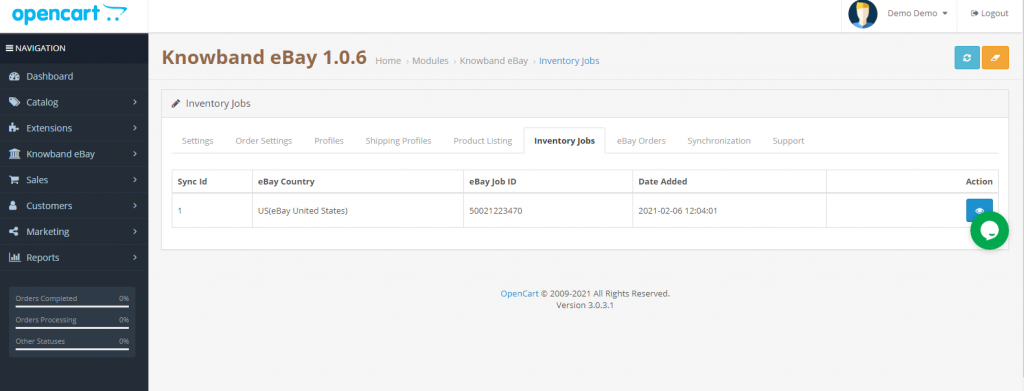
3.7 Inventory Jobs
This section has a button “Sync Inventory of Listed Product” on the top right side to sync the inventory of all the listed barcodes to eBay.
It also shows the list of Job IDs corresponding to the country with the date of the last inventory sync of all listed products.
On the click of view button, it will open the log of inventory sync for that Job Id where we can see the variants for inventory have been updated with eBay status.
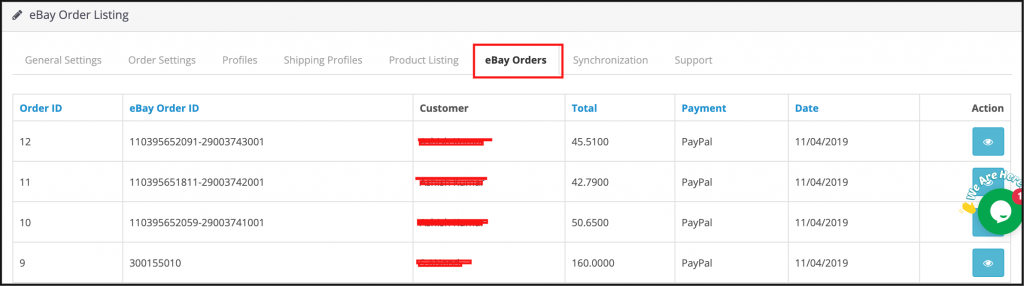
3.8 eBay Orders
The orders received from the marketplace sync with the OpenCart store by executing cron in the Synchronization tab of the OpenCart eBay Marketplace connector module admin panel.
The orders will be listed in this tab as shown in the image below:
3.9 Synchronization
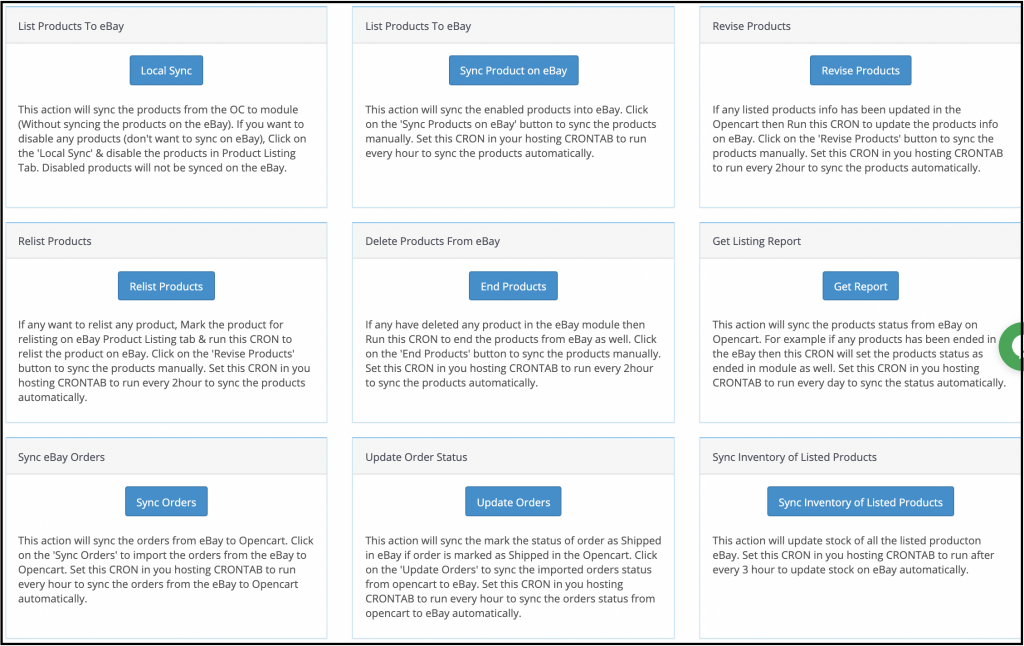
The eBay OpenCart Connector extension allows two-way integration to the OpenCart store owners. The merchants can list the products and the related details in the marketplace with the help of this OpenCart eBay API Integration. At the same time, the orders sync back from the eBay marketplace to the OpenCart store.
OpenCart eBay Connector Module offers three synchronization options offered including Category, Product, and Order synchronization.
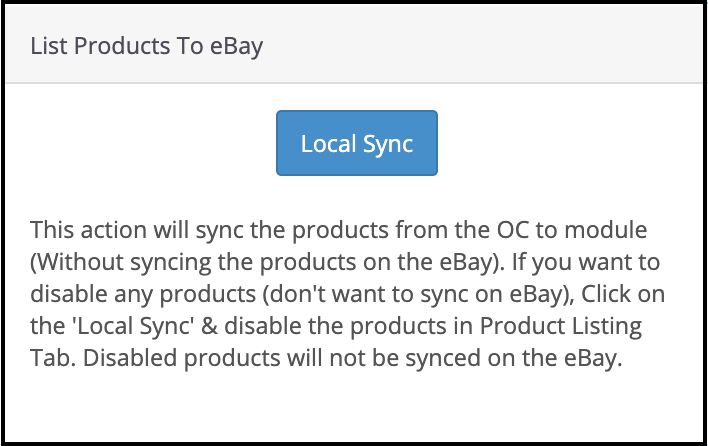
3.9.1 How to sync the Products from the store to Opencart eBay Knowband Module?
Add the shipping template and profile in this module. Now, click on the “Local Sync” button to sync products from the Opencart store to this module.
3.9.2 How to sync the Products with the eBay Marketplace?
Following are the steps to synchronize the profiles with eBay Marketplace –
Go to the Synchronization tab.
Select the profile whose products you want to list. Sync the profile with eBay.
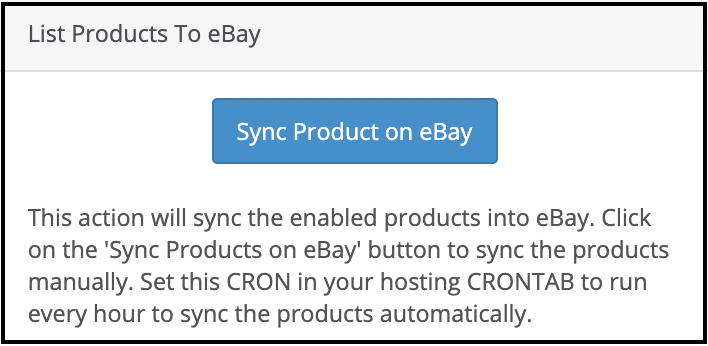
Click on the “Sync Product on eBay” button as shown below.
It would perform the following actions –
Add the products in the marketplace with the respective product details.
It will list products to eBay from your OpenCart store.
3.9.3 How to Relist the Products in the eBay Marketplace?
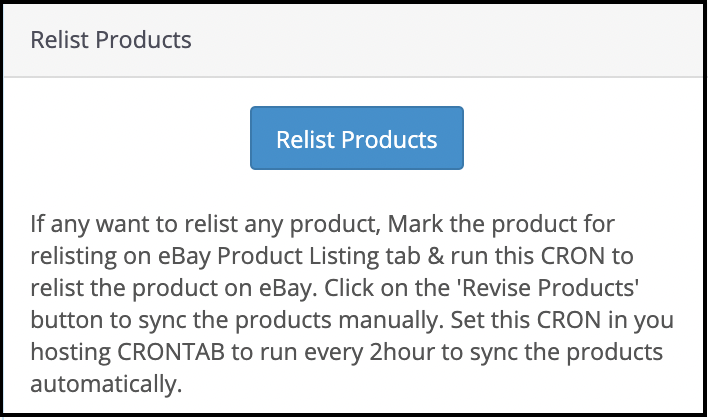
Click on the “Relist Products” button as shown below.
The cron job will relist the products that have expired from the marketplace.
3.9.4 How to Revise the product on the eBay Marketplace?
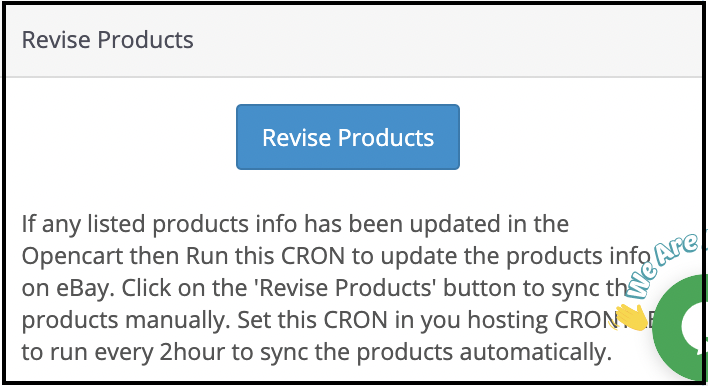
Click on the ‘Revise Products’ as shown below to revise the products on the marketplace. Any change in the product details, image, pricing, etc sync by executing this cron.
3.9.5 How to Remove a product on the eBay Marketplace?
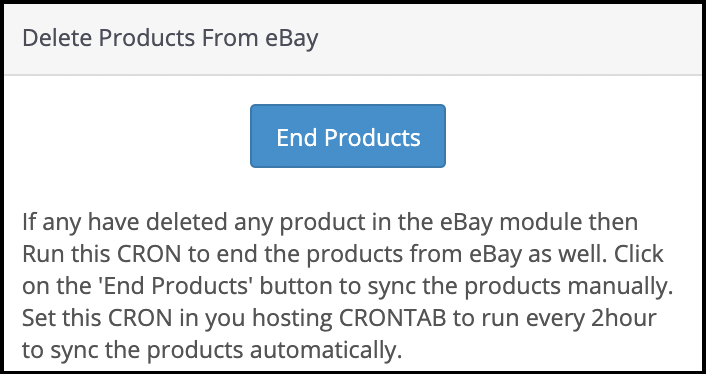
Click on the ‘End Product’ as shown below to delete the products from the marketplace. The admin needs to click on the ‘Delete’ button in the products listing tab before executing this cron.
3.9.6 How to Import the listing report from the eBay Marketplace?
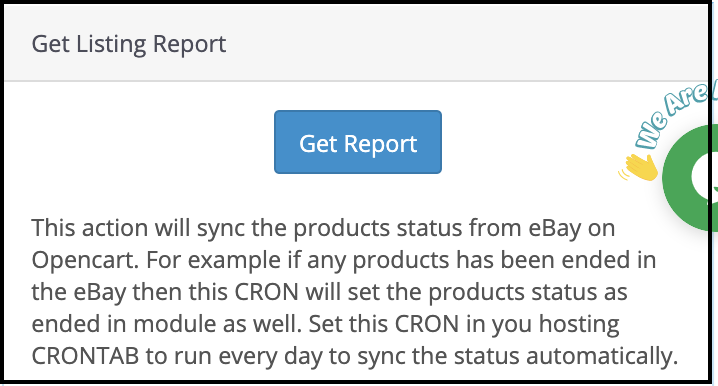
It fetches the product listing from the marketplace by executing the ‘Get Products Listing Report’ cron and updating the eBay status of the product on this module same as on the eBay marketplace.
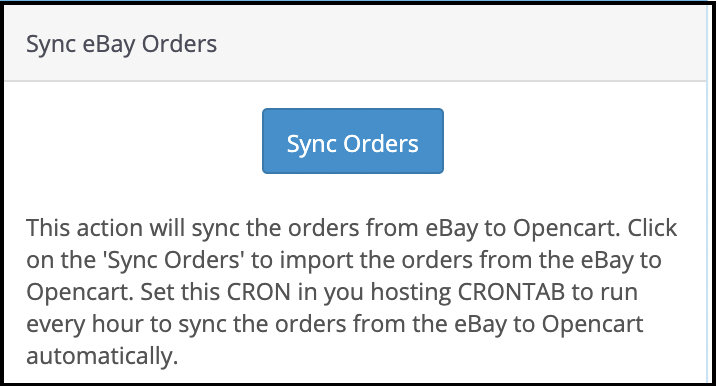
3.9.7 How to sync Orders from the eBay Marketplace?
Click on the “Sync Orders” button to sync the orders received from the marketplace in the OpenCart store as shown below.
It would perform the following actions –
The plugin will sync all the Orders and related details from eBay Marketplace to the OpenCart store.
It creates the orders in the OpenCart store according to the details of the order received from the Marketplace. The admin can then process orders from a single interface, that is, from the back-end of the Opencart eBay Marketplace Integrator.
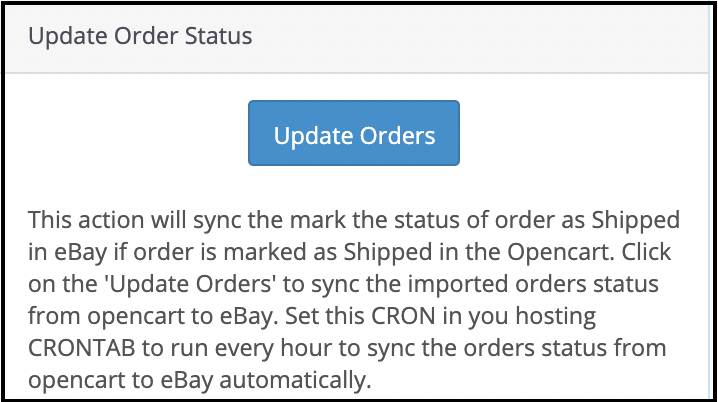
3.9.8 How to sync Order Status to the eBay Marketplace?
To sync the Click on the “Update Order Status on eBay” button as shown below.
It would perform the following actions –
The cron checks if there is any status update recorded by the OpenCart module for any order.
These updates are then synchronized with the eBay marketplace.
It updates the Status of Orders as per the configuration settings modification in the “Order Settings” tab of the admin interface of the Opencart eBay Marketplace Integrator.
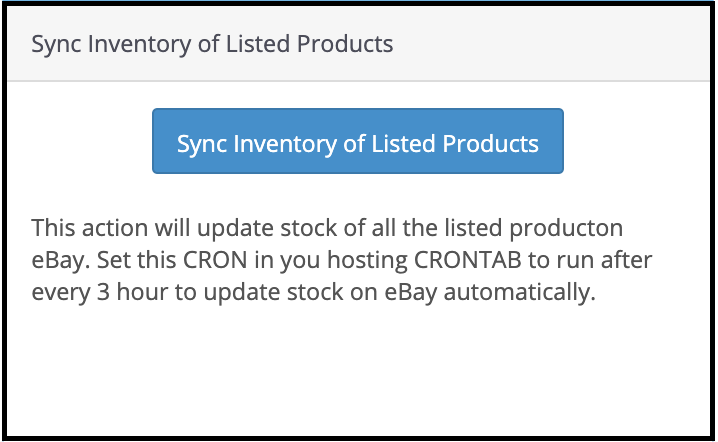
3.9.9 How to sync inventory to eBay Marketplace for all Products?
Click on “Sync Inventory of Listed Products” and it will update the inventory of all the listed products on the eBay marketplace.
3.10 How to Synchronize a Particular Profile on the eBay Marketplace?
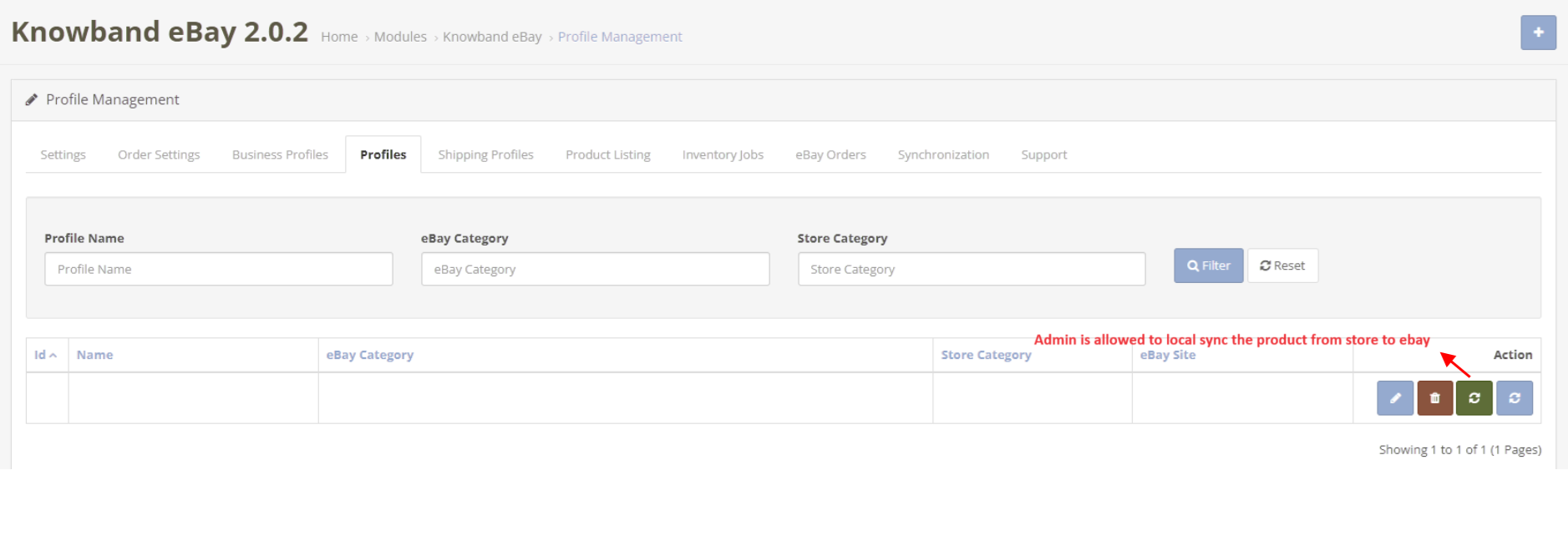
All the crons available in the “Synchronization” tab of the Opencart eBay Connector plugin support all categories in bulk. However, if you wish to list or update a specific profile only, you can manage this task from the “Profile Management” tab.
In this section, we provide the “Local Sync,” “Sync Products,” and “Sync Product Status” crons to offer the Opencart admin flexibility in managing category-level synchronization between Opencart and eBay.
4.0 [New Enhancements] Inventory Comparison with eBay
The Inventory comparison tabs allows the Opencart store owners review and compare product stock available or quantity in their OpenCart store with the stock listed on eBay. This makes it easy to spot quantity differences and keep product availability consistent across both platforms.
By regularly checking this section, sellers can reduce the risk of overselling, avoid out-of-stock situations, and maintain smooth inventory management without manual checks.
The comparison process runs through two cron jobs that work together to collect and verify inventory data.
4.0.1 Fetch eBay Stock Data through Submit a Request to fetch eBay Inventory Cron
This scheduled cron fetches the latest product quantity details directly from your connected eBay account. When the cron runs, the fetched stock values are stored and displayed in the Inventory comparison section for reference.
Running this task ensures that the system always has updated eBay stock information ready for comparison.
4.0.2 Verify Inventory Data Using Process Last Inventory Request Cron
After the eBay inventory is fetched, this cron job compares the retrieved eBay quantities with the current inventory on your opencart. Furthermore, based on the comparison, this feature flags Yes or No depending on whether the stock values match or differ.
The results are clearly shown in the Inventory Comparison tab, helping store owners take quick action when needed.
4.1 API Usage & Rate Limit Monitoring
The Opencart eBay Marketplace Extension provides an API usage monitoring feature that helps track all eBay API interactions. Furthermore, it shows how many times each API has been called, along with the total limit and remaining available calls.
When an API request reaches or goes beyond the permitted limit, this feature automatically shows in the tab. This helps prevent interruptions and ensures the smooth operation of all syncing processes.
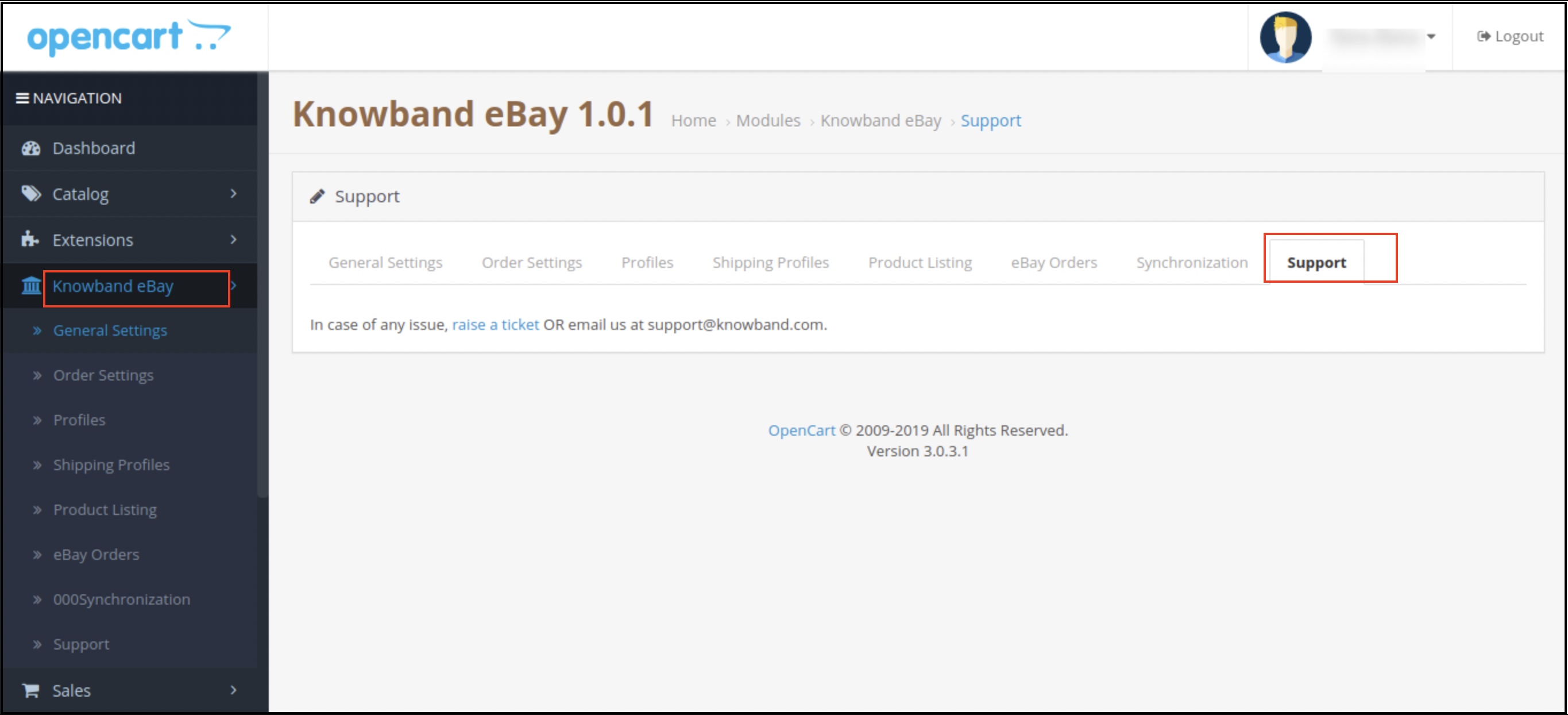
5.0 Support
This tab is for admin support. In case of any query, the admin can raise a ticket or mail it to the email ID given in the support tab.
You can try this Opencart eBay Marketplace Integrator for your OpenCart store at budget-friendly prices.
Full Tutorial of eBay Marketplace Integration Extension for OpenCart
This OpenCart eBay Marketplace Integration tutorial provides a complete step-by-step guide on installing and configuring the eBay integration module, connecting your OpenCart store with your eBay seller account, synchronizing products, categories, prices, and inventory in real time, managing orders seamlessly from the OpenCart admin panel, enabling automated product listing with advanced template controls, mapping store attributes with eBay specifications for accurate listings, and handling live/ended listings directly from your store.
Watch the tutorial here
Contact us at support@knowband.com for any query or custom change request as per your business requirement.
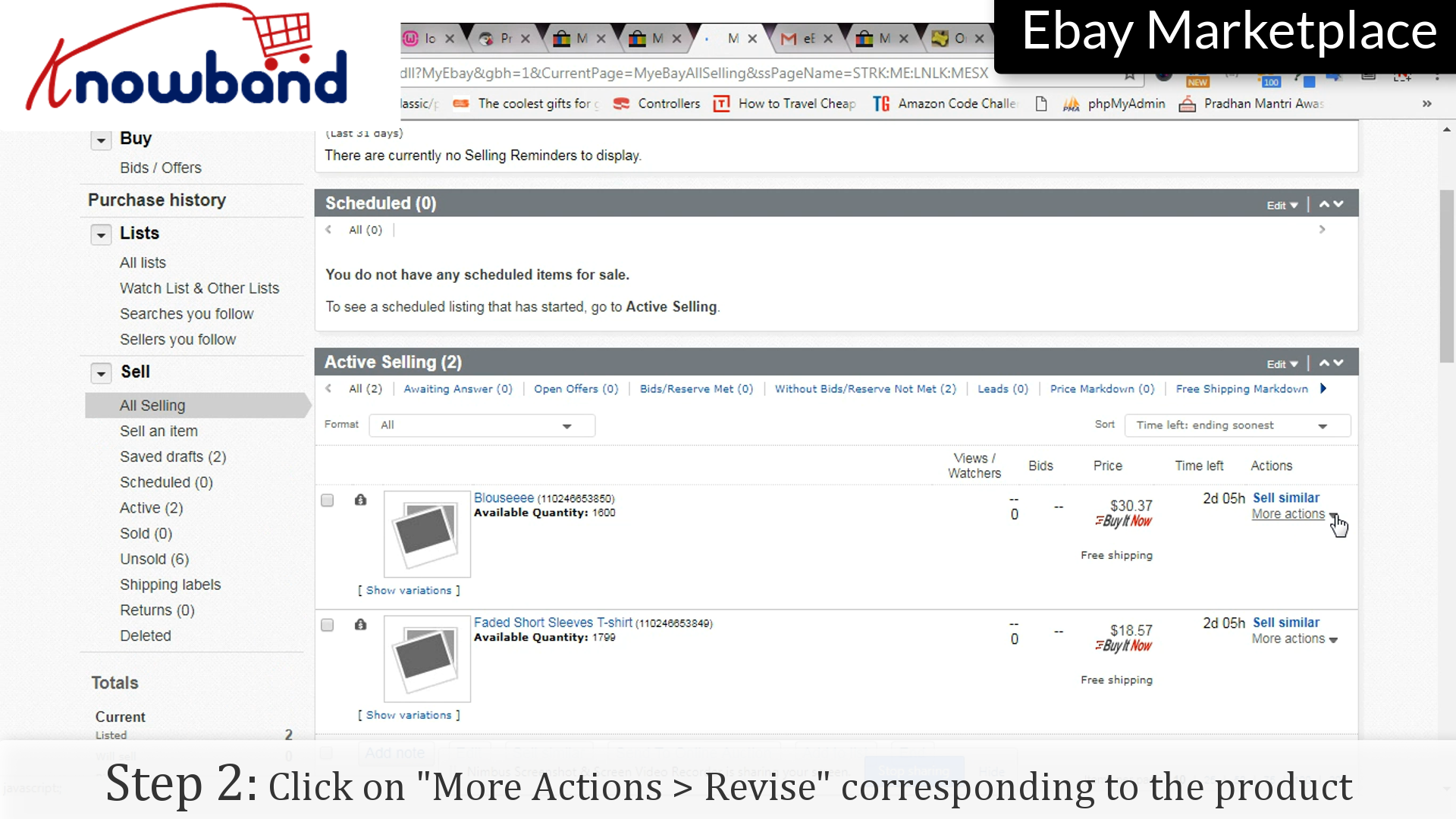
After listing once, there may be many times when you will be required to change the details or even delete the listing. It provides easy steps for these modification processes, here’s how you do it:
Following are the steps to revise the list:
Step 1: Selling
Click on “My eBay > Selling” in the menu.
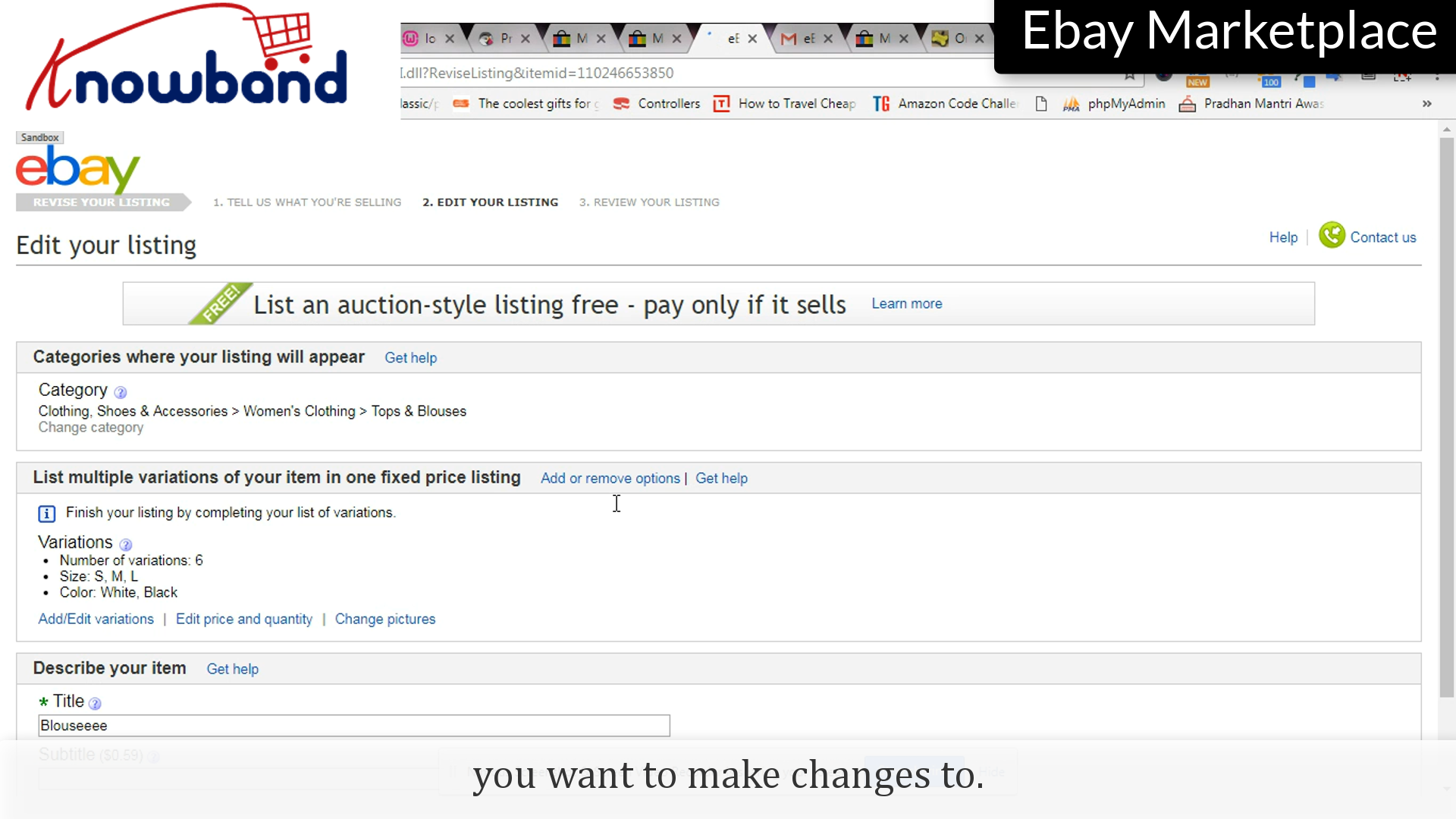
Step 2: Revise
Corresponding to the listing you want to make changes to, there is an option “More Actions”, once clicked you will be shown a drop-down menu, click “Revise” option provided in the list.
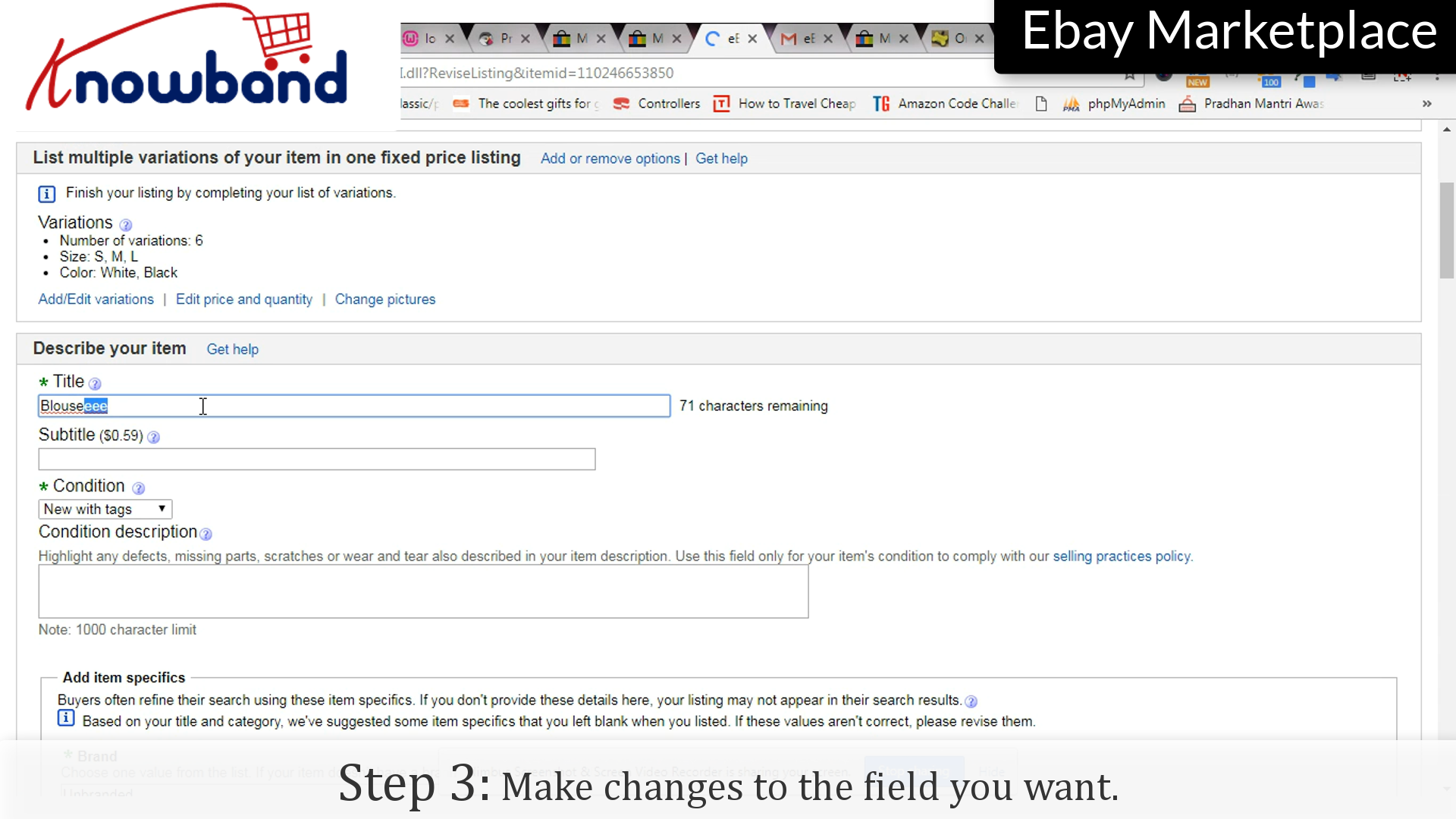
Step 3: Changes
Make changes to the fields you want to change.
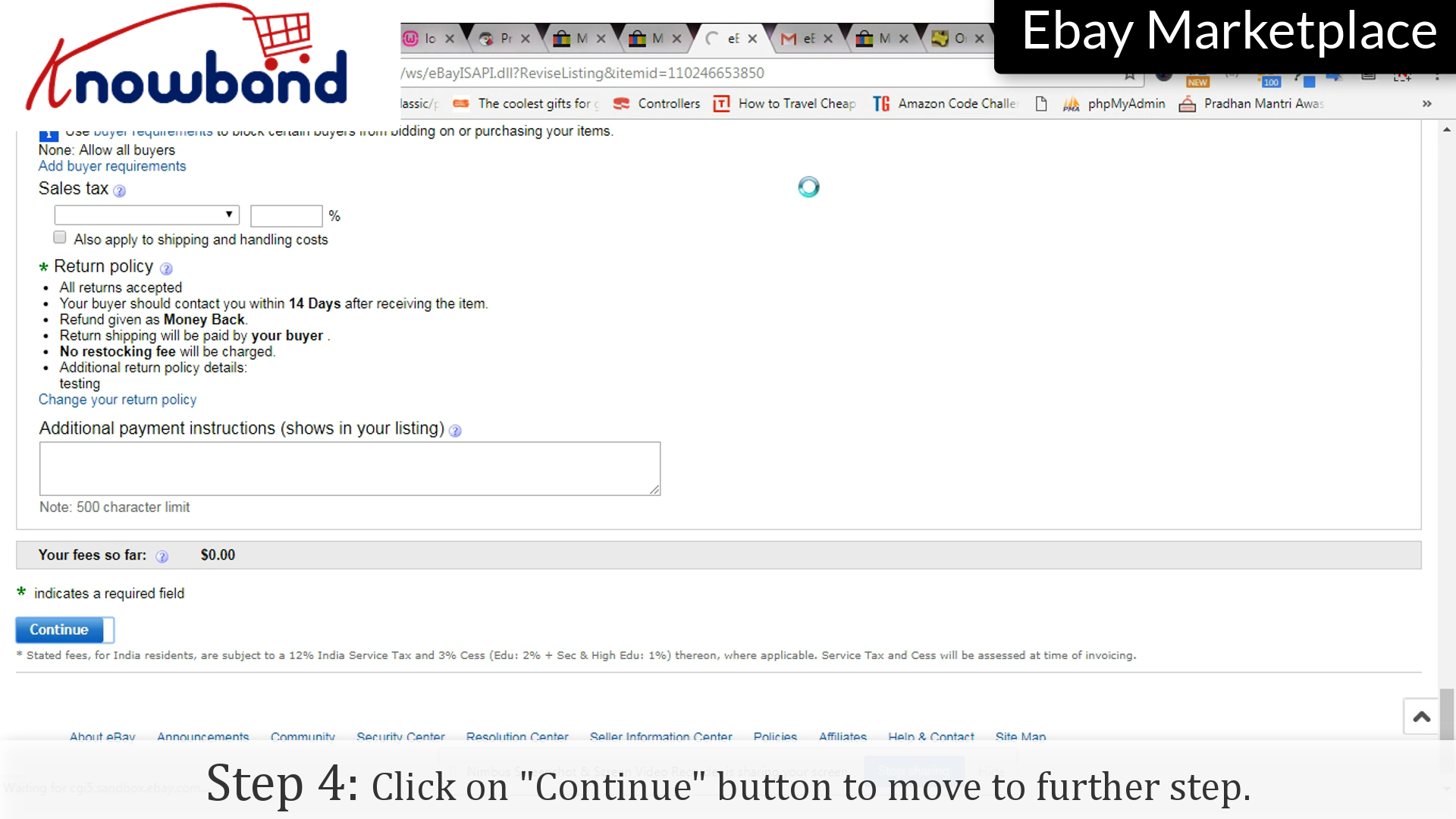
Step 4: Continue
Click on the “Continue” button to save the changes and move further.
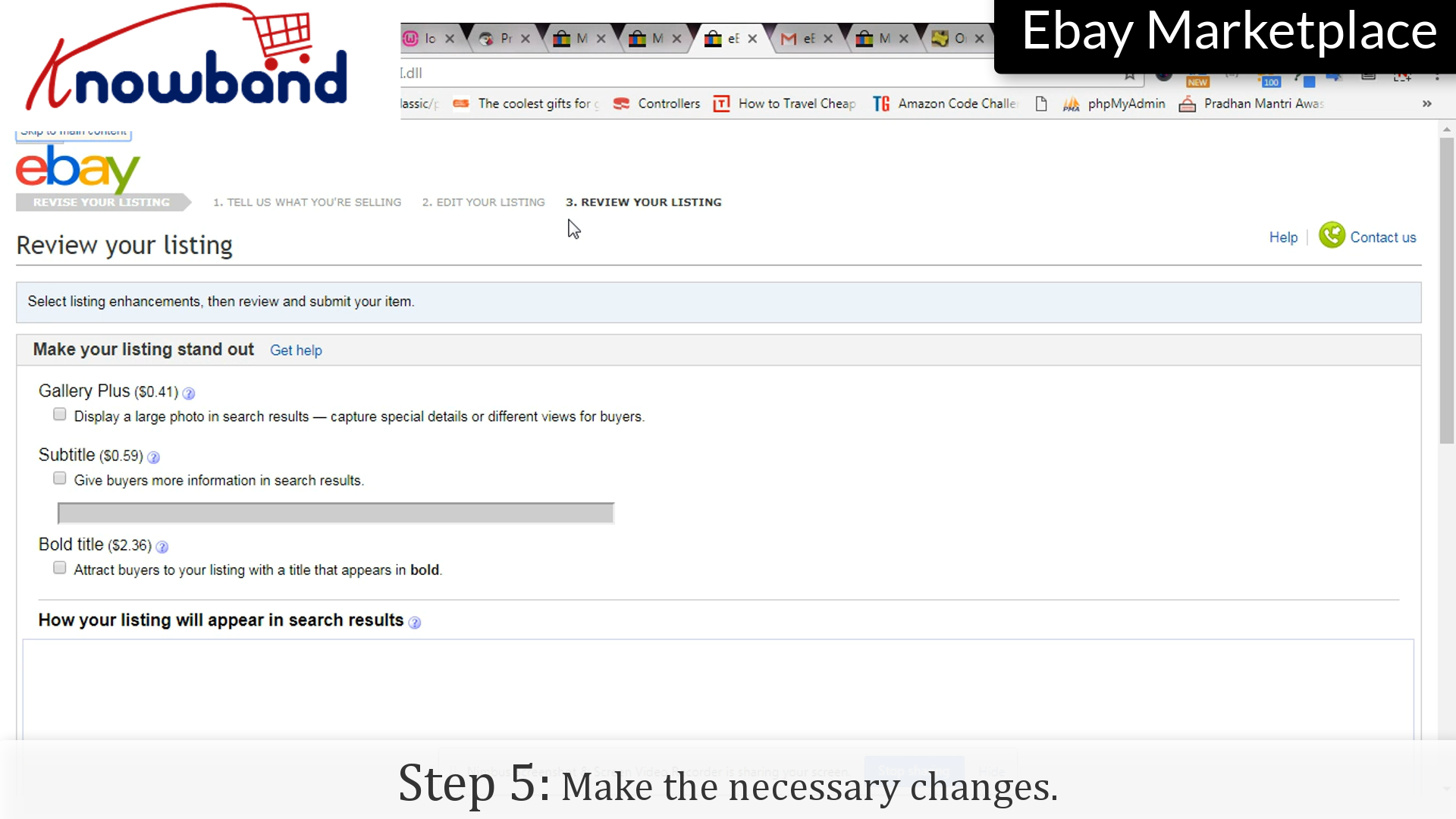
Step 5: Changes
Make the necessary changes in the final step of revising the list.
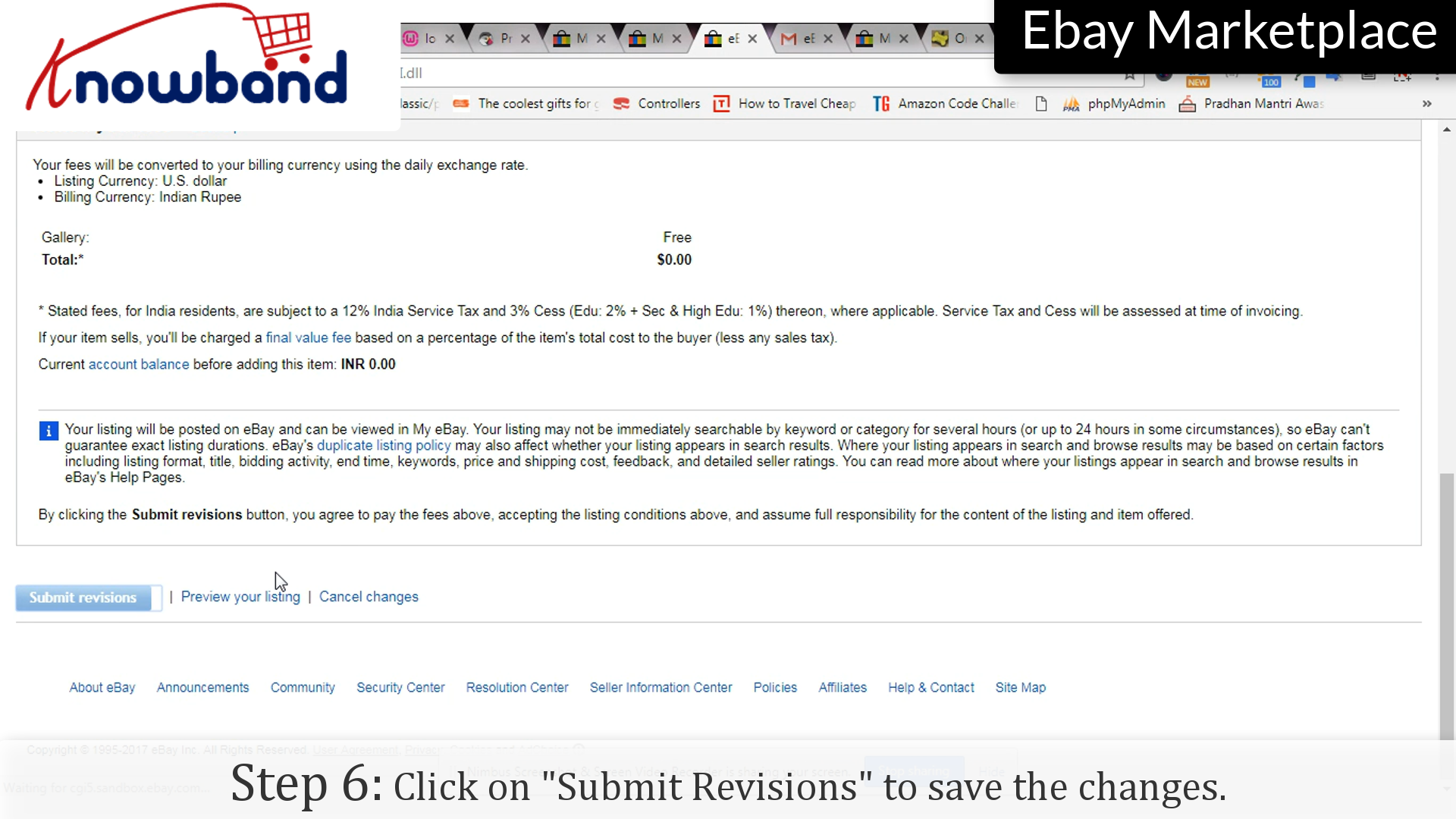
Step 6: Submit
Click on the “Submit Revision” option to save the changes to the listing.
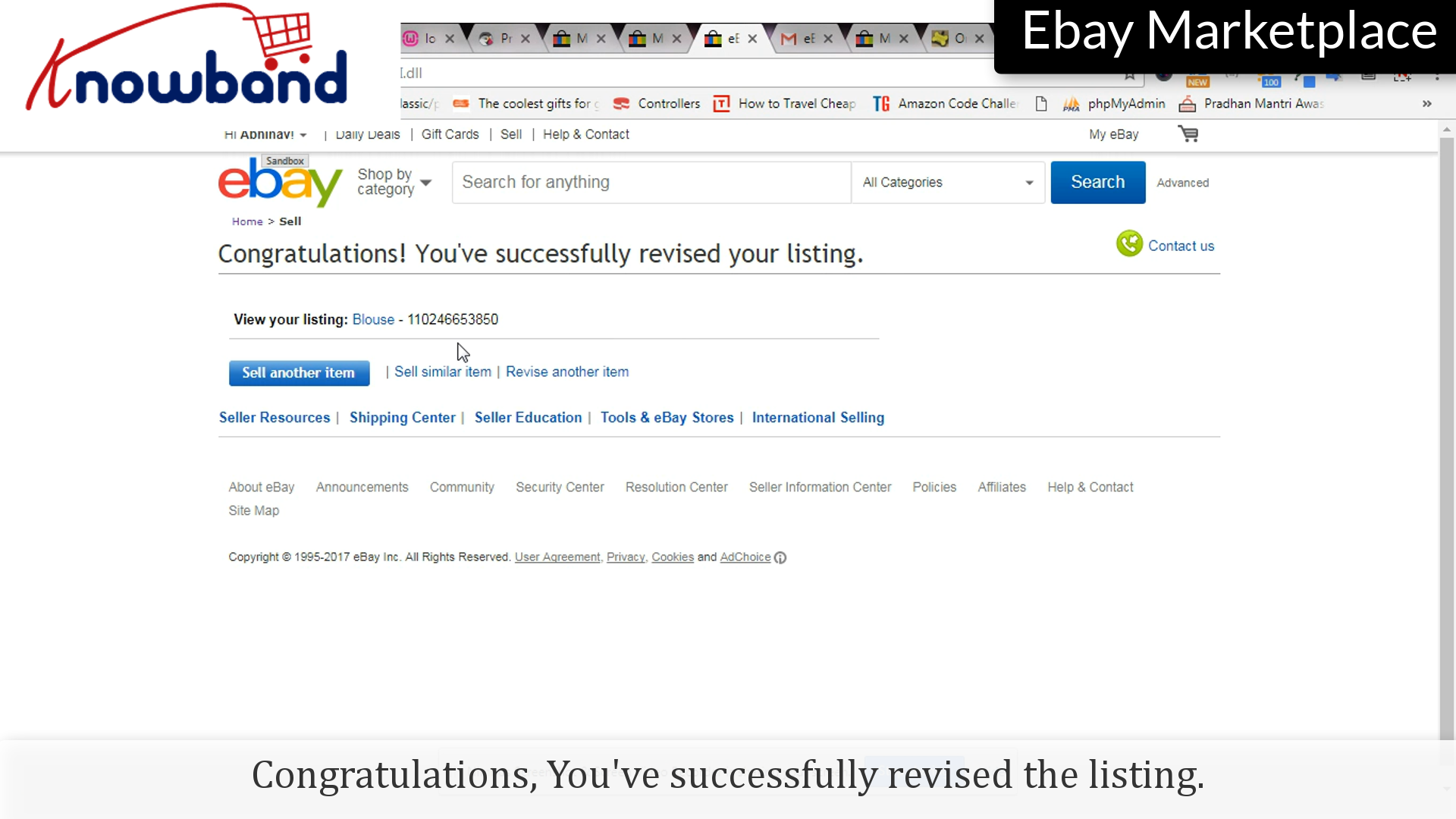
Congratulations, you’ve successfully revised the listing.
Follow the following points to end the listing:
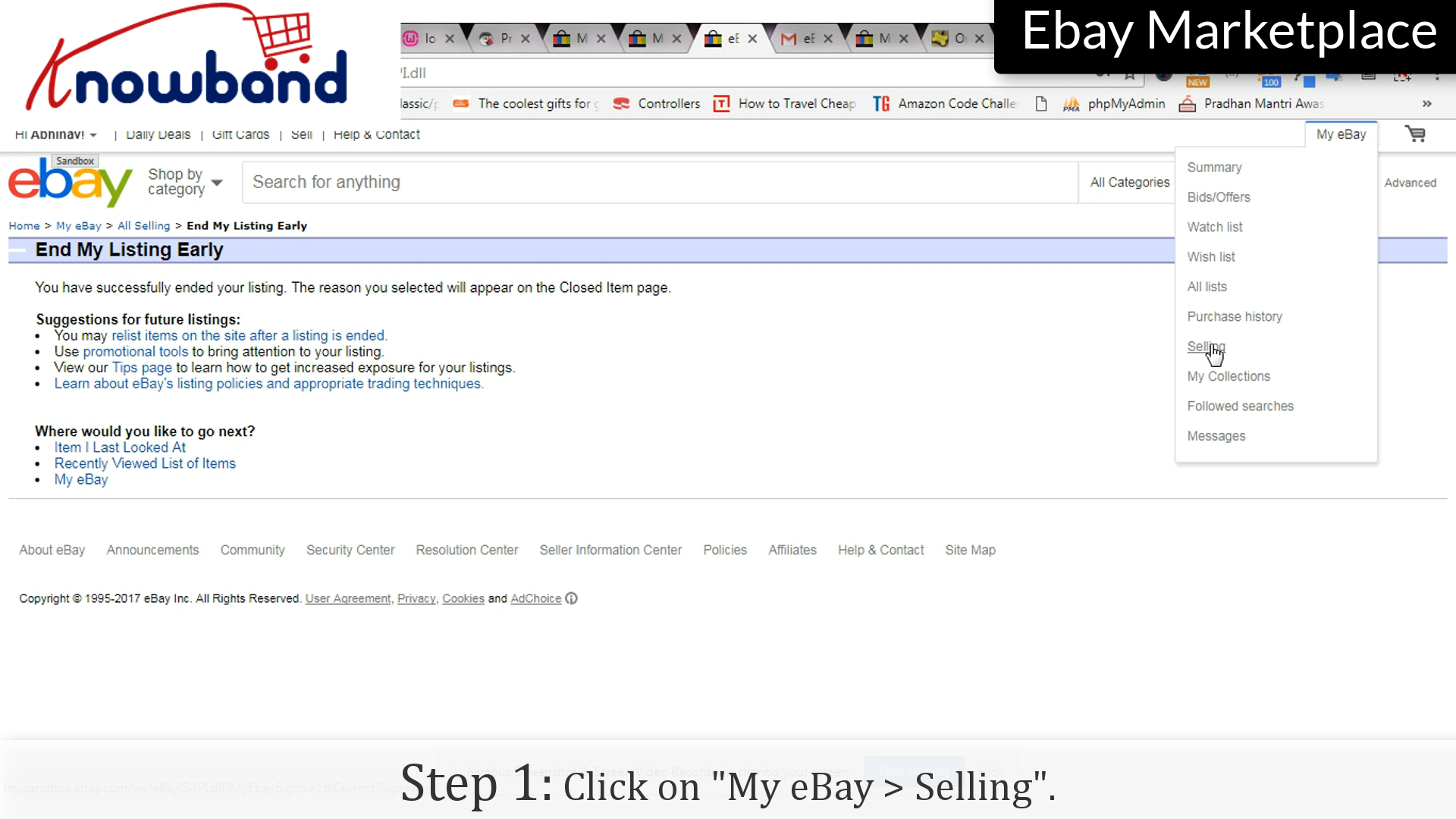
Step 1: Selling
Click on the “My eBay > Selling” option on the menu.
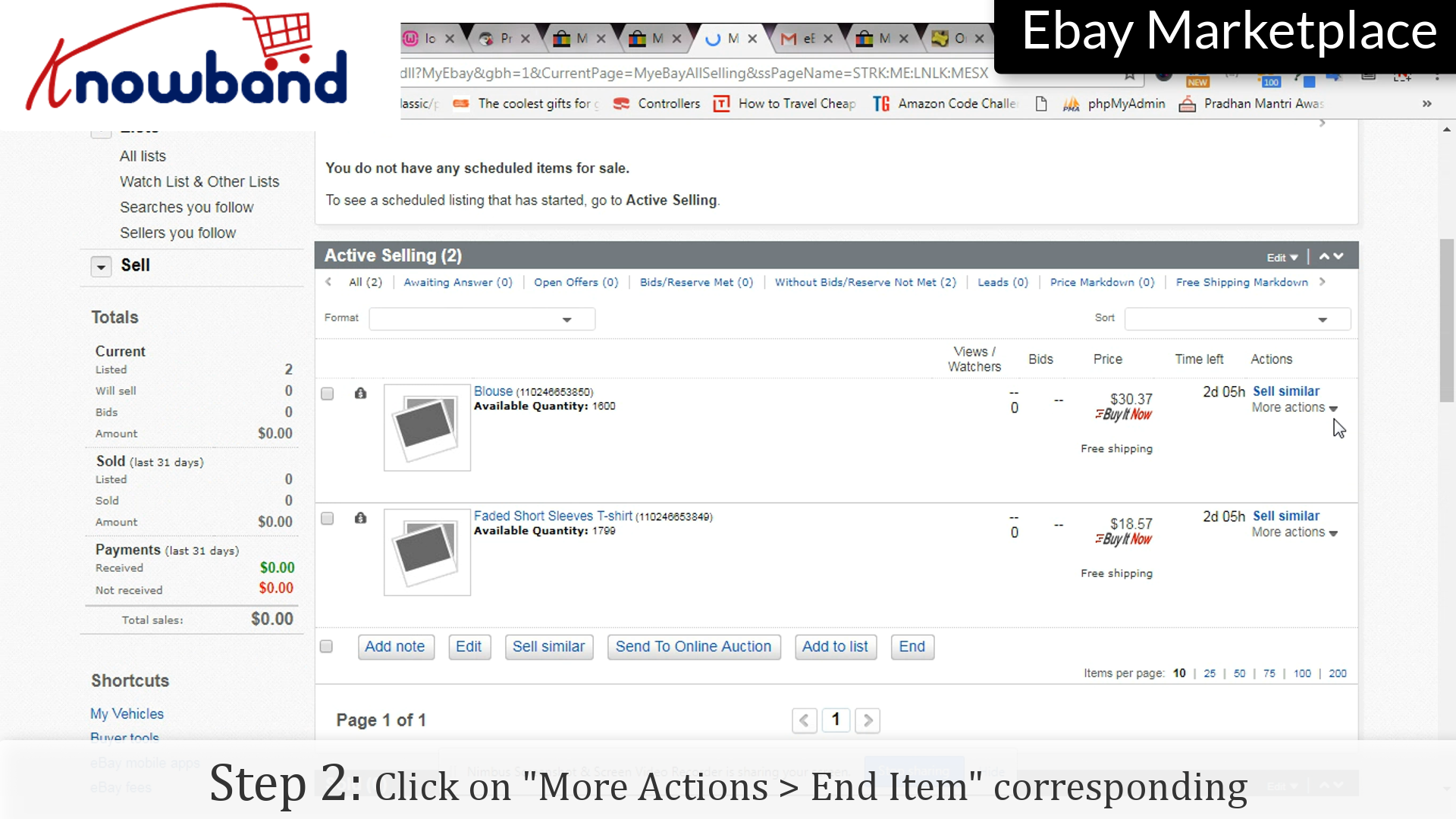
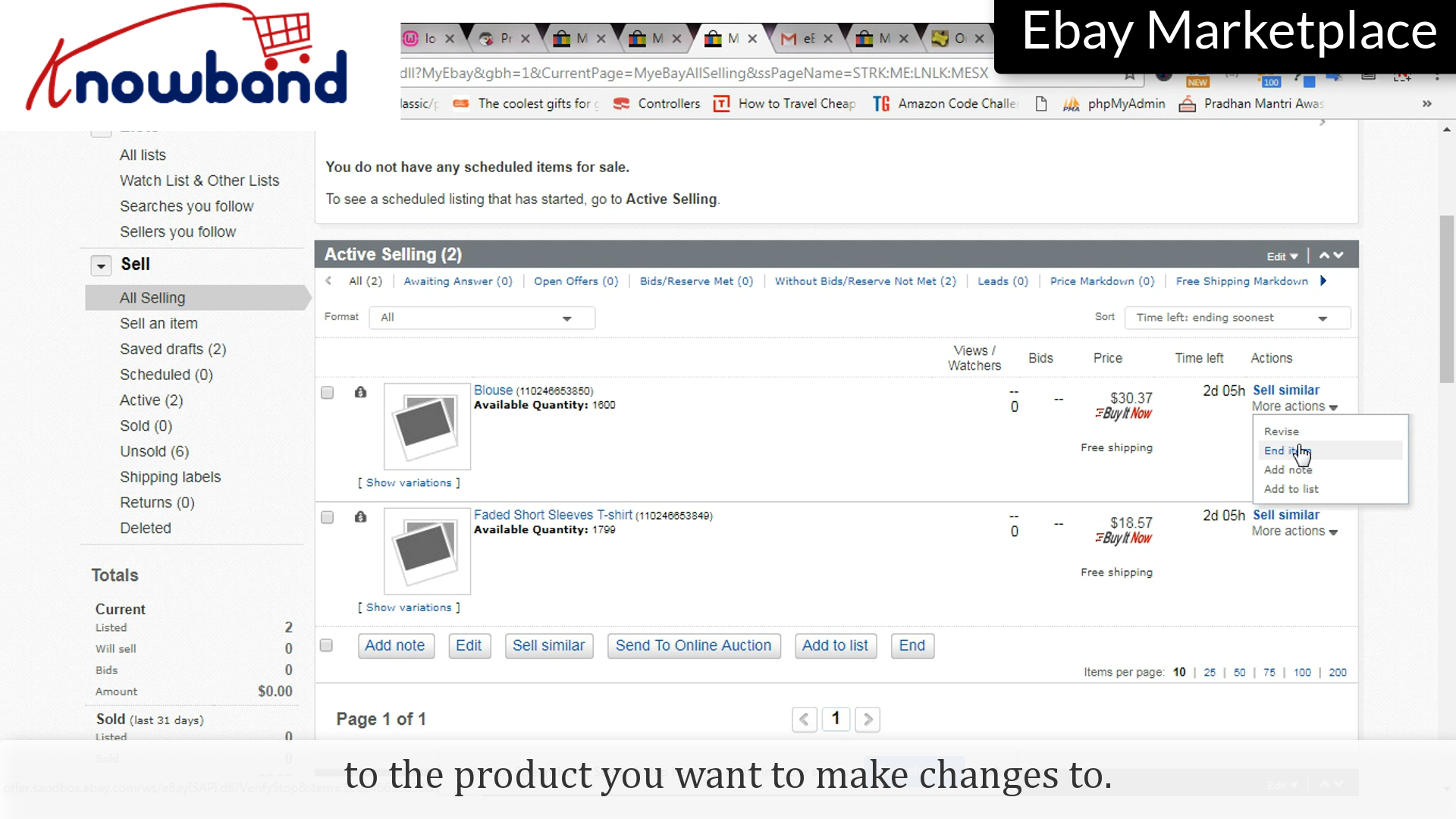
Step 2: End Item
Click on “More Actions” and then in the drop-down menu, click “End Item”.
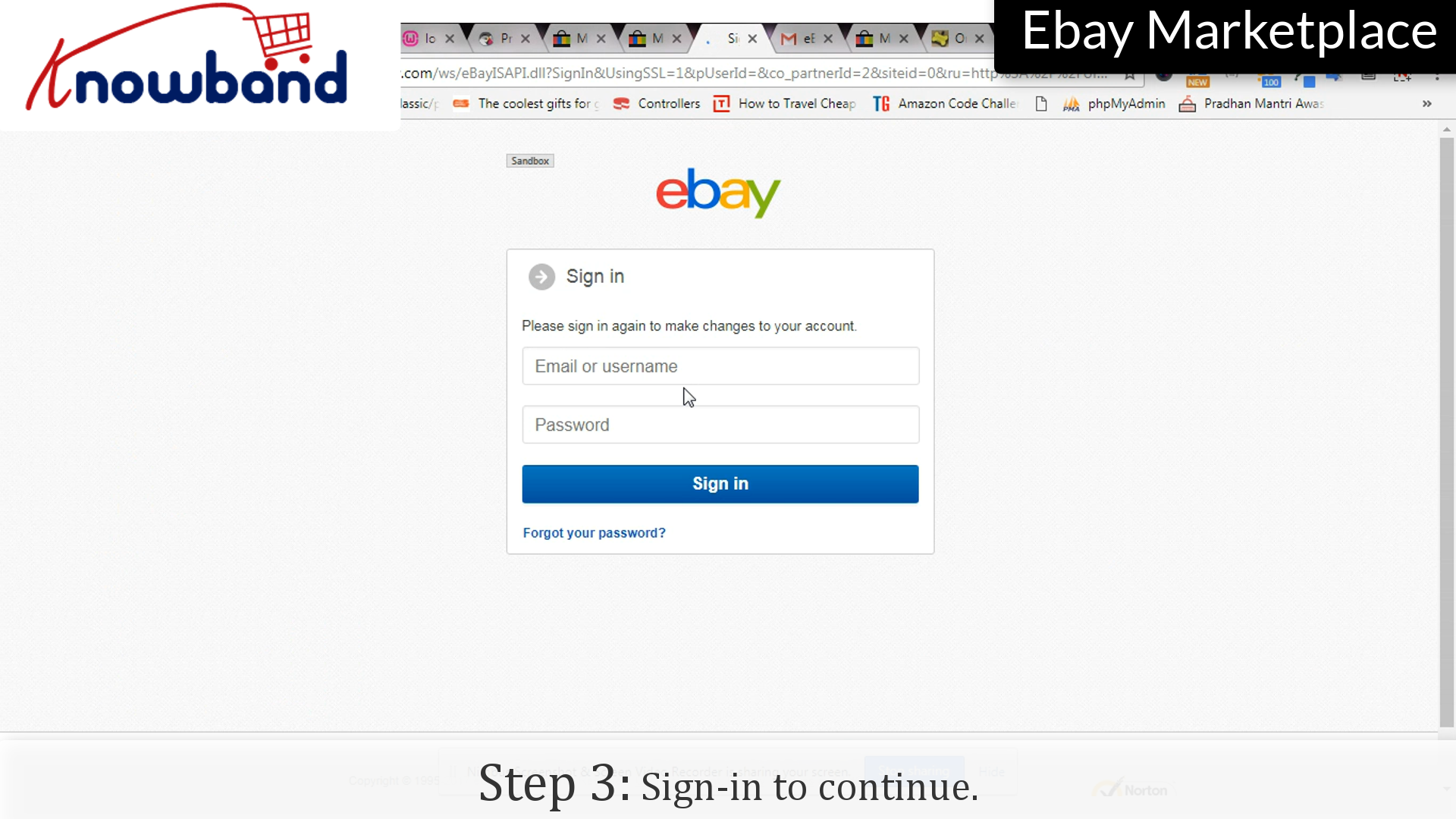
Step 3: Sign-in
Enter your credentials as confirmation to end the listing.
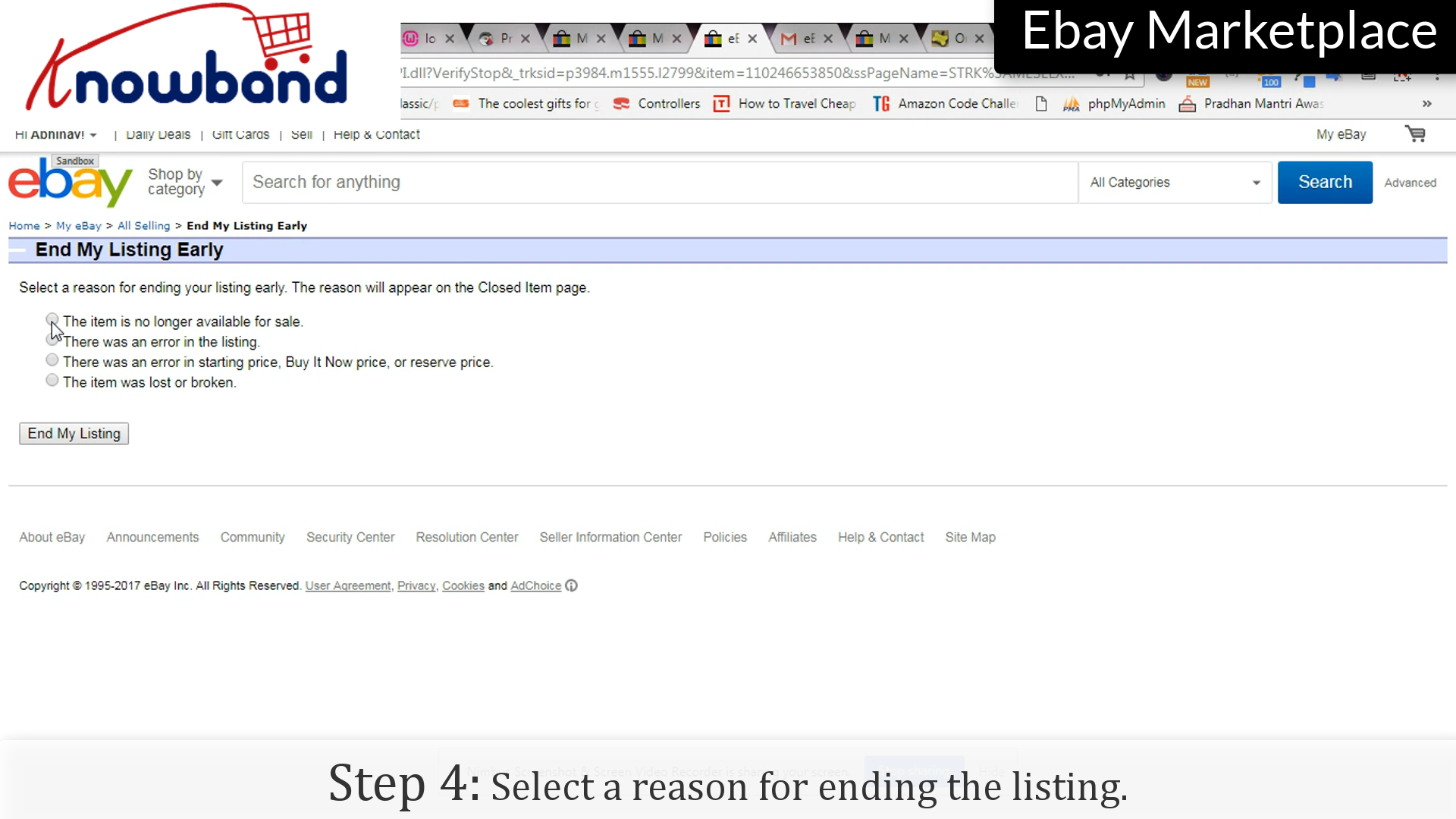
Step 4: Reason
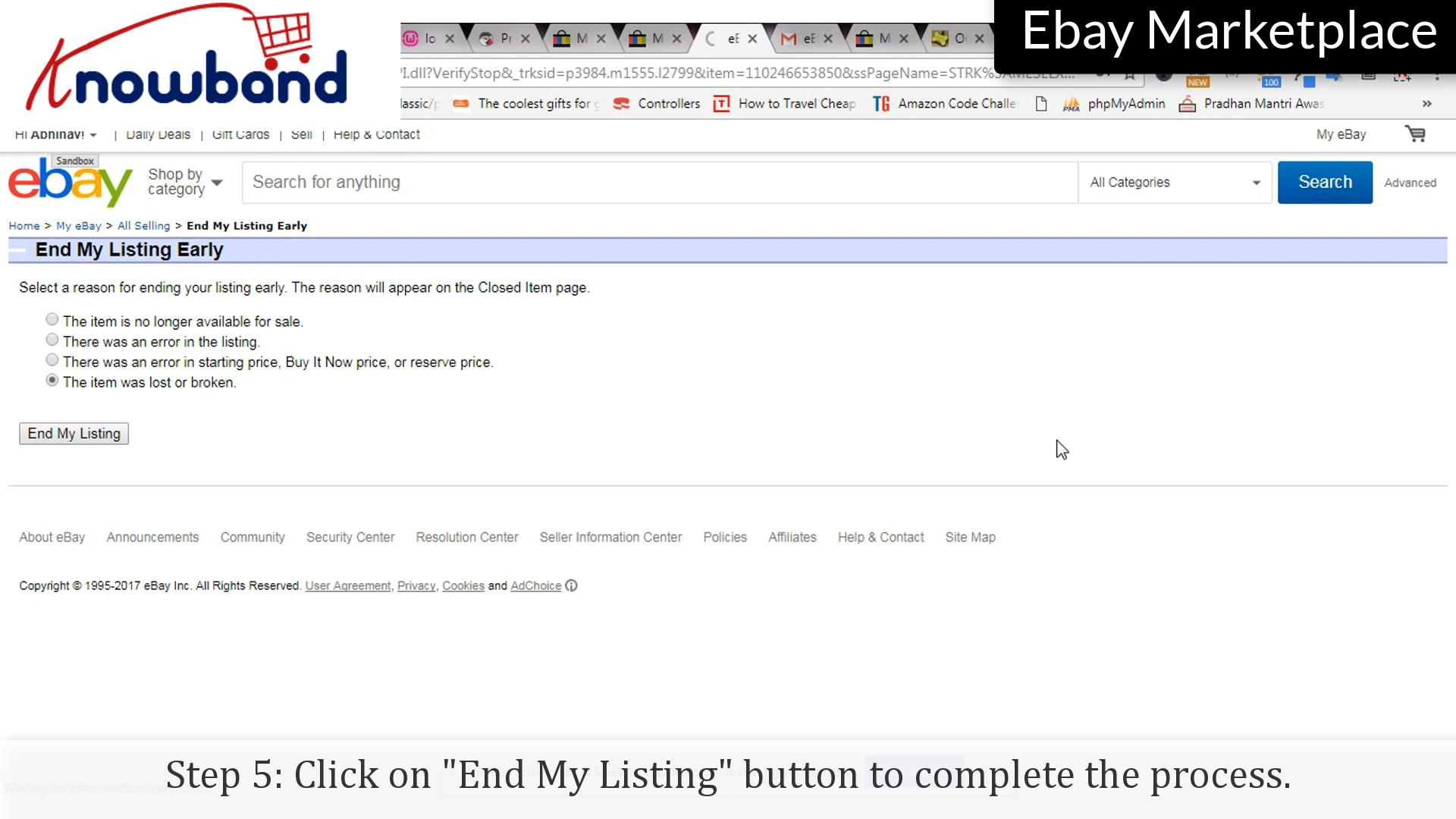
Select any reason to end the listing.
Step 5: End my listing
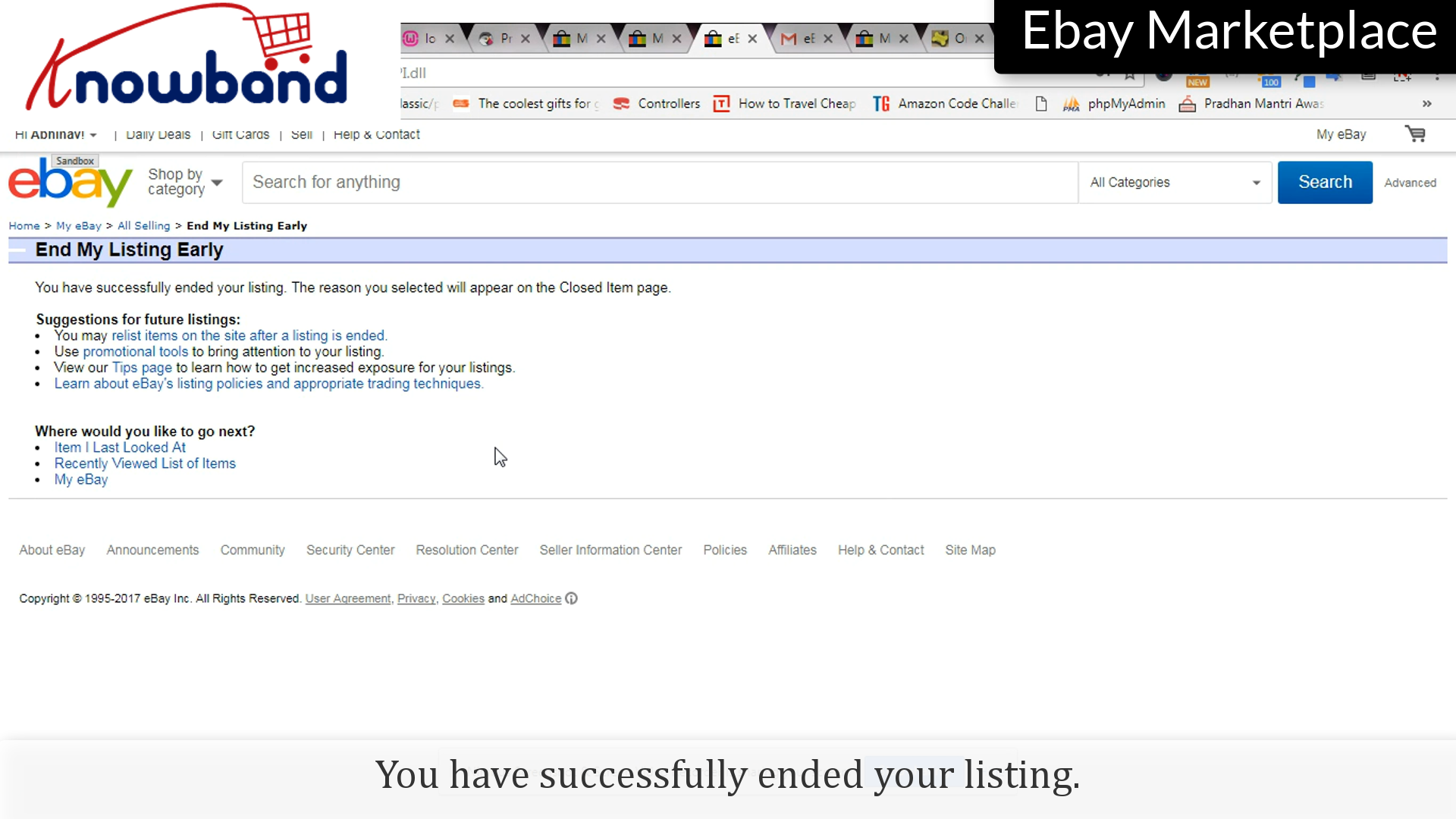
Click on the “End My Listing” button to end the listing.
You have successfully ended the listing.
Follow the points to re-list the item:
Step 1: Selling
Click on “My eBay > Selling” option to re-list the item:
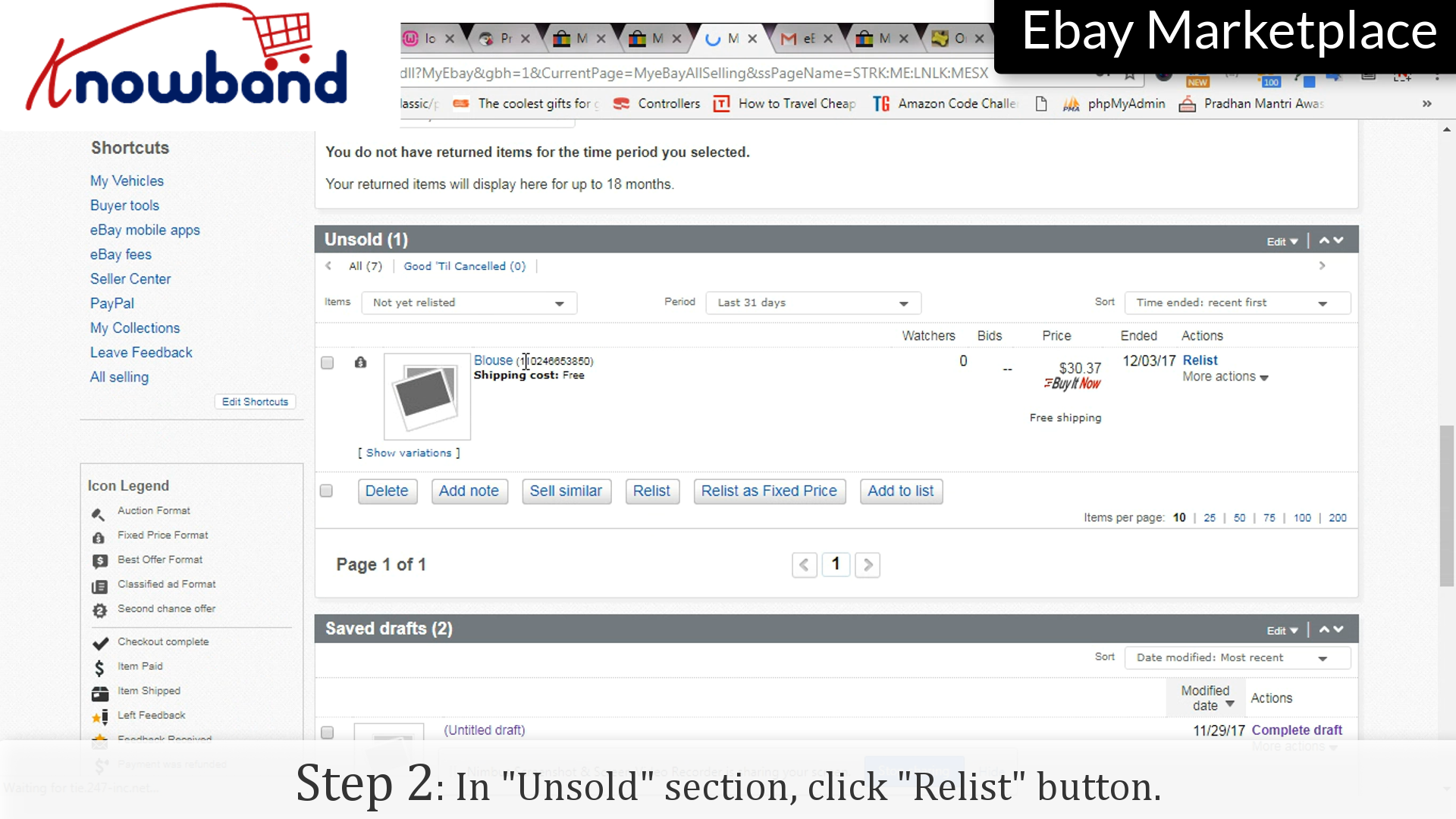
Step 2: Relist
Under the “Unsold” section, click the “Relist” option corresponding to the product you want to relist.
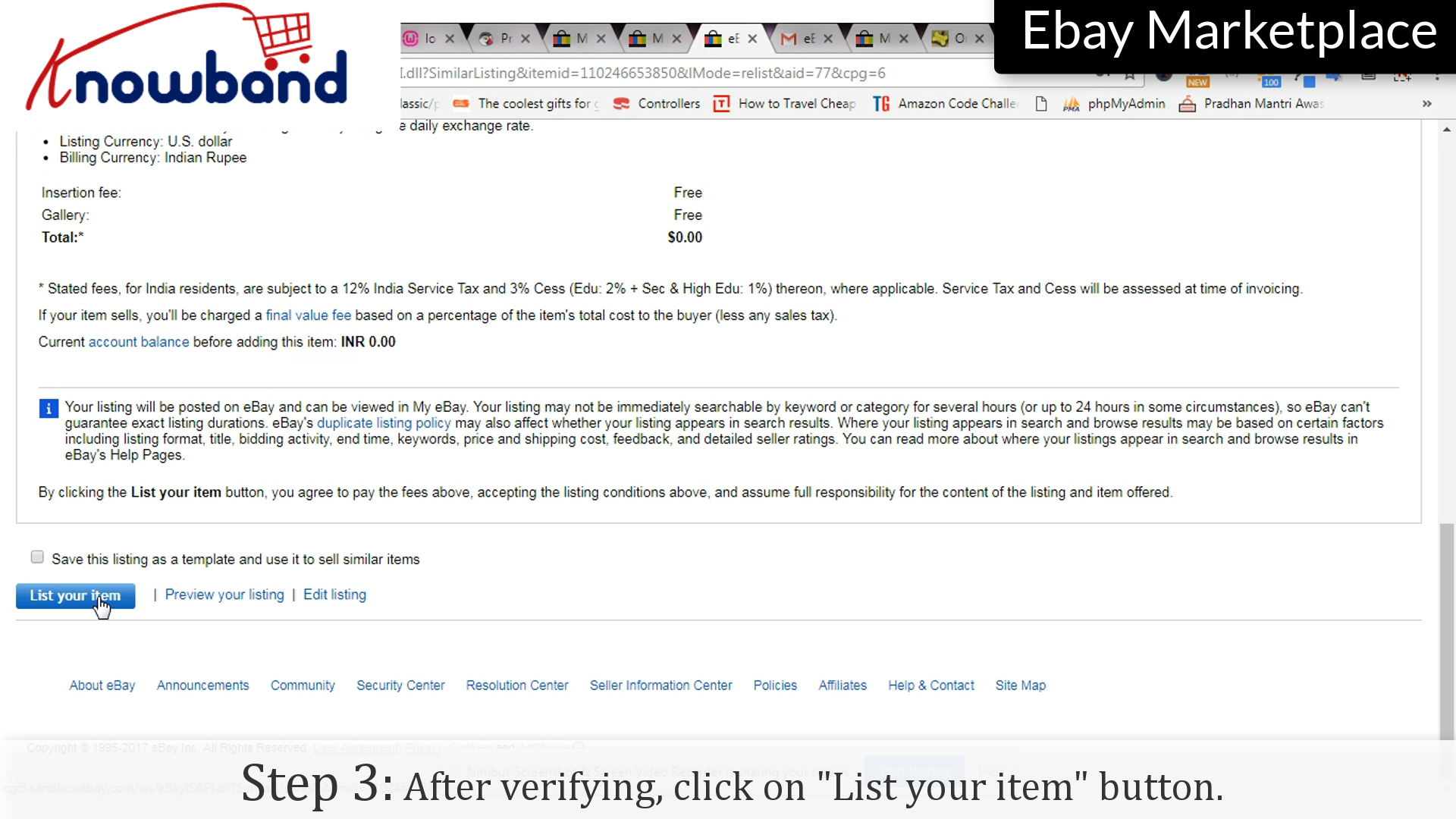
Step 3: Verify
After verification, click on “List my item” to complete the process.
Upgrade Now: Prestashop eBay Connector v2.2.1 is Here!
Great news for Prestashop store owners! Knowband has just released out v2.2.1 of the Prestashop eBay Marketplace Connector, and it’s a game-changer for marketplace management.
This release focuses on enhancing operational reliability between eBay and the prestashop store and preventing common eBay integration issues. The Rate Limit API Monitoring feature ensures your API usage is fully tracked, preventing disruptions that could affect your product listings or order synchronisation.
The Inventory Comparison is another highlight, allowing you to manage your Prestashop stock with your eBay listings in real-time. This proactive feature ensures your customers never encounter “out-of-stock” surprises and keeps your inventory accurate across platforms.
Don’t wait! Upgrading to v2.2.1 now ensures your store stays ahead, saves you time, and maximizes sales potential. Act fast before any missed opportunities!
When you have successfully created a seller account on eBay Marketplace, you need to add products in your shop. Adding the products in your cart is an easy process with the following steps:
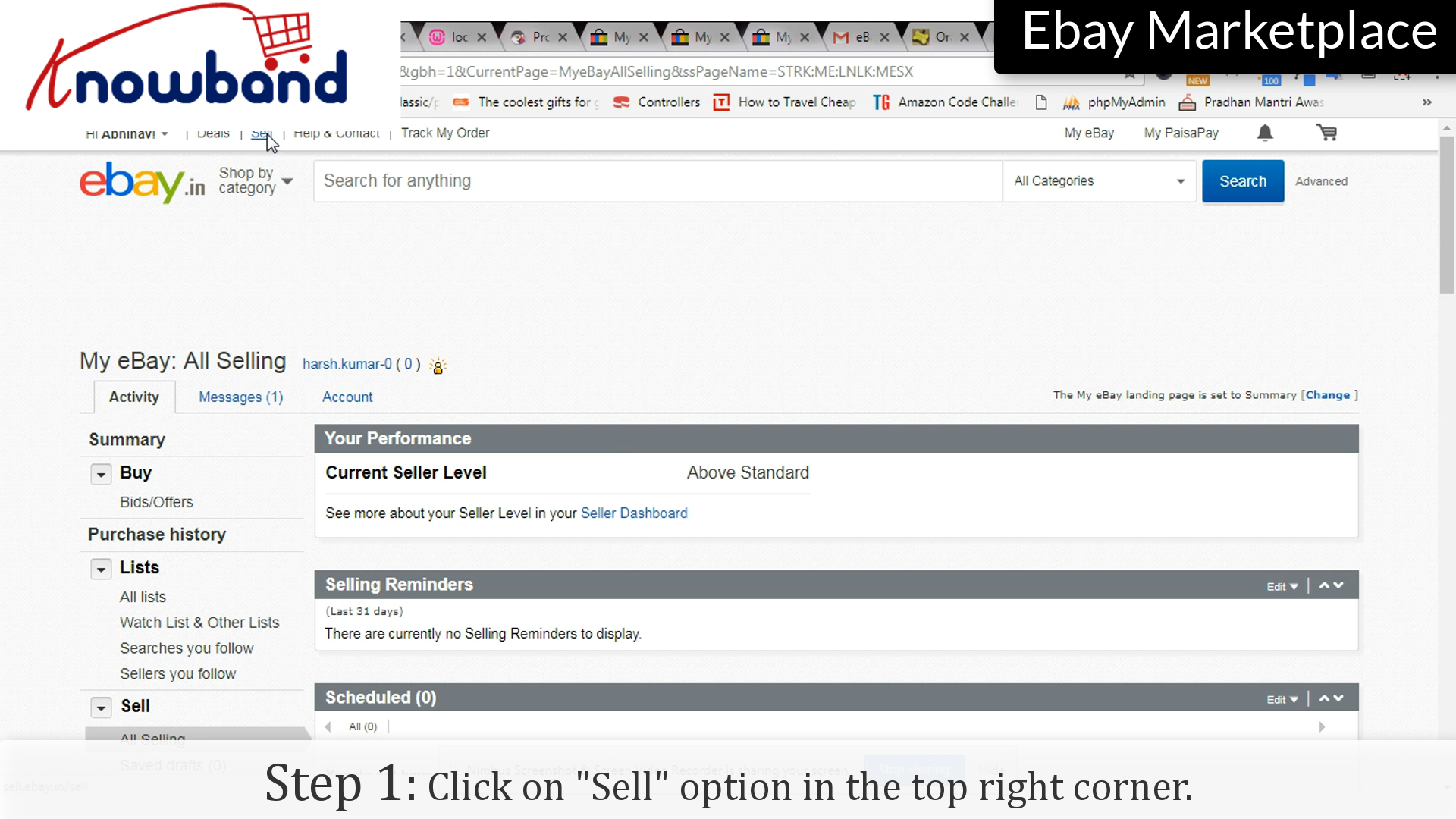
Step 1: Sell option
Click on the “Sell” option in the top right corner.
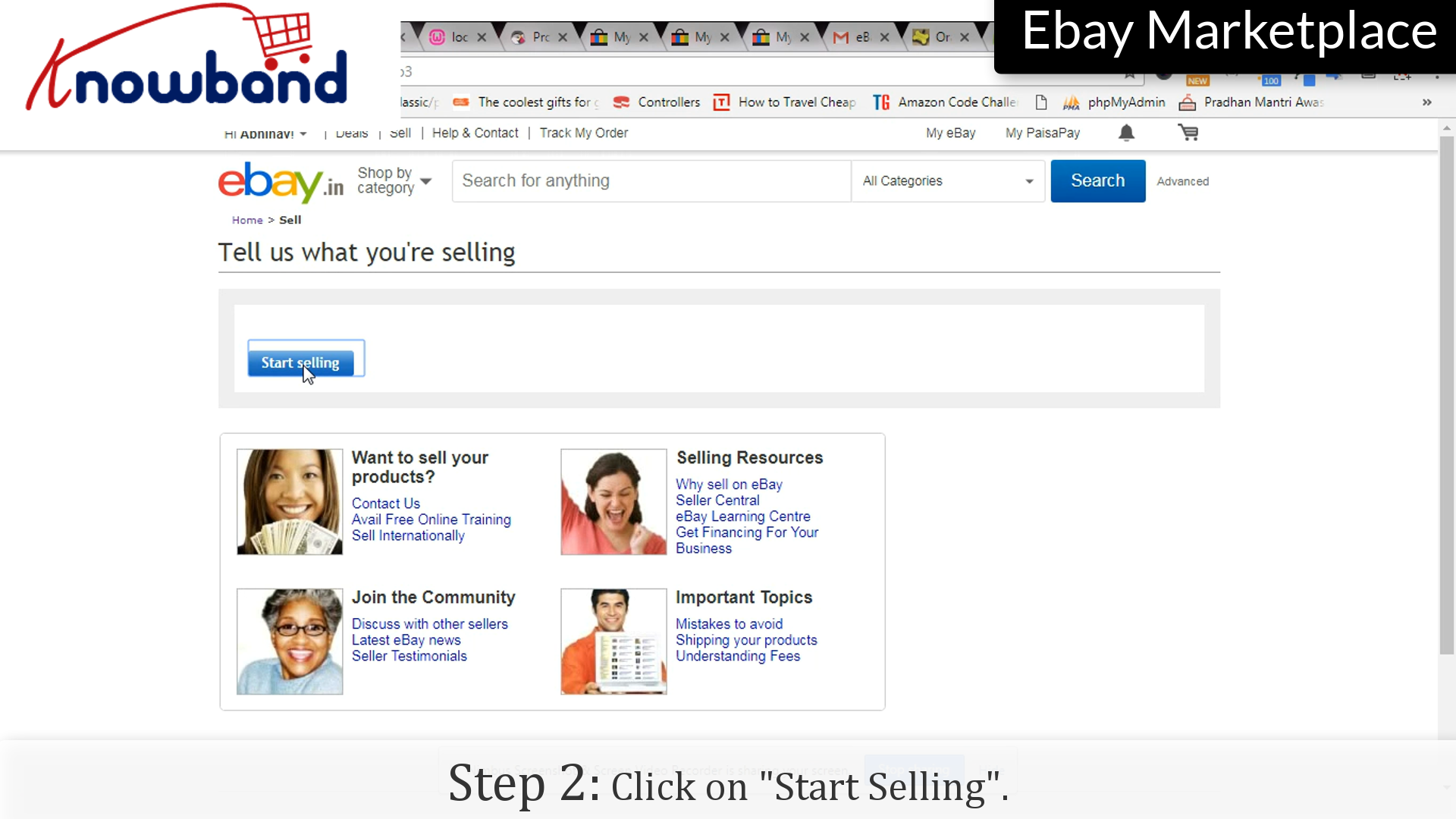
Step 2: Start Selling
Click on the “Start Selling” option to start the process.
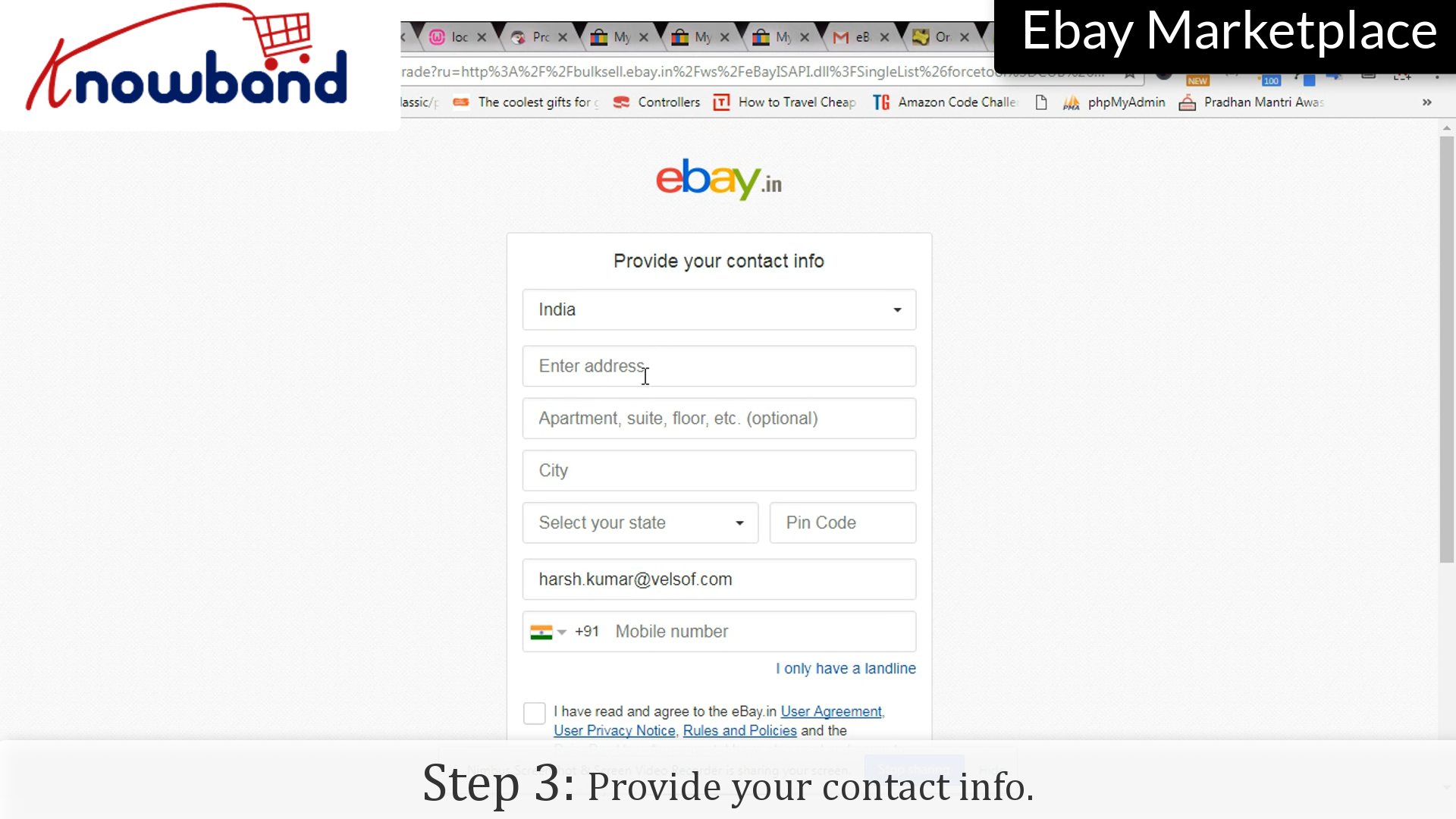
Step 3: Contact info
Provide your contact info so that eBay can contact you in case of any issue with the products added.
Step 4: Get Started
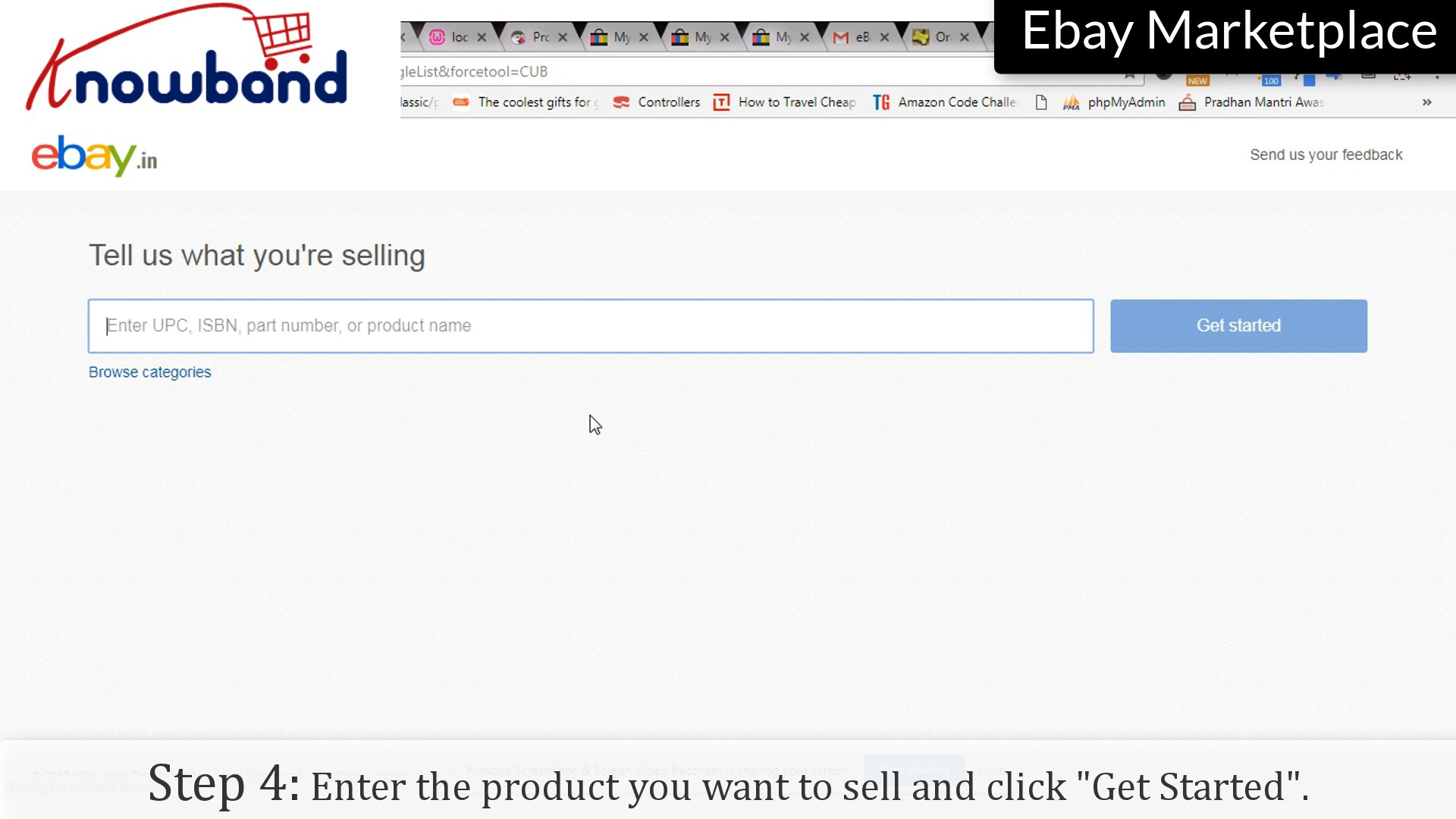
Enter the product you want to sell and click “Get started”.
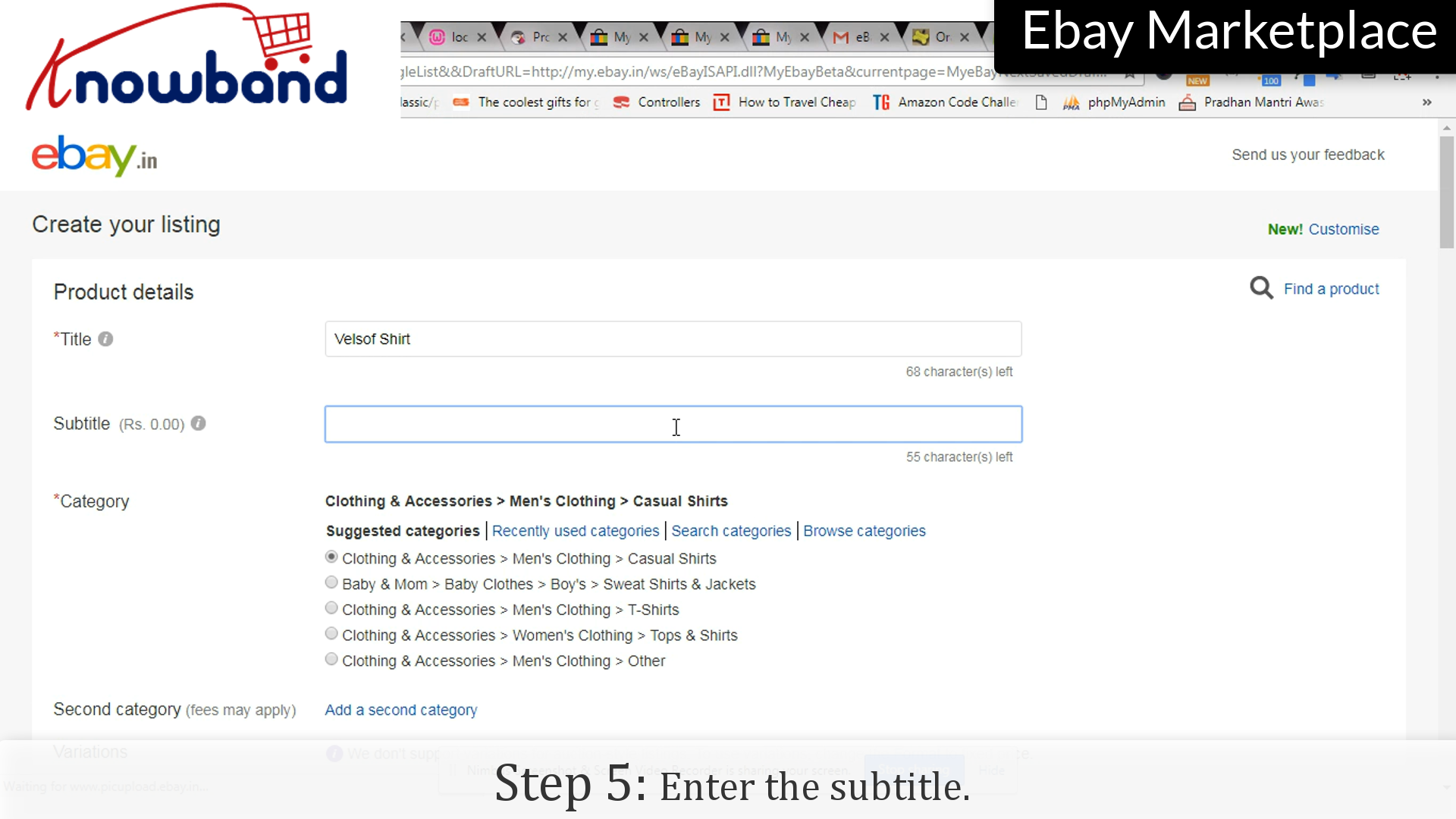
Step 5: Subtitle
Enter the subtitle of the product/listing.
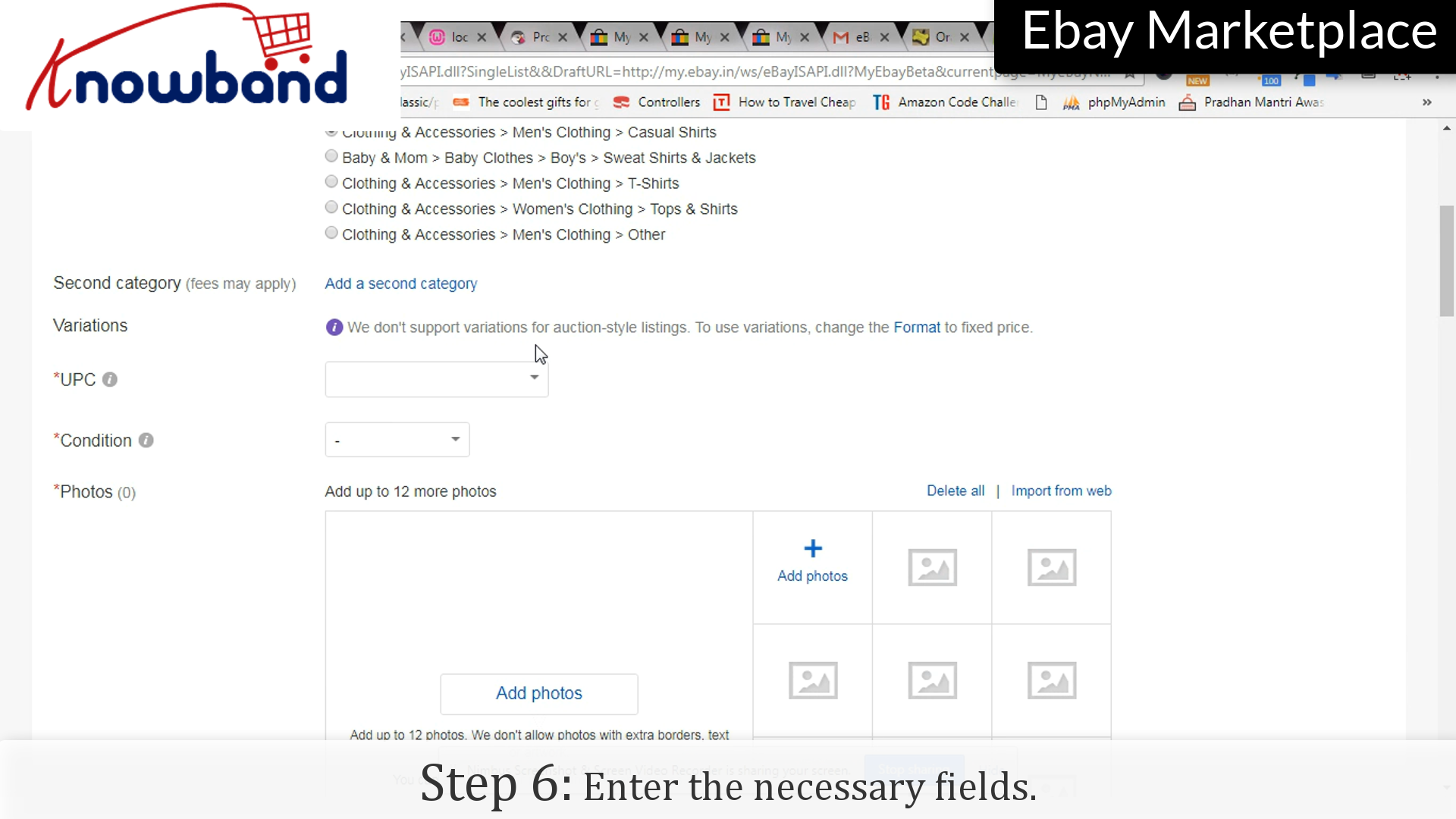
Step 6: Fill Up the form
Enter the necessary details which you want to display to the user.
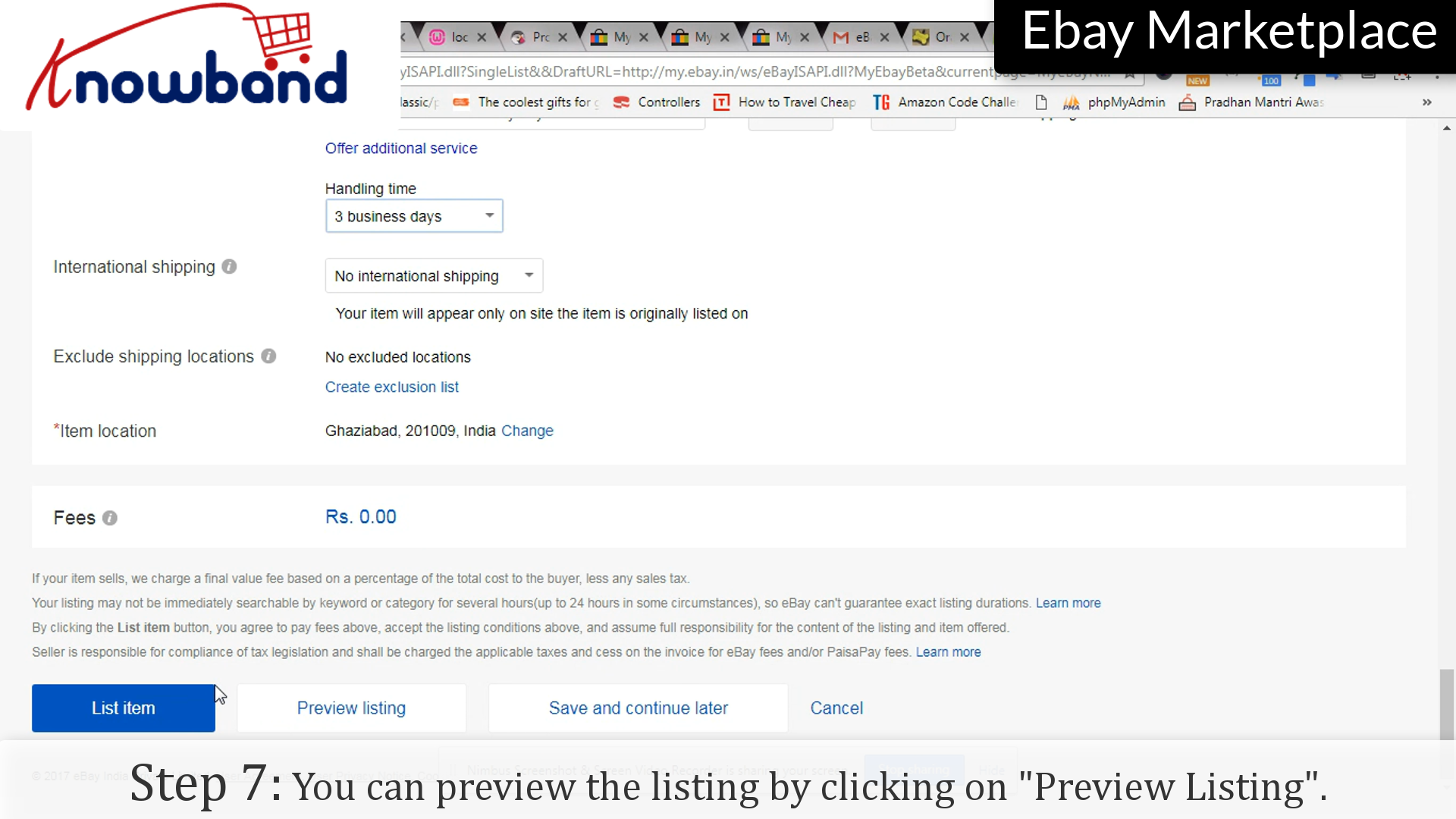
Step 7: Preview Listing
Before saving the list, eBay provides you an option to preview the listing with all the details.
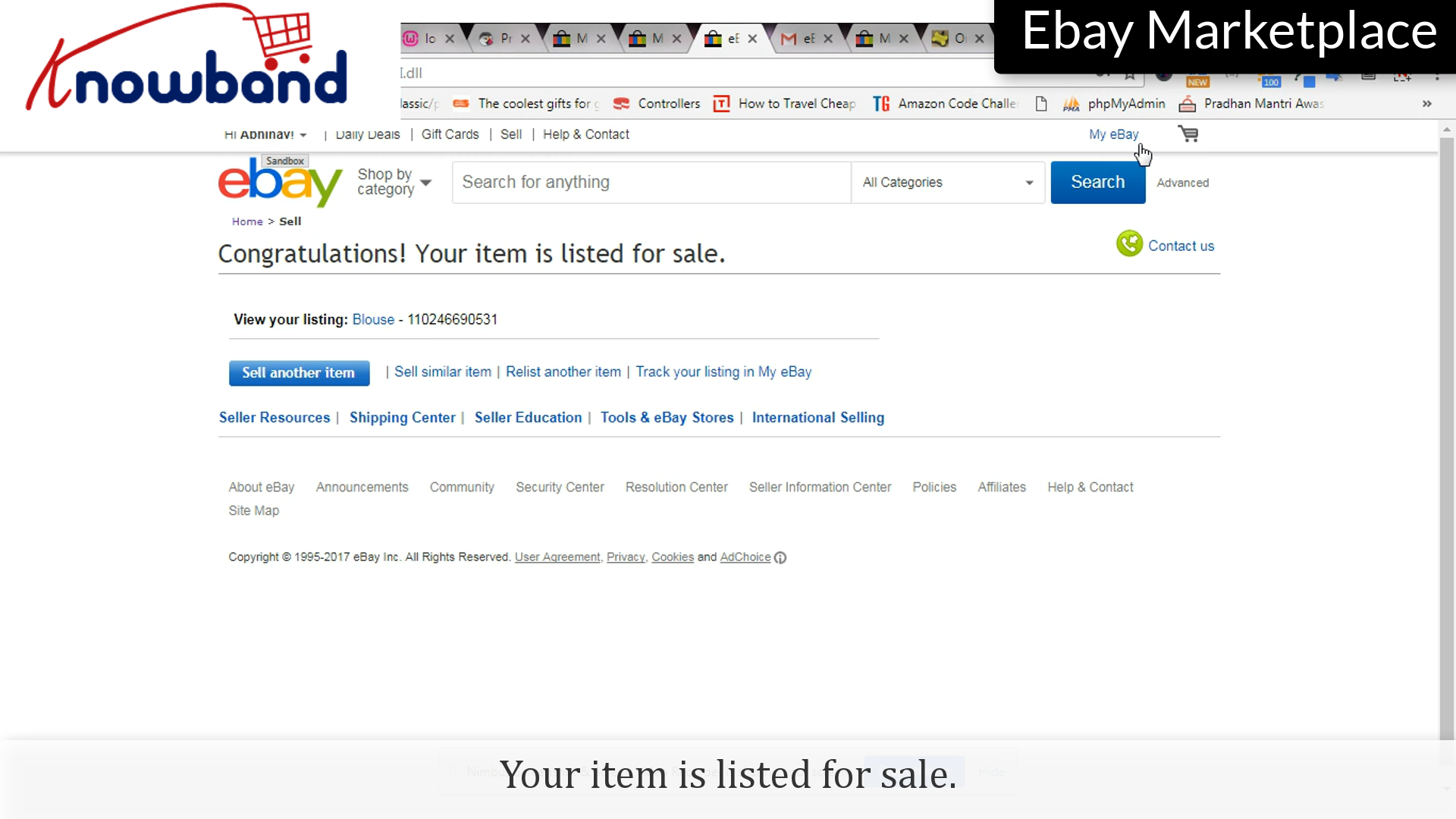
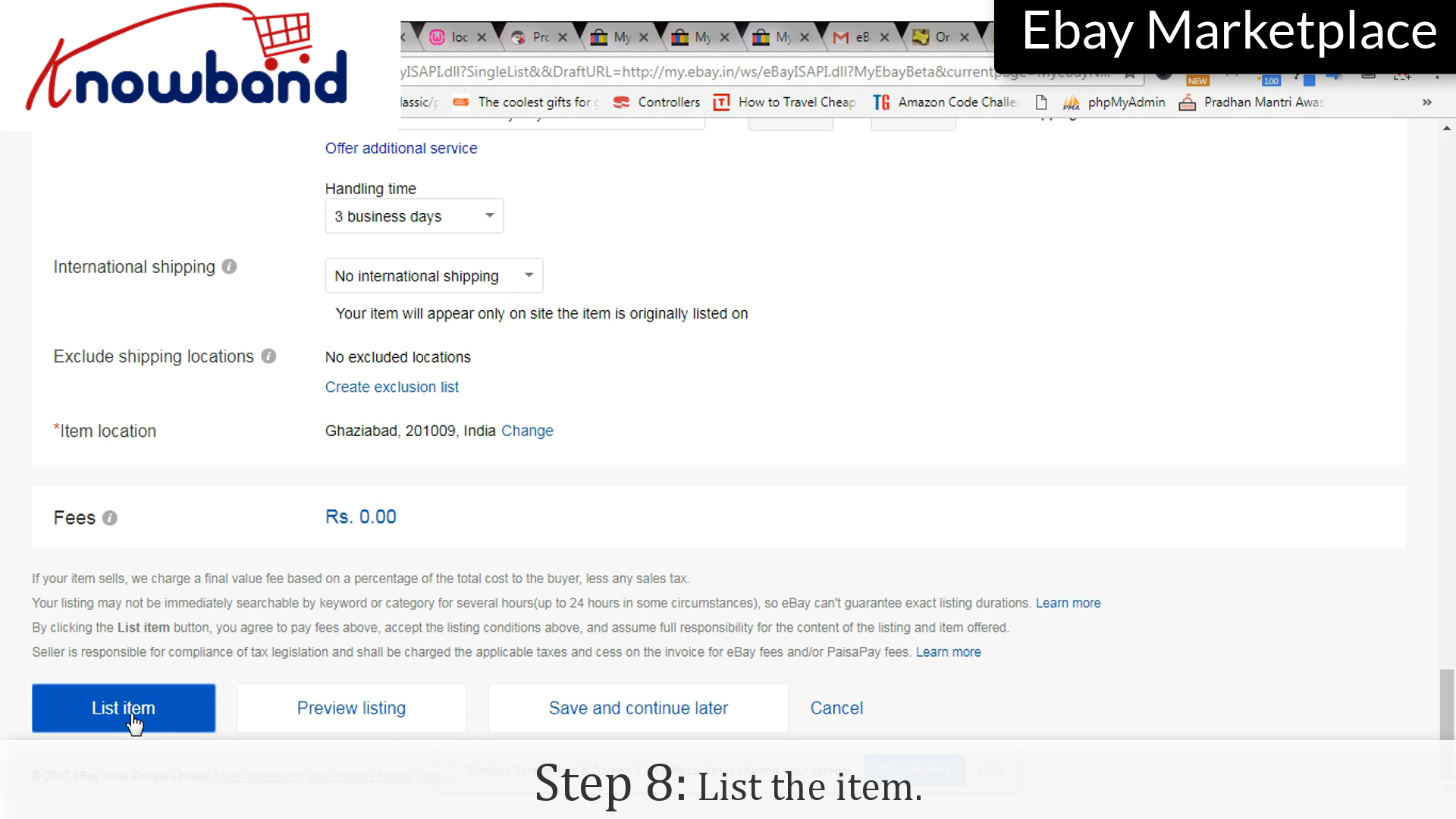
Step 8: List the item
Click on “List the item” to make the item public.
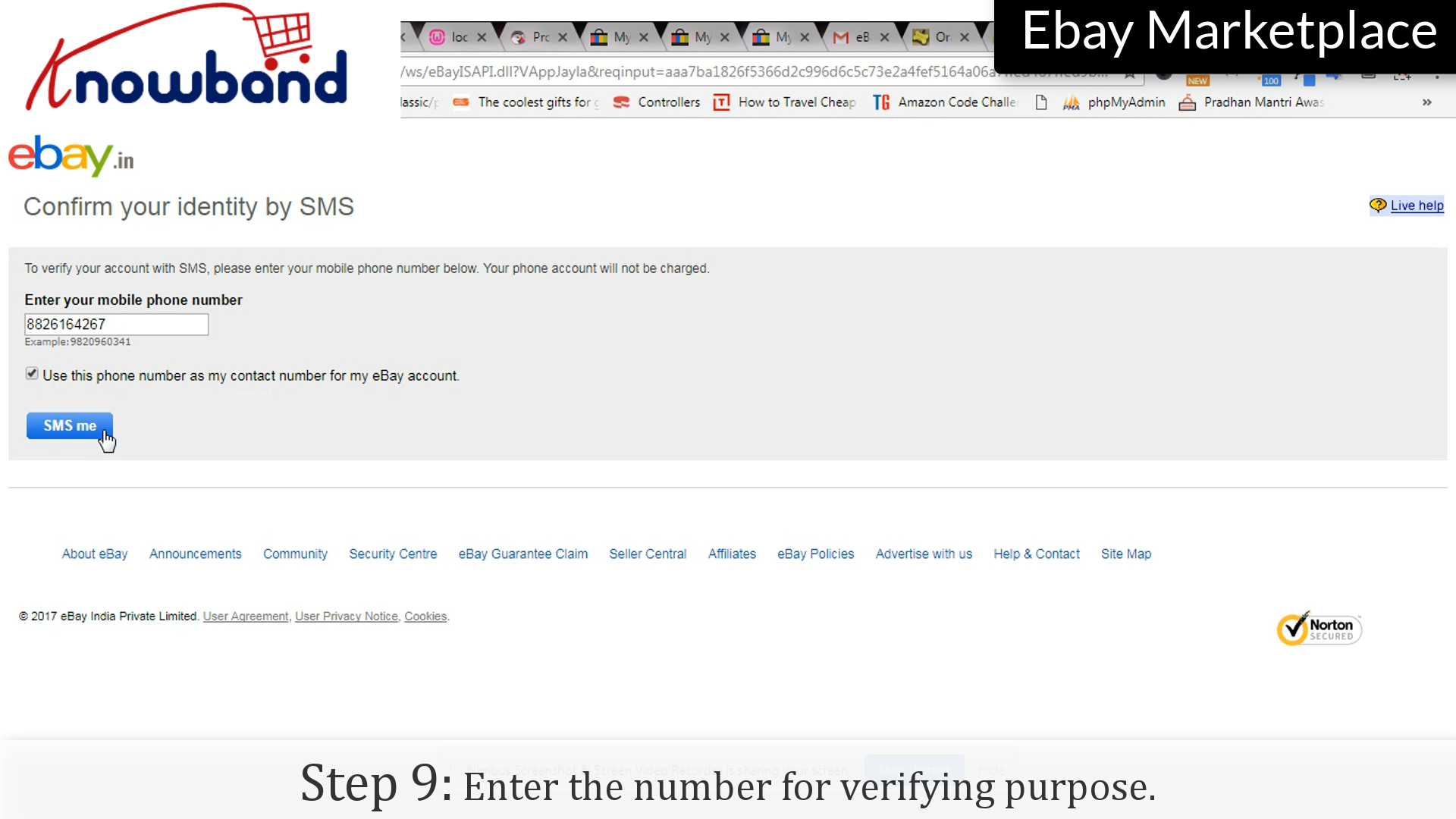
Step 9: Contact number
Enter the number for verifying purposes. Your item has been listed and is publicly available to the users.
Watch how to list a product in eBay Marketplace?
We hope that this information will help you to list products on eBay Marketplace and easily achieve good profits very soon.
Although listing products directly on eBay is possible but if you already own an eCommerce store, it becomes easier. So, if you are an eCommerce store owner and want to sell your products on eBay than you can integrate them via eBay Integrators.
KnowBand’s eBay Integrators bridges the gap between the store and the Marketplace via eBay API. After successful integration, sellers can map their product listings on eBay and earn sales and profits at high scale. The eBay Integrators are available for various CMS platforms as follows:
eBay Marketplace has emerged as one of the best and most popular online shopping destinations all over the globe. With over 179 million active users, selling on eBay would directly lead you to higher sales. Although eBay has set up a strict policy and guidelines. Although eBay accepts third-party sellers on its website but it’s still a dream of many sellers to sell on eBay.
So, if you are unaware of the procedure of selling products on Walmart, this guide will make you walk through each step starting from the seller’s application until the launch of its store.
Getting a shelf on eBay is a huge opportunity for your business. To sell the products on eBay, you will be required to create a sellers account. Once you have created seller’s account, you can add any number of products in your store and here’s how you create a sellers account:
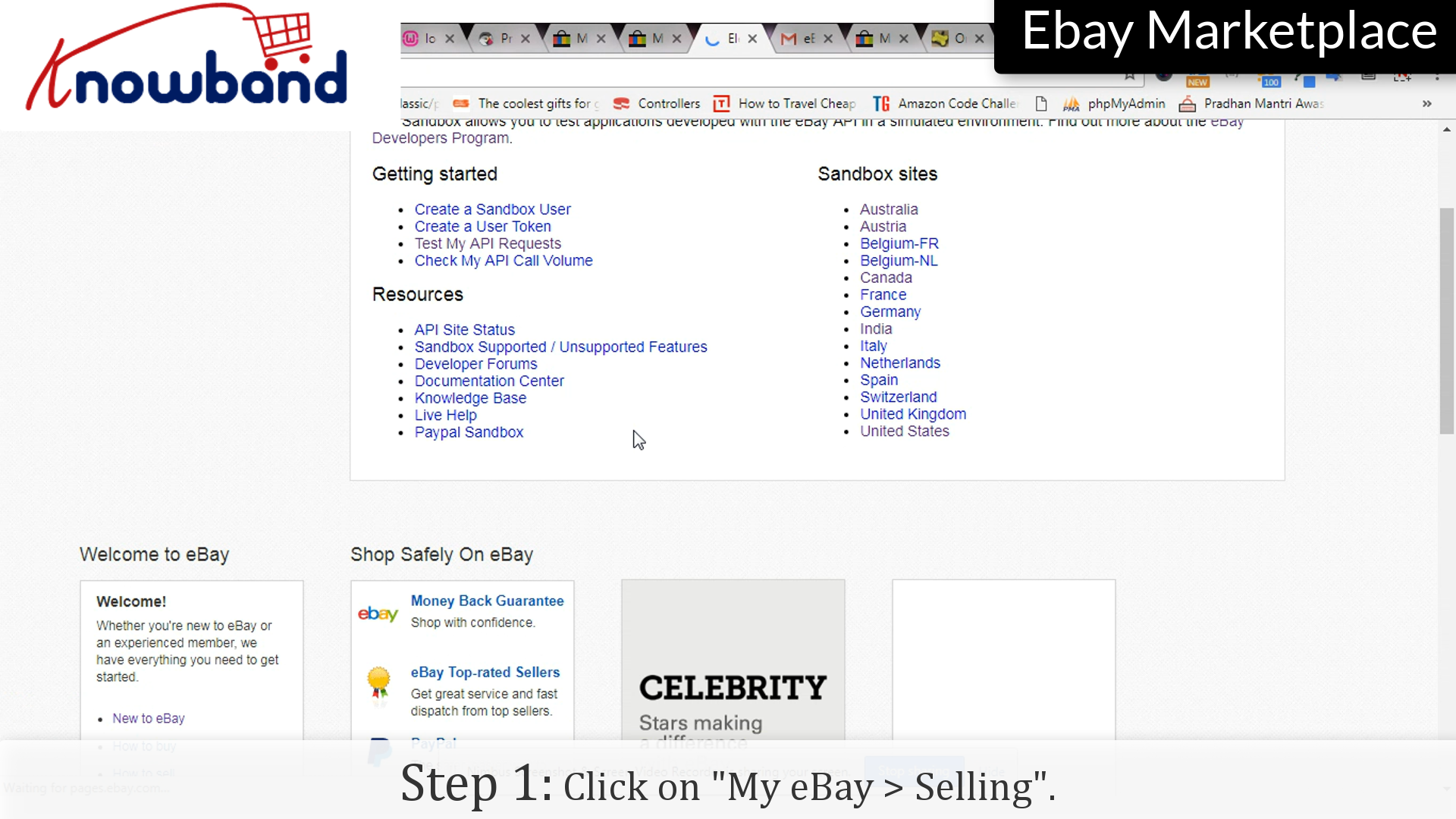
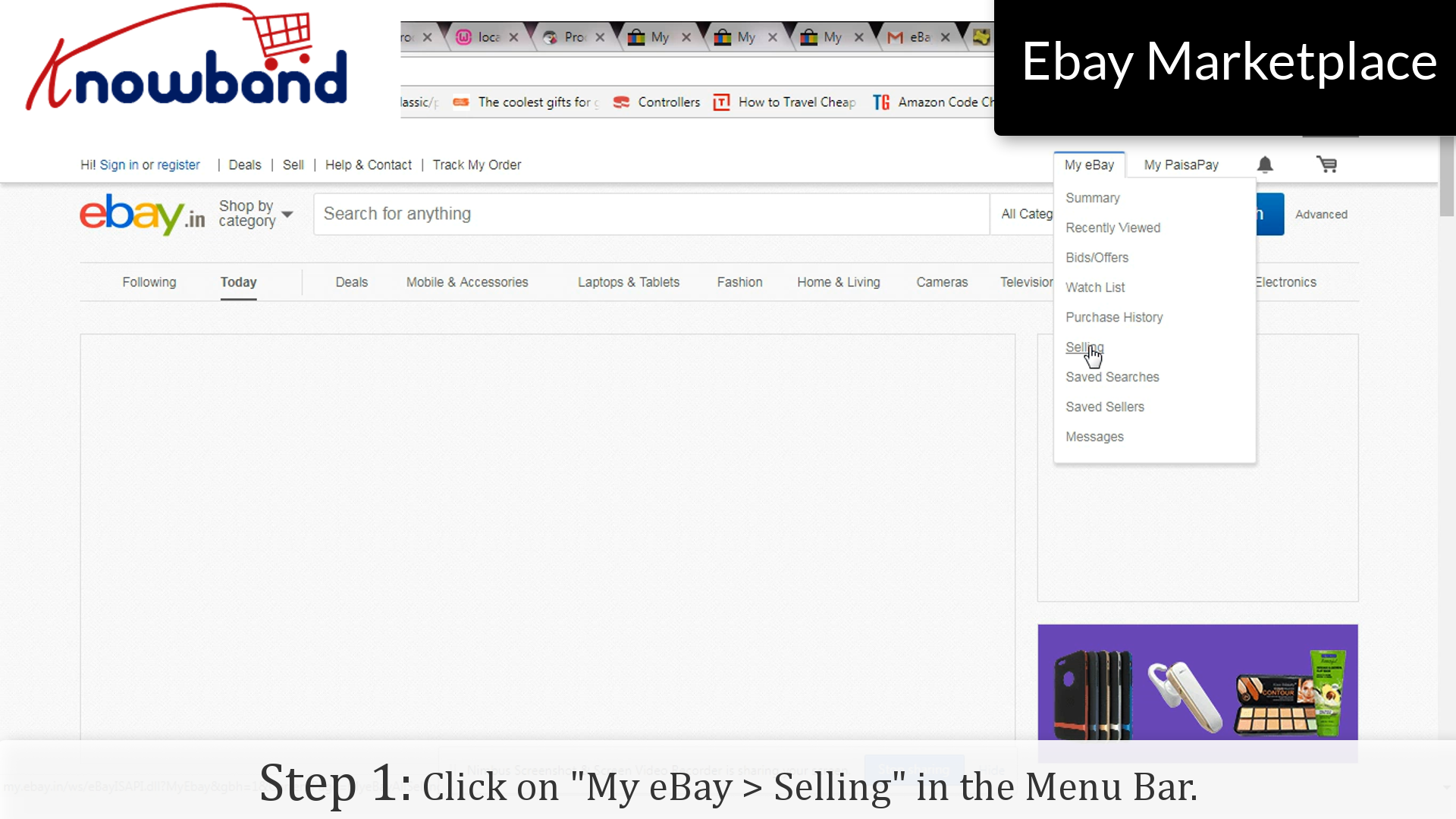
Step 1: “My eBay > Selling”
Click on the “My eBay > Selling” option provided in the menu.
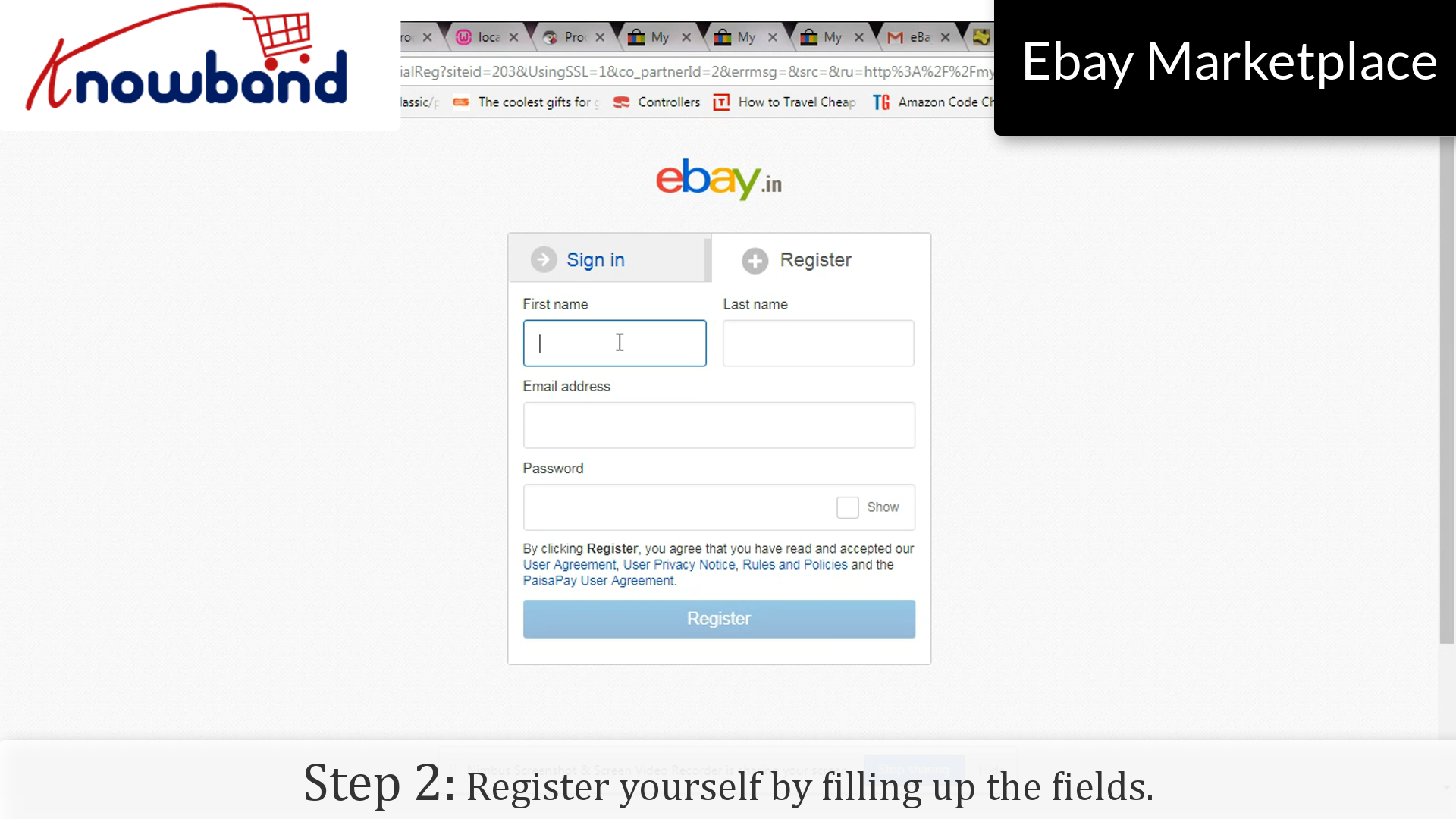
Step 2: Register
Register yourself by filling up the fields. Mention all your relevant details and click on the “Register” button.
Step 3: Confirmation
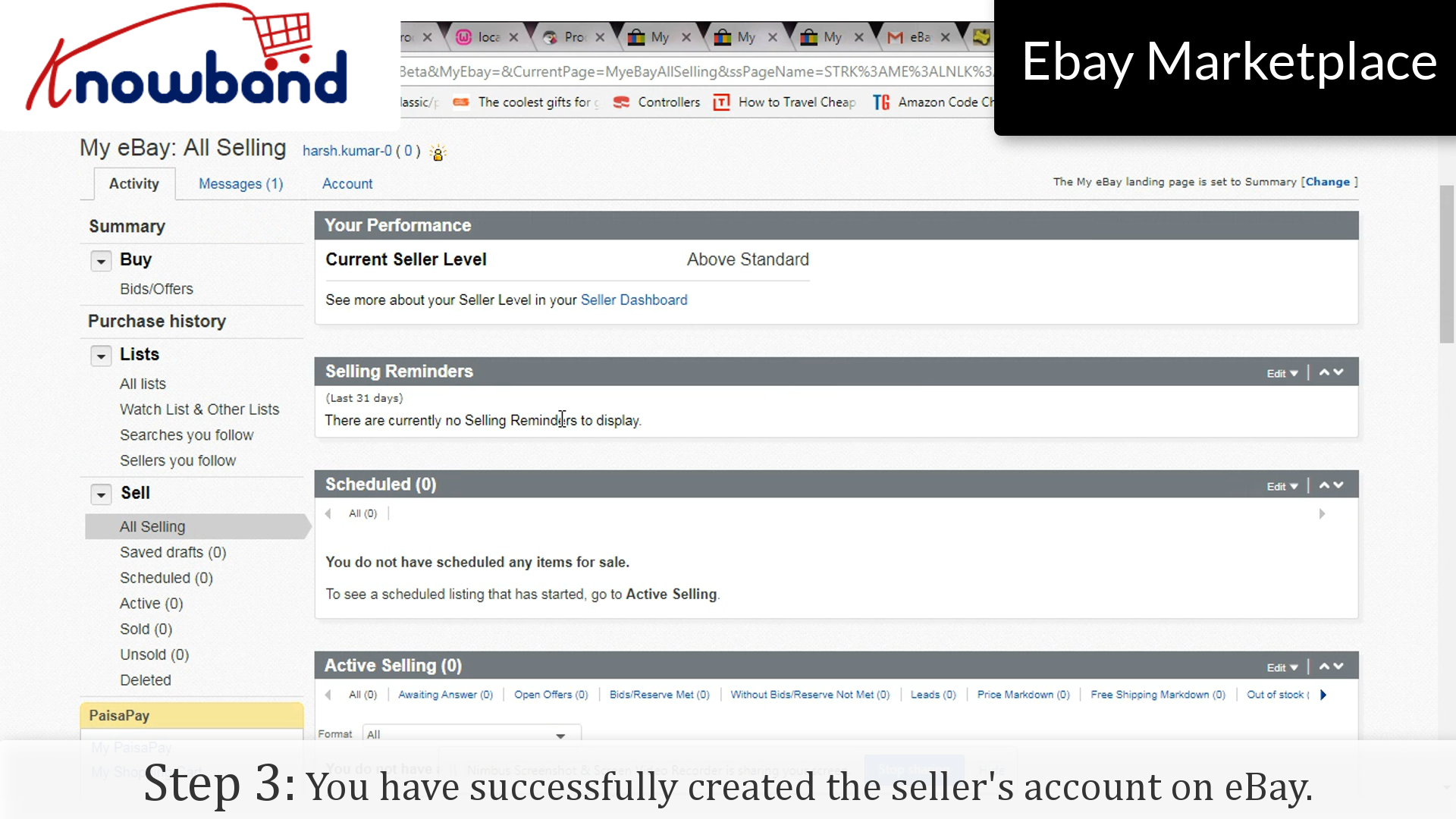
You have successfully created the seller’s account on eBay. You will receive an invitation mail stating your confirmation as a third party seller on eBay. Verify your confirmation by clicking on the link mentioned in the mail and you will be directed to the eBay website.
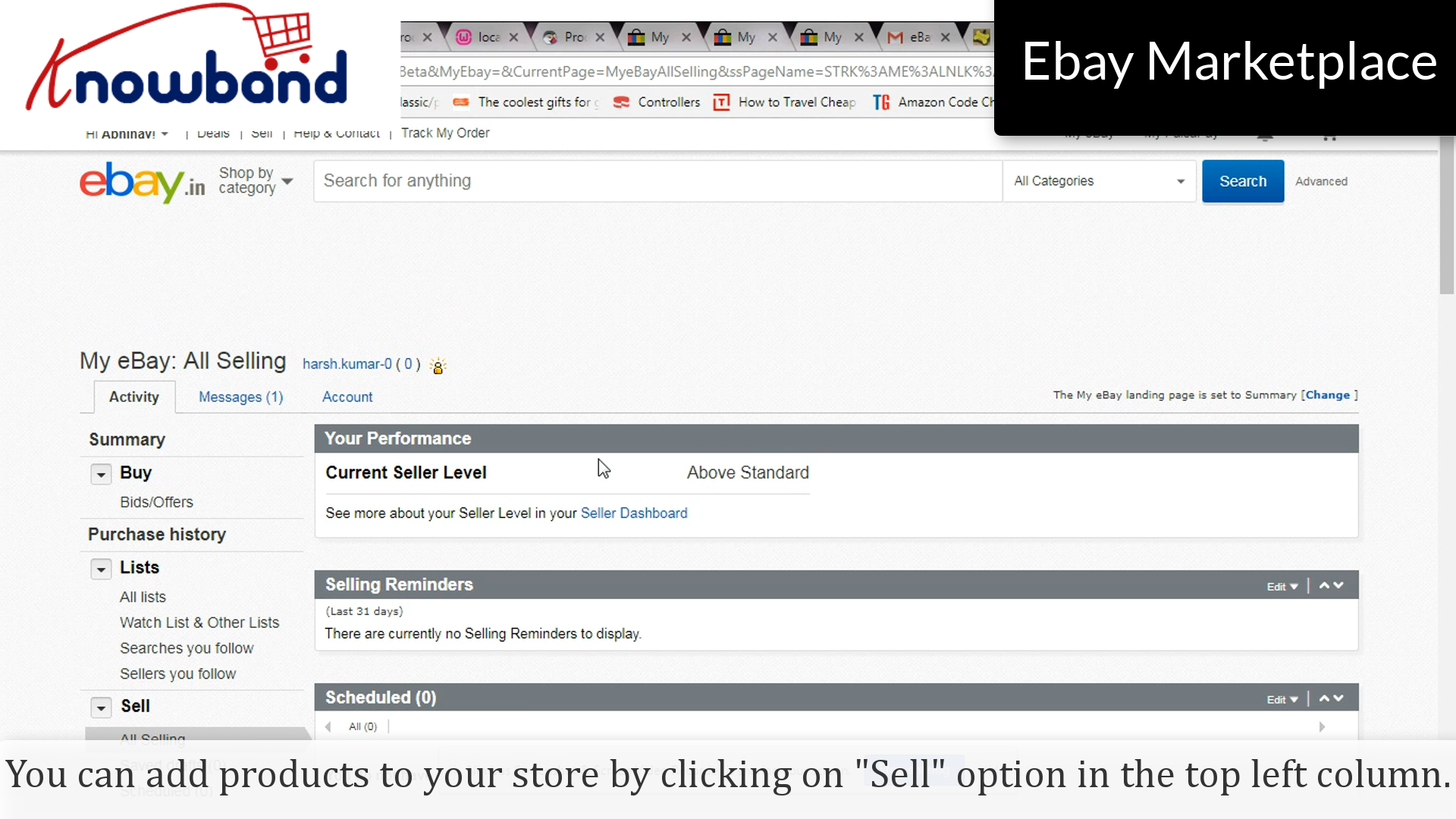
Now you can easily add products to your store by clicking on the “Sell” option in the top left column. You can manage your product catalog accordingly. This will let you remove the products that are out of stock and manage it in a bonafide manner.
Over to you:
Selling products on a huge and fast-growing marketplace like eBay is like working in a gold mine. There are numerous third-party sellers who want to register themselves as eBay marketplace sellers. With the growing competition, becoming a third party seller on eBay is definitely not easy as it seems. The seller’s market does not entertain the sellers who are not meeting up the parameters set by them. As these renowned Marketplaces always prefer brands over retailers so try to own a brand name to make yourself more eligible from other sellers. Do keep a check on the requirements and there’s a quite good chance that eBay will accept you as a marketplace seller. Hopefully, you will witness the increased number of orders and sales for your business.
With the help of eBay Integrator by Knowband, you can now sell and manage the inventories at the Walmart Marketplace from the backend of your store. Sellers can also sync orders placed on the eBay website from the backend itself by this module. eBay integrators are available for various CMS platforms like Prestashop, Magento, OpenCart, and Shopify.
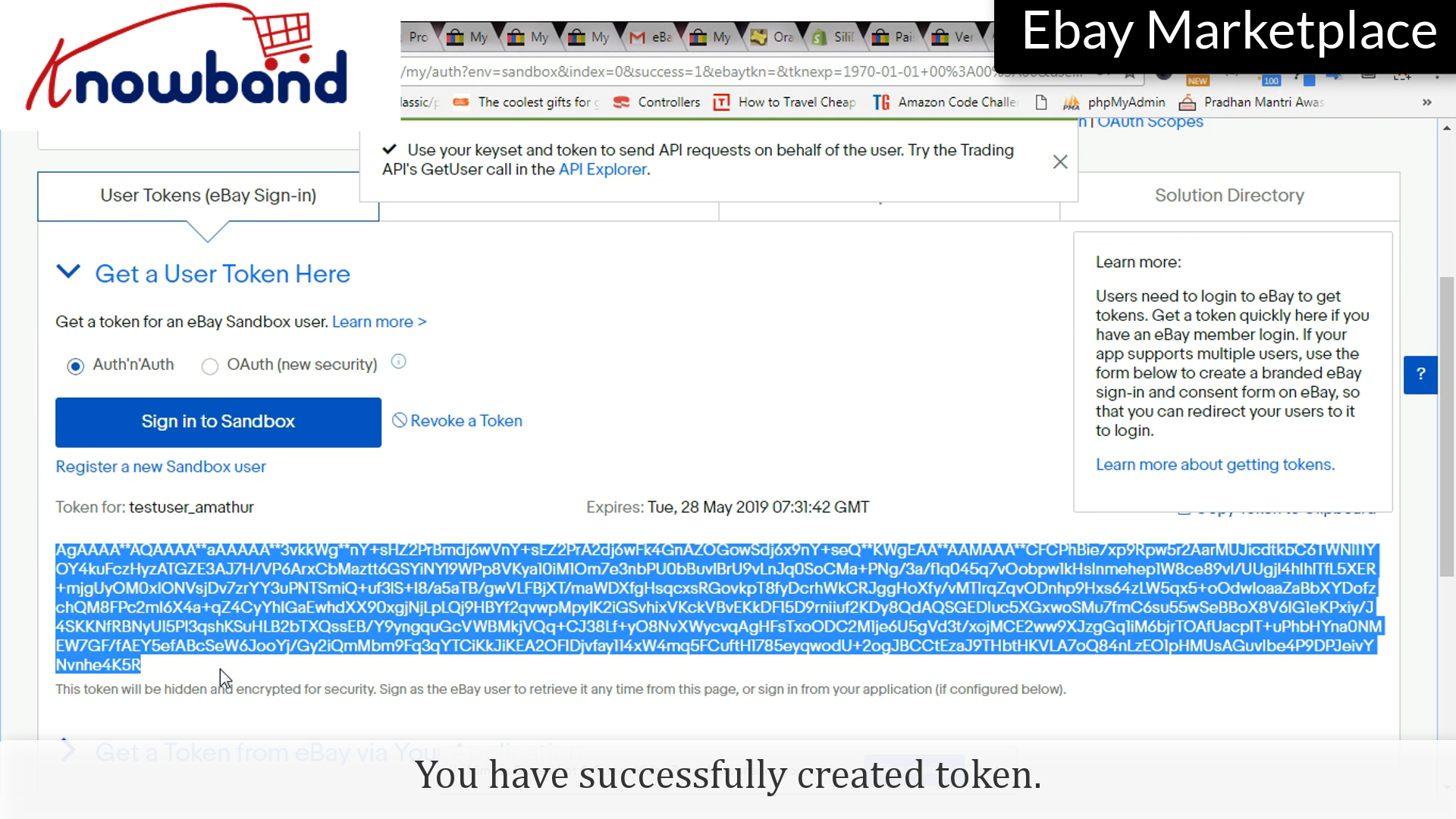
There are various APIs which requires Access Token, it is created by eBay itself to have your store uniquely connected to that particular API. Creating the Access Token is like a cake walk and here’s how you do it:
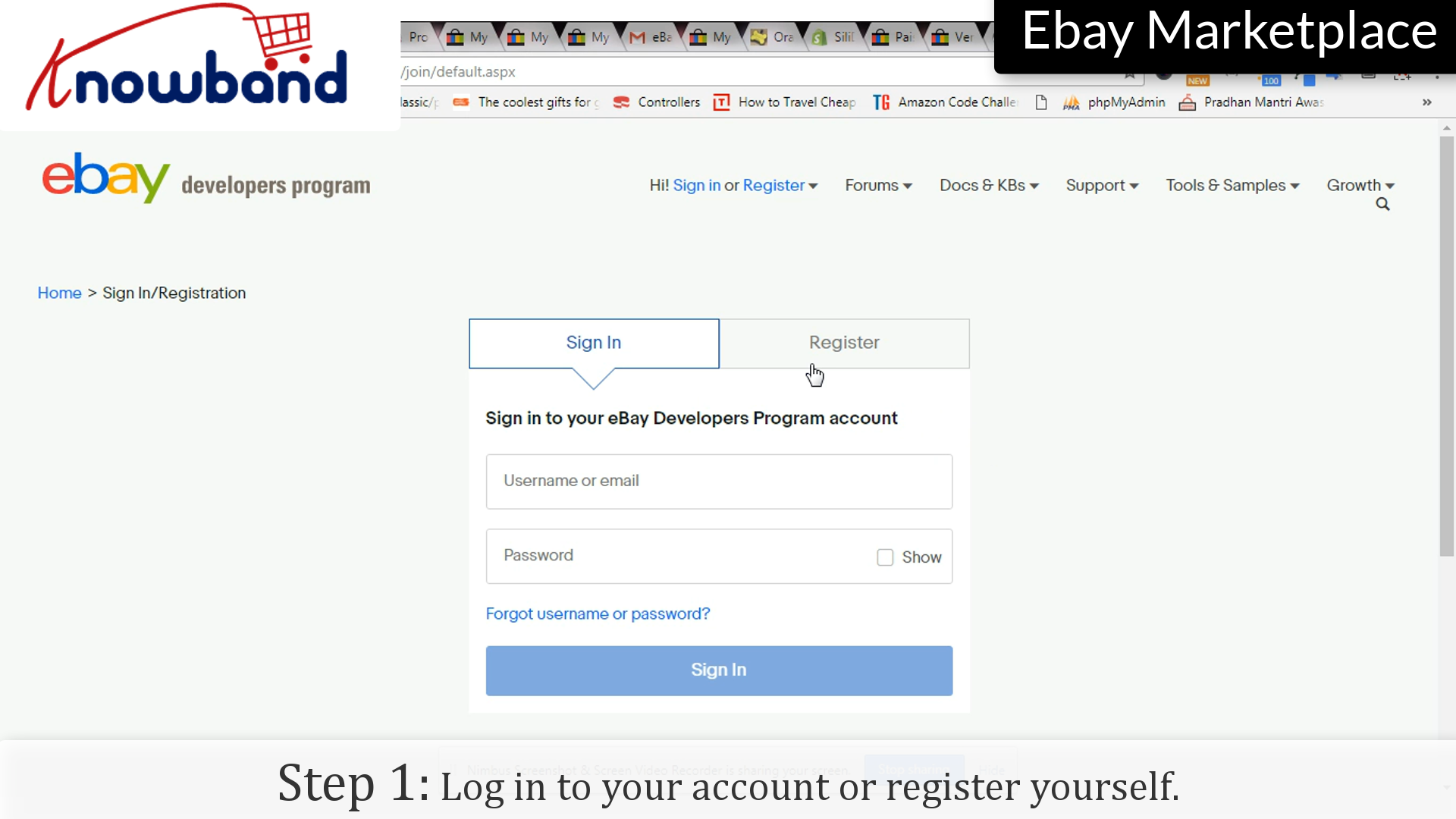
Step 1: Log in to your account or Register yourself
Login to your eBay account by clicking the “Sign in” option or you can register yourself if you are using it for the first time.
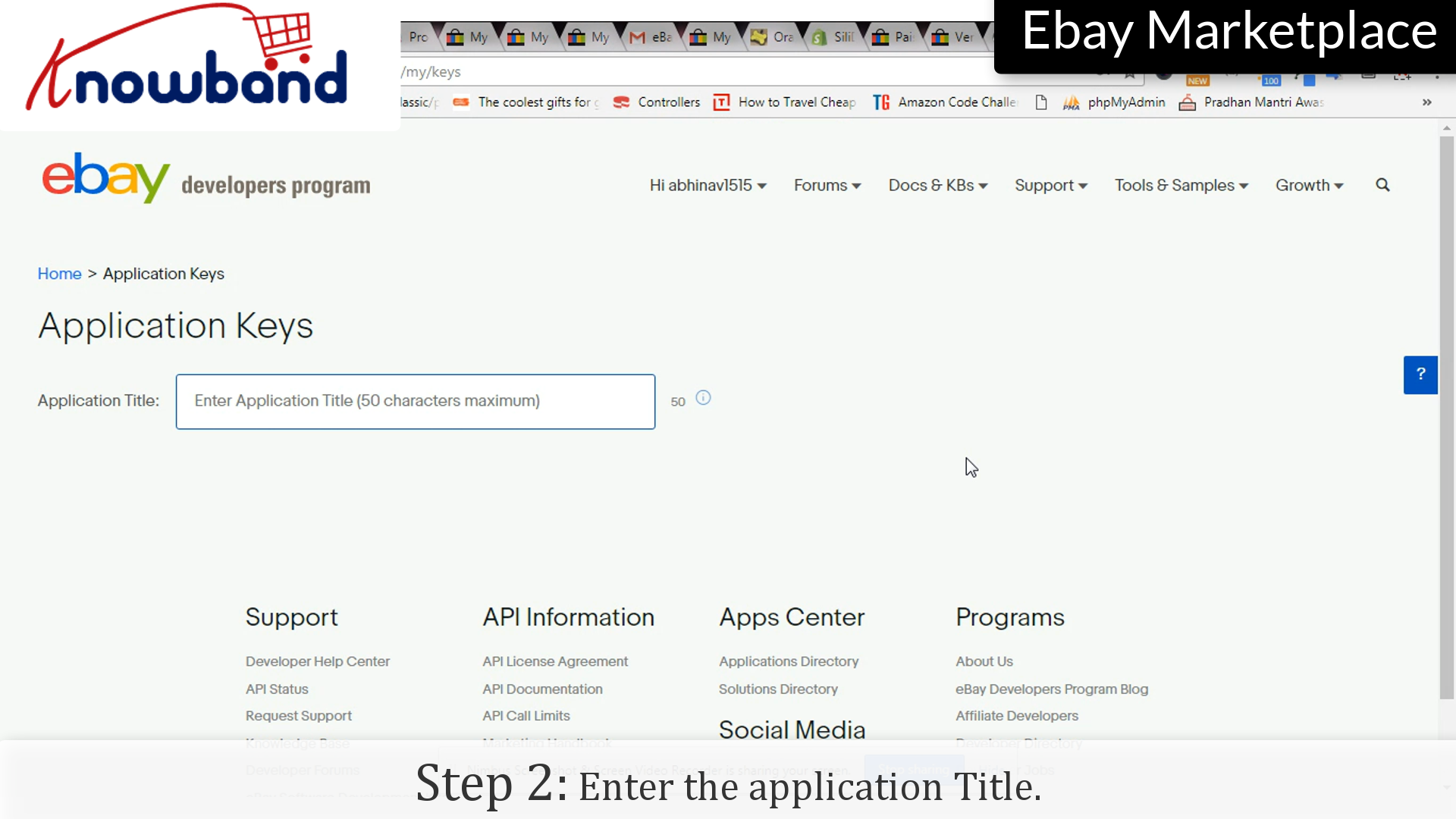
Step 2: Application Title
Enter the application name for which you are creating the token.
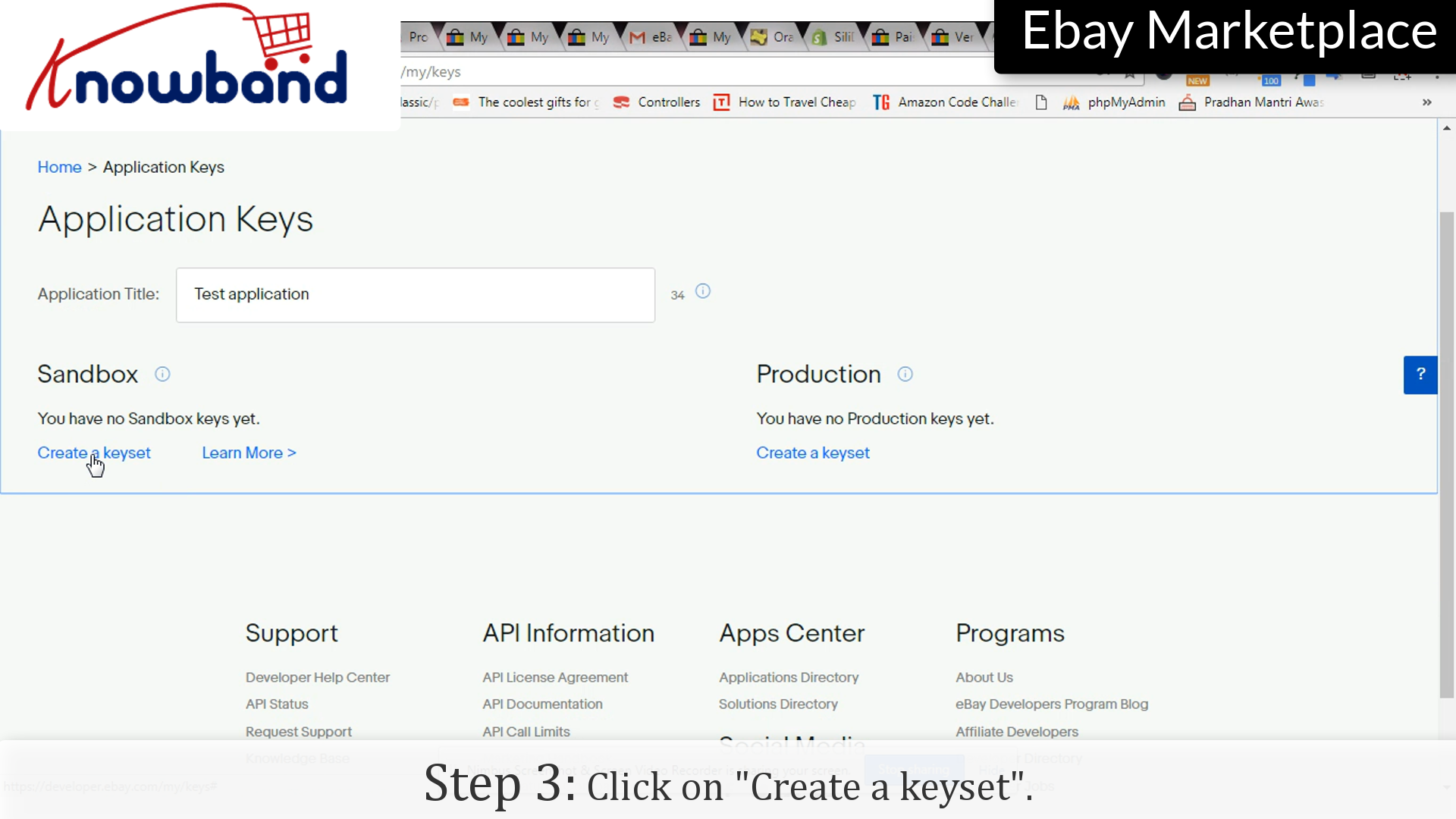
Step 3: Keyset
Click on “Create a keyset”, which will create a set of keys which you can use in any application.
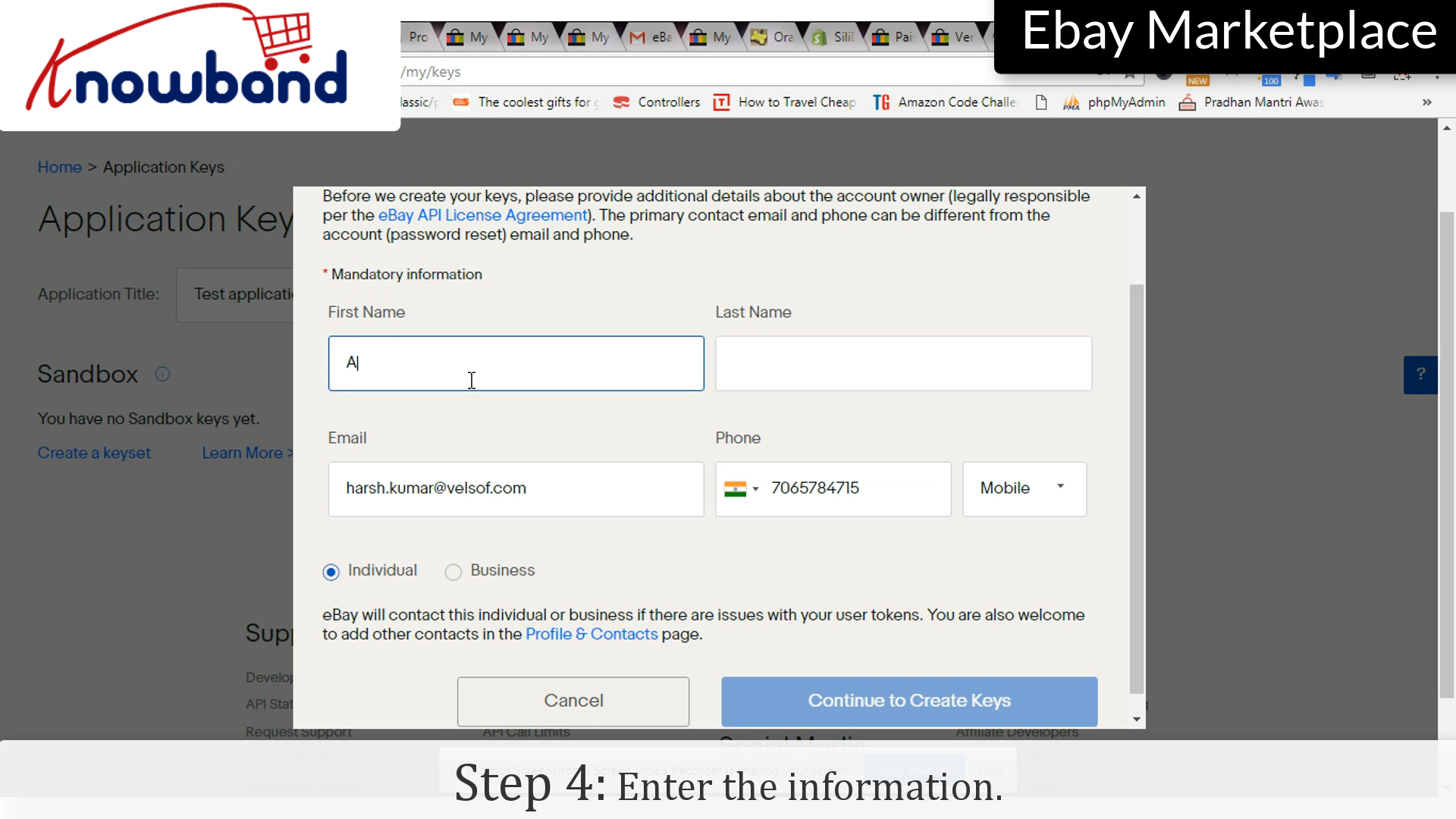
Step 4: Info
Enter the information such as, First Name, Last Name, E-mail ID etc.
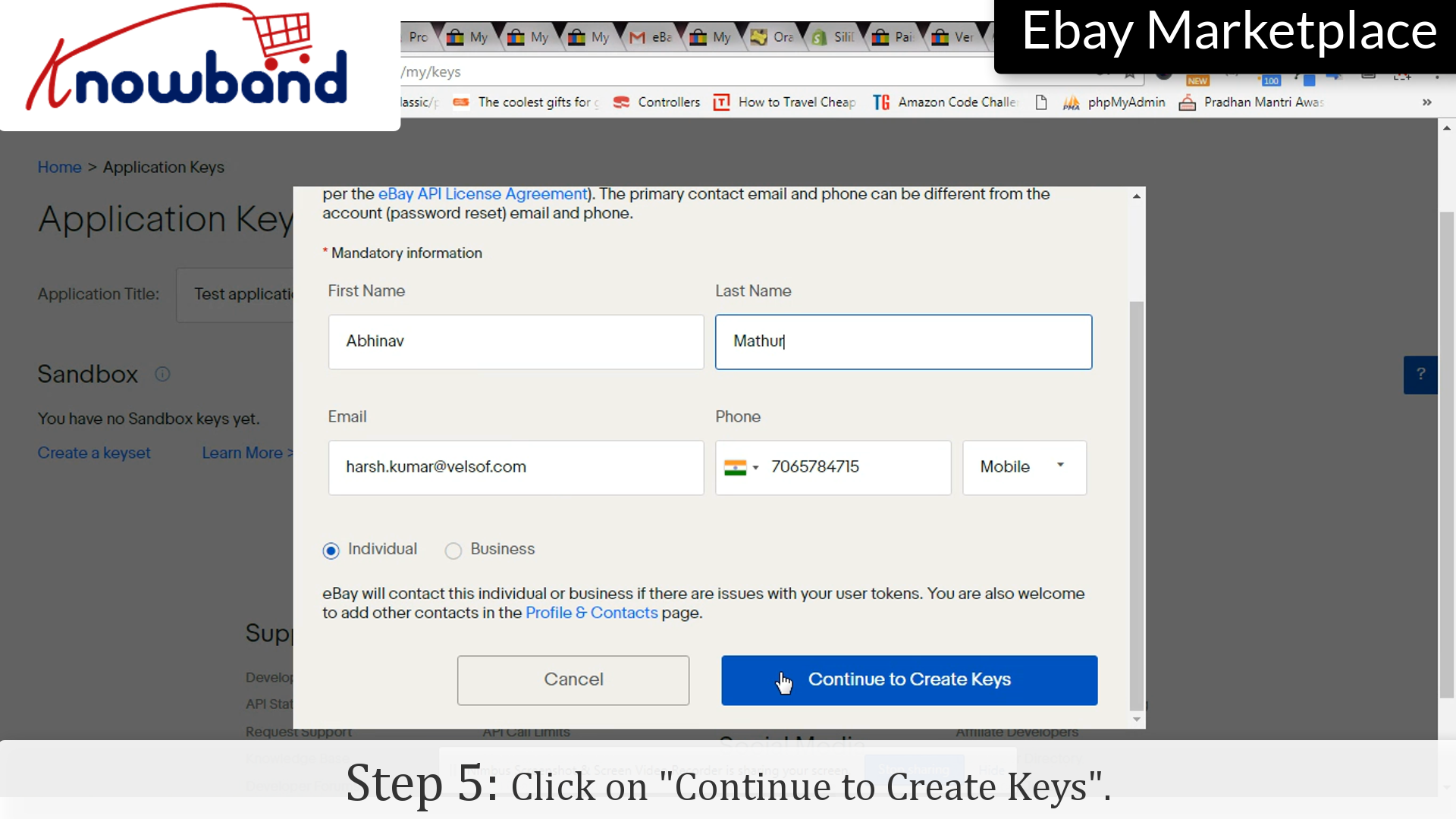
Step 5: Continue
Click on “Continue to Keysets” to move to further steps.
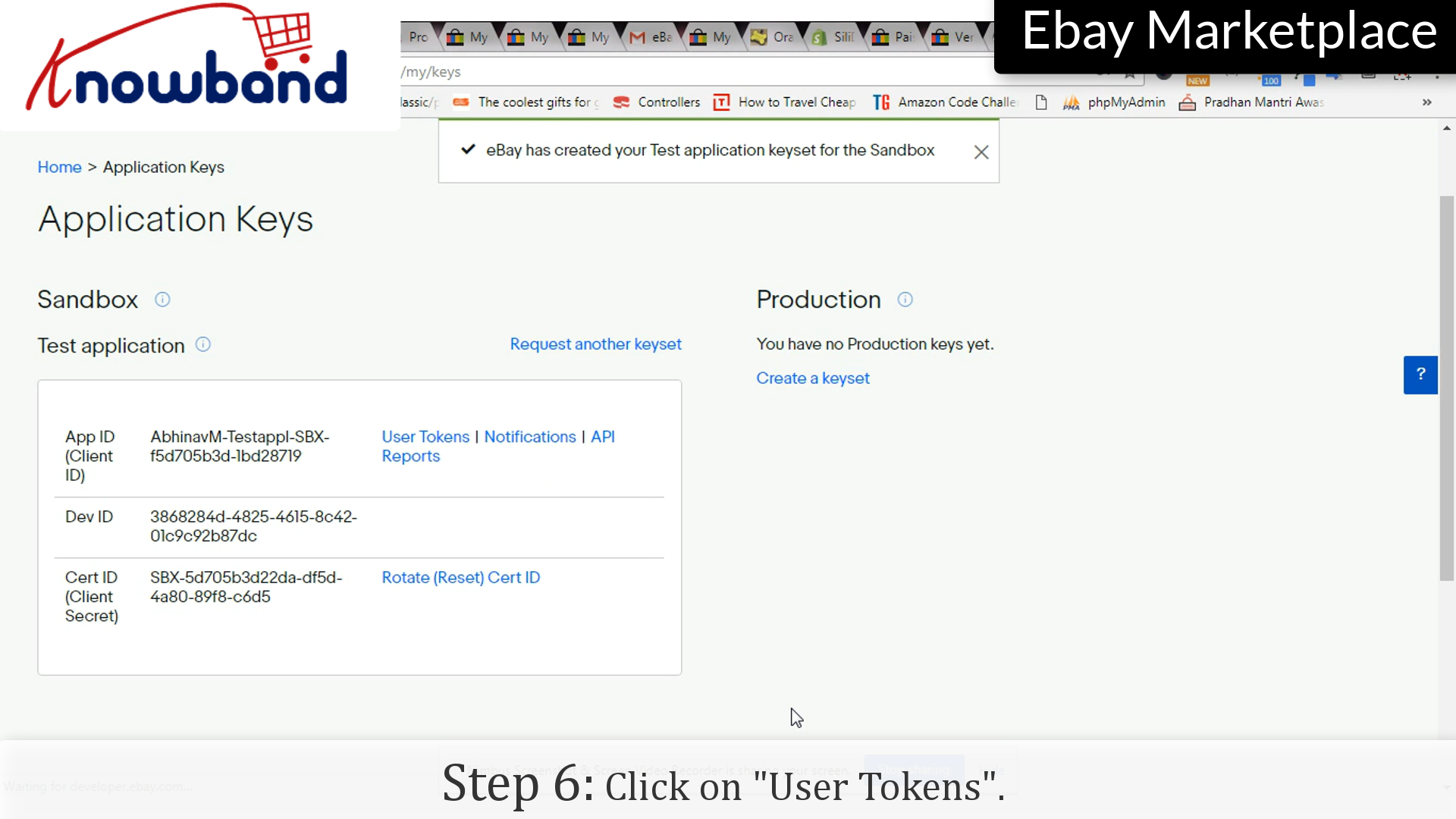
Step 6: Keys
There are set of keys generated, App ID, Dev ID and Cert ID. Click on “User Tokens” option.
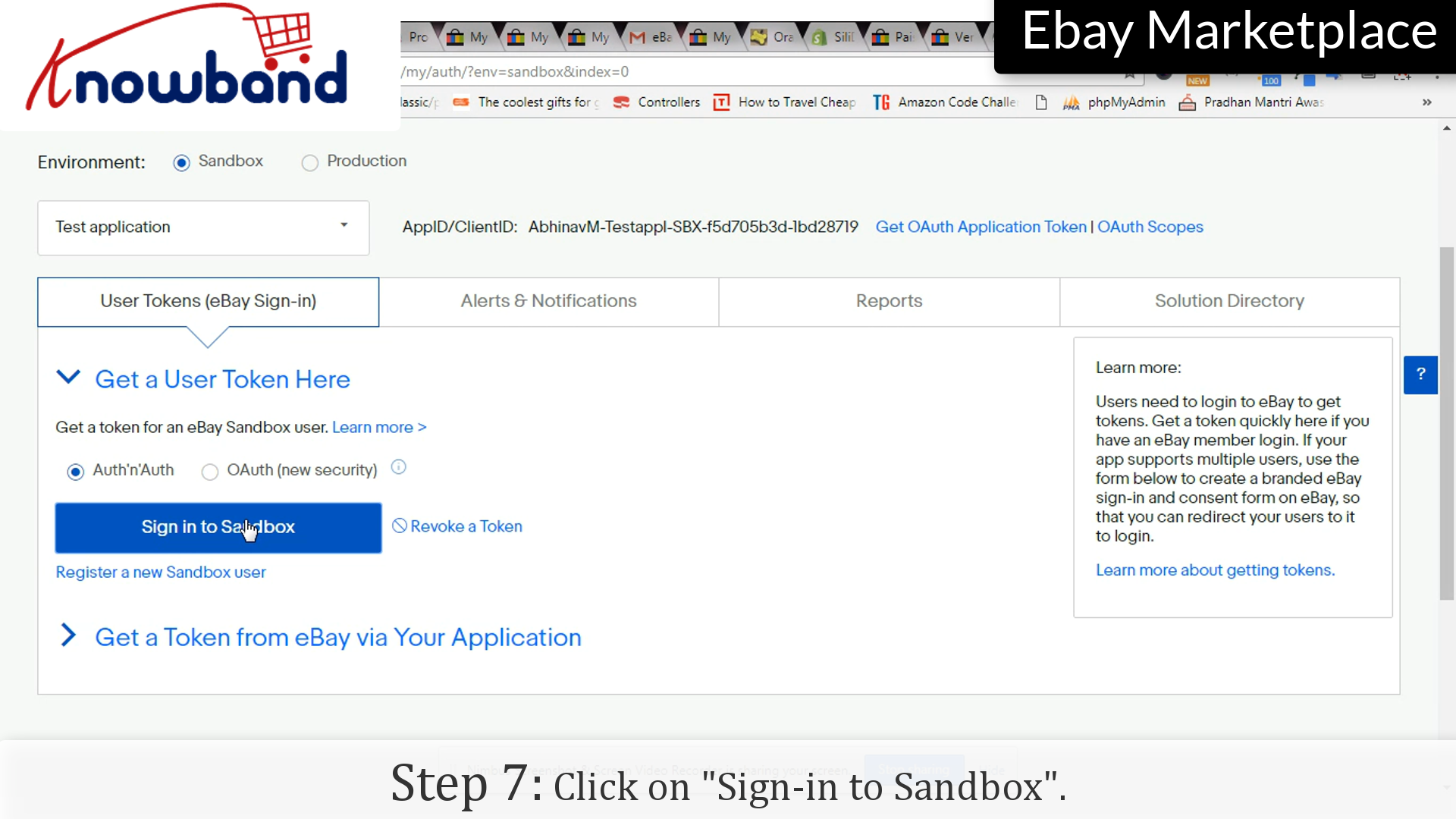
Step 7: Sign-in to Sandbox
Click on “Sign-in to Sandbox” option.
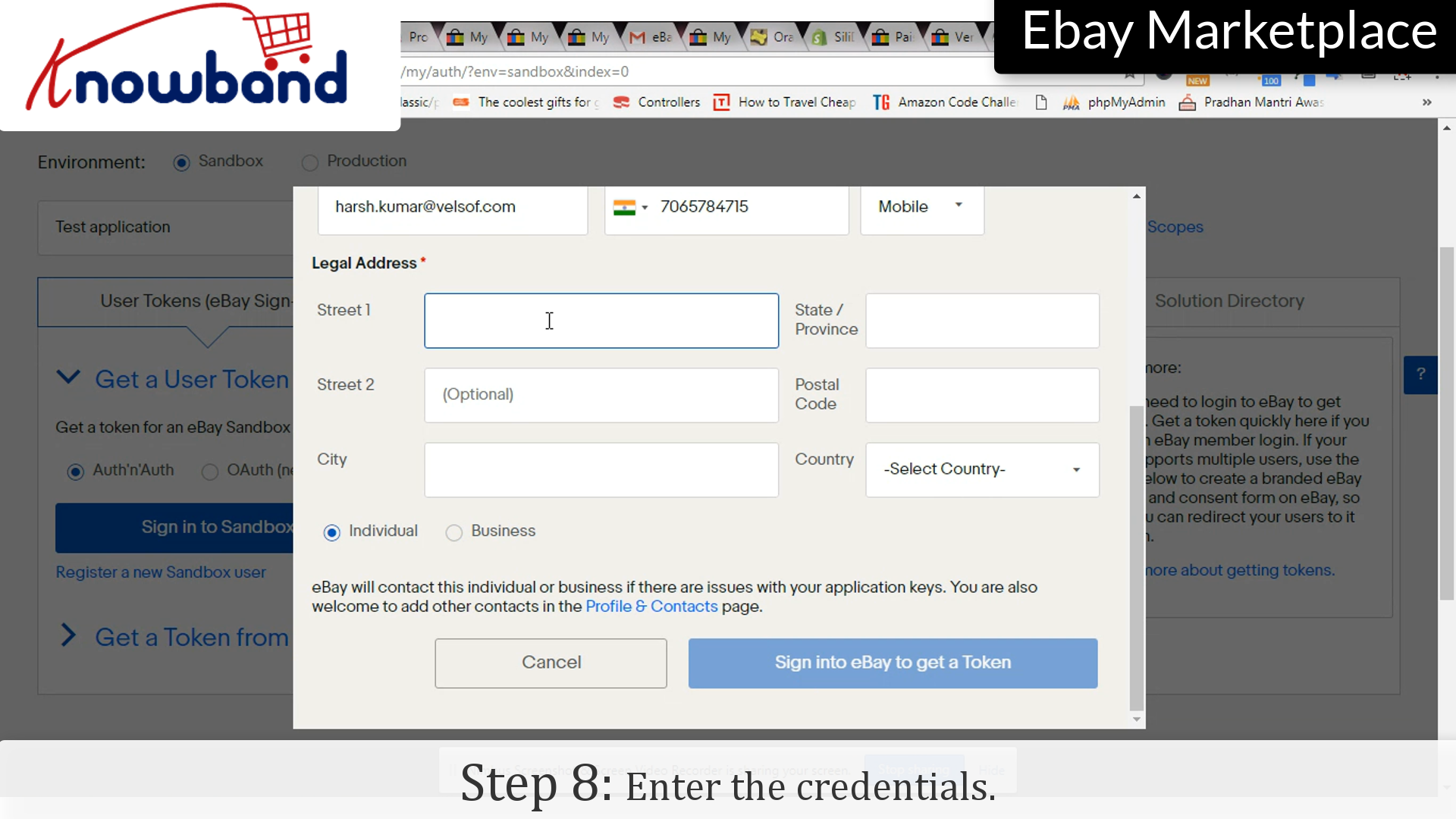
Step 8: Credentials
Enter the credentials. eBay will contact the person whose information has been entered in case there will be any issue with the Application Keys.
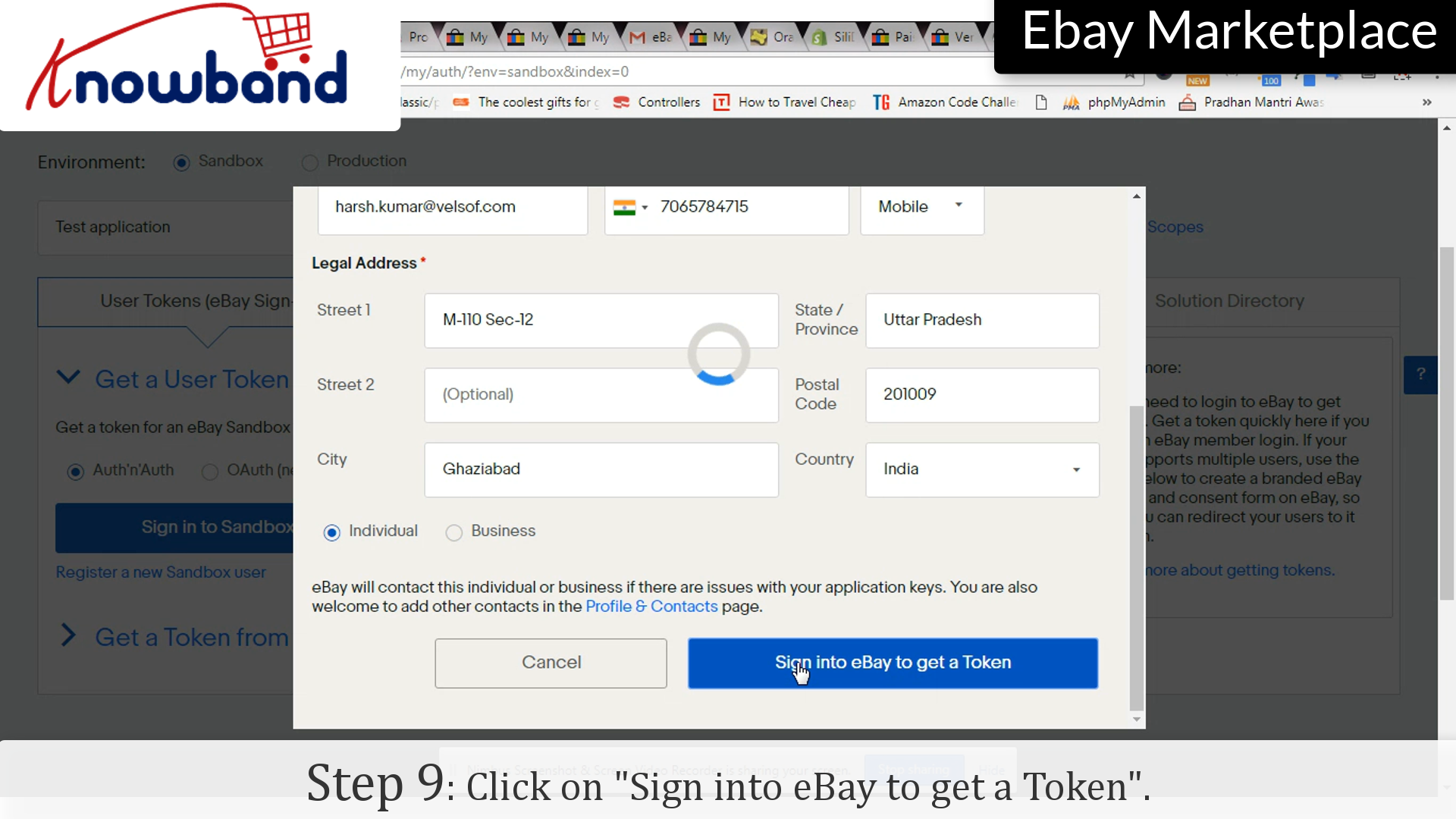
Step 9: Sign in to get token
Click on “Sign-in to get Token” button to save the credentials and move to next step.
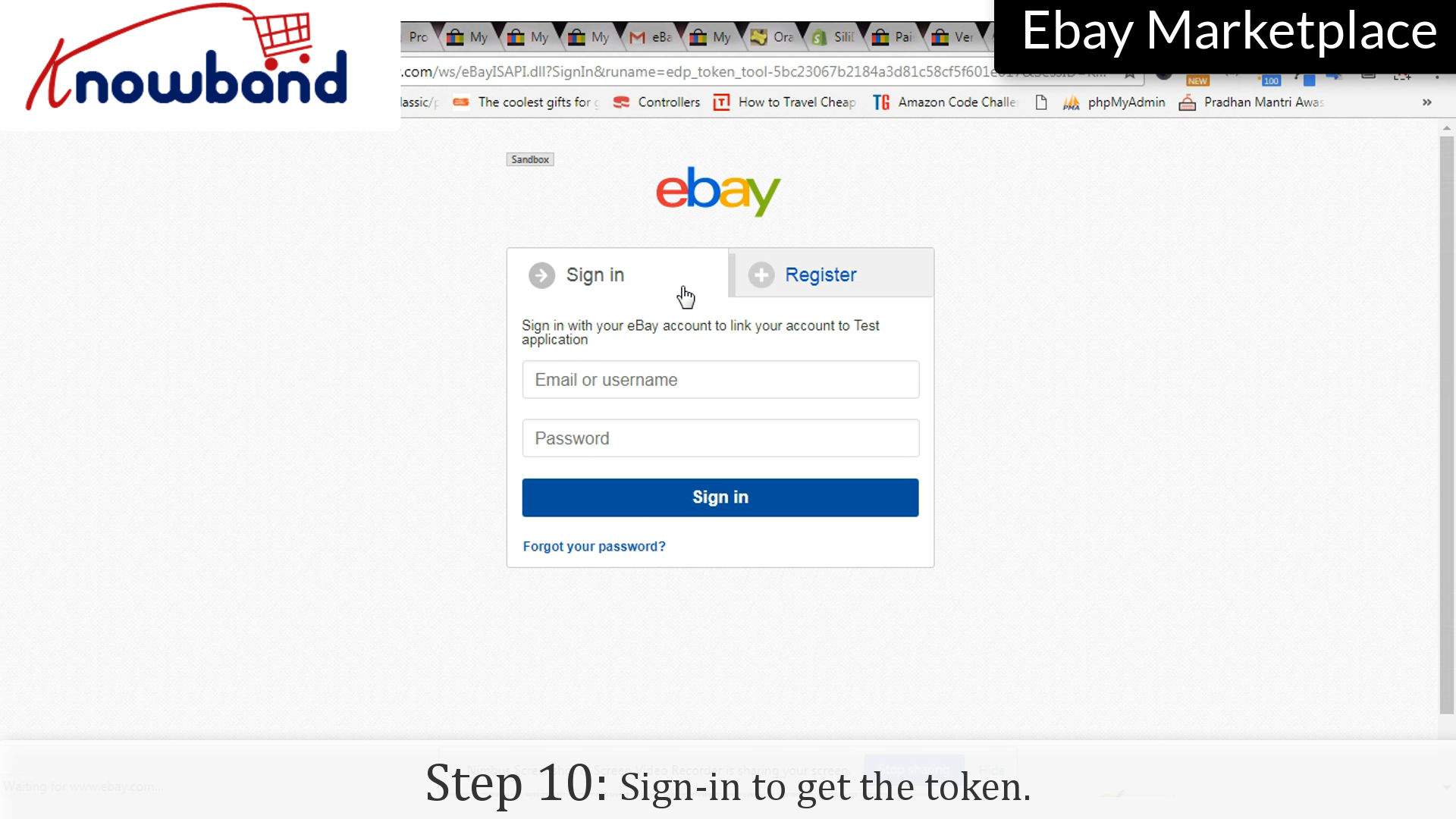
Step 10:Sign-in
Enter your login credentials again.
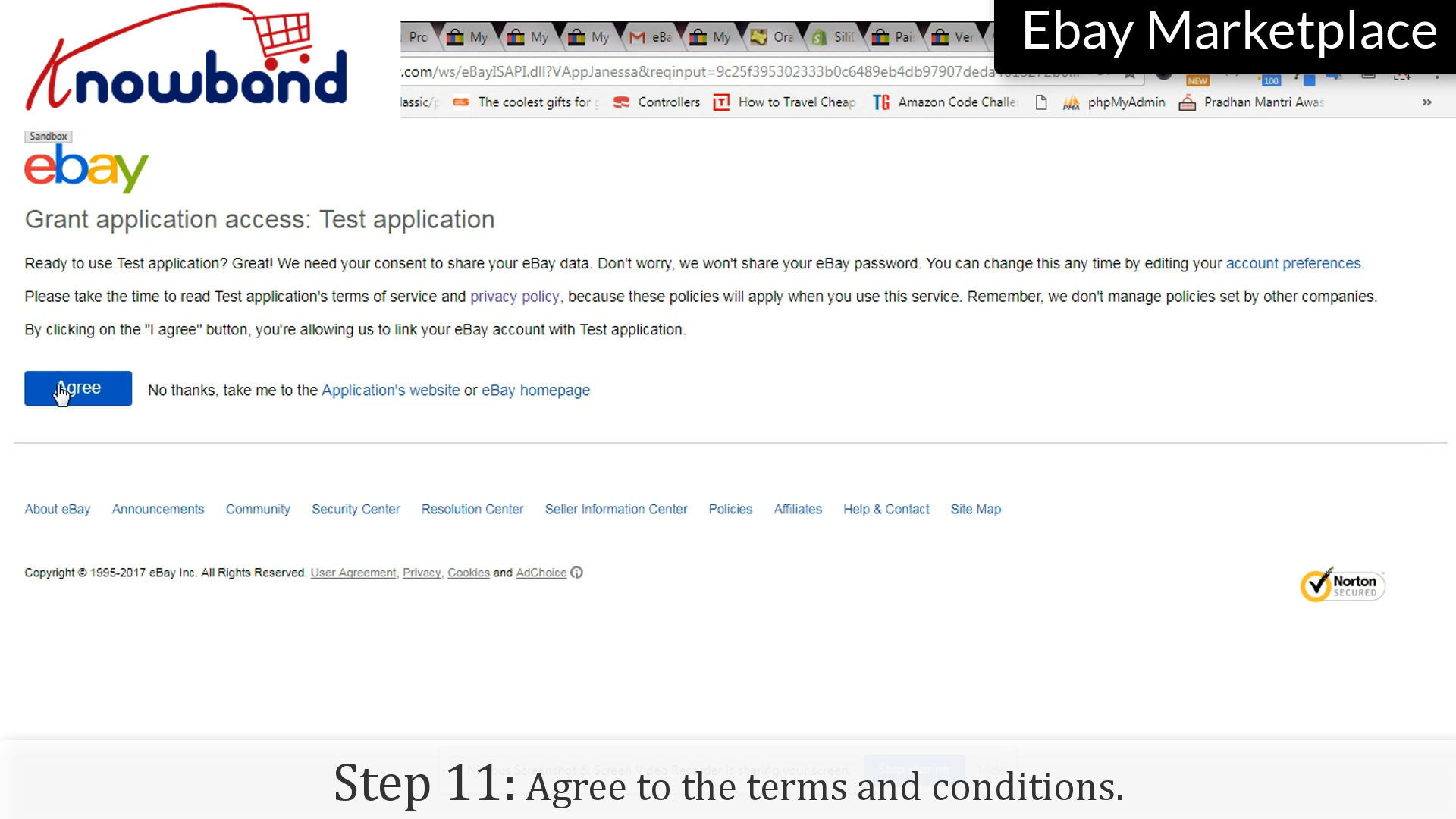
Step 11:Terms and conditions
Read the terms and conditions, and click on “Agree” button to save the settings.
Long after the official partnership between eBay and PrestaShop, the multi-channel trade have become so easy for the business owners. This partnership made a way for various PrestaShop community developers to develop various eBay integration solutions helping store owners to seamlessly expand their market on an established platform like eBay. “Our partnership with PrestaShop corresponds perfectly with eBay’s development strategy in the main European countries. After France and Italy, we are delighted to continue working closely with the PrestaShop team to reach British and Spanish merchants together,” said François Coumau, managing director for continental Europe, eBay.
1. The PrestaShop eBay connection-
Today more than 270,000 websites are using PrestaShop platform, and this statistics is going to increase further in the coming time for sure. It would be redundant to say how big is eBay’s customer base. It’s undoubtedly a huge population of users who trust eBay for selling and purchasing online. This American multinational marketplace is enormously popular and used by millions of people out there.
The PrestaShop-eBay connection is a smooth way to allows users with an eBay seller account export their product catalog to eBay marketplace, making their products accessible to thousands of new customers. Thanks to Prestashop eBay integration that allows the online merchants to select which of their product categories they want to share on eBay. Not just this, they can also customize the product information, and fully manage the store inventory between both platforms with the help of this Prestashop eBay integration module.
2. The PrestaShop eBay integration module-
A PrestaShop eBay integration module is a solution that connects your PrestaShop store with eBay marketplace. Such eBay integration modules are recommended to all those PrestaShop store owners who are interested in selling on eBay but doesn’t want to manage the seller account separately.
The Prestashop eBay integration module by Knowband enables the store owners to add, remove, or update products directly from their PrestaShop site to the eBay marketplace. Further, they can also manage the orders and update the order details from the PrestaShop site itself with the help of this Prestashop eBay integration module. This solution helps in saving the time that would consume in controlling the seller panel on eBay and the PrestaShop separately.
With an aim to provide easy PrestaShop-eBay connection, PrestaShop community offers some seamless integration solutions. The PrestaShop eBay marketplace integration module is one such solution that goes beyond a simple connection. The Prestashop eBay integration module presents a comprehensive control over eBay product listing, shipping, management, Profile management and order management.
The easy to use interface and module configuration of Prestashop eBay integration module makes the task so easy even for a person with no technical skills. Just:
Set up an eBay Seller account and an eBay developer account
Get the eBay API details
Install the eBay Marketplace Integration module
Configure the Prestashop eBay integration module
Start exporting-importing to and from eBay and your PrestaShop store
3. Benefits of using a PrestaShop eBay integration module-
You do not need to manage the eBay account and your eCommerce store separately.
You have an option to showcase your products on an established marketplace.
You will have the capacity to showcase your products to an expanded population of customers.
Customers will purchase from eBay and you can deal with the orders from your PrestaShop store itself.
The Prestashop eBay integration module will save the time and effort required to manage both entities separately.
It Prestashop eBay integration module will generate more sales and conversions as compared to that on your store only.
Your Prestashop store will act as a centralized system that can manage everything on the store and the marketplace as well.
The Prestashop eBay integration module will automate all the tasks from listing products to syncing inventory and order management.
The Prestashop eBay integration module allows the admin to sync the inventory of products in bulk without updating any other product information (title, description, etc.).
Prestashop eBay integration allows the admin to send modified prices on eBay.
eBay Prestashop integration module allows admin to set a quantity buffer while listing products on eBay.
Finally, eBay is the most popular online auction and marketplace site in the world. With that in mind, your eCommerce business can grow up in parallel to this platform with a simple tie-up between the eCommerce sites and eBay marketplace. So, it’s time to bring more customers to your website by starting an export-import of products and orders through a PrestaShop-eBay integration.
4. Frequently Asked Questions
Question1: What is the best PrestaShop eBay integration?
Answer: The Prestashop eBay integration provided by Knowband is used for connecting your Prestashop website with the eBay selling account. With the help of the Prestashop eBay integration module, you can easily manage your products on both websites through one single dashboard.
Question2: Is it necessary for me to have a dedicated eBay seller account in addition to my PrestaShop account to integrate the eBay module?
Answer: For using this module you will require an eBay seller account as well as an eBay developer account, which is required to obtain the credentials for integrating the module.
Question 3: Would it be possible for me to select my own products to upload to eBay through PrestaShop?
Answer: The owner of the store would have the liberty to export only specific product categories to eBay and can then edit them.
Question 4: Is the PrestaShop eBay integration extension responsible for taking care of order management too?
Answer: The orders placed on eBay can be conveniently managed through PrestaShop backend with the help of Knowband Prestashop eBay Integration Module. (Updated on September 9, 2026)
Question 5: Is PrestaShop eBay integration hard to implement?
Answer: In general, it will be necessary to create a PrestaShop seller and developer accounts, get the API keys and then install the integration module that does not need special knowledge.
Question 6: Would it impact my current business if I sold on eBay using PrestaShop?
Answer: The PrestaShop eBay integration module was developed in such a way that your PrestaShop store would work as the main system while eBay becomes another source of sales for you.
Question 7: Is it possible to synchronize inventory from PrestaShop and eBay without making any changes to product attributes?
Answer: It is possible to do this using the PrestaShop eBay integration module.
Question 8: Explain a Quantity Buffer in eBay Integration. Answer: With Quantity Buffer, admins have the option to list fewer items than they actually have in their PrestaShop because they can avoid overselling when orders are made through both websites simultaneously.
Question 9: Why should a PrestaShop store owner consider eBay Integration?Answer: eBay is one of the most popular established marketplaces out there; hence, eBay integration offers store owners a bigger customer base from which to make sales without having to create the traffic by themselves.