5 ways to Increase User Engagement on Your Website

User Engagement is an important aspect in the eCommerce space. Failing to engage users on your website results in a high bounce rate and eventually losing out on potential customers.

Brands try to implement multiple strategies to increase user engagement. But before we delve into the user engagement strategies, let’s try to understand what it is and why is it important.

What is User Engagement?

In simple terms, User Engagement, or Customer Engagement is the interaction, or say the behaviour of users towards your website, product or services. It can be measured by certain activities such as clicks, downloads, shares, etc.

To be precise, customer engagement and user engagement are generally considered the same but there is a slight difference between both.

Customer engagement is the interaction of customers, people who buy from your brand and have much more knowledge than random or anonymous visitors to which we term as users, and hence the term user engagement.

A customer is always a user but a user cannot always be a customer. Highly engaged users are an asset for any business as they keep coming back to the website. And the more time they spend on your website, the more likely they are to turn into your regular or loyal customers.

Why is User Engagement Important?

User engagement has a key role to play in the success of your products or services. If users are spending time on your website or on the mobile app, it means it is providing them with some value and they are liking you as a brand. For example, let’s say you have a blog. You are getting good hits. People are coming to your blog, reading the information that you have put, leaving comments, checking out the products that you have enlisted in your blog content. What is it? This is all user engagement.

Highly engaged users are good brand advocates. They will not only purchase themselves but would recommend your brand or its products to others as well.

User Engagement Metrics

The definition of user engagement varies from business to business. Depending on the niche, businesses measure user engagement through certain factors.

For example, for a blogging website, the bounce rate and the average time spent by a user would reflect user engagement. For online streaming platforms like Netflix and Hotstar, user engagement would be determined by how much time people spend on watching. E-commerce websites would track how often users are interacting with the products or adding the items to the cart.

How to Increase User Engagement?

There are certain ways to increase user engagement. In this article, I have put up 5 best strategies to increase customer engagement.

1. Cut-down the Page Load Time

The primary thing to do to increase user engagement is reducing the page load speed. I mean, there is no point of talking about increasing user engagement if your website takes too much time to load.

A study says that users bounce off from the websites that take more than 3 seconds to load. Your website design, products, offerings, none of it really matters if your website does not load quickly.

Eliminate unnecessary and clunky elements that are causing slow loading. You can download a few plugins that will help you improve your page load speed.

One of the few plugins that I would recommend is the Accelerated Mobile Pages plugin. The AMP module increases the page load speed in mobile devices, thus reducing the bounce rate and the page load time.

Related: Benefits of Google Accelerated Mobile Pages (AMP) for eCommerce

2. Have Clean and Appealing Web Pages

You do not want your users to cringe when they enter your website, right? Your motive is to engage users.

So, it is important that your web pages are well set up and do not look cluttered. If you want users to take some action, you need to make them comfortable first.

Who would not want to spend a little time browsing through a website that looks pleasing?

Pay most attention at your home page. It is the interaction point of your website. Fill it with elements that leave a strong impression and encourage users to take action.

If it is packed with some exciting information, users will interact more and you will surely witness higher user engagement.

3. Easy Navigation

Before you aim to increase user engagement, make sure you have optimized your website for great user experience. User engagement is directly proportional to the user experience.

And one of the best ways to increase customer engagement is by having a simplified and attractive navigation bar. There must be enough space between the tabs, proper listing of categories and sub-categories. In short, it should appear professional.

Knowband’s Navigation Bar

Also, have an easy to spot search bar. It should be eye-catchy so that if a user visits your website to make a search, the search bar is instantly spotted.

Do not forget to optimize your checkout page. It holds the utmost importance for user engagement.

4. Optimize your Website for Mobile
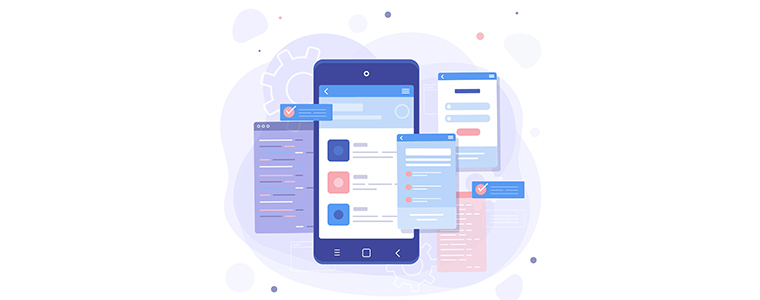
M-commerce has already gone past eCommerce and it is going to be a dominating factor in the upcoming years as well.

The count of smartphone users has increased too. So, it is to be kept in mind that your website is equally optimized for mobile devices as it is for desktop. To put it simply, it should be responsive.

A non-responsive eCommerce site will look bulky and unorganized in mobile phones and might compel users to take an exit. This can have a severe effect on the bounce rate.

Thus, having a mobile-friendly eCommerce website is necessary to increase user engagement.

5. Encourage Cross-selling and Up-selling

It is always a good idea to display related or even better versions of your product. Browse Amazon or Flipkart, they have a separate section that says “Similar products” or “Frequently bought together”.

You can follow the same approach on your website too. Up-selling and Cross-selling are some effective ways to engage users.

Related: A complete guide to Cross-selling and Upselling in eCommerce

User Engagement Tools

I am putting forward a list of tools that will help you increase user engagement.

1. Increase User  Engagement with “Spin and Win”

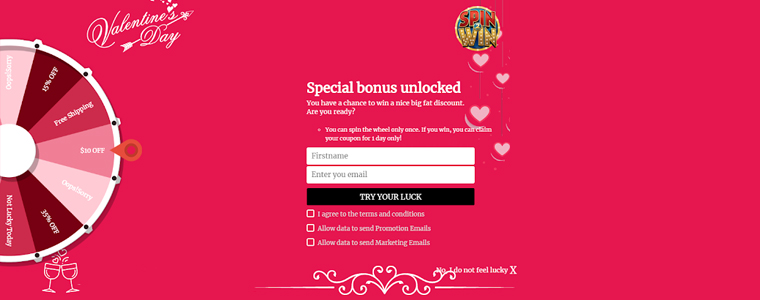
One of the best ways to engage users on your website is by incorporating a Spin and Win popup on your website. Today, it has been adopted by many eCommerce brands.

It adds a Gamification element to your website and engages users in a fun activity, persuading them to spin the wheel to win some exciting offers.
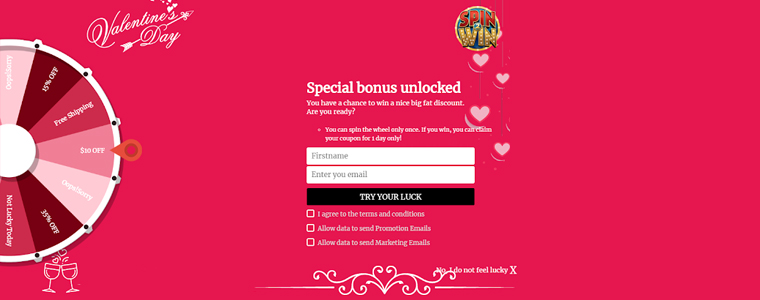
Not only it works as a user engagement tool but also helps you grow your email list comfortably and boosts your conversions.

2. Place a Scratch Card on the Header with “Scratch Coupon” Module

The Scratch Coupon module integrates an unscratched coupon on the top of your website and makes it an amazing technique to draw user attention.

Curious to see what’s behind the scratch card, users scrape the coupon. The coupon contains your website deals and offers which the user can avail after scratching it.

This proves to be an effective way to increase user engagement.

3. Test with “Infinite Scroll”

You can give a thought about implementing Infinite Scroll on your website. The Infinite Scroll module converts the pagination process into continuous scrolling.

Users do not need to click on the next page to visit it. With Infinite Scroll, the next page content is automatically fetched and displayed within the same page, as the user scrolls down.

But this user engagement tool does not fit with every eCommerce business. So, before you decide to opt for the Infinite scroll, check whether it would suit with your business niche or not.

Related: Pagination vs Infinite Scrolling

4. Leverage “Web Push Notifications”

Web Push Notifications have proved to be effective in increasing customer engagement.

With Web Push Notifications module, you can reach out to your subscribers even when they are not present at your website. You can use this tool to send abandoned cart notifications, stock alert notifications, price alert notifications, flash sale notifications, etc.

The Bottom Line

For a successful conversion, or taking users onboard, user engagement has a significant role to play.

User engagement will automatically increase if you focus on improving the user experience and manage to reduce the bounce rate.

Apply the above-mentioned user engagement strategies, try out the user engagement tools and see if they have helped you achieve desired results.

For any doubt regarding the modules, you can contact us at support@knowband.com

Read our popular posts:

One Page Checkout vs Multi-Page Checkout

5 Benefits of Product Customization

10 Benefits of Social Login in eCommerce

8 Simple Tips to Reduce Product Returns in eCommerce

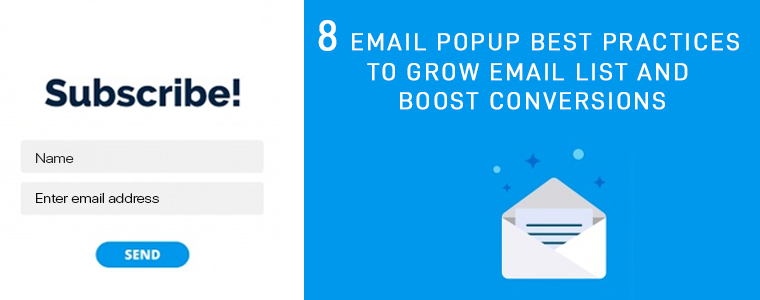
8 Email Popup Best Practices to Grow Email List and Boost Conversions

This article talks about email popup best practices and the best email popups that you can consider implementing on your website. The objective of the blog is to help readers understand how they can grow their email list and drive more conversions by optimizing their email popups and using the right popup strategy.

Let’s be very honest. Email popups are arguably an annoyance. They create a distraction and disturb the user flow.

People generally dislike popups, and I am also among those people who, sometimes, get irritated by witnessing a popup on their screen, especially when I am fully concentrated on the content in front of my eyes.

But not every email popup irks users. Email popups can be effective if used wisely, but they are either not being utilized in the right manner or they are just not good enough to capture user attention.

What is an Email Popup?

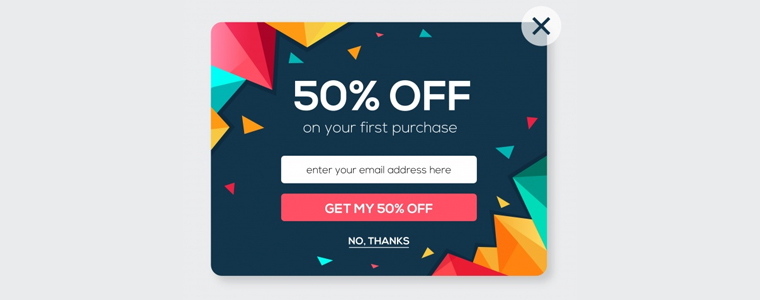
Email popups can be referred to as a tool to capture visitors’ email address. They contain content, which could be an exclusive offer, a free ebook, etc. for which users need to provide their email address if they wish to grab it. It is designed to draw user attention and persuade them to take action.

Email Popup Best Practices

In this write-up, I have put forward 8 Email Popup Best Practices to build your email list and boost your conversions. Let’s check them out.

1. Pay Attention to your Popup Appearance

First things first. Your email popup needs to have attractive visuals. It should have an eye-catching design.

If your email popup does not look appealing, visitors will close the popup window straight away. They would not even bother to pay a look at the popup content.

Use colours that are appealing and not the ones that cause pain to the eyes. The popup colour should also match with your website’s design.

For the best results, try using a lightbox popup; that appears on the top of your web page. It darkens the actual page so that the entire focus is centred on the popup.

A well-designed email popup tends to capture more user attention.

2. Prepare Compelling Popup Content

The heart of your email popup lies in its content, which is what people would notice. Hence, it should be very crisp and clear and should serve a purpose.

Create curiosity in your visitors, hit their mind in one go. Give them a reason as to why they should become your subscribers.

Use a title that triggers visitors to take instant action and explains the need to take action. Remember, visitors have come to your website because they might have liked something that interests them, and a sudden popup is going to interrupt their activity. You would surely not want to hinder their experience.

So, if you want to shift their focus towards your email popup, the content needs to be apt.

3. Have an Impulsive Call to Action

The motive behind any email popup is to coax visitors to provide their email address, and for that, the popup CTA holds vital importance.

Your call to action should be relevant to the content. Its font, text colour, background colour, etc. should be tempting enough to make visitors click on that button. If the CTA evokes interest in the visitor, they will likely press that button.

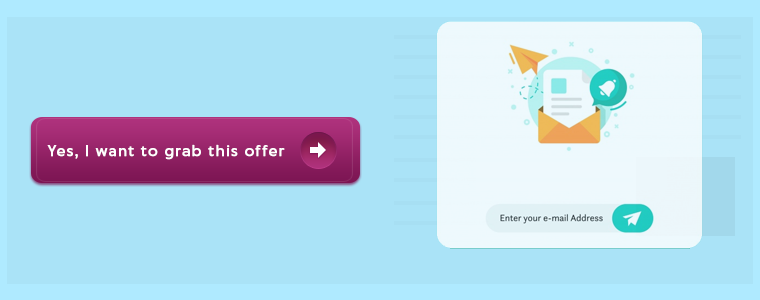
Show your creativity. Do not come up with just common call to actions like Sign Up, Download, unless there is no better alternative.

4. Email Popup should have Fewer Inputs to Fill

Another email popup best practice would be to restrict yourself from asking too much information. Lesser you ask, more are the chances of a visitor turning into your subscriber.

Email popup having more than two inputs to fill would likely be avoided by the visitor. In fact, I would suggest having only one input, and that is just the email address.

You can avoid asking for first name and last name or restrict to asking for first name and email address, at max.

You want to capture their email address, make the task quick and easy.

5. Set an appropriate time for the Popup Delivery

Adding further to email popup best practices is the Popup timing. Timing is the key for an email popup to deliver positive results. It should not occur repeatedly.

Visitors get frustrated when they receive popups one after another. You do not want to divert their mind from the website content right? Distracting your visitor from their purpose would be the last thing you would want to happen.

Avoid displaying the popup just when the user has entered your website. Let them have a look at your website first. Give them time to go through your website content.

Some of the best practices for the email popup timing would be displaying the popup after a visitor has visited a certain number of pages or when they have scrolled to some percentage or when they are trying to exit.

6. Make Use of Inline Labels and Inline Validation

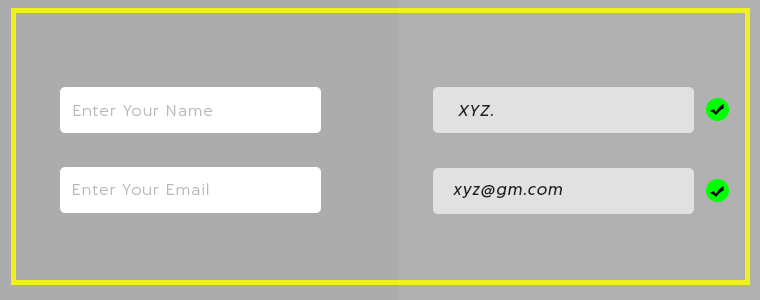
Labels or a text placed inside the input fields are known as Inline Labels. For example, the email address input that says “Enter your email address” is what we call as Inline Labels. The text automatically disappears when a user starts typing.

Inline Validation, on the other hand, is the process of identifying the error made while entering the input fields. When a user switches from one field to another, it displays whether the information entered is correct or not.
This makes it easy for the visitors to correct the error at that very moment, instead of getting notified after submitting it. And there are higher possibilities of a user getting added into your email list.

7. Have some Attractive Offers for your New Visitors

The best way to welcome your visitors is by offering them enticing deals and discounts or a freebie.

The popup adds more value to the visitors if it contains something valuable, something that they cannot refuse to take. It could be a coupon code, an exclusive offer for new visitors, a flat discount, etc.

Offering incentives help you grow your email list better than any other method, and this makes it one of the best ways to approach your visitor.

Create a sense of urgency. Make them feel that they have only limited time to grab that offer. This email popup strategy is followed by most of the online businesses.

8. Choose the Best fit

Not every popup format would match with your website structure. Look out for a number of popups and check which popup fits your website well. And do not forget to check it for mobile. It should be optimized for both.

Choose the popup that creates the least distraction for the visitors.

Best Email Popups to Grow Your Email List

Since you have gone through the email popup best practices, let’s now take a look at some of the best email popups that you can use to grow your email list, that too without being an annoyance.

1. Spin and Win Popup

The Spin and Win popup can be seen on many eCommerce websites today. The reason why it has gained huge popularity is it adds a Gamification interface to your website.

It does not create any distraction, neither it looks annoying. You can engage users in a fun activity, and offer them a discount in exchange for their email addresses.

Check out the Spin and Win module by Knowband. The module lets you easily add the Gamification popup on your website.

When visitors come to your store, this email subscription popup will emerge and ask them to try their luck to earn some discounts on your store products. The spin will require visitors to enter their email id. Curious to win some offer, visitors will possibly enter their details.

Isn’t it a great way to grow your email list? This also helps to increase user engagement and boosts your conversions. Knowband offers this module for various eCommerce platforms. Checkout

PrestaShop Spin and Win Addon

OpenCart Spin and Win Extension

Magento Spin and Win Extension

Magento 2 Spin and Win Extension

WooCommerce Spin and Win Extension.

2. Scratch Coupon Popup

By adding a Scratch coupon on your website, you can draw visitors’ attention and generate curiosity in their mind to check what’s behind the unscratched coupon. A visitor will be tempted to scratch the coupon and would surely enter his/her email address.

The Scratch Coupon module by Knowband incorporates an unscratched coupon on the top of your website. While scratching, a popup will appear asking the user to provide his/her email address to claim the discount. Checkout-

Prestashop Scratch Coupon Addon

OpenCart Scratch Coupon Extension

Magento Scratch Coupon Extension

Magento 2 Scratch Coupon Extension

3. Exit-Intent Popup

The Exit-Intent popup is used to prevent visitors from leaving your website. It detects user behaviour and prompts a popup in front of them as soon as they try to close the window.

It is one of the best email popups as it appears at the last moment and lets you make one last attempt to make the visitors stay on your website. The exit-intent popup has the highest possibility of grabbing user attention.

The Exit-Intent Popup by Knowband displays an interactive popup every time a user intends to exit your website. The online merchants can check out-

PrestaShop Exit Popup

OpenCart Exit Popup Extension

Magento Exit Popup Extension

Magento 2 Exit Popup

The Bottom Line

Though popups can be used in a number of ways, one thing that is important is to allow visitors to close the popup without any hassle.

You may have amusing content or amazing offers, but if one does not want it, let them have that option to close the popup window.

It indicates that you value your visitors and leaves a good impression of your brand. Making it difficult to close will break your bond with the users even before you could build it.

That’s it. I hope you liked these 8 Email Popup best practices and the email subscription popups that I have mentioned. If you have anything to add in this article, do drop your comments below.

Need any help with the mentioned popups? Drop us a mail at support@knowband.com

Also read:

6 Effective Ways to Build and Grow your Email List

5 Conventional Mistakes that are Killing your Email Subscriptions

Barcode To Sheet : FAQs

#1 What is Google Sheet Id?

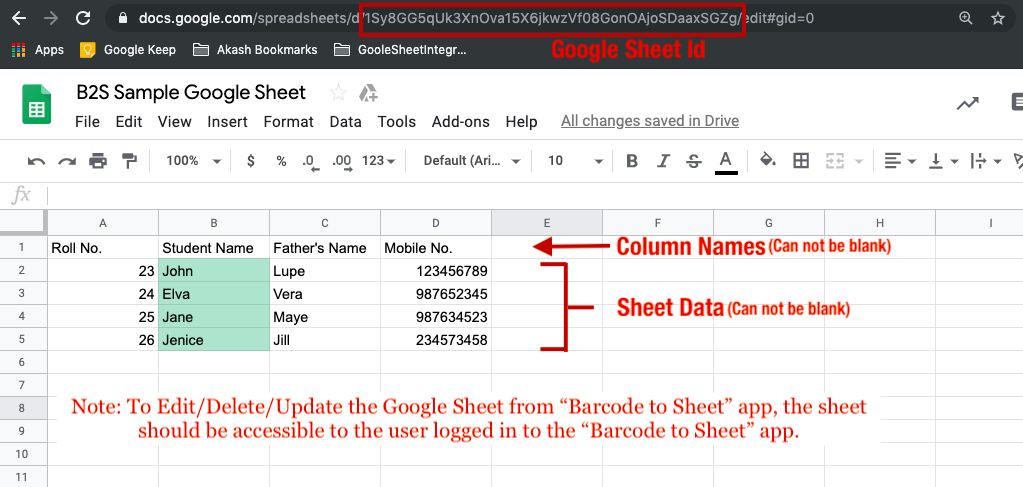
The Google Spreadsheet ID is the value between the “/d/” and the “/edit” in the URL of the sheet. You may even use this ID to generate an online QR Code and use the same to import sheet on the app.

#2 Can we create 2 sheets with the Same google sheet Id?

Yes, you can create 2 sheets with the same Google Sheet ID in the Barcode To Sheet App.

 #3 Which Android/iOS version does application supports?

It supports Android Version 4.2 and above while for iOS, it supports from version 9 onwards.

#4 Can I create custom forms and columns for the sheets?

This is one of the best features of the application. You can always create the number of columns in the sheets in the desired way. Apart from this, you can also choose the data type in order to avoid making wrong entries in the system.

#5 Can I try before I buy it?

Yes, the application is completely free of cost to download and use. You will have to pay to use advanced features in the application such as dropdown and radio button options. We even provide a 5-day trial for the subscription in order to let the user evaluate the services before paying.

#6 Can I change my subscription plan later?

Yes, the subscription plans can be changed anytime you want. Just click on the cart icon in the header in the Enterprise Tab of the application. You will see a list of available subscriptions that you want to subscribe too. Once the plan has been changed then the users will get the benefit of the same subscription plan only.

#7 Can I use this application in the corporate environment?

Yes, the application can be used in the corporate environment without any sort of restrictions. In fact, this particular application intended to be used from individuals, small-scale industries to large corporates. Anyone can use the application without any restrictions on usage as per the different services offered in the application.

#8 Which Barcode Types are supported by the application?

The application allows you to scan, read or capture any of the major code scanning systems. This may include QR code scanning, ISBN scanning, EAN-13, EAN-8, UPC-A, UPC-E, URL scanning, Product Attributes, Calendar events and much more.

#9 How can I create a new sheet?

Creating a sheet in Barcode To Sheet App is way facile. You can simply add sheet title, columns and create a sheet.  Once the sheet is created, data can be entered as per the available columns.

#10 Differences between Pro, Pro+ and Enterprise versions.

Please check our Pricing section for the differences between the various versions available in the Barcode To Sheet App:

https://www.knowband.com/blog/b2s-pricing/

#11 Can I use picture Pack in Enterprise version?

No, the picture pack can only be used in the Pro+ version of Barcode To Sheet Application.

#12 Not able to get Data from google sheet.

The users who have access to edit data in the sheet can only add or edit data from the sheet. In case you are not getting any data from the sheet you need to confirm that the user entering the data in the sheet has access.

#13 Can I validate the data imported from Google Sheet?

Right now, we don’t have the functionality to validate the date from the sheet. You can create a blank sheet in-app from an online Google Sheet and edit the mobile sheet columns from “Edit Sheet” options. Once the validations are added, the data entered in the google sheet will also be validated.

#14 Can you apply google sheet formulas in the mobile App?

No, you can’t import a google sheet on the mobile app. Instead, you can add a new derived column on the Google Sheets so that when you enter the data in the sheet from the mobile app, it will be added in the google sheet along. The new column added only in Google Sheet (Not in the mobile app) will get calculated and will be reflected there (Not on mobile sheet).

Download App From:

Google Play Store

Apple App Store

For more info, visit our website or drop your message at support@knowband.com

Barcode To Sheet : Plans & Pricings

Do you find data entry to be a tedious and boring job? One method for creating unique forms and saving the data in CSV, XML, and Excel format is the Barcode to Sheet app. You can save the information in the sheet in a variety of formats using a barcode scanner. The free Barcode scanner makes it simple for eCommerce business owners to enter and maintain information about their products and services. The application is helpful for maintaining inventories and logistics as well.

Integrate Your PrestaShop Store with AI Chat Support

Boost engagement and conversions with instant AI replies, multilingual support, and real-time order updates.


PrestaShop AI ChatBot Module


SHOP NOW

Choose The Best Plan For Your Use:

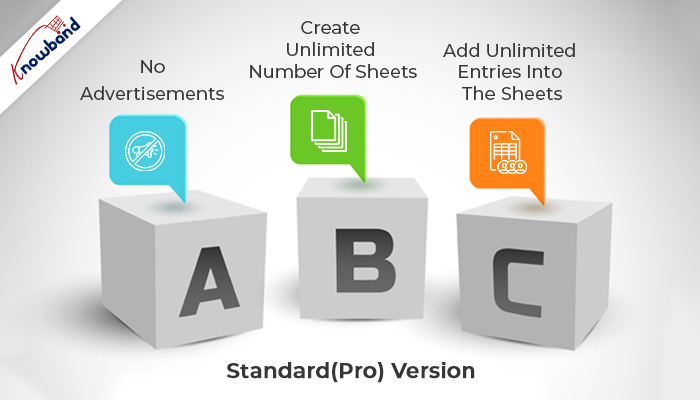
Standard(Pro) Version :

  • No Advertisements
  • Create Unlimited Number Of Sheets
  • Add Unlimited Entries Into The Sheets

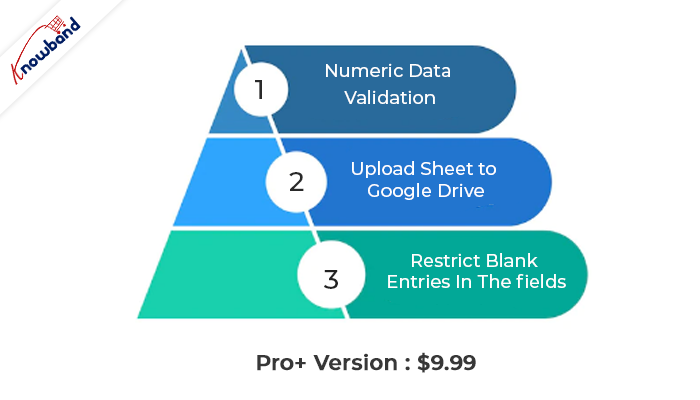
Pro+ Version : $9.99

  • No Advertisements
  • Create Unlimited Number Of Sheets
  • Add Unlimited Entries into The Sheets
  • Restrict Blank Entries In The fields
  • Numeric Data Validation
  • Enhance Experience With Radio Button Options
  • Upload Sheet to Google Drive
  • **Options To Add Images To The Sheet (Add-on)**
  • **Option To Add/Import/Export Google Sheet in App (Add-on)**
  • Columns Type Available as Text, E-mail, Web, Latitude, Longitude

Enterprise Version :

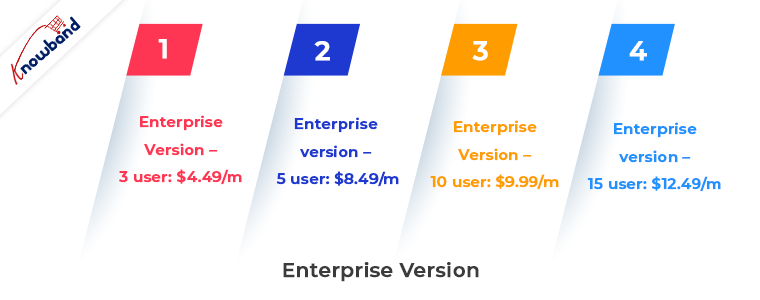
Enterprise version – 3 user: $4.49/m
Enterprise version – 5 user: $8.49/m
Enterprise version – 10 user: $9.99/m
Enterprise version – 15 user: $12.49/m

  • No Advertisements
  • Create Unlimited Number of Sheets
  • Add Unlimited Entries Into The Sheets
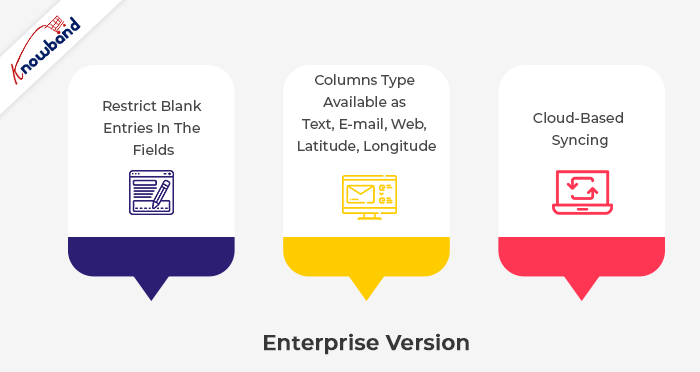
  • Restrict blank entries in the fields
  • Numeric Data Validation
  • Cloud-based Syncing
  • Real-Time Data Modification In The Sheet
  • Enhance Experience With Radio Button Options
  • Upload Sheet to Google Drive
  • Columns Type Available as Text, E-mail, Web, Latitude, Longitude

Download App From:

Google Play Store

Apple App Store

Additional feature:

  • Downloading the spreadsheet to your SD card or emailing it from your phone
  • Editing the row and column names as needed in the spreadsheet
  • Editing manually scanned data; deleting columns at any time from the spreadsheet
  • Copying the entire spreadsheet with or without the data.

Use in the eCommerce industry

The app can be used by owners of e-commerce stores to quickly and easily enter information such as ISBN, EAN-13, EAN-8, UPC-A, UPC-E, text, URLs, and product attributes.

Message us

Contact us at support@velsof.com if you need help, have a question, need assistance, or need custom modifications to suit your professional needs.

Please remember to leave us a review in the comments below.

For more info, visit our website.

4 Benefits that Highlight the Importance of Product Videos in eCommerce

Visuals play a decisive part in eCommerce conversions. Since customers cannot examine a product physically in online stores, it is only visuals they can put their trust into.

Online shoppers build an imagination inside their heads by seeing the product images or product videos, and on that basis, they decide to make the purchase. Visuals create the first impression.

To provide customers with the best online shopping experience, brands capture the product from every possible angle to ensure that there does not remain any doubt in the shopper’s mind about whether to go for the purchase or not.

But today, product images are just not enough. They have become too mainstream. Many brands have started adding product videos to their eCommerce website to make online shoppers feel more satisfied with the product’s look and quality before they purchase it.

What is a Product Video?

A product video is the product description in the form of a video, through which brands try to educate customers about the product, its quality, features, benefits, etc.

Why are Product Videos Important to your Online business?

A product video helps prospects get a better understanding of the product. This is a video marketing strategy that Brands leverage to minimize the doubts about the product in a shopper’s mind.

Let’s discuss in brief the benefits of product videos and understand their importance in eCommerce.

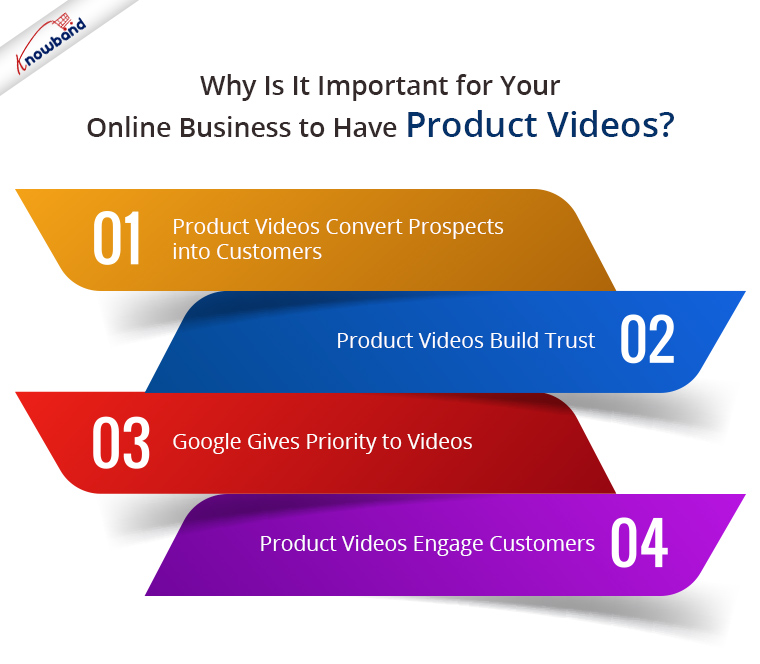
1. Product Videos convert Prospects into Customers

The importance of product videos can be felt by the fact that 92% of the shoppers say that visuals influence their buying decision and around 64% of the users are likely to purchase after watching the product video. (Source: RenderForest)

Well, this is because a product video brings a realistic feel. It minimizes the uncertainty about the product. Prospects imagine themselves at the other end and feel as if they are examining the product physically. This builds up the level of customer satisfaction and increases the chances of a prospect turning into a customer.

2. Product Videos Build Trust

Online shoppers are highly concerned about product quality when making a purchase online. They are unsure whether the product would match their expectations or not.

Product video eliminates their doubts and builds trust regarding product quality. Shoppers, hence, feel more comfortable purchasing after watching the video.

It also builds credibility for the brand. People realize that the company is authoritative and not deceitful.

The more you gain their trust, the more sales you get.

3. Google gives priority to Videos

Google tries to display videos for a majority of searches. So if you have embedded a product video from YouTube to your website and it contains an appropriate SEO-friendly title, description, keyword, website link, etc, there are very high chances that you would end up in Google’s Video section.

I am not talking about the separate video section. It will display there but here I meant the general “All” tab. Google suggests video even if the user has not visited the video section.

Marketers who use video receive 41% more traffic from the search results.

4. Product Videos Engage Customers

One of the major benefits of product videos is that they capture more user engagement. Going through the product description, and reading the entire information can sometimes be a tedious task for the customers. Not only it is tiring, but it is also time-consuming.

Product videos provide the same information crisply and clearly and grab more user engagement. Moreover, people are more likely to pay more attention to videos than images or texts.

Let’s now shift our focus from the benefits of product videos to product video best practices.

Product Video Best Practices

Let’s find out how you can utilize product videos to the best.

1. Explain the Need

Tell your customers how they would get benefited from purchasing that product. Apart from the features, introducing the benefits to the customers makes a good product video and makes the purchase easy.

2. Keep the Video Short

Do not stretch the video duration to 4-5 minutes. A perfect product video should not exceed more than a minute. And you should be able to convey the message clearly within that 1 minute.

A short video tends to capture higher engagement than a lengthy video.

3. Put up a Video on the Landing page and/or Home Page

As per the research, including a video on the landing page can boost conversions by 40%, and more than 20% when used on a Home Page.

This would be great if you are planning to promote a product, basically newly launched arrivals.

4. Share it on your Social Media Pages

Your product videos can create a buzz among your social media followers. For example, if you are launching a new product, creating awareness about it through a product video can be very beneficial to your business, in terms of brand awareness as well as product visibility.

You can also create an ad plan and display it to your target audience to get more potential customers.

The Bottom Line

Adding videos to your eCommerce website can provide a significant boost to your business. It will grab higher engagement, higher average site time, higher sales and most importantly, it will help you win your customers’ trust.

A product video is a compelling way to lead a prospect towards a purchase. Though it would require spending a few bucks, in fact, more, it will deliver positive results.

Set your budget and prepare your videos accordingly. Prepare a list of the products for which you would be creating videos and then proceed further. Add videos to your website without any hassle using Knowband’s Product Video module. The module makes it a very simple task to embed videos on your website on several pages. Check out-

PrestaShop Product Video Addon

Magento 2 Product Video Extension

OpenCart Product Video Extension

The greatest strategy to encourage customers to go to the checkout page is to optimise the product page of the website. The Product Tab Module provides a quick way to add new tabs to the website’s product pages all at once. When a user is just one step away from placing an order, the straightforward and comprehensive plugin may easily maximise their experience. By giving customers a way to receive more information, the module ensures that visitors never receive material that they don’t want. The store administrator can display relevant videos for the product or any other text message they want to share with the customers by using the product Page extension.

I hope this article made you understand the importance of product videos. If you have any points to make regarding the benefits of product videos, feel free to add them in the comments below.

PrestaShop Voice Search and Typing

“Incorporate a voice search block in the search bar of your website with PrestaShop Voice Search and Typing addon. The PrestaShop Voice Recognition system adds a microphone in your search box, using which your visitors and customers can perform a voice search.”

PrestaShop Voice Search makes use of voice recognition technology. It catches the user’s voice and presents the results matching the voice command.

Features of PrestaShop Voice Search and Typing module

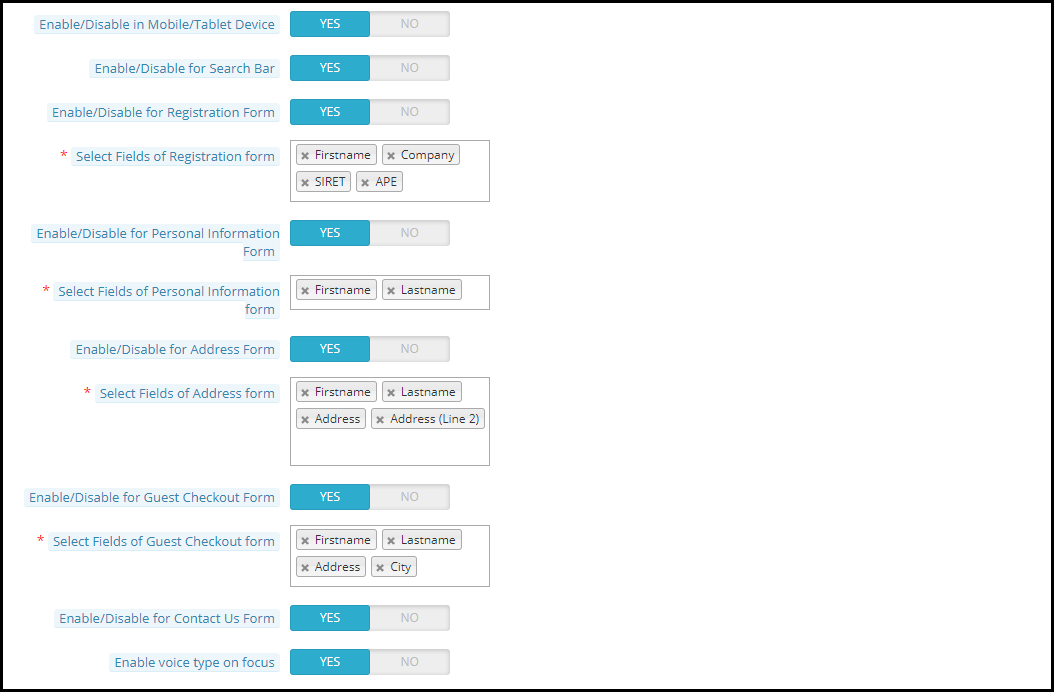
1. PrestaShop Voice Search addon lets you enable the voice search functionality on the search bar. It places a microphone beside the magnifying glass.

2. PrestaShop Voice Recognition system lets you enable the voice search functionality on the registration form. New visitors can make a successful registration just by giving the voice commands.

You can select the fields for which you want to provide the voice search option, for example, first name, last name, etc.

3. PrestaShop Voice Search and Typing addon lets you enable the voice search functionality on the customer’s personal information tab. Customers can make adjustments to their information by giving the voice input.

You can specify the fields for which you want to provide the voice search option.

4. PrestaShop Voice Recognition lets you enable the voice search functionality on the Guest Checkout form. You can select the fields for which you want to provide the voice search option.

This makes it even quicker for guest users to checkout.

5. PrestaShop Voice Search lets you enable the voice search functionality on the Address form. You can specify the fields for which you want to provide the voice search option.

6. The addon lets you enable the voice search functionality on the Contact Us form.

7. This PrestaShop module lets you enable the voice search functionality on mobile, tablets and desktops.

8. Visitors/Customers can give a voice command even without clicking on the microphone. For this to function, they need to enable the “voice type on focus” option.

Benefits of PrestaShop Voice Search and Typing

1. PrestaShop Voice Search and Auto Typing addon enhances the online shopping experience of your customers.

2. The module provides easy search functionality and improves the search experience.

3. PrestaShop Voice Recognition addon is time-saving. It minimizes the effort required to make a search or fill the information.

4. No need to type. Just give a voice command and the text will be typed automatically.

5. The module nearly follows a hands-free approach and delivers results quickly.

6. PrestaShop Voice Search enhances the user experience.

7. The addon ensures a quick checkout.

Check out the PrestaShop Voice Search and Typing addon today.

7 Benefits of Video Marketing for your eCommerce Business

In the rapidly evolving eCommerce world, videos play a significant role, be it about a brand advertisement or precise product description.

If you want to stand out in the commerce market, you need to be a step ahead of your competitors. While they follow the mainstream marketing strategies, you can leverage the power of video marketing to make your product or brand popular among shopaholics.

What is Video Marketing?

Video Marketing is a marketing strategy used by businesses to market/promote their brand, products or services through a video form.

Though video marketing has been the trend for quite a while now, many eCommerce businesses do not pay much attention to it or say overlook its benefits.

Benefits of Video Marketing

In this write-up, I have explained why you need to adopt the video marketing idea in your online business. Let’s find out.

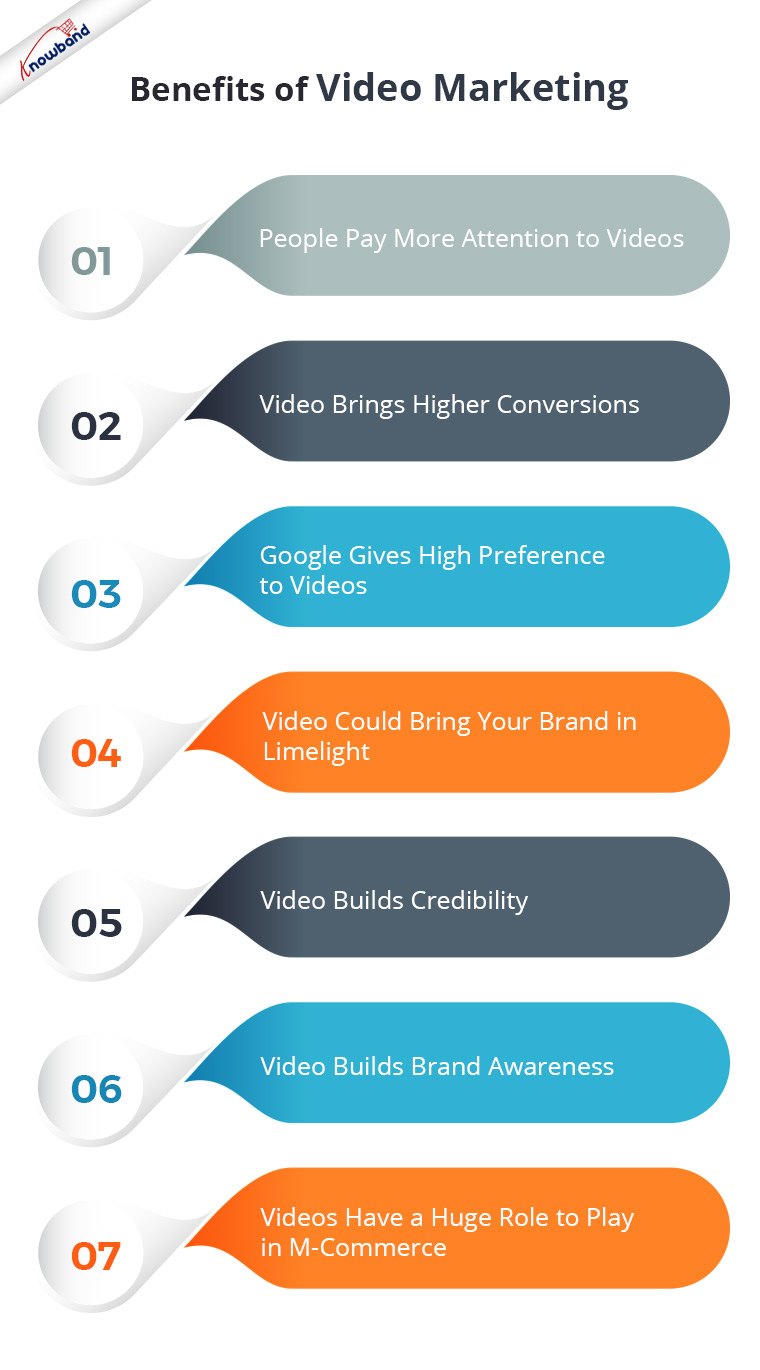
1. People Pay More Attention to Videos

People are more inclined to watch videos than read texts. With too much content being posted daily on the Internet or social media, people avoid reading long pieces of information. They find it boring and time-consuming.

Wouldn’t that be great if they could get the entire information through a few minutes video? I mean, I would be glad if someone could sum up the entire story in a short clip rather than asking me to go through heavy written content.

Videos capture more attention than text or images, and this marks one of the primary benefits of video marketing.

2. Video Brings Higher Conversions

A great thing about videos is that they build a sense of trust inside people. There are higher chances of a prospect turning into a customer if your product pages contain videos for a brief description of the product.

As per the stats collected by RenderForest, 70% of marketers feel that video converts better than any other medium. Also, explanatory videos increase the conversion rate by 20%.

The inability of customers to touch and examine a product makes the role of visuals highly important in a customer’s buying decision. Though high-quality images also do this job to an extent, videos give a more realistic feel.

Therefore, it is suggested to have an explanatory video for most of your products. Want to easily add videos to your product pages? Try out the Product Video module by Knowband.

PrestaShop Product Video Addon

OpenCart Product Video Extension

You could try adding videos to your landing page or in the banner section. Introducing your brand to your visitors through a video could leave an excellent impression.

3. Google gives High Preference to Videos

Even Google understands that suggesting videos to people on the search results page can be more beneficial to them regarding their search query.

You would surely come across a separate videos section on the SERP if it matches your search query. Let me help you a bit more.

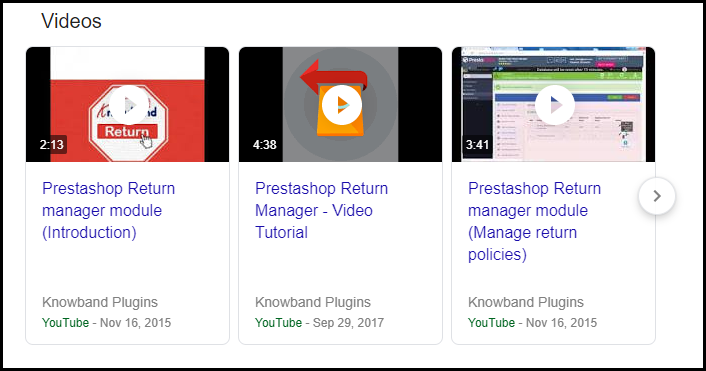
I searched for PrestaShop Return Manager and the search engine displayed a video section right below the first result.

Imagine the wide organic reach it will receive if the keyword has high competition.

Put your videos on YouTube. Optimize them for SEO by giving them an SEO-friendly title and description, and then embed them on your website.

Google owns YouTube. If it decides to put your video on the search results page, you can get higher traffic, more views and more leads.

4. Video Could Bring Your Brand into the Limelight

Last year, HP released an amazing video for their Diwali marketing campaign, which swiftly caught the attention of the netizens and went viral all over social media. It connected people emotionally and got huge shares. People heaped praises on HP for such a wonderful message they spread through their video.

This is the potential of video marketing. It can make your brand popular overnight and put it in limelight. This is one of the huge benefits of video marketing.

But this would need a creative mind, out-of-the-box thinking and a message that could connect people. If you tick all this perfectly, you can leave the rest to the audience. They will do the needful for you.

5. Video Builds Credibility

Though, as already mentioned videos help develop trust among customers, video marketing is an effective way to build brand credibility.

People do not put their trust in a brand easily. Several online hoaxes taking place daily and the availability of too many eCommerce businesses have made people think twice before believing in a brand.

Videos ensure that your target audience is briefed clearly about your brand. You can have a video about your company, your work culture, and your vision. This will surely assure customers that you are an authorized brand and not any fake agency.

6. Video Builds Brand Awareness

Adding to the benefits of video marketing in eCommerce is it helps to build brand awareness. Through videos, you can educate your customers about your products, brand, offers and whatnot. It is the simplest way to catch your visitors’ eyes.

Also, if you can pay for advertising on YouTube, it would give a huge boost to your brand. A billion videos are watched on YouTube every single day. Imagine the popularity of your brand, when a video displays your Brand Ad.

7. Videos Have a Huge Role to Play in M-Commerce

More than half of the consumers watch videos through their mobile devices. And do you know mobile makes up to 40% of the global watch time on YouTube? Ever since the rise in smartphone users, engagement towards video has grown significantly.

Mobile users are more likely to watch videos than desktop users. This means higher mobile traffic and higher mobile sales.

Consumers feel more attached to videos when watching via mobile than on the desktop. So, utilize the power of video marketing and grow your eCommerce revenue.

The Bottom Line

Video Marketing is not limited to a few benefits. It has tons of pros and hardly any cons. Video Marketing is here to stay for long now. It provides you with several opportunities to globalize your brand.

I hope these 7 benefits of video marketing helped you understand why video is the need for businesses today. If you liked this information or have something to add to this piece of content, feel free to leave a comment below.

8 Ways to Build Customer Trust and Loyalty

“This article is divided into two parts- Customer Trust and Customer Loyalty.”

You want to acquire new customers, and putting every effort to make them a part of your eCommerce journey. You got visitors on your website but you are still not getting satisfactory results.

What could be the reason? Well, there could be some flaws in your website. But for a new user, the trust factor is the most important. New visitors do not put their trust in an online business easily considering the hoax and the fraud activities that take place over the Internet daily.

And why would they? It is the first time that they are interacting with your brand. You need to earn their trust, establish a connection with them so that they get familiar with your brand.

While it is not an arduous task to create your brand visibility and attract customers to your website, thanks to the social media platforms, the challenge lies in converting new visitors into customers.

And trust is the crucial factor that turns a visitor into a customer. Yes, there are other important elements such as the Website UX, Checkout Page, etc. But those are secondary. Customer trust is primary.

There are plenty of thoughts that go through a visitor’s mind when he first visits your website. Only after they find your site to reliable and trustworthy, they think of making a purchase.

Customer trust and loyalty go hand-in-hand. Once you build the trust, customer loyalty follows. So first, you need to win their trust. Later, you can think of some other factors to make them loyal to your brand.

But the point here is how do you actually build customer trust, in the first place? Well, this is what we will be discussing today.

We will first start with building customer trust followed by customer loyalty.

How to Build Customer Trust?

1. Focus on Your Site Security

First things first. Visitors need to feel secure when they land on your website. They would bounce off straightaway if they sense your website has security issues, let alone purchasing.

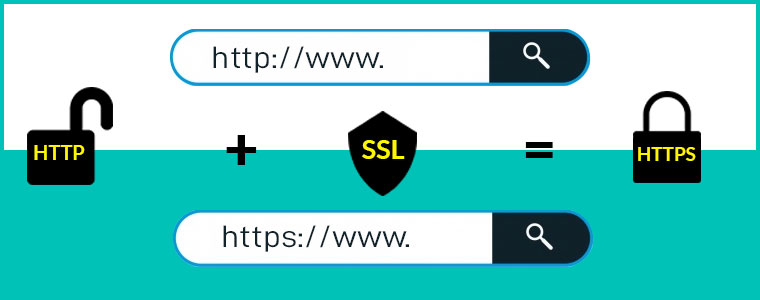
For this matter, you need to make your website SSL certified. An SSL certificate adds a security layer to your website and is an important element to build customer trust.

2. Display Security Badges at Checkout

Online transaction frauds have reached a new level nowadays. As a result, people have become way too sensitive to share their bank related information online.

Win customer trust by displaying payment security badges at the checkout. Security signs like Norton Secured, McAfee Secure or displaying supported credit card logos or a security lock develop a sense of trust inside visitors and they feel much more comfortable while making a payment.

3. Go Social

Maintaining your social presence is highly important today if you want to build customer trust. Social media is not just a marketing platform that helps you with brand visibility but it is a place where you can have a friendly connection with your followers and build credibility.

People get to know you as a brand and you build that trust factor in them.

How would you do that?

Be active, and start posting actively. Engage with your audience, be a part of their conversation, reply to their queries, post your inside stories, tell them about your journey. These sorts of things will help you win customers and keep them for life.

Related: Social Media Marketing for eCommerce: Strategies and Best Practices

4. Enhance Your Customer Support

Another customer trust winning method is to enhance your customer support.

A visitor/customer may have n number of queries. It could be related to your website, products, or any other issue for which they want a resolution.

It is your sole responsibility to solve their queries and provide them with satisfactory customer service. For that, do not limit your customer support to just emails, or calls. Add a live chat support option too. Moreover, as I said, be active on social media. A majority of customers prefer social media platforms to raise their queries.

It could be a tweet or a DM. Whatever it is, make sure to help them with their concerns as soon as possible. Your customers would appreciate you for showing a quick response to their concerns.

If you keep these 4 things in your mind, your visitors would surely find your website trustworthy. Let’s now take a look at how to build customer loyalty.

4 Ways to Build Customer Loyalty

To build loyalty with customers, you need to focus on a few important things-

1. Deliver What You Say

Customer loyalty lies in delivering what you promise. Many times, customers do not receive products the way it looked on the product page and sometimes, there are some missing features. This leads to disappointment among the customers and they feel being cheated.

Let’s not make fake promises. Deliver them the quality they expected or the item which they actually thought was worth purchasing. If you fail to deliver what you say, that will probably the last time you will see that customer on your website.

The same goes for your delivery time and return policies. The product should get delivered within the time mentioned. A delay in delivery can irk your customers. And it should be followed by a clear return policy. It shouldn’t be like that you have promised easy returns but the customer is facing a hard time in placing a return.

These things are important if you want to gain customer loyalty.

Related-

8 Simple Tips to Reduce Product Returns in eCommerce

5 Ways to Manage eCommerce Returns

2. Be Open to Customer Reviews

If you have not added a review section on your website just because you are afraid of some negative comments, you are never going to win the complete trust of visitors.

People have grown smart. Before buying a product from a new website, they do research on the company’s background and look out for reviews to check if it is genuine or not or see what people have to say about the Brand.

More than half of the job is done if shoppers find your Brand reliable enough to shop, then comes the product review part which helps a prospect in his/her buying decision. Reviews play a huge role here.

Be transparent about the reviews. Openly accept people’s opinions about your brand or product. There will be some good reviews and some bad reviews for sure but it will present a sign of honesty in front of your customers.

Respond to your reviews. Understand what went wrong with your customers that led to a negative remark. You should always be ready for constructive criticism.

Related: Why Product Reviews are Important in eCommerce?

3. Offer Loyalty Points on Every Purchase

Having a loyalty program for your business is one of the best ways to build customer loyalty, and it improves customer retention, simultaneously.

When you reward customers with loyalty points on a successful purchase, you basically invite them to shop from your brand again in the future. It ensures repeat purchases and keeps you ahead of your competitors who are not having any loyalty program at all.

Loyalty Programs build a personal connect between the brand and the customer and increase customer loyalty.

4. Value Your Customers

Never forget to thank or appreciate your customers. Showing a bit of gratitude not only helps you win customer trust but also develops customer loyalty.

Here’s what you can do. When a customer places an order, thank him/her for showing the trust in your brand and choosing to shop with you. Or if they have something to suggest or left a review, be it positive or negative, accept it gladly and appreciate them for leaving feedback.

Ask them if your products or services lived up to their expectations. Apologize if they faced a delay or an inconvenience with something. This shows your professionalism. It is important to value your customers to build a healthy customer relationship.

The Bottom Line

Building Customer Trust and Loyalty is not something that you can earn overnight. It will take time but your efforts to winning customer trust and loyalty would surely reflect results.

Treat your customers well. Make them feel special and most importantly, avoid using click baits to drive traffic to your website.

What are your strategies for building customer trust and loyalty?

Best Instagram Hashtags to Use This Holiday Season

It is time to shower your social media posts with hashtags. If you are an active social media user, you would have probably seen users and businesses put a number of hashtags on their posts. And the usage goes extreme during the holiday season.

If you have an online business, you may be searching and digging the social media platforms to find the relevant and trending hashtags that could give a boost to your posts and provide them with a higher reach.

While hashtags can be used across multiple platforms, they are not as effective on other platforms as they are on Instagram and Twitter, and somewhat LinkedIn. Instagram rules the hashtag game. Though people also use hashtags on Facebook, they are the least impactful.

You might like: 4 reasons why you should start using Instagram Hashtags

Why are Hashtags Important?

Using hashtags, on the right platforms, can create huge brand exposure, especially during the holiday season and increase your follower base widely.

They give you organic reach, and with higher reach come higher engagement.

In this article, I have compiled a list of the most popular Instagram hashtags that you can use in this Holiday season which includes Thanksgiving, Black Friday, Cyber Monday, Christmas and New Year.

The hashtags that I have mentioned are not niche-specific. You can filter out the relevant hashtags and use them accordingly.  You can use a maximum of 30 Instagram hashtags with one post so, choose them wisely. Let’s start with the general holiday season hashtags.

Hashtags for Holiday Season

Some of the most popular Twitter and Instagram hashtags for the holiday season are-

#holiday

#holidaydecor

#holidayseason

#holidayparty

#holidayfun

#holidaygifts

#holidayoutfit

#holidaygiftguide

#holidayweekend

#holidaymood

#holidayshopping

#holidaycollection

#holidayfashion

#holidayspirit

#holidaysale

#holidaysarecoming

#holidaydeals

#holidayvibes

#holidayspecial

#holidaygiveaway

#holidaygiveaway2021

#holidaycontest

Now, let’s find out the popular Twitter, Facebook, and Instagram hashtags for individual holidays.

Hashtags for Thanksgiving

#thanksgiving

#thanksgivingclapback

#thanksgivingdecor

#thanksgivingcookies

#thanksgivingdinner

#thanksgivingtable

#thanksgivings

#thanksgivingoutfit

#thanksgiving2021

#thanksgivingday

#thanksgivingeve

#thanksgivingprep

#thanksgivingservice

#thanksgivingweekend

#thanksgivingturkey

#thanksgivingtreats

#thanksgivingdecorations

#thanksgivingdeals

#thanksgivingsale

#thanksgivinggiveaway

#thanksgivinggift

Social Media Hashtags for Black Friday

#blackfriday

#blackfriday2021

#blackfridaysale

#blackfridayweek

#blackfridaydeals

#blackfridayshopping

#blackfridayweekend

#blackfridayspecial

#blackfridayoffer

Instagram Hashtags for Cyber Monday

#cybermonday

#cybermonday2021

#cybermondaysale

#cybermondaydeals

Instagram Hashtags for Christmas

#christmas

#christmastree

#christmasday

#christmasdecor

#christmascookies

#christmasgifts

#christmasdecorations

#christmasparty

#christmasshopping

#christmastime

#christmaspresents

#christmascountdown

#christmasspirit

#christmascards

#christmasdeals

#christmassale

#christmasgiftideas

#christmascontest

#christmasgiveaway

#merrychristmas

#merryxmas

#santaclaus

#xmas

#xmastime

#xmasgifts

#xmasdeals

Social Media Hashtags for New Year

#happynewyear

#happynewyear2021

#newyear

#newyearsresolution

#newyearsale

#newyeardecoration

Final Word

People would be performing searches on social media using hashtags to find out some exciting deals and offers that brands are offering. And you never know when a user finds your post in the search results and lands on your Brand page.

Hashtags have the potential to turn prospects into potential customers. It kind of does free marketing for your Brand. Use them smartly but do not overuse them (Instagram hashtags max limit is 30). Your posts shouldn’t look clunky.

Do you know you can utilize the power of hashtags to increase your sales? No, I ain’t kidding. This is possible with Knowband’s Instagram Shop Gallery module.

The Instagram Shop Gallery module adds an attractive Instagram Gallery interface to your website. Using this module, you can fetch images from Instagram using any hashtag and map your products on those images. Check out the modules for your relevant platform to know their complete features and benefits.

PrestaShop Instagram Shop Gallery Addon

OpenCart Instagram Shop Gallery Extension

Magento Instagram Shop Gallery Extension

Magento 2 Instagram Shop Gallery Extension

If you face any trouble with the module and need some assistance with it, you can always reach out to us at support@knowband.com