Multi-Vendor Marketplace 101s: What, How & Where

Almost every industry is making the best out of their businesses by stepping into the eCommerce medium to serve their customers. With such growing competition, it is essential to keep up with the pace & trend of the market. The multi-vendor marketplace attracts lots of sellers nowadays.

More small to medium-sized businesses are willing to bring their product & services on an eCommerce marketplace to boost their business. We see more & more sellers coming up on marketplaces like Amazon, Flipkart & more. 

If you are willing to have a multi-vendor marketplace for your business, where multiple vendors sell on your eCommerce platform, then this write-up is for you.

What is a Multi-Vendor MarketPlace & How Is It Built?

A single eCommerce website can be made to have multiple vendors each with their own vendor panel. In marketplaces, the primary business owner/ main admin of the site is able to manage the vendors, the commissions & more.

Now, you might be thinking about how an eCommerce site can be converted into a multi-vendor store & you may also have given a thought into dealing with the work pressure that may come with having multiple vendors on your site. Well, these factors are less to worry about if building such a store is handled expertly.

We shall uncover such factors in this article & how you can get your eCommerce multi-vendor store up & running in the most efficient manner.

For widely-used & popular eCommerce platforms like Magento, PrestaShop, OpenCart, etc. It is quite convenient to turn a regular eCommerce website into a marketplace. Just like how extensions & modules add more functionality to a website, a multi-vendor marketplace extension simply does all the settings automatically to provide businesses with a marketplace site.

Such an extension is an automated no-code solution with feature-rich front end as well as backend. Admins can simply install such an extension & instantly get their marketplace setup configured without the need to spend hours on coding & configuring.

Key Features of Multi-Vendor Marketplace Add-ons:
Multi-Vendor Marketplace Admins Panel Features:

1. Vendor Management:

The simplified backend makes it convenient for admins to manage all the sellers & vendors on their marketplace. They must have the full authority to approve or disapprove the seller request & new category-addition request made by the vendors. Most of such admin panels even allow the admin to remove the existing sellers.

2. Transaction, Commission & Payout Management:

The admins can conveniently keep track of the transactions & earnings of the sellers & manage their commissions & tax rules. The admin panel must also be capable of managing the payout to all its vendors.

3. Compatibility With Mobile Apps:

Some multi-vendor marketplace add-ons are also compatible with the eCommerce Mobile App (if there is an app owned by the store owners). Hence, the reach is naturally increased to every device including PCs, laptops, smartphones & tablets of both Android & iOS operating systems.

4. Reviews & Ratings:

Admins should be able to access & manage the vendor/ product reviews & ratings that customers submit based on their completed orders. These reviews can be approved from the admin panel before it is made live on the marketplace site/ app.

eCommerce Marketplace Panel For Vendors/ Sellers:

1. Vendor Registration:

On most marketplaces, sellers can simply submit a request to the admins for registration on their marketplace as a vendor. Once the admin approves it, they can proceed with managing their catalog, orders & more.

2. Efficient Vendor Panel:

This panel allows the sellers to manage their products, submit new category addition requests to the admins, set product description, selling price, & a lot more. They can even make bulk uploads of the products using CSV files & do all the necessary things that a vendor selling online must be able to do..

3. Order Tracking:

This feature is a must-have in a multi-vendor marketplace plugin so that the sellers/ vendors can keep track of the orders that they have received & dispatched. On the admin-end, admins must have access to track every order as well.

4. Transaction Payout Request:

From their own vendor panel, sellers can easily make payout requests to the admins. Sellers can specify the amount & choose their preferred mode of receiving the payment. The process of approval can be handled by the admins on the admin panel.

5. Custom Shipping Methods:

Some marketplaces even allow the vendors to add their choice of shipping methods to provide better shipment services. Once the main admin approves it, sellers can proceed with their shipment processes.

Point To Consider While Choosing A Multi-Vendor Marketplace Extension:

As mentioned before, eCommerce platforms like Magento, OpenCart, PrestaShop, etc. can be turned into a marketplace using a ‘Multi-vendor Marketplace extension’. Further on, if a store owner decides to build a mobile app for their marketplace, they can use an ‘eCommerce mobile app builder’ extension. Make sure both such extensions are compatible with each other.

Also, in a different scenario, if an eCommerce business already has their website & mobile app up & running & they later decide to go for turning their site + app into a marketplace, they should choose the right eCommerce app builder & marketplace module that are compatible with each other.

If going mobile is not an option for your business in the future, then you would only have to focus on evaluating the features that would be provided to you by your preferred marketplace module. Although focusing on the features you would get is something that every scenario requires.

Here is an advanced option that businesses with their website built on PrestaShop can utilize.

Advanced PrestaShop Marketplace With Mobile App:

It is a one-stop solution for store owners looking for a multi-vendor marketplace PrestaShop website as well as a mobile app. With this unique extension, the task gets more simplified & streamlined for the store admins. KnowBand offers an amazing combo pack of Multi vendor Marketplace & Mobile Apps for various eCommerce platforms: 

PrestaShop Advanced Marketplace With Mobile App

OpenCart Advanced Marketplace With Mobile App

Magento Advanced Marketplace With Mobile App

Magento 2 Advanced Marketplace With Mobile App

More consumers are switching to mobile apps because apps offer better UI & UX to them. Apps have been proven to retain more customers & improve engagements & conversion rates. Having a mobile app is worthy of marketplaces in every way.

Whether it is an on-demand delivery/ service app, or a B2B multi-vendor marketplace, or any other eCommerce business model, with the right approach, you get a complete omnichannel marketplace solution for your business to thrive.

Related Articles:

5 Ways to Attract Sellers on your Online Multi vendor Marketplace

List of Other Modules Compatible with Prestashop Multi vendor Marketplace Addon

How is the Multivendor Marketplace module a good bargain for store admin?

OpenCart Modules Compatible with the Journal Theme

Journal theme is arguably one of the best OpenCart themes available in the market today. Launched in 2013, it is now amongst the best selling and highest-rated OpenCart themes.

Thousands of eCommerce stores build on the OpenCart platform have been designed with the Journal theme, and while purchasing any OpenCart extension, marketers or website owners do ensure that it is compatible with the Journal theme.

At Knowband, we also have some modules that are made compatible with the Journal theme and we will be adding more to the list in the future.

So, if you are looking for some OpenCart extensions with Journal theme support, check out-

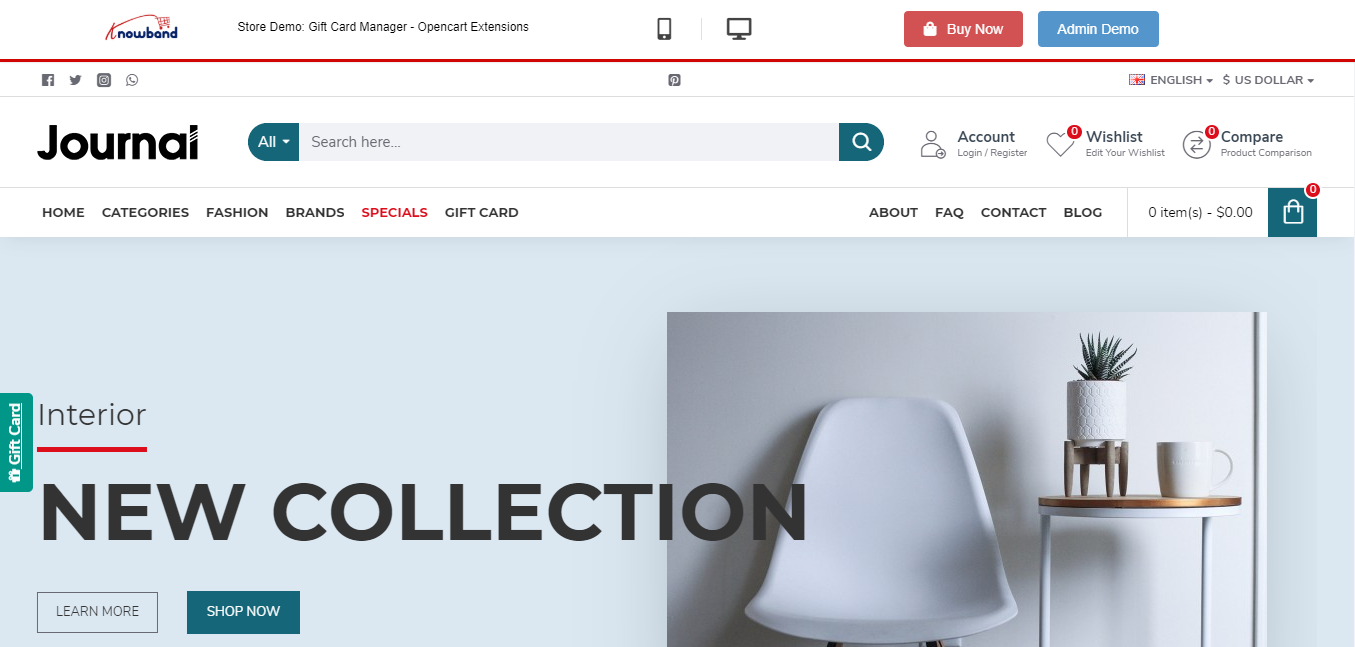
1. OpenCart Gift Card

OpenCart Gift Card extension helps you incorporate a gift card section on your website. The extension offers multiple pre-existing gift card templates for various occasions such as Halloween, Christmas, New Year, etc. These can be customized or you can add new ones if you want. You can also create gift cards of different values.

Do check out this module for more features and benefits.

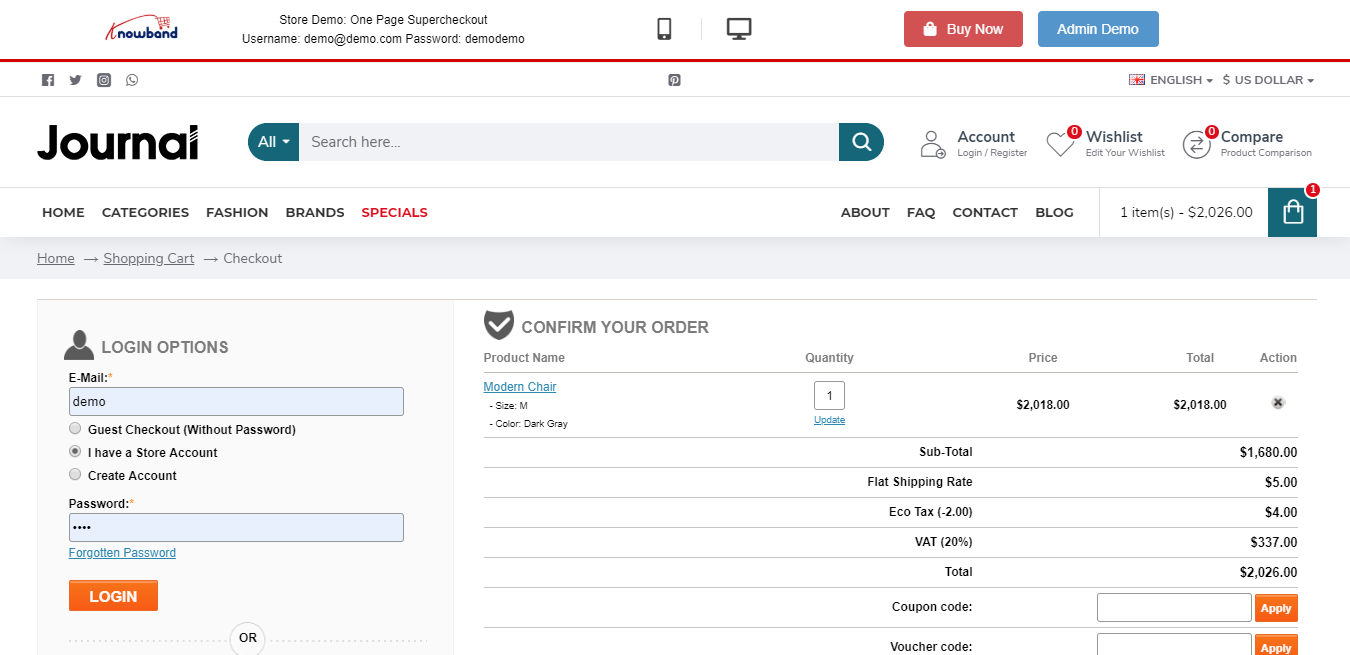
2. OpenCart One Page Checkout Pro

OpenCart One Page Checkout extension replaces the default checkout of your website with single page checkout. The extension offers various features such as Guest Checkout, Social Login, Checkout customization, multiple shipping and payment methods support, etc., thus encouraging a quick checkout and increasing your conversion rate.

3. OpenCart Marketplace

OpenCart Multi-vendor Marketplace helps you easily convert your store into a fully-functional marketplace that enables you to add more sellers. By adding more sellers to your marketplace, you can offer more variety of products to your customers and also earn commission on each transaction of your sellers.

OpenCart Extensions not dependent on store theme

We often get queries from our visitors and customers about extensions that are not dependent on the store theme. So, here is a list of them.

1. OpenCart Mobile App Builder

OpenCart Mobile App Builder is one of our best-selling modules that helps you build a native mobile app for your website without any requirement of coding and other technical stuff, and improves your mobile conversions.

It offers some amazing features such as Home Page Layout Optimization, Social Login & Fingerprint & OTP login, Unlimited Push Notifications, Zopim and WhatsApp Chat support, Simplified Checkout, Multiple Payment and Shipping support, Real-time synchronization.

It is also compatible with our Marketplace module.

2. OpenCart Accelerated Mobile Pages

Independent of any store theme, the OpenCart Accelerated Mobile Pages or simply Amp extension improves the loading speed of your mobile web pages, hence reducing your website’s bounce rate to a certain extent.

The extension provides various customization options such as home page customization, product page customization, category page customization, helping you improve your website’s performance on mobile devices.

3. OpenCart Abandoned Cart

OpenCart Abandoned Cart extension helps you reduce the cart abandonment rate on your store. The extension provides pre-existing discount and non-discount email templates through which you can not only remind shoppers about the pending items in their cart but also entice them to complete the purchase by offering a discount coupon code inside the email.

4. OpenCart eBay Integration

OpenCart eBay Integration extension helps the store owners to integrate their OpenCart store with the eBay marketplace. This helps them save time and effort. This extension automates the product listing process with the help of which store owners can list their products on eBay under various categories. Store owners can list the products in bulk and also manage the eBay orders easily.

5. OpenCart Etsy Integration

OpenCart Etsy Integration extension helps you integrate your OpenCart Store with Etsy Marketplace. This extension provides an effective way to list your products on the Etsy marketplace from the OpenCart store itself.

With the help of this extension, store owners can create multiple profiles for listing their products on Etsy Marketplace. Store owners can change their product prices, auto-renew their products, and easily manage their orders using this extension.

6. OpenCart Walmart Integration

OpenCart Walmart Integration extension helps the OpenCart Store owners to connect their store with the Walmart marketplace. With the help of this extension, store owners can upload products in bulk using the profile-based listing. Store admins can manage their orders and inventory from OpenCart admin panel and admin can also map OpenCart attributes with the corresponding Walmart attributes at the time of product listing.

Knowband offers 3 months of free support for each extension purchased from the Knowband store. If you encounter an issue with the installation or find it difficult to configure the module, feel free to contact us at support@knowband.com. Our support team will try to resolve your issues to the earliest.

E-Commerce App: The Present & Future Of Grocery Shopping. Know Why?

In the last few years, eCommerce has completely changed the way people shop for things. Since smartphones became a necessity for everyone across the globe, eCommerce Apps have become widely used apps for both android & iOS users.

From expensive gadgets to software to everyday groceries, various eCommerce apps are available for almost every kind of product. Speaking of grocery shopping apps, more customers have switched to ordering their groceries online in just the past 5 years.

Groceries are something that customers buy very frequently i.e. at least once or twice a week. For such cases, eCommerce grocery shopping apps have been thriving. It is not only profitable for businesses but also for the customers in more than a hundred ways.

Some of the well-known grocery apps are Walmart, BigBasket, Flipkart, InstaCart.

Benefits Of Grocery Shopping Apps Over Brick & Mortar Stores:

1. Time Saving & Convenient:

With mobile apps, customers don’t need to worry about strolling heavyweight grocery carts & standing in a queue for the billing process. They don’t need to indulge in such time-consuming & hectic activities on an eCommerce grocery app. All tasks can be handled with just a few clicks when they opt for grocery shopping apps.

2. Booking Out-Of-Stock Product In Advance:

If a product is out of stock, e-shoppers can either book that product in advance or mark themselves in for notifications when it comes back in stock or saves it in their wishlist. The eCommerce grocery store owners can allow them to pre-order the sold-out stocks & they can also utilize automated push notifications to notify the customers when their products come back in stock. Push Notifications are a great perk of Native Mobile Apps.

3. Recurring & Scheduled Orders:

When it comes to grocery shopping, there are certain products that consumers need repeatedly throughout the week or month or even daily. With eCommerce grocery apps, customers can subscribe for recurring orders, for example, an order for certain fruits every 4 days. Also, the customer is provided with fresh products every time they receive their order. This further eases the task of manually ordering the same products every few days.

4. Secure Payments Options:

Customers can opt for their choice of payment methods or even the pay-on-delivery option. Most of the online payment gateways are secure, especially with eCommerce mobile apps.

5. Special Offers & Loyalty Programs:

Customers can utilize various promotional offers, coupons/ vouchers, etc. Online grocery businesses can make the best out of their services by providing personalized suggestions & running loyalty programs.

Check our loyalty points extension from here. The same can be made compatible with apps, read from here.

6. Improved Marketing Opportunities:

Apps provide personalized and streamlined experiences and even keeps the app users engaged once they walk out after successful order placements. With the Push Notification feature provided with apps, store owners can effortlessly offer personalized services and deals to each customer.

Based on the users’ data, their browsing pattern, wishlist, and purchase pattern, store owners can make effective marketing campaigns digitally to further boost their business. The possibilities are endless with mobile apps.

Different Types Of Grocery Apps that Can Be Developed:

1. Single Store App:

This kind of app is handled by a single company. They are responsible for carrying out every task i.e. Inventory management, taking orders, taking payments via payment gateways (/ pay-on-delivery options) & most importantly delivering (using their own fleet, in case of groceries). These could even be a proprietorship business.

If you’re an eCommerce store owner and looking for native apps (Android and iOS):

PrestaShop Mobile App Builder

OpenCart Mobile App Builder

Magento Mobile App Builder

Magento 2 Mobile App Builder

WooCommerce Mobile App Builder

2. Grocery Chains:

A very popular example of this is Walmart. Customers can place small scale grocery orders on their on-request platform. The Walmart Store, usually nearest to the app users, delivers the orders right at their doorstep. 

3. Aggregators:

These grocery apps list multiple markets on their app & the ones near to specific app users are presented to them. App users can choose among them & place the order to their choice of supermarkets near to them. The supermart that receives the order can then quickly pack & ship the ordered groceries either via their own fleet or utilize the fleet provided by the grocery app company (if it provides any). The company that owns the aggregator type grocery app is a mediator in this case.

4. Marketplace:

These kinds of apps may be owned by a commercial center. Through a retail mobility arrangement, a marketplace app owner may have their own network of fleet/ delivery personals to handle deliveries.

Out of these types of grocery apps mentioned above, some may deliver the orders on the same day, some within a single hour & some may schedule the orders 1 to 2 days from ordering. But in all the cases, the customers are provided with fresh groceries dispatched mostly on the same day. This is very important for businesses with grocery apps to maintain the quality of the products they are delivering.

We do offer a combo pack of Multi-vendor Marketplace and Mobile App Builder for various eCommerce platforms:

PrestaShop Advanced Marketplace With Mobile App

OpenCart Advanced Marketplace With Mobile App

Magento Advanced Marketplace With Mobile App

Magento 2 Advanced Marketplace With Mobile App

Ease Of Building And Managing An eCommerce Grocery Shopping App:

With the advancement in technology, it is way easier and faster than ever to build an eCommerce mobile. In fact, store owners can even choose which type of an app they would wanna build – Native, PWA, Hybrid.

Store owners willing to go mobile can simply opt for popular & trusted eCommerce platforms like Magento, PrestaShop, OpenCart, etc. to build their mobile apps in just a matter of a few weeks. These platforms are automated CMS and do not require coding from scratch.

For businesses that currently have their eCommerce website up & running, it is a smarter move to automatically build their grocery shopping mobile app from their own website using an extension i.e. the eCommerce Mobile App Builder. It is a lot easier with the eCommerce Mobile App Maker plugins developed by KnowBand, a leading eCommerce solution provider.

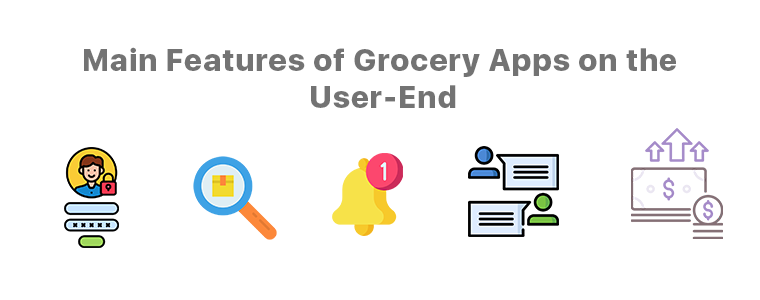
Main Features of Grocery Apps on the User-End:

1. Quick Logins/ Signups:

App users are so used to easy onboarding steps these days that time-consuming steps like manual logins are not a pleasant thing anymore. The eCommerce Mobile App Maker extensions by KnowBand provides the store owners with social login/ signup options using Google / Facebook accounts just via a click. It even offers fingerprint authentication. App users can choose the options they like.

2. Smarter Search Methods: 

This app creator extension also provides searching via voice commands. The app would hence utilize the microphone of users’ devices to allow then to perform voice search right from the grocery app.

3. Featured Products:

E-merchants have the benefit of having certain products marked as featured on the app, for instance, ‘bestseller’, ‘top-rated’, etc. It is highly useful for app users as well.

4. Push Notifications:

These notifications are the most useful things both for the app users as well as the app owners. Push Notifications are popup messages that get sent directly to app users’ devices. They have proven their worth in retaining the app users & improving sales.

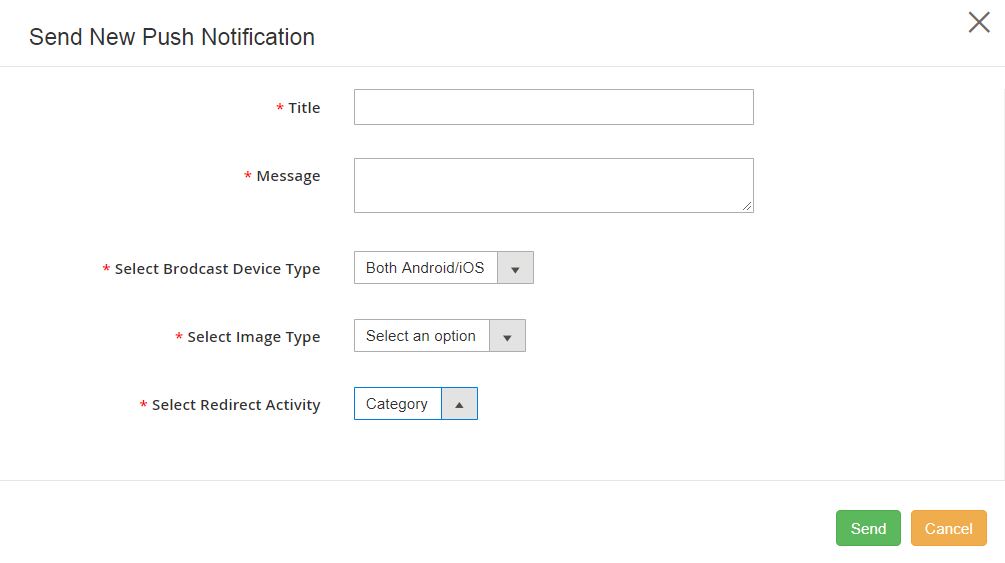
Some of the common ones are for successful orders, order status & the abandoned cart notifications. App owners can create/ schedule these notifications with relevant redirects (when a user clicks it), with catchy title & message & even a graphic. Creating, sending & managing is very convenient for store owners/admins from the backend of the eCommerce Mobile App Builder developed by the KnowBand team.

5. Chat Support:

This plugin also provides Whatsapp & Zopim Chat Support by default. App users can make their queries & interact with the chat support team of the grocery app company.

6. Secure Payment Gateways:

App users must be provided with secure payment methods. Store owners must choose the right payment gateway as per the location of the audiences, the availability of a particular payment gateway service provider & the services/ charges they have.

Features for Admin & Grocery Store Owners:

1. Simplified Backend:

The backend dashboard of this eCommerce Mobile App Builder is highly convenient/ easy yet very efficient for the app admins.  There is no need for coding with these. The visual & interactive dashboard allows quick edits & configurations that instantly reflect on the app.

2. Real-Time Sync & Catalog Management:

If you do own a grocery shopping website & if you want to build an app out of it, then this app maker plugin keeps both the site & the app in real-time sync with each other. This also keeps the catalog management automatic for the app admins.

3. DIY Home-Page Customizations:

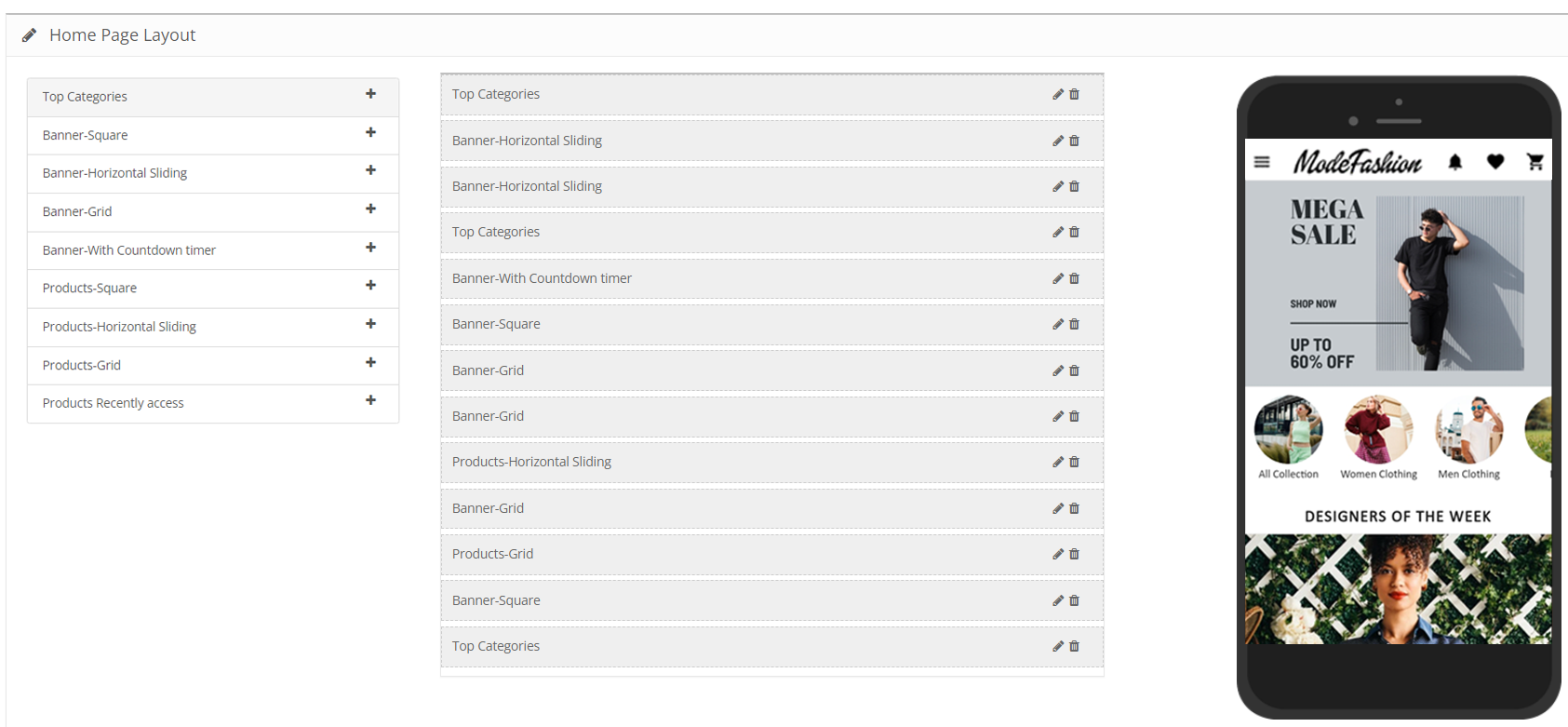
Using this plugin, those days would be gone when a modification required programming/ coding. The visual editor on the backend allows the admins to customize every element on the home-page using simple drag & drops. They can even switch up the graphics, add relevant redirect activity on each element/ banner/ slider & even app count-down timer banner.

Read in detail from here.

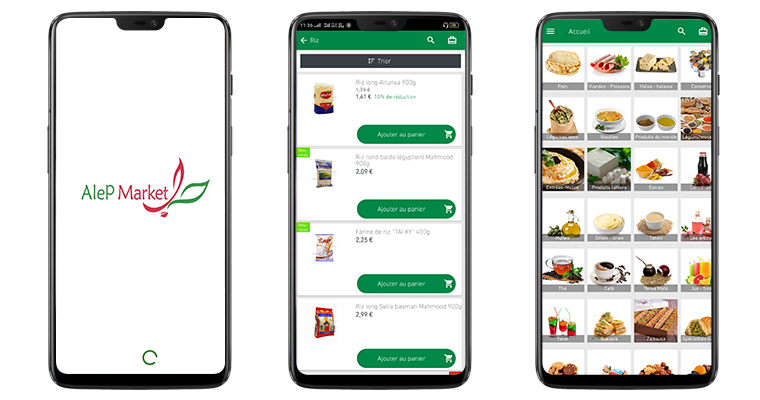
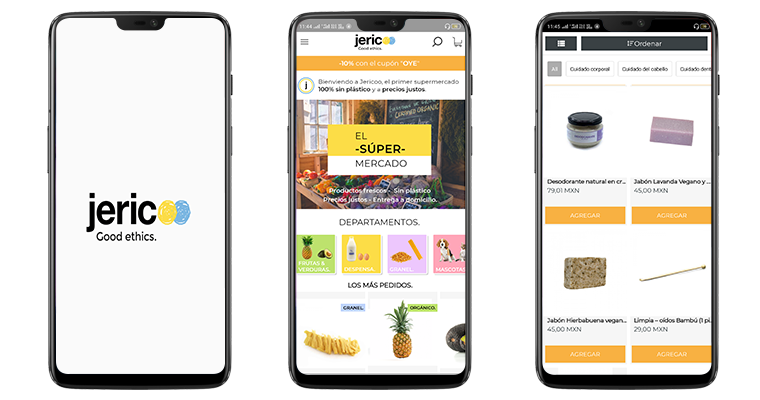
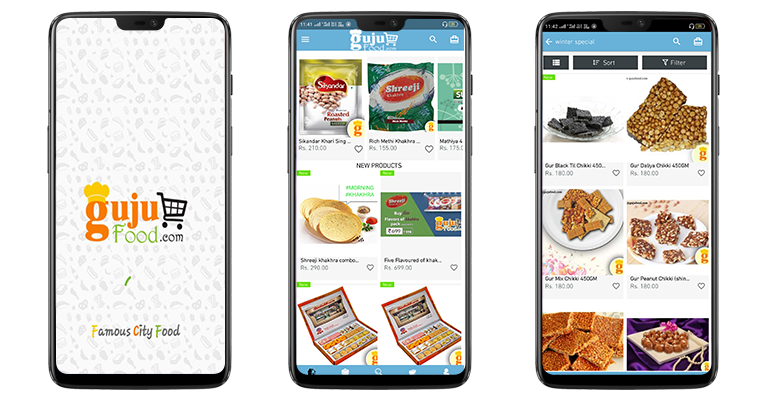
Some Beautiful Grocery Apps Developed By Us:

1. Alep Market

2. Jericoo:

3. GujuFoods:

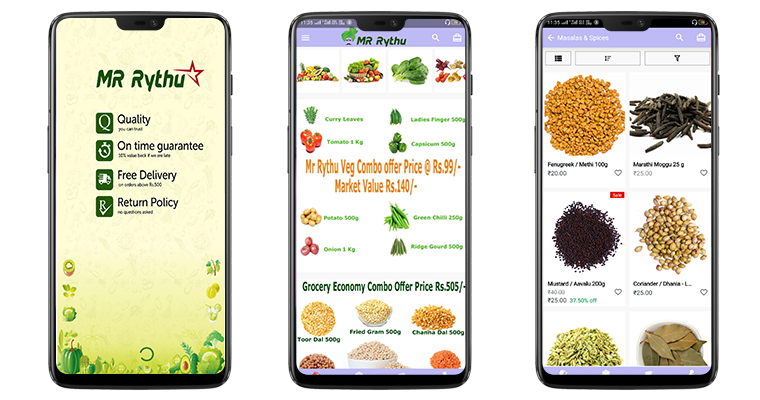
4. MrRythu:

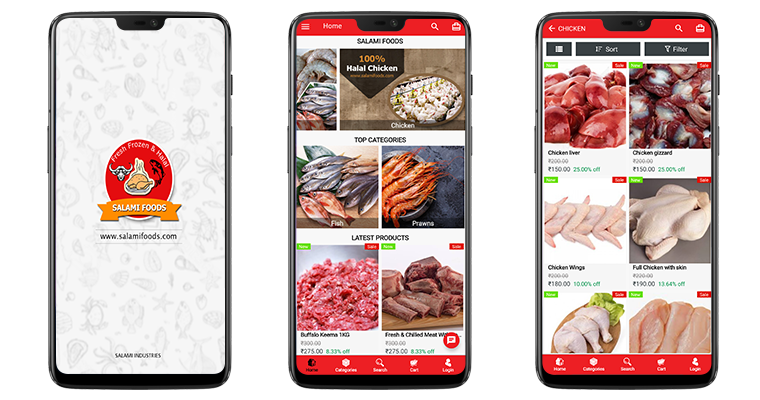
5. Salamifoods:

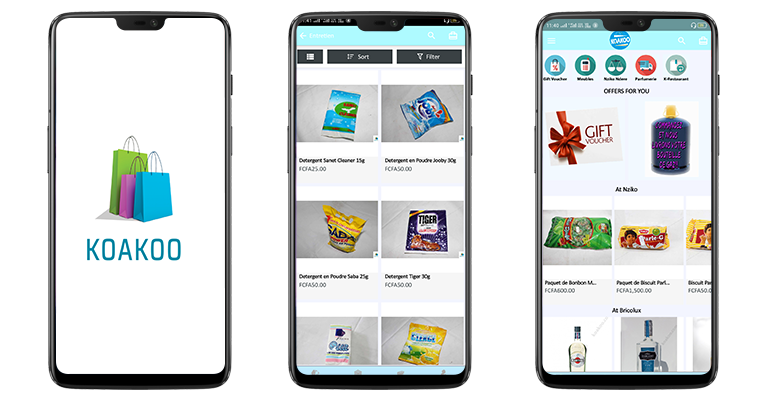
6. Koakoo:

Conclusion:

Whatever your business needs may be, every task has become way easier than before especially now in 2020. Without the need to spend hours on coding, debugging & testing, apps can be built within a few weeks using this eCommerce Grocery App Builder.

Not only the front end is user-friendly for the app users but also the backend is a lot more convenient for admins to manage their app. A lot more is offered with these eCommerce platforms & mCommerce mobile app builder plugins.

In the present, grocery shopping apps are thriving and will continue to thrive more in the future to come. Be sure to take a deeper look into these & opt for a quick consultation or assistance if you are willing to launch or customize your grocery shopping app. Email our experts at support@knowband.com. Our team would be very delighted to assist you.

[New Version Release] Magento 2 Mobile App Builder : v1.0.6

As the technologies keep evolving, it has become quite essential to keep up with the trends. For businesses, it gets really important to keep their website, mobile app, etc. up to date. eCommerce business owners are aware of this & are making all the efforts to have all the latest functionalities on their sites & mobile apps.

To help such business out, mobile app builder extensions from KnowBand underwent updation. The new version of Magento 2 Mobile App Builder is out. Despite already being a full-fledged tool, this app maker plugin has now even more to offer.

Recent Additions In Magento 2 Mobile App Builder (v1.0.6):

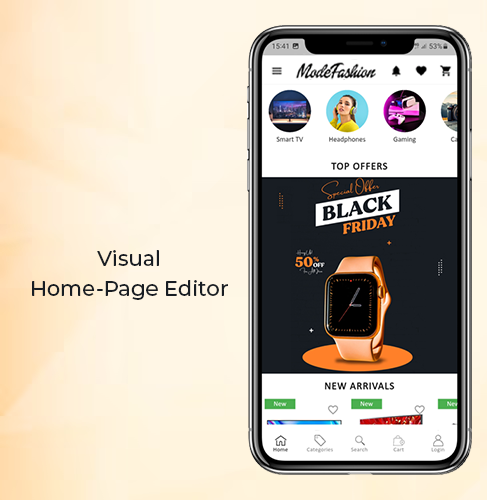
1. Visual Home-Page Editor With Live Preview:

This recent update allows the admins to edit the home-page design while all those changes are visually previewed on the backend itself. This way, they can get a live view of the changes they make on their home-page layout. Once the admin is satisfied with the preview, he/she can save the design. After saving, the new design would instantly reflect on users’ devices.

Add multiple banners, sliders, & even countdown-timer with just a few clicks & swipes. Rearrange the home-page components to suit your theme. Add call-to-action & relevant redirects on the desired components of your homepage. Admins can also pre-design multiple layouts & enable any one of them at a time.

2. Deep Linking:

Deep Linking is a great way to retain app users without any effort. All those who have your Magento Shopping app installed will automatically get redirected to the relevant page on the app if they end up visiting any page on your mobile site. This ensures more personalization to the app users & better user experience. Such factors naturally improve the engagement on the app.

Other Features of the Magento Mobile App Builder:

1. Push Notifications:

With this app maker extension, store owners can create & send an unlimited number of Push Notifications to their app users. There are even 3 automated templates provided for ‘successful order’ notification, ‘order tracking’, and ‘abandoned cart’ notifications. Admins can even set the timer after which the abandoned cart message would be sent to particular app users.

2. Multi-lingual & Multi-Currency Support:

This app maker add-on equips the Magento app to support multiple languages and currencies. App users can choose the ones according to their preferences.

3. Fully Customization White Label App:

The Magento 2 mobile apps built using this plugin are totally customizable. Most of the customizations can be made by the admins from the backend of this module. They do not need to perform any coding or spend hours on any task because of the simplified backend. Any other unique customizations can even be programmed into it if the need arises.

4. Tablet & Smartphone Compatible:

These Magento 2 Mobile Apps will be compatible to run on both smartphones and tablets on both Android & iOS operating systems. Store owners can even opt for an app for just a single operating system.

5. Live Synchronized:

This feature keeps both your Magento website and the eCommerce mobile app always in real-time sync with each other. This also keeps the catalog management automatic for your app.

6. Quick Onboarding Options:

App users can log in/ signup using their Facebook or Google accounts. They can also login using fingerprint authentication.

7. Multiple Chat Support Options:

By default, Whatsapp & Zopim chat support is provided with this add-on. Admin can enable/ disable any or both of them whenever they wish.

8. Enhanced Navigation:

The navigation menu & the filter & sort provide the app users with very user-friendly navigation. The category and subcategory arrangement is automatically set in a proper manner. Admins can even add a few CMS pages on the menu of their Magento 2 Mobile App. They can select those CMS pages from their website.

9. Multiple Social Sharing Options:

This allows the app users to share a product page directly to their social media platforms. App users can choose from a large number of platforms to share with just a single click.

10. Simplified Checkout:

This Magento 2 Mobile App maker extension offers one-page checkout to make it easier for app users to place orders without a hassle. The address is pre-filled out of all the addresses stored on the users’ my-account page. The app users can even track their active orders directly from the eCommerce app.

Conclusion:

This Magento 2 Mobile App Builder, developed by KnowBand, is an ultimate tool to build a Magento app for your business from your own Magento website.

Now that mobile apps are getting a lot more preference by the netizens, it is now a necessity for eCommerce businesses to have a synchronized mobile app. With an extension like this one, eCommerce businesses have a great advantage & opportunity to excel.

Facebook acquires the popular GIF search engine Giphy

The largest social media platform Facebook has acquired Giphy; a popular search engine that allows users to share animated images or short looping videos with no sound, known as GIF.

The actual acquisition cost has not been disclosed yet by any of the two, but many sources reveal that the deal was finalized at nearly 400 million USD.

Facebook has planned to integrate Giphy with its owned photo-sharing social media platform Instagram, which they acquired, back in 2012, for $1 Billion. The company made an official announcement by saying-

“GIPHY, a leader in visual expression and creation, is joining the Facebook company today as part of the Instagram team.”

They further went on to say-

“GIPHY makes everyday conversations more entertaining, and so we plan to further integrate their GIF library into Instagram and our other apps so that people can find just the right way to express themselves.”

Two years later, in 2014, Facebook also bought the popular messaging platform WhatsApp for $19 billion.

The acquisition does not mean that Giphy will no longer hold any part since it is sold to Facebook. Giphy will continue to operate its library. Facebook cleared it by saying that-

“People will still be able to upload GIFs; developers and API partners will continue to have the same access to GIPHY’s APIs, and GIPHY’s creative community will still be able to create great content.”

Giphy confirmed the same through their announcement-

“And for our API/SDK partners and developers: GIPHY’s GIFs, Stickers, Emojis, etc. aren’t going anywhere. We will continue to make GIPHY openly available to the wider ecosystem.”

A blog post by Facebook said that 50% of the Giphy traffic comes from Facebook’s owned apps, with nearly half of it coming from Instagram.

A few things you need to know about Giphy

1. Giphy was founded by Alex Chung and Jace Cooke in February 2013.

2. In August 2013, Giphy got integrated with Facebook, hence allowing the users of the network to post, embed, and share GIFs on Facebook. Three months later, Giphy integrated with Twitter as well.

3. Giphy was recognized among the Top 100 websites of 2013, as per PC Magazine.

4. In March 2015, Giphy acquired Nutmeg; a GIF messaging service. The acquisition had coincided with the Facebook Messenger’s own development platform, in which Giphy joined a few exclusive apps in its debut.

5. Giphy launched its second mobile app “GIPHY Mobile Cam” in August 2015 that allowed users to create and share GIFs on various social networks.

6. In July 2017, Giphy announced that it had 200 million daily active users between both the API and website, with nearly 250 million monthly active users on the website.

Check out Knowband’s FB store module that allows you to integrate your Facebook business page to your website, and lets you customize your Facebook shop. The module is available for PrestaShop and Magento.

What is Multi-vendor Marketplace? How it helps you to earn more profit?

With the fast growth of eCommerce in the past few decades, trends are slowly moving towards providing a fast-paced shopping experience to buyers. Now, buyers don’t want to spend time searching through ten websites to find one item. 

They want consolidated data that helps them with faster decision making and aids in saving time and effort. The answer to this changing environment is multi-vendor eCommerce marketplace. They are the answer to eCommerce marketers who are looking for ways to improve their store and push it to the next level. 

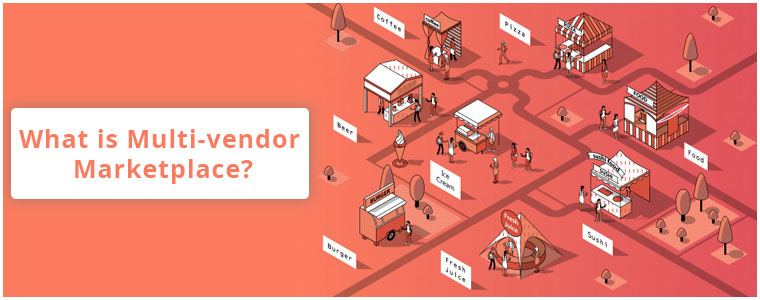
What is Multi-vendor Marketplace?

As the name suggests, a multi-vendor marketplace or store is a platform for third-party sellers to sell at one place. In simple terms, it is a big store that contains various small shops that are run by individual vendors.

Let’s take an example, think of it as a mall that is owned by you that delivers products to people’s homes. As the meaning is clear, your mall contains many small stores. The responsibility of running each store lies with the different individual store owners whereas the more focus of storing the products, delivering them to people’s homes, and accepting payments lies with you.

Now, think this mall is an online eCommerce setup. Your mall becomes a marketplace, the small shops are the vendor’s stores, and you are responsible for the order management, shipping management, and collecting payments. 

How does it works?

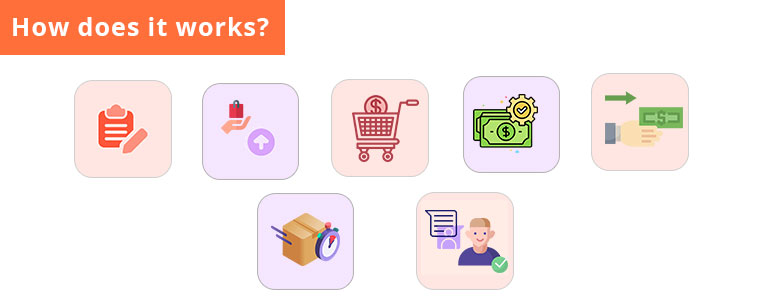
A multi-vendor marketplace works efficiently and effectively with store owners and vendors. It is necessary to keep the communication straight and keep the customers updated about various offers as well as ensure the product is delivered right on time. Here are a few steps on how a multi-vendor market place works :

  • The vendors register with the marketplace through paid or even free registration.
  • Once the vendor registers and uploads his products, the customers can start purchasing from them.
  • Store admin of the multi-vendor market place can charge a small fee on each transaction.
  • Most of the payments are transferred to the store admin, and from there to the seller chosen.
  • Product delivery is handled by the vendor itself or even the admin.
  • Communication on faulty products can be conveyed to the vendor or even the store admin, which the seller handles.

Why more and more store owners are moving from e-commerce website to a multi-vendor marketplace platform?

Here are the reasons for this marketplace change:

  • Variety of products

The products sold on a multi-vendor marketplace are featured by a number of sellers. Any e-commerce store that offers a huge variety of products is bound to easily engage more traffic and sales. If eBay and Etsy were to import all the products from one vendor, do you think they would have been able to engage as many sales as they do now?

  • It takes away most of the headache

Taking care of deliveries, inventories, product details & upgrades, pricing and various other information that comes with running an online store requires lots of effort. Multi-vendor marketplace shifts these important evils to individual sellers.

  • Lesser expenses

Because every vendor will be managing his shop on their own, you don’t need to hire resources to do it. You can invest more time on answering critical questions related to scaling and marketing. 

  • Flexibility

Vendors on multi-vendor e-commerce platforms can handle product information, prices, and areas of shipment, make additions, and updates as per their requirements.

  • Cash Flow through Commissions

Since the multi-vendor marketplace can have a number of vendors, it earns by taking a commission on each transaction between the sellers and the customers.

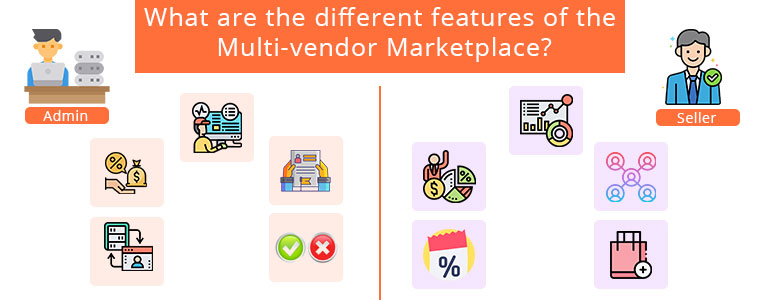
What are the different features of the Multi-vendor Marketplace?

The features of the multi-vendor marketplace are separate for store admins and vendors. Firstly let’s talk about admin features.

Admin Features:

  • Admin can easily monitor and manage their sellers.
  • Admin can charge a commission from the sellers. It can be either a category level or seller level.
  • Admin can add a separate registration section for the sellers. So, that the sellers can register themselves easily on the marketplace.
  • Admin can track the overall transactions of the sellers from their back interface.
  • Admin can approve or disapprove the products added by the sellers.
  • Admin can also approve or disapprove the category request send by the sellers.

Seller Features:

  • Sellers can get an interactive seller dashboard.
  • Sellers can track their earnings easily.
  • Sellers can link their social accounts to their marketplace profile.
  • Sellers can add coupons to their store to give exciting offers to their customers.
  • Sellers can request a category request to add more products in it.

Different Multi-vendor marketplaces:

We provide various extensions which help you to convert your e-commerce store into a fully functional multi-vendor marketplace. These extensions not only helps you to increase popularity but also helps to increase your profit.

Prestashop Multi-vendor marketplace: Knowband offers PrestaShop Marketplace addon to help the PrestaShop store owners to create their own marketplace allowing the multiple sellers to sell their products.

Opencart Multi-vendor marketplace: Knowband offers OpenCart Marketplace plugin that can easily turn your single-vendor site into a fully-functional marketplace.

Magento 2 Multi-vendor marketplace: Knowband offers Magento 2 Marketplace addon to help the Magento 2 store owners to create their own marketplace allowing the multiple sellers to sell their products. 

Conclusion:

If you are also thinking to convert your online store into a marketplace then this is the best time for you. A multi-vendor marketplace is a single answer for different questions. Build your online marketplace with the empowering features of our extension solutions.

How a Limited-Time Offer can boost your Sales?

The tag of Limited-Time Offer is triggering and creates urgency.

You would have often seen limited-time offer deals on an eCommerce website. In fact, not only on a website but also outside a showroom in the mall.

What is a Limited-Time Offer?

As the term suggests, a limited-time offer is a kind of offer that involves discounts, deals, rewards, etc. for a limited time. Put simply, shoppers can avail the benefits if they shop within that certain time period.

That is the actual purpose of limited-time deals; to encourage shoppers to purchase, to persuade them to take quick action.

What other marketing campaigns might not be able to do, a limited-time offer deal would.  Shoppers act quickly when the clock is ticking and the reverse countdown is happening.

Let’s understand the tactics behind limited-time-offer and how they benefit the online businesses.

Limited Time Offer as a Sales Strategy

Limited-time deals are offered in different ways such as “Buy 1 Get 1”, “Flat X% OFF on all products”, “Free Shipping”, etc.

These sorts of tags are very enticing from the customer’s point of view and they like to grab the opportunity before it expires so that they do not regret later.

Why do Brands run limited-time offer?

Well, one of the major benefits of running a limited-time deal is it increases sales. Shoppers are bound to visit your store if you offer them a discount.

Secondly, it aims to increase conversions, eventually helping you acquire new customers. When you make your visitors aware of the limited time sale on your website, more and more people would be coming to your website in that particular period.

Your website traffic would be very high as compared to the other days. In that high number of visitors, there will be both new customers as well as existing customers.

Thirdly, reduction in the product price or tag of free shipping provides customers with the feeling that they are going to get the most out of their money. If they miss that deal, they would have to purchase the same product at a higher price later.

How to make the best out of your Limited-Time Offers?

Once you have planned your limited-time offer period, here is how you can make your audience aware of it and encourage them to shop.

1. Set a Countdown Timer

Simply displaying the date when the deal will begin or the period till it will last would not do as much good as when you set a countdown timer for the beginning of the limited-time sale and also run the timer for the expiry.

For the beginning, it is to leave the impression in the visitor’s mind that the deal begins soon. The expiry countdown timer pushes visitors to claim the deal as early as they can.

2. Create a compelling Call-to-Action

Your CTA, i.e. call-to-action holds very high importance in compelling users to act. If the CTA isn’t intriguing, shoppers would not be influenced.

To make them take action, use CTAs that arouse the visitor’s interest. You can find multiple CTAs on the internet based on your niche. Creativity also plays a vital role when designing a CTA.

The more appealing and persuasive it will look, the more clicks you will get.

3. Do not clutter your offer

The offer should be crisp and clear. Do not fill it with too many elements else it can distract the customers from the primary headline.

Highlight the main things in bold with large text size. Use a professional font. Try to mention only those points that reflect the benefit of the offer and why customers should not miss that opportunity.

4. Stick to your words

If the deal says that the offer is going to expire in X number of days or within X hours, it should end as mentioned. If visitors come to your store and see that the deal is still on, they may doubt the credibility.

So, be honest with what you say. Otherwise, from next time onwards, customers would not put their trust in your brand and they would think that the offer is going to extend anyway, whereas if you follow the right approach, they would be alert from the next time to not miss out on your offers.

5. Send Newsletters, Promote on Social Media

There is no point of running a limited-time offer if your audience is not aware of it.

Apart from mentioning the deal on your website, promote it everywhere possible to notify your customers and potential customers.

Drop an email to your subscribers and let them know when the deal is going to begin. If you have social media pages for your brand, post about it on every platform.

You can also take help of social media ads to make this deal reach to a larger audience.

Final Thoughts

Limited-time offer is a smart marketing tactic. It’s just that you should know how to create its impact on your customers and prospects.

Buyers should feel like it’s an opportunity that they cannot afford to miss.

I hope that the tips and information that I shared with you were helpful to you. What’s your strategy behind the limited-time offer deal?

How to Improve eCommerce Site Search?

One of the important areas in an eCommerce website as far as the user experience is concerned is the site search. Any visitor who lands on your website and wants to buy a product will simply go the search bar, type his search query and get to the result.

This is why the search bar is designed so that a user does not have to take the long route (Going to the category, subcategories, brand type, etc). A search bar makes the task effortless.

To make the search experience better on your website, consider the following site search best practices.

1. Make the Search Bar visible

Whether a user is on the home page, product page or any page, the search box should probably follow users all the way throughout their journey (for most of the pages if not for all) so that they do not have to return to the home page to conduct the search and can make it from the page they are present on.

Secondly, make the search bar visible so that it is easy to spot at once. The navigation bar area is considered to be the perfect place for a search bar. Moreover, it should have a good design and good color. It shouldn’t look untidy.

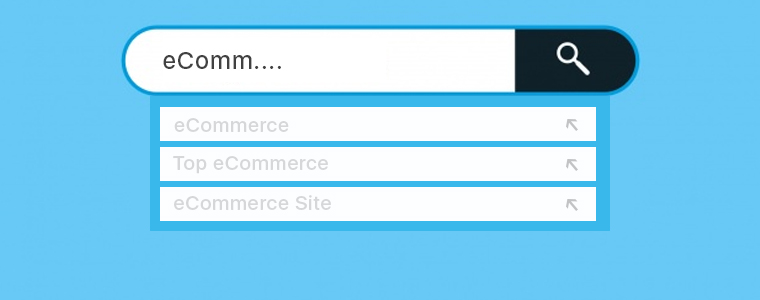
2. Use Auto-suggest

This might seem obvious but is the most important one. Auto-suggest is one of the essential features of a perfectly optimized search bar, and is also referred to as “search as you type.”

Your search box should be smart enough to understand a user’s search query as soon as they start typing and hence should suggest the relevant results. It would be even better if the search results display the product thumbnail as well.

Auto-complete save a user’s time by reducing their efforts.

3. A good length search bar

The search bar should not be too long and not too short either. It should have a decent length such that it is able to cover a visitor’s long search query as well. If the search bar is short, the query would not be visible and can often lead to an incorrect search.

Allow users to check what they have typed so that typing errors do not occur.

4. Let users know what they can search for

It is seen on many websites that search results are displayed only for searches made under specific categories. I was once on a website that provides HD wallpapers, so while I was about to search the wallpaper I needed, the search box had a text that said “Search your device or resolution” which had cleared that the search bar is optimized to search only for the device and the resolution, and not anything else.

So put a text on your search bar to inform users what types of searches they can make. The text should disappear as soon as the user starts typing.

5. Search bar should understand Synonyms

A product can be called by many names, for example, earphones, headphones, headset, people usually call them the same. Same is the case with blazer, coat, and suit. So, if a user is searching with any of these terms, they should get the results that they are expecting.

6. Search bar should understand Abbreviations and Misspellings

A product can have an abbreviation and it is very likely that the customers would search for that product with its abbreviation instead of typing the whole search query.

Besides, make your search bar understand misspellings as well. It can happen very often that the user makes a mistake while typing his search query. The search bar mechanism should be able to understand what that query meant and what results should be displayed to the user based on it.

7. Let customers choose the way results are displayed

The job of the search bar is just to provide relevant results to the users. Once the results are displayed, it should be left to the user how he wants to organize the results. This is where the role of Sorting and Filtering comes into play.

Sorting allows the users to arrange results in the sequence they want, which can be based on the product price (low to high and high to low), popularity, freshness, etc.

Filtering, on the other hand, lets users filter the search results based on many things such as brand, color, ratings, etc.

8. Do not display Zero Results Pages

As they say, something is better than nothing, it applies in this case too. If the search bar is not able to understand the query, avoid displaying zero results.

You can create a text for such happenings, for example, you can display a message that says- “Oops, we could not search what you were looking for”.

But along with this message, you can display some of your bestsellers or the recently launched items just to avoid the blank page.

9. Add the option of Image Search

Many eCommerce websites including the eCommerce giant Amazon allow users to conduct image search. This comes as a very helpful feature for the users as it helps them look for the exact desired product. For example, if a user sees a photo of a shirt which he liked a lot and wants a similar item, he can simply make an image search on the store to check if that product is available on your website.

You can add an image search option on your website with the help of Image search module which is available for PrestaShop and OpenCart.

10. Voice Search

Another way to improve your eCommerce website search is by adding the voice search option on your website. With the growing popularity of Alexa, Siri, Google Assistant, people have got used to of voice-search.

Providing your store visitors with the option to make voice-based search not only enhances the user experience but also makes their shopping journey convenient as it helps them to get to the desired product much quicker.

Get the voice search module for PrestaShop and Magento.

Final Thoughts

These are some of the common and popular eCommerce site search best practices. Site search is important not only from the point of improving user experience but has a significant impact on your conversions.

If you are able to guide your users to the right product, purchasing would be easy for them.

PrestaShop and OpenCart store merchants can try out Search Auto Suggest and Search more module respectively, to enhance the search functionality on their website.

Different Types of Payment Methods in eCommerce

Any type of payment that is done online using an electronic medium is what we call as an eCommerce payment system or online payment system.

When starting your online business, it is important to know what kind of payment options you are going to set up on your website/store.

You will have a number of options to choose from, but what’s suited best for your business, for your region, what are the trending payment options, is where you will have to smartly consider your choice.

Today, customers also demand multiple payment options on an eCommerce website so that they can choose their desired payment mode.

Let’s take a look at the different types of payment methods in eCommerce. The list will consider some popular eCommerce payment system (apart from COD) and help you in identifying what would be ideal for your business.

1. Credit Cards

Credit Card is the most popular form of online transactions and is considered a global payment solution.

It is the default payment option on a majority of eCommerce websites. Besides, it is very convenient. A customer just needs to enter some card details like the card number, card expiry date and the card verification value; abbreviated as CVV.

This payment option is supported by every eCommerce platform.

2. Debit Cards

Similar to Credit Card, Debit Card is also a widely accepted online payment method and highly popular in India. This payment mode is ideal for those customers who prefer to spend within their financial limits.

A debit card allows customers to pay with their saved money in their bank account, unlike a credit card where the amount is billed and need to be paid at the end of the billing cycle.

3. Netbanking

Netbanking, also referred to as Internet Banking and Online Banking, is also amongst the widely used eCommerce payment methods.

The process of payment is similar to a debit card where the amount debits instantly from the customer’s bank account.

The only difference is that the customers do not require entering their card details. They just need to register for the netbanking facility with their bank.

Once registered, they can choose the netbanking option on the payment page and make the payment by specifying the netbanking id/customer id and the pin.

4. Digital Wallets

Digital wallets or e-wallets allow customers to pay without having to carry their card. A customer just needs to link his/her bank account to the e-wallet once, following which the details are stored and remain secure inside that wallet.

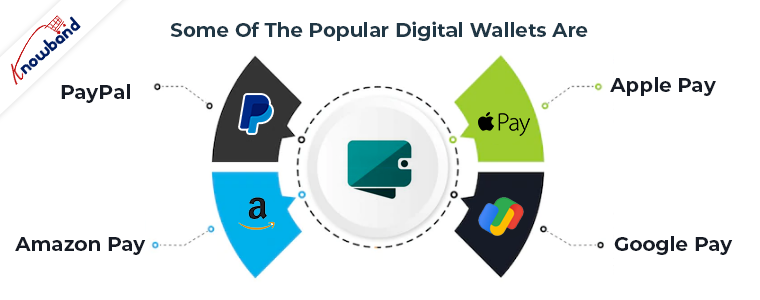
This eliminates the need to enter the card details every single time, hence encouraging a quick checkout. Some of the popular digital wallets are-

A. PayPal

Having nearly 325 million active accounts worldwide as of the first quarter of 2020, PayPal is one of the biggest digital wallets. It is reported that over 17 million businesses have integrated PayPal on their payment page and has over 80% higher conversion rate than other digital wallets.

B. Amazon Pay

Amazon launched its own online payment service called Amazon Pay to compete against the other digital wallets. This allows Amazon customers to pay on the platform using the Amazon pay wallet.

Many offline and online merchants have linked their business with Amazon Pay.

C. Apple Pay

Similar to Amazon Pay, Apple also has its own payment portal called Apple Pay that allows iOS users to conduct transactions on eCommerce websites accepting Apple Pay.

There were approximately 441 million Apple Pay users worldwide as of September 2019, reports Statista.

D. Google Pay

Another online payment and digital wallet in the competition race is Google Pay. It is expected to cross the 100 million users mark in 2020.

Google Pay is a highly secure and convenient online payment platform with some exciting rewards for both the merchants and customers on transactions.

5. Mobile Payment

Mobile payment offers an easy and quick solution for customers to make a payment via their smartphones. All a customer needs is a mobile payment app, like Paytm which can be downloaded from the play store.

After that, they need to link their bank account with that app, following which they can add money to their wallet and pay, or make the payment directly from their bank account.

When a customer chooses to pay using that app on an eCommerce website, a payment request is sent to that app after approval of which, the payment is made.

E-commerce Payment Gateways

To make these payment methods work, you will have to set up some eCommerce payment gateways on your website.

A payment gateway is required to process the online transactions, i.e. allowing merchants to accept payments on their platform.

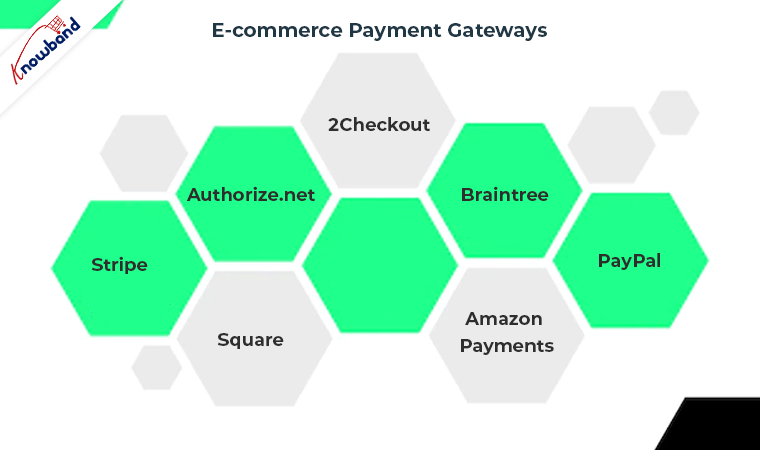
Some of the best eCommerce payment gateways are-

1. Stripe

2. PayPal

3. Authorize.net

4. Square

5. 2Checkout

6. Braintree

7. Amazon Payments

The more payment options you have on your website, the more comfortable customers feel while checking out. Besides, the cart abandonment rate also drops by a significant margin.

And with the popularity of mobile apps, mobile payments and the role of digital wallets becomes vital.

We, at Knowband, offer the One Page Checkout module and the Mobile App Builder that allow you to integrate multiple eCommerce payment methods on the website as well as the mobile app.

Know more about One page checkout here:


The list of the supported payment methods includes PayPal, Advanced Paypal, Authorize.net, Boleto, PayU, Stripe, Sage Pay, Mobilpay, Ogone, Pago Facil, ePay, ccAvenue, Quickpay, Firstdata, Paysera, Braintree, Moneybookers, Mercado Pago, Redsys, 2Checkout.

Final Thoughts

The list of eCommerce payment methods is long. Find out which are beneficial for your business and then integrate them on your website.

Having multiple payment options on your checkout page is a great away to boost your eCommerce sales.

For any assistance regarding the module, you can contact us at support@knowband.com

8 Things that make a Perfect Mobile Product Page

A perfect mobile website requires much more than just responsive design. From your home page to the checkout page, every step needs to be optimized so that your mobile visitors find the best of experience on your eCommerce website.

In this write-up, our focus would be on product pages. What makes a perfect mobile product page? Let’s find out.

Essentials for a Perfect Mobile Product Page

To get the best results from your mobile product page, which means getting more clicks and leading customers towards the checkout page, consider the following points.

1. Product Images

Starting with the most obvious ones, photos hold the highest importance on a product page as far as the conversions are concerned.

But when browsing through mobile, photos are either not arranged properly or take too much time to load. I know it is important to use high-quality pictures but if the picture size is too heavy, loading will take time and mobile users will have to be patient to view all photos, especially when the Internet connection is poor. So, ensure that images are quick to load in mobile devices.

Secondly, add a swipe left/right gesture to allow customers to view all the related pictures. This is indicated by the dots below the main picture.

You can also choose whether you want to display the product name first and then the product image or vice-versa. In my opinion, you should go with the latter.

2. Flexible Zoom Functionality

Many eCommerce websites have “Tap to zoom” feature on product pages, represented by a magnifying glass with +/- symbol inside. This allows shoppers to zoom in and zoom out the image by tapping on the microscope.

You find also find the option where you can pinch-in and pinch-out for the zooming purpose. In some websites, you can zoom by double-tapping the product image.

So, if you want to design a perfect mobile product page, these sorts of zooming features can enhance your product pages.

3. Short and crisp Product Description

You do not get much space on the mobile to display the complete product description. I mean you can but it will look cluttered. So try to keep the product description as short as possible but at the same time, it should highlight the important points of the product.

Try to keep it within 200 words.

4. Display Product Ratings right below the product name

When visitors land on a product page, they should be straight away presented with the product ratings. It is the best way to introduce people to the product quality before they get to know the complete product information.

E-commerce giant Amazon displays the product ratings right below the product name. In fact, not only on the product page, but they highlight the ratings on the product listing page as well.

5. Q&A Section

A mobile product page should have a Q&A section to help shoppers with their concerns regarding the product. This section consists of questions that are being asked previously by the people who thought to purchase this. So if a visitor has some questions, he or she can visit the Q&A section and they would probably find their query already being asked by someone else.

This saves a prospect’s time as he/she would not have to reach out to the customer support to get their queries resolved. And if the visitor doesn’t find the answer they were looking for, they can add a new question to be answered by the seller.

6. Reviews

Product reviews should be properly organized on mobile devices otherwise they will look cluttered. When a visitor scrolls down on the product page, he should be presented with product reviews so that he can know the experience of the past customers and identify the pros and cons of the product. By default, you should display the positive reviews first.

7. Product Availability Check

One of the important points to consider for a perfect mobile product page is to have a product availability checker option near the “Add to Cart” button so that the potential customers can confirm whether the product is available for delivery at their location or not before they head towards the checkout page.

Knowband also provides the product availability checker module for PrestaShop, OpenCart, and Magento platform.

8. Similar Products

At the end of a product page, there should be a “Related Products” section to encourage cross-selling and Upselling. And it since it would take up too much space to display related products vertically; you can display them in the carousel mode.

Final Thoughts

A perfect mobile product page requires everything to be smooth, organized and perfectly optimized. Your product pages play a crucial role in your mobile conversions.

Taking a quick look at the mentioned points for an optimized mobile product page, you should use quality images, zooming flexibility, short product description, product ratings, product reviews, Q&A section, product availability checker and related products section.

One thing to pay attention to mobile product pages is the back button functionality. It should bring a user to the previous page and not cancel the entire session.