Mobile Applications have become a major source of leads for almost every kind of eCommerce business. Whether it’s a native or hybrid or a PWA app, being available to the customers on their most used device is always a great approach.
In the past 5 years, Progressive Web Apps (PWA) have become very popular among the app users & very profitable for eCommerce businesses. Various eCommerce platforms are allowing easier mediums to build & launch a PWA Mobile App. To bring the WooCommerce store owners into this landscape, our experts at KnowBand have developed & launched an automated WooCommerce PWA Mobile App Builder plugin which simply integrates with your website & gives you a fully customizable WooCommerce PWA.
This PWA maker plugin is a no-code solution although it still provides easy-to-use DIY tools using which store admins can modify their PWA without any efforts. Also, on the user-end, the app users get the best in class UI & UX just like any high-end mCommerce store.
New Feature Upgrades in WooCommerce PWA Builder (v1.0.1)
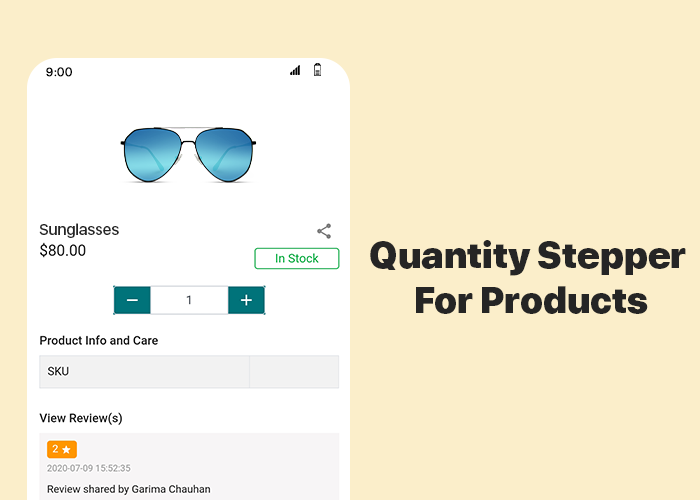
#1 Quantity Stepper For Products:
As usual, for convenience, online Shoppers like a simpler but feature-rich interface on an e-store. Things like adding multiple quantities of products or changing the quantity at the time of checkout & while being on the cart, improve the shopping experience of the app users. All such features are by default added in the PWA build using the WooCommerce PWA plugin. This newly added feature allows the app users to change the product quantity by stepping it up (+) or down by one unit.
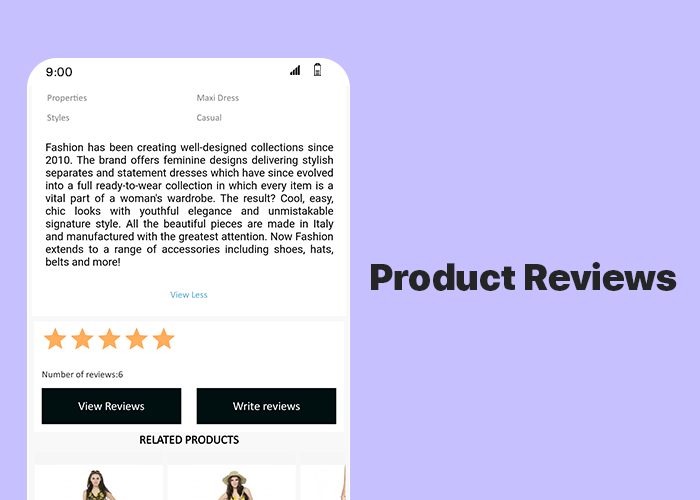
#2 Product Reviews:
This feature allows the app users to write & submit reviews of the products that they bought from your store. Reviews play a huge role in the eCommerce apps & websites. They can motivate others to purchase the products & increase your sales & revenue.
Simple Steps To Launch WooCommerce Progressive Web App:
Fill the app pre-requisite form & review your PWA before making it live.
How Are PWA Installed On Users’ Devices?
A PWA Mobile app is simply made live on the company’s website. There is no need of publishing it on the Google Play Store or Apple App Store. Whenever shoppers visit such a website on their mobile internet browsers, they are shown an ‘Add-To-HomeScreen’ popup on their screen. Once they click it, the PWA automatically gets installed on that user’s mobile device. The PWA then appears to work just like any regular mobile apps on a mobile device.
Major Features Of WooCommerce PWA Builder Plugin:
1. Simplified PWA Admin Panel:
The store owners and admins can easily configure their WooCommerce PWA App, design its home-page layout, manage push notifications & do a lot more without a hassle.
2. Unlimited Push Notifications:
It allows the store admins to send an unlimited number of push notifications to their app users and keep them engaged. Admins can also send personalized notifications and automate and schedule some of the common ones like the abandoned cart notifications, order status & order confirmation notifications. Use relevant graphics and catchy messages with desired redirect links on your Push Notifications.
3. Multi-lingual & Multi-currency Support:
The eCommerce PWA Apps built using these plugins support multiple currencies and multiple languages including RTL scripts like Arabic, Persian, etc.
4. Offline Accessibility:
By default, the Progressive Web Apps support offline access. Because of data caching, PWA Apps work even when the app user is offline or under slow internet connection.
5. All Payment & Shipment Methods:
All of the payment and shipment methods active on your website will automatically be active and fully functional on WooCommerce PWA App.
6. Social Login & Quick Sharing:
App users can easily onboard your WooCommerce PWA App with hassle-free social login options i.e. via their Facebook & Google accounts.
The PWA Apps built using this WooCommerce PWA plugin also provides a quick sharing link on the product pages. App users can hence easily share their choice of products on any of their social media handles.
7. Order Tracking:
App users can also track all of their active orders and stay updated with the status of orders’ delivery. Any changes/ updates in the status of the order instantly reflect on the app & also in the form of the automated order status notification.
Concluding:
With such a powerful tool available in the market, WooCommerce store merchants can stop worrying about the hassle & time involved in building a PWA. Grab your own WooCommerce PWA Mobile App Maker Plugin & launch your new PWA asap.
For any assistance or query, feel free to reach out to our experts at support@knowband.com. Our team would be happy to help you.
Mobile apps are of great importance especially for online businesses (eCommerce) that are willing to launch their new mobile application. Having the right eCommerce mobile apps with all the right set of features & functionalities is something that every such business wishes to have. Although in some scenarios, some businesses may not feel satisfied with their mobile application & may want to modify it or they may even wish to get their money refunded.
Well, that’s what this write-up is about. On all of our eCommerce Mobile App Builder extensions, we are offering a 30-day Money-back Guarantee. The extension is available for following eCommerce platforms:
Based on the feedback from a few of our clients, we realized that some clients may need some time to figure out if the app builder extension is right for their needs. We have various guides in the form of articles, video tutorials, admin demo links & free version of our eCommerce Mobile App Builder extensions. Despite that, some unawareness may still persist which may lead to dissatisfaction with the app builder. This 30-day money-back guarantee will be favorable to them.
For some clients with a different or unique business model, the generalized layout of our e-commerce app builder extensions may not be suitable or it may not be suitable for them to get their general layout app modified to turn it into a mobile app suitable for their needs. This 30-day money-back guarantee can also help to a huge extent.
Note: With this offer, we will create and send APK to you for review. Money-back is only valid if you are not satisfied and don’t publish it on Google Play Store. If the app is published, we won’t offer you a refund.
We have been regularly updating & upgrading our eCommerce Mobile App Builder extensions to equip it with the latest technologies & features. Both on the frontend as well as the backend, we intensively test our extensions to avoid any bugs or glitches so that we serve the best to our clients. This has left us with positive reviews & feedback from the majority of our clients.
It’s not just us but our clients who have labeled our eCommerce mobile app builder extensions as one of the most efficient & cost-effective app builder solutions for eCommerce domains. We are proudly confident in all of our eCommerce Mobile App Builder extensions & introducing a money-back guarantee proves it even more.
[Great Deal] Top Features You Will Get In Shopping Apps:
The shopping apps for websites built on PrestaShop, OpenCart, Magento 2 & WooCommerce comes with all basic and necessary eCommerce features and functionalities. Here are listed some of the major ones to thrive your business with no hindrance:
#1. Unlimited Push Notifications:
For any sort of eCommerce mobile apps, push notifications are kind of a must. Their dominance over traditional email marketing approaches and growing sales figures are solid reasons for how mobile push notifications are worthy of every business.
In shopping apps as well, push notifications to play a huge role in boosting customer engagement, retention & sales. This feature is something that you will get in our eCommerce app & many of these notifications can also be configured to be scheduled or automated. Some examples of those are abandoned cart notifications, order status notifications, etc.
KnowBand’s Mobile App Builder even offers custom notification in the admin panel which can be sent to the users and motivate them for more sales. All running deals and offers can be promoted via mobile push notifications.
To expand the audience reach, more & more online shopping businesses are including support for multiple languages & currencies. To cater to such businesses & to make app launching more convenient for them, most shopping apps nowadays support these features.
It wasn’t facile to take your business to cross borders and sell products like your store was there only. Our Mobile Apps helps in achieving the same. The native eCommerce Apps come with all languages support including RTL ones like Arabic, Hebrew, Urdu, Persian, etc. Hence, whatever languages on your eCommerce store, same will be on the mobile apps as well.
It’s a must-have feature for any sort of app including shopping apps. With this feature, both the mobile as well as the website always remains in live synchronization with each other. This way store admins don’t have to manage their mobile app separately.
Often, eCommerce store owners complain of problems managing their huge inventory on both websites and apps. To reduce the manual efforts, we have offered 100% synchronization in our apps allowing automatic realtime updates in the app inventory whenever any new additions or changes done on the store.
No eCommerce business wants its customers to get frustrated due to lengthy checkout processes. To aid that the ‘One-Page Checkout’ feature is common in almost every online shopping app these days.
The users get a simplified checkout experience with easy order submission with quick review of details related to purchase.
Live-Chat options are the frontline of customer support for every online shopping application. In the eCommerce Mobile App Builder extensions, Whatsapp & Zopim Chat Support is provided by default. These are two very popular platforms. Especially, Whatsapp is something every netizen uses these days.
All of the features mentioned above and even more are available in our E-Commerce Mobile App Builder extensions for platforms like PrestaShop, OpenCart, Magento & WooCommerce. We aim to put the best & the latest in our extensions & will continue to do so to cater to our clients in a better way.
We hope you find our eCommerce Mobile App extensions even more helpful & convenient. As always, you can reach out to us at support@knowband.com for any of your queries or assistance.
Nowadays almost every online business is transitioning its mobile website to a Progressive Web App for all the good reasons. For online shopping, the usage of mobile devices has already surpassed desktops & laptops. Globally, on an average 52% of netizens used their smartphones to shop for something online, based on a report by Statista. To cater to such audiences, Progressive Web Apps are a great medium.
Building & launching Progressive Web Apps is comparatively more convenient than doing the same with Native Mobile Apps. This is also because PWAs are compatible with every kind of mobile device. KnowBand offers a readymade tool to transform your regular eCommerce store into featured PWA shopping apps with:
KnowBand, a leading eCommerce solution provider, has developed & launched a bunch of eCommerce PWA Mobile Apps for its clients & in this writeup, we are briefing on some of the top PrestaShop PWAs that have been developed by KnowBand in 2020. Here are those web apps:
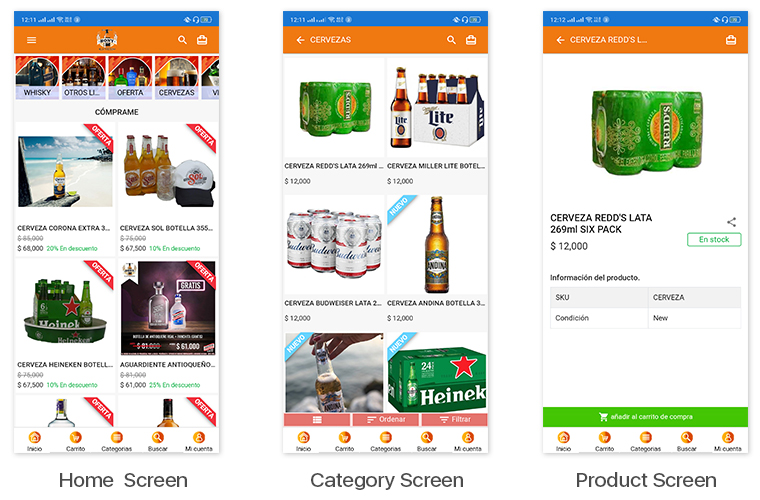
1. Bony Liquors:
Bony Liquor is an online store based in Spain selling beverages, drinks, cigarettes & complimentary snacks to its customers. With the help of experts at KnowBand, they launched their PrestaShop Progressive Web App on their mobile website. Their PWA has many of the latest UI elements that keep the user experience at par. It also has social login options via Facebook & Google accounts. App users can easily shop for the products they need & pay via various payment modes.
The best thing about PWA is that mobile website visitors can install their web app from their mobile website itself. The installed PWA then looks & appears to work just like every other app on users’ mobile devices.
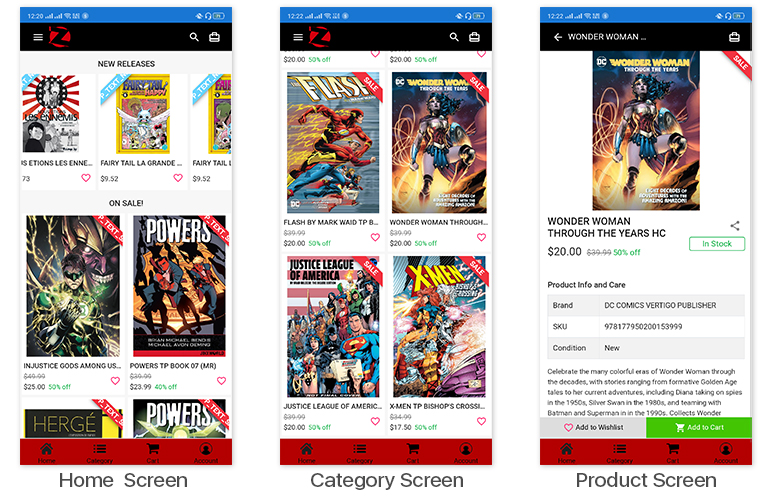
LibreairieZbookstore is an online PrestaShop store where customers can buy books & comics from a wide range of collections available at their store. KnowBand’s PWA module helped them launch their PrestaShop PWA that their store admin can customize anytime as per their needs. The PWAs built using KnowBand’s modules are white-label apps that allow the store owners to modify their apps by themselves without the need for coding.
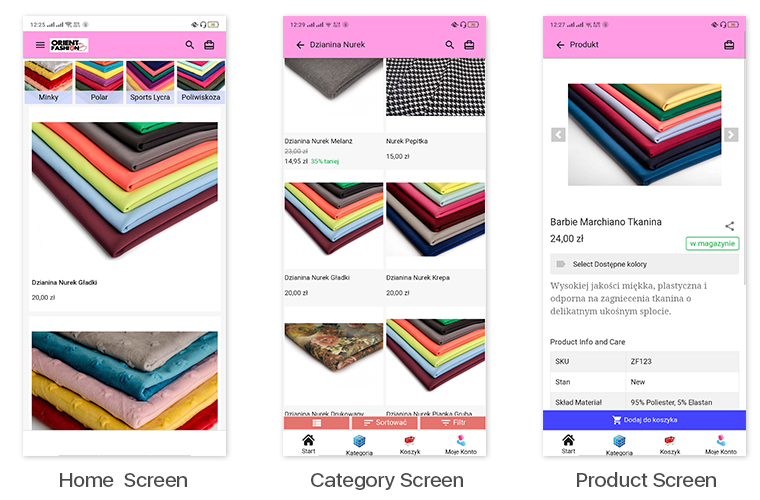
This eCommerce store is a multi-lingual & multi-currency store that sells fabrics & its cutouts to its customers. Their Progressive Web App built by KnowBand also supports all of the languages & currencies of their website. All of their coupons & vouchers on their website are also supported on their PrestaShop PWA.
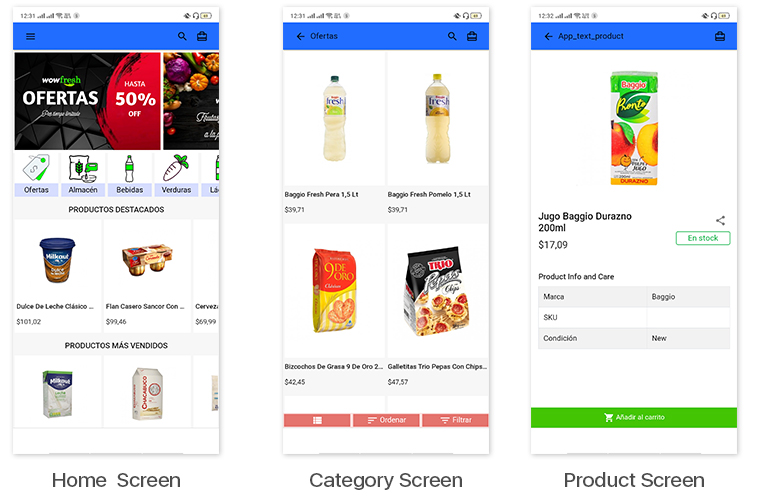
WowFresh is an online store built on PrestaShop that sells groceries, snacks & beverages. The store is mainly in the language Spanish. Its mobile site visitors can download its PWA from the ‘Add To Homescreen’ popup /tab on the mobile website.
Kittags is a UK based eCommerce website that sells regular & customizable tags that can be attached to backpacks, strolley bags, luggage, etc. Its website is built on PrestaShop & the store admins at Kittags used the PrestaShop PWA Builder module, developed by KnowBand, on the backend of their website to automatically build & launch their Progressive Web App.
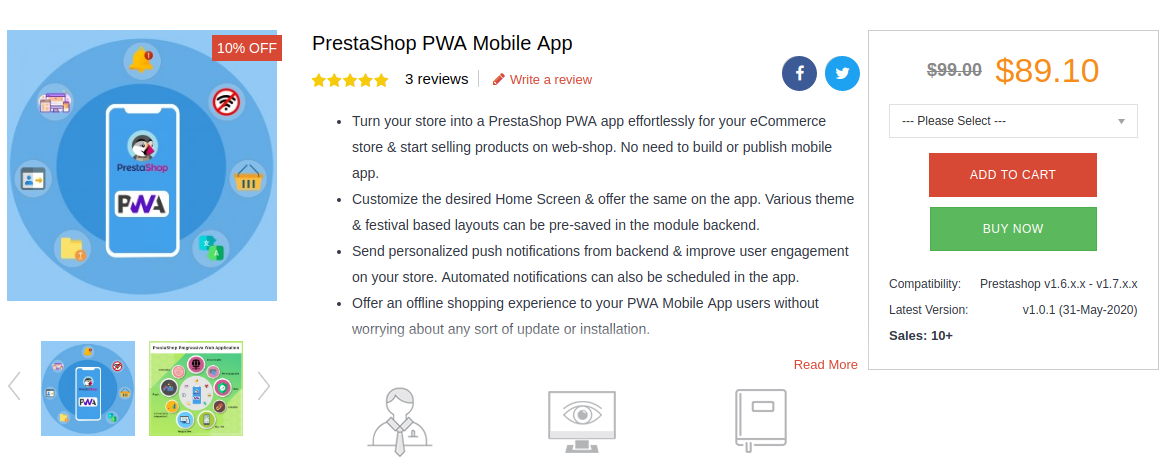
The PrestaShop PWA Mobile App Maker module is an automated plugin that can be used on a PrestaShop website just like any other regular module. Upon installing the PrestaShop PWA module, the store admins get a full-fledged PWA on their mobile website (frontend) & its configuration dashboard on the website backend. They can hence customize their web app using the DIY tools provided on the backend dashboard.
Once the PWA mobile app is made live on the website, mobile website visitors can simply install the Progressive Web App on their mobile device by clicking on the ‘Add To HomeScreen’ button displayed on that mobile website.
The PrestaShop PWA Mobile App module is laced with a number of frontend & backend features. Some of those features include-
#1. Multi-Lingual & Multi-Currency App:
The web apps built using this PrestaShop PWA Maker module by default support multiple international currencies & languages including the RTL scripts like Arabic.
#2. Offline Mode Accessibility:
App users can seamlessly use your PWA even when they are unable to connect to the internet. This allows offline browsing of the pages & even the category pages that users had already visited before.
#3. Unlimited Push Notifications:
The PrestaShop PWA module by KnowBand keeps no limitations on the Push Notifications. Store admins can send an unlimited number of notifications to their app users. These notifications can be created from the backend of this module (installed on the website).
#4. DIY Home-Page Layout Editor:
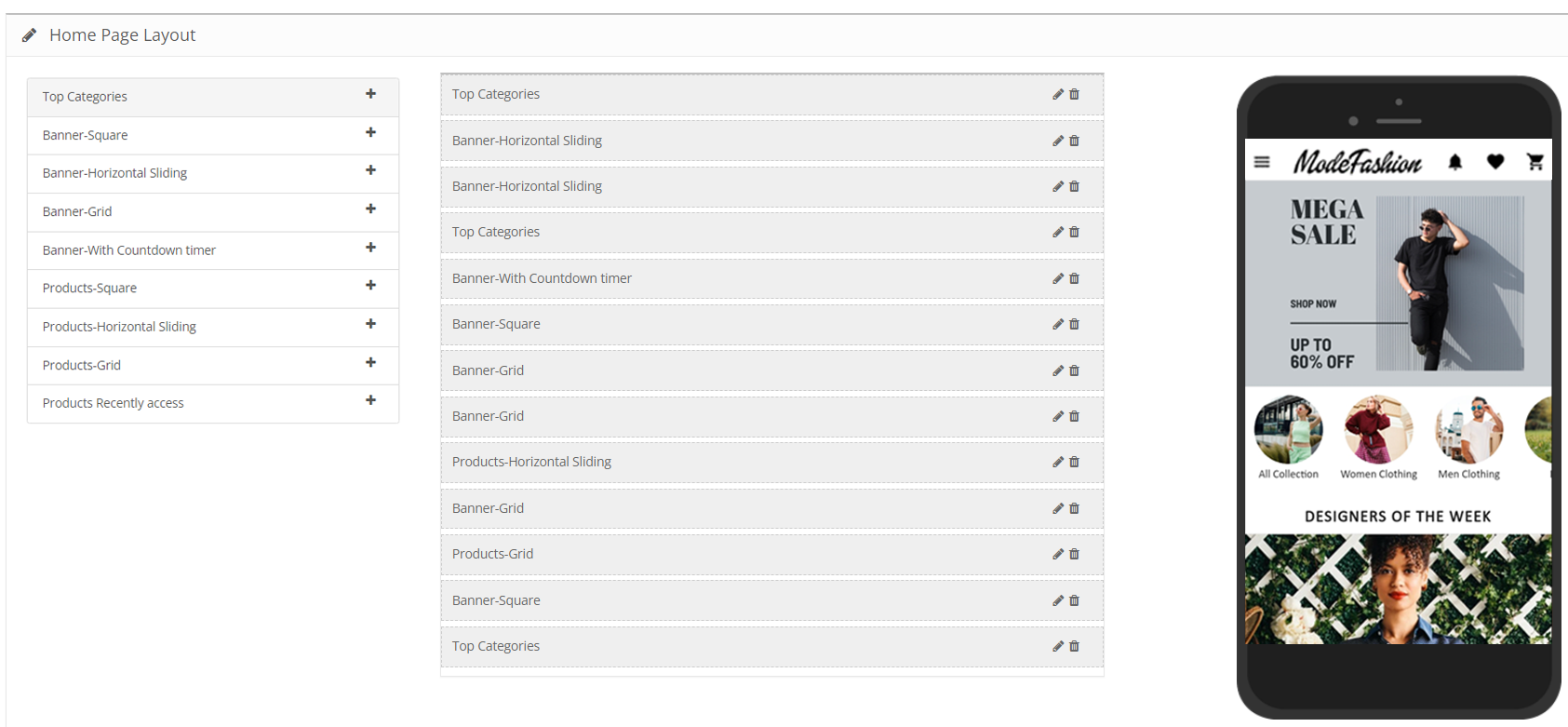
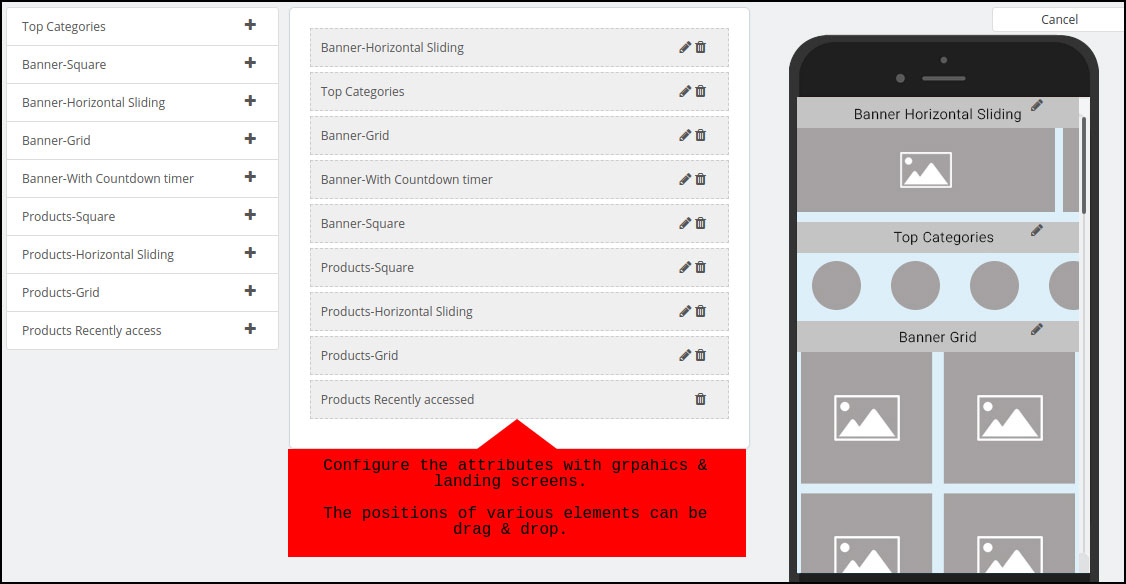
This DIY tool gives immense control to the store owners & admins when it comes to changing the home-page layout. Multiple components like sliders, banners & grids for product display & banner images are provided. Even the countdown-timer banner tool & recently accessed products slider is included in the list of components. Just drag & drop them to rearrange & configure each of the components without a hassle.
#5. Live-Synchronization:
This module keeps your PWA as well as your PrestaShop website in real-time synchronization with each other. It exempts you from having to manage your PWA manually.
#6. Social Login & Sharing:
App users can login into the app using their Facebook or Google accounts. Also, on every product page, quick sharing links are provided for multiple social media platforms.
#7. All Payment & Shipment Methods Support:
All of the Payment & Shipment methods active on your PrestaShop website will by default be active on your eCommerce PrestaShop PWA.
#8. One-Page Checkout:
To make the checkout experience convenient for the app users, a single page checkout screen is provided on which the app users can even select a pre-saved address. They can easily update the quantity of the product & add or remove coupon codes etc without having to navigate to any other page.
#9. Order Tracking:
This PrestaShop PWA Creator module even offers an order tracking feature to the app users. They can track their active orders from within the web app.
WooCommerce is the leading eCommerce platform and one of the most favorable choices of online merchants. Also, the features and integration also add more to the benefits of having a WooCommerce online shop. Various third-party plugins enhance the features of the online store and allow users to shop online products with ease.
Launch WooCommerce Mobile App With Zero Coding
Yes, it’s possible now. Even without writing a single line of code, non-techie business owners can develop Android & iOS (native) shopping apps for their store. KnowBand offers ready-to-go automated WooCommerce Mobile App Builder to do the job for you.
The WooCommerce Mobile App Creator for online retail stores is a fully automated tool to launch apps for the e-shop. Just follow these 3 quick steps:
Step 1: Purchase the extension.
Purchase WooCommerce Mobile App Builder with just one-time payment. No subscription or hidden charges for app development and management.
Step 2: Pre-requisite Form.
Fill the required details in the pre-requisite form. These details will be required for app development and release.
Step 3: Review developed APK/IPA Files
Our team will develop and share APK/IPA files with you for review. Once you feel everything is fine with apps, confirm us to release apps.
Note: Both Android and iOS apps will be launched on Google Play Store and Apple App Store using your developer accounts.
What’s Best With This Extension?
Though the extension comes with numerous features, yet here are some of the major ones to quickly walk you through the working of extension and apps:
1. Customizable Home Screen Layout:
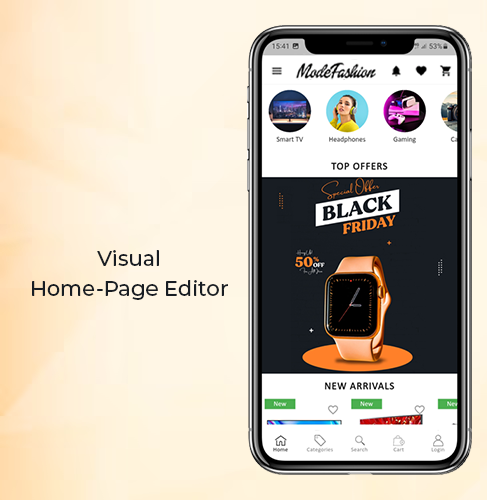
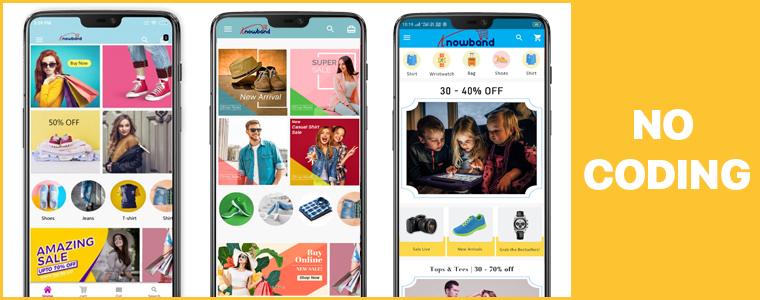
Gone are the days, when we used to stick to the fixed home screen layout of the eCommerce shopping app. The Mobile Apps for WooCommerce allow the e-merchants to change the look and feel of the home screen as per the requirements. Be it Black Friday, Christmas, New Year, or anything, change the entire app home screen with just a few tweaks.
In order to make your WooCommerce Mobile App home screen more appealing and compelling, use relevant graphics and images with intuitive color schemes.
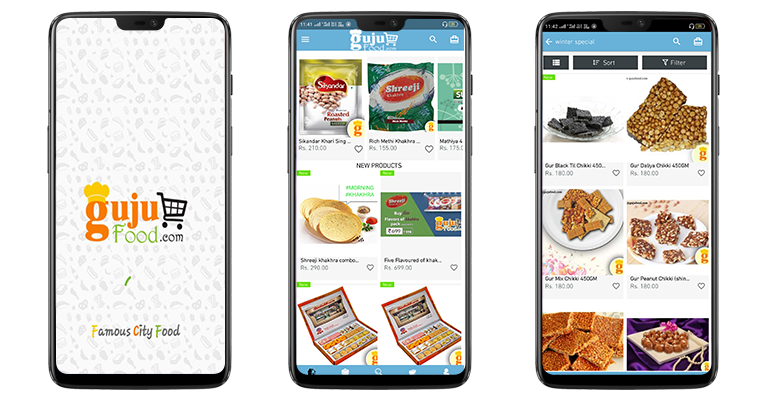
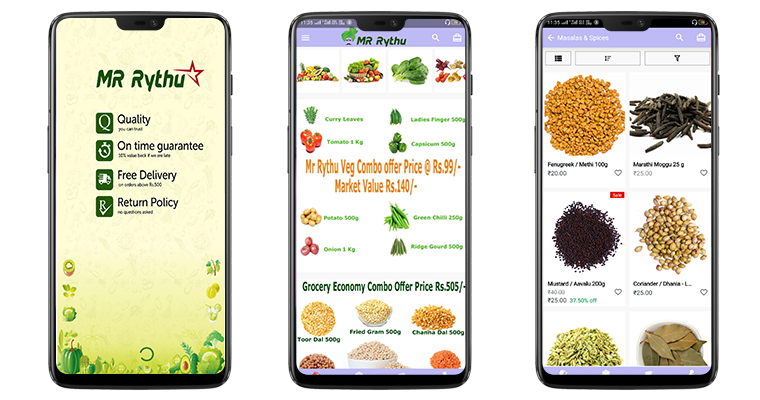
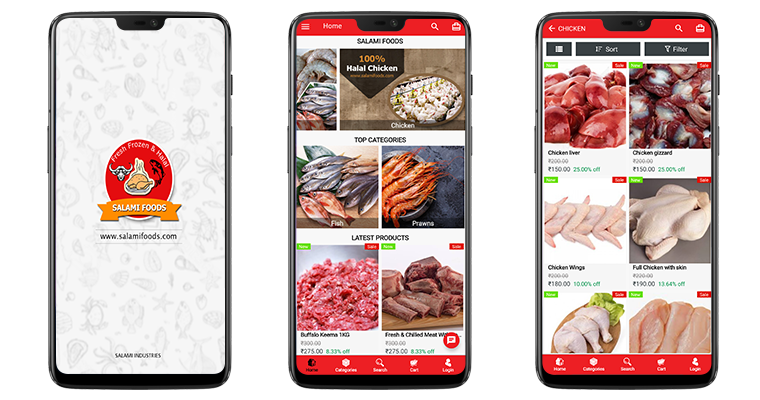
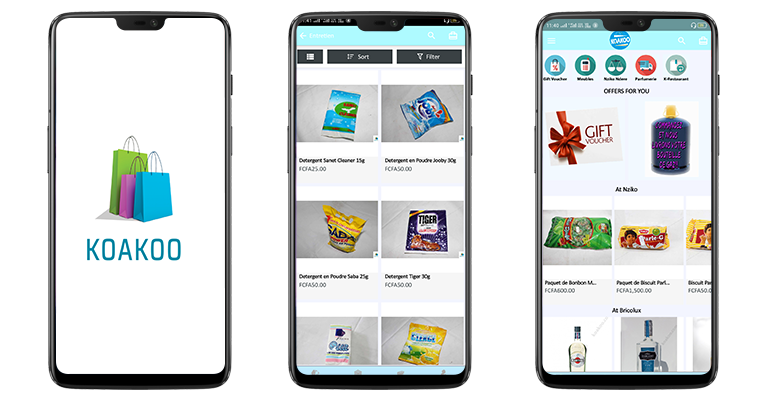
Here are the few beautiful app UI’s developed by us:
Note: We can also improvise and beautify your app home screen with the help of our skilled designer team.
2. Unlimited Push Notifications:
Customize and send unlimited push notifications on the mobile devices where your app is installed. You would’ve seen push notifications from various eCommerce biggies like Amazon, Walmart, etc. and being in the retail business, also be aware of the potential they carry.
The WooCommerce Mobile App Maker offers both automated and manual(Editor) push notifications in the admin panel. The store admin can just enable the following notification for automatic deploy on the Android and iOS apps:
– Successful Order Creation
– Order Status Update
– Abandoned Cart Notification
Along with these, the store merchant can even draft and send manual promotional or sale based push notification with relevant graphics and redirection. All is required from you is to spend a few minutes and handle marketing from your app like a pro.
3. Website Payment & Shipping Support
You must have been looking for the same payment options in the app that are available on the website. This WooCommerce Mobile App Creator is designed keeping that fact in mind. It allows all your website payment methods to be activated on the apps.
Along with payment methods, all shipping methods actively running on the eCommerce store will be there on the app as well. Users get to choose their favorable choice easily and make the purchase.
4. Multi-lingual & RTL (Arabic, Urdu, etc.)
The mobile apps for WooCommerce support all sorts of worldwide languages including the RTL scripts like Arabic, Hebrew, Persian, etc. The users will find the app content in their desired language and shop products.
Along with multiple languages, all sorts of currency options available on the website will be there on the apps. All currencies will be there on the final apps.
5. WhatsApp & Zopim(Zendesk) Chat
With inbuilt WhatsApp and Zendesk chat support, the online shoppers can directly remain in touch with the store owner and get answers to their queries in the minimum time possible. Often it happens that front end users stuck with any problem or doubt and ultimately leave with no available contact medium.
The WooCommerce Mobile App Builder offers a prominent communication channel between buyer and store admin to improve purchase flow. All you need to enable the chat from the admin panel to make it work on your apps.
That’s not all. There are still loads of features to discuss. Check all of them from the below link:
It would have been crystal clear till now how easy we have made the app development with this tool. All you need to purchase and install on your store, rest everything will be handled by our skilled and professional developers.
Engage more users in this mobile era by offering them an efficient and sale booster shopping app today. That’s all for this write-up. If you wish to explore more connect with us on Skype (support@knowband.com) or drop us an email at support@knowband.com
Lightweight apps are a need for almost every industry, especially eCommerce; whether they are an established organization or a startup. Irrespective of the demographics of consumers/ audiences they are targeting, lightweight apps are a boom. This article focuses mainly on building a PrestaShop PWA Mobile App while introducing you to the more benefits of Progressive Web Apps.
You must be aware of the basic nature of a lightweight app that consumes less space on app users’ devices without compromising on the quality & functionality of the app. Also, lightweight apps load the content faster, & in general perform all the tasks faster, when compared to native apps. These two factors help the lightweight apps thrive even in the areas which don’t have a very high-speed internet connection.
Progressive Web Apps or PWAs are a great solution to that. PWAs are not only faster & less space-consuming but also offer a wider array of benefits to both the store owners & the app users. Having a PrestaShop PWA (web app) can do wonders for a business. And building one for your business is now as easy as a pie using a ready-made extension i.e. a PrestaShop PWA Builder module. Before you dive into that, you must skim through the benefits that come with a PWA (web app) for your PrestaShop Store.
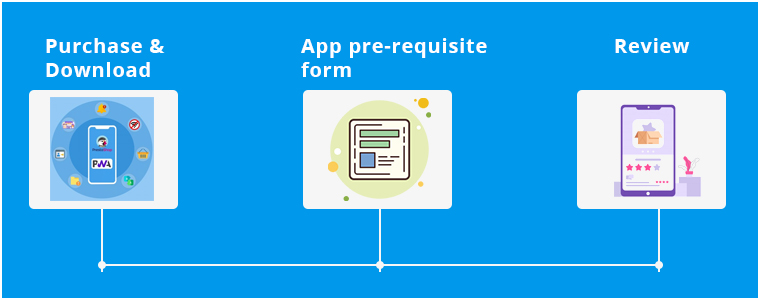
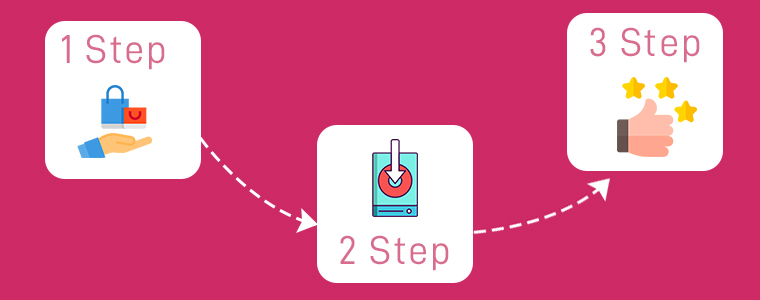
Building A Lightweight App Using The PrestaShop PWA Builder:
Step 2: Fill the app pre-requisite form provided by KnowBand.
Step 3: Review your developed PrestaShop web-app & confirm to make it live.
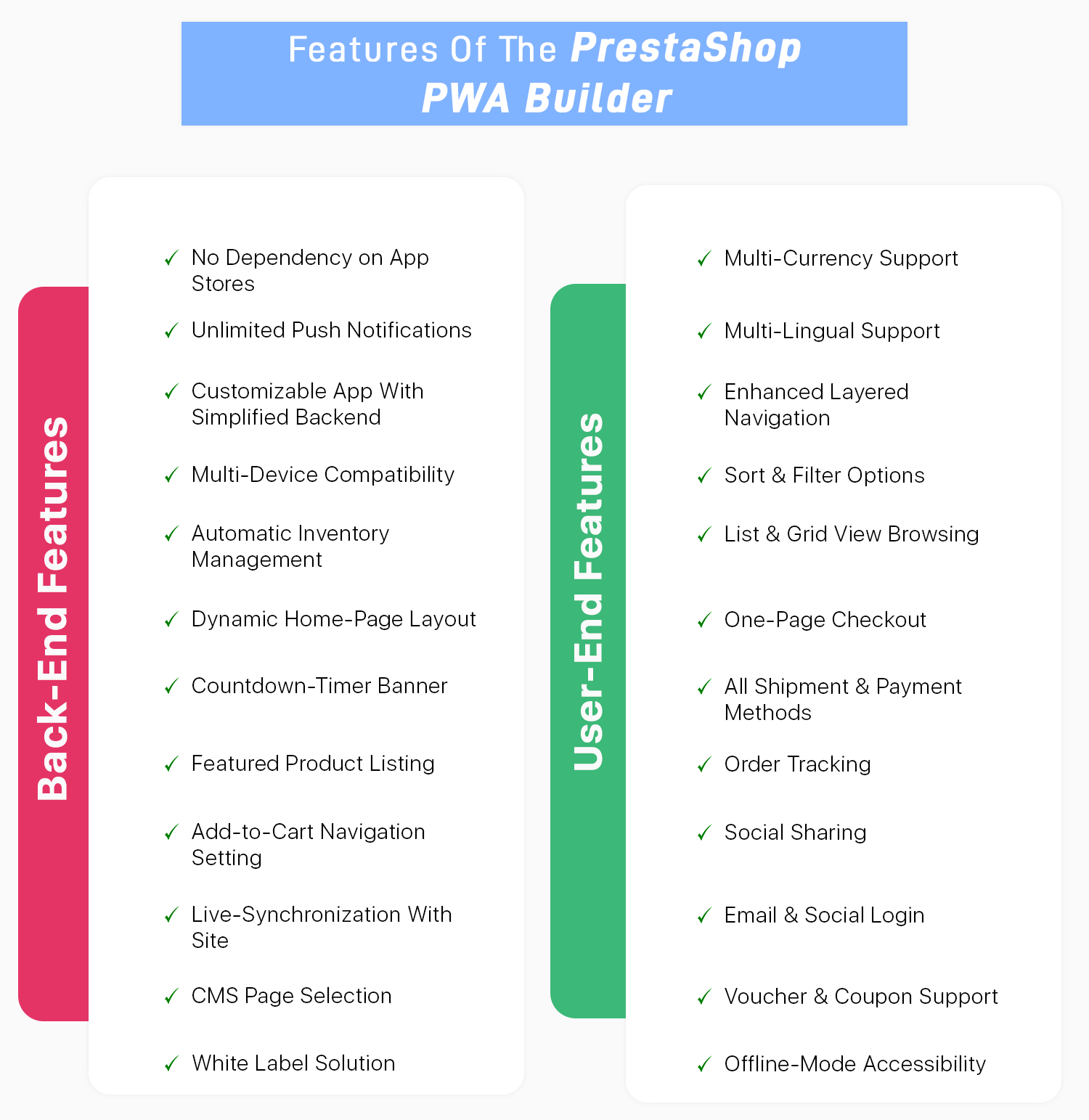
This PWA Mobile App for PrestaShop easily builds a Progressive Web App derived from your own PrestaShop eCommerce website. No sort of coding is required with this extension. The friendly admin panel allows the store admin to make changes and manage Progressive Web Application. Even the home page of the PWA app can be designed via various layouts. The layouts can be crafted and designed using intuitive color schemes, attractive banners, images, etc.
Features Of PrestaShop PWA Mobile App:
Because of its rich features & possibility for customizations, Progressive Apps are gaining more popularity among businesses every year. PWAs & its hybrid versions have in fact been labeled as the future of apps & eCommerce businesses can thrive the most out of it.
Other Advantages Of A PrestaShop PWA App:
Progressive Web Apps (PWAs) are less space-consuming & faster than traditional mobile apps (native apps). PWAs are faster, even for eCommerce sites like on PrestaShop, because the content of the page progressively downloads as the user keeps browsing. Also, note that PWAs are web-based applications coded in HTML, CSS & javascript, hence the name ‘Progressive Web App’.
A single PrestaShop PWA app can run on every operating system i.e. on Android, iOS, Windows, etc. This is because PWAs run on internet browsers. The same is not possible with Native Apps because you would need to build 2 native apps- one for android & another for iOS, both in different programming languages.
PWAs appear exactly like a native mobile app once the visitors browsing your PrestaShop site add the PWA to their home screen.
Because PWAs are web applications, you do not need to publish your PrestaShop PWA on play store or app store in order to make it available to your audience. Hence, there is no dependency on mobile app stores with PWAs.
Progressive Web Apps can be easily shared by your site/ app users using just a URL. New users do not need to download & install your app before using it. They can directly access your PrestaShop web app from their browsers & then choose to directly add it to their home screen. And that’s when it would start to act like a native app with the app icon on their devices home screen & in their menu.
Progressive Web Apps can also use most of the features of the device (smartphones/ tablets) like cameras, microphones, etc. Although, the use of geofencing & NFC in PWAs is still to come in near the future.
PWAs also allows you to send Push Notifications to your app users just like a native app would.
PWAs use secure URLs (https://) hence you do not need to worry about the security concerns.
Progressive web apps are easier to update & maintain. Your PrestaShop web app users won’t need to manually update their PWAs. That’s a task involved with native apps, not with PWAs.
Conclusion:
As owning a PWA app for your PrestaShop store has become easier & affordable, it’s a great time to go for these web apps. Utilizing the PrestaShop PWA Builder module is a smart way to build your web app. We, at KnowBand also offer native (Android and iOS) apps for PrestaShop. Check them out from below:
If you have any queries related to this app maker module, feel free to email us at support@knowband.com. We would love to hear your valuable comments!!
Whenever an eCommerce business decides to build a mobile application for themselves, the first few things that come to their consideration is app designing, development & deployment. To make a feature-rich & customer-centric Magento mobile app, all these factors must be expertly handled.
This can make the app-building project quite expensive, especially for eCommerce businesses. Fortunately, businesses with their website built on Magento don’t have to worry about any of these. All of the steps i.e. development, design & deployment is collectively offered by a Magento Native App Builder extension developed by KnowBand.
This extension is a non-coding solution that can automatically create your own Magento Mobile App (APK/IPA files) using your own Magento website. It is very affordable for store owners as it costs only $169. Apart from that, store owners are also offered a free 3-month support period.
Using an app builder extension for building & launching an app is the latest trend. This Magento Mobile App Maker plugin is a secure & reliable approach that provides you with great user-end as well as backend features. Building a native Magento mobile app using such an app builder extension is easy for even a non-tech savvy person. Mentioned below are its 3 simple steps.
Quick Steps To Build & Launch A Magento Mobile App:
Step 1: Purchase the Magento Mobile App Maker extension from the KnowBand.
Step 2: Install the downloaded extension & install it on your Magento website. Then, simply fill the app pre-requisite form provided by KnowBand.
Step 3: Review your app & get it published on Google Play Store/Apple App Store.
If you want to test out this extension before purchasing, you can download its free version from the KnowBand Store & use it to design your demo app.
Highlighted Features Of Magento Mobile App Builder:
1. Unlimited Push Notifications:
Store owners are provided with an unlimited number of push notifications. They don’t need to worry about any such limitations. Some of these notifications can even be automated & scheduled such as the abandoned cart message, order status messages.
2. Home-Page Customization:
The complete home-page can be edited live using the visual home-page editor in the backend settings. Store owners can add interactive banners, sliders, countdown timer sale banners, etc all with just a few simple clicks & drag-&-drops.
3. Fully Customizable App:
This Magento app maker extension builds apps that are fully customizable. All of the customizations can be made easily from the backend of this extension. All of the at-a-glance features listed below are totally customizable. Store owners & admins can also take any sort of assistance from the experts at KnowBand. The possibilities with this extension are endless.
4. Deep Linking:
Deep linking is the latest feature addition with this app builder plugin. It effortlessly brings your mobile site visitors to the equivalent page on your Magento mobile app. For such a case, your app must be already available on users’ devices. This helps to boost the user retention rate of your app.
5. Multi-lingual & Multi-Currency Support:
With this extension, your native Magento Mobile App would by default support multiple languages (including RTL scripts and languages) & currencies.
6. WhatsApp & Zopim Chat Support:
Two of the popular chat support platforms are integrated with your app using this extension. These are WhatsApp & Zopim Chat Support. Its sticky icons are present on the lower end Magento App. You can even enable/disable them from the backend if required.
7. Social Sharing & Social/Fingerprint Login:
Login & sharing is made easier for your app users. They can log in to your app using their Facebook/ Google accounts. Also, multiple social sharing options are also integrated with the app by default. App users can share any product on whichever platform they want. OTP(Phone Number) and Fingerprint login will be available in mobile apps.
8. Shipment & Payments:
All of the payment & shipping methods active on your Magento website are by default supported & active on the mobile app as well. Admins can even deselect a few particular options on the app if they wish.
9. Real-Time Synchronization:
Because this extension derives a native mobile app right from your Magento website, all the data on both your app & site are in real-time synchronization with each other. This also keeps the catalog management automatic.
Conclusion:
The popularity of mobile apps has been growing among netizens. Almost every eCommerce business is taking a step towards having a mobile app with all the latest features. With smart & affordable solutions such as this Magento Mobile App Builder, it only a matter of a couple of days to get the Magento app up & running.
Feel free to check out its demo version & its feature-list as it is packed with a lot more than the ones described in this write-up. For any queries or consultation, email us at support@knowband.com. We would be more than delighted to assist you.
In the last few years, eCommerce has completely changed the way people shop for things. Since smartphones became a necessity for everyone across the globe, eCommerce Apps have become widely used apps for both android & iOS users.
From expensive gadgets to software to everyday groceries, various eCommerce apps are available for almost every kind of product. Speaking of grocery shopping apps, more customers have switched to ordering their groceries online in just the past 5 years.
Groceries are something that customers buy very frequently i.e. at least once or twice a week. For such cases, eCommerce grocery shopping apps have been thriving. It is not only profitable for businesses but also for the customers in more than a hundred ways.
Some of the well-known grocery apps are Walmart, BigBasket, Flipkart, InstaCart.
Benefits Of Grocery Shopping Apps Over Brick & Mortar Stores:
1. Time Saving & Convenient:
With mobile apps, customers don’t need to worry about strolling heavyweight grocery carts & standing in a queue for the billing process. They don’t need to indulge in such time-consuming & hectic activities on an eCommerce grocery app. All tasks can be handled with just a few clicks when they opt for grocery shopping apps.
2. Booking Out-Of-Stock Product In Advance:
If a product is out of stock, e-shoppers can either book that product in advance or mark themselves in for notifications when it comes back in stock or saves it in their wishlist. The eCommerce grocery store owners can allow them to pre-order the sold-out stocks & they can also utilize automated push notifications to notify the customers when their products come back in stock. Push Notifications are a great perk of Native Mobile Apps.
3. Recurring & Scheduled Orders:
When it comes to grocery shopping, there are certain products that consumers need repeatedly throughout the week or month or even daily. With eCommerce grocery apps, customers can subscribe for recurring orders, for example, an order for certain fruits every 4 days. Also, the customer is provided with fresh products every time they receive their order. This further eases the task of manually ordering the same products every few days.
4. Secure Payments Options:
Customers can opt for their choice of payment methods or even the pay-on-delivery option. Most of the online payment gateways are secure, especially with eCommerce mobile apps.
5. Special Offers & Loyalty Programs:
Customers can utilize various promotional offers, coupons/ vouchers, etc. Online grocery businesses can make the best out of their services by providing personalized suggestions & running loyalty programs.
Check our loyalty points extension from here. The same can be made compatible with apps, read from here.
6. Improved Marketing Opportunities:
Apps provide personalized and streamlined experiences and even keeps the app users engaged once they walk out after successful order placements. With the Push Notification feature provided with apps, store owners can effortlessly offer personalized services and deals to each customer.
Based on the users’ data, their browsing pattern, wishlist, and purchase pattern, store owners can make effective marketing campaigns digitally to further boost their business. The possibilities are endless with mobile apps.
Different Types Of Grocery Apps that Can Be Developed:
1. Single Store App:
This kind of app is handled by a single company. They are responsible for carrying out every task i.e. Inventory management, taking orders, taking payments via payment gateways (/ pay-on-delivery options) & most importantly delivering (using their own fleet, in case of groceries). These could even be a proprietorship business.
If you’re an eCommerce store owner and looking for native apps (Android and iOS):
A very popular example of this is Walmart. Customers can place small scale grocery orders on their on-request platform. The Walmart Store, usually nearest to the app users, delivers the orders right at their doorstep.
3. Aggregators:
These grocery apps list multiple markets on their app & the ones near to specific app users are presented to them. App users can choose among them & place the order to their choice of supermarkets near to them. The supermart that receives the order can then quickly pack & ship the ordered groceries either via their own fleet or utilize the fleet provided by the grocery app company (if it provides any). The company that owns the aggregator type grocery app is a mediator in this case.
4. Marketplace:
These kinds of apps may be owned by a commercial center. Through a retail mobility arrangement, a marketplace app owner may have their own network of fleet/ delivery personals to handle deliveries.
Out of these types of grocery apps mentioned above, some may deliver the orders on the same day, some within a single hour & some may schedule the orders 1 to 2 days from ordering. But in all the cases, the customers are provided with fresh groceries dispatched mostly on the same day. This is very important for businesses with grocery apps to maintain the quality of the products they are delivering.
We do offer a combo pack of Multi-vendor Marketplace and Mobile App Builder for various eCommerce platforms:
Ease Of Building And Managing An eCommerce Grocery Shopping App:
With the advancement in technology, it is way easier and faster than ever to build an eCommerce mobile. In fact, store owners can even choose which type of an app they would wanna build – Native, PWA, Hybrid.
Store owners willing to go mobile can simply opt for popular & trusted eCommerce platforms like Magento, PrestaShop, OpenCart, etc. to build their mobile apps in just a matter of a few weeks. These platforms are automated CMS and do not require coding from scratch.
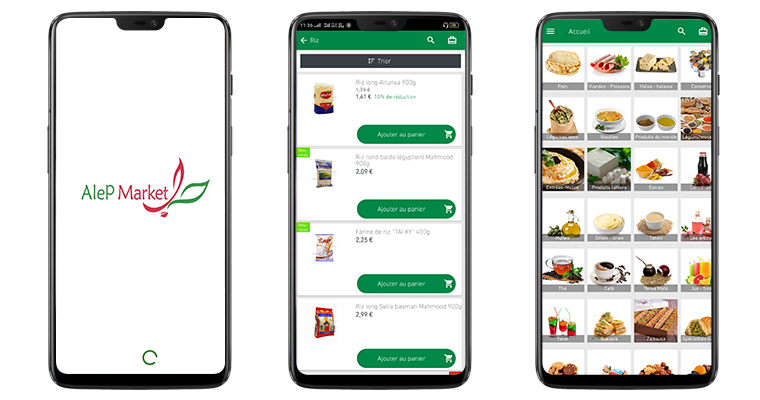
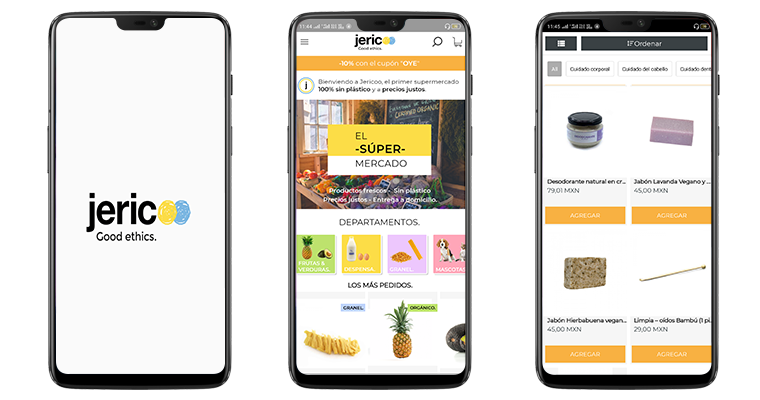
For businesses that currently have their eCommerce website up & running, it is a smarter move to automatically build their grocery shopping mobile app from their own website using an extension i.e. the eCommerce Mobile App Builder. It is a lot easier with the eCommerce Mobile App Maker plugins developed by KnowBand, a leading eCommerce solution provider.
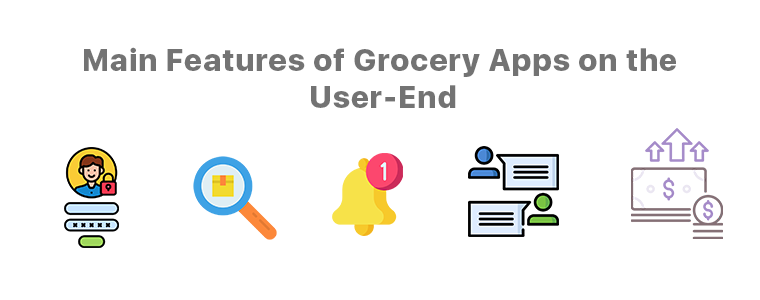
Main Features of Grocery Apps on the User-End:
1. Quick Logins/ Signups:
App users are so used to easy onboarding steps these days that time-consuming steps like manual logins are not a pleasant thing anymore. The eCommerce Mobile App Maker extensions by KnowBand provides the store owners with social login/ signup options using Google / Facebook accounts just via a click. It even offers fingerprint authentication. App users can choose the options they like.
2. Smarter Search Methods:
This app creator extension also provides searching via voice commands. The app would hence utilize the microphone of users’ devices to allow then to perform voice search right from the grocery app.
3. Featured Products:
E-merchants have the benefit of having certain products marked as featured on the app, for instance, ‘bestseller’, ‘top-rated’, etc. It is highly useful for app users as well.
4. Push Notifications:
These notifications are the most useful things both for the app users as well as the app owners. Push Notifications are popup messages that get sent directly to app users’ devices. They have proven their worth in retaining the app users & improving sales.
Some of the common ones are for successful orders, order status & the abandoned cart notifications. App owners can create/ schedule these notifications with relevant redirects (when a user clicks it), with catchy title & message & even a graphic. Creating, sending & managing is very convenient for store owners/admins from the backend of the eCommerce Mobile App Builder developed by the KnowBand team.
5. Chat Support:
This plugin also provides Whatsapp & Zopim Chat Support by default. App users can make their queries & interact with the chat support team of the grocery app company.
6. Secure Payment Gateways:
App users must be provided with secure payment methods. Store owners must choose the right payment gateway as per the location of the audiences, the availability of a particular payment gateway service provider & the services/ charges they have.
Features for Admin & Grocery Store Owners:
1. Simplified Backend:
The backend dashboard of this eCommerce Mobile App Builder is highly convenient/ easy yet very efficient for the app admins. There is no need for coding with these. The visual & interactive dashboard allows quick edits & configurations that instantly reflect on the app.
2. Real-Time Sync & Catalog Management:
If you do own a grocery shopping website & if you want to build an app out of it, then this app maker plugin keeps both the site & the app in real-time sync with each other. This also keeps the catalog management automatic for the app admins.
3. DIY Home-Page Customizations:
Using this plugin, those days would be gone when a modification required programming/ coding. The visual editor on the backend allows the admins to customize every element on the home-page using simple drag & drops. They can even switch up the graphics, add relevant redirect activity on each element/ banner/ slider & even app count-down timer banner.
Whatever your business needs may be, every task has become way easier than before especially now in 2020. Without the need to spend hours on coding, debugging & testing, apps can be built within a few weeks using this eCommerce Grocery App Builder.
Not only the front end is user-friendly for the app users but also the backend is a lot more convenient for admins to manage their app. A lot more is offered with these eCommerce platforms & mCommerce mobile app builder plugins.
In the present, grocery shopping apps are thriving and will continue to thrive more in the future to come. Be sure to take a deeper look into these & opt for a quick consultation or assistance if you are willing to launch or customize your grocery shopping app. Email our experts at support@knowband.com. Our team would be very delighted to assist you.
As the technologies keep evolving, it has become quite essential to keep up with the trends. For businesses, it gets really important to keep their website, mobile app, etc. up to date. eCommerce business owners are aware of this & are making all the efforts to have all the latest functionalities on their sites & mobile apps.
To help such business out, mobile app builder extensions from KnowBand underwent updation. The new version of Magento 2 Mobile App Builder is out. Despite already being a full-fledged tool, this app maker plugin has now even more to offer.
Recent Additions In Magento 2 Mobile App Builder (v1.0.6):
1. Visual Home-Page Editor With Live Preview:
This recent update allows the admins to edit the home-page design while all those changes are visually previewed on the backend itself. This way, they can get a live view of the changes they make on their home-page layout. Once the admin is satisfied with the preview, he/she can save the design. After saving, the new design would instantly reflect on users’ devices.
Add multiple banners, sliders, & even countdown-timer with just a few clicks & swipes. Rearrange the home-page components to suit your theme. Add call-to-action & relevant redirects on the desired components of your homepage. Admins can also pre-design multiple layouts & enable any one of them at a time.
2. Deep Linking:
Deep Linking is a great way to retain app users without any effort. All those who have your Magento Shopping app installed will automatically get redirected to the relevant page on the app if they end up visiting any page on your mobile site. This ensures more personalization to the app users & better user experience. Such factors naturally improve the engagement on the app.
Other Features of the Magento Mobile App Builder:
1. Push Notifications:
With this app maker extension, store owners can create & send an unlimited number of Push Notifications to their app users. There are even 3 automated templates provided for ‘successful order’ notification, ‘order tracking’, and ‘abandoned cart’ notifications. Admins can even set the timer after which the abandoned cart message would be sent to particular app users.
2. Multi-lingual & Multi-Currency Support:
This app maker add-on equips the Magento app to support multiple languages and currencies. App users can choose the ones according to their preferences.
3. Fully Customization White Label App:
The Magento 2 mobile apps built using this plugin are totally customizable. Most of the customizations can be made by the admins from the backend of this module. They do not need to perform any coding or spend hours on any task because of the simplified backend. Any other unique customizations can even be programmed into it if the need arises.
4. Tablet & Smartphone Compatible:
These Magento 2 Mobile Apps will be compatible to run on both smartphones and tablets on both Android & iOS operating systems. Store owners can even opt for an app for just a single operating system.
5. Live Synchronized:
This feature keeps both your Magento website and the eCommerce mobile app always in real-time sync with each other. This also keeps the catalog management automatic for your app.
6. Quick Onboarding Options:
App users can log in/ signup using their Facebook or Google accounts. They can also login using fingerprint authentication.
7. Multiple Chat Support Options:
By default, Whatsapp & Zopim chat support is provided with this add-on. Admin can enable/ disable any or both of them whenever they wish.
8. Enhanced Navigation:
The navigation menu & the filter & sort provide the app users with very user-friendly navigation. The category and subcategory arrangement is automatically set in a proper manner. Admins can even add a few CMS pages on the menu of their Magento 2 Mobile App. They can select those CMS pages from their website.
9. Multiple Social Sharing Options:
This allows the app users to share a product page directly to their social media platforms. App users can choose from a large number of platforms to share with just a single click.
10. Simplified Checkout:
This Magento 2 Mobile App maker extension offers one-page checkout to make it easier for app users to place orders without a hassle. The address is pre-filled out of all the addresses stored on the users’ my-account page. The app users can even track their active orders directly from the eCommerce app.
Conclusion:
This Magento 2 Mobile App Builder, developed by KnowBand, is an ultimate tool to build a Magento app for your business from your own Magento website.
Now that mobile apps are getting a lot more preference by the netizens, it is now a necessity for eCommerce businesses to have a synchronized mobile app. With an extension like this one, eCommerce businesses have a great advantage & opportunity to excel.
With the growing use of mobile apps, more businesses are willing to make extra efforts to stand out from their competitors. For eCommerce businesses, having a mobile app with regularly updating home-page design helps them to keep their customers engaged in a profitable way. Every time, a new offer/ new-arrival/ sale/ etc. is put up on their shopping app, making the customers aware of it can naturally boost their sales. This can be done by optimizing the home-page design as well (apart from push notifications & other campaigns) in PrestaShop Mobile App.
To make the home-page designing & re-editing easier for business owners, KnowBand offers eCommerce Mobile App Builder extensions. It not only helps eCommerce businesses with building their eCommerce Mobile Apps without a hassle & but also offers feature-rich backend & frontend for the benefit of businesses as well as app users. This article will shed light on how to use the PrestaShop Mobile App Creator Module to create, design & edit the home-page layouts.
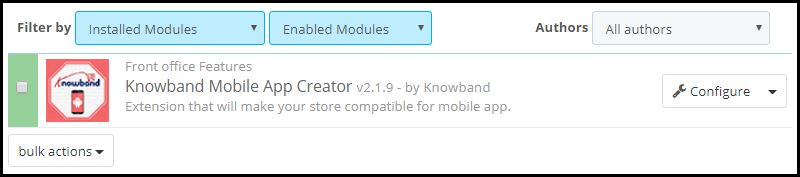
Once the PrestaShop Mobile App Builder module, by KnowBand, is installed on your PrestaShop website backend, the home-page of the app can be easily customized anytime from the backend of this module.
On clicking ‘configure’ on this app maker module, you are presented with various editing options.
-Select ‘Home-Page Layout’ from the side menu.
-To create a new layout, click the ‘add new layout’ button. You can also re-edit the existing layouts. Also, you can pre-design multiple layouts & keep any one of them active on your Mobile App (from the general settings on the side menu).
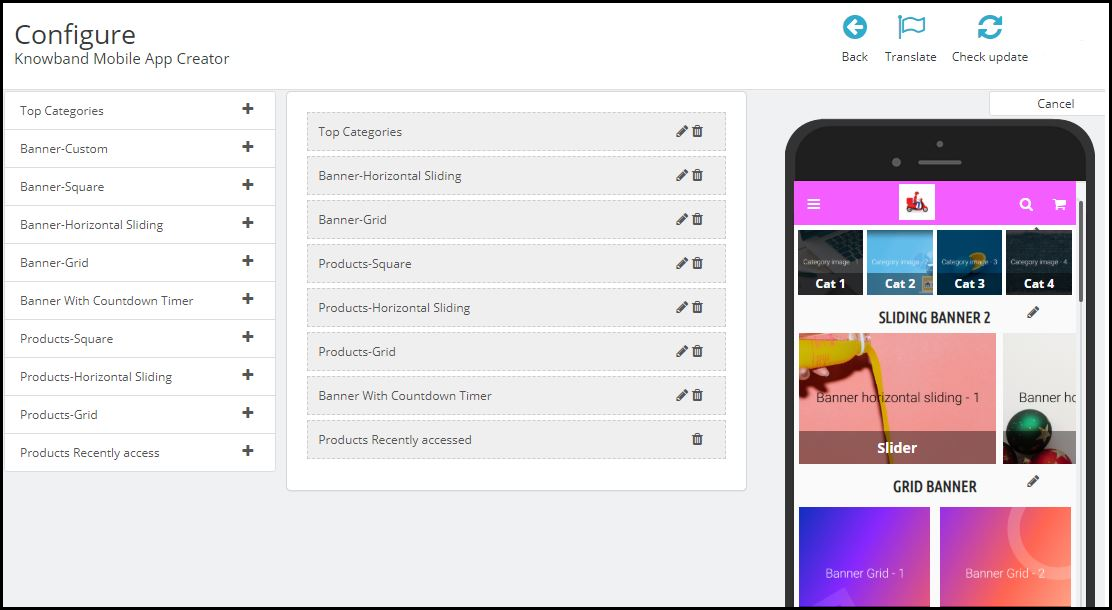
-While designing or editing your app home-page layout, you can use a maximum of 20 components out of the complete list of different components shown in the side menu on the left. Hence, you can also use a single component multiple times in your layout
-Upon adding these components, you can edit each one of them & organize them using the drag & drop feature.
The best thing is that all the edits that you make, instantly reflect on the demo app screen within the home-page customization tab itself.
Components To Design Your PrestaShop Home-Page Layout:
1. Top Categories:
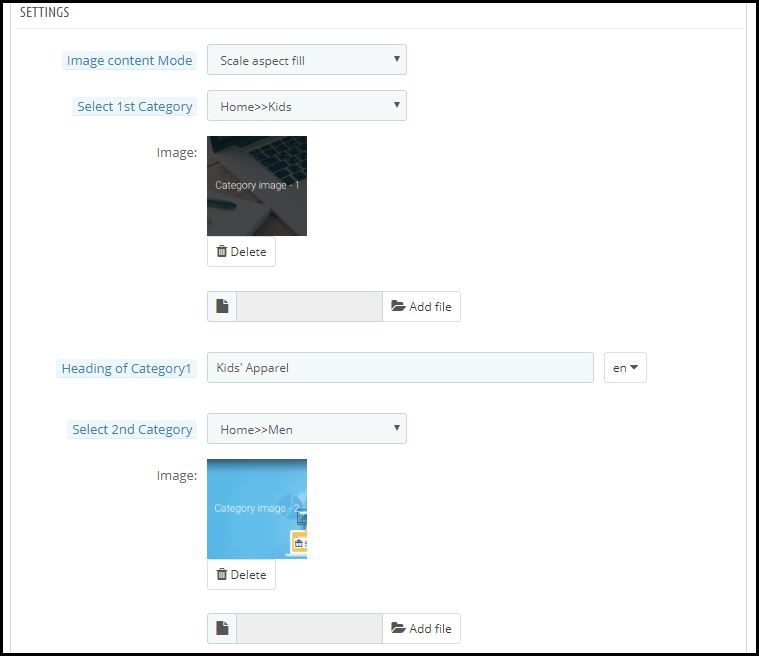
In a slider form, you can display small image icons with redirect links to relevant categories on your eStore. You can add a total of 8 of such categories in a single ‘top category’ component.
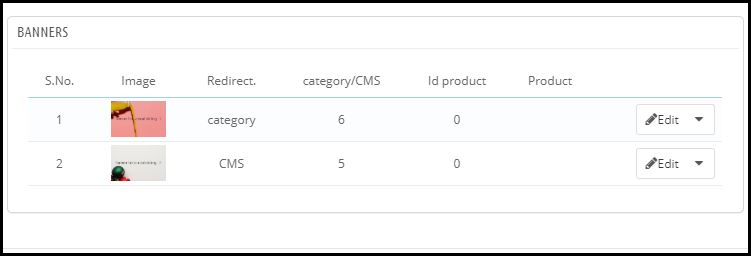
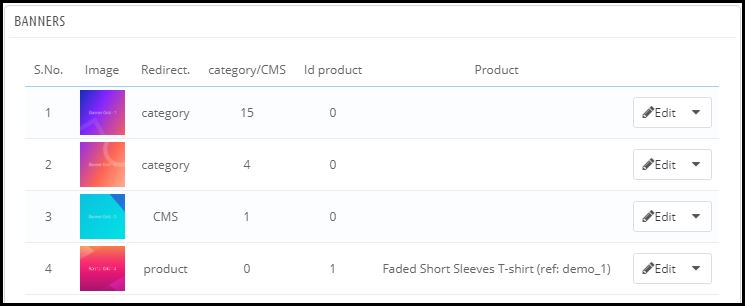
2. Square, Grid & Horizontal-Sliding Banners:
For all these 3 banner types, you can choose the redirect options among category pages, product pages, home-page & even any of the CMS pages. Add single or multiple elements under such banners according to your needs.
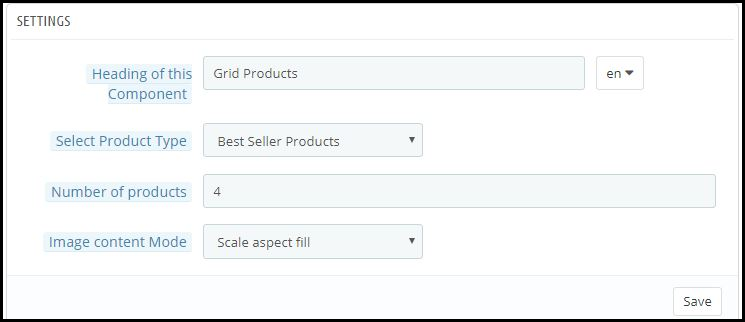
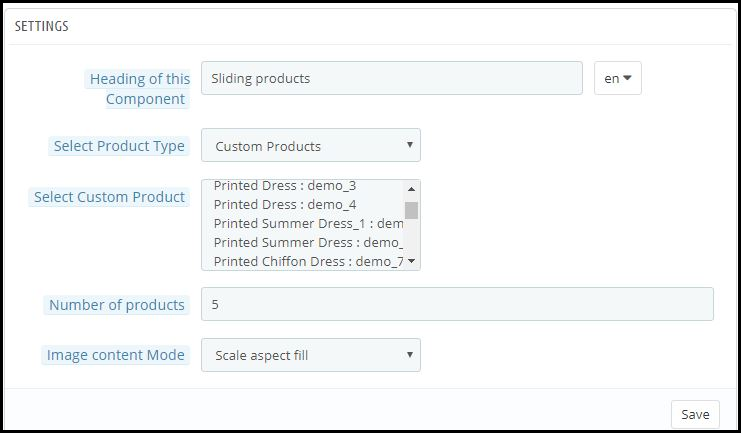
3. Square, Grid & Horizontal-Sliding Products:
With these 3 components, you can display singular products redirecting the app user straight to the specific product page. Because this PrestaShop App Builder Module also lets you set featured product listings. You can choose among following options to display the products:
● Best Seller Products
● New Arrivals
● Featured Products
● Special Products
● Products from a category
● Custom Products
4. Recently Accessed Products:
Including this component anywhere on the layout simply creates a horizontal slider for products displaying only the products that an app user has recently viewed. It is ideal to add this component only once in a home-page layout.
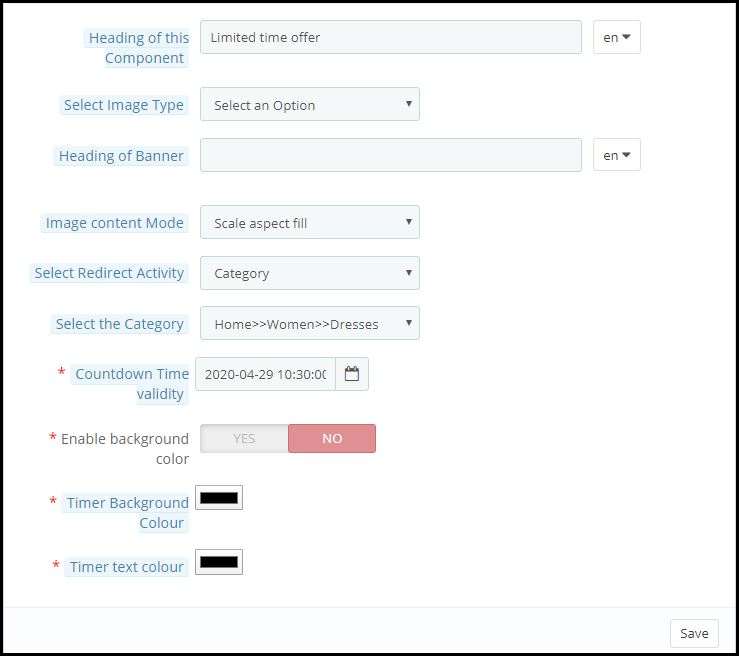
5. Countdown-Timer Banner:
This banner has an in-built countdown timer with all the necessary settings to make it your own. You can use it to inform your app users about an offer that is ending in a specified time. Having the timer running helps to engage the customers & to make successful purchases until the clock is running. Refer to the screenshot below for its settings.
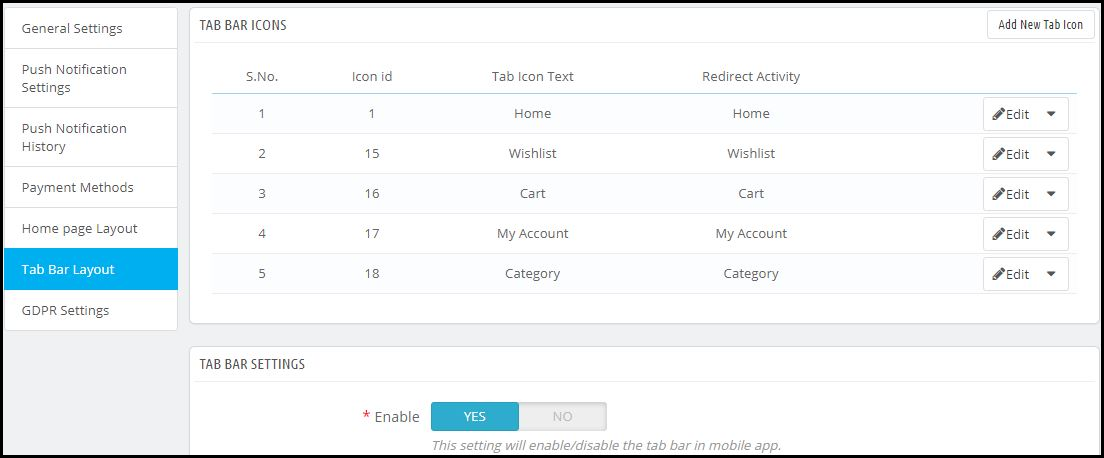
Apart from all the edits, you can make to design your PrestaShop App’s home-page, there is one more useful thing that’s present all the time on your app’s screen. It is the tab bar.
Tab Bar-Designing:
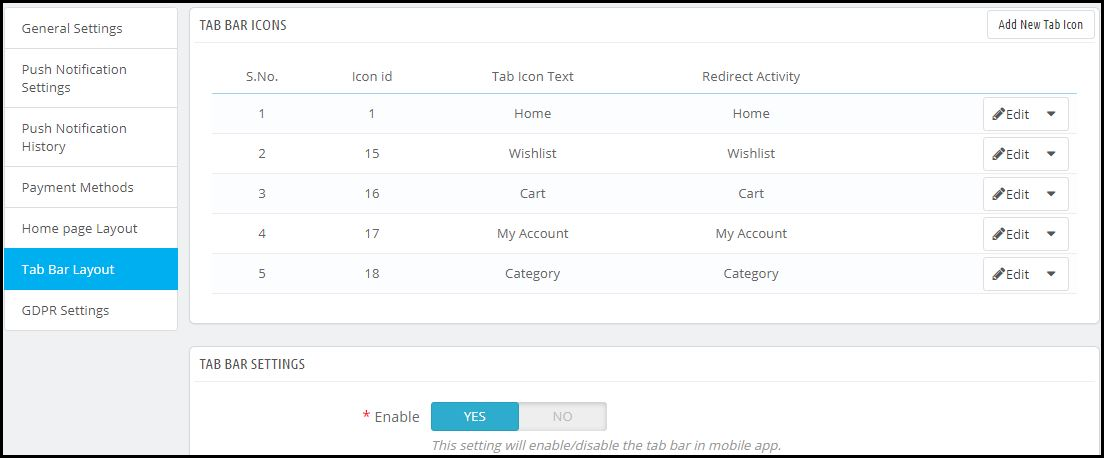
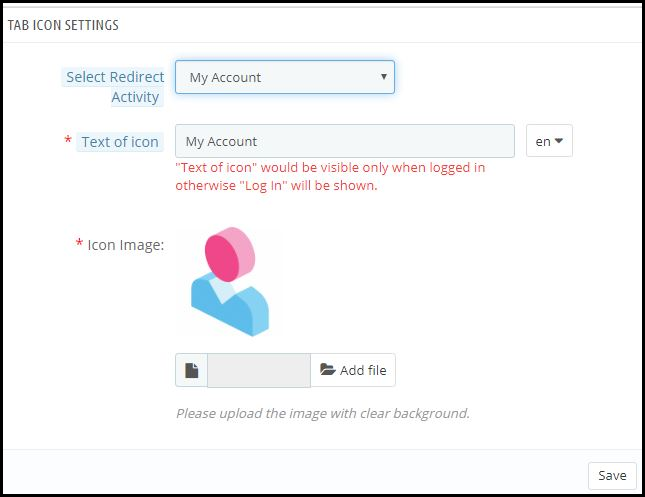
From the side menu of the PrestaShop Mobile App Maker module backend, you can also design the tab-bar. This design remains common for all the home-page layouts. Add 3 to 5 elements in your tab-bar with necessary links to make your PrestaShop App look more professional & user friendly.
Here is how the ‘My Account’ tab-bar setting looks like:
By now, you must have gotten an idea of how user-friendly it is to create, design & edit the home-page layout of a PrestaShop Mobile app using the PrestaShop Mobile App Maker module.
From time-to-time, eCommerce apps do have to change their home-page layout to complement different offers, seasonal sales, new arrivals & whatnot. Hence, to make it easier yet effective for the eStore owners, our experts at KnowBand have developed this PrestaShop Mobile App Maker Module. Those who wish to test out this module before purchasing can even try out its free version.
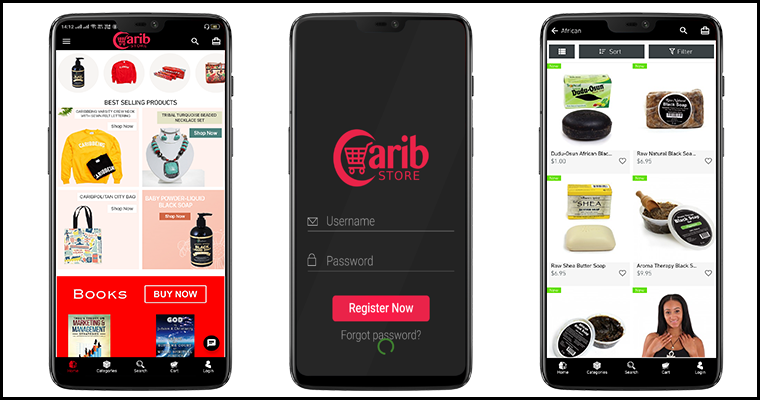
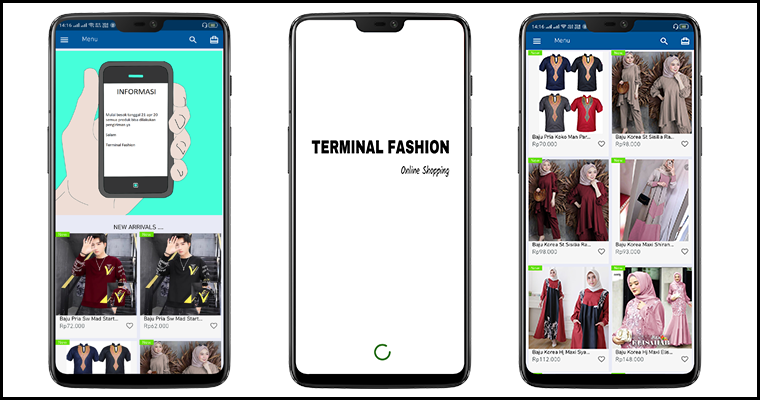
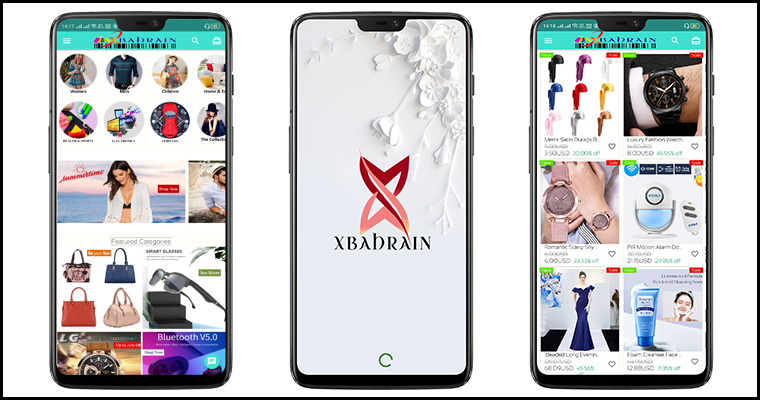
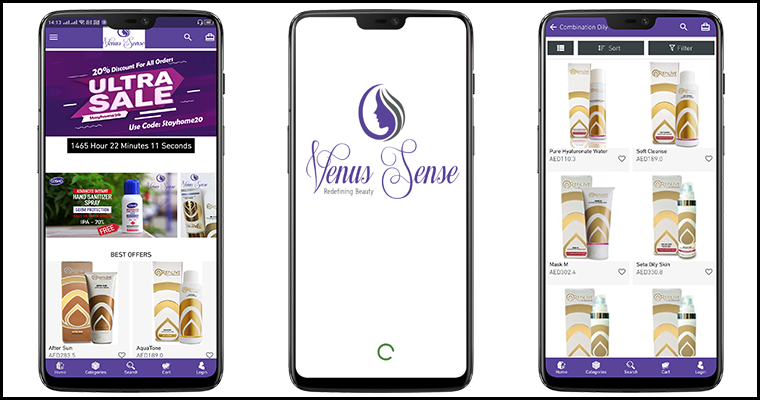
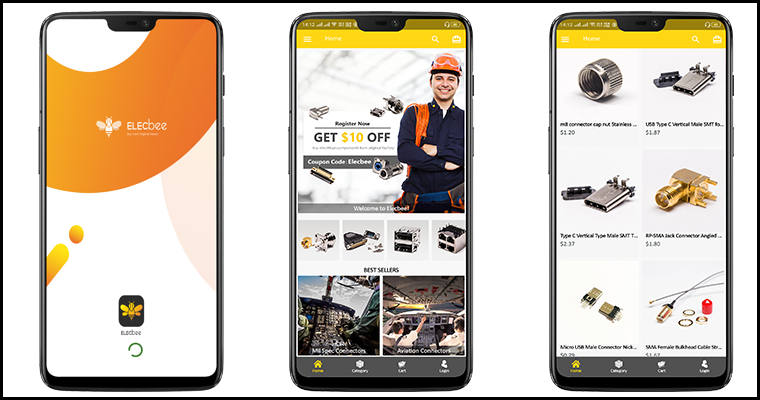
Some of our beautifully designed client app:
A) Body Organics App:
B) Elecbee App:
C) ChirulliShop App:
D) Caribstore App:
E) Terminal Fashion App:
F) VenusSense App:
G) Xbahrain App:
If you still have any queries related to this, feel free to email us at support@knowband.com. We would be more than happy to assist you.
Keeping the customers always interested & engaged is what every online eCommerce business wishes for. Having a native mobile app (Android/iOS) is gonna ease the online shopping for users. User engagement has always been a prime requirement and to fulfill the same mobile apps have come up with the Push Notification tool.
Push notifications are directly received by the app users on their mobile devices. The only condition is that the app must be installed on the device. Push Notifications have been noted to perform way better in terms of engaging app users and retaining them when compared to email reminders/ newsletters & campaigns.
Push Notifications with PrestaShop Mobile App Builder
KnowBand offers personalized push notifications feature in PrestaShop Mobile App Builder. The module aims to launch Android and iOS apps for running PrestaShop store without any coding knowledge. This write-up will introduce you to the backend settings to configure and send Push Notifications on the user’s devices.
While keeping your app in sync with the website, this app maker module provides a wide array of front-end & back-end features. The ones for Push Notifications are stated below. Follow this article to know how you can create, automate & send these notifications with utter ease.
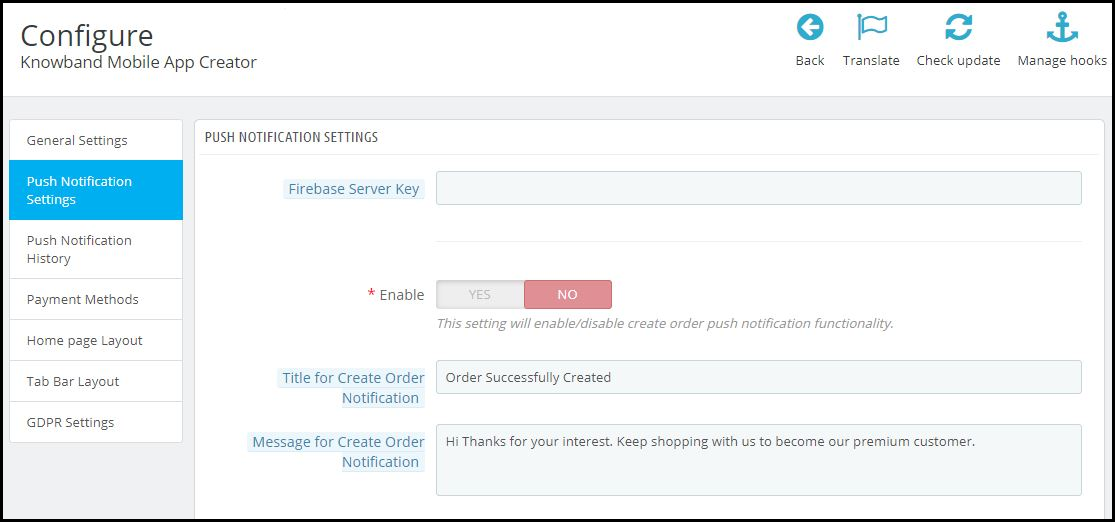
On the backend of your PrestaShop website, where you have the Mobile App Builder installed, hit ‘configure’. Now, from the backend of this module, navigate to the Push Notification Settings Tab from the side menu.
Push Notification Settings:
From the backend, you only need to enter your Firebase Server key (which will be provided along with apps), the rest is set for you to proceed. The PrestaShop Mobile App Builder by KnowBand provides an unlimited number of push notifications that e-merchants & admins can send to their app users.
Some of the automated Push Notifications are already provided by default for your convenience. These notifications can even be disabled/ enabled with just a toggle switch. Apart from those, you can create any other kind of Push Notification from this backend as well. Here is how you can configure them.
A) Successful Order Notification:
Using this notification setting, the store owner or the admin can set the title & message for successful orders. Each time an app user successfully places an order on the app, he/she will be greeted with this notification.
B) Order Status Push Notification:
This informs your customers about any status update on their active orders. Some examples of these are ‘order packed’, ‘order shipped’, ‘on the way’, ‘delivered’, ‘canceled’, etc.
Use the variable ‘{{STATUS}}’ anywhere in the message body to form your order status push notification.
C) Abandoned Cart Push Notification:
Automate the abandoned cart notification by setting the timer provided in this push notification setting. Every time an app user leaves his/her cart abandoned, then automatically this push notification is sent to him/her after the specified time.
Custom Push Notifications:
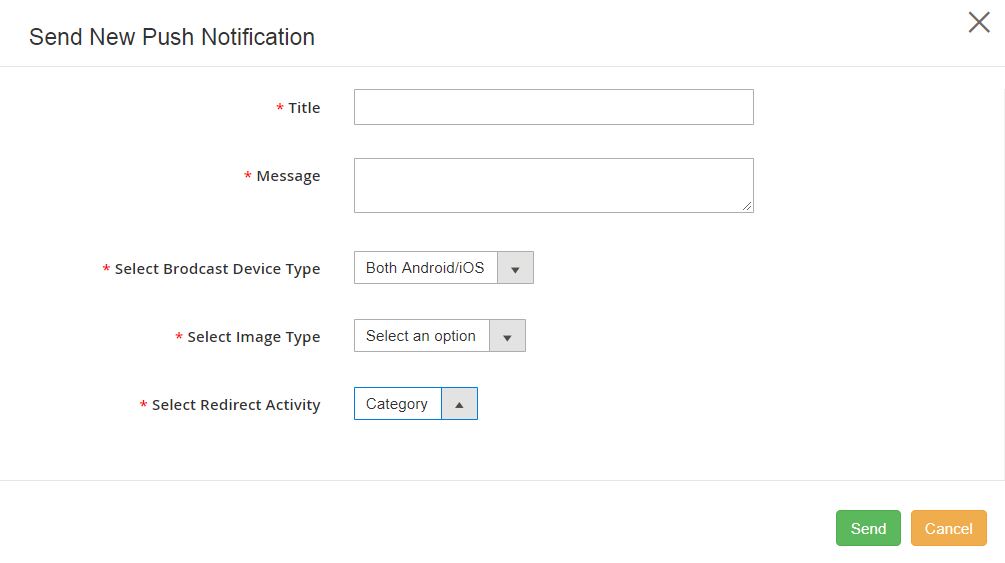
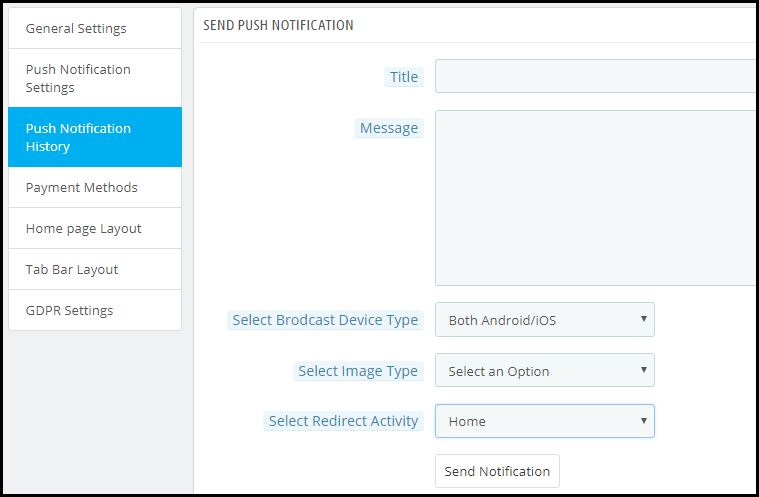
Apart from the above three pre-defined notifications elaborated above, admins can create any kind of self-designed Push Notification from this setting. From the side menu of this app maker module, select ‘Push Notification History’. Then using the ‘Send Notifications’ button on the top right of the page, create a new notification according to your needs.
You can even choose to selectively send these notifications to any of android/ iOS devices. Use attractive images to get more customer engagement using these notifications. Choose the redirecting activity to be any of the categories/ subcategories/ products or even the homepage of the app. These notifications get sent to all the app users once you hit send.
Push Notification History:
Keep a record of your previously sent notifications & their configurations by accessing the ‘Push Notification History’. You can even filter out the ones you want to view from the advanced search bar as shown in the screenshot above.
Conclusion:
Mobile push notifications are a major feature that makes an app stand out from the website. When used properly, these can lead to an exponential increase in customer retention & engagement rate. They help store owners to effortlessly boost their sales.
To make it even more convenient & effortless for the app admins, this PrestaShop Mobile App Maker module, by KnowBand, has most of the settings automated. Hence, the store owners don’t need to make even the slightest effort to yield great results.
For any further queries related to this module, reach out to the experts at KnowBand by emailing us at support@knowband.com. We would be delighted to assist you.























![[New Version Release] Magento 2 Mobile App Builder : v1.0.6](https://www.knowband.com/blog/wp-content/uploads/2020/05/New-Version-of-Magento-Mobile-App-Builder-Ready-To-Serve-The-eMerchants.jpg)