9 tips to help you sell more on Walmart Marketplace

One of the most popular Marketplaces in the world i.e Walmart Marketplace has gained sustainability in its eCommerce business all over the world. Walmart Marketplace provides a platform for many third-party sellers to sell their products and earn a huge chunk of profits. Many third-party sellers have already leveraged the benefits of Marketplace by expanding their reach to millions of customers worldwide. However, this led to an increase in the number of third-party sellers and competition continues to heat up. So, it’s high time for sellers to come up with some new strategies to acquire an extra edge over others.

Source: Statista

So, here are some tips which can help you make more sale and help you earn good profits:

1. Create your own Brand:

Getting a shelf on Walmart Marketplace is not an easy goal to achieve. To become a third party seller on Walmart Marketplace, vendors have to go through the strict policies laid by Walmart for third-party sellers. Walmart Marketplace mainly entertains brand owners rather than re-sellers. This means if you are a brand owner, then there are high chances of your acceptance as a third party seller on Walmart Marketplace.

2. Performance Record:

It’s very important to maintain a good record as a seller before applying to Walmart. Walmart considers those eSellers first who manifest a good track record on other Marketplaces. They verify your review and ratings on your current sales channels. In fact, Walmart itself keeps a seller’s scorecard to rate sellers on Marketplace. So, do keep an eye on your performance and try to improvise it on regular basis.

3. Build a brand image:

Once you are approved as a seller, It’s necessary to maintain a good image in front of Walmart Marketplace. Streamline your operations to avoid out of stock or any other issues related to inventory. These issues downgrade your performance in front of Walmart which could lead to many serious consequences. However, keeping a check manually on these issues is a hassle. Sellers need a trustworthy integration software that provides you seamless integration of your website with Walmart Marketplace. This integration will make your job easier by maintaining your inventories from the back-end itself. It will also help the seller to optimize their presence on Walmart Marketplace.

4. Detailed and Accurate product Description:

Although every customer knows what they are buying but Walmart needs sellers to write product descriptions more accurate and in detail when compared to other Marketplaces. The data provided by sellers should be accurate and should not divert customers from the features of the product. This will compel customers to go for instant purchase and in return, you will get loyal and satisfied customers for your eCommerce business.

Avoid using irrelevant data and keywords as it will frustrate customers resulting in loss of sales. Make sure the information provided by you should be to the point and up to date. Product description should not long so keep a check on the standardized length of the same.

5. Relevant product categories:
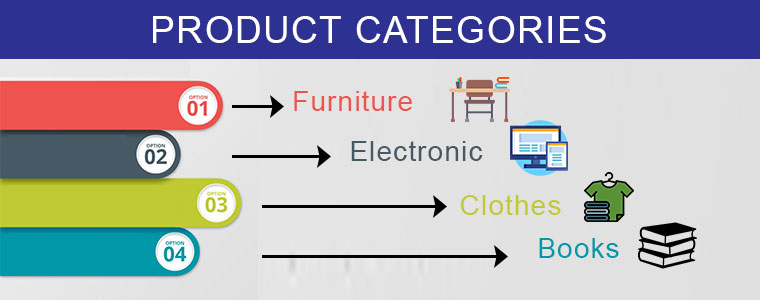
Imagine that customers are unable to find your products and finally settling with the same product sold by your competitor. To ensure the higher sales of your items, make sure that the items listed by you are placed in the right product category with relevant attributes. Choosing the correct product category on a digital shelf directly influences the visibility of your product in between customers and help you gain good profits. Make sure that the ranking of your products on Walmart is high so that they are visible on the top of search results.

6. SKU Caps by Walmart:

Walmart’s SKU (Stock Keeping Unit) for product listing is been set to a favorable limit for third-party sellers. Once you start selling your products on Walmart Marketplace, you will be able to increase the SKU caps according to your sales performance and customer reviews on them. As soon as your sale increases, Walmart will provide you the opportunity to increase your SKU’s and more products from your eCommerce website. So, make sure to list your best selling items and gradually work on building a good reputation as a seller on Walmart Marketplace.

7. List down the products at the lowest price:

Today, consumers can easily access the Internet which let the continuous increase in the number of customers and eCommerce stores, multiple vendors are offering the same quality products at different prices on the same Marketplace. The seller that offers the products at the best or the lowest price attracts customers and compels them to go for instant purchase. Walmart Marketplace mainly focuses to provide the lowest price to its customers and also provides instant visibility to sellers which can help them to win BuyBox too. So, if you want to be a successful seller on the Walmart platform, the low pricing of products should be a priority.

8. Don’t Forget to Apply for Promotions:

Walmart always features promotions that provide “everyday low prices” guarantee. Sellers can take advantage of applying for these promotions and enhance their visibility in front of customers. Walmart takes time to consider your request so keep yourself motivated and wait for their response. The lower the price, the better your chances of having your promotion accepted. So, try to provide the lowest yet best price of your product.

9. Importance of Marketing:

As an eCommerce seller, It’s important to promote your products on the Walmart Marketplace. You can try various marketing strategies like social media strategy, Facebook’s advertising program and many more. These strategies are a great way to popularise your products in between the audience and can turn them into potential customers. You can also try email and content marketing to increase your product’s visibility too. Sellers can personalize their brand by these marketing strategies which can help you sell more on Walmart’s Marketplace.

Over To You:

Getting a shelf on Walmart Marketplace is not a cake walk. Although Walmart invites third-party sellers to its marketplace, there are many vendors who are still dreaming to be one of the sellers on Walmart. However, if your application is accepted you should take advantage of this opportunity. It’s a platform with millions of loyal customers. Building your eCommerce business reputation and presence on such a renowned Marketplace will definitely help you increase your audience base which can turn into loyal customers in the future. So, What are you waiting for, If you haven’t applied to sell on Walmart till now, you should do it as soon as possible.

Sell your products on Walmart Marketplace without any inconvenience. Now, you can easily list your products by integrating with the Walmart marketplace in just a few simple steps. KnowBand offers Walmart integrators to help retailers sell their goods on Walmart Marketplace in a hassle free way. Sellers can easily download and install it on their website without knowing any technical knowledge. Knowband provides integrators for all the major CMS platforms like Prestashop Walmart Integration Addon, Magento Walmart Integrator, Walmart Magento 2 connector, as well as OpenCart Walmart Integration plugin.

Find out some more related articles here:

  1. 5 eCommerce tips and tricks to ensure fast growth
  2. Keys to successfully buy online and pick up in-store
  3. 6 Summer Holiday eCommerce shipping mistakes to avoid
  4. 8 tips to drive more customers on a Marketplace

How to sell on Walmart Marketplace?

Walmart being a vast marketplace has emerged as one of the largest online shopping destinations all over the world. With over 344 million visits of customers, selling your products on Walmart can directly lead you to higher sales. Although Walmart began accepting third-party eCommerce sellers back in 2016, still it’s a dream for many sellers to list their products on Walmart. So, if you are unaware of the procedure of selling products on Walmart, this guide will make you walk through each step starting from application till launch.

Getting a shelf to showcase your products at Walmart is a huge opportunity for your business. Just behind Amazon, Walmart has established itself as the second largest online retail destination in the U.S.A.

So, now let’s start exploring each step one by one on how to sell your products on this renowned marketplace. The steps are listed below:

Step 1: Apply online to be a Walmart seller!

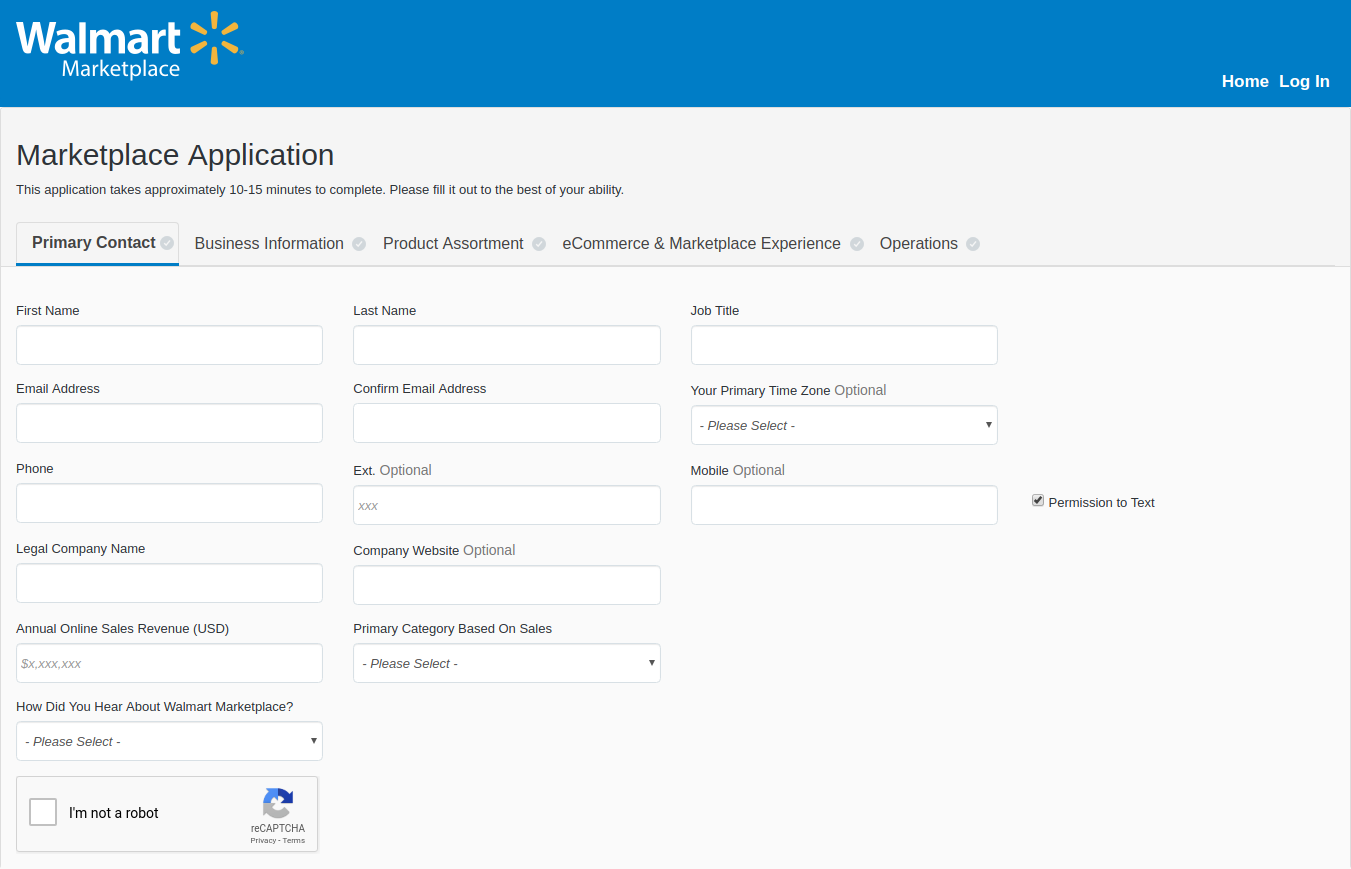
To become a Walmart seller, visit marketplace.walmart.com and click on the “Apply Now” button and fill all the required fields in the form. This process will take approximately 10 minutes to be complete if all the information is available with you.

Once you have shared the required information, click on the “Save” button, if you want to complete the process after some time or click on the “Apply Now” button to continue. Be sure to recheck all the given information thoroughly before moving further.

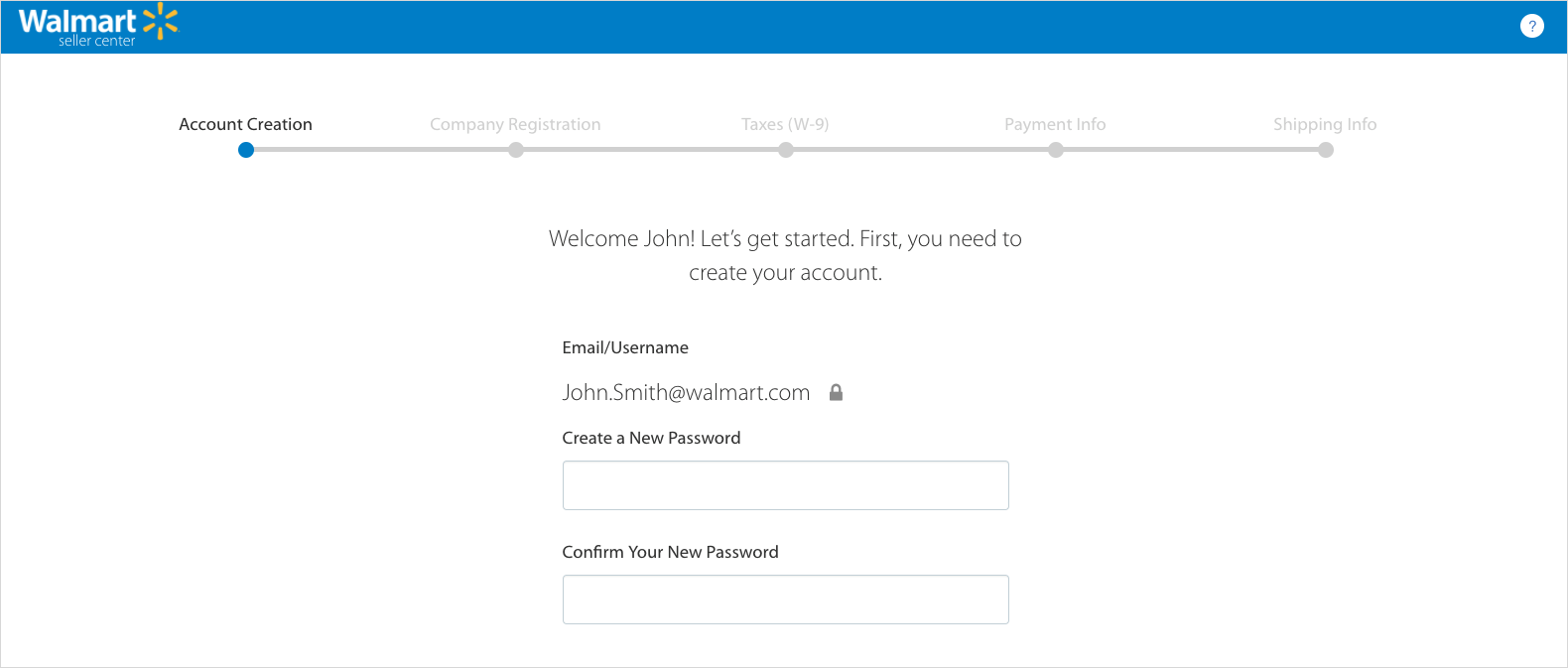
Sellers should prepare themselves to wait for 2-3 weeks for their response. You will receive an email invite to set up a Walmart seller account.

Step 2: Complete the Registration process!

Once you have received the invite mail and created your account, upload all your relevant certificates including your bank account information to meet the minimum requirements to be a vendor. Sellers have to provide information related to taxes, payment, shipping, etc. You can also be asked to share some more information about your company and products. This is done with the motive to increase the trust level of your business brand name. Once you are done with the process, you are finally ready to list your products on Walmart.

Step 3: Complete your Partner Profile:

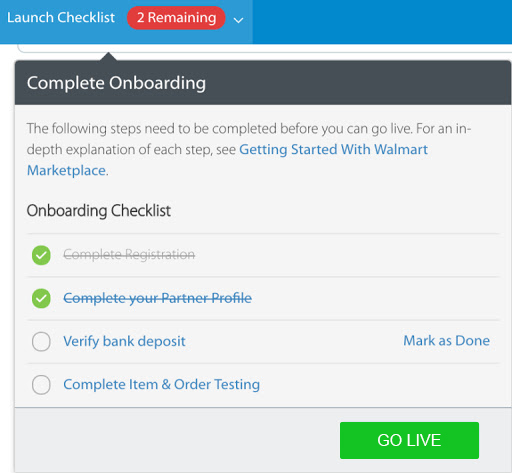
After creating your profile, sellers have to access the seller account. Sellers will get a “Launch Checklist” option which basically contains the requirements needed to launch an account. Partner Profile is a public page through which the customers are able to know more about the seller i.e.

  • Company Info
  • Customer Service
  • Shipping
  • Returns
  • Privacy Policy
  • Tax Info

After you complete your partner profile, the success bar will reach 100% and the account would be ready for launch.

Step 4: Verify the Bank Deposit:

Before moving further, verify your bank deposit by logging in to your bank account that you used in the registration process and check the transaction which states a deposit of 0.01$ from the “Walmart Marketplace Penny Test”. Click on “Mark as Done” in your checklist table for deposit confirmation.

The bank deposit nearly takes 2-3 business days to appear in the account. However, if you still can’t see the deposit, check your account details and enter them correctly.

Step 5: List and preview your items on the Walmart marketplace!

Walmart lets sellers manually list the products in Walmart’s product catalog. It also lets you upload the products in bulk quantity via bulk upload or product feed option.

You can upload or list your products in 3 ways:

1. Create CSV File:

Sellers can create a CSV file upload by using an Excel or Google Sheet spreadsheet, following Walmart’s file upload guidelines. This mainly helps sellers to upload a small collection of products to the Walmart Marketplace. But, if sellers have to upload large collections, the other 2 methods would be a better choice.

2. API Connection:

If you know how to manage an API connection, You can connect Walmart’s marketplace to your eCommerce platform or inventory database for free via Walmart API. This method requires some technical knowledge but is the best way for uploading products on Walmart Marketplace.

3. Integration Partner:

If you are already a store owner on an eCommerce platform like PrestaShop, Magento, OpenCart and Shopify, and others, an integration partner can link your products in your existing catalog directly to Walmart. It is one of the easiest ways to list or can say import your products to the Walmart marketplace. However, this integration could be costly for you. The integration cost starts around $30/month and reaches up to $500/month depending upon your product and sales volume.

After listing all your products, click on the “Preview Item” button for any of your products you listed. This step will show you how exactly your product will look to customers on the front-end of the Walmart Marketplace. If you are not satisfied with the look, you can modify it accordingly and resubmit it.

Step 6: Test your product feed and order management functions:

Walmart even provides you the facility to set up and test your order management connection and other features. You are just required to send your products to feed for testing either in bulk or under any specific products and categorization.

Once you have sent the products for testing, a seller needs to keep an eye on all order processing, shipping, exchanges, returns, and customer services. You need to keep track of the order status as well.

Step 7: Launch your request and start selling:

After testing all the management functions check off from the seller setup list. Click Yes on the confirmation pop-up and you are ready to launch. The Walmart team will review all your account setup, products, and settings and will finally make them live.

Congratulations! You are now an official Walmart Marketplace Seller.

In order to be an established marketplace seller, it’s important that your Walmart Marketplace orders should fall into your normal workflow and for that, you have to always keep a check on these points mentioned below:

  • Keep a check that product price is on target to win the Walmart buy box.
  • Product description should be relevant, clean and error free.
  • Ensure that all orders are updated and retrieved accordingly.

How to work with Walmart?

As the buyer places the order on Walmart.com, it pays sellers after the goods are shipped. Walmart does not provide an in-house order shipping program, so sellers have to handle the shipping process for the products. Unfortunately, sellers might face loss due to less efficiency and scalability. However, there are many shipping companies that can save your profits. Sellers can work with them in their initial phase of business without killing their profit margins.

Cost to Sell on Walmart:

Although selling on Walmart Marketplace could make you earn a huge chunk of profits but Walmart also takes advantage of the same. Walmart charges sellers a referral fee ranging from 6% to 20% of the product’s selling price, depending on the category. Walmart charges a very less referral fee as compared to Amazon. So, being a seller on Walmart can make you a billionaire one day.

Conclusion:

The Walmart marketplace is a huge and fast-growing marketplace every day by day. There are numerous third-party sellers who want to register themselves as Walmart marketplace sellers. With the growing competition, becoming a third party seller on Walmart is definitely not a cakewalk. The seller’s market does not entertain the sellers who are not meeting up the parameters set by them. So, keep a check on the requirements and there’s a quite good chance that Walmart will accept you as a marketplace seller. Hopefully, you will witness the increased number of orders and sales for your business.

With the help of Walmart Integrator by Knowband, you can now sell and manage the inventories at the Walmart Marketplace from the backend of your store. Walmart integrator is available for various CMS platforms like Prestashop, Magento, OpenCart, and Shopify.

Find out more articles on Walmart marketplace seller:

  1.  How can a vendor optimize his presence on Walmart Marketplace?
  2. How to sell on Walmart Canada?
  3. 9 tips to help you sell more on Walmart Marketplace
  4. The Pluses and Minuses of becoming a Walmart Marketplace seller
  5. How to create Seller Account in eBay Marketplace?