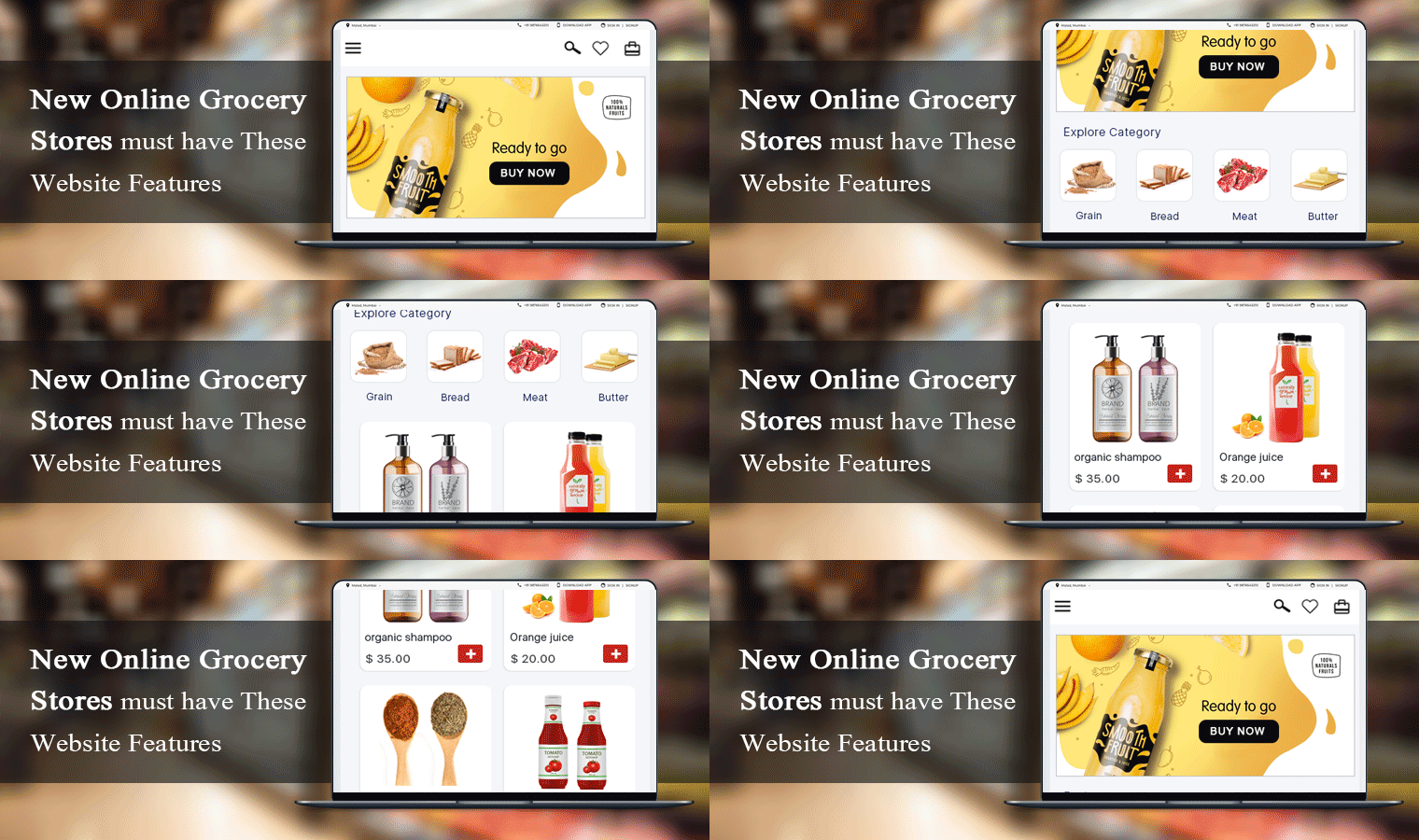
New Online Grocery Stores must have These Website Features

Do you want a grocery website or application like BigBasket and Grofers? Do you need a platform or an app focused where clients can place orders online? You have come to the right page.

An online grocery store should be like a departmental store. The way they arrange the products based on the requirements like butter and jam are generally kept along with the Bread. Because a person who buys bread will always buy butter with it.

The same strategy should be followed by online grocery stores. The website should display relevant products that can be bought together. I am going to discuss some top-notch features that every new online grocery store should take seriously.

1. Navigate the user to the right place

With easy navigation, keep the interface simple to help your clients place orders easily without knowing about the app or website. Design the process of exploring/searching different products; add to cart buttons, display categories, call-to-action, and lastly checkout should be completed in just a few taps, with minimal screen sliding. This keeps customers engaged and does not allow their attention to be lost due to the disruptions caused by switching from one screen to another.

2. Subtle website design
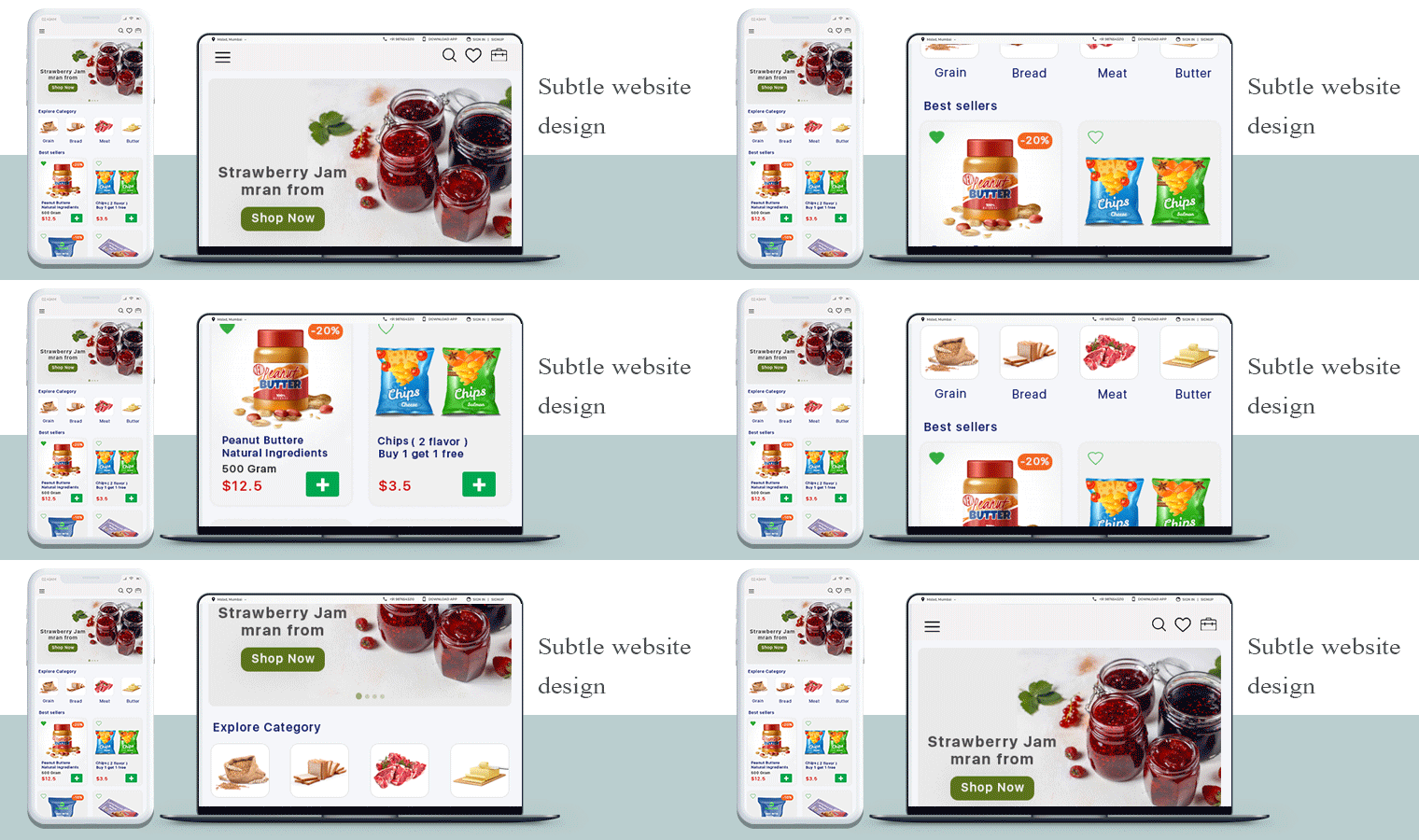
Design the new online grocery store’s UI and UX in such a way that each feature remains simple and responds in real-time.  It is good to provide fast search/filter solutions and checkouts to encourage customers to spend their time buying more, not finding what they need. We can connect wallets and different types of online payments on request along with cases on a delivery payment system.

3. Business Model for new Online Grocery Store

Many of the on-demand applications charge for membership and provide different advantages, such as free delivery, membership offers, and so on. As they know they are having a good price, this will draw consumers to your new online grocery store. Both you and the client will benefit from annual membership fees. You can even go for a commission model for the registered sellers on your grocery marketplace.

4. Shopping Cart

Shopping carts bridge the gap between shopping and purchasing, so it’s incredibly important to have the best apps for shopping carts on your website. A shopping cart stores product data and it is a portal to order, catalog, and customer management. It displays product information, categories, and site information. A shopping cart facilitates the purchase of the product on an online grocery store therefore it is a must-have feature.

5. Search tab which delivers relevant results

While developing a grocery mobile app or a grocery website, concentrate on providing a fast browsing experience so that even in the slower data links, users can access the app. You can also have offline functionality so that users without internet access can search on the app. Keep things one or two taps away so that users don’t have to get confused about where they started from.

6. Product Page

Grocery stores have a wide variety of items and the new stores can make the products readily available in order to give consumers ease of shopping. Write a product description that is easy to read and understand. Do not add false images of the products because it won’t give you a long time business. The product page must have high-resolution images with the complete product description.

Start your grocery store today:

7. Show relevant products in your online grocery store

Maybe on many of the shopping sites you’ve seen this feature. Here, the suggested product list is shown at the bottom, based on the user’s previous search preferences. If the creation of your new grocery app contains this functionality, it will keep users interested as they get exactly what they need according to their interests. It is a must-have feature for a new online grocery store.

8. Include multiple Payment Methods

Card payment, cash on delivery, or portable wallet will be included in the secure multiple payment options. This will make it easier for them to buy according to their convenience. To encourage people to make purchases as they wish, ask your food delivery app development company to incorporate multiple payment gateways into your grocery app.

9. Provide Shipping Services

This enables users to prepare their delivery in advance according to their convenience. During the checkout process, consumers will pick a delivery date for their order. The creation of the grocery mobile app includes the approximate delivery period to alert the customers.

10. Order Tracking

When a customer places an order, they want to know the order status of the product delivery process. To provide such information, you require proficient order tracking software. Many eCommerce service providers have created such modules and I would suggest you see the demo of KnowBand’s Delivery Boy App which is fully featured and easy to handle.

Now decide for yourself!

What do we offer?

KnowBand is a company best known for eCommerce business solutions. We have created hundreds of modules for major eCommerce platforms like PrestaShop, OpenCart, Magento, Shopify, and WooCommerce. Our mobile app services are highly appreciated by our clients. We develop the Grocery App and Online Grocery website as per your requirements.

For more information you can read the below-mentioned article:

How to set up your Online Grocery Business with Store Pick-up Facility?

The COVID-19 pandemic has created a frightening situation worldwide. Businesses are experiencing a heavy downfall and the global economy has dipped due to the current crisis.

While the countries remain in lockdown with almost everything being shut, stores providing essential items such as Grocery and Pharmacy are still available so that people can fulfill their basic needs.

This is the time when Grocery retail store owners can take their business online and give it a huge boost. Besides, you can set up the store pick up facility on your website using the Store Locator and Pick up module and manage your orders efficiently.

How does Online Store Pick-up module help?

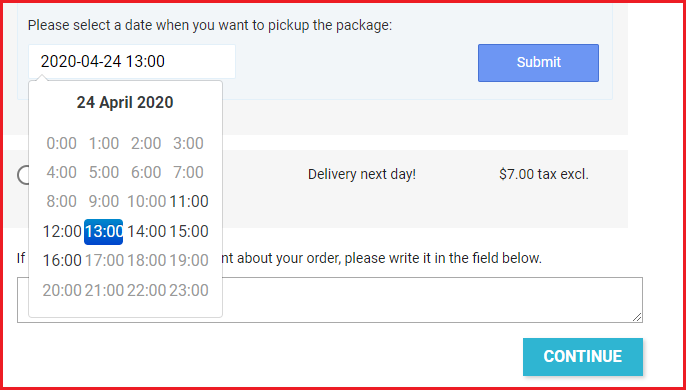
The module lets you add your retail stores on your website and allows customers to safely pick up their order at their desired time. This will help you avoid a massive crowd near the stores and would save customers a lot of time.

You can configure the pick-up timing, upload your stores through CSV and do much more. More details are mentioned at the end of this blog post.

The grocery business is currently the most benefited in eCommerce amid the Coronavirus outbreak. Due to intense demand, many physical grocery stores have moved towards the online platform. If you are also looking to make a shift and set up an online grocery store, this write-up is specifically for you.

Did you know the online shopping grocery sales hit nearly $29 billion in the United States in 2019? And it is expected to reach the $60 billion mark by 2023, says Statista.

How to create your Online Grocery Store?

To start an online grocery business, follow the below-mentioned steps.

1. Register your Business

The first thing to do when you are thinking to set up your business online is to register a business name. Think of a catchy brand name. Purchase a domain with that name along with the hosting plan. Afterwards, you need to choose the desired eCommerce platform where you want to set up your grocery store, for example, PrestaShop, Magento, OpenCart, Shopify, etc.

You need to register your business legally to avoid troubles since you would be involved in buying and selling of goods.

2. Customize Your Website

You can customize the website design as per your taste and preference. Starting from scratch, you can choose the desired theme, font, add banners, etc.

Moving further, you can create the navigation bar highlighting the product categories and subcategories, and other important links.

You will have the option to customize a product page, cart page, checkout page, etc. Put simply, you will have all the options to design the website your way.

3. Add Products

Once you have the platform ready, you can start adding your products or to be specific, your grocery items. Set a category for them, specify the price, description, use images or whatever necessary.

Ensure you are using high-quality product images so that your product pages leave a great impression and speak about the product quality.

4. Set up Payment Methods

Now comes the main part of an eCommerce website, i.e. setting up your payment methods. Just like you receive cash in physical retail, you will need a payment portal from where the user can pay the amount.

Different eCommerce platforms help you connect with different payment options.

5. Shipping and Delivery Settings

Once the payment options are linked, the next thing is about shipping and delivery of the products.

Just like the payment options, you will also find different kind of shipping options on different eCommerce platforms.

Specify the shipping zones where you can ship the products. Choose the type of shipping options that you want to provide to your customers such as Free Shipping, Flat Rate, Store Pickup, etc. You will also need to pick your courier partners to deliver your products.

That’s it. Your online grocery store is ready.

BUT! Before you start selling,

–  Study your Target Audience

Determining your target audience is the first step towards starting an online business. You should be very specific about the age group you want to target along with the gender type, location, occupation, marital status, and income level.

Besides, you should conduct market research, understand your existing competitors and prepare your marketing strategies.

Though an online grocery business would not require narrowing your audience as everyone requires grocery stuff, having a defined audience helps you reach out to relevant and potential customers.

– Optimize your Website for SEO

There’s no point of going online if people cannot discover you. That is why SEO is important. Hire SEO experts to make your website visible in front of your target audience. Once your site is SEO-optimized, you will start receiving organic traffic after some time.

How to set up your Online Grocery Store using PrestaShop?

PrestaShop is amongst the best open-source eCommerce platforms and has an intuitive interface. Today, there are more than 270,000 stores worldwide that are powered by PrestaShop.

Why PrestaShop?

PrestaShop provides you with many rich features. First of all, it is a free and open-source platform and is easy to use. Secondly, it lets you add custom features to your website such as special offers, free shipping, discount mode, etc. Thirdly, it supports multiple payment gateways such as First Data, PayPal, and Amazon Pay.

Read more about PrestaShop here.

Now, if you are thinking to have your online grocery store on the PrestaShop platform, follow the below steps.

Step-1: Get a domain name and a web hosting server.

Step-2: Install PrestaShop and add your domain

Once you have successfully installed PrestaShop, you will be presented with default PrestaShop back-end configurations which you can modify as per your requirements. First, disable your shop.

Step-3: Delete the pre-existing products.

Step-4: Customize your website by adding your brand name, logo, pages, social media links, menu bar, etc.

Step-5: Configure your Payment Methods and Shipments

Step-6: Choose your theme and PrestaShop modules

Step- 7: Add your Products

Step-8: Activate your shop by enabling Shop option

For a detailed guide, click here.

Once your online grocery store is set-up, you are ready to go. But since in the current ongoing scenario, delivering products is becoming very challenging, you can encourage the online grocery pick up facility on your website. This is possible with the PrestaShop Store Locator and Pickup module.

PrestaShop Store Locator and Pickup

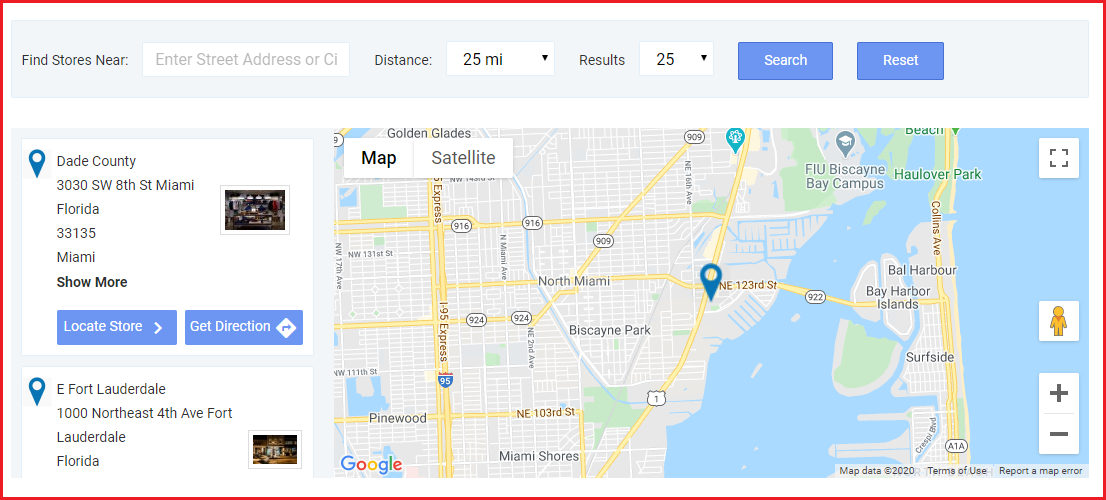
The module lets you map your stores on your website and provides buyers with the option to choose the “pickup from store” facility. They can choose their nearby store; specify the pickup date and time, and then pick up the item at their convenience.

So, like for your grocery business, you can list the stores from where people can get the essential grocery items. They can select the items and choose the date and time at which they want to pick up their items.

Benefits

1. Customers do not need to spend hours standing outside the store to collect their order.

2. Safe pickup since there would not be many gatherings around the shop.

3. Pick up at a convenient time.

4. Customers can find the stores by specifying the location or filter stores by distance; to find the nearest stores.

5. Reduces shipping and delivery cost

6. Minimum interaction involved

Set your Online Grocery Business Today!

By now, you would have probably made up your mind of taking your grocery business online. Want to start your grocery website? Request a quote from here or you can reach out to us with your queries and requirements at support@knowband.com

Knowband is amongst the leading eCommerce solution providers. We provide eCommerce development services for multiple eCommerce platforms like PrestaShop, OpenCart, Magento, Magento 2, and Shopify.

Knowband is also a leading mobile commerce solution provider. We provide mobile app development services for multiple platforms. The PrestaShop Store Locator and Pickup module is also compatible with our Mobile App Builder, letting you allow your customers to shop from your grocery mobile app.