With the introduction of the General Data Protection Regulation (GDPR) by the European Union, businesses worldwide must adhere to strict guidelines to safeguard the privacy and rights of individuals. For eCommerce businesses using Prestashop, ensuring GDPR compliance can seem daunting, but it doesn’t have to be. Knowband’s GDPR Rights of the Individual Prestashop addon is here to simplify the process and help your store meet all necessary legal requirements.
Understanding GDPR and Its Importance:
The GDPR came into effect on May 25, 2018, and it represents one of the most comprehensive data protection laws in the world. Furthermore, its primary goal is to give EU citizens greater control over their personal data and to ensure that businesses handle this data responsibly. Therefore, the regulation applies to all businesses, regardless of location, that process the personal data of EU residents. Failure to comply with GDPR can result in hefty fines, damage to your reputation, and a loss of customer trust.
For eCommerce businesses, GDPR compliance means implementing measures that allow customers to control their data, including accessing, modifying, or deleting it upon request. This level of transparency and control is crucial for building and maintaining trust with your customers.
Challenges of GDPR Compliance in eCommerce!
Achieving GDPR compliance in an eCommerce environment presents unique challenges. Online stores collect vast amounts of personal data, from customer names and addresses to payment information and browsing behavior. Thus, ensuring this data is processed, stored, and used in a GDPR-compliant manner can be complex. Some of the key challenges include:
Data Collection: Obtaining explicit consent from customers before collecting their data.
Data Access: Providing customers with easy access to their personal data.
Data Portability: Allowing customers to transfer their data to another service.
Data Deletion: Ensuring customers can request the deletion of their data.
Data Breach Notification: Quickly notify customers in the event of a data breach.
Managing these tasks manually can be time-consuming and prone to errors, especially for small to medium-sized businesses with limited resources. This is where our GDPR Addon for Prestashop comes into play.
Introducing the GDPR Rights of the Individual Prestashop Addon by Knowband!
Our GDPR Rights of the Individual addon is designed to streamline the process of achieving and maintaining GDPR compliance for Prestashop stores. It automates many of the tasks required by the regulation, making it easier for you to focus on running your business while ensuring that your customer’s data is protected.
Key Features:
Consent Management:
The Prestashop GDPR addon provides a simple and transparent way to manage customer consent. It allows you to add consent checkboxes to various forms on your website, ensuring that customers are fully informed about how their data will be used before they provide it.
Data Access and Portability:
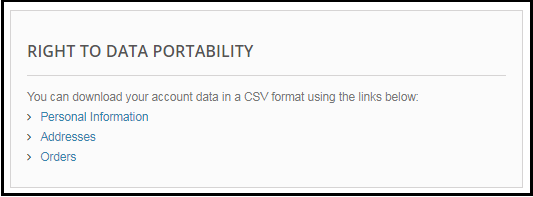
Customers can easily request access to their personal data through a user-friendly interface. Moreover, the General Data Protection Regulation addon generates a comprehensive report of the data you have stored about the customer, which can be downloaded in a portable format (such as CSV) for easy transfer to another service.
Right to Erasure (Data Deletion):
The add-on enables customers to request the deletion of their data directly from their accounts. Once a request is made, the addon automatically processes the deletion, ensuring that the customer’s data is removed from your system in a GDPR-compliant manner.
Data Rectification:
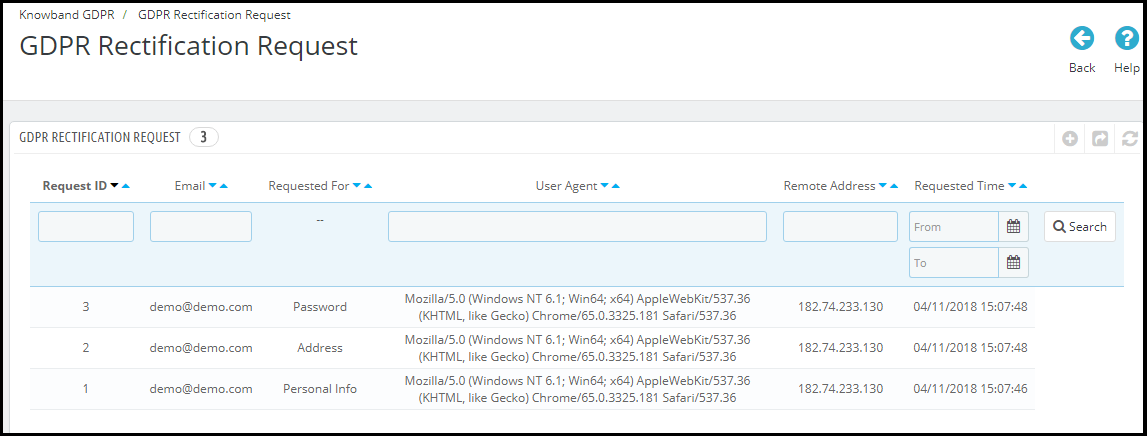
Customers have the right to correct inaccurate or incomplete data. The addon provides a straightforward way for customers to submit correction requests, which you can then review and approve.
Data Breach Notifications:
In the unfortunate event of a data breach, the addon helps you quickly notify affected customers, as required by GDPR. This feature is crucial for minimizing the impact of a breach and maintaining customer trust.
Audit Log:
The addon maintains a detailed log of all GDPR-related activities, including consent given, data access requests, and deletion requests. This audit log is essential for demonstrating compliance during a GDPR audit.
Multilingual Support:
The addon is fully compatible with multiple languages, ensuring that your international customers can exercise their GDPR rights in their preferred language.
Knowband’s Prestashop GDPR Addon
Ensure your store complies with GDPR regulations effortlessly with the PrestaShop GDPR Addon, offering features like cookie consent, data access requests, and privacy policy management.
Benefits of Using the GDPR Rights of the Individual Addon!
By integrating Knowband’s Prestashop GDPR Module into your store, you’ll not only ensure compliance with GDPR but also enhance the overall customer experience. Here are some of the key benefits:
Builds Trust:Demonstrating your commitment to protecting customer data can help build and maintain trust that leads to higher customer loyalty and retention.
Reduces Risk: Automating GDPR compliance tasks reduces the risk of human error and ensures that you meet all legal requirements, avoiding potential fines.
Saves Time and Resources: The addon simplifies complex compliance tasks, freeing up your time and resources to focus on other aspects of your business.
Improves Transparency:By providing customers with control over their data, you enhance transparency, which is a key aspect of GDPR.
Conclusion!
Achieving GDPR compliance is not just a legal obligation but also an opportunity to strengthen your relationship with customers by showing that you respect their privacy. Our GDPR Rights of the Individual Prestashop addon simplifies the process, making it easy for you to meet all legal requirements while enhancing customer trust and satisfaction. Don’t wait until it’s too late—integrate our addon into your Prestashop store today and take the first step toward full GDPR compliance.
The enforcement date of the GDPR is approaching. Yet, most of the businesses are still struggling to make their online store GDPR compliance. In order to make it easier for the Prestashop store owners to meet the GDPR requirements, Knowband has developed the Prestashop GDPR Addon – Rights of the Individual. As per the suggestions of our valuable customers and by referring the discussions on the various forums, we have added some additional features to the Prestashop GDPR Addon. We will release the new version of the Prestashop GDPR Module on May 23, 2018. In order to give a glimpse of the new features to our valuable customers, we are sharing the details and interface design here.
New features of Prestashop GDPR Module
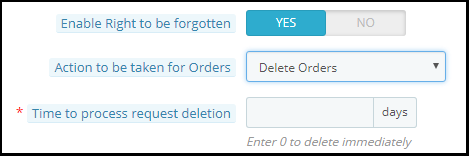
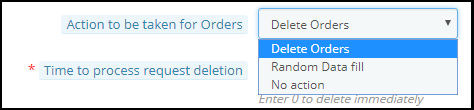
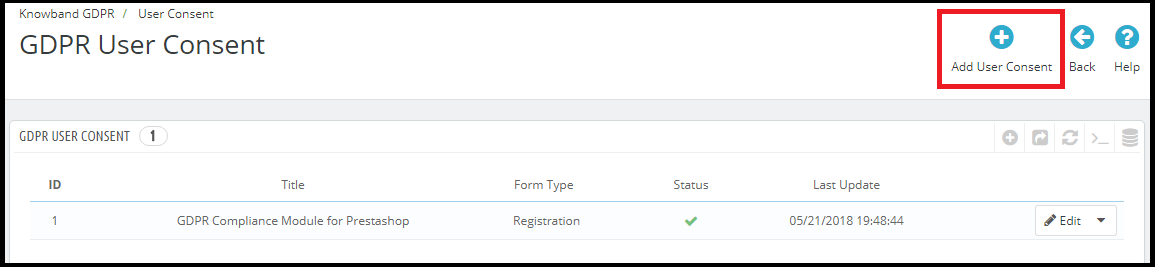
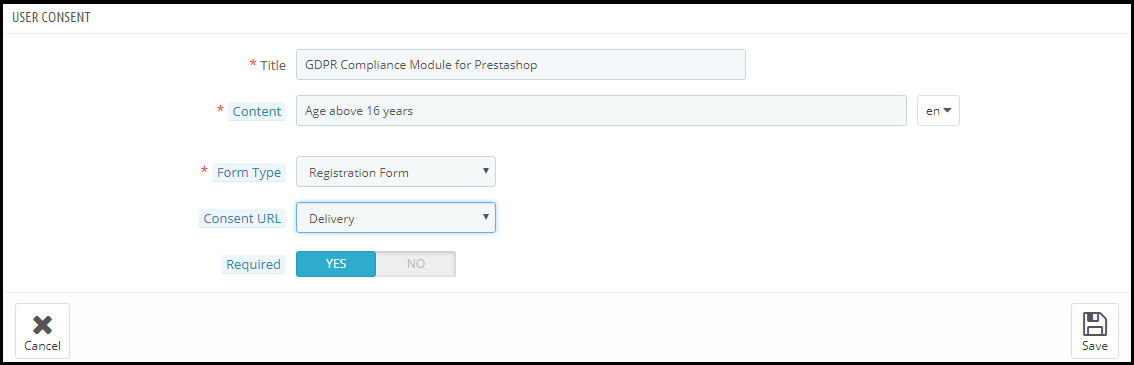
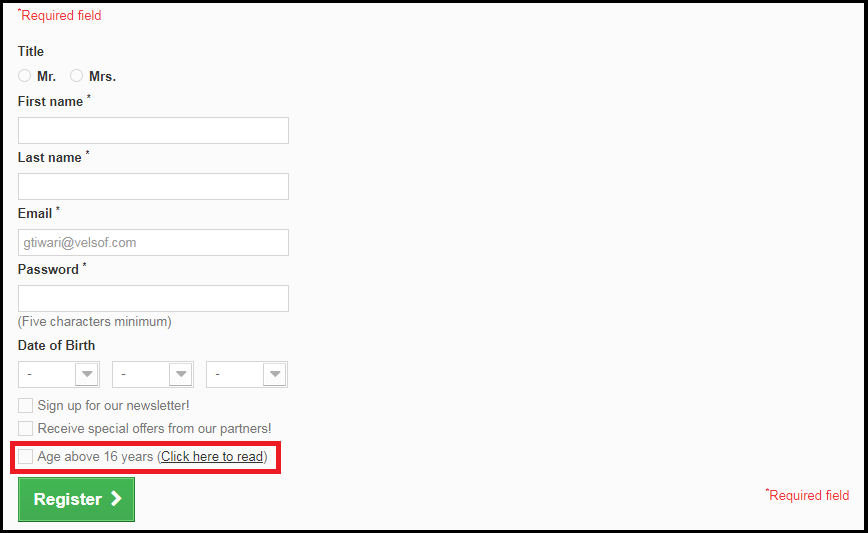
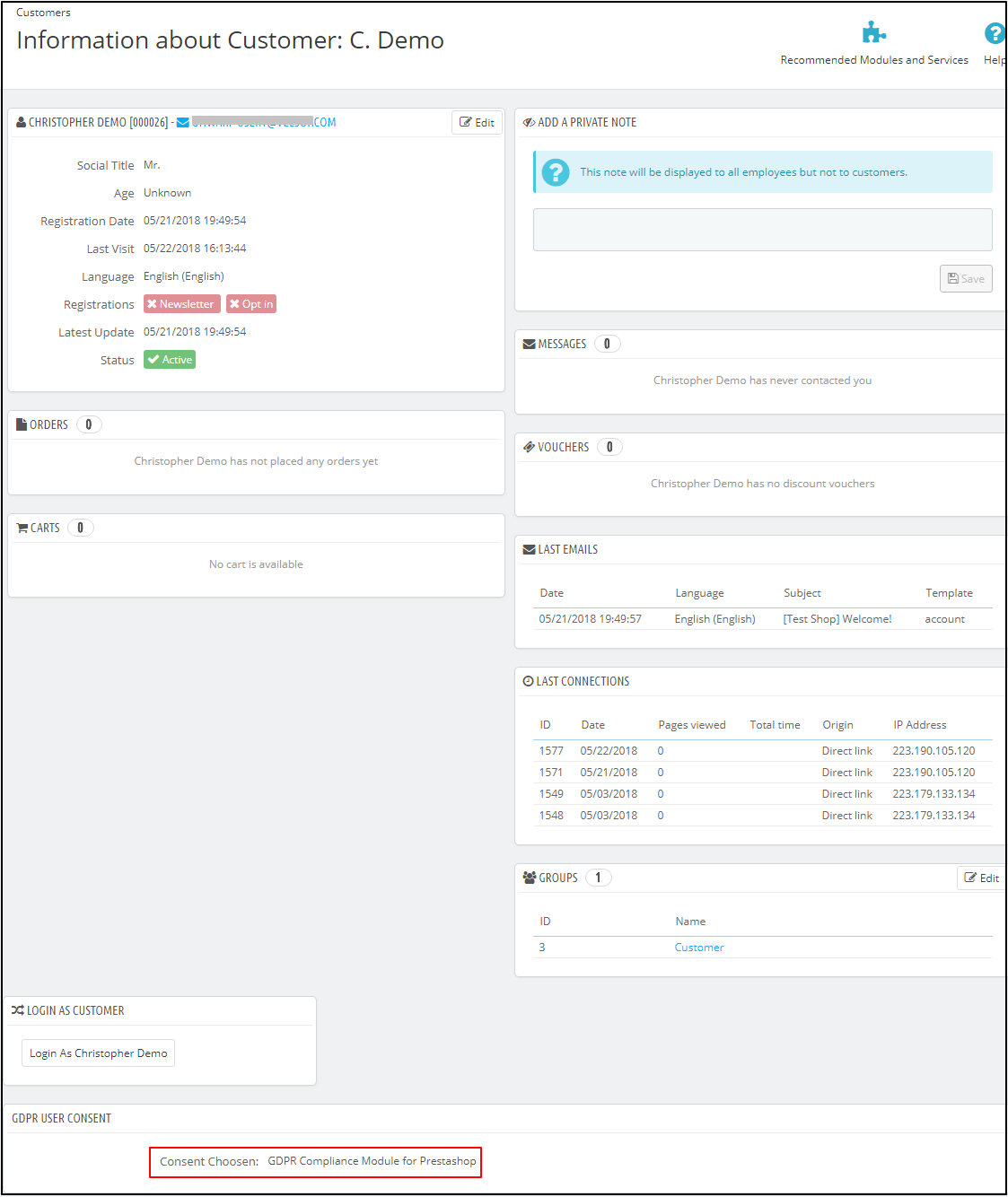
The purpose of these features is to provide additional control to the Prestashop store admin to comply with the GDPR directives. Please find the details of the new features below:Right to be forgottenAdmin has the advanced options to process the data deletion request.Now, admin can select the options like Delete Order, Random data fill or No Action.Delete Order: If the Delete Order option is selected then on requesting for the Data Deletion the order details will be deleted.Random Fill: If the Random Data Fill option is selected then on requesting for the Data Deletion the personal details of the customer will be anonymized. It will help the store admin to keep the statistics of the order and product sale.No action: If the No action option is selected then on requesting for the Data deletion previous order details will remain untouched.Time to process request deletion: Admin can select the option to delete the customer data immediately or after some days. If the admin would like to delete the customer data after some days then admin need to specify the number of days. (Make sure to delete the customer data within 30 days of the request)Deletion of the customer data from Back-office: In order to handle the data deletion requests which have been received through other sources like email, the Prestashop GDPR module provides an interface to the admin to delete the customer data. Follow the steps listed below to complete the data deletion action:
Go to the GDPR Forgot Request Tab
Click on the Delete Customer’s Data option as highlighted in the screenshot
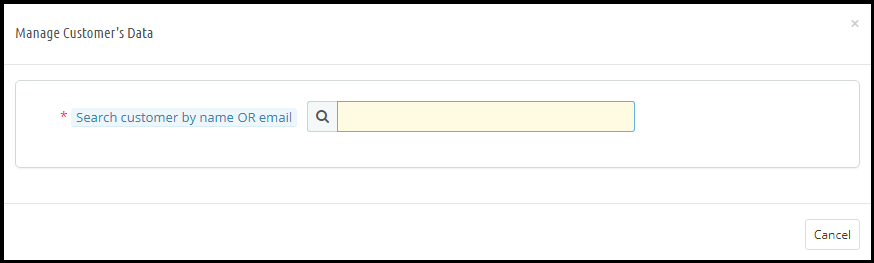
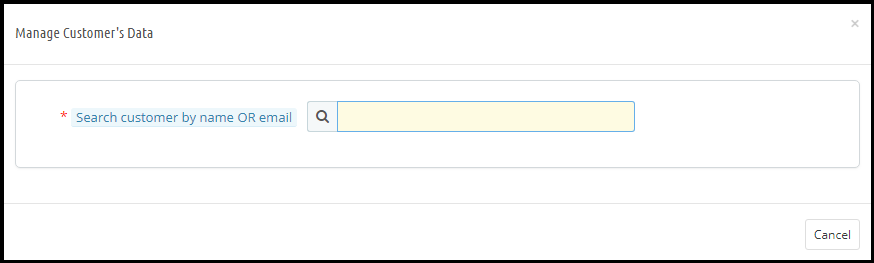
On clicking the Delete Customer’s Data a new tab will open. Please refer to the attached screenshot.
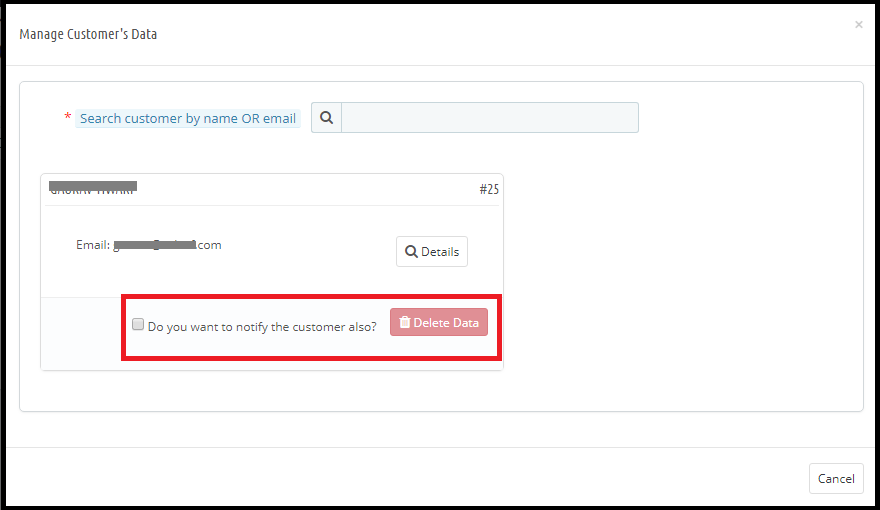
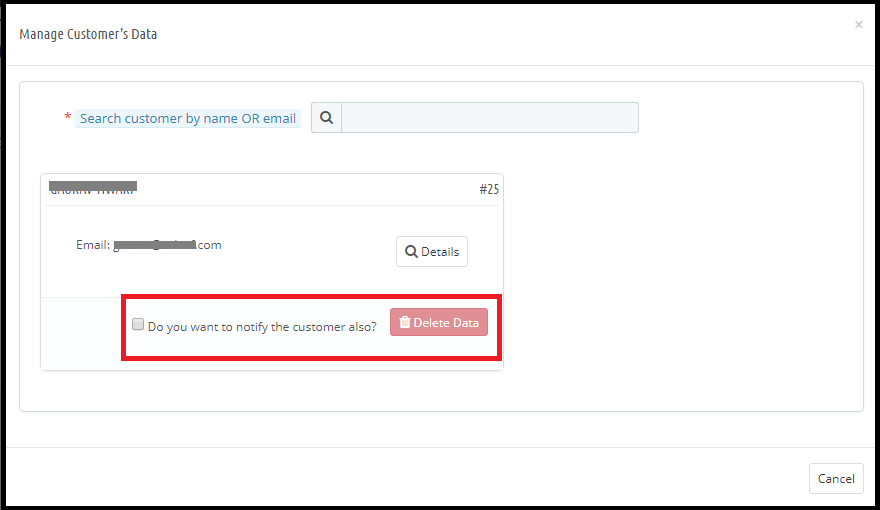
Admin needs to enter the customer name or the email id to find the customer details. The details will appear like.
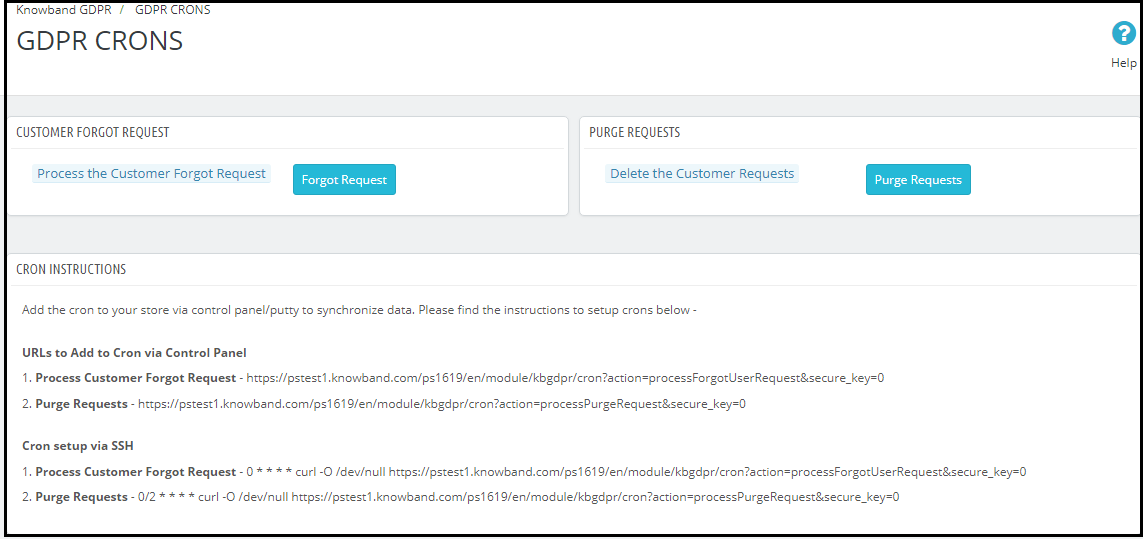
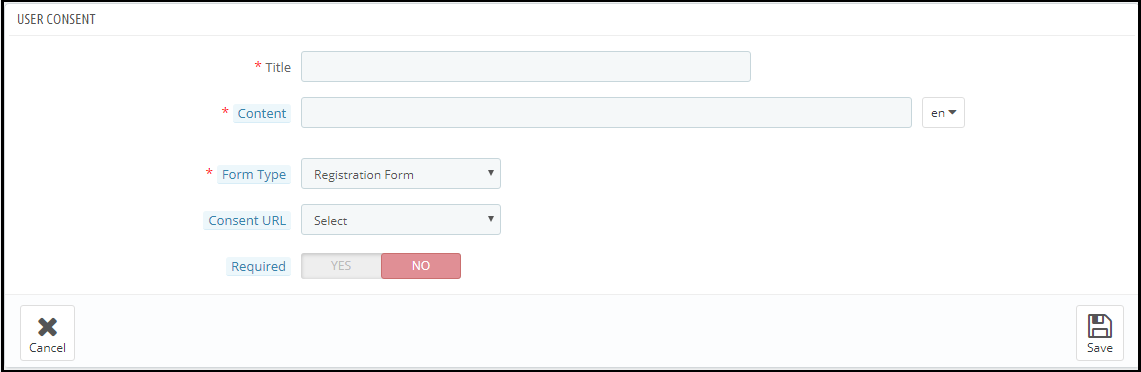
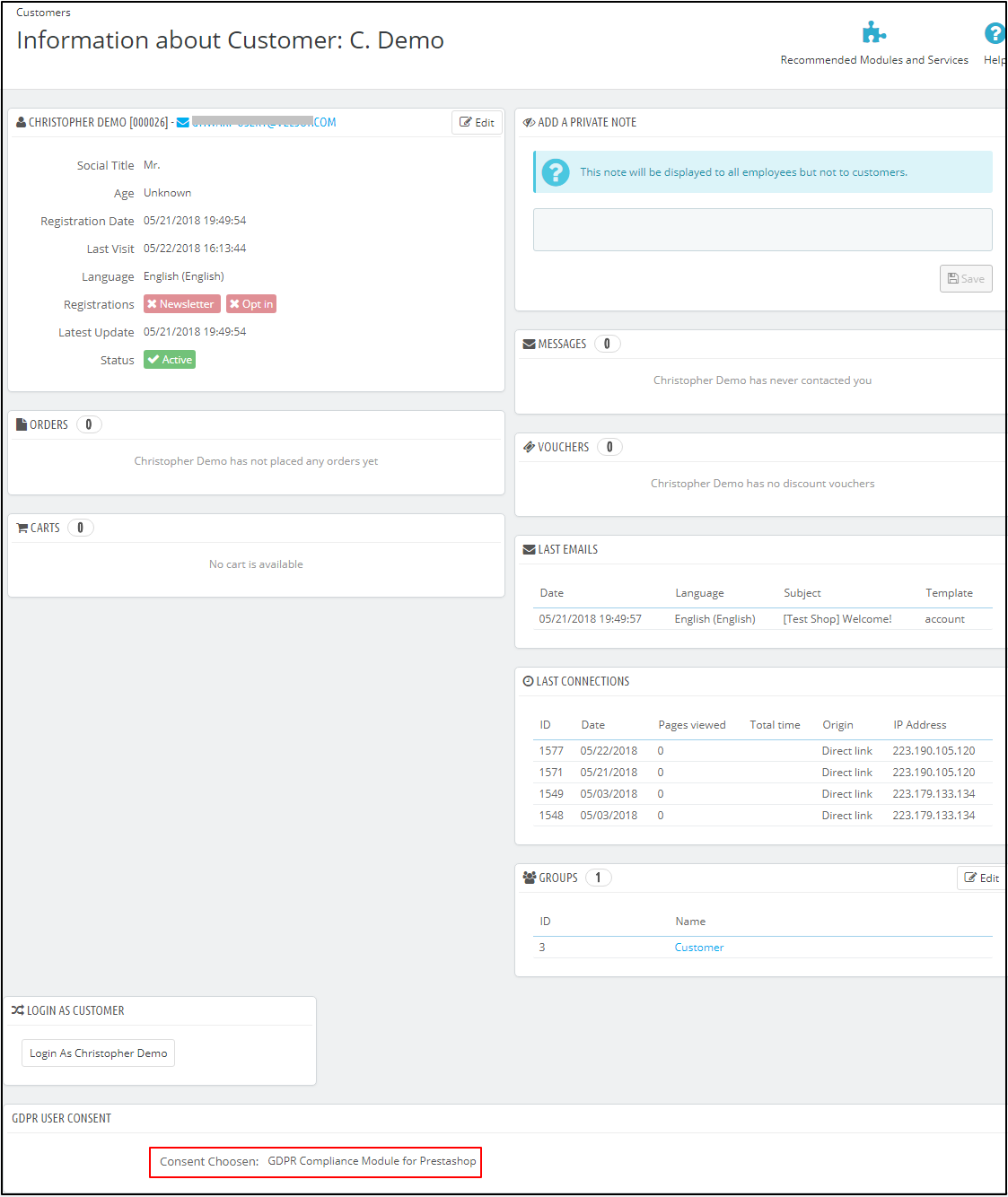
From here, admin can check the customer details and also select the option to delete the customer data. Admin can also notify the customer regarding the data deletion through email.Note: As of now, the Prestashop GDPR Compliance Module by Knowband does not keep the record of the data deletion requests processed from the back-office.Purge request day: This option allows the store admin to define the data retention period for the GDPR requests. As per the number of days defined by the admin GDPR request log will get deleted automatically (cron setup for the data deletion).Cron setup: To enable the option to delete the customer data after a specified day and the purge request day, the admin has the options to set up the cron.User Consent: The user consent option allows the store admin to display the checkboxes on the Signup and Contact form.Please refer to the attached screenshot:Title: This is for the internal use. The title of the consent box will appear in the back-office details.Content: The text entered here will be displayed to the user at the front-end.Form Type: Admin can select the Registration Form or the Contact form to display the additional information.Consent URL: Admin can add the link to the Privacy Page or Terms and Conditions page.Required: Admin has the choice to make the field a mandatory filed.After enabling the checkboxes on the registration form the store admin can record the customer permission. To check the customer permission customer need to go to the Customers section. Here at the bottom of the page Under the GDPR Consent – the permission of the customer will be listed. Please refer to the attached screenshot (as per the title entered by the store admin the user consent will be recorded)Tips for updating the Module URL:In order to generate the SEO friendly URL for any third party module page. Please follow the below steps:
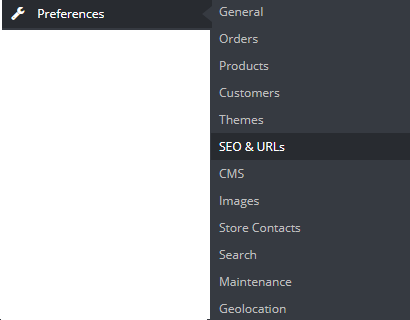
Navigate to the Preferences >> SEO & URLs
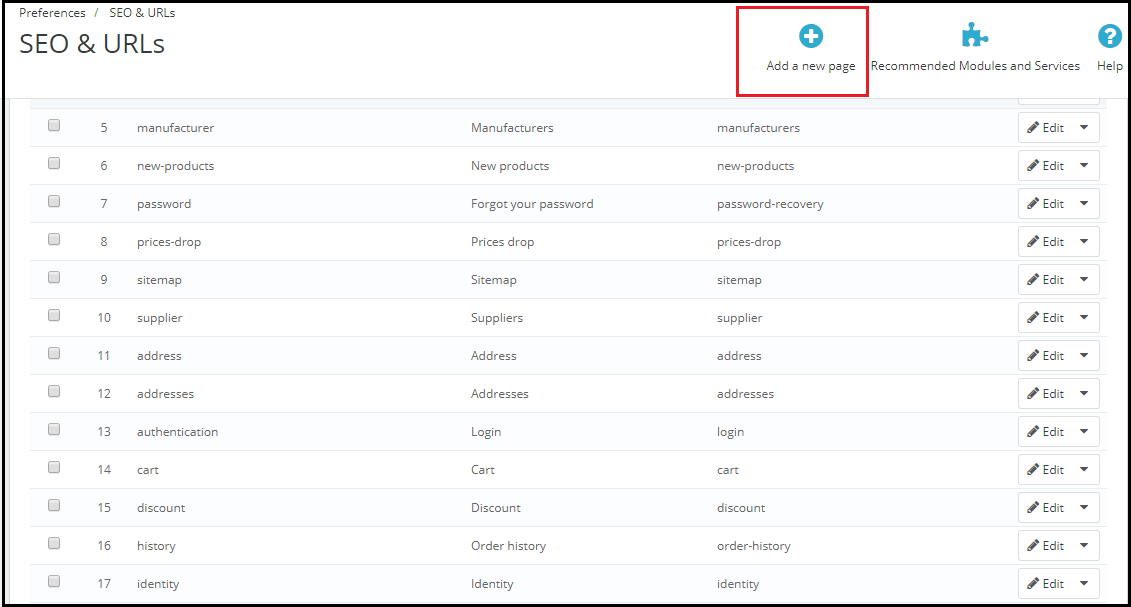
Click on the Add New Page.
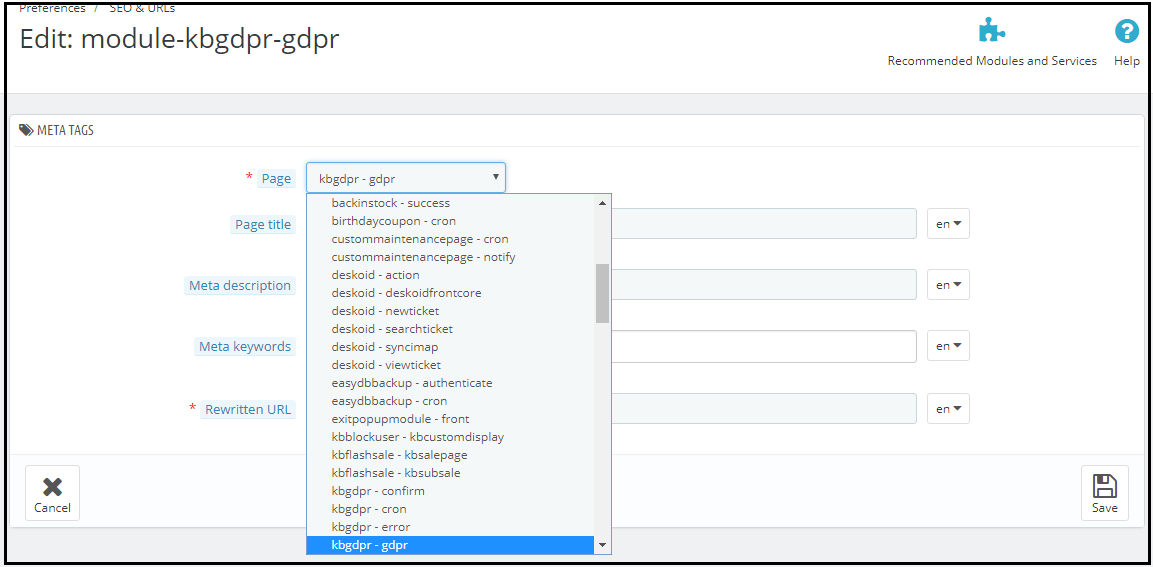
Select the “Modules Page” from the Drop-down (in case of Knowband GDPR Module select the kbgdpr – gdpr)
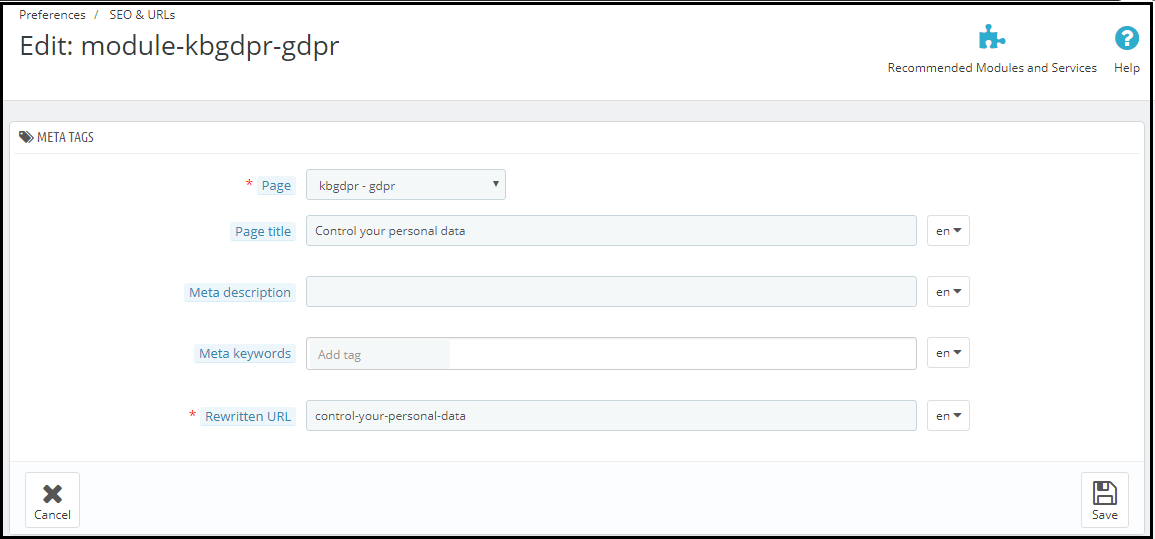
Now enter all the required details and save the changes.
5) Here is your updated URL of the page.5 must have Prestashop Extensions to increase the Average Order Value.
Making a sense of urgency by displaying the count-down time to avail the offer is one of the popular trick used by the online businesses. This encourages the customer to place their orders to get the advantage of the offer. The flash sale timer addon is the best way to achieve the same. By using this module admin can display the countdown timer on the selected product or category. Click here to get this addon.
As per the business requirement sometimes COD option is required on the website. To achieve this goal the store admin can use the Cash on Delivery Addon with Fee. By using this addon store admin can offer COD payment option to the customer and add a minimal fee for the service. Click here to get this addon.
Admin can offer the free products over a fixed order value. Offering freebie helps to encourage the customer to shop more and increase the cart total. Gift the product addon helps the store admin to set a minimum cart value over which the customer will be able to select the free gift. Click here to get this addon.
Cross-selling and Upselling are the important factors to increase the averageorder value. By showing the similar products at a higher price or related products you can encourage the customer to buy more. The automatic related products addon allows the store admin to display the related products based on the multiple criteria like manufacturer, color etc. Click here to get this addon.
The Free shipping option puts a psychological effect in the customer’s mind. eCommerce store can offer the free shipping over a fixed cart value. In order to get the free shipping customer will buy more products and it will help you to increase the revenue. Click here to get this addon.
As suggested by the Prestashop team regarding the adaption of the new hooks to make the Prestashop Modules compliant with the official GDPR module, we are happy to announce the release of our first module with the hooks introduced by the Prestashop team. (Click here to know the details regarding the Prestashop hook to make a Prestashop addon compliant with the official Prestashop GDPR module).
The Spin and Win pop-up addon, that can be used as a welcome or Exit intent pop-up is now in compliance with the GDPR. The GDPR compliant version of the Spin and Win Popup module will be released on Monday, May 21st, 2018.
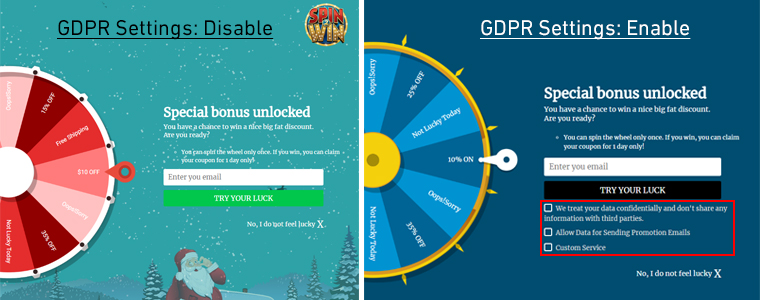
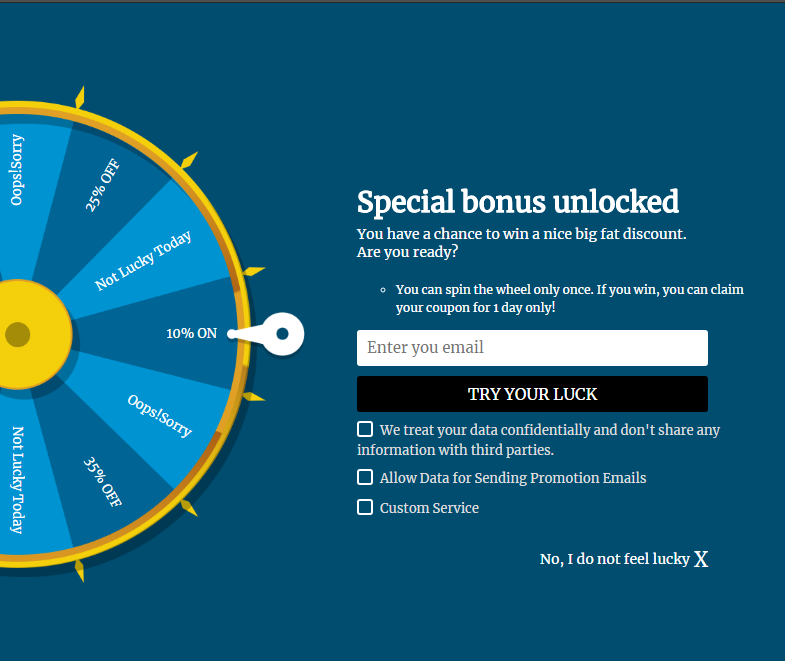
The Spin and Win Pop-up module is an interactive, gamified pop-up that allows the Prestashop store admin to display a unique wheel with the various discount options at the store front-end. Admin has so many options to customize the look and feel of the pop-up. Customers also like this welcome pop-up as by just spinning a wheel they get awesome discounts to make their purchase. In order to spin the wheel, it is required to enter the email id, as per the settings enabled by the store admin the coupon code will be displayed to the customer. Admin has the choice to send the coupon code via email. As this pop-up module captures the personal details of the visitor so we have made the required changes in the module to make it compliant with GDPR. Please refer to the attached screenshots:
Here, are the details of the Spin and Win module with the new changes.
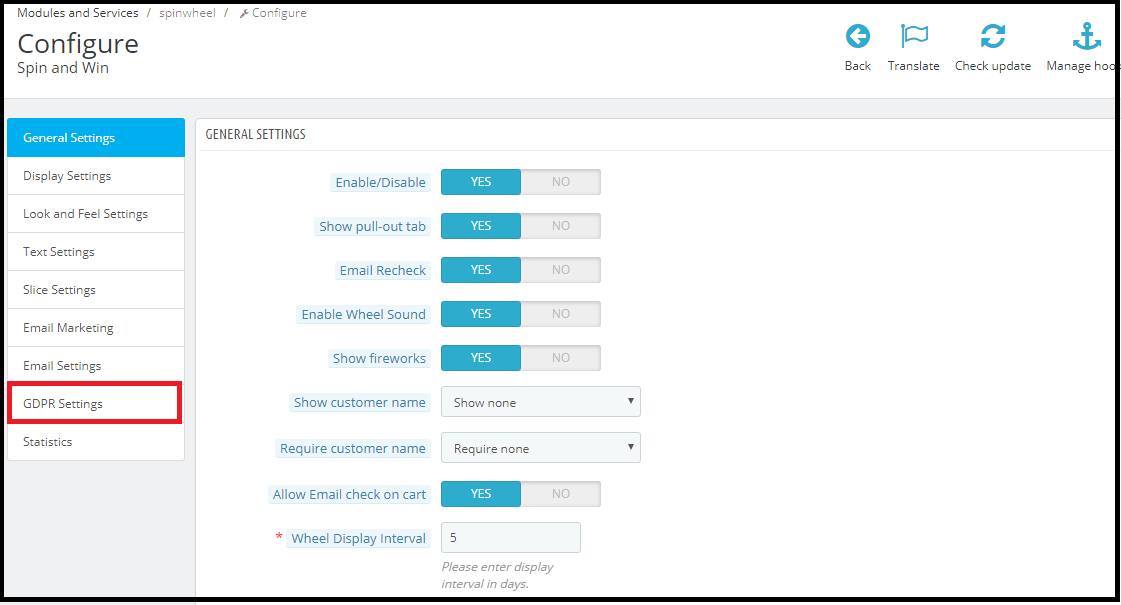
GDPR Settings Tab: In the configure section of the Prestashop Spin and Win module a new tab GDPR has been added. The EU merchants can enable the GDPR settings from this tab. Please refer to the attached screenshot in which we have highlighted the GDPR Settings tab.
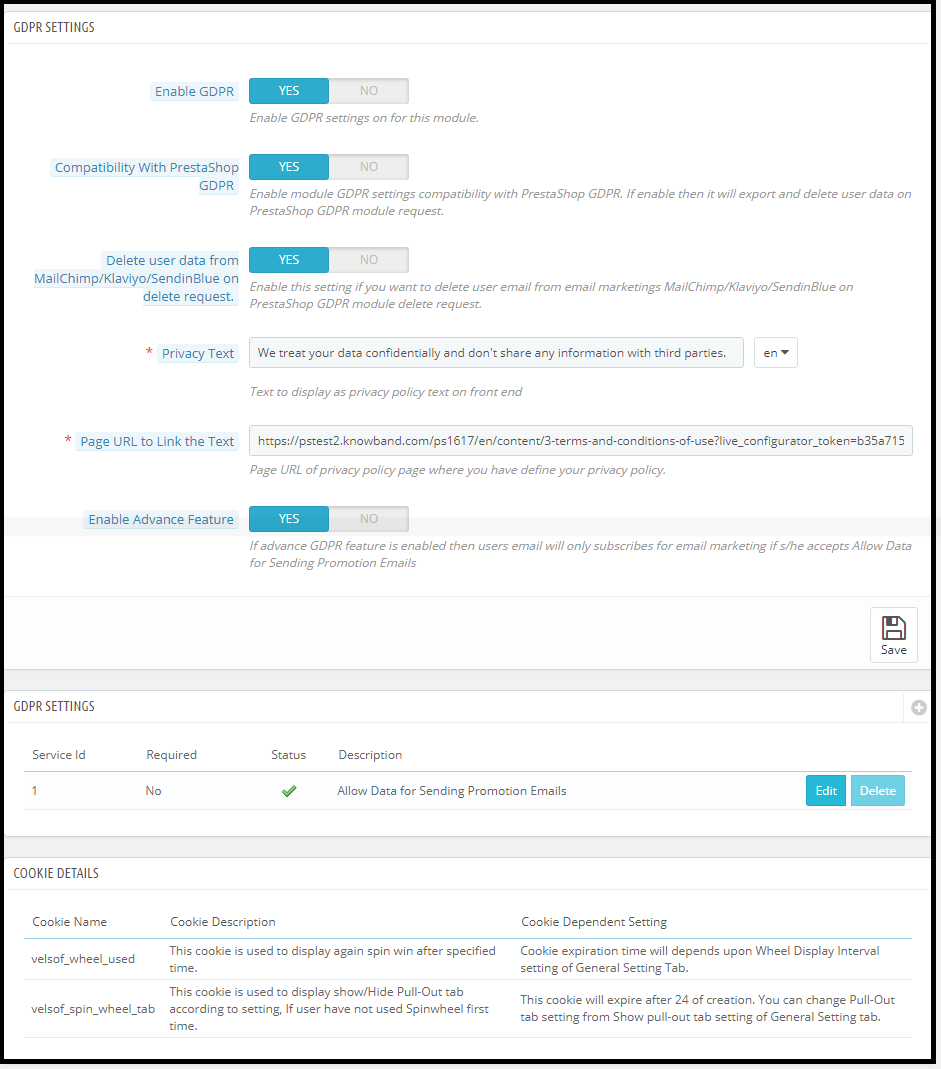
2) GDPR Settings: The GDPR settings tab has the option to enable or disable the GDPR options. There are following options in the GDPR settings tab for the merchants to make the popup module compliant with the GDPR.
a)Enable GDPR: Enable GDPR option allows the store admin to enable/disable the GDPR settings. By default, the GDPR settings will remain disabled and as per the business need, store admin needs to enable it.
b) Compatibility with Prestashop GDPR: Admin has the option to enable/disable this feature. If you are using the official GDPR module then you must need to enable this setting. The main purpose of this feature is export and deletes user data on PrestaShop GDPR module request. It is also compatible with Prestashop GDPR Module developed by Knowband. Click here to check the details.
Note: Benefits of using Prestashop GDPR Module by Knowband:
Free 3 months support
Advance features
Automated process
c) Delete user data from MailChimp/Klaviyo/SendinBlue on delete request: As the Spin and Win pop-up addon syncs the captured email ids to the MailChimp/Klaviyo/SendinBlue email service providers (third-party service providers, so if this setting is enabled and you use the services of any one of these email service provider then on the data deletion request the subscriber details will get deleted automatically.
d) Privacy Text: The module will add a checkbox to the pop-up design with the privacy text; this text will be visible to the front-end user at the time of entering email id in the email box.
e) Page URL to Link the Text: Admin can add the link to “Privacy Policy” or any other page with this message.
f) Enable Advanced Feature: This option allows the store admin to add more checkboxes to the pop-up design for marketing permission or any other permission like age verification (age should be 16+). (For Age verification module – click here).
If the Advance Feature setting is enabled then admin will be able to access the additional checkbox setting option. As per requirement, admin can add multiple checkboxes.
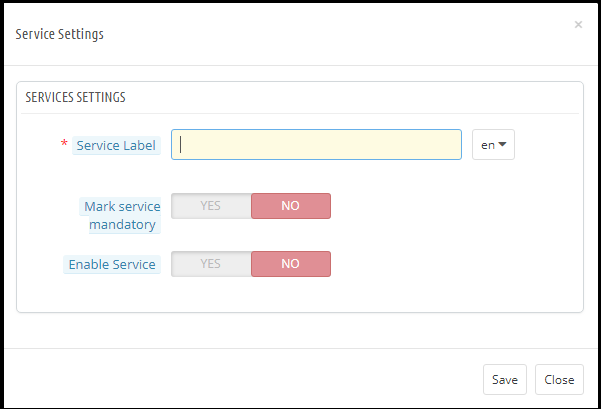
i) Service Settings: All the additional checkboxes which have been added by the admin will be listed under the Service Settings. Admin can add the multiple checkboxes with ease.
How to add a new checkbox:
Click on the (+) sign to add a new checkbox.
Note: By default one service will be listed on the service list and admin can update the text for the service.
2. On clicking the + sign will open a pop-up and admin need to enter the details like – Service Label, Make service mandatory and Enable Service.
Service Label: This is a text input field. The text entered here will be visible to the front-end user.
Make Service Mandatory: This is a toggle button. If this is set to Yes, then this field will be marked as Mandatory and without confirming the checkbox visitors will not be able to get the offer.
Enable Service: Admin has the choice the Enable/Disable a service at any time.
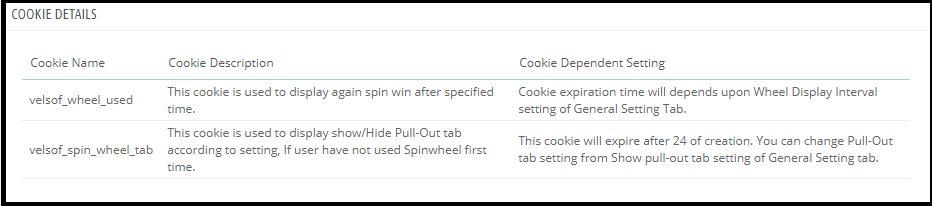
Cookie Details:
As the Spin and Win module uses the Cookies so the description and the use of these cookies have been listed in the section so that admin can put these details on the Cookie Policy or Privacy Policy page.
Record of consent:
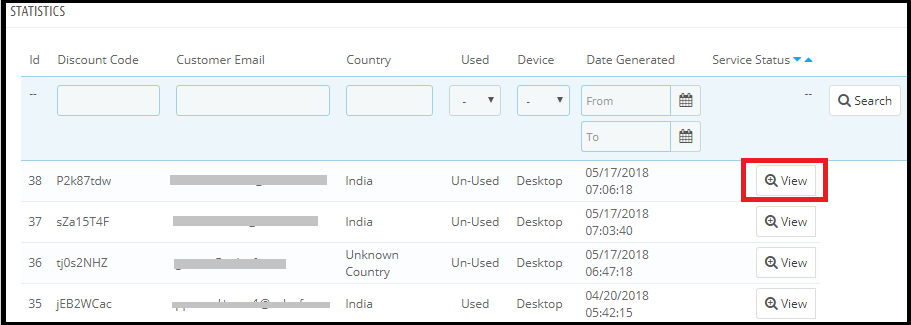
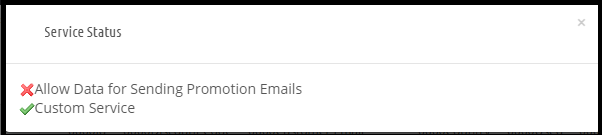
As soon as the user opt-in for the promotion and spin and the wheel to get the discount coupon code. The Spin and Win Pop-up module keep the proof of the opt-in, as it is required for the lawful processing of the captured data. As the unique coupon code is generated each time so the Statistics tab of the Spin and Win GDPR Compliant Module also record the permissions of the users. Please refer to the attached screenshot.
On clicking the view button admin can check the permission of the user.
The GDPR compliant version of the Spin and Win module will be available on our store from Monday, May 21st, 2018. After enabling the GDPR Settings the Spin and Win pop-up design will look like –
Knowband has developed more than 70+ Prestashop Modules which are also available on the Addons store. Please click here to browse the Prestashop Addon store.
5 Must have Prestashop addons to improve the conversion rate.
One page checkout: One-page checkout addon reduces the additional efforts to complete the order and offers the better customer experience at the checkout page. Customers also like the one step checkout process because it offers so many options like edit/ deletes the products, update product quantity, use the coupon code, social login option (Google and Facebook) etc to the customers. Get the One Click Checkout module for your store.
Abandoned Cart Module: The abandoned cart module helps the admin to keep the track of the cart abandonment. Admin can send the reminder emails to the customers to encourage them to complete the order. Get the Prestashop Abandoned Cart Module for your store.
Return Manager Module: Customer engagement and better customer service is the key to success in eCommerce. To offer the better return management services the best solution is the Prestashop RMA extension. The Return Manager addon by Knowband allows the store admin to offer the return/refund or store credit refund options to the customers. The Return Manager addon automates the refund process and also makes it easy to handle the return requests. Get the Prestashop Return Manager Addon for your store.
Advance Wishlist Addon: Wishlist addon allows the customers to save the products of their choice to a list so that they can complete their purchase later. The Prestashop wishlist module also helps the store admin to analyze the most popular products of the store. Get the Prestashop Advance Wishlist Module for your store.
Free Shiping Manager Addon: The Free shipping option puts a psychological effect in the customer’s mind. eCommerce store can offer the free shipping over a fixed cart value. In order to get the free shipping customer will buy more products and it will help you to increase the revenue. Get the Prestashop Free Shipping Module for your store.
The General Data Protection Regulation (GDPR) is a replacement for the European Union Data Protection Directive which will be enforced on May 25, 2018. The new directives have been passed, as per the new technologies and business advances; a new approach to protection of the personal data has been introduced.
GDPR provides more control to the customers to control their personal data. Customers have the right to request for the deletion of the data. It is mandatory for the store admin to honor the customer request within 30 days. The Prestashop GDPR addon – Data deletion and data anonymization allows the store admin to provide an interface to the customer so that they can request for the deletion of the data under the GDPR directives.
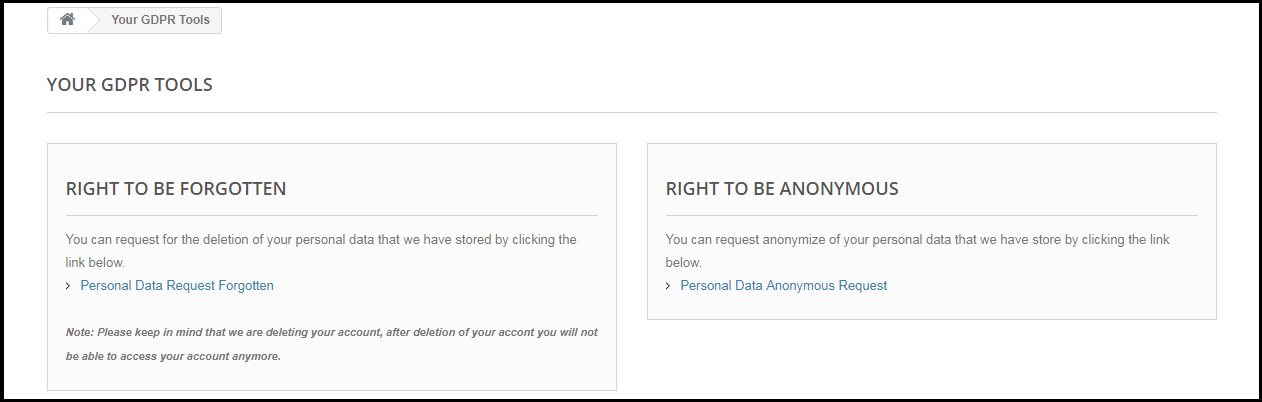
The customer-end interface of the Prestashop GDPR Module –
As per the requirement, the admin has the choice to enable/disable any of these rights.
Installation of Prestashop GDPR Module
After placing your order for the Prestashop GDPR module you can download the zip file of the module. This zip file contains:
1) GDPR.zip (source code of the module)
2) User Manual
In order to install the extension in your Prestashop store follow the below-mentioned steps:
1) Unzip the gdpr.zip file.
2) Copy the entire content, that is, the files and folders of the unzipped folder. Paste the same into the “Modules” folder of your store’s directory. Follow the below-mentioned address path – Root Directory/modules/.
3) The Prestashop GDPR plugin is all set to be installed in the store. Go to the Store Admin and then to ‘Modules and Services’.
4) Click on the “Install” button just next to your module. It would show a pop-up for your confirmation. Click on “Proceed with the installation” option. This step will install the module and show notification – “Module(s) installed successfully”.
5) Once the installation is complete, you will get the access to the admin interface of the module by clicking on the “Configure” button.
Admin Interface of Prestashop GDPR Addon
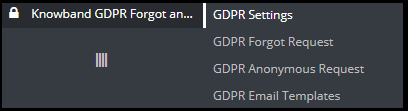
In the admin section of the Prestashop GDPR Customer rights module following options are available:
1) GDPR Settings
2) GDPR Forgot Request
3) GDPR Anonymous Request
4) GDPR Email Templates
GDPR Settings
The GDPR Settings tab of the Prestashop GDPR Addon allows the store admin to enable the rights of the customer. The Settings tab of the Prestashop GDPR module has the following options:
1) Enable the Plugin:
As per the requirement, admin can Enable/Disable the data deletion and data anonymization option for the customer.
2) Maximum request per day:
The customer can request for the deletion of the data, the admin can set the limit for the requests by each user on daily basis. It will be recommended to set the maximum requests per day to a minimum number to avoid the spam requests.
3) Data anonymization request:
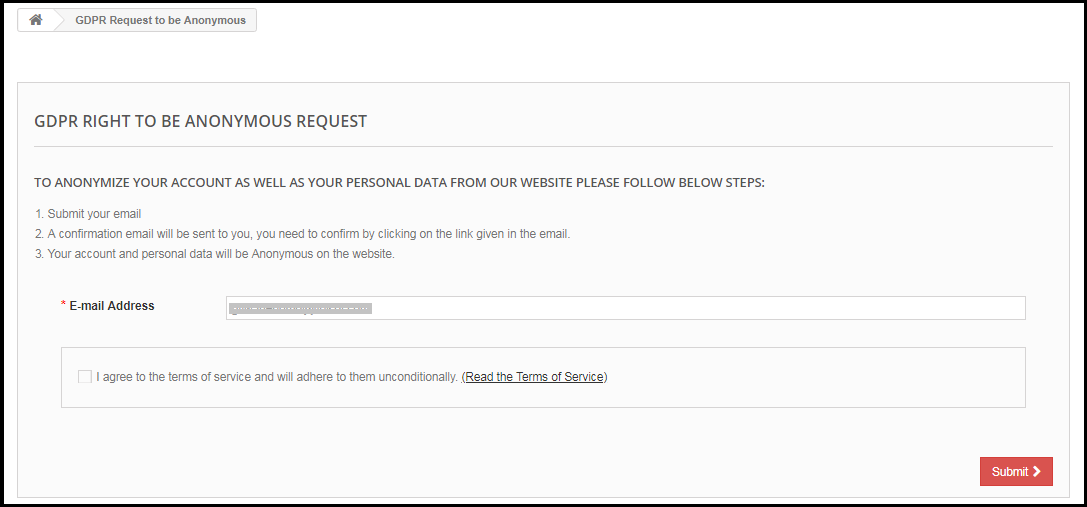
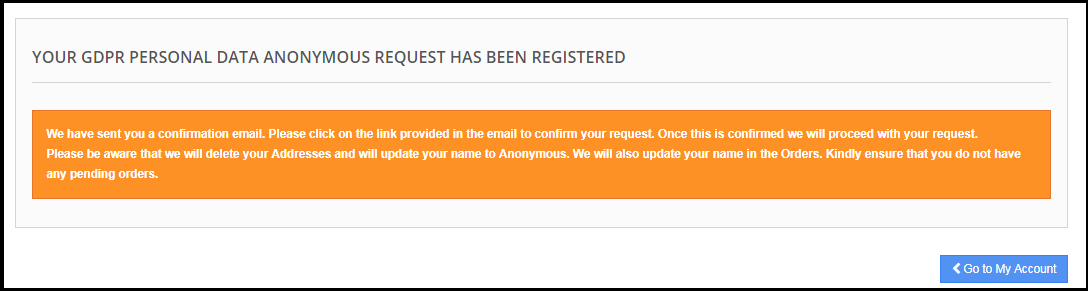
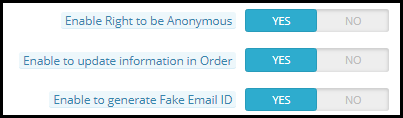
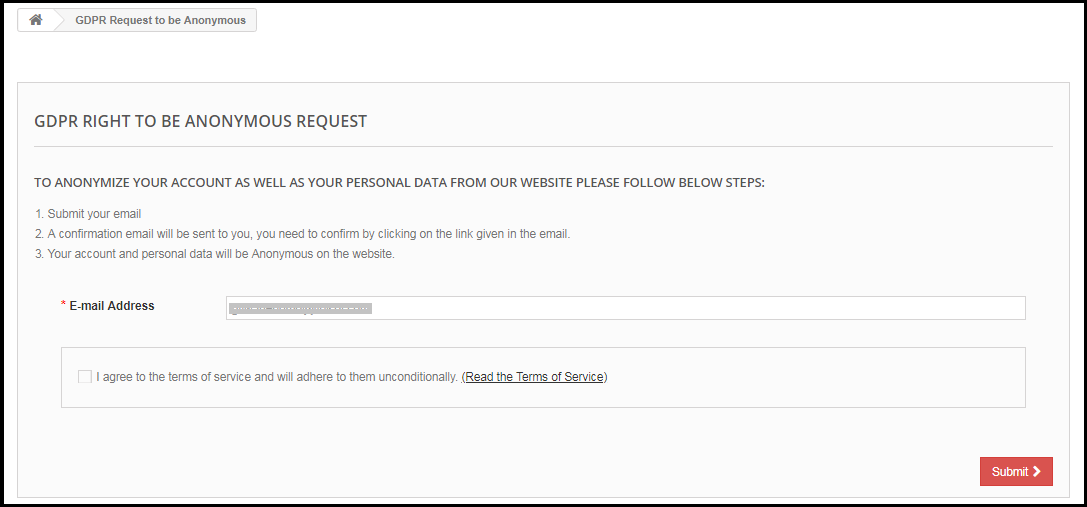
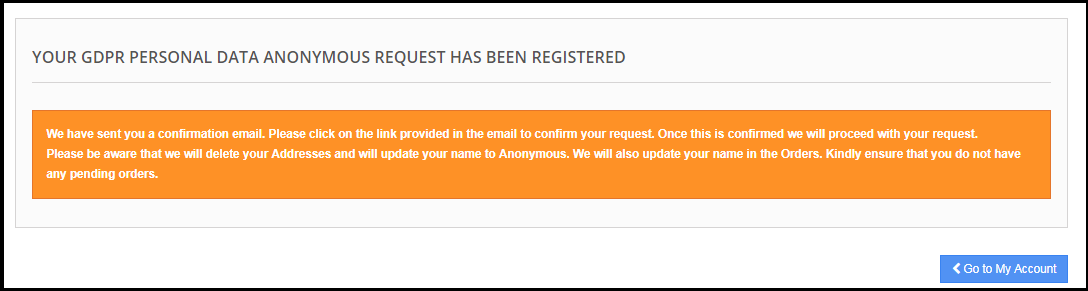
If the setting for the Right to be Anonymous is enabled from the admin panel of the Prestashop GDPR addon – data deletion and data anonymization, then the customer will be able to make a request for data anonymization. As soon as the customer will request for the data anonymization a confirmation email will be sent to the customer. As per the customer’s confirmation, customer details will be anonymized. Admin has the choice to anonymize the personal details of the customer like Name and email-id. The admin has the option to override the changes to the previous orders.
Enable the Data anonymization settings:
If the data anonymization settings are enabled from the admin interface of the Prestashop GDPR module then the customer will be able to request for the data anonymization and in this case, only customer name will be replaced by the random name.
If a customer request for the Data anonymization, then a confirmation email will be sent to the registered email address and the customer will be requested to confirm the request.
Email confirmation:
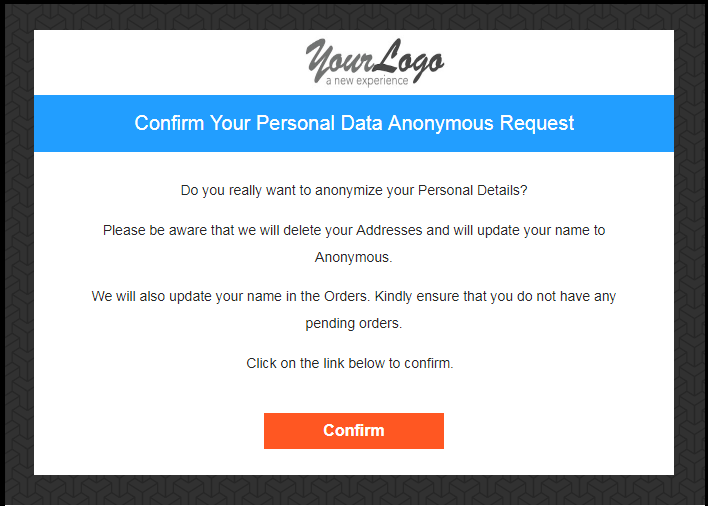
After requesting for the data anonymization customer will receive an email with a request to confirm the data anonymization request.
Note:
In case you are using the third-party services and sharing the customer data with third-party, then you need to make the required changes as per the procedure followed by the service provider. This GDPR module will anonymize the data which you have stored in your database only. The data anonymization process is just like the data deletion request.
4) Enable to update information in Order:
If a customer requests to make his/her information anonymous then admin can select the option to enable/disable the changes to the previous orders. If this setting is enabled from the admin interface of the Prestashop GDPR addon then the previous order details will be overridden.
5) Enable to generate Fake Email ID:
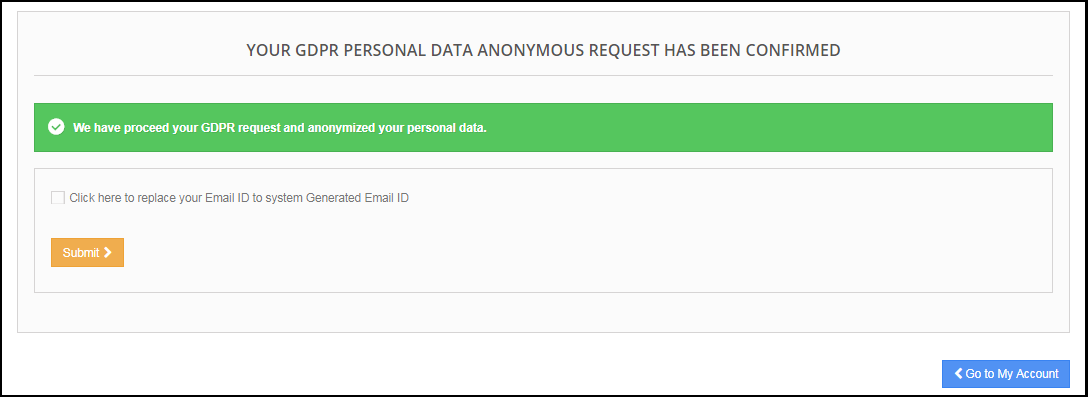
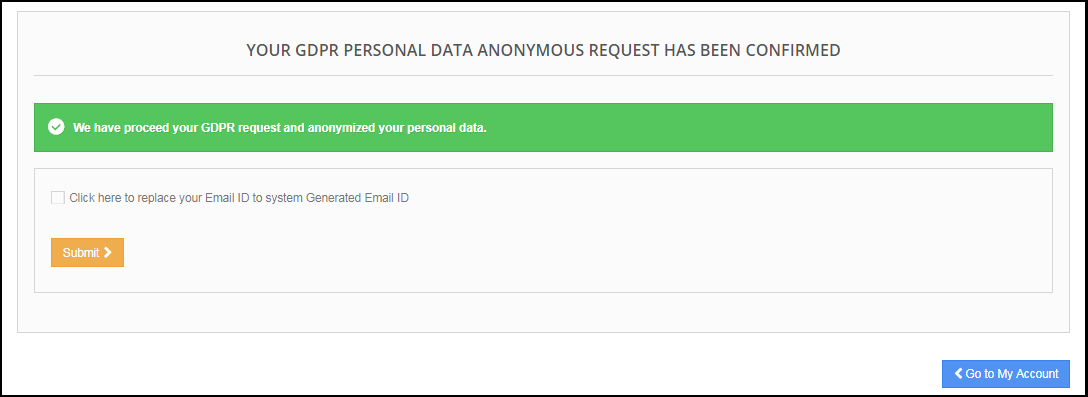
Admin has the choice to enable the settings to replace the customer’s email id by the system generated email-id. If the customer would like to anonymize his/her email id then they can submit the request for email id anonymization.
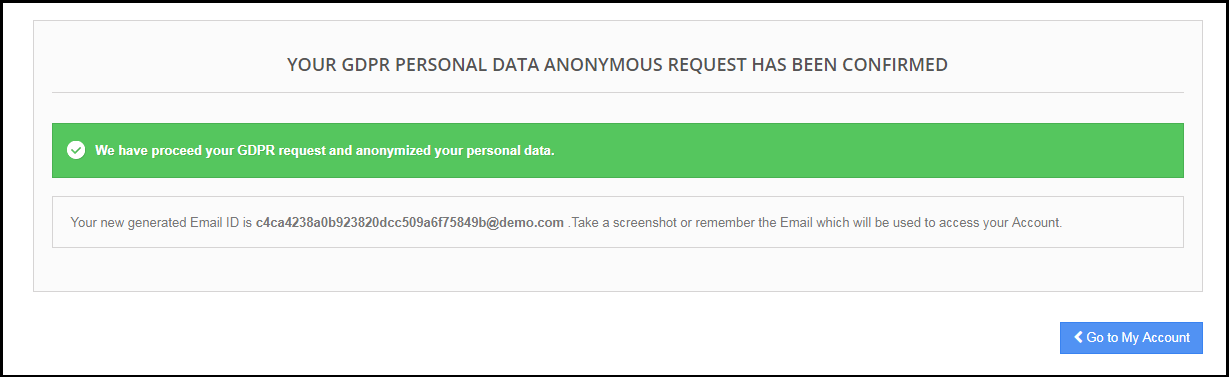
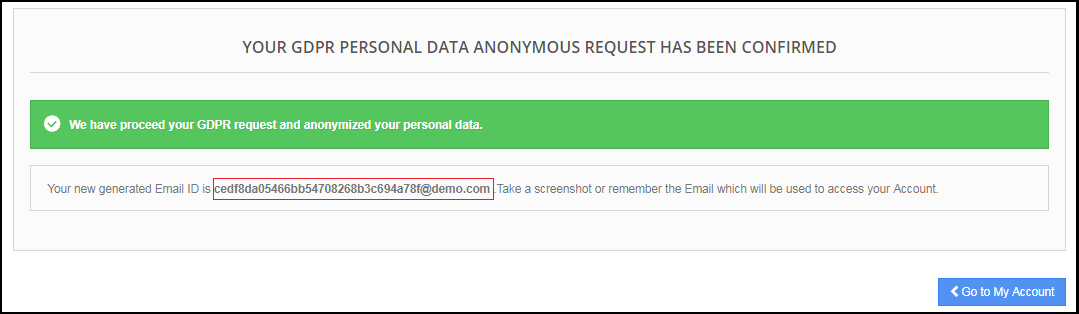
If the customer submits the request to anonymize the email id also. Then the customer email id will be replaced by a system generated an email.
The customer can save the system generated email id to access his/her account.
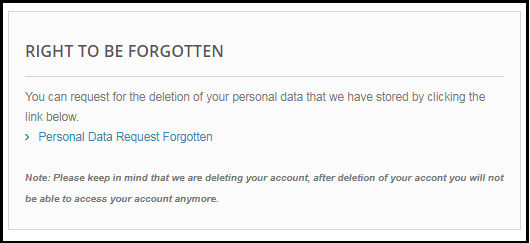
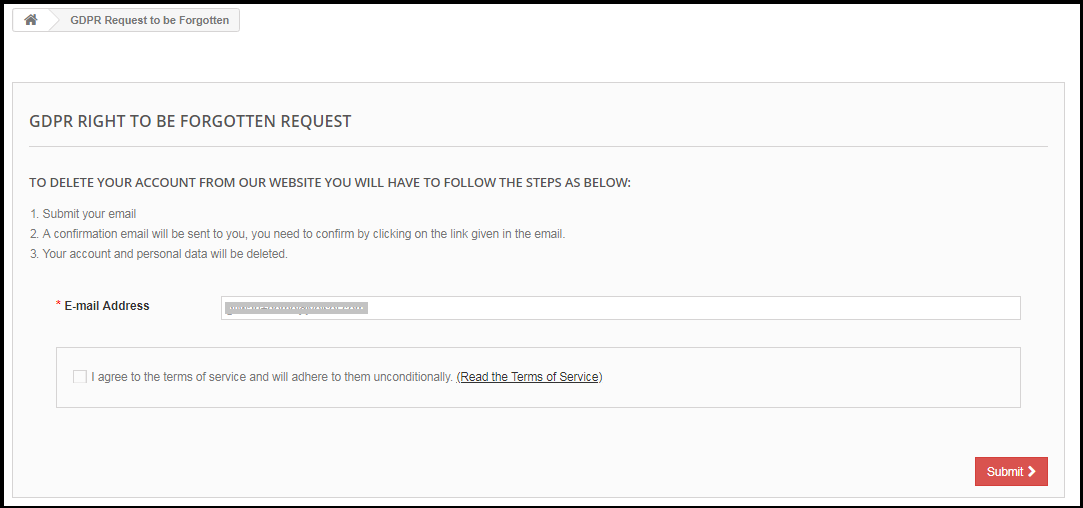
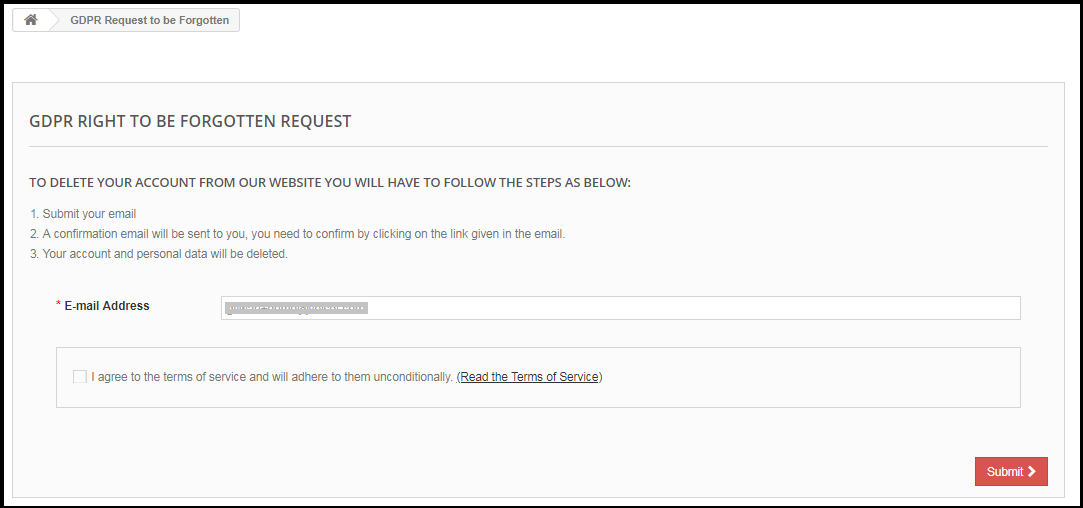
6) Enable right to be Forgotten:
The new GDPR Directives allow the customer to erase their personal data. By using the Prestashop GDPR Addon module by Knowband, the admin can provide an interface to the customers to raise requests for the data deletion.
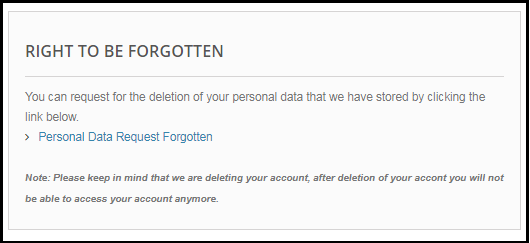
The data deletion report request interface for the customer will be as below:
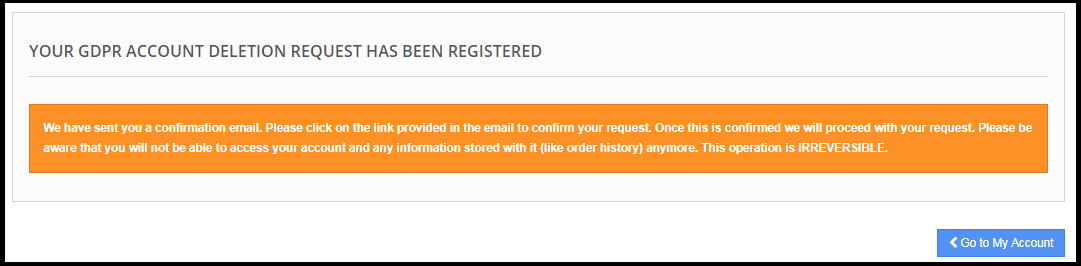
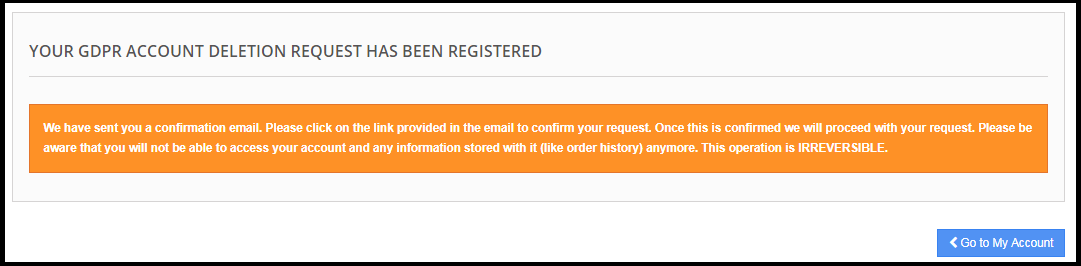
After requesting for the Account deletion the customer will be notified that an email with the confirmation request has been sent to the registered email id.
Note:
1) It is recommended to consult with your legal team before enabling this setting. After deleting the customer’s personal data it cannot be retrieved. Admin has the option to enable the delete order setting which has been explained in the next topic.
2) In case you are sharing the customer data with third-party service providers then you need to delete the customer data manually. As of now, this module does not support the feature to delete the data shared with the third-party service providers.
Example: If you are using MailChimp for sending promotional emails then you have to delete the customer details from MailChimp list manually.
9) Enable to Delete Orders:
If a customer has requested for the data deletion request under the GDPR, then the admin has the choice to delete the personal data of the customer along with the previous order details. If this setting is not enabled from the admin interface of the GDPR module then only personal data will be deleted and order information will remain as it is.
Note:
It is recommended to consult with your legal team before enabling the order deletion settings. The order details deleted from the system cannot be retrieved.
8) Enable Store Policy Acceptance:
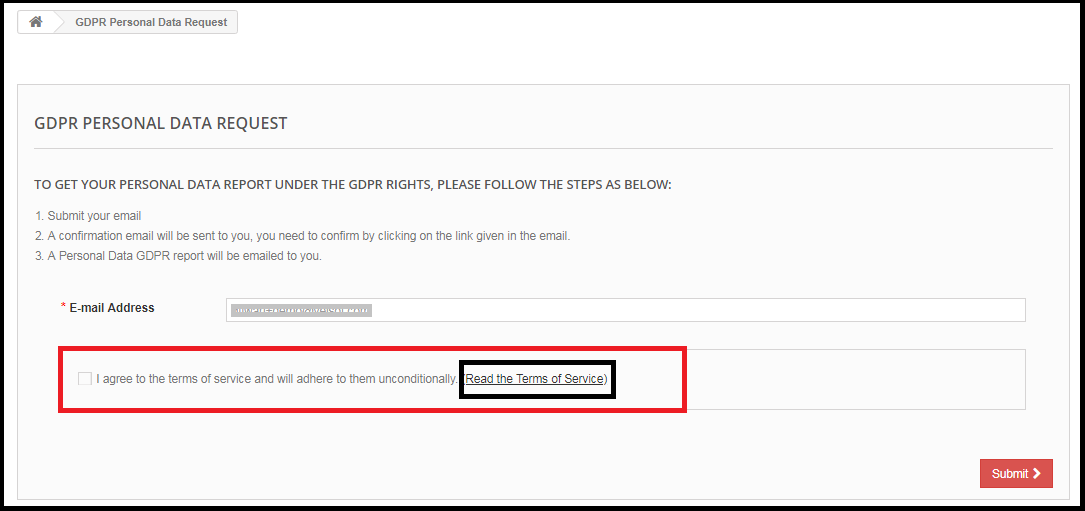
If a customer would like to raise a request under GDPR rights then admin can add the condition to accept the Privacy Policy link before requesting for the Account Deletion or Data Anonymization. The admin interface of the Prestashop General data Protection Regulation addon allows the store admin to enable the setting so that for each request customer need to accept the terms and policy.
9) Store Policy Page:
Admin can add the URL of the page on which all the Terms and Conditions are listed. The customer can check the Terms and Conditions by clicking the link available with the message at the time of raising the request.
10) Display Header Menu
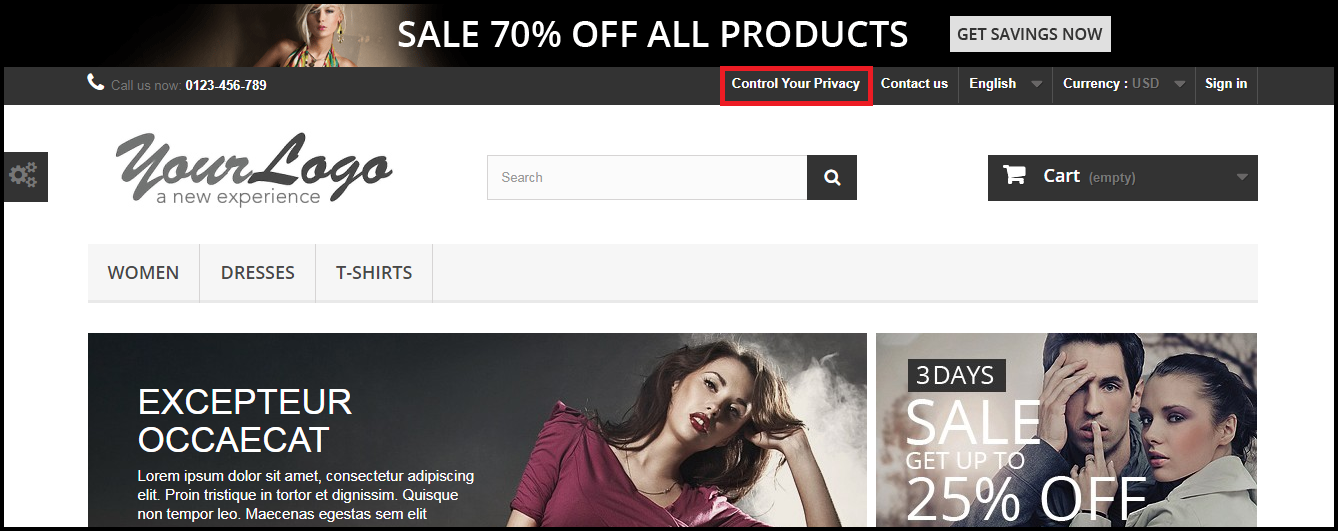
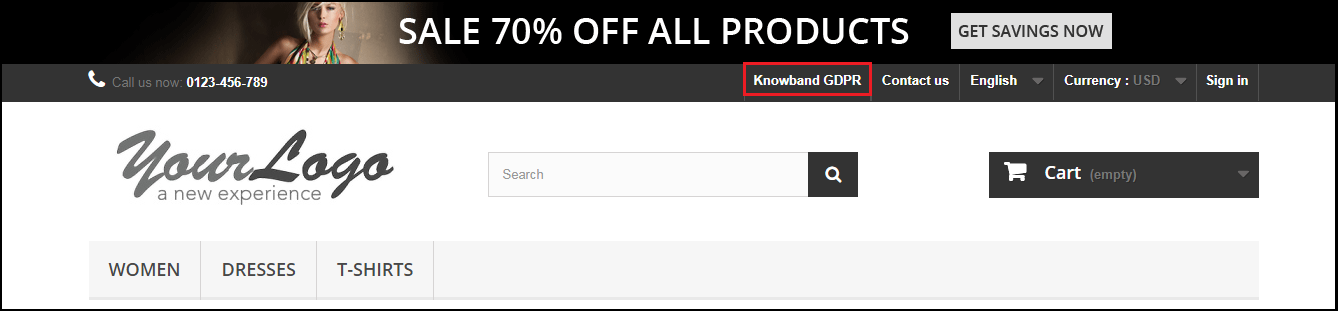
Display Header Menu option of the Prestashop GDPR compliance addon allows the store admin to display the GDPR option in the header section of the website. By enabling “Display Header Menu” setting of the Prestashop GDPR addon, store admin can allow the guest users to access the GDPR rights.
11) Header Menu Text
Admin can define the text for the Header Menu.
GDPR Forgot Request
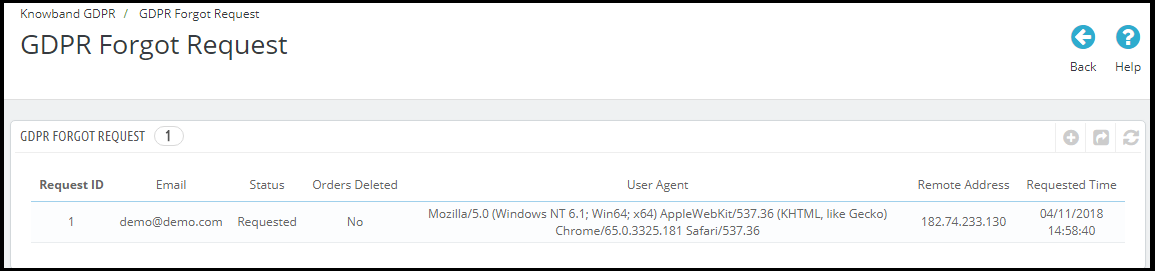
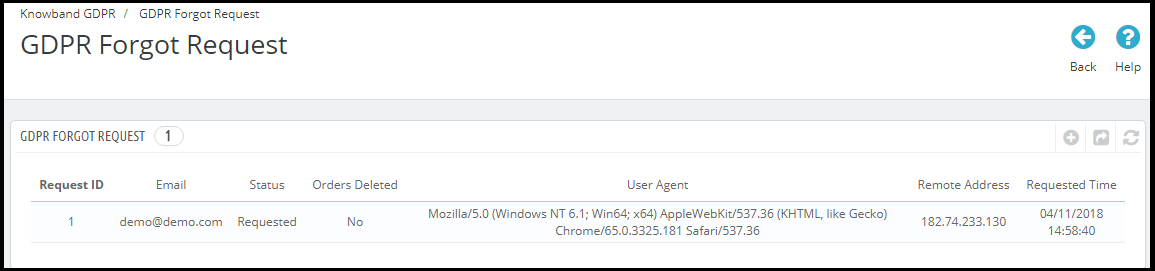
The Prestashop GDPR Addon keeps the log of all the data deletion requests. This log is helpful for the admin to verify that the customer details have been deleted or not. Admin can also use this log to remove the customer data from the third-party service providers.
Note:
As soon as a customer request for the deletion of his/her details a confirmation email will be sent to the customer. As per the customer’s confirmation, the details of the customer will be deleted from the system.
The Prestashop GDPR Module allows the admin to exclude the previous orders so that only the personal details of the customer will be deleted but order details will be saved for the future reference. Please use this setting carefully because the data deleted once cannot be retrieved. It is strongly recommended to consult with your legal team to make sure how to use this setting.
The Prestashop GDPR Module only deletes the customer data from the store database. If you share the customer data with the third-party service providers (eg. MailChimp) or store it on the third-party platform (eg. Google Drive) then you need to delete the customer data from these platforms manually.
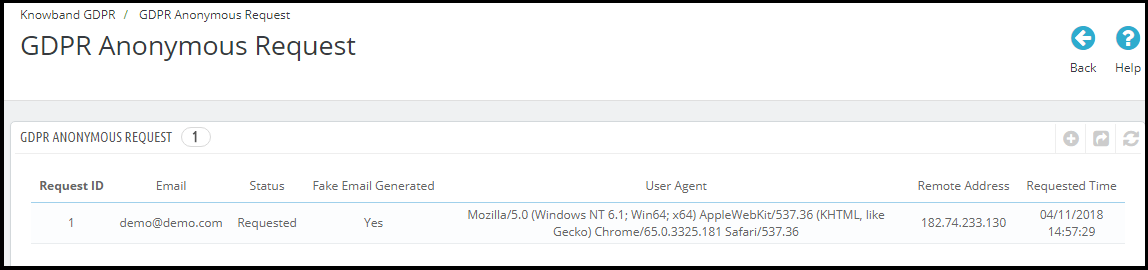
GDPR Anonymous Request
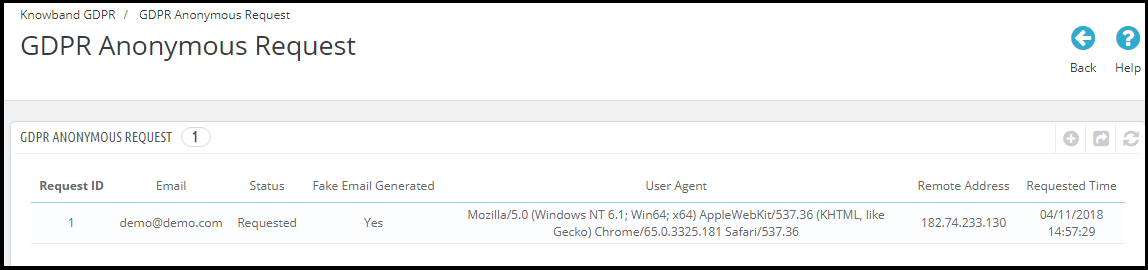
The Prestashop GDPR Addon keeps the log of the Data Anonymization requests. Admin can use this log to verify the status of the data anonymization requests.
GDPR Email Templates
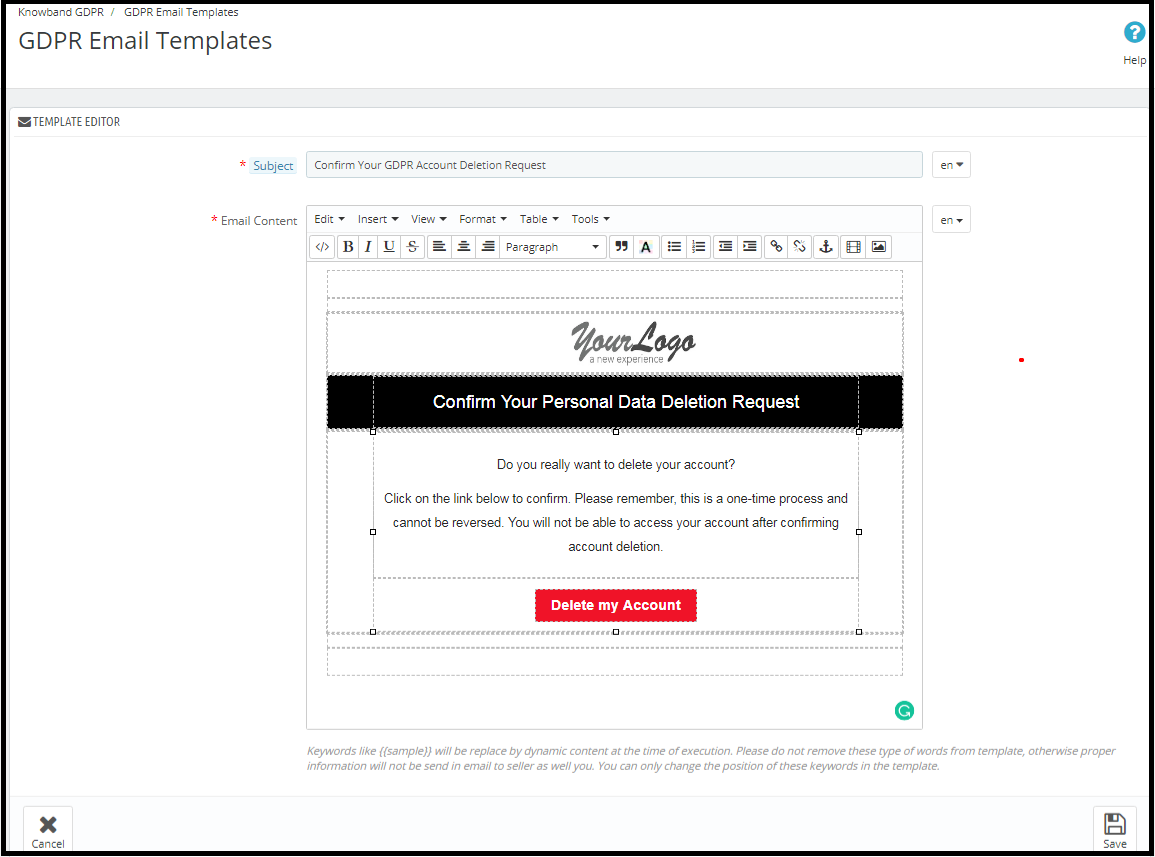
The Prestashop GDPR Addon by Knowband allows the admin to send following emails to the customer on raising a request under the GDPR.
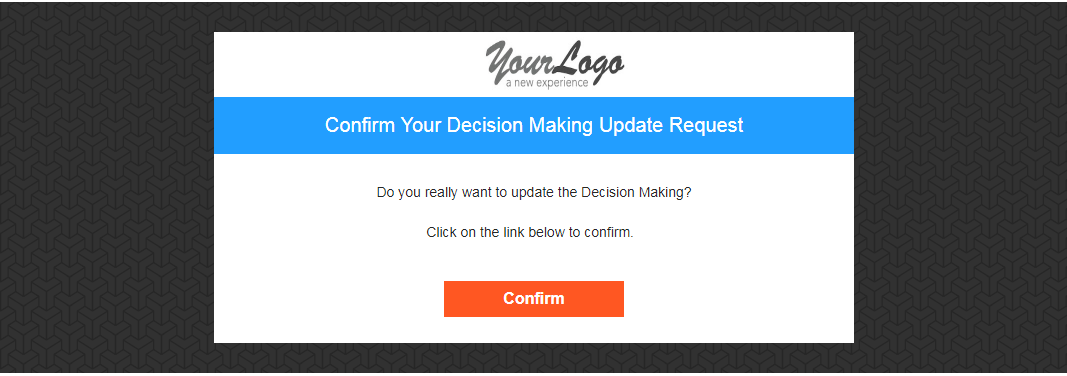
Confirm Your GDPR Account Deletion Request
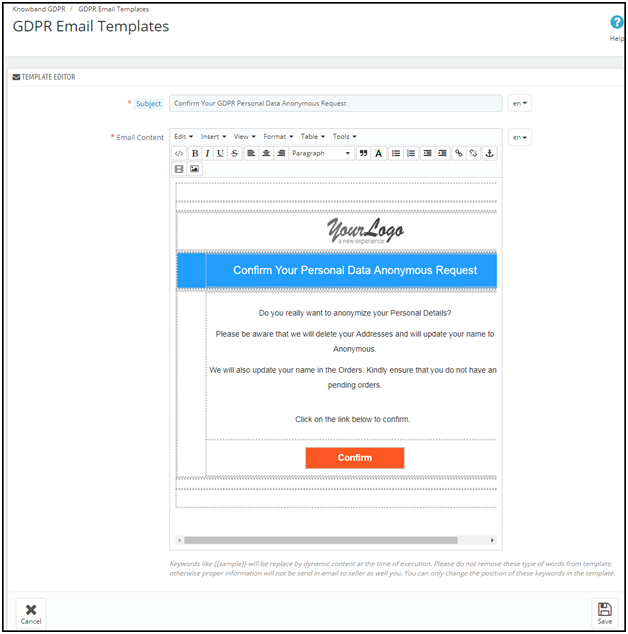
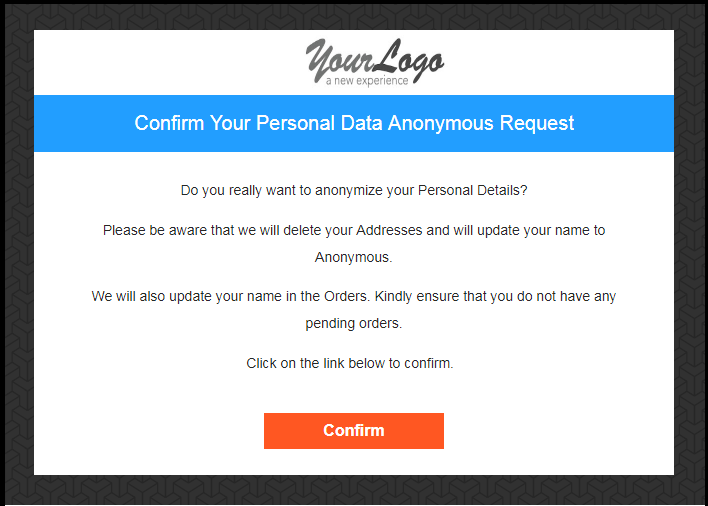
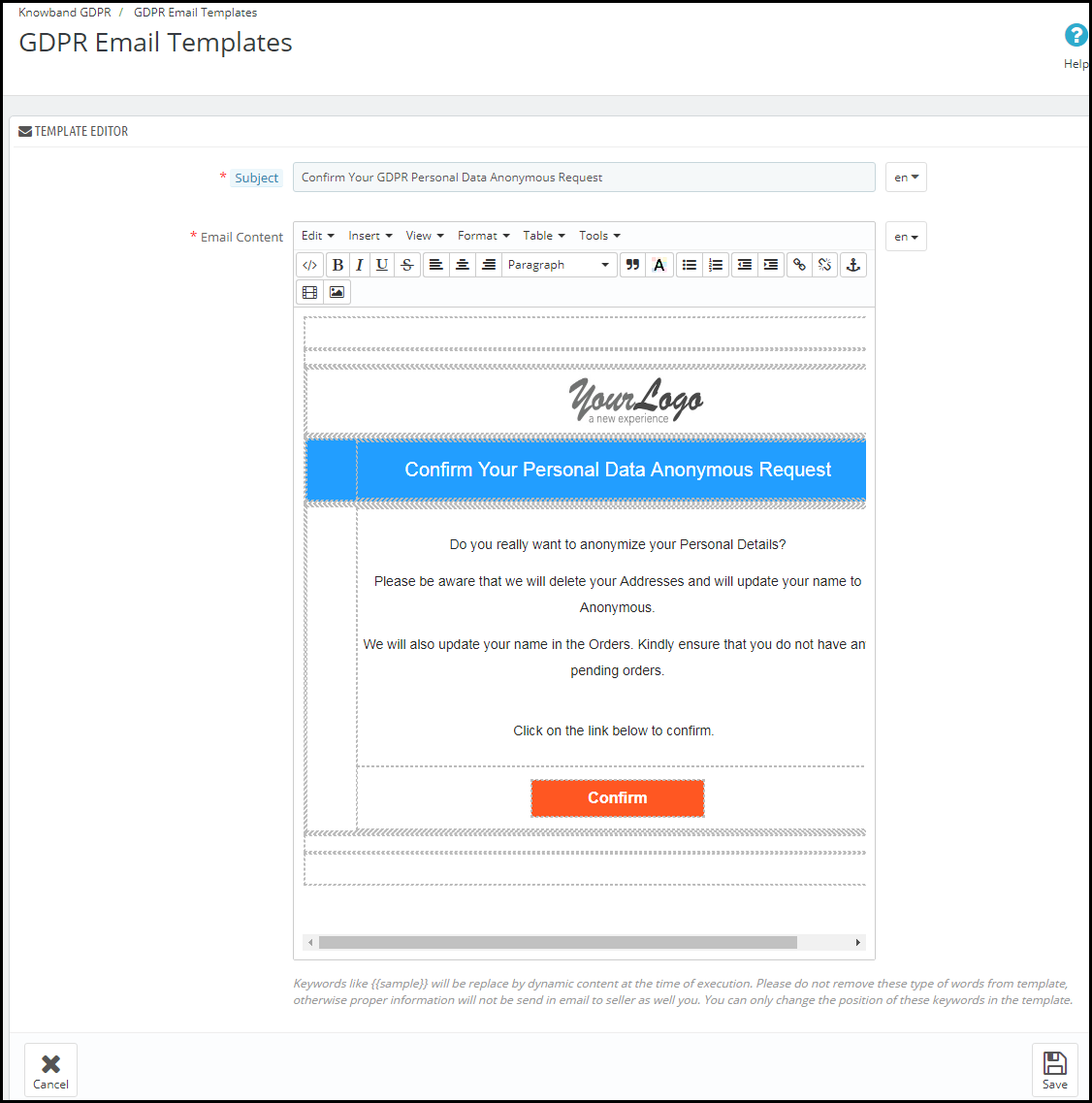
Confirm Your GDPR Personal Data Anonymous Request
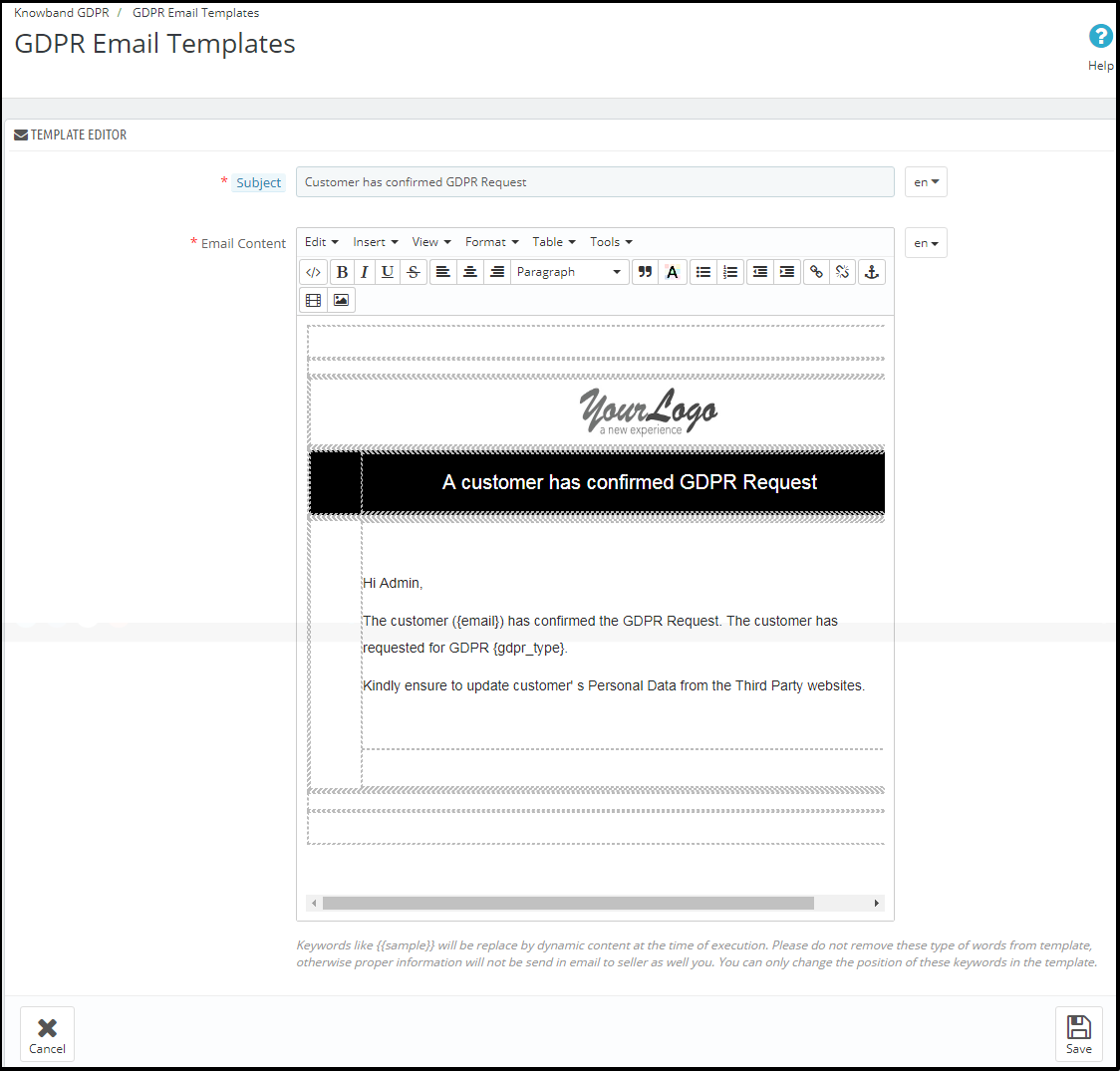
Customer has confirmed GDPR Request
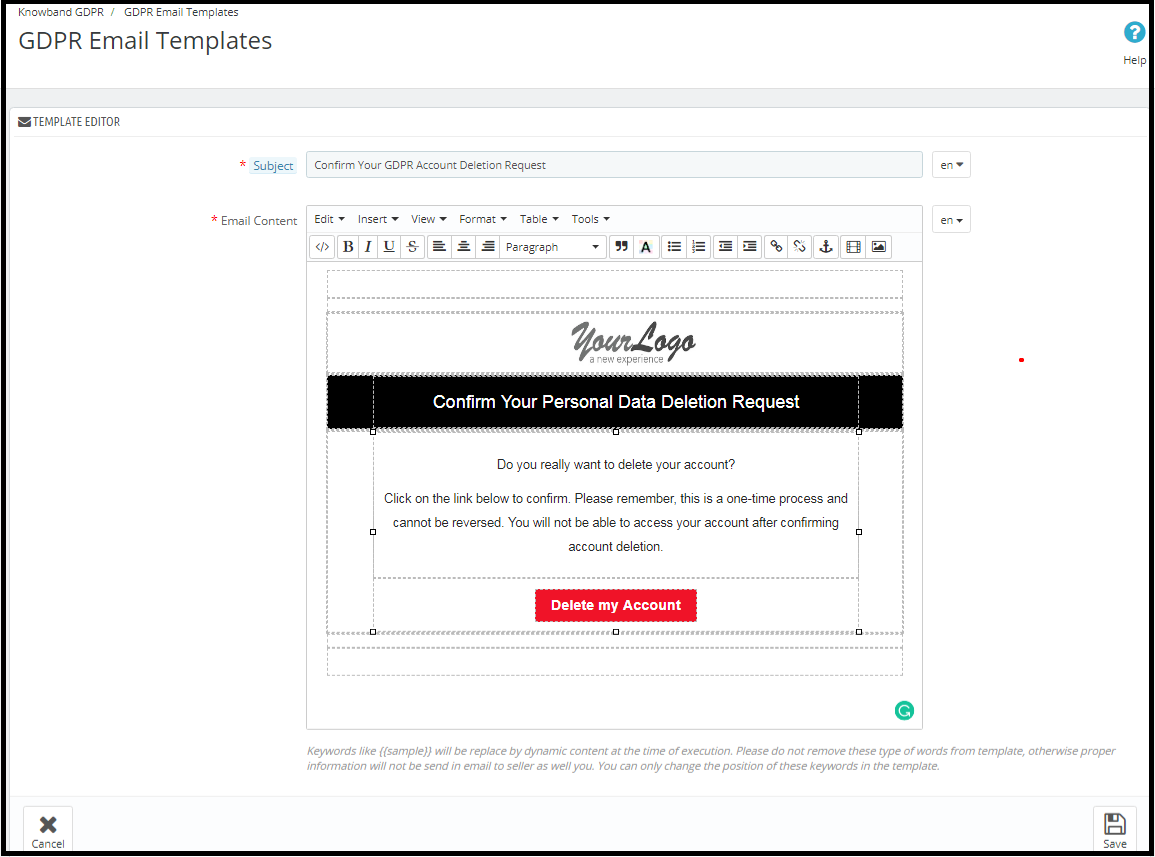
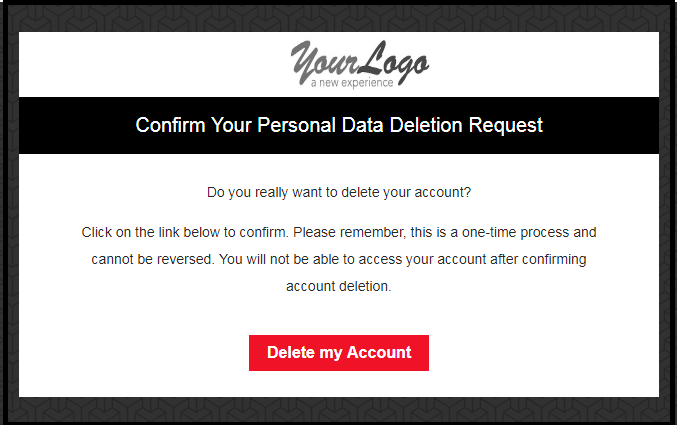
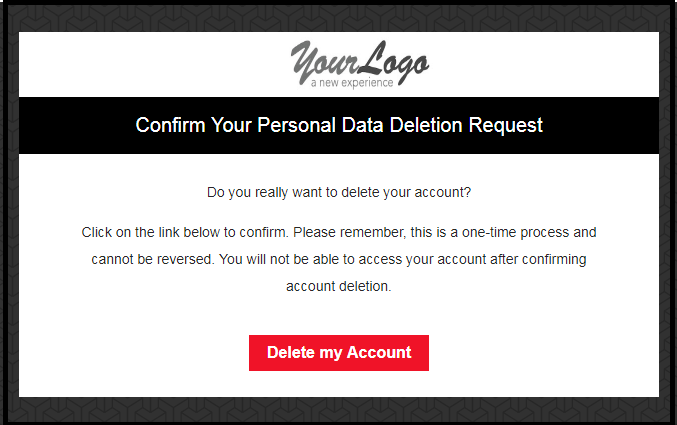
Confirm Your GDPR Account Deletion Request
Admin can update the Subject line and the email text by using the GDPR Email Template Settings.
The default format of the email template is as below:
Confirm Your GDPR Personal Data Anonymous Request
Admin can update the Subject line and the email text by using the GDPR Email Template Settings.
the default format of the email template is as below:
Customer has confirmed GDPR Request
Note: The purpose of these features is to help you to meet with the GDPR requirements. Installing this module only does not guarantee merchant sites’ compliance with the new obligations imposed by the GDPR. It is your responsibility to put in place all the necessary measures to ensure you comply.
Il regolamento generale sulla protezione dei dati (GDPR) sostituisce la direttiva sulla protezione dei dati dell'Unione europea che verrà applicata a maggio 25, 2018. Le nuove direttive sono state approvate in base alle nuove tecnologie e ai progressi delle imprese; è stato introdotto un nuovo approccio alla protezione dei dati personali. GDPR offre maggiore controllo ai clienti per il controllo dei loro dati personali. I clienti hanno il diritto di richiedere la cancellazione dei dati. È obbligatorio che l'amministratore del negozio rispetti la richiesta del cliente entro 30 giorni. L'addon GDPR di Prestashop Addon Prestashop GDPR – Diritti degli individui, questo modulo consente di gestire i diritti del cliente con facilità. Clicca qui per i dettagli. L'interfaccia customer-end del modulo GPRPR Prestashop –
Secondo il requisito, l'amministratore ha la possibilità di abilitare / disabilitare qualsiasi di questi diritti.
Installazione del modulo GPRPR Prestashop
Dopo aver effettuato l'ordine per il modulo Prestashop GDPR è possibile scaricare il file zip del modulo. Questo file zip contiene: 1) GDPR.zip (codice sorgente del modulo) 2) Manuale dell'utente Per installare l'estensione nel tuo negozio Prestashop, segui i passaggi riportati sotto: 1) Decomprimi il file gdpr.zip. 2) Copia l'intero contenuto, ovvero i file e le cartelle della cartella decompressa. Incolla lo stesso nella cartella "Modules" della directory del tuo negozio. Segui il percorso di indirizzo sotto indicato
Interfaccia di amministrazione di Addash GDPR Prestashop
Nella sezione di amministrazione del modulo diritti cliente Prestashop GDPR sono disponibili le seguenti opzioni: 1) Impostazioni GDPR 2) GDPR Richiesta dimenticata 3) GDPR Richiesta anonima 4) GDPR Modelli e-mail
Impostazioni GDPR
La scheda Impostazioni GDPR del componente aggiuntivo GDPR Prestashop consente all'amministratore del negozio di abilitare i diritti del cliente. La scheda Impostazioni del modulo GPRPR Prestashop ha le seguenti opzioni: 1) Abilita il plugin:
Come da requisiti, l'amministratore può abilitare / disabilitare l'eliminazione dei dati e l'opzione di anonimizzazione dei dati per il cliente.
2) Richiesta massima al giorno:
Il cliente può richiedere la cancellazione dei dati, l'amministratore può impostare il limite per le richieste da parte di ciascun utente su base giornaliera. Si consiglia di impostare le richieste massime giornaliere su un numero minimo per evitare le richieste di spam.
3) Richiesta di anonimizzazione dei dati:
Se l'impostazione per il diritto di essere anonimi è abilitata dal pannello di amministrazione del componente GPRPR Prestashop
Abilita le impostazioni di anonimizzazione dei dati:
Se le impostazioni di anonimizzazione dei dati sono abilitate dall'interfaccia di amministrazione del modulo GDPR Prestashop, il cliente sarà in grado di richiedere l'anonimizzazione dei dati e in questo caso, solo il nome cliente verrà sostituito dal nome casuale.
Se una richiesta del cliente per i datitrasformazione in forma anonima, quindi verrà inviata un'email di conferma all'indirizzo e-mail registrato e al cliente verrà richiesto di confermare la richiesta.
Conferma via email:
Dopo aver richiesto l'anonimizzazione dei dati, il cliente riceverà un'e-mail con una richiesta di conferma della richiesta di anonimizzazione dei dati.
Nota:
Se si utilizzano i servizi di terzi e si condividono i dati dei clienti con terze parti, è necessario apportare le modifiche richieste secondo la procedura seguita dal fornitore di servizi. Questo modulo GDPR renderà anonimi i dati memorizzati solo nel database. Il processo di anonimizzazione dei dati è simile alla richiesta di cancellazione dei dati.
4) Abilitare per aggiornare le informazioni nell'ordine:
Se un cliente richiede di rendere anonime le proprie informazioni, l'amministratore può selezionare l'opzione per abilitare / disabilitare le modifiche agli ordini precedenti. Se questa impostazione è abilitata dall'interfaccia di amministrazione del componente GPRPR Prestashop, i dettagli dell'ordine precedente verranno sovrascritti.
5) Abilita la generazione dell'ID e-mail falso:
L'amministratore ha la possibilità di abilitare le impostazioni per sostituire l'ID e-mail del cliente tramite l'id-email generato dal sistema. Se il cliente desidera rendere anonimo il proprio ID e-mail, può inviare la richiesta di anonimizzazione dell'ID e-mail.
Se il cliente inoltra la richiesta di anonimato anche l'id dell'email. Quindi l'ID e-mail del cliente verrà sostituito da un sistema che ha generato un'e-mail.
Il cliente può salvare l'ID e-mail generato dal sistema per accedere al proprio account.
6) Abilita il diritto ad essere dimenticato:
Le nuove direttive GDPR consentono al cliente di cancellare i propri dati personali. Utilizzando il modulo Addon Prestashop GDPR di Knowband, l'amministratore può fornire un'interfaccia ai clienti per sollevare richieste per la cancellazione dei dati.
L'interfaccia di richiesta del report di cancellazione dei dati per il cliente sarà la seguente:
Dopo aver richiesto l'eliminazione dell'account, al cliente verrà notificato che un'email con la richiesta di conferma è stata inviata all'ID e-mail registrato.
Nota:
1) Si consiglia di consultare il proprio team legale prima di abilitare questa impostazione. Dopo aver cancellato i dati personali del cliente, non può essere recuperato. L'amministratore ha la possibilità di abilitare l'impostazione dell'ordine di cancellazione che è stata spiegata nell'argomento successivo. 2) Nel caso in cui si condividano i dati del cliente con fornitori di servizi di terzi, è necessario eliminare manualmente i dati del cliente. A partire da ora, questo modulo non supporta la funzionalità per eliminare i dati condivisi con i fornitori di servizi di terze parti. Esempio: se si utilizza MailChimp per l'invio di e-mail promozionali, è necessario eliminare manualmente i dettagli del cliente dall'elenco MailChimp.
9) Abilita per eliminare gli ordini:
Se un cliente ha richiesto la richiesta di cancellazione dei dati in base al GDPR, l'amministratore ha la possibilità di eliminare i dati personali del cliente insieme ai precedenti dettagli dell'ordine. Se questa impostazione non è abilitata dall'interfaccia di amministrazione del modulo GDPR, solo i dati personali verranno eliminati e le informazioni sugli ordini rimarranno invariate.
Nota:
Si consiglia di consultare il proprio team legale prima di abilitare le impostazioni di cancellazione degli ordini. I dettagli dell'ordine cancellati dal sistema non possono essere recuperati.
8) Abilita accettazione criteri negozio:
Se un cliente desidera richiedere una richiesta ai sensi dei diritti GDPR, l'amministratore può aggiungere la condizione per accettare il collegamento Informativa sulla privacy prima di richiedere la cancellazione dell'account o l'anonimizzazione dei dati. L'interfaccia di amministrazione del componente aggiuntivo Prestashop di protezione dei dati generali consente all'amministratore del negozio di abilitare l'impostazione in modo che per ogni richiesta il cliente debba accettare i termini e la politica.
9) Pagina politica negozio:
L'amministratore può aggiungere l'URL della pagina in cui sono elencati tutti i Termini e condizioni. Il cliente può verificare i Termini e condizioni facendo clic sul collegamento disponibile con il messaggio al momento della richiesta.
10) Visualizza il menu di intestazione
L'opzione Display Header Menu del componente aggiuntivo Prestashop GDPR consente all'amministratore del negozio di visualizzare l'opzione GDPR nella sezione dell'intestazione del sito web. Abilitando l'opzione "Display Header Menu" del componente GPRPR Prestashop, l'amministratore del negozio può consentire agli utenti guest di accedere ai diritti GDPR.
11) Testo del menu testata
L'amministratore può definire il testo per il menu intestazione.
GDPR ha dimenticato la richiesta
L'Addon GDPR Prestashop mantiene il registro di tutte le richieste di cancellazione dei dati. Questo registro è utile per l'amministratore per verificare che i dettagli del cliente siano stati eliminati o meno. L'amministratore può anche utilizzare questo registro per rimuovere i dati dei clienti dai fornitori di servizi di terze parti.
Nota:
Non appena un cliente richiede la cancellazione dei suoi dettagli, verrà inviata un'email di conferma al cliente. Come da conferma del cliente, i dettagli del cliente verranno cancellati dal sistema. Il modulo GDPR Prestashop consente all'amministratore di escludere gli ordini precedenti in modo che vengano cancellati solo i dettagli personali del cliente, ma i dettagli dell'ordine verranno salvati per il futuro riferimento. Si prega di utilizzare questa impostazione attentamente perché i dati cancellati una volta non possono essere recuperati. Si consiglia vivamente di consultare il proprio team legale per accertarsi di come utilizzare questa impostazione. Il modulo GDPR Prestashop elimina solo i dati del cliente dal database del negozio. Se condividi i dati dei clienti con i fornitori di servizi di terze parti (ad esempio MailChimp) o li memorizzi sulla piattaforma di terze parti (ad esempio Google Drive), devi eliminare manualmente i dati dei clienti da queste piattaforme.
Richiesta anonima GDPR
L'Addon GDPR Prestashop mantiene il registro delle richieste di anonimizzazione dei dati. L'amministratore può utilizzare questo registro per verificare lo stato delle richieste di anonimato dei dati.
Modelli email GDPR
L'Addon Prestashop GDPR di Knowband consente all'amministratore di inviare le seguenti e-mail al cliente al momento di sollevare una richiesta ai sensi del GDPR.
Conferma la richiesta di cancellazione del tuo account GDPR
Conferma la tua richiesta anonima di dati personali GDPR
Il cliente ha confermato la richiesta GDPR
Conferma la richiesta di cancellazione del tuo account GDPR
L'amministratore può aggiornare la riga dell'oggetto e il testo dell'email utilizzando le impostazioni del modello di email GDPR.
Il formato predefinito del modello di email è il seguente:
Conferma la tua richiesta anonima di dati personali GDPR
L'amministratore può aggiornare la riga dell'oggetto e il testo dell'email utilizzando le impostazioni del modello di email GDPR.
il formato predefinito del modello di email è il seguente:
Il cliente ha confermato la richiesta GDPR
Nota: lo scopo di queste funzionalità è di aiutarvi a soddisfare i requisiti GDPR. L'installazione di questo modulo non garantisce la conformità dei siti commerciali ai nuovi obblighi imposti dal GDPR. È responsabilità dell'utente mettere in atto tutte le misure necessarie per garantire la conformità.
The General Data Protection Regulation (GDPR) is a replacement for the European Union Data Protection Directive which will be enforced on May 25, 2018. The new directives have been passed, as per the new technologies and business advances; a new approach to protection of the personal data has been introduced.
The Prestashop GDPR Module – Right to access and data portability helps the store admin to manage the data access and data portability requests of the customers. By using the Prestashop GDPR Module by Knowband admin can provide an interface to the customers so that they can request for their personal information and if the required customer can also download the data as a CSV file.
To enable the GDPR Rights for the customers, download the zip file of the module from the Downloads section of your Knowband account.
1) GDPR.zip (source code of the module)
2) User Manual
In order to install the extension in your Prestashop store follow the below-mentioned steps:
1) Unzip the gdpr.zip file.
2) Copy the entire content, that is, the files and folders of the unzipped folder. Paste the same into the “Modules” folder of your store’s directory. Follow the below-mentioned address path – Root Directory/modules/.
3) The Prestashop GDPR plugin is all set to be installed in the store. Go to the Store Admin and then to ‘Modules and Services’.
4) Click on the “Install” button just next to your module. It would show a pop-up for your confirmation. Click on “Proceed with the installation” option. This step will install the module and show notification – “Module(s) installed successfully”.
5) Once the installation is complete, you will get the access to the admin interface of the module by clicking on the “Configure” button.
1.2.0 Front-end interface of the Prestashop GDPR Module:
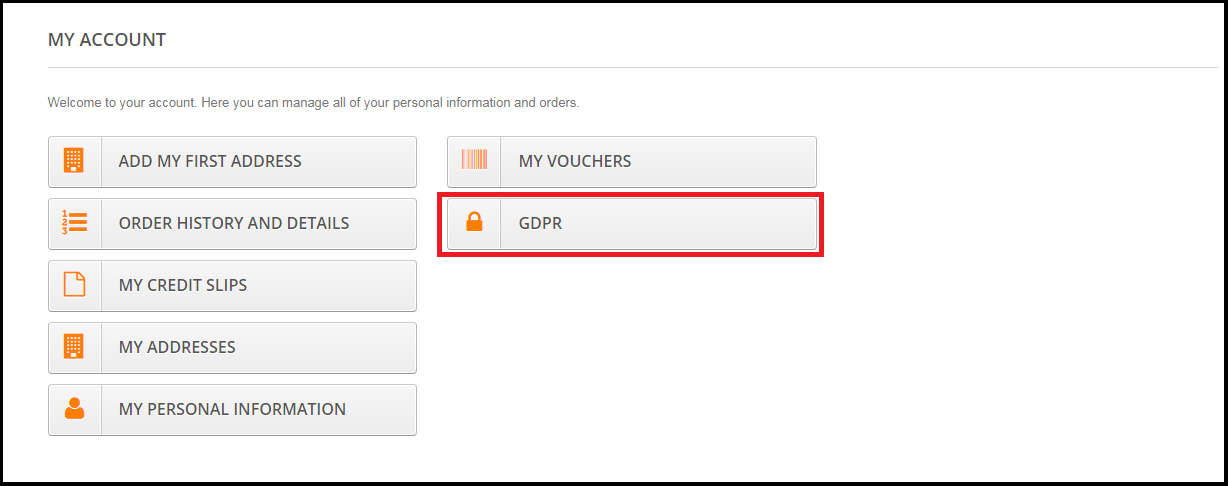
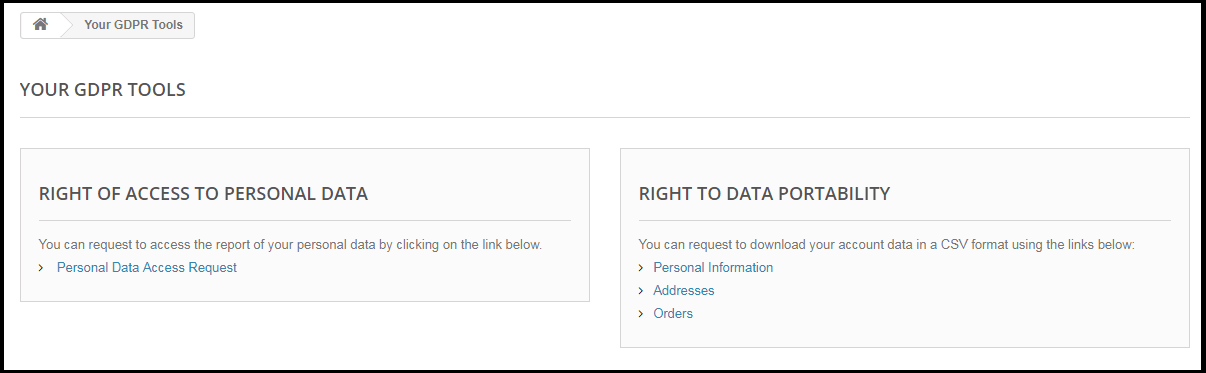
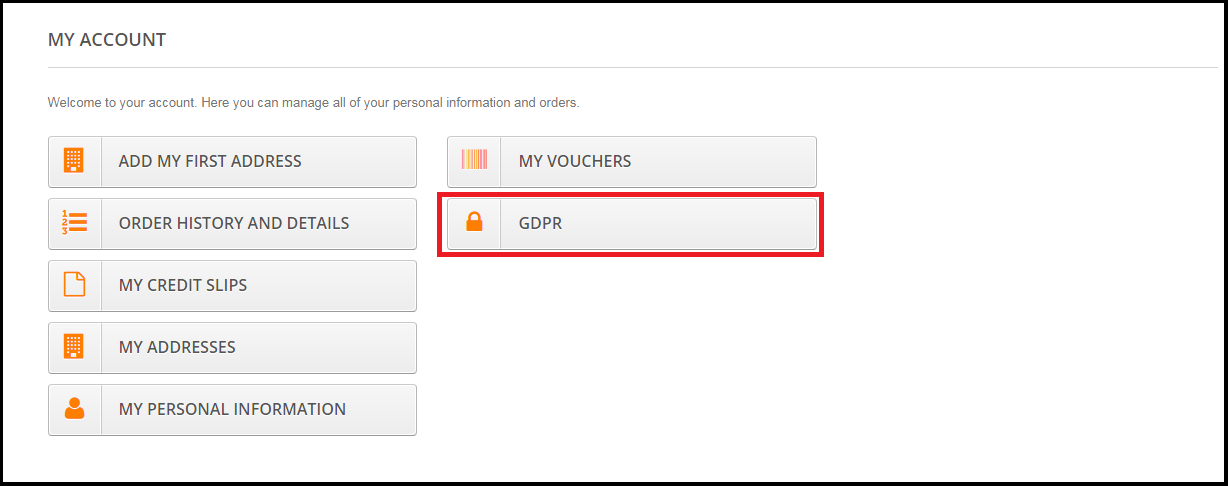
Customers will be able to access the GDPR rights by navigating to the My account section. Here, a separate tab GDPR will be visible to the customers. By using the GDPR tab customers can access their GDPR rights – Right to access and Right to data portability.
On clicking the GDPR tab the customer will be redirected to the GDPR tools page, from here customer can request for their personal data and also download their personal details like personal information, addresses and orders.
The Prestashop GDPR Module – Right of access and data portability, allows the store admin to enable the GDPR settings for the guest users so that guest users can also request for the details of their personal data. If the GDPR rights are enabled for the guest user then it will appear in the header section. Please refer to the attached screenshot.
1.3.0 Admin Interface of Prestashop GDPR Addon – Right to access and data portability:
The admin section of the Prestashop GDPR addon has the following options:
1) GDPR Settings
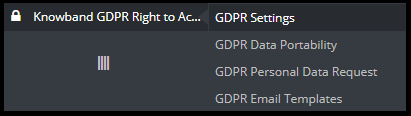
2) GDPR Data Portability
3) GDPR Personal Data Request
4) GDPR Email Templates
1.3.1 GDPR Settings:
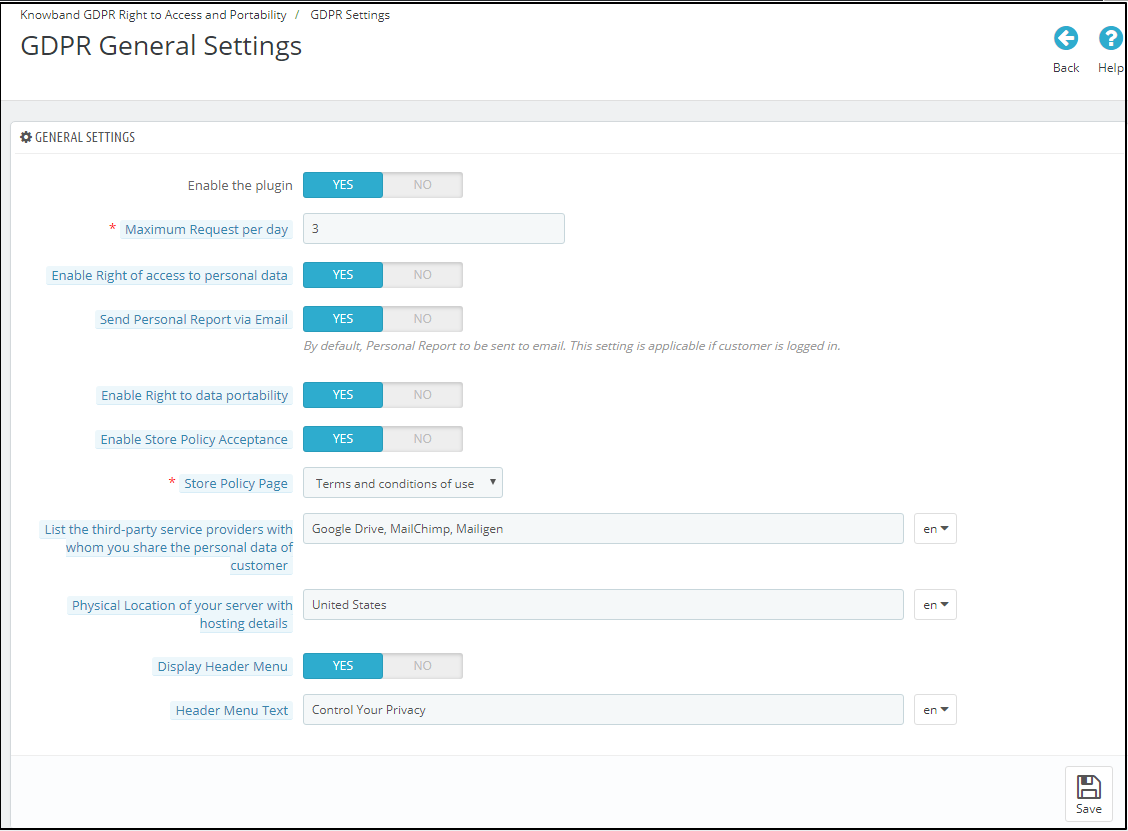
The GDPR Settings tab of the Prestashop GDPR Addon – Rights to access and data portability has the following options. Please refer to the attached screenshot below:
a)Enable the Plugin:
Admin can enable the customer rights by using the Enable the plugin toggle button.
b) Maximum request per day:
Admin has the options to set the max limit for the Personal data request.
c) Enable Right of access to personal data:
The right of access to personal data allows the customers to request for the personal data. Admin has the option to display the report immediately or admin can enable the setting to send the GDPR Personal data report over email.
d) Send Personal report via email:
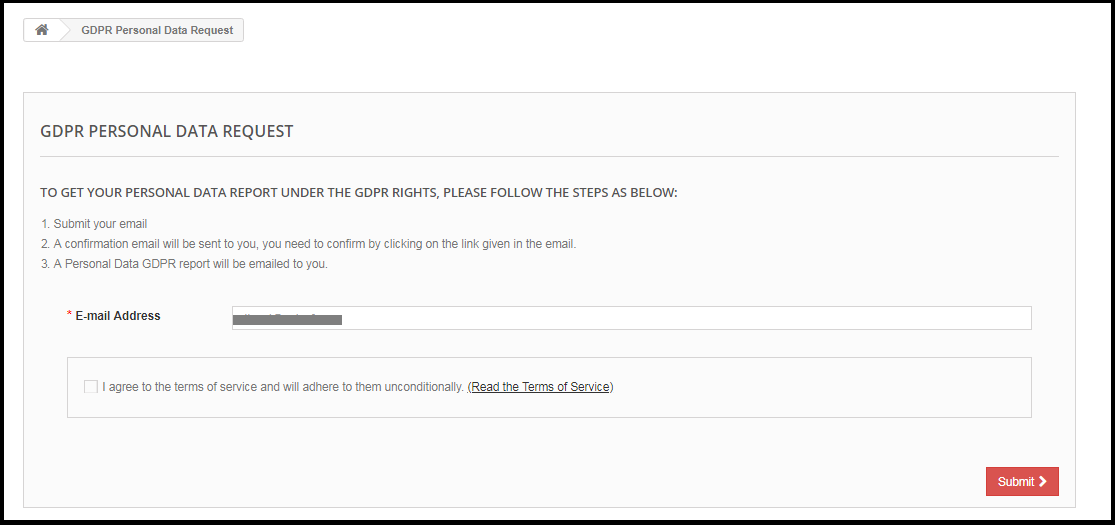
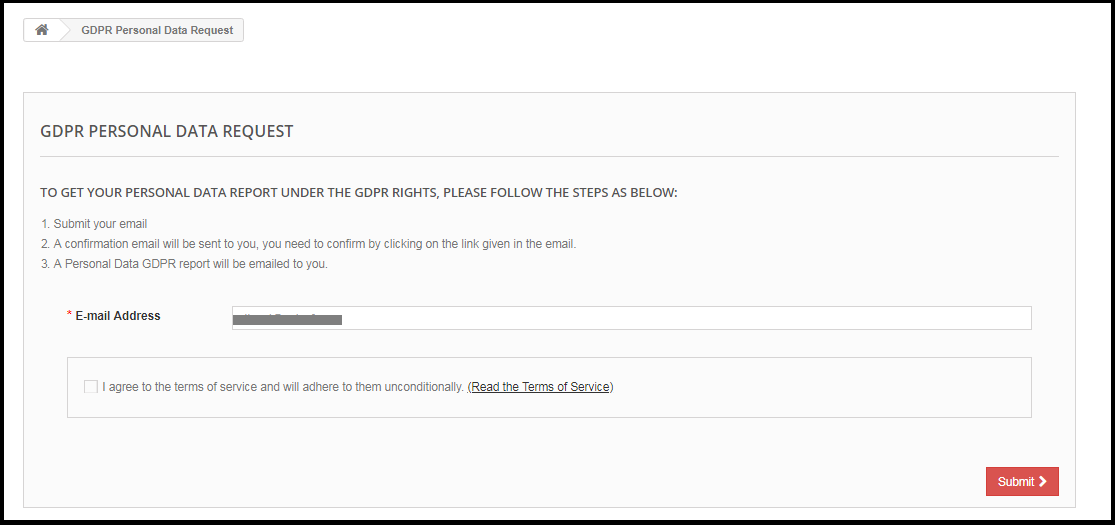
If this setting is enabled then the Personal data report will be sent via the email. Steps for the request for the personal data are listed below:
Step-1:
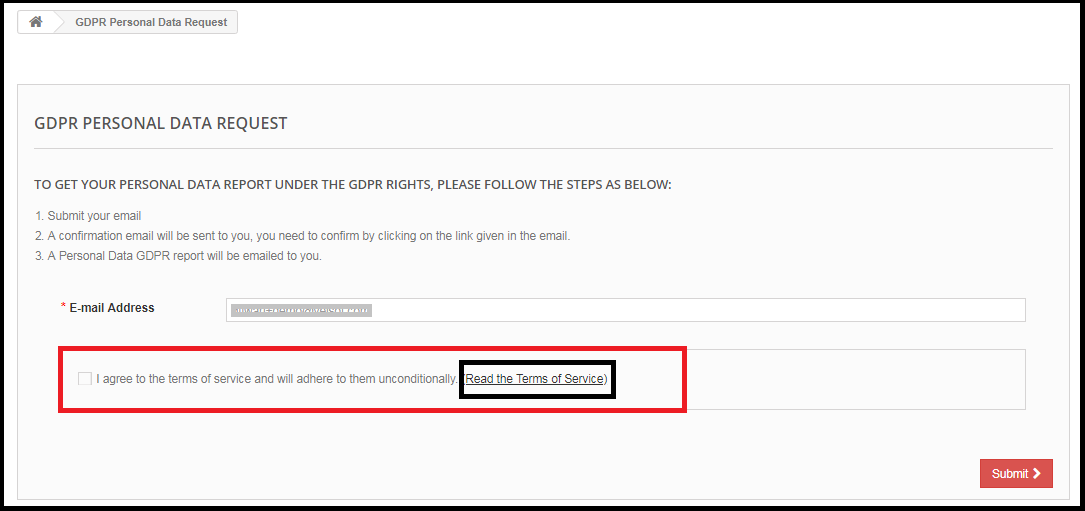
Request for the GDPR Personal Data report – Prestashop GDPR Addon
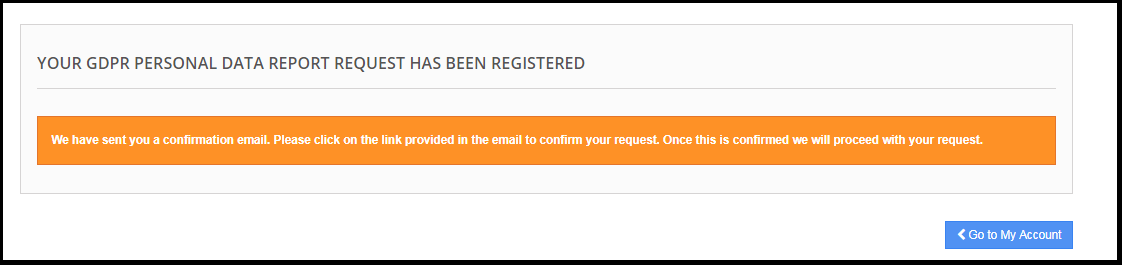
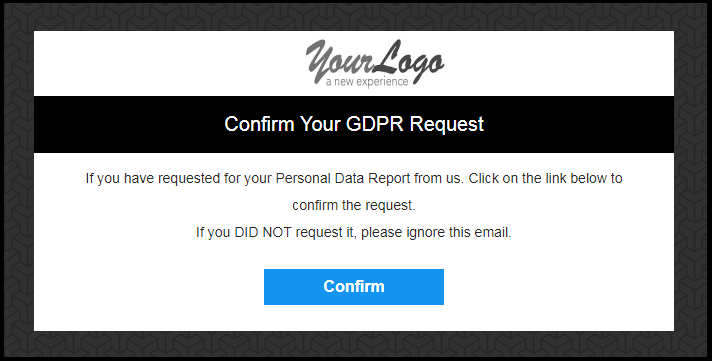
Step: 2
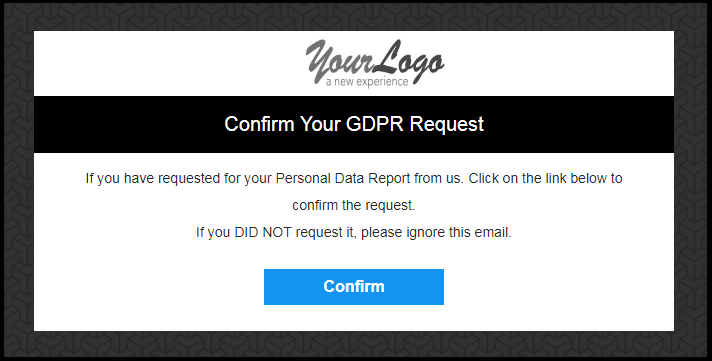
Confirm the GDPR Request.
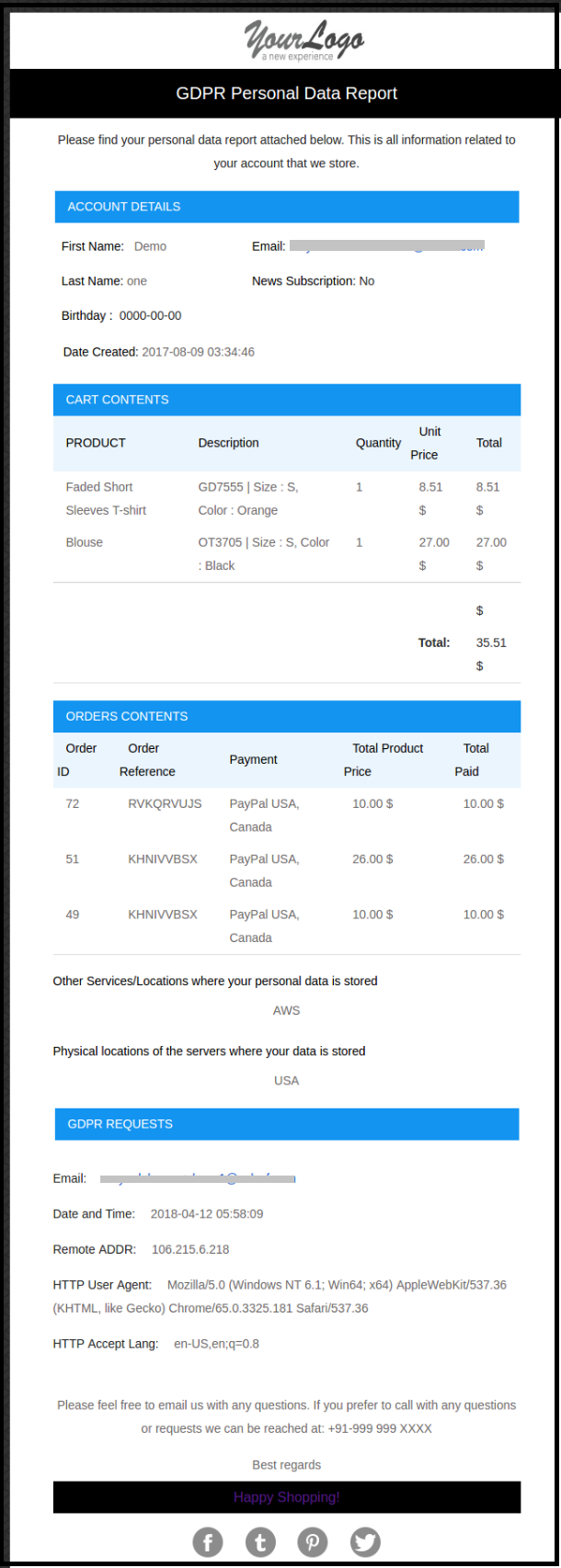
Step: 3
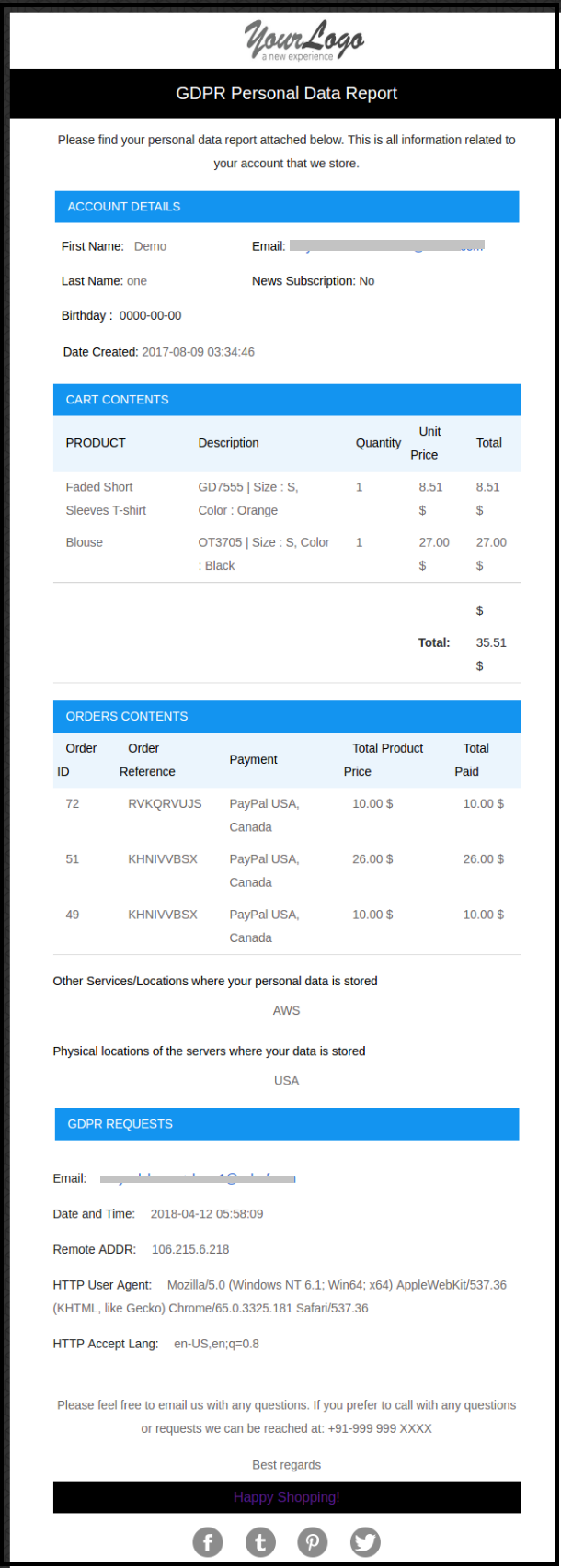
As soon as the customer will confirm the GDPR Personal Data Request, an email with the customer details will be sent to the customer.
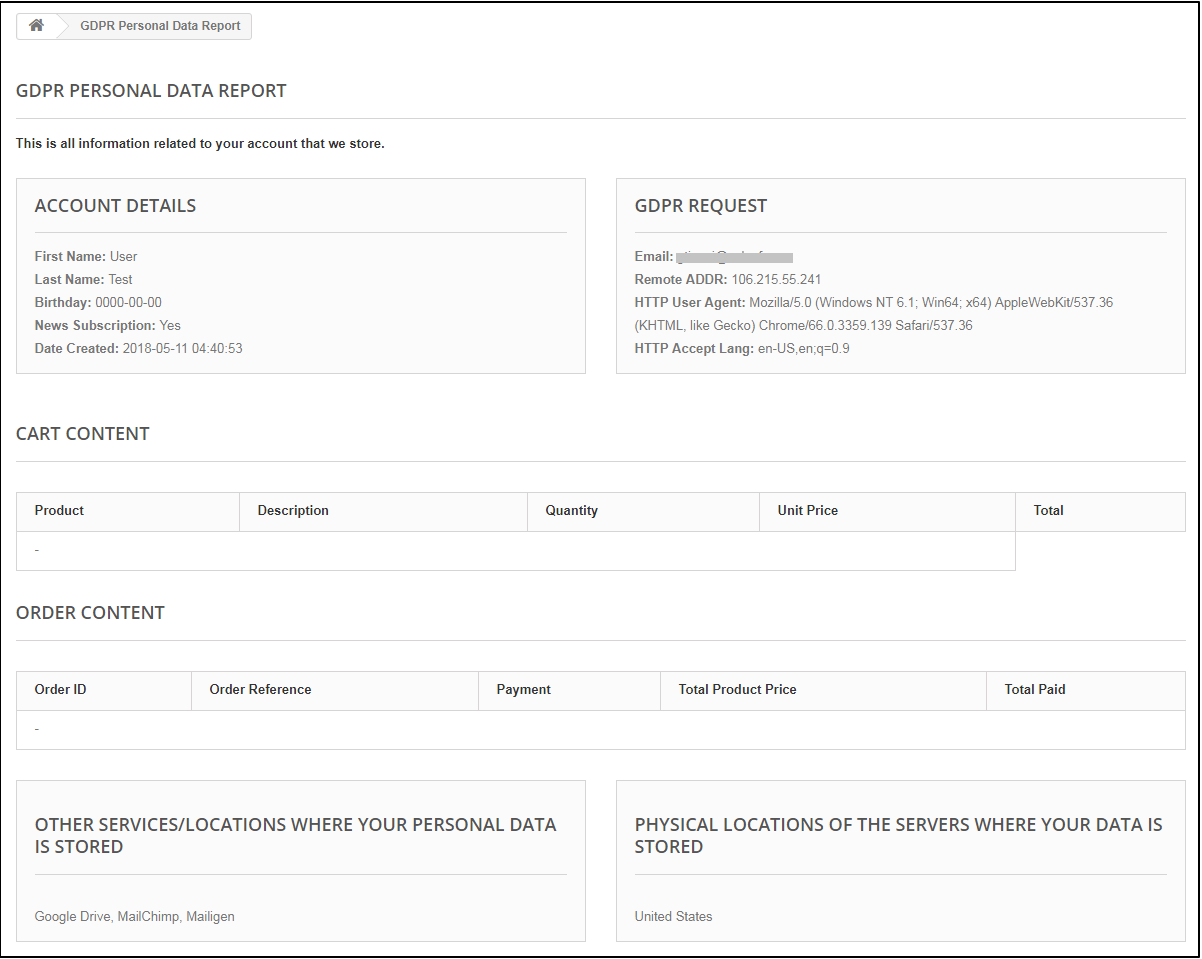
If the Send Personal Report via Email setting is disabled then the personal data report will be displayed immediately. Please refer to the attached screenshot.
e) Enable Right to Data Portability:
Right to data portability allows the customers to download their personal information which they have provided to the data controller.
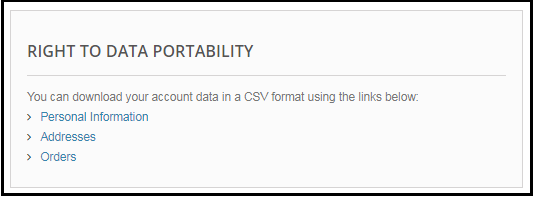
The Prestashop GDPR addon – Right to access and data portability allows the store admin to provide an interface to the customers so that they can easily download their data like personal details, addresses and orders.
In case the customer is logged in then he/she can directly download the report. For the guest users, it is mandatory to verify the data download request only after successful verification the guest user will be able to download the data.
Personal Information Report example:
f) Enable Store Policy Acceptance:
If a customer would like to raise a request under GDPR rights then admin can add the condition to accept the Terms and Conditions before requesting for the GDPR request for the Personal Data. The admin interface of the Prestashop GDPR addon allows the store admin to enable the setting so that for each request customer need to accept the terms and policy.
g) Store Policy Page:
Admin can add the URL of the page on which all the Terms and Conditions are listed.
h) Services/ Other locations where you store customer data:
Admin can list all the third-party service providers’ details to share the details with the customer.
i) Physical locations of servers where you host your website and other data:
Admin can define the physical server location of the server where the data has been stored.
j) Display Header Menu:
If the admin would like to enable the GDPR rights for the guest users then admin can enable the Display Header Menu setting. Admin has the choice to update the text for the GDPR rights, this text will be visible in the header section of the website and customers can access their rights by using this interface.
k) Header Menu Text:
Admin can define the text for the Header Menu.
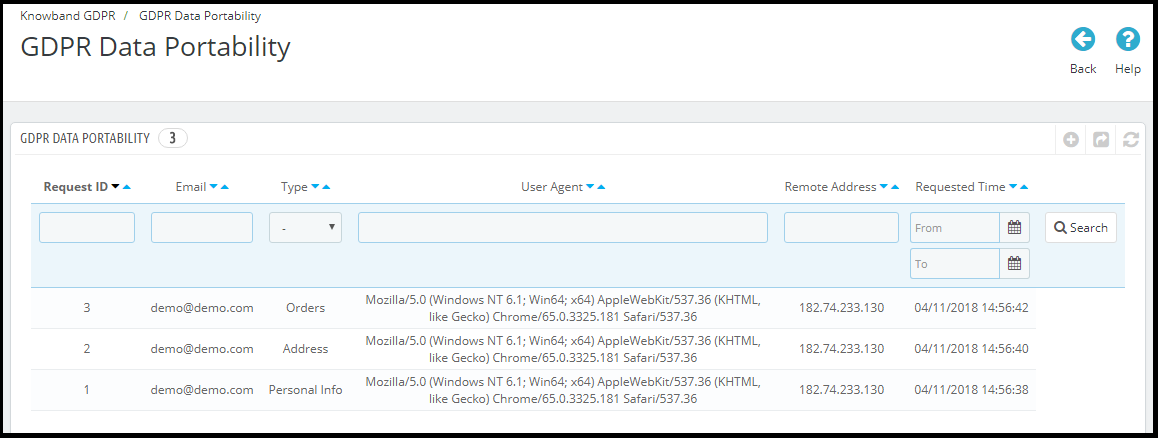
1.3.2 GDPR Data Portability
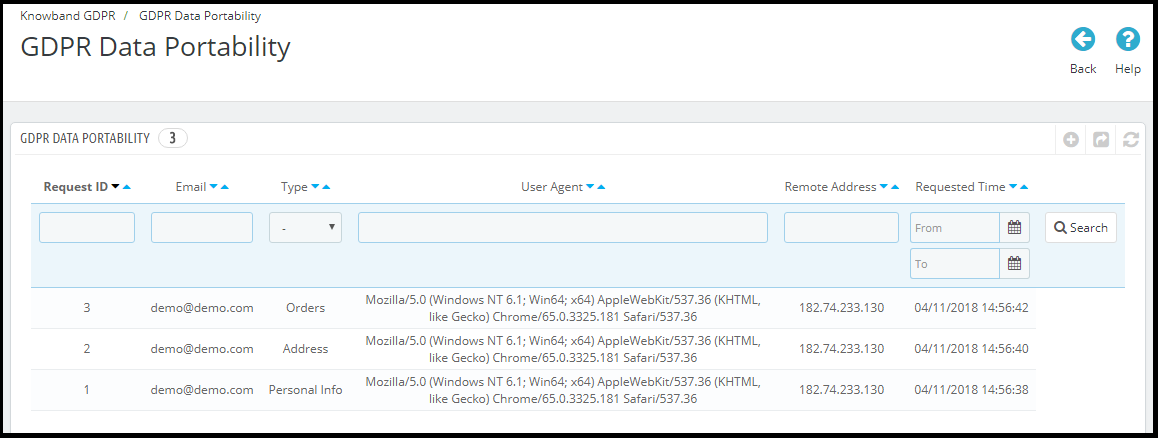
The Prestashop GDPR Module – Right to access and data portability, keeps the log of all the GDPR data portability requests processed.
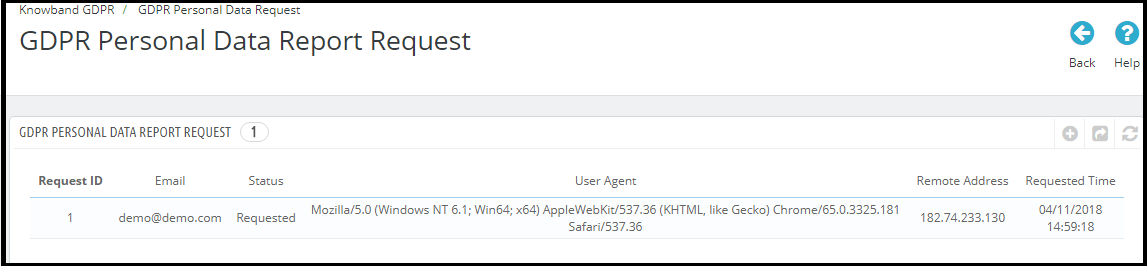
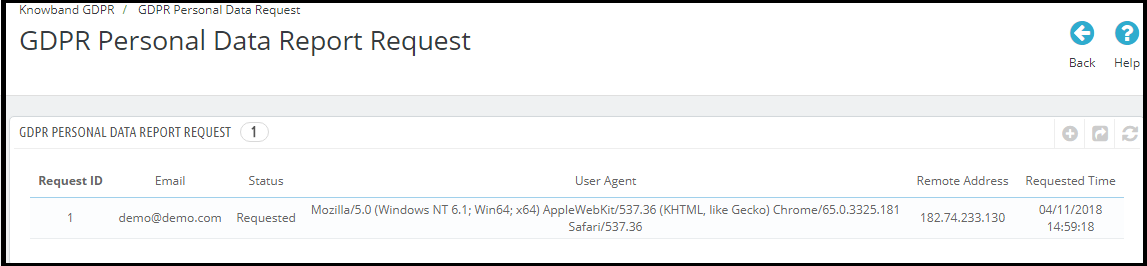
1.3.3 GDPR Personal Data Report Request
The Prestashop GDPR Addon – Right to access and data portability, keeps a log of all the personal data requests processed.
1.3.4 GDPR Email Templates
The Prestashop GDPR Addon by Knowband allows the admin to send following emails to the customer on raising a request under the GDPR.
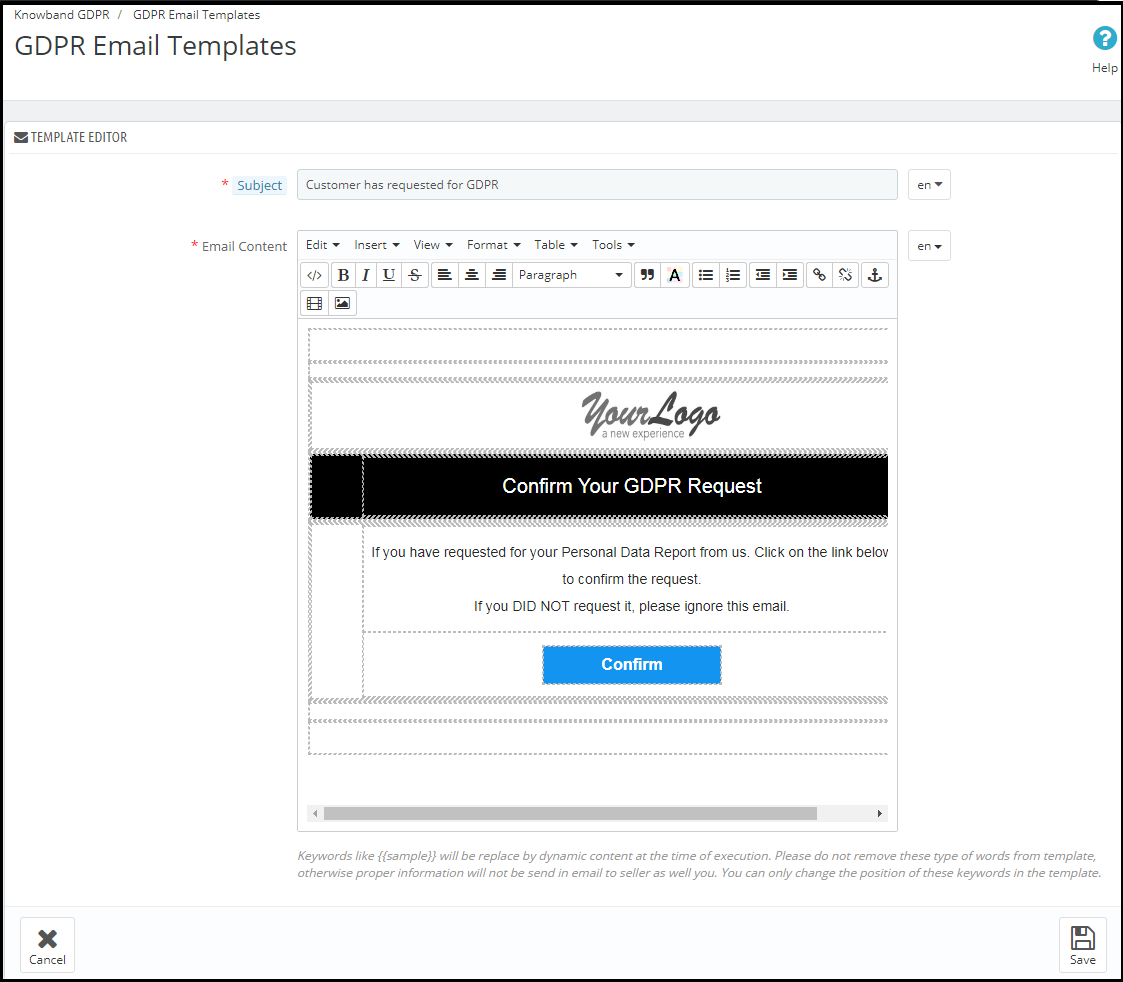
Customer has requested for GDPR
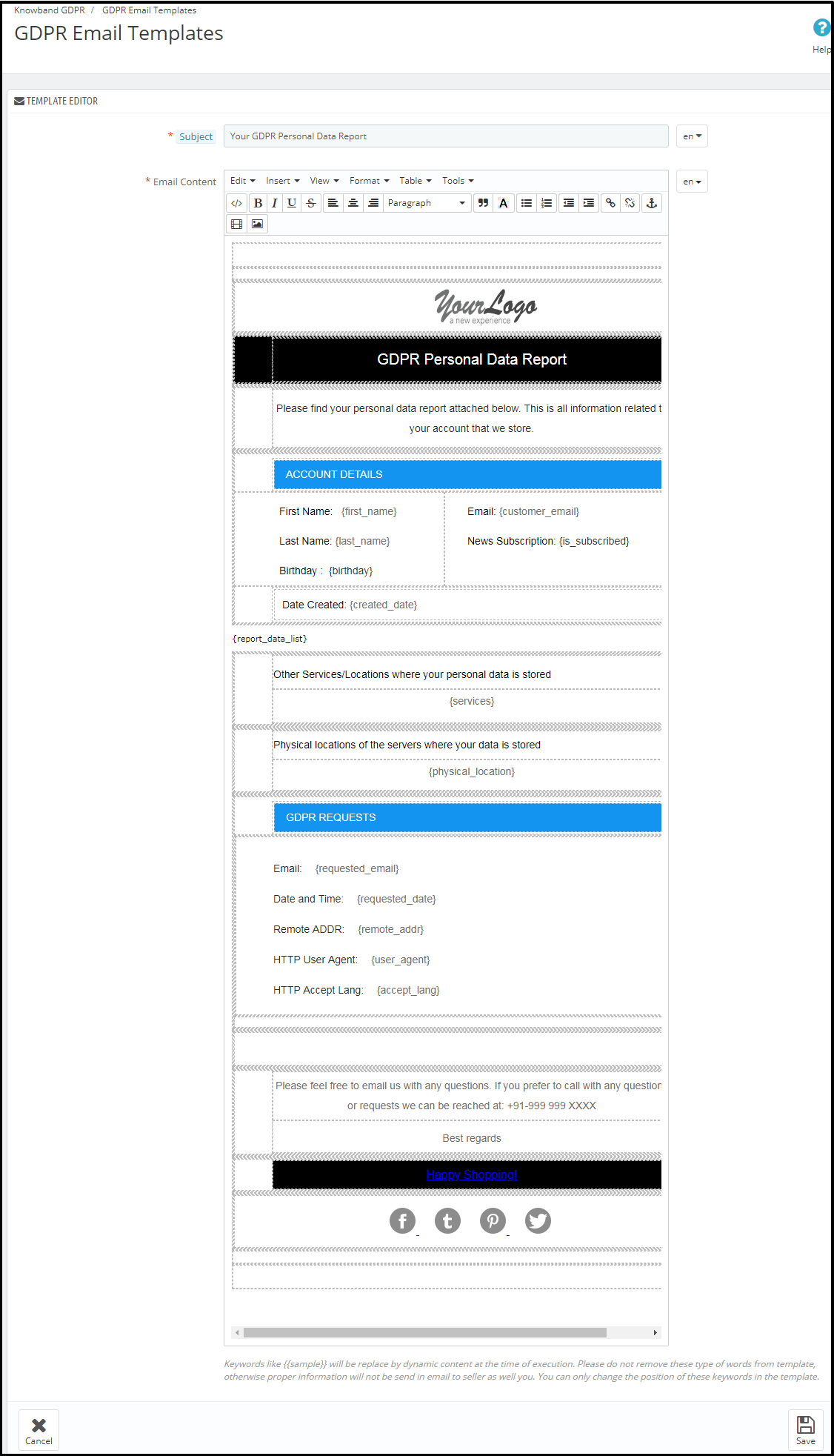
Your GDPR Personal Data Report
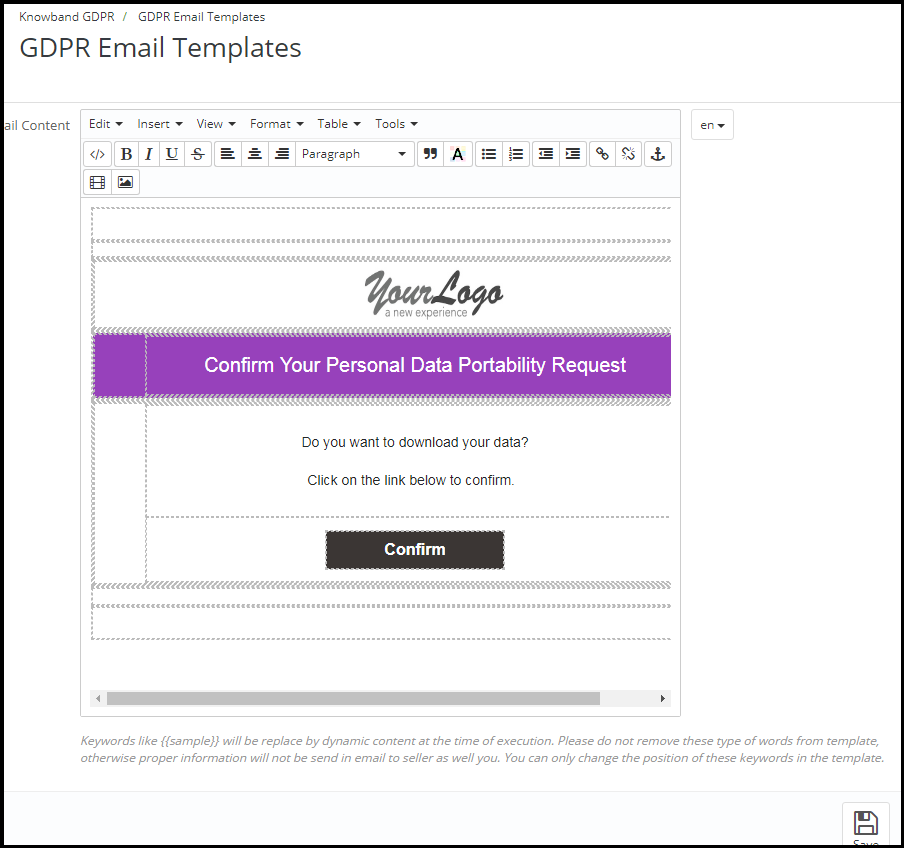
Confirm Your GDPR Personal Data Portability Request
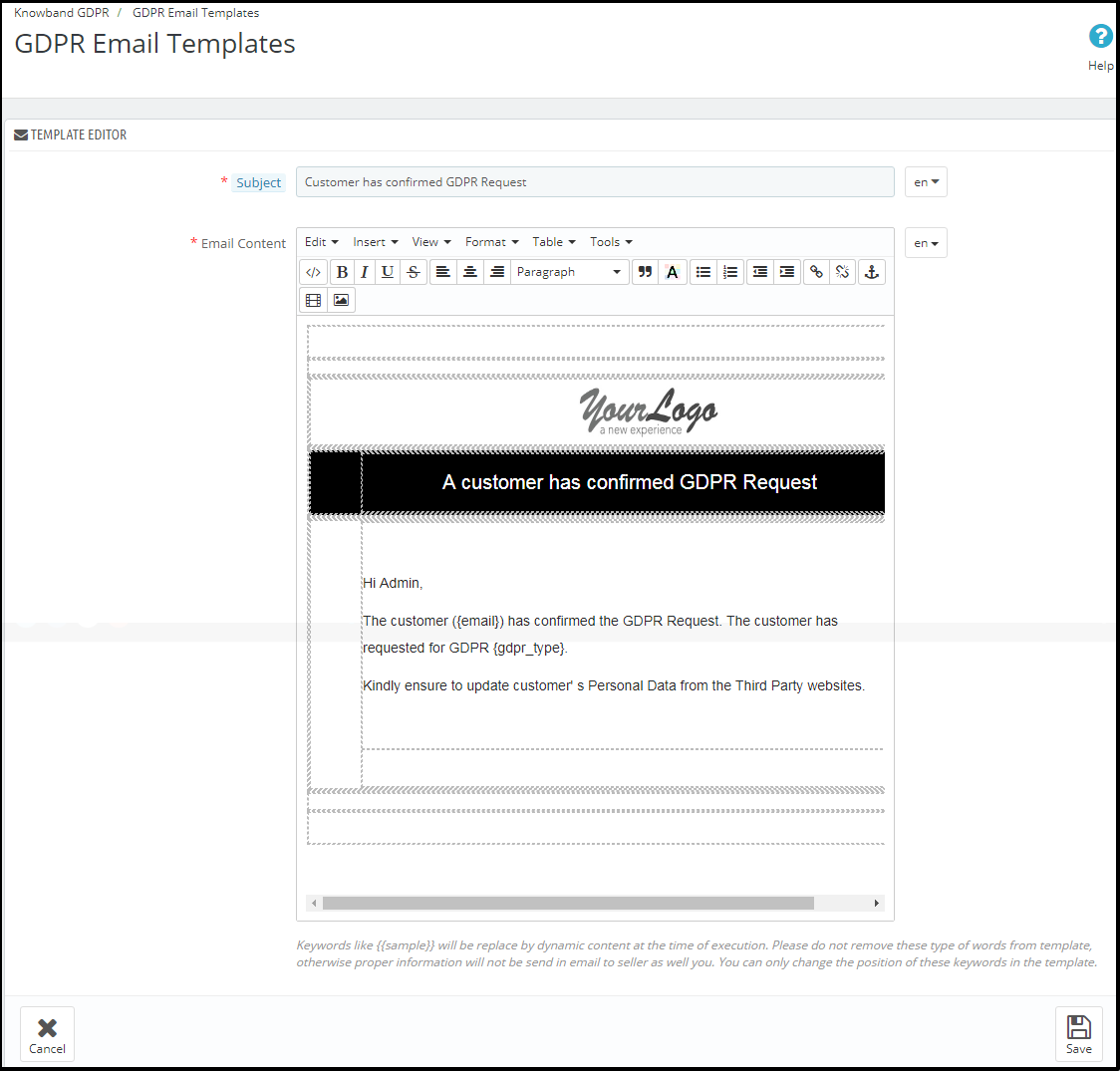
Customer has confirmed GDPR Request
Note: The purpose of these features is to help you to meet the GDPR requirements. Installing this module only does not guarantee merchant sites’ compliance with the new obligations imposed by the GDPR. It is your responsibility to put in place all the necessary measures to ensure you comply.
Il regolamento generale sulla protezione dei dati (GDPR) sostituisce la direttiva sulla protezione dei dati dell'Unione europea che verrà applicata a maggio 25, 2018. Le nuove direttive sono state approvate in base alle nuove tecnologie e ai progressi delle imprese; è stato introdotto un nuovo approccio alla protezione dei dati personali. Il modulo GPRPR Prestashop Prestashop GDPR Module che aiuta l'amministratore del negozio a fornire più diritti ai clienti come indicato nelle direttive GDPR. per favore clicca qui per controllare i dettagli.
Installazione 1.1.0 del modulo GPRPR Prestashop:
Per abilitare i diritti GDPR per i clienti, scaricare il file zip del modulo dalla sezione Download del proprio account Knowband. 1) GDPR.zip (codice sorgente del modulo) 2) Manuale dell'utente Per installare l'estensione nel tuo negozio Prestashop, segui i passaggi indicati sotto: 1) Decomprimi il file gdpr.zip. 2) Copia l'intero contenuto, ovvero i file e le cartelle della cartella decompressa. Incolla lo stesso nella cartella "Modules" della directory del tuo negozio. Segui il percorso di indirizzo sotto indicato
1.2.0
I clienti saranno in grado di accedere ai diritti GDPR navigando alla sezione Il mio account. Qui, una scheda separata GDPR sarà visibile ai clienti. Utilizzando la scheda GDPR i clienti possono accedere ai loro diritti GDPR
Facendo clic sulla scheda GDPR il cliente verrà reindirizzato alla pagina degli strumenti GDPR, da qui il cliente può richiedere i propri dati personali e anche scaricare i propri dati personali come informazioni personali, indirizzi e ordini.
Il modulo GPRPR Prestashop
1.3.0Interfaccia di amministrazione di Addash GDPR Prestashop
La sezione di amministrazione del componente aggiuntivo Prestashop GDPR ha le seguenti opzioni: 1) Impostazioni GDPR 2) Portabilità dati GDPR 3) Richiesta dati personali GDPR 4) Modelli email GDPR
1.3.1Impostazioni GDPR:
La scheda Impostazioni GDPR del componente aggiuntivo Prestashop GDPR
a)?Abilita il plugin:
L'amministratore può abilitare i diritti del cliente utilizzando il pulsante di attivazione Abilita il plugin.
b)?Maximum request per day:
L'amministratore ha le opzioni per impostare il limite massimo per la richiesta di dati personali.
c)?Enable Right of access to personal data:
Il diritto di accesso ai dati personali consente ai clienti di richiedere i dati personali. L'amministratore ha la possibilità di visualizzare immediatamente il rapporto o l'amministratore può abilitare l'impostazione per inviare il rapporto dati GDPR sui dati personali via e-mail.
d)?Send Personal report via email:
Se questa impostazione è abilitata, il rapporto sui dati personali verrà inviato tramite l'e-mail. I passaggi per la richiesta dei dati personali sono elencati di seguito:
Step-1:
Richiesta del rapporto Dati personali GDPR
Passaggio: 2
Conferma la richiesta GDPR.
Passaggio: 3
Non appena il cliente confermerà la richiesta di dati personali GDPR, verrà inviata al cliente un'e-mail con i dettagli del cliente.
Se l'opzione Invia rapporto personale via e-mail è disabilitata, il rapporto dei dati personali verrà visualizzato immediatamente. Si prega di fare riferimento allo screenshot allegato.
e)?Enable Right to Data Portability:
Il diritto alla portabilità dei dati consente ai clienti di scaricare le informazioni personali che hanno fornito al titolare del trattamento. L'addon GDPR di Prestashop
Esempio di rapporto di informazioni personali:
f) Abilita accettazione politica negozio:
Se un cliente desidera richiedere una richiesta ai sensi dei diritti GDPR, l'amministratore può aggiungere la condizione per accettare i Termini e condizioni prima di richiedere la richiesta GDPR per i Dati personali. L'interfaccia di amministrazione del componente aggiuntivo Prestashop GDPR consente all'amministratore del negozio di abilitare l'impostazione in modo che per ogni richiesta il cliente debba accettare i termini e la politica.
g) Pagina politica del negozio:
L'amministratore può aggiungere l'URL della pagina in cui sono elencati tutti i Termini e condizioni.
h) Servizi / Altre posizioni in cui si memorizzano i dati dei clienti:
L'amministratore può elencare tutti i dettagli dei fornitori di servizi di terze parti per condividere i dettagli con il cliente.
i) Posizioni fisiche dei server in cui si ospita il sito Web e altri dati:
L'amministratore può definire la posizione fisica del server del server in cui sono stati memorizzati i dati.
j) Visualizza menu intestazione:
Se l'amministratore desidera abilitare i diritti GDPR per gli utenti guest, l'amministratore può abilitare l'impostazione Menu Display Header. L'amministratore ha la possibilità di aggiornare il testo per i diritti GDPR, questo testo sarà visibile nella sezione intestazione del sito Web e i clienti potranno accedere ai loro diritti utilizzando questa interfaccia.
k) Testo del menu testata:
L'amministratore può definire il testo per il menu intestazione.
1.3.2Portabilità dei dati GDPR
Il modulo GPRPR Prestashop
1.3.3Richiesta report dati personali GDPR
L'Addon GDPR Prestashop
1.3.4 GDPR Email Templates
L'Addon Prestashop GDPR di Knowband consente all'amministratore di inviare le seguenti e-mail al cliente al momento di sollevare una richiesta ai sensi del GDPR.
Il cliente ha richiesto GDPR
Il tuo rapporto sui dati personali GDPR
Conferma la tua richiesta di portabilità dei dati personali GDPR
Il cliente ha confermato la richiesta GDPR
Nota: lo scopo di queste funzionalità è di aiutarvi a soddisfare i requisiti GDPR. L'installazione di questo modulo non garantisce la conformità dei siti commerciali ai nuovi obblighi imposti dal GDPR. È responsabilità dell'utente mettere in atto tutte le misure necessarie per garantire la conformità.
The General Data Protection Regulation (GDPR) is a replacement for the European Union Data Protection Directive which will be enforced on May 25, 2018. The new directives have been passed, as per the new technologies and business advances; a new approach to protection of the personal data has been introduced.
1.1 New Data Protection Rights under GDPR
1) Transparent information, communication, and modalities for the exercise of the rights of the data subject
2) Information to be provided where personal data are collected from the data subject
3) The right of access by the data subject
4) Right to rectification
5) Right to erasure (‘right to be forgotten’)
6) Right to restriction of processing
7) Notification obligation regarding rectification or erasure of personal data or restriction of processing
8) Right to data portability
9) Right to object
10) Automated individual decision-making, including profiling
Under GDPR it is mandatory for the store owners to provide with thorough information about how the personal data of the customers will be processed. This information can be mentioned on the Privacy Policy page. The information given on the Privacy page should be concise, transparent, intelligible, and easily accessible, in clear and plain language, free of charge.
1.2 How Prestashop GDPR module by Knowband helps the sellers to comply with GDPR?
The PrestaShop GDPR Module by Knowband helps the sellers to comply with the GDPR directives without putting any extra efforts. By installing the GDPR module admin can display the GDPR Tools option on the account details page at the front-end of the customer. The GDPR module handles the following requests:
1) Cookies Consent Bar
2) Right of access to the personal data
3) Right to data portability
4) Right to be anonymous
5) Right to be forgotten
6) Right to data rectification
7) Right to restriction of processing (coming soon)
8) Rights related to the automated decision making
Additional features offered by Prestashop GDPR Module:
Cookie consent bar: Admin can display the cookie consent bar on the website. The Cookie option also blocks the cookies used by the third party modules.
Checkboxes for the user consent on the registration and contact form: The Prestashop GDPR Addon allows the store admin to display the additional checkboxes on the Registration and Contact form.
Data download from the admin: Admin can download the personal data of the customer in CSV format so that it can be shared with the customer.
Data Deletion option: Admin can delete the customer data from the back-office.
GDPR Request Log: The Prestashop GDPR Module keeps the log of GDPR requests, as a proof of the processing of the requests.
GDPR request retention period: Admin can set the retention period for the GDPR requests received. After the set duration, the GDPR request data will be deleted.
Email templates: Prestashop GDPR Module offers so many email templates that help to automate the process.
Guest User: Guest users can also request for their personal details with ease.
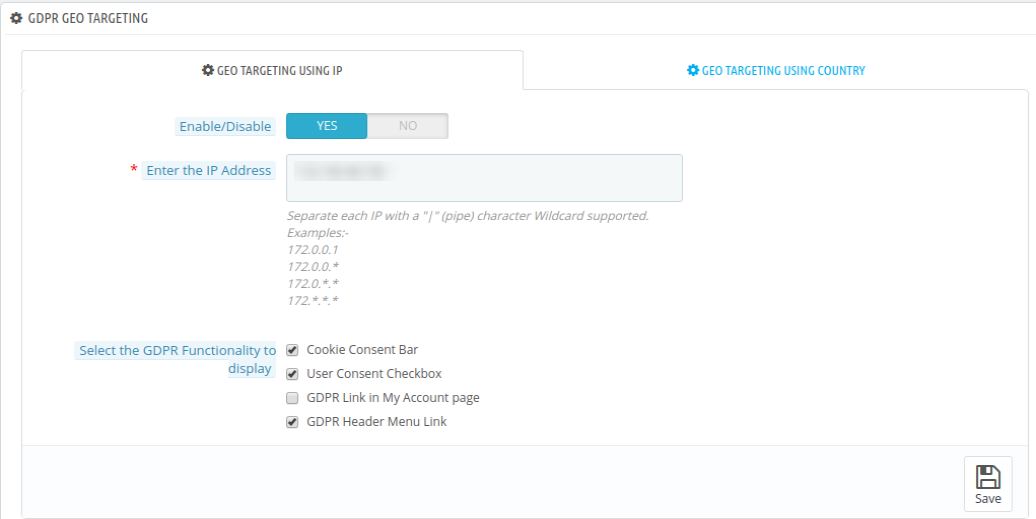
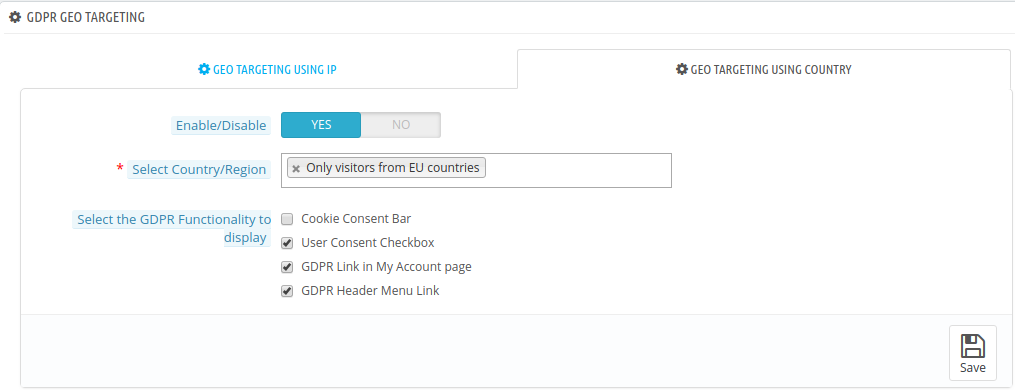
Geo Location Targeting: The online merchant can set IP address and select country/regions for showing specific GDPR functionalities like cookie consent bar, user consent check-box, GDPR links in my account page and GDPR header menu link.
Customer Interface of the Prestashop GDPR Module
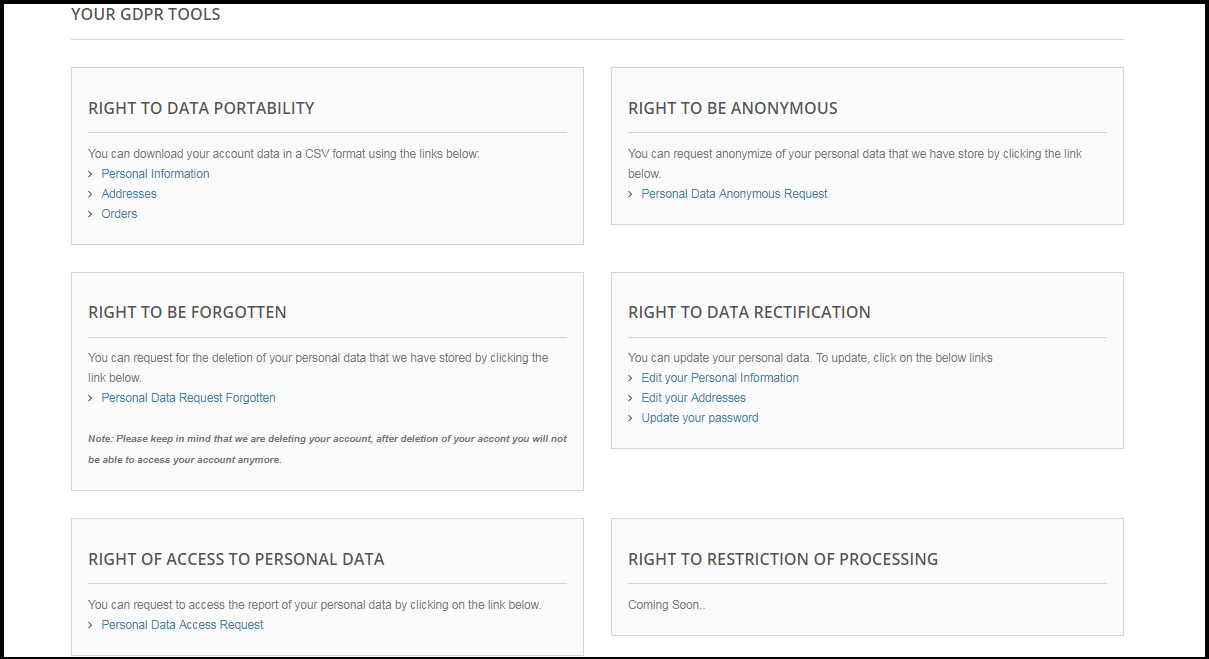
A logged in customer can access the GDPR rights from My Account section. Here a separate tab, GDPR will be visible to the user by accessing this GDPR tan the logged in user can access the GDPR rights. Please refer to the attached screenshot:
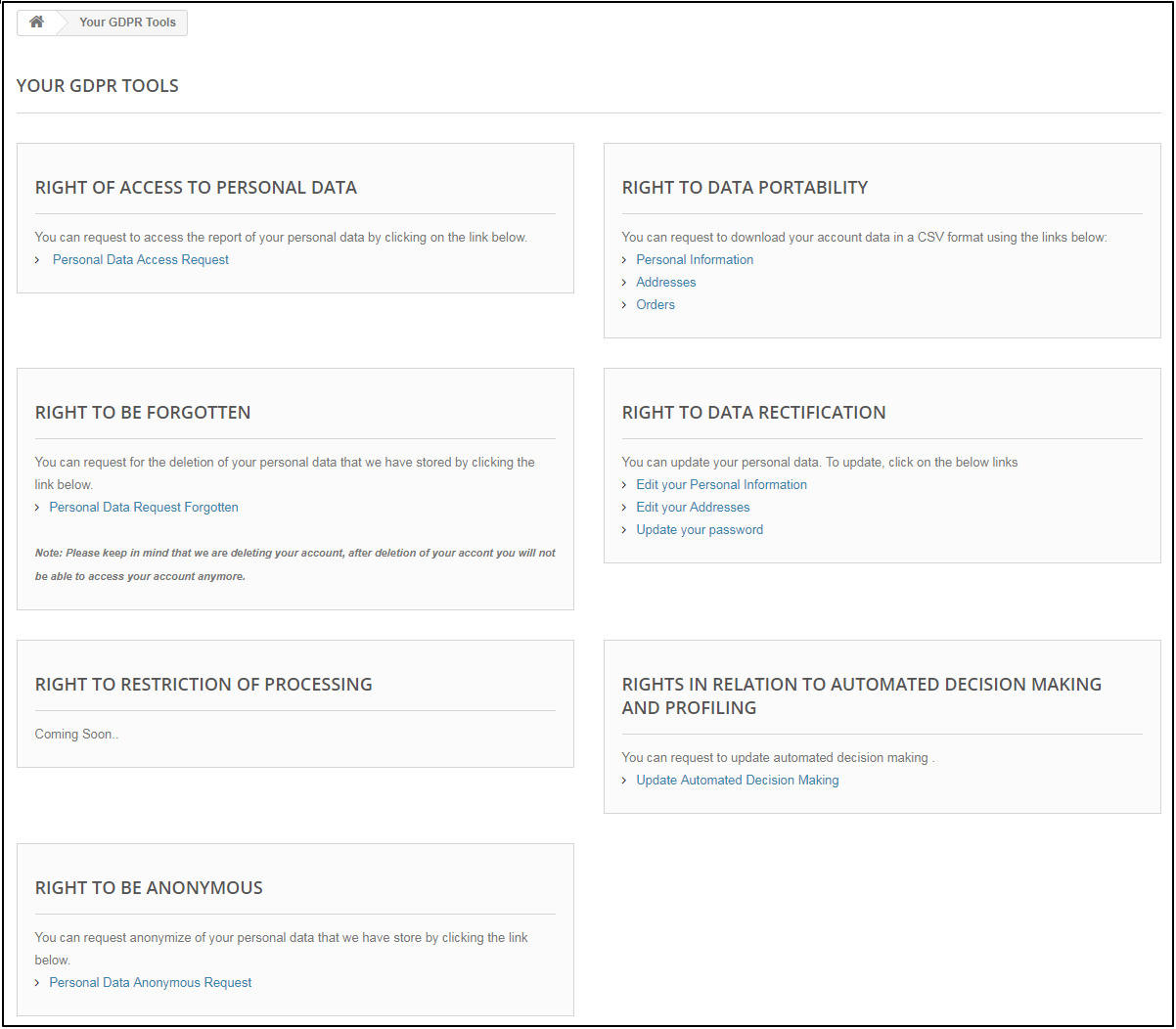
On clicking the GDPR tab a new page will get opened. Here all the GDPR rights of the customer (enabled by the admin) will be listed and customer can access any of these rights with ease.
As per the requirement, the admin has the choice to enable/disable any of these rights.
2.0 Installation of Prestashop GDPR Module
After placing your order for the Prestashop GDPR module you can download the zip file of the module. This zip file contains:
1) GDPR.zip (source code of the module)
2) User Manual
In order to install the extension in your Prestashop store follow the below-mentioned steps:
1) Unzip the gdpr.zip file.
2) Copy the entire content, that is, the files and folders of the unzipped folder. Paste the same into the “Modules” folder of your store’s directory. Follow the below-mentioned address path – Root Directory/modules/.
3) The Prestashop GDPR plugin is all set to be installed in the store. Go to the Store Admin and then to ‘Modules and Services’.
4) Click on the “Install” button just next to your module. It would show a pop-up for your confirmation. Click on “Proceed with the installation” option. This step will install the module and show notification – “Module(s) installed successfully”.
3.0 Admin Interface of Prestashop GDPR Addon
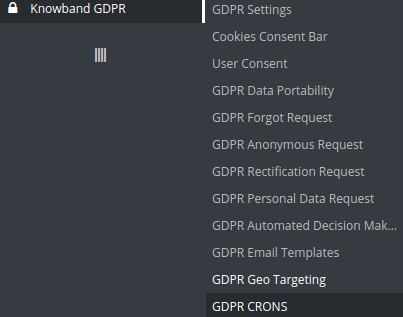
In the admin section of the Prestashop GDPR Customer rights module following options are available:
1) GDPR Settings
2) EU Cookie Law
3) User Consent
4) GDPR Data Portability
5) GDPR Forgot Request
6) GDPR Anonymous Request
7) GDPR Rectification Request
8) GDPR Personal Data Request
9) GDPR Automated Decision Making
10) GDPR Email Templates
11) GDPR Geo Targeting
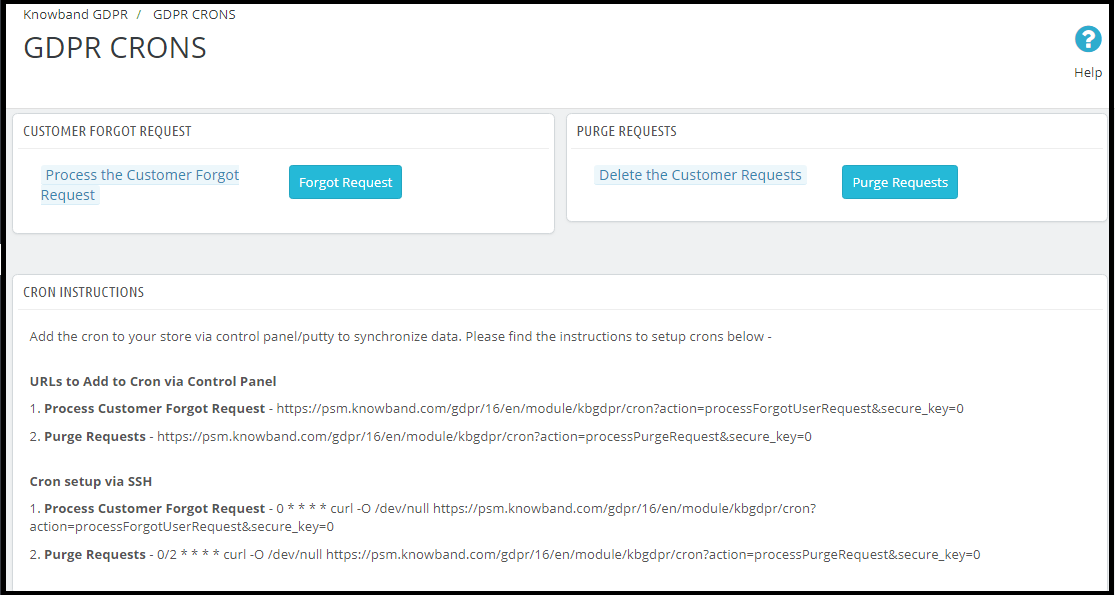
12) GDPR Crons
3.1 GDPR Settings
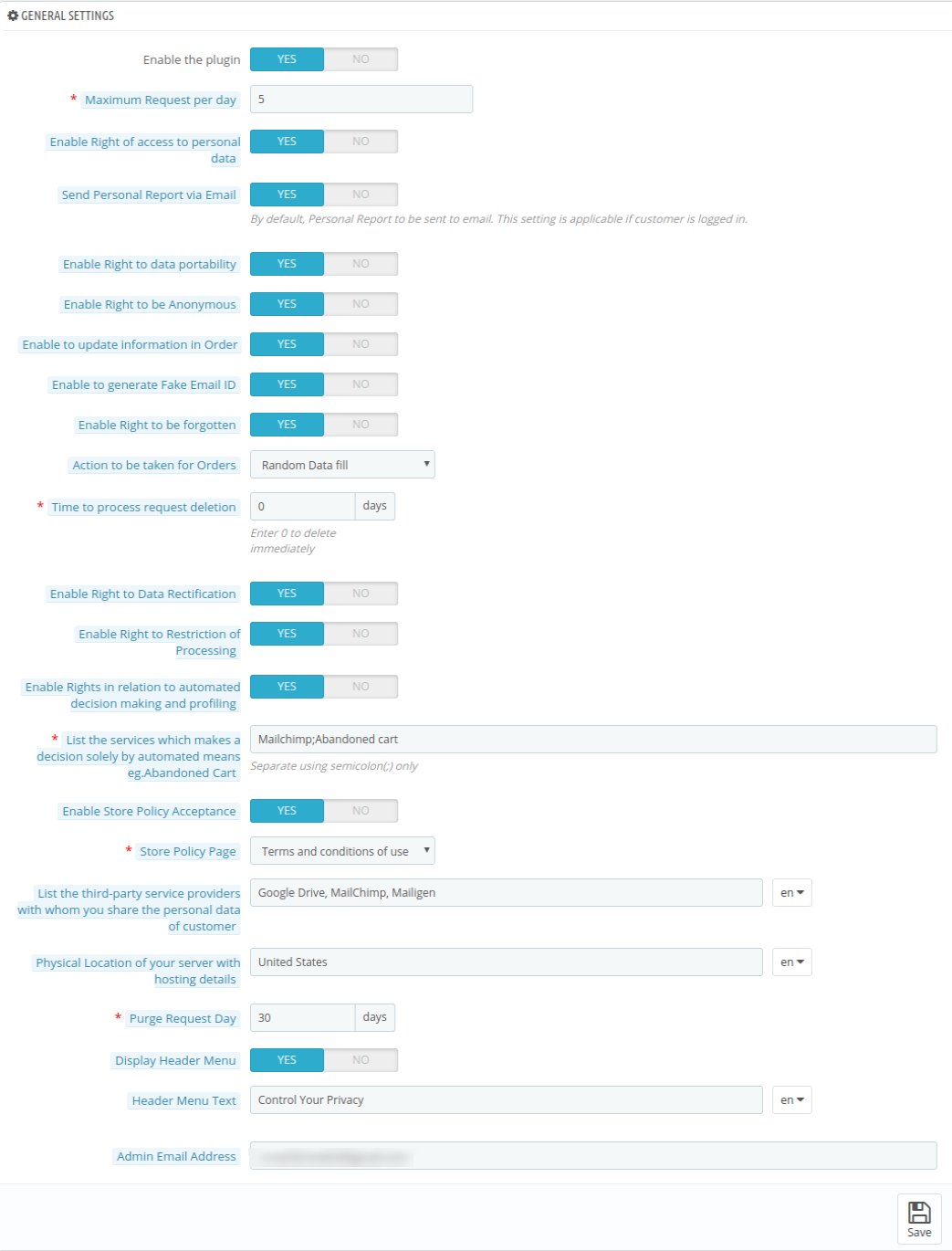
The GDPR Settings tab of the Prestashop GDPR Customer Rights module allows the store admin to enable/disable the customer’s rights. As per the settings enabled by the admin, the customer will be able to access the rights from his/her account. Please refer to the attached screenshot below:
The Settings tab of the GDPR module has following options:
3.1.1 Enable the Plugin
As per the requirement, admin can Enable/Disable the Prestashop GDPR Compliance Plugin. If the setting of the Enable the Plugin is yes, only then this module will work.
3.1.2 Maximum request per day
Customers have the right to request the personal data. Admin can set the limit for the requests on daily basis. It will be recommended to set the maximum requests per day to a minimum number to avoid the spam requests.
3.1.3 Enable Right of access to personal data
The right of access to personal data allows the customers to check their personal details which they have shared with the data controller.
If this setting is enabled from the admin interface of the Prestashop GDPR addon only then customers will be able to able to check their personal details by logging into their account. The screenshot of customer end has been attached below:
Step-1:
Request for the GDPR Personal Data report – Prestashop GDPR Addon
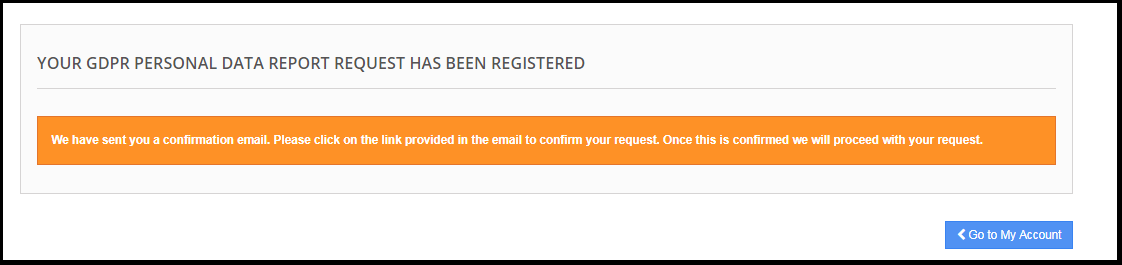
As soon as the customer request for the GDPR personal data report, the customer will be notified that an email with the confirmation link has been sent to the entered email address.
Step: 2
Confirm the GDPR Request.
Step: 3
As soon as the customer will confirm the GDPR Personal Data Request, an email with the customer details will be sent to the customer.
3.1.4 Enable Right to Data Portability
Right to data portability allows the customer to download his/her personal data so that he/she can share this data with other data controller with ease.
If this setting is enabled from the admin interface of the Prestashop GDPR Module only then the customer will be able to download their personal data in CSV format. As of now, the Prestashop GDPR Module allows the customers to download their personal data like – Account information, Address details, Order details. The screenshot of the interface at the customer end has been attached below:
Personal Information Report:
3.1.5 Enable Right to be Anonymous
If the setting for the Right to be Anonymous is enabled from the admin panel of the Prestashop GDPR addon then the customer will be able to make a request for data anonymization. As soon as the customer will request for the data anonymization a confirmation email will be sent to the customer. If the customer confirms the data anonymization request, as per the settings enabled by the admin personal details like Name, Email Id will be replaced by random details. To process the data anonymization request the Prestashop admin has the following option:
• Enable Right to be Anonymous: If this setting is enabled from the admin then the customer will be able to request for the data anonymization but in this case, only the name of the customer will be anonymized.
As soon as a customer registers the Data anonymization request customer will be notified to confirm the data anonymization request over email.
Email confirmation:
On request for the data anonymization customer will receive the email at the entered email address with a request to confirm the data anonymization request.
Note:
In case you are using the third-party services and sharing the customer data with third-party, then you need to make the required changes as per the procedure followed by the service provider. This GDPR module will anonymize the data which you have stored in your database only.
3.1.6 Enable to update information in Order
If customer requests to make his/her information anonymous then admin can select the option to enable/disable the changes to the previous orders. If this setting is enabled from the admin interface of the Prestashop GDPR addon then the previous order details will also be replaced.
3.1.7 Enable to generate Fake Email ID
If a customer raises a request for the data anonymization then admin can select the option to replace the email id of the customer by fake email id. Please refer to the attached screenshot:
If the customer submits the request to anonymize the email id also. Then the customer email id will be replaced by a system generated email-id.
The customer can use the system generated email id for accessing the account.
3.1.8 Enable right to be Forgotten
As per the new GDPR Directives customer has the right to be forgotten. If this setting is enabled from the admin interface of the Prestashop GDPR Compliance Module then the customer can request for the deletion of his/her data by accessing his/her account. After receiving the request of the customer a confirmation email will be sent to the customer and as per customer’s approval, entire details of the customer will be deleted from the database.
The forgotten request interface for the customer will be as below:
Customer will be notified that an email with the confirmation request has been sent to the registered email id.
To handle the data deletion option admin has the following options from the back-office:
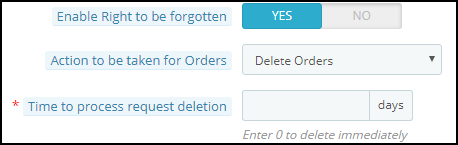
Enable right to be forgotten: Admin can enable the Right for the customers. If enabled only then customers will be able to request for the data deletion.
Action to be taken for orders: In order to process the data deletion requests, the admin has the options to select the action for the previous orders. Admin can select the options like Delete orders, Random data fill or No Action for orders. If the Delete Order option has been selected then the order will be deleted, in case of random fill the personal details of the customer will be replaced by the random data but the order and product details will remain as it is. This will help the admin to maintain the statistics of the orders and product sale. In case of No Action, the previous order details will remain as it is.
Time to process request deletion: Admin can set the option to delete the customer data immediately or after some time. The Prestashop GDPR Addon allows the delete the customer data after a fix time interval and admin can setup the cron to automate the process.
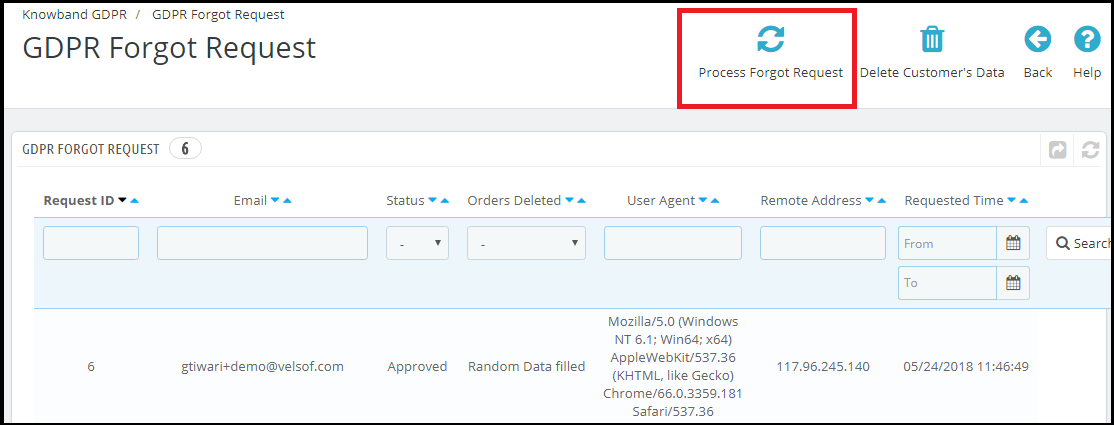
In order to complete the data deletion request go to the Data Forgot tab of the Prestashop GDPR Addon module and click on the “Process Forgot Request”.
Admin can also set up the cron job to automate the process.
Note:
1) It is recommended to consult with your legal team before enabling data deletion settings. After deleting the customer’s personal data it cannot be retrieved. Admin has the option to enable the delete order setting which has been explained in the next topic.
2) In case you are sharing the customer data with third-party service providers then you need to delete the customer data manually. As of now, this module does not support the feature to delete the data shared with the third-party service providers.
Example: If you are using MailChimp for sending promotional emails then you have to delete the customer details from MailChimp list manually.
3.1.9 Enable the right to data rectification
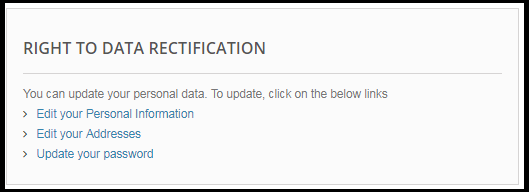
A customer has the right to update the incorrect personal data. The Prestashop GDPR Customer Rights Module allows the store admin to let the customer modify the personal data like personal details, address etc.
3.1.10 Enable Right to Restriction of Processing
This feature will be updated soon.
3.1.11 Enable Rights in relation to automated decision making and profiling
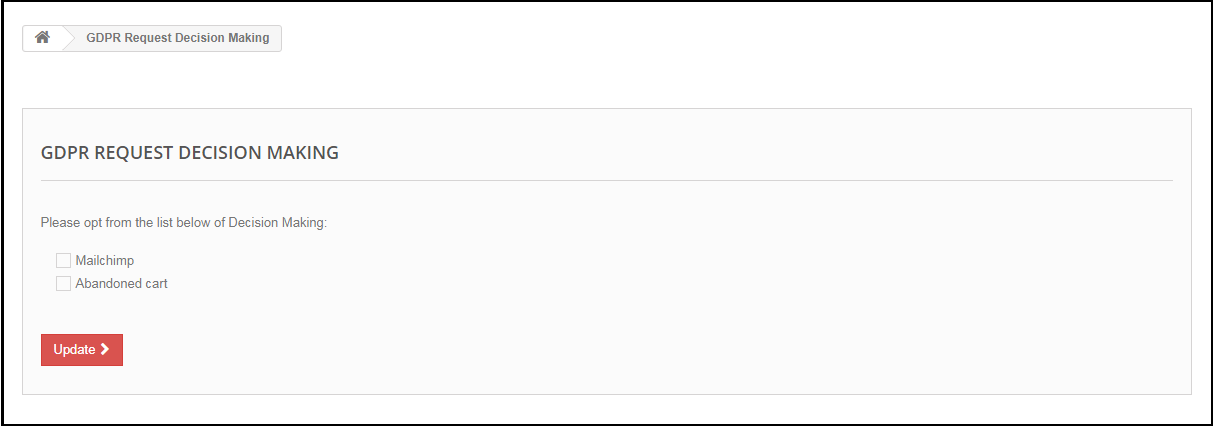
If this setting is enabled from the admin panel of the Prestashop GDPR compliance module then store admin will be able to list the services which make a decision by automated means. If a customer requests for the services which make a decision by automated means then the customer will get an email to confirm the request. As soon as the user will confirm the request, the user will be redirected to a new link. Here all the services with the automated decision making will be listed and the user can select the one which he/she would like to continue.
3.1.12 Enable Store Policy Acceptance
If a customer would like to raise a request under GDPR rights then admin can add the condition to accept the Terms and Conditions before requesting for the GDPR request for the Personal Data, Account Deletion or Data Anonymization.
3.1.13 Store Policy Page
Admin can add the URL of the page on which all the Terms and Conditions are listed. The customer can check the Terms and Conditions by clicking the link available with the message at the time of raising the request.
3.1.14 Services/ Other locations where you store customer data
If you use the third-party services and share the customer data with them, then list down all the third-party service providers here. This information will be sent to the customer if he/she request for the Personal Data.
3.1.15 Physical locations of servers where you host your website and other data
You can mention the server location here, where you store the customer data.
3.1.16 Purge Request Day
This option allows the store admin to set the retention period for the GDPR requests. As per the number of days entered by the store admin the GDPR request data will be deleted from the database. Cron setup is available for automating the process.
3.1.17 Display Header Menu
Display Header Menu option of the Prestashop GDPR compliance addon allows the store admin to display the GDPR option in the header section of the website. By enabling “Display Header Menu” setting of the Prestashop GDPR addon, store admin can allow the guest users to access the GDPR rights.
3.1.18 Header Menu Text
Admin can define the text for the Header Menu.
3.1.19 Admin Email Address
The online store admin can enter his email address for getting GDPR related e-mail notifications. Prestashop GDPR Module provided an option to add admin email in the General setting tab to receive/send the mail using that email address instead of default shop email address.
3.2 Cookie Consent Bar
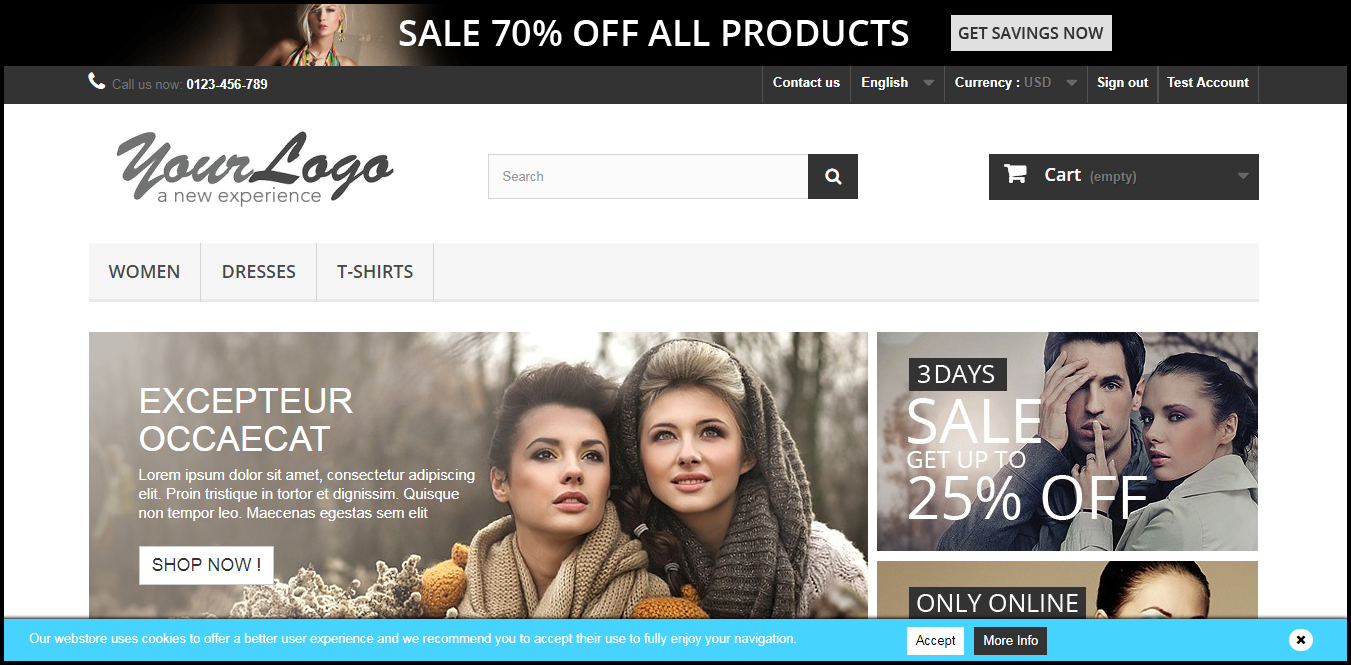
It is mandatory for the online store owners to display the message that website uses the cookies (if you use cookies for the better customer experience) with the option to accept or discard the cookie acceptance. The Prestashop GDPR Module allows the store admin to display the Cookie Consent Bar at the front end with the option to accept the cookie or discard the message. Admin can easily customize the appearance settings as well as the message on the cookie bar.
The Cookie Consent Bar tab has following settings:
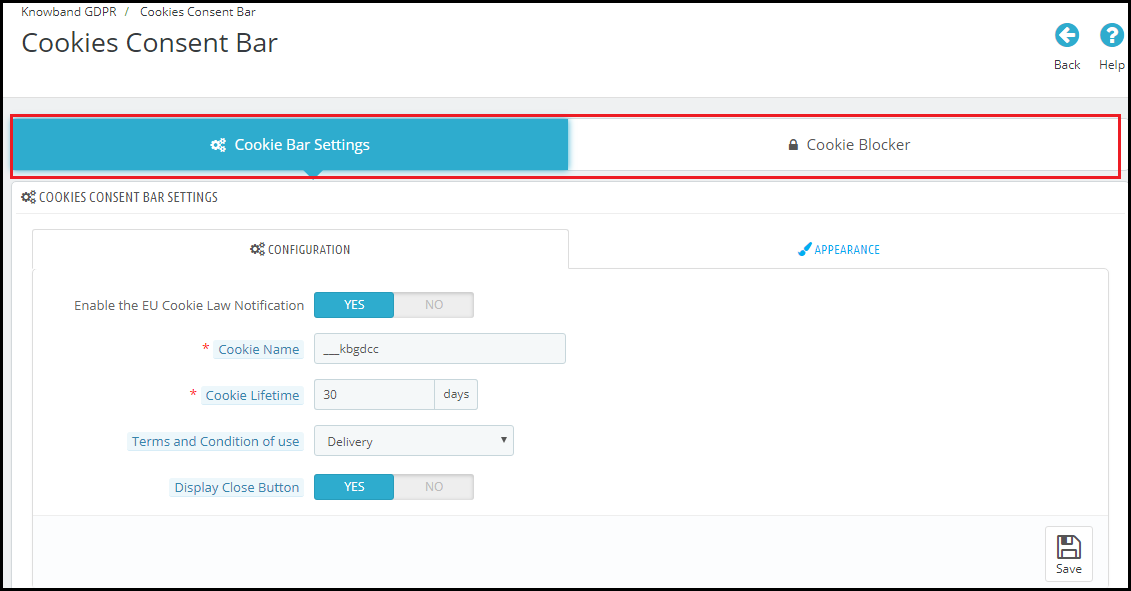
In the new version of the Prestashop GDPR Module, the option to block cookies from the third party module has been added the new admin interface of the module has the option to setup the Cookie Bar Settings and Cookie Blocker option. Please refer to the attached screenshot:
3.2.1 Cookie Bar Settings
The cookie bar setting tab has the 2 options Configuration and Appearance.
3.2.1.1 Configuration
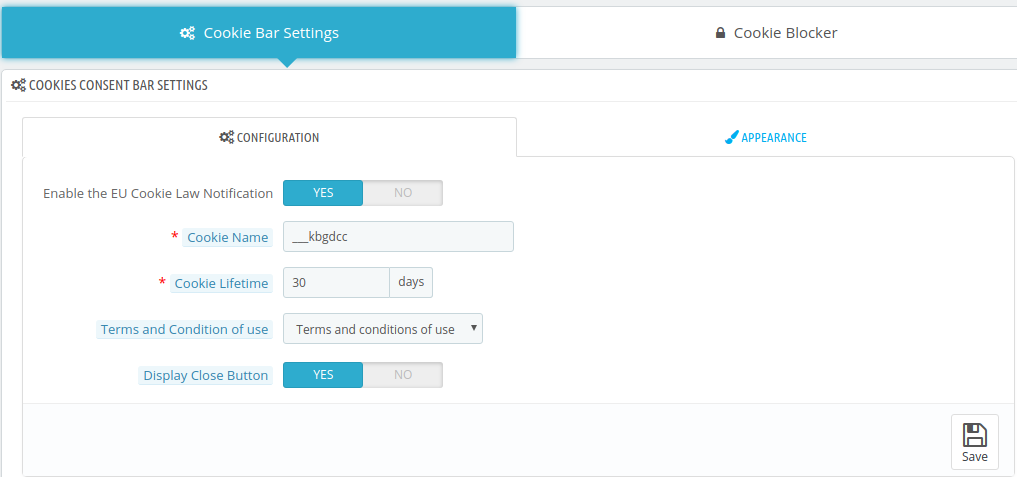
Admin has following options to set-up the Cookie Consent Bar.
Enable the Cookies Consent Bar: The Admin can enable or disable the cookie message on the website.
Cookie Name: In this section define the name of the cookie to get the user consent. Please do not use the space to the cookie name.
Cookie Lifetime: Cookie Lifetime allows the store admin to set up the cookie duration that how long the cookie will be stored on the user’s device.
Terms and Condition of use: The admin can list the cookies details on a Cookie Policy page and add the link to the page on the message displayed to the user.
Display Close Button: Admin has the option to remove the Close button from the Cookie Consent Bar.
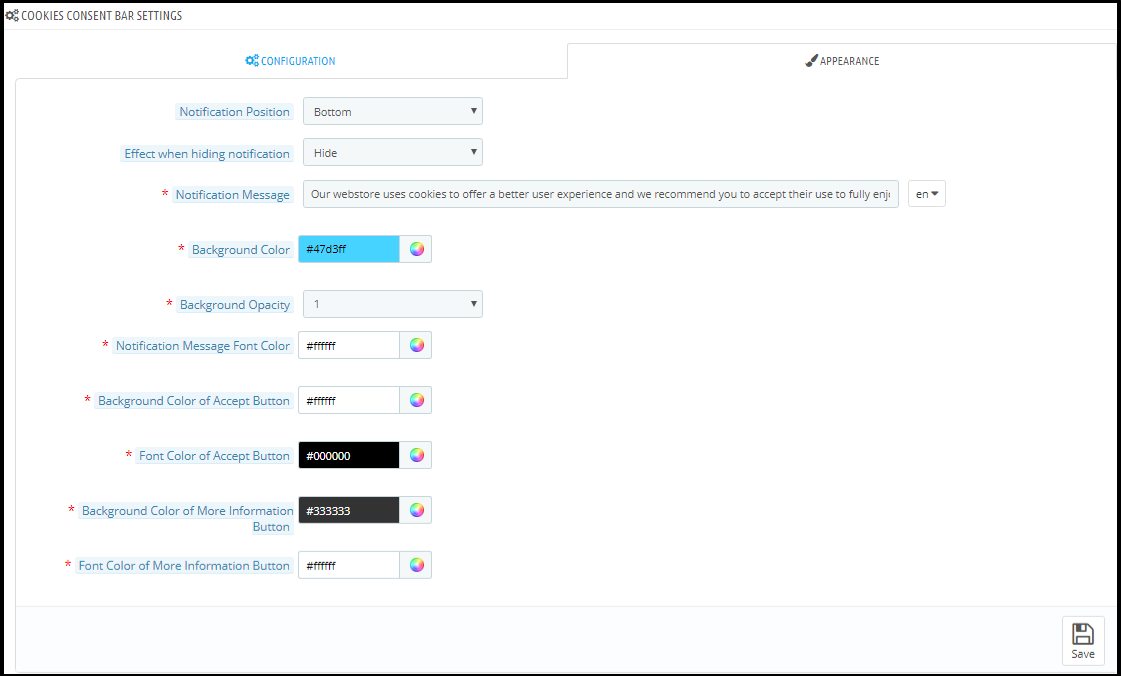
3.2.1.2 Appearance Settings
Admin can easily control the following options for the Cookie Consent Bar.
Notification Position: Admin can select the position of the Cookie Notice on the Bottom of the page or Top.
Effect when hiding the notification: Admin can select the options like Fade, Hide or Slide from the drop-down list.
Notification Message: Admin can easily update the notification message as per the requirement.
Background Color: Admin can customize the background color of the cookie bar.
Background Opacity: Admin can set the opacity of the cookie consent bar.
Notification Message Font Color: Admin can set the notification message font color.
Background Color of Accept Button: Admin can set the background color for the Accept Button.
Font Color of Accept Button: Admin can set the font color of the Accept button.
Background Color of More Information Button: The background color of more information button can be changed to match it with the website theme.
Font Color of More Information Button: Admin can select the font color to match with the website theme.
3.2.2 Cookie Blocker
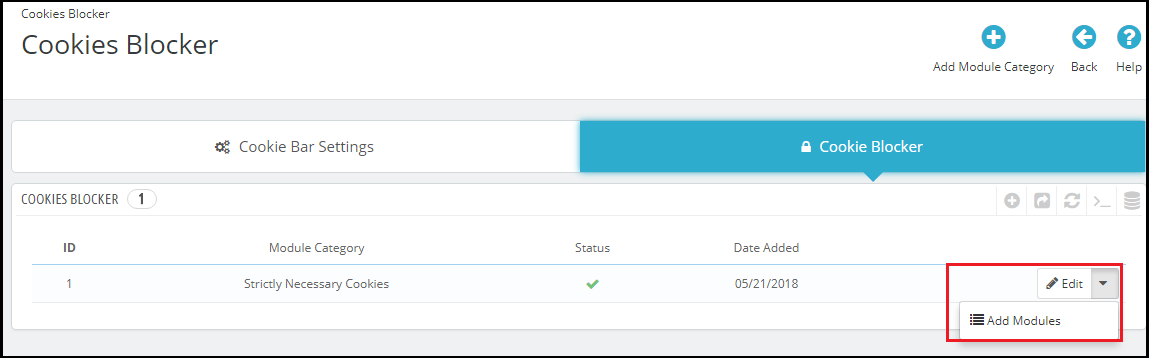
The Cookie Blocker interface will consist of the Details of the Cookies. Admin will have the option to add the Module category. For example, Strictly Necessary Cookies – Admin can map all the third party modules under this category which are required for the proper functioning of the features of the website. To map the modules under the category admin need to click the drop down option as highlighted in the screenshot below.
How to map the modules with the Module Category?
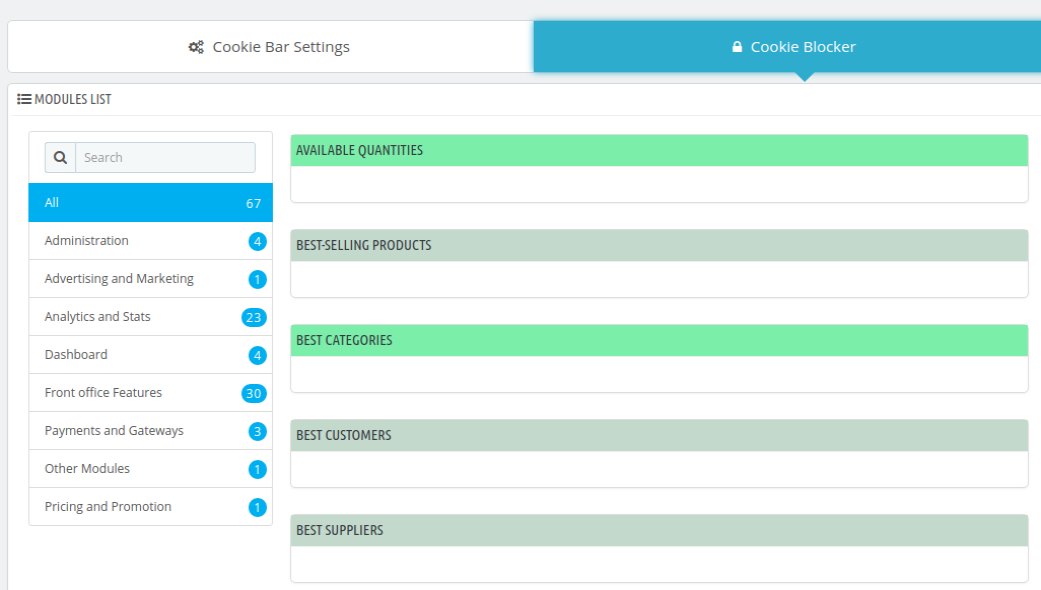
In order to map the third party modules which use the cookies admin need to click the drop down option and then click on the Add Modules. This will open a new page with the option to select the modules. Please refer to the screenshot.
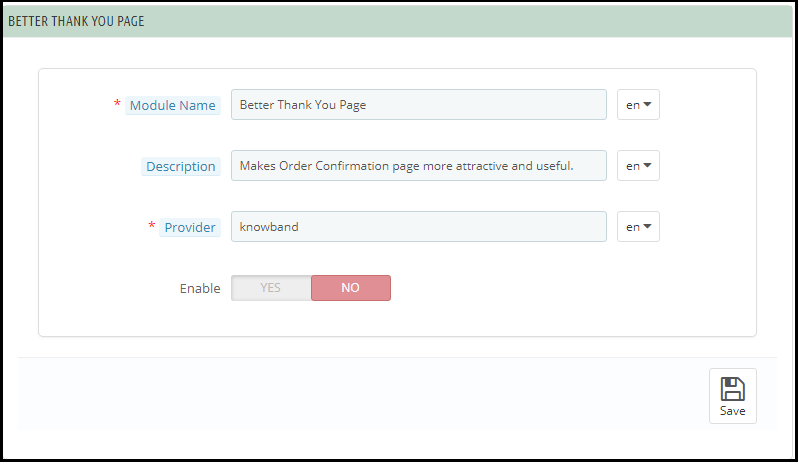
Now find the module which you would like to map with the Module Category and click on the Module Name. On clicking the Module name option to enter details regarding the Cookie will appear. Please refer to the attached screenshot:
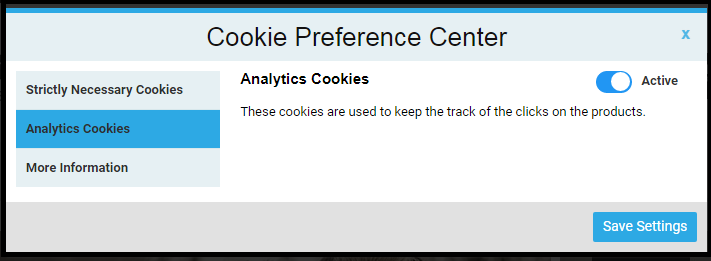
Admin can add the multiple module categories and map the modules to these categories with ease. At the front-end, if the user clicks on the Cookie Settings option then he will be able to activate the cookies of his choice. Please refer to the attached screenshot:
Note: Strictly Necessary Cookies will be enabled by default. All other module cookies can be controlled by the customer.
3.3 User Consent
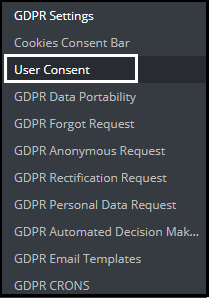
The user consent option allows the store admin to display the checkboxes on the Signup and Contact form. In order to add the checkboxes on the Registration and Contact form admin need to click on the User consent option. Please refer to the attached screenshot:
Clicking on the User Consent option will open a new window with the option to add the checkboxes on the Registration and Contact form. Please refer to the attached screenshot:
In order to add a new checkbox admin need to click on the + icon as highlighted in the screenshot above. Clicking on the + icon will open a new form to fill the details. Please refer to the attached screenshot:
Title: This is for the internal use. The title of the consent box will appear in the back-office details.
Content: The text entered here will be displayed to the user at the front-end.
Form Type: Admin can select the Registration Form or the Contact form to display the additional information.
Consent URL: Admin can add the link to the Privacy Page or Terms and Conditions page.
Required: Admin has the choice to make the field a mandatory filed.
At the front-end the checkbox will appear like below:
The Prestashop GDPR Addon by Knowband also records the user consent. To verify the customer consent admin need to navigate to the Customers section. Please refer to the attached screenshot:
3.4 GDPR Data Portability
In the GDPR data portability section of Prestashop GDPR Module, admin can check the status of the data portability requests raised by the customers. Customers can download the personal data like Personal Info, Addresses and Orders in the CSV format. Admin can check the reports of the downloaded data in this section.
New Feature:
The new version of the Prestashop GDPR Module allows the store admin to download the customer data from the back-office. This feature will help the store admin to share the customer data if data has been requested from some other communication channel like email instead of using the website. To download the customer data follow steps mentioned below:
Go to the GDPR Data Portability Tab
Click on the Download Customer Data option as highlighted in the screenshot
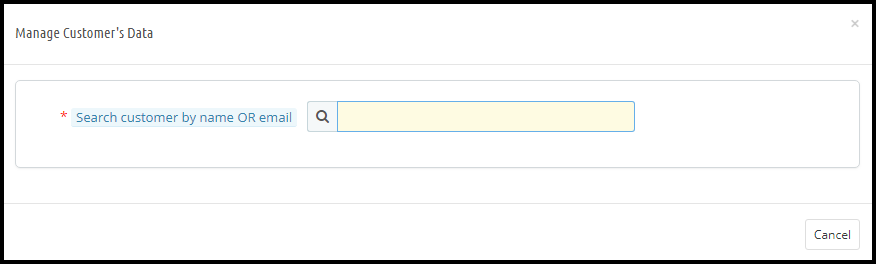
On clicking the Download Customer Data a new tab will open. Please refer to the attached screenshot.
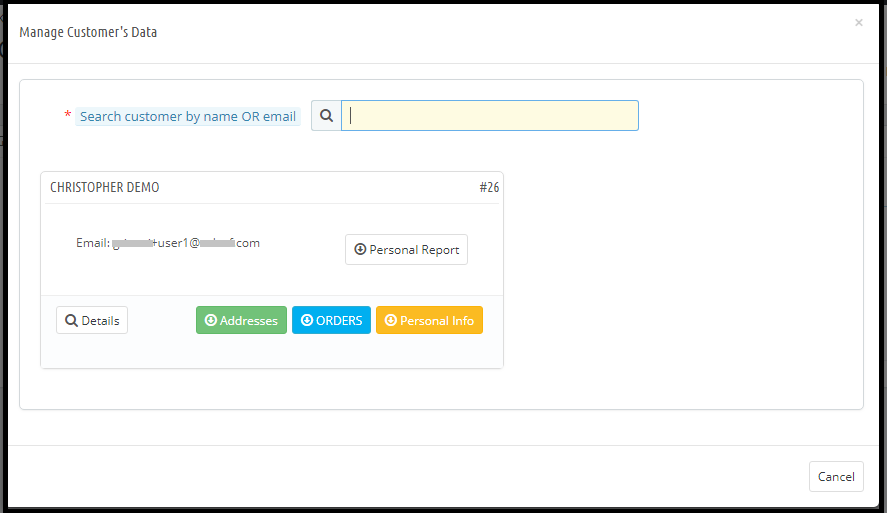
On searching for the customer details by Customer Name or Customer email-id the details of the customer with the options to download the details of the customer will appear. Please refer to the attached screenshot:
From here admin can download the customer details. The downloaded data will be in CSV format.
3.5 GDPR Forgot Request
According to the right to be forgotten of GDPR, the customer can request for the deletion of his/her personal details. All the requests registered under “Right to Forgotten” will be listed under the GDPR Forgot Request tab. As per the settings enabled/disabled for the order deletion, order details will be stored or deleted. Admin can easily check the status of the GDPR Forgot requests from the admin interface of the Prestashop GDPR module under the “GDPR Forgot Request” tab.
Note:
As soon as a customer request for the deletion of his/her details a confirmation email will be sent to the customer. As per the customer’s confirmation, the details of the customer will be deleted from the system.
The Prestashop GDPR Module only deletes the customer data from the store database. If you share the customer data with the third-party service providers (eg. MailChimp) or store it on the third-party platform (eg. Google Drive) then you need to delete the customer data from these platforms manually.
New Feature:
The new version of the Prestashop GDPR Module allows the store admin to delete the customer data from the back-office. This feature will help the store admin to delete the customer data if the data deletion request has been generated from some other communication channel like email instead of using the website. To delete the customer data follow the steps mentioned below:
Go to the GDPR Forgot Request Tab
Click on the Delete Customer’s Data option as highlighted in the screenshot
On clicking the Delete Customer’s Data a new tab will open. Please refer to the attached screenshot.
Admin needs to enter the customer name or the email id to find the customer details. The details will appear like.
From here, admin can check the customer details and also select the option to delete the customer data. Admin can also notify the customer regarding the data deletion through email. As per the settings enabled from the General Settings for the data deletion requests order details will be handled in a similar manner.
Note:
1) If any third party module uses the Prestashop hooks (as per the guidelines of the Prestashop to make the Prestashop modules GDPR Compliant) then the Prestashop GDPR Module by Knowband will allow the store admin to delete the customer data from that module as well.
2) As of now, the Prestashop GDPR Compliance Module by Knowband does not keep the record of the data deletion requests processed from the back-office.
3.6 GDPR Anonymous Request
If the customer would like to make his/her information anonymous so that no one can identify the user from the personal details then the customer can request to anonymize the data. In this case, the customer personal data will be replaced by fake details and as per the settings enabled under the GDPR Settings tab of the Prestashop GDPR Compliance Module; a fake email id can also be generated. If the customer wishes he/she can continue to use the services by using the fake email id to access his account details. Admin can check the details of the Data Anonymous Request under the GDPR Anonymous Request tab of the Prestashop GDPR Compliance Module.
3.7 GDPR Rectification Request
The customer has the right to modify the inaccurate information. The Prestashop GDPR Module allows the customer to modify the details like Personal Information, Address, and Password etc. Admin can check the status of the status of the modification made by the customers under the GDPR Rectification Request.
3.8 GDPR Personal Data Report Request
As per the GDPR Rights customer can request for the details of the personal data which has been collected by the store admin along with the details that how the personal data has been used and which other services are using the data of the customer. At the front-end customer gets an interface to request for the personal data under the My Account section. As soon as the user request for the Personal Data an email for the confirmation will be sent to the user to the registered email address. As per the confirmation from the user personal data details will be sent to the user. Admin can check the status and details of the Personal Data Request status under the GDPR Personal Data Report Request.
Note:
As of now the Prestashop GDPR Module by Knowband allows the store admin to share the details like Personal Information, Address Details, Newsletter Subscription, D.O.B, Shopping Cart Contents, Order Details, Admin can also list all the third-party service providers details and the physical location of the server along with the details of the hosting company.
3.9 GDPR Email Templates
The GDPR Module by Knowband allows the admin to sending following emails to the customer on raising a request under the GDPR.
Confirm Your GDPR Account Deletion Request
Confirm Your GDPR Personal Data Anonymous Request
Customer has requested for GDPR
Your GDPR Personal Data Report
Customer has confirmed GDPR Request
Confirm Your GDPR Decision Making Request
Confirm Your GDPR Personal Data Portability Request
3.9.1 Confirm Your GDPR Account Deletion Request
Admin can update the Subject line and the email text by using the GDPR Email Template Settings.
The default format of the email template is as below:
3.9.2 Confirm Your GDPR Personal Data Anonymous Request
Admin can update the Subject line and the email text by using the GDPR Email Template Settings.
The default format of the email template is as below:
3.9.3 Customer has requested for GDPR
This Email template is used to send a confirmation mail to the customer when a customer has requested for Personal Data Report.
The email at the customer end will be like below:
3.9.4 Your GDPR Personal Data Report
This email template will be used to send the Personal Data of the customer requested under the GDPR Right to the access to the Personal Data.
At the customer end the email design will be as below:
3.9.5 Customer has confirmed GDPR Request
3.9.6 Confirm Your GDPR Decision Making Request
This email template will be used to request the customer for the confirmation of the automated decision-making requests.
Email at the Customer end.
3.10 GDPR GEO Targeting
The online store admin can also select any IP address and country/region for showing selected GDPR functionalities. Thus the admin can hide the GDPR functionalities from the countries where these rules are not compulsory.
3.10.1 GEO Targeting using IP address
Enable/Disable: The store owner can easily activate this functionality.
Enter the IP address: The online store admin can enter the IP address here. The store admin can enter multiple IP addresses by separating them using this |(pipe) character.
Select the GDPR functionality to display: Admin can select the functionalities ie cookie consent bar, user consent check-box, GDPR links in my account page and GDPR header menu link. The selected IP address will be able to view the chosen functionalities.
3.10.2 GEO Targeting using Country
Enable/Disable: The online store owner can enable or disable the functionality easily.
Select Country/Region: Admin can select the country from the drop-down list. Admin can select only region or countries.
Select the GDPR functionality to display: Admin can select the functionalities ie cookie consent bar, user consent check-box, GDPR links in my account page and GDPR header menu link. The selected functionalities will display in those specific countries.
3.11 GDPR CRONS
In order to help the store admin to automate the Data deletion and Purge Request, cron settings are available in the Prestashop GDPR Module. Please refer to the attached screenshot.
Admin can complete the data deletion and Purge Requests by Clicking the “Forgot Request” and “Purge Requests” button or set up the cron to automate the process.
Note: The purpose of these features is to help you to meet the GDPR requirements. Installing this module only does not guarantee merchant sites’ compliance with the new obligations imposed by the GDPR. It is your responsibility to put in place all the necessary measures to ensure you comply.
Thus with the help of this Prestashop GDPR plugin, the admin can easily handle the GDPR requests and allows the customers to update, delete, download their individual details. The General Data Protection Regulation module offers a user-friendly interface and effortless working. The GDPR module for Prestashop addon is highly customizable. There are email templates available for sending the e-mail. There is a choice to opt-in for cookies.
For more information about this Prestashop addon please visit: