How To Create An Online Store With PrestaShop?

As more & more businesses are coming online, the competition among eCommerce companies is ever-increasing. To stand out among them while providing the most efficient online shopping experience to the online shoppers, having a professional functioning eCommerce website is a must. The PrestaShop eCommerce platform fits perfectly with that requirement.

Building an eCommerce website isn’t a piece of cake for everyone. A proper functioning store with appealing design doubles the audience and conversions for the business. PrestaShop is an open-source eCommerce solution with all the possible features that an eCommerce business (Start-up or Enterprise) would need. No need to indulge in coding or hiring a developer. Stick to the end of the write-up and you’ll be aware of the best possible way to achieve that.

The first thing that comes in the mind of someone willing to build/ design a PrestaShop website is the hosting space or localhost platform where the PrestaShop website can be installed. The rest is just designing & configuring the site. The options with PrestaShop are endless.

Where Can A PrestaShop Site Be Installed & Hosted?

You can either buy a domain & choose a hosting plan of your choice (shared/ VPS/ dedicated/ cloud hosting etc.). In the alternative, you can install your PrestaShop website on a web server solution stack package (like XAMPP, WAMP, MAMP) to design your PrestaShop website offline on your local computer. It can later be transferred & hosted to your choice of domain & server.

Websites Types To Build Using PrestaShop Platform:

You can opt to build an eCommerce PrestaShop website (with all the payments & shipment configurations set in place) or you can also make a catalog website to simply display your brick & mortar shop (with no payment & shipment options). Being a brick & mortar shop owner, if you also sell on sites like Amazon, you can also equip your catalog site with your products’ affiliate links.

This article will give you a deep insight into efficiently making an eCommerce PrestaShop website. Follow along until the end of this article for step-by-step guidance.

Main Steps For Building A PrestaShop eCommerce Website:

Step 1: Download PrestaShop from the official PrestaShop website.
Step 2: Name your store & choose from a pre-existing theme template or create your own.
Step 3: Upload your website logo or a sample image for your logo.
Step 4: Add products to your catalog & add a relevant product description.
Step 5: For your PrestaShop eCommerce site, set up the payment methods of your choice.
Step 6: Set up the shipment configuration.
Step 7: Activate your PrestaShop website & it will be live on your domain.
Step 8: Start to sell online. You can manage the orders, customers’ data & even edit your site later on whenever needed.

How To Design A PrestaShop eCommerce Website?

1. Choose A Customizable Theme:

You can choose a PrestaShop theme that fits your needs but make sure that it is customizable to a good extent as well. Design an elegant & professional looking PrestaShop website aligning with business model & customers’ needs. You can customize your theme colors, change fonts, layouts & typography. If you plan to design your theme, ensure that it is responsive on mobile devices too.

2. Set Up Your Product Catalog:

On the website backend, in the catalog section, add & list the products on your website. If you are a bit experienced with the eCommerce industry, you must be aware that products can be easily bulk uploaded using mediums like ‘.csv’ files. PrestaShop allows that & makes cataloging convenient. Make sure to use a unique product ID for each product because when the same ids are encountered, the older products get overwritten.

3. Set Up Payment Methods:
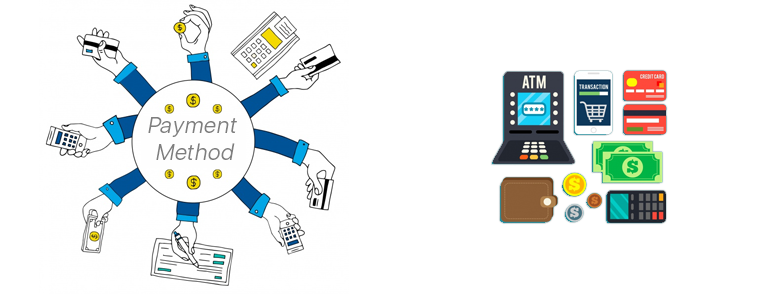

The easiest payment option to configure on PrestaShop is PayPal. You can add more such as debit/ credit cards, e-Wallets, Net Banking/ Mobile Banking, Pay-On-Delivery, etc. to make it easier for website visitors to use their preferred method of payment. You can also configure multiple currencies if you are serving in multiple countries. Make sure to have secure payment gateways. Keep your whole PrestaShop website secure by installing an SSL certificate.

4. Shipment & Order Delivery:

Based on the location of your business & the location of the potential customers you are serving, choose the right shipment company. Some of the worldwide popular ones are FedEx, DHL, etc.

These are the basic things to get your PrestaShop site up and running. Later on, you can add more customization, add admins & editors with selective privileges, add support for multiple languages, add CMS pages for information like the ‘about us’ page, ‘contact-us’ page, etc. Install 3rd party modules to add more functionalities to your website, transform your site into a Mobile App, & a lot more.
If you need any expert assistance while PrestaShop development and designing, reach out to us at support@knowband.com. Our experts at KnowBand, a leading eCommerce Solutions Company, would be more than happy to assist you.

We, at KnowBand, offers everything for PrestaShop Stores along with development services. Check our best-in-class extensions and add more functionalities on your website:

That’s not all. Here are 500+ such amazing plugins. Check all of them from here.

PrestaShop Store Design Essentials For Non Designers

In the past decade, there have been witnesses a shift of online retailers from conventional methods to eCommerce domains. Out of those, having its eCommerce website has been & will continue to be a prominent method. But, designing an online website can be a bit complicated for nontechnical e-merchants. Other than that, a well designed and featured store increase user engagement and bring sales.

PrestaShop, one of the popular eCommerce platforms, makes it easy for e-store owners to not only have their functional website showcasing brand but also an eCommerce app. If you wish to design your PrestaShop store but you aren’t an eCommerce web designer, then this article is for you. This write-up aims to make the non-designers aware of some of the essential features that must be considered while designing a PrestaShop website. Take a look at them:

#1. PrestaShop Theme Design:

Although you can choose any pre-designed theme for your PrestaShop site, be sure to go for a responsive one. Also, you may need to make any theme changes in the future. Hence, the theme should be compatible enough to handle any edits that could be needed in the future.

#2. Infinite Scrolling:

Aid your visitors from manually scrolling by adding ‘infinite scrolling’ on your PrestaShop website. Having this feature on your e-store makes it easy for your e-shoppers to navigate without the complexity of pagination. It improves the user experience of the store. Check out the pre-developed Infinite Scroll plugin.

👉Explore the Module with Our Video Guide

#3. Labels & Batches:

Add labels & batches on products while designing your PrestaShop website. For instance, ‘Best Seller’, ‘Special Offer’ etc. These not only highlight products but also encourage visitors to purchase them.

#4. Search Bar:

Make the navigation easier for users by adding a search bar, preferably on the sticky navigation menu, that allows them to search for any product in your e-store.

#5. Sorting & Filtering:

Add options for sorting & filtering that are relevant for your products under each category. For instance, the apparels category could have filters of ‘new arrivals’, ‘size’, ‘color’, ‘fit’, etc. whereas the grocery category could have filters like ‘organic’, ‘vegan’, etc.

#6. Social Login & Sharing Channel:

Make the user onboarding simpler by adding social sign-up & login options. Also, have social sharing links on product pages & other pages on your site.

#7. Checkouts & Payments:

Most eCommerce websites have one-page checkout with multiple entries at a single screen. This makes the checkout and order submission quick. Make your checkout process as seamless as it could.

Add all preferred payment options keeping in consideration your audiences. Keep payment gateways secure & procedure simple for better user experience.

#8. Design For Better Retention & Loyalty:

To have your pre-existing customers returning to your site for shopping is an achievement. It means that your customers were satisfied with their initial purchase & are willing to spend more. This collectively improves user retention & loyalty. So, a well sought out design must be chosen on mostly all the elements of your site design.

#9. Design CTAs:

Add relevant CTA sources like buttons, banners, etc. CTAs can also be in the form of an opt-in popup for enrollment into a lottery, any offer or even newsletter subscription, etc.

Also, pay focus on their placement as you can showcase the upcoming sale banners, vouchers, coupons, referral programs, & loyalty programs, etc. Having a great design & strategy for your Call-To-Action sources can help your customers get better deals & it also helps the e-store owners in bagging more profits.

#10. Responsive Design:

Last but not least. Whatever new elements you plan to design & add on your PrestaShop store, make sure they function on the mobile devices’ browsers too. For that, you must have a responsive design. This approach ensures improved user experience on all devices.

Wrap Up

PrestaShop is comparatively an easy-to-use eCommerce Solution even for non-designers. Being an open-source platform, it allows unlimited modifications. Such PrestaShop Store Design can not only make your website design stand out but also help to improve user experience, add more functionality which can then boost your sales & revenue. Drop us a message at support@knowband.com or visit KnowBand for all sorts of designing and customization needs.

A User-Centric Approach To Design A PrestaShop Website

To build an interactive & powerful eCommerce website, PrestaShop surely is a great option for all small businesses and biggies. The major benefit of PrestaShop website development is that the store admin can simply manage the entire website with a few tweaks which ultimately gives tremendous results in a matter of reach and sales.

By now, almost every eCommerce business is aware that they must serve their customers in a more personalized manner than ever. This has led e-businesses to take extensive measures & build loyalty with their audiences. Such a business pattern has improved the brand reputation of those companies & witnessing that more & more businesses have started to implement such designing in the store.

But in order to design a PrestaShop website with a customer point-of-view on the top, one must re-consider multiple factors than just conventionally designing an eCommerce website. This article aims to unfold various such parameters that help in designing a PrestaShop web-store with a great focus on improving user experience & satisfaction. Check the points discussed below to know further in detail:

#1. List Down Your Needs:

Determine whether you would be requiring a multi-vendor marketplace or just a single store. Similarly, lay out all your plans so that the concerned team can work on the best possible design for your PrestaShop website.

If you already have a PrestaShop website & you only need to redesign it, instead of building a new site, be clear on the checks and trends. After that, get along with your further move.

#2. Responsive Design:

Keep your PrestaShop website as an omnichannel. Because a lot of us access the internet via smartphone on a daily basis, the design of the store must be compatible with mobile devices as well aka responsive design.

In fact, eCommerce businesses are going a level up by not just having a responsive design but also having AMP (Accelerated Mobile Pages) or PWA (Progressive Web Apps) or even their own PrestaShop Mobile App. All these contribute to acquire & serve a variety of customers on all possible devices and browsers.

By default, PrestaShop is responsive. But if any custom re-designing is coded, then that must be manually made responsive as well to make it appear beautifully on the mobile devices.

#3. Include CTA’s:

Call-To-Action elements are really important as they are meant to attract visitors so that your business can acquire more leads. CTA is usually kept precise with a straightforward yet catchy message. It should urge the site visitors to interact & take action.

The most common one is a CTA Button for newsletter sign-up. Based on your purpose use any relevant CTA s on the webpage but make sure not to overdo it.

#4. Showcase Customer Reviews:

On the website product page, have a design that allows users to write reviews of the products purchased by them. Having such testimony influences others to purchase the products based on their reviews. It has also been found e-shoppers find it good to have genuine reviews on products. This ensures unbiased information on products and helps newbies in making the decision.

As per a survey, 84% of people trust product reviews as much as they trust their friends’ recommendations. So, it’s a trendy & must-have feature to offer honest reviews for the products.

#5. Seamless Navigation & Accessibility:

On any eCommerce website, it’s not ideal to have the products listed without proper categorization. Apart from just categorizing the products, each category/ sub-category must be arranged on the navigation-bar/ toggle- menu in a way that the customers don’t need to make more than 4 to 5 clicks to reach their choice. Also, have all other necessary links in the navigation menu.

Set the category URLs to be SEO friendly & have relevant thumb-nail images with alt tags on images’ source code. This further enhances your on-site SEO & makes your category image discoverable & reachable on search results.

#6. Product Page Design:

Depending on the product you are selling, add necessary fields like SKU, dimensions /weight, expiry date, stock availability, minimum quantity per order, shipping charges & taxes, deliverability in specific areas (Pincode), etc. Have the option to add a product to wishlist. Some eCommerce websites also allow users to create multiple wishlist folders which they can also share with their respective friends. This can also encourage the new visitors to set up a new account & contribute to increasing conversions on your eCommerce site.

Add the Social Sharing quick links for popular platforms like Facebook, WhatsApp, Pinterest, Instagram, custom URL, etc. Apart from product images, it’s also a trend to add a video about the product. It helps the customers to get a better view of various details about the product. This further helps to boost sales for that particular product. For instance, the assembly video of a DIY Wardrobe (like IKEA).

#7. Add A Chatbot:

Chatbots have the power to be statically/ dynamically serve the customers 24/7. Also, about 50% of the netizens prefer to initially connect with a company via their chatbots. So, incorporate a chatbot and let users share their queries with you. Static chatbots are quite affordable & can even be automated to some extent. Chatbots can also be integrated with AI technologies to offer more dynamic & human-like support. Choose the one according to your business requirements.

#8. Simplified Checkout Procedure:

A lengthy & complicated checkout process can churn the online shoppers leading to reduced satisfaction and retention. To avoid such downfalls, have quick checkout procedures by designing a One-Page Checkout on the website. Optimize it to have some pre-filled entries like previous addresses, phone no’s, etc. Nowadays, majority websites even have the previously used payment options saved for faster checkouts.

Guest checkouts are also getting trendy among eCommerce businesses. It is helpful for the new visitors who don’t want to go through lengthy signup processes & increase efforts in checkout.

#9. Secure Payment Methods:

Offer all reliable payment options on the store according to the audiences you are serving. Set up your payment gateways along with all required security factors. Keep the process simpler so that users don’t back out from checkouts & payments.

#10. Strategies For User Retention:

User retention plays a vital role in improving sales of the PrestaShop website as returning users come with the best chance for more purchases. Keep your eCommerce store design to be enough encouragement for users to keep coming back in the future for shopping. Relevant CTA’s can be used to achieve the same. Attractive and catchy upcoming sale banners with correct display of vouchers, coupons, referral programs or loyalty programs usually helps is user retention.

Conclusion:

All the above factors help in designing an eCommerce website that makes an ecosystem of personalized services for your customers. It’s all about giving great focus on how to serve your customers in a better way.

If you are willing to give your best in designing such a website, we suggest you connect with KnowBand Plugins or drop us an email at support@knowband.com. After all, in such a competitive retail environment, there mustn’t be any factors to slow down your business.

How To Design A PrestaShop Website With Sale Boosting Features?

Online shopping is in the trend and it is only growing with each passing day. If we look at the data, around 61% of users are opting for online product purchases worldwide. That makes eCommerce store a top-notch channel to sell products and generate revenue. But, competition is huge making a slight chance for you to achieve sales goals. In this article, we will be going through some of the brilliant ways to ease the task to design PrestaShop website. Having a pretty good design & functionalities is what makes your PrestaShop eCommerce website stand out from its competitors. The PrestaShop platform not only eases the task for e-store owners to easily design their site but also is visually appealing & convenient for users viewing the site.

Along with all the ease that comes with designing a PrestaShop website, putting some more efforts by adding sales-boosting features can further lead you to success. Follow along this article to know about all the various PrestaShop designs that can prove lucrative to sales.

Sale Booster Features For PrestaShop Website:

1. Social Sharing Options:

Design your site having social login options via Facebook, Google, etc. Also, add quick-access icons for the users letting them easily share web-pages & products on their social media channels. Being already logged in via social channels makes it really convenient for them to share on multiple channels. A word of recommendation received from friends is has proven to be quite good to organically get new leads even with minimal efforts.

2. Sort & Filter For Easy Search:

Making navigation less time-consuming for customers automatically improves their satisfaction with your services. Ultimately, it helps them buy what they wish with fewer efforts in searching. Design your filtering options keeping in mind about the different categories available on your PrestaShop website. For instance, filters like- ‘size’, ‘fit’, ‘color’, etc. for apparels & ‘OS’, ‘RAM’, etc. for smartphones. Both these categories can’t keep the same set of filters,

3. Labels & Batches:

Automate your website to label certain products as “Best Seller”, “Trending”, “Special Offer” depending on the products being sold on PrestaShop. Having such labels/batches set for some of the products can develop a better level of trust & usability among your customers. This way, more of your customers would be willing to buy such products giving you an instant lift in the sales of the labeled products.

4. Allow Reviews For Products:

Design your product pages having a review section on which users can write their feedback on the product & rate the same. The majority of online shoppers even prefer to have slight negative reviews on products for the sake of being unbiased. The reviews can prove valuable for new users visiting the products.

5. Infinite Scrolling:

Pagination or manual scroll is a traditional approach that can slow down the browsing pace of your customers. Add an infinite scrolling button. This allows automatic scrolling of products at a slow observable pace. Such functionalities strengthen the interface & allow users to shop quicker eventually boosting the sales. Check Infinite Scroll plugin for PrestaShop.

👉Explore the Module with Our Video Guide

6. Call-To-Action Sources (CTA’s):

Add relevant Call-To-Action buttons or other sources. Add at least 1 or 2 CTAs on each page & keep its content precise & catchy. Also, be sure to add tracking codes to them as well to measure the response received via these buttons.

7. Customer Retention & Loyalty:

The kind of customers who keep returning for more shopping is much valuable for any online retail business. Such customers are loyal ones & are even responsible for recommending your services to their friends and family. Hence, design your site in a way that you are able to retain more customers than just acquiring the new ones. Also, have some loyalty programs & credits to award your loyal customers.

8. Responsive Design:

Out of all the designs & customization that you make on your site, be sure that they are responsive i.e. functional on mobile browsers. More than half of netizens now are shopping via their smartphone & having any sort of glitch in your design for mobile browsers can make them backout from successful purchases.

9. Easier Navigation:

Design your navigation bar as a sticky menu for mobile & desktop browsers & even for the mobile app. No one wants to scroll all the back to the top just to access the navigation menu. Such factors that improve user shopping experience play a huge role in increasing the overall sales.

10. Checkout & Payment:

Keep the design of your checkout page to be user-friendly & less time-consuming. Have an alternate quick checkout page, for instance, the ‘One-Page-Checkout’. Also, you can allow your customers to set their address book. Having to simply choose the address from the saved list is way more convenient than manually entering the delivery address each time a customer shops.

Wrap Up:

With PrestaShop, plenty of designing options & customizations are available. With a good customer-centric approach, a lot can be achieved whether it’s for brand reputation or increasing sales. Such a PrestaShop store design is worth having & now, it’s your chance to give it a try. Drop us an email at support@knowband.com to discuss it with us.

Must-Have Features While Designing A PrestaShop Store

Running an eCommerce store isn’t a piece of cake, that too with numerous goals & outcomes to achieve. Regardless of the products you sell, there will surely be challenges waiting for you. When it comes to designing PrestaShop store website, it’s all about having a well-functioning interface (UI) to provide a great user experience (UX). It’s a good thing that some of the popular eCommerce platform solutions like PrestaShop come up with such feature-rich backend to achieve that.

The PrestaShop eCommerce platform helps to launch and run an online website in the most seamless and fluid manner. With proper planning in the right direction, an online retail store can be made more promising and enjoyable.

But, the question is, what are those prime features that one must keep in mind while designing an eCommerce PrestaShop website? Well, this article aims to elaborate on a few of them along with their implementation & optimization.

Prime Features To Add In PrestaShop eCommerce Store:

#1. Navigation & Category Placement:

It’s not ideal to have the products listed without setting them under proper categories & subcategories. Apart from just categorizing the products, each category/ sub-category must be arranged on the navigation-bar/ toggle- menu in a way that the customers don’t need to make more than 4 to 5 clicks to reach their choice of page. Also, have all other necessary links in the navigation bar /menu with the motive to make this more seamless on the front-end for your shoppers.

Keep the category URLs SEO friendly & have relevant thumbnail images with relevant alt-tags on images source code. This further enhances your on-site SEO & makes your category image discoverable on Google search results.

#2. Product Page Design:

The PrestaShop store admin must design the product page keeping following things in mind:

  • Depending on the product you are selling, add necessary fields like SKU, dimensions /weight, expiry date, stock availability, minimum quantity per order, shipping charges & taxes, deliverability in specific areas (Pincode), etc.
  • Add quick links to suggest the customers to related products /accessories.
  • Have the option to add a product to wishlist. Some eCommerce websites also allow users to create multiple wishlist folders which they can also share with their respective friends. This is an amazing approach to encourage new visitors to set up an account & contribute to boosting conversions on your eCommerce site.
  • Add the social sharing quick links for popular platforms like Facebook, WhatsApp, Pinterest, Instagram, Custom URL, etc.
  • Apart from product images, adding a video with the product details is also in the trend. It helps the customers to get a better view of various details about the product. This further helps to boost sales for that particular product. For instance, the assembly video of a DIY Wardrobe.

#3. Design for Convenient Browsing:

Add relevant filter & sorting options for easy product finding. For eCommerce giants like Amazon, different product categories require different filtering options. For example, the apparel category can have filters like brand, color, size, fit, cloth material, etc. On the other hand, the smartphone category may have filters like brand, color, dimensions, operating system, RAM, etc. If your PrestaShop eCommerce website sells a wide range of different categories of products, have the right set of filtering parameters for each such category.

Some of the very common sorting options are – popularity, price (low to high or high to low), customer ratings/ reviews, etc. Based on the products you are selling, you must design your PrestaShop eCommerce website to have sorting options according to the user needs & choices.

#4. Offering Discount Coupon & Vouchers:

Setting up coupons & vouchers with all sorts of discounts isn’t enough these days. Their availability & benefits must be smartly designed to be introduced to online shoppers. Some eCommerce websites tend to display it on the home page & checkout pages, while some websites have those coupon codes displayed all the time by attaching a sticky tab on the bottom of the screen. Such factors must be considered while displaying coupon codes & other discounts.

#5. Seamless Checkouts & Payments:

Checkout pages can be differentiated as two different designs. One of them involves having more detailed user entries making it a bit lengthier & time taking. While the other one is with one-page checkout with limited yet necessary entries making the checkout procedure really quick. Make your checkout pages encouraging users for more purchases.

Design your checkout pages to have some entries pre-filled during the checkout. For instance, have all the previous delivery addresses saved so that customers don’t have to manually type the entire address again each time they purchase anything.
Add all the relevant payment options according to the audiences you are serving. Set up your payment gateways with reliable robustness and security in consideration. Keep the processes simple so that customers don’t back out from checkout & payment without successful purchases.

#6. User-Friendly Backend:

A good PrestaShop website must not only be designed to keep the customer-centric factors in mind but also aim for the website admin’s convenience. For eCommerce website owners on the PrestaShop platform, it’s kind of a necessity to have the right set of tools in order to manage the website, inventory, user data, payment gateways, & other online retail factors.
For instance, if you want customers visiting websites to purchase a particular product in limited quantities, the admin may set those limits in a matter of minutes via the admin panel without spending hours on coding. That’s just a nominal functionality out of all of them. In simple words, complete website design and working can be controlled over a few mouse clicks.

Most of the elements in a PrestaShop website can be added/ enabled with utter ease because of in-built backend features. And, in addition to that, other ones can be added via 3rd party PrestaShop Modules or custom coding. Hence, the store owners are not bound to the availability of templates & extensions.

Conclusion:

These above-discussed potent features & even others can be designed & implemented in a PrestaShop web-store. If you are, in any form, associated with an eCommerce business or planning to launch one, choose PrestaShop and keep these points in mind.

We, at KnowBand Plugins, offer all sorts of plugins/extensions to enhance and improve the functionality of your PrestaShop store. Our leading eCommerce plugin & development services have assisted a wide range of retail store owners worldwide running their business on any the following eCommerce platforms:

PrestaShop Plugins
OpenCart Plugins
Magento Plugins
Magento 2 Plugins
WooCommerce Plugins

Got any query? Feel free to reach us at support@knowband.com or visit KnowBand Plugins.