Opencart AI Chatbot Extension – Complete User Guide

1.0.0 Introduction

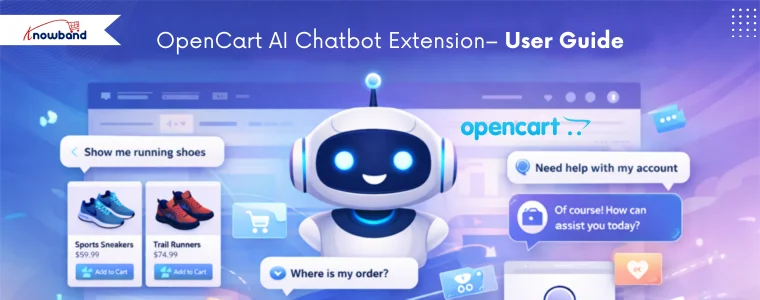
Introducing the OpenCart AI Chatbot Module by Knowband, which is designed to meet these expectations by providing a smart, professional, AI virtual chatbot for your opencart store.

By using advanced OpenAI technology, this ai chatbot gives natural, human-like responses in real time. Furthermore, it helps customers search for products, check prices and stock, understand store policies, and track orders, without human intervention.

With easy setup and powerful features, this AI assistant by Knowband improves customer satisfaction, reduces support workload, and boosts conversions. 

2.0.0 Key Features of OpenCart AI Chatbot Using ChatGPT

1. Real-Time Intelligent Responses Firstly, the AI Chatbot instantly answers customer queries related to product prices, stock availability, categories, and comparisons by fetching live store data.

2. Multi-Language & Multi-Currency Support The chatbot automatically detects the store’s languages and currencies and responds accordingly, making it perfect for international Opencart stores.

3. Powered by ChatGPT Technology Using the latest OpenAI GPT models, the opencart chat extension provides accurate, context-aware, and like-human responses.  Moreover, admins can choose different AI models like GPT 5, GPT 4o & GPT 4o mini based on performance needs.

4. Vector Search Integration Vector search integration with Qdrant allows the chat plugin for opencart to perform semantic searches based on keywords and their meaning. Moreover, this enables intelligent product recommendations, providing customers with results that match the true intent of their queries.

5. Smart Product Search Furthermore, customers can search products, browse categories, and compare items directly within the chatbot interface.

6. Automatic Order Information Retrieval Logged-in customers can retrieve order details such as order ID, products, prices, and order status directly using opencart live chatbot Extension.

7. Real-Time Order Status & Tracking Customers can easily track their orders and shipment status by entering their order ID in the live chatbot plugin for opencart.

8. Fully Customizable Chat Interface Interestingly, store owners can customise chatbot colours, chat window design, icons, buttons, and text styles to match their brand theme using Opencart Live chat Plugin.

3.0.0 Installation Guide for OpenCart AI Chatbot Extension

Step 1: After purchasing the extension, download the ZIP file from your Knowband account. Step2: Unzip the folder and copy the files to the upload folder and move the admin and catalog files.

  Step 3: Log in to the OpenCart Admin Panel and navigate to Extensions → Installer. Upload the downloaded ocmod file.

Step 4: Go to Extensions –> Modifications and click “Refresh”. Then navigate to Extensions -> Extensions -> Modules and install the opencart online chatbot Extension.

Step 5: Click on Edit to access the configuration page.

4. 0.0 Admin Interface Overview

The OpenCart Chatbot Using OpenAI is designed to be simple and user-friendly. The admin panel includes sections for General Settings, AI Configuration, and UI Customisation.

4.1.0 General Configuration of Opencart AI Chatbot Extension

Enable Chatbot: Store owners can enable or disable the module as per their need.

OpenAI API Key Enter your OpenAI API key to create a connection between the chatbot and OpenAI. This key is mandatory for the functioning of the Opencart AI Chatbot.

For security reasons, the API key should be kept confidential and must not be shared with anyone.

AI Model Selection Choose the AI model that will be used to generate opencart AI chatbot ChatGPT extension responses based on your store’s requirements:

  • GPT-4o: Suitable for handling complex queries, providing accurate responses, and maintaining better context during longer conversations.
  • GPT-4o Mini : Designed for faster response times and reduced API usage, ideal for basic customer interactions.
  • GPT-5: Offers enhanced processing capabilities and improved response quality for advanced use cases.

Temperature This setting controls the randomness of opencart chatbot software responses. Moreover, lower values generate more predictable and factual replies, while higher values allow more variation in responses. It is recommended to use a moderate value for customer support scenarios.

Max Results You can define the maximum number of product results displayed when customers asks product related queries. This feature on opencart live chatbot extension turns limiting results, helps maintain clarity and prevents overloading the chat interface.

Conversation History In this feature, Opencart modern chat assistant remembers the last conversation history and answers according to that.

Debug Mode: Enable this option to generate system logs that assist in diagnosing issues related to chatbot behavior, API connectivity, or data retrieval.

Enable Vector Search You can activate semantic search functionality, enabling the Opencart AI Chatbot Using OpenAI to better understand user intent and return more relevant responses beyond keyword-based matching. Qdrant URL Enter the endpoint URL of the Qdrant vector database server used to store and retrieve vector data for semantic search operations. We have covered the steps in section 7.0.0.

Qdrant API Key Provide the API key required to authenticate access to the Qdrant server. Furthermore, this ensures secure communication between the chatbot and the vector database.

4.2.0 Chatbot UI Customisation of  Knowband Opencart AI Chatbot Plugin

The module allows complete customisation of the chatbot interface, helping store owners match the chatbot’s appearance with their store’s branding and design. Chatbot Logo Upload First, this option allows you to upload a custom logo for the OpenCart ChatGPT AI Chatbot. The logo represents your brand inside the chat window and helps maintain visual consistency across your store. Supported file formats include JPG, PNG, GIF, and WEBP.

Chat Background Color Next, using this setting, you can define the background color of the chat area where conversations appear. This helps improve readability and ensures the chat interface aligns with your store’s overall design.

System Message Color Additionally, this option enables you to customize the background color of messages sent by the OpenCart Live AI ChatBot Extension. A distinct system message color helps customers easily differentiate between chatbot responses and their own messages.

User Message Color In addition, this setting in the OpenCart AI Chatbot Software Plugin allows you to change the background color of customer messages in the chat window. As a result, conversations become clearer and easier to follow.

Chat Popup Background Color Moreover, this option lets you customize the background color of the entire chat popup window. This ensures that the AI Chatbot for OpenCart blends smoothly with your store’s theme and layout.

Chat Button Color Furthermore, this setting controls the color of the OpenCart AI Chatbot Extension launch button and action buttons. A visually appealing and contrasting button color can improve visibility and encourage customers to start a conversation.

Chat Text Color Likewise, this option allows you to set the text color for both chatbot responses and user messages. Choosing a clear and readable text color enhances accessibility and user comfort.

In summary, these customisation options ensure that the Best AI Assistant for OpenCart integrates seamlessly with your store design while delivering a modern, visually appealing, and user-friendly chatbot experience.

Language Selection (English, French) This setting allows you to select the language in which the chatbot interface will be displayed. The chatbot can be configured separately for each available language, such as English and French, ensuring localized communication for different customer groups.   Chatbot Title Enter the title that will be displayed at the top of the OpenCart ChatGPT-powered Chatbot popup window. This title helps users identify the chatbot’s purpose, such as AI Product Assistant, and can be customized for each language.

Welcome Message Lastly, set the initial message shown to customers when the OpenCart Chatbot Using OpenAI (ChatGPT) LLM opens. This message is used to greet users and guide them on how to interact with the chatbot, such as asking about products, orders, or store policies.

5.0.0 Frontend View of Opencart AI Chatbot Extension

On the frontend, the chatbot appears as an interactive chat widget that assists customers in real time.

Frontend Capabilities of Opencart AI Chatbot Plugin Includes:

Product Search and Browsing Customers can search for products and browse categories directly through the chatbot. Additionally, this AI chatbot conversation retrieves relevant products based on customer input and displays matching results in real time, making product discovery faster and easier.

Keyword- and Meaning-Based Queries The ChatGPT AI chatbot supports both keyword-based and semantic (meaning-based) queries. Furthermore, with Qdrant integration enabled, the chatbot understands the intent behind customer questions and returns more accurate and relevant results, even when exact keywords are not used.

Product Details In addition, customers can request detailed product information such as price, stock availability, and product descriptions without navigating away from the current page, using AI chatbot assistance.

Order Details and Order History For logged-in users, the chatbot provides access to complete order information, including previous orders, purchased products, prices, and current order status, directly within the AI chatbot interface.

Shipment Tracking and Order Status Moreover, the ChatGPT chatbot allows customers to check shipment details and track the current status of their orders by simply providing the required order information.

General Store Queries Lastly, the Live AI ChatBot responds to common store-related questions such as store policies, delivery information, payment methods, and other general inquiries, ensuring continuous customer support.

6.0.0 How to Generate OpenAI API Key

To enable the functioning of the AI Chatbot Software by Knowband, you need an OpenAI API key. Follow these steps: Step 1: Log in to your OpenAI account Use your registered email and password to access the OpenAI platform.   Step 2: Navigate to Profile → View API Keys This section lists all your existing API keys. Step 3: Click “Create New Secret Key” Generate a new API key specifically for your chatbot integration. Step 4: Copy the API Key and store it securely The key provides access to your OpenAI account, so it should not be shared publicly.

Step 5: Paste the key into the module Now, in your OpenCart admin panel, open the AI chatbot module settings and enter the key in the API Key field under General Configuration → OpenAI API Key.

7.0.0 How to Generate Qdrant API Key and Endpoint URL for Opencart AI Chatbot

If you are using vector search with Qdrant for semantic queries in Knowband’s Opencart Best AI Assistant, follow these steps:

Step 1: Sign in to your Qdrant account Access your Qdrant cloud or self-hosted instance.

Step 2: Create a new API Key Navigate to the clusters, create a cluster, and generate keys for your chatbot integration.

Step 3: Copy the API Key and Endpoint URL The Endpoint URL points to your Qdrant server, and the API Key authorises access to the vector database. Step 4: Enter the details in the module In your OpenCart admin panel, go to General Configuration → Qdrant URL and paste the endpoint URL. Then enter the API Key in the Qdrant API Key field. Note: Moreover, using Qdrant vector search allows the chatbot to perform semantic searches, providing context-aware and accurate product recommendations based on customer queries.

9. 0.0 Summary

The OpenCart AI Chatbot Extension by OpenAI ChatGPT enhances customer support by offering instant, intelligent, and personalised assistance. Furthermore, it automates repetitive tasks, improves engagement, and helps store owners deliver faster and smarter customer experiences 24/7. Hence, this AI chatbot helps OpenCart merchants stay competitive while providing a modern, reliable, and efficient shopping experience.

Admin Demo Link: https://opencartdemo.knowband.com/3.0/aichatbot/admin

Frontend Demo Link: https://opencartdemo.knowband.com/3.0/aichatbot/

10.0.0 Tutorials

This section contains step-by-step tutorials to help you install, configure, and use the module features effectively.

 

Should You Switch from Default PrestaShop Checkout to Knowband One Page Checkout?

Checkout is one of the most critical steps of any eCommerce journey. No matter how much traffic your prestashop store receives or how attractive your products are, a complicated or slow checkout process can undo all your efforts. 

As customer expectations continue to evolve in 2026, many store owners are re-evaluating whether the default PrestaShop checkout still meets modern requirements, or if switching to a Prestashop Quick Checkout Module slike Knowband’s, is the smarter move.

So, should you make the switch? Let’s take a closer look.

Understanding the Default PrestaShop Checkout 

The default PrestaShop checkout follows a multi-step process, where customers move through separate pages for personal details, addresses, shipping, and payment. While functional, this approach has some limitations:

  1. Multiple page reloads increase checkout time
  2. Customers lose visibility of the full process
  3. Mobile users often experience friction
  4. Higher chances of cart abandonment

In 2026, customers expect speed, clarity, and minimal effort, especially on mobile devices. This is where many stores begin to see performance gaps with the default checkout.

💡 Enhance Your Checkout


Enhance Your Checkout Experience with PrestaShop One Page Checkout by Knowband


Social login, guest checkout, drag-and-drop fields, mobile optimization, everything you need to turn abandoned carts into completed orders.

Know the Module →

How Does Knowband Prestashop Quick Checkout Addon Work?

Knowband One Page Checkout consolidates the entire checkout process into a single, well-structured page. Instead of navigating through multiple steps, customers can complete their purchase by entering all required details at once.

Knowband’s Prestashop simplified checkout addon brings all essential checkout steps, including login, address, shipping, payment, and order summary into a single page. Not only that but it also offers social login options like facebook, Google and PayPal.

This Prestashop simplified checkout addon often includes features like guest checkout, address auto-fill, real-time validation, and multiple payment and shipping options, all of which contribute to a smoother shopping experience.

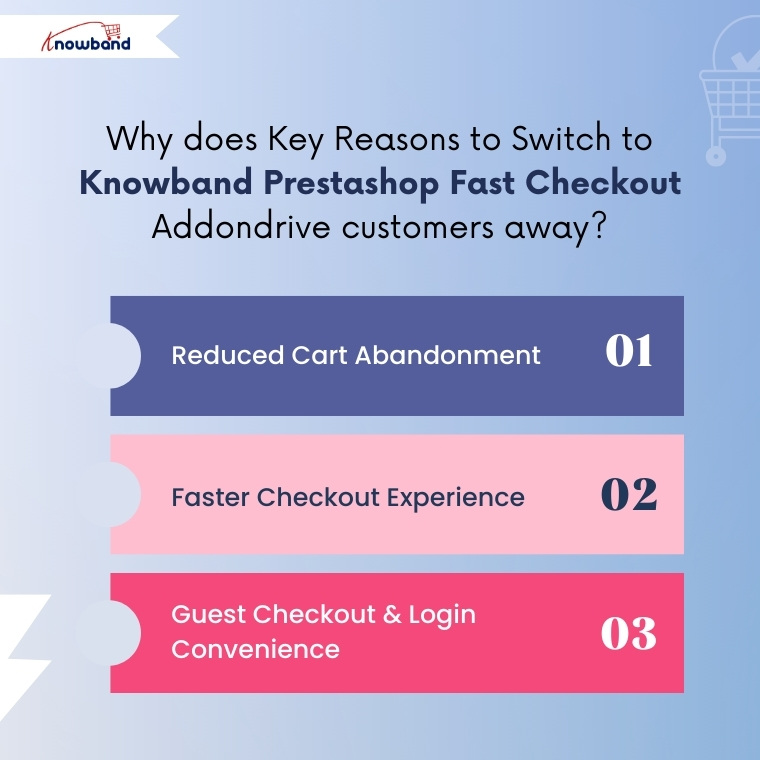
Key Reasons to Switch to Knowband Prestashop Fast Checkout Addon


1. Reduced Cart Abandonment 

Cart abandonment remains one of the biggest challenges for PrestaShop store owners. Long and complex checkout flows are a major contributor.

By displaying all checkout fields on one page, Knowband Prestashop One Page Checkout helps in eliminating unnecessary clicks and steps. This in turns reduces the waiting time and customer’s order completed in no time.

Start Selling on Etsy from Your Prestashop Store

Now selling on Etsy is easy with Knowband’s Prestashop Etsy Marketplace Module.


Try the Demo

2. Faster Checkout Experience

Speed matters more than ever in 2026. Modern users expect a checkout process that takes seconds, not minutes.

Knowband’s Quick Checkout Extension Prestashop helps in minimising the multiple page reloads. Furthermore, One Page Checkout for Prestashop dynamically loads the address, shipping and payment options

3. Guest Checkout & Login Convenience

Knowband Prestashop One Page Checkout not only simplifies the login and checkout process but also significantly enhances user experience and transparency. For instance, customers can view a real-time cart summary, including shipping costs and the total amount, so they clearly understand what they are paying for. 

Moreover, they can edit their details without leaving the page, ensuring a smooth and uninterrupted process. As a result, this level of clarity and transparency builds trust with customers and helps reduce last-minute cart abandonment.

4. Social Login Integrations

Knowband PrestaShop One Page Checkout Module further enhances the user experience by offering social login integrations. Customers can log in quickly using their existing social media accounts, such as Facebook, Google, or Twitter, eliminating the need to create new accounts or remember additional passwords.

This convenience not only reduces friction during checkout but also speeds up the purchasing process, making it more likely that users will complete their orders. Social logins also provide store owners with verified customer information, helping improve personalization and targeted marketing.

When Does Switching to Prestashop One Page Checkout Module Make the Most Sense?

Switching from the default PrestaShop checkout to the Knowband Prestashop One Step Checkout Addon is especially beneficial if:

  • Your store has high cart abandonment rates
  • You want to improve conversions without increasing ad spend
  • Your store targets international or first-time customers

In research, it is observed that checkout optimisation often delivers faster ROI than traffic acquisition.

Final Conclusion: Is It Worth Switching in 2026?

In 2026, checkout is no longer just a functional step; it has become a key conversion driver for online shops. While the default PrestaShop checkout fulfils its basic purpose, it may fall short of modern user expectations that prioritise speed, simplicity, and convenience. 

If your goal is to reduce cart abandonment, improve mobile performance, and enhance the overall checkout experience, then switching to Knowband Prestashop responsive one step checkout addon is a practical and forward-looking solution. By streamlining the checkout process, Knowband Prestashop One Page Checkout can help your PrestaShop store convert more visitors into customers, ensuring a smoother and more satisfying shopping experience in 2026 and beyond.

This One Page Checkout by Knowband is also available for Opencart. Checkout Opencart One Page Checkout Extension by Knowband.


New Year 2026: Unlock the Key to eCommerce Store Growth Using the Knowband Plugins

As we step into the New Year 2026, the team at Knowband extends warm greetings to all online store owners, e-commerce professionals, and enthusiasts. A new year brings with it a sense of renewal and fresh opportunities, making it the perfect moment to reflect on achievements, learn from challenges, and set meaningful goals for the months ahead. The world of online commerce is constantly evolving, with customer expectations, technology, and shopping habits changing faster than ever. For online store owners, staying informed and adaptable is key to sustaining growth and maintaining a competitive edge.In this blog, we aim to provide insights into the key e-commerce trends of 2026 and share practical tips that online stores can implement to stay ahead. These strategies are designed to help businesses not only meet but exceed customer expectations, streamline operations, and prepare for a productive year ahead.

Below are some thoughtful success tips that online stores can consider as they plan for growth and sustainability in 2026.

Improve User Experience for Better Engagement

First of all, a smooth user experience plays a major role in online success. When customers easily browse products and complete their purchases, they are more likely to stay in the store. Complicated checkout processes often lead to frustration and lost sales. One Page Checkout simplify the checkout process by reducing steps and making it faster. As a result, customers enjoy a better shopping experience and store owners see improved conversions.

Reduce Cart Abandonment with Smart Strategies

Along with a better user experience, reducing cart abandonment should be a top priority. Many customers leave their carts without completing purchases due to distractions or doubts. Knowband’s Abandoned Cart Reminder plugins help recover these lost sales by sending timely emails or notifications. Furthermore, these reminders encourage customers to return and complete their orders, which helps increase revenue without extra marketing effort.

Build Customer Trust with Social Proof

In addition to convenience, trust is an important factor in online shopping. Customers often rely on reviews, ratings, and easy login options before making a purchase. Knowband plugins that support social login and customer feedback help build trust and confidence. Moreover, when customers see positive reviews and can log in quickly, they feel more comfortable completing their purchases.

Focus on Mobile Shopping Growth

At the same time, mobile shopping continues to grow rapidly. More customers prefer using smartphones to shop online, which makes mobile optimisation essential. We at Knowband help store owners to create Android and iOS apps easily. These apps also supports the all high level features that are necessary, helping businesses stay connected with customers and promote offers effectively.

Want to launch your mobile app?

Discover the Mobile App Builder and get your app live in just one week!
Build, customise, and launch your mobile store effortlessly

Integrate Today!

Personalise the Customer Experience

Moreover, personalisation helps stores stand out in a competitive market. Customers appreciate personalised offers and messages that match their interests. Knowband plugins enable store owners to deliver targeted promotions and relevant content based on customer behaviour. This not only improves customer satisfaction but also encourages repeat purchases.

Data-Driven Decision Making

Data will continue to guide e-commerce strategies in 2026. Store owners will rely on insights from customer behaviour, sales patterns, and performance metrics to improve their stores.

Using data to understand what works and what doesn’t will help businesses make smarter decisions and adapt quickly to changes.

Strengthen Customer Retention Strategies

Finally, retaining existing customers is key to long-term success. Loyal customers are more likely to return and make repeat purchases. Knowband plugins support better post-purchase communication and ongoing engagement, helping businesses build long-lasting relationships with their customers.

We at Knowband

To support online stores in achieving their goals in 2026, we offer a wide variety of plugins for popular platforms, including PrestaShop, OpenCart, Shopify, WooCommerce, and Magento, helping merchants add advanced features, streamline operations, and adapt to the evolving e-commerce landscape with ease.

Additionally,  we also provide custom development tailored to the unique needs of each business. Our team of experienced developers and e-commerce experts works closely with store owners to understand their challenges and implement effective strategies that enhance performance and user experience. 

Conclusion

To sum up, success in the New Year 2026 will depend on providing a smooth and enjoyable shopping experience, adopting smart strategies, and focusing on customer satisfaction. By paying attention to trends, optimizing operations, and continuously improving the store experience, online businesses can set themselves up for steady growth throughout the year. For expert guidance or support, feel free to reach out to us at support@knowband.com. Wishing everyone a prosperous New Year 2026!

Knowband Releases New Feature Update for the eCommerce Etsy Marketplace Addon

In today’s highly competitive e-commerce environment, expanding your reach across multiple marketplaces is crucial.  Consequently, for e-commerce store owners, this presents a valuable opportunity if managed effectively. However, managing both platforms, including Etsy and your store, separately can be time-consuming and error-prone. Fortunately, this challenge is solved efficiently by the Knowband Etsy Integration Plugins. Whether you are on Opencart or Prestashop,  it streamlines the entire process, enabling store owners to manage Etsy listings, orders, and inventory directly from their store backend.

Why Choose the Knowband Prestashop Etsy Integration Module?

The PrestaShop Etsy Integration Addon is more than just a connector; it’s a comprehensive solution that simplifies multichannel selling. Whether you’re using it as a PrestaShop Etsy Integration Module or Opencart Etsy Plugin, the outcome is the same: efficient, accurate, and scalable Etsy store management.

Knowband has released the update in Etsy, which includes a module is align with Etsy’s latest policy and a major feature of Return Policy Synchronisation.

Moreover, with the Knowband Etsy PrestaShop Integration Addon, users can list products, synchronise stock, update order statuses, and much more, all without switching platforms. Furthermore, this Etsy PrestaShop Connector automates time-consuming tasks, allowing merchants to focus on growing their business rather than managing data manually.

Key Features of the PrestaShop Etsy Integration Plugin

1. Simple Installation & Intuitive Interface

The PrestaShop Etsy Integration Module offers a hassle-free installation process that requires no technical skills. Additionally, with its user-friendly dashboard, even non-tech users can easily configure settings and start selling on Etsy in no time.

2. Return Policy Syncronization: You can now create, manage, and synchronise your store’s return policy directly with your Etsy profile. This ensures that your return policy remains consistent across both platforms, reduces the need for manual updates, and helps maintain accurate and up-to-date information for your customers at all times.

Integrate Your PrestaShop Store with AI Chat Support

Boost engagement and conversions with instant AI replies, multilingual support, and real-time order updates.


SHOP NOW

3. Bulk Product Upload for Maximum Efficiency

The Etsy PrestaShop Synchronisation Addon supports bulk product uploading, thereby saving you countless hours. In fact, admins can sync multiple products simultaneously, reducing the effort needed for manual listings.

4. Seamless Category and Attribute Mapping

To maintain listing accuracy and visibility, the PrestaShop Etsy Connector allows you to map your store categories and product attributes directly to Etsy. As a result, this enhances compliance and ensures your products appear in the right search results.

5. Centralised Order Management

The Opencart Etsy API Integrator Plugin enables seamless management of Etsy orders directly within the admin panel. Therefore, there’s no need to toggle between dashboards; everything is handled from one central location.

6. Real-Time Order Status Updates

Using cron jobs, the Opencart Etsy Synchronisation Addon updates order statuses on Etsy automatically. As a result, this ensures that customers stay informed, resulting in a smoother buying experience.

7. Inventory Synchronisation

The Etsy-PrestaShop Integration Module ensures real-time inventory synchronisation between your store and Etsy. Consequently, this minimises the risk of overselling and helps maintain customer trust by only displaying available products.

8. Multi-Language Support

Reach a global audience with ease. Moreover, the PrestaShop Etsy Integrator syncs product details in multiple languages, helping you connect with international customers and drive global sales.

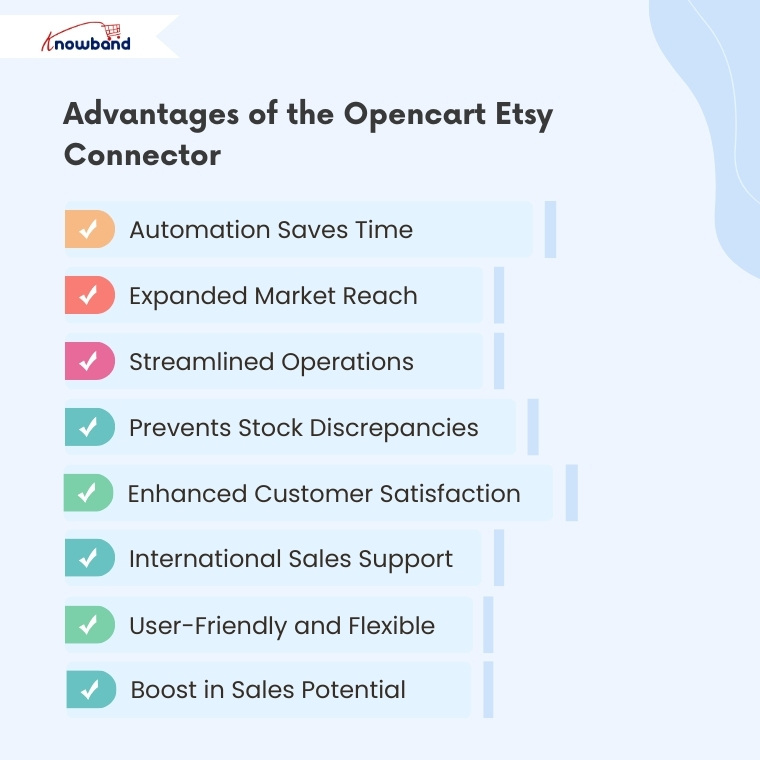
Advantages of the Opencart Etsy Connector Plugin

Automation Saves Time

With the Knowband Etsy Opencart Integration Plugin, tedious manual tasks such as product uploads and order syncing are handled automatically, thus freeing up your time for strategic business activities.

Expanded Market Reach

By using the PrestaShop Etsy API Integrator, sellers can tap into Etsy’s massive buyer base, thereby expanding their reach beyond their website and increasing revenue potential.

Streamlined Operations

Managing everything from one dashboard simplifies your workflow. Additionally, the Etsy PrestaShop Synchronisation Addon eliminates the need for multiple logins and manual data entry.

Prevents Stock Discrepancies

With real-time inventory updates via the PrestaShop Etsy Connector, you can avoid customer dissatisfaction caused by overselling or out-of-stock products.

Enhanced Customer Satisfaction

Automated order updates and timely communication improve customer trust and satisfaction, which can lead to more repeat purchases and better reviews.

International Sales Support

The multi-language functionality of the Etsy PrestaShop Integrator allows you to cater to global markets, thus increasing your chances of converting international shoppers.

User-Friendly and Flexible

Whether you’re using the Free PrestaShop Etsy Integration Module or a premium version, the interface is designed for ease of use. In fact, even first-time users can start selling on Etsy without any technical headaches.

Boost in Sales Potential

By optimising your listings and syncing seamlessly with Etsy, the PrestaShop Etsy Integration Extension helps your products gain better visibility, leading to higher conversion rates.

Final Thoughts

In conclusion, the Knowband PrestaShop Etsy Integration Addon is the perfect solution for sellers looking to capitalise on Etsy’s vast customer base without any complexity. With features like automatic product listing, real-time inventory updates, and centralised order management, it’s never been easier to manage an Etsy shop from your PrestaShop dashboard.

Whether you’re seeking an Opencart Etsy Integration Plugin to get started or a Prestashop Etsy Marketplace, Knowband offers reliable and scalable plugins that grows with your business.

For more information like key features and benfits, visit Knowband’s Prestashop Etsy Marketplace Connector Addon.

You may also like to read:
Discover how integrating your PrestaShop store with Etsy can save time and maximize sales. Read More

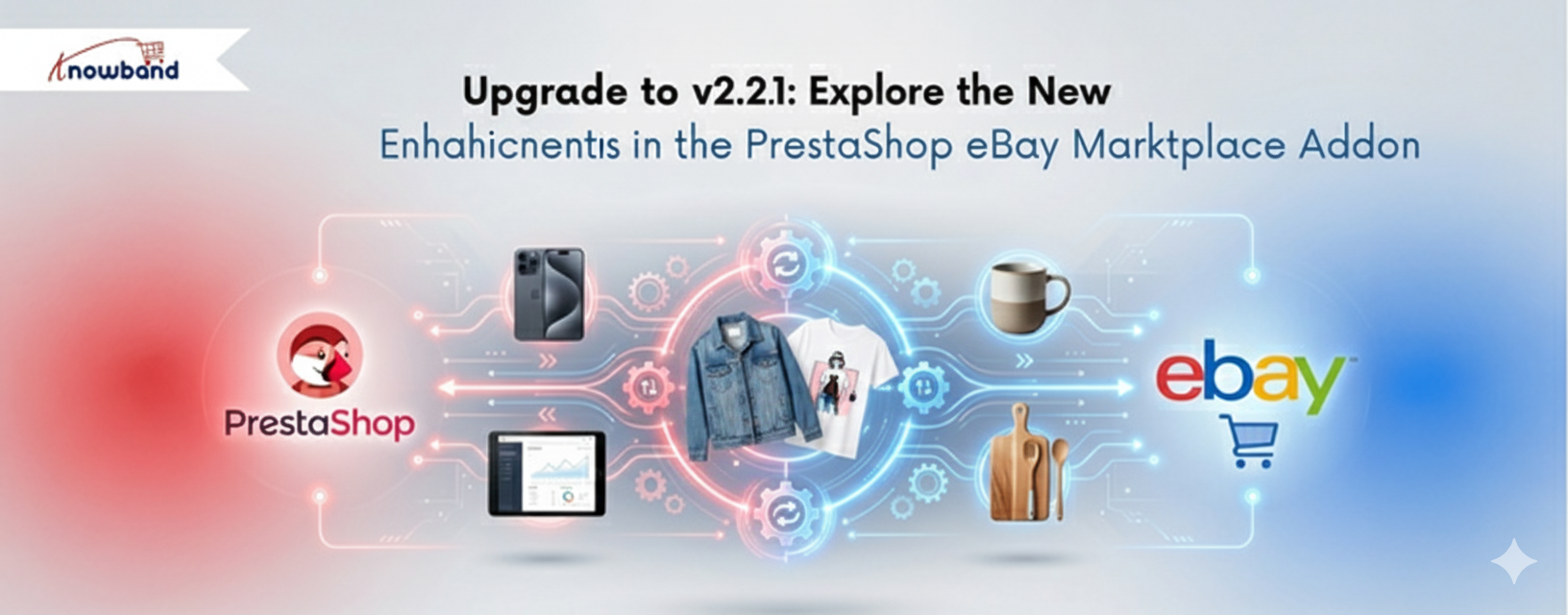
Upgrade to v2.2.1:Explore the New Enhancements in the PrestaShop eBay Module

Suppose you are a store manager of a PrestaShop store. Your products are selling, your customers are happy, but something is still missing. You are doing all the right things, but the majority of your traffic is from the local area. You have millions of people shopping on eBay every day, but putting up your products there manually sounds like a nightmare.

eBay reported $2.82 billion in revenue for Q3 2025 alone, a 9% year-over-year increase, with Gross Merchandise Volume hitting $20.1 billion in just three months. For the full year 2024, the platform processed $75 billion in GMV across more than 190 markets worldwide, serving 134 million active buyers.

What makes these figures particularly relevant for PrestaShop merchants isn’t just the scale; it’s the buyer behavior. eBay shoppers are search-driven, not loyalty-driven. They’re not looking for your brand specifically; they’re looking for a product. If yours appears in the right category at the right price, they buy it. For merchants selling electronics, auto parts, fashion, collectibles, or home goods, this represents a significant opportunity beyond the traffic your own website generates.

Now, what if all your PrestaShop products could go live on eBay in just a few minutes, with minimal effort? This is exactly what the PrestaShop eBay Marketplace Integration Module by Knowband does for store owners.

New Features and Essential Key Features in the Upgraded Version

Knowband has developed the PrestaShop eBay Integration Module to be easy and potent for store admins. Each of the features is meant to save time and make business management easier.

[New Enhancement] Inventory Comparison

Ensure accurate stock levels between PrestaShop and eBay with the Inventory Comparison feature. It retrieves the latest inventory data from eBay via cron jobs, compares it with your PrestaShop stock, and clearly indicates mismatches using Yes/No status, helping you avoid overselling and streamline inventory management.

[New Enhancement] Rate Limit

Maintain stable eBay integration with the Rate Limit feature. Moreover,  it monitors your eBay API usage, displays the number of API calls made, and notifies you when limits are exceeded, reducing synchronisation issues and ensuring uninterrupted operations

Explore more key features that make the Prestashop eBay Content Generator game changer.


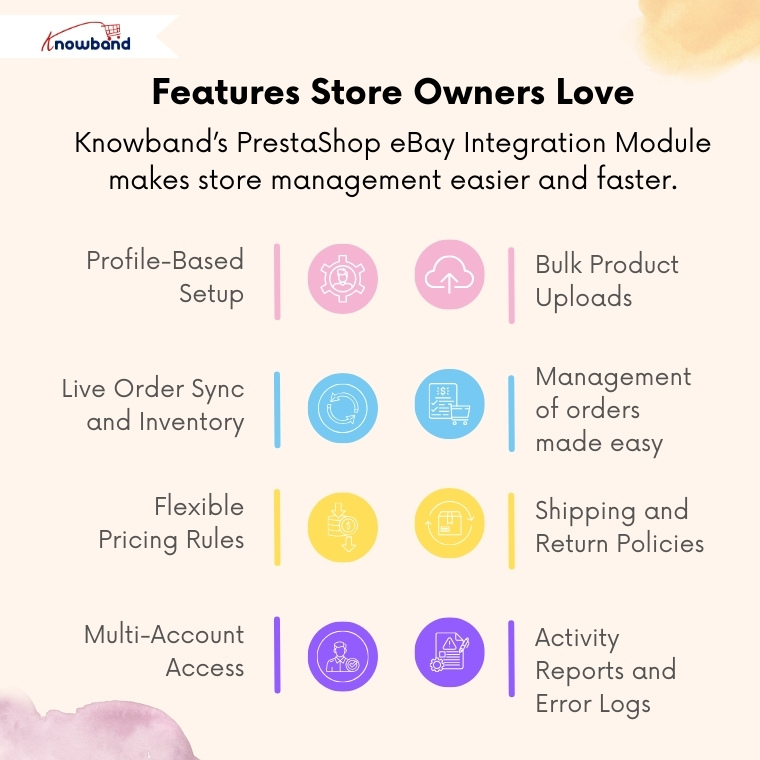
Profile-Based Setup

You can make as many profiles as you want, which can be utilised in dealing with different types or categories of products. Each profile has the option of prices, shipping, and returns.

Bulk Product Uploads

Add up to hundreds of products to eBay. The Prestashop eBay Marketplace Connector will save time in performing repeated tasks and updating listings in real-time.

Live Order Sync and Inventory.

Products purchased on eBay automatically get transferred to PrestaShop. PrestaShop eBay Integrator makes sure that the inventory is always on track.

Management of orders made easy

Orders on eBay are displayed directly on your PrestaShop admin panel. And any change from the PrestaShop backend can be seen in eBay’s frontend.

Flexible Pricing Rules

Want to make increases or cuts in price on eBay? It is easy to markup or even discount any category. 

Shipping and Return Policies

Design and operate shipping templates on a per-product basis. Thus, your eBay listings will automatically comply with the marketplace guidelines.

Multi-Account Access

When you want to use different eBay accounts to sell, you can customise all the accounts in one place with the eBay Prestashop Connector Addon.

Activity Reports and Error Logs.

To trace the updates, errors, or the API performance, admins can view the synchronisation logs in detail. Hence, it is not as problematic to troubleshoot and to be in control.

Why Every Store Owner Needs the PrestaShop eBay Integration Module

Obviously, it is like operating two businesses together with the Prestashop eBay Integration Addon without excessive manual work.

One Dashboard, Total Control

You do not have to re-log in to eBay repeatedly. You can control the listings of inventory and orders directly in the PrestaShop dashboard using the PrestaShop eBay Integration Addon.

Real-Time Sync = Real-Time Growth

The PrestaShop eBay API Integration Module updates eBay with price, title, or stock changes automatically. Thus, your stores never make errors that can happen when uploading manually.

Save Time, Sell More

The eBay Prestashop Integrator performs automatic tasks like product uploads, category mapping, and order importation, instead of spending hours working on it manually. Hence, store owners can do additional planning for sales and promotions.

Global Expansion Made Easy

The Prestashop eBay Marketplace Integration Module will make your brand visible to new people. In a few minutes, you can be seen by millions of global eBay customers.

Conclusion

Consider this: rather than accessing numerous dashboards and posting the same product twice, you can now conduct your eBay business directly in Prestashop.

Knowband eBay Prestashop Integration Module is the solution that provides store owners with all the features to grow within a short period of time on eBay with automation, control, and consistency.

Therefore, if you are a new eBay merchant, the Prestashop eBay Integration Module is the easiest route for your multi-channel success – it is simple to install, simple to operate, and grows as you do.

Make This Christmas Profitable with Knowband E-commerce Solutions

The holiday season has come, and it’s the season of peak sales. Customers especially wait for the season, looking for deals, festive products, and a seamless online experience, making Christmas the perfect opportunity to boost sales and expand your customer base. However, standing out in the crowded online marketplace with competition can be challenging. This is where Knowband e-commerce plugins come in, offering a suite of tools to help your store maximise profits, engage customers, and create an unforgettable holiday shopping experience.

Whether your store is on prestashop, opencart, Magento, Shopify or WooCommerce, don’t worry. At Knowband, you get the solution for whichever platform you are on.

So let’s explore the plugins that will help your store make more conversions

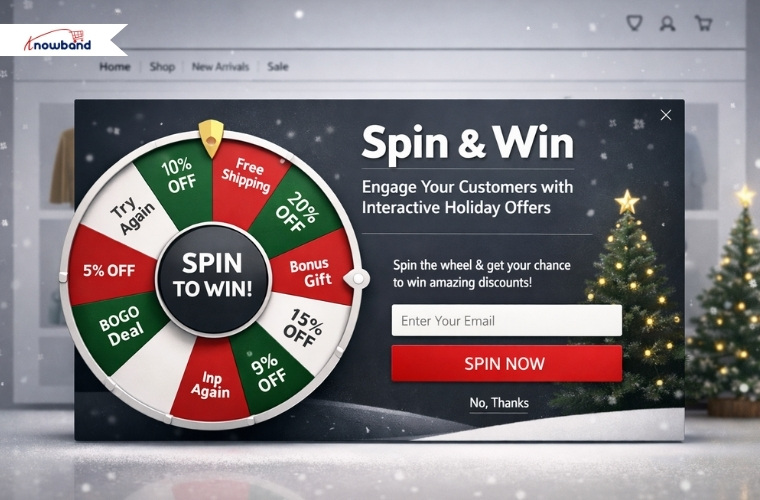
1. Spin & Win: Wheel of Fortune Exit and Entry Popups Plugins

One of the most effective ways to grab customer attention during the holidays is through interactive games, which provide discount codes and offers. This Prestashop Spin & Win Addon allows you to set up a virtual “Wheel of Fortune” pop-up that appears when a customer visits your site (entry pop-up) or is about to leave (exit pop-up). Moreover, customers can spin the wheel to win discounts, free shipping, or other promotional offers. Not only does this gamified experience increase engagement, but it also encourages conversions by giving customers a fun incentive to make a purchase. 

Knowband’s Presatshsop Spin & Win Module ALSO helps the customers to do email marketing as it provides email marketing tool integrations such as Klaviyo, Mailchimp, Sendinblue and many more.

During the festive season, a small discount or a holiday offer can make all the difference in turning a hesitant visitor into a paying customer.

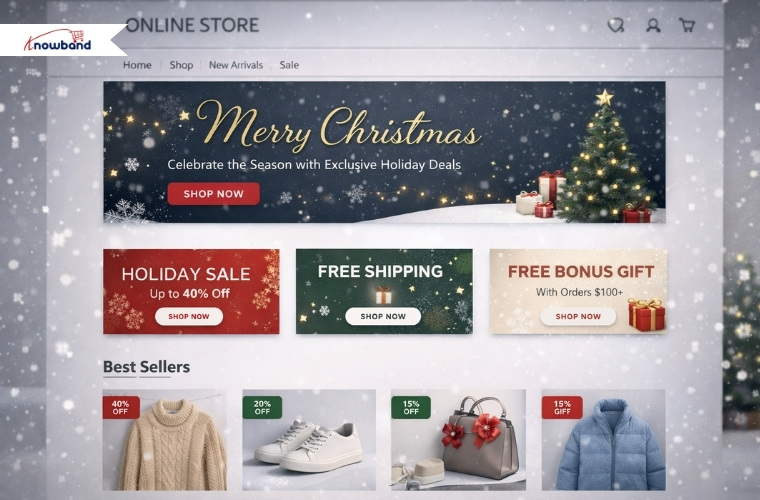
2. Website Decorator: Make Your Store Christmas-Ready

Creating a festive atmosphere on your online store is essential for drawing customers in and enhancing their shopping experience. The Prestashop Website Decorator module from Knowband allows you to transform your store into a holiday wonderland with Christmas theme decorations in the header, footer or random place. From snow effects and twinkling lights to festive banners highlighting sales, these visual enhancements make your store feel seasonal and inviting.

 A well-decorated website not only captures attention but also encourages customers to spend longer browsing times and increases the chances of purchases. Customers are more likely to spend time exploring a store that feels alive with holiday cheer.

3. Gift Card Manager: Give Your Customers the Gift of Choice

On the Christmas occasion, sales of gift cards increase as customers want to gift the gift cards to their friends, family members and relatives. Thus, adding a gift card option will enhance the sale and overall purchase experience for the customers.

Knowband has developed this module especially for this purchase. This Prestashop Gift Card Manager also encourages repeat visits, as recipients are likely to return to your store to redeem their credit. By integrating this module, your store can cater to last-minute shoppers and increase overall sales while providing a convenient gifting option.

4. Product Stickers Plugin to  Highlight Festive Deals

Standing out in a crowded online store is crucial, especially during high-traffic periods like Christmas. The Knowband’s Opencart Product Sticker and Label Extension helps you add eye-catching stickers on products, highlighting special offers, urgency discounts, or festive tags like “Christmas Sale” or “Holiday Special.” Moreover, these stickers make it easy for customers to identify the best deals at a glance, guiding their purchasing decisions and boosting sales. Even a small visual sign like a festive sticker can have a significant impact on customer behaviour, encouraging them toward products you want to promote during the holiday season.

5. Abandoned Cart: Remind your customers 

Adding a reminder to the customer who left their items in the cart will be a game-changer. Before that, a store owner has to know the customer who abandoned their cart. No matter if your customer was an existing customer, a new customer or a visitor, with the setup cron in Prestashop Abandoned Cart, it shows the abandoned cart added in real time with statistics.

 By automatically sending reminders and offering discounts to customers who leave items in their cart, you can encourage them to complete their purchase. During the holiday season, a timely reminder combined with an exclusive Christmas discount can make all the difference. Therefore, this Opencart Abandoned Cart Reminder Plugin ensures that you don’t miss out on valuable sales opportunities and helps maximise revenue during your busiest season.

Knowband for All Platforms

Knowband’s e-commerce solutions are designed to be versatile and compatible with major platforms like PrestaShop, OpenCart, Magento, Shopify and WooCommerce. This cross-platform compatibility ensures that no matter which saas platform you are using, you can implement these modules seamlessly and take advantage of their features. From small businesses to large online stores, Knowband’s plugins provide the flexibility and scalability needed to succeed during the holiday season

Final thoughts

Christmas is the perfect time to boost your online store’s revenue, but it requires the right strategies and plugins to make your store stand out. Hence, the plugins like Abandoned Cart, Gift Card Manager, and Website decorations not only give your store a professional vibe but also increase sales & conversions.

These modules not only enhance the shopping experience but also help you maximise profitability during the holiday season.

No matter the size of your catalogues or the platform you use, using knowband’s plugins, you can make this Christmas your most profitable yet. Transform your store into a holiday shopping destination and watch your sales skyrocket with these powerful, easy-to-use e-commerce solutions

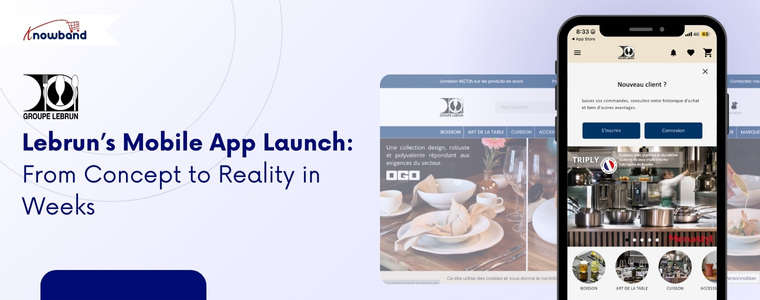
Lebrun’s Mobile App Launch: From Concept to Reality in Weeks

Lebrun, a leading French supplier of high-quality kitchenware, drinkware, tableware, and professional equipment, has been a trusted partner for restaurants, hotels, and catering businesses across France. With a wide range of products from elegant glassware and cutlery to cooking necessities and essentials, Lebrun prides itself on providing durable, reliable, and professional-grade solutions tailored to the needs of the industry.

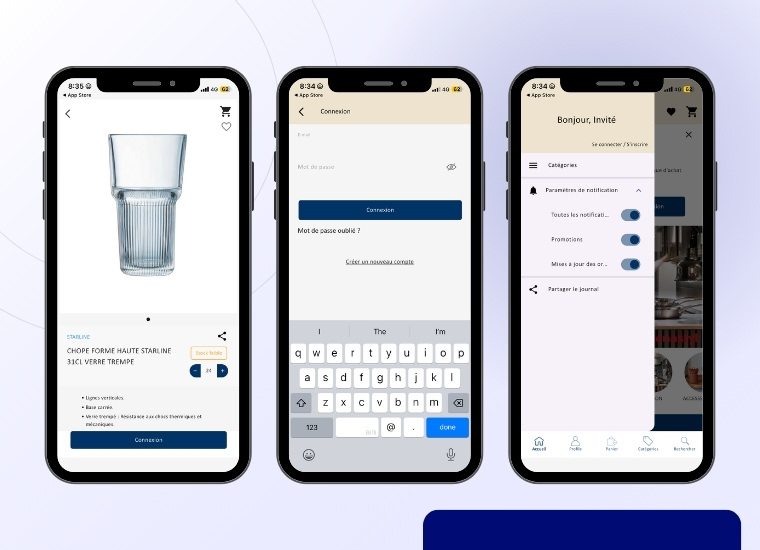
To meet the growing demand for easy accessibility and streamline the purchasing process for its clients, Lebrun partnered with Knowband to develop a mobile app using Prestashop Mobile App Builder. The mobile app makes it easy for customers to browse products, place orders, and manage inventory, with quick access to the catalogue, real-time stock updates, and a smooth ordering experience for customers.

This collaboration showcases how a mobile app builder helped Lebrun operate more efficiently

Initial Challenges that Lebrun Faced

Over time, Lebrun noticed a decline in customer interaction on its online store.

More users were accessing the website through smartphones and tablets. While the website was functional, it did not fully meet the expectations of professional users who required speed, simplicity, easy accessibility, and efficiency.

Key challenges:

  • A growing volume of mobile users with lower conversion rates compared to desktop users
  • The need for a faster and more intuitive purchasing experience for repeat orders 
  • Limited ability to engage customers directly through mobile-first communication channels
  • Difficulty encouraging frequent reorders from professional clients
  • The wish to strengthen their brand presence and loyalty among existing customers
  • Most customers nowadays prefer to use a mobile app instead of a website.

Partnership with Knowband

To address these challenges, Lebrun partnered with Knowband to accelerate the launch of their mobile app. As a result, we offered the Prestashop Mobile App Builder, a solution designed to make m-commerce simple and efficient for Prestashop store owners.

The primary objective was to transform the existing Lebrun store into a fully functional, high-performance mobile application while, at the same time, maintaining seamless integration with the store.

To achieve this, the Prestashop Mobile App Builder Addon enabled Lebrun to launch a native mobile app by directly synchronising with their Prestashop backend. Consequently, this ensured real-time updates for products, pricing, stock availability, and customer accounts, seamlessly syncing data from the website to the mobile app.

In addition, the overall process of creating and launching the mobile app was extremely straightforward. First, Lebrun installed the Mobile App Creator module from the Prestashop backend. Immediately after installation, demo apps were available for testing purposes.

The Impact of KnowBand’s Mobile App on Lebrun Business

Native iOS and Android apps for Lebrun’s store, so customers can shop easily on any device.

Real-time sync with the existing store, keeping products, prices, and stock always updated.

Secure login and account access for both B2B and B2C customers.

Fast product search and easy navigation, even with a large catalog of items.

Simplified and smooth checkout process, just like the website.

Automatic sync of all shipping and payment methods, so nothing gets missed.

Push notifications for order updates, promotions, and important announcements.

Branding and design matched Lebrun’s professional identity for a consistent look.

Easy and efficient implementation, allowing the app to go live quickly without major technical changes or extra development work.

Want to launch your mobile app?

Discover the Opencart Mobile App Builder and get your app live in just one week!
Build, customise, and launch your mobile store effortlessly

Integrate Today!

Implementation & Launch of Lebrun App

The mobile app was designed to complement Lebrun’s existing store. So that customers could log in using their existing credentials, access personalised pricing, and place orders with minimal friction. With the help of Knowband’s Mobile App Creator, the mobile app’s performance-focused design significantly reduced loading times compared to the mobile web experience.

ush notifications were introduced as a new communication channel, enabling Lebrun to inform customers about order confirmations, delivery updates, special offers, and newly available products. 

How KnowBand Delivered Real Business Impact

After the launch of the Android & iOS mobile apps, Lebrun experienced noticeable improvements across key performance areas:

  1. Improved the mobile conversion rate for customers 
  2. Higher customer retention, especially among clients who place frequent repeat orders
  3. Increased order frequency, as reordering became quicker and more convenient
  4. Stronger customer engagement through timely push notifications
  5. Last but not least, enhanced brand visibility, with Lebrun’s mobile app becoming a permanent application on their mobile.

Hence, the Prestashop Android & iOS mobile app became a key driver of conversions, seamlessly integrating with the existing web store and supporting Lebrun’s B2B growth goals

“With the PrestaShop Mobile App Builder, we can now offer a faster and more convenient mobile ordering experience.  The mobile app fits perfectly into our store and strengthens our relationship with our clients,” said Lebrun Team.

Conclusion

By leveraging KnowBand’s PrestaShop Mobile App Builder Module, Lebrun successfully transformed its professional website into a powerful mobile app. The app not only enhanced overall performance but also strengthened customer loyalty and effectively addressed the evolving needs of B2B buyers.

If you’re running a business and want to extend your website with a mobile app, we’ve got you covered, whether your store is on OpenCart, PrestaShop, WooCommerce, or Magento 2.

Get Started Today:

Check out the Lebrun app and imagine the next success story being yours!

Read More

Gear Up for 2026 with the Next-Gen Knowband AI Content Generator Plugin


One Page Super Checkout: A Simple Way to Reduce Abandonment and Increase Sales

A lot of OpenCart & Prestashop shops are losing their customers at checkout. And the reason behind it is that the general checkout process consists of an excessive number of steps and multiple fields to fill out. Research indicates that over 65% of online customers abandon the site during the checkout process when they find the process to be time-consuming or difficult to comprehend. When customers get frustrated, they stop buying, and the store loses an easy sale.

Hence, the easiest way to solve this issue is by using the OpenCart One Page Super Checkout by Knowband. This addon integrates all the checkout elements, including cart details, address, shipping, payment, and the order summary on a single page. With this, customers can make orders within seconds without switching several pages.

This smooth and fast experience reduces the number of drop-offs and increases conversions. With this addon, store owners can finally offer a checkout that customers enjoy using.

By integrating the Prestashop responsive one-step checkout addon, merchants can reduce cart abandonment and increase conversions. This powerful Prestashop fast checkout addon supports major payment gateways such as PayPal, Stripe, Authorize.Net, Braintree, Amazon Pay, Apple Pay, Google Pay, Square, Klarna, Worldpay, Mollie, Skrill, Neteller, Payoneer, and 2Checkout, providing shoppers with a variety of secure and convenient ways to pay. Offering multiple trusted payment methods helps build customer confidence and ensures more orders are completed successfully.

Benefits of the OpenCart One Page Checkout Extension

Quick Checkout, Increased Conversions.

Knowband’s OpenCart One Page Supercheckout Plugin has everything on a single page. Customers can fill in the details in a short time and complete the purchase without getting lost. Thus, once the checkout is made quicker, the conversion rate automatically increases.

Lower Cart Abandonment

Moreover, the PrestaShop Quick Checkout Module eliminates all those unnecessary steps that frustrate customers. No more loading new pages. No more long forms. This simple and clean screen keeps the customers on track and reduces the number of abandonments.

Better Mobile Shopping Experience

Most users today make purchases on mobile phones. The Responsive One Page Checkout Plugin for OpenCart is compatible with all screens, including mobiles, tablets, and desktops. Hence, customers can place their orders with ease, no matter the device they are using.

Fast Orders with Guest Checkout

Generally, when people are forced to create an account during checkout, they leave instantly. Using the Knowband Prestashop One Step Checkout Addon, customers can easily check out as guests. 

Easy Setup With No Coding

The OpenCart Simplified Checkout Plugin does not need technical skills. The extension can easily be installed by store owners, and they can configure the entire extension in just minutes.

Integrate Your PrestaShop Store with AI Chat Support

Boost engagement and conversions with instant AI replies, multilingual support, and real-time order updates.


SHOP NOW

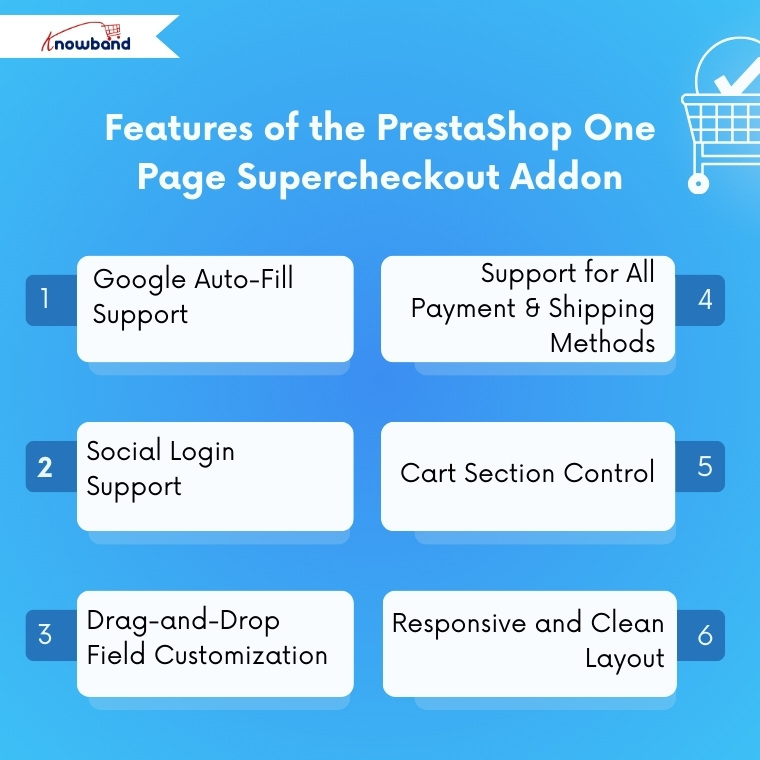
Features of the PrestaShop One Page Supercheckout Addon

Google Auto-Fill Support

The checkout form includes auto-fill to help customers enter their address faster. Thus, this reduces typing time and prevents mistakes, leading to a smoother buying process.

Social Login Support

Moreover, with the PrestaShop One Page Checkout Module by Knowband, customers can sign in using Facebook, PayPal, and Google. Thus, this saves them from creating new accounts and speeds up the purchase process.

Drag-and-Drop Field Customization

Store owners can fully customize the checkout layout. The OpenCart fast checkout extension allows adding, removing, and rearranging fields with simple drag-and-drop options. Hence, you can shape your checkout page based on your store’s needs.

Support for All Payment & Shipping Methods

The plugin works smoothly with all payment or shipping methods added to the store. In addition, admins can also customize how these methods appear by adding logos and short descriptions.

Cart Section Control

Moreover, store owners can choose what to display in the cart section on the checkout page. For example, they can show stock details or price information only to registered users while hiding them from guest users.

Responsive and Clean Layout

Last but not least, the OpenCart one-step checkout extension by Knowband provides a clean and organized layout that is easy to understand. This helps customers complete their order faster without getting confused.

Conclusion

Knowband has developed the Prestashop One Page Super Checkout Module, which is one of the strongest upgrades that any opencart & prestashop store can make in 2026. The module makes a slow, multi-step checkout process of checkout process fast and friendly for the customer. This module consists of great features such as social login, checking out as a guest, auto fill, drag and drop customization, and more.

This enhanced experience results in a reduction in the number of unfinished orders, increases successful orders, and improves customer satisfaction. Thus, Knowband’s OpenCart One Page Supercheckout Extension is the best option that you can invest in case you want to expand your opencart and prestashop store by reducing checkout friction and speeding up sales.

For more information, you can refer to the https://www.onepagesupercheckout.com/, here you can find the detailed information of  Knowband’s One Page Supercheckout, which is available for Prestashop, Opencart & Magento 2.

Must Read

Gear Up for 2026 with the Next-Gen Knowband AI Content Generator Plugin

Discover how the startup OrderFast launched its full-featured mobile app in only one week with the WooCommerce Mobile App Builder


Gear Up for 2026 with the Next-Gen Knowband AI Content Generator Plugin

 The Knowband AI Content Generator and Translator is a next-generation plugin built to empower e-commerce merchants with smart, automated AI content creation and translations. Designed with cutting-edge AI capabilities,  this content generator integrates seamlessly with Claude AI, ChatGPT AI, DeepSeek AI, and Gemini AI to deliver exceptional content quality across your entire online store.

Whether you need SEO-optimised product descriptions, engaging titles, category content, or precisely translated product details, this advanced AI Module ensures accuracy, creativity, and efficiency, making it an essential need for every PrestaShop merchant in 2026 and beyond.

It is interesting that this AI Content Generator and Translator is available for Prestashop, Opencart & WooCommerce. So no matter which platform you are using but this can be a perfect plugin for your module’s wardrobe.

Key Features of Prestashop AI Content Generator & Translator 

The Prestashop AI Content Generator & Translator stands out for its highly automated, powerful features.

AI-Powered Content Creation

By leveraging industry-leading AI engines, the PrestaShop Content Generator Addon creates high-quality, SEO-friendly content for catalogues. These catalogues include the products, categories as well as CMS pages.

Furthermore, the module generates the product descriptions, meta titles, meta descriptions and translates all the generated content as well as existing content, including product titles.

This ensures that every piece of content your store publishes maintains authenticity, structure, and SEO relevance, while significantly reducing manual writing time.

Advanced Multilingual Translation

If your store has more than one language, even 10 or 20.  The Opencart AI Content Generator can now translate the content into all languages.

Moreover, you get to choose the language in which you want to translate the content.

Popular & Powerful AI Engines Combination

With seamless support for Claude, DeepSeek, Gemini, and ChatGPT AI  models, it exhibits variety to select. Additionally, Store owners just need the APIs for each AI Model to enable the functionality of the WooCommerce AI Content Generator & Translator Plugin.

The Knowband Opencart AI Seo Powered Extension allows store owners to generate high-quality content almost instantly, boosting productivity and ensuring every product detail is clear to customers clearly and effectively. 
Backed by smooth API integration with Claude AI API, Gemini AI API, DeepSeek API, and ChatGPT API, merchants enjoy an uninterrupted and hassle-free workflow.

Selection of Engines within an AI Model

Apart from these 4 AI Engines, we also give the option to select their sub-engines, in which merchants can choose from a collection of AI engines, including:

  1. ChatGPT (GPT-3.5, GPT-4.0)
  2. DeepSeek (Chat, Reasoner)
  3. Claude (Haiku 3, Haiku 3.5, Sonnet 3.5 Old, Sonnet 3.5 New)
  4. Gemini (1.5 Pro, 1.5 Flash, Flash-8B, 2.0 Flash, 2.0 Flash Lite Preview)

Bulk Content Generation Support

We have recently released the new update, which includes the CSV File content Generation, in which you can generate & translate the content for bulk. You just need to add the product ID and map the 1 and 0 to the prompt column in your CSV File. You can read our documentation of the AI Content Generator & Translator for more details.

Looking for an AI Assistant for your store? Then wait,

Meet the PrestaShop AI ChatBot Module, your store’s new 24/7 sales assistant!

This powerful chatbot instantly answers customer questions, guides shoppers to the right products, and increases conversions without any effort.

Integrate Today!

Individual Content Generation

The Opencart AI Content Generation & Translator Extension now allows you to generate the content for an individual product or category, or any cms page.

prompts on individual pages. So it can be a game-changer for the store owners who have unique products and want to generate content for individual.

What’s more is that Knowband also provide additional prompt options in the individual pages, in which store owners can add an extra or additional prompt for a product.

Customizable Prompts

We provide the separated prompt for each option, like Generate Product Description, Translate Category Meta titles and many more. So knowband provides a separate prompt for each option for Products, category and CMS Pages, which can be easily edited by the store owners.

Conclusion

The Knowband PrestaShop AI Content Generator and Translator Addon is more than just an add-on; it’s a powerful AI companion for modern eCommerce stores. 

The Artificial Content Generator provides multi-model AI support, seamless translation, bulk automation, and SEO-optimised content generation. Therefore, Knowband delivers a comprehensive AI strategy that boosts productivity, global reach, and overall store performance.

Whether you’re preparing for the demands of 2026 or aiming to scale your operations today, this AI-powered module equips your PrestaShop store with all the tools needed to stand out in a competitive digital marketplace.

Must Read

The New PrestaShop AI Chatbot Addon: Simple, Fast, and Smarter Customer Support for Every Store

Discover how the startup OrderFast launched its full-featured mobile app in only one week with the WooCommerce Mobile App Builder


Go Global Effortlessly with the PrestaShop eBay Marketplace Integration Module by Knowband

Every e-commerce merchant dreams of reaching international customers, but the process of doing so can be complex. Dealing with listings, inventory synchronisations, and filling orders through various channels can become a nightmare. Hence, to connect with the huge customer base that eBay serves, Knowband provides a simple and trusted bridge, the PrestaShop eBay Marketplace Integration Module.

The eBay Prestashop API Integrator links your PrestaShop store to eBay, allowing you to list products, coordinate stock, and handle orders without having to leave your PrestaShop dashboard. Not only that, but this eBay integrator also automates and eliminates the manual work and enables you to sell without switching from your store. 

[New Feature Alert]  Keep Your Inventory Perfectly Synced with eBay with the Latest Version 2.2.1

We are excited to introduce a powerful new feature in the PrestaShop eBay Marketplace Connector Addon: Inventory Comparison & Rate Limits

Let’s explore these enhancements in detail.

1. Inventory Comparison in the PrestaShop eBay Marketplace Connector Addon

The Inventory Comparison feature in the knowband PrestaShop eBay Marketplace Connector Addon is designed to keep your store’s stock perfectly in sync with your eBay listings. It helps you avoid overselling, reduces manual inventory checks, and ensures accurate product availability for your customers. This feature comes with two main functionalities, each powered by dedicated cron jobs

This cron job is responsible for fetching the most up-to-date inventory directly from your eBay store. By regularly fetching the current stock levels, it ensures that your store always has accurate and fresh data for comparison.

Furthermore, the Inventory Comparison feature provides a seamless and reliable way to monitor and manage your inventory across platforms, keeping your e-commerce operations smooth and efficient.

2. Rate Limit Monitoring of APIs

To ensure your eBay integration continues to run smoothly, the Rate Limit Monitoring feature tracks your API usage in real time. It displays the number of API calls made and alerts you when you are approaching the usage limits. This proactive monitoring helps you avoid sync issues, maintain seamless operations, and ensure that your PrestaShop store and eBay remain perfectly connected.

Why Upgrade?

These enhancements, including Inventory Comparison and Rate Limit Monitoring, give the store owners greater control over your inventory and integration, reduce manual work, and help you prevent costly errors. Upgrade to Knowband’s Prestashop eBay Marketplace Addon version 2.2.1 today to take full advantage of these improvements and streamline your PrestaShop-eBay operations like never before!

Benefits: A Smarter Way to Sell Globally

PrestaShop eBay Marketplace Integration Addon makes selling globally easier as it centralises control, speeds up the process, and provides accuracy.

Firstly, merchants save time. All the product listings and order updates occur automatically between the two platforms. There will be no duplicity of work or mismatch of data. Secondly, it minimises risk. Live synchronisation provides uniformity in pricing and stocking of the products in the two sites. Otherwise, there is a risk of overselling and unhappy clients. Lastly, the Prestashop eBay Integrator Addon expands reach. A linkage to eBay will allow the PrestaShop retailers access to millions of buyers worldwide with a few simple clicks.

Concisely, Knowband’s Prestashop eBay Integration Addon is a solution that simplifies the complicated task of managing cross-platforms by providing a single workflow that can be trusted.

Key Features of the PrestaShop eBay Marketplace Integration Module

Stress-Free Profile Management

Store owners can group the products by category, shipping rule, and pricing condition. This product profile determines the way products will look and act on eBay. Moreover, you can create multiple profiles and can easily manage them from the admin panel.

Automatic Attribute and Category Mapping

The module can match your PrestaShop categories and attributes to eBay so that all products will display correctly and to the right people. Hence, such mapping minimizes listing errors as well as enhances the visibility of your products.

Bulk Product Listing

Moreover, using the eBay Prestashop Connector, you can add hundreds of products at once, instead of adding them individually. Hence, it makes the process fast and efficient.

Seamless Order Synchronization

All of your orders made on eBay are automatically displayed on your PrestaShop dashboard. Hence, merchants can manage and update statuses directly from the admin panel without switching platforms.

Multi-Account Management

If you sell in multiple countries and have multiple eBay stores, the addon helps you to have multiple eBay accounts on one PrestaShop admin panel.

Activity Logs and Error Tracking

Moreover, all the synchronisations and updates are logged. In case of an error, like a listing rejection, the system highlights it, and you can fix the error easily and carry on.

Integrate an AI Chatbot on Your Store Today

Let AI handle your customer queries and turn your store into a professional hub with the Prestashop AI ChatBot Addon

Integrate today!

How the PrestaShop eBay Integration Addon Works

Step 1: Initial Setup

First of all, you link your eBay account to your PrestaShop store. You can access the API credentials that are required to run the Prestashop eBay Marketplace Integration Addon from the eBay developer account. After the setup, you can choose the country by connecting eBay seller accounts & enabling tokens.

Step 2: Creation and configuration of the profile

Here, you create profiles based on categories for products you want to add. Next, you can also select a custom or eBay shipping profile and set price rules. As a result, this configuration ensures that items belonging to the same category are presented with the same settings on eBay.

Step3: Order Management & status

Here, in order management settings, admins can sync all the orders received on eBay. And in order status settings, you can map the default, paid, and shipped order statuses.

Step 4: Product Listing

You can see all the listed products with their status directly from eBay Prestashop Connector’s backend. Moreover, you can also disable the products, relist them, and revise them as well according to the needs.

Step 5: Automation and Synchronization

Once listed, the Prestashop eBay Marketplace Integration Module automatically controls the real-time information between platforms. Such as the stock level, prices, and the order details. When customers purchase on eBay, the inventory automatically updates in PrestaShop. Similarly, updates in PrestaShop change instantly on eBay as well. Additionally, in synchronisation settings, you can sync, relist, and update your store’s products, orders, and inventory with just one click.

Conclusion

In the e-commerce competitive environment, it is not a choice to sell on many platforms but rather a necessity. Knowband offers the PrestaShop eBay Marketplace Integration Module that allows merchants to control cross-platform selling in a non-technical way.

With automating listings, real-time stock synchronisation, multiple accounts, and activity tracking, the Prestashop eBay API Integration Module provides merchants with full control. 

Through the PrestaShop eBay Marketplace Integration Module by Knowband, your product is not only being sold, but your business is also growing worldwide.

Besides the Prestashop eBay Integration Addon, Knowband also offers powerful marketplace integration with Google Shopping and Etsy, which allows merchants to increase their visibility even more. These modules help sync product feeds, optimise listings, manage inventory, and simplify order handling, which makes multi-channel selling a hassle-free and more profitable experience across leading international platforms.

For more information, check out the video tutorial


Check out the Latest Blog

Prestashop Advance Wishlist Addon- Get It Before 2026

Check out our client success stories and see how Kriluma launched their app in just one week using Mobile App builder!

Connect with us on LinkedIn and watch your store grow

You may also like to read:
Learn how this addon helps you connect your PrestaShop store with eBay to manage listings and orders more smoothly. Read More