Black Friday & Cyber Monday Sale: Enhance Your Store with Knowband’s Holiday Essentials

The most awaited shopping season of the year is here! Black Friday and Cyber Monday (BFCM) are not just about deals for customers—they’re golden opportunities for eCommerce businesses to skyrocket sales. At Knowband, we are thrilled to offer an exclusive FLAT 30% OFF on our carefully curated holiday essential modules. Furthermore, these addons are designed to help Prestashop, Opencart, WooCommerce, and Magento 2 stores maximize customer engagement and drive conversions this holiday season.

Here’s how our top-performing modules can enhance your store during BFCM and beyond.

Spin and Win Entry-Exit Pop-Up Addon:

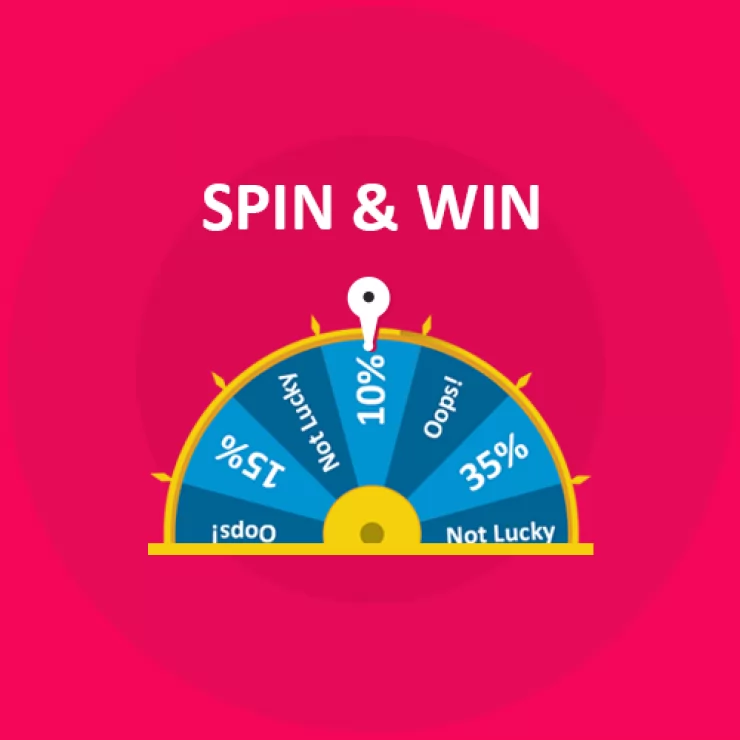
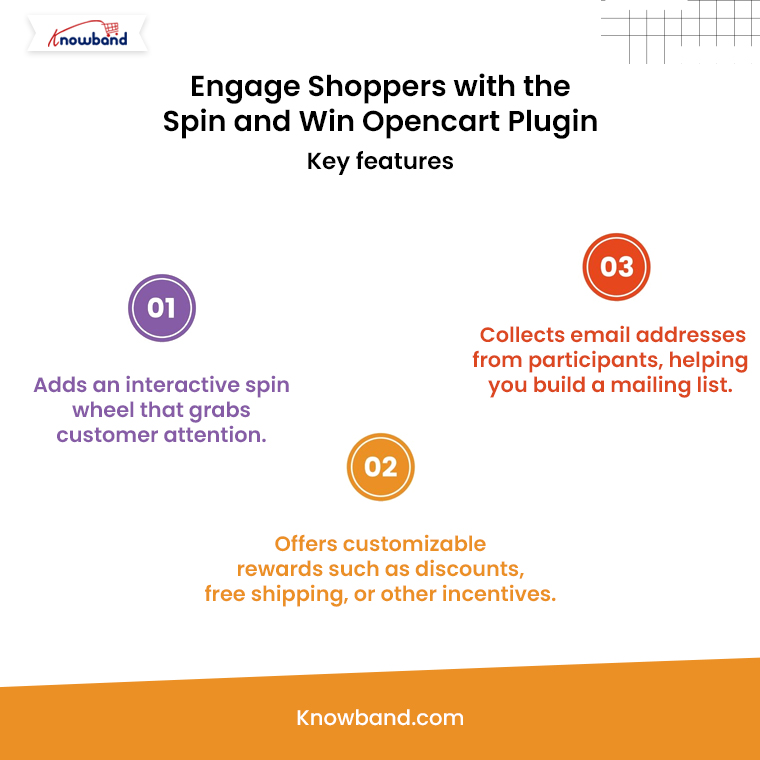
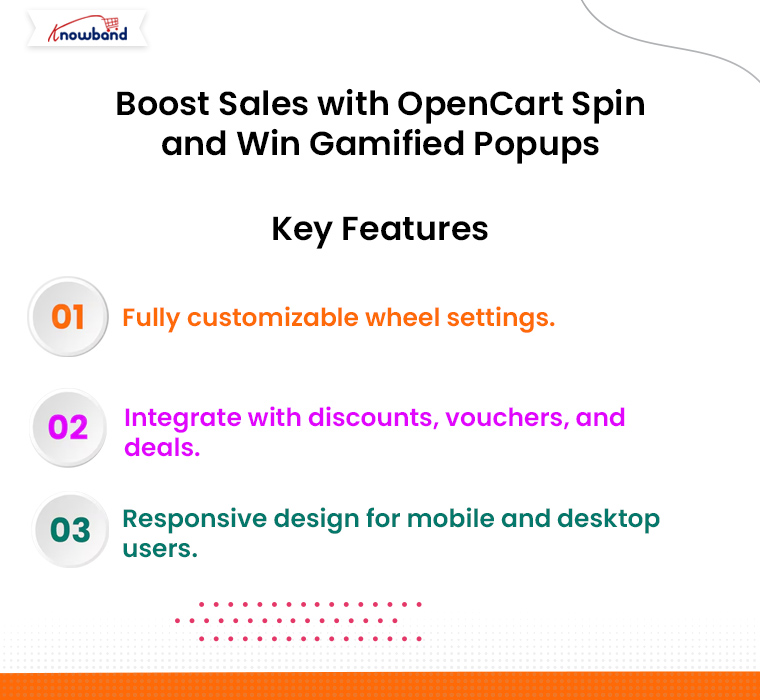
Engaging customers is key during BFCM, and nothing grabs attention quite like the Spin and Win Entry-Exit Pop-Up Addon for Prestashop and other eCommerce platforms. This gamified pop-up tool keeps visitors hooked while helping you grow your email list and offer enticing discounts.

Benefits of Spin and Win:

  • Boost Customer Interaction: Create a fun and interactive experience for your visitors.
  • Reduce Exit Rates: Show a pop-up when a user tries to leave the site and entice them with a special offer.
  • Increase Conversions: Use personalized discounts and offers to convert casual visitors into loyal customers.

Thus, by integrating this module, your store can capture more leads and drive sales while keeping the shopping experience entertaining and festive.

Website Decoration Effect:

Give your online store a festive vibe with the Website Decoration Effect Addon. First impressions matter, and the Website decoration effect module for Prestashop and Opencart allows you to add a touch of holiday magic to your website without any coding knowledge.

Why You Need Website Decoration Effect:

  • Holiday-Themed Customizations: Add snowflakes, Christmas lights, and other holiday decorations to your site effortlessly.
  • Improve User Experience: A visually festive store can create a memorable shopping experience, encouraging customers to browse and buy more.
  • No Technical Hassle: Simply install the module, and you’re ready to decorate your store in minutes.

A well-decorated store isn’t just visually appealing—it sets the mood for holiday shopping and keeps customers engaged.

Gift Card Manager Extension:

Gift cards are a must-have feature during the holiday season, making the Gift Card Manager Addon an essential tool for any eCommerce store. Therefore, with gift cards being one of the most popular choices for last-minute shoppers, this addon helps you tap into a lucrative revenue stream.
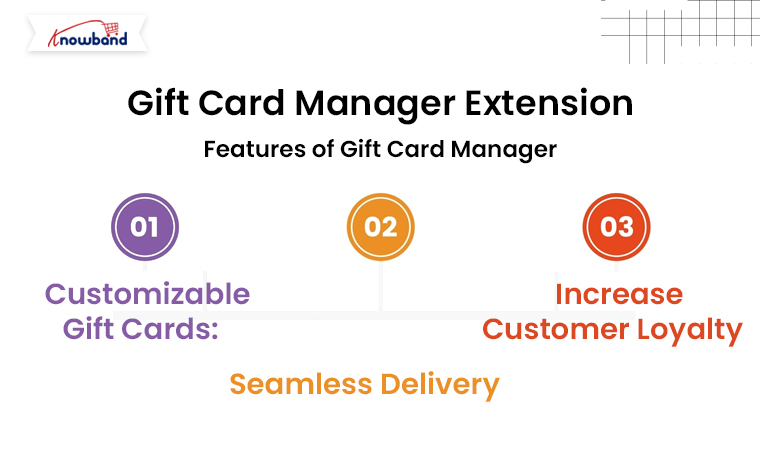
Features of Gift Card Manager:

  • Customizable Gift Cards: Allow customers to personalize gift cards with custom messages, designs, and amounts.
  • Seamless Delivery: Send gift cards via email or let customers download them instantly.
  • Increase Customer Loyalty: Gift cards encourage repeat visits and word-of-mouth referrals.

By offering digital gift cards, you can provide convenience to your shoppers while securing sales during BFCM.

Abandoned Cart Serial Reminder Addon:

Every eCommerce store owner knows the pain of abandoned carts. This powerful tool sends automated email reminders to users who leave items in their carts, urging them to complete their purchases.

Why Use Abandoned Cart Reminder Addon?

  • Automated Follow-Ups: Send timely reminders via email, encouraging customers to return to their carts.
  • Customizable Templates: Tailor your email content to match your brand and include personalized discounts to entice users.
  • Increase Revenue: Recover up to 30% of abandoned carts with targeted messaging.

This module is a game-changer during high-traffic periods like BFCM, ensuring you don’t lose out on potential sales.

Why Choose Knowband During BFCM?

Knowband has built a reputation for offering user-friendly, feature-rich eCommerce extensions that enhance store performance. Here’s why our tools are perfect for your BFCM strategy:

  • Ease of Use: No technical expertise is needed to install and use our modules.
  • Responsive Support: Our team is always ready to help you make the most of your investment.
  • Proven Results: Thousands of stores have seen success with Knowband’s extensions.

Don’t Miss Out: Grab FLAT 30% OFF on Knowband’s Holiday Essentials

This BFCM, makes your eCommerce store the ultimate shopping destination with our holiday essential modules. With a FLAT 30% OFF, now is the perfect time to invest in tools that can help you attract, engage, and retain more customers.

Final Words!

Black Friday and Cyber Monday are your golden opportunities to boost revenue, and Knowband is here to help. Furthermore, our holiday essential extensions are designed to simplify your operations, enhance customer experience, and maximize sales during the busiest shopping season of the year.

Don’t wait—this limited-time offer is your chance to level up your eCommerce store. Visit Knowband today and take advantage of our 30% OFF BFCM Sale!

Prepare Your Prestashop Store for Holiday Shoppers with Easy-to-Use Gift Cards

The holiday season is the busiest time of the year for eCommerce stores, and it’s essential to make shopping easy and enjoyable for customers. One of the best ways to prepare your Prestashop store for the holiday rush is by offering gift cards. Furthermore, Gift cards are a great choice for both last-minute shoppers and customers who want to let their friends or family pick their own gifts. With the PrestaShop Gift Card Manager Addon, you can provide an easy-to-use solution that enhances customer satisfaction and boosts your holiday sales.

In this article, we’ll explore how gift cards can benefit your store and how the Gift Card Module for Prestashop can help you capitalize on the holiday shopping surge.

Why Offer Gift Cards in Your Prestashop Store?

Gift cards have become one of the most popular gift choices among consumers. They’re convenient, and flexible, and allow recipients to choose their preferred items. Moreover, for eCommerce businesses, gift cards provide a way to increase revenue, attract new customers, and reduce the chances of product returns.

Here’s why adding the PrestaShop Gift Card Module to your store is a smart move for the holiday season:

Attract Last-Minute Shoppers: During the holidays, many shoppers are looking for quick and convenient gift options. Therefore, gift cards are a perfect solution for customers who may not have the time to shop for specific items.

Increase Customer Retention: Offering a Prestashop Gift Card Manager Addon gives your customers a reason to return to your store. Thus, when the recipients receive a gift card, they’re likely to browse your store, potentially becoming regular customers.

Boost Sales and Revenue: Many customers spend more than the gift card’s value when shopping. By adding a Gift Card Addon for Prestashop to your store, you can encourage additional purchases and boost your holiday sales.

Tailored for all Your Gift Card Needs this Holiday Season

Use Code: DEAL20 for Extra 20% OFF

SHOP NOW

Key Features of the PrestaShop Gift Card Module!

Customizable Gift Card Designs: You can offer a range of holiday-themed designs, allowing customers to choose a style that suits their needs. Customization helps make the gift card more appealing, increasing the chances of a sale.

Flexible Gift Card Values: With the Prestashop Gift Module, you can set different values for your gift cards, catering to various budgets. Whether a customer wants a $20 or $200 gift card, they’ll have the flexibility to find a suitable option.

Scheduled Delivery Options: The PrestaShop Gift Voucher Module lets customers schedule their gift card delivery for specific dates, making it ideal for holiday gifts. This feature allows shoppers to plan ahead, ensuring their gift is delivered at the right time.

Easy Management Interface: The PrestaShop Gift Manager Addon provides a user-friendly interface that allows store owners to manage all gift card settings with ease. Thus, from creating new gift card templates to tracking purchases, the module is designed for easy navigation.

Personalized Messages: The PrestaShop Gift Card Voucher Module allows customers to add personalized messages when sending gift cards to loved ones. This adds a personal touch to the shopping experience and enhances customer satisfaction.

How to Use the Gift Card Module for Prestashop to Drive Holiday Sales?

Implementing the Gift Card Module for Prestashop is easy and can help drive significant holiday sales. Here’s how to make the most of it:

1. Promote Your Gift Cards on Key Pages:

Add banners or notifications on your homepage, product pages, and checkout page to inform customers about the availability of gift cards. This can encourage shoppers who are unsure of what to buy to choose a gift card instead.

2. Create Holiday-Themed Gift Cards:

The PrestaShop Gift Card Manager Addon allows you to create holiday-specific designs that resonate with the season. Offer gift cards with festive designs for Christmas, New Year, or any other special occasion. This seasonal customization adds to the appeal of your gift cards.

3. Offer Discounts or Free Gift Cards:

Consider offering discounts on gift card purchases, such as 10% off when buying a $100 gift card. Therefore, another strategy is to provide a Prestashop Free Gift Card Manager Addon with a certain purchase amount. For example, offer a $10 gift card for every $100 spent, motivating customers to shop more.

4. Highlight Gift Cards in Your Marketing Campaigns:

Promote your gift cards in email newsletters, social media posts, and holiday marketing campaigns. Make sure your customers know about the option to purchase gift cards as an easy, flexible gift solution.

Final Thoughts!

Adding the Prestashop Gift Module to your store is a smart move for the holiday season. By offering gift cards, you cater to the needs of last-minute shoppers and those looking for flexible gift options. The PrestaShop Gift Card Manager provides a feature-rich and easy-to-use solution that’s perfect for eCommerce stores looking to enhance their holiday offerings.

With the Prestashop Gift Manager Addon in place, you can easily drive more sales and create a better shopping experience for your customers. Whether you’re offering gift cards as a convenient holiday gift or as part of your year-round product range, this module will help you take your store to the next level.

Boost Conversions with New Payment Fee Options in Prestashop One Page Supercheckout Addon

In the competitive world of eCommerce, having an efficient checkout process is key to converting visitors into paying customers. Knowband’s Prestashop One Page Supercheckout Addon simplifies and accelerates the checkout process for Prestashop stores, addressing a common pain point that often leads to cart abandonment. Recently, this Prestashop quick checkout addon has been enhanced with new, flexible payment fee options, adding even more value for store owners looking to increase conversions.

Therefore, we’ll explore how these new payment fee options benefit online stores, along with the core features that make Prestashop One Page Supercheckout an essential addon for eCommerce success.

Why Streamlined Checkout is Essential?

Shoppers today expect a quick, straightforward checkout process. When faced with multiple steps, complex forms, or unexpected fees, many abandon their carts. Furthermore, studies have consistently shown that checkout complexity is a leading cause of cart abandonment. That’s where Knowband’s Prestashop One Page Checkout Addon comes in, offering a seamless, one-page checkout experience that keeps customers focused and engaged.

This Prestashop fast checkout addon displays all necessary checkout fields—shipping details, billing information, payment options, and order summary—on a single page. Thus, simplifying the checkout process, significantly reduces the likelihood of abandonment, helping to boost conversions and enhance the customer experience.

Introducing the New Payment Fee Configuration!

With the recent update, Prestashop One Page Supercheckout introduces a customizable payment fee option, empowering store admins to set payment fees based on specific conditions.

Here’s how it works:

Cart Total: Admins can set payment fees based on the total value of the cart, allowing flexibility to add or waive fees depending on the purchase amount.

Product Category: Store owners can apply payment fees only to certain categories, ensuring the fees align with specific product types.

Total Product Value: This option allows setting fees based on the total value of selected products in the cart.

These options make the checkout process more adaptable, letting store owners cover transaction fees or charge additional amounts when needed without impacting the checkout flow.

Key Benefits of the New Payment Fee Options:

The new payment fee feature adds value by offering greater flexibility and control in the checkout process. Here are some of the main benefits:

Transparent Fee Structure: Customers see all fees upfront, which improves transparency and trust. Thus, when customers know exactly what they’re being charged for, it reduces the likelihood of cart abandonment due to unexpected costs.

Enhanced Profit Margins: Customizable fees allow store admins to balance transaction costs more effectively, helping to manage overall profit margins.

Improved Flexibility for Store Admins: With options to apply fees based on specific conditions, the addon allows for tailored checkout experiences. This adaptability is beneficial for different business models, such as stores with high-value items, specific product categories, or higher transaction fees.

These benefits directly enhance the customer experience while giving store owners more control over their checkout process, making this Prestashop responsive one-step checkout addon a valuable addition.

Key Features of Knowband’s Prestashop One Page Supercheckout Addon!

Beyond the new payment fee options, Prestashop One Page Supercheckout offers numerous features that make it a robust tool for improving the checkout process. Here’s a look at some of the key features:

Single-Page Layout: This One Step Checkout Prestashop Extension consolidates all essential checkout steps—address, shipping, payment, and order summary—into a single page, reducing the steps customers must complete.

Guest Checkout Option: Many online shoppers prefer not to create an account. Therefore, with Prestashop One Page Checkout, guests can easily complete their purchase, helping reduce friction for new customers.

Social Login: The addon allows customers to log in using their social media accounts, such as Facebook or Google, which speeds up the process by auto-filling customer details and removing barriers to checkout.

Mobile Responsiveness: The Prestashop responsive one-step checkout addon adapts seamlessly to any device, whether desktop, tablet, or mobile. This feature is crucial in a mobile-first world, as more customers shop on their smartphones.

Real-Time Validation: Input fields, such as email addresses or phone numbers, are validated in real-time, alerting customers to errors instantly. Furthermore, this feature helps customers complete forms accurately and reduces checkout delays.

Customizable Layouts: Store admins can choose from various layouts to fit their store’s design, making it easy to create a checkout experience that matches the brand’s look and feel.

Streamline the Checkout Process on Prestashop Store

Use Code: DEAL20 for Extra 20% OFF

SHOP NOW

These features work together to create a fast, easy-to-navigate checkout experience that encourages customers to finalize their purchases.

Why Choose Prestashop One Page Supercheckout?

With its recent enhancements, Prestashop One Page Supercheckout Module offers a powerful solution for creating a streamlined, efficient, and adaptable checkout experience. Furthermore, the new payment fee options give store owners more control over checkout costs, while the addon’s core features provide a smooth, responsive, and customizable experience for customers.

Whether you’re interested in the Prestashop One Page Supercheckout free version or the premium version, this addon is a valuable investment for any Prestashop store looking to improve conversions. By choosing Prestashop One Page Checkout, store admins can reduce cart abandonment, build customer trust, and ultimately boost sales.

OpenCart Mobile App Builder v4.5: Unlock New Customization and Revenue Streams with Admob Integration

In today’s digital-first world, having a mobile app is essential for any eCommerce business to thrive. OpenCart, a popular platform for online stores, has continuously adapted to this demand. Furthermore, with the release of the latest OpenCart Mobile App Builder v4.5 by Knowband, OpenCart store owners can now take their mobile app experience to the next level.

Moreover, this new version is packed with customization features and the added benefit of Google AdMob integration, creating new opportunities for branding and revenue generation.

In this article, we’ll explore the exciting new updates to the OpenCart Mobile App Builder and how these enhancements can make your OpenCart eCommerce Mobile App more effective and profitable.

Enhanced Customization Options with OpenCart Mobile App Builder v4.5!

One of the standout features in the latest version is the enhanced tab bar layout customization. The tab bar is the bottom navigation menu of the app, which users interact with frequently as they browse products or navigate the store. Therefore, with the new version, the OpenCart Mobile App Maker offers store admins full control over this layout, allowing them to tailor the appearance and functionality to their brand’s unique style and customer needs.


1. Customizable Icons for Bottom Navigation:

With the OpenCart Mobile App Builder v4.5, the Mobile App for OpenCart allows you to change the icons in the bottom navigation. Now, store admins can select icons that align with their brand aesthetics, whether they want to stick with classic icons or add a unique twist.

Thus, visually appealing bottom navigation can lead to a smoother and more engaging user experience, making it easier for customers to explore your store, access key features, and browse products efficiently.

2. Flexible Redirect Activities:

The latest OpenCart Android and iOS Mobile App Builder Plugin also enables you to customize where each tab leads. For example, you may want one tab to direct users to a specific category, a sale page, or even a promotional section. Therefore, this increased flexibility allows store admins to direct users to high-conversion pages, enhancing the overall shopping experience while driving sales.

3. Text and Color Customization for Icons:

In addition to customizing icons, the OpenCart Mobile App Builder now allows admins to change the text and text color for each icon in the tab bar. This seemingly small change can significantly impact the app’s overall look and feel, making it possible for store owners to match the navigation bar to their brand’s color scheme and style.

Furthermore, these three options make the OpenCart Android and iOS Mobile App Builder Module a powerful tool for creating an app that’s visually appealing, easy to navigate, and consistent with your brand’s identity.

Monetize Your Mobile App with In-App Advertising!

Besides customization, OpenCart Mobile App Builder v4.5 introduces a game-changing feature: Google AdMob integration. This feature allows store owners to earn revenue by displaying advertisements within their OpenCart Android App or OpenCart iOS App.

The integration of Google AdMob means that you can now place ads on various screens within your OpenCart Mobile App. This presents an opportunity for OpenCart Mobile App Creators to generate passive income through ad placements on product pages, the home screen, or other sections that users frequently visit.

Whether it’s banner ads, interstitial ads, or rewarded video ads, AdMob offers a variety of ad types to suit different app layouts and preferences. Moreover, Android and iOS App Makers for OpenCart can now choose to include ads on pages with high user engagement, ensuring better visibility and higher revenue potential.

Check What’s New in the Mobile App Builder v4.5

Use Code: MOBI40 for Extra 40% OFF

SHOP NOW

Why Choose OpenCart Mobile App Builder v4.5?

With the competitive landscape in eCommerce, having a mobile app that is not only user-friendly but also customizable and monetizable is a significant advantage. OpenCart Mobile App Builder Plugin v4.5 addresses these needs, offering:

Flexibility and Control: Customizable navigation options make it easy for you to direct users to essential areas, enhancing user experience.

Revenue Potential: With in-app advertising through AdMOB, your app can generate income passively.

Brand Consistency: The new tab bar customization options allow you to align every aspect of the app with your brand’s identity.

At Knowband, we also offer demo versions to try out these features before committing to a premium version. This makes it easy to see the value of the Mobile App Builder Plugin for OpenCart firsthand.

Conclusion!

The OpenCart Mobile App Builder v4.5 by Knowband is a comprehensive solution for OpenCart store owners looking to take their mobile app to the next level. Furthermore, with advanced customization options for the tab bar layout and the ability to integrate Google AdMob for in-app advertising, it provides tools to improve user experience while creating a new income stream.

Explore the possibilities with OpenCart Mobile App Builder v4.5 and transform your mobile shopping experience today!

5 Must-Have Prestashop Addons to Boost Engagement and Sales this Holiday Season

The holiday season not only brings a tremendous opportunity to attract new customers and boost sales but also brings increased competition. Therefore, with online shoppers looking for festive, engaging, and seamless experiences, having the right tools in your Prestashop store is essential. Here are five must-have Prestashop Addons by Knowband that can help you create an inviting shopping environment, enhance engagement, and encourage more purchases this holiday season.

1. Prestashop Website Decoration Effect Addon:

Setting a festive ambiance is a simple yet effective way to draw customers in and enhance their shopping experience. The Prestashop Website Decoration Effect Addon lets you add holiday-themed decorations and animations to your website, such as falling snowflakes, twinkling lights, or festive icons. Furthermore, these small touches immediately communicate the holiday spirit, giving your store a warm and inviting feel.

Moreover, the customization options in the website decoration addon for Prestashop allow you to control where these effects appear, their frequency, and how they integrate with your brand’s look and feel. Thus, by creating a visually appealing holiday atmosphere, this Addon encourages customers to stay longer and browse more, increasing the chances they’ll make a purchase.

2. Prestashop Spin and Win Pop-Up Module:

The Second Recommendation: The Prestashop Spin and Win Pop-Up Module is a gamified feature that offers an interactive and exciting experience for visitors. Instead of a traditional discount pop-up, this module presents a spinning wheel where customers have the chance to win a variety of rewards, such as discounts, free shipping, or special offers. Furthermore, the act of spinning the wheel adds an element of fun to the shopping journey, helping to capture visitors’ attention and engage them right from the start.

Additionally, Knowband’s Spin and Win module for Prestashop asks customers to enter their email addresses before spinning, which helps build your mailing list for future promotions.

Boost Customer Engagement with Spin and Win Gamified Pop-Up

Use Code: DEAL20 for Extra 20% OFF

SHOP NOW

On the other hand, the sense of excitement created by the possibility of winning a prize can increase conversions as customers are more inclined to complete their purchase to use their reward. Therefore, by incorporating an engaging feature like this, you not only entertain visitors but also encourage them to shop with enthusiasm.

3. Prestashop Product Sticker and Label Addon:

Highlighting specific products or promotions can make a significant difference during the holiday season when customers are often looking for the best deals. The Prestashop Product Sticker and Label Addon allows you to add customizable stickers and labels to your products, such as “Best Seller,” “Holiday Special,” or “Limited Time Offer.” Furthermore, these visual markers help shoppers identify key items and holiday deals quickly, making it easier for them to navigate through your store.

Thus, with the Prestashop Product Sticker Addon, you can customize the design, colors, and placement of the labels to match your store’s holiday theme, ensuring they complement your brand rather than cluttering the page. Moreover, the labels not only make products stand out but also guide customers toward important items and offers, creating a smoother and more effective shopping experience.

Moreover, this can speed up decision-making and lead to quicker purchases, which is beneficial for both customers and store owners during the busy holiday season.

👉Explore the Module with Our Video Guide


4. Prestashop Gift Card Manager Addon:

Gift cards are an increasingly popular gift option, especially during the holidays, as they allow recipients the flexibility to choose their own gifts. The Prestashop Gift Card Manager Addon makes it easy for you to offer digital gift cards, a convenient and thoughtful solution for holiday shoppers. With this Addon, customers can purchase gift cards directly from your store and send them digitally to friends or family members. This is particularly useful for last-minute shoppers who may need a quick gift option that can be delivered instantly.

Furthermore, Knowband’s Prestashop Gift Card Addon also allows for customizations, so you can brand your gift cards with holiday-themed designs that match your store’s aesthetic.

Digital gift cards not only provide a convenient gift option but also encourage future spending, as recipients are likely to spend beyond the card’s value. By offering gift cards, you can cater to holiday shoppers’ needs while also driving additional revenue for your store.

5. Prestashop Gift the Product Addon:

The Prestashop Gift the Product Addon simplifies the process of gifting products, allowing customers to purchase items and send them directly to friends or family with just a few clicks. This feature is perfect for holiday shoppers who want to give a personal gift without going through a complicated checkout process. With this Addon, customers can add recipient details, select a personalized message, and choose gift packaging options if available, creating a seamless gifting experience that adds a personal touch.

Creating a Cohesive Holiday Shopping Experience with These Addons!

Using these five Addons in combination can transform your Prestashop store into a one-stop holiday shopping destination that customers will love. By setting a festive mood with decorations, adding interactive elements like Spin and Win, guiding shoppers with product labels, and offering convenient gifting options, you create a seamless and joyful shopping experience. Furthermore, each Addon plays a unique role in improving the shopping journey, whether it’s enhancing the visual appeal of your store, engaging customers with fun incentives, or simplifying the gifting process. 


Prestashop Mobile App Builder 6.1: Easy Translations and Ad Monetization to Enhance Your Apps

In today’s fast-paced digital landscape, having a mobile app for your PrestaShop store is no longer a luxury—it’s a necessity. As more customers shift to mobile shopping, businesses need reliable tools to build high-performing apps that engage users and drive sales. That’s where the PrestaShop Mobile App Builder 6.1 comes in.

In its latest version, the PrestaShop Mobile App Builder is going to introduce two exciting new features: an easy-to-use Translation Tab and Google AdMob integration. These enhancements are designed to simplify managing your app and create new opportunities for monetization. Let’s explore these features in detail and see how they can help improve your store’s mobile app.

Why Do You Need a Mobile App for PrestaShop?

Before diving into the new features, it’s important to understand why having a mobile app is critical for your PrestaShop store. Therefore, a mobile app provides several advantages over a mobile website, including:

Faster Loading Times: Mobile apps are faster than websites, providing a smoother experience for users.

Better User Engagement: With push notifications, you can keep your customers updated on new products, discounts, and promotions in real time.

Improved Conversion Rates: Research shows that users are more likely to complete a purchase on a mobile app than on a mobile site.

Whether you are using the PrestaShop Android App Builder or the PrestaShop iOS App Maker, a well-designed app can significantly boost your eCommerce success.

What’s New in PrestaShop Mobile App Builder 6.1?

The latest version, PrestaShop Mobile App Builder 6.1, introduces two key features that enhance your mobile app-building experience:

1. Translation Tab for Easy Language Management:

Managing translations in your mobile app used to be a time-consuming process, especially if you had to dig into module code files. Furthermore, with the new Translation Tab feature, that’s no longer the case. The PrestaShop Mobile App Builder now offers a dedicated section where you can modify all the app’s translations without touching the code.

This makes it easier than ever to reach global audiences. Whether you’re targeting Spanish, French, German, or any other language, you can easily customize your app’s content to meet the needs of your international customers.

Key Benefits of the Translation Tab:

Simplicity: You can edit and update translations directly from the app builder interface, reducing the need for technical knowledge.

Time-Saving: No more digging through module files. All translations can be managed in one place.

Global Reach: Break language barriers and engage customers from different regions by offering a multilingual mobile app.

With this feature, the PrestaShop eCommerce Mobile App becomes more accessible to global markets, helping you expand your store’s reach and drive more sales.

2. Google AdMob Integration for Monetization:

Monetizing your app is an excellent way to generate additional revenue, and the new Google AdMob integration in PrestaShop Mobile App Builder Addon v6.1 makes this easier than ever. Furthermore, you can now display banner advertisements across different sections of your mobile app and earn money based on ad impressions and clicks.

Key Benefits of Google AdMob Integration:

Additional Revenue Stream: You can now monetize your app with banner ads, providing a new income source.

Customizable Ad Placement: Choose where the ads appear in your app to avoid disrupting the user experience.

Easy Setup: Integrating Google AdMob is straightforward, allowing you to start monetizing quickly.

This feature opens up a new channel for revenue, making the PrestaShop Android and iOS Mobile App Maker Addon a more valuable tool for store owners looking to maximize their app’s profitability.

How These Features Improve Your PrestaShop Mobile App!

Create Android and iOS App for Your Prestashop Store

Purchase the Extension from Addon Marketplace

SHOP NOW

The addition of the Translation Tab and Google AdMob integration in the latest PrestaShop Mobile App Builder Module version improves both the user experience and the business potential of your app. Here’s how:

Seamless Global Access: With the Translation Tab, you can cater to different regions without hassle. Therefore, a localized mobile app will not only enhance user satisfaction but also boost your international sales.

Monetization Opportunities: Thanks to Google AdMob integration, your mobile app can now become a source of passive income. Whether you are offering a PrestaShop Free Mobile App for Android or an advanced paid app, this feature enables you to make the most out of your mobile presence.

Why Choose the PrestaShop Mobile App Builder?

Whether you’re building an app for Android or iOS, the PrestaShop Mobile App Builder offers a range of features that make app creation easy and efficient:

No Coding Required: The PrestaShop App Maker is designed for business owners who don’t have technical expertise. Moreover, you can build a fully functional app without writing a single line of code.

Real-Time Synchronization: Your app syncs with your PrestaShop store in real-time, so all changes made in your store are immediately reflected in your app.

Customization Options: Whether you’re using the PrestaShop iOS App Builder or the PrestaShop Free eCommerce Mobile App Maker, you can customize your app’s layout, design, and features to fit your brand.

In the End

With the new features of PrestaShop Mobile App Builder 6.1, creating a successful mobile app for your store has never been easier. Whether you want to simplify the translation process or monetize your app with ads, these updates make it possible to build a better, more profitable mobile app.

Take your mobile store to the next level with easy translations and ad monetization, and watch your eCommerce business grow!

Monetize Your Opencart Mobile App: Unlock New Revenue Streams with In-App Advertisement Banners

In the rapidly evolving world of eCommerce, having a mobile app is no longer just a luxury—it’s a necessity. For OpenCart users, the OpenCart Mobile App Builder Plugin has long been a go-to tool for creating feature-rich and user-friendly apps.

But what if your app could do more than just sell products via apps? What if it could also be a steady source of additional income? That’s exactly what the new in-app advertisement banner feature in Knowband’s Opencart Android and iOS Mobile App Builder Plugin promises. By integrating ads into your mobile app, you can open up exciting new revenue streams and further monetize your business.

Why In-App Ads Matter for Your eCommerce Business?

As eCommerce businesses continue to grow, competition is fiercer than ever. To stay ahead, businesses need to explore multiple revenue avenues. Thus, relying solely on product sales can limit your earnings. That’s where in-app advertisements come in.

With the OpenCart Mobile App Builder, you can now include advertisement banners within your mobile app. Moreover, these banners offer a great opportunity to feature ads from third-party companies or promote your own products, services, and deals. The revenue generated through these advertisements can provide a financial boost to your business.

This new feature is available across both OpenCart Android and iOS Mobile App Builder Modules, making it accessible to anyone running a mobile app for their OpenCart store. Whether you use a Mobile App Builder Plugin for OpenCart, this new functionality will allow you to earn extra income effortlessly.

How Advertisement Banners Work in OpenCart Mobile Apps?

The new advertisement banner feature in the OpenCart Mobile App Builder Plugin is designed to be simple, effective, and user-friendly. You, as the store admin, have full control over the banners, deciding where and when they appear within your app. This allows you to strategically place ads where they’ll be most visible to users, increasing the chances of engagement and click-throughs.

Here’s a quick overview of how you can make the most of the in-app ads:

Third-Party Ads: You can display ads from third-party ad networks and earn income through clicks or impressions. This turns your mobile app into a source of passive income.

Self-Promotion: In addition to third-party ads, you can use the banner space to promote your own products, services, or special offers. This is a great way to drive traffic to specific pages or products on your store.

Customizable: The OpenCart App Maker allows you to customize the banners to fit the design of your app. Furthermore, you can adjust sizes, colors, and placements to ensure the ads blend seamlessly with your app’s aesthetics.

This flexibility is key, as it ensures that ads don’t disrupt the user experience while still being effective.

Benefits of In-App Ads in Your OpenCart Mobile App:

Create Android & iOS App for Your Opencart Store

Purchase the Extension and Get Your Apps on Same Day

SHOP NOW

Now that you know how the advertisement banners work, let’s explore some key benefits:

New Revenue Stream: The most obvious benefit is the additional income generated through ad placements. Moreover, the in-app ads give you a way to monetize your app without compromising the user experience.

Passive Income: Once your ads are set up, you can continue earning revenue with minimal effort. As long as your app is being used, you’re making money—whether users click on the ads or simply view them.

Enhanced User Engagement: If you use the ads to promote your own products, you can increase customer engagement by pushing new products, sales, or promotions right in front of your app users.

Better Return on Investment: The OpenCart Android App Maker already helps businesses reach more customers through mobile platforms. Furthermore, with the addition of ads, you can further maximize the ROI of your mobile app by generating income beyond product sales.

Scalable: As your user base grows, so does your revenue potential. The more app downloads you achieve, the more impressions and clicks your ads will receive.

Final Thoughts

The new advertisement banner feature in the OpenCart Mobile App Builder by Knowband is a game-changer for store owners who want to unlock additional income streams. Whether you use a free OpenCart Mobile App Builder for Android or iOS, this feature allows you to monetize your app beyond product sales.

Thus, by incorporating ads, you can generate passive income, increase user engagement, and boost your overall revenue. It’s an easy, effective way to maximize the value of your mobile app and ensure it’s working hard for your business.

Explore the key features and benefits of the OpenCart Mobile App Builder for Android and iOS and take your store mobile today.

New Features in Prestashop Google Shopping Integration Addon: Automate, Customize, and Optimize Your Feeds!

In today’s competitive eCommerce landscape, having your products listed on Google Shopping is essential to reaching a wider audience. For Prestashop store owners, integrating with the Google Merchant console has become easier and more efficient, thanks to the latest updates in the Prestashop Google Shopping Integration Addon by Knowband.

The Prestashop Google Merchant Console Feed Addon allows seamless synchronization between your Prestashop store and Google Merchant Center, helping you manage your product listings on Google Shopping with ease.

In this blog, we will explore the exciting new features in the Prestashop Google Shopping Integration Addon that make automating, customizing, and optimizing your feeds more streamlined than ever before.

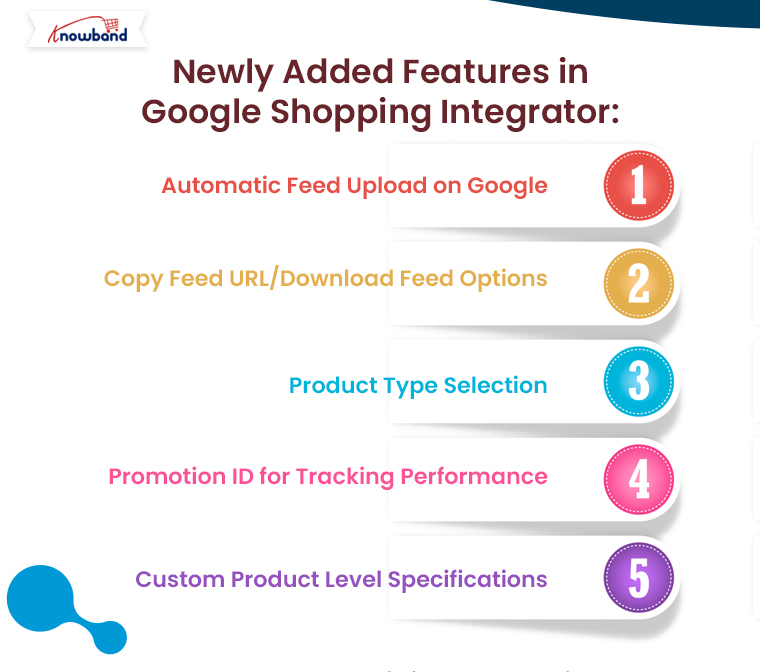
Automatic Feed Upload on Google:

The Prestashop Google Shopping Integration Addon now comes with an “automatic feed upload on Google” feature. This enhancement enables store admins to choose between automatic and manual submission of product feeds. With this update, you can effortlessly automate feed uploads to the Google Merchant Center, ensuring that your product listings are always up to date.

If the automatic option is disabled, you can still manually upload feeds by copying the feed URL or downloading the feed in various formats, such as JSON, XML, or CSV. This flexibility gives you control over your feed submission process, depending on your preferences or requirements.

Furthermore, automating this process saves time, reduces human error, and ensures that your products are consistently synchronized with your Google Merchant Center account.

List Products on Google Merchant Console

Integrate Your Prestashop Store with Google Shopping Marketplace

SHOP NOW

Copy Feed URL/Download Feed Options:

Another major update in the Prestashop Google Shopping Integration Extension is the ability to copy or download the feed URL easily. With this feature, you can now quickly generate the feed URL or download the feed file in your preferred format—JSON, XML, or CSV. Furthermore, this addition enhances flexibility for merchants who prefer different methods for feed submission or want to manually handle their Google Shopping Prestashop Integration.

For instance, if you want to manually upload your feed to the Google Merchant Center, you can copy the feed URL or download the file and submit it at your convenience. The ability to choose between formats ensures that you can work in the format that best suits your business needs.

Product Type Selection:

Managing your Google Shopping feeds requires a high level of organization and customization. Therefore, the new Prestashop Google Shopping Integration Module now allows store admins to define product types within feed profiles. This feature is particularly useful for businesses with a wide range of products, as it enables them to categorize their products more effectively and optimize their visibility on Google Shopping.

With the ability to define product types, merchants can create tailored feed profiles for specific product categories, ensuring that they are presented accurately to potential customers. Moreover, this enhances the relevance of your Google Shopping listings and improves the chances of your products being found by the right audience.

Promotion ID for Tracking Performance:

Tracking the performance of your Google Shopping campaigns is crucial for optimizing your strategy. Knowband’s Prestashop Google Shopping Integrator  has introduced a new “Promotion ID” section, allowing store admins to monitor and analyze the performance of their Google Merchant Center listings.

By using the Promotion ID, you can track clicks, impressions, and conversions for specific products or campaigns. This data is invaluable for making informed decisions about your marketing efforts and understanding which products are driving the most traffic and sales.

Furthermore, this feature provides deeper insights into your Google Shopping campaigns, helping you make data-driven decisions to improve performance and ROI.

Custom Product Level Specifications:

The Prestashop Google Shopping Integration Plugin now includes an option for custom product-level specifications. This new feature allows store admins to configure product specifications individually, rather than relying solely on universal feed specifications.

For businesses that sell a diverse range of products, this feature offers more control over how products are presented on Google Shopping. You can customize product attributes such as size, color, material, and more, ensuring that each product is listed with the most accurate and relevant details. This can lead to improved search results and better overall performance on Google Shopping.

With the ability to configure specifications at the product level, you can optimize your product listings for maximum visibility and relevance in search results, which can ultimately lead to higher conversion rates.

Conclusion:

The latest updates in the Prestashop Google Shopping Integration bring a range of powerful features designed to make managing your Google Shopping feeds easier, faster, and more efficient. From automating feed uploads and customizing product types to tracking campaign performance with Promotion IDs and configuring custom product specifications, these new tools offer unmatched flexibility and control.

Whether you’re new to Google Shopping or an experienced user, the Google Shopping Prestashop API Integration will help you streamline your feed management process and optimize your product listings for maximum impact. Best of all, if you’re looking for a free solution, you can explore the Prestashop Free Google Marketplace Integration Module, which offers many of these features with no added cost.