Unlock the Power of Mobile Commerce with Knowband’s Android and iOS App Builder!

In today’s fast-paced digital world, mobile commerce is no longer just an option; it’s a necessity. With more than half of all internet traffic coming from mobile devices, businesses that fail to optimize their online presence for mobile users are leaving significant revenue on the table. For eCommerce platforms like Prestashop, WooCommerce, Opencart, and Magento 2, the key to staying competitive lies in offering a seamless mobile shopping experience. This is where Knowband’s Android and iOS App Builder comes into play.

The Rise of Mobile Commerce:

Mobile commerce, or m-commerce has seen exponential growth over the past few years, fueled by the increasing use of smartphones and tablets.
Consumers today prefer shopping on their mobile devices due to the convenience and accessibility it offers. This shift in consumer behavior has prompted eCommerce businesses to prioritize mobile-first strategies.

However, merely having a mobile-friendly website is not enough. Mobile apps offer a more personalized, faster, and engaging experience compared to mobile websites. Therefore, the apps can significantly enhance customer loyalty and increase sales by providing features like push notifications, in-app purchases, and easy checkout processes. Thus, recognizing this need, Knowband has developed the Android and iOS App Builder to help eCommerce businesses tap into the power of mobile commerce.

Knowband’s Android and iOS App Builder!

Knowband’s Android and iOS App Builder is a robust solution designed to help eCommerce businesses transform their online stores into fully functional mobile apps. Whether you are using Prestashop, WooCommerce, Opencart, or Magento 2, this module enables you to create a native mobile app for both Android and iOS platforms without requiring any coding skills.

Moreover, the app builder offers a wide range of features that allow you to customize the look and feel of your app to match your brand. It also supports multiple languages and currencies, making it easier for businesses to reach a global audience. The result is a mobile app that not only looks great but also provides a smooth and enjoyable shopping experience for your customers.

Key Features of Knowband’s App Builder:

User-Friendly Interface: 

The Mobile apps developed with Knowband’s app builder come with a user-friendly interface that makes it easy for store owners to design and launch their mobile apps. You can customize everything from the home screen layout to the color scheme, ensuring that your app reflects your brand’s identity.

Real-Time Synchronization: 

One of the standout features of Knowband’s app builder is its real-time synchronization. Any changes made on your eCommerce website, such as product updates, new categories, or price changes, are instantly reflected in the mobile app. Therefore, it ensures that your customers always have access to the most up-to-date information.

Push Notifications: 

With Knowband’s app builder, you can send personalized notifications to your customers about new product launches, special offers, and abandoned cart reminders, helping to drive sales and increase customer retention.

Easy Checkout Process: 

The app builder is designed to provide a smooth and hassle-free checkout experience. Furthermore, we support multiple payment gateways, allowing customers to choose their preferred payment method. Additionally, features like social login and one-page checkout help reduce cart abandonment rates.

Knowband’s Android and iOS App Builder

Create your own mobile app with no coding! Knowband’s Mobile App Builder makes it easy to turn your store into a user-friendly app for Android and iOS.

SHOP NOW

Multi-Lingual and Multi-Currency Support: 

To cater to a global audience, Knowband’s app builder supports multiple languages and currencies. This makes it easier for businesses to expand their reach and attract customers from different regions.

Customizable Home Screen Layout: 

The app builder allows you to create a visually appealing home screen that highlights your best-selling products, ongoing promotions, and new arrivals. Moreover, you can easily drag and drop elements to customize the layout according to your preferences.

Seamless Navigation: 

A good user experience is crucial for retaining customers, and seamless navigation plays a key role in this. Knowband’s app builder ensures that your app is easy to navigate, with features like a search bar, filter options, and category management to help customers find what they’re looking for quickly.

Offline Mode: 

Even when customers are not connected to the internet, they can still browse your catalog and add products to their wishlist, thanks to the offline mode feature. This enhances the overall user experience and keeps your customers engaged.

Why Choose US?
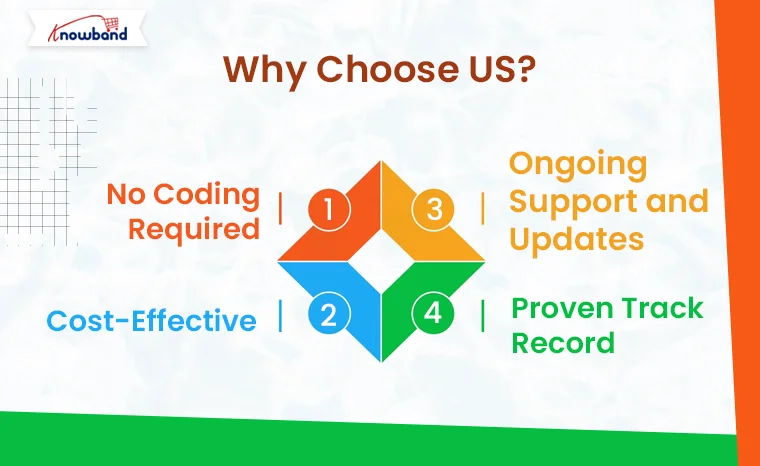
With so many app builders available in the market, you might wonder why you should choose Knowband’s solution. Here are a few reasons:

No Coding Required: You don’t need to be a developer to use Knowband’s app builder. The module is designed to be user-friendly, enabling anyone to create a professional mobile app with ease.

Cost-Effective: Developing a mobile app from scratch can be expensive and time-consuming. Knowband’s app builder offers a cost-effective solution that allows you to launch your app in a matter of days, not months.

Ongoing Support and Updates: Knowband provides excellent customer support and regular updates to ensure that your app remains compatible with the latest versions of Android and iOS.

Proven Track Record: Knowband has a proven track record of delivering high-quality eCommerce solutions. Their app builder is trusted by thousands of businesses worldwide, making it a reliable choice for your mobile commerce needs.

Conclusion!

In an increasingly mobile-driven world, having a mobile app for your eCommerce store is no longer optional—it’s essential. Knowband’s Android and iOS App Builder provides you with a powerful tool to unlock the full potential of mobile commerce. With its rich features, ease of use, and cost-effectiveness, you can create a mobile app that not only enhances the shopping experience for your customers but also drives sales and boosts your business growth. Don’t miss out on the mobile commerce revolution—empower your eCommerce store with Knowband’s app builder today!

GDPR Compliance Simplified: Meet Legal Requirements with Knowband’s Prestashop Addon!

With the introduction of the General Data Protection Regulation (GDPR) by the European Union, businesses worldwide must adhere to strict guidelines to safeguard the privacy and rights of individuals. For eCommerce businesses using Prestashop, ensuring GDPR compliance can seem daunting, but it doesn’t have to be. Knowband’s GDPR Rights of the Individual Prestashop addon is here to simplify the process and help your store meet all necessary legal requirements.

Understanding GDPR and Its Importance:

The GDPR came into effect on May 25, 2018, and it represents one of the most comprehensive data protection laws in the world. Furthermore, its primary goal is to give EU citizens greater control over their personal data and to ensure that businesses handle this data responsibly.
Therefore, the regulation applies to all businesses, regardless of location, that process the personal data of EU residents. Failure to comply with GDPR can result in hefty fines, damage to your reputation, and a loss of customer trust.

For eCommerce businesses, GDPR compliance means implementing measures that allow customers to control their data, including accessing, modifying, or deleting it upon request. This level of transparency and control is crucial for building and maintaining trust with your customers.

Challenges of GDPR Compliance in eCommerce!

Achieving GDPR compliance in an eCommerce environment presents unique challenges. Online stores collect vast amounts of personal data, from customer names and addresses to payment information and browsing behavior. Thus, ensuring this data is processed, stored, and used in a GDPR-compliant manner can be complex.
Some of the key challenges include:

  • Data Collection: Obtaining explicit consent from customers before collecting their data.
  • Data Access: Providing customers with easy access to their personal data.
  • Data Portability: Allowing customers to transfer their data to another service.
  • Data Deletion: Ensuring customers can request the deletion of their data.
  • Data Breach Notification: Quickly notify customers in the event of a data breach.

Managing these tasks manually can be time-consuming and prone to errors, especially for small to medium-sized businesses with limited resources. This is where our GDPR Addon for Prestashop comes into play.

Introducing the GDPR Rights of the Individual Prestashop Addon by Knowband!

Our GDPR Rights of the Individual addon is designed to streamline the process of achieving and maintaining GDPR compliance for Prestashop stores. It automates many of the tasks required by the regulation, making it easier for you to focus on running your business while ensuring that your customer’s data is protected.

Key Features:

Consent Management:

The Prestashop GDPR addon provides a simple and transparent way to manage customer consent. It allows you to add consent checkboxes to various forms on your website, ensuring that customers are fully informed about how their data will be used before they provide it.

Data Access and Portability:

Customers can easily request access to their personal data through a user-friendly interface. Moreover, the General Data Protection Regulation addon generates a comprehensive report of the data you have stored about the customer, which can be downloaded in a portable format (such as CSV) for easy transfer to another service.

Right to Erasure (Data Deletion):

The add-on enables customers to request the deletion of their data directly from their accounts. Once a request is made, the addon automatically processes the deletion, ensuring that the customer’s data is removed from your system in a GDPR-compliant manner.

Data Rectification:

Customers have the right to correct inaccurate or incomplete data. The addon provides a straightforward way for customers to submit correction requests, which you can then review and approve.

Data Breach Notifications:

In the unfortunate event of a data breach, the addon helps you quickly notify affected customers, as required by GDPR. This feature is crucial for minimizing the impact of a breach and maintaining customer trust.

Audit Log:

The addon maintains a detailed log of all GDPR-related activities, including consent given, data access requests, and deletion requests. This audit log is essential for demonstrating compliance during a GDPR audit.

Multilingual Support:

The addon is fully compatible with multiple languages, ensuring that your international customers can exercise their GDPR rights in their preferred language.

Knowband’s Prestashop GDPR Addon

Ensure your store complies with GDPR regulations effortlessly with the PrestaShop GDPR Addon, offering features like cookie consent, data access requests, and privacy policy management.

SHOP NOW

Benefits of Using the GDPR Rights of the Individual Addon!

By integrating Knowband’s Prestashop GDPR Module into your store, you’ll not only ensure compliance with GDPR but also enhance the overall customer experience.
Here are some of the key benefits:

Builds Trust: Demonstrating your commitment to protecting customer data can help build and maintain trust that leads to higher customer loyalty and retention.

Reduces Risk: Automating GDPR compliance tasks reduces the risk of human error and ensures that you meet all legal requirements, avoiding potential fines.

Saves Time and Resources: The addon simplifies complex compliance tasks, freeing up your time and resources to focus on other aspects of your business.

Improves Transparency: By providing customers with control over their data, you enhance transparency, which is a key aspect of GDPR.

Conclusion!

Achieving GDPR compliance is not just a legal obligation but also an opportunity to strengthen your relationship with customers by showing that you respect their privacy. Our GDPR Rights of the Individual Prestashop addon simplifies the process, making it easy for you to meet all legal requirements while enhancing customer trust and satisfaction. Don’t wait until it’s too late—integrate our addon into your Prestashop store today and take the first step toward full GDPR compliance.

Sell More, Manage Less: Automate Your Etsy Store with the Knowband’s Prestashop Marketplace Connector Addon!

In the fast-paced world of eCommerce, managing multiple online platforms can be a daunting task. For businesses that sell on both Prestashop and Etsy, keeping everything in sync while trying to maximize sales can become overwhelming. Therefore, enter the Prestashop Etsy Marketplace Integration Addon — a game-changing solution that simplifies your workflow, allowing you to focus on growing your business rather than getting bogged down in the details.

Upgrade to Prestashop Etsy Integrator v4.0.1 for New Key Enhancements

The latest version of our Etsy integration module has been released and is designed to make your workflow with the Etsy marketplace smoother.

Here’s what’s new in V4.0.1:

1. OpenAPI Support for Etsy
Etsy’s API now requires OpenAPI authentication. Now the module contains the necessary authentication header change according to Etsy’s requirements, so your PrestaShop store continues the connection with Etsy without interruption. Make sure to upgrade before 18 January, as connections may be disrupted if the update isn’t applied by then.

2. Improved Return Policy Handling
Admins can now manage and sync multiple return policies and map them to specific profiles. Furthermore, categories associated with these profiles automatically update the return policies on Etsy, making returns management effortless and accurate.

Why You Need the Prestashop Etsy Marketplace Integration Addon:

Running an online store involves a lot of moving parts, from managing product listings to tracking inventory and fulfilling orders. If you’re operating on multiple platforms like Prestashop and Etsy, these tasks can multiply, leading to increased chances of errors and wasted time. On the other hand, Knowband’s Prestashop Etsy Integration Addon is designed to automate these processes, providing a seamless connection between your Prestashop store and your Etsy shop.

With the Prestashop Etsy Integration Module, you can synchronize your products, manage orders, and handle inventory across both platforms effortlessly.

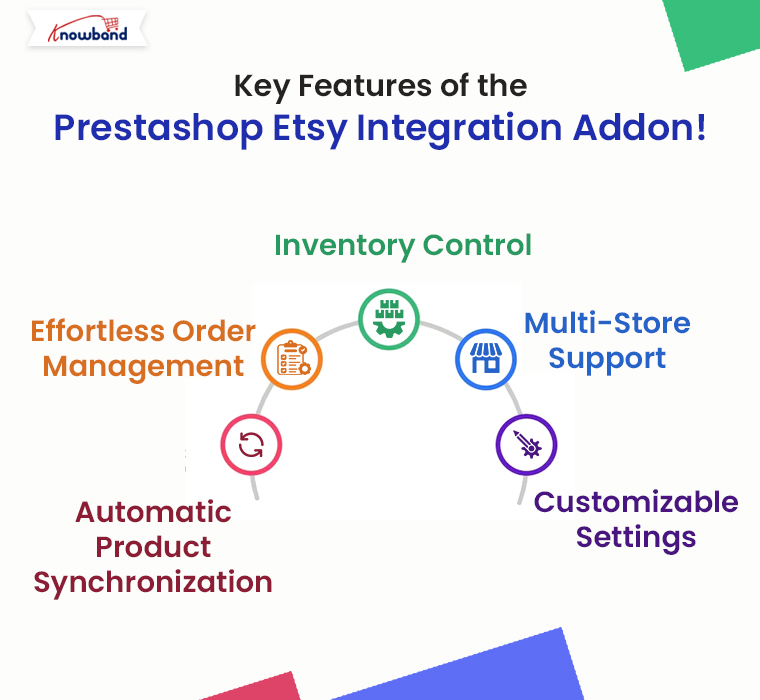
Key Features of the Prestashop Etsy Integration Addon!

The Prestashop Etsy Integration Extension comes packed with features that make it an indispensable tool for any eCommerce business looking to expand its reach on Etsy without the added workload.
Here are some of the standout features:

Automatic Product Synchronization: The Prestashop Etsy Synchronization Addon allows you to sync products between Prestashop and Etsy automatically. Any changes you make in your Prestashop store, whether it’s updating product descriptions, changing prices, or adjusting stock levels, are instantly reflected on your Etsy shop.

Effortless Order Management: Managing orders across multiple platforms can be tricky, but the Etsy Prestashop Integration Addon simplifies this by centralizing order management. Furthermore, all orders placed on Etsy are automatically imported into your Prestashop store, where you can process them alongside your other orders.

Inventory Control: The Prestashop Etsy Connector ensures that your inventory is always up-to-date across both platforms. This means you’ll never have to worry about overselling a product on one platform because of outdated stock information.

Multi-Store Support: If you manage multiple Etsy shops, the Prestashop Etsy Integration Plugin can handle them all. The addon allows you to connect multiple Etsy stores to a single Prestashop installation, making it easy to manage all your shops from one central location.

Customizable Settings: The Etsy Prestashop API Integrator provides a range of customization options, allowing you to tailor the integration to suit your specific needs. Whether you want to synchronize only certain products or control how orders are imported, the addon offers the flexibility to adapt to your workflow.

Knowband’s Prestashop Etsy Marketplace Integration Addon

Knowband’s Prestashop Etsy Marketplace Integration module helps Prestashop store owners seamlessly connect their stores with Etsy to expand their reach and increase sales.

SHOP NOW

Benefits of Using the Prestashop Etsy Marketplace Integration Addon!

Integrating your Prestashop store with Etsy using this powerful addon offers several benefits:

Save Time: By automating routine tasks such as product updates and order processing, Knowband’s Prestashop Etsy Integration Module frees up valuable time that you can invest in growing your business.

Reduce Errors: Manual data entry is prone to mistakes, which can lead to incorrect product listings, pricing discrepancies, and stock issues. Therefore, the Etsy Prestashop Connector eliminates these risks by ensuring all data is synchronized automatically.

Increase Sales: With accurate and consistent product listings across both platforms, you can attract more customers and boost sales. The Prestashop Etsy Integration Extension helps you maintain a professional and reliable online presence, which is crucial for building trust with your customers.

Simplified Multi-Channel Management: The Etsy Prestashop Synchronization Addon consolidates all your eCommerce operations into one platform, making it easier to manage your business as it grows.

How to Get Started with the Prestashop Etsy Integration Addon

Getting started with the Prestashop Etsy Marketplace Integration Addon is straightforward. Here’s a simple guide to help you begin:

Install the Addon: Download and install the Prestashop Etsy API Integrator from your Knowband account.
If you’re looking for a cost-effective solution, you might also explore the Free Etsy PrestaShop Integration module options available online.

Configure Your Settings: Once installed, navigate to the addon settings in your Prestashop dashboard. Here, you can connect your Etsy account, configure product synchronization settings, and customize how orders are handled.

Sync Your Products: After configuring your settings, start syncing your products. The Prestashop Etsy Integrator will handle the rest, ensuring all your product details are accurately reflected on Etsy.

Manage Orders: With the addon in place, you’ll receive Etsy orders directly in your Prestashop store. Process these orders as you would any other, and watch as your business runs more smoothly than ever before.

Why Choose Our Prestashop Etsy Marketplace Integration Addon?

Knowband’s Etsy Prestashop Integrator stands out for its ease of use, reliability, and comprehensive feature set. Whether you’re just starting or have an established business, this addon provides the tools you need to succeed on Etsy without the hassle of manual management.

For those who are cost-conscious, consider exploring a Prestashop Etsy Integration Free Module. These options can provide a great starting point and give you a taste of what full integration can do for your business.

Conclusion!

The Prestashop Etsy Integration Addon is a must-have for any eCommerce business looking to sell more while managing less. By automating key processes, this addon not only saves time and reduces errors but also opens up new opportunities for growth on the Etsy platform.
Whether you’re a seasoned seller or new to eCommerce, the Etsy Prestashop Connector is the ultimate tool for streamlining your multi-channel strategy and maximizing your online sales.

You may also like to read:
See how this free connector simplifies Etsy integration for your PrestaShop store and enhances marketplace reach. Read More

Why Every Magento 2 Store Needs an Android and iOS App in 2024!

In today’s world, where everyone is glued to their smartphones, eCommerce businesses must keep up with the trend. For Magento 2 store owners, having a mobile app for both Android and iOS platforms is more than just a good idea—it’s a must. The reason behind the same is that nowadays customers prefer purchasing goods via smartphones in comparison to laptops/old devices.

Thus, this article will explain why every Magento 2 store should have its own mobile app and how Knowband’s Magento 2 Mobile App Builder can make the process easy.

The Growth of Mobile Commerce:

Mobile commerce, or M-commerce, is quickly becoming more popular than traditional desktop shopping. With millions of people using their smartphones to browse and buy products, businesses that don’t offer a good mobile shopping experience are missing out on a lot of potential sales. Furthermore, studies show that mobile devices now account for more than half of global web traffic, and this trend is only going to grow.

Given this shift, Magento 2 store owners need to understand the importance of having a mobile app. While a responsive website is essential, it often doesn’t provide the smooth and engaging user experience that today’s consumers expect. This is where Magento 2 Mobile Apps by Knowband come into the picture, offering a solution that meets the needs of mobile-savvy shoppers.

Better User Experience:

The mobile apps designed for your Magento 2 store offer a much better user experience compared to a mobile website. On the other hand, mobile websites can be slow to load and hard to navigate, but mobile apps are faster, smoother, and easier to use.

Therefore, the apps load quickly, have better graphics, and can be customized to match your brand’s look and feel.

Using a Magento 2 Mobile App Builder, you can create an app that perfectly fits your customers’ needs. These apps offer features like personalized product suggestions, quick access to customer accounts, and one-click checkouts, all of which make shopping easier and more enjoyable for your customers.

Increased Engagement and Loyalty:

Mobile apps are great for increasing customer engagement and loyalty. With features like push notifications, store owners can communicate directly with customers, letting them know about new products, special deals, and upcoming sales. Moreover, this keeps your brand fresh in their minds and encourages them to visit your store more often.

Higher Sales and Conversion Rates:

Mobile apps tend to have higher conversion rates than mobile websites. This is largely because they offer a better user experience, which makes it easier for customers to make purchases. Therefore, with the apps developed with Magento 2 Mobile App Extension by Knowband, customers can browse products, add items to their cart, and check out with just a few taps, making shopping as convenient as possible.

Mobile apps can also securely store user data, making checkouts faster. Payment information can be saved, and customers can use various payment methods, including digital wallets like Apple Pay and Google Pay. This convenience not only boosts sales but also reduces the number of abandoned carts.

Knowband’s Magento 2 Mobile App Builder Extension

Create a stunning mobile app for your Magento 2 store effortlessly! Our Magento 2 Mobile App Builder Extension lets you offer a seamless shopping experience on both Android and iOS.

SHOP NOW

Reaching a Wider Audience:

Having both Android and iOS apps for your Magento 2 store allows you to reach a larger audience. Android and iOS are the most popular smartphone platforms globally, with billions of users. Thus, by offering a Magento 2 Android & iOS App, you make sure that your store is accessible to customers regardless of the platform they use.

A Magento 2 Mobile App Creator makes it easy to develop and launch apps for both platforms at the same time. This approach ensures that you don’t miss out on potential customers who prefer either Android or iOS.

Advanced Features for Better Shopping:

Mobile apps come with many advanced features that aren’t available on mobile websites. For example, a Magento 2 Mobile App Maker can include features like geolocation, which allows you to offer location-based promotions or help customers find the nearest physical store. Augmented reality (AR) features can let customers see how a product will look in their home before they buy it.

Additionally, mobile apps can easily integrate with social media platforms, making it simple for customers to share their favorite products with friends. This social sharing can bring more traffic to your store and increase brand awareness.

Easy Development and Maintenance:

Many store owners worry that developing and maintaining a mobile app is too complicated. However, with the Magento 2 Mobile App Builder module, this process is straightforward. These tools are designed to be user-friendly, so even those without much technical knowledge can create and manage a mobile app.

The Magento 2 Mobile App Builder plugin offers many customization options, allowing you to create an app that truly represents your brand. Plus, these tools often include built-in analytics, so you can track your app’s performance and make improvements as needed.

Staying Ahead of the Competition:

In the competitive world of eCommerce, staying ahead of your competitors is crucial. Many of your competitors are likely already using Mobile Apps for Magento 2 to enhance their customer experience.

By using a Magento 2 Mobile App Maker extension, you ensure that your store remains competitive by offering customers the modern, mobile-first experience they expect.

Conclusion!

In conclusion, having a mobile app for your Magento 2 store offers numerous benefits. From providing a better user experience and increasing customer engagement to boosting sales and expanding your reach, a mobile app is a powerful tool for any eCommerce business. With tools like the Magento 2 eCommerce Mobile App Creator, developing and maintaining an app has never been easier. By investing in a Magento 2 eCommerce App today, you can set your store up for success in the fast-evolving digital marketplace.

How to Set Up a Grocery Marketplace with Knowband’s Multi-Vendor Marketplace for Prestashop!

Setting up an online grocery marketplace is a fantastic way to tap into the growing demand for online shopping. With the help of Knowband’s Multi-Vendor Marketplace Module for Prestashop, you can easily transform your existing Prestashop store into a fully functional multi-seller platform. Or, if you are planning to launch a multi-seller grocery marketplace from scratch, this guide will walk you through the process, highlighting why Knowband’s solution is the ideal choice for your marketplace.

Why Choose Knowband’s Multi-Vendor Marketplace for Prestashop?

When it comes to creating a multi-vendor marketplace, choosing the right tool is crucial. Knowband’s Prestashop Multi-Vendor Marketplace Addon offers a comprehensive solution that makes the entire process smooth and efficient. Furthermore, this module is packed with features that make managing a multi-seller marketplace straightforward, even if you’re just starting out.

One of the biggest advantages of using Knowband’s Prestashop Marketplace Module is its user-friendly design. It allows you to manage multiple vendors with ease, giving each vendor access to their own dashboard where they can manage their products, orders, and inventory. Moreover, this setup not only simplifies the process for you but also for the vendors, making your marketplace an attractive option for them to join.

Moreover, the module is highly customizable. You can set different commission rates for different vendors or product categories, allowing you to tailor the marketplace to fit your specific business model. This flexibility is a key feature of the Prestashop Multi-vendor Marketplace Extension, ensuring that it can grow with your business.

Getting Started with Knowband’s Multi-Vendor Marketplace!

The first step in setting up your grocery marketplace is to install the Prestashop Multi-seller Marketplace Module. If you’re unsure about purchasing the module right away, Knowband provides a Prestashop Free Marketplace Module that allows you to test out the basic functionalities. Once you’re comfortable, you can upgrade to the full version to unlock all the advanced features.

Installing the Module:

To install the module, you need to download it from the Knowband website. After downloading, log in to your Prestashop admin panel and navigate to the “Modules and Services” section.
Here, you can upload the module and click the install button. Once the installation is complete, the module will be ready to configure.

Configuring the Marketplace:

After installation, the next step is to configure the module to suit your marketplace’s needs. The Prestashop Multi-vendor Marketplace Plugin is highly customizable, allowing you to set up the marketplace exactly how you want it.
In the general settings, you can name your marketplace, upload a logo, and adjust other basic settings. You can also enable vendor registration, allowing sellers to sign up and start listing their products. The registration process is simple and can be customized to gather all the necessary information from vendors.

Therefore, one of the key aspects of managing a multi-vendor marketplace is setting up a fair and effective commission structure. The Prestashop Marketplace Plugin allows you to set different commission rates for different vendors or product categories. This means you can charge a higher commission for premium product categories or offer discounts to attract more vendors to your platform.

Another essential feature of the Prestashop Multi-vendor Marketplace Addon is the ability to manage payments and shipping methods. You can configure various payment gateways and shipping options, which vendors can then use to manage their transactions. This level of control is vital for ensuring that the marketplace operates smoothly.

Knowband’s Prestashop Multi-Vendor Marketplace Addon

Turn your PrestaShop store into a fully functional marketplace! Easily manage sellers, products, and commissions with this powerful PrestaShop Marketplace module.

SHOP NOW

Managing Vendors and Products:

Once the marketplace is set up, you can start inviting vendors to join. The Multi-Vendor Marketplace for Prestashop makes it easy for vendors to register and start selling. Furthermore, each vendor will have access to a personal dashboard where they can add and manage their products, track orders, and handle inventory. This autonomy makes the platform attractive to sellers, as they have control over their own stores within your marketplace.

As the marketplace admin, you have the option to approve or disapprove vendors before they start selling. This feature ensures that only high-quality sellers join your platform, maintaining the overall quality of your marketplace.

Product management is another crucial aspect of running a successful grocery marketplace. With Knowband’s Multi-Vendor Marketplace for Prestashop, you can create product categories that are specific to your marketplace. For a grocery marketplace, this might include categories like fruits, vegetables, dairy, and snacks. Vendors can then add their products to these categories, making it easy for shoppers to find what they need.

Launching and Promoting Your Marketplace:

After setting up your marketplace, it’s time to launch and start attracting customers. Promoting your marketplace is crucial to its success, and there are several strategies you can use to get the word out.

Search Engine Optimization (SEO) is a great place to start. By optimizing your marketplace with SEO-friendly URLs, meta tags, and product descriptions, you can improve your site’s visibility on search engines like Google. This will help attract more organic traffic to your marketplace.

Social media is another powerful tool for promotion. Creating social media accounts for your marketplace on platforms like Facebook, Instagram, and Twitter can help you reach a broader audience. Regularly posting about new products, special offers, and other updates will keep your audience engaged and encourage them to shop on your marketplace.

Conclusion!

Setting up a grocery marketplace with Knowband’s Prestashop Multi-Vendor Marketplace Plugin is a straightforward process that offers a wide range of benefits. Whether you’re just starting out or looking to expand an existing business, this module provides all the tools you need to create a successful and thriving online marketplace. By following the steps outlined above, you can set up your marketplace, manage vendors and products efficiently, and start attracting customers in no time.

SEO Checklist for New Websites: Essentials for a Successful Launch!

Launching a new website is an exciting venture. You get to design your digital presence and showcase your brand to the world. However, creating an appealing website is just the beginning. To ensure that your site reaches the right audience, you need to optimize it for search engines. Furthermore, optimizing a new website takes a lot to be fit for the search engines as well as customers.

Thus, in this detailed guide, we have provided an essential SEO checklist to help you achieve a successful website launch.

SEO Basics:

Before diving into advanced SEO tactics, it’s important to cover the basics. These initial steps lay the foundation for your SEO strategy:

1. Google Search Console:

Google Search Console is crucial for monitoring your site’s performance on Google. It allows you to submit your sitemap, track your rankings, and receive alerts about potential issues.

Steps to set it up:

  • Visit Google Search Console and sign in (or create an account if you don’t have one).
  • Add your website as a property.
  • Verify ownership by following the provided instructions.

2. Google Analytics:

Google Analytics provides insights into your audience’s demographics, interests, and how they interact with your site.

Steps to set it up:

  • Sign in to Google Analytics and create a new property for your website.
  • Add the tracking code to your website’s HTML or use a plugin if you’re using WordPress.

3. SEO Plugin for WordPress:

For WordPress sites, using an SEO plugin like Yoast SEO can simplify many optimization tasks. This tool helps you refine content, titles, and meta descriptions.

Steps to set it up:

  • Install the Yoast SEO plugin.
  • Follow the setup wizard to configure the basic settings.
  • Begin optimizing your content using the plugin’s recommendations.

4. Keyword Research:

Keyword research is the cornerstone of effective SEO. Identifying the right keywords ensures that your content aligns with what your target audience is searching for.

How to do it:

  • Use tools like Google Keyword Planner, SEMrush, or Ahrefs to find relevant keywords.
  • Integrate these keywords naturally into your content, including headings, body text, and meta tags.
  • If keyword research seems overwhelming, consider hiring an SEO agency to assist with this crucial task.

5. Technical SEO:

Technical SEO focuses on the behind-the-scenes elements that make your website accessible and efficient for search engines.

6. Mobile-Friendly Design:

With a growing number of users accessing websites via mobile devices, ensuring your site is mobile-friendly is essential. A responsive design enhances user experience across all screen sizes.

7. Secure SSL Certificate:

An SSL certificate (https://) not only secures your site but also serves as a ranking factor in Google’s algorithm. Make sure your website is secure to gain the trust of both visitors and search engines.

Knowband’s PrestaShop SEO Optimizer Addon

Enhance your online store’s visibility with our easy-to-use SEO Optimizer Addon. Boost search rankings and attract more visitors with improved SEO settings.

SHOP NOW

8. XML Sitemap:

Generating an XML sitemap and submitting the same on GSC can lead to faster indexing on the Google search engine. This helps search engines understand your site’s structure and index it efficiently.

9. Schema Markup:

Implementing schema markup provides structured data to search engines, which can result in rich snippets and improve click-through rates in search results.

10. On-Page SEO:

On-page SEO involves optimizing individual pages to make them more relevant and accessible to both users and search engines.

11. High-Quality Content:

Create valuable, informative, and engaging content tailored to your audience’s needs. High-quality content increases your chances of ranking well and attracting organic traffic.

12. Header Tags:

To enhance the quality of your product content, you can use header tags (H1, H2, H3) in your product descriptions or content. This not only enhances readability but also helps search engines understand the hierarchy of your content.

13. Image Optimization:

Optimize images by adding descriptive alt text and reducing file sizes. This improves page load times and makes your content more accessible to visually impaired users.

14. Internal Linking:

Internal linking improves navigation and helps search engines understand your site’s structure. Furthermore, a well-mannered internally linked website is preferred by search engines when defining the rankings on Google search results.

15. Off-Page SEO:

Off-page SEO refers to activities that enhance your site’s reputation and authority beyond its content.

16. Backlink Building:

These links serve as endorsements for your content and can significantly boost your search engine rankings.

17. Social Media Presence:

Engage with your audience on social media platforms. Furthermore, an active social media presence can indirectly influence your SEO by driving traffic and promoting your content.

18. Online Reviews and Reputation Management:

Reviews play a huge role in maintaining the brand image. Furthermore, the reviews provide customers with a true brand experience. Positive reviews not only build trust but also enhance your online reputation. Thus, you can encourage your happy customers to leave positive reviews.

19. Guest Blogging:

Guest blogging helps establish your authority and generates valuable backlinks.

In the END!

Implementing this SEO checklist is essential for a successful website launch. Remember, SEO is a process that requires continuous adoption of the latest trends and it takes huge monitoring efforts. By focusing on the basics, conducting thorough keyword research, optimizing technically and on-page, and engaging in off-page activities, you’ll be well on your way to achieving better search engine rankings and attracting organic traffic. Patience and consistency are key—stay committed, and your website will thrive in the digital landscape. You can also watch our video on the “Power of SEO URLs“:

7 Key Things to Look for When Hiring a PrestaShop Developer!

When it comes to building a successful online store, hiring the right PrestaShop developer is a crucial step. In today’s competitive eCommerce environment, a well-designed, user-friendly store can make all the difference. PrestaShop, a widely used open-source platform, powers countless online stores worldwide, offering the flexibility and features necessary for businesses to thrive online.

However, to fully capitalize on PrestaShop’s capabilities, you need a developer who not only understands the platform but also has the skills to tailor it to your business’s specific needs. Therefore, choosing the right developer can significantly impact your store’s success, making it essential to know what qualities to look for. Below, we’ll explore seven key factors to consider when hiring a PrestaShop developer.

1. Relevant Experience with PrestaShop:

Experience is one of the most critical factors when hiring a PrestaShop developer. A Prestashop development agency like Knowband who has previously worked on successful PrestaShop projects will bring invaluable insights and practical knowledge to your project.
When evaluating a developer’s experience, review their portfolio to see examples of their previous work. Look for projects similar in scope and complexity to what you envision for your store. This will give you a clearer idea of whether they have the right expertise to handle your project. Additionally, consider asking for client references or testimonials to get an understanding of how they’ve performed on past projects. A developer with a proven track record is more likely to deliver a high-quality online store that meets your business needs.

2. Strong Technical Skills:

PrestaShop is a robust platform, but it requires specific technical expertise to fully leverage its capabilities. A proficient PrestaShop developer should have a solid foundation in key programming languages such as PHP, MySQL, HTML, CSS, and JavaScript. These skills are essential for customizing the platform to suit your unique business requirements.

Beyond just the basics, a good developer should also be knowledgeable about integrating third-party systems like Customer Relationship Management (CRM) tools, payment gateways, and shipping solutions into your PrestaShop store. These integrations can enhance your store’s functionality and provide a seamless shopping experience for your customers.

3. Understanding of eCommerce:

While technical skills are essential, a deep understanding of eCommerce principles is equally important. Furthermore, a great PrestaShop developer agency should not only know how to code but also understand the dynamics of online shopping.

For instance, a developer with a strong grasp of eCommerce will know how to optimize your store for conversions, implement effective SEO strategies, and create a user-friendly interface that encourages customers to make purchases. They should also be aware of the latest trends in online shopping and be able to suggest features or improvements that could give your store a competitive edge.

4. Problem-Solving Abilities:

This is where a developer’s problem-solving abilities come into play. A skilled PrestaShop developer should be able to quickly identify issues and come up with effective solutions to keep the project on track.

Problem-solving skills are particularly important when dealing with complex projects that require custom solutions. Whether it’s a technical glitch, an integration issue, or a performance bottleneck, a good developer should be able to handle these challenges without compromising the quality of the final product.

5. Familiarity with PrestaShop Versions:

PrestaShop has evolved over the years, with each version introducing new features and improvements. It’s important to hire a developer who is familiar with the specific version of PrestaShop you are using or planning to use. Different versions can have significant differences in terms of architecture, functionality, and performance, so a deep understanding of your chosen version is crucial.

If you’re using the latest version of PrestaShop, make sure the developer has experience working with it. On the other hand, if you’re working with an older version or planning to upgrade, you’ll want a developer who can smoothly transition your store to the new version without losing any data or functionality. At Knowband, we also provide modules compatible with the latest Prestashop versions.

6. Clear Communication:

The ideal PrestaShop developer should be able to clearly explain technical concepts in simple terms, keeping you informed and involved throughout the process. Good communication ensures that both you and the developer are on the same page, which helps avoid misunderstandings and keeps the project on track.

During the initial stages of your project, pay attention to how well the developer communicates. Are they responsive to your questions? Do they explain their ideas clearly? A developer who is easy to communicate with will make the development process smoother and more enjoyable.

7. Ongoing Support and Maintenance:

Launching your PrestaShop store is just the beginning. To keep it running smoothly, you’ll need ongoing support and maintenance. This includes regular updates, security patches, performance optimizations, and troubleshooting any issues that may arise.

A reliable PrestaShop PHP development agency should offer comprehensive post-launch support to ensure your store remains secure, up-to-date, and capable of handling increased traffic as your business grows. Make sure to discuss the developer’s approach to ongoing support during the hiring process. Ask about their availability, response times, and how they handle issues that require immediate attention.

Conclusion!

Hiring the right PrestaShop developer is a critical step in building a successful online store that meets your business goals. By focusing on these seven key qualities—experience, technical skills, eCommerce understanding, problem-solving abilities, familiarity with PrestaShop versions, communication skills, and ongoing support—you can find a developer who will help you maximize the potential of your PrestaShop store.

At Knowband with 15+ years of technical expertise, we provide web and app development services for Shopify, Prestashop, Opencart, WooCommerce, and Magento 2 eCommerce platforms. Feel free to get in touch with the support team at Knowband Helpdesk.

How to Seamlessly Sync Your WooCommerce Store with eBay Marketplace!

Expanding your online store’s reach to new audiences is crucial in today’s competitive eCommerce environment. Therefore, integrating your WooCommerce store with eBay Marketplace is an excellent strategy to tap into millions of potential customers.
This guide will walk you through the process of seamlessly syncing your WooCommerce store with eBay Marketplace using the WooCommerce eBay Integration Module. We’ll explore the benefits, steps to integrate, and tips to make the most of this powerful combination.

Why Integrate WooCommerce with eBay?

Before diving into the integration process, it’s essential to understand why syncing your WooCommerce store with eBay can be a game-changer. eBay is one of the largest online marketplaces, offering exposure to millions of potential buyers worldwide. Thus, by using a WooCommerce eBay Integration Plugin, you can effortlessly manage your product listings on both platforms from a single dashboard. This integration not only increases your store’s visibility but also simplifies inventory management and order processing, which can lead to significant sales growth.

The WooCommerce eBay Marketplace Integration Extension allows you to list your WooCommerce products on eBay, ensuring that your inventory remains synchronized across both platforms. This means that any changes you make to your products in WooCommerce, such as price updates or stock levels, will automatically reflect on eBay. Moreover, this seamless integration helps you avoid overselling, maintain accurate inventory records, and save time that would otherwise be spent manually updating each platform.

Steps to Sync Your WooCommerce Store with eBay:

Integrating WooCommerce with eBay might sound complex, but it’s quite straightforward with the right tools. Here’s a step-by-step guide to help you get started.

1. Choose the Right Integration Tool:

When choosing an integration tool, look for one that offers easy installation, user-friendly settings, and reliable customer support. A well-chosen eBay WooCommerce Connector will simplify the integration process and ensure that your store runs smoothly on both platforms. If you are looking for a no-code eBay integration solution for WooCommerce, we have the best option for you at Knowband.

2. Install and Configure Knowband’s eBay Integration Tool for WooCommerce:

Once you’ve selected the appropriate tool, the next step is installation and configuration. Typically, you’ll start by installing the plugin or extension on your WooCommerce site. After installation, you’ll need to connect your eBay seller account to WooCommerce using the eBay WooCommerce API Integrator by Knowband. This involves entering your eBay API credentials, which securely link your store to the eBay platform.

After establishing the connection, you can configure various settings, such as how often your product listings and inventory should sync, whether to automatically list new WooCommerce products on eBay and how to handle orders placed on eBay. The goal is to tailor the integration to suit your specific business needs, ensuring that the process is as automated and hands-free as possible.

Knowband’s WooCommerce eBay Marketplace Integration Extension

Seamlessly list and manage your WooCommerce products on eBay with this WooCommerce eBay Marketplace Integration Extension. Simplify your workflow and expand your reach effortlessly!

SHOP NOW

3. Map WooCommerce Products to eBay Categories:

One of the critical steps in the integration process is mapping your WooCommerce products to the appropriate eBay categories. This ensures that your products are listed in the correct sections on eBay, making them easier for buyers to find. Furthermore, the WooCommerce eBay Integrator usually provides tools to help you match your products with eBay’s category structure. This step might take some time, but it’s essential for optimizing your listings and ensuring they reach the right audience.

After mapping your products, you can also customize how each product is displayed on eBay. This includes setting specific pricing rules, shipping options, and return policies that may differ from those on your WooCommerce store. Thus, by fine-tuning these details, you can create a more appealing shopping experience for eBay customers while maintaining consistency with your WooCommerce store.

4. Sync and Manage Orders:

Once your products are listed on eBay, Knowband’s WooCommerce eBay Integration Plugin will continuously sync data between WooCommerce and eBay. This means that any orders placed on eBay will automatically appear in your WooCommerce dashboard, where you can manage them alongside your WooCommerce orders. The WooCommerce eBay Integration Module ensures that inventory levels are updated in real time, preventing overselling and keeping both platforms synchronized.

Managing orders from a single dashboard streamlines your workflow, making it easier to track sales, process shipments, and handle customer inquiries. Moreover, the integration also helps you manage returns and refunds across both platforms, ensuring a smooth experience for your customers.

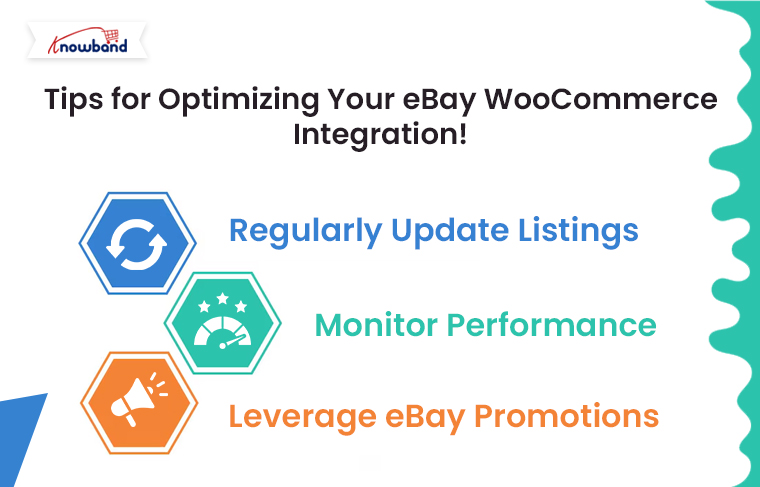
Tips for Optimizing Your eBay WooCommerce Integration!

To make the most of your WooCommerce eBay Integration Plugin, consider these tips:

Regularly Update Listings: Keep your product listings fresh by regularly updating them with new information, images, and descriptions. This can help improve their visibility on eBay.

Monitor Performance: Use the analytics tools provided by your integration module to monitor the performance of your eBay listings. This data can help you identify which products are selling well and which may need adjustments.

Leverage eBay Promotions: Take advantage of eBay’s promotional tools to boost your listings. This can include discounts, coupons, or special offers designed to attract more buyers.

Conclusion!

Integrating your WooCommerce store with eBay Marketplace using a WooCommerce eBay Integrator is a powerful way to expand your reach, streamline operations, and boost sales. By following the steps outlined in this guide, you can set up a seamless connection between WooCommerce and eBay, allowing you to manage your multi-channel sales efficiently. With the right tools and strategies in place, you’ll be well on your way to maximizing your store’s potential on eBay and beyond.


5 Common Challenges in Managing a Multi-Vendor Marketplace and How Our Plugin Solves Them!

Managing a multi-vendor marketplace can be a rewarding yet challenging endeavor. The concept of having multiple sellers on a single platform offers immense potential for growth, as it attracts a broader customer base and provides diverse product offerings. However, this model also comes with its set of unique challenges. Thankfully, with the right tools, such as Knowband’s Prestashop Multi-vendor Marketplace Module, these challenges can be effectively managed. Thus, in this article, we will explore five common challenges faced by marketplace owners and how our Prestashop Marketplace Addon can solve them.

  1. Vendor Management:

One of the most significant challenges in managing a multi-vendor marketplace is keeping track of multiple vendors, their products, and their activities. Therefore, ensuring that all vendors adhere to marketplace guidelines, manage their inventories effectively, and deliver quality products can be a daunting task.

On the other hand, Knowband’s Prestashop Multi-vendor Marketplace Plugin simplifies vendor management by offering a comprehensive vendor dashboard. This dashboard provides vendors with an intuitive interface to manage their products, track orders, and handle returns. Furthermore, the marketplace admin can monitor vendor activities, approve or reject products, and set commission rates, all from a centralized platform. This not only streamlines vendor management but also ensures that the marketplace maintains a high standard of quality.

2. Commission Management:

Another common challenge is managing commissions. Different vendors might have different commission structures based on the products they sell, their sales volume, or their agreement with the marketplace. Thus, without a robust system, keeping track of these commissions and ensuring accurate payouts can become complex.

Therefore, our Prestashop Multi-vendor Marketplace Extension offers a flexible commission management system that allows marketplace admins to set different commission rates for different vendors or product categories. Moreover, the system automatically calculates the commission for each sale and provides detailed reports, making it easier to manage payments. This feature ensures transparency and accuracy in financial transactions, fostering trust between the marketplace and its vendors.

3. Product Approval and Quality Control:

Maintaining the quality of products listed on the marketplace is crucial for its success. However, when dealing with multiple vendors, it can be challenging to ensure that all products meet the required standards before they are listed.

The Prestashop Multi-seller Marketplace Module by Knowband addresses this issue by incorporating a product approval system. Before a product goes live on the marketplace, it must be approved by the admin. This allows the admin to review product descriptions, images, and pricing to ensure they meet the marketplace’s standards. Moreover, this feature helps in maintaining the overall quality and reputation of the marketplace.

4. Order Management and Fulfillment:

Order management becomes increasingly complex in a multi-vendor marketplace. Each vendor is responsible for fulfilling their orders, but customers may place orders from multiple vendors in a single transaction. Coordinating these orders, ensuring timely delivery, and managing returns can be a significant challenge.

Our Prestashop Marketplace Module offers a robust order management system that simplifies this process. It allows vendors to manage their orders independently while providing the marketplace admin with a global view of all orders. Moreover, the system also supports partial order fulfillment, where different parts of an order can be fulfilled by different vendors. This feature ensures a smooth and seamless shopping experience for customers, which is crucial for the success of any marketplace.

5. Customer Support and Dispute Resolution:

In a multi-vendor marketplace, customer support can become complicated. Issues such as product quality, shipping delays, or miscommunication between the vendor and the customer can lead to disputes. Managing these disputes effectively is essential to maintain customer trust and satisfaction.

The Prestashop Multi-vendor Marketplace Addon includes a built-in dispute management system. Customers can raise concerns directly through the platform, and the admin can mediate between the vendor and the customer to resolve issues. Additionally, the module supports vendor ratings and reviews, providing customers with valuable insights into the reliability of each vendor. This not only helps in resolving disputes but also enhances the overall customer experience.

Prestashop Multi-vendor Marketplace Module

Transform your PrestaShop store into a dynamic marketplace with ease! Enable multiple vendors, manage commissions, and grow your business with this comprehensive marketplace solution.

SHOP NOW

Conclusion!

Managing a multi-vendor marketplace comes with its share of challenges, but with the right tools, these challenges can be easily overcome. Our Prestashop Marketplace Addon is designed to address the most common issues faced by marketplace owners, from vendor management and commission handling to product approval and customer support. By leveraging this powerful Prestashop Marketplace Extension, you can focus on growing your marketplace, knowing that the complexities of management are well taken care of.

Whether you’re running a large-scale marketplace or just starting, our Prestashop Multi-vendor Marketplace Plugin offers the flexibility, functionality, and ease of use you need to succeed. And if you’re looking to get started without an upfront investment, we also offer a FREE Prestashop Marketplace addon that allows you to explore the capabilities of our module before committing to a purchase. With our Prestashop Free Marketplace Module, you can experience firsthand how it simplifies marketplace management and drives growth.