Why PrestaShop and OpenCart Merchants Are Choosing Knowband’s Google Shopping Integration

Getting consistent, purchase-ready traffic to your store is hard. You can spend weeks fine-tuning your social ads or pouring money into influencer campaigns, and still not see the returns you were hoping for. 

For stores built on PrestaShop or OpenCart, tapping into Google Shopping isn’t always easy. Introducing the PrestaShop Google Shopping Module and OpenCart Google Shopping Extension are built specifically to handle that connection, and from what merchants report, they do it well.

Not all website visitors are the same. Someone casually browsing is very different from someone who typed “buy waterproof hiking boots size 11” into Google. That second person is ready to buy, they just need to decide where.

Google Shopping puts your products in front of people like that. They’ve already made up their mind about what they want. Now they’re comparing prices and checking availability. That’s why Google Shopping tends to convert better than most other paid advertising options.

And because your product image, price, and store name show up before anyone even clicks, you’re only attracting people who are genuinely interested. For PrestaShop and OpenCart store owners who want to use their ad budget wisely, this kind of targeted traffic really helps.

🛍️ Also on PrestaShop?


Sync Smarter, Sell Faster: PrestaShop Google Shopping Integration Module by Knowband


Automatically sync your product catalog with Google Merchant Center, track performance with UTM parameters, and reach millions of high-intent shoppers.

Know the Google Shopping Module →

How Knowband’s eCommerce Google Shopping Module Helps E-Merchants

The Knowband PrestaShop Google Shopping Module and the Knowband OpenCart Google Shopping Plugin were both developed to solve the same core problem: listing your product catalogue into Google Merchant Centre cleanly, accurately, and without constant manual work. And that problem is bigger than it sounds.

Feed management, when done manually, is a genuine headache. As the Prices change, Stock runs out, New variants get added it gets very difficult to synchronise all the changes to Google merchant. If your feed doesn’t reflect those changes quickly, you end up with disapproved products from Google, confused shoppers clicking on listings that are out of stock, and in worse cases, policy violations that can affect your entire Merchant Centre account.

 Knowband’s Prestashop Google Shopping Integration Module solution handles all of that automatically, syncing price and inventory in real time, mapping categories correctly, and generating feeds that meet Google’s requirements without you having to manage it by hand.

Key Features of the Opencart Google Shopping Extension

  1. Google Merchant Centre Integration: This Google Shopping Integrations connect your store to Google Merchant Centre through a straightforward setup process. Since no technical knowledge or coding is required, your product data syncs reliably.
  2. Product Feed Generation: You can also generate a Google Shopping product feed in XML or CSV format. Furthermore, you can choose between real-time or scheduled updates, so your listings stay current while reducing manual work.
  3. Category & Attribute Mapping Store admins can also map your store categories to Google Product Categories and match product attributes like GTIN, MPN, brand, availability, and condition. As a result, your products get approved faster and listed more accurately.
  4. Multi-Country & Multi-Language Support You can set up separate feeds for different countries, languages, and currencies. Furthermore, this way, you can reach international audiences and run Google Shopping Ads across multiple markets with ease.

    Start Selling on Etsy from Your Prestashop Store

    Now selling on Etsy is easy with Knowband’s Prestashop Etsy Marketplace Module.


    Try the Demo

  5. Cron-Based Synchronisation Using this Knowband Prestashop Google Shopping Module, schedule automatic feed updates via cron jobs to keep pricing, stock levels, and product details consistently accurate. Furthermore, this helps avoid disapproval caused by outdated information.
  6. Product Filtering Store admins can also choose which products appear in your feed by filtering on category, price range, stock status, or specific product IDs. That way, only the right products get submitted to Google Shopping.

Final Thoughts

Google Shopping isn’t a magic solution, but it’s one of the more reliable growth channels available to eCommerce stores today, especially for merchants on PrestaShop and OpenCart who want to drive direct traffic without being tied to marketplace fees. The Knowband PrestaShop Google Shopping Module and Knowband OpenCart Google Shopping Plugin take care of the technical side of that equation: feed generation, real-time syncing, category mapping, and Merchant Centre compatibility.

From there, it’s about building on that foundation, optimising your product data, testing campaign structures, and paying attention to what the numbers are telling you. Done consistently, it’s the kind of channel that compounds. And for stores that are serious about growing on their own terms, that’s exactly what you want.

 

The Ultimate Guide to Multi-Channel Selling on PrestaShop

Expanding Your Reach: Why Selling on Multiple Channels Matters

Running an online store isn’t just about setting up a website and waiting for customers. Today’s shoppers explore multiple platforms before making a purchase. If your products aren’t available across channels like Google Shopping, Etsy, eBay, and more, then you’re missing out on potential sales. Multi-channel selling helps you tap into a broader audience, build brand recognition, and create multiple revenue streams. 73% of online shoppers use multiple channels before making a purchase decision.

Key Benefits of Multi-Channel Selling

High Sales and Revenue

 Each additional platform you sell on creates new revenue opportunities, allowing you to attract different customer bases that prefer shopping on specific platforms.

Better Visibility and Great Engagement

Your products become more accessible to a larger customer base, increasing the chances of discovery and purchase. With better visibility, your store attracts more visitors, leading to higher engagement and better conversions.

Stronger Brand Recognition

Customers see your products more often, increasing trust, credibility, and brand recall over time. Thus, it helps increase brand recognition. More Customer Base and Increased Sales: Selling on different platforms increases the scalability of the products of your store. That’s why it attracts more customers on different marketplaces.

How to Succeed in Multi-Channel Selling

1. Know Your Audience and Choose the Right Platforms

Every sales platform works differently. Identify where your customers shop the most and focus your efforts there. Whether they browse marketplaces, use social media, or search on Google, understanding their habits helps you sell smarter.

Research Market Trends: Stay updated on industry trends to see where similar products are selling best. Analyze competitors, read customer reviews, and follow market reports to identify the most profitable channels. Look for seasonal trends and emerging shopping habits to stay ahead of the competition, where similar products are selling best.

Consider Product Fit: Each platform caters to a different audience and product type. For example, fashion and lifestyle products perform well on social media, while specialized electronics may sell better on dedicated marketplaces. Therefore, choose platforms that align with your product category and customer preferences to maximize success.

2. Keep Your Inventory in Sync Across Channels

One of the biggest challenges in multi-channel selling is managing inventory efficiently. Selling the same product on multiple platforms without a centralized inventory system can lead to overselling, customer dissatisfaction, and retention.

Automatic Inventory Synchronization: Get Plugins that update your stock on all platforms at the same time. This way, you don’t have to change it manually, and there won’t be mistakes in the product.

Keep Extra Stock: Always have some extra products, especially for popular items. This helps you avoid running out when many people buy at once.

3. Optimize Product Listings for Each Channel

Managing stock across different platforms can get confusing. If you don’t update your products properly, you might sell an item that’s already out of stock or run out of popular products too fast. A good system helps avoid these problems and keeps your business running smoothly.

Managing stock properly is important when selling on multiple platforms. If you don’t keep track, you might sell products that are already out of stock or struggle to fulfil orders. Keeping your inventory updated helps you avoid these problems and keeps your customers happy.

Use automatic stock updates: Use to sync inventory across all platforms in real-time. This means whenever a product is sold on one platform, the stock updates everywhere, preventing overselling or manual errors. Without automation, you might accidentally sell more than you have, leading to cancellations and unhappy customers..

Track best-selling products: The PrestaShop Google Shopping allows the admin to analyze past sales and predict future demand. Some products perform better than others, and by checking which items are selling fast, you can prepare in advance. This helps you stock the right amount of products and prevents running out of popular items.


Knowband’s PrestaShop Modules for Multi-Channel Selling!

At Knowband, we create easy-to-use PrestaShop Modules that help you sell on multiple platforms without extra effort.

 1. PrestaShop Google Shopping Integration

Google Shopping is a powerful platform where millions of shoppers search for products daily. By listing your products on Google Shopping, you can increase visibility and attract more buyers. The research has shown that 87% of people begin their search for shopping from Google.

The Knowband PrestaShop Google Shopping Integrator allows you to showcase your products directly on Google Shopping without the need for manual updates. This automation increases product visibility, boosts traffic, and helps drive more sales.

Key Features of the PrestaShop Google Shopping Integration Module.

Automated Product Syncing: Automatically sync your PrestaShop store with Google Shopping so product details stay updated without manual work.

Bulk Product Uploads: Save time by uploading all your products at once. The Knowband’s Google Shopping allows the admin to list the products in bulk at a time, reducing the manual work.

Smart Attribute Mapping: Easily match your product details with Google’s requirements to improve listing accuracy. The admin can map the store’s category with all the attributes to Google’s category.

Auto-Generated Feeds: Keep your listings fresh with automated product feed updates. The extension allows the feed features to automatically sync all the updated product details. With Knowband’s PrestaShop Google Shopping Integration, you can effortlessly display your products in Google search results, driving more traffic to your store.

2. PrestaShop eBay Marketplace Integration

The Knowband PrestaShop eBay Marketplace Integration Extension makes it effortless to manage your eBay store directly from your PrestaShop dashboard. Instead of manually updating listings and tracking stock, this extension automates the entire process, helping you scale your business smoothly.

Key Features of the eBay Integration:

1.  Sync Products & Inventory: The Knowband’s PrestaShop eBay Integration module ensures that your product listings and stock levels remain consistent across both platforms. Any changes made to product details, stock quantities, or pricing in your PrestaShop store are automatically reflected on eBay. This prevents overselling and stock discrepancies, ensuring a smooth selling experience.

2. Real-Time Updates: Stay up to date with automated real-time synchronization of orders, pricing, and inventory changes. As soon as a product is sold on eBay, the stock is adjusted in PrestaShop. Order statuses are updated instantly, keeping customers informed and reducing manual effort. This feature helps in avoiding price mismatches, out-of-stock issues, and processing delays.

3. Customizable Product Listings: Easily create and manage eBay product listings directly from your PrestaShop back office. Optimize listings by customizing product titles, descriptions, images, pricing, and attributes for better visibility on eBay. You can also apply different pricing rules for eBay without affecting your PrestaShop store, ensuring better profitability.

Integrate Your Opencart Shop with Etsy Marketplace

No Coding Skills Required

SHOP NOW

3. PrestaShop Etsy Marketplace Addon

Etsy is a leading marketplace for handmade, vintage, and unique products, with over 95 million active buyers. It hosts over 7.5 million active sellers, making it a competitive yet rewarding platform for businesses that specialize in niche and creative products. In 2023 alone, Etsy sellers generated over $13 billion in gross merchandise sales, proving the platform’s massive potential.

The PrestaShop Etsy Marketplace Addon simplifies the process of managing your Etsy store directly from your PrestaShop dashboard. Instead of manually updating listings, tracking orders, or adjusting stock levels, this extension automates everything, saving time and reducing errors.

Key Features of the Etsy Connector:


Price and Order Synchronization: Knowband’sPrestaShop Etsy Marketplace Addon ensures real-time price and order synchronization, keeping your inventory and pricing updated across both platforms.

Bulk Uploads: Easily add multiple products to Etsy in one go. The Knowband’s Etsy Marketplace Addon allows the admin to list bulk products at the same time smoothly.

Category Mapping: Ensure your products appear in the right Etsy categories with the correct attributes for better visibility.

Price & Stock Synchronization: Keep pricing and stock updated to prevent overselling. The Knowband’s Etsy Marketplace Integration Addon allows price management within the module.

Conclusion: Sell Smarter with Knowband’s PrestaShop Multi-Channel Extensions

Selling on Google Shopping, eBay, and Etsy opens up new sales opportunities. With Knowband’s PrestaShop solutions, you can automate inventory management, sync orders, and optimize product listings all from one place. The Knowband’s Marketplace Addons save time, reduce manual errors, and help you grow your business effortlessly.

Knowband’s PrestaShop Marketplace Integration Addons simplify the process by automating inventory updates, order synchronization, and product listing management. With these smart integrations, you can sell effortlessly across multiple platforms, save time, and focus on growing your business. Take advantage of multi-channel selling today and unlock new opportunities for success.


Prestashop Google Merchants Feeds Addon: The Smart Way to Manage Google Shopping Feeds

In today’s highly competitive eCommerce landscape, gaining visibility on Google Shopping can significantly boost your sales. Furthermore, Google Shopping serves as a vital platform for businesses to showcase their products to a wider audience. Thus, if you are a Prestashop store owner, integrating your store with Google Shopping becomes seamless with Knowband’s Prestashop Google Merchants Feeds Addon. This article will explore how this smart tool simplifies feed management while ensuring your products shine on Google Shopping.

Why Google Shopping Matters for Your Business?

Google Shopping is an effective platform for eCommerce businesses to reach potential customers searching for products. Furthermore, it provides users with a streamlined shopping experience by displaying product details like images, prices, and reviews directly on Google’s search results.

For Prestashop store owners, leveraging Google Shopping can lead to increased traffic, better visibility, and higher sales. However, managing Google Shopping feeds manually can be time-consuming and error-prone. This is where the Prestashop Google Shopping Integration Addon comes into play, offering a smarter and more efficient way to handle your product feeds.

What Is the Prestashop Google Merchants Feeds Addon?

The Prestashop Google Merchants Feeds Addon is a comprehensive solution designed to connect your Prestashop store with Google Merchant Center. It allows you to automate the process of syncing your product data with Google Shopping, ensuring your store’s inventory is always up to date.

Therefore, this powerful tool acts as a Prestashop Google Shopping Connector, bridging the gap between your store and Google Merchant Center. Whether you are looking for a Prestashop Free Google Marketplace Integration Module or a premium solution, this addon offers unmatched efficiency and ease of use.

Key Features of the Prestashop Google Merchants Feeds Addon!

Seamless Integration with Google Merchant Center:

The addon provides flawless Google Shopping Prestashop Integration, making it easy to synchronize your product data. Furthermore, with a few simple steps, you can set up the connection and start uploading your product feeds automatically.

Support for Multiple Languages and Currencies:

If your store caters to international customers, this addon ensures your feeds are optimized for various regions. Moreover, it supports multiple languages and currencies, ensuring global compatibility.

Automated Feed Updates:

Forget about manual updates! The addon automates the process of updating your product information, including pricing, stock levels, and descriptions, directly in Google Merchant Center.

Customizable Feed Options:

Tailor your Google Shopping feeds according to your requirements. Moreover, this Prestashop Google Shopping Integration Plugin allows you to include or exclude specific products and categories, ensuring only the relevant items are displayed.

Error-Free Synchronization:

With its reliable features, the addon eliminates common errors in product feeds. It leverages Prestashop Google Shopping API Integration to ensure smooth and accurate synchronization.

List Your Products on Google Merchant Console Effrotlessly

SHOP NOW

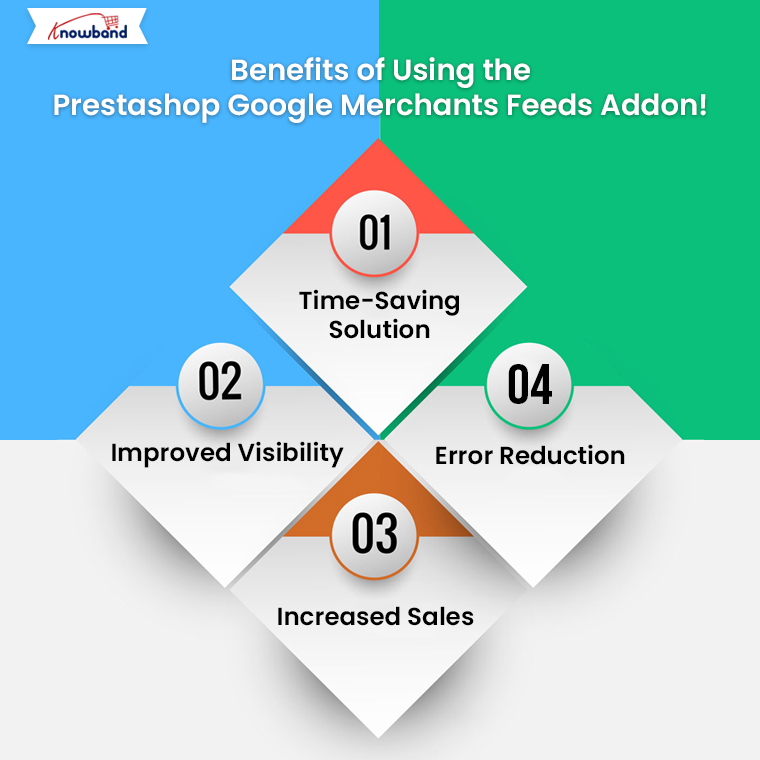
Benefits of Using the Prestashop Google Merchants Feeds Addon!

Time-Saving Solution: Managing Google Shopping feeds manually can be overwhelming. Furthermore, the Free Google Shopping Prestashop Integration Module automates this process, saving you valuable time.

Improved Visibility: By using this addon, you enhance your chances of ranking higher in Google Shopping results. Thus, the Prestashop Google Shopping Feed Integration ensures your product data is optimized for better visibility.

Increased Sales: A well-managed Google Shopping feed can attract more customers, ultimately driving higher sales. Therefore, this tool acts as a Prestashop Google Shopping Integrator, making your products more accessible to a larger audience.

Error Reduction: Manual feed management often leads to errors that can impact your visibility. With the Google Shopping Prestashop API Integration, you can ensure error-free and accurate data transfer.

How to Get Started with the Addon?

Setting up the Prestashop Google Shopping Integration Module is simple. Follow these steps to get started:

Install the Addon: Download and install the module from Knowband. If you are looking for a Free Google Shopping Integration Module for Prestashop, some basic versions might meet your needs.

Connect to Google Merchant Center: Log in to your Google Merchant Center account and use the addon’s built-in features to establish a connection.

Configure Feed Settings: Customize your feed settings by selecting which products or categories to include. You can also schedule automated feed updates.

Sync Your Products: Once the setup is complete, sync your product data. The addon will handle the rest, ensuring your feeds are always updated.

Why Choose the Prestashop Google Merchants Feeds Addon?

There are several Prestashop Google Shopping Integration Extensions available, but Knowband’s addon stands out for its user-friendly interface, robust features, and unmatched reliability. Moreover, it caters to businesses of all sizes, offering a solution that is both effective and easy to use.

Additionally, for those looking for a Free Google Shopping Synchronization Module, this addon offers value that goes beyond its cost. It simplifies complex tasks, making it the go-to choice for Prestashop store owners.

Conclusion!

The Prestashop Google Merchants Feeds Addon is a smart and efficient way to manage your Google Shopping feeds. From seamless integration to automated updates, it covers all the essential aspects needed to boost your store’s visibility and sales on Google Shopping.

Whether you are new to Google Shopping or looking to streamline your current setup, this Prestashop Google Shopping Integration Addon by Knowband is the ultimate tool. Take advantage of this addon today and unlock the true potential of your Prestashop store!

Related Read:
Simplify your Google Shopping feed management and reach more customers effortlessly. Read More

New Features in Prestashop Google Shopping Integration Addon: Automate, Customize, and Optimize Your Feeds!

In today’s competitive eCommerce landscape, having your products listed on Google Shopping is essential to reaching a wider audience. For Prestashop store owners, integrating with the Google Merchant console has become easier and more efficient, thanks to the latest updates in the Prestashop Google Shopping Integration Addon by Knowband.

The Prestashop Google Merchant Console Feed Addon allows seamless synchronization between your Prestashop store and Google Merchant Center, helping you manage your product listings on Google Shopping with ease.

In this blog, we will explore the exciting new features in the Prestashop Google Shopping Integration Addon that make automating, customizing, and optimizing your feeds more streamlined than ever before.

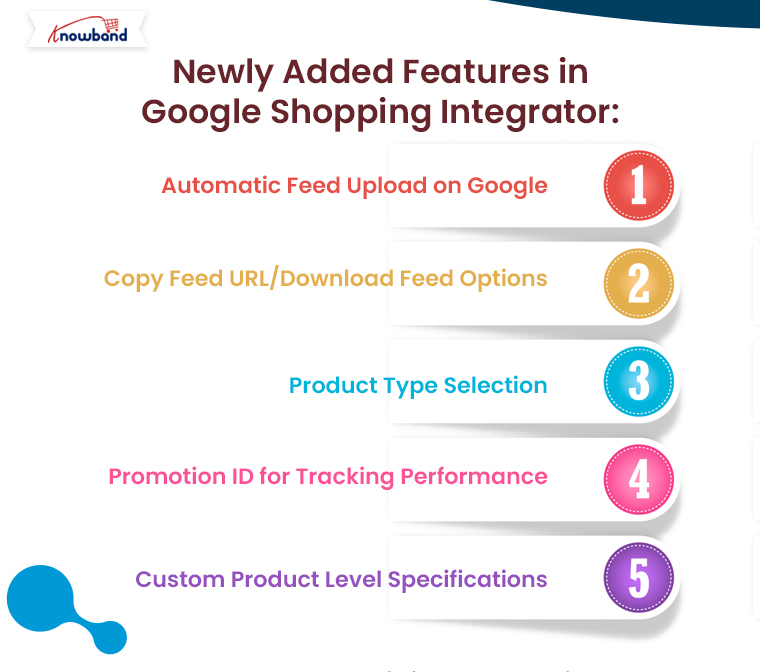
Automatic Feed Upload on Google:

The Prestashop Google Shopping Integration Addon now comes with an “automatic feed upload on Google” feature. This enhancement enables store admins to choose between automatic and manual submission of product feeds. With this update, you can effortlessly automate feed uploads to the Google Merchant Center, ensuring that your product listings are always up to date.

If the automatic option is disabled, you can still manually upload feeds by copying the feed URL or downloading the feed in various formats, such as JSON, XML, or CSV. This flexibility gives you control over your feed submission process, depending on your preferences or requirements.

Furthermore, automating this process saves time, reduces human error, and ensures that your products are consistently synchronized with your Google Merchant Center account.

List Products on Google Merchant Console

Integrate Your Prestashop Store with Google Shopping Marketplace

SHOP NOW

Copy Feed URL/Download Feed Options:

Another major update in the Prestashop Google Shopping Integration Extension is the ability to copy or download the feed URL easily. With this feature, you can now quickly generate the feed URL or download the feed file in your preferred format—JSON, XML, or CSV. Furthermore, this addition enhances flexibility for merchants who prefer different methods for feed submission or want to manually handle their Google Shopping Prestashop Integration.

For instance, if you want to manually upload your feed to the Google Merchant Center, you can copy the feed URL or download the file and submit it at your convenience. The ability to choose between formats ensures that you can work in the format that best suits your business needs.

Product Type Selection:

Managing your Google Shopping feeds requires a high level of organization and customization. Therefore, the new Prestashop Google Shopping Integration Module now allows store admins to define product types within feed profiles. This feature is particularly useful for businesses with a wide range of products, as it enables them to categorize their products more effectively and optimize their visibility on Google Shopping.

With the ability to define product types, merchants can create tailored feed profiles for specific product categories, ensuring that they are presented accurately to potential customers. Moreover, this enhances the relevance of your Google Shopping listings and improves the chances of your products being found by the right audience.

Promotion ID for Tracking Performance:

Tracking the performance of your Google Shopping campaigns is crucial for optimizing your strategy. Knowband’s Prestashop Google Shopping Integrator  has introduced a new “Promotion ID” section, allowing store admins to monitor and analyze the performance of their Google Merchant Center listings.

By using the Promotion ID, you can track clicks, impressions, and conversions for specific products or campaigns. This data is invaluable for making informed decisions about your marketing efforts and understanding which products are driving the most traffic and sales.

Furthermore, this feature provides deeper insights into your Google Shopping campaigns, helping you make data-driven decisions to improve performance and ROI.

Custom Product Level Specifications:

The Prestashop Google Shopping Integration Plugin now includes an option for custom product-level specifications. This new feature allows store admins to configure product specifications individually, rather than relying solely on universal feed specifications.

For businesses that sell a diverse range of products, this feature offers more control over how products are presented on Google Shopping. You can customize product attributes such as size, color, material, and more, ensuring that each product is listed with the most accurate and relevant details. This can lead to improved search results and better overall performance on Google Shopping.

With the ability to configure specifications at the product level, you can optimize your product listings for maximum visibility and relevance in search results, which can ultimately lead to higher conversion rates.

Conclusion:

The latest updates in the Prestashop Google Shopping Integration bring a range of powerful features designed to make managing your Google Shopping feeds easier, faster, and more efficient. From automating feed uploads and customizing product types to tracking campaign performance with Promotion IDs and configuring custom product specifications, these new tools offer unmatched flexibility and control.

Whether you’re new to Google Shopping or an experienced user, the Google Shopping Prestashop API Integration will help you streamline your feed management process and optimize your product listings for maximum impact. Best of all, if you’re looking for a free solution, you can explore the Prestashop Free Google Marketplace Integration Module, which offers many of these features with no added cost.

Enhance Your Brand Visibility with Knowband’s Free Google Shopping Connector Addon!

Brand visibility is one of the most important aspects of an eCommerce business that plays a major role in the overall success. For the same reason, it becomes crucial to take the right steps for your business and ensure that your products reach a wider audience.

Therefore, this factor can significantly impact your sales and brand recognition by generating more customer leads to your website.
On the other hand, Knowband’s new “Free Google Shopping Connector Addon” is designed to help online retailers on Prestashop, WooCommerce, Magento 2, and Opencart platforms achieve exactly that. Moreover, by integrating your online store with Google Merchant Center, this addon enhances product visibility on Google Shopping, driving more traffic and potential sales to your store.

Google Merchant Console:

Google Shopping is a powerful tool for eCommerce businesses. It allows retailers to display their products directly in Google search results, complete with images, prices, and store information.
In other words, when searchers check with keywords that are relevant to your product listing as well, your products can gain visibility on the search results.

Furthermore, this visual representation can attract more clicks and higher conversion rates compared to standard text ads. Thus, with the right integration, your products can appear in front of millions of potential customers searching for related items.

Introduction to Knowband’s Free Google Shopping Connector Addon!

Knowband’s Free Google Shopping Connector Addon simplifies the process of listing your products on Google Shopping. This free version of the addon is a robust tool for store owners on various platforms, including Prestashop, WooCommerce, Magento 2, and Opencart. The free Prestashop Google Shopping Connector module bridges the gap between your online store and Google Merchant Center by automating the synchronization of your product data with the Google merchant console.

Benefits of the Free Google Shopping Connector Addon:

Seamless Integration: One of the primary advantages of using Knowband’s Free Google Shopping Connector Addon is its ability to seamlessly integrate your online store with Google Merchant Center. This integration ensures that your product data is automatically updated which significantly reduces the need for manual intervention. Therefore, the addon’s user-friendly interface makes it accessible even for those with minimal technical knowledge.

Enhanced Visibility: Another significant benefit is the enhanced visibility of your products on Google Shopping. By displaying your products in Google search results, you can reach a broader audience and increase your chances of attracting potential buyers. This is especially crucial for small to medium-sized businesses looking to expand their reach without incurring additional costs.

How to Get Started?

Knowband’s Prestashop Free Google Marketplace Integration Module

Explore Knowband’s free module for integrating Prestashop with Google Shopping, enhancing product visibility and sales.

SHOP NOW

For Prestashop users, the integration process is straightforward with the Prestashop Google Shopping Integration Module. This module offers a comprehensive solution, ensuring that your products are efficiently listed on Google Shopping. To get started, download and install the Prestashop Google Shopping Integration Plugin from Knowband’s website. Follow the provided instructions to configure the basic settings and connect your Prestashop store with Google Merchant Center through API integration.

Once connected, you can customize your product feed according to Google’s requirements. The Prestashop Google Shopping Feed Integration feature allows you to manage and update your product listings automatically. Use the module’s dashboard to monitor your product performance and optimize your listings based on the insights provided by Google Merchant Center.

Maximizing the Benefits!

To fully leverage the benefits of the Google Shopping Integration, it’s important to ensure that your product feed is regularly updated to reflect accurate pricing, availability, and descriptions. Therefore, the Free Google Shopping synchronization module takes care of this automatically, but manual checks can help catch any discrepancies.

On the other hand, using high-quality images and detailed descriptions can make your products more appealing. Furthermore, Google Shopping favors listings that provide clear and comprehensive information. Additionally, setting competitive prices for your products can attract more buyers. Analyzing the market and adjusting your pricing strategy based on performance insights can help you stay ahead of the competition.

Conclusion!

Knowband’s Free Google Shopping Connector Addon is a game-changer for online retailers looking to enhance their brand visibility. By integrating your store with Google Merchant Center, you can reach a wider audience and drive more traffic to your site. Whether you are using Prestashop, WooCommerce, Magento 2, or Opencart, this addon provides a cost-effective and efficient solution to boost your online presence.

For Prestashop users, the dedicated Prestashop Free Google Marketplace Integration Module offers an easy and powerful way to connect with Google Shopping. Embrace the power of this free tool and watch your brand’s visibility soar. Download the Free Google Shopping integration module for Prestashop today and take the first step towards a more successful eCommerce venture.

Product page of the Free Google Shopping Opencart Integration Module

Product page of the Free Google Shopping Magento 2 Integration Extension

Product page of the WooCommerce Free Google Shopping Integration Plugin

You can watch our video on the Top 5 free modules for Prestashop here:


Related Read:
Simplify your Google Shopping feed management and reach more customers effortlessly. Read More

Maximizing eCommerce Success: Prestashop Google Shopping Integration Made Easy with Knowband

In this article, we will explore the Prestashop Google Shopping Integration Addon developed by Knowband, a leading provider of eCommerce plugins and modules. Google Shopping has become a vital platform for online retailers to showcase their products and reach a broader audience. Integrating your Prestashop store with Google Shopping can significantly enhance your visibility and increase sales. Let’s delve into the features, benefits, and steps to set up this powerful addon.

Introduction to Prestashop Google Shopping Integration Addon

Google Shopping is a specialized platform by Google that allows online merchants to display their products directly in the search results. It enables potential buyers to compare prices and make informed decisions without leaving the Google interface.


Understanding the Importance of Google Shopping for eCommerce

Google Shopping has gained immense popularity among online shoppers due to its visual appeal and ease of use. Integrating with Google Shopping opens up new avenues for online retailers to attract customers and drive sales.


Knowband’s Prestashop Google Shopping Integration Addon

Knowband’s Google Shopping Prestashop API Integration addon simplifies the process of integrating your Prestashop store with Google Shopping. Its user-friendly interface and powerful features make it an ideal choice for eCommerce store owners.


Key Features of the Addon

  • Easy installation and setup process.
  • Real-time synchronization of product data with Google.
  • Advanced mapping options for accurate categorization.
  • Automatic currency conversion for global reach.
  • Customizable product attributes for better control.


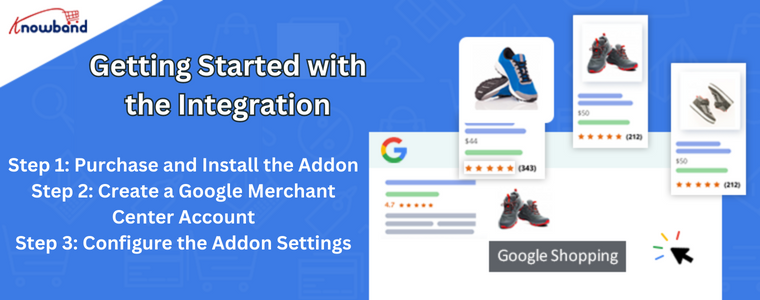
Getting Started with the Integration

To begin this integration process, follow the steps below:


Step 1: Purchase and Install the Addon

Visit the Knowband website, purchase the Google Shopping Integration Addon, and download the installation files. Then, install the addon in your Prestashop store.

Step 2: Create a Google Merchant Center Account

If you don’t have a Google Merchant Center account, sign up for one. The Merchant Center is where you manage your product data and monitor performance.

Step 3: Configure the Addon Settings

Navigate to the configuration panel of the addon and enter the necessary details, such as API keys and merchant ID, to establish a connection with Google.


Configuring Google Shopping Feed

The Google Shopping Prestashop API Integration addon offers a comprehensive feed configuration to ensure accurate product representation on Google Shopping.

Step 1: Select the Target Country and Language

Choose the target country and language for your product listings. This helps Google display your products to relevant audiences.

Step 2: Map Prestashop Categories to Google Product Categories

Accurate mapping of your Prestashop categories to Google product categories is crucial for visibility.

Step 3: Set Pricing and Shipping Information

Specify pricing and shipping details for each product, making it easier for shoppers to make decisions.

Step 4: Customize Product Data

Optimize product titles and descriptions to make them appealing to potential buyers.

Step 5: Synchronize Product Data

Initiate the synchronization process to ensure that your product data is up to date on Google Shopping.


Benefits of Using Prestashop Google Shopping Integration

Integrating your Prestashop store with Google Shopping offers various advantages:

Increased Product Visibility

Your products appear on Google’s search results page, giving them more exposure.

Targeted Audience Reach

Gain an edge over competitors by connecting with prospective customers actively seeking products like yours.

Automatic Product Updates

Product data is automatically updated on Google Shopping, reflecting real-time changes in your store.

Better Conversion Rates

Google Shopping visitors are more likely to convert as they have access to crucial product information upfront.


Tips for a Successful Google Shopping Integration

Follow these tips to make the most out of your Google Shopping integration:

Optimize Product Titles and Descriptions

Craft compelling titles and descriptions that are SEO-friendly and relevant to user queries.

Use High-Quality Product Images

High-quality images attract shoppers and increase the chances of conversion.

Implement Google Analytics for In-depth Analysis

Leverage Google Analytics to gain valuable insights into user behavior and refine your marketing strategy.


Common Challenges and Troubleshooting

Though the integration is seamless, you may encounter some common challenges:

Data Feed Errors

Ensure that your product feed adheres to Google’s specifications to avoid disapproval.

Disapproved Products

Address disapproved products by making necessary changes to meet Google’s guidelines.

Low Conversion Rates

Analyze your campaigns and product listings to identify areas for improvement.


Frequently Asked Questions (FAQs)

Q1: Can I use the addon for multiple Prestashop stores? 

Yes, you can use the addon for multiple stores with a single purchase.

Q2: How frequently does the product data sync with Google Shopping? 

Product data synchronizes in real-time, ensuring up-to-date listings on Google Shopping.

Q3: Will my products appear on Google Search as well? 

Yes, integrating with Google Shopping can also improve your product visibility on Google Search.

Q4: Can I use the addon for specific product categories only? 

Absolutely, you have the flexibility to choose specific categories for integration.

Q5: What is the cost of Knowband’s Prestashop Google Shopping Integration Addon? 

The addon’s cost varies based on your store’s needs and requirements.


Conclusion

Integrating your Prestashop store with Google Shopping using Knowband’s Prestashop Google Shopping Integration Module can significantly enhance your online business’s success. The seamless integration, powerful features, and global reach offered by this addon empower online retailers to expand their customer base and boost sales. Embrace the power of Google Shopping today and witness your eCommerce journey reaching new heights.

Explore how this module helps you manage Google Shopping listings more efficiently and attract more customers. Read More

The Prestashop Google Shopping Integrator by Knowband

As an e-merchant, your basic aim is to attract shoppers and sell your products to them keeping the cost. You might have already integrated your business into the various online marketplaces and started to see the difference in your revenues.

Then came Google Shopping.

Before understanding how to sell on Google, you should understand what Google Shopping is, and then you can decide whether you want to be a part of the online marketplace or not.

What is Google Shopping?

Google Shopping is a shopping search engine that faithfully provides you options that you input in the search box by Google. Highly useful for the shoppers as they can effortlessly compare the products offered by multiple vendors across the globe.

Moreover, you would also find image results of the products you searched for from the various websites selling the same.

You can find the Shopping tab next to Images below the search bar or you can even go to https://www.google.com/shopping to find the products. Once you click on any of the products that are in front of you, you’d go straight to the vendor whose product it was.

How to sell on Google Shopping?

The very first step to start selling Google Shopping, you should sign up for Google’s Merchant Center. Once you sign up here, you’d be able to manage your product listings as well as upload your products manually to be specific about what to sell.

To confirm yourself as a seller, you’ll have to enter a few details including the URL of your website store name and where your business is based. After completion, Google will ask you to upload a file to your server to verify site ownership. Now, you can log into the Google Merchant Center.

After logging in, you may edit your listings, change your shipping information, and do anything else necessary to begin selling. The Merchant Center’s listings are categorized as “Feeds.” A store may have many feeds, such as one for normal items, one for seasonal products, another for things offered in foreign countries, and so on.

To add a feed:

  1. Click on Products
  2. Click on Feeds
  3. Register a new feed
  4. Name your feed and select the country

Enter product data

To sell products effectively, you should be spending some quality time entering product information into the Google system. Follow the guidelines provided by the search engine if you want to have better results. For example, fashion apparel would require you to input the sizes, color, fabric, and more whereas; the same does not apply to electronic items or home decor. A tedious task for sure, but it gives weight to your products.

Incorporate high-quality photos

When Google talks about using good-quality images on its websites, why would it not apply the same to its shopping store? Make sure that the product descriptions and the image correlate with each other. When you want the visitors to get attracted to the product, you have to invest in getting good quality images up on Google Shopping.

Divert the traffic

What makes an eCommerce business successful? When a customer can locate the product and buy it from your store. When you sell on Google Shopping, the opportunities for your sale increase. Google Shopping uses your product data, images, and AdWords campaigns to bring more traffic to your online store as well as generate higher revenues.

Now, you can also install and configure the Prestashop Google Shopping Integrator by Knowband to successfully sell on the platform. Further, the Prestashop Google Shopping Integration helps merchants in numerous ways. In fact, the plugin eases the whole setup and selling procedure. Following are the stunning features of the Prestashop Google Shopping Integration Addon. Furthermore, we will also see the benefits that the merchants have from using the Prestashop Google Shopping Integration Module.

Features of the Prestashop Google Shopping Integrator

  • The Prestashop module connects your Prestashop store to the Google Merchant Center. In fact, the process completes in no time and is painless too. Moreover, you don’t even need any coding or special knowledge for the same.
  • Admins can choose from a variety of languages when using Prestashop Google Shopping Connector. Moreover, the Prestashop plugin supports multiple stores.
  • In case the admin wants to rectify and adjust the picture size of the products on the platform he can do it. Further, he can easily do that from the backend of the Prestashop Google Shopping Feed Integration.
  • The Prestashop Google Shopping API Integration allows administrators to exclude certain goods from Google Shopping listings.
  • Out-of-stock items, products with a lower price than the defined price, and products without the set EAN13/JAN or UPC numbers can all be excluded by the administrator.
  • Prestashop Google Shopping API Integration allows you to create many profiles. Google Merchant Center classifications and characteristics are linkable to store classifications and features.
  • The mass upload of items to Google Merchant Center is possible via category and attribute mapping.
  • The store administrator can set up a feed management plan. Further, depending on which goods from the store are automatically published to Google Shopping.
  • The Google Shopping product is viewable by the administrator. In fact, the admin can edit, delete or renew the listed products.
  • The store’s products immediately synchronize with Knowband’s Prestashop Google Shopping.
  • The Google Shopping Prestashop Integration provides the product status from Google Shopping to the shop after syncing.
  • Cron execution and any errors encountered are trackable in the Audit log of the Prestashop Google Shopping Integration Addon.

Benefits of the Prestashop Google Shopping Integration Module

The ease of handling the plugin. In fact, using the user manual by Knowband comes in really helpful. In addition, the expertise that customer support provides makes everything easier.

The Prestashop Google Shopping Integration helps the admin handle everything from the backend of the store. Additionally, the admin does not have to juggle between the store and the platform.

The synchronization between the store and Google Shopping happens in real-time. Therefore, the admin needs not manually do it time and again. It simply happens without trying too hard.

Talking about the benefits, the features that we put forth in the blog serve as benefits as well. What do you think? They are helpful and beneficial for the administrator at the same time.

You can try the demo yourself:

Back Office Demo.

In the End

The Prestashop Google Shopping Integrator by Knowband is a must for merchants planning to sell on the platform. In fact, if they want to do it effortlessly, this is the right way to do it. What do you think of the Prestashop addon? If you have any requirements or queries, you can get in touch with us at support@knowband.com.

What does the Profile Management tab of Prestashop Google Shopping Integrator look like?

The Prestashop Google Shopping Integrator by Knowband is a must-have. Further, for merchants wanting to sell on the platform. In fact, the Prestashop Google Shopping Integration Addon helps them sell their wares efficiently. Using the plugin, the marketers can connect their stores with the Google Merchant Center in no time. Moreover, list their products and help them rank on Google. Going further, the customers can easily locate the items when they search for them.

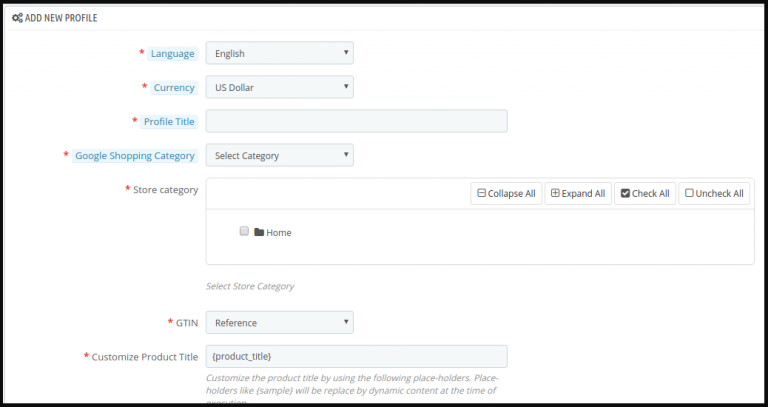
The Prestashop Google Shopping Integration Module features a gamut of settings out of which Profiles Management is the first one. In fact, it is one of the most crucial ones as well. In this blog, we will take a look at the different settings under the Profile Management tab of the Prestashop Google Shopping Integration Plugin.

The different settings of the Profile Management tab of Prestashop Google Shopping Integrator

Add New Profile

Displayed as a ‘+’ icon, the merchant can add one or more profiles from this button. We will take a look at the different settings once you click the icon to add a new profile on Google.

Country

In the latest version of the Prestashop Google Shopping Connector by Knowband, the merchant can choose the country. Further, there are three options available – the United States, the United Kingdom, and France. Once you choose the country, a few settings automatically change. They include Language and Currency.

Profile title

Under this tab, you can add a title for your profile. For instance, US accessories or France clothing, and more. Likewise, you can create numerous profiles with different titles as per the need. In fact, the marketer can do it using the Prestashop Google Shopping Feed Integration.

Google Shopping Category

Here, the merchant can select from the several options available in the drop-down menu. For instance, electronics, fashion, food supplies, software, media, and so many others. In fact, choose the category that is applicable to your products in that respective profile.

GTIN

Under this tab, the merchant has to add his Global Trade Item Number or GTIN. Furthermore, it is the unique and internationally recognized identifier for a product. The setting is a drop-down menu with Reference, UPC, and EAN13 as options. Therefore, you can choose the one that is applicable to you from the Google Shopping Prestashop Integration.

Under the setting, you also find a note. Kindly select the proper GTIN. GTIN should be of 0, 8, 12, or 14 digits (UPC, EAN, JAN, or ISBN). For more information, you can contact Google Support as well.

Customize the product title

Under this setting of the Prestashop Google Shopping API Integration, the merchant can easily add place-holders to their products. Moreover, customize the same as well. In fact, the setting has an image that helps you understand the different place-holders they can use.

Material

In this setting, the marketer can add the material of the product under this profile. Moreover, choose from the options available in the menu. They are Composition, Paper type, Color, Size, and Frame size. Therefore choose the one that fits your category.

Pattern

Under this alternative, the merchant can add the pattern of the product under this profile. Moreover, choose from the options available in the menu. They are Composition, Paper type, Color, Size, and Frame size. Therefore choose the one that fits your category.

Gender

Here, the merchant can choose the gender. The options in the Prestashop Google Shopping Integration Addon include Male, Female, and Unisex.

Age Group

Under this tab, the admin can add the age group from the drop-down menu. The options available include Newborn, Infant, Toddler, Kids, and Adult.

Adult Content

In case you are selling products that are for adults or 18+ only, you have to click ‘yes’. Likewise, if the products are for all, then click ‘no’ from the Prestashop Google Shopping Integrator.

Color

Select the color from the drop-down menu of the Prestashop Google Shopping Connector.

Size

Choose the size from the drop-down menu of the Prestashop Google Shopping Feed Integration by Knowband.

Size type

Determine the type of size from the menu. The options include Regular, Petite, Big& Tall, Plus, and Maternity.

Size system

Here, the merchant can choose from the various size systems available in the list. For instance, AU, BR, CN, DU, and so many others.

Product Shipping

This is practically the last setting under the Profile Management tab of Prestashop Google Shopping API Integration. Furthermore, he can select the shipping in this setting.

Going further, the tab of the Prestashop Google Shopping Integration Addon has a section for Google Adsense. This has different custom fields for the merchants.

You may check out the demo here:

Back Office Demo.

Let us Wind Up!

Therefore, here we are with the profile management tab of the Prestashop Google Shopping Integrator. There are several other settings that we will cover in the same space. In case you want to try your hand at the settings, you can check out the demo version on the product page. Moreover, get in touch with us at support@knowband.com will your queries.