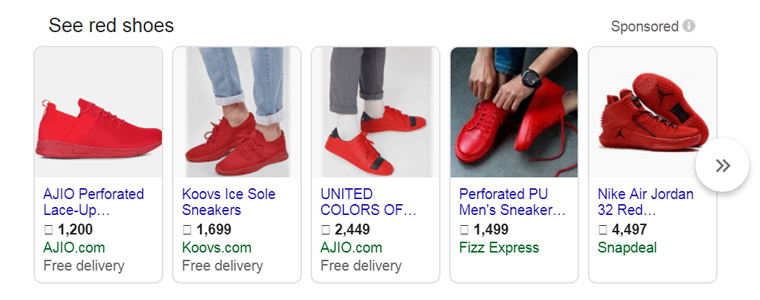
eBay, Etsy, and Google Shopping – Which Marketplace Is Right for Your Business?


You may also like to read:
Discover how integrating your PrestaShop store with Etsy can save time and maximize sales. Read MoreIn today’s highly competitive e-commerce world, it’s no longer enough to sell products on just your own website. Instead, to reach more customers and increase your revenue, selling across multiple marketplaces has become a smart and often necessary strategy.

Among the most popular platforms for online sellers are eBay, Etsy, and Google Shopping. Each of these marketplaces has its own unique audience, benefits, and requirements. That leads to the question of how to pick the right one for your business needs.

Let’s take a closer look at each platform, so you can make an informed decision that matches your goals. Additionally, we’ll show you how you can simplify the integration process with a ready-to-use plugin.

Ebay Marketplace

[New Upgrade Alert]

Knowband is excited to announce the release of Prestashop eBay Marketplace Addon version 2.2.1, packed with the latest enhancements to streamline your PrestaShop–eBay operations. This update focuses on making inventory management and API tracking easier, faster, and more reliable.

With this new version, you can now:

1. Inventory Comparison

The Inventory Comparison tab helps you keep your PrestaShop store and eBay listings perfectly in sync. It automatically compares stock levels between platforms, highlights discrepancies, and prevents overselling, saving you time and reducing manual errors.

2. Rate Limit Monitoring

The Rate Limit tab allows you to monitor your eBay API usage in real time.  You can check the data of all APIs with the Total limit, how much is used & remaining usage before you hit API limits, ensuring your store continues to sync smoothly without interruptions.

These two major enhancements give you better control, fewer errors, and a seamless integration experience.

Upgrade to v2.2.1 today and take your PrestaShop – eBay integration to the next level!

Check out the user manual for detailed guidance

Let’s start with eBay, one of the longest-running and most reliable online marketplaces globally. With millions of active buyers across the globe, it offers a variety of products for customers of all kinds of products, from electronics and apparel to home goods and collectables.
Why choose eBay?

  • Wide customer reach: eBay connects you with more than 130 million active buyers globally.
  • Wide product range: You can sell new, used, or refurbished products
  • Flexible selling formats: Auctions, Buy It Now, and Best Offer options

However, eBay is highly competitive, especially for generic products. As a result, to succeed, sellers need high ratings, fast shipping, and clear, detailed product descriptions.

If you’re using platforms like PrestaShop or OpenCart, you can use Knowband’s eBay Marketplace Integration Plugins to automate product listings, sync inventory, and manage orders right from your store backend, thereby saving you time and effort.

Etsy Marketplace

On the other hand, Etsy is a platform for creative sellers. If you sell handmade goods, craft supplies, artwork, or vintage products, Etsy is where your products will shine.
Why choose Etsy?

  • Targeted audience: Etsy customers actively seek unique and artisan products
  • Strong community: Sellers and buyers value personalisation and creativity
  • Simple store setup: Great for small businesses and solo creators

Etsy has clear rules about what types of products are allowed on the platform. In fact, mass-produced items are generally not allowed unless they’re designed by you and manufactured through approved partners.

Similar to eBay, Knowband’s Etsy Marketplace Integration Plugins helps you list your products on Etsy directly from your existing store platform. 

Furthermore, inventory sync, price updates, and order management are all handled automatically, thus letting you focus more on creativity and less on manual work.

Google Shopping Marketplace
In contrast, unlike traditional marketplaces, Google Shopping is a product listing service from Google that displays your items directly in Google Search in the Shopping tab. Moreover, it’s ideal for sellers who want to drive traffic to their own store while still reaching a large audience.

Why choose Google Shopping?

  • High-intent buyers: Shoppers come with strong purchase intent
  • Improved visibility: Products appear directly in Google results
  • Drive traffic to your store: Unlike eBay and Etsy, customers are sent to your website to complete the purchase

However, Google Shopping requires you to manage a product feed and comply with Google Merchant Centre policies.

Similarly, Knowband’s Google Shopping Integration Module links your store directly to the Google Merchant Centre.

It also automates product feed creation, keeps your listings up to date, and makes sure they follow Google’s guidelines.


So, which platform is the right choice for your business?

That depends on what you’re selling, who you want to reach, and your business goals. Here’s a quick guide to help you decide:

eBay is ideal for selling general products, branded items, and electronics. With its global reach, it’s perfect for sellers targeting a broad and diverse audience. Furthermore, the platform attracts customers looking for variety, deals, and trusted brands.

On the other hand, Etsy is a great choice for selling handmade, vintage, custom, or creative items.

 It’s popular with people who like special, one-of-a-kind products, craftsmanship, and unique items. Specifically, if your products tell a story or are made with a personal touch, Etsy is a great fit.

Meanwhile, Google Shopping works well for nearly any product type and is especially effective for driving traffic to your own online store. In addition, it places your products directly in front of search engine customers who are actively looking and often ready to purchase.

But you don’t have to stick to just one platform. In fact, many successful sellers use a multichannel strategy, listing their products on all three platforms to maximise reach and revenue.

Final Thoughts

Whether you’re a small creator selling handcrafted candles or a growing business offering electronics and fashion accessories, choosing the right marketplace or combination of marketplaces can have a huge impact on your success.

By leveraging ready-made integration modules for platforms like PrestaShop, OpenCart & Magento 2, you can eliminate manual uploads, sync inventories in real time, and manage orders from a centralised dashboard.

Finally, if you’re ready to expand your reach across eBay, Etsy, and Google Shopping, explore our integration solutions designed to save you time and grow your business faster.

You may also like to read:
Discover how integrating your PrestaShop store with Etsy can save time and maximize sales. Read More
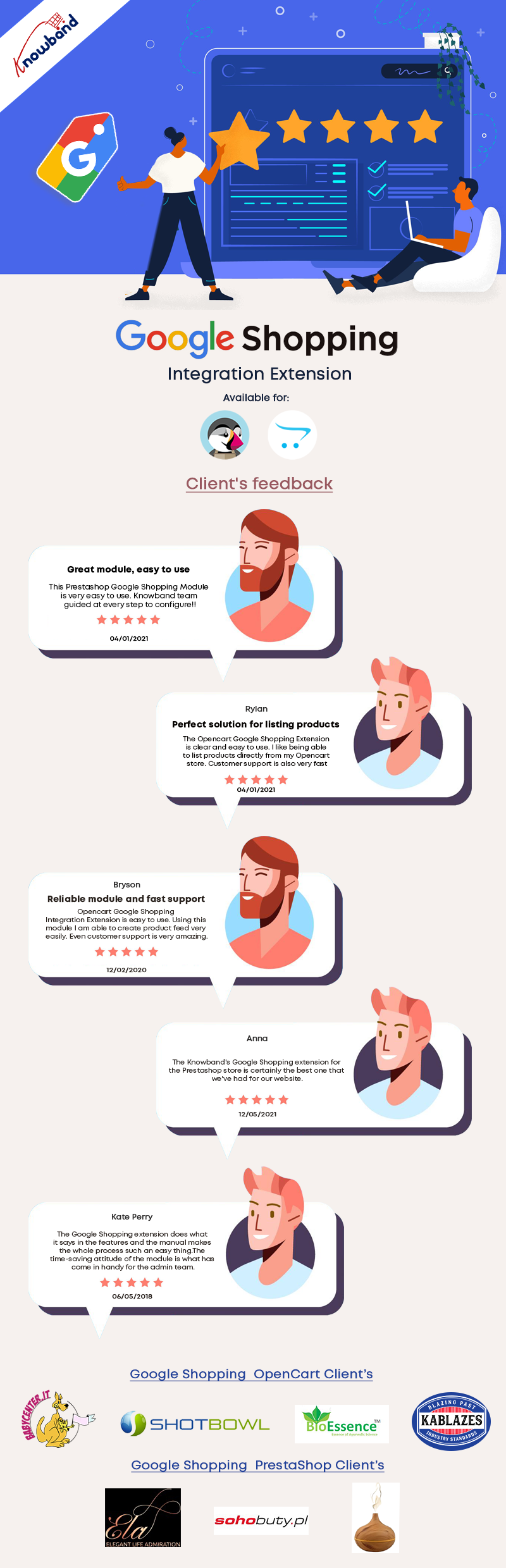
How Clients are reacting to KnowBand’s Google Shopping Marketplace Integration Module

Want to reach a wide range of audiences? Why not sell through Google Shopping! 

Setting up your store and managing it is itself a tedious job and if someone asks you to do it twice, will blow your mind. What if there is a solution that can help you manage the listings and complete store activity of Google Shopping from your eCommerce store. 

KnowBand has developed modules that link your eCommerce store with Google Shopping. The super-smart Marketplace Integration Module! This tool automates the product listing on Google Shopping and reduces your extra efforts. Google Shopping Marketplace Integration is available for PrestaShop, OpenCart, and Magento platforms. 

How does Google Marketplace Integration help eCommerce sellers?

The Marketplace Integration Module, along with built-in marketplace catalog models, provides you with direct API connections to niche, local, and global marketplaces, so you can enter new markets and get goods online overnight.

Integration of the seamless marketplace expands the digital footprint by combining orders on a centralized dashboard with marketplaces around the world and monitoring them at the same time. 

Scale beyond boundaries and boost global sales by hitting the marketplaces they love with an integration solution to communicate with more shoppers.

Full connectivity for cross-channel– The key to solidifying your online product exposure for future generations is smooth and secure marketplace integration.

What Client’s Have to Say about Google Shopping Marketplace Integration

KnowBand’s Google Shopping Marketplace Integration Module for PrestaShop, Magento, and OpenCart platforms

Google Shopping is the platform that allows the customers to search, view, and compare products on the Google search page. Google Shopping Marketplace Integration helps the eCommerce store owners to map their products to Google Shopping without making extra efforts.

How Google Shopping Marketplace Integration works best for sellers:

You can map the entire eCommerce store(PrestaShop, Magento, or OpenCart Platform) category to Google Shopping.

It is highly compatible with the multi-shop environment. In addition, the Marketplace Integration for Google Shopping allows bulk uploading of the products.

Admin can list or exclude products from the Google Shopping platform by adding filters like products below a specific price, products without unique identifiers (EAN13/JAN or UPC). 

Moreover, the auto-synchronization through cron automates the entire process in real-time.

Besides this, it aids profile-based product uploading from the eCommerce store.

Admin can update product inventory from the backend of the marketplace integration addon. 

Then anyone clicking on the product of Google Shopping page will be redirected to the product page of the website. 

The Google Shopping Marketplace Integration is available for all the major eCommerce platforms like OpenCart, Magento, and PrestaShop. 

Click on the links below to see the demo of Google Shopping Marketplace Integration: 

Magento Google Shopping

Magento 2 Google Shopping

Opencart Google Shopping 

Prestashop Google Shopping 

Finally, it reduces extra efforts and proper SEO optimization can help you grow your business rapidly. Google Search engine which is a giant name in the online industry, lists your products on top if you know the SEO Game. It will facilitate optimizing the performance of your eCommerce store by providing a high-quality product feed. It also helps in succeeding with relevant product ads.

Click here to know how sellers can take benefit from Google shopping free listing.

If you want to know the best way to sell on Google Shopping, click here.

To sell on other marketplaces like eBay, ETSY, with free automated listings, click here.

How seller can take benefit from Google shopping free listing

Due to coronavirus pandemic, eCommerce traffic has suddenly increased because of lockdown, and also no one wants to leave their homes. Most of the peoples are now shopping online due to lockdown. In this difficult time, Google Shopping allows merchants to list their products in free.

This free listing helps many smaller businesses who are unable to afford Google Shopping. It provides the opportunity to increase a store’s visibility, featuring their products to the millions of users who use Google Shopping every day.

What actually is Google Shopping:

Similar to other ad platforms like Facebook or Instagram ads, Google Shopping ads – also known as Product Listing Ads (PLAs) – are another way to gather customers and make conversions and sales. Although Google Shopping ads are not much popular as compare to other social media platforms, but still they account for over 16 percent of eCommerce industry sales.

Google Shopping ads appear on the top right corner of the search results. They are much different from the text ads seen in search results because they include pictures of the product.

Because these ads give shoppers all the relevant information they need – price, picture, etc. – these ads have a higher chance of conversions. In fact, the conversion rate of Google Shopping is 30 percent higher than other text ads. These make Google Shopping such a powerful platform.

Golden Chance For Existing And New Users:

Existing sellers are now able to list their full inventories as opposed to promoting only some products through paid ads on the platform. New merchants can now apply to list products for free through Google’s Merchant Center.

New Partnerships:

As part of this, Google is also collaborated with PayPal to help bring more merchants onto the platform in a faster way by letting them connect their existing Paypal accounts for accepting online payments. Google is also working with eCommerce companies such as Shopify to ensure businesses that operate their work mostly through their websites can quickly shift to selling on Google Shopping.

How sellers can optimize their listings to get more conversions:

This gives relief to small sellers but, it also promotes tough competition. Google will still surface product listings from vendors that submit clean, relevant, and frequently updated information. To do well in the game, your product feed must be well-optimized. Following are key points to remembers while optimizing your listing:

Title And Description:

When you creating titles and product descriptions avoid keyword stuffing. For titles, pick a target keyword and put it close to the front of your product title as possible. 

Attractive Image:

Product images are generally used to attract customers. The first impression is the last impression. Keep it professional and remove any kind of watermarks, logos, or additional text, etc.

Effective Price:

Make sure to analyze competitor prices for similar products and price yours accordingly. Since there will be no way to bid on the incremental traffic you would get from these free organic listings, it will be even more important to have a strategic approach with pricing.

Targeted Category:

Your product category is playing an important role as it is a backend attribute that Google takes into consideration when populating the Shopping search results. Your product will be more relevant if you choose more targeted categories.

How we can help you to list your store products to Google Shopping?

We provide you Google Shopping integration Extensions that help you to integrate your eCommerce stores with Google shopping easily. With the help of these integration extensions, you can easily promote your products on Google Shopping.

 So if you are also selling on eCommerce platforms like Prestashop, Opencart, and Magento then you must try these extensions.

The major benefits of these extensions are as follows:

Profile Management: Sellers can promote products on Google Shopping by creating various profiles.This will allow the sellers to select basic settings like category selection, currency selection, etc.

UTM Tracking: Sellers can easily track their traffic came from Google Shopping using different UTM parameters.

Feed Management: Sellers can schedule their product listing by creating feeds. After creating feeds products will be listed automatically without any manual interference.

Audit Logs: Sellers can also track all their activities by checking the audit logs.

Enable or Disable Products: Using a single click seller can enable or disable their product listing from Google Shopping.

Conclusion:

This is a golden opportunity for small businesses that are unable to afford paid ads. Google Shopping free listing helps you to provide more conversion. Moreover, if you are selling on other eCommerce platforms like Prestashop, Opencart and Magento then you can also try our Plugin which helps you to drive more traffic and sales to your online stores.

Related Articles:

How to sell on Google Shopping?

Google Express: A Complete guide

Now List your products on Google Shopping for free

How to sell on Google Shopping?

With the evolution of modern technologies, the trend of online shopping is spreading with a pace and it’s popularity could be witnessed in every corner of the world. As a seller, it is necessary for them to delve into every segment of online trading for a good generation of revenues. The quest to remain ahead in the competition motivates these vendors to come out with some new strategies for good business growth. Selling on an eCommerce platform like Google Shopping provides opportunity even to small business owners and lets them expand their business reach. Before we move further, let’s discuss what exactly is Google Shopping?

Google shopping is one of the best and most popular eCommerce platforms. It provides sellers an opportunity to access millions of customers around the globe. It is the best thought as an alternative marketplace through which shoppers are directed towards your website. Instead of paying a fixed commission, sellers have to pay an upfront fee to Google i.e., Cost Per Click (CPC) bid. The seller can also direct customers to third-party websites like Etsy, eBay, Walmart, Newegg, and others. If your product’s bid is high, then the Google search algorithm finds your listing relevant for a  query given by users and will feature prominently on Google search results.

Becoming a seller on Google shopping is a multifarious entry process. Powered by two different platforms i.e., Google Merchant Center and Google Adwords (formerly Adwords), before selling products on Google shopping, sellers have to activate their accounts on both these platforms. For this, you will be needing a Google login. You can also login by your Gmail account either personal or professional.

Once you have established your account protocols, you can start by optimising your process from the very first step. Sellers must be aware of the Google shopping solutions that allow us to perform various tasks:

  • To filter the products which can be included in Google feeds.
  • Create rules for auto-optimisation of PLAs.
  • Validate feeds before submitting to Google.
  • Can set up import and feed schedules.
  • Create an alert whenever an error is rectified.
  • Can take help from experts of Google feed for fixing errors.

Get started with Google shopping:

Step 1. Feed Set Up on Google Merchant Center:

Mapping of feed and assigning the correct product category for Google Taxonomy could be an intimidating task for sellers. The process of feed mapping can be done manually or by the shopping cart of Google app, but using a trusted Google shopping integration is recommendable.

Documents required for setting up a feed on Google merchant center, Google and Go Data Feed are:

  • Google Product Feed Specifications
  • Google Summary of Attribute Requirements

After successfully completing the steps outlined by your Google Shopping feed, Google will take several days to approve it.

In between this time, sellers need to keep a check on the health of your feed. Keep a check that there are no errors or warnings as they would prevent your products from being listed.

If you have submitted the application manually, then you can monitor your feed status via Merchant Center. If you use GoDataFeed’s Google feeds, the app will automatically monitor your feeds and alert you regarding any issue, but still, it’s a good piece of advice to log in occasionally to assess your feed health by yourself.

Step 2. Launch a Shopping Campaign on Google Ads:

Google Shopping uses Product Listing Ads to launch a shopping campaign. Product Listing Ads do not require keywords but do require a connection to your product feed. While you can create Product Listing Ads in any existing campaign, for maximum control on your ad spend, creating a new campaign for your PLAs is recommendable.

  • Log in to Google Ads. Go to “Campaigns Tab”. This will take you to the “Select campaign settings” page.
  • After choosing campaign settings, you have to fill some relevant information. You can:
  1. Name your campaign.
  2. Select the linked Merchant Center ID under “Merchant identifier.”
  3. Choose your “Country of sale.”
  4. Set the locations you want to target under “Locations.”
  5. Set your “Default bid,” which can be adjusted later for specific product groups.
  6. Set your campaign budget on daily basis.
  7. Add attributes. You can add up to 7 attribute filters.
  8. Promote and prioritise your campaign (if you are working on multiple campaigns).
  9. Try to use the “inventory filter” for specifying products you want to show in in your campaign.
  10. Choose the method of delivery accordingly.
  11. Schedule ads.
  •  After choosing all these options, save the information and head towards the next page i.e., “Create ad groups.”

3. Create Ad Groups:

Ad groups page comes with the responsibility of notifying people about free shipping, site sales and other marketing campaigns through promotional texting.

After successfully creating a new campaign, you have to connect it to your product feed. This could be accomplished in 3 steps:

  • Go to Ad Extensions tab.
  • Then click on the view drop-down menu and select Product Extensions.
  • Next, click on the new Extensions button where and select your feed file. Also, remember to set the daily budget of your campaign.

Arranging your Ad groups just like grouping your products on your website should be given some thought before starting. It is the best way to start with by arranging them both in the same way. Sellers can also break the ad groups into Age, Gender, Category, and Brands.

Unlike traditional ad groups in Adwords, Product Listing Ads do not use keywords, however, there is a need to set maximum CPC (Cost Per Click) bids. Bidding is been done on products and not on keywords, so it’s better to focus on products more than keywords.

Here are the steps involved in creating an Ad Group:

  • Name your ad group.
  • Click on the drop-down menu next to “Subdivide by”.
  • Choose an attribute you wish to divide your products into multiple groups like Google Product Category, Product Type, Custom Label, Item ID, or Brand.
  • Click on Save and continue, soon you’ll be redirected to the “Product groups” page where a list of different groups of products according to the attributes you picked can be seen.

Bids would be suggested by Google based on your history or on bids made by other customers.

Step 4: Target Your Ad Groups:

Once you have created Ad groups, sellers need to inform Google about the products you want to associate with each ad group created by you.

You can perform it in the following steps:

  • Select an ad group and then select the Auto Targets tab.
  • Now, select the “Add new product target”.
  • Once you click on “Add product target” a new box will appear on your screen on which you can assign products to each ad group according to the attributes in the feed chosen by you, including product type, brand, condition, ads labels or ads grouping.

You can filter out up to three of the above attributes and Google will validate the filter. Creating a target for each ad group is a necessity.

5.Create Product Ads:

Building a product ad is a hassle-free feature for Product Listing Ads. There is no need to worry about headlines, ad copy or destination URLs as everything Google needs is in your feed. A product ad totally depends on how you created your ad groups.

You can create a new product ad by:

  • Selecting the Ad tab.
  • Now selecting the ad drop-down menu and select Product listing ad.

6. Add Promotions:

Last but not least, Google will prompt you to add a promotional message of 45 characters. This is a free service provided to add any message for the marketing of your products. You can promote your product by informing customers about your discounts and offers, free shipping or you can also write your company’s tag line etc. Sellers should take advantage of this valuable ad space! Products with promotional messages increase the trust of customers resulting in more leads.

Over to you:

Selling on a Marketplace like Google shopping is an advantageous choice in today’s eCommerce industry. It’s a great platforms for retailers to earn good chunks of profits, but it’s not a magic wand obviously. Even though sellers are getting good results, regular monitoring of your shopping campaign is a must. If you own multiple ad groups, but only a few are getting good conversions, it’ better to raise the CPC on the better converting ad group rather than spending time on the useless one. At last, I would sum up by the thought – “Never Settle and never stop optimising!!”

Dive into Happiness! Now Integrate your eCommerce with Google Shopping in just few clicks. KnowBand offers Google Shopping Integrators for various CMS platforms like Magento, OpenCart and PrestaShop which allows you to present your products among larger audience and encourage the brand awareness as well.

Find out more related articles here: