7 Common eCommerce Problems and How to Fix Them in 2026

Running an eCommerce store comes with a wide range of challenges. Poor product data can hurt search visibility, weak discovery can limit the impact of conversion efforts, and slow support can turn interested shoppers into lost customers. These issues are closely connected, so the key is to identify which problem is costing your store the most and address it first. Together, even small gaps across these areas can have a significant impact on revenue.

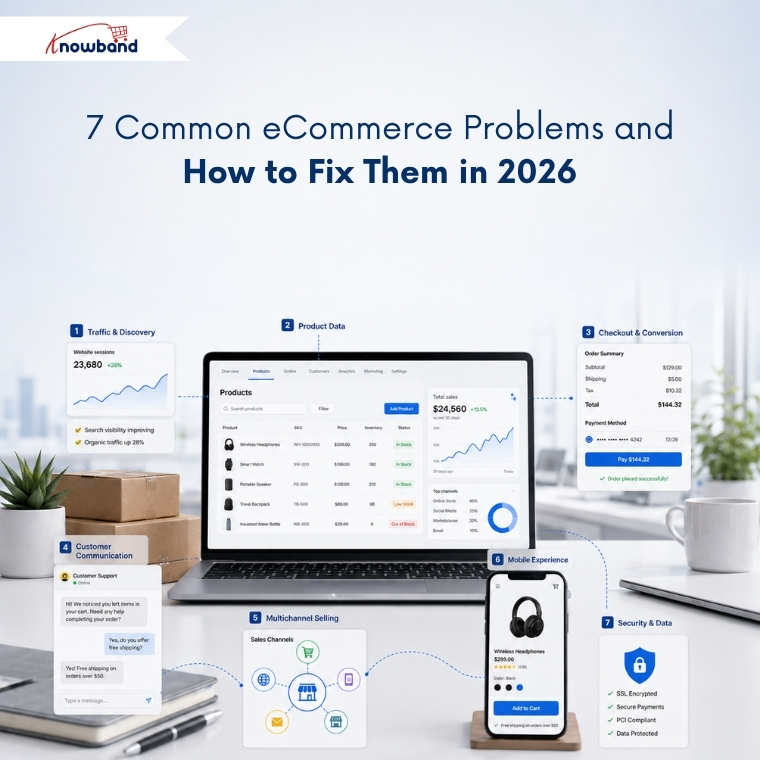
This guide breaks these challenges into seven categories. Each section explains what the problem is, why it happens, and how to fix it. So, you can use these insights to support business decisions.
1. Traffic and Discovery Problems

What are eCommerce discovery problems?

Discovery problems occur when shoppers who want your product never reach your store. Rankings drop, category pages stop getting indexed, or the product appears in Google but never inside an AI-generated answer.

Sudden Traffic Drop: There could be several reasons for traffic to fall, which include SEO problems, indexing problems, broken links, search rankings, and optimization of pages. It is important that merchants check their site to see any problems related to search engine optimization. OpenCart store merchants can consider getting an OpenCart SEO audit done.

Why discovery fails

Search now runs on two separate tracks, and most stores are only optimised for one. Traditional organic results still reward crawlability, internal linking, and content depth. AI-powered search, however, looks for something different. It depends on structured, machine-readable product facts that a model can quote with confidence.

A product page can therefore rank on page one and remain invisible inside an AI shopping recommendation. The model found no clean price, no reliable availability status, and no extractable specification, so it recommended a competitor it could read instead.

How to fix discovery problems

Start by checking your website’s indexation status in Google Search Console. Identify which URLs Google excluded, and fix the underlying cause rather than resubmitting the sitemap. In many cases, faceted navigation creates thousands of similar URLs that compete with each other. Duplicate category paths pointing to the same product are another common cause of indexing problems.

Next, focus on making your product data easier for search engines and AI systems to understand. Every product needs valid Product schema, a resolvable price, an accurate availability field, and specification data in structured fields rather than buried in description HTML. Running a proper AI crawler and indexing audit shows you what the machines actually retrieve, and adding an llms.txt file that points AI crawlers to your product data closes the remaining gap.

2. Product Data and Catalog Problems

What is poor product data quality?

Poor product data quality means product information is incomplete, inconsistent across channels, or factually wrong. Missing attributes, conflicting specifications, duplicate SKUs, and stale inventory all belong in this category.

Why product data breaks

Product catalogs naturally become outdated over time, often without merchants noticing. A supplier changes a specification without notice, a bulk update runs without validation, or a product variant becomes disconnected from its parent listing. Since these issues rarely trigger immediate errors, they often go unnoticed.

The cost is documented and large. Akeneo research found that 66%of shoppers have abandoned a purchase because product information was missing or inaccurate, and 43% returned a product in the past year because pre-purchase information turned out to be incorrect. Salsify’s 2025 consumer research adds that 54% abandon when product information is inconsistent across the websites they check.

These numbers represent customers who already found your store. They were interested in buying but left because they couldn’t confidently verify the product’s details, compatibility, or suitability.

How to fix catalog data problems

Instead of measuring catalog completeness by product, measure it by individual attributes. For example, a catalog reporting 95% completeness overall can still hold zero dimension data in the categories that generate the most returns.

Always validate before importing rather than after. Bulk transfers that run on saved profiles with a full transfer log make every error traceable to a specific run, which manual CSV work never does. For stores handling frequent bulk updates, reusable import profiles with validation and detailed transfer logs help prevent the same mistakes from happening again.

3. Conversion and Checkout Problems

What is cart abandonment?

Cart abandonment is when a shopper adds a product to the cart and leaves without completing payment. According to Baymard Institute’s meta-analysis of 50 studies, the documented average cart abandonment rate is 70.22%, meaning roughly seven in ten carts never become orders.

Why shoppers abandon checkout

Baymard’s data separates the causes cleanly. Unexpected extra costs revealed late in the flow account for 48% of abandonment, making it the largest single cause by a wide margin. Forced account creation causes 26%, and a long or complicated checkout causes a further 22%.

None of those three is a market condition or a competitor problem. Each one is a design decision the merchant controls, which is why the rate moves when stores address them.

How to reduce cart abandonment

Show the full cost, shipping and tax included, before the shopper reaches payment. Offer guest checkout and move account creation to the post-purchase confirmation, when the customer is satisfied rather than impatient. Compress the flow so progress and order total stay visible in a single view, which is the core argument for a one page checkout for PrestaShop.

Baymard estimates that checkout design improvements alone could deliver an average conversion uplift of 35.26%, equivalent to roughly 260 billion dollars in recoverable orders across the US and EU.

4. Customer Communication and Retention Problems

What are eCommerce communication problems?

Communication problems appear when a store cannot answer a shopper quickly enough to keep the sale, or cannot reach a customer again after they leave. Support backlogs, ignored recovery emails, and repetitive pre-sales questions all belong here.

Why communication breaks down

Support volume grows with catalog size, while support headcount often remains unchanged. The same handful of questions repeat indefinitely: shipping timelines, return windows, sizing, compatibility, and restock dates. A human answers each one, usually several hours after the shopper asked and well after the purchase decision has moved on.

Recovery messaging carries a related problem. Abandoned cart emails still perform reasonably well on open rate, but inbox competition means the reminder often gets read after the intent has cooled.

How to fix communication problems

Automate the repetitive layer first. An AI assistant answering shipping, return, and product queries from live store data removes the questions that never required a person, which frees the team for the ones that do.

For recovery, move to a channel with faster read behaviour. Merchants have been shifting cart recovery from email toward WhatsApp for this reason, because a message read within minutes outperforms one read the following day.

5. Channel Expansion Problems

What are multichannel selling problems?

Multichannel selling problems arise when a store lists on marketplaces or shopping feeds and cannot keep catalog, pricing, and inventory consistent across them. Oversells, rejected feed items, and visible price mismatches follow.

Why channels drift apart

Each channel enforces its own taxonomy, attribute requirements, and image rules. A product that passes validation on your own store fails on Google Shopping for a missing GTIN, or fails on a marketplace because the category mapping is wrong.

Manual listing makes drift inevitable. Once a price gets updated in one place and forgotten in another, any shopper comparing the two learns only that your store is careless.

How to fix channel consistency

Treat your store catalog as the single source of truth and push data outward from it, never sideways between channels. Automated product feed synchronisation then keeps price and stock aligned on a schedule instead of relying on memory.

Treat feed rejections as free diagnostics. When Google refuses an item for a missing attribute, that same gap is usually costing you conversions on your own site too. Merchants weighing a new channel will find the practical considerations before selling on Etsy a useful check before committing.

6. Mobile Experience Problems

What is the mobile conversion gap?

The mobile conversion gap describes the difference between how much traffic arrives on mobile and how much revenue it produces. Mobile carries the clear majority of eCommerce sessions while converting at roughly half the desktop rate.

Why mobile underperforms

Friction a desktop user tolerates becomes a dealbreaker on a phone. Long forms, tap targets built for a mouse pointer, slow largest contentful paint, and limited payment options each cost a measurable share of completions.

Responsive design solved layout without solving interaction. A checkout designed for desktop and scaled down to fit a phone still asks for the same fifteen fields.

How to close the mobile gap

Fix Core Web Vitals on mobile first, since that is where failures concentrate. Reduce checkout fields, enable autofill, and add Apple Pay and Google Pay as payment options.

Reducing checkout steps on OpenCart returns roughly twice the gain on mobile that it does on desktop. Stores with meaningful repeat purchase rates should also review how app-first competitors win returning customers, because a dedicated app removes the friction rather than managing it.

7. Security, Spam, and Data Integrity Problems

What are eCommerce security problems?

eCommerce security problems cover unauthorised access to customer data, payment fraud, and automated abuse such as bot registrations, spam form submissions, and credential stuffing.

Why stores get targeted

Online stores hold precisely what attackers want: payment details, addresses, and credentials that customers reuse elsewhere. Smaller merchants attract attention because they maintain security controls less consistently and monitor them less frequently.

Spam is the more common daily problem. Fake registrations fill the customer table, junk form submissions consume support time, and bot traffic can also distort the analytics that inform key business decisions.

How to reduce exposure

Update the platform and every installed extension on a schedule rather than after something breaks. Enforce HTTPS across the store, restrict admin access by role, and keep off-site backups you have tested restoring at least once. A dedicated security module covers the layers that otherwise get forgotten.

Secure the frontend as well. Stopping bots and fake registrations at the form layer protects both the customer database and the reporting you make decisions from, and well-designed forms reduce abandonment on registration and contact pages at the same time.

Turning Store Data Into Decisions

Every problem above stays invisible until you measure it. Most merchants still export order data into spreadsheets, which means the insight arrives weeks after the loss and after the pattern has already changed.

Query the store directly instead. Getting answers from your store data without writing SQL turns weekly reporting into a two-minute question, and smart store analytics identifies which of these seven categories is costing the most right now.

Track four numbers weekly: abandonment rate split by device, feed rejection count, attribute completeness by category, and support tickets grouped by question type.

Where to Start

Work in order of measurable loss rather than in order of visibility.

For most stores, that means checkout first, catalog data second, and discovery third. The first two help convert visitors you have already acquired, which makes them the cheapest available wins. Discovery brings new visitors in, and filling a leaking bucket rarely ends well.

Knowband builds modules across all seven areas for PrestaShop, OpenCart, Magento, and Shopify, covering checkout optimisation, catalog import and export, marketplace integrations, mobile apps, and customer engagement.


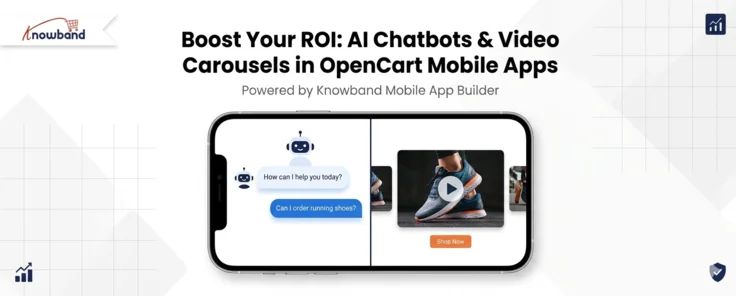
Boost Your ROI: AI Chatbots & Video Carousels in OpenCart Mobile Apps

In today’s fast-moving digital landscape, having a powerful mobile presence is no longer optional,  it is essential. Shoppers increasingly prefer browsing and buying through their smartphones, making it critical for store owners to invest in a robust OpenCart Mobile App. Knowband’s feature-rich OpenCart Mobile App Builder empowers merchants to deliver engaging, conversion-focused shopping experiences without writing a single line of code.

Why Your Business Needs an OpenCart eCommerce Mobile App

Consumer behaviour has fundamentally shifted. Desktop traffic continues to decline as mobile commerce grows year over year. An OpenCart eCommerce Mobile App puts your store directly in your customer’s pocket, enabling faster browsing, easier checkout, and stronger brand loyalty.

Unlike a mobile-responsive website, a dedicated app built with the OpenCart Mobile App Maker offers push notification support, offline browsing capabilities, and app-store visibility,  all of which translate directly into higher repeat purchase rates and reduced cart abandonment.

Introducing Knowband’s OpenCart Android and iOS Mobile App Builder Plugin

The Knowband OpenCart Android and iOS Mobile App Builder Plugin is a complete solution for merchants who want to launch native-quality apps on both major platforms simultaneously. You do not need separate development teams or expensive agency contracts. The plugin handles everything from design to deployment, making it the most practical choice for growing OpenCart businesses.

Key capabilities of the plugin include:

Real-Time Editor: Customize your app’s layout, color scheme, banners, and navigation menus through a visual drag-and-drop interface. Changes reflect instantly, so you can preview exactly what your customers will see before going live.

Multi-Platform Publishing: The OpenCart Android and iOS Mobile App Builder Plugin generates fully compatible builds for both the Google Play Store and Apple App Store, cutting your launch timeline significantly.

Push Notifications: Send targeted promotions, flash sale alerts, and back-in-stock notifications directly to your shoppers’ lock screens, one of the highest-converting marketing tools available to mobile retailers.

Trending Video Widgets: Turn Browsers into Buyers

Short-form video content has redefined how people discover products. The OpenCart Mobile App Creator by Knowband includes a Trending Video Carousel feature from Opencart Video Manager Plugin that brings a social-media-style experience directly into your store app.

Static product images often fail to communicate texture, scale, or real-world usage. Video fills this gap by giving shoppers a near-tactile sense of what they are purchasing. With the video carousel and Floating Widgets, you can:

  • Feature user-generated content and influencer reviews to build social proof
  • Showcase product demonstrations directly on category or home pages
  • Drive impulse purchases by pairing short clips with “Shop Now” call-to-action buttons

For best results, keep video clips between 15 and 30 seconds. This length maintains fast loading speeds while delivering enough context to reduce buyer hesitation.

  • see exactly where customers are getting confused and refine your product descriptions or AI prompts accordingly.

🤖 Also on OpenCart?


Automate Store Conversations with an OpenCart AI Chatbot using Popular AI


Answer customer questions 24/7, reduce cart abandonment, and free up your support team, all with one smart AI Chatbot for OpenCart.

Try the demo for Free Now →

Smart AI Chatbot Integration for 24/7 Customer Support

Modern shoppers expect answers immediately. The OpenCart Mobile App from Knowband supports AI chatbot integration, giving your store the ability to respond to customer queries around the clock, even outside business hours.

A well-configured chatbot handles the most common customer service tasks efficiently:

  • Order Tracking: Customers can check real-time shipping status without calling your support team.
  • FAQ Responses: Common questions about return policies, sizing, and payment methods are resolved instantly.
  • Product Suggestions: The bot can guide shoppers toward relevant items based on their browsing behavior and queries.

The result is a measurable reduction in support ticket volume and a smoother checkout journey that keeps customers moving toward purchase rather than abandoning their carts in frustration.

Actionable Tips for Maximising Your OpenCart Mobile App

To get the most out of the OpenCart Mobile App Builder, follow these best practices:

  1. Map your top support queries and configure your chatbot to handle at least the top 10 most common questions your team receives.
  2. Place the video carousel above the fold on your home page for maximum first-impression impact.
  3. Schedule push notifications strategically, time them to coincide with high-traffic periods such as lunch hours or evenings.

Conclusion

A well-built OpenCart eCommerce Mobile App is one of the most impactful investments a merchant can make in today’s mobile-first marketplace. With the Knowband OpenCart Mobile App Builder, you gain access to enterprise-level features,  trending video carousels, smart chatbot support, push notifications, and dual-platform publishing through a single, user-friendly plugin.

Whether you are launching your first app or upgrading an existing one, the OpenCart Mobile App Maker Plugin from Knowband provide everything you need to deliver a modern, high-converting shopping experience that keeps customers coming back.

Ready to grow your mobile revenue? Explore the Knowband OpenCart Android and iOS Mobile App Builder Plugin today.

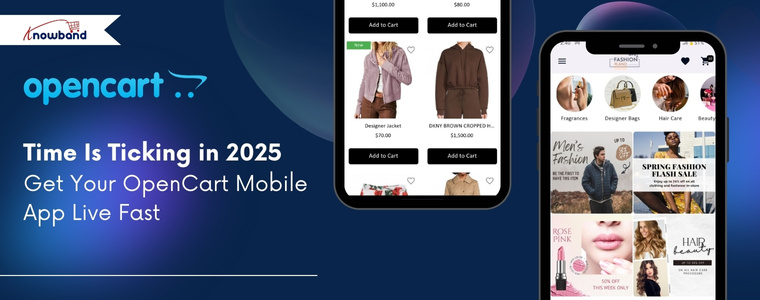
Time Is Ticking in 2025 – Get Your OpenCart Mobile App Live Fast

The world is going mobile, and so are the shoppers. If your OpenCart store is not yet optimised for mobile shoppers, you are missing out on huge sales. The OpenCart Mobile App Builder by Knowband is a solution that allows you to bring your online shop directly to your customers’ phones, supporting both Android and iOS devices.

You do not have to write code or hire developers. With a few clicks, you will be able to start a professional, fast, and responsive OpenCart eCommerce Mobile App Builder, which will stay synchronized with your website in real-time.

Why Store Owners Need an OpenCart Mobile App Maker Addon

Shoppers love convenience. They make more frequent purchases when they can shop using a mobile application. The Android and iOS Mobile App Builder Addon for OpenCart allows you to give them that experience.

Your mobile app will keep your products in your customers’ pockets. You can share them with offers, their order, and abandoned cart details with push notifications. Moreover, the mobile app provides quick and easy checkout. Hence, with all this, you can build long-term relationships with your customers.

Data indicate that application shoppers spend three times more time shopping than web shoppers. Hence, stores with apps record more frequent re-orders. This is why the OpenCart Mobile App Maker Plugin by Knowband is one of the most intelligent additions to your online business.

Key Benefits of Using the OpenCart Android & iOS App Builder Extension

OpenCart Android App Builder Extension by Knowband is used by thousands of store owners because of its great benefits, as follows:

  • Boost Conversions: Apps convert better than websites.
  • Build Loyalty: An app keeps your customers connected as they feel comfortable using a mobile app instead of a website.
  • Increase Visibility: Reach Android and iOS users through app stores.
  • Save Time: Moreover, you can manage everything from your OpenCart dashboard. Hence, no need to change platforms.
  • AdMob Integration: You can add advertisements in various pages of your app with AdMob integration, which this module provides for some extra income.

Thus, whether you’re just starting or managing a big OpenCart store, Knowband’s Mobile App Builder Plugin for OpenCart is the simplest way to go mobile.

Features That Make the Mobile App Builder for OpenCart Powerful

The OpenCart Mobile App Creator by Knowband is full of features that enable you to manage your app with ease and efficiency:

  • No-Code Setup: You don’t need any technical expertise to install and configure the module.
  • Real-Time Store Sync: Products, categories, and stock are automatically synchronised between the website and the app, thanks to Knowband’s OpenCart Mobile App Builder Module, which provides real-time sync.
  • Multi-Device Compatibility: Moreover, the addon is compatible with all Android and iOS devices.
  • Push Notifications: You can use push notifications to share festival offers, new products, orders, and more.
  • Easy Checkout Integration: Moreover, the module provides a quick and easy checkout process.
  • Personalised Style: The store owner can easily customise the home page layout elements, like adding products, categories, banners, and many more, to fit their brand.
  • Multi-language and Multi-Currency Support: In addition, with the support of multiple languages and currencies, you can sell internationally with ease.

In short, it is not just a mobile app; Knowband’s No-code App Builder puts your whole store in the hands of your customers in days.

How the OpenCart Mobile App Builder Module Works

The setup process of the OpenCart No Code Mobile App Builder Plugin is extremely easy:

General Settings

After installation, you will first go to the configuration settings on the module, where you can turn the entire module on or off with just one click. Next, you can enable/disable the spin and win module integration, logo, fingerprint login, phone number registration, sign-in/login popup, and more. Here, you can also customise the font and colors of the buttons and page.

Push Notifications

Here, you will first add a JSON file to enable push notifications. After which, you can enable the notification setting and add a custom notification message and title for created orders, order status, and abandoned carts. Moreover, in push notification settings, you can see the notification history, and you can share an instant notification from there with a clickable image.

Payment Method

Here, you can add multiple payment methods that are added to your website. As a result, it will support all the payment methods that your default website supports. Not only that, you can add the payment option for the backend configuration, too.

 Home Page Layout

Here, you can personalise the entire home page by just dragging and dropping multiple elements on the page, such as a square banner, a grid banner, a countdown banner, a login/signup popup, a recently accessed product, and more.

GDPR Settings

This OpenCart Mobile App builder includes features that support GDPR requirements, such as user data access, deletion requests, and consent management. Moreover, the plugin provides synchronisation between CMS pages, which helps the store owners to export any CMS data to the GDPR Page.

Advertisement Settings

Lastly, the No Code Mobile App Builder for Opencart allow the store owners to add advertisements on home, product, category, and CMS pages. This helps in increasing revenue and boosting sales.

Conclusion

In the modern world, having a website is nice, but having a mobile app is better. OpenCart Mobile App Builder by Knowband is a product that helps in developing Android and iOS apps in small duration of time, without any coding. The mobile app is automatically synchronized with the website, compatible with all devices, and it helps you to sell more.

Hence, if you want to boost sales, expand your market, and provide a more convenient shopping experience, it is time to upgrade your store.

Try the KnowBand OpenCart Mobile App Builder plugin today and watch how smoothly your store can go mobile.


Check out Our Latest Blogs

Turn Your OpenCart Store Into a Mobile App: A Simple Solution for Android and iOS


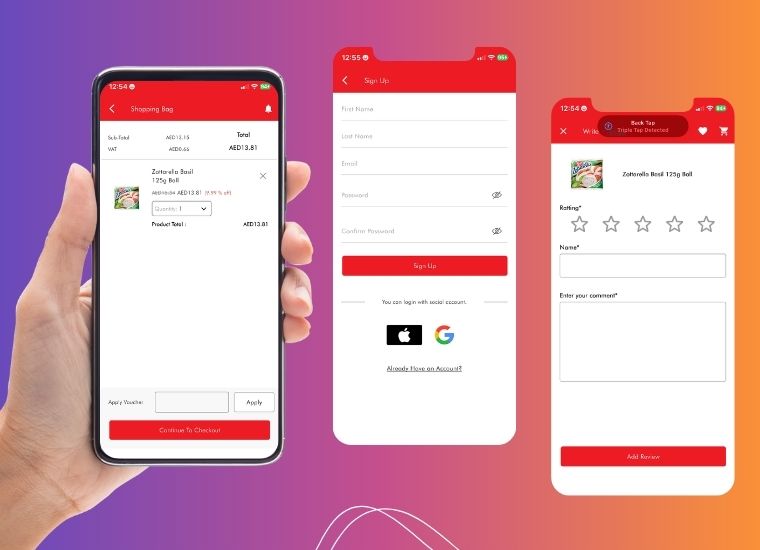
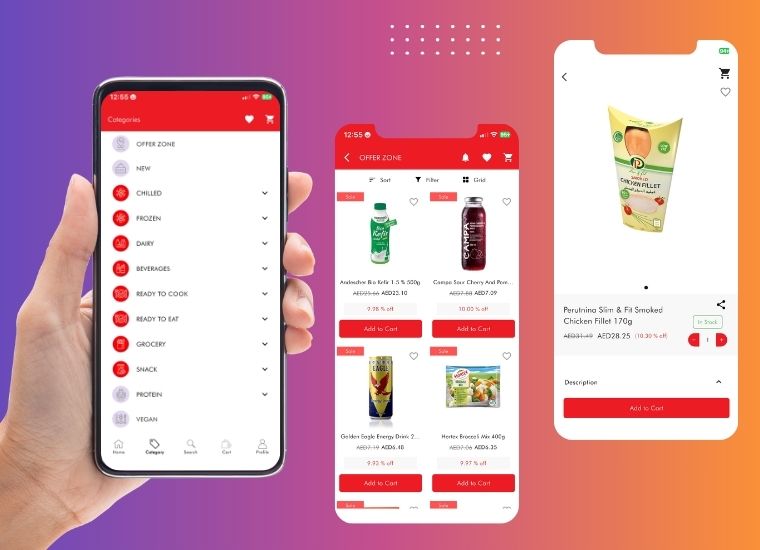
Turning FMCG Basket OpenCart Store into a Mobile-First Grocery Experience

If you have ever been to Dubai, you understand that the city is a mixture of cultures. Imagine now, craving your favourite Russian chocolates or the authentic European cheeses, but then struggling to find them in your common supermarkets. That is exactly what FMCG Basket solves.

Along with everyday groceries, they are distributing high-quality Russian and European food items directly to customers in the UAE who desire nothing less than the original. It’s like a connecting bridge; just a few taps away.

But nowadays, people don’t like to browse on desktops. They shop on their phones and with no Mobile App for their OpenCart store, this became a huge issue for FMCG Basket.

The Hurdle: Meeting Shoppers Where They Are

Running a food store on the Internet is a thrilling experience as it comes with challenging problems, and it did not take long before FMCG Basket realised that there are two issues:

  • Mobile shoppers were impatient and frustrated. They hate waiting and having to zoom in and out on a site.
  • Competitors were increasing. In Dubai, a large number of food stores were already app-first and provided smoother shopping, faster checkout, and push notifications.

The million-dollar question that FMCG Basket asked: “How to give a smooth mobile experience to customers under budget?”

The Turning Point: Partnering with Knowband

This is when FMCG Basket came across the Knowband OpenCart Mobile App Builder Module.

They selected a ready-to-use plugin instead of recruiting developers, waiting several months, and spending lots of money on them. Their website became a Mobile App in a few days.

No coding. No headaches. And now the FMCG Basket App was in customers’ pockets.

How the Knowand’s Opencart Mobile App Builder Helped FMCG 

The OpenCart Mobile App Creator did not just help them to launch their app. It has made it better:

Real-Time Sync: Real-Time Sync: With the help of the Mobile App builder, the FMCG was able to create an application without any coding requirements. Additionally, they didn’t need the product to be uploaded differently as the module has the synchronisation features for Prices, stock, and new arrivals updated in real time.

Push Notifications: The app sends direct information on new promotions, restocking, and product releases right to the phones of customers. Hence, FMCG Basket now stays in touch with its customers and can increase repeat visits without much effort.

Multi-Language and Multi-Currency: The app is multi-language and multi-currency to cater to the international customers of Dubai. This will make sure that all the customers can comfortably shop in their own language and even make payments using their own currency.

Various Payments: FMCG Basket has added multiple safe payment and delivery methods. Hence, customers can select their preferred options and have a more convenient checkout.

Custom Branding: The app reflects FMCG Basket’s unique brand identity with banners, layout, and font. Hence, keeping consistency between the app and the website for a seamless user experience.

Additional Revenue: The app also became an additional revenue, because of Google AdMob integration, which converted user engagement into a steady income for FMCG Basket.

What Changed When the Mobile App Went Live

Here’s what changed within weeks of launch:

  • 2x Extra Browsing Time: Customers did not drop off. Hence, they took more time to view products.
  • Improvements in conversions: Smooth checkout led to a decrease in the number of abandoned carts.
  • Purchases- Returned: Individuals were returning due to push notifications of offers and back-in-stock products.
  • The level of trust increased: An official app helped FMCG Basket to become larger, stronger, and trustworthy.
  • More for Customers: At last, customers were now able to browse Russian candies, European cheeses, and pantry items anytime, anywhere, even when they are on the road or taking a coffee break.

One of the customers even wrote: “Now I actually feel like I am shopping back home, only with my phone in Dubai!”

The Bigger Picture: Lessons from FMCG Basket’s Success

The journey of FMCG Basket shows this: today, you do not require a huge budget or an army of coders to remain relevant in the mobile-first world.

They did not just launch an app with the Mobile App Builder Plugin by Knowband for their OpenCart store; they created a bridge between the cultures: connecting expats and locals with the real flavours of Europe and Russia with just one swipe.

The transformation of FMCG Basket from just another online store to a pocket-sized grocery destination is evidence that the right help at the right time can redefine the future of a brand.


Google Play Policy & API Updates Effective August 31, 2025: What Developers Need to Know

Google Play has announced a comprehensive set of policies and API updates that will come into effect on August 31, 2025. Importantly, these changes are part of Google’s continuous efforts to strengthen user security, improve app quality, and ensure consistency across its ecosystem.

For developers and businesses with apps on the Play Store, these updates are not optional. Furthermore, failing to comply with the new requirements could result in apps being removed from the Play Store, preventing new users from discovering them and limiting access for existing users.

In this article, we are providing a comprehensive breakdown of the new policies, their technical implications, and how developers can prepare.

Target API Level Requirements

First and foremost, one of the most critical changes in this update revolves around target API levels.

New Apps & Updates: Starting August 31, 2025, all new apps and app updates submitted to the Play Store must target Android 15 (API level 35) or higher. Additionally, this ensures that apps leverage the latest security features and performance optimizations provided by the Android operating system.

Existing Apps: Meanwhile, apps already published on the Play Store will need to target at least Android 14 (API level 34) to remain visible to users with newer devices. Consequently, apps that fail to meet this requirement may remain installed for existing users but will no longer be available for download by new users.

Extension Option: Fortunately, Google is offering a short grace period. Developers can request an extension until November 1, 2025, through the Play Console. However, this should be treated as a backup option rather than a primary strategy.

Why this policy matters to your mobile app

Essentially, apps targeting outdated API levels miss out on the latest security patches, privacy controls, and performance improvements. Therefore, this requirement ensures that all active apps remain compatible with modern devices and meet user expectations.

Play Billing Library

In addition to API requirements, another key change relates to in-app purchases and subscriptions.

All new apps and app updates must now use Play Billing Library version 7 or newer. Notably, this is a significant update as it impacts how developers handle in-app purchases (IAPs), subscriptions, refunds, and payment flows.

Moreover, Google emphasises this requirement to improve transaction security, provide a consistent purchase experience, and reduce fraudulent activities.

Similar to the API level requirement, developers may request an extension until November 1, 2025, to migrate to the new library.

SDK & Development Tools

To ensure a smooth transition, Google strongly recommends developers use the latest Android SDK and associated development tools.

Specifically, the SDK Upgrade Assistant in Android Studio helps developers identify outdated dependencies, upgrade API levels, and resolve compatibility issues.

As a result, this reduces manual effort, minimises migration errors, and ensures that apps take advantage of new frameworks, improved APIs, and enhanced security controls.

Ultimately, staying updated with the Android SDK isn’t just about compliance; it’s about future-proofing your app. Apps built on outdated SDKs may struggle with compatibility on new devices, leading to crashes and poor reviews.

Scoped Storage & File Access

Meanwhile, Google introduced Scoped Storage in Android 11, and by 2025, it will become an enforced standard.

Moving forward, apps will no longer have broad access to external storage. Instead, they must:

  • Store files in app-specific directories
  • Use the MediaStore API for media files
  • Leverage the Storage Access Framework (SAF) when users need to select specific files

Impact on developers: Consequently, apps that still rely on legacy storage permissions may face rejection or functionality issues on Android 15. Therefore, migrating to Scoped Storage ensures smoother performance, stronger security, and better user trust.

Deprecated APIs

Furthermore, Google has clarified that apps relying on deprecated or outdated APIs may face rejection during Play Store review.

Essentially, deprecated APIs are those that are no longer recommended because newer, more secure alternatives exist.

As a result, continuing to use them increases the risk of crashes, security vulnerabilities, and poor performance on modern devices.

News and Magazines Apps

If your app falls under the News and Magazines category, there’s an extra requirement you can’t afford to miss.

Specifically, developers must submit a special declaration in the Play Console.

Notably, the deadline for this was August 27, 2025, slightly earlier than the general policy update.

Ultimately, this declaration ensures that apps categorised as news sources meet standards for credibility, transparency, and responsible content distribution.

How Knowband Can Help

If your store is built on PrestaShop, OpenCart, WooCommerce, or Magento 2, Knowband has you covered.

Our Mobile App Builder Module is already fully compatible with Google’s latest policy changes.

Here’s what we offer:

  • Hassle-free update process for your eCommerce app without interrupting your business operations
  • Guaranteed compliance with the new target API level requirement and all other Google Play policies
  • End-to-end support from our expert team for smooth migration, testing, and deployment
  • Proven track record of helping thousands of merchants successfully launch and maintain Google Play-compliant apps

With Knowband, you can focus on growing your business while we handle the technical compliance and optimisation for your mobile app.

Final Thoughts

In conclusion, the August 31, 2025, Google Play deadline is approaching fast, and for Android developers and eCommerce store owners, it’s a milestone that cannot be ignored. Unfortunately, missing these updates could result in app removal, loss of visibility, reduced downloads, and disruption of your business operations.

However, by acting early and adopting the right strategies, you can ensure your app stays compliant, secure, and optimised for the latest Android ecosystem.

With Knowband’s Mobile App Builder, you get a hassle-free, future-proof solution designed for PrestaShop, OpenCart, WooCommerce, and Magento 2 stores. From guaranteed Google Play compliance to delivering a seamless shopping experience for your customers, Knowband helps you stay ahead of deadlines and competition.

Don’t wait until the last minute, upgrade your store app with Knowband today and keep your business growing without interruptions!

Explore:

Turn Your OpenCart Store Into a Mobile App: A Simple Solution for Android and iOS

Running an online store today means handling many tasks at once. First, you manage products and customers. Then, you deal with shipping and daily operations. However, there’s one more thing you need to consider: mobile shopping.

Why Your Store Needs a Mobile App

Today’s customers spend most of their time on smartphones. In fact, they find it much faster to shop through apps than websites. Furthermore, mobile apps offer a smoother shopping experience. Therefore, if your store doesn’t have an app, you might be losing customers to competitors.

This is where an Opencart mobile app builder becomes essential. Specifically, Knowband’s mobile app solution helps OpenCart store owners create apps without any technical skills.

Understanding the Mobile App Builder

The mobile app builder is a simple tool that works with your existing OpenCart store. First, you install it like any other extension. Next, you set up basic details such as your logo and colours. After that, the system automatically creates both Android and iOS apps for you.

Most importantly, you don’t need to write any code or hire developers.

Key Benefits That Make It Worthwhile

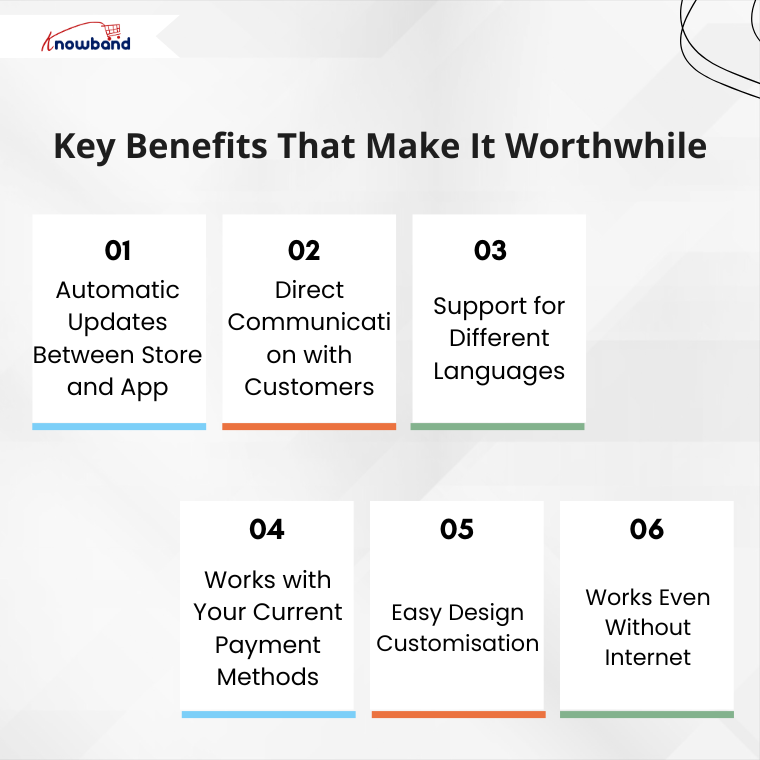
1. Automatic Updates Between Store and App

When you change something on your website, it immediately appears in your mobile app. For example, if you update product prices or add new items, customers see these changes right away. As a result, you save time and avoid mistakes because everything stays in sync.

2. Direct Communication with Customers

Instead of relying only on emails, you can send instant messages to app users. For instance, you can notify them about sales, order updates, or remind them about items in their cart. Consequently, this leads to more sales and better customer engagement.

3. Support for Different Languages

If you serve customers from various countries, this feature is particularly useful. Then Knowband’s Opencart Mobile app Builder Extension works with multiple languages, including those that read from right to left. Therefore, all your customers can use the app created from Mobile App Builder comfortably in their preferred language.

4. Works with Your Current Payment Methods

The app automatically includes all your existing payment options. Whether you accept credit cards, PayPal, or cash on delivery, everything works the same way. Additionally, you don’t need to set up anything new.

5. Easy Design Customisation

You can change how your app looks without any technical knowledge. Simply update your logo, colours, or banner images from your admin panel. Moreover, you can even add video banners to make your app more attractive. As a result, your app reflects your brand perfectly.

6. Works Even Without Internet

Unlike many mobile apps, this one lets customers browse even when their internet connection is weak. Although they can’t complete purchases offline, they can still look at products. This small feature greatly improves the user experience.

Getting Started: Simple Steps

The setup process is straightforward and user-friendly. Here’s what you need to do:

First, purchase and install the Opencart Mobile App Builder Extension on your store. Then, fill in basic information such as:

  • Your app’s name
  • App icon and splash screen
  • Notification settings
  • Color preferences

After you complete these steps, the Knowband team creates your app files. Finally, you receive ready-to-publish apps for both the Android and iOS stores.

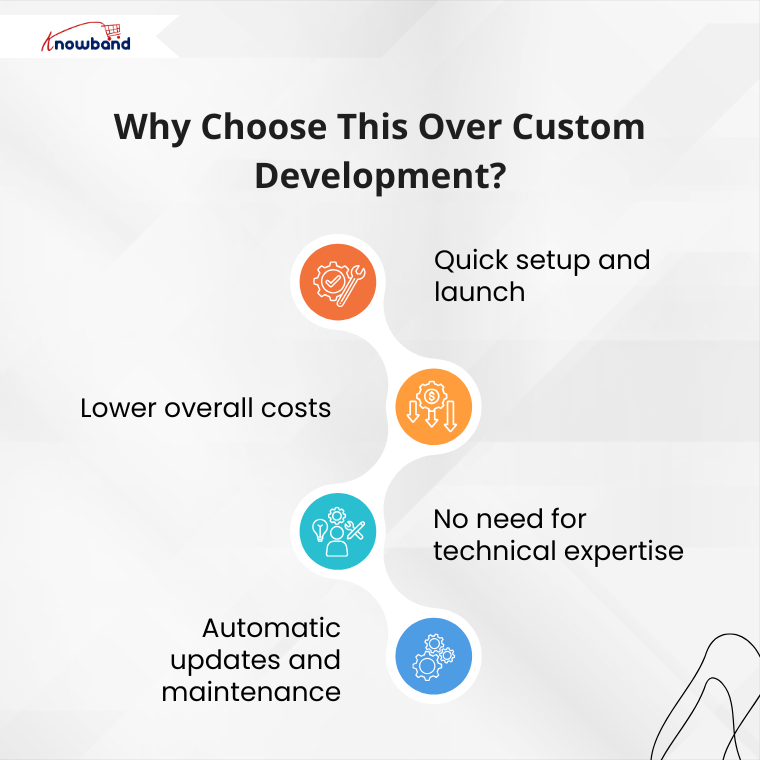
Why Choose This Over Custom Development?

You might wonder why not hire a development team instead. However, custom development has several drawbacks:

Traditional development takes months to complete. Additionally, it costs much more money upfront. Furthermore, you need ongoing technical support for updates and maintenance.

In contrast, using this app builder offers several advantages:

  • Quick setup and launch
  • Lower overall costs
  • No need for technical expertise
  • Automatic updates and maintenance

Therefore, Knowband Mobile App Builder for OpenCart smarter choice for most store owners.

The Real Value You Get

This Knowband’s Opencart Mobile App Builder Plugin offers more than just a mobile app. Instead, it provides a complete mobile shopping experience for your customers. Moreover, it helps you compete with larger retailers who already have mobile apps.

When customers can shop easily on their phones, they’re more likely to buy from you again. Additionally, mobile apps often lead to higher sales compared to mobile websites.

Making Your Decision

In conclusion, creating a mobile app for your OpenCart store is a smart business move. The mobile app builder handles all the technical work, so you can focus on growing your business.

If you’re still unsure, consider trying the demo version first. This way, you can see exactly how it works. Remember, in today’s mobile-first world, having an app isn’t just nice to have – it’s becoming essential for business success.

For further information, visit the OpenCart Mobile App Builder Plugin page and enhance your customers’ mobile shopping experience


Step-by-Step Guide to Launch Your eCommerce Mobile App with Knowband

Today, most people shop on their phones, so making the buying experience easy and smooth is a must. With mobile commerce on the trend, having your own app can give your brand a competitive edge.

That’s where Knowband’s Mobile App Builder comes in. Whether you’re using PrestaShop, Magento, OpenCart, or WooCommerce, Knowband makes it incredibly easy to turn your online store into a sleek mobile app with no coding required.

If you’re thinking about launching your e-commerce app, here’s a step-by-step guide to walk you through the entire process.

Step 1: Choose the Right App Builder for Your Platform

First things first, go to Knowband.com and select the Prestashop Mobile App Builder module that matches your store’s platform. Whether you’re running on PrestaShop, Magento 2, OpenCart or WooCommerce, there’s a version tailored just for you.

Once you’ve purchased the module, you will receive a downloadable ZIP file along with setup instructions.

Step 2: Install the Module on Your Website

Next up, it’s time to install the module on your site, and the good news is that it’s a pretty straightforward process. 

Depending on the platform you’re using, the steps may vary slightly. If you’re using PrestaShop, you can easily upload the module right from the admin panel. 

For Magento 2 users, installation is typically done using Composer or via FTP, whichever you’re more comfortable with. 

If your store is built on OpenCart or WooCommerce, the installation is even easier; it just takes a few clicks within the extensions or plugin section of your admin dashboard.

Once the Opencart Mobile App Builder Extension is successfully installed using FTP, you’ll see the Mobile App Builder panel show up right in your backend.

 Moreover, store owners can start set to begin customising their app’s design and functionality.

Step 3: Customise the App Design and Features

Knowband gives the full control to the store owner to customise the app based on the store’s needs.

Using the Mobile App Builder module, you can easily set up banners, sliders, featured product sections, countdown timers, and more. Furthermore, you’ll also be able to tweak the theme colours, fonts, and layout, so your app matches your brand perfectly.

Everything is highly customizable, and you don’t need to write a single line of code.

Step 4: Provide App Branding Details

Once your app layout is ready and you’re happy with the design, the next step is to provide your branding details so Knowband can begin building your mobile app. Moreover, this information helps ensure that your app looks and feels exactly like your brand, consistent, professional, and personalised.

Here’s what you’ll need to share:

  • App name
  • Logo and app icon
  • Splash screen image
  • Primary theme colour
  • Your store URL
  • Firebase keys (used for enabling push notifications)
  • Developer account access ( Android & iOS)

If that list feels a bit overwhelming, don’t worry, Knowband has you covered. We provide clear, step-by-step documentation and friendly support for the WooCommerce Mobile App Builder Plugin to walk you through each requirement. Whether you’re a first-time app creator or just need a little guidance, our team is always ready to help.

Step 5: App Compilation and Delivery

After you’ve submitted all the required information, our team takes over.

We compile your mobile app for both Android and iOS and typically deliver the test builds within 4-5 working days. You’ll receive APK (for Android) and IPA (for iOS) files, which you can test on real devices before going live.

Moreover, this is a good way to review the app thoroughly and ensure everything works just as expected.

Step 6: Test Your App Thoroughly

Before launching, it’s important to test your app across multiple devices and platforms. Try out the login process, navigation, product browsing, checkout, payment gateways, push notifications, and anything else that matters to your user experience.

If you notice any issues or have last-minute customisation requests, our support team is responsive and ready to assist.

Step 7: Publish to App Stores

You can upload the APK file to your Google Play Developer Account and submit the iOS version through your Apple Developer Account using App Store Connect. If you’re unsure how to do this, Knowband guide you through the process or even handles it for you.

Step 8: Promote and Optimise Your App

Promote your mobile app on your website with banners or pop-ups, share download links on social media, and offer exclusive app-only deals to encourage downloads. Moreover, you can also use push notifications to keep users engaged and bring them back to your store regularly.

Don’t forget to monitor reviews, track analytics, and gather feedback so you can continuously improve the experience.

Final Thoughts

Launching a mobile app for your e-commerce store doesn’t have to be expensive or complicated. With Knowband’s Magento 2 Mobile App Builder Plugin, you can go from idea to live app in just a few days and provide your customers with the modern, mobile-first experience they expect.

Whether your store is on PrestaShop, OpenCart, Magento 2, or WooCommerce, we have the perfect solution to create your own mobile app based on your website or store theme. Visit opencartmobileshop.com to get started.

So why wait? Now is the perfect time to take your store mobile.

Get started today and let your store go mobile with KnowBand

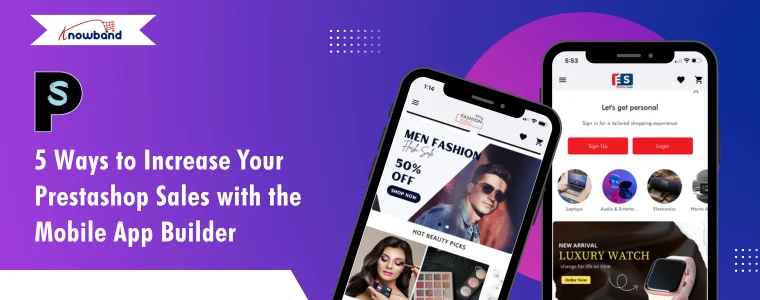
5 Ways to Increase Your PrestaShop Sales with the Mobile App Builder 

In today’s fast-paced digital world, most people use mobile apps instead of websites as mobile apps are more convenient to use. With more consumers shopping on mobile devices, businesses must adapt to this shift to stay ahead of the competition. A properly designed and easy-to-use mobile app not only enhances the shopping experience for the customers but also enhances the customer experience.

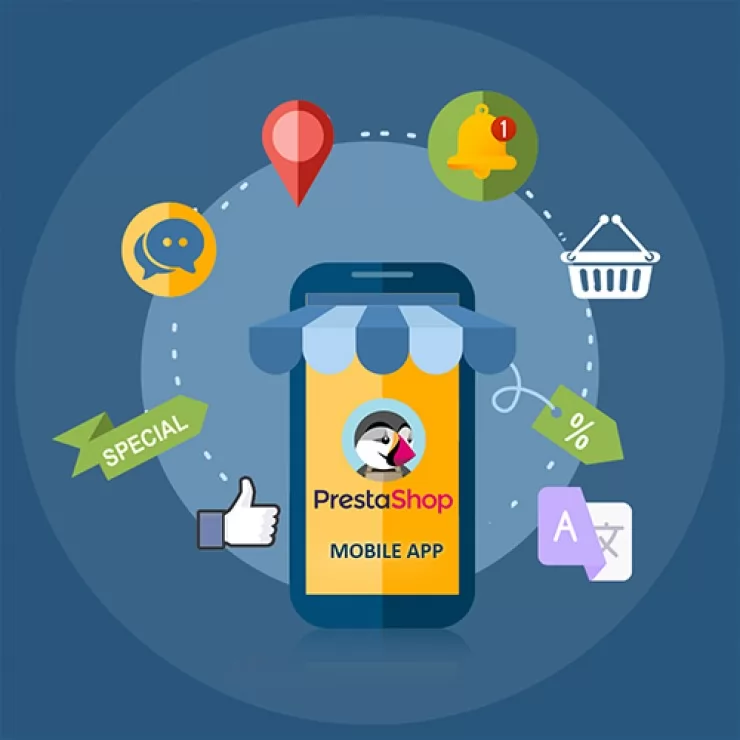
The PrestaShop Mobile App Builder by Knowband offers a powerful and user-friendly solution for PrestaShop store owners to create a custom mobile app for their stores. Moreover, by simplifying the app creation process, the Mobile App Builder module for store owners to deliver a smooth mobile shopping experience.

Here are 5 proven strategies to leverage Mobile App Sales through Mobile App Builder

Enhance User Experience with a Customizable App Interface

With the Prestashop Mobile App Builder by Knowband, store admins can create a completely customizable interface that reflects your brand and gives your customers a seamless shopping experience. Moreover, a well-designed mobile app enhances user experience, leading to increased customer satisfaction and higher sales.

Push Notifications for Targeted Marketing

Push notifications can be a powerful strategy that can help you re-engage your customers and encourage them to make more purchases, which can increase your overall sales.

With the PrestaShop Mobile App Builder by Knowband, you can send personalized alerts straight to your customers’ phones. Use them for new product launches, flash sales, or order updates. Sending the right notification to the customers helps drive repeat purchases and increase conversions.

Offer Exclusive Mobile-Only Discounts and Promotions

Encourage more users to shop through your mobile app by offering exclusive mobile-only discounts and promotions. In addition, these exclusive deals can increase app downloads and engagement, ultimately driving sales. Additionally, The mobile app creates urgency and excitement around mobile-only deals to boost both new and returning customer purchases.

Integrate Your Opencart Shop with Mobile App

No Coding Skills Required

SHOP NOW

Seamless Payment Integration for Quick Purchases

The iOS Mobile App Builder for Prestashop integrates seamlessly with the payment methods and gateways. A quicker and easier checkout process is very important because it helps customers finish their purchases faster, which often leads to more sales. By offering multiple payment options credit cards, digital wallets, and COD, you give customers more flexibility, improving their shopping experience.

Leverage Social Media Integration to Expand Reach

Lastly, promoting your mobile app through social media channels can significantly increase brand visibility and drive more traffic to your store. The Prestashop Mobile App Builder allows easy integration with social media platforms, enabling users to share products directly from the app to their social profiles.

Key benefits of using the Knowband’s Mobile App Builder for PrestaShop stores:

  • Increased Sales and Revenue:  Firstly, by offering a mobile app to your customers, you make it easier for customers to browse and purchase products on the go, leading to higher conversion rates and increased sales.
  • Improved Customer Engagement: Push notifications, personalized offers, and updates keep customers engaged, informed, and coming back for more. Moreover, you can send real-time notifications about sales, discounts, or new arrivals, which helps drive customer retention.
  • Enhanced Brand Visibility: A mobile app increases your store’s visibility by keeping your brand right on your customers’ home screens. Furthermore, this makes it easier for them to shop and engage with your business at any time.
  • Seamless Shopping Experience: Furthermore, the mobile app ensures a smooth and responsive experience on all devices, providing users with quick access to the store and a user-friendly checkout process.
  • Improved Customer Loyalty: Lastly, by providing a mobile app, you offer a personalized shopping experience that builds customer loyalty. Moreover, Loyalty programs, exclusive offers, and personalized recommendations enhance the overall experience and make customers feel valued.  Significantly, this integration of a mobile app into your prestashop store can help you tap into a wider audience, and engagement of customers. Additionally, the mobile app encourages viral marketing, leading to more purchases and higher sales.

Conclusion

The Prestashop Mobile App Builder by Knowband offers an all-in-one solution for Prestashop store owners to create a powerful mobile app without any technical expertise. Moreover, by implementing these strategies, you can improve user engagement and increase sales.

Don’t miss the chance to grow your business by creating a custom mobile app with the PrestaShop Mobile App Builder. It’s a great way to reach more customers, improve their shopping experience, and boost your sales.

No Coding, No Hassle: Launch Your Store’s Mobile App with Knowband

Customers increasingly prefer shopping on their mobile devices, and providing them with a seamless app experience can boost engagement, loyalty, and sales. However, creating a mobile app may seem like a daunting task, especially if you lack technical expertise. That’s where Knowband’s Mobile App Builder comes in. With no coding required, Knowband enables store owners on platforms like Prestashop, Opencart, WooCommerce, and Magento 2 to create fully functional, feature-rich mobile apps effortlessly.

Why Your eCommerce Store Needs a Mobile App?

A mobile app is more than just an additional channel for selling products—it’s a powerful tool to connect with your customers. Here’s why every eCommerce business should consider going mobile:

Improved Customer Experience: Apps provide a smoother and faster shopping experience compared to mobile websites.

Increased Conversion Rates: Push notifications, personalized recommendations, and easy navigation drive more conversions.

Enhanced Brand Loyalty: A well-designed app strengthens your brand identity and fosters long-term customer relationships.

Greater Accessibility: Customers can shop anytime, anywhere, making your store accessible 24/7.

With these benefits in mind, it’s clear why creating a mobile app for your eCommerce store is a game-changer.

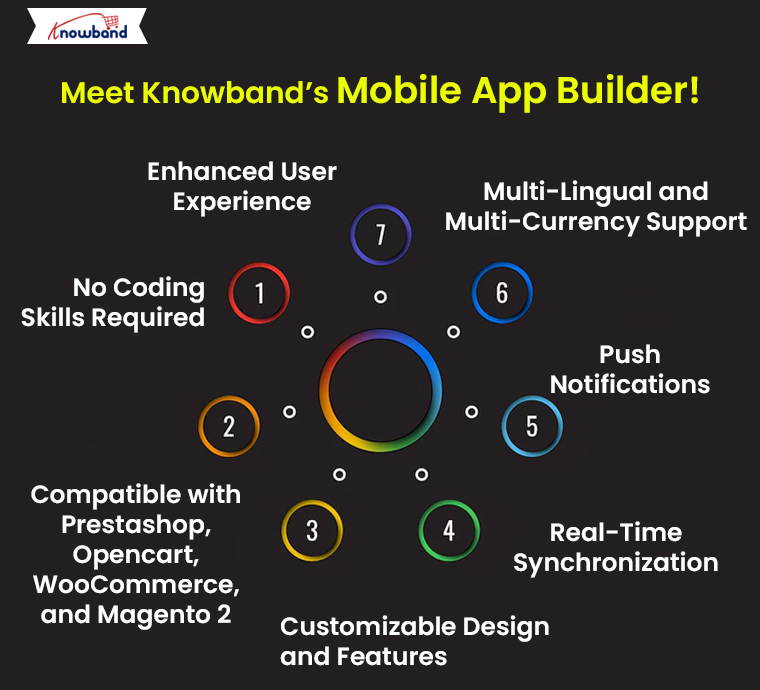
Meet Knowband’s eCommerce Mobile App Builder!

Knowband’s Mobile App Builder is the ultimate solution for eCommerce store owners who want to launch a mobile app without technical complications. Furthermore, designed specifically for Prestashop, Opencart, WooCommerce, and Magento 2 platforms, it offers a hassle-free way to go mobile.

Let’s explore its key features and advantages:

1. No Coding Skills Required:

Forget hiring expensive developers or learning complex programming languages. Knowband’s Mobile App Builder allows you to create your app without writing a single line of code. Furthermore, the user-friendly interface lets you customize your app’s design, features, and layout effortlessly.

2. Compatible with Prestashop, Opencart, WooCommerce, and Magento 2:

No matter which platform your store operates on, Knowband has you covered. The Mobile App Builder supports Prestashop, Opencart, WooCommerce, and Magento 2, ensuring seamless integration and optimal performance.

3. Customizable Design and Features:

With Knowband’s Mobile App Builder, you can customize the app’s look and feel to match your brand identity. Choose from various layouts, color schemes, and navigation styles to create an app that resonates with your audience.

4. Real-Time Synchronization:

Say goodbye to manual updates. The Mobile App Builder ensures that your app stays synchronized with your eCommerce store in real-time. Whether you add new products, change prices, or update stock, the changes are instantly reflected in your app.

5. Push Notifications:

Engage your customers like never before with push notifications. Notify them about new arrivals, special discounts, or abandoned carts. Moreover, the push notifications are an effective way to drive traffic and boost sales.

6. Multi-Lingual and Multi-Currency Support:

Expand your reach with Knowband’s Mobile App Builder. The app supports all the languages including RTL.

7. Enhanced User Experience:

The Mobile App Builder ensures that your app is fast, responsive, and user-friendly. Features like a simple checkout process, intuitive navigation, and advanced search options improve the overall shopping experience.

Why Choose Knowband for Mobile App Development?

Here’s why Knowband stands out as the go-to solution for eCommerce mobile app creation:

Trusted by Thousands: Knowband is a renowned name in the eCommerce industry, trusted by thousands of store owners worldwide.

24/7 Customer Support: Need assistance? Knowband’s dedicated support team is always ready to help.

Affordable Pricing: Get a high-quality mobile app without breaking the bank.

Build Android and iOS App for Your Prestashop Store

No Coding Skills Required

SHOP NOW

Why Choose Knowband’s Mobile App Builder Addon?

Knowband’s Prestashop Android and iOS Mobile App Builder Addon stands out for its flexibility, affordability, and ease of use.

How to Launch Your Mobile App with Knowband!

Launching your mobile app with Knowband is a straightforward process. Follow these simple steps:

Install the Plugin: Download and install the Mobile App Builder plugin for your platform (Prestashop, Opencart, WooCommerce, or Magento 2).

Customize Your App: Use the intuitive interface to design your app. Customize the layout, colors, and features to suit your needs.

Publish to App Stores: Once your app is ready, Knowband helps you publish it on Google Play Store and Apple App Store.

That’s it! Your app is now live, ready to deliver a seamless shopping experience to your customers.

Boost Your Business with Knowband!

A mobile app is an investment that pays off in terms of increased sales, improved customer retention, and enhanced brand visibility. Furthermore, Knowband’s Prestashop Mobile App Builder simplifies the process, making it accessible to all eCommerce store owners, regardless of technical expertise.

Whether you’re running a store on Prestashop, Opencart, WooCommerce, or Magento 2, Knowband provides the tools you need to succeed in the competitive eCommerce landscape. Don’t let the lack of coding skills hold you back—take your store mobile today with Knowband.

Final Thoughts!

In an era where mobile commerce dominates, having a mobile app for your eCommerce store is a strategic move. Therefore, with Knowband’s Mobile App Builder, you can create a stunning, fully functional app without the hassle of coding. Compatible with leading platforms like Prestashop, Opencart, WooCommerce, and Magento 2, it’s the perfect solution for businesses looking to enhance their online presence.

So, what are you waiting for? Launch your mobile app with Knowband today and watch your eCommerce business thrive!

OpenCart Mobile App Builder v4.5: Unlock New Customization and Revenue Streams with Admob Integration

In today’s digital-first world, having a mobile app is essential for any eCommerce business to thrive. OpenCart, a popular platform for online stores, has continuously adapted to this demand. Furthermore, with the release of the latest OpenCart Mobile App Builder v4.5 by Knowband, OpenCart store owners can now take their mobile app experience to the next level.

Moreover, this new version is packed with customization features and the added benefit of Google AdMob integration, creating new opportunities for branding and revenue generation.

In this article, we’ll explore the exciting new updates to the OpenCart Mobile App Builder and how these enhancements can make your OpenCart eCommerce Mobile App more effective and profitable.

Enhanced Customization Options with OpenCart Mobile App Builder v4.5!

One of the standout features in the latest version is the enhanced tab bar layout customization. The tab bar is the bottom navigation menu of the app, which users interact with frequently as they browse products or navigate the store. Therefore, with the new version, the OpenCart Mobile App Maker offers store admins full control over this layout, allowing them to tailor the appearance and functionality to their brand’s unique style and customer needs.


1. Customizable Icons for Bottom Navigation:

With the OpenCart Mobile App Builder v4.5, the Mobile App for OpenCart allows you to change the icons in the bottom navigation. Now, store admins can select icons that align with their brand aesthetics, whether they want to stick with classic icons or add a unique twist.

Thus, visually appealing bottom navigation can lead to a smoother and more engaging user experience, making it easier for customers to explore your store, access key features, and browse products efficiently.

2. Flexible Redirect Activities:

The latest OpenCart Android and iOS Mobile App Builder Plugin also enables you to customize where each tab leads. For example, you may want one tab to direct users to a specific category, a sale page, or even a promotional section. Therefore, this increased flexibility allows store admins to direct users to high-conversion pages, enhancing the overall shopping experience while driving sales.

3. Text and Color Customization for Icons:

In addition to customizing icons, the OpenCart Mobile App Builder now allows admins to change the text and text color for each icon in the tab bar. This seemingly small change can significantly impact the app’s overall look and feel, making it possible for store owners to match the navigation bar to their brand’s color scheme and style.

Furthermore, these three options make the OpenCart Android and iOS Mobile App Builder Module a powerful tool for creating an app that’s visually appealing, easy to navigate, and consistent with your brand’s identity.

Monetize Your Mobile App with In-App Advertising!

Besides customization, OpenCart Mobile App Builder v4.5 introduces a game-changing feature: Google AdMob integration. This feature allows store owners to earn revenue by displaying advertisements within their OpenCart Android App or OpenCart iOS App.

The integration of Google AdMob means that you can now place ads on various screens within your OpenCart Mobile App. This presents an opportunity for OpenCart Mobile App Creators to generate passive income through ad placements on product pages, the home screen, or other sections that users frequently visit.

Whether it’s banner ads, interstitial ads, or rewarded video ads, AdMob offers a variety of ad types to suit different app layouts and preferences. Moreover, Android and iOS App Makers for OpenCart can now choose to include ads on pages with high user engagement, ensuring better visibility and higher revenue potential.

Check What’s New in the Mobile App Builder v4.5

Use Code: MOBI40 for Extra 40% OFF

SHOP NOW

Why Choose OpenCart Mobile App Builder v4.5?

With the competitive landscape in eCommerce, having a mobile app that is not only user-friendly but also customizable and monetizable is a significant advantage. OpenCart Mobile App Builder Plugin v4.5 addresses these needs, offering:

Flexibility and Control: Customizable navigation options make it easy for you to direct users to essential areas, enhancing user experience.

Revenue Potential: With in-app advertising through AdMOB, your app can generate income passively.

Brand Consistency: The new tab bar customization options allow you to align every aspect of the app with your brand’s identity.

At Knowband, we also offer demo versions to try out these features before committing to a premium version. This makes it easy to see the value of the Mobile App Builder Plugin for OpenCart firsthand.

Conclusion!

The OpenCart Mobile App Builder v4.5 by Knowband is a comprehensive solution for OpenCart store owners looking to take their mobile app to the next level. Furthermore, with advanced customization options for the tab bar layout and the ability to integrate Google AdMob for in-app advertising, it provides tools to improve user experience while creating a new income stream.

Explore the possibilities with OpenCart Mobile App Builder v4.5 and transform your mobile shopping experience today!