Valentine’s Day can be incredibly profitable for online retailers. Shoppers are actively looking for gifts, hunting for exclusive deals, and checking timings and offers to find something special. Butyour all the store owners are doing the same thing. If your promotions don’t immediately catch someone’s eye, they’ll click over to the next store without a second thought.
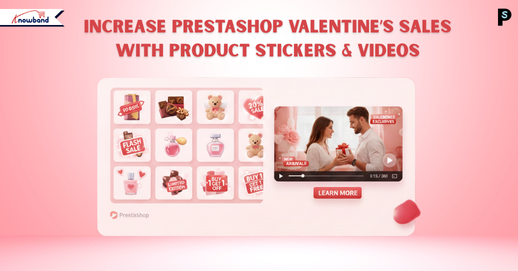
Now you can make your products impossible to ignore. We have highlighted perfect Valentine’s Day marketing for PrestaShop. This PrestaShop Product Sticker & Label Module paired with a PrestaShop Video Manager Module can completely change how people interact with your store. These modules capture attention right away, speed up purchasing decisions, and convert more window shoppers into actual buyers. If you want to know how to boost Valentine’s Day sales in PrestaShop, then this article is for you.
Visual Elements Win Every Time During Valentine’s Shopping
Nowadays, nobody’s reading detailed product descriptions during a Valentine’s sale. People are scrolling fast, scanning images, and making instant judgments about what’s worth clicking on. Valentine’s customers move even quicker because they’re buying with their hearts and usually dealing with a tight deadline.
This is exactly why visual shortcuts matter so much. When someone sees a sticker saying “Valentine Special” or “Perfect Gift,” they instantly understand the product fits what they need.
Product videos push this even further. The Knowband PrestaShop Video Manager Module allows you to display videos through floating widgets or carousel formats. Videos show products in real life. Customers see how something actually looks, moves, and functions. Furthermore, this kills any doubts, especially when buying gifts where nobody wants to risk picking something disappointing.
A PrestaShop Product Sticker & Label Module isn’t just decorative, but it actively changes buying behaviour in specific ways.
First off, it makes Valentine’s items immediately obvious. Labels reading “Gift for Your Loved One” or “Valentine Exclusive” tie products to the holiday instantly, without customers having to think about it.
Second, these PrestaShop product labels build urgency. Time-based labels like “Ends February 14” or “Last Chance” pressure people to buy right now instead of “maybe tomorrow” (which usually means never). When shoppers think they might lose out, they move faster.
And finally, trust labels like “Best Seller” or “Customer Favourite” reassure shoppers, which is huge for gift purchases. Moreover, this Prestashop Product Stickers for Valentines allows you to include or exclude products as per your needs.
Opencart Product Sticker & Label Extension
Increase the Visibility of Products on Your Store with Knowband
The PrestaShop Video Manager Module solves a massive problem in online retail, helping customers really understand what they’re getting. The best approach for this is video marketing for e-commerce. Videos show products in ways static images never could.
When someone watches a video of jewellery sparkling in different light, or sees how a gift package looks when unwrapped, it creates a real emotional response. Videos tap directly into that by making shopping feel more valuable and personal.
The floating widget and carousel of Prestashop Video Manager options keep videos without getting in the way. Shoppers can watch product demos right on category pages or product pages, even on the home pages. Furthermore, these strategies improve the user experience of PrestaShop.
Prestashop Video Manager With Product Stickers Module
Both modules include automation features that are lifesavers during these peak sales and promotional periods. The PrestaShop Product Sticker & Label Module allowsyou build unlimited stickers and apply them using automatic rules, things like price thresholds, stock quantities, specific product categories, or particular dates.
The PrestaShop Video Manager Module works similarly for video management across your whole catalogue. Using this PrestaShop video module, you upload videos one time, assign them to products or categories, and control exactly where and how they appear using the widgets throughout your site.
Opencart VideoMate: Your Store’s Favourite Video Manager
Increase the Visibility of Products on Your Store with Knowband
So if you want to boost conversions ecommerce store, then keep sticker messages brief and clear. Don’t pile multiple labels on every product; it creates visual chaos and confuses shoppers. Furthermore, make certain stickers are legible and aren’t covering crucial product features.
With videos, shorter is better as customers want quick demos, not full-length documentaries. Focus on highlighting the product’s key benefits and showing how it delivers value or creates an emotional moment.
Wrapping It Up
Valentine’s shoppers need to spot great deals instantly, or they’re gone. Using a PrestaShop Product Sticker & Label Module alongside the PrestaShop Video Manager Module arms you with the visual punch needed to grab attention, establish trust, and turn more visitors into paying customers. You’re not rebuilding your entire website; you’re simply making your strongest offers visible exactly where they shop.
If you’re serious about maximising Valentine’s traffic this year, these prestashop plugins are some of the smartest investments you can make for your PrestaShop store.
Choosing the right platform is one of the most important decisions when you are starting an online store. With so many options available, it can become tiring to decide which platform best fits your business needs. If you are looking best platform to start an online store, then you are at right place. Each platform offers different benefits and flaws in terms of usability, scalability, cost, and features. We at Knowband already manage these stores as we provide the service for these platforms. This will help you in choosing the right platform for your store.
This article provides a practical comparison of five popular e-commerce platforms, WooCommerce, PrestaShop, OpenCart, Magento, and Shopify, based on key factors such as ease of use, performance, customisation, scalability, and overall cost. You will also learn the e-commerce platform pros and cons.
Additionally, understanding these helps your business select open source ecommerce platforms that aligns with your business goals.
Key Factors to Consider When Choosing an E-Commerce Platform
Before comparing platforms, as a store owner, you need to understand the core factors that will play a crucial role.:
Ease of Use: If you are technical or non-technical, you first need it to be simple to set up and manage products, your entire catalogue and orders.
Customisation & Flexibility: Platform should have the ability to modify design and functionality according to your business needs.
Performance & Speed: Additionally, there is a major factor that is how well the platform handles traffic and large catalogues
Scalability: Also, scalability is the factor your platform can grow with the business
Cost: Cost is one of the most important factors as it should be affordable not too expensive.
WooCommerce is one of the most used e-commerce platforms and works as a plugin for WordPress. Furthermore, its popularity makes it unique due to its simplicity and flexibility, especially for businesses already familiar with WordPress.
Key Feature of the WooCommerce
Easy to use, especially for WordPress users
Massive plugins
Strong SEO capabilities
Highly recommended for content-driven stores and blogs
Limitations of WooCommerce
Performance can be reduced with large catalogues without optimization
Requires paid plugins for advanced features like wishlist
Heavily dependent on hosting quality
Knowband recommends it as the best e-commerce platform for small businesses, medium-sized businesses, bloggers, and entrepreneurs looking for an easy way into online selling.
PrestaShop: Feature-Rich and International-Friendly
PrestaShop is an open-source platform designed specifically for e-commerce. This is the best e-commerce platform for startups. Moreover, it is particularly popular in Europe and offers strong built-in functionality. Furthermore, unlike wordpress it offers the basic functionalities, wishlist, abandoned cart, designs and many more.
Key Highlights of Prestashop
Support for multiple currencies and languages
Support many advanced taxes and shipping options
Strong back-office dashboard
Handles large catalogues efficiently
Limitations of the Prestashop
Requires moderate technical knowledge
Paid modules can increase costs
Smaller extension marketplace than WooCommerce
We recommend it to international sellers and businesses that need advanced e-commerce features without heavy reliance on plugins.
Prestashop Plugins
Explore all the plugins that will make your prestashop store more professional
OpenCart is known for its simplicity and speed. Additionally, it provides essential e-commerce features without unnecessary complexity. This OpenCart platform also supports built-in tools for coupons, discounts, and special prices like prestashop
Strengths of the Opencart
Lightweight and fast
Simple admin interface
Built-in multi-store functionality
Low hosting requirements
Drawback of the Opencart Platform
Smaller extension ecosystem
Limited advanced features
Smaller community compared to competitors
Knowband recommends it to small businesses with straightforward needs and limited budgets that prioritize performance.
Opencart Extension
Give the advanced features to your Opencart store Using Popular Extensions
Magento is what the big players use when they need a serious, robust, enterprise-grade solution. Here, Big player refers to the major enterprises and retailers that have a large volume of products through their stores. This Magento Platform is best ecommerce platform for large businesses.
Key Highlights of Magento:
Magento scales to handle millions of products and transactions
Inventory and customer management tools
Customisation is easy in Magento
Built to handle large product catalogues
The Downsides of Magento are:
Learning Magento is a bit difficult for store owners
Professional developers are required
Hosting and keeping it running will cost you high money
Magento Plugins
Let Knowband Manage Your Magento Plugins, while you only work on selling.
Shopify takes a totally different approach than other platforms. They handles everything for you unlike others. It’s fully hosted, which means they deal with the technical things while you focus on selling
Key Features of the Shopify
You can easily have a store there
Shopify handles the hosting, security, and performance. The store owner only focuses on selling.
Customer support is highly active
A variety of plugins on the app store when you need extra features
Perfect for dropshipping or selling across multiple channels (social media, in-person, etc.)
The Downsides:
Monthly fees that add up over time
Transaction fees on certain plans (unless you use Shopify Payments)
Less control over the backend compared to platforms you host yourself
Shopify Custom Development
Let Knowband handle your Shopify store seamlessly, so you can concentrate on scaling your store and brand. Contact Us Now
Pricing Plans of all the Platforms: WooCommerce, Prestashop, Opencart, Magento and Shopify
Platform
Initial Cost
Hosting Cost
Theme & Extension Cost
Development & Maintenance
Overall Cost Suitability
WooCommerce
Free (WordPress plugin)
$5–$30/month (shared to managed hosting)
Free to $200+ (plugins & themes)
Low to medium, increases with customization
Best for small to medium businesses
PrestaShop
Free (open-source)
$10–$40/month
$50–$500 (modules & themes)
Medium, often requires developer support
Suitable for growing businesses
OpenCart
Free (open-source)
$5–$25/month
$20–$300 (extensions & themes)
Low to medium, limited for complex needs
Ideal for small businesses
Magento Open Source
Free (software only)
$50–$200+/month (cloud or dedicated hosting)
$100–$1,000+ (extensions & themes)
High due to complexity
Best for large or fast-growing stores
Magento Commerce (Adobe)
Paid license
Included or enterprise-level hosting
Often custom-built
Very high (enterprise development)
Enterprise-level businesses
Shopify
Monthly subscription
Included
$0–$350 (themes) + paid apps
Low, fully managed platform
Best for beginners & fast launches
The conclusion is that there’s no magic “best platform” that works for everyone. It really comes down to what you need for your specific situation.
WooCommerce is fine when you want flexibility, and you’re already comfortable with WordPress. PrestaShop has built-in features that international sellers actually need. OpenCart keeps things simple and fast. Magento gives enterprise-level businesses the scalability they require. And Shopify just makes everything easy if you want a managed solution.
Your decision should come down factors about cost, your technical skill and your business size. Moreover, you can also switch platforms eventually as your business evolves.
About Knowband
Knowband is a sub-company of Velocity Software Solutions Pvt. Ltd., a leading technology company specialising in e-commerce development and digital solutions. Knowband provides a wide range of ready-to-use plugins, extensions, and custom development services for popular eCommerce platforms like prestashop, WooCommerce, Opencart, Shopify and Magento.
With a strong focus on innovation and performance, Knowband helps online businesses enhance functionality, improve user experience, and increase conversions.
Running an online store isn’t easy. When you are busy with product updates, marketing campaigns, and customer questions, all at the same time. For Fashion Plano, the biggest headache was customer support. As their sales grew, so did the number of customer inquiries. Their small support team was drowning in repetitive questions about shipping times, size guides, and order tracking.
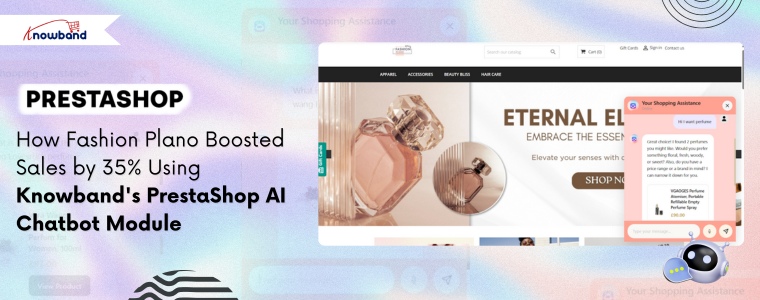
After successfully implementing the Knowband Prestashop Product Sticker & Label Module and Prestashop AI Content Generator, Fashion Plano decided to make an effort for their customer service challenge head-on. They decided to use the Knowband PrestaShop AI Chatbot Module, and the results were pretty impressive, we guess.
🤖 Also on OpenCart?
Automate Store Conversations with an OpenCart AI Chatbot using OpenAI
Answer customer questions 24/7, reduce cart abandonment, and free up your support team, all with one smart AI Chatbot for OpenCart.
Let’s be honest, customers expect instant answers these days. If they have a question at 2 AM about whether a dress runs small or when their order will arrive, they don’t want to wait until morning for a response.
Fashion Plano was struggling with:
Hundreds of similar questions every day ( Is there any size available for this dress? When will my order arrive?)
A support team that could only work normal business hours
Frustrated customers abandoning their carts because they couldn’t get quick answers
Missing out on international customers due to language barriers
Support costs were reducing the profit margins
They knew something had to change. After seeing great results with Knowband’s other PrestaShop modules, they decided to give the chatbot a try.
Fashion Plano’s Founder, Ketherine, integrated the Knowband PrestaShop AI Chatbot Module, which isn’t just another automated response system that frustrates customers with robotic answers. Furthermore, it’s designed specifically for e-commerce stores that understand what customers actually need.
Round-the-Clock Customer Support
The first thing Fashion Plano noticed what their customers could finally get help anytime they wanted. The Prestashop AI chatbot Module handled questions about:
Shipping and delivery time
Size charts and fit recommendations for the product
Order Information and details.
No more losing sales because someone had a question at midnight. The AI chatbot was always there, ready to help.
This is where the Knowband Prestashop AI chatbot Addon really worked. Furthermore, it didn’t just answer questions, but this Prestshop Live Chat Module helped customers find exactly what they were looking for. If someone asked about summer dresses, the AI chatbot showed them the latest arrivals, suggested complementary accessories, and even mentioned ongoing promotions.
Think of it as having your best salesperson available 24/7, never taking a break, and never having a bad day.
Opencart AI Chatbot Extension
Integrate A professional AI Chatbot on your opencart store.
Unlimited AI Engines and models. Vector Search Integrated. Chatbot Schedule Availability
This Prestashop AI Live Chat Module also handles the order tracking & shipping status information. Furthermore, customers simply ask, “Where’s my order?” and get instant tracking updates. This feature alone cut down support tickets by more than half.
Speaking Your Customer’s Language
Fashion Plano ships worldwide, which means dealing with customers who speak different languages. The AI chatbot handled conversations in multiple languages, making international customers feel right at home. No more awkward Google Translate conversations or hiring multilingual support staff.
Katherine also explained that she could easily see what the conversation is going on between customers and the chatbot. This AI Chatbot for Prestashop allows the store admins to check the product recommendations shared by the chatbot with respect to each user.
Real Results After Using Prestashop AI Chatbot Addon
This Prestashop AI Chatbot Module really showed the fashionplano the real results.
Response Time: From waiting hours for an email or ticket reply to getting answers in seconds. Additionally, cart abandonment dropped by 45% because customers got their questions answered before clicking away.
Customer Happiness: Furthermore, using this AI chatbot module, customers’ ratings increased by 58%. Additionally, it turns out that people really appreciate quick, helpful responses.
More Sales: The Prestashop AI chatbot Module’s product recommendations worked. Furthermore, conversion rates went up 29%, and customers started buying more products, resulting in a 32% increase in average order value.
Lower Costs: Moreover, the support team was spending 65% less time on routine questions. Moreover, they could finally focus on complex issues that actually needed a human touch.
Global Growth: With language barriers removed, international sales climbed 40%. Furthermore, the AI chatbot made it easy for customers from anywhere to shop confidently.
Conclusion
If you’re running a PrestaShop store and feeling overwhelmed by customer support, you’re not alone. Fashion Plano was in the same situation. They were already using Knowband’s solutions for product visibility and content creation, and adding the chatbot module completely changed the situation.
The learning point is that you don’t need a huge support team to provide excellent customer service. You just need the right tools.
For Fashion Plano, Knowband’s PrestaShop AI Chatbot Module was exactly the module that was needed which also increased sales and made customers happier.
If you are looking for the best prestashop abandoned cart email reminder module, then it’s the best choice. Here we will be talking about the best abandoned cart modules and strategies to recover the lost sales.
Your Default Checkout Can be the Issue
Most people come and add the products to the cart, and then they leave. The top reason that to abandoned cart is complex checkout. If you are using the complex checkout that requires many pages, this is the reason your customer is abandoning the cart.
First, switch to a prestashop Quick checkout addon, and add this addon to your prestashop store. As this Fast Checkout for Prestashop will help you to combine all the pages like shipping address, delivery address, payment options, shipping options, product details and many more.
One thing that also increases the rate of abandoned carts is a lengthy login or registration process. This Knowband Prestashop Quick Checkout Addon also comes with built-in social login options like Facebook and Google.
How can you reduce the Prestashop Abandoned Carts
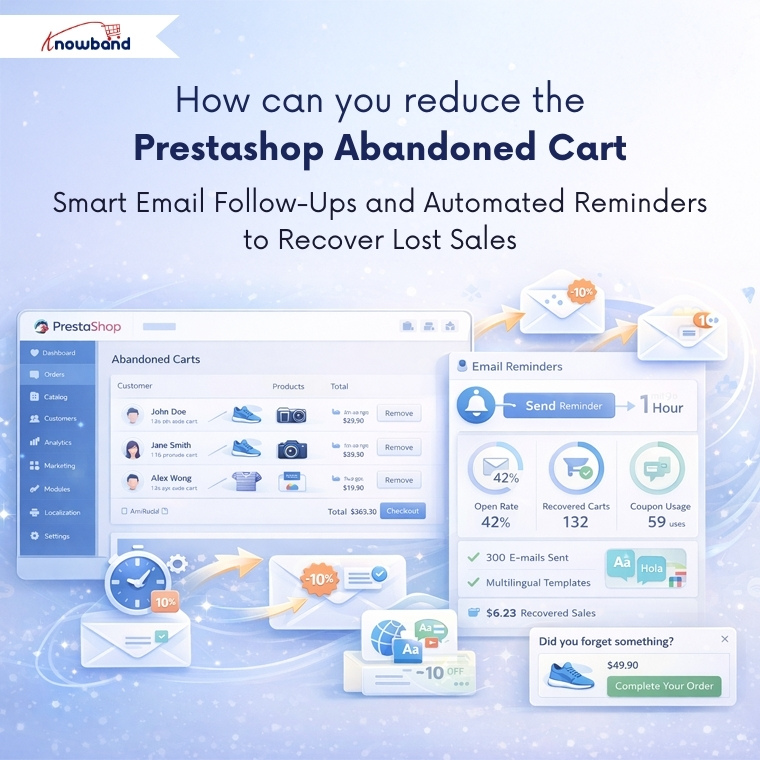
But what if there are already so many abandoned cart and now you want to clear abandoned carts in prestashop? So email follow-up and reminders are one of the best ways.
Integrate a Prestashop Email Follow-up module, which will send the reminder and emails to your prestashop abandoned cart users. Additionally, you can see all the details and statistics of the email coupon that has been sent to the users.
Moreover, you can schedule this cron at any of the time, like midnight time when users mostly scroll.
If your customers are international or you have an international audience, then do not worry. This Knowband Prestashop Email Follow-up module has provided the email template option differently in all the languages.
This Prestashop Email Follow-up module allows you to send the reminder to the website as well. Using this reminder, customers can easily grab the offers, make a deal and clear your abadnoned carts.
Tracking Your Success Using Prestashop Email Follow-Ups
These email reminder modules provide detailed analytics showing which emails are being opened, which discount codes are being used, and ultimately, which abandoned carts are converting into sales. Furthermore, this data becomes valuable for analysing the pattern of purchase. Furthermore, you might discover that certain products have higher recovery rates or that specific discount percentages work better than others.
The Power of Wishlists
Here’s something many store owners miss: not every product a customer browses needs to go straight to the cart. Offering this Knowband Prestashop wishlist Module feature gives customers a way to save items they’re interested in without the pressure of immediate purchase.
For customers, they provide a convenient way to bookmark products they want to return to later, maybe they are waiting for payday, comparing options, or just planning future purchases. For you as a store owner, wishlists offer incredible insights into customer preferences and trending products.
By analysing wishlist data, you can identify which items generate the most interest, spot seasonal trends, and even plan your inventory more effectively. You might notice certain products frequently appear together in wishlists, which could inform bundle deals or cross-selling strategies.
Putting These Abandoned Cart Solutions All Together
Recovering abandoned carts isn’t about using just one technique – it’s about creating a comprehensive approach. Start by removing complexity from your checkout process, then implement smart email follow-up strategies for those who still don’t complete their purchase. You should give customers flexibility with features like wishlists, and always keep testing and refining based on the data you collect.
Not every abandoned cart will convert, and that’s okay. But by implementing these strategies and modules, you will recover a meaningful percentage of lost sales, which can significantly impact your bottom line over time.
Always remember, each recovered cart represents a customer who wanted your product enough to add it to their cart in the first place. Your job is simply to make this as easy and appealing as possible for them to complete the purchase that final step.
For more information, check out the Quick checkout Addon for Prestashop. You can also try the demo. If you face any issues, you can reach out to us at support@knowband.com.
Read our latest blogs on AI Chatbots: https://www.whatech.com/og/artificial-intelligence/blog/1008494-ai-chatbot-now-available-for-opencart-and-prestashop-stores-in-2026.html
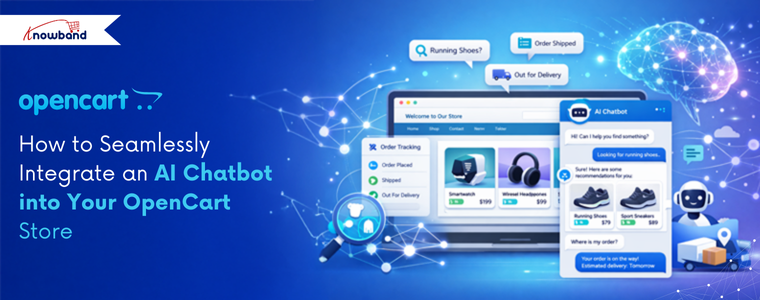
Introducing the perfect AI chatbot for your OpenCart store. Nowadays, you have observed that many stores have AI chatbots that answer customer queries and recommend products. Like that, Knowband has released its OpenCart AI chatbot after developing the PrestaShop AI chatbot.
Important Update for PrestaShop and OpenCart AI Chatbot Users
Knowband is excited to announce the release of the latest versions of its OpenCart AI Chatbot Extension and PrestaShop Live AI Chatbot Addon, which are now live and available on the OpenCart Marketplace and Prestashop Addon Marketplaces. This major update in both the AI Chatbot Module brings a wide range of enhancements designed to improve chatbot management by store owners, customisation of the UI of the chatbot interface, security, and implementation of new AI Models like DeepSeek, Gemini and many more with their engines and overall customer interaction.
The updated Live AI Chatbot for OpenCart now includes a detailed Chat Logs feature for store owners, allowing them to analyse conversations and customer queries, and gain valuable patterns to help in product recommendations and many more. Furthermore, this AI Chatbot for Prestashop also includes features such as chatbot availability Scheduling and many more.
This chatbot enables users to integrate the AI Live Chatbot on the frontend on all pages. This AI chatbot comes with built-in API features and is integrated with the Qdrant database. This perfect chatbot not only works with exact product names, but it also understands the customer’s words and their meaning. Based on that, it recommends products that help in conversion.
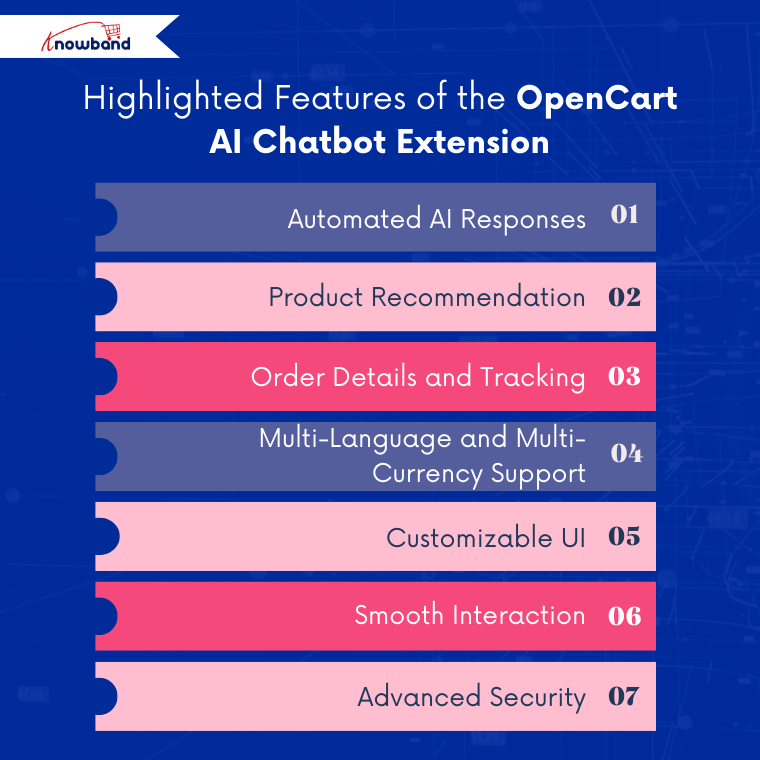
So let’s explore the highlighted key features and key benefits of the OpenCart AI Chatbot Module.
This professional AI chatbot responds to customers based on their queries. Furthermore, it delivers product information, order information, and tracking based on the real data of the store. The chatbot instantly answers customer queries, from product availability and pricing to order status. This real-time AI Assistant is designed using OpenAI ChatGPT. Moreover, this AI chatbot supports multiple ChatGPT models such as GPT-5, GPT-4 Turbo, Mini, and GPT-3.5.
2. Product Recommendation
Integration with vector search is the main key feature of this OpenCart AI chatbot. This allows the AI chatbot to recommend products based on the keywords and meaning of the customer’s query.
3. Order Details and Tracking
The AI chatbot helps customers check order information, shipping information, order status, and more. Customers get the information when they add sentences like “What’s my order status?” or “When will I receive the order?”
4. Multi-Language and Multi-Currency Support
The AI chatbot works perfectly with stores that have multiple languages. This AI chatbot can automatically detect the store’s language and currency and answer in that language, providing responses for international customers.
5. Customizable UI
This AI chatbot allows admins to customise the overall UI according to their brand’s theme. You can change the chat window colour, button colour, and text blocks of both the chatbot and customers.
6. Smooth Interaction
This Knowband AI chatbot smoothly interacts with all customer queries. Even if customers ask queries that are not related to the store, the chatbot answers that it cannot respond to them.
7. Advanced Security
This AI chatbot is integrated with guardrails to ensure that the chatbot does not respond to queries that can be a threat to your store.
Prestashop AI Chatbot Addon
Create and launch a perfect AI Chatbot for your Prestashop store.
Why You Should Use an AI Chatbot for Your Opencart Store
Professionalism: An AI chatbot integrated into your OpenCart store enhances your brand’s professionalism and credibility. Furthermore, this AI Chatbot helps customers easily search for products, find information, and navigate the store smoothly, creating a more polished and trustworthy shopping experience.
24/7 Instant Customer Support: This best AI chatbot extension acts as 24-7 customer support for your opencart store, as it helps in reducing the cost of labour.
Faster Response Times & Reduced Waits: The customer does not have to wait for too long for replies; this AI chatbot replies in seconds, accurately to all the queries of customers.
Higher Conversion Rates: This AI chatbot recommends the product based on the meaning of the words that the visitor used when he or she comes to the store. This, in turns helps in conversion rates
Personalised Shopping Experience: The AI chatbot helps the customers with order tracking, delivery status, updates, and post-purchase queries. This improves transparency, builds customer trust, and ensures a smooth experience.
Conclusion
In conclusion, this OpenCart AI Chatbot Extension is much more than a simple chatbot. With features such as seamless integration with the store’s data and smart automation, it becomes a must-have solution for improving customer engagement and support.
Moreover, it also works as a live chat system for your OpenCart store, remaining available 24/7 to assist customers throughout their shopping journey.
Knowband is continuously working on enhancements and plans to introduce new features such as chatbot availability, scheduling and chat log options. Store owners can also customise this module according to their business requirements. Our team of experts is always available to help with customisation and ongoing support.
Support: support@knowband.com
Checkout our PR on AI chatbots for e-commerce stores
In today’s mobile-first world, having a responsive website alone is no longer enough. Customers now expect seamless shopping on their smartphones. That’s why the Prestashop Mobile App steps in to transform your store into a fully functional Android and iOS app without any coding headaches.
With the Mobile App Builder Module for Prestashop, you can launch your Prestashop Mobile App quickly and start capturing mobile sales. As a result, you keep customers engaged while boosting conversions effortlessly.
Let’s explore why the Prestashop Android and iOS Mobile App Builder Addon can be essential for your business growth.
Important Update PrestaShop Mobile App Builder now supports Prestashop AI chatbot module integration, so mobile shoppers get instant answers about products, orders, and support right inside the app. Combined with a native Android and iOS shopping experience, this improves engagement and conversions with 24/7 AI assistance. See the complete introduction and features of the PrestaShop Mobile App Builder on PrestaShop Marketplace.
Why Choose the Prestashop Mobile App Builder?
1️. Real-Time Synchronisation
To begin with, the Prestashop Mobile App Builder Module ensures your app and store remain perfectly synchronised. Whenever you update product details, prices, or inventory in your backend, the app reflects these changes instantly. Therefore, you can eliminate manual updates and keep customers informed with accurate information at all times.
2️. Fully Customizable Designs
Furthermore, branding plays a crucial role in customer retention. With the Mobile App Builder Module for Prestashop, you can easily customise layouts, banners, colours, and fonts to match your store’s branding. As a result, your app delivers a consistent and trustworthy shopping experience to your customers.
3. Smooth User Experience
Additionally, the Prestashop Android and iOS Mobile App Builder Addon delivers a sleek, mobile-friendly interface that adapts smoothly to any device. Customers can browse products, explore categories, and complete purchases with ease. Consequently, your store reduces cart abandonment and increases customer satisfaction.
4️. Multi-Language and Currency Support
On top of that, expanding globally becomes easier with the Prestashop eCommerce Mobile App. This Addon offers multi-language and multi-currency support, allowing you to reach customers worldwide while providing a localised shopping experience.
5️. Push Notifications
In addition, staying connected with your customers becomes seamless. Using push notifications, you can send personalised messages about order updates, exclusive offers, and abandoned carts to re-engage shoppers and recover potentially lost sales.
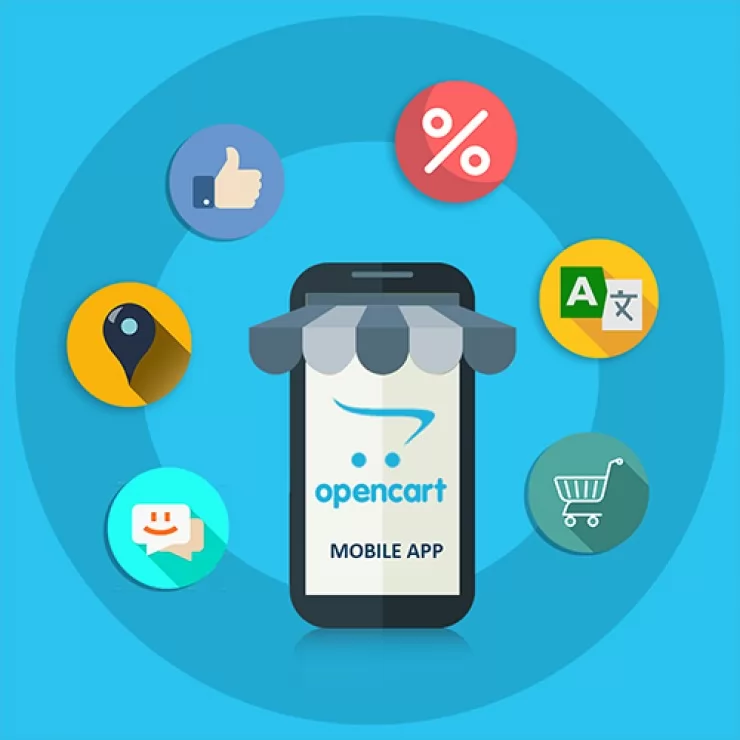
Opencart Mobile App Builder
Create and launch your app using Knowband’s Opencart Mobile App Builder.
Furthermore, the Prestashop Android and iOS Mobile App Builder Module include offline browsing capabilities. Even if customers lose internet connectivity, they can continue browsing products and adding items to their cart, ensuring a consistent shopping journey.
7️. Simplified Checkout
Above all, a smooth checkout process is crucial for conversions. The Mobile App Builder Module for Prestashop offers a secure, fast, and simplified checkout with multiple payment gateway support, which helps reduce cart abandonment and builds customer trust.
As a result, these features create a personalized shopping journey and encourage repeat visits. Before purchasing, we also offer a free mobile app builder Addon that helps you explore all the functionalities and evaluate the app’s performance
Dedicated Support for a Smooth Journey
Besides providing a powerful Module, Knowband offers reliable support to make your app journey hassle-free. Their team guides you from installation to app publishing, ensuring you launch confidently. Additionally, detailed manuals and prompt assistance help address any concerns effectively.
Final Words
The Prestashop Mobile App Builder is a must-have Module for merchants who want to thrive in the mobile commerce space. By using the Prestashop Android and iOS Mobile App Creator Module, you can increase customer engagement, streamline the shopping process, and drive higher conversions effortlessly.
This is the ideal moment to transform your store into a mobile app. Launch your Prestashop Mobile App today and position your business for long-term growth in the mobile-driven eCommerce landscape.
For a detailed tutorial, watch out our complete guide on YouTube.
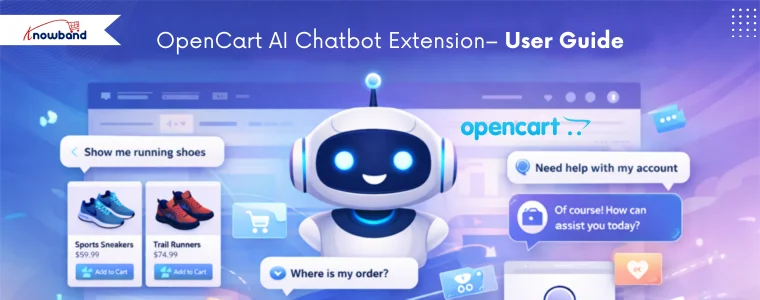
Introducing the OpenCart AI Chatbot Module by Knowband, which is designed to meet these expectations by providing a smart, professional, AI virtual chatbot for your opencart store.
By using advanced OpenAI technology, this ai chatbot gives natural, human-like responses in real time. Furthermore, it helps customers search for products, check prices and stock, understand store policies, and track orders, without human intervention.
With easy setup and powerful features, this AI assistant by Knowband improves customer satisfaction, reduces support workload, and boosts conversions.
1. Real-Time Intelligent Responses Firstly, the AI Chatbot instantly answers customer queries related to product prices, stock availability, categories, and comparisons by fetching live store data.
2. Multi-Language & Multi-Currency SupportThe chatbot automatically detects the store’s languages and currencies and responds accordingly, making it perfect for international Opencart stores.
3. Powered by ChatGPT TechnologyUsing the latest OpenAI GPT models, the opencart chat extension provides accurate, context-aware, and like-human responses. Moreover, admins can choose different AI models like GPT 5, GPT 4o & GPT 4o mini based on performance needs.
4. Vector Search IntegrationVector search integration with Qdrant allows the chat plugin for opencart to perform semantic searches based on keywords and their meaning. Moreover, this enables intelligent product recommendations, providing customers with results that match the true intent of their queries.
5. Smart Product SearchFurthermore, customers can search products, browse categories, and compare items directly within the chatbot interface.
6. Automatic Order Information Retrieval Logged-in customers can retrieve order details such as order ID, products, prices, and order status directly using opencart live chatbot Extension.
7. Real-Time Order Status & TrackingCustomers can easily track their orders and shipment status by entering their order ID in the live chatbot plugin for opencart.
8. Fully Customizable Chat InterfaceInterestingly, store owners can customise chatbot colours, chat window design, icons, buttons, and text styles to match their brand theme using Opencart Live chat Plugin.
Step 1: After purchasing the extension, download the ZIP file from your Knowband account.Step2: Unzip the folder and copy the files to the upload folder and move the admin and catalog files.
Step 3: Log in to the OpenCart Admin Panel and navigate to Extensions → Installer. Upload the downloaded ocmod file.
Step 4: Go to Extensions –> Modifications and click “Refresh”. Then navigate to Extensions -> Extensions -> Modules and install the opencart online chatbot Extension.
Step 5: Click on Edit to access the configuration page.
4. 0.0 Admin Interface Overview
The OpenCart Chatbot Using OpenAI is designed to be simple and user-friendly. The admin panel includes sections for General Settings, AI Configuration, and UI Customisation.
4.1.0 General Configuration of Opencart AI Chatbot Extension
Enable Chatbot: Store owners can enable or disable the module as per their need.
OpenAI API KeyEnter your OpenAI API key to create a connection between the chatbot and OpenAI. This key is mandatory for the functioning of the Opencart AI Chatbot.
For security reasons, the API key should be kept confidential and must not be shared with anyone.
AI Model SelectionChoose the AI model that will be used to generate opencart AI chatbot ChatGPT extension responses based on your store’s requirements:
GPT-4o: Suitable for handling complex queries, providing accurate responses, and maintaining better context during longer conversations.
GPT-4o Mini : Designed for faster response times and reduced API usage, ideal for basic customer interactions.
GPT-5: Offers enhanced processing capabilities and improved response quality for advanced use cases.
TemperatureThis setting controls the randomness of opencart chatbot software responses. Moreover, lower values generate more predictable and factual replies, while higher values allow more variation in responses. It is recommended to use a moderate value for customer support scenarios.
Max ResultsYou can define the maximum number of product results displayed when customers asks product related queries. This feature on opencart live chatbot extension turns limiting results, helps maintain clarity and prevents overloading the chat interface.
Conversation HistoryIn this feature, Opencart modern chat assistant remembers the last conversation history and answers according to that.
Debug Mode:Enable this option to generate system logs that assist in diagnosing issues related to chatbot behavior, API connectivity, or data retrieval.
Enable Vector SearchYou can activate semantic search functionality, enabling the Opencart AI Chatbot Using OpenAI to better understand user intent and return more relevant responses beyond keyword-based matching.Qdrant URLEnter the endpoint URL of the Qdrant vector database server used to store and retrieve vector data for semantic search operations. We have covered the steps in section 7.0.0.
Qdrant API KeyProvide the API key required to authenticate access to the Qdrant server. Furthermore, this ensures secure communication between the chatbot and the vector database.
4.2.0 Chatbot UI Customisation of Knowband Opencart AI Chatbot Plugin
The module allows complete customisation of the chatbot interface, helping store owners match the chatbot’s appearance with their store’s branding and design.Chatbot Logo Upload First, this option allows you to upload a custom logo for the OpenCart ChatGPT AI Chatbot. The logo represents your brand inside the chat window and helps maintain visual consistency across your store. Supported file formats include JPG, PNG, GIF, and WEBP.
Chat Background Color Next, using this setting, you can define the background color of the chat area where conversations appear. This helps improve readability and ensures the chat interface aligns with your store’s overall design.
System Message Color Additionally, this option enables you to customize the background color of messages sent by the OpenCart Live AI ChatBot Extension. A distinct system message color helps customers easily differentiate between chatbot responses and their own messages.
User Message Color In addition, this setting in the OpenCart AI Chatbot Software Plugin allows you to change the background color of customer messages in the chat window. As a result, conversations become clearer and easier to follow.
Chat Popup Background Color Moreover, this option lets you customize the background color of the entire chat popup window. This ensures that the AI Chatbot for OpenCart blends smoothly with your store’s theme and layout.
Chat Button Color Furthermore, this setting controls the color of the OpenCart AI Chatbot Extension launch button and action buttons. A visually appealing and contrasting button color can improve visibility and encourage customers to start a conversation.
Chat Text Color Likewise, this option allows you to set the text color for both chatbot responses and user messages. Choosing a clear and readable text color enhances accessibility and user comfort.
In summary, these customisation options ensure that the Best AI Assistant for OpenCart integrates seamlessly with your store design while delivering a modern, visually appealing, and user-friendly chatbot experience.
Language Selection (English, French) This setting allows you to select the language in which the chatbot interface will be displayed. The chatbot can be configured separately for each available language, such as English and French, ensuring localized communication for different customer groups. Chatbot TitleEnter the title that will be displayed at the top of the OpenCart ChatGPT-powered Chatbot popup window. This title helps users identify the chatbot’s purpose, such as AI Product Assistant, and can be customized for each language.
Welcome MessageLastly, set the initial message shown to customers when the OpenCart Chatbot Using OpenAI (ChatGPT) LLM opens. This message is used to greet users and guide them on how to interact with the chatbot, such as asking about products, orders, or store policies.
Product Search and Browsing Customers can search for products and browse categories directly through the chatbot. Additionally, this AI chatbot conversation retrieves relevant products based on customer input and displays matching results in real time, making product discovery faster and easier.
Keyword- and Meaning-Based Queries The ChatGPT AI chatbot supports both keyword-based and semantic (meaning-based) queries. Furthermore, with Qdrant integration enabled, the chatbot understands the intent behind customer questions and returns more accurate and relevant results, even when exact keywords are not used.
Product Details In addition, customers can request detailed product information such as price, stock availability, and product descriptions without navigating away from the current page, using AI chatbot assistance.
Order Details and Order History For logged-in users, the chatbot provides access to complete order information, including previous orders, purchased products, prices, and current order status, directly within the AI chatbot interface.
Shipment Tracking and Order Status Moreover, the ChatGPT chatbot allows customers to check shipment details and track the current status of their orders by simply providing the required order information.
General Store Queries Lastly, the Live AI ChatBot responds to common store-related questions such as store policies, delivery information, payment methods, and other general inquiries, ensuring continuous customer support.
6.0.0 How to Generate OpenAI API Key
To enable the functioning of the AI Chatbot Software by Knowband, you need an OpenAI API key. Follow these steps:Step 1: Log in to your OpenAI account Use your registered email and password to access the OpenAI platform.Step 2: Navigate to Profile → View API Keys This section lists all your existing API keys.Step 3: Click “Create New Secret Key” Generate a new API key specifically for your chatbot integration.Step 4: Copy the API Key and store it securely The key provides access to your OpenAI account, so it should not be shared publicly.
Step 5: Paste the key into the moduleNow, in your OpenCart admin panel, open the AI chatbot module settings and enter the key in the API Key field under General Configuration → OpenAI API Key.
7.0.0 How to Generate Qdrant API Key and Endpoint URL for Opencart AI Chatbot
If you are using vector search with Qdrant for semantic queries in Knowband’s Opencart Best AI Assistant, follow these steps:
Step 1: Sign in to your Qdrant account Access your Qdrant cloud or self-hosted instance.
Step 2: Create a new API Key Navigate to the clusters, create a cluster, and generate keys for your chatbot integration.
Step 3: Copy the API Key and Endpoint URL The Endpoint URL points to your Qdrant server, and the API Key authorises access to the vector database.Step 4: Enter the details in the module In your OpenCart admin panel, go to General Configuration → Qdrant URL and paste the endpoint URL. Then enter the API Key in the Qdrant API Key field. Note: Moreover, using Qdrant vector search allows the chatbot to perform semantic searches, providing context-aware and accurate product recommendations based on customer queries.
9. 0.0 Summary
The OpenCart AI Chatbot Extension by OpenAI ChatGPT enhances customer support by offering instant, intelligent, and personalised assistance. Furthermore, it automates repetitive tasks, improves engagement, and helps store owners deliver faster and smarter customer experiences 24/7.Hence, this AI chatbot helps OpenCart merchants stay competitive while providing a modern, reliable, and efficient shopping experience.
In today’s competitive e-commerce landscape, limiting your products to a single store means leaving sales on the table. Expanding to high-traffic marketplaces like Amazon, eBay, and Etsy is no longer optional; it’s essential for growth. Etsy alone attracts millions of active buyers actively searching for unique products, making it a goldmine for online sellers. If your store runs on OpenCart and you’re ready to tap into Etsy’s massive audience, the OpenCart Etsy Integration Extension by Knowband is exactly what you need. It automates product synchronization, inventory updates, and order management, so you can focus on growing your business instead of managing two platforms manually. Let’s dive into how the OpenCart Etsy Integration Module can help you increase visibility, drive more sales, and save valuable time.
🛒 Also on PrestaShop?
Save Time & Maximize Sales with the PrestaShop Etsy Integration Addon
Sync products, manage orders, and automate your entire Etsy workflow, all from your PrestaShop store dashboard.
The Knowband’s Opencart Etsy Integration Extension is an Etsy integration extension that enables the store owners to automate the listing from their Opencart store to Etsy automatically. The admin does not need to list manually, but the entire process can be automated using his Opencart Etsy Marketplace Extension.
Whether you’re an established seller or just exploring the marketplace to list, the Opencart Etsy Integration Plugin is specifically designed to simplify operations for you and increase visibility across marketplaces.
Listing your opencart product to etsy marketplace is very straightforward and requires less effort than manual. Additionally, this Etsy integration extension allows the store owners to list thousands of products at the same time, helping to reduce time and effort.
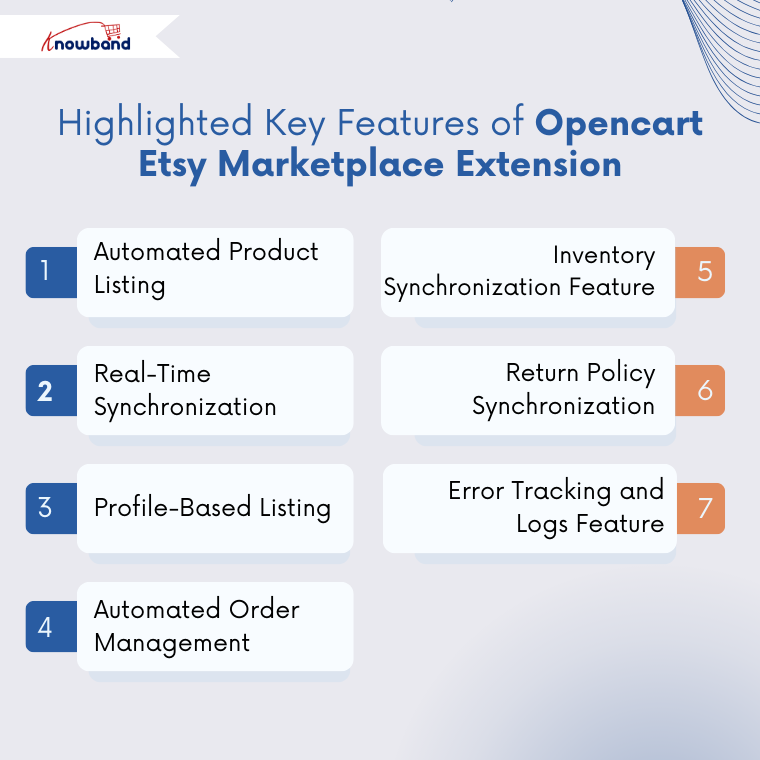
2. Real-Time Synchronisation
Start Selling on Etsy from Your Prestashop Store
Now selling on Etsy is easy with Knowband’s Prestashop Etsy Marketplace Module.
If you want to make any changes, like stock change, price changes or even product description, then do not worry. This OpenCart Etsy Marketplace Extension consist the several cron synchronisation tabs to automatically update the price, stocks and many more. As a result, everything will be up to date in your opencart store.
3. Profile-Based Listing Using the Opencart Etsy Marketplace Extension
In the Etsy Marketplace Extension, you can map entire categories or products with Etsy categories. In addition, profile management allows you to configure the fields and rules, for example, shipping, pricing, category assignments and many more.
4. Automated Order Management Using Opencart Etsy Integration Extension
This Etsy integration extension enables the stores to sync the orders from the Etsy end to the Etsy marketplace. These orders are automatically exported or sync from Etsy end to your opencart orders using the order synchronisation cron in the Opencart Etsy Integration Module.
5. Inventory Synchronisation Feature
Like real-time synchronisation, you can handle the inventory or stock synchronisation on both the platforms etsy and opencart store. Using the Opencart Etsy Integration Module, the inventory sync cron, you can automatically sync the opencart inventory to the Etsy inventory.
6. Return Policy Synchronisation
Knowband has recently released a new update to the Opencart Etsy Integration Extension, which allows the store owners to create, manage and sync the return policy to the profile management. In this feature, store owners can map the return policy to the product or entire category just by choosing the return policy option in the profile management.
7. Error Tracking and Logs Feature
Importantly, the Knowband’s Etsy API Opencart Plugin provides detailed error logs to help you identify the issues. As a result, this error tracking ensures improved accuracy of your product listing and synchronisations.
All the store owners will be needing Etsy API Key String and the Etsy secret Key to connect their store to Etsy.
To integrate the Opencart Etsy Integration Extension, kindly follow these steps 1. Visit the Etsy developer account. If you do not have an account, kindly create an account. If you already have, then visit
2. Go to Manage your app and create a app there. Fill out the required information for your app (name, purpose, and website if needed).
3. Once your app is created, Etsy will provide you with the Etsy API Key String and the Etsy secret Key. Make sure that you have added the callback URL that is provided to you below the general settings of the Opencart Etsy Marketplace Plugin
4. Now go to the Opencart Etsy Integration Module on your store and save and connect.
Conclusion
Selling on Etsy is very easy for the opencart sellers now using the Opencart Etsy Integration Extension. With the Knowband Etsy marketplace, you can manage product listings and sync inventory between OpenCart and Etsy without any hassle. This Opencart Etsy Integration Plugin helps store owners to save time, reduce manual work, and reach a wider audience on the Etsy marketplace.
Grow and expand your business effortlessly with the Opencart Etsy Marketplace Module and start selling on one of the world’s largest marketplaces directly from your OpenCart store without any manual work. If you face any query, you can always reach out to at support@knowband.com.
Checkout is one of the most critical steps of any eCommerce journey. No matter how much traffic your prestashop store receives or how attractive your products are, a complicated or slow checkout process can undo all your efforts.
As customer expectations continue to evolve in 2026, many store owners are re-evaluating whether the default PrestaShop checkout still meets modern requirements, or if switching to a Prestashop Quick Checkout Module slike Knowband’s, is the smarter move.
So, should you make the switch? Let’s take a closer look.
Understanding the Default PrestaShop Checkout
The default PrestaShop checkout follows a multi-step process, where customers move through separate pages for personal details, addresses, shipping, and payment. While functional, this approach has some limitations:
Multiple page reloads increase checkout time
Customers lose visibility of the full process
Mobile users often experience friction
Higher chances of cart abandonment
In 2026, customers expect speed, clarity, and minimal effort, especially on mobile devices. This is where many stores begin to see performance gaps with the default checkout.
💡 Enhance Your Checkout
Enhance Your Checkout Experience with PrestaShop One Page Checkout by Knowband
Social login, guest checkout, drag-and-drop fields, mobile optimization, everything you need to turn abandoned carts into completed orders.
Knowband One Page Checkout consolidates the entire checkout process into a single, well-structured page. Instead of navigating through multiple steps, customers can complete their purchase by entering all required details at once.
Knowband’s Prestashop simplified checkout addon brings all essential checkout steps, including login, address, shipping, payment, and order summary into a single page. Not only that but it also offers social login options like facebook, Google and PayPal.
This Prestashop simplified checkout addon often includes features like guest checkout, address auto-fill, real-time validation, and multiple payment and shipping options, all of which contribute to a smoother shopping experience.
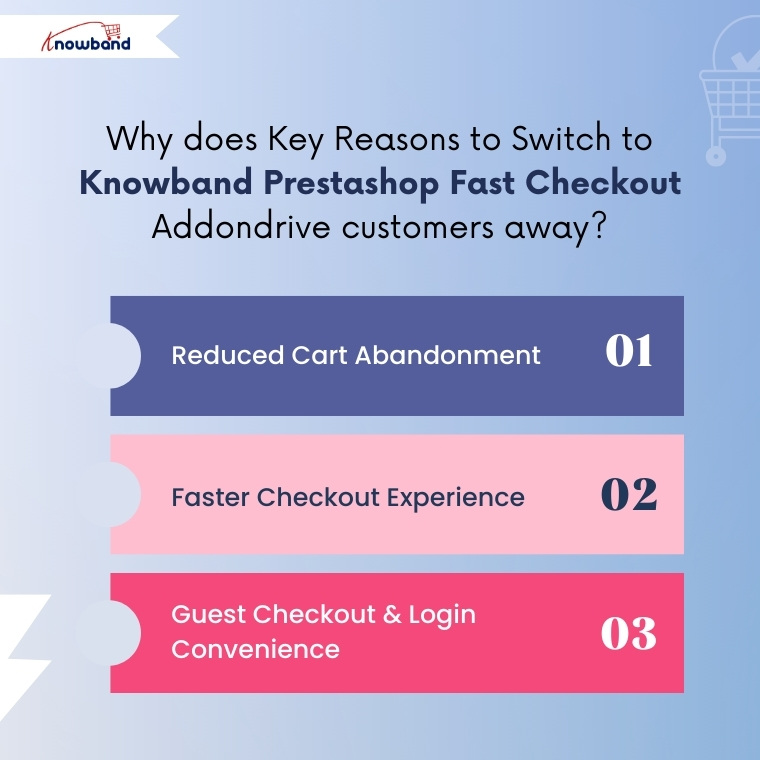
Cart abandonment remains one of the biggest challenges for PrestaShop store owners. Long and complex checkout flows are a major contributor.
By displaying all checkout fields on one page, Knowband Prestashop One Page Checkout helps in eliminating unnecessary clicks and steps. This in turns reduces the waiting time and customer’s order completed in no time.
Start Selling on Etsy from Your Prestashop Store
Now selling on Etsy is easy with Knowband’s Prestashop Etsy Marketplace Module.
Speed matters more than ever in 2026. Modern users expect a checkout process that takes seconds, not minutes.
Knowband’s Quick Checkout Extension Prestashop helps in minimising the multiple page reloads. Furthermore, One Page Checkout for Prestashop dynamically loads the address, shipping and payment options
3. Guest Checkout & Login Convenience
Knowband Prestashop One Page Checkout not only simplifies the login and checkout process but also significantly enhances user experience and transparency. For instance, customers can view a real-time cart summary, including shipping costs and the total amount, so they clearly understand what they are paying for.
Moreover, they can edit their details without leaving the page, ensuring a smooth and uninterrupted process. As a result, this level of clarity and transparency builds trust with customers and helps reduce last-minute cart abandonment.
4. Social Login Integrations
Knowband PrestaShop One Page Checkout Module further enhances the user experience by offering social login integrations. Customers can log in quickly using their existing social media accounts, such as Facebook, Google, or Twitter, eliminating the need to create new accounts or remember additional passwords.
This convenience not only reduces friction during checkout but also speeds up the purchasing process, making it more likely that users will complete their orders. Social logins also provide store owners with verified customer information, helping improve personalization and targeted marketing.
Switching from the default PrestaShop checkout to the Knowband Prestashop One Step Checkout Addon is especially beneficial if:
Your store has high cart abandonment rates
You want to improve conversions without increasing ad spend
Your store targets international or first-time customers
In research, it is observed that checkout optimisation often delivers faster ROI than traffic acquisition.
Final Conclusion: Is It Worth Switching in 2026?
In 2026, checkout is no longer just a functional step; it has become a key conversion driver for online shops. While the default PrestaShop checkout fulfils its basic purpose, it may fall short of modern user expectations that prioritise speed, simplicity, and convenience.
If your goal is to reduce cart abandonment, improve mobile performance, and enhance the overall checkout experience, then switching to Knowband Prestashop responsive one step checkout addon is a practical and forward-looking solution. By streamlining the checkout process, Knowband Prestashop One Page Checkout can help your PrestaShop store convert more visitors into customers, ensuring a smoother and more satisfying shopping experience in 2026 and beyond.
As we step into the New Year 2026, the team at Knowband extends warm greetings to all online store owners, e-commerce professionals, and enthusiasts. A new year brings with it a sense of renewal and fresh opportunities, making it the perfect moment to reflect on achievements, learn from challenges, and set meaningful goals for the months ahead. The world of online commerce is constantly evolving, with customer expectations, technology, and shopping habits changing faster than ever. For online store owners, staying informed and adaptable is key to sustaining growth and maintaining a competitive edge.In this blog, we aim to provide insights into the key e-commerce trends of 2026 and share practical tips that online stores can implement to stay ahead. These strategies are designed to help businesses not only meet but exceed customer expectations, streamline operations, and prepare for a productive year ahead.
Below are some thoughtful success tips that online stores can consider as they plan for growth and sustainability in 2026.
Improve User Experience for Better Engagement
First of all, a smooth user experience plays a major role in online success. When customers easily browse products and complete their purchases, they are more likely to stay in the store. Complicated checkout processes often lead to frustration and lost sales. One Page Checkout simplify the checkout process by reducing steps and making it faster. As a result, customers enjoy a better shopping experience and store owners see improved conversions.
Reduce Cart Abandonment with Smart Strategies
Along with a better user experience, reducing cart abandonment should be a top priority. Many customers leave their carts without completing purchases due to distractions or doubts. Knowband’s Abandoned Cart Reminder plugins help recover these lost sales by sending timely emails or notifications. Furthermore, these reminders encourage customers to return and complete their orders, which helps increase revenue without extra marketing effort.
Build Customer Trust with Social Proof
In addition to convenience, trust is an important factor in online shopping. Customers often rely on reviews, ratings, and easy login options before making a purchase. Knowband plugins that support social login and customer feedback help build trust and confidence. Moreover, when customers see positive reviews and can log in quickly, they feel more comfortable completing their purchases.
Focus on Mobile Shopping Growth
At the same time, mobile shopping continues to grow rapidly. More customers prefer using smartphones to shop online, which makes mobile optimisation essential. We at Knowband help store owners to create Android and iOS apps easily. These apps also supports the all high level features that are necessary, helping businesses stay connected with customers and promote offers effectively.
Want to launch your mobile app?
Discover the Mobile App Builder and get your app live in just one week!
Build, customise, and launch your mobile store effortlessly
Moreover, personalisation helps stores stand out in a competitive market. Customers appreciate personalised offers and messages that match their interests. Knowband plugins enable store owners to deliver targeted promotions and relevant content based on customer behaviour. This not only improves customer satisfaction but also encourages repeat purchases.
Data-Driven Decision Making
Data will continue to guide e-commerce strategies in 2026. Store owners will rely on insights from customer behaviour, sales patterns, and performance metrics to improve their stores.
Using data to understand what works and what doesn’t will help businesses make smarter decisions and adapt quickly to changes.
Strengthen Customer Retention Strategies
Finally, retaining existing customers is key to long-term success. Loyal customers are more likely to return and make repeat purchases. Knowband plugins support better post-purchase communication and ongoing engagement, helping businesses build long-lasting relationships with their customers.
We at Knowband
To support online stores in achieving their goals in 2026, we offer a wide variety of plugins for popular platforms, including PrestaShop, OpenCart, Shopify, WooCommerce, and Magento, helping merchants add advanced features, streamline operations, and adapt to the evolving e-commerce landscape with ease.
Additionally, we also provide custom development tailored to the unique needs of each business. Our team of experienced developers and e-commerce experts works closely with store owners to understand their challenges and implement effective strategies that enhance performance and user experience.
Conclusion
To sum up, success in the New Year 2026 will depend on providing a smooth and enjoyable shopping experience, adopting smart strategies, and focusing on customer satisfaction. By paying attention to trends, optimizing operations, and continuously improving the store experience, online businesses can set themselves up for steady growth throughout the year. For expert guidance or support, feel free to reach out to us at support@knowband.com. Wishing everyone a prosperous New Year 2026!