

Opencart Etsy Integration Extension for Seamless Product & Order Sync
Use the Opencart Etsy Integration Extension by Knowband to sync products, inventory, and orders. A powerful Opencart Etsy Integration Module & Plugin for sellers.

In today’s competitive e-commerce landscape, limiting your products to a single store means leaving sales on the table. Expanding to high-traffic marketplaces like Amazon, eBay, and Etsy is no longer optional; it’s essential for growth. Etsy alone attracts millions of active buyers actively searching for unique products, making it a goldmine for online sellers. If your store runs on OpenCart and you’re ready to tap into Etsy’s massive audience, the OpenCart Etsy Integration Extension by Knowband is exactly what you need. It automates product synchronization, inventory updates, and order management, so you can focus on growing your business instead of managing two platforms manually. Let’s dive into how the OpenCart Etsy Integration Module can help you increase visibility, drive more sales, and save valuable time.
🛒 Also on PrestaShop?
Save Time & Maximize Sales with the PrestaShop Etsy Integration Addon
Sync products, manage orders, and automate your entire Etsy workflow, all from your PrestaShop store dashboard.
What Is the Opencart Etsy Integration Extension?
The Knowband’s Opencart Etsy Integration Extension is an Etsy integration extension that enables the store owners to automate the listing from their Opencart store to Etsy automatically. The admin does not need to list manually, but the entire process can be automated using his Opencart Etsy Marketplace Extension.
Whether you’re an established seller or just exploring the marketplace to list, the Opencart Etsy Integration Plugin is specifically designed to simplify operations for you and increase visibility across marketplaces.
Highlighted Key Features of the Opencart Etsy Marketplace Extension
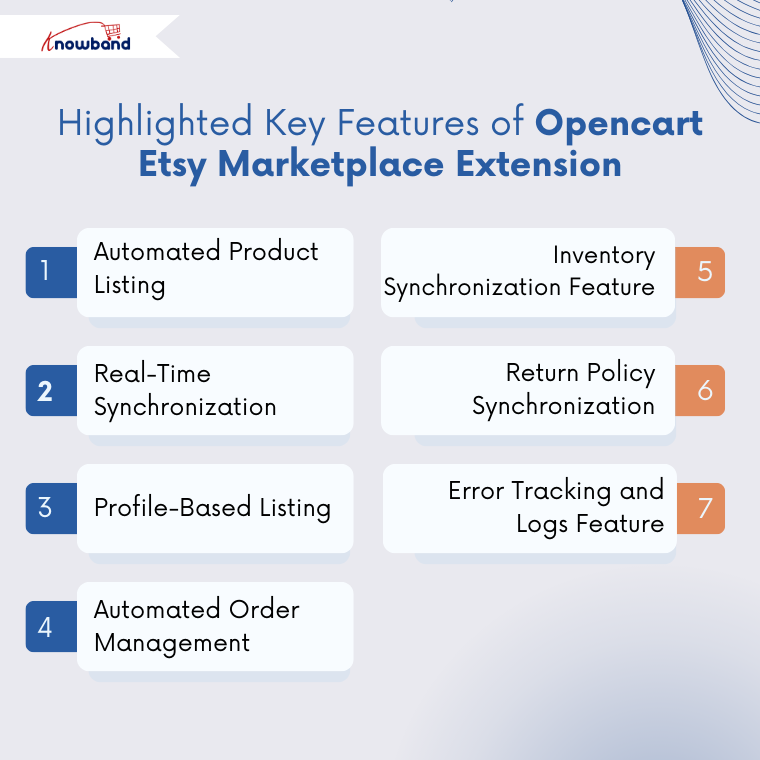
1. Automated Product Listing
Listing your opencart product to etsy marketplace is very straightforward and requires less effort than manual. Additionally, this Etsy integration extension allows the store owners to list thousands of products at the same time, helping to reduce time and effort.
2. Real-Time Synchronisation

Start Selling on Etsy from Your Prestashop Store
Now selling on Etsy is easy with Knowband’s Prestashop Etsy Marketplace Module.
If you want to make any changes, like stock change, price changes or even product description, then do not worry. This OpenCart Etsy Marketplace Extension consist the several cron synchronisation tabs to automatically update the price, stocks and many more. As a result, everything will be up to date in your opencart store.
3. Profile-Based Listing Using the Opencart Etsy Marketplace Extension
In the Etsy Marketplace Extension, you can map entire categories or products with Etsy categories. In addition, profile management allows you to configure the fields and rules, for example, shipping, pricing, category assignments and many more.
4. Automated Order Management Using Opencart Etsy Integration Extension
This Etsy integration extension enables the stores to sync the orders from the Etsy end to the Etsy marketplace. These orders are automatically exported or sync from Etsy end to your opencart orders using the order synchronisation cron in the Opencart Etsy Integration Module.
5. Inventory Synchronisation Feature
Like real-time synchronisation, you can handle the inventory or stock synchronisation on both the platforms etsy and opencart store. Using the Opencart Etsy Integration Module, the inventory sync cron, you can automatically sync the opencart inventory to the Etsy inventory.
6. Return Policy Synchronisation
Knowband has recently released a new update to the Opencart Etsy Integration Extension, which allows the store owners to create, manage and sync the return policy to the profile management. In this feature, store owners can map the return policy to the product or entire category just by choosing the return policy option in the profile management.
7. Error Tracking and Logs Feature
Importantly, the Knowband’s Etsy API Opencart Plugin provides detailed error logs to help you identify the issues. As a result, this error tracking ensures improved accuracy of your product listing and synchronisations.
Steps to Connect the Opencart Etsy Integration Plugin to the Etsy Marketplace
All the store owners will be needing Etsy API Key String and the Etsy secret Key to connect their store to Etsy.
To integrate the Opencart Etsy Integration Extension, kindly follow these steps
1. Visit the Etsy developer account. If you do not have an account, kindly create an account. If you already have, then visit
2. Go to Manage your app and create a app there. Fill out the required information for your app (name, purpose, and website if needed).
3. Once your app is created, Etsy will provide you with the Etsy API Key String and the Etsy secret Key. Make sure that you have added the callback URL that is provided to you below the general settings of the Opencart Etsy Marketplace Plugin
4. Now go to the Opencart Etsy Integration Module on your store and save and connect.
Conclusion
Selling on Etsy is very easy for the opencart sellers now using the Opencart Etsy Integration Extension. With the Knowband Etsy marketplace, you can manage product listings and sync inventory between OpenCart and Etsy without any hassle. This Opencart Etsy Integration Plugin helps store owners to save time, reduce manual work, and reach a wider audience on the Etsy marketplace.
Grow and expand your business effortlessly with the Opencart Etsy Marketplace Module and start selling on one of the world’s largest marketplaces directly from your OpenCart store without any manual work. If you face any query, you can always reach out to at [email protected].
- The New PrestaShop AI Chatbot Addon: Simple, Fast, and Smarter Customer Support for Every Store
- Increase Your Sales This Black Friday & Thanksgiving with Product Stickers
- Tired of Manual Listings on eBay? Here’s How Knowband’s Connector Can Help
- How to Automate and Simplify Your eCommerce Operations with Knowband Extensions
- Expand Your Store’s Reach by Integrating eBay, Etsy, and Google Shopping with Knowband’s Connectors