PrestaShop AI Chatbot Module by Knowband: Everything You Need to Know About the Latest Updates

Running an online store in 2026 means you aren’t just competing on price; you’re competing on how quickly and accurately you can answer a customer’s question. If a customer has to wait two hours for an email reply about stock levels, they’re already gone.

Knowband’s latest update to the PrestaShop AI Chatbot Module changes the game by moving beyond simple “if/then” logic. It’s no longer just a chat box, but it’s a high-level Live AI assistant that understands the customer’s intent. Here is a look at the major upgrades and how they actually impact your day-to-day operations.

The Big Update in Prestashop AI Chatbot Addon

Gemini, Claude, and DeepSeek Integration

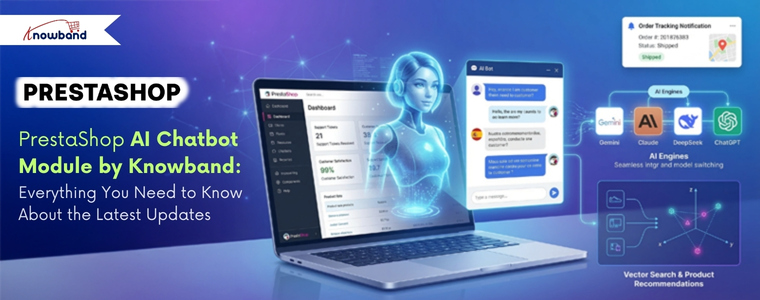
Recently, the Prestashop AI Chatbot Module supported only OpenAI’s ChatGPT. That’s changed. The PrestaShop Live AI ChatBot Module now supports integration with Google’s Gemini, Anthropic’s Claude, and DeepSeek, giving store owners real choices when it comes to which AI engine powers their chatbot.

Better Control and Security

An AI chatbot is only useful if it’s secure and manageable. Knowband has introduced several security and management features for the admin side:

  • IP-Based User Blocking: Every store deals with bots or “problem” users who spam chat systems. Now, you can now block specific IP addresses to ensure your AI resources are reserved for genuine customers.
  • Chat Availability Scheduling: Sometimes, you only want the AI Chatbot to be active during specific hours. Therefore, you can now set a custom schedule for when the chatbot appears on the front end.
  • Detailed Chat Logs: The Prestashop AI Chatbot module now stores full interaction histories with users. By reviewing these, you can see exactly where customers are getting confused and refine your product descriptions or AI prompts accordingly.

🤖 Also on OpenCart?


Automate Store Conversations with an OpenCart AI Chatbot using OpenAI


Answer customer questions 24/7, reduce cart abandonment, and free up your support team, all with one smart AI Chatbot for OpenCart.

Try the demo for Free Now →

Smart Features of Prestashop AI Chatbot Module

The PrestaShop ChatGPT AI Bot doesn’t just talk; it does the heavy lifting of a sales assistant by recommending the products.

1. Vector Search (Qdrant Integration)

This AI Chatbot typically searches for exact keywords. If a customer types “ocean colored shirt” but your product is named “Navy Blue Tee,” a standard search might fail. With Vector Search integration, the chatbot understands the context and intent, showing the customer exactly what they mean, not just what they typed.

2. Live Store Data Retrieval

The Chatbot pulls real-time data directly from your PrestaShop catalogue. It can instantly answer the information of the catalogues available in your catalogue

3. Order Tracking Made Easy

One of the most common support tickets is “Where is my order?” This eCommerce AI Chatbot handles this automatically. Moreover, customers can simply provide their queries about the recent order ID, and the chatbot fetches the real-time status and tracking info without you ever lifting a finger.

4. Fully Customizable Interface

The chatbot’s visual appearance, like background colour, chat box styling, button design, icons, can all be adjusted to match your store’s branding. This is the kind of detail that makes the PrestaShop AI ChatBot Module feel like a native part of your store rather than a third-party widget.

5. Multi-Language and Multi-Currency Support

The Prestashop AI-Powered module detects the language and currency settings of your store automatically and responds accordingly. For stores selling across multiple regions, this removes the need to maintain separate chatbot instances for different markets. It just works, in the language and currency your customers expect.

The Conclusion

The PrestaShop AI Chatbot Addon by Knowband has evolved with new advanced features. With support for multiple AI engines, detailed chat logs, IP-based controls, and scheduling on top of already having the vector search, automatic live AI Chatbot, multilingual currency and language support,  it’s become a genuinely capable customer engagement tool.

The key question for any store owner is always: Will this reduce workload while maintaining (or improving) the customer experience? Based on what this module now offers, the answer is a credible yes, provided you’re willing to take a few hours to configure it properly at the start.

If your store is growing and your support inbox is starting to feel like it’s running the show, this is an AI Chatbot Module that can be game changer.

Checkout the latest AI Modules here.
How to Use PrestaShop’s Override System Without Breaking Core

PrestaShop’s override system allows you customize core behavior without touching original files. But used carelessly, it creates fragile stores that break on updates. This guide by Knowband covers how overrides work, when to use them, and three critical gotchas every developer should know.

What Is the Override System?

PrestaShop uses PHP inheritance to let you swap in your own version of any core class without touching the originals. Every core class is named with a Core suffix for example, ProductCore. If you create /override/classes/Product.php with a class called Product that extends ProductCore, PrestaShop loads your version instead. The same applies to controllers.

Only override the specific methods you need to change never copy an entire class file. This keeps your override lean and far less likely to conflict with future updates.

Example, exposing the current controller name to your header template:

Where to Put Your Override Files

Overrides can live in two places. The global /override/ directory at the root of your installation is active immediately after clearing the cache. The better approach is bundling overrides inside a module.

Placing an override inside a module (e.g. /modules/mymodule/override/classes/Product.php) causes PrestaShop to copy it to /override/ on installation and remove it cleanly on uninstall. This is the recommended approach.

A quick example of a class override. Say you want to expose the current controller name to your header template:

// /override/classes/controllers/FrontController.php

class FrontController extends FrontControllerCore {

    public function initHeader() {

        self::$smarty->assign('currentController', get_class($this));

        return parent::initHeader();

    } }

Always call the parent method unless you have a deliberate reason not to. Skipping it will silently break core functionality.

Overriding Module Classes and Controllers

Since PrestaShop 1.6, you can override module classes too. Append “Override” to the class name (e.g. BlockUserInfoOverride extending BlockUserInfo) and place it under /override/modules/. The same pattern applies to module controllers. After any override, clear the cache, specifically delete /cache/class_index.php, or it won’t take effect.

When NOT to Use Overrides

Overrides are exclusive — only one per class can exist. They’re also forbidden in marketplace modules and should be reserved for private store customisations. Before reaching for an override, consider one of these alternatives:

  • Hooks: PrestaShop triggers hook events across every page load — you can tap into them from a module to run custom code or push content into the page without going anywhere near a core class.
  • Symfony Service Overrides: Parts of PrestaShop that have been migrated to Symfony give you a cleaner path through the service container. You decorate or replace a service rather than stomping on the class itself.
  • Custom ObjectModel: Need to add fields to a core entity? Build your own ObjectModel with its own table rather than patching the existing one.

Keeping Overrides Safe Through Updates

PrestaShop updates can silently change method signatures, leaving your override running on stale assumptions. Treat every override as something to revisit after each update. Comment what you changed and why, check the changelog, and keep the override as small as possible. A narrow, well-commented override that calls parent methods properly survives upgrades. A full class copy is a bug waiting to surface.

The “Ghost” Cache: Why Your Override Seems Invisible

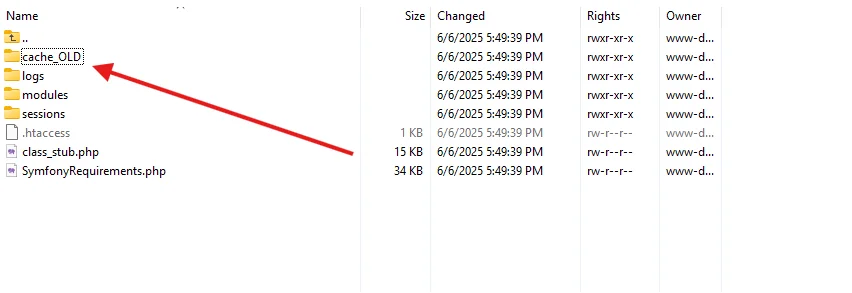
The number one reason developers think their override is broken: PrestaShop doesn’t scan /override/ on every request. It compiles a class map into /cache/class_index.php, and until that file is deleted and regenerated, your override is invisible, no matter how correct the code. Clearing the Smarty cache is not enough. Delete class_index.php manually via FTP/SSH, through Advanced Parameters > Performance in the back office, or via the Symfony console.

Figure 1: The PrestaShop override system flow and the role of /cache/class_index.php.


The Symfony Wall: Legacy Overrides Don’t Work for Modern Controllers

This legacy PHP system only works on PrestaShop’s older ObjectModel layer. From PS 1.7 onward, key back office areas, including the new Product Page and Order screens — have been rewritten in Symfony. The PHP override system does not affect these Symfony controllers. For those, use Service Decoration, wrapping or replacing a service via your module’s services.yml file. If an override has no effect even after clearing class_index.php, the controller is likely Symfony-migrated.

Conflict Resolution: When Two Modules Want the Same Class

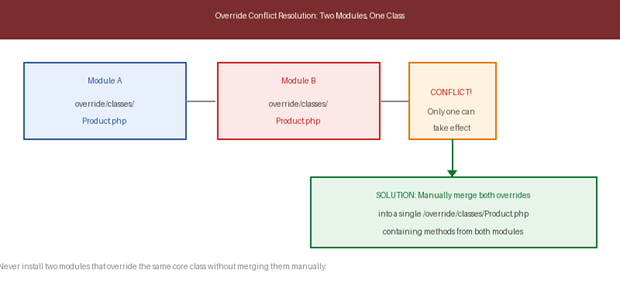
When two modules both override the same class, PrestaShop throws an error on the second installation and leaves its override inactive. The fix is manual: open both files, merge all methods into a single /override/ file that extends the Core class, then delete class_index.php. Add comments identifying which module contributed each method. This is why overrides are banned in marketplace modules, conflicts become the merchant’s problem. If building for others, use hooks.

Figure 2: How override conflicts arise when two modules target the same class, and the manual merge resolution.

About Knowband

Knowband is a trusted eCommerce plugin and extension provider with years of experience helping online merchants build faster, smarter, and more feature-rich stores. Whether you run your store on PrestaShop, OpenCart, Shopify, WooCommerce, Magento, or any other major platform, Knowband offers a wide range of ready-to-use plugins and extensions that help you enhance functionality, improve performance, and deliver a better shopping experience, without needing to build from scratch.

Implementing Lazy Loading for Product Images in OpenCart

In today’s internet-driven world, users expect websites to load instantly. Customers want pages to load quickly when they visit your OpenCart website. Customers may become irritated, and your business may lose revenue if your product pages take too long to load, especially on mobile devices where internet rates may be slower.

Large or numerous graphics are frequently the primary cause of slow page loading. Product photos might be big files, but they are an essential component of any e-commerce website. Lazy loading can help with it.

The Performance Challenge in eCommerce Sites

Moment’s eCommerce spots are veritably visual. A standard order runner can have

  • 20-50 pictures of the product
  • Banners
  • Thumbnails and icons
  • Sections on related products

The browser will need to load each image before the page is completely interactive if all of these are loaded at once. This leads to:

  • First Contentful Paint (FCP) at a slower pace
  • Increased Interactive Time 
  • Poor performance on mobile devices
  • A higher server load
  • Increased rates of bounce

The user experience will be significantly impacted by this, particularly on slower networks.

What Is Lazy Loading?

The technique known as “lazy loading” delays the loading of images (or other content) until they are truly required, which is typically when a user is ready to view them by scrolling into view. Lazy loading waits until the user is ready to view the image before loading it, as opposed to loading all the images at once.

Lazy loading has the following advantages:

  • Bandwidth conservation
  • Better performance on mobile devices
  • Improved SEO and essential web elements
  • Quick loading of the first page

When many of the images may load simultaneously on product pages, lazy loading is especially helpful.

Why Lazy Loading Matters

Imagine looking through an item catalogue. Even if the product images are far below the fold, your browser will try to load them all at once when using traditional loading. Only the images that are in or near the viewable portion of the screen will load initially when using lazy loading. The remaining images will gradually load as the viewer scrolls.

Both your clients and search engines like Google, which like websites that load quickly, will benefit from a quicker and more seamless experience.

Real-World Example: Category Page Without Lazy Loading

Consider this example:

24 products on a category page, Each thumbnail = 150 KB, Total image weight = 3.6 MB

Before even loading banners, CSS, and JavaScript, the browser has to download close to 4 MB of images.

Now consider that the visitor only scrolled halfway through the page. Half the images were never viewed – but downloaded anyway. Therefore, this is wasted bandwidth and 0This is where lazy loading comes in.

Lazy Loading and Core Web Vitals

Web Vitals. The following are directly impacted by large images:

  • Paint with the Largest Content (LCP)
  • Shift in Cumulative Layout (CLS)
  • Next Paint Interaction (INP)

Correctly loading images slowly will enhance performance metrics, particularly on product and category listing pages.

Still, there’s one important thing to keep in mind

 Images above the pack, like the primary product image on a product detail runner, should n’t be lazy loaded.

When to Apply Lazy Loading?

Lazy loading is best suited for:

  • Product listing pages
  • Category pages
  • Blog listing pages
  • Manufacturer pages
  • Upsell sections

It might not be the best fit for:

  • Hero banners above the fold
  • Main product image on the product page
  • Critical branding visuals

How to Implement Lazy Loading in OpenCart

Method 1: Lazy loading in native browsers

Modern browsers use the loading=”lazy” property to provide built-in lazy loading

Example:

<img src=”image.jpg” loading=”lazy” alt=”Product Image”>

OpenCart Steps:

  • Open your theme file:
Version File Path
OpenCart 2.x catalog/view/theme/your_theme/template/product/category.tpl
OpenCart 3.x catalog/view/theme/your_theme/template/product/category.twig
OpenCart 4.x catalog/view/template/product/category.twig
  • Locate the product image <img> tag.
  • Change it as follows:

Before:

<img src="{{ product.thumb }} alt="{{ product.name }}"  width="300"  height="300"

     title="{{ product.name }}">

After:
<img src="{{ product.thumb }}"loading="lazy"  alt="{{ product.name }}"  width="300"  height="300"     title="{{ product.name }}">

That’s all. JavaScript is not necessary. Furthermore, this is the most easy and cleanest way.

Method 2: Using lazysizes (Best for Older Browser Support)

Steps:

  1. Add the lazysizes script:
    <script src="https://cdnjs.cloudflare.com/ajax/libs/lazysizes/5.3.2/lazysizes.min.js" async></script>
  2. Open your theme file based on the OpenCart version mentioned in Method 1 and update the image markup:
  • Before:
    <img src="{{ product.thumb }}" class="lazyload" width="300" height="300" alt="{{ product.name }}">
  • After:
    <img data-src="{{ product.thumb }}" class="lazyload" width="300" height="300" alt="{{ product.name }}">

Method 3: Using Intersection Observer API (Advanced Control)

Modern JavaScript API for better control.

Example:

const images = document.querySelectorAll(“img[data-src]”);

const observer = new IntersectionObserver((entries, observer) => {

  entries.forEach(entry => {

if (entry.isIntersecting) {

   const img = entry.target;

   img.src = img.dataset.src;

      observer.unobserve(img);

}

  });

});


images.forEach(img => observer.observe(img));

This method gives full control over loading behaviour.

Important: AJAX-Based Product Filtering

When products are loaded dynamically via AJAX:

Native loading=”lazy” works automatically.

However, ifyou are using lazysizes, Intersection Observer then You must re-trigger lazy loading after AJAX content loads.

Example:

document.addEventListener('ajaxComplete', function() {

    lazySizes.autoSizer.checkElems();

});

Otherwise, newly injected images may not load correctly.

The Best Methods for Lazy Loading in OpenCart

✔ Avoid loading the images above the fold.

✔ Make sure your images are the right size; avoid using thumbnails that are too big.

✔ Always use PageSpeed Insights to test; optimiseoptimize images to WebP format.

✔ Always test with PageSpeed Insights

✔ After making changes to the template, clear the OpenCart cache.

Measuring Performance Before and After Implementation

To evaluate the impact of lazy loading, follow these steps:

Before Implementation

Test your category page and record the following metrics:

  • Page size
  • Page load time
  • Core Web Vitals scores

After Implementation

Run the same tests again and compare the results. You should observe:

  • Reduced initial load time
  • Lower Total Blocking Time (TBT)
  • Improved Lighthouse performance score

The implementation options outlined in this guide, from native HTML attributes to lazysizes and the Intersection Observer API, offer solutions for every level of technical complexity. Whether you are maintaining a small boutique store or managing a high-traffic multi-category catalogue, there is an approach that fits your needs. Start with Method 1 for instant results, and build up to more advanced methods as your requirements grow.

Performance optimisation is not a one-time task as it is an ongoing commitment. Pair lazy loading with image compression, WebP conversion, and proper caching to unlock the full potential of your OpenCart store’s speed.

About Knowband

Knowband is a trusted eCommerce plugin and extension provider with years of experience helping online merchants build faster, smarter, and more feature-rich stores. Whether you run your store on PrestaShop, OpenCart, Shopify, WooCommerce, Magento, or any other major platform, Knowband offers a wide range of ready-to-use plugins and extensions that help you enhance functionality, improve performance, and deliver a better shopping experience, without needing to build from scratch.

Beyond plugins, Knowband also offers comprehensive website development and mobile app development services. Whether you need a fully custom eCommerce storefront built from the ground up, a tailored mobile shopping app for iOS and Android, or a bespoke integration with your existing systems, Knowband’s team of developers has the expertise to bring your vision to life.

If you are looking to optimize further your OpenCart store, or any other eCommerce platform, explore Knowband’s plugin marketplace or get in touch with our team to discuss a custom solution tailored to your business goals.

Contact us at support@knowband.com for custom plugin development, website development, and mobile app development services.

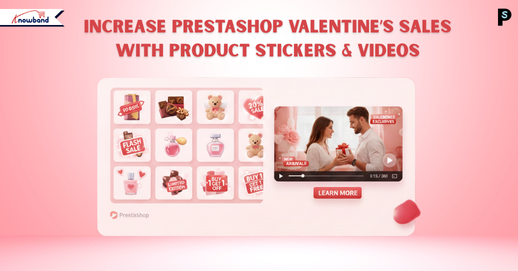
Valentine’s Day Marketing for PrestaShop: Boost Sales with Stickers & Videos

Valentine’s Day can be incredibly profitable for online retailers. Shoppers are actively looking for gifts, hunting for exclusive deals, and checking timings and offers to find something special. Butyour all the store owners are doing the same thing. If your promotions don’t immediately catch someone’s eye, they’ll click over to the next store without a second thought.

Now you can make your products impossible to ignore. We have highlighted perfect Valentine’s Day marketing for PrestaShop. This PrestaShop Product Sticker & Label Module paired with a PrestaShop Video Manager Module can completely change how people interact with your store. These modules capture attention right away, speed up purchasing decisions, and convert more window shoppers into actual buyers. If you want to know how to boost Valentine’s Day sales in PrestaShop, then this article is for you.

Visual Elements Win Every Time During Valentine’s Shopping

Nowadays, nobody’s reading detailed product descriptions during a Valentine’s sale. People are scrolling fast, scanning images, and making instant judgments about what’s worth clicking on. Valentine’s customers move even quicker because they’re buying with their hearts and usually dealing with a tight deadline.

This is exactly why visual shortcuts matter so much. When someone sees a sticker saying “Valentine Special” or “Perfect Gift,” they instantly understand the product fits what they need.

Product videos push this even further. The Knowband PrestaShop Video Manager Module allows you to display videos through floating widgets or carousel formats. Videos show products in real life. Customers see how something actually looks, moves, and functions. Furthermore, this kills any doubts, especially when buying gifts where nobody wants to risk picking something disappointing.

How the PrestaShop Product Sticker & Label Module Actually Drives Sales

A PrestaShop Product Sticker & Label Module isn’t just decorative, but it actively changes buying behaviour in specific ways.

First off, it makes Valentine’s items immediately obvious. Labels reading “Gift for Your Loved One” or “Valentine Exclusive” tie products to the holiday instantly, without customers having to think about it.

Second, these PrestaShop product labels build urgency. Time-based labels like “Ends February 14” or “Last Chance” pressure people to buy right now instead of “maybe tomorrow” (which usually means never). When shoppers think they might lose out, they move faster.

And finally, trust labels like “Best Seller” or “Customer Favourite” reassure shoppers, which is huge for gift purchases. Moreover, this Prestashop Product Stickers for Valentines allows you to include or exclude products as per your needs.

Opencart Product Sticker & Label Extension

Increase the Visibility of Products on Your Store with Knowband

Try the Demo

Why Video Content Actually Closes Sales

The PrestaShop Video Manager Module solves a massive problem in online retail, helping customers really understand what they’re getting. The best approach for this is video marketing for e-commerce. Videos show products in ways static images never could.

When someone watches a video of jewellery sparkling in different light, or sees how a gift package looks when unwrapped, it creates a real emotional response. Videos tap directly into that by making shopping feel more valuable and personal.

The floating widget and carousel of Prestashop Video Manager options keep videos without getting in the way. Shoppers can watch product demos right on category pages or product pages, even on the home pages. Furthermore, these strategies improve the user experience of PrestaShop. 

Prestashop Video Manager With Product Stickers Module

Both modules include automation features that are lifesavers during these peak sales and promotional periods. The PrestaShop Product Sticker & Label Module allowsyou build unlimited stickers and apply them using automatic rules, things like price thresholds, stock quantities, specific product categories, or particular dates.

The PrestaShop Video Manager Module works similarly for video management across your whole catalogue. Using this PrestaShop video module, you upload videos one time, assign them to products or categories, and control exactly where and how they appear using the widgets throughout your site.

Opencart VideoMate: Your Store’s Favourite Video Manager

Increase the Visibility of Products on Your Store with Knowband

Try the Demo

Smart Tactics for Getting the Best Results

So if you want to boost conversions ecommerce store, then keep sticker messages brief and clear. Don’t pile multiple labels on every product; it creates visual chaos and confuses shoppers. Furthermore, make certain stickers are legible and aren’t covering crucial product features.

With videos, shorter is better as customers want quick demos, not full-length documentaries. Focus on highlighting the product’s key benefits and showing how it delivers value or creates an emotional moment.

Wrapping It Up

Valentine’s shoppers need to spot great deals instantly, or they’re gone. Using a PrestaShop Product Sticker & Label Module alongside the PrestaShop Video Manager Module arms you with the visual punch needed to grab attention, establish trust, and turn more visitors into paying customers. You’re not rebuilding your entire website; you’re simply making your strongest offers visible exactly where they shop.

If you’re serious about maximising Valentine’s traffic this year, these prestashop plugins are some of the smartest investments you can make for your PrestaShop store.

👉Explore the Module with Our Video Guide


New Year 2026: Unlock the Key to eCommerce Store Growth Using the Knowband Plugins

As we step into the New Year 2026, the team at Knowband extends warm greetings to all online store owners, e-commerce professionals, and enthusiasts. A new year brings with it a sense of renewal and fresh opportunities, making it the perfect moment to reflect on achievements, learn from challenges, and set meaningful goals for the months ahead. The world of online commerce is constantly evolving, with customer expectations, technology, and shopping habits changing faster than ever. For online store owners, staying informed and adaptable is key to sustaining growth and maintaining a competitive edge.In this blog, we aim to provide insights into the key e-commerce trends of 2026 and share practical tips that online stores can implement to stay ahead. These strategies are designed to help businesses not only meet but exceed customer expectations, streamline operations, and prepare for a productive year ahead.

Below are some thoughtful success tips that online stores can consider as they plan for growth and sustainability in 2026.

Improve User Experience for Better Engagement

First of all, a smooth user experience plays a major role in online success. When customers easily browse products and complete their purchases, they are more likely to stay in the store. Complicated checkout processes often lead to frustration and lost sales. One Page Checkout simplify the checkout process by reducing steps and making it faster. As a result, customers enjoy a better shopping experience and store owners see improved conversions.

Reduce Cart Abandonment with Smart Strategies

Along with a better user experience, reducing cart abandonment should be a top priority. Many customers leave their carts without completing purchases due to distractions or doubts. Knowband’s Abandoned Cart Reminder plugins help recover these lost sales by sending timely emails or notifications. Furthermore, these reminders encourage customers to return and complete their orders, which helps increase revenue without extra marketing effort.

Build Customer Trust with Social Proof

In addition to convenience, trust is an important factor in online shopping. Customers often rely on reviews, ratings, and easy login options before making a purchase. Knowband plugins that support social login and customer feedback help build trust and confidence. Moreover, when customers see positive reviews and can log in quickly, they feel more comfortable completing their purchases.

Focus on Mobile Shopping Growth

At the same time, mobile shopping continues to grow rapidly. More customers prefer using smartphones to shop online, which makes mobile optimisation essential. We at Knowband help store owners to create Android and iOS apps easily. These apps also supports the all high level features that are necessary, helping businesses stay connected with customers and promote offers effectively.

Want to launch your mobile app?

Discover the Mobile App Builder and get your app live in just one week!
Build, customise, and launch your mobile store effortlessly

Integrate Today!

Personalise the Customer Experience

Moreover, personalisation helps stores stand out in a competitive market. Customers appreciate personalised offers and messages that match their interests. Knowband plugins enable store owners to deliver targeted promotions and relevant content based on customer behaviour. This not only improves customer satisfaction but also encourages repeat purchases.

Data-Driven Decision Making

Data will continue to guide e-commerce strategies in 2026. Store owners will rely on insights from customer behaviour, sales patterns, and performance metrics to improve their stores.

Using data to understand what works and what doesn’t will help businesses make smarter decisions and adapt quickly to changes.

Strengthen Customer Retention Strategies

Finally, retaining existing customers is key to long-term success. Loyal customers are more likely to return and make repeat purchases. Knowband plugins support better post-purchase communication and ongoing engagement, helping businesses build long-lasting relationships with their customers.

We at Knowband

To support online stores in achieving their goals in 2026, we offer a wide variety of plugins for popular platforms, including PrestaShop, OpenCart, Shopify, WooCommerce, and Magento, helping merchants add advanced features, streamline operations, and adapt to the evolving e-commerce landscape with ease.

Additionally,  we also provide custom development tailored to the unique needs of each business. Our team of experienced developers and e-commerce experts works closely with store owners to understand their challenges and implement effective strategies that enhance performance and user experience. 

Conclusion

To sum up, success in the New Year 2026 will depend on providing a smooth and enjoyable shopping experience, adopting smart strategies, and focusing on customer satisfaction. By paying attention to trends, optimizing operations, and continuously improving the store experience, online businesses can set themselves up for steady growth throughout the year. For expert guidance or support, feel free to reach out to us at support@knowband.com. Wishing everyone a prosperous New Year 2026!

Make This Christmas Profitable with Knowband E-commerce Solutions

The holiday season has come, and it’s the season of peak sales. Customers especially wait for the season, looking for deals, festive products, and a seamless online experience, making Christmas the perfect opportunity to boost sales and expand your customer base. However, standing out in the crowded online marketplace with competition can be challenging. This is where Knowband e-commerce plugins come in, offering a suite of tools to help your store maximise profits, engage customers, and create an unforgettable holiday shopping experience.

Whether your store is on prestashop, opencart, Magento, Shopify or WooCommerce, don’t worry. At Knowband, you get the solution for whichever platform you are on.

So let’s explore the plugins that will help your store make more conversions

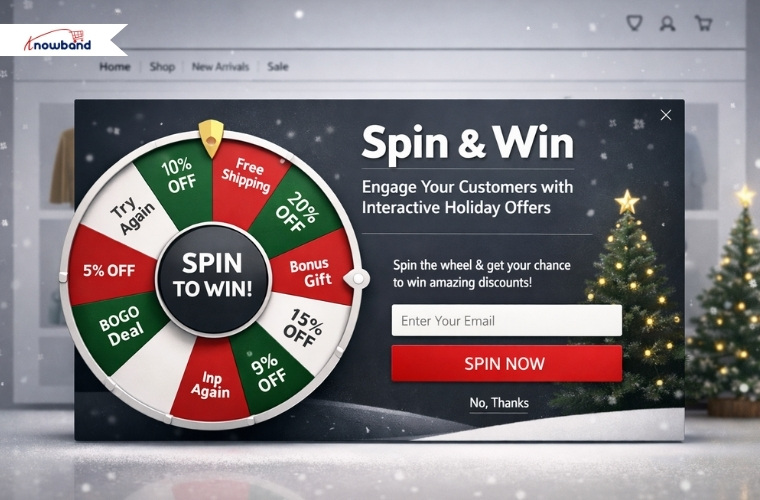
1. Spin & Win: Wheel of Fortune Exit and Entry Popups Plugins

One of the most effective ways to grab customer attention during the holidays is through interactive games, which provide discount codes and offers. This Prestashop Spin & Win Addon allows you to set up a virtual “Wheel of Fortune” pop-up that appears when a customer visits your site (entry pop-up) or is about to leave (exit pop-up). Moreover, customers can spin the wheel to win discounts, free shipping, or other promotional offers. Not only does this gamified experience increase engagement, but it also encourages conversions by giving customers a fun incentive to make a purchase. 

Knowband’s Presatshsop Spin & Win Module ALSO helps the customers to do email marketing as it provides email marketing tool integrations such as Klaviyo, Mailchimp, Sendinblue and many more.

During the festive season, a small discount or a holiday offer can make all the difference in turning a hesitant visitor into a paying customer.

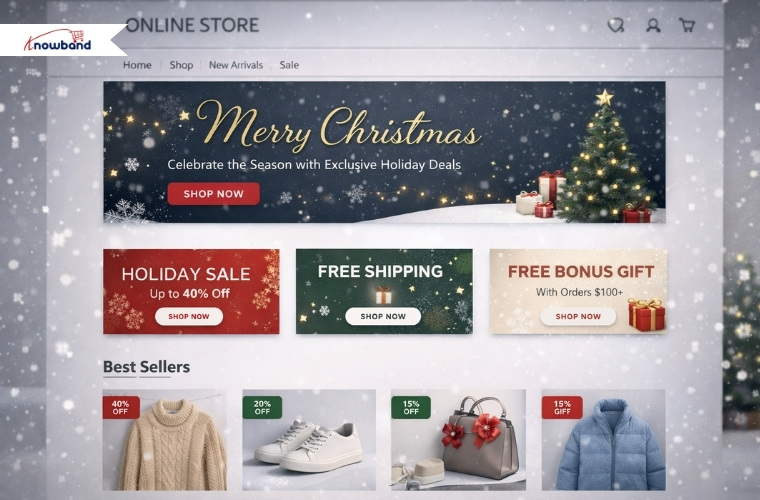
2. Website Decorator: Make Your Store Christmas-Ready

Creating a festive atmosphere on your online store is essential for drawing customers in and enhancing their shopping experience. The Prestashop Website Decorator module from Knowband allows you to transform your store into a holiday wonderland with Christmas theme decorations in the header, footer or random place. From snow effects and twinkling lights to festive banners highlighting sales, these visual enhancements make your store feel seasonal and inviting.

 A well-decorated website not only captures attention but also encourages customers to spend longer browsing times and increases the chances of purchases. Customers are more likely to spend time exploring a store that feels alive with holiday cheer.

3. Gift Card Manager: Give Your Customers the Gift of Choice

On the Christmas occasion, sales of gift cards increase as customers want to gift the gift cards to their friends, family members and relatives. Thus, adding a gift card option will enhance the sale and overall purchase experience for the customers.

Knowband has developed this module especially for this purchase. This Prestashop Gift Card Manager also encourages repeat visits, as recipients are likely to return to your store to redeem their credit. By integrating this module, your store can cater to last-minute shoppers and increase overall sales while providing a convenient gifting option.

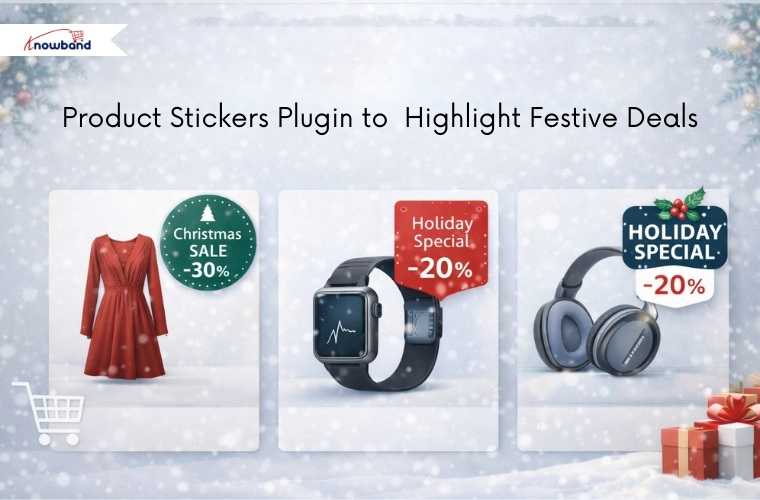
4. Product Stickers Plugin to  Highlight Festive Deals

Standing out in a crowded online store is crucial, especially during high-traffic periods like Christmas. The Knowband’s Opencart Product Sticker and Label Extension helps you add eye-catching stickers on products, highlighting special offers, urgency discounts, or festive tags like “Christmas Sale” or “Holiday Special.” Moreover, these stickers make it easy for customers to identify the best deals at a glance, guiding their purchasing decisions and boosting sales. Even a small visual sign like a festive sticker can have a significant impact on customer behaviour, encouraging them toward products you want to promote during the holiday season.

5. Abandoned Cart: Remind your customers 

Adding a reminder to the customer who left their items in the cart will be a game-changer. Before that, a store owner has to know the customer who abandoned their cart. No matter if your customer was an existing customer, a new customer or a visitor, with the setup cron in Prestashop Abandoned Cart, it shows the abandoned cart added in real time with statistics.

 By automatically sending reminders and offering discounts to customers who leave items in their cart, you can encourage them to complete their purchase. During the holiday season, a timely reminder combined with an exclusive Christmas discount can make all the difference. Therefore, this Opencart Abandoned Cart Reminder Plugin ensures that you don’t miss out on valuable sales opportunities and helps maximise revenue during your busiest season.

Knowband for All Platforms

Knowband’s e-commerce solutions are designed to be versatile and compatible with major platforms like PrestaShop, OpenCart, Magento, Shopify and WooCommerce. This cross-platform compatibility ensures that no matter which saas platform you are using, you can implement these modules seamlessly and take advantage of their features. From small businesses to large online stores, Knowband’s plugins provide the flexibility and scalability needed to succeed during the holiday season

Final thoughts

Christmas is the perfect time to boost your online store’s revenue, but it requires the right strategies and plugins to make your store stand out. Hence, the plugins like Abandoned Cart, Gift Card Manager, and Website decorations not only give your store a professional vibe but also increase sales & conversions.

These modules not only enhance the shopping experience but also help you maximise profitability during the holiday season.

No matter the size of your catalogues or the platform you use, using knowband’s plugins, you can make this Christmas your most profitable yet. Transform your store into a holiday shopping destination and watch your sales skyrocket with these powerful, easy-to-use e-commerce solutions

How to Maximize Your Black Friday Sales with Knowband’s PrestaShop Addons

Black Friday is the biggest shopping day of the year, and for e-commerce stores, it is a golden opportunity to sell more, attract customers, and establish long-term customer relationships. Time is essential when thousands of customers are searching the store to get the best deals on the internet.

In order to help the PrestaShop store owners take better advantage of this seasonal period, Knowband provides six powerful modules that, combined, can increase the number of conversions and improve the customer’s shopping experience. These are:

PrestaShop Mobile App Builder, Gift Cards Manager, Google Shopping Integration, PrestaShop One Page SuperCheckout, and VideoMate Module.

These modules are designed to resolve common problems that every e-commerce store faces: visibility, conversions, and customer engagement. Now, let’s see how you can combine and use all of them so that this black Friday can be the most successful of your life.

Reach More Buyers with the PrestaShop Google Shopping Integration Module

During Black Friday, the first goal of an online store is visibility. If we talk about visibility, then listing on Google Shopping is one of the best strategies. The PrestaShop Google Shopping Integration Module helps store owners list their products in Google Shopping, where customers visit the most.

Your products are updated, and the feed is synchronised automatically. No manual uploads, no errors. Hence, the Google Shopping Module makes it easy to control product categories, attributes, and pricing using a single dashboard.

Why You Need It:

  • You can reach millions of customers who are shopping on Google.
  • The module provides automatic synchronisation to reduce manual work.
  • Moreover, you can monitor the campaign performance through Google UTM parameters.

Hence, the Prestashop Google Shopping Module can be a game-changer during Black Friday when searches are at their highest. Also, it will ensure that your deals get more visibility and bring more people to your store.


Take your Store Mobile with the PrestaShop Mobile App Builder Module

Over 70% of shoppers shop on their phones. The PrestaShop Mobile App Builder is the perfect way to create a mobile Android and iOS app for your store without code.

The mobile app will be connected to your store in real-time. Hence, products, prices, and offers will be updated automatically. Also, it has push notifications, which means you can notify customers about flash sales right away.

Why You Need It:

  • You can create the entire mobile app with just a few clicks and no code.
  • The module supports multiple languages and currencies. Hence, you can expand overseas as well.
  • Moreover, the module is compatible with all your store’s payment and shipping methods, making the checkout easier and smoother.

Hence, with a mobile app, you are guaranteed to have customers shopping from anywhere and at any time.

Make Checkout Faster with the PrestaShop One Page Checkout Module

Every extra click is going to cost you a sale on Black Friday. PrestaShop Supercheckout Module simplifies the checkout process to allow easy one-page checkout.

Why You Need It:

  • Fast checkout enhances the conversion rate.
  • The module supports several payment and shipping methods.
  • Moreover, the browsing works smoothly on mobile devices, laptops, and tablets.
  • The module also provides social login functionalities like Google & Facebook

Hence, the Prestashop One-Page Super Checkout Module is the easiest yet most helpful method of boosting conversions during Black Friday.

Increase Gift Sales with the PrestaShop Gift Card Manager Module

One of the most popular products during Black Friday and the holiday season is gift cards. Knowband’s PrestaShop Gift Cards Manager Addon will help you to sell both online and physical gift cards in your shop.

Customers can use ready-made templates, customise messages, and send them right away to a friend or family member.

Why You Need It:

  • The module offers online gift cards, and your customer can instantly share them with his/her loved ones.
  • It is easy to personalise templates for special occasions like Black Friday.
  • Moreover, you can easily track all the orders made from the backend.

Therefore, the PrestaShop Gift Cards module is not only an addition to sales, but also a way of getting new customers in your store when they use their gift cards.

Engage and Retain with the PrestaShop Videomate Addon

Lastly, the store can be made more interactive using the PrestaShop Video Manager Module. Videos are a great way to engage visitors, and the module makes it easy to add product videos, tutorials, and deal highlights to your product page.

Why You Need It:

  • Adding product demonstration videos will make your customers trust your store more.
  • You can easily add downloaded videos from social media like Instagram, Twitter, etc.
  • Moreover, you can easily customise the placement of videos.

Hence, when people can see your Black Friday offers in action, they will gain more trust in your store and will purchase confidently and quickly.

Final Thoughts

Speed, visibility, and engagement are the most important during a festive season like Black Friday. And with Knowband’s Google Shopping Integration, eBay Integration, Mobile App Builder, Supercheckout, Gift Cards Manager, and Videomate Modules, you can cover all these major areas.

Therefore, don’t wait until your customers have gone to your competitors. Modernise your PrestaShop store with these modules today and take advantage of our exclusive Black Friday sale to make this season a historical success!

How to Boost Your Halloween Sales with Knowband’s PrestaShop Addons

Halloween is not only about scary costumes, pumpkin lanterns, and trick-or-treats. For e-commerce companies, it is one of the most thrilling experiences to reach customers, increase their interest, and raise sales. When individuals are buying presents, decorations, and other festive goods, a themed store will be an excellent solution.

To help you maximize the potential of your store, Knowband is offering three potent modules for the PrestaShop store. PrestaShop Gift Cards Manager, PrestaShop Spin and Win Exit Popup, and PrestaShop Decoration Effect this Halloween. All these additions together provide an all-out party experience that is enjoyable for shoppers and makes them buy more.

Let’s see how you can maximize on this spooky season by bringing out the best in all three modules and get special discounts in the process!

Create a Holiday Vibe with the PrestaShop Decoration Effect Module

Set the Mood by using the PrestaShop Decoration Effect Module.

First impression matters, especially during the time of the Halloween season. PrestaShop Decoration Effect Module by Knowband helps you decorate your store according to the festival in just a few minutes. For example, you can add spooky animations, pumpkins falling on your site, ghosts and bats flying across your site, and more. Hence, you can easily get your store into a festival mood.

This module not only makes your store look appealing to the eye but also enhances engagement. Visitors who find a site that depicts the season are likely to explore and make purchases.

Why you need it:

  • You can insert Halloween effects with a few clicks.
  • Make your storefront look and feel like you want.
  • Also, you can engage visitors and make them spend more time browsing.

Moreover, as the module’s implementation does not require any technical skills, even non-technical store owners can easily use these effects. Hence, it is the best method to make your PrestaShop store a hauntingly enjoyable shopping experience.

Engage Visitors with the PrestaShop Spin & Win Exit Popup Module

Although it is easy to attract visitors by decorating your store, it is difficult to make them subscribers. That’s where the PrestaShop Spin and Win Exit Popup Module comes in.

Rather than displaying a classic pop-up that most people close, the Prestashop Spin and Win Addon by Knowband transforms the experience into an enjoyable and rewarding one. Once the visitor enters, scrolls through, or is about to exit your site, a spinning wheel will be shown with the option of awarding the visitor with discounts, a gift card, or special deals on Halloween.

This surprise will make them stay longer, subscribe to grab a reward, and even make their purchase.

Why You Need It:

  • You can minimize cart abandonment through interacting with existing visitors.
  • You can expand your email marketing base.
  • Also, you can increase the conversion rate through interactive gamification.

Additionally, you can make the Spin & Win wheel match your Halloween colors, themes, and rewards, to make a regular festive mood on your site. Hence, your customers will feel more connected with your brand.

Increase Sales with the PrestaShop Gift Card Manager Module

The next step is to give your customers an ideal method to spread the Halloween spirit with their loved ones. Using the PrestaShop Gift Cards Manager by Knowband, you can add digital and physical gift cards to your shop.

It is a game-changer during festive seasons, such as Halloween, when people seek easy but meaningful gift choices. Your customers can buy Halloween-themed gift cards, they can add messages on them, and send them immediately to their friends and relatives.

Why You Need It:

  • You can present several gift card templates that have Halloween designs.
  • You can let customers book and send the digital cards immediately.
  • Hence, the module makes it easy to give gifts and increase store revenue.

Moreover, you just have to program the gift cards module once and then leave the rest of the work to the system. This means that the amount of physical work will be reduced, and you can invest more time in business development.

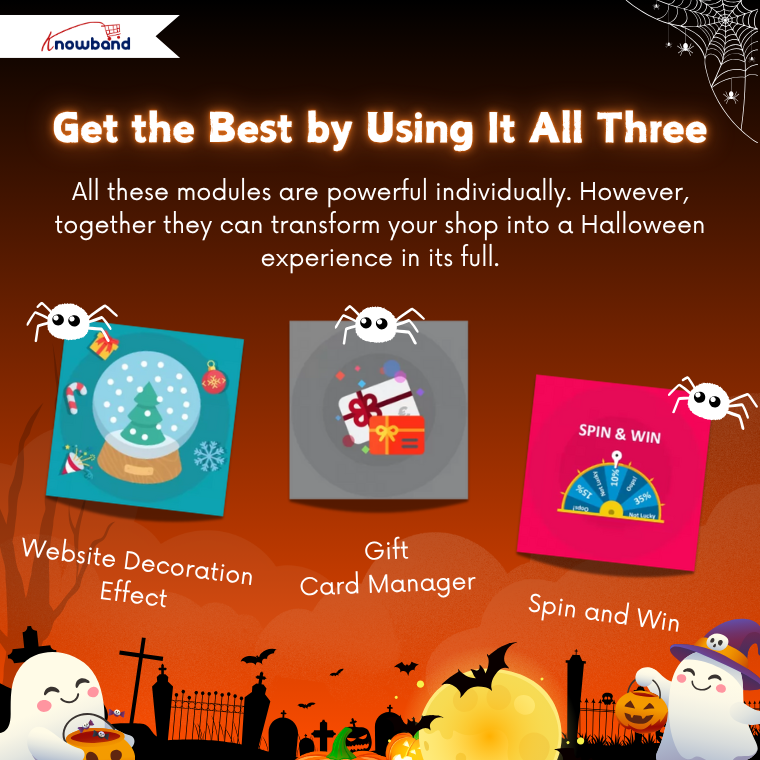
Get the Best by Using It All Three

All these modules are powerful individually. However, together they can transform your shop into a Halloween experience in its full.

Imagine this:

  • A well-decorated storefront sets the festive atmosphere.
  • Spin and Win Exit Popup makes visitors subscribe and engages them.
  • The Gift Cards Manager invites shoppers to purchase and spread the Halloween mood with their loved ones.

This combination will not only increase the customer experience but also increase engagement, loyalty, and eventually, sales.

Final Thoughts

Halloween is the time when creativity and business can blend perfectly. You can transform the shopping experience of the people who visit your online store by introducing fun and festivity in the store.
Knowband offers PrestaShop Gift Cards Manager, Spin and Win Exit Popup, and Decoration Effect Modules to help you increase engagement, expand the number of conversions, and share the spirit of Halloween.

Hence, do not wait to see the ghosts of missed opportunities. Order these modules today with our discount coupons and see your sales rise like a full moon during Halloween night!

Browse all PrestaShop addons at knowband.com. Also available on Prestashop Addons