Strengthening PrestaShop Security: How Google reCAPTCHA Keeps Your Store Safe from Bots and Spam

As online shopping continues to dominate the e-commerce market, security concerns have grown more pressing than ever. Customers want a smooth shopping experience — but more importantly, they want it to be secure. For PrestaShop store owners, maintaining that balance between scalable and robust protection is critical. Fortunately, one smart and simple way to boost your store’s defences is by integrating Google reCAPTCHA.

With this in mind, we’re introducing the PrestaShop Google reCAPTCHA module, a lightweight yet powerful solution that helps you filter out malicious bots while letting real customers shop with confidence.

What is Google reCAPTCHA?

Google reCAPTCHA is a service from Google that helps website owners detect and block bots while allowing real human users to pass through without friction. Essentially, it does this by presenting simple challenges like identifying objects in images or clicking a checkbox labelled “I’m not a robot.”

While these tasks may seem trivial, they serve as an effective first line of defence. Bots, which are automated scripts designed to exploit forms and steal data, typically fail to pass these tests, keeping your website safer with minimal user effort.

Why PrestaShop Stores Need It

If you’re running a PrestaShop store, customer trust is everything. The moment a customer senses a lack of security — whether through spam in forms, malicious performance, or suspicious activities — they’re likely to abandon your site for a competitor. Even worse, repeated bot attacks can flood your system with fake accounts, clutter your database, and slow down key functions.

This is precisely where Knowband’s PrestaShop Google reCAPTCHA module becomes invaluable. It’s a proactive solution that quietly filters out suspicious activity in real time, letting your real customers shop uninterrupted while bots hit a dead end.

How the Knowband PrestaShop reCAPTCHA Module Works

This human verification tool is designed for simplicity and impact. Once installed, it can be placed on critical key pages throughout your store, including login, signup, contact, and checkout pages.

Here’s how it works:

First, when a visitor interacts with a protected form (like creating an account), they’re prompted with a reCAPTCHA challenge.

Next, if completed correctly, the user can proceed.

However, if not, access is denied, effectively preventing bots from registering, spamming, or completing fake checkouts.

Furthermore, the module integrates smoothly with your PrestaShop backend, ensuring top-tier security without affecting your site’s performance.

Key Benefits of Using the PrestaShop Google reCAPTCHA Addon
1. Blocks Spam and Fake Accounts

Bot-generated spam can overwhelm your contact forms and create fake user accounts that pollute your database. Fortunately, this module stops that activity at the gate, keeping your store clean and secure.

2. Boosts Customer Trust

When shoppers see that your site uses trusted security tools like Google reCAPTCHA, it reassures them that their personal and payment data is protected, which consequently encourages higher conversion rates.

3. Saves Time and Resources

Manually cleaning out fake accounts or filtering spam messages can take hours. However, with this automation in place, your team can focus on what really matters — running and growing your store.

4. Simple Setup with Zero Tech Hassle

No coding skills? No problem. The Knowband human reCAPTCHA module for PrestaShop is built to be plug-and-play. Simply install it, activate it, and choose where you want it to appear — all within a few clicks.

Where to Add reCAPTCHA for Maximum Protection

To fully leverage this module’s capabilities, it’s recommended to enable human verification in the following areas:

Login Page – Prevents brute-force attacks or unauthorised login attempts

Registration Page – Blocks bots from creating fake customer profiles

Contact Forms – Eliminate spam messages that clutter your inbox

Checkout Page – Ensures only genuine users can complete purchases

By adding reCAPTCHA at these key steps, you ensure your store’s most sensitive user interactions are protected.

Final Words: A Smart Move for a Safer Store

Security isn’t just a technical concern — it’s a business priority. Every time a bot bypasses your system, it erodes user trust and potentially damages your brand reputation. Therefore, by using the PrestaShop Google reCAPTCHA module by Knowband, you’re adding a vital shield to your online store.

This simple yet powerful tool helps keep bad actors out while preserving the frictionless shopping experience your customers expect. Whether you’re a beginner or an experienced store owner, this module is a smart, low-effort investment in your site’s future.

Don’t wait for bots to cause problems. Instead, stay one step ahead — secure your PrestaShop store with reCAPTCHA today.

Building a Mobile App for Your PrestaShop Store Without Any Technical Skills

In today’s fast-moving eCommerce world, customers expect a seamless shopping experience not just on desktops but also on their smartphones. If you run a PrestaShop store and are wondering how to launch a mobile app without writing a single line of code, you’re in the right place. Introducing Knowband’s PrestaShop Mobile App Builder, the easiest way for store admins to create a fully functional & professional mobile app with no technical hassle.

Whether you’re a small business owner or a large online retailer, you can now build a fully functional Mobile App for PrestaShop without hiring developers or learning programming.

Let’s explore how you can build your own app with no coding, step by step.

Why Your PrestaShop Store Needs a Mobile App

Mobile commerce is growing rapidly. In fact, more than 70 per cent of online customers prefer to shop via mobile devices. As a result, if your store doesn’t have a dedicated mobile app, you could be missing out on valuable sales and repeat customers.

Furthermore, a Mobile App helps you:

  • Improve customer engagement
  • Send personalised push notifications
  • Offer a faster, smoother checkout process
  • Build customer loyalty and brand recognition

No Coding Required: Use a PrestaShop Mobile App Builder

Traditionally, developing a mobile app required hiring a team of developers, managing timelines, and spending a significant budget. However, today, the PrestaShop Mobile App Maker enables you to launch your own branded mobile app in no time, without writing a single line of code.

Moreover, these solutions are designed for non-technical users. With user-friendly dashboards, drag-and-drop components, and full integration with your PrestaShop store, they make the entire app-building process effortless.

What Is the Prestashop Android and iOS Mobile App Builder Addon?

The Prestashop Android and iOS Mobile App Builder Addon is a plug-and-play module designed to help PrestaShop merchants create and launch native mobile apps without any coding.

Here are some of Knowband’s Prestashop Mobile App Builder’s key features:

  • Builds native Android and iOS apps
  • Syncs in real-time with your online store
  • Supports multiple languages and currencies
  • Allows full design customization
  • Integrates with popular payment gateways
  • Offers push notification capabilities
  • Includes social login and guest checkout
  • Enables WhatsApp and live chat support

Most importantly, everything from the product catalogue to inventory and customer orders is automatically synchronised with your mobile app.

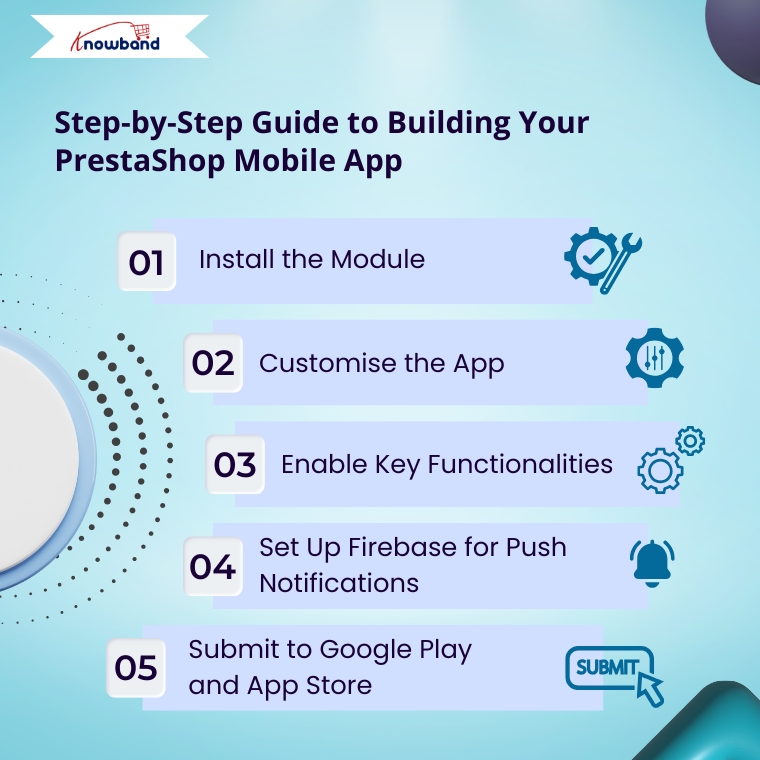
Step-by-Step Guide to Building Your PrestaShop Mobile App

Even without technical knowledge, you can launch your own PrestaShop Android and iOS Mobile App in just a few steps.

1. Install the Module

First, start by installing the Prestashop Android and iOS Mobile App Builder Module in your store’s back office. This module acts as the core engine that connects your website with your future mobile app.

2. Customise the App

Next, use the built-in customisation options to make your app match your store’s branding. You can choose your logo, colour scheme, splash screen, banners, and layout style. Consequently, these design settings help maintain a consistent brand identity across platforms.

3. Enable Key Functionalities

Then, turn on essential features such as push notifications, real-time order updates, advanced product filtering, multilingual support, and payment/shipping options. Additionally, you can activate login via Facebook or Google.

4. Set Up Firebase for Push Notifications

For push notifications, you’ll need to link your app to Firebase. Although it may sound technical, most builders provide easy-to-follow guides that take only a few minutes.

5. Submit to Google Play and App Store

Finally, this step usually requires app store knowledge, but KnowBand makes it easy. When you use the Mobile App Builder Addon for PrestaShop developed by KnowBand, their expert team helps you with the full app publishing process.

Specifically, from preparing the APK and IPA files to submitting them to the Google Play Store and Apple App Store, KnowBand takes care of everything. Therefore, this saves you time and avoids any technical complications.

Must-Have Features in a PrestaShop Mobile App

Here are some key features you should ensure are included in your mobile app:

  • Real-time synchronization with your store
  • Push notifications for promotions and order updates
  • Multilingual and multi-currency support
  • Simple and fast one-page checkout
  • Wishlist and recently viewed items
  • Product ratings and customer reviews
  • Intuitive navigation and filtering
  • Chat support integration, including WhatsApp

Integrate Your Prestashop Shop with Etsy Marketplace

No Coding Skills Required

SHOP NOW

Ultimately, these features help deliver a smooth and personalized shopping experience that keeps users coming back.

Final Thoughts

In conclusion, launching a mobile app for your PrestaShop store is no longer a complex or costly process. Moreover, this powerful prestashop mobile app builder allows you to create fully functional apps for both Android and iOS platforms.

With features like real-time synchronisation and intuitive interfaces, your app stays perfectly aligned with your online store. Furthermore, Modules KnowBand offer complete end-to-end support, from app creation to publishing.

As a result, you get more than just an app, you gain a fully optimised eCommerce solution. Features like push notifications, easy navigation, and secure checkout enhance the user experience.

Meanwhile, custom branding options help your app reflect your unique store identity.

Therefore, now is the ideal time to transform your store into a powerful mobile commerce hub.

Let KnowBand’s Prestashop Mobile App Maker make your mobile app journey seamless and business-focused.

What is New in PrestaShop 9.0? Full Feature & Migration Guide

Why PrestaShop?

PrestaShop is a leading open-source e-commerce platform, known for its flexibility, powerful features, and zero licensing costs. Known for its intuitive interface, multi-language/currency support, and rich ecosystem of modules and themes, it’s ideal for SMEs creating customised online stores. PrestaShop 9.0 represents a significant milestone, delivering performance upgrades and essential architectural advancements reflecting modern development standards, scalability, and long-term maintainability.

What’s New in PrestaShop 9.0?

PrestaShop 9.0 brings complete core framework modernisation—a major leap forward, redefining how developers and store owners interact with the system.

Core Architecture Changes

Full Symfony Integration: PrestaShop 9 finalises its transition to the Symfony framework, providing a modern, stable foundation for future development. Legacy classes and outdated controllers have been deprecated or replaced, making the system more maintainable and aligned with best practices.

PHP 8.1+ Support: Requires PHP 8.1 or higher, ensuring compatibility with the latest features, improved security, and faster performance.

Doctrine DBAL: The Database Abstraction Layer improves database interactions, offering better abstraction, query building, and testability—especially beneficial for large-scale customisations.

Composer-Centric Development: Composer 2.x now plays a central role in the development workflow, handling dependency management, module integration, and autoloading seamlessly.. This simplifies version control and enhances CI/CD compatibility.

Back Office & Developer Enhancements

While focusing on backend improvements, merchants and developers will notice:

  • Faster page loads and improved server response times
  • Cleaner codebase through legacy logic removal
  • Improved modularity for cleaner, standalone modules
  • Stronger test coverage for stable, secure releases

Though UI changes are minimal, these under-the-hood updates drastically enhance store stability and maintainability.

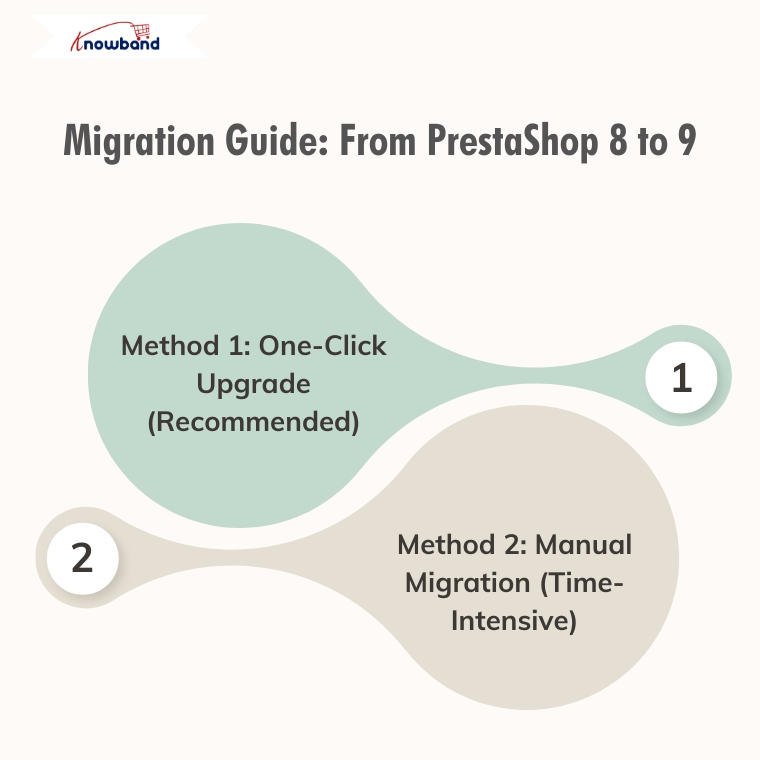
Migration Guide: From PrestaShop 8 to 9

Method 1: One-Click Upgrade (Recommended)

Available Tools:

  • Official 1-Click Upgrade Module: Standard PrestaShop upgrade module handling version transitions automatically
  • MigrationPro: Third-party solution supporting migration with comprehensive data transfer
  • PrestaShop Migrator: Alternative one-click solution for seamless upgrades

Advantages:

  • Automated process with minimal manual intervention
  • Built-in data integrity checks
  • Reduced human error risk
  • Faster migration time
  • Automated backup creation

Autoupgrade Backup Process:

  1. BackupInitialization: Process start, clearing leftover temporary files
  2. BackupFiles: Complete backup of store files, themes, modules, images, and custom code
  3. BackupDatabase: Creates a complete backup of the entire database, including all tables and stored data.
  4. Let me know if you prefer a more concise or more detailed version.
  5. BackupComplete: Process finalisation with verification

Rollback Process: If the upgrade encounters issues, easily revert through the autoupgrade module’s “Rollback” section by selecting the backup archive and monitoring rollback progress.

Data Migration: Automatically handles transfer of products, categories, attributes, customer accounts, order history, CMS pages, configuration settings, images, and compatible module configurations.

Method 2: Manual Migration (Time-Intensive)

Fresh PrestaShop 9 installation followed by manual data migration.

Process Overview:

  1. Review Server Requirements: PHP 8.1+, MySQL 5.7+/MariaDB 10.3+, Composer 2.x, Apache/Nginx
  2. Complete Backup: Database, files, configuration, custom code
  3. Install PrestaShop 9.0: Fresh installation via Git and Composer
  4. Data Migration Strategy: Export from PS8 (products, customers, orders, CMS, configurations) and import to PS9 using native tools, third-party modules, or manual entry
  5. Module Compatibility Assessment: Audit existing modules, update compatible ones, identify alternatives for incompatible modules
  6. Theme Reconstruction: Rebuild themes using PS9’s updated architecture, adapt to Symfony requirements
  7. Comprehensive Testing: Front office (browsing, checkout, payments, mobile) and back office (product management, orders, reporting) functionality

Recommendation

Method 1(One-Click Upgrade) is strongly recommended for most merchants due to:

  • Significantly reduced migration time
  • Lower risk of data loss/corruption
  • Automated handling of complex data relationships
  • Built-in rollback capabilities
  • Professional support availability

Consider Method 2 (Manual Migration) only for specific customisation requirements necessitating a fresh installation or when automated tools are incompatible.

Post-Migration Checklist

Regardless of the chosen method:

  • Verify all critical store functions
  • Test payment and shipping integrations
  • Confirm SEO settings and URL structures
  • Update DNS and SSL certificates if needed
  • Monitor site performance and loading speeds
  • Train staff on interface changes

Final Thoughts

PrestaShop 9.0 sets a strong course toward improved speed, enhanced security, and a more developer-centric ecosystem. Although upgrading requires planning and effort, long-term benefits are considerable—better performance, cleaner code, enhanced scalability, and modern tooling.

If running an older version, evaluate the long-term value of moving to Prestashop 9. If unsure about the process or lacking in-house developers, consulting with a PrestaShop expert or certified partner is highly recommended.

Still deciding whether to switch?

If you’re unsure whether moving from PrestaShop 8 to 9 is the right step for your store, we invite you to check out our detailed comparison and expert insights.

Discover the key benefits, potential risks, and real-world impact of migrating — and make an informed decision for your business.

Explore the PrestaShop 8 vs 9 Comparison Guide

Should You Move from PrestaShop 8.1 to 9.0? A Complete Feature Comparison

With the release of PrestaShop 9.0, the platform is moving toward a more modern, performance-oriented, and developer-friendly future. However, as with any major update, merchants and developers are left with an important question: Is now the right time to migrate from PrestaShop 8.1?

In this blog, we’ll explore the key differences between PrestaShop 8.1 and 9.0. From performance upgrades to developer tools, we’ll cover everything you need to know to make an informed decision about your store’s future.

Symfony Framework Upgrade: From 4.4 to 6.4

To begin with, one of the most significant changes in PrestaShop 9.0 is the upgrade of the Symfony framework from version 4.4 to Symfony 6.4, the latest long-term support (LTS) release. This transition ensures better stability, security, and access to modern development tools.

Symfony 6.4 will be maintained with bug fixes through November 2026 and security patches until November 2027, ensuring long-term stability for evolving projects. By comparison, Symfony 4.4—used in PrestaShop 8.1—has already reached the end of its support life. Therefore, PrestaShop 9.0 becomes the smarter choice for long-term projects.

PHP Compatibility and Performance Enhancements

In addition, PrestaShop 9.0 introduces support for PHP 8.1, 8.2, and 8.3. This allows merchants to benefit from improved performance, better memory handling, and modern PHP features.

Unlike PrestaShop 8.1, which stopped at PHP 8.1, the new version embraces the latest PHP releases, representing a major step forward. As a result, PrestaShop 9.0 is better aligned with modern PHP standards and development practices. However, keep in mind that older hosting environments and custom code may require updates to ensure compatibility.

Modern API Platform for Headless Commerce

Furthermore, PrestaShop 9.0 brings a brand-new API system based on API Platform v3, dramatically improving how it interacts with external applications.

This makes it ideal for headless commerce architectures, mobile app integrations, and third-party services. In contrast, PrestaShop 8.1 relied on a legacy API, which lacked the flexibility and scalability modern developers expect. As a result, the new API system opens up a world of opportunities for automation and integration.

PrestaShop 9 debuts a completely reimagined Admin API, built using API Platform—a cutting-edge PHP framework known for its flexibility and power. This innovation marks a significant leap toward creating a more open, extensible, and developer-focused PrestaShop environment.

Here’s what the new Admin API offers:

  • Simplified integration with external platforms such as ERPs, CRMs, and marketing tools.
  • Automation-ready architecture that helps reduce manual store management and boosts operational efficiency.
  • RESTful structure with JSON formatting, ensuring ease of use for developers accustomed to modern API standards.
  • Future-ready modularity, allowing the system to grow and adapt with community and business demands.

It’s worth noting that the Admin API is still evolving. While the core framework is already in place, additional features and endpoints are being actively developed.

Key Hook Updates in PrestaShop 9

 PrestaShop 9 retains most of the widely used hooks from version 8 to ensure module and theme compatibility. Common front-office hooks like displayHeader, displayFooter, displayHome, and displayProductButtons remain supported. In the back office, important hooks such as displayBackOfficeHeader, displayAdminOrderMain, and displayAdminProductsExtra are still available for extending core functionality.

Alongside these, PrestaShop 9 introduces modern Symfony-based hooks like actionSymfonyResponse, actionAfterCartSave, and actionProductFormBuilderModifier. These offer a cleaner, event-driven approach to customisation and are part of the platform’s move toward a more modular, scalable structure.

Redesigned Back Office Using Symfony and Twig

Another significant improvement is the full revamp of the back office, now built with Symfony and Twig for a more modern and maintainable structure. This results in a more intuitive, mobile-friendly, and user-centred admin experience.

For store owners, the redesigned layout means easier navigation and improved productivity. For developers, the shift supports cleaner templating and reduces legacy code dependencies. On the other hand, PrestaShop 8.1 retains a more traditional interface, which may now feel outdated in comparison.

Developer-Focused Improvements

Additionally, PrestaShop 9.0 has replaced several outdated libraries used in previous versions. For example:

  • Guzzle HTTP Client → Symfony HTTP Client 
  • SwiftMailer → Symfony Mailer 

These updates result in a more secure, efficient, and future-proof module and email handling.

Moreover, the login system has been modernised. Legacy hooks have been removed, and a new actionBackOfficeLoginForm hook has been introduced, offering cleaner and more customizable authentication flows.

Transition Toward Twig Templates

Importantly, PrestaShop 9.0 also makes a bold move toward full Twig integration, gradually replacing the legacy Smarty engine. Twig is now widely used in both front and back offices, offering more readable, modular, and reusable templates.

For theme developers, this is a significant improvement. In contrast, PrestaShop 8.1’s reliance on Smarty limits flexibility and long-term maintainability.

Should You Upgrade to PrestaShop 9.0?

PrestaShop 9.0 brings major improvements—but before upgrading, make sure your store is ready to handle the change. If your themes, modules, and hosting environment are compatible—or can be easily updated—then migrating can bring notable performance and UX benefits.

Alternatively, if your current store depends heavily on legacy plugins or complex custom code, it might be wiser to wait until broader module support becomes available. Testing in a staging environment is highly recommended before committing to a full upgrade.

Migration Tips for Store Owners

Before making the switch, follow these best practices:

  • Backup your entire store, including the database and any custom files.
  • Test the upgrade in a staging environment first to avoid disrupting your live store.
  • Verify compatibility for all third-party themes and modules.
  • Monitor community feedback for bug reports and migration issues.
  • Conduct thorough testing, especially checkout, payment, and product display areas. 

Final Thoughts

PrestaShop 9.0 marks a major leap toward a modern, secure, and scalable e-commerce platform. From faster performance and updated frameworks to a cleaner developer experience, it brings meaningful benefits for merchants and developers alike.

In conclusion, while migration requires effort and planning, the long-term gains make it a worthwhile investment. Whether you’re a seasoned PrestaShop user or planning your first store, now is an excellent time to explore what version 9.0 can do for your business.

If you’re looking for a reliable solution to ensure a smooth upgrade, KnowBand offers custom module development and PrestaShop 9.0-ready extensions that can accelerate your transition. Their expert support and robust library of PrestaShop modules make them a valuable partner during major upgrades.

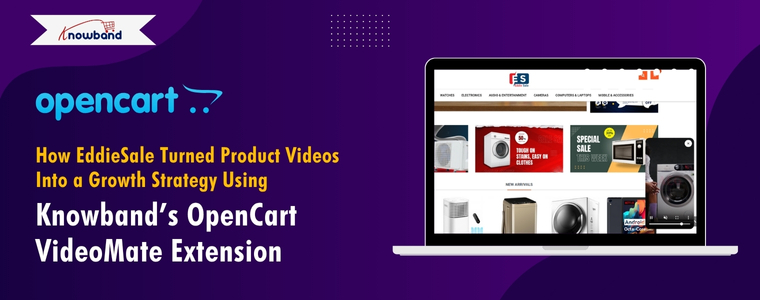
How EddieSale Turned Product Videos Into a Growth Strategy Using Knowband’s OpenCart VideoMate Extension

In today’s fast-paced eCommerce world, product visuals are no longer enough — customers expect immersive experiences that build trust and help them make quick buying decisions. For EddieSale, a growing online store powered by OpenCart, this meant going beyond static images and text. Their breakthrough came with Knowband’s OpenCart Video Manager Extension, a powerful plugin that allowed them to seamlessly integrate product videos into their store. What started as a simple upgrade turned into a full-fledged growth strategy, driving higher engagement, better conversion rates, and a noticeable boost in customer confidence.

When Amanda started EddieSale, an online electronics store, her vision was clear: to offer reliable, affordable tech products that customers could trust. From Bluetooth speakers to smartwatches and other home gadgets, her store was packed with the kind of everyday electronics that modern shoppers love.

But within a few months, Amanda noticed something many small business owners face: while visitors were browsing her store and even adding items to their carts, a lot of them weren’t checking out. Traffic was steady, but sales were not keeping up.

It wasn’t a problem with pricing or product selection. The real issue was something Amanda didn’t expect—her product pages weren’t telling the full story.

Understanding the Customer Gap

Amanda realized that while her product photos were clear and her descriptions detailed, they still weren’t enough for electronics buyers.

“People want to see tech in action,” she explained. “They want to hear how the speaker sounds, watch how the smartwatch screen responds, or understand how a camera performs. A static photo just doesn’t cut it for those kinds of products.”

Customers were curious but hesitant. They had unanswered questions. Amanda thought about hiring someone to custom-code video sections into her product pages, but as a small business owner, time and budget were tight.

Discovering the OpenCart VideoMate Extension

While looking for OpenCart extensions that could help, Amanda came across Knowband’s VideoMate Extension for OpenCart. The promise was simple: let store owners easily add videos to product pages, the homepage, category listings, and more—without touching a single line of code.

“It sounded like exactly what I needed—something easy and flexible,” Amanda said.

She installed the Plugin and was pleasantly surprised at how smooth the process was. Within a couple of hours, she had product demo videos, unboxing clips, and reviews from YouTube integrated directly into her store.

Making the Most of Video—The EddieSale Way

Amanda started by focusing on her top-selling categories. She added short demo videos for Bluetooth speakers, tutorials for smartwatches, and real-life usage clips for home security cameras.

Here’s what stood out to her:

1. Easy Integration Without Tech Skills

Amanda didn’t need a developer or a learning curve. The admin panel was intuitive. She could upload or embed videos, change their placement, and even preview them in real time.

2. Better Visual Flow With Video Carousels

She made use of the video carousel feature to showcase seasonal gadgets and customer favorites on her homepage. This not only made the store look more modern but kept users engaged longer.

3. Improved Mobile Experience

Since most of EddieSale’s traffic came from smartphones, it was important that videos looked good on all devices. Fortunately, the Extension was fully responsive—everything adjusted automatically, from the homepage to product pages.

4. Full Control and Customization

Whether Amanda wanted to show one video or ten, the Plugin gave her control over layout, order, and placement. She could test different setups and make changes anytime without external support.

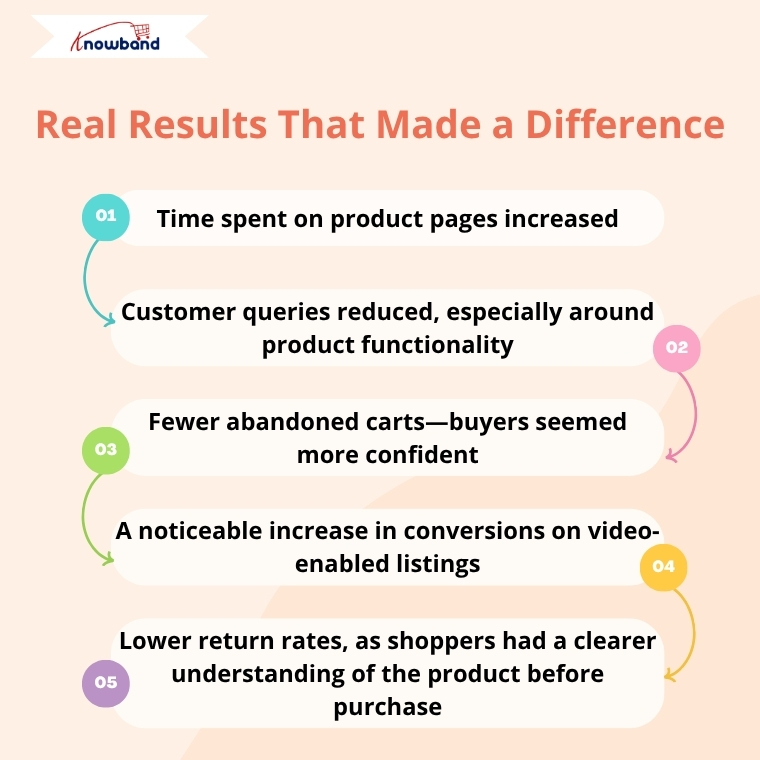
Real Results That Made a Difference

After just a few weeks of using VideoMate, Amanda started to notice tangible improvements:

  • Time spent on product pages increased
  • Customer queries reduced, especially around product functionality
  • Fewer abandoned carts—buyers seemed more confident
  • A noticeable increase in conversions on video-enabled listings
  • Lower return rates, as shoppers had a clearer understanding of the product before purchase

Customers even left comments saying they appreciated being able to “see the product in real life” before making a decision.

Building Trust Through Transparency

For Amanda, the biggest success wasn’t just the increase in sales—it was the trust she built with her audience.

“VideoMate helped me bring my products to life. I didn’t have to change my entire site or hire anyone. Just by showing how products work, I was able to connect with my customers better—and that made all the difference.” said Amanda

A Simple Extension With a Big Impact

Amanda continues to use the VideoMate Extension as part of her store’s strategy. Every time she adds a new product or runs a seasonal campaign, she pairs it with video content. It’s now a natural part of how EddieSale operates.

For other OpenCart store owners wondering if it’s worth the effort, Amanda has this advice:

“If your product needs more than a photo to explain, don’t wait. This Extension saves time, builds trust, and helps your store stand out—without making your life harder.”

Final Thoughts

EddieSale’s success story is proof that even small tweaks—like adding product videos—can have a big impact. By using Knowband’s OpenCart VideoMate Extension, Amanda didn’t just improve her product pages—she gave her customers the confidence they needed to click “buy.”

If you’re looking for a genuine way to enhance your OpenCart store and give your customers a better experience, VideoMate might just be your store’s next smart move.

Say Goodbye to Cart Abandonment: The Ultimate Prestashop One Step Checkout Addon

As online competition intensifies, offering a streamlined and user-friendly shopping journey has become critical for success. Unfortunately, cart abandonment remains one of the most significant challenges for online retailers. In fact, studies reveal that a significant percentage of customers leave without completing a purchase simply because the checkout process is too long or complex. That’s where the Prestashop One Page Supercheckout module becomes a game changer.

If you’re looking to reduce bounce rates, increase conversions, and offer a faster checkout experience, then the Prestashop Quick Checkout addon by Knowband is the perfect solution.

Why Quick Checkout Matters

The moment a customer decides to buy, speed is everything. However, when checkout feels like a hassle, customers often give up and leave their cart behind.

Fortunately, the Prestashop simplified checkout addon is built to address this exact issue. By merging all checkout steps, billing, shipping, and payment, into one single, user-friendly page, it simplifies the buyer journey and speeds up the purchase process.

Whether you’re just starting out or already running a well-established online store, having a quick checkout extension integrated can make a big difference in your sales figures.

With One Page Super Checkout for Prestashop stores can integrate multiple payment options in a single, streamlined checkout. Supported gateways include PayPal, Stripe, Authorize.Net, Square, Razorpay, and flexible Buy Now Pay Later solutions. The Prestashop Fast Checkout Addon also allows payments via Apple Pay, Google Pay, and other modern wallets, helping reduce cart abandonment and improve conversion rates.

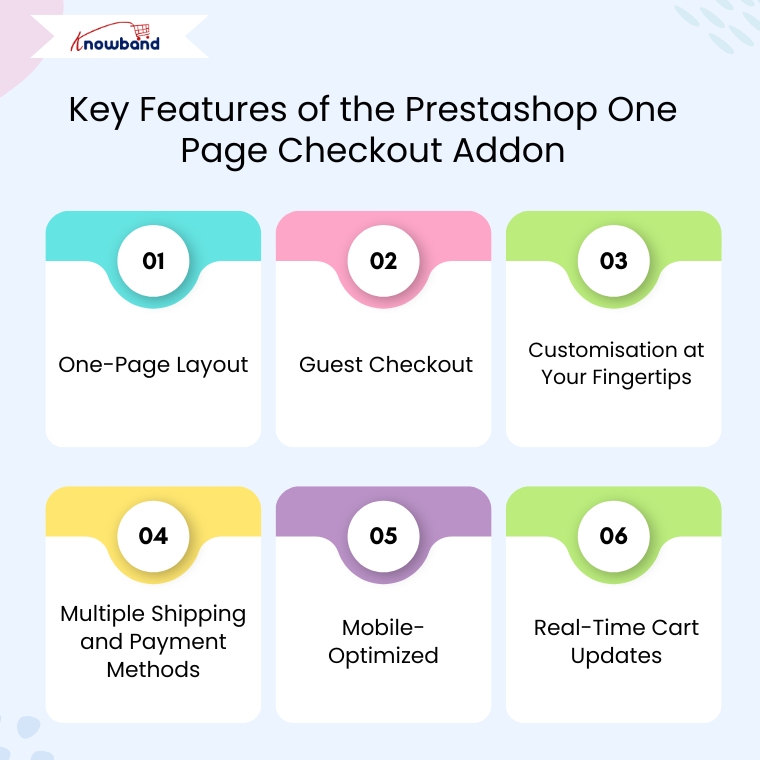
Key Features of the Prestashop Quick Checkout Addon

One-Page Layout

Unlike the traditional multi-step process, the Prestashop Quick Checkout Module brings everything together on one page. As a result, customers can view their cart, enter shipping details, and complete payment, all without having to click through multiple screens. This reduces friction and encourages faster transactions.

Guest Checkout

Not every customer wants to register for an account. Therefore, this quick checkout addon for Prestashop allows you users complete purchases as guests, eliminating unnecessary steps and improving the customer experience.

Customisation at Your Fingertips

You don’t need to be a developer to make changes. Furthermore, the module allows store owners to add, remove, or rearrange fields easily. You can also enable or disable certain sections based on your business needs. This makes the Prestashop fast checkout addon highly adaptable for different types of stores.

Multiple Shipping and Payment Methods

Offer your customers the freedom to choose from different shipping services and payment gateways. Additionally, you can also set visibility rules based on customer location or order value, making the process smarter and more flexible.

Mobile-Optimized

With more and more users shopping via mobile devices, the One Page Checkout Prestashop module is designed to work flawlessly on smartphones and tablets. Moreover, a responsive design ensures that the checkout page is smooth and clutter-free on all screens.

Real-Time Cart Updates

Customers can add or remove products and see real-time updates in their cart summary, no page refresh required. Consequently, this live update feature enhances usability and speeds up decision-making.

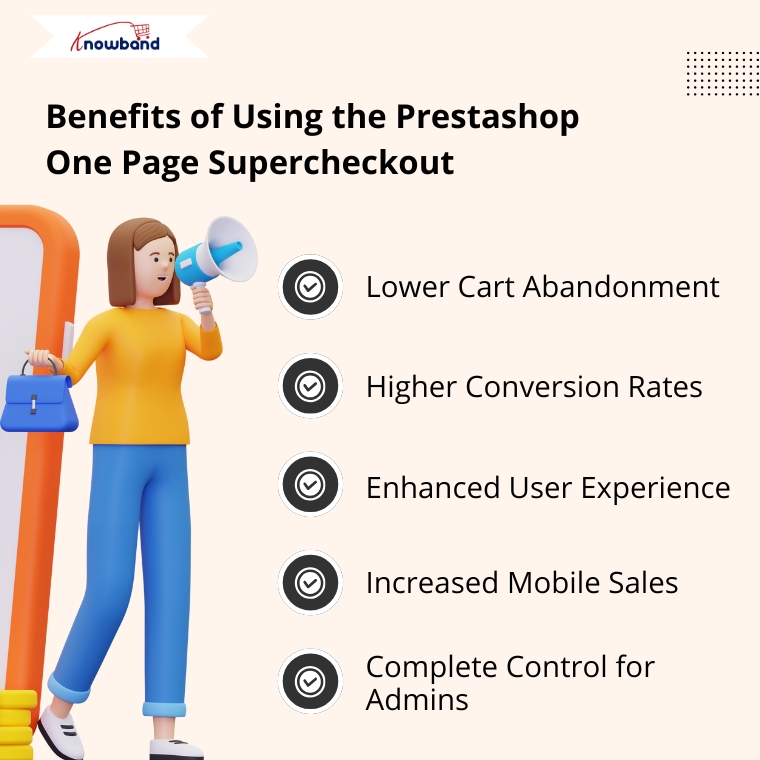
Benefits of Using the Prestashop One Page Supercheckout

Lower Cart Abandonment

By eliminating unnecessary steps, the Prestashop Quick checkout addon significantly reduces the chances of customers leaving before completing their purchase.

Higher Conversion Rates

The shorter the journey to checkout, the higher the likelihood of conversion. Therefore, the simplified process encourages impulse purchases and provides a frictionless shopping experience.

Enhanced User Experience

Whether a customer is tech-savvy or not, the intuitive design of the quick checkout extension Prestashop ensures everyone can complete their order without confusion.

Increased Mobile Sales

Thanks to its responsive design, the Prestashop One Page Checkout works seamlessly on all devices, ensuring you don’t lose out on mobile shoppers.

Complete Control for Admins

You’re not stuck with a one-size-fits-all layout. Instead, the Prestashop simplified checkout addon gives you the tools to create a checkout page that reflects your brand and suits your specific needs.

Why Choose Knowband’s Supercheckout Module?

Knowband has become a trusted name when it comes to reliable and feature-rich Prestashop modules. Their Prestashop fast checkout addon is no exception. It’s trusted by thousands of eCommerce businesses worldwide and comes with excellent support, regular updates, and full documentation.

Moreover, the module supports additional features like social login, delivery date options, newsletter subscription, and more, making it more than just a basic quick checkout addon for Prestashop.

Final Thoughts

In the competitive e-commerce landscape, speed and simplicity are the keys to success. The Prestashop One Page Supercheckout module by Knowband offers everything you need to deliver a faster, easier, and more enjoyable checkout experience.

From reducing cart abandonment to improving mobile usability and boosting conversions, this all-in-one Prestashop One Step Checkout Addon is a smart investment for any online store.

So why wait? Upgrade your checkout experience today with the Prestashop simplified checkout addon and turn more visitors into loyal customers.


New Release: Supercharge Your eCommerce Store with VideoMate – Now on PrestaShop, WooCommerce & OpenCart

In today’s competitive eCommerce space, standing out requires more than just great products. It demands immersive, informative, and visually engaging shopping experiences. While product images serve as a basic necessity, they often fail to deliver the full picture. This is where video content becomes a game-changer—and why merchants across platforms are turning to modern video solutions to enhance the aesthetic appeal of their stores and connect with today’s visual-first customers.

Recognizing this growing demand, Knowband has launched the much-anticipated VideoMate Addon. Now available for PrestaShop, WooCommerce, and OpenCart, VideoMate is an all-in-one eCommerce video solution designed to bring your store to life with high-impact video marketing. Whether you want to display how-to guides, showcase product reviews, tell your brand story, or integrate short-form content from social platforms, this robust e-commerce video module simplifies it all.

Why Your Store Needs Video

To begin with, modern customers prefer to see products in action. The video gives them the next best thing to a hands-on experience, offering clarity, confidence, and connection that static visuals can’t match.

Studies show that customers are more likely to convert after watching a product video. That’s because video:

  • Provides better product understanding
  • Reduces hesitation and return rates
  • Builds trust through authenticity
  • Enhances emotional engagement
  • Increases time-on-site and improves SEO

Clearly, integrating video isn’t just a creative enhancement—it’s a conversion strategy.

How Video Content Influences Buyer Behavior

More specifically, video content speaks directly to the way online customers consume information. A PrestaShop Video Manager Module, for instance, lets customers see a product’s features, texture, and use cases. Similarly, a well-placed OpenCart product video extension builds credibility with visual proof, making it easier for customers to say “yes.”

Through a Prestashop Video Manager addon, you can share your brand’s mission, showcase behind-the-scenes content, or present video testimonials that make your store feel more human. In addition, short-form content such as downloaded Instagram Reels or Twitter videos can be uploaded using the PrestaShop Instagram Reels Addon or the OpenCart Twitter video plugin—further extending your reach and consistency across channels.

How Knowband’s VideoManager Addon for Prestashop, Opencart & WooCommerce Helps Your Store Stand Out

Fortunately, VideoMate takes the complexity out of video marketing. Whether you’re running PrestaShop, WooCommerce, or OpenCart, this addon allows you to upload, place, and manage videos across your store with ease. As a result, you can enhance product pages, boost homepage engagement, and even feature time-sensitive offers with floating widgets—all without technical skills.

By supporting formats such as a PrestaShop homepage video module, a PrestaShop video carousel module, and a floating video widget for both OpenCart and PrestaShop, VideoMate offers unmatched flexibility.

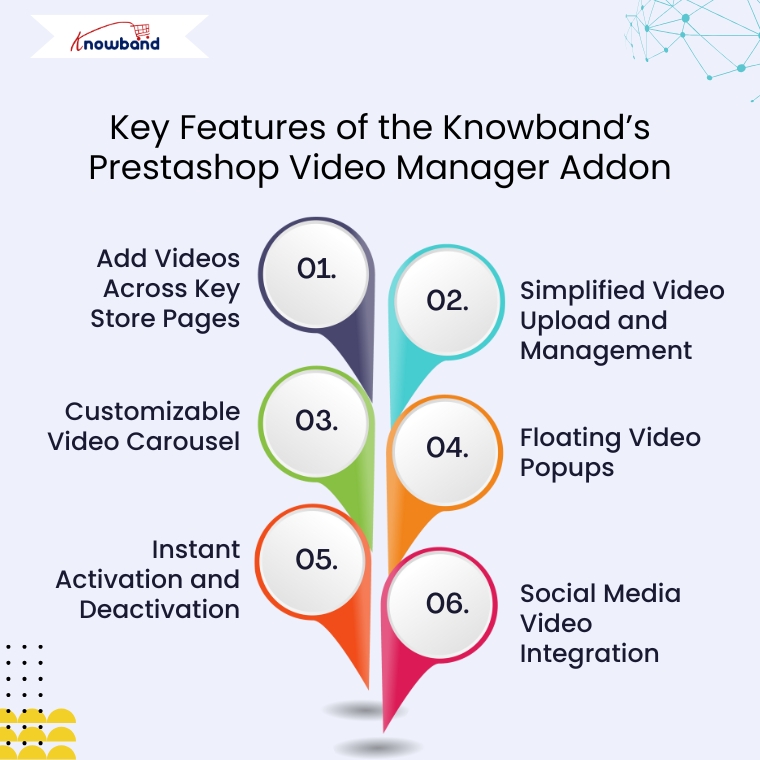
Key Features of the Knowband’s Prestashop Video Manager Addon

Add Videos Across Key Store Pages

First and foremost, VideoMate enables video placement on all crucial store pages. This includes product pages, category pages, homepages, best-seller sections, and even new arrivals. With options like the PrestaShop homepage video module and the OpenCart category video plugin, you can deliver compelling content exactly where it matters most.

Simplified Video Upload and Management

Next, the built-in video uploader for OpenCart video manager extension makes adding videos incredibly simple. Upload directly from your local system, assign content to specific pages, and edit or remove videos anytime—no coding required. This level of ease turns your store into a flexible video-powered selling machine.

Customizable Video Carousel

To further boost interactivity, the PrestaShop video carousel module and its OpenCart equivalent let you create scrollable, auto-playing video sections. Add custom headings, adjust transition timing, and control how many videos are displayed. This not only modernizes your store’s design but also improves customer engagement.

Floating Video Popups

For time-sensitive promotions or feature highlights, the floating video widget module for PrestaShop and OpenCart floating video extension provide an elegant solution. These popups can be positioned left or right, and are designed to attract attention without disrupting the browsing flow.

Instant Activation and Deactivation

For ultimate control, you can enable or disable videos directly from the admin panel. Whether you’re running seasonal campaigns, testing performance, or updating content, you have real-time flexibility without needing developer support.

Social Media Video Integration

Lastly, the PrestaShop social media video addon and OpenCart video plugin support embedded content from platforms like Instagram and Twitter. This means you can repurpose engaging short-form content—such as reels, product clips, or influencer shoutouts—right into your store. It’s a powerful way to unify your eCommerce and social marketing efforts.

Conclusion

In conclusion, integrating video into your online store is no longer just an enhancement—it’s a necessity. The VideoMate Addon equips merchants on PrestaShop, OpenCart, and WooCommerce with the trending features needed to transform static shopping experiences into engaging, video-rich journeys that build trust and boost sales.

With support for everything from product videos and video carousels to floating widgets and Instagram Reels, this addon combines ease of use with powerful functionality. Whether you’re telling your brand story, showcasing reviews, or launching new collections, VideoMate Plugin for WooCommerce helps you connect with customers in the most compelling way possible.

Explore the full potential of videos with the eCommerce Video Manager Addon because a product seen in videos is a product one step closer to being sold.

Now Live: Knowband’s AI Content Generation Plugin for WooCommerce!

Running an online store means creating lots of content. However, writing product descriptions, meta titles, and page content takes time. Fortunately, the Knowband’s WooCommerce AI Content Generator Plugin offers a simple solution. This powerful Plugin helps store owners create quality content quickly and easily.

What Is the AI Content Generator for WooCommerce?

The AI Content Generator for WooCommerce is a smart plugin that writes content for you. Instead of spending hours writing product descriptions, this Plugin does the work in minutes. Moreover, it uses advanced AI technology to create professional content that sounds natural and engaging.

Furthermore, the WooCommerce AI Generator Plugin supports multiple AI engines. This means you can choose from different AI models like ChatGPT, Claude, Gemini, and DeepSeek. As a result, you get content that fits your store’s unique style and needs.

Key Features Of WooCommerce AI Content Generator

The WooCommerce AI Content Creation Extension comes with many helpful features. First, it creates content for products, categories, and CMS pages automatically. Additionally, it generates SEO-friendly titles and descriptions that help your store rank better in search results.

Another great feature is bulk processing. The WooCommerce AI Bulk Content Generator can handle hundreds of products at once. Therefore, even large stores can update their content quickly without manual work.

The plugin also tracks all changes with detailed logs. This way, you can see what content was created and when. Consequently, managing your store’s content becomes much easier.

Multiple AI Engines for Better Results

What makes this Plugin special is its variety of AI options. The WooCommerce AI Content Generator uses Claude AI, Gemini and ChatGPT for natural-sounding content that works best for your products.

Perfect for All Types of Content

The AI Product Description Generator WooCommerce creates compelling product descriptions that sell. These descriptions highlight key features and benefits while using the right keywords. This helps in making your product highlighting to customers.

Not only products pages, the AI CMS Page Content Generator WooCommerce also genrates the content for categories as well as CMS Pages like Privacy Policy, etc. For instance, it can write About Us pages, FAQ sections, and shipping policies. Furthermore, this means your entire website can have professional content without extra effort.

Boost Your SEO Rankings

Search engine optimization (SEO) is important for the success of any online store. It helps your products appear higher in search engine results like Google, making it easier for customers to find you. The SEO Meta Title Generator in the WooCommerce AI plugin helps by creating product meta descriptions and title that include the right keywords.

These titles are not only made to rank well on search engines but are also easy for people to read and understand. This means your products are more likely to be seen, clicked on, and purchased by potential customers.

All-in-One Content Solution

The Multi-engine AI Content Generator for CMS and Products by Knowband combines everything you need in one plugin. Rather than using separate Plugins for different content types, this solution handles everything together. Moreover, this helps in time management and SEO rankings.

The plugin also supports multiple languages, which helps you reach global customers. Furthermore, it follows SEO best practices automatically, so you don’t need to be an expert to get good results.

Simple Setup and Easy Use

Setting up the plugin is straightforward, even for beginners. Once installed, you simply choose your preferred AI engine and start generating content. The user-friendly interface makes the process smooth and hassle-free.

Additionally, the bulk content generation feature allows you to create product content at scale by simply uploading a CSV file with product details. Once uploaded, the AI automatically generates titles, descriptions, and other relevant content for all listed items in one go.

This functionality is especially valuable for WooCommerce stores managing large inventories, saving hours of manual work and ensuring consistent, high-quality content across the catalog.

Benefits of WooCommerce AI Content Generator to the E-Merchants

Time-Saving: Automates content creation, freeing up countless hours for you to focus on other business tasks.

Consistent Quality: Delivers high-quality, professional content across all your product pages.

SEO-Friendly: Generates content optimized for current SEO best practices, helping improve your store’s search engine rankings.

Increased Visibility: Better rankings mean more organic traffic, helping customers find your store without relying on paid ads.

Cost-Effective: Reduces the need for hiring copywriters, cutting down on operational expenses..

Get Started Today

The WooCommerce AI content generation Plugin by Knowband make running an online store much easier. Whether you need product descriptions, meta tags, or page content, AI can help you create everything quickly and professionally.

With multiple AI engines, bulk processing, and SEO optimization built-in, these Plugins provide everything needed for successful content creation. Start using AI content generation today and transform how you manage your online store.

Top Features of Knowband’s eBay PrestaShop API Integrator You Should Know

In the world of competitive e-commerce, expanding your store across multiple marketplaces is vital. Listing your product on marketplaces helps drive sales and gain new customers. For this reason, Knowband has introduced Prestashop eBay Integration Addon which is a game changer for the prestashop stores. The PrestaShop eBay Marketplace Integration Module integrates with the Prestashop store seamlessly. It not only seamlessly integrates but automatically lists the product through a synchronization feature. As a result, the store admin does not need to manually list the product. Moreover, the Prestashop eBay API Integrator Module automatically syncs all the features and attributes to eBay from your Prestashop store.

[Exciting Update] Prestashop eBay Marketplace Addon v2.2.1 is Here!

Knowband has the latest version of the Prestashop eBay Marketplace Addon (v2.2.1), designed to make your PrestaShop – eBay integration faster, smarter, and more efficient. Furthermore, this update brings powerful features to simplify inventory and API management.

What’s New in v2.2.1?

 Enhanced Inventory Sync
Now, keep your eBay listings and PrestaShop store perfectly aligned. The improved Inventory Comparison tab has been added in Knowband’s Prestashop eBay API Connector Module, which identifies stock differences automatically, helping you prevent overselling and maintain accurate product availability across both platforms.

Real-Time API Usage Tracker
Stay ahead of API limits with the upgraded Rate Limit Monitor. Now, with the new version 2.2.1, you can view real-time data for all eBay APIs, including total limits, usage, and remaining calls. Moreover,  this ensures uninterrupted synchronisation between your store and eBay, so your operations never skip a beat.

Why Upgrade?

  • Accurate Inventory Management: Reduce manual errors and overselling with the new release

  • Smooth Integration: Keep your PrestaShop and eBay stores perfectly in sync.

  • Active API Monitoring: Avoid downtime due to exceeded API limits because now you can check before listing. 

Upgrade today to v2.2.1 and experience a more reliable, hassle-free PrestaShop–eBay connection!

Need guidance? Refer to the updated user manual for step-by-step instructions.

Why Use Knowband’s PrestaShop eBay Integration Module?

Managing multiple sales channels manually can be complicated and time-consuming. Keeping track of product listings, inventory, prices, and orders on both PrestaShop and eBay often leads to mistakes. It also takes up valuable time. That’s why the PrestaShop eBay Integration Plugin make it all easy for store admins as it removes all the stress by automating the entire process.

With that in mind, everything becomes faster and easier. The module includes uploading products, updating stock levels, and processing orders. You don’t need to switch between platforms or worry about missing updates. In fact, the module keeps everything synced between your PrestaShop store and your eBay account. This gives you more time to focus on growing your business.

Key Features of the Prestashop eBay Marketplace Integration

Quick & Easy Setup: Even without technical expertise, the installation and configuration are straightforward. The PrestaShop eBay API Integration Module gets your products live on eBay swiftly.

Bulk Product Uploads: The module allows you to upload hundreds of products simultaneously. It includes accurate descriptions, images, and prices. In addition, you can also align your store categories with eBay’s categories. This boosts product discoverability and sales.

Live Inventory & Price Updates: Say goodbye to overselling. The eBay PrestaShop Connector instantly synchronizes your stock quantities in PrestaShop. This happens whenever orders are placed on eBay. At the same time, it ensures that any pricing updates are reflected simultaneously on both platforms.

Centralized Order Management: Orders placed on eBay are directly imported into PrestaShop. This happens via the eBay PrestaShop API Integrator. This means you can track sales and manage fulfilment in one place. You won’t need to juggle different dashboards.

Flexible Shipping Settings: Tailor your shipping options with custom profiles. These work for specific eBay marketplaces like eBay US and UK. You also have the ability to enable or exclude international shipping destinations.

Advanced Attribute Mapping: Map the store’s product attributes with eBay attributes. This ensures your listings meet marketplace standards. It also helps them appear in the right search filters.

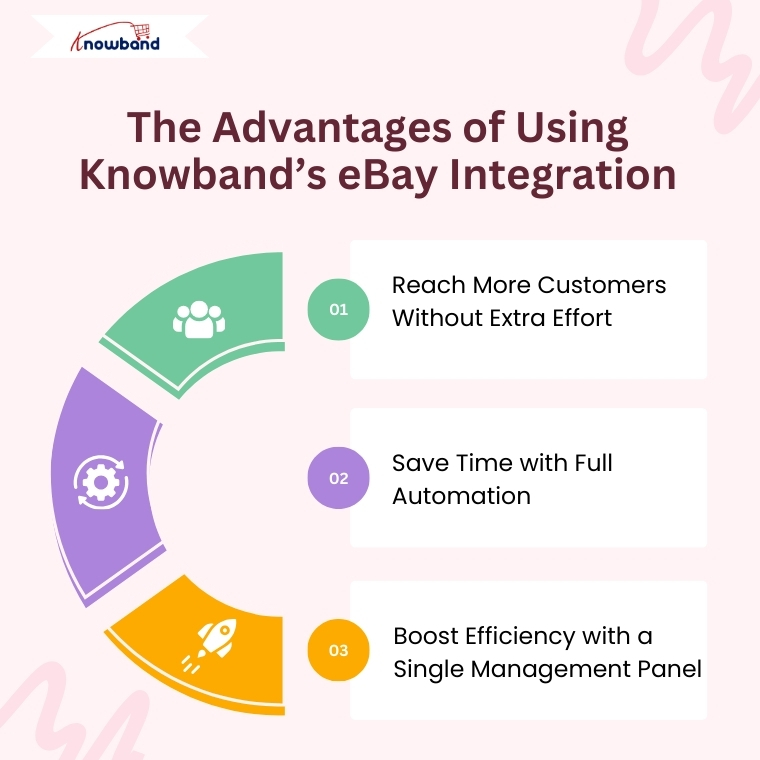
Advantages of Using the Knowband eBay PrestaShop Integrator

Expand Your Reach Globally: Connect your PrestaShop store with the vast eBay customer base effortlessly. The PrestaShop eBay Integration Free Module makes cross-border selling accessible. This works even for small businesses.

Save Time with Automation: Automate product uploads, stock syncing, pricing updates, and order processing. This way, you can focus on growing your business instead of handling tedious manual work.

Single Dashboard Control: Manage everything related to your eBay listings within your PrestaShop admin panel. This includes inventory, orders, and shipping. This improves efficiency and reduces errors.

Detailed Activity Logs: Keep track of all synchronization events with transparent logs. These monitor product updates, stock changes, and order statuses. This gives you full control.

How to Integrate Your Store with eBay Using Knowband’s Module

  1. Create an account on the eBay Developer Program.
  2. Next, obtain your API credentials by generating your Dev ID, App ID, and Cert ID.
  3. Configure the PrestaShop eBay Integrator by entering your API keys and PrestaShop store URL.
  4. Integrate your store’s categories with the appropriate eBay categories. Then set up your shipping options to ensure accurate product listings and hassle-free deliveries.
  5. Finally, start syncing your products, inventory, and orders seamlessly.

Final Thoughts

For PrestaShop store owners looking to scale their operations internationally, Knowband’s PrestaShop eBay Integration Addon offers an all-in-one solution. It simplifies multi-channel selling. Whether you’re interested in a free Prestashop eBay Integration addon or a feature-rich paid module, Knowband’s modules ensure your store stays up-to-date. As a result, your customers receive timely service.

So why wait? Leverage the power of the Prestashop eBay Integrator today. Unlock new growth opportunities with minimal effort.

The Ultimate Solution for eCommerce Tracking: PrestaShop GTM Module

In the competitive eCommerce, accurate data tracking is no longer optional but it has become a critical requirement for businesses to ensure effective marketing and performance analysis. From understanding customer behaviour to optimizing your ad campaigns, powerful analytics can drive smarter decisions and boost revenue. For PrestaShop users, the best way to streamline tracking and marketing integrations is with Knowband’s Prestashop Google Tag Manager.

Whether you’re new to analytics or want to integrate with advanced tracking tools like GA4, the PrestaShop Google Tag Manager Addon makes it easier than ever.

Why Choose the PrestaShop Google Tag Manager Addon?

Integrating GTM to your prestashop store manually can be complex, especially for non-developers. That’s where the PrestaShop Google Tag Manager Addon comes in. 

The Prestashop Google Tag Manager is developed especially for merchants who don’t have coding knowledge or have less technical expertise.

The e-merchants can run the Google Tag Manager just by installing it. Additionally, the PrestaShop Google Tracking Module automatically tracks crucial eCommerce events like purchase events, and page view events, letting you focus on data-driven growth without worrying about script placements or event handling.

Features of the Prestashop No Code Google Tracking Module


Quick and Simple Integration

To begin with, store owners simply need to add their GTM container ID, and the module takes care of the rest. In other words, there’s no need to manually insert any tracking code into your theme files.

Enhanced eCommerce Tracking

Furthermore, the PrestaShop Google Marketing Integration Module fully supports enhanced eCommerce events such as Page View, View Category, View Product Detail, Add to Cart, Remove from Cart, Checkout Begins, Order Confirmation, Apply Discount Code, View Cart, Customer Login, Customer Registration, Add to Wishlist, Remove from Wishlist, Search Product, Capture UTM Parameters, and Scroll Bar Depth.

As a result, all of this event data is sent through GTM to your connected analytics tools, giving you deep insights into the entire customer journey.

GA4 Integration Support

In addition, the module works seamlessly with PrestaShop GA4 Integration. It effectively tracks key actions such as when a product is viewed, added to the cart, or purchased—thus helping you better understand customer behaviour.

UTM Parameter Tracking for Marketing Campaigns

Moreover, the module automatically captures UTM parameters from your marketing campaigns. Consequently, it allows you to track campaign performance across various channels and optimize your marketing strategies with data-driven decisions.

Seamless Multi-Store & Multi-Language Support

Finally, whether you operate multiple stores or use different languages, the module offers full support for multi-store and multi-language environments. This ensures that your tracking and data collection remain accurate and consistent across all setups.

Benefits of the Prestashop Google Tag Manager Module

Faster Setup & Deployment

The PrestaShop Google Tag Manager module is simple to set up and easy to configure. They also need to enter their GTM Container ID and Google Analytics Measurement ID to make sure everything works smoothly.

Accurate Data Collection

With the PrestaShop Google Analytics Integration Module connected through GTM, you get more reliable tracking. Moreover, it helps avoid errors caused by outdated tracking codes or conflicting scripts.

Unified Tag Management

To get started, store owners just need to enter their GTM container ID, and the module handles everything else. This means there’s no need to manually add any tracking code to your theme files.

Works for Multi-Store and Multi-Language

If you’re running multiple stores or languages, the PrestaShop eCommerce Measure Addon ensures everything is tracked accurately across all setups without duplicating efforts.

Use Cases Of Google Tag Manager for PrestaShop

Here’s how store owners commonly use this module:

  • Monitor abandoned carts by sending event data to Google Analytics 4 (GA4) using Google Tag Manage
  • Improve the checkout process by finding out where customers drop off in the funnel.
  • Retarget visitors who viewed products but didn’t buy, using Facebook and Google Ads.
  • Understand product performance with detailed tracking of clicks, views, and other interactions.

Steps to set up the PrestaShop Google Tag Manager Addon?

Step 1: Install the Google Tag Manager addon in your PrestaShop store by uploading the zip file through your admin panel.

Step 2: If you haven’t already, create an account on Google Tag Manager and copy the container ID provided.

Step 3: Go to the addon settings in your PrestaShop dashboard and enter the container ID in the given field.

Step 4: Log in to your GTM account and create the tags, triggers, and variables you want to track.

Step 5: Your tracking setup is ready! You’ll now start receiving data without writing any code

Conclusion

In conclusion, the PrestaShop Google Tag Manager Module is a smart choice for store owners who want accurate tracking without a complex setup. Moreover, the module helps you understand customer behaviour, track key events, and improve your marketing performance.

With support for Google Analytics 4, UTM tracking, and multi-store environments, the Prestashop Google Tracking Module makes data collection simple and reliable. If you want to grow your store with the power of insights, this plugin is worth considering.