

Strengthening PrestaShop Security: How Google reCAPTCHA Keeps Your Store Safe from Bots and Spam
Protect your PrestaShop store from bots, spam, and fake accounts with Knowband’s Google reCAPTCHA module. Boost security, customer trust, and site performance in just a few clicks.
As online shopping continues to dominate the e-commerce market, security concerns have grown more pressing than ever. Customers want a smooth shopping experience — but more importantly, they want it to be secure. For PrestaShop store owners, maintaining that balance between scalable and robust protection is critical. Fortunately, one smart and simple way to boost your store’s defences is by integrating Google reCAPTCHA.
With this in mind, we’re introducing the PrestaShop Google reCAPTCHA module, a lightweight yet powerful solution that helps you filter out malicious bots while letting real customers shop with confidence.
What is Google reCAPTCHA?
Google reCAPTCHA is a service from Google that helps website owners detect and block bots while allowing real human users to pass through without friction. Essentially, it does this by presenting simple challenges like identifying objects in images or clicking a checkbox labelled “I’m not a robot.”
While these tasks may seem trivial, they serve as an effective first line of defence. Bots, which are automated scripts designed to exploit forms and steal data, typically fail to pass these tests, keeping your website safer with minimal user effort.
Why PrestaShop Stores Need It
If you’re running a PrestaShop store, customer trust is everything. The moment a customer senses a lack of security — whether through spam in forms, malicious performance, or suspicious activities — they’re likely to abandon your site for a competitor. Even worse, repeated bot attacks can flood your system with fake accounts, clutter your database, and slow down key functions.
This is precisely where Knowband’s PrestaShop Google reCAPTCHA module becomes invaluable. It’s a proactive solution that quietly filters out suspicious activity in real time, letting your real customers shop uninterrupted while bots hit a dead end.
How the Knowband PrestaShop reCAPTCHA Module Works
This human verification tool is designed for simplicity and impact. Once installed, it can be placed on critical key pages throughout your store, including login, signup, contact, and checkout pages.

Here’s how it works:
First, when a visitor interacts with a protected form (like creating an account), they’re prompted with a reCAPTCHA challenge.
Next, if completed correctly, the user can proceed.
However, if not, access is denied, effectively preventing bots from registering, spamming, or completing fake checkouts.
Furthermore, the module integrates smoothly with your PrestaShop backend, ensuring top-tier security without affecting your site’s performance.
Key Benefits of Using the PrestaShop Google reCAPTCHA Addon
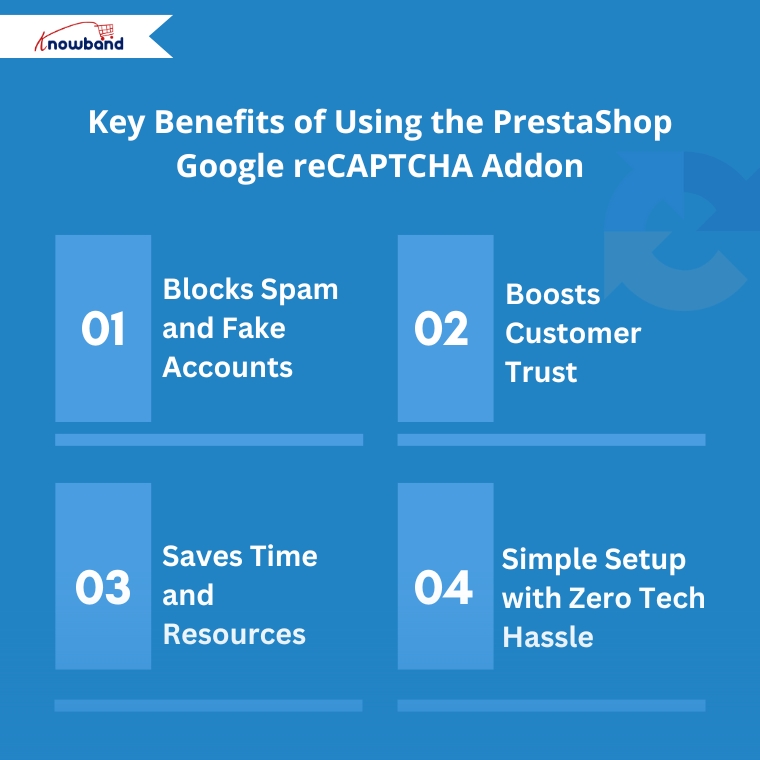
1. Blocks Spam and Fake Accounts
Bot-generated spam can overwhelm your contact forms and create fake user accounts that pollute your database. Fortunately, this module stops that activity at the gate, keeping your store clean and secure.
2. Boosts Customer Trust
When shoppers see that your site uses trusted security tools like Google reCAPTCHA, it reassures them that their personal and payment data is protected, which consequently encourages higher conversion rates.
3. Saves Time and Resources
Manually cleaning out fake accounts or filtering spam messages can take hours. However, with this automation in place, your team can focus on what really matters — running and growing your store.
4. Simple Setup with Zero Tech Hassle
No coding skills? No problem. The Knowband human reCAPTCHA module for PrestaShop is built to be plug-and-play. Simply install it, activate it, and choose where you want it to appear — all within a few clicks.
Where to Add reCAPTCHA for Maximum Protection
To fully leverage this module’s capabilities, it’s recommended to enable human verification in the following areas:
Login Page – Prevents brute-force attacks or unauthorised login attempts
Registration Page – Blocks bots from creating fake customer profiles
Contact Forms – Eliminate spam messages that clutter your inbox
Checkout Page – Ensures only genuine users can complete purchases
By adding reCAPTCHA at these key steps, you ensure your store’s most sensitive user interactions are protected.
Final Words: A Smart Move for a Safer Store
Security isn’t just a technical concern — it’s a business priority. Every time a bot bypasses your system, it erodes user trust and potentially damages your brand reputation. Therefore, by using the PrestaShop Google reCAPTCHA module by Knowband, you’re adding a vital shield to your online store.
This simple yet powerful tool helps keep bad actors out while preserving the frictionless shopping experience your customers expect. Whether you’re a beginner or an experienced store owner, this module is a smart, low-effort investment in your site’s future.
Don’t wait for bots to cause problems. Instead, stay one step ahead — secure your PrestaShop store with reCAPTCHA today.
- Best PrestaShop SEO Module: 10 Must-Have Features to Improve Rankings
- Three Recovery Emails Recover 37% More Carts Than One: Building the Right PrestaShop Abandoned Cart Sequence
- How to Create an SEO-Friendly Blog in PrestaShop: A Practical Guide to Content, SEO & AI Search
- How to Turn Your OpenCart Blog Into a Revenue-Generating Content Strategy
- Integrating a Custom Payment Gateway in PrestaShop: Technical Requirements, API Flow, and Real-World OPC Challenges