The Role of Social Media in eCommerce: Tips for Success!

In today’s digital landscape, the fusion of social media and eCommerce has transformed the way businesses connect with customers and drive sales. Furthermore, with billions of active users on platforms like Facebook, Instagram, and Twitter. It’s essential for eCommerce businesses to harness the power of social media effectively. Thus, In today’s article, we’ll explore the pivotal role of social media in eCommerce and provide valuable tips for success.

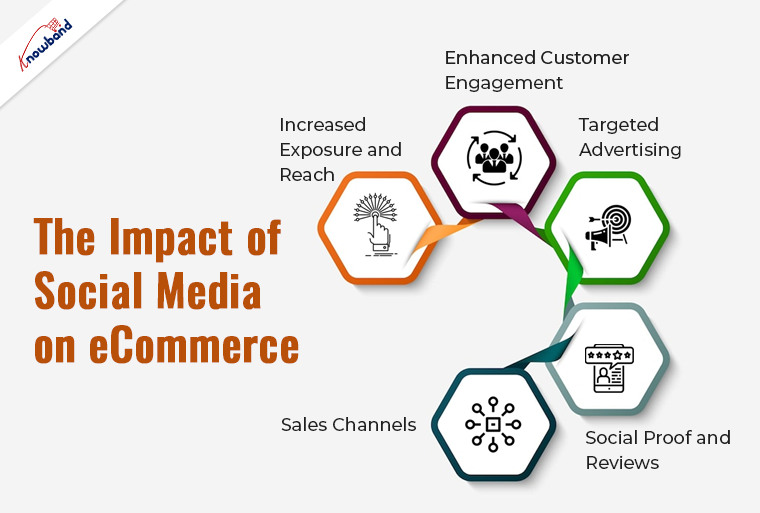
The Impact of Social Media on eCommerce!
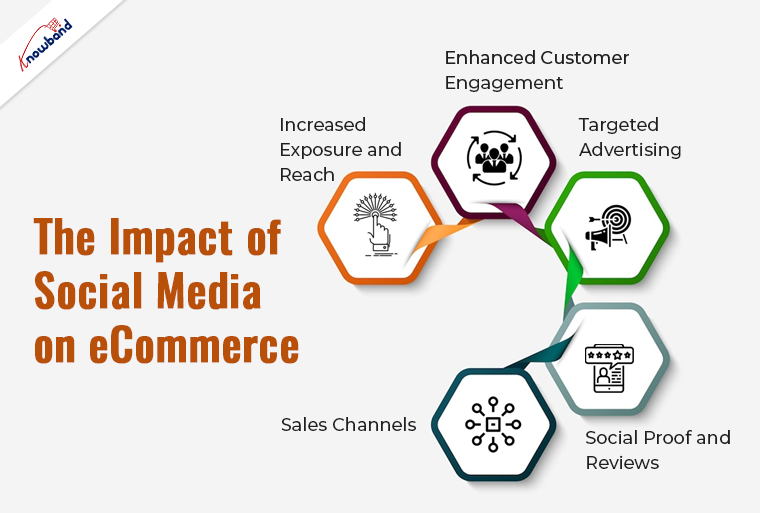
 

1. Increased Exposure and Reach:

Social media platforms provide an expansive audience for your eCommerce business. By sharing compelling content and engaging with your audience, you can extend your brand’s reach and attract potential customers. Moreover, it will not only help in getting more leads but also will enhance your brand image.

2. Enhanced Customer Engagement:

Social media provides the opportunity for direct communication with your audience. Furthermore, you can respond to inquiries, address concerns, and build meaningful relationships with customers, fostering trust and loyalty.

3. Targeted Advertising:

Social media platforms offer robust advertising tools that enable you to target specific demographics and interests. Such precise targeting has the potential to yield increased conversion rates and a more favorable return on investment (ROI). Furthermore, as an eCommerce store admin, you can use Facebook Business Manager to showcase your products to a vast targeted audience.

4. Social Proof and Reviews:

Positive reviews and user-generated content on social media can significantly influence purchasing decisions. Encouraging customers to share their experiences can boost your credibility and sales.
Therefore, you can encourage your customers to leave positive reviews on social platforms.

5. Sales Channels:

Some social platforms, like Instagram and Facebook, offer direct shopping features that allow users to purchase products without leaving the platform. This simplifies the buying process and increases conversion rates. Therefore, you can take advantage of the same and grab an additional sales channel by presenting your products in front of a vast customer base.

Tips for Leveraging Social Media in eCommerce!
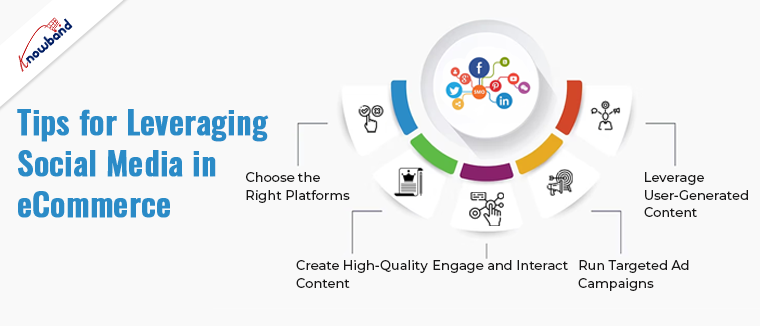
 

1. Choose the Right Platforms:

Concentrate your efforts on the social media platforms that match your target audience. Various platforms cater to distinct demographics and interests. Thus, initially, you can create Facebook, Instagram, and Twitter pages for your business and share the information and updates with your customers via the same.

2. Create High-Quality Content:

Quality content matters way more than content in quantity. Share visually appealing and informative content, including product images, videos, blog posts, and customer testimonials. Furthermore, you should always avoid over-promotion of your brand and keep more information in your social reach.

3. Engage and Interact:

Proactively interact with your audience by ensuring swift responses to comments, messages, and mentions. Furthermore, this one-on-one conversation with the customers will not only help the customers regarding their queries but also will enhance customer trust in your business.

4. Run Targeted Ad Campaigns:

Utilize social media advertising tools to reach your ideal customers. Furthermore, as an eCommerce store admin, you can experiment with different ad formats and targeting options to find what works best for your business.

5. Leverage User-Generated Content:

Promote the sharing of customer experiences with your products by encouraging reviews, testimonials, and user-generated content. Report this content to build trust.

The Power of Social Media Stories!

One of the most dynamic features on many social media platforms is Stories. Platforms like Instagram, Facebook, and Snapchat have embraced this ephemeral content format, and businesses are finding innovative ways to leverage it for e-commerce success.

Measuring Success and Adapting:

To ensure your social media efforts are paying off, it’s crucial to track key performance metrics. Most social media platforms offer built-in analytics tools that allow you to monitor engagement, reach, and conversion rates.

Furthermore, you can also check Knowband’s plugins such as WhatsApp Live Chat Manager and Social Loginizer/ social media login plugins for better social reach and enhanced customer experience.

In conclusion 

The role of social media in eCommerce cannot be overstated. It’s a dynamic platform that offers extensive opportunities for increasing exposure, engaging customers, and driving sales. By following these tips and embracing the power of social media Stories, you can harness the full potential of social media to achieve eCommerce success.


 

Effective Email Marketing Strategies for eCommerce Businesses!

In the world of eCommerce, staying connected with your customers is paramount. One of the most powerful tools at your disposal is email marketing.
When executed effectively, email marketing can boost sales, increase customer retention, and drive engagement. Whether you’re running your eCommerce store on platforms like OpenCart, PrestaShop, WooCommerce, or Magento 2, implementing the right email marketing strategies can make a significant difference. In this article, we’ll explore effective email marketing strategies tailored for eCommerce businesses, with a special nod to Knowband.


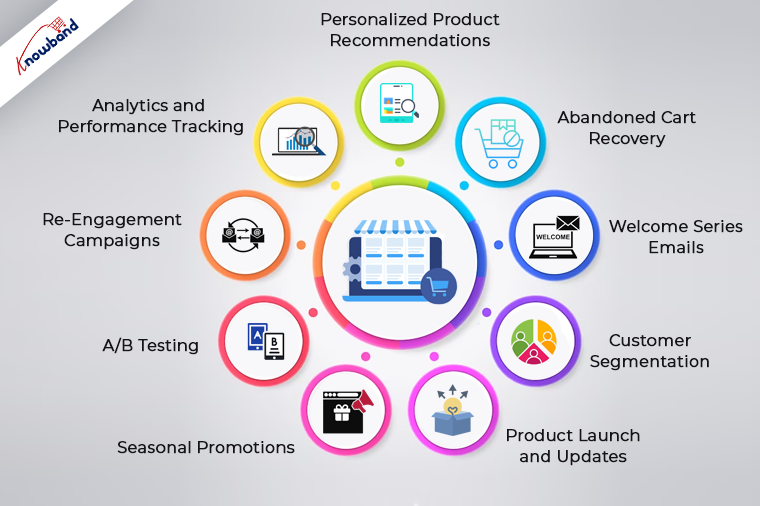
1. Personalized Product Recommendations:

Personalization is the cornerstone of successful email marketing for eCommerce. Furthermore, you can leverage customer data and behavioral insights to recommend products tailored to each recipient’s preferences.

2. Abandoned Cart Recovery:

Cart abandonment is a common challenge in eCommerce. Send automated emails to users who abandon their shopping carts, reminding them of their pending purchases. Include enticing product images and clear calls to action to encourage them to complete the checkout process. Furthermore, if you have your eCommerce shop based on OpenCart or Prestashop, you can also check Knowband’s Abandoned cart email plugins to automate your abandoned cart recovery process.

3. Welcome Series Emails:

Make a strong first impression with new customers through a welcome email series. Use these emails to introduce your brand, highlight your best-selling products, and offer exclusive discounts.

4. Customer Segmentation:

Segment your email list based on customer behavior, purchase history, and demographics. Knowband’s segmentation tools can simplify this process and ensure that your emails resonate with each group.

5. Product Launch and Updates:

Keep your customers informed about new product arrivals, restocks, and updates. Moreover, you can use email marketing to create excitement and anticipation around your offerings. Highlight unique features and benefits to entice purchases.

6. Seasonal Promotions:

As an eCommerce shop admin, you can leverage holidays and special occasions to run targeted email campaigns. Moreover, you can offer holiday-specific promotions, discounts, and gift guides. These campaigns can drive higher conversion rates and boost revenue during peak seasons.

7. A/B Testing:

Optimize your email campaigns through A/B testing. Experiment with different subject lines, email designs, and calls to action to determine what resonates best with your audience. Knowband’s email marketing tools provide A/B testing capabilities.

8. Re-Engagement Campaigns:

Identify inactive subscribers and create re-engagement campaigns to win them back. Offer exclusive incentives or personalized content to reignite their interest in your products.

9. Analytics and Performance Tracking:

Regularly analyze the performance of your email campaigns. Knowband’s email marketing tools can provide comprehensive analytics to help you refine your strategies.

Incorporating Knowband into Your Email Marketing Strategy


Knowband, a leader in eCommerce plugins and extensions, offers a range of tools to enhance your email marketing efforts on platforms like OpenCart, PrestaShop, WooCommerce, and Magento 2. With Knowband’s plugins, you can streamline personalized product recommendations, automate welcome emails, segment your audience effectively, and track campaign performance seamlessly.

In conclusion, effective email marketing is a game-changer for eCommerce businesses. It allows you to build lasting relationships with your customers, drive sales, and improve customer loyalty. By implementing these strategies and leveraging Knowband’s plugins and extensions, you can take your email marketing efforts to the next level, ensuring your eCommerce business thrives in a competitive online market.


10 Essential Features Your E-commerce Website Should Have!

In today’s highly competitive eCommerce landscape, having a well-designed and feature-rich website is essential for success. Whether you’re using OpenCart, PrestaShop, WooCommerce, Magento 2, or any other eCommerce platform. Certain features are crucial to provide a seamless shopping experience for your customers.
Following the same, in this article, we’ll explore the ten essential features your eCommerce website should have to drive sales, enhance user satisfaction, and stay ahead in the game.


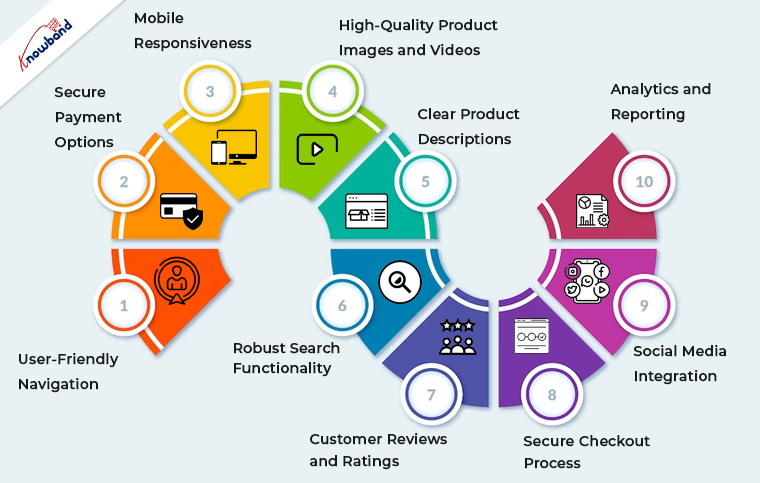
1. User-Friendly Navigation of Mobile App Builder:

Smooth and intuitive navigation is the foundation of any successful eCommerce website and Mobile App for Opencart, Woocommerce, Magento, and Prestashop. Thus, you can implement clear and logical menus, filters, and search functionality to help users find products effortlessly. Furthermore, you should always ensure that your website is responsive, catering to both desktop and mobile users.

2. Secure Payment Options:

Online shoppers demand secure payment options. The reason behind the same is that modern customers prefer security and safety while completing payments.
Thus, you can integrate reputable payment gateways, such as PayPal, Stripe, or Square, to instill trust and offer various payment methods, including credit cards, digital wallets, and bank transfers.

3. Mobile Responsiveness:

The number of mobile users is way more than the number of desktop ones. Therefore, mobile commerce is on the rise, and your website must be optimized for mobile devices.
Furthermore, a responsive design ensures that your site looks and functions seamlessly on smartphones and tablets. 

4. High-Quality Product Images and Videos:

Visual appeal is paramount in eCommerce. Use high-resolution images and, when possible, product videos to showcase your offerings from multiple angles. 

5. Clear Product Descriptions:

Accurate and detailed product descriptions are crucial for transparency and SEO. Include essential information, such as product specifications, sizes, colors, and any relevant details that aid customers in making purchase decisions.

6. Robust Search Functionality:

Search is one of the most important features of an eCommerce website. Thus, you can implement a powerful search feature with filters to help users narrow down their product choices quickly. This feature is particularly important for stores with extensive inventories.

7. Customer Reviews and Ratings:

Customer feedback builds trust. Furthermore, positive reviews can sway potential buyers, while constructive criticism helps you improve your offerings.

8. Secure Checkout Process:

Streamline the checkout process to minimize cart abandonment. Ensure a secure and hassle-free experience by integrating SSL certificates and providing multiple shipping and payment options.

9. Social Media Integration:

Leverage the power of social media by integrating sharing buttons and showcasing your social profiles. This facilitates user engagement and allows customers to share their favorite products with their networks.

10. Analytics and Reporting:

Collect and analyze data about your website’s performance and customer behavior.
Moreover, tools like Google Analytics provide insights into traffic, conversion rates, and user demographics. Thus, you can use these insights to refine your marketing strategies and improve your site continually.

Why OpenCart, PrestaShop, WooCommerce, and Magento 2?


These essential features apply to eCommerce websites built on various platforms, including OpenCart, PrestaShop, WooCommerce, and Magento 2. Here’s how they relate to each platform:

OpenCart: 

OpenCart is known for its user-friendly interface, making it easy to implement essential features like navigation, product descriptions, and secure payment options.

PrestaShop: 

PrestaShop offers robust out-of-the-box features, making it an excellent choice for responsive design, powerful search functionality, and analytics integration.

WooCommerce: 

As a WordPress plugin, WooCommerce combines seamlessly with WordPress themes, making it ideal for integrating high-quality images, videos, and social media elements.

Magento 2: 

Magento 2 is a versatile platform that excels in secure payment options, customer reviews, and ratings. Its advanced analytics and reporting capabilities are also top-notch.


Wrapping Up!

In conclusion, having these ten essential features on your eCommerce website, regardless of the platform you choose, is critical for attracting and retaining customers. Your website’s design, functionality, and security are all key factors in building trust and driving sales. Evaluate your current website against these criteria and consider implementing any missing features to create a compelling shopping experience for your customers. Remember, a well-optimized eCommerce website is a valuable asset in today’s digital marketplace.

Ensure that you regularly update and maintain your site to meet evolving customer expectations and industry trends. By doing so, you’ll be well on your way to eCommerce success, regardless of the platform you use.

OpenCart vs. Prestashop: A Comparative Analysis of Features and Benefits!

Selecting the right eCommerce platform is a crucial decision when launching your online store. OpenCart and Prestashop are two popular choices that often come into consideration.

Both platforms have their unique features and benefits, making it essential to conduct a comprehensive comparative analysis. In this article, we will delve deeper into the features and benefits of OpenCart and Prestashop to help you make an informed decision.

OpenCart:


OpenCart has earned its reputation for being one of the most user-friendly eCommerce platforms available. It’s particularly well-suited for those who are new to eCommerce and want to get their online store up and running quickly. Here are some of OpenCart’s key features and benefits:

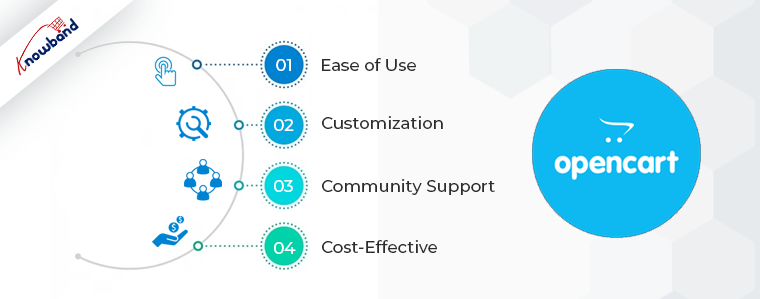
1. Ease of Use: 

OpenCart boasts an intuitive and straightforward user interface. Setting up your store and managing products, categories, and orders is relatively easy, even for beginners. Furthermore, this simplicity is a significant advantage for small business owners or startups looking to establish an online presence rapidly.

2. Customization: 

OpenCart offers a wide range of themes and extensions in its marketplace. This flexibility allows you to customize your store’s appearance and functionality to align with your brand and meet specific business needs. Whether you need a sleek and modern design or advanced inventory management, OpenCart’s marketplace has you covered. Moreover, at Knowband, we also offer a wide range to use Opencart extensions to take care of all your selling needs.  

3. Community Support: 

OpenCart has a robust community of users and developers. This means you’ll find plenty of resources, tutorials, and active support forums to help you address any issues or questions you may encounter while using the platform. Moreover, the power of community support cannot be underestimated when running an eCommerce business.

4. Cost-Effective: 

OpenCart is an open-source platform, which means it’s free to download and use. This cost-effectiveness is particularly appealing for startups and small businesses with limited budgets. While there may be expenses associated with themes and extensions, the core platform itself is a budget-friendly option.

Prestashop:


Prestashop is another formidable player in the eCommerce platform arena. It’s known for its extensive list of features right out of the box, making it an attractive choice for businesses of all sizes.
Let’s explore some of Prestashop’s key features and benefits:

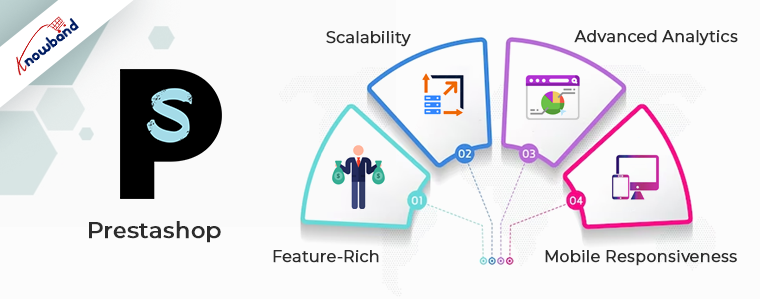
1. Feature-Rich: 

Prestashop comes with an impressive array of features, including multi-language support, SEO optimization, and compatibility with a wide variety of payment gateways. These built-in features mean you can get your store up and running quickly without the need for extensive customization.

2. Scalability: 

Prestashop is highly scalable, making it suitable for both small businesses and large enterprises. Whether you’re just starting or planning for significant growth, Prestashop can accommodate your needs. This scalability is particularly valuable for businesses with ambitious expansion plans.

3. Advanced Analytics: 

Prestashop provides advanced analytics and reporting tools. These tools allow you to gather critical data on your store’s performance, customer behavior, and sales trends. Moreover, armed with this data, you can make informed decisions to optimize your store and enhance its profitability.

4. Mobile Responsiveness: 

In today’s eCommerce landscape, mobile responsiveness is a must. Prestashop prioritizes this aspect, ensuring that your store looks and functions flawlessly on all devices, from smartphones to tablets and desktops. This mobile-friendly approach can significantly improve the user experience and boost conversions.

Comparative Analysis:

Now that we’ve highlighted the key features and benefits of both platforms, let’s perform a comparative analysis to help you make a well-informed choice:

  • Price: OpenCart has a clear advantage in terms of cost. It’s an open-source platform, which means the core software is free. Prestashop, while feature-rich, may require a more substantial initial investment, especially if you opt for premium themes and extensions.
  • Ease of Use: OpenCart is known for its user-friendly interface, making it an excellent choice for beginners. Prestashop, while not overly complex, has a steeper learning curve. However, mastering Prestashop can lead to a more powerful and feature-packed store once you’re familiar with it.
  • Scalability: Prestashop shines in terms of scalability. It can accommodate businesses at various stages of growth, from small startups to large enterprises. OpenCart is better suited for businesses with modest growth expectations.

What to Choose!!

In conclusion, the choice between OpenCart and Prestashop depends on your specific needs and priorities. If you’re seeking a cost-effective, user-friendly solution for a small to medium-sized store with a limited budget, OpenCart is likely your best bet. On the other hand, if you anticipate significant growth, need a feature-rich platform with advanced analytics, and are willing to invest in your eCommerce venture, Prestashop might be the right choice for you.

Ultimately, the decision should be based on a thorough analysis of your business requirements and goals. Both OpenCart and Prestashop have their merits, so choose the one that aligns most closely with your eCommerce ambitions. Remember that the success of your online store ultimately depends on factors beyond the platform, such as product selection, marketing, and customer service.

Handling Type Errors with PHP 8.2.6’s Improved Type System!

Type errors have been a long-standing challenge for PHP developers, often leading to unexpected bugs and runtime issues. However, with the release of PHP 8.2.6, the language’s type system has been significantly improved. Which is now providing developers with powerful tools to handle type errors more effectively. Furthermore, there are a lot of enhanced features introduced with the latest PHP update.

In this blog post, we will explore the key features of PHP 8.2.6’s improved type system and how it empowers developers to write more reliable and robust code.


Scalar Type Declarations:

PHP 8.2.6 introduces stricter scalar-type declarations for function arguments and return values. Developers can now specify the expected data types, such as int, float, string, and bool when defining functions. This enhancement helps catch type errors early during development and ensures that functions only accept and return the intended data types. Not only it improves the code readability but also shortens the work for the web developers.

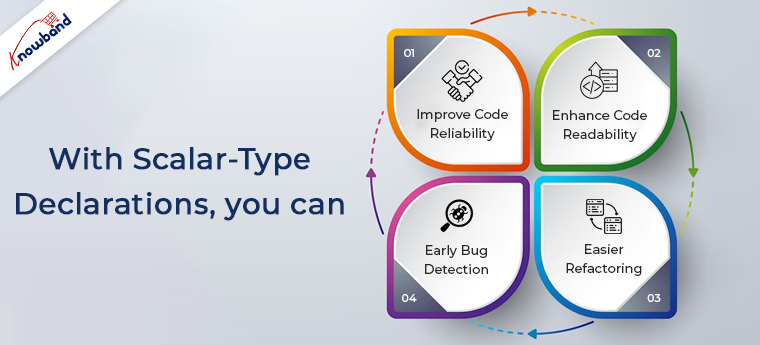
With scalar-type declarations, you can:

  1. Improve Code Reliability: By explicitly stating the expected data types, you minimize the risk of passing incorrect values to functions. Or getting unexpected return types, resulting in more reliable code.
  2. Enhance Code Readability: Type declarations make the function signatures more self-explanatory. Further, making it easier for other developers to understand the purpose and usage of the functions.
  3. Early Bug Detection: Scalar type declarations enable PHP to detect type errors at compile time. Allowing you to catch and fix issues before they cause problems in your application.
  4. Easier Refactoring: When refactoring code, the presence of scalar-type declarations aids in identifying potential issues.

Coercive Mode:

Coercive Mode is a new feature in PHP 8.2.6 that offers more flexibility in handling type errors. In Coercive Mode, PHP attempts to convert function arguments to the specified type whenever possible, even if a strict match is not found.

With Coercive Mode:

  1. Looser Type Handling: Coercive Mode allows PHP to automatically convert data to the specified type. Which can be useful when dealing with loosely typed data.
  2. Potential Data Loss: While Coercive Mode can be helpful in some scenarios, it may lead to unintended data conversions. Potentially causing data loss or unexpected behavior.
  3. Balancing Flexibility and Type Safety: Developers need to carefully consider when to use Coercive Mode to maintain the right balance between flexibility and type safety.


Type Hinting and Strict Mode:

Type hinting allows developers to specify the expected data types for class properties, method parameters, and return values. With PHP 8.2.6, you can further strengthen your code’s type safety by using strict mode. Which enforces strict type-checking throughout your application.

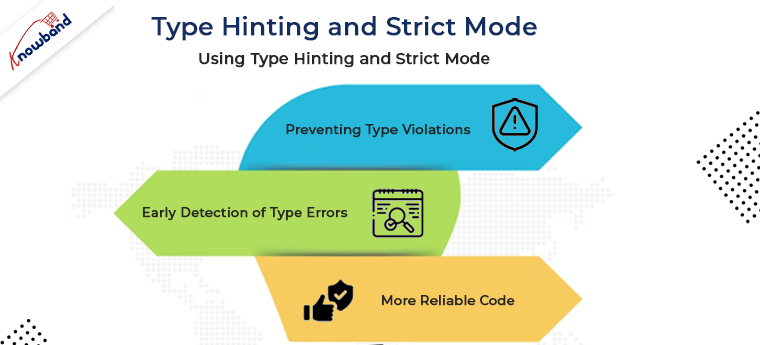
Using Type Hinting and Strict Mode:

  1. Preventing Type Violations: Type hinting ensures that functions and methods receive the correct data types, reducing the risk of type-related errors during runtime.
  2. Early Detection of Type Errors: By enabling strict mode, you can detect and fix type-related issues during development rather than facing unexpected runtime errors.
  3. More Reliable Code: Strict type checking helps in building more reliable and maintainable code, as it prevents unintentional type conversions.

Enhanced Error Handling:

PHP 8.2.6 provides improved error messages when dealing with type errors. When a type mismatch occurs, the new error messages offer more clarity. Moreover, it helps the developers quickly identify the source of the problem.

With Enhanced Error Handling:

  1. Clearer Diagnostics: The enhanced error messages offer specific details about the type mismatch, enabling developers to locate and resolve issues more efficiently.
  2. Efficient Troubleshooting: Better error messages speed up the debugging process.

Type Safety in Real-World Scenarios:

To solidify the concepts covered, we’ll walk through real-world examples, illustrating how PHP 8.2.6’s improved type system helps handle type errors in practical scenarios.

Conclusion:

PHP 8.2.6’s improved type system empowers developers to tackle type errors head-on and enforce type safety in their projects. By leveraging scalar type declarations, Coercive Mode, type hinting, and strict mode, developers can write more robust, maintainable, and bug-free code. The enhanced error handling further streamlines the debugging process, leading to faster resolution of type mismatches.
At Knowband, with 13+ years of incredible experience in web and mobile app development, we also provide PHP development services at very reasonable prices. In case you are having any queries or suggestions, please feel free to drop us a mail at support@knowband.com.

Related Article: https://www.knowband.com/blog/ecommerce-blog/auto-loading-in-php/


PrestaShop 8.4: The Ultimate E-commerce Solution

Introduction

In the rapidly evolving digital landscape, having a robust and feature-rich e-commerce platform is essential for businesses to succeed online. PrestaShop 8.4 is a cutting-edge e-commerce solution that offers a wide range of features and functionalities to empower online store owners. In this article, we will explore the benefits and key features of PrestaShop 8.4 and how it can help businesses thrive in the competitive online market.

Key Features of PrestaShop 8.4:

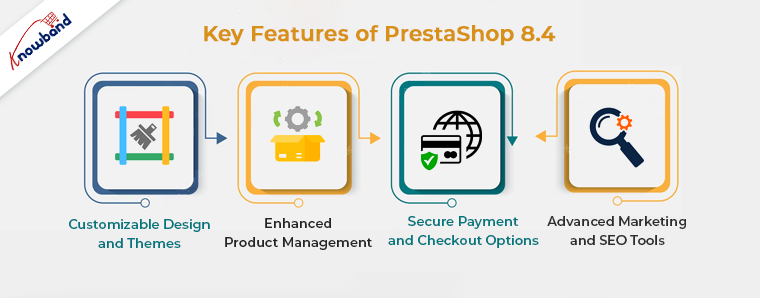
Customizable Design and Themes

PrestaShop 8.4 offers a vast library of customizable design templates and themes that enable store owners to create visually stunning and unique online stores. Hence, with its intuitive interface, users can easily customize the look and feel of their store to align with their brand identity, ensuring a seamless and immersive shopping experience for their customers.

Enhanced Product Management

Efficiently managing products is crucial for any e-commerce business, and PrestaShop 8.4 simplifies this task with its advanced product management features. Furthermore, store owners can effortlessly add, edit, and organize their product catalog, including details such as descriptions, prices, and stock levels. So, the platform also supports batch product import/export, saving valuable time and effort for businesses with extensive inventories.

Secure Payment and Checkout Options

With online security being a top concern for both businesses and customers, PrestaShop 8.4 provides a secure payment gateway integration. Hence, it supports a wide range of payment methods, including major credit cards, digital wallets, and even cryptocurrency, ensuring convenient and secure transactions. 

Additionally, the platform offers a streamlined checkout process, reducing cart abandonment rates and maximizing conversions.

Advanced Marketing and SEO Tools

PrestaShop 8.4 understands the importance of effective marketing and search engine optimization (SEO) for online businesses. Moreover, the platform offers a suite of marketing tools, such as promotional banners, discount codes, and cross-selling features, to attract and engage customers. 

Furthermore, PrestaShop 8.4 is designed with SEO best practices in mind, allowing businesses to optimize their store’s visibility in search engine results and drive organic traffic.

Frequently Asked Questions (FAQs)

Q: What is the minimum system requirement for installing PrestaShop 8.4?

A: PrestaShop 8.4 requires a web server with PHP 7.2 or higher, MySQL 5.7 or MariaDB 10.2 or higher, and Apache 2.4 or Nginx 1.10 or higher.

Q: Can I migrate my existing online store to PrestaShop 8.4?

A: Yes, PrestaShop 8.4 provides migration tools and services to help you seamlessly transfer your data from other e-commerce platforms.

Q: Is PrestaShop 8.4 mobile-friendly?

A: Absolutely! PrestaShop 8.4 incorporates a responsive design, ensuring optimal user experience across different devices, including smartphones and tablets.

Conclusion

In the competitive world of e-commerce, having a powerful and feature-rich platform like PrestaShop 8.4 can give businesses a significant edge. So, its customizable design options, enhanced product management capabilities, secure payment and checkout features, advanced marketing tools, and SEO optimization make it a comprehensive solution for online store owners. Whether you’re starting a new e-commerce venture or looking to migrate your existing store, PrestaShop 8.4 provides the tools and functionalities you need to succeed in the digital marketplace. Therefore, Embrace the power of PrestaShop 8.4 and unlock the full potential of your online business.

Remember, PrestaShop 8.4 is not just a name; it’s a game-changer for your e-commerce success!


Advantages of Prestashop Product Sticker and Label Module for Websites

In the world of e-commerce, standing out from the competition is crucial for success. One effective way to catch the attention of potential customers and highlight your products is by using product labels and stickers. So, if you’re using Prestashop as your e-commerce platform, you’re in luck! With the Prestashop Product Sticker and Label module, you can easily add eye-catching labels to your products. Let’s explore the advantages of this powerful addon and how it can benefit your online store.
 

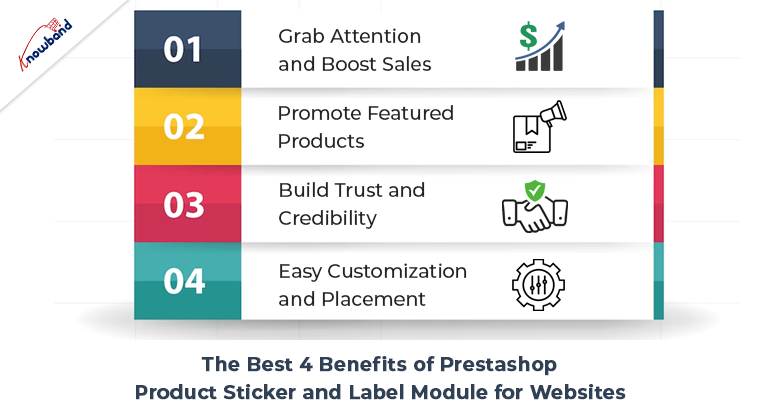
The Best 4 Benefits of Prestashop Product Sticker and Label Module for Websites:


Grab Attention and Boost Sales:

With the Prestashop product badge plugin, you can create visually appealing labels that instantly grab the attention of your website visitors. Therefore, these labels act as virtual stickers, showcasing various offers, discounts, new arrivals, best sellers, or any other promotional messages. By highlighting special offers and exclusive deals, you can encourage customers to make quick purchasing decisions, ultimately boosting your sales.


Promote Featured Products:

Highlighting your featured products is crucial to driving conversions. The Prestashop product sticker module allows you to easily mark specific products as “Featured” with a distinct label. Hence, this instantly communicates to customers that these products are recommended by your store and can create a sense of trust and reliability. By prominently displaying your top products, you can effectively increase their visibility and encourage customers to explore and purchase them.


Build Trust and Credibility:

Prestashop Product Label and Stickers module can play a vital role in building trust and credibility among your customers. By using labels such as “Best Seller” or “Top Rated,” you showcase the popularity and positive feedback your products have received. This helps instill confidence in potential buyers and encourages them to choose your products over competitors. The module allows you to display labels based on customer reviews or sales, giving your store an added level of authenticity.


Easy Customization and Placement:

The Prestashop product label extension offers a user-friendly interface that allows you to customize labels as per your requirements. You can choose from a range of pre-designed templates or create your unique labels. Additionally, the module provides flexible placement options, allowing you to position the labels precisely where you want them on your product images. This ensures seamless integration with your store’s design and enhances the overall visual appeal.


Conclusion:

Further, incorporating the Prestashop label and badge module into your Prestashop store can significantly enhance its visual appeal and increase customer engagement.  Moreover, with the Prestashop Product Label and Stickers module, you have a powerful tool at your disposal to grab attention, promote featured products, build trust, and customize labels as per your needs. So take advantage of this addon to stand out from the crowd, boost your sales, and create a memorable shopping experience for your customers.

👉Explore the Module with Our Video Guide

WooCommerce iOS App Maker: Revolutionizing E-commerce on Mobile

Are you a business owner looking to expand your reach and enhance customer experience in the ever-evolving world of e-commerce? Look no further than Mobile App for WooCommerce! This groundbreaking platform is transforming the way businesses operate by providing a seamless mobile app experience for WooCommerce users. In this article, we will explore the features, benefits, and impact of WooCommerce iOS App Maker on the e-commerce landscape.


The Rise of Mobile Commerce:

With the rapid growth of mobile usage, businesses need to adapt to meet the demands of consumers who prefer to shop on the go. Mobile commerce, or m-commerce, has witnessed tremendous growth, and e-commerce platforms are recognizing the need to provide mobile-friendly experiences.

Understanding WooCommerce Mobile App Maker

Mobile App for WooCommerce is a powerful tool that empowers businesses to create their own custom mobile apps for iOS devices. It seamlessly integrates with WooCommerce, the popular e-commerce plugin for WordPress, allowing businesses to extend their reach and engage with customers through dedicated mobile applications.


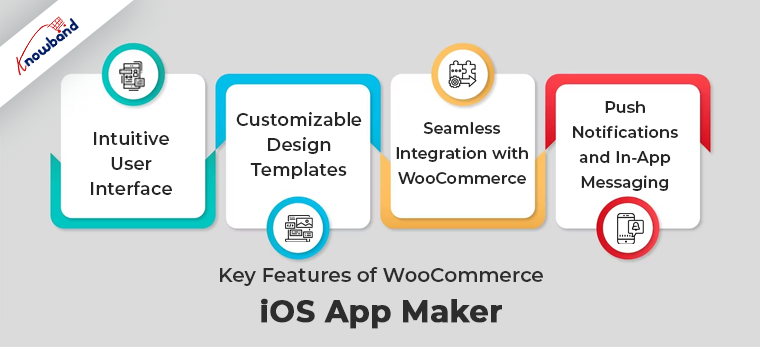
Key Features of WooCommerce iOS App Maker:


Intuitive User Interface:

The user interface of WooCommerce iOS and Android App Creator is designed to be intuitive and user-friendly. Even for those without technical expertise, creating a mobile app becomes a hassle-free process. The platform provides a drag-and-drop interface, enabling users to easily customize the app’s layout and functionality.

Customizable Design Templates:

WooCommerce App Maker offers a wide range of design templates to choose from. These templates are fully customizable, allowing businesses to align the app’s branding with their overall identity. From color schemes to font styles, every aspect of the app’s design can be tailored to create a unique and captivating user experience.

Seamless Integration with WooCommerce:

One of the standout features of WooCommerce App Creator is its seamless integration with WooCommerce. This ensures that businesses can synchronize their products, inventory, and customer data effortlessly between their website and mobile app. Any changes made on the website will reflect automatically in the app, providing a consistent and up-to-date shopping experience.

Push Notifications and In-App Messaging:

Engaging with customers is crucial for business success. WooCommerce App Maker allows businesses to send push notifications and in-app messages to their app users. These notifications can be personalized based on user preferences, promoting special offers, product updates, or important announcements. By leveraging this feature, businesses can stay connected with their customers and drive increased engagement.


The Benefits of Using WooCommerce iOS and Android App Maker:

Enhanced User Experience:

A dedicated mobile app built with WooCommerce mobile App Maker offers a superior user experience compared to browsing a website on a mobile browser. Apps are optimized for mobile devices, ensuring faster load times, smoother navigation, and improved overall performance. Users can enjoy a seamless and convenient shopping experience, leading to higher customer satisfaction and loyalty.

Increased Sales and Conversion Rates:

With a mobile app, businesses can capitalize on impulse buying and provide personalized recommendations based on user behavior and preferences. Push notifications can be used to notify users of limited-time offers, discounts, or abandoned cart reminders, prompting them to complete their purchases. The result is increased sales and higher conversion rates, benefiting both the business and the customers.

Improved Brand Loyalty and Engagement:

A mobile app creates a direct channel for businesses to connect with their customers. By sending personalized offers and relevant content, businesses can nurture customer relationships and foster loyalty. Additionally, features such as loyalty programs, in-app rewards, and exclusive app-only deals can incentivize customers to engage more frequently, further strengthening the bond between the business and its audience.


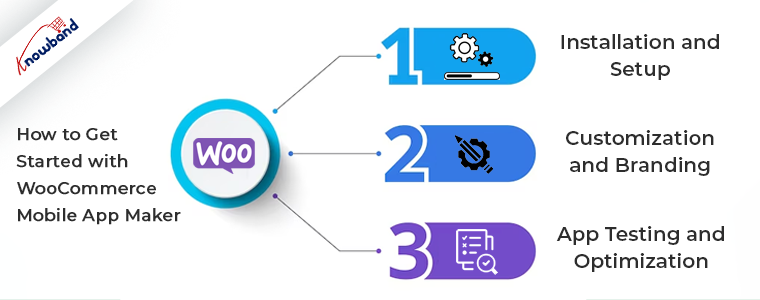
How to Get Started with WooCommerce Mobile App Maker

Creating a mobile app with WooCommerce mobile App Maker is a straightforward process. Follow these steps to bring your e-commerce business to the mobile platform:


Step 1: Installation and Setup

Start by installing the WooCommerce App Maker plugin on your WordPress website. Once installed, configure the necessary settings and connect your WooCommerce store to the app maker platform.


Step 2: Customization and Branding

Choose a design template that aligns with your brand and customize it according to your preferences. Personalize the app’s colors, fonts, logo, and other visual elements to ensure consistency with your brand identity.


Step 3: App Testing and Optimization

Before launching your app, thoroughly test its functionality and usability. Identify and address any issues or bugs to provide a smooth experience for your users. Optimize the app’s performance and loading speed to maximize customer satisfaction.


The Future of E-commerce: Trends and Predictions

As technology continues to advance, e-commerce is poised for further innovation. Here’s a glimpse into the future of e-commerce:


Mobile-First Approach:

Mobile devices will continue to dominate the e-commerce landscape, with businesses prioritizing mobile optimization and delivering exceptional mobile experiences.

Voice Commerce and AI Integration:

Voice assistants and AI technology will play a significant role in shaping the future of e-commerce. Customers will be able to make purchases and interact with businesses using voice commands, and AI algorithms will provide personalized product recommendations.

Augmented Reality Shopping Experiences:

Augmented reality (AR) will revolutionize the way customers shop online. By allowing users to visualize products in real-world settings, AR technology will provide an immersive and interactive shopping experience.


Conclusion

WooCommerce iOS and Android App Maker is a game-changer for businesses seeking to expand their reach and improve customer engagement in the mobile commerce landscape. By offering a seamless mobile app experience, businesses can drive sales, enhance brand loyalty, and provide exceptional user experiences. Embrace the future of e-commerce by harnessing the power of WooCommerce iOS App Maker and taking your business to new heights.


FAQs

Q.1 What is WooCommerce iOS App Maker?

WooCommerce iOS App Maker is a platform that enables businesses to create customized mobile apps for iOS devices, seamlessly integrated with WooCommerce.

Q. 2 Can I customize the design of my app?

Yes, WooCommerce Android App Builder provides a range of customizable design templates. You can personalize the app’s appearance to align with your brand identity.

Q. 3 Will my app be compatible with future WooCommerce updates?

Yes, WooCommerce mobile App Maker ensures compatibility with future updates of WooCommerce, allowing your app to stay up-to-date with the latest features and functionalities.

Q. 4 How can a mobile app improve my sales?

A mobile app provides a more user-friendly and convenient shopping experience, leading to increased sales and higher conversion rates.

Q. 5  Is WooCommerce iOS App creator suitable for small businesses?

Yes, WooCommerce iOS App creator caters to businesses of all sizes. Its intuitive interface and customizable features make it accessible and beneficial for small businesses as well.


A Comprehensive Guide to Choosing the Right PrestaShop Multi-Vendor Marketplace Plugin

Multi-vendor marketplaces have grown in popularity along with e-commerce. These platforms provide a space where multiple sellers can offer their products or services to a wide range of customers. To set up a successful multi-vendor marketplace using PrestaShop, you need a reliable and feature-rich Prestashop multi-vendor marketplace plugin that can handle the complexities of managing multiple vendors, inventory, payments, and more. In this article, we will explore the essential factors to consider when choosing a multi-vendor marketplace plugin for PrestaShop and highlight its benefits of it as a recommended solution.


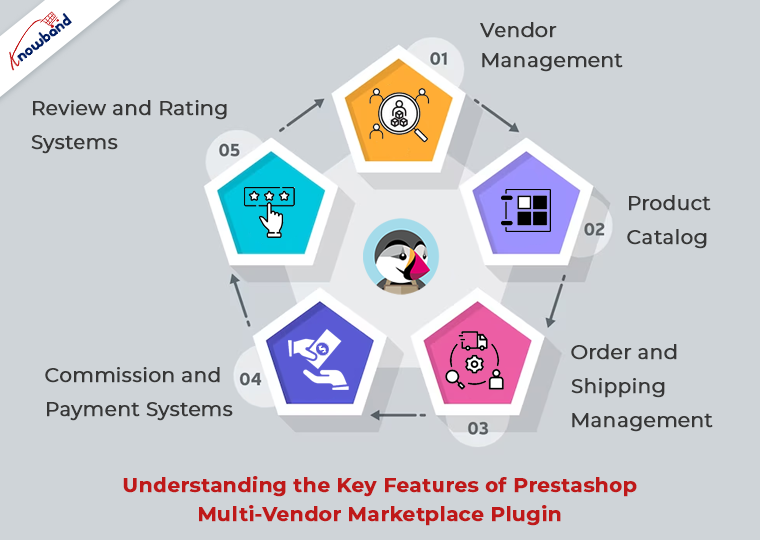
Understanding the Key Features of Prestashop Multi-Vendor Marketplace Plugin:


When evaluating Prestashop multi-vendor marketplace plugin, it’s crucial to assess its key features to ensure they align with your specific business requirements. Some key characteristics to consider include:

  1. Vendor Management: A robust plugin should provide comprehensive tools for managing vendors within the PrestaShop platform, including registration, approval processes, profile management, and communication channels.
  1. Product Catalog: The ability to create and manage a diverse product catalog within PrestaShop is vital. Look for features such as product listings, inventory management, and options for categorization and search.
  1. Order and Shipping Management: Seamless order processing, tracking, and integration with PrestaShop’s shipping modules are crucial for a successful marketplace. Consider plugins that offer automation and efficiency in managing orders and shipping logistics within the PrestaShop environment.
  1. Commission and Payment Systems: Multi-vendor marketplaces operating on PrestaShop typically rely on commission-based models. Look for plugins that offer flexible commission settings and seamless integration with PrestaShop’s payment modules, ensuring smooth and secure transactions.
  1. Review and Rating Systems: A trustworthy marketplace built on PrestaShop relies on customer reviews and ratings. Consider plugins that enable buyers to provide feedback on vendors and their products within the PrestaShop platform.


Why Choose PrestaMarketplace for PrestaShop:


One plugin that stands out in the market for PrestaShop. With its rich set of features and user-friendly interface, it offers a robust solution for building and managing a multi-vendor marketplace within PrestaShop. Here are some reasons why this is worth considering for your PrestaShop-based marketplace:


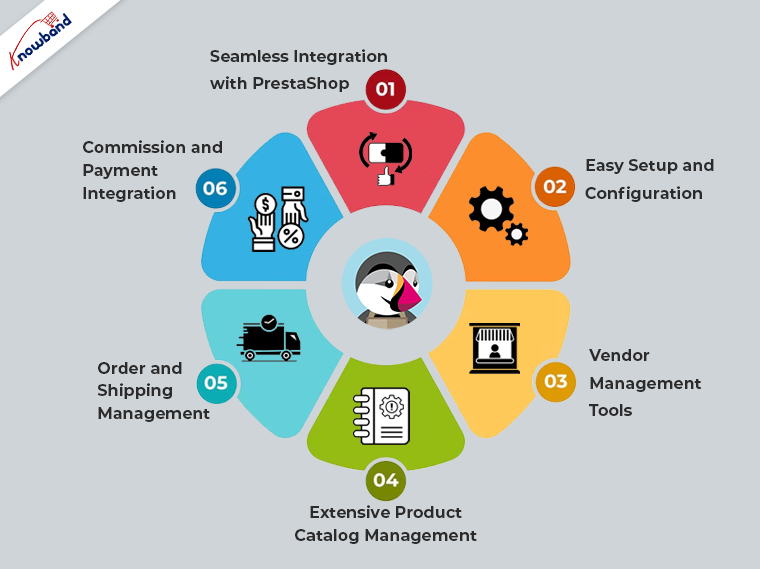
  1. Seamless Integration with PrestaShop: This is designed specifically for PrestaShop, ensuring seamless integration and compatibility with the platform. This simplifies the setup process and allows you to leverage the existing features and functionalities of PrestaShop.
  1. Easy Setup and Configuration: It provides an intuitive interface and straightforward configuration options that align with PrestaShop’s user-friendly environment. You can quickly customize your marketplace to match your branding and requirements within the familiar PrestaShop interface.
  1. Vendor Management Tools: This plugin offers comprehensive tools for managing vendors within PrestaShop, allowing you to efficiently handle vendor registrations, performance monitoring, and communication within the platform.
  1. Extensive Product Catalog Management: It enhances PrestaShop’s product catalog management capabilities, offering advanced features such as bulk product import/export, inventory management, customizable product pages, and compatibility with PrestaShop’s product attributes system.
  1. Order and Shipping Management: It seamlessly integrates with PrestaShop’s order processing and shipping modules, enabling efficient order management, shipment tracking, and integration with popular shipping providers supported by PrestaShop.
  1. Commission and Payment Integration: The plugin offers flexible commission settings within the PrestaShop environment, allowing you to set commission rates based on vendor categories or individual vendors. It integrates smoothly with PrestaShop’s payment modules, ensuring secure and hassle-free transactions for your marketplace.


Conclusion:

Selecting the right multi-vendor marketplace plugin for PrestaShop is crucial for the success of your e-commerce venture. By carefully evaluating the key features and considering the specific needs of your PrestaShop-based marketplace, you can make an informed decision. It stands as a reliable option, offering a range of essential features that simplify the management of multi-vendor marketplaces within the PrestaShop platform. 


Exploring the Changes in Etsy API v3

Etsy, the popular online marketplace, has introduced its latest API version, Etsy API v3, replacing the older v2 version. This transition brings significant changes and improvements that sellers and developers need to be aware of to ensure a smooth integration process. In this article, we will explore the key changes in Etsy API v3 in simple terms, helping you understand and adapt to these updates.

Key Changes in Etsy API v3 and How They Impact Sellers and Developers:

Enhanced Security with OAuth 2.0:

One of the important changes in Etsy API v3 is the adoption of OAuth 2.0 for authentication and authorization. OAuth 2.0 is a more secure and widely used industry standard. It ensures that only authorized applications can access seller data and perform actions on their behalf. 

Clearer Endpoint Requests:

Etsy API v3 introduces changes to how developers make requests to the API. With the new version, each request must include an “x-API-key” header containing the Etsy App API Key. This change enhances security and helps Etsy track API requests more effectively. Sellers and developers need to update their code to include this header when communicating with Etsy’s API.

Standard request parameters:

The handling of standard request parameters has been modified. The “fields” query parameter, previously used to retrieve partial resources in v2, is no longer supported in v3.
While the “includes” query parameter is still available in some endpoints, its support is limited. Notably, some endpoints now return associated resource data by default, simplifying the API call.

Pagination:

The users can now experience updated pagination. The “limit” and “offset” query parameters should be used for pagination instead of the “page” parameter used in v2. The default records returned per API call is 25, and the maximum number of records that can be returned is 100. To facilitate navigation through larger data sets, Etsy provides limit and offset parameters. The limit parameter allows you to specify the number of records to retrieve per page. While the offset parameter helps you navigate to a specific page of results.

Additionally, the response includes a count field, indicating the total number of records available for pagination. Please note that for performance reasons, the offset parameter has a maximum value of 50000, ensuring efficient handling of large data sets.


Resource scopes:

In the updated Etsy API v3, resource scopes for filtering lists of resources have transitioned from path-based to query parameter-based filters.

Example: Filtering listings by shop ID and state

Suppose you wanted to filter listings by a specific shop ID and state. In v2, you would use:

/v2/shops/:shop_id/listings/active

With the shift to v3, the URL and query parameter approach would be:

/v3/application/listings?shop_id=:shop_id&state=active

Here, you include the desired values for the shop ID and state as query parameters.

Improved Response Structure:

In the previous version of the Etsy API (v2), API responses followed a standardized structure. Encapsulating various fields and nested objects. However, in Etsy API v3, responses have changed. Specifically, endpoints that return lists of resources now include two important fields: “count” and “results.”

The “count” field denotes the number of results in the response, providing a quick overview of the total count of resources returned. On the other hand, the “results” field contains the actual resource objects themselves. This revised structure allows developers to easily access the count and retrieve the specific results from the response.

Retirement of Outdated Resources:

Over 40+ resources and endpoints have been replaced or removed in v3 across various categories such as Payment. ShopListingVariationImage, ShippingProfileUpgrade, User, ShopSection, and more. The complete list of retired resources can be found in the documentation.>>https://developers.etsy.com/documentation/migration/retired-resources/

API Rate Limits:


In Etsy API v3, there have been no changes to the API rate limits compared to v2. If you were using the same Etsy App API Key in v2, your negotiated rate limits will remain the same in v3 as well.

By default, Etsy apps authenticated with their API key can make up to 10,000 public requests within a 24-hour period, providing developers ample opportunities to interact with the Etsy platform and retrieve the necessary data for their applications. The rate limit (10 queries per second) ensures fair usage and maintains system stability.


Do You Know?

Are you already having a Prestashop, Opencart, WooComemrce, or Magento 2-based eCommerce shop? Do you know that with Knowband Etsy marketplace connector, you can list and manage your products on the Etsy marketplace?
The Knowband Etsy Marketplace connector comes with the latest Etsy V3 API changes and ensures seamless integration between your website and the Etsy marketplace.
For example, you can manage all your Etsy orders and listings right from the admin panel of your eCommerce store. Furthermore, you can also reach out to us at support@knowband.com for more information about Etsy Marketplace Connector. 


Conclusion:

The transition to Etsy API v3 brings important changes aimed at enhancing security, simplifying integration, and improving the overall experience for sellers and developers. By understanding and adapting to these changes, you can ensure seamless integration with Etsy’s updated API version and leverage its new capabilities effectively.