Free Upgrades for Your Prestashop Store: Knowband’s Latest Addon Releases!

In the fast-paced world of e-commerce, staying ahead of the competition requires constant innovation and improvement. One way to ensure your Prestashop store remains at the cutting edge is by integrating powerful and efficient add-ons. At Knowband, we understand the importance of enhancing your store’s capabilities, so we are excited to introduce our latest free Prestashop addons: the Multi-vendor Marketplace, Social Loginizer, and Gift Card Manager.

These add-ons are designed to elevate your store’s performance, improve customer experience, and drive more sales.

Why Addons Are Essential for Your Prestashop Store?

Before diving into the specifics of our new releases, let’s explore why addons are crucial for any e-commerce store. Addons, or modules, extend the functionality of your Prestashop store, allowing you to offer more features and better services to your customers. Whether it’s simplifying the login process, offering personalized gifts, or enabling a multi-vendor marketplace, add-ons help you cater to the diverse needs of your customers.

Here are a few key benefits of using addons for your Prestashop store:

Enhanced Functionality: The Prestashop Addons can introduce new features not available in the default Prestashop setup, such as advanced SEO tools, customer support chat, or loyalty programs.

Improved User Experience: By integrating user-friendly modules, you can make navigation and transactions smoother which helps you to enhance overall customer satisfaction for your business.

Increased Sales: Features like social logins and gift cards can encourage more purchases and higher conversion rates.

Time and Cost Efficiency: Instead of developing new features from scratch, addons allow you to quickly implement tried-and-tested solutions at a fraction of the cost.

Knowband’s Latest Free Prestashop Addons:

Now, let’s delve into the exciting details of Knowband’s latest free Prestashop addons. These modules are designed to address specific needs and provide significant benefits to your store and customers.

Prestashop Multi-vendor Marketplace:
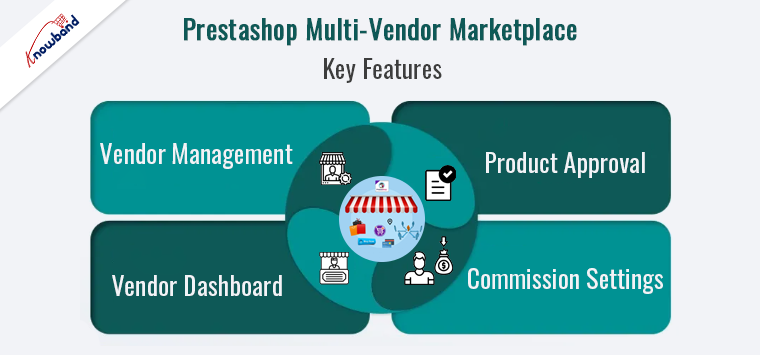
The Prestashop Free Multi-vendor Marketplace addon transforms your Prestashop store into a fully functional marketplace, allowing multiple vendors to sell their products through your platform. Furthermore, this addon is perfect for store owners looking to expand their product range without investing in additional inventory.

Key Features:

Vendor Management: Easily manage multiple vendors, their products, and commissions from a single dashboard.

Product Approval: The marketplace module allows you to maintain quality control with a product approval system, ensuring only the best products are listed. Furthermore, the admin gets a commission for every order or product the third-party vendors list on the store that works as an additional income source.

Commission Settings: Flexible commission settings allow you to earn a percentage from each sale, creating a new revenue stream.

Vendor Dashboard: Vendors get access to their dashboard to manage orders, and products, and view sales reports. This allows the vendors to get a personal store-like experience and improves brand trust.

Prestashop Social Loginizer:
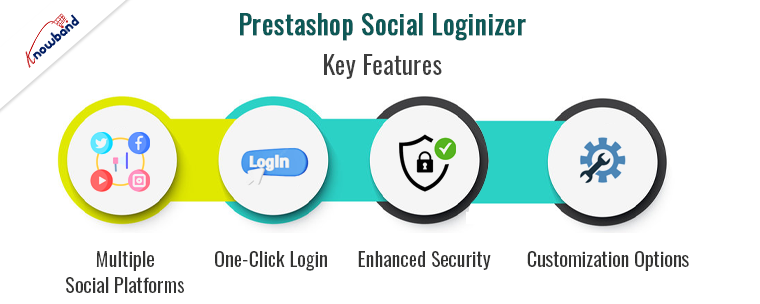
The Prestashop Free Social Loginizer addon simplifies the login and registration process for your customers by allowing them to use their social media accounts. This not only speeds up the process but also reduces the chances of login-related issues, improving overall user experience.

Key Features:

Multiple Social Platforms: Supports login through popular social networks such as Facebook, Google, Twitter, and more.

One-click Login: Customers can log in with a single click, making the process quick and effortless.

Enhanced Security: Utilizes secure authentication protocols to protect user data.

Customization Options: Customize the look and feel of the social login buttons to match your store’s theme.

Prestashop Gift Card Manager:
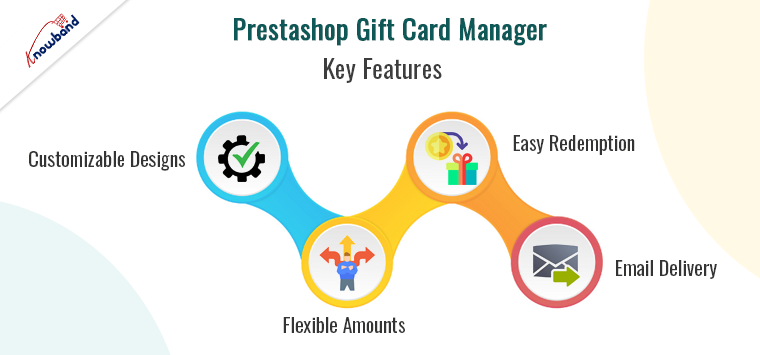
Gift cards are a powerful marketing tool that can drive sales, attract new customers, and boost loyalty. Therefore, Knowband’s Free Gift Card Manager addon for Prestashop allows you to create and manage customizable gift cards, making it easy for customers to purchase and send them to their loved ones.

Key Features:

Customizable Designs: Offer a variety of gift card designs to suit different occasions and celebrations.

Flexible Amounts: Customers can choose from preset amounts or enter a custom value.

Easy Redemption: Simple redemption process for customers, enhancing their shopping experience.

Email Delivery: Automated email delivery of gift cards to recipients, with personalized messages.

How to Get Started with Knowband’s Free Addons!
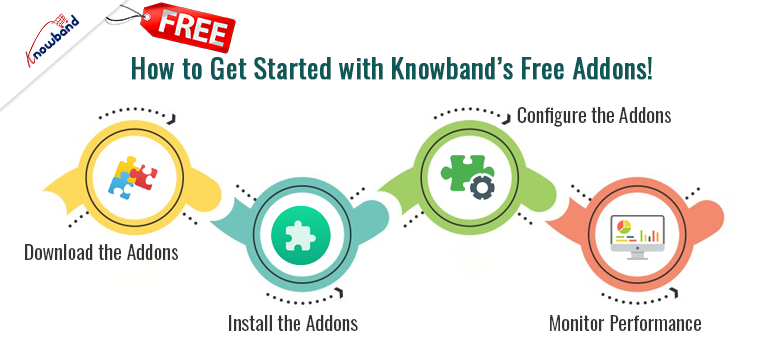
Integrating these powerful add-ons into your Prestashop store is a straightforward process. Follow these steps to get started:

Download the Addons: Visit the Knowband website and download the free versions of the Multi-vendor Marketplace, Social Loginizer, and Gift Card Manager addons.

Install the Addons: Log in to your Prestashop admin panel, navigate to the ‘Modules’ section, and upload the downloaded files.

Configure the Addons: Once installed, configure the addons to suit your store’s specific needs and preferences.

Monitor Performance: Keep an eye on how these new features are performing, and make any necessary adjustments to optimize their effectiveness.

Knowband’s Free Prestashop Modules

The Knowband Free PrestaShop Modules offer a range of complimentary tools to enhance your PrestaShop store’s functionality. These free modules help improve user experience, streamline operations, and boost engagement without additional costs.

SHOP NOW

Conclusion!

Upgrading your Prestashop store with Knowband’s latest free add-ons is a smart move to stay competitive in the e-commerce landscape. Furthermore, the Multi-vendor Marketplace, Social Loginizer, and Gift Card Manager addons are designed to enhance functionality, improve user experience, and drive sales. By integrating these modules, you can provide a richer shopping experience for your customers and open up new avenues for growth.


Top FAQs related to the PrestaShop Marketplace Module

We have been receiving a lot of queries regarding the working and features of our Prestashop Marketplace Module. Therefore, we have decided to accumulate those queries as provide the answers to all of them in this FAQ. We have tried to answer all the major questions that are often asked by the merchants. In case if your query is not resolved by the answers in this article or you have any doubt, you are always welcome to get in touch with us.

So, here are some commonly asked questions and their answers by our developers

1. How are sellers introduced to the marketplace, how they sign up?

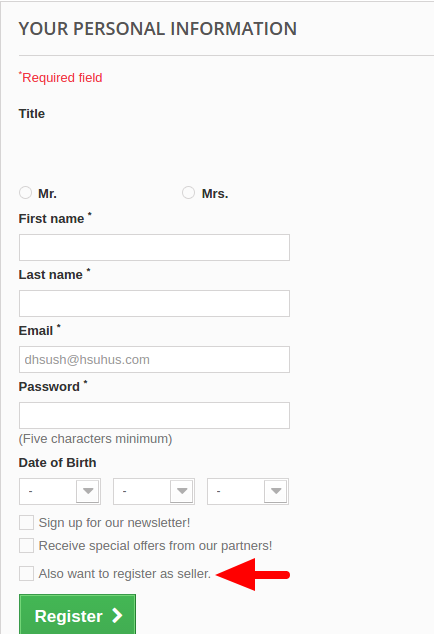
After installing and enabling the PrestaShop marketplace module, your store becomes ready to accept the seller registrations. The sellers can sign up using the same registration form used for customer registration on the front. The Prestashop marketplace module simply adds a checkbox below the form as “Also register as a seller”. By checking this box, any user can sign up on the marketplace.

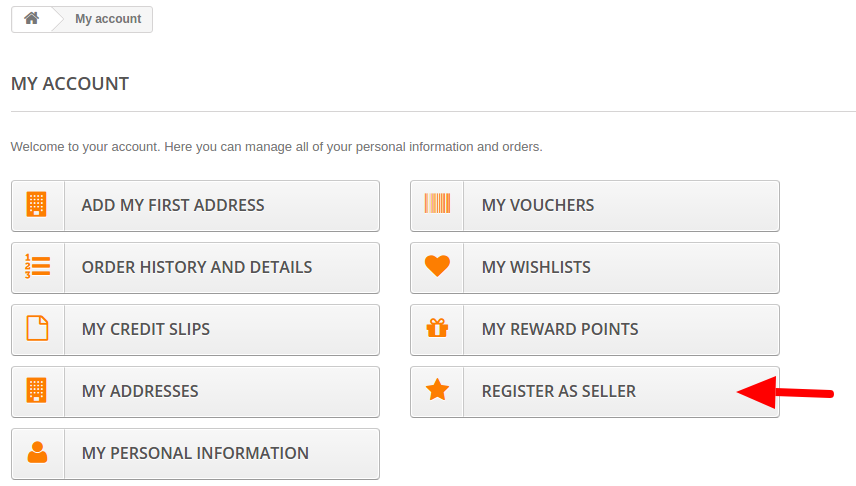
Moreover, there is another option in the customer user account section. All the customer accounts will have the “Register as a seller” in My Account section as an option with the help of this Prestashop marketplace module. Any customer can anytime upgrade the customer account to a seller account by simply using this option of the Prestashop marketplace module.

2. The seller panel is on front-end or back-end?

After registering a seller account with the help of Prestashop marketplace module, the seller gets a dashboard on the front end of the marketplace. We have done this to save the sellers from the complex management of PrestaShop back-end interfere. The seller panel is well organized and provides a number of seller account and shop management controls.

3. Who manages the shipping options for the sellers?

The Prestashop marketplace module allows the sellers to add shipping options for themselves. They can add as many shipping options and map them to their products with the help of this Prestashop marketplace module.

4. What is the “Default free shipping” option?

The default free shipping option is automatically mapped by the Prestashop marketplace module on any seller product which has not been mapped with any other shipping option. We have added this option in the Prestashop marketplace module to prevent a faulty product listing in case a seller forgets to map a shipping option to a product. This default free shipping will be automatically removed from those products which are mapped to at least one seller created shipping option.

5. Can any one just sign up and start selling on the marketplace?

Yes, in an indirect way, but No, not directly. All the seller sign-ups first go the admin as seller account approval requests. The seller will not be allowed to sell on the Prestashop marketplace until the seller account is approved by the marketplace admin.

6. Can a seller still upload products without seller account approval?

We have added a feature in our Prestashop marketplace module to save the time of the sellers. According to this, if allowed by the admin, the seller can upload a certain number of products, update the shop profile, even before getting the seller account approved.

However, the uploaded products won’t get live on the marketplace until the admin approves the seller account and also the product upload request.

7. How is the commission configured?

The admin can configure the commission from the sellers on two levels. First, the global commission rate which will be applicable on all the sellers on the Prestashop marketplace. Second is the seller level commission where the admin can set different commission rates for each seller on the marketplace.

8. If both seller level and global level commission is applied on a seller, which one would be finally applicable?

In case if the admin has mentioned both the seller level and Global level commission for a seller, then only the seller level commission will be applicable. The priority of seller level commission is more than that of global level commission.

9. Can the seller upload the products in whichever category he wants?

No, the seller can only upload the products in the categories allowed by the Prestashop marketplace admin. In case if the seller wants access to a particular Prestashop marketplace category, he can send a category request to the admin from the seller panel itself.

10. Who handles the orders received on the marketplace?

Both the admin and the respective seller can handle the order received on the Prestashop marketplace. The seller can see the orders in the seller panel, while the admin can see all the seller orders on the marketplace, from the admin panel of he Prestashop marketplace module. They can change the order status, mark an order as shipped, delivered etc.

Moreover, admin can decide to allow or disallow the sellers from handling the orders with the help of this Prestashop marketplace module.

11. Does the Prestashop marketplace module support 3rd party modules?

The products added by the sellers, and after approval by the Prestashop marketplace admin will become a part of the PrestaShop global catalog. So any module or extension will work as a normal on the PrestaShop but not work with the seller management or seller controls as those modules were developed for default PrestaShop.

12. Does your Prestashop marketplace module support multi-language including RTL languages?

Yes, the PrestaShop Marketplace module supports all the languages supported by the PrestaShop platform. It also supports the RTL languages like Arabic and Hebrew.

13. Does your Prestashop marketplace module affect the performance of the PrestaShop site?

No, our Prestashop marketplace module has been developed strictly according to the MVC (Model View Controller) and ORM (Object Relation Mapping) designing. Moreover, the Prestashop marketplace module follows the standard PrestaShop codding structure and has been verified on the Official Addons Store already. So, there is no performance issue with the Prestashop marketplace module.

We follow the best practices of Prestashop module development to make our Prestashop marketplace module as scalable as your standard PrestaShop store.

14. What is the payment flow structure of the marketplace?

In our Prestashop marketplace module, all the payments are received by the Marketplace admin. Later the marketplace admin can manually distribute the payments to the respective sellers after deducting his commission.

Our Prestashop marketplace module does not have an interface to automatically distribute the payments to the sellers, so the admin has to manually distribute the seller earnings to all the sellers.

However, the Prestashop marketplace module has an interface where the marketplace admin can review the seller earnings and see how much he has earned and how much he has to transfer to the sellers. The commission is also specified in the same interface. The seller earnings and commissions are listed in the back end of the Prestashop marketplace module on the basis of the sellers. Say, the admin has to pay $XYZ to the Seller 1, $ABC to the Seller 2 and so on.

Addon support: There is a Marketplace Admin to Seller Paypal Payment Addon using which the admin can distribute the seller earnings to the sellers right from the admin panel through the Paypal. There is also an option for admin to request reverse payment from Seller to his account, seller approval is required in this case.

15. Do the Prestashop marketplace module and marketplace addons work fine with all the PrestaShop themes?

Yes, the Prestashop marketplace and all its addons work perfectly fine with all the PrestaShop themes and templates. In case if there is any theme compatibility issue, we will fix that for you.

16. Can seller add products in bulk in PrestaShop Marketplace?

Yes, but not by default. There is our Prestashop Marketplace CSV Import/Export Addon which enables sellers to import their products and its combinations via CSV file.

17. How can the admin edit the different email templates used by the Prestashop marketplace module?

We have listed all the email templates in our Prestashop marketplace module’s back-end interface. Using this interface, the admin can edit any email template right from the back-office without editing the module’s files. All the email templates also support the multiple-languages.

18. How does the shipping costs apply when a cart consists of products from the multiple sellers?

If two products are from the two different sellers in the cart, then shipping charges will be calculated on the basis of the shipping method mapped to those products by the sellers. Shipping in our Prestashop marketplace module is calculated seller wise that is if a cart has 2 products of different sellers than two shipping is added each for the different sellers.

Also, the shipping methods will be merged together and shown as one; same goes to the shipping cost which will be added into one. The shipping option having the least shipping cost from all the shipping options available for the particular seller will be selected for merging.

For example, if seller 1 has 2 shipping options with shipping cost $2 and $4. And seller 2 has 2 shipping options with cost $3 and $5 then, shipping option with least cost from each seller will be selected for merging. I.e. $2 from seller 1 and $3 from seller 2.

The final shipping cost will be shown to the customer as 2+3 i.e. $5. However, each seller will see the shipping cost as split only. i.e seller one will see his shipping cost 2$ and seller two will see 3$. It is just that customer will see the shipping cost as 2+3.

19. How can sellers translate their products in other languages?

Multi-lingual is supported by ourPrestashop marketplace module. The sellers can manage the translations of product information and name from the seller panel itself. Just a one time input of corresponding translated phrases is required in respective languages of each of the products. After that those products will save the respective texts in the corresponding languages.

At first, the phrases will come in English only. After the manual input of the respective translated phrase or text, the system will save the translation and next time it will show the corresponding text in translated language selection of the store.

Steps to do that: 

  • Keep the store language as English (I am amusing English is your default store language), Enter all the details in English first.
  • Save them.
  • Now change the language of the store to say Spanish.
  • At first, you will see the English version by default even if store language is selected as Spanish. Edit the text you want to translate in Spanish. Replace the English texts with Spanish text.
  • Save it, Now you will see that if store language is selected as English, it will show English version of the same. And if store language is selected a Spanish, you will see the Spanish version of the same text.

20. What is the difference between the free and Paid version of the Prestashop marketplace module?

We provide the free version marketplace module so that you can have a demo of how our full version Prestashop marketplace module will look on your store. It has restricted features and is for testing and demo purposes. We have defined a detailed difference between the free and paid PrestaShop marketplace module. Please, refer it for better understanding.

21. What is the Prestashop Membership plan feature?

The Prestashop membership plan feature enables the admin to start subscription-based service. Admin can create various membership plans and sellers need to purchase these membership plans in order to upload products in the marketplace.

22. What types of membership plan an admin can create?

Admin can create various membership plans depend on the requirements of the sellers. Although admin can create membership plans based on product upload limit and duration of membership plans.

This Would Also Interest You: