Customers visit eCommerce websites looking for products. They might just buy something or choose look around, and finally exit from the site. This is the typical work-flow of a whole eCommerce website from customers point of view. Whatever happens in the meantime when a customer is still on the website, drives the modern eCommerce and generation of revenue from the eCommerce business.
The same phenomenon is followed on a website based on Magento platform too. So, if you have a Magento site, you are no different and you have to do whatever you can in that meantime itself. Exit from a website is something that is inevitable and will surely happen at some point in time. The twist comes through what you do to make even the exits from your website engaging. A Magento Exit popup is one tool for you that can even make the exits conversion friendly and fruitful for the business.
A Magento exit popup extension is a exit overlay that triggers a popup on the browser screen by using the exit-intent technology. An exit-intent technology is used to track the visitor activities on the site in the exit popup. Whenever, an exit or an abandonment is detected, it triggers a exit popup designed to show something that might interest the visitors for not abandoning and grab something. The interests are generally created by offering an enticing deal to achieve a conversion goal by the website owner.
Why should you use a Magento Exit popup?
Customer recovery through Email list Generation
One of the most common uses of a Magento exit popup is to generate an email list data from the website. These email lists are then stored in the database and shown to the website owner which is used to get to the customers with something that can lure them back on the site.
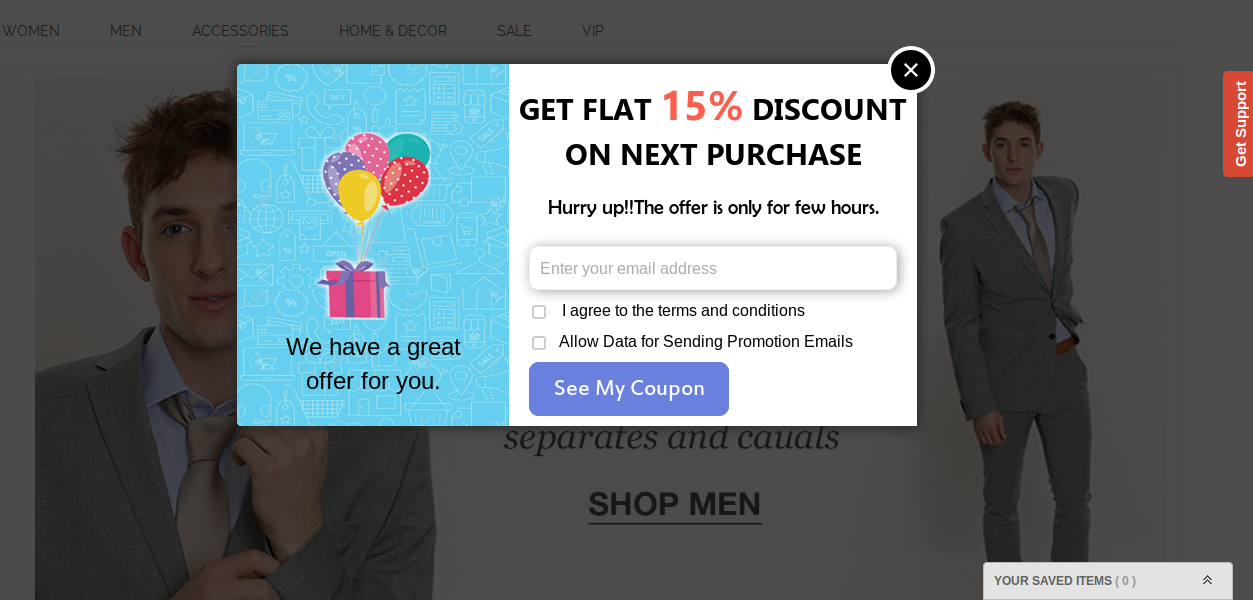
Email list Generation using an Exit-intent technology
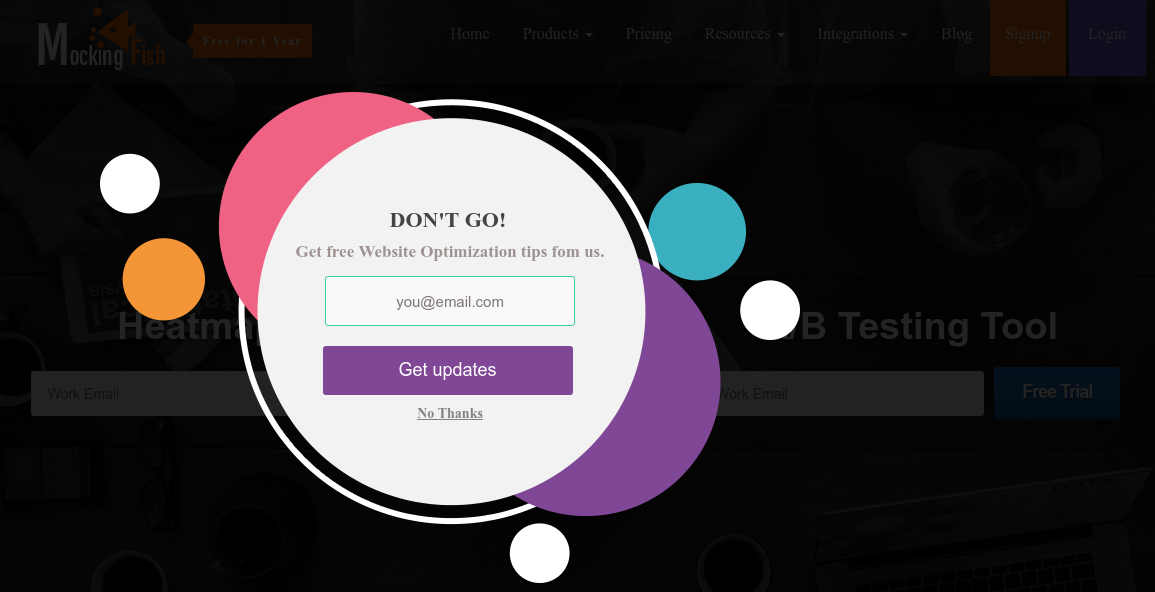
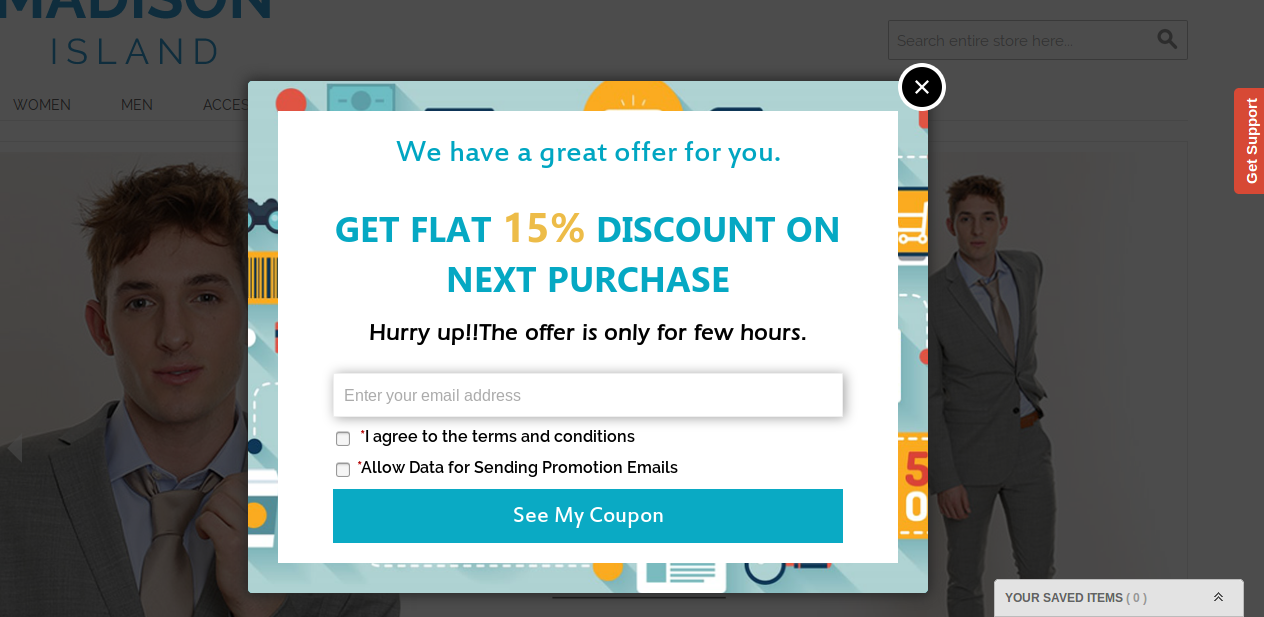
A simple exitpop up with something useful for the customers can convert a good amount of customers that would have anyways left the site without doing anything fruitful for your business. To achieve this kind of implementation of exit popup on your Magento site, you do not need any mass preparation; just install an effective Magento exit popup extension and it’ll do the rest for you. For example, Knowband- Magento exit popup extension has the option to design an effective exit popup for email list generation like the above image. Additionally, this exit popup can even generate coupons for the customers to make it even more engaging for the users.
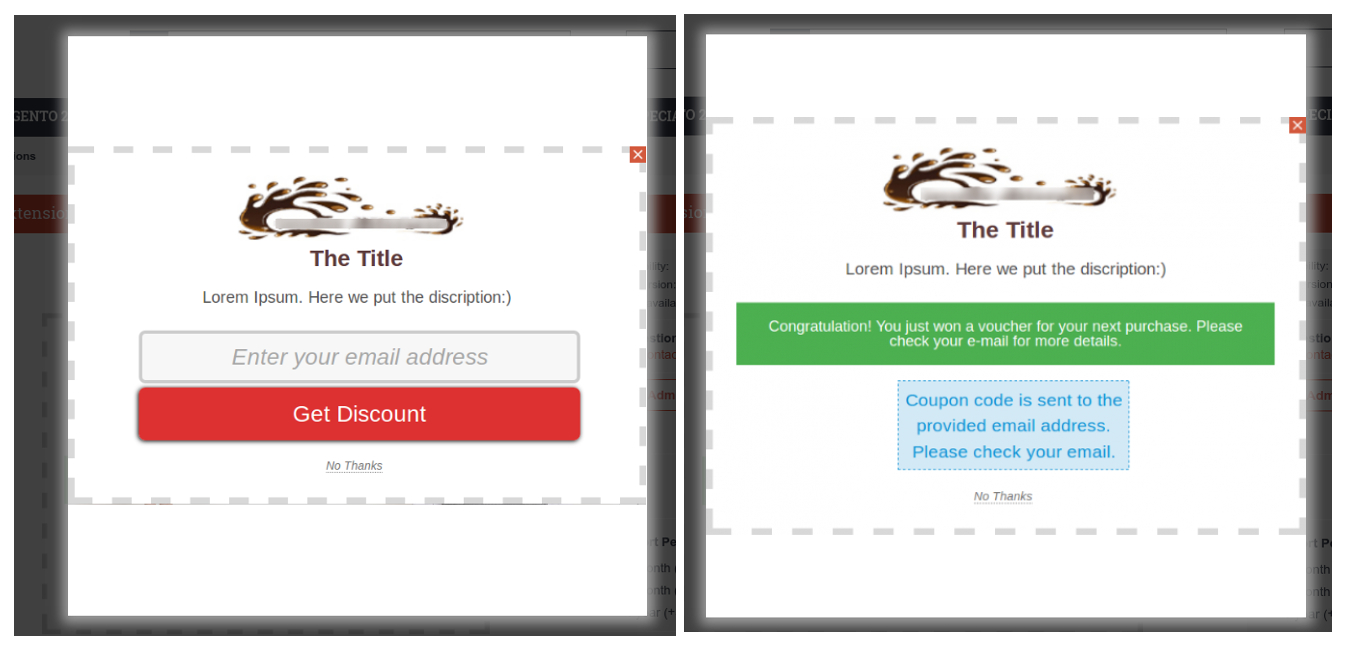
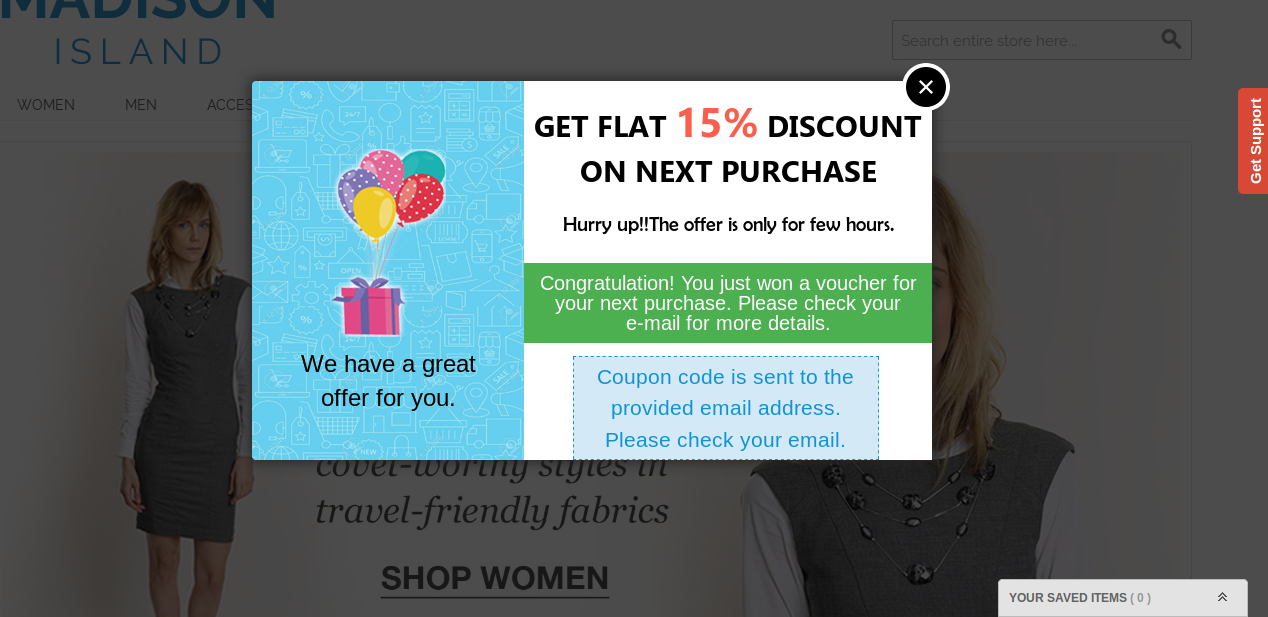
A view from Knowband-Magento exit popup with discount coupon generation
Abandoned cart recovery
Now, that you have a list of email addresses of your customers, you can easily find out who has abandoned your carts and can contact them using their email addresses. The incentives in your exit popup can be of real use to lure them back. However, you can use this Magento exit popup in the aid to your campaign for abandoned cart serial reminders to the customers. Offers and discounts, free downloads and much more can be used to lure them back when you have their email ids. The above case of exit popup with an offer is a good example of abandoned cart recovery by sending serial reminders.
Direction of the users back to some other content
Not, all the exits from your website consist of an abandoned cart. It might be possible that customers exit the website as they did not find what they were looking for. There are several more reasons for an exit. So, when a customer does not find an item of interest, he/she might not be interested in any coupon at all. You can divert such traffic back on your website to something that might interest the customer other than your coupon or offer. For example, You can use a Magento exit popup to divert the customers to a page of best-selling and trending items on your website. An eCommerce site can use this technique to show alternate offers or products to the visitors not interested in buying the current items.
Finally, an exit popup on your Magento site can prove to be of great use if utilized wisely. You should look for a Magento exit popup extension that provides you enough access to customize a exit popup according to your needs and is flexible to different configurations as discussed above. It should be well enough to capture email ids, re-direct traffic, or generate coupon codes to encourage conversions for your eCommerce business.
Magento Exit Popup module is an extension by Knowband which when enabled shows a popup in the front-end of the website whenever the customer tries to leave the webpage. The features and functionalities of responsive pop-up can be changed from the admin panel of Magento exit pop-up extension. The admin can also set the terms and conditions offered by the Magento exit intent pop-up module as well as cookie life for the popup.
1.1 Merchant Benefits of Magento exit popup plugin:
The Magento exit intent pop-up module can be installed and used with least effort and difficulty.
The Magento exit intent pop-up extension monitors the mouse movement of the users and displays a subscription pop-up when they are about to exit the site.
The look and feel of the front-end UI can be changed from the back-end of the Magento subscription pop-up module.
The Magento exit intent subscription pop-up allows the admin to set the discounts being offered to the customers.
The store admin can view the complete stats of the Magento exit intent pop-up.
The customers get alluring discounts just when they intend to leave the site. Thus, the Magento exit pop-up extension can change their intention and motivate them to complete the transaction.
The Magento newsletter subscription pop-up module can even increase the subscribers of the site.
The Magento exit intent pop-up is one of the ways to reduce the cart abandonment and exit rate of the site.
The easy customization options of the Magento exit pop-up makes it easier for the pop-ups to blend with the theme of the site.
Set visibilty of exit intent popup among selected customer groups and geolocations.
New attractive themes for exit-intent email subscription popup benefits e-merchants in getting increased user engagement for their store.
Email Marketing services like Mailchimp, Klaviyo and Constant Contact boost the subscription rate of the store.
2.0 Installation
Follow the following steps for installing Magento Exit Popup Module:
Download the Magento exit intent pop-up extension package.
Unzip the package on your root folder of Magento setup via FTP manager (like Filezilla or WinSCP – download here).
This User Manual Guide users through the Admin Module/Store Front settings and features of the Magento Exit Popup Module.
3.0 Admin Module
The Admin Module contains the 4 tabs for settings and view.
3.1 General Settings
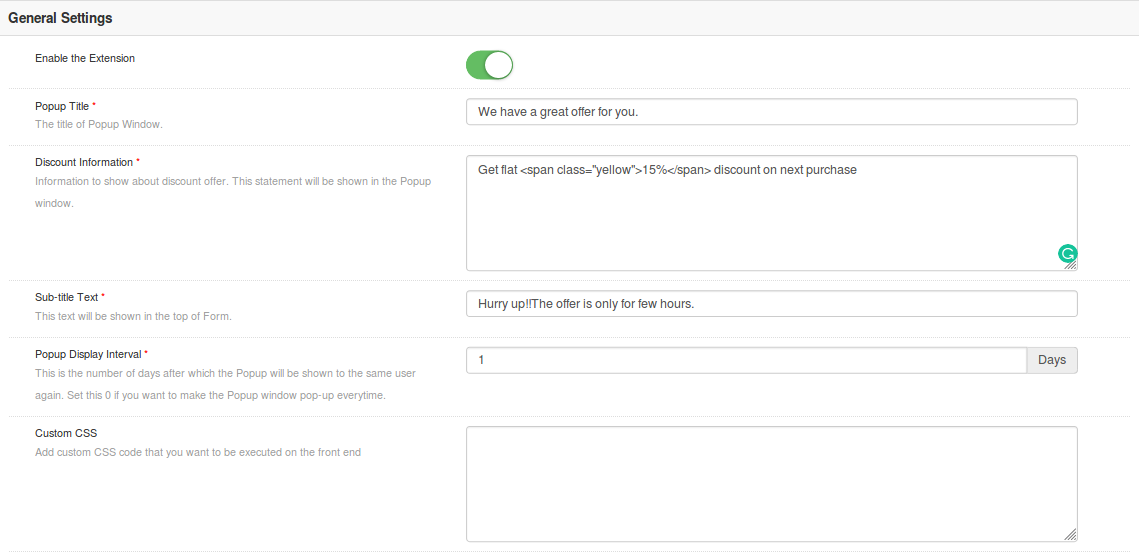
The General Settings of Magento responsive pop-up module has following options:
Enable extension: Enables or Disables the Magento exit pop-up plugin by toggling this button.
Popup Title: Set the title text that will be displayed on the subscription popup shown in front-end of the site.
Discount Information: Set text on the popup to show the details about the discount.
Sub-title Text: Admin can set the sub title text for the exit popup window.
Popup Display Interval: Set the time interval(in days) after which the exit popup will be shown to the same user. Set this 0 if you want to make the Popup window pop-up every time.
Custom CSS: Add custom CSS code that will reflect on front-end.
CMS page for Conditions of use: Admin can select the CMS page to which the user/visitor is redirected as they click on Terms and Conditions provided on exit popup.
Include jQuery: This option lets admin include jQuery for the front-end.
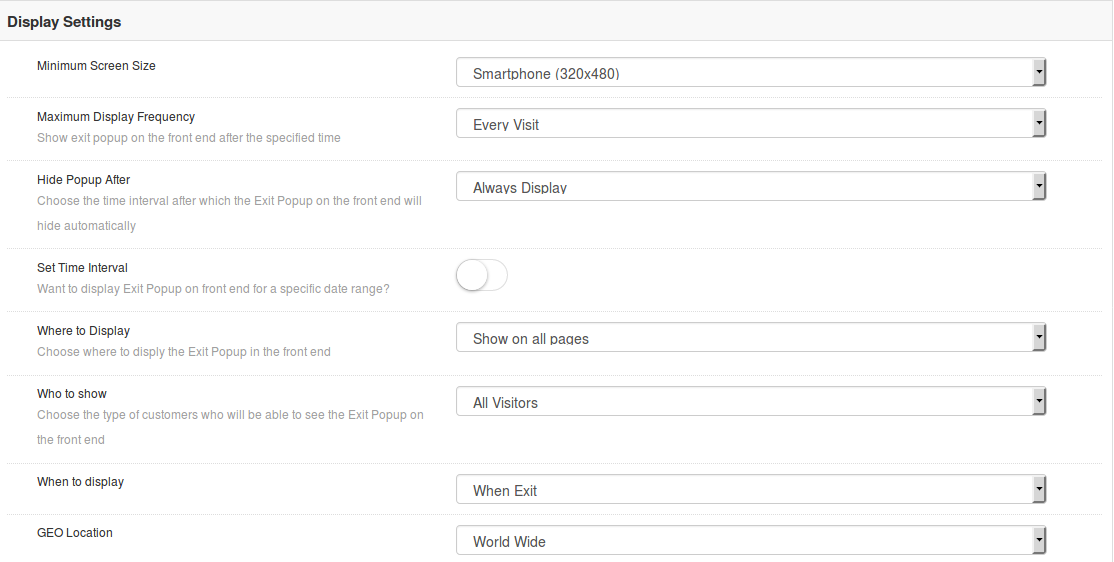
3.2 Display Settings
The display settings of Magento Exit Intent pop-up module offers the following configuration options:
Minimum Screen Size: This options sets the minimum screen size over which the exit popup will be shown like mobile and tablet devices.
Maximum Display Frequency: This option shows exit popup on the front end after the specified time.
Hide Popup After: You can choose the time interval after which the Exit Popup on the front end will hide automatically. You can set the time in seconds or select Always Display option.
Set Time Interval: This option lets you set the visibility of Exit Popup on front end for a specific date range. You can choose start and end date for the display of popup.
Where to Display: This option lets you choose where to display the Exit Popup in the front end.
Who to Show: Select the customer group who will be able to see the Exit Popup on the front end
When to Display: This option sets the exact instant of time when the popup displays: immediately, on exit, or after the user scroll downs the screen.
Geo-location: Admin can set the geolocation for the visibility of exit popup. It can be set to all locations or to selected areas.
3.3 Look and Feel Settings
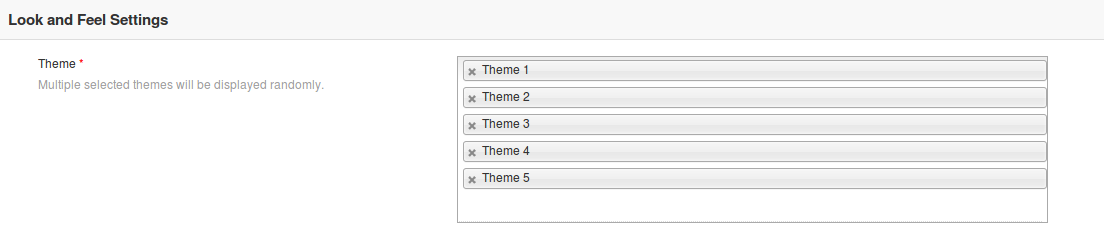
The Look & Feel tab of Magento exit pop-up module allows the admin to change the appearance of popup window. It has following theme options.
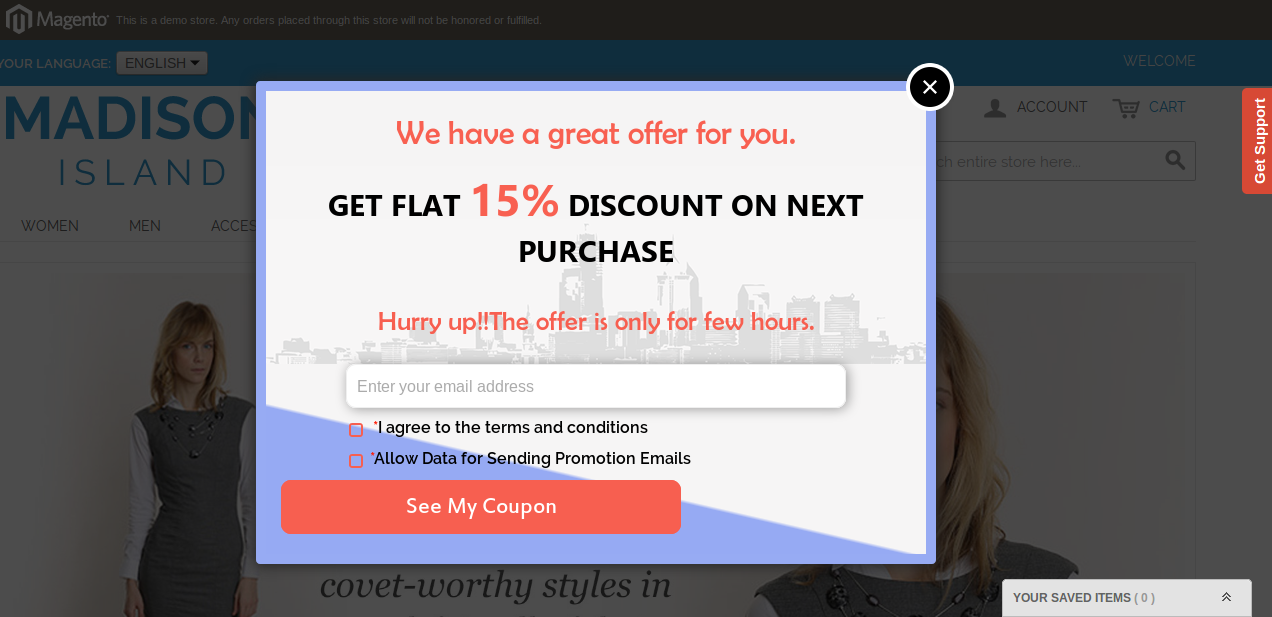
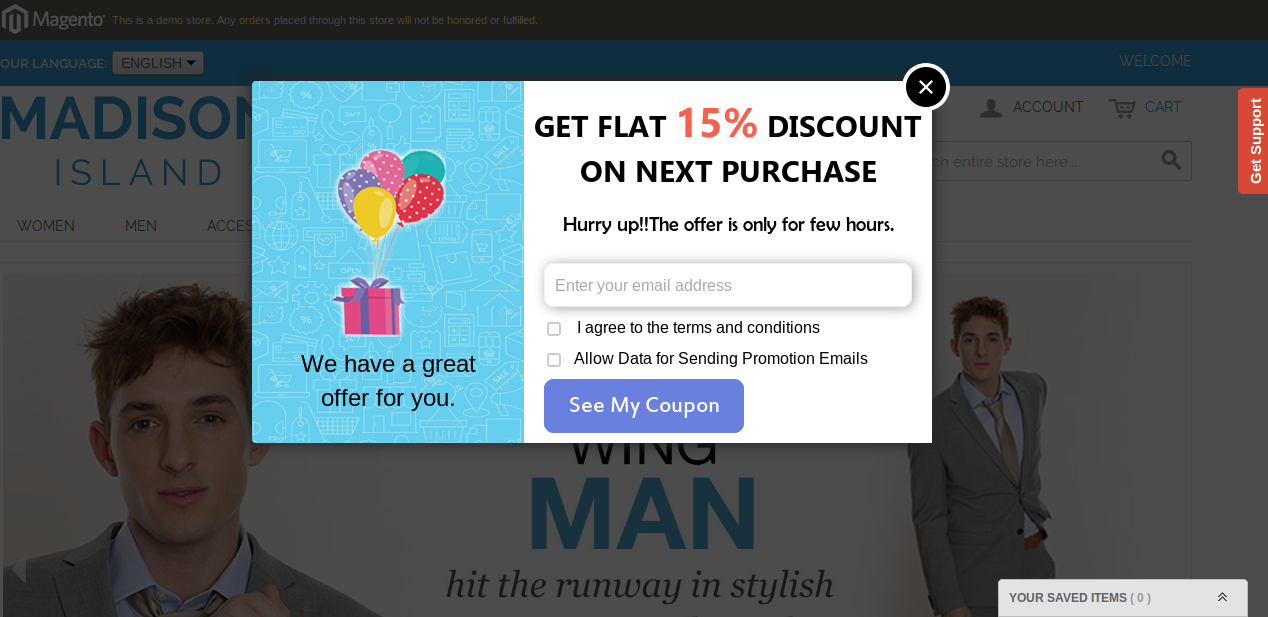
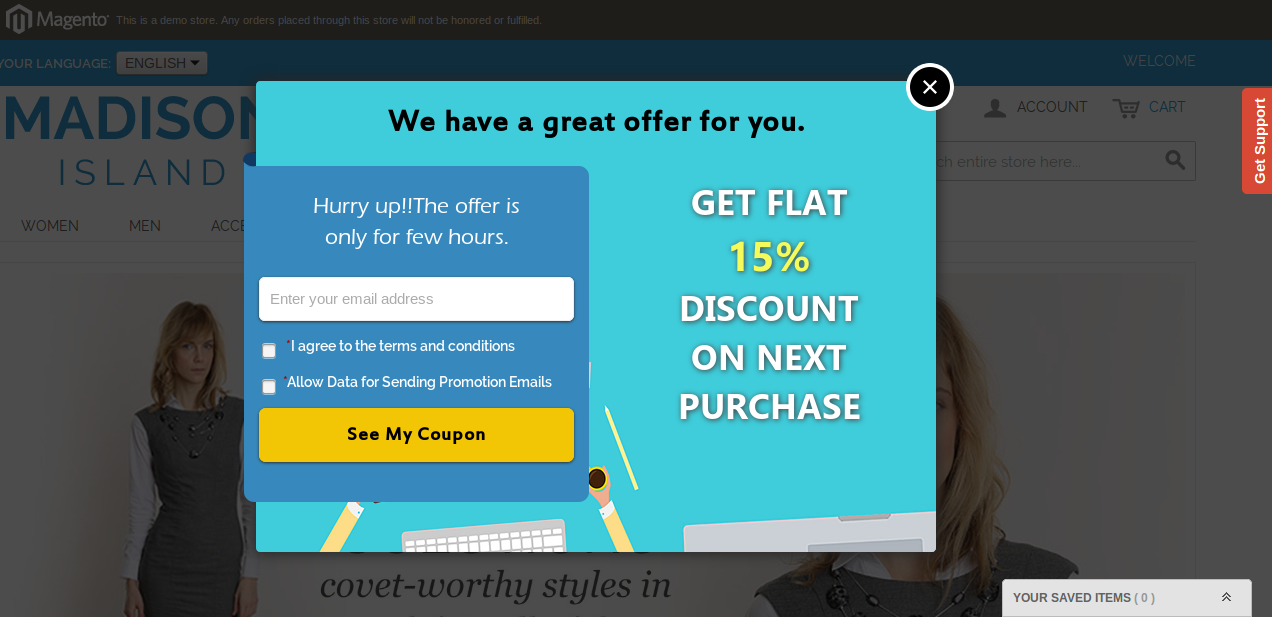
Admin need not to modify or style the title text and background color separately. Everything comes readymade with Magento Exit Pop-up Plugin. The plugin offers you different theme options out of which you can set a particular theme or you can choose multiple themes at a time. If you select multiple themes then the themes are displayed in the random order.
Theme 1
Theme 2
Theme 3
Theme 4
Theme 5
3.4. Discount Settings
The Discount settings tab of Magento exit pop-up extension has the following options:
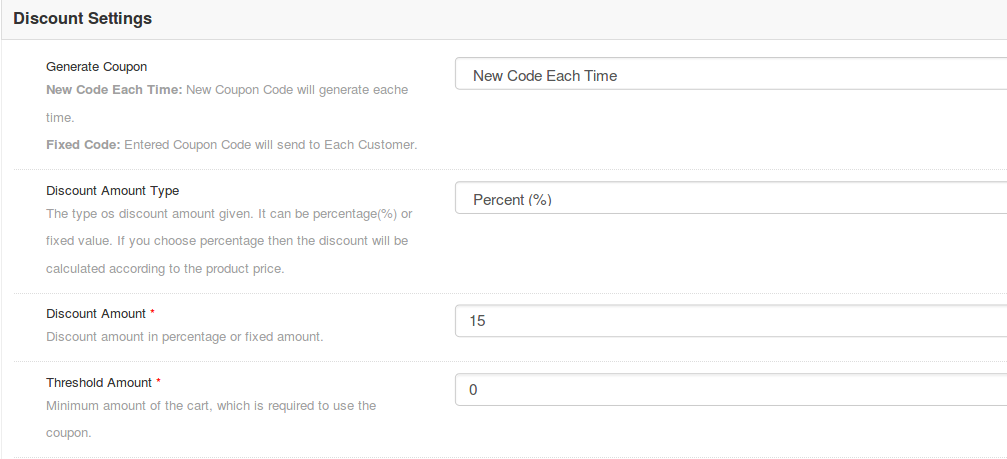
Discount Amount Type: Using this option, we can set the type of discount given to the customer(s) using Exit Popup front end. There two options to choose. By default Fixed option is selected if Magento Exit intent pop-up module values are not saved yet. Percentage discount will deduct the total cart balance by given percentage. Another option is the Fixed amount. The fixed amount will be deducted from the cart.
Discount Amount: This field is used to give the amount of discount for the generated coupon. The value validations work according to the selected option in Discount Amount Type.
Threshold Amount: The Magento Exit pop-up module allows the admin to fix the minimum cart value required to avail the offer. This field is used to set the minimum required cart amount to use the coupon. The coupon will not work if the cart amount is less than Threshold Amount. By default, the value is set to ‘0’ which means there is no restriction at all.
3.5 Email Marketing Settings
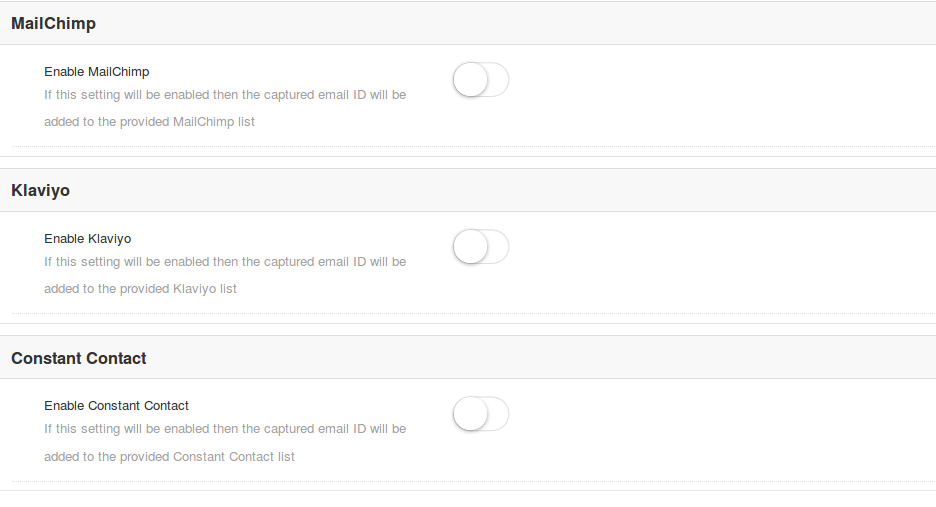
Magento Exit Pop-up Extension offers you three email marketing options as:
MailChimp
Klaviyo
Constant Contact
Each of these marketing services can be separately configured, enabled and disabled. For configuring them, you just need to set the API keyof that connected account. Once configured, the customer email is automatically synced to the connected subscriber list.
3.6 Email Settings
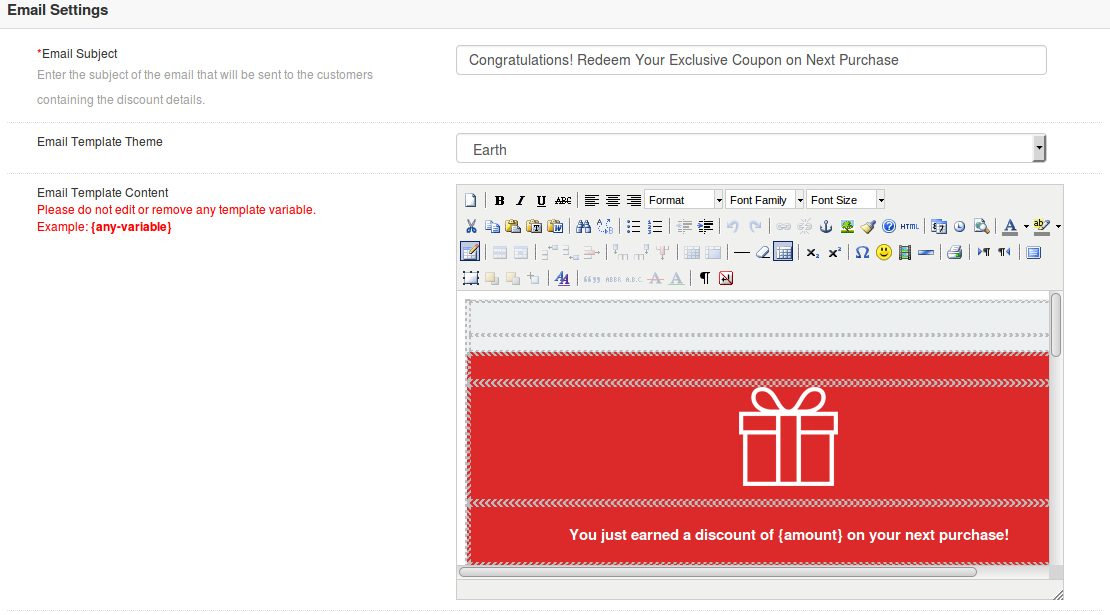
Email Subject: This option sets the subject line for the email which is automatically sent to the discount winners stating the discount information they have won on the store.
Email Template: You can set a desired template for your email to make it look appealing to users.
Email Content: This specifies the body of the email. Here, you can give the rich text content of email along with images and required links.
3.7 Statistics
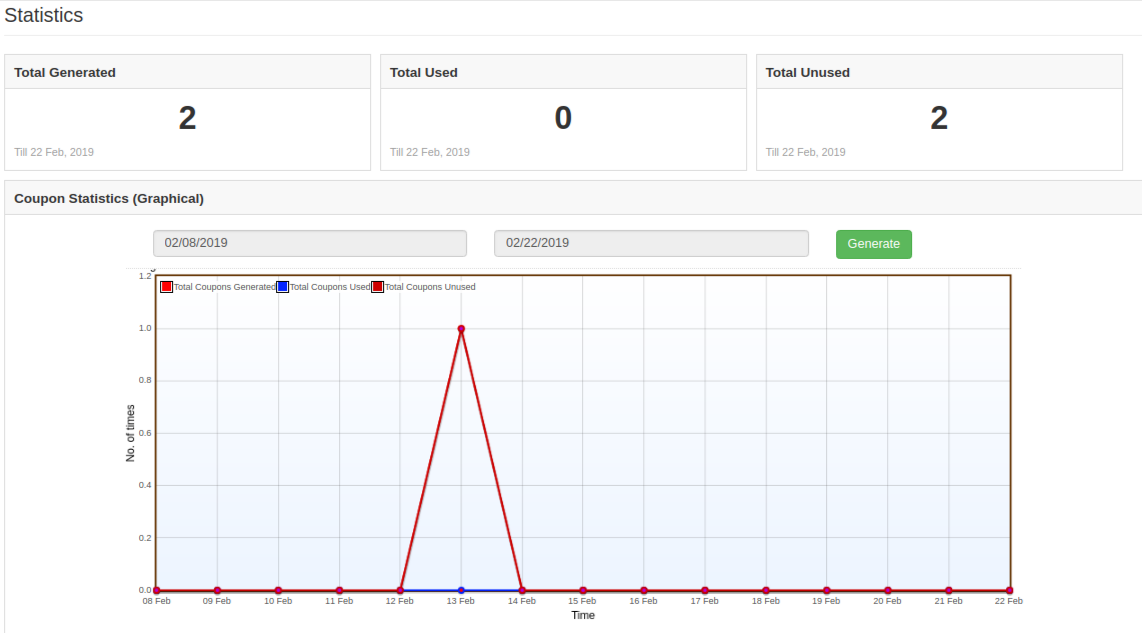
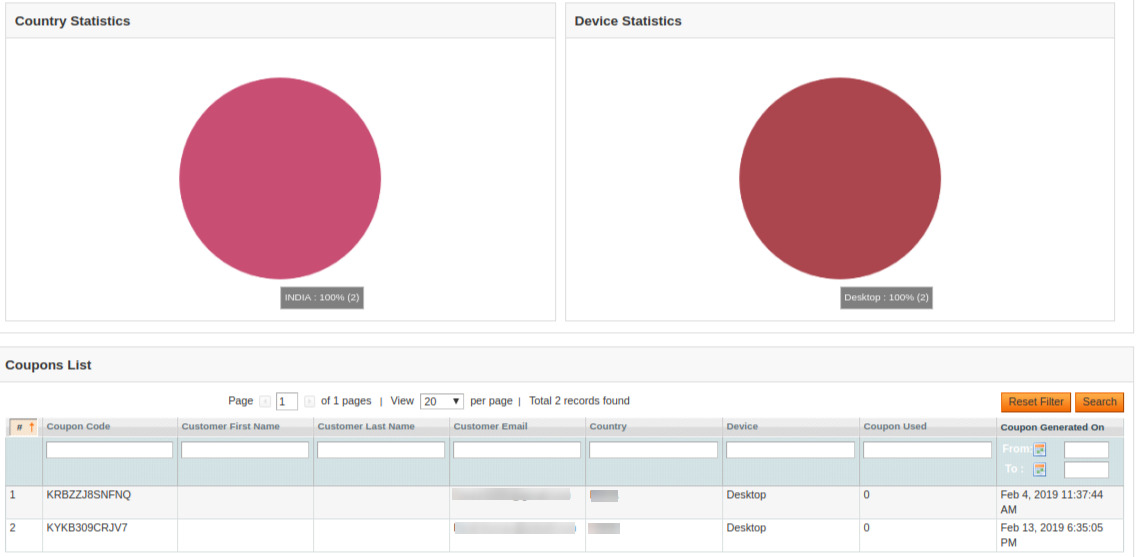
The Statistics feature tab of Magento Exit pop-up extension is to view all the details (in graphical form) about the number of visited customers, generated coupons, customers visiting again etc. There are two filters to filter the data which is getting displayed and one more button to reset all the filters. By default, all of the data is shown.
Date Range Filter: In this filter, there are two datepickers and one filter button. From date and to date are given using datepicker and when the Filter button is clicked, all the data between those two dates is shown. If no date is provided in datepicker then the default date is taken. The default date is 1970-01-01 00:00:00 (YYYY-MM-DD Hours:Minutes:Seconds) and the data is processed according to this date.
Month filter: This filter contains one button. When we click on this button, then all the data of current month is displayed starting from the first date of the current month upto the present date.
Reset Filters: This option is used to reset all the filters and to show the default data. When this button is clicked, then all the filters are reset and the values inside datepickers are also removed.
There is one more division/component in the admin panel of Magento Exit pop-up. This division is displayed just below the header of the Exit Popup admin panel. This division is used to show total visitors, Used By, Used Again By and Total Coupons Generated.
Store Front
After enabling this Magento Exit pop-up plugin, the offer and subscription popup is shown in the front website whenever the customer tries to leave the webpage from the upper side.
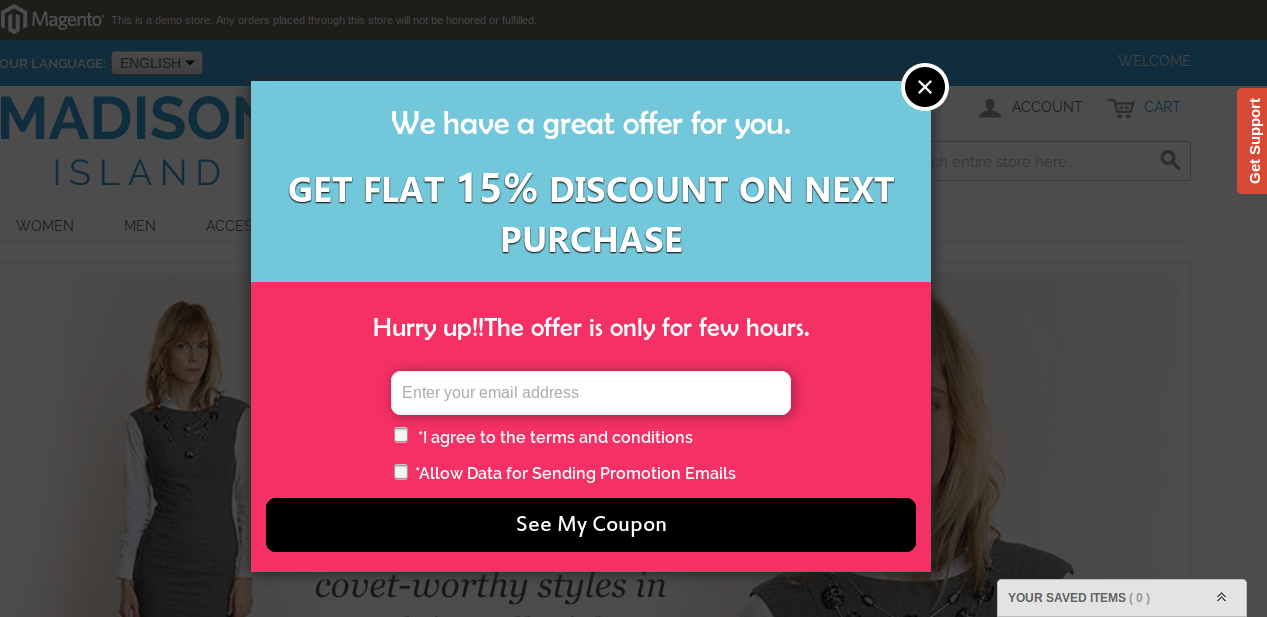
The Magento Exit pop-up module at the front-end appears as follows:
User has to enter the email id and click on the button.
A coupon is generated and the message is shown in the popup window and an email is sent to the provided email id.
Disclaimer: In case the “Exit” popup does not display at the front, kindly clear the cache or delete the cookies. Sometimes cookies prevent the popup from displaying at front.