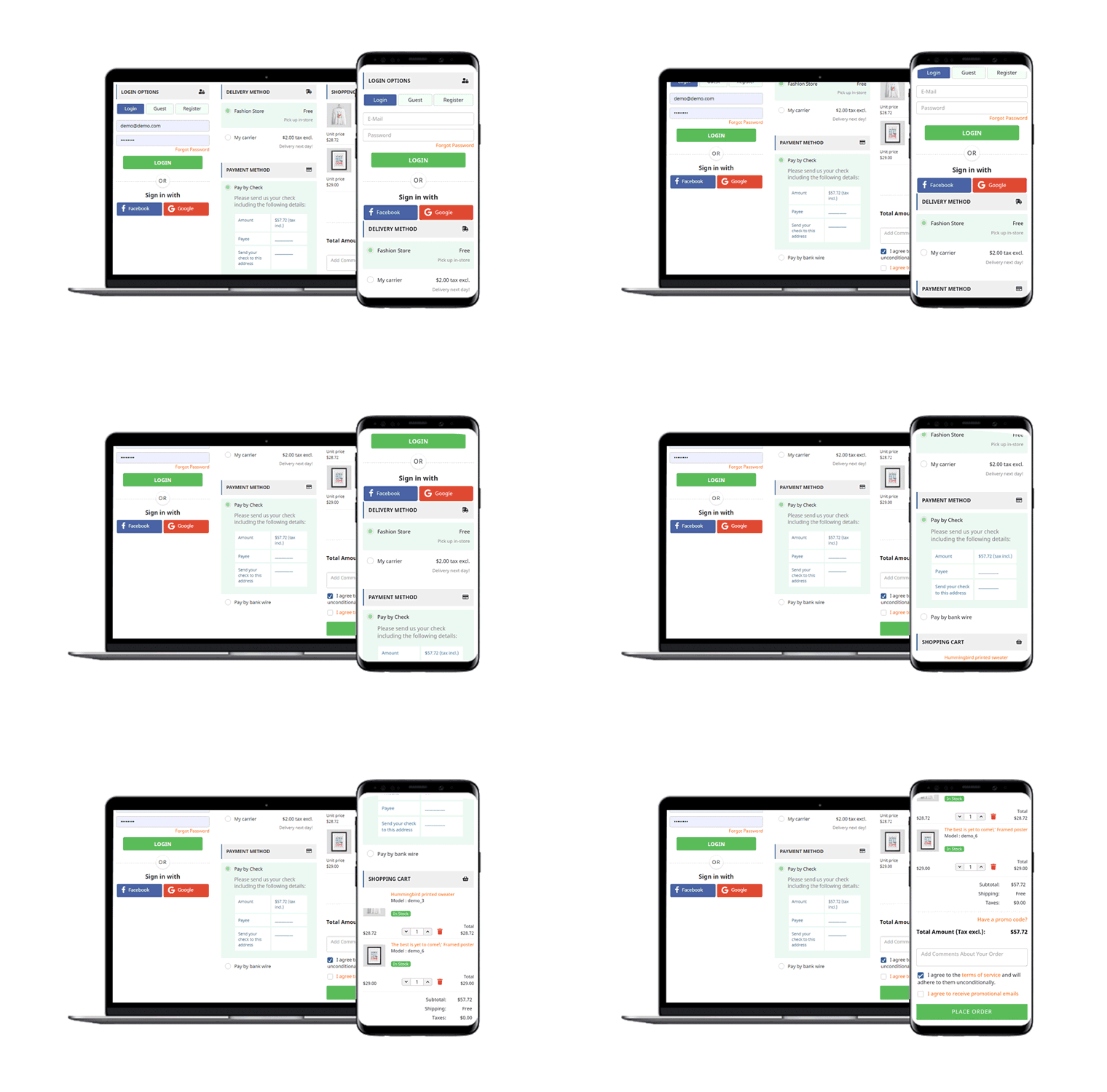
Reduce Checkout Friction with Magento 2 One Page Checkout

“Magento 2 One Page Checkout, also called as Magento 2 One Step Checkout converts the lengthy checkout process of your Magento 2 website into a simple One-Page Checkout. It lets you remove the unwanted checkout fields and make your checkout page as convenient as possible for your customers.”

The checkout page is the most crucial part of the customer journey on any e-commerce website. An optimized and simplified checkout process is the mantra for successful conversions.

Earlier, e-commerce merchants used to be hell-bent on having a multi-step checkout process. But today, feeling the importance of a quick and a user-friendly checkout process, the same e-retailers are switching to the One Page Checkout process.

Having an eCommerce website on the Magento 2 platform? Consider using the Magento 2 One-Page Checkout by Knowband to reduce the checkout friction.

Features of Magento 2 One Page Checkout

1. Guest Checkout

Many users avoid signing up on e-commerce websites. Brands that have made the sign-up process mandatory during the checkout lose out on such customers which significantly bring down their conversion rate.

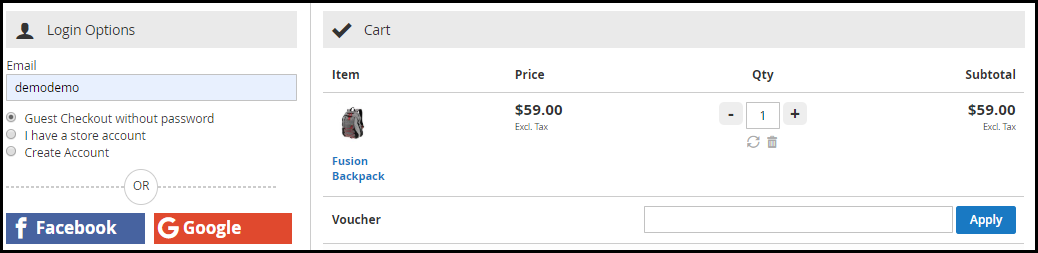
For such users, Magento 2 One Step Checkout offers Guest Checkout so that they could check out easily without getting themselves registered on the website.

Magento 2 One Page Checkout even allows users to register as a guest without even setting up a password. A user just needs to provide his email address and the password would be sent over their inbox.
2. Social Login

While there are some people who do not want to create an account at any cost, some consider filling up the registration form a tedious task.

Magento 2 One Step Checkout provides the Social Login facility and ensures that users are able to make a quick checkout. This Magento extension offers Facebook and Google login option.

A majority of online shoppers remain logged in their Facebook and Google account. Hence, the social login option eases up the registration task and also avoids the headache of remembering passwords.

Read:

Benefits of Social Login in eCommerce

Encourage Quick Sign-up with Magento 2 Social Login Extension

3. Prioritize Checkout Fields Using Drag and Drop Functionality

Arrange checkout fields as per your priority. Place a field wherever you want. Just pick a field and drop it to the place where you want to get it displayed. For example, you can keep the Contact number field above the Address field or vice versa.

4. Mark Mandatory Fields and Avoid Unnecessary Ones

Magento 2 One Page Checkout provides you with the option to mark checkout fields as Mandatory or Optional. If you wish to capture some important information, you can keep that field as mandatory and if you feel it can be avoided, you can keep it as optional.

You can set these fields differently for Guest and Logged in customers.

5. Choose the best layout design for your Checkout page

Magento 2 One Page Checkout provides 2 layout designs: 2-Column Layout and 3-Column Layout that gives you the opportunity to try and test which checkout layout is bringing more conversions compared to the other.
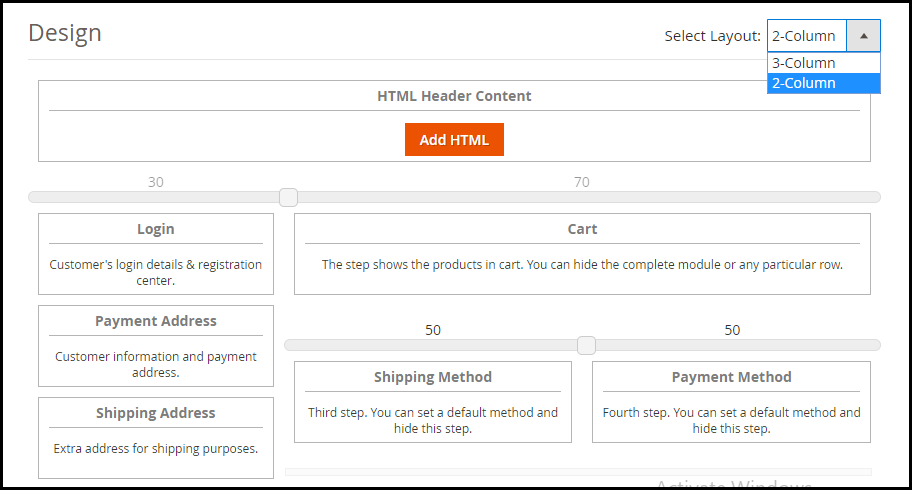
You can customize your layout accordingly.

6. Supports Multiple Payment Methods and Shipping Services

Magento 2 One Page Checkout supports nearly all the payment modes and shipping services so that you do not have to compromise a conversion due to the non-availability of a payment method or shipping provider.

How Magento 2 One Page Checkout benefits the Merchants?

Magento 2 One Step Checkout provides ample benefits to the eCommerce merchants. Have a look

1. Simplify the Checkout experience of customers by having a trouble-free One Page Checkout.

2. Encourage an Easy and Quick Checkout.

3. Capture more sign-ups with the Social Login facility.

4. Magento 2 One Page Checkout helps to reduce the cart abandonment possibility.

5. One Page Checkout for Magento 2 increases your overall conversions and revenue.

The Bottom Line

There are good enough reasons to opt for a single page checkout that overshadow the multi-step checkout process. Having a One Page Checkout not only creates a frictionless checkout but also saves the much important time of your customers.

Do check out the Magento 2 One Page Checkout. Confused between a one page checkout and multi-page checkout?

Read: One Page Checkout vs Multi-Page Checkout

Also read:

Top 10 Checkout Page Optimization Practices to Increase Conversions

One Page Checkout vs Multi-Page Checkout

The success of your eCommerce business does not depend on how many people visit your website but on how many of them convert. The more conversions you get, the more revenue you make and it majorly depends on your checkout page.

Which checkout process do you follow? One Page Checkout or Multi-Page Checkout?

Customers desire a simplified checkout experience. A long and complicated checkout hampers the shopping experience which eventually results in cart abandonment. For a convenient checkout process, website owners are shifting towards one-step checkout, leaving the traditional multi-step checkout process behind.

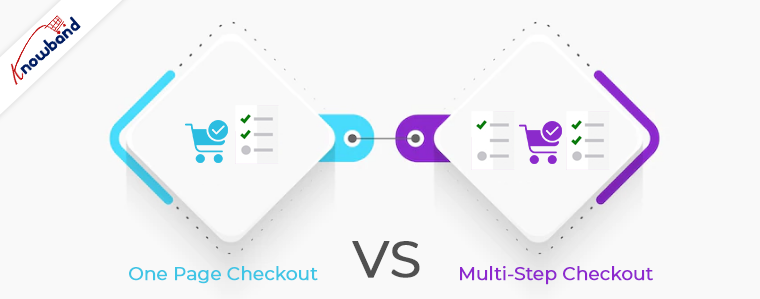
The debate revolving around a One-page checkout vs Multi-page checkout is never-ending. While some eCommerce professionals prefer one-step checkout, some feel a multi-step checkout is a better option.

In this article, I will put forward the differences between the checkout process and help you make a better choice.

One Page Checkout

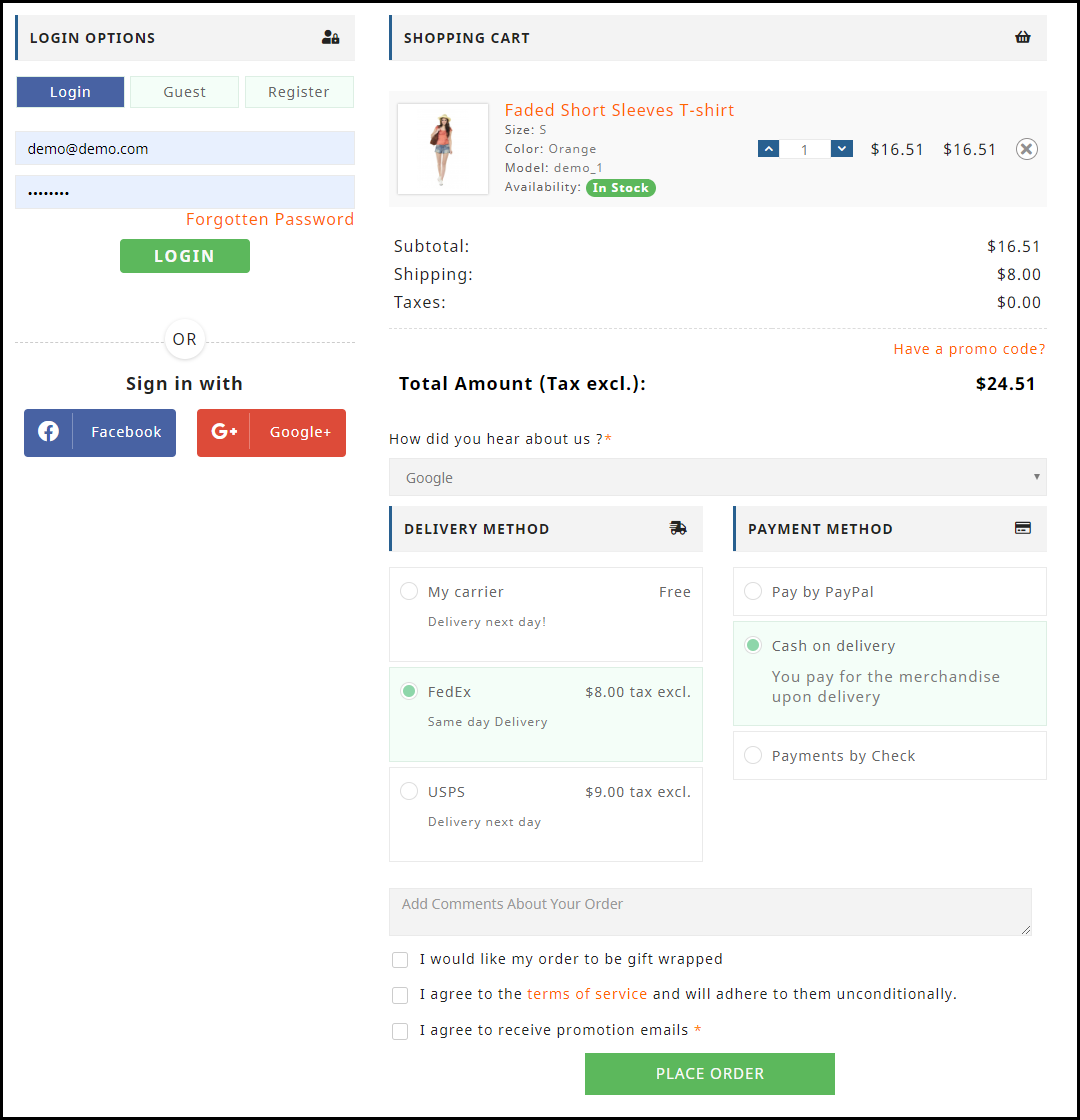
One Page Checkout puts up all the elements of a standard checkout process on a single page and lets the customers fill out the checkout fields in any particular order.

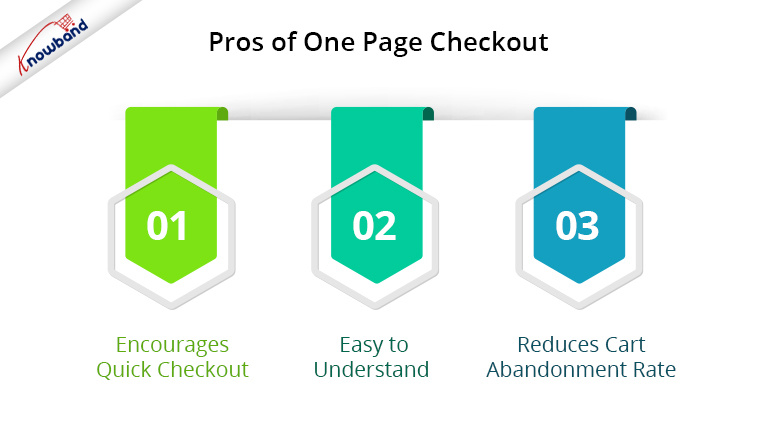
Pros of One Page Checkout

1. Encourages Quick Checkout

With all the checkout-related details upfront, it allows customers to check out quickly. They get rid of clicking multiple times to head towards the next step (in the case of multi-step checkout) and can enter all their details regarding billing, shipping, and payment on the same page.

2. Easy to Understand

A one-step checkout makes the page design simple and easy to understand and presents a clear picture in front of the customers. This also makes it easy for them to verify their details since they do not need to switch between pages.

3. Reduces Cart Abandonment Rate

An intricate checkout is one of the main reasons for shopping cart abandonment. It is therefore important to optimize your checkout process and provide customers with a smooth checkout experience- One Page Checkout is the best way to do that.

Recommended Read: 10 Benefits of Social Login in eCommerce

Cons of One Page Checkout

1. Slow Loading

Displaying a high volume of content on a single page can cause slow loading on your website. A slow checkout can turn away your visitors and make them search for the product on your competitor’s store.

2. Uncomfortable

Customers who are familiar with a multi-page checkout might not find the one-page checkout comforting.  A long checkout form can seem clunky and might discourage a customer from making the purchase.

Multi-Page Checkout

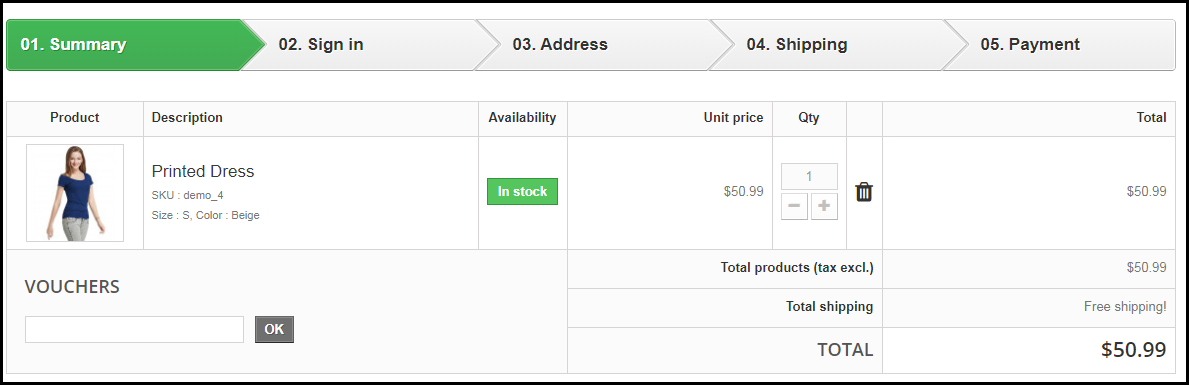
A multi-page or multi-step checkout breaks down the entire checkout process into several pages. Customers have to fill in their details on each page separately to finish the checkout process.

Pros of a Multi-Page Checkout

1. Customers Feel More Secure

Filling all the required details step by step makes customers feel more secure about their purchase, especially if they are purchasing something expensive.

2. Layout Looks Clean

The layout of a multi-step checkout does not look bulky since the checkout fields are divided into several pages which makes the layout clean and uncluttered.

Recommended Read: 8 Checkout Page Mistakes that may be Killing your Conversions

Cons of Multi-Page Checkout

1. Lengthy and Time-Consuming

Because of more number of pages, shoppers find multi-page checkout a lengthy and time-consuming process. Ultimately, customers run out of patience and are compelled to abandon their shopping carts. What’s worse is they decide to purchase from a different store.

2. Difficulties in Correcting Information

Mistakes happen very often while filling out the checkout fields. In a multi-page checkout, customers are left with no choice except to return to the previous page and correct the information. On many e-commerce websites, there is no option to edit and customers are asked to fill in the entire details again. This causes frustration among customers and creates a high chance of cart abandonment.

One Page Checkout vs Multi-Step Checkout: Which one to choose?

If you are in a dilemma about which one has better benefits, I would say- Go with a single-page checkout. These days, a single-page checkout is overtaking multi-page checkout because store owners are more focused on providing customers with a way to complete their transactions in one go rather than asking them to follow several steps.

Consider this: You go to an offline store. After you are done picking what you want, you go to one of the billing counters to make the payment. Tell me which counter do you look for? The counter is less crowded and takes less time for you to make the payment and check out from the store, right? Similar is the case with online stores. Shoppers want to check out as early as possible.

One Page Checkout by Knowband

Our One-page checkout offers various rich features that enhance your store’s checkout process and make it fast and convenient. The module is available for PrestaShop, OpenCart, Magento and Magento 2.

PrestaShop One Page Checkout

OpenCart One Page Checkout

Magento 2 One Page Checkout

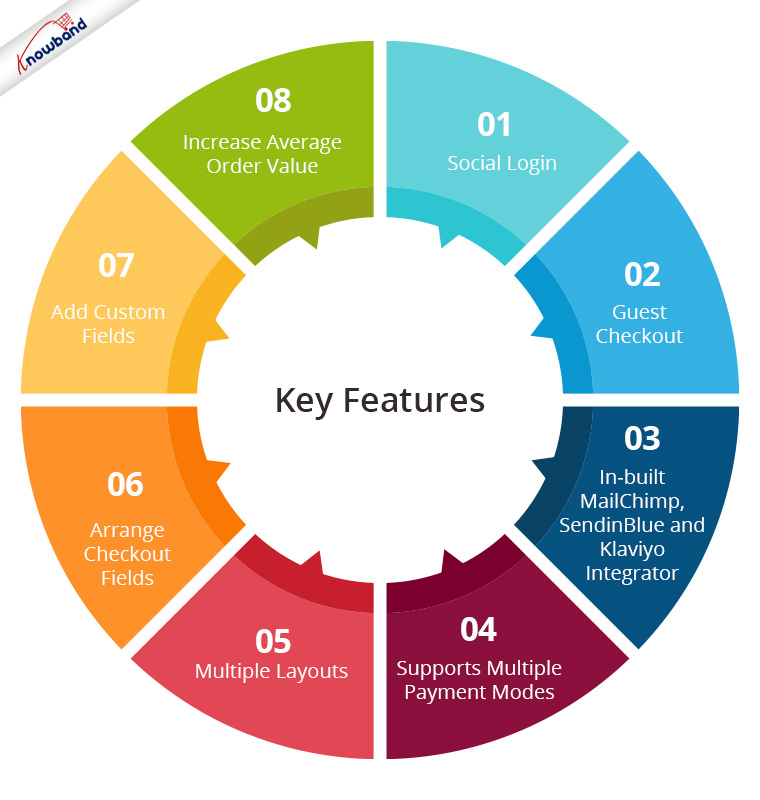
Key Features of One Page Checkout Module

1. Social Login

One page Quick Checkout offers social login options that allow users to register on your store with their Facebook, Google and PayPal accounts

2. Guest Checkout

Visitors who want to shop from your store without getting registered can make a purchase easily with the Guest Checkout option.

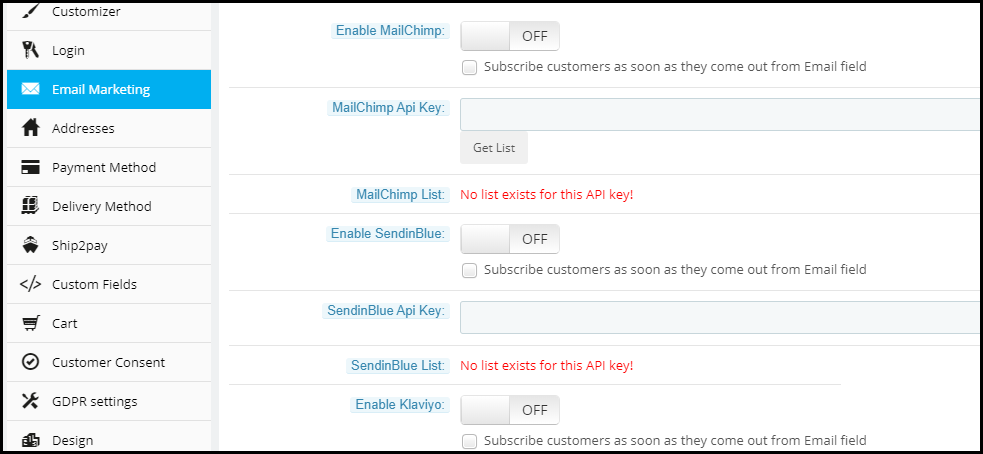
3. In-built MailChimp, SendinBlue and Klaviyo Integrator

You can collect the email address of your subscribers directly from the respective email service providers as soon as they log in to your store or subscribe to your newsletters.

4. Supports Multiple Payment modes and Shipping Services

Apart from Credit and Debit cards, Our Quick Checkout module supports various payment methods such as PayPal, PayU, Stripe, Sage Pay, Mobilpay, Ogone, Pago Facil, QuickPay, First Data, Paysera, Braintree, Checkout, etc.

Besides, it supports various shipping services such as Mondial Relay, So Colissimo, Ulozenka Delivery,  LP Express 24 Delivery, Webshipr, Zasielkovn Delivery, Paczkomaty InPost, Paczka w Ruchu, etc.

5. Multiple Layouts

One Page Fast Checkout module offers 3 layout designs: 1-column, 2-column, and 3-column. You can customize the layout accordingly.

6. Arrange Checkout Fields

Set the checkout fields’ priority with the drag and drop feature. Pick a checkout field and drop it to the desired position.

7. Add custom fields

If you want to add some additional fields to your checkout page, you can do it easily with the One Page Fast Checkout module.

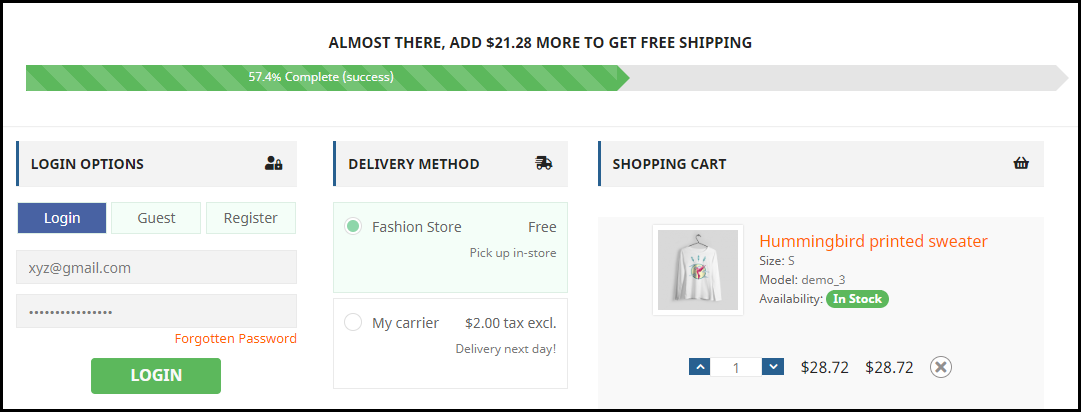
8. Increase Average Order value by displaying a Free shipping banner

This feature is specifically for the PrestaShop platform where the admin can specify the minimum amount for the customers to avail of the free shipping facility. If the customer’s cart amount is lesser than the specified amount, he or she will be displayed the extra amount they need to shop for if they want to get free shipping. This eventually increases your average order value.

9. Choose Total Price Display Methods

The e-merchant can now select from a variety of approaches for how to show the total cost of the items on the checkout page. From the One Page SuperCheckout addon’s back office, the store admin can select the PrestaShop default price, price inclusive of tax, price exclusive of tax, or both inclusive and exclusive of tax.

10) Track Customer Checkout Behaviour

In order to eliminate the pointless processes that are annoying the clients, the admin can evaluate the percentage of data filled or skipped by online users who abandoned their cart.

One page checkout is GDPR compatible and has a fully mobile responsive layout. It has multi-lingual support.

Final Thoughts

Whether you follow one step checkout or a multi-step checkout process, make sure to maintain the checkout flow. Ask for relevant information only. Get into the zone of your customers and try to figure out what changes you can make to improve the customer experience.

At the end of the day, it is totally your call. If you have some more points to add to this article, do let me know in the comments below. I would like to know your take as well. What do you prefer for your eCommerce website?