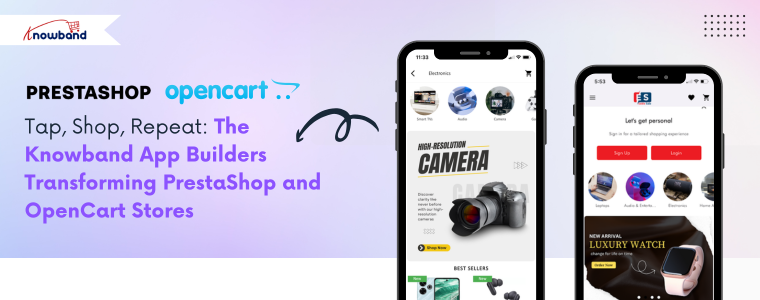
Tap, Shop, Repeat: The Knowband App Builders Transforming PrestaShop and OpenCart Stores

Online retail has progressed well beyond the desktop experience. Most shoppers today browse and shop using mobile apps because they provide convenience and personalisation with a simple tap. For store owners, this shift from desktop shopping to mobile apps creates both an opportunity and a challenge. How to deliver an app experience without complicated development and costs is the biggest challenge.

To fill that void for the e-commerce market, Knowband has developed the PrestaShop Mobile App Builder Module and the OpenCart Mobile App Builder Extension, two out-of-the-box solutions that can convert an existing store into fully functioning e-commerce Mobile Apps on Android and iOS. These modules give great app performance, customisation, and easy implementation to every merchant without the use of any code.

Why Businesses Are Choosing Knowband’s Mobile App Builders

The PrestaShop Mobile App and OpenCart Mobile App Builder Addon provide merchants with an easy way to enter the mobile market.

First, they reduce development time dramatically. Instead of spending time or money to hire a team or waiting for months for developers to complete work, merchants can publish a professional Android and iOS app in a very short period of time. Both App Builders are also connected to the online store and automatically sync with it, so whenever an update happens (whether it be for a product, price, or stock), it is instantly updated in the mobile app with no extra effort from the merchant in the back office.

Additionally, apps remain installed on users’ devices, which keeps the brand in the forefront of their minds, even when they are not shopping. You can also send push notifications at any time and send offers, product alerts, and order updates, which encourages users to engage in the app and make their next purchase.

Lastly, and possibly the best part, is that the modules offer complete design freedom. Store owners can design home screens that match their store, change banners in the app, update categories, or completely redesign layouts at any time and at any point in the future. With both the PrestaShop and OpenCart Mobile App Builder Plugin, there is absolute control over creative designs, and the best part is that it requires zero code.

Key Features of the PrestaShop and OpenCart Mobile App Builder
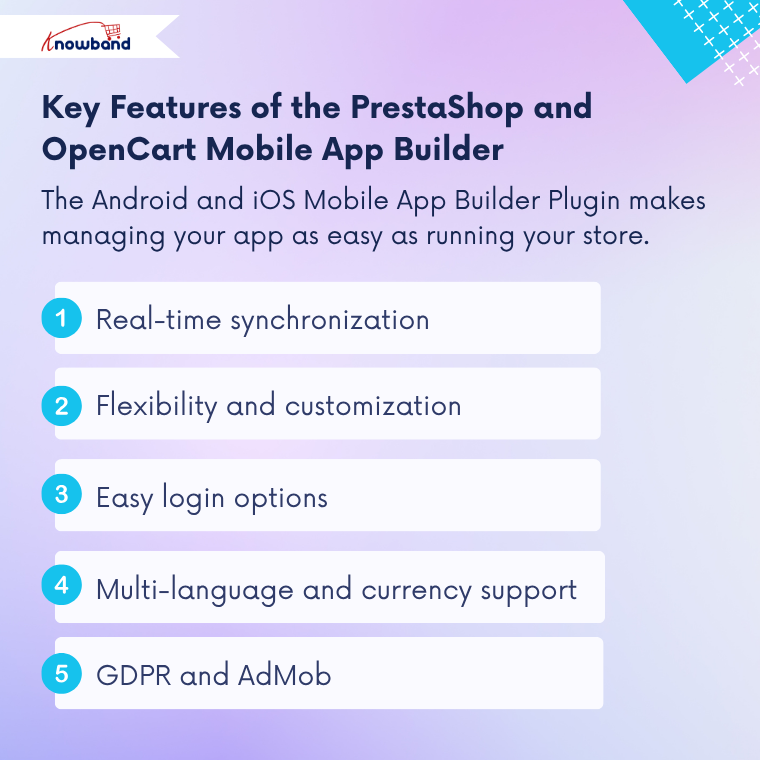
The Prestashop Android and iOS Mobile App Builder Plugin for both platforms has smart features that make running an app as simple as running a store. 

Real-time synchronization 

Everything you edit in your store, adding a product, changing price, and updating inventory, gets synced immediately with the app. It saves time and keeps the store and app in sync. 

Flexibility and customisation 

The Prestashop Mobile App Maker Addon offers store owners a simple way to customise app layouts. The merchant can build the home screen of the app, using banners, sliders, product grids, and promotion blocks. You can adjust colors, fonts, and icons as needed to find the right fit for the store branding. 

Easy login options

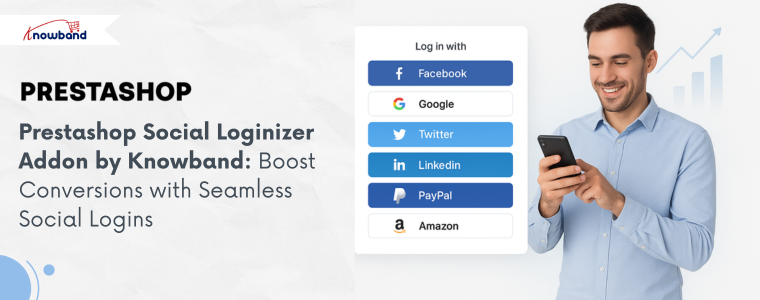
Both modules provide an easy one-click login option with Google, Facebook, Fingerprint, and OTP verification. Hence, faster access leads to an improved checkout flow and would bring customers back again and again.

Support for Multiple Languages and Currency

The PrestaShop Android and iOS Mobile App Creator Addon and the OpenCart Android and iOS Mobile App Creator Plugin support multiple languages and currencies, enabling businesses to communicate with an international audience with ease.

GDPR and AdMob

Both modules are compliant with GDPR. Hence, they allow merchants to link consent to CMS pages for privacy. They also have AdMob support for the store owner to display ads and generate revenue right from the app user interface.

How the Knowband OpenCart Mobile App Builder Works
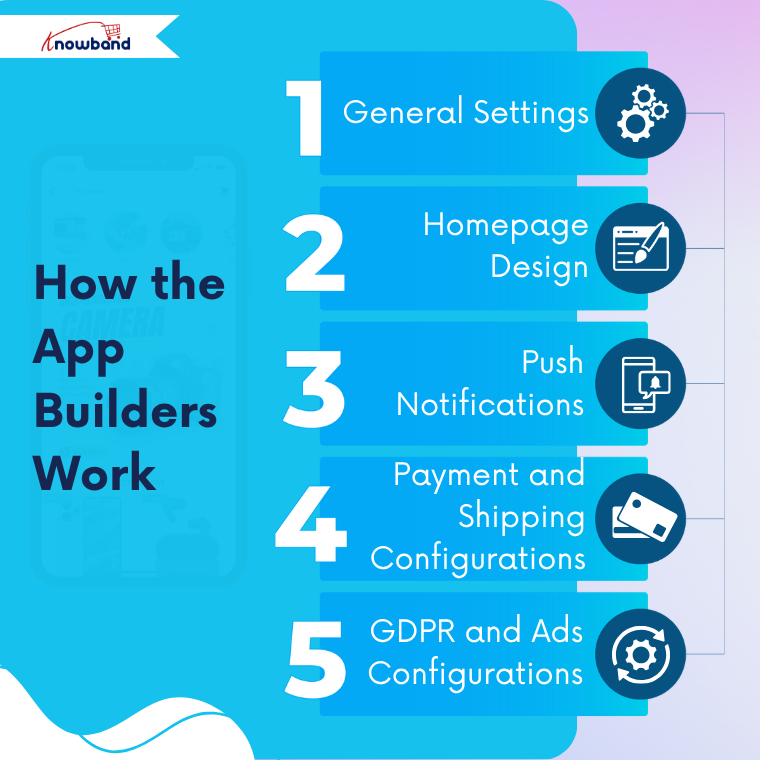
General Settings

The process begins with the General Settings section. Here, the admin can turn on or off the entire module with one click. Moreover, the admin can customize button designs or text labels, or turn on features like WhatsApp chat, fingerprint login, or phone number registration. Anything you change here will show up in the app instantly. 

Homepage Design

The next stage configures the look and feel of the front end. Using a drag-and-drop feature, merchants can design layouts using banners, sliders, a countdown timer, or featured today categories. Both modules offer pre-built templates for specific industries such as fashion, electronics, or grocery, and are customizable at any time for a new season or a festival.

Push Notifications

Store owners can send automatic notifications using Firebase integration for new orders, order status changes, or abandoned carts. Moreover, store owners can also create custom messages with links and images to ensure customers stay engaged, and merchants stay connected to their customers.

Payment and Shipping Configurations 

The OpenCart Mobile App Builder Addon automatically syncs payment and shipping methods from their respective stores. The store owners can add and disable them if necessary and keep a consistent checkout experience on both mobile applications. 

GDPR and Ads Configurations. 

Finally, the admin can enable GDPR compliance by adding the consent options to any of the privacy pages. They can also turn on AdMob to integrate ads at any screen they want, such as the home screen, product pages, etc, to monetize the store. 

Together, these sections make these modules easy to configure and use, so that any store can go mobile in hours instead of weeks.

Conclusion

Mobile shopping has taken over as the leading growth driver in eCommerce, and Knowband’s PrestaShop and OpenCart Mobile App Builder Addon helps each store to be part of that growth with ease.

Whether you have a PrestaShop or OpenCart store, Knowband’s Mobile App Builder Module will convert your online store into an app in just a few days, at a low cost, and with ease. 

The Shortcut to Conversions: Knowband’s One Page Checkout for PrestaShop and OpenCart

These days, people demand things quickly. Long forms are lengthy and can lead even keen shoppers to give up. One additional click can increase the possibility of cart abandonment. If you use PrestaShop or OpenCart, one of the fastest methods to increase your sales is to make your checkout easier.

The Knowband Prestashop One Page Super Checkout Addon is the solution to this problem. Knowband developed this module to make the checkout process for stores as easy as possible. It has replaced the multi-step checkout process with one smooth page. Hence, your customers can make purchases easily, eliminating cart abandonment and increasing your sales.

Why Store Owners Go for Knowband’s Prestashop One-Page Super Checkout Module

These Knowband One Page Checkout plugins give merchants a real edge.

First off, they’re fast. Everything from billing, shipping, payments, and confirmation lands on one tidy page. No more bouncing around screens or waiting for pages to reload. You end up with way less confusion, a much quicker checkout, and more finished orders.

They’re also flexible. Store owners get to tweak fields, pick layouts, and control the checkout experience without calling in a developer. Want to let people buy as guests or log in with Google or Facebook? No problem. Both modules handle that, so customers can zip through checkout without needing an account.

Plus, it all works smoothly on all devices. Phone, tablet, desktop, it doesn’t matter. The checkout page looks sharp and works smoothly. That means more customers finish what they started.

Key Features of the Opencart One Page Checkout Pro Extension

At its core, both modules aim to make checkout flawless for customers and merchants.

All-in-One Checkout Page

Everything you need, personal info, shipping, delivery choices, and payment details, shows up on a single page. Customers can fix mistakes or change details right there, no back-and-forth between screens.

Easy Login Options

Let people check out as guests, or log in with Google, Facebook, or PayPal. Signing in is quick, which means fewer folks drop off before buying.

Auto Address Detection

The Prestashop One Page Checkout Addon use the API to guess the shopper’s country and region. So forms fill up faster, and there’s less chance for typos.

Custom Fields Your Way

Moreover, admins can rename, hide, or move fields around. Mark them required or optional, just drag and drop until the form fits your business.

Additionally, the module allows admins to create multiple customer groups or profiles and assign different input fields to each profile. This helps collect only relevant information from different types of customers, making the checkout experience more personalized and efficient.

Supports All Payments and Shipping

Plug into any big payment gateway or shipping provider. Want to add PayPal, Stripe, or Apple Pay? Do it from the admin panel, along with reordering or disabling options.

Free Shipping Progress Bar

The One Page Checkout module also offers a free shipping progress bar that encourages customers to add more products to their cart in order to qualify for free shipping. This not only improves the shopping experience but also helps increase the average order value.

GDPR-Ready

Moreover, staying compliant is easy. Modules for both PrestShop and OpenCart let you add consent checkboxes and link straight to your privacy policy page.

Built for Mobile

The design works with any screen size. Hence, whether people shop on a phone or tablet, checkout stays smooth and simple.

How the Prestashop One Page Checkout Module Works

General Settings

Here, admins can switch the module on or off with just a click. Moreover, admins can also enable/disable guest checkout, newsletter option test mode, and more. 

Social and Guest Logins

Here, the admin just needs to flip a switch to let people sign in with Google, Facebook, and PayPal. Shoppers finish faster, and you lose fewer sales to annoying sign-up forms.

Customisation Settings

Here, you can pick your layout: one, two, or three columns. Moreover, you can also customise the positioning of all the elements in all the columns that yoy have selected.

Payment and Shipping Address

Here, admins can drag and drop all the fields to reorder, hide what they don’t need, or make things mandatory. The form gets cleaner, faster, and personalised according to your store’s needs.

Payment and Shipping Method

The Opencart One Page SuperCheckout Extension supports every payment and shipping method you’ve got. Rearrange, remove, or add new gateways, like PayPal or Apple Pay. Moreover, here you can customise how the methods should look in the frontend: with a logo, or just text.

Conclusion

Setting up the OpenCart One Page Checkout Plugin is easy. You don’t need to know a single line of code. Anyone can handle it from the backend with ease.

Here’s the thing: checkout can make-or-break your store’s sales. If the checkout is clunky, shoppers will abandon their carts. When it’s smooth and all on one page, like with Knowband’s PrestaShop and OpenCart One Page Checkout Modules, you keep people moving and buying.

It doesn’t matter if you’re on PrestaShop or OpenCart. With Knowband’s One Page Checkout Addon, you cut down on clicks, speed up sales, and send customers away happy. That’s the whole point.


Festive Flair for Your Online Shop: PrestaShop Holiday Effects Addon

The festive season is the perfect time to make your online store stand out and create a memorable shopping experience for your customers. With the PrestaShop Website Decoration Effects addon by Knowband, merchants can effortlessly add festive touches to their stores, making them look lively and engaging without touching a single line of code.

Bring the Holiday Spirit to Your Store

Whether it’s Christmas, New Year, Valentine’s Day, or any special occasion, this addon allows store owners to transform their website into a festive wonderland. With features like snow effects, hearts, header and footer decorations, and random festive elements, you can instantly give your store a holiday-ready look.

Additionally, the PrestaShop festive effects Module allows you to display a special discount strip on selected pages, highlighting holiday offers and encouraging customers to shop more.

Key Features of the PrestaShop Website Decoration Effects Addon

The PrestaShop seasonal decorations Module addon is designed to help you create a fully festive and engaging online shopping experience. With a wide range of customisation options, it allows store owners to make their websites visually appealing for any occasion.

Holiday-Specific Effects
To begin with, bring the spirit of every occasion to your store by adding themed effects such as snowflakes, snow flurries, hearts, or other festive decorations. Whether it’s Christmas, Valentine’s Day, or any other special event, your store can reflect the celebration seamlessly.

Flexible Display Options
Furthermore, gain complete control over where and when decorations appear on your store. You can select specific pages for display and schedule start and end times for decorations, thereby aligning them perfectly with holidays, campaigns, or promotional periods.

Discount Strip Integration
In addition, highlight your special offers with a fully customizable discount code strip. Furthermore, this feature allows you to display it on all pages or only selected ones, ensuring maximum visibility and driving conversions during promotional campaigns.

Multiple Decorative Elements
Moreover, enhance the visual appeal of your store by adding decorations to the header, footer, or as random elements across pages. Consequently, these features create a dynamic and attractive presentation that keeps customers engaged.

Admin Control and Customisation
Additionally, you can easily manage every aspect of the decorations directly from the admin panel of the Prestashop Website Decorator Module. By adjusting movement, positioning, colours, and other visual elements, you can ensure the decorations align perfectly with your store’s theme and branding.

Mobile-Friendly and Multi-Store Support
Finally, decorations are fully responsive, thereby providing a smooth and visually consistent experience across all devices, including smartphones and tablets. In addition, the addon is compatible with multiple store setups, making it ideal for businesses managing more than one store.

Benefits for Store Admins

Effortless Store Decoration for Every Occasion
With the PrestaShop festive effects Module, store admins can easily decorate their online store for a wide variety of festivals, seasonal events, and special occasions, all without requiring any coding knowledge. The intuitive interface allows you to add, remove, or modify decorative elements quickly, giving your store a professional and festive look in minutes.

Full Control Over Display Frequency and Placement
You have complete control over how often decorations appear and where they are displayed across your store. Moreover, the PrestaShop theme effect Module ensures that your design remains balanced, visually appealing, and aligned with your branding, while avoiding clutter or overuse of decorative elements.

Effective Promotion Highlighting with Customizable Discount Strips
The PrestaShop Christmas module allows you to showcase your promotions, sales, and discounts in a highly visible way using fully customizable discount strips. You can adjust the text, colours, placement, and timing to grab customers’ attention, driving more engagement and boosting conversion rates.

Quick Addition of Festive Elements for Constant Updates
Stay ahead of every festival, holiday, or special campaign by quickly adding new decorative elements to your store. This feature ensures your online store always looks fresh, modern, and in tune with ongoing events, helping you maintain customer interest and excitement throughout the year.

Enhanced Mobile Shopping Experience
The PrestaShop Christmas Theme module is designed to provide a seamless mobile experience, ensuring that all decorations, discount strips, and festive elements render perfectly on smartphones and tablets. This improves customer engagement, makes browsing enjoyable, and ultimately helps increase conversions and sales across all devices.

Benefits for Customers

  • Customers get to enjoy a visually festive shopping experience that reflects the holiday spirit.
  • Decorative elements like snowflakes or hearts create excitement and a sense of celebration.
  • Discount strips make it easy for shoppers to find special offers without searching for coupon codes.
  • The engaging user interface encourages shoppers to explore more products and make purchases.

Why Choose Knowband?

Knowband is a trusted name in eCommerce development, specialising in PrestaShop plugin development. Our team of experienced developers ensures your store not only functions flawlessly but also delivers a delightful user experience.

If you need a feature that isn’t available in existing plugins, Knowband can develop custom plugins tailored specifically to your store’s needs, helping you create a unique and engaging shopping experience for your customers.

👉Explore the Module with Our Video Guide


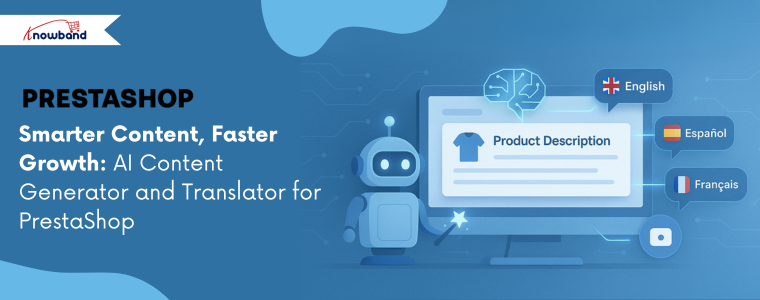
Smarter Content, Faster Growth: AI Content Generator and Translator for PrestaShop

The most time-consuming activity of online store owners is to create product descriptions, blog posts, and translations. Each product must contain different content, and in case you wish to sell products worldwide, you must have different languages as well. Nevertheless, manually writing and translating all of the data is time-consuming, draining, and slows down the store’s growth.

This is where the AI Content Generator and Translator for PrestaShop comes in. Developed by Knowband, this smart addon allows you to generate fresh content and translate it in a second with the help of advanced AI models. Furthermore, it works directly within your PrestaShop store. Therefore, you do not have to use additional tools or separate platforms. Thus, you save time, reduce costs, and focus more time on selling.

Benefits of PrestaShop AI Content Generator and Translator

Prestashop AI Content Generator and Translator Addon has several advantages for merchants and customers:

  • Saves Time: You generate content in seconds rather than writing all the content down.
  • Cost-Effective: There is no need to hire writers or translators to do bulk work.
  • Global Reach: The Prestashop AI Content Translator Module will make your products readable in various languages.
  • SEO-Friendly: Moreover, you can make content that is optimized and that ranks better on the search engines by using the Prestashop AI Content Module.
  • Consistency: Unlike Humand, the Prestashop AI Content Generator and Translator Module produce a consistent tone and format each time.
  • Flexibility: The Prestashop AI Content Generator allows the store admins to create the content for category pages, product pages & CMS Pages.

So, this is not only a time-saving addon, but it is also a business booster.

Key Features of the AI Content Generator for PrestaShop

Knowband’s Prestashop AI Powered Content Generator & Translator Module is loaded with smart functionality:

  • Multiple AI Engines: You can select between various AI engines such as ChatGPT, Gemini AI, Claude AI, and Deepseek based on your preference.
  • Bulk Generation: The addon helps to create content in bulk, meaning that you can create descriptions of hundreds of products at once.
  • Translation Power: You can also quickly translate anything in a foreign language with the Knowband Prestashop Claude Content Translator Addon.
  • Personal Settings: The store owners can change the tone, style, and number of words to suit the brand.
  • Easy-to-use panel: You do not have to switch between different platforms; all the work is completed within the back office of the Prestashop ChatGPT Content Generator Translator Addon.

In addition, using the Prestashop AI Content Generator and Translator Module by Knowband, you can make corrections to the AI-generated content before publishing to ensure you have full control.

How the Prestashop AI Bulk Content Generator Works

It is a simple process to use and learn:

  • Installation: On the admin panel, upon installing the Prestashop AI Content Generator and Translator Addon, admins can activate or deactivate it with a single click.
  • Select AI Model: Select the AI model that you would like to use: ChatGPT, Gemini, Claude, or Deepseek. On the other hand, you can also change it at any time.
  • Create Content: You just type in product descriptions or keywords. The Prestashop AI Content Generator and Translator Addon will automatically generate descriptions, titles, or blog posts.
  • Bulk Mode: If you need content for multiple products, the AI Bulk Content Generator for PrestaShop allows you to generate all the content using CSV files at once.
  • Translate: Choose the target language and leave the Prestashop AI Content Translator to do the translating. Thus, you can enter new markets within a short period of time.
  • Review and Publish: You can edit, approve, and publish the material directly to your store.

Besides, Knowband’s Prestashop AI Content Generator and Translator Addon also logs your generated content statistics. So, you always know what was written.

Conclusion

In today’s fast-paced e-commerce world, content is not optional, but a necessity. However, the process of handwriting and translating is time-consuming. With the Prestashop AI Content Generator and Translator Addon, you get instant, high-quality content for your store.

With the Knowband Prestashop ChatGPT addon, you are in good hands. In addition, the fact that the Prestashop Gemini AI Content Generator can create in bulk, translate immediately, and edit outputs makes this addon a must-have.

Now, the module is also available for opencart, woocommerce & magento 2. Checkout the Opencart AI Content Generator and Translator Plugin by Knowband will be the ideal solution. It is clever, easy, and designed to save time and increase sales.

Best Features of the Prestashop One Page SuperCheckout Module You Should Know About

In today’s fast-paced eCommerce world, a smooth and hassle-free checkout can make the difference between a sale and an abandoned cart. Customers don’t like lengthy forms, multiple pages, or confusing layouts when they’re ready to buy. That’s where the Prestashop One Page SuperCheckout Module by Knowband comes in.

This powerful module simplifies the checkout process by combining everything onto a single page, making it faster, cleaner, and more user-friendly. 

Here are the best features that make it a must-have for any PrestaShop store owner.

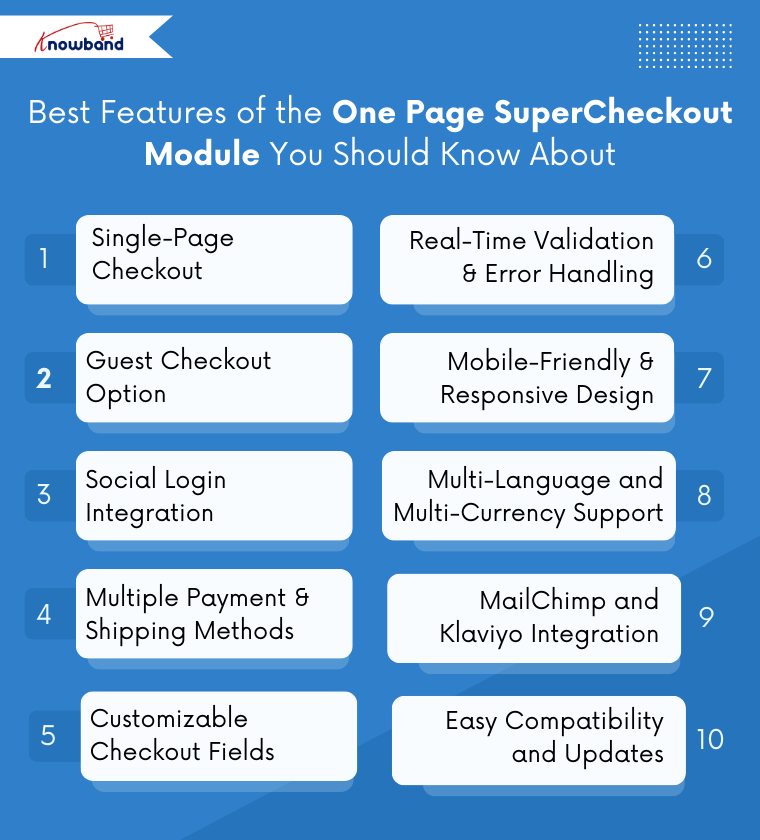
1. Single-Page Checkout

The most interesting feature is its all-in-one layout, where customers can fill in billing and shipping details, select payment and delivery methods, and place their order without navigating multiple pages. Moreover, reducing steps in the checkout process is proven to lower cart abandonment rates and increase conversions.

2. Guest Checkout Option

Not every customer wants to create an account. With the guest checkout feature, users can place orders quickly without registration. Furthermore, this is especially useful for first-time buyers or customers in a hurry, helping stores capture more sales.

3. Social Login Integration

The Knowband’s Prestashop Quick Checkout module supports social logins like Google, Facebook & PayPal, allowing customers to sign in with just a click. Furthermore, this saves time, reduces friction, and improves the overall shopping experience.

4. Multiple Payment & Shipping Methods

Prestashop One Page Checkout Addon works seamlessly with a wide range of payment gateways and shipping options, giving customers flexibility and convenience. Whether it’s credit cards, digital wallets, or local shipping services, the module ensures a smooth transaction process.

Moreover, the Prestashop One Page supercheckout module also has the incredible feature of Ship2Pay.

With the Ship2Pay feature, the store admin can map the payment methods with the selected delivery methods. If the admin has mapped some payment methods with a particular delivery method, then other payment methods will be disabled for the customers on selecting this particular delivery method.

5. Customizable Checkout Fields

 Every business has unique requirements. Additionally, Knowband has designed the module in a way that it allows store owners to customise checkout fields. You can enable, disable, or reorder fields to fit your business needs and customer preferences. Hence, this ensures a cleaner interface and a more personalised checkout experience.

Furthermore, the module allows admins to create multiple customer groups or profiles and assign specific input fields for each profile. This helps collect only relevant information from different types of customers, making the checkout process faster and more tailored to business requirements.

6. Real-Time Validation & Error Handling

Errors during checkout can frustrate customers and lead to abandoned carts. Prestashop One Page SuperCheckout includes real-time validation, providing instant feedback if a field is missing or entered incorrectly. Consequently, this makes the process smoother and reduces failed transactions.

7. Mobile-Friendly & Responsive Design

With more shoppers using mobile devices, having a responsive checkout is essential. The module is fully mobile-friendly, ensuring the checkout experience is consistent across smartphones, tablets, and desktops. Customers can complete purchases easily, no matter the device.

8. Multi-Language and Multi-Currency Support

For international stores, the module offers multi-language and multi-currency support, making it easier for global customers to shop and pay in their preferred language and currency. This helps expand your market reach without complicating the checkout.

9. MailChimp, SendinBlue and Klaviyo Integration

The Knowband’s Prestshop One Page Supercheckout module seamlessly integrates with popular email marketing platforms like SendinBlue, MailChimp and Klaviyo. Additionally, this allows you to automatically sync customer data, segment audiences, and run targeted email campaigns directly from your PrestaShop store. Furthermore, by leveraging these integrations, you can boost customer engagement, increase repeat purchases, and personalise marketing efforts without any manual data transfer.

10. Easy Compatibility and Updates

The Prestashop One Page Supercheckout Addon is now fully compatible with 9. x.x and earlier versions, including PrestaShop 1.7 and 8. x.x. It ensures smooth updates and integration with your existing store setup. Additionally, it also works well alongside other modules, avoiding conflicts and providing a stable checkout environment.

11. Free Shipping Progress Bar

The Prestashop One Page SuperCheckout Module also offers a free shipping progress bar that encourages customers to add more products to their cart in order to qualify for free shipping. This feature helps increase average order value while improving the overall checkout experience.

Conclusion

The Prestashop Simplified One Page SuperCheckout Module is more than just a checkout redesign; it’s a strategic module to boost conversions, reduce cart abandonment, and enhance customer satisfaction.

Moreover, from guest checkout and social logins to real-time validation and mobile responsiveness, every feature is designed to simplify and accelerate the purchase process. For any PrestaShop store aiming to provide a seamless shopping experience, Knowband’s One Page SuperCheckout is a must-have module.

By implementing this module, you not only streamline the checkout but also improve customer loyalty, increase sales, and make your store more competitive in the ever-growing eCommerce market.

👉Explore the Module with Our Video Guide


Turn Your Store into a Mobile App with Knowband’s Mobile App Builder

Nowadays, most people shop on their phones. Whether they are shopping while travelling or late at night, they want a fast and easy experience that feels like using an app. If you’re still relying only on your website, you’re probably losing a lot of potential customers and sales.

That’s where Knowband’s Prestashop Mobile App Builder steps in. It helps you launch a custom Android and iOS app for your store, quickly, affordably, and without any coding.

If you are using prestashop, they have you covered with ready-to-use mobile app solutions that sync directly with your website.

Why Your Store Needs a Mobile App

First, let’s look at the obvious. A mobile app keeps your store just one tap away from your customers. Instead of typing URLs or opening browsers, users can directly launch your app and start shopping.

That convenience alone can increase your chances of getting repeat customers.

Second, mobile apps load faster and offer a smoother experience than mobile websites. Additionally, with features like push notifications and one-page checkout, you stay ahead of your competitors.

Important Update: PrestaShop Mobile App 6.0.6 Live Now

Running customer support on a mobile storefront usually means someone answering the same product questions over and over. PrestaShop Mobile App 6.0.6 is released to take that load off store owners with a chatbot that sits inside the app itself. (Updated September 29, 2026)

What changes for your store:

  • Fewer repeat questions to answer manually. The Prestashop AI chatbot handles common queries in real time, so shoppers aren’t waiting on a reply.
  • Better product discovery without rewriting your catalogue. Semantic search reads what a customer means, not just the words they typed, so mismatched keywords stop costing you sales.
  • Support hours you control. Scheduling allows the chatbot run only when you want it active, matching your actual support hours instead of being always-on or always-off.
  • A built-in upsell tool. Product recommendations show relevant products based on what customers ask, adding a discovery layer you didn’t have to build yourself.

None of this requires new integrations or a separate signup; it ships with the app update.

If your team spends time answering the same handful of product questions each week, this update is built to take that off your plate.

Why This Prestashop Mobile App Builder Stands Out

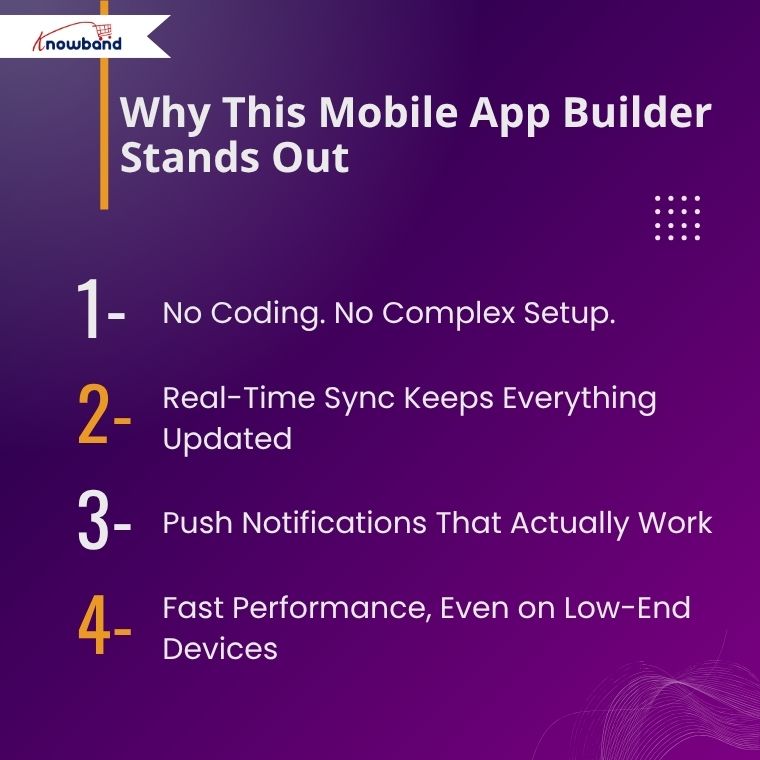
No Coding. No Complex Setup.

One of the best parts? There’s no need to hire a developer or know how to code. The PrestaShop Mobile App Creators are ready-to-use modules. Just install them, set a few options, and your app is good to go. We even help with app publishing on Google Play and Apple App Store.

Whether you’re going with the PrestaShop Android App Builder, the process remains easy and beginner-friendly.

Real-Time Sync Keeps Everything Updated

Here’s a common pain point for store owners: managing inventory across platforms. With mobile app builders, you don’t have to worry about that.

Every change you make on your website, whether it’s price updates, new arrivals, or stock changes, reflects instantly on your app.  With real-time synchronisation, your PrestaShop eCommerce Mobile App always stays in sync with your store.

This helps you avoid customer complaints and keeps your app content fresh.

Push Notifications That Actually Work

Email marketing is slowly fading. Instead, push notifications are becoming the go-to way to reach customers.

Using the Prestashop Android and iOS Mobile App Maker Addon, you can send custom push notifications directly from your admin panel. Launching a sale? Promoting a new product? Reminding users of cart items?

Just type your message and hit send. It’s quick, direct, and highly effective.

Fast Performance, Even on Low-End Devices

No one likes slow apps. That’s why Knowband optimised their Mobile App for PrestaShop to work smoothly across a wide range of devices, even older phones.

From homepage banners to product filters, everything loads fast and works without glitches. The apps also support offline mode, which keeps users engaged even with poor connectivity.

A Shopping Experience Your Customers Will Love

Let’s talk about the actual user experience. The mobile apps come with features your customers expect and appreciate.

  • Easy navigation with bottom menus and category sliders
  • Quick login with fingerprint, OTP, or social login
  • Wishlist and product sharing to improve engagement
  • Multi-language and multi-currency support
  • Integrated payment and shipping methods

Furthermore, whether you’re using the PrestaShop Mobile App, your customers get a professional, modern, and secure app.

Customise It Your Way

Don’t want a cookie-cutter design? You don’t have to settle. The app layout is fully customizable. Change colours, banners, sliders, and home screen blocks as often as you want.

Using Prestashop, you can easily decide how your app looks and works; as a result, that means your app can grow with your brand, not the other way around.

Hassle-Free App Publishing

Publishing an app on Google Play or the App Store can be a headache. But with Knowband’s Mobile App Builder, it’s become easy.

They take care of the entire app submission process for you, from beginning to end. You just provide a few details, and their team does the rest. Whether it’s for the PrestaShop iOS App Maker, you don’t have to lift a finger.

Final Thoughts

To sum up, if you really want to grow your online business, having a mobile app is no longer just a choice; it’s a must. Moreover, with PrestaShop Mobile App Builder Addon you can create one easily without spending too much or starting from scratch.

Instead, you get a fully functional app that works on both Android and iOS, syncs with your store in real-time, and gives your customers the seamless shopping experience they expect.

So, whether you choose the PrestaShop Mobile App Maker, you get an easy setup, great performance, and lasting value.

How to Speed Up Your PrestaShop Store in 2025: The Ultimate Core Web Vitals Guide

Nobody enjoys waiting for a slow website. Your customers will press the back button within seconds. Also, Google now uses speed to rank websites. As a result, you lose both customers and search engine rankings if your PrestaShop store is slow. But don’t worry, this guide will help you fix that issue quickly.

What Are Core Web Vitals? (It’s Actually Simple)

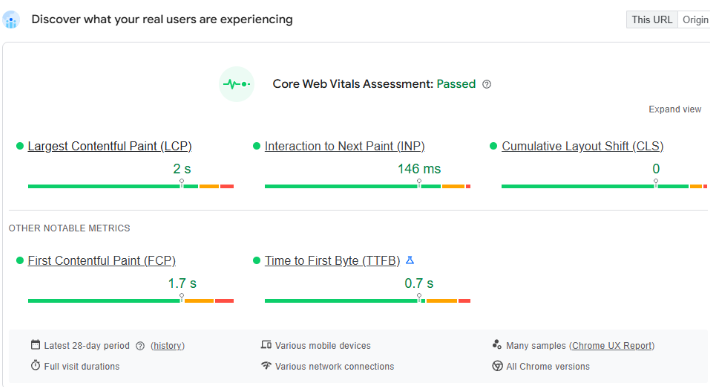
Consider Core Web Vitals to be the Google report card for your website. They gauge the below most crucial elements for your site’s visitors:

  • Largest Contentful Paint (LCP): This measures how long your biggest page element takes to load. Aim to keep it under 2.5 seconds. First impressions matter, so a slow-loading page makes visitors think your site is broken.
  • Interaction to Next Paint (INP): This checks how fast your site responds to clicks. Keep it under 200 milliseconds. When people click buttons, they expect an instant response. Otherwise, they get frustrated and leave.
  • Cumulative Layout Shift (CLS): An annoying page jump is measured by Cumulative Layout Shift (CLS). You know when you are about to click something and the page shifts? Keep this under 0.1. Nobody likes accidental clicks during checkout.

Time to First Byte (TTFB): This measures how quickly a request is processed by your server. A decent TTFB is less than 200 ms. When TTFB is slow, users have to wait longer for anything to load at all.

If you fix these, you’ll see more sales. Your customers will be happier, and Google will rank you higher.

Your PrestaShop Speed Plan

Ready to transform your slow store? Here’s your action plan.

1. Fix Those Huge Images

Large images are a primary killer of store speed. Here is what works:

  • First, convert images to WebP format. This cuts file sizes by 30% without losing quality.
  • Then, set up lazy loading. This loads images only when customers scroll to them. As a result, pages load faster upfront. Customers see content immediately instead of blank screens.

2. Leverage a Content Delivery Network (CDN)

A global network of servers is called a CDN. A CDN pulls content from the nearest server when a customer comes into your store. Especially for a worldwide audience, this lowers latency and expedites the delivery of content. Services like Cloudflare offer great CDN solutions that are easy to integrate with PrestaShop.

3. Tame Your Code: CSS and JavaScript Optimization

PrestaShop relies on CSS and JavaScript files. Over time, these files can become large, which can block rendering and delay content loading.

  • Minify and Combine: Minifying CSS and JavaScript removes unnecessary characters, reducing file size. There are fewer HTTP requests when several files are combined into one. PrestaShop has a built-in feature for this called “CCC.” You should definitely enable it.
  • Defer Non-Essential Scripts: To improve your INP score, defer non-critical scripts. This means loading these files after the main content appears. Consequently, users can interact with your page much faster.

4. Use Smart Caching

Caching is like your store’s memory. Instead of rebuilding pages for every visit, your server remembers and reuses content. To speed things up, set up server caching using tools like Redis or Memcached. These store database results in memory, giving repeat visitors lightning-fast responses.

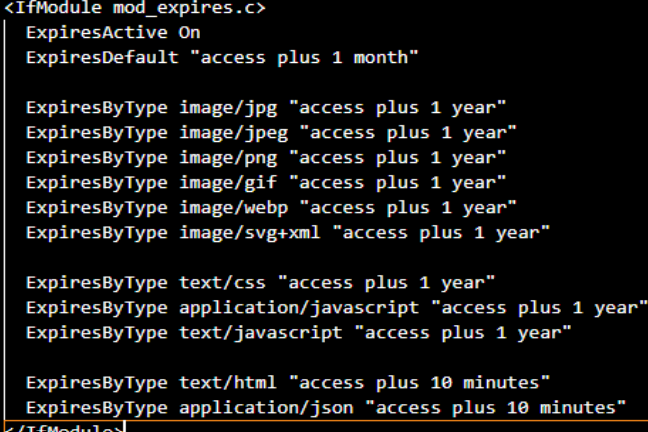
You should also configure browser caching. This tells visitors’ browsers to remember your static files, like images and stylesheets, so they don’t have to download them again in the future. visits. You can set a long cache time for these files via the .htaccess file if you’re using an Apache web server.

5. Regular Audits

Regular audits help identify unnecessary or outdated entries that only consume space and slow down queries. For example, tables like ps_log, ps_connections, ps_connections_page, and ps_guest often grow very large. They store logs, statistics, and visitor data that are rarely used. Similarly, abandoned carts in ps_cart, expired vouchers in ps_cart_rule, and old email records in ps_mail can be removed safely after a certain period.

Tools to Track Progress

You must evaluate your present performance before optimising. You can examine your PrestaShop store’s Core Web Vitals with the aid of a number of effective tools.

  • Google PageSpeed Insights: This is the most authoritative tool for measuring CWV. Just enter your URL to get detailed reports for both desktop and mobile performance.
  • Google Search Console: This free application keeps track of your CWV continuously.
  • GTmetrix: GTmetrix offers detailed performance analysis with visual tools. Using Lighthouse, it generates scores for your pages and offers actionable recommendations on how to optimise.
  • Lighthouse: A Google open-source tool that analyses your website’s performance, accessibility, SEO, and best practices. You can use Chrome DevTools or the CLI to run it, and it provides you with scores for every category along with actionable insights.

At Knowband, we guide store owners with best practices to maintain a clean and optimised PrestaShop database. By following systematic audit routines and learning which tables can be safely cleaned, merchants can avoid unnecessary bloat, reduce query load times, and improve overall store performance.

Google Play Policy & API Updates Effective August 31, 2025: What Developers Need to Know

Google Play has announced a comprehensive set of policies and API updates that will come into effect on August 31, 2025. Importantly, these changes are part of Google’s continuous efforts to strengthen user security, improve app quality, and ensure consistency across its ecosystem.

For developers and businesses with apps on the Play Store, these updates are not optional. Furthermore, failing to comply with the new requirements could result in apps being removed from the Play Store, preventing new users from discovering them and limiting access for existing users.

In this article, we are providing a comprehensive breakdown of the new policies, their technical implications, and how developers can prepare.

Target API Level Requirements

First and foremost, one of the most critical changes in this update revolves around target API levels.

New Apps & Updates: Starting August 31, 2025, all new apps and app updates submitted to the Play Store must target Android 15 (API level 35) or higher. Additionally, this ensures that apps leverage the latest security features and performance optimizations provided by the Android operating system.

Existing Apps: Meanwhile, apps already published on the Play Store will need to target at least Android 14 (API level 34) to remain visible to users with newer devices. Consequently, apps that fail to meet this requirement may remain installed for existing users but will no longer be available for download by new users.

Extension Option: Fortunately, Google is offering a short grace period. Developers can request an extension until November 1, 2025, through the Play Console. However, this should be treated as a backup option rather than a primary strategy.

Why this policy matters to your mobile app

Essentially, apps targeting outdated API levels miss out on the latest security patches, privacy controls, and performance improvements. Therefore, this requirement ensures that all active apps remain compatible with modern devices and meet user expectations.

Play Billing Library

In addition to API requirements, another key change relates to in-app purchases and subscriptions.

All new apps and app updates must now use Play Billing Library version 7 or newer. Notably, this is a significant update as it impacts how developers handle in-app purchases (IAPs), subscriptions, refunds, and payment flows.

Moreover, Google emphasises this requirement to improve transaction security, provide a consistent purchase experience, and reduce fraudulent activities.

Similar to the API level requirement, developers may request an extension until November 1, 2025, to migrate to the new library.

SDK & Development Tools

To ensure a smooth transition, Google strongly recommends developers use the latest Android SDK and associated development tools.

Specifically, the SDK Upgrade Assistant in Android Studio helps developers identify outdated dependencies, upgrade API levels, and resolve compatibility issues.

As a result, this reduces manual effort, minimises migration errors, and ensures that apps take advantage of new frameworks, improved APIs, and enhanced security controls.

Ultimately, staying updated with the Android SDK isn’t just about compliance; it’s about future-proofing your app. Apps built on outdated SDKs may struggle with compatibility on new devices, leading to crashes and poor reviews.

Scoped Storage & File Access

Meanwhile, Google introduced Scoped Storage in Android 11, and by 2025, it will become an enforced standard.

Moving forward, apps will no longer have broad access to external storage. Instead, they must:

  • Store files in app-specific directories
  • Use the MediaStore API for media files
  • Leverage the Storage Access Framework (SAF) when users need to select specific files

Impact on developers: Consequently, apps that still rely on legacy storage permissions may face rejection or functionality issues on Android 15. Therefore, migrating to Scoped Storage ensures smoother performance, stronger security, and better user trust.

Deprecated APIs

Furthermore, Google has clarified that apps relying on deprecated or outdated APIs may face rejection during Play Store review.

Essentially, deprecated APIs are those that are no longer recommended because newer, more secure alternatives exist.

As a result, continuing to use them increases the risk of crashes, security vulnerabilities, and poor performance on modern devices.

News and Magazines Apps

If your app falls under the News and Magazines category, there’s an extra requirement you can’t afford to miss.

Specifically, developers must submit a special declaration in the Play Console.

Notably, the deadline for this was August 27, 2025, slightly earlier than the general policy update.

Ultimately, this declaration ensures that apps categorised as news sources meet standards for credibility, transparency, and responsible content distribution.

How Knowband Can Help

If your store is built on PrestaShop, OpenCart, WooCommerce, or Magento 2, Knowband has you covered.

Our Mobile App Builder Module is already fully compatible with Google’s latest policy changes.

Here’s what we offer:

  • Hassle-free update process for your eCommerce app without interrupting your business operations
  • Guaranteed compliance with the new target API level requirement and all other Google Play policies
  • End-to-end support from our expert team for smooth migration, testing, and deployment
  • Proven track record of helping thousands of merchants successfully launch and maintain Google Play-compliant apps

With Knowband, you can focus on growing your business while we handle the technical compliance and optimisation for your mobile app.

Final Thoughts

In conclusion, the August 31, 2025, Google Play deadline is approaching fast, and for Android developers and eCommerce store owners, it’s a milestone that cannot be ignored. Unfortunately, missing these updates could result in app removal, loss of visibility, reduced downloads, and disruption of your business operations.

However, by acting early and adopting the right strategies, you can ensure your app stays compliant, secure, and optimised for the latest Android ecosystem.

With Knowband’s Mobile App Builder, you get a hassle-free, future-proof solution designed for PrestaShop, OpenCart, WooCommerce, and Magento 2 stores. From guaranteed Google Play compliance to delivering a seamless shopping experience for your customers, Knowband helps you stay ahead of deadlines and competition.

Don’t wait until the last minute, upgrade your store app with Knowband today and keep your business growing without interruptions!

Explore:

Top 5 PrestaShop Modules Every Store Should Install in 2025

PrestaShop 9 is here, and with it comes a fresh wave of performance improvements, new APIs, and developer-friendly updates. But even the most advanced version of PrestaShop needs the right set of modules to unlock its full potential.

To truly stand out in 2025’s competitive e-commerce landscape, you need the right modules to extend functionality, improve customer experience, and streamline your operations.

Whether your goal is faster checkout, stronger SEO, better marketing, or global scalability, the right add-ons can transform your store from “just functional” into a high-performing sales machine.

In this guide, we have shared the Top 5 PrestaShop modules every store should install in 2025, addons that will make your online shop faster, smarter, more secure, and more profitable.

So why wait? Let’s explore the amazing prestashop module that will increase your sales and customer base.

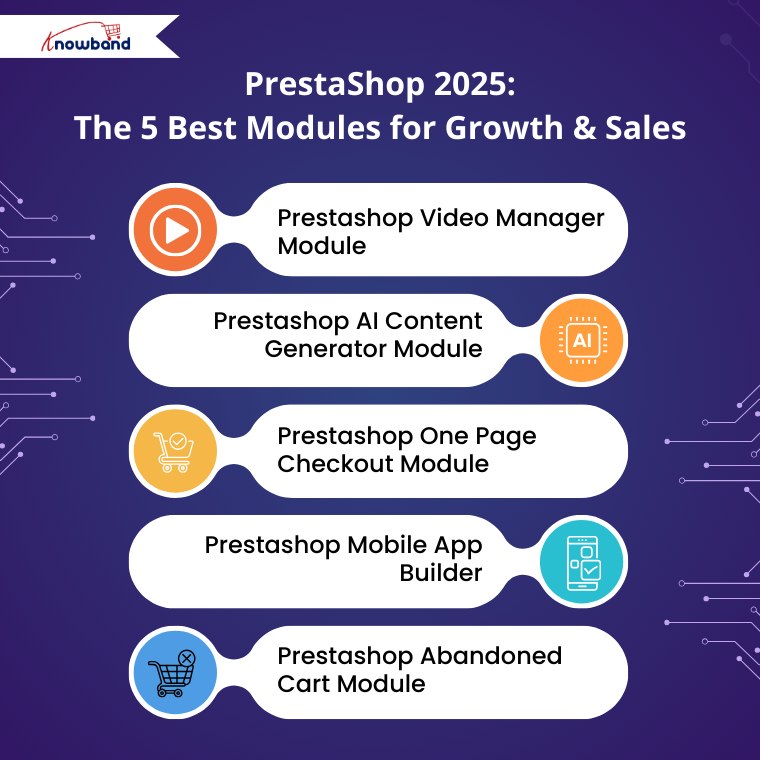
1 . Prestashop Video Manager Module: 

Nowadays, people love to see the actual product rather than just static images. So, Knowband has taken this into account and developed the VideoMate, which is a complete video manager module for a store.

Store owners can download the reels, shorts or any trending social media platforms like Instagram, YouTube, TikTok, etc. Moreover, the videomate allows you to add those videos to product pages, category pages and the home page.

Well, it’s not only limited to the category page, but you can also add the videos to the best sellers as well as the new products page.

2. Prestashop AI Content Generator Module:

AI is involved in our daily lives. Now you don’t have to manually add the content to the page because Knowband has developed a module that not only generates the content but also translates the content into any language.

Furthermore, the Prestashop AI Content Generator & Translator not only contains one AI but it holds the power of 4 AI, including Gemini, ChatGPT, Claude & DeepSeek. 

So why waste your time writing product descriptions when you have the Prestashop AI Content Generator & Translator Module?

3. Prestashop One Page Checkout Module

Customers often get frustrated when they’re forced to navigate through multiple pages just to complete an order. This lengthy process is one of the main reasons behind high cart abandonment rates.

That’s why a one-page checkout is a great choice, and obviously, it has become a necessity. It simplifies the buying process by bringing everything onto a single screen.

Introducing the PrestaShop One Page Checkout Module, a powerful solution that merges all the essential steps, including personal details, address, shipping, delivery methods, payment options, and order summary, into one seamless page.

4. Prestashop Mobile App Builder

Today, fewer customers shop through websites- most prefer the convenience of a mobile app. With the PrestaShop Mobile App Builder, you can turn your store into a fully functional shopping app, giving customers a faster, more personalised, and engaging shopping experience right at their fingertips.

In the Prestashop Mobile App Builder, you don’t have to manually add products. It automatically syncs products, categories, and even payment options from your website, and the same will be shown on the app. Additionally, product quantities and prices don’t need to be added manually, as they are synced directly from the website.

5. Prestashop Abandoned Cart Module

When a customer abandons your cart, it is important to know which customer did so. 

The Prestashop Abandoned Cart Module allows you to track and analyse abandoned carts and recover lost sales by sending reminders via email or push notifications. Moreover, the Prestashop Abandoned cart Module provides detailed insights into the products left in the cart, the customer’s behaviour, and allows you to create targeted campaigns to encourage them to complete their purchase. 

Furthermore, this not only helps increase conversions but also improves overall customer engagement and retention.

Conclusion

So why wait? Upgrade your store today with Prestashop addons like AI Content Generator, Abandoned Cart Module, Videomate, and Mobile App.

These modules streamline store management, boost customer engagement, recover lost sales, and enhance the overall shopping experience.

With automated content creation, multilingual support, personalised cart recovery, video marketing, and a seamless mobile app, your store will be equipped to attract more customers, increase conversions, and stay ahead of the competition. 

Take your Prestashop store to the next level today and unlock its full potential!