In an online business, keeping a customer waiting for more than 3 seconds is an “unpardonable crime” that invites harsh penalties from Google and loss in terms of online search rankings. A slow loading website is the biggest roadblock for higher conversions and sales on an eCommerce site.
As per a survey done by Akamai and Gomez.com, some startling facts came into notice. Some of these are discussed below:
- 47% of consumers want a web page to load in 2 seconds or less.
- Around 40% of people leave or abandon a site if it takes more than 3 seconds to load properly.
- Moreover, a 1 second delay in the response time of a web page often results in a 7% loss in the conversions of a website. To understand it in a better way, it is time to take a quick look at the statistical image given below:
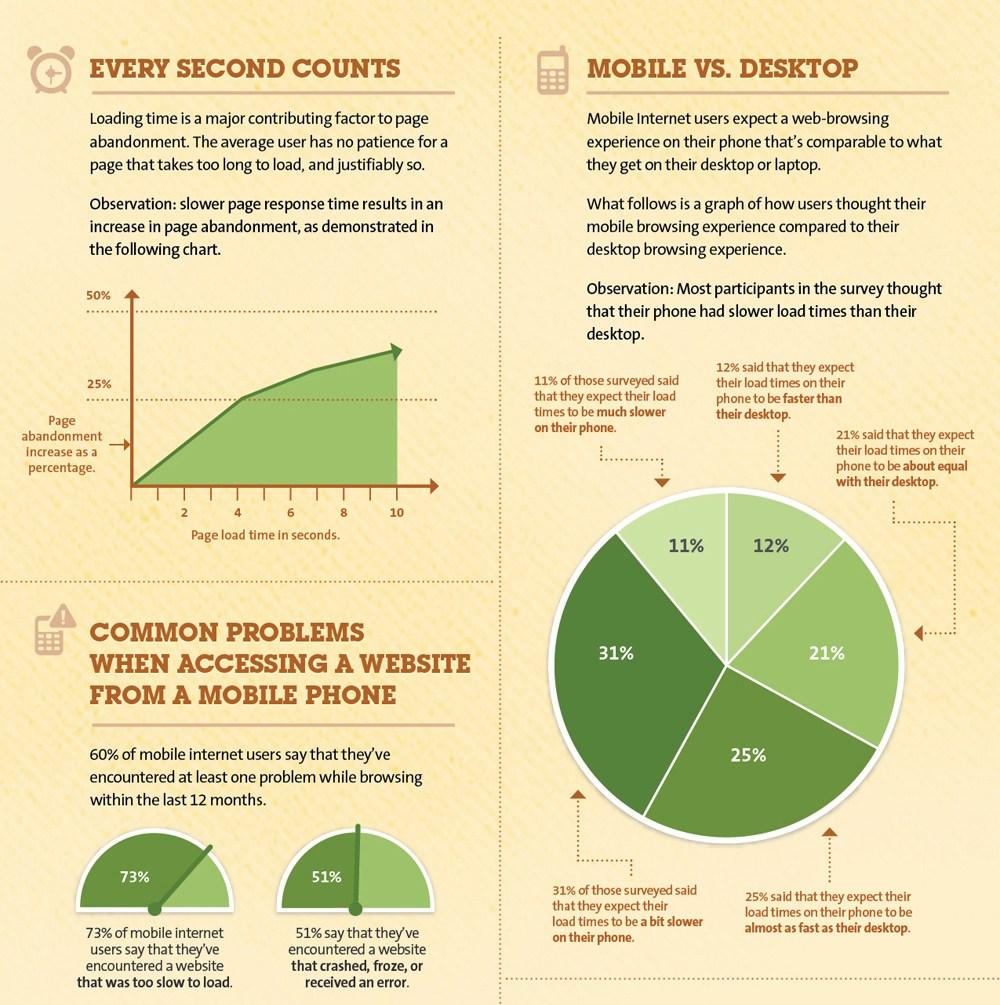
Analyzing the above picture, a slow performing website is a matter of serious concern as it can affect your business chances severely. If you continue to ignore this issue, it can cost your eCommerce site heavily in terms of conversions and sales. For those who are dedicated to improving the loading speed of their website, here are the few website speed optimization tips that can guide them in the right direction.
Reduce the HTTP requests on the server-

As per the website speed optimization insights by Yahoo, around 80% of the web page loading time is spent on downloading the various parts of a web page such as images, stylesheets, scripts, Flash media files and such others. In a normal scenario, individual HTTP request is sent to each element of the web page that slows down the server response time. To minimize the number of HTTP requests on your site, you need to perform the following steps:
- Take required steps to streamline the number of elements on your web page.
- Utilize optimized images or CSS sprites in your website for speed optimization.
- Integrate multiple style sheets into a single sheet.
- Minimize the number of java scripts and place them at a bottom location of the web page.
Apply compression techniques on your website-

Larger web pages on a website typically in the size of 100 kb often takes much time to load, thereby slowing down the entire website. The compression technique can reduce the overall size of a page and can increase the website speed. According to the varvy, the use of compression techniques can remove around 50-70% HTML and CSS related files which in turns improves the website performance tremendously. There are tools like Gzip that can reduce the bandwidth of your pages that helps in reducing the HTTP response. Below are some of the compression settings for various servers that can help in optimizing your site speed.
- For Apache, use the mod_deflate function for compressing data.
- In the case of Nginx Server, utilize HttpGzipModule settings.
- Similarly, with the IIS server, it is recommended to configure HTTP Compression for optimizing the store performance.
Take steps to optimize the CSS Delivery-
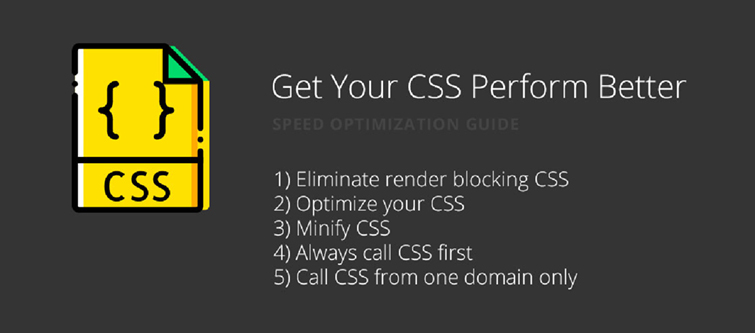
CSS are the files that load before the actual website is loaded. The more time required in downloading the CSS files has a direct impact on the loading time of a website. You need to eliminate the extra spaces in your CSS files to decrease their size for increasing the speed of your website. If your CMS does not have any option for the minimization of CSS files, you can take the help of free online service such as csscompressor.com to minimize CSS files. Site owners just have to paste their CSS files in the required space on the website and then press the “Compress” button to achieve the reduced CSS stylesheet. Some helpful tips that can help in the crucial task of CSS minimization are explained as below:
- Don’t use CSS in the HTML coding such as divs, headings, and other such areas.
- Add all the CSS files in your external stylesheet for achieving cleaner CSS files coding.
In case, you are facing problems in customizing the CSS files on your PrestaShop store, you can also avail the PrestaShop Addons from Knowband store.
Optimize your site loading time-
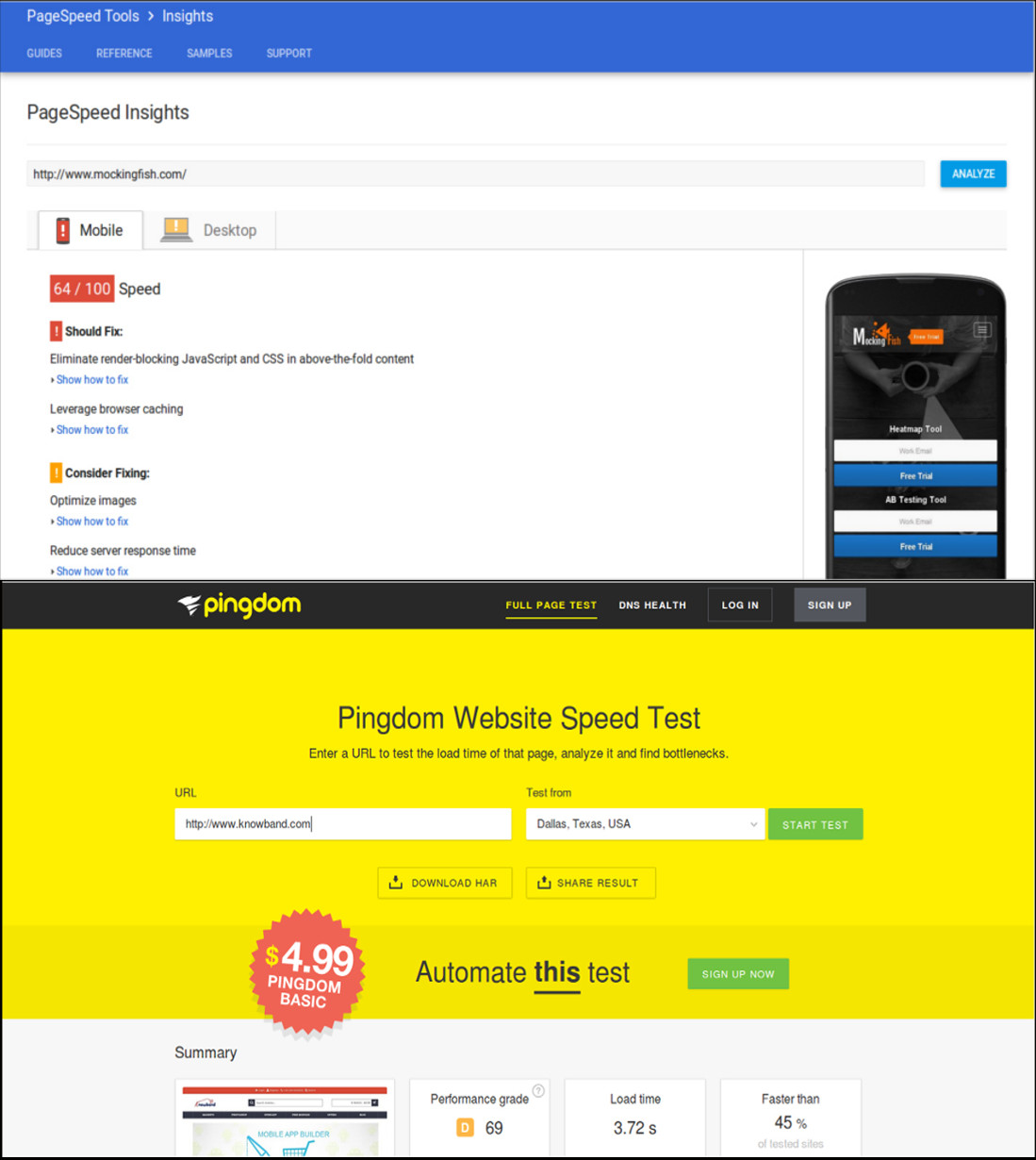
If your website is not able to load properly within 3 seconds, it is definitely going to hurt your business in a big way. In order to get a proper idea about the loading time of a website, it is important to take the help of various speed optimization tools like PageSpeed Insights, Pingdom, and others.
In the real time scenario, customers are not interested in waiting for a website to load properly. According to the speed statistics by PageSpeed Insights from Google, a score of 85 and higher during speed check is said to be a sign of fast loading website. Here is some of the data about various eCommerce sites regarding their performance on a website speed optimization tool.
Amazon.com:83/100
Ebay.com:86/100
Walmart.com:37/100
Staples.com:54/100
Target.com:69/100
Zulily.com:72/100
Overstock.com:84/100
Newegg.com:66/100
Nordstrom.com:75/100
Gilt.com:63/100
So, check the score of your website and take the required steps to optimize its loading time. You can remove heavy background elements/graphics, flash player, non-optimized images or videos and other such elements that tend to affect the loading time of your website.
Conclusion
It is definitely the right moment to spend some time on your website to check the areas that are affecting its performance and loading speed. Once, it is clear which are the grey areas, it will be easier for site owners to take required steps for improving the site speed. Remember, time is money and if you don’t value the time of customers while doing online shopping, it is going to hurt your sales badly. So, be active now and start focusing on this crucial area.
Liked This? You’ll Like These Too
- How to put your eCommerce site on a fast track? (Part 1)
- One page checkout for eCommerce stores, Is it a one stop solution for all your issues?
- Redsys: How it turned into a Boon for the eCommerce Businesses?
- Tips to improve sales on your eCommerce stores
- What is Google’s AMP and how will it impact eCommerce Businesses?