Why PrestaShop and OpenCart Merchants Are Choosing Knowband’s Google Shopping Integration

Getting consistent, purchase-ready traffic to your store is hard. You can spend weeks fine-tuning your social ads or pouring money into influencer campaigns, and still not see the returns you were hoping for. 

For stores built on PrestaShop or OpenCart, tapping into Google Shopping isn’t always easy. Introducing the PrestaShop Google Shopping Module and OpenCart Google Shopping Extension are built specifically to handle that connection, and from what merchants report, they do it well.

Not all website visitors are the same. Someone casually browsing is very different from someone who typed “buy waterproof hiking boots size 11” into Google. That second person is ready to buy, they just need to decide where.

Google Shopping puts your products in front of people like that. They’ve already made up their mind about what they want. Now they’re comparing prices and checking availability. That’s why Google Shopping tends to convert better than most other paid advertising options.

And because your product image, price, and store name show up before anyone even clicks, you’re only attracting people who are genuinely interested. For PrestaShop and OpenCart store owners who want to use their ad budget wisely, this kind of targeted traffic really helps.

🛍️ Also on PrestaShop?


Sync Smarter, Sell Faster: PrestaShop Google Shopping Integration Module by Knowband


Automatically sync your product catalog with Google Merchant Center, track performance with UTM parameters, and reach millions of high-intent shoppers.

Know the Google Shopping Module →

How Knowband’s eCommerce Google Shopping Module Helps E-Merchants

The Knowband PrestaShop Google Shopping Module and the Knowband OpenCart Google Shopping Plugin were both developed to solve the same core problem: listing your product catalogue into Google Merchant Centre cleanly, accurately, and without constant manual work. And that problem is bigger than it sounds.

Feed management, when done manually, is a genuine headache. As the Prices change, Stock runs out, New variants get added it gets very difficult to synchronise all the changes to Google merchant. If your feed doesn’t reflect those changes quickly, you end up with disapproved products from Google, confused shoppers clicking on listings that are out of stock, and in worse cases, policy violations that can affect your entire Merchant Centre account.

 Knowband’s Prestashop Google Shopping Integration Module solution handles all of that automatically, syncing price and inventory in real time, mapping categories correctly, and generating feeds that meet Google’s requirements without you having to manage it by hand.

Key Features of the Opencart Google Shopping Extension

  1. Google Merchant Centre Integration: This Google Shopping Integrations connect your store to Google Merchant Centre through a straightforward setup process. Since no technical knowledge or coding is required, your product data syncs reliably.
  2. Product Feed Generation: You can also generate a Google Shopping product feed in XML or CSV format. Furthermore, you can choose between real-time or scheduled updates, so your listings stay current while reducing manual work.
  3. Category & Attribute Mapping Store admins can also map your store categories to Google Product Categories and match product attributes like GTIN, MPN, brand, availability, and condition. As a result, your products get approved faster and listed more accurately.
  4. Multi-Country & Multi-Language Support You can set up separate feeds for different countries, languages, and currencies. Furthermore, this way, you can reach international audiences and run Google Shopping Ads across multiple markets with ease.

    Start Selling on Etsy from Your Prestashop Store

    Now selling on Etsy is easy with Knowband’s Prestashop Etsy Marketplace Module.


    Try the Demo

  5. Cron-Based Synchronisation Using this Knowband Prestashop Google Shopping Module, schedule automatic feed updates via cron jobs to keep pricing, stock levels, and product details consistently accurate. Furthermore, this helps avoid disapproval caused by outdated information.
  6. Product Filtering Store admins can also choose which products appear in your feed by filtering on category, price range, stock status, or specific product IDs. That way, only the right products get submitted to Google Shopping.

Final Thoughts

Google Shopping isn’t a magic solution, but it’s one of the more reliable growth channels available to eCommerce stores today, especially for merchants on PrestaShop and OpenCart who want to drive direct traffic without being tied to marketplace fees. The Knowband PrestaShop Google Shopping Module and Knowband OpenCart Google Shopping Plugin take care of the technical side of that equation: feed generation, real-time syncing, category mapping, and Merchant Centre compatibility.

From there, it’s about building on that foundation, optimising your product data, testing campaign structures, and paying attention to what the numbers are telling you. Done consistently, it’s the kind of channel that compounds. And for stores that are serious about growing on their own terms, that’s exactly what you want.


 

The Ultimate Guide to Multi-Channel Selling on PrestaShop

Expanding Your Reach: Why Selling on Multiple Channels Matters

Running an online store isn’t just about setting up a website and waiting for customers. Today’s shoppers explore multiple platforms before making a purchase. If your products aren’t available across channels like Google Shopping, Etsy, eBay, and more, then you’re missing out on potential sales. Multi-channel selling helps you tap into a broader audience, build brand recognition, and create multiple revenue streams. 73% of online shoppers use multiple channels before making a purchase decision.

Key Benefits of Multi-Channel Selling

High Sales and Revenue

 Each additional platform you sell on creates new revenue opportunities, allowing you to attract different customer bases that prefer shopping on specific platforms.

Better Visibility and Great Engagement

Your products become more accessible to a larger customer base, increasing the chances of discovery and purchase. With better visibility, your store attracts more visitors, leading to higher engagement and better conversions.

Stronger Brand Recognition

Customers see your products more often, increasing trust, credibility, and brand recall over time. Thus, it helps increase brand recognition. More Customer Base and Increased Sales: Selling on different platforms increases the scalability of the products of your store. That’s why it attracts more customers on different marketplaces.

How to Succeed in Multi-Channel Selling

1. Know Your Audience and Choose the Right Platforms

Every sales platform works differently. Identify where your customers shop the most and focus your efforts there. Whether they browse marketplaces, use social media, or search on Google, understanding their habits helps you sell smarter.

Research Market Trends: Stay updated on industry trends to see where similar products are selling best. Analyze competitors, read customer reviews, and follow market reports to identify the most profitable channels. Look for seasonal trends and emerging shopping habits to stay ahead of the competition, where similar products are selling best.

Consider Product Fit: Each platform caters to a different audience and product type. For example, fashion and lifestyle products perform well on social media, while specialized electronics may sell better on dedicated marketplaces. Therefore, choose platforms that align with your product category and customer preferences to maximize success.

2. Keep Your Inventory in Sync Across Channels

One of the biggest challenges in multi-channel selling is managing inventory efficiently. Selling the same product on multiple platforms without a centralized inventory system can lead to overselling, customer dissatisfaction, and retention.

Automatic Inventory Synchronization: Get Plugins that update your stock on all platforms at the same time. This way, you don’t have to change it manually, and there won’t be mistakes in the product.

Keep Extra Stock: Always have some extra products, especially for popular items. This helps you avoid running out when many people buy at once.

3. Optimize Product Listings for Each Channel

Managing stock across different platforms can get confusing. If you don’t update your products properly, you might sell an item that’s already out of stock or run out of popular products too fast. A good system helps avoid these problems and keeps your business running smoothly.

Managing stock properly is important when selling on multiple platforms. If you don’t keep track, you might sell products that are already out of stock or struggle to fulfil orders. Keeping your inventory updated helps you avoid these problems and keeps your customers happy.

Use automatic stock updates: Use to sync inventory across all platforms in real-time. This means whenever a product is sold on one platform, the stock updates everywhere, preventing overselling or manual errors. Without automation, you might accidentally sell more than you have, leading to cancellations and unhappy customers..

Track best-selling products: The PrestaShop Google Shopping allows the admin to analyze past sales and predict future demand. Some products perform better than others, and by checking which items are selling fast, you can prepare in advance. This helps you stock the right amount of products and prevents running out of popular items.


Knowband’s PrestaShop Modules for Multi-Channel Selling!

At Knowband, we create easy-to-use PrestaShop Modules that help you sell on multiple platforms without extra effort.

 1. PrestaShop Google Shopping Integration

Google Shopping is a powerful platform where millions of shoppers search for products daily. By listing your products on Google Shopping, you can increase visibility and attract more buyers. The research has shown that 87% of people begin their search for shopping from Google.

The Knowband PrestaShop Google Shopping Integrator allows you to showcase your products directly on Google Shopping without the need for manual updates. This automation increases product visibility, boosts traffic, and helps drive more sales.

Key Features of the PrestaShop Google Shopping Integration Module.

Automated Product Syncing: Automatically sync your PrestaShop store with Google Shopping so product details stay updated without manual work.

Bulk Product Uploads: Save time by uploading all your products at once. The Knowband’s Google Shopping allows the admin to list the products in bulk at a time, reducing the manual work.

Smart Attribute Mapping: Easily match your product details with Google’s requirements to improve listing accuracy. The admin can map the store’s category with all the attributes to Google’s category.

Auto-Generated Feeds: Keep your listings fresh with automated product feed updates. The extension allows the feed features to automatically sync all the updated product details. With Knowband’s PrestaShop Google Shopping Integration, you can effortlessly display your products in Google search results, driving more traffic to your store.

2. PrestaShop eBay Marketplace Integration

The Knowband PrestaShop eBay Marketplace Integration Extension makes it effortless to manage your eBay store directly from your PrestaShop dashboard. Instead of manually updating listings and tracking stock, this extension automates the entire process, helping you scale your business smoothly.

Key Features of the eBay Integration:

1.  Sync Products & Inventory: The Knowband’s PrestaShop eBay Integration module ensures that your product listings and stock levels remain consistent across both platforms. Any changes made to product details, stock quantities, or pricing in your PrestaShop store are automatically reflected on eBay. This prevents overselling and stock discrepancies, ensuring a smooth selling experience.

2. Real-Time Updates: Stay up to date with automated real-time synchronization of orders, pricing, and inventory changes. As soon as a product is sold on eBay, the stock is adjusted in PrestaShop. Order statuses are updated instantly, keeping customers informed and reducing manual effort. This feature helps in avoiding price mismatches, out-of-stock issues, and processing delays.

3. Customizable Product Listings: Easily create and manage eBay product listings directly from your PrestaShop back office. Optimize listings by customizing product titles, descriptions, images, pricing, and attributes for better visibility on eBay. You can also apply different pricing rules for eBay without affecting your PrestaShop store, ensuring better profitability.

Integrate Your Opencart Shop with Etsy Marketplace

No Coding Skills Required

SHOP NOW

3. PrestaShop Etsy Marketplace Addon

Etsy is a leading marketplace for handmade, vintage, and unique products, with over 95 million active buyers. It hosts over 7.5 million active sellers, making it a competitive yet rewarding platform for businesses that specialize in niche and creative products. In 2023 alone, Etsy sellers generated over $13 billion in gross merchandise sales, proving the platform’s massive potential.

The PrestaShop Etsy Marketplace Addon simplifies the process of managing your Etsy store directly from your PrestaShop dashboard. Instead of manually updating listings, tracking orders, or adjusting stock levels, this extension automates everything, saving time and reducing errors.

Key Features of the Etsy Connector:


Price and Order Synchronization: Knowband’sPrestaShop Etsy Marketplace Addon ensures real-time price and order synchronization, keeping your inventory and pricing updated across both platforms.

Bulk Uploads: Easily add multiple products to Etsy in one go. The Knowband’s Etsy Marketplace Addon allows the admin to list bulk products at the same time smoothly.

Category Mapping: Ensure your products appear in the right Etsy categories with the correct attributes for better visibility.

Price & Stock Synchronization: Keep pricing and stock updated to prevent overselling. The Knowband’s Etsy Marketplace Integration Addon allows price management within the module.

Conclusion: Sell Smarter with Knowband’s PrestaShop Multi-Channel Extensions

Selling on Google Shopping, eBay, and Etsy opens up new sales opportunities. With Knowband’s PrestaShop solutions, you can automate inventory management, sync orders, and optimize product listings all from one place. The Knowband’s Marketplace Addons save time, reduce manual errors, and help you grow your business effortlessly.

Knowband’s PrestaShop Marketplace Integration Addons simplify the process by automating inventory updates, order synchronization, and product listing management. With these smart integrations, you can sell effortlessly across multiple platforms, save time, and focus on growing your business. Take advantage of multi-channel selling today and unlock new opportunities for success.


Prestashop Google Merchants Feeds Addon: The Smart Way to Manage Google Shopping Feeds

In today’s highly competitive eCommerce landscape, gaining visibility on Google Shopping can significantly boost your sales. Furthermore, Google Shopping serves as a vital platform for businesses to showcase their products to a wider audience. Thus, if you are a Prestashop store owner, integrating your store with Google Shopping becomes seamless with Knowband’s Prestashop Google Merchants Feeds Addon. This article will explore how this smart tool simplifies feed management while ensuring your products shine on Google Shopping.

Why Google Shopping Matters for Your Business?

Google Shopping is an effective platform for eCommerce businesses to reach potential customers searching for products. Furthermore, it provides users with a streamlined shopping experience by displaying product details like images, prices, and reviews directly on Google’s search results.

For Prestashop store owners, leveraging Google Shopping can lead to increased traffic, better visibility, and higher sales. However, managing Google Shopping feeds manually can be time-consuming and error-prone. This is where the Prestashop Google Shopping Integration Addon comes into play, offering a smarter and more efficient way to handle your product feeds.

What Is the Prestashop Google Merchants Feeds Addon?

The Prestashop Google Merchants Feeds Addon is a comprehensive solution designed to connect your Prestashop store with Google Merchant Center. It allows you to automate the process of syncing your product data with Google Shopping, ensuring your store’s inventory is always up to date.

Therefore, this powerful tool acts as a Prestashop Google Shopping Connector, bridging the gap between your store and Google Merchant Center. Whether you are looking for a Prestashop Free Google Marketplace Integration Module or a premium solution, this addon offers unmatched efficiency and ease of use.

Key Features of the Prestashop Google Merchants Feeds Addon!

Seamless Integration with Google Merchant Center:

The addon provides flawless Google Shopping Prestashop Integration, making it easy to synchronize your product data. Furthermore, with a few simple steps, you can set up the connection and start uploading your product feeds automatically.

Support for Multiple Languages and Currencies:

If your store caters to international customers, this addon ensures your feeds are optimized for various regions. Moreover, it supports multiple languages and currencies, ensuring global compatibility.

Automated Feed Updates:

Forget about manual updates! The addon automates the process of updating your product information, including pricing, stock levels, and descriptions, directly in Google Merchant Center.

Customizable Feed Options:

Tailor your Google Shopping feeds according to your requirements. Moreover, this Prestashop Google Shopping Integration Plugin allows you to include or exclude specific products and categories, ensuring only the relevant items are displayed.

Error-Free Synchronization:

With its reliable features, the addon eliminates common errors in product feeds. It leverages Prestashop Google Shopping API Integration to ensure smooth and accurate synchronization.

List Your Products on Google Merchant Console Effrotlessly

SHOP NOW

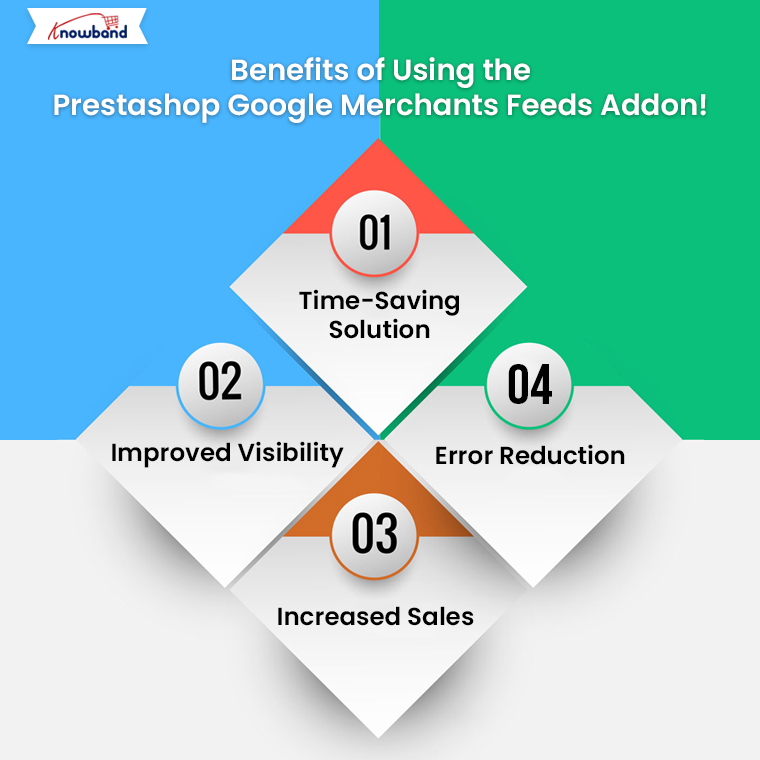
Benefits of Using the Prestashop Google Merchants Feeds Addon!

Time-Saving Solution: Managing Google Shopping feeds manually can be overwhelming. Furthermore, the Free Google Shopping Prestashop Integration Module automates this process, saving you valuable time.

Improved Visibility: By using this addon, you enhance your chances of ranking higher in Google Shopping results. Thus, the Prestashop Google Shopping Feed Integration ensures your product data is optimized for better visibility.

Increased Sales: A well-managed Google Shopping feed can attract more customers, ultimately driving higher sales. Therefore, this tool acts as a Prestashop Google Shopping Integrator, making your products more accessible to a larger audience.

Error Reduction: Manual feed management often leads to errors that can impact your visibility. With the Google Shopping Prestashop API Integration, you can ensure error-free and accurate data transfer.

How to Get Started with the Addon?

Setting up the Prestashop Google Shopping Integration Module is simple. Follow these steps to get started:

Install the Addon: Download and install the module from Knowband. If you are looking for a Free Google Shopping Integration Module for Prestashop, some basic versions might meet your needs.

Connect to Google Merchant Center: Log in to your Google Merchant Center account and use the addon’s built-in features to establish a connection.

Configure Feed Settings: Customize your feed settings by selecting which products or categories to include. You can also schedule automated feed updates.

Sync Your Products: Once the setup is complete, sync your product data. The addon will handle the rest, ensuring your feeds are always updated.

Why Choose the Prestashop Google Merchants Feeds Addon?

There are several Prestashop Google Shopping Integration Extensions available, but Knowband’s addon stands out for its user-friendly interface, robust features, and unmatched reliability. Moreover, it caters to businesses of all sizes, offering a solution that is both effective and easy to use.

Additionally, for those looking for a Free Google Shopping Synchronization Module, this addon offers value that goes beyond its cost. It simplifies complex tasks, making it the go-to choice for Prestashop store owners.

Conclusion!

The Prestashop Google Merchants Feeds Addon is a smart and efficient way to manage your Google Shopping feeds. From seamless integration to automated updates, it covers all the essential aspects needed to boost your store’s visibility and sales on Google Shopping.

Whether you are new to Google Shopping or looking to streamline your current setup, this Prestashop Google Shopping Integration Addon by Knowband is the ultimate tool. Take advantage of this addon today and unlock the true potential of your Prestashop store!

Related Read:
Simplify your Google Shopping feed management and reach more customers effortlessly. Read More

New Features in Prestashop Google Shopping Integration Addon: Automate, Customize, and Optimize Your Feeds!

In today’s competitive eCommerce landscape, having your products listed on Google Shopping is essential to reaching a wider audience. For Prestashop store owners, integrating with the Google Merchant console has become easier and more efficient, thanks to the latest updates in the Prestashop Google Shopping Integration Addon by Knowband.

The Prestashop Google Merchant Console Feed Addon allows seamless synchronization between your Prestashop store and Google Merchant Center, helping you manage your product listings on Google Shopping with ease.

In this blog, we will explore the exciting new features in the Prestashop Google Shopping Integration Addon that make automating, customizing, and optimizing your feeds more streamlined than ever before.

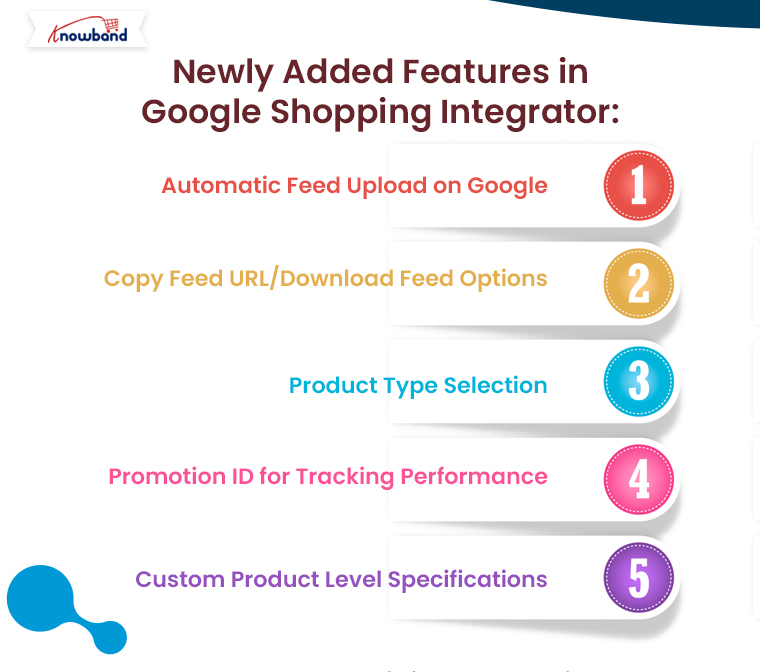
Automatic Feed Upload on Google:

The Prestashop Google Shopping Integration Addon now comes with an “automatic feed upload on Google” feature. This enhancement enables store admins to choose between automatic and manual submission of product feeds. With this update, you can effortlessly automate feed uploads to the Google Merchant Center, ensuring that your product listings are always up to date.

If the automatic option is disabled, you can still manually upload feeds by copying the feed URL or downloading the feed in various formats, such as JSON, XML, or CSV. This flexibility gives you control over your feed submission process, depending on your preferences or requirements.

Furthermore, automating this process saves time, reduces human error, and ensures that your products are consistently synchronized with your Google Merchant Center account.

List Products on Google Merchant Console

Integrate Your Prestashop Store with Google Shopping Marketplace

SHOP NOW

Copy Feed URL/Download Feed Options:

Another major update in the Prestashop Google Shopping Integration Extension is the ability to copy or download the feed URL easily. With this feature, you can now quickly generate the feed URL or download the feed file in your preferred format—JSON, XML, or CSV. Furthermore, this addition enhances flexibility for merchants who prefer different methods for feed submission or want to manually handle their Google Shopping Prestashop Integration.

For instance, if you want to manually upload your feed to the Google Merchant Center, you can copy the feed URL or download the file and submit it at your convenience. The ability to choose between formats ensures that you can work in the format that best suits your business needs.

Product Type Selection:

Managing your Google Shopping feeds requires a high level of organization and customization. Therefore, the new Prestashop Google Shopping Integration Module now allows store admins to define product types within feed profiles. This feature is particularly useful for businesses with a wide range of products, as it enables them to categorize their products more effectively and optimize their visibility on Google Shopping.

With the ability to define product types, merchants can create tailored feed profiles for specific product categories, ensuring that they are presented accurately to potential customers. Moreover, this enhances the relevance of your Google Shopping listings and improves the chances of your products being found by the right audience.

Promotion ID for Tracking Performance:

Tracking the performance of your Google Shopping campaigns is crucial for optimizing your strategy. Knowband’s Prestashop Google Shopping Integrator  has introduced a new “Promotion ID” section, allowing store admins to monitor and analyze the performance of their Google Merchant Center listings.

By using the Promotion ID, you can track clicks, impressions, and conversions for specific products or campaigns. This data is invaluable for making informed decisions about your marketing efforts and understanding which products are driving the most traffic and sales.

Furthermore, this feature provides deeper insights into your Google Shopping campaigns, helping you make data-driven decisions to improve performance and ROI.

Custom Product Level Specifications:

The Prestashop Google Shopping Integration Plugin now includes an option for custom product-level specifications. This new feature allows store admins to configure product specifications individually, rather than relying solely on universal feed specifications.

For businesses that sell a diverse range of products, this feature offers more control over how products are presented on Google Shopping. You can customize product attributes such as size, color, material, and more, ensuring that each product is listed with the most accurate and relevant details. This can lead to improved search results and better overall performance on Google Shopping.

With the ability to configure specifications at the product level, you can optimize your product listings for maximum visibility and relevance in search results, which can ultimately lead to higher conversion rates.

Conclusion:

The latest updates in the Prestashop Google Shopping Integration bring a range of powerful features designed to make managing your Google Shopping feeds easier, faster, and more efficient. From automating feed uploads and customizing product types to tracking campaign performance with Promotion IDs and configuring custom product specifications, these new tools offer unmatched flexibility and control.

Whether you’re new to Google Shopping or an experienced user, the Google Shopping Prestashop API Integration will help you streamline your feed management process and optimize your product listings for maximum impact. Best of all, if you’re looking for a free solution, you can explore the Prestashop Free Google Marketplace Integration Module, which offers many of these features with no added cost.