

A Smarter Way to Migrate Your PrestaShop Store: Introducing the PrestaShop Catalog Import Export Module
Migrate your PrestaShop catalog with ease using the PrestaShop Catalog Import Export Module. Support for CSV, XLSX, JSON, XML, FTP, cron, and multilingual data.
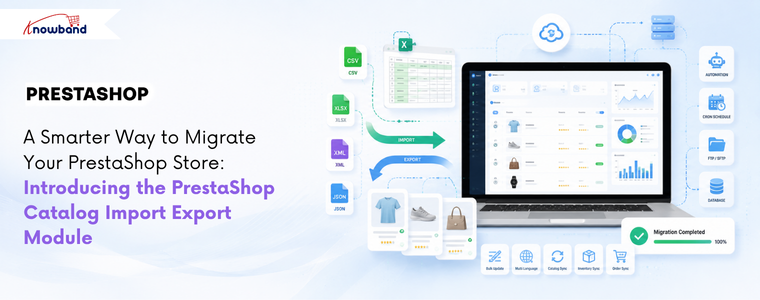
If you manage a PrestaShop store with a large catalog, you already know this routine. Export a CSV, open it in a spreadsheet, make changes, re-upload it, redo the column mapping, and hope nothing breaks this time. Then do the whole thing again next week, from scratch, because none of that configuration was saved anywhere. The PrestaShop Catalog Import Export Module by Knowband is built specifically to fix this.
Merchants looking for a capable PrestaShop product import and export solution quickly find that the native importer covers the basics only. Combinations fail. Multi-language fields go missing. There is no scheduling and no way to automate any of it. The process consumes hours that keep adding up across every update cycle.
This post walks through where that friction actually comes from, what a proper catalog transfer workflow looks like, and how stores ranging from 200 to 50,000 products are handling it now.
Why PrestaShop’s Default Importer Is Not Good Enough for Real Catalog Work
The built-in CSV importer in PrestaShop handles a few sets of scenarios well. Uploading a basic list of new products without combinations, in one language, and for one-time imports.
The moment the catalog gets more complex, the gaps show up fast. Product combinations remain one of the biggest challenges during catalog imports, with merchants frequently reporting issues such as failed imports and incorrectly mapped attribute data in community discussions. Additionally, multilingual catalogs introduce another layer of complexity. Although PrestaShop’s default importer supports multilingual fields, managing translations through CSV files can become cumbersome as the number of languages and products grows. Merchants often need to invest extra time in preparing, validating, and updating language-specific data to ensure consistency across their catalog.
Beyond combinations and languages, the structural problem is repeatability. Every import starts over. There is no option to save a configuration, no option to automatically pull a file from an FTP location, and no transfer log to diagnose what went wrong when a batch fails silently.
What You Actually Need to Migrate a PrestaShop Store Successfully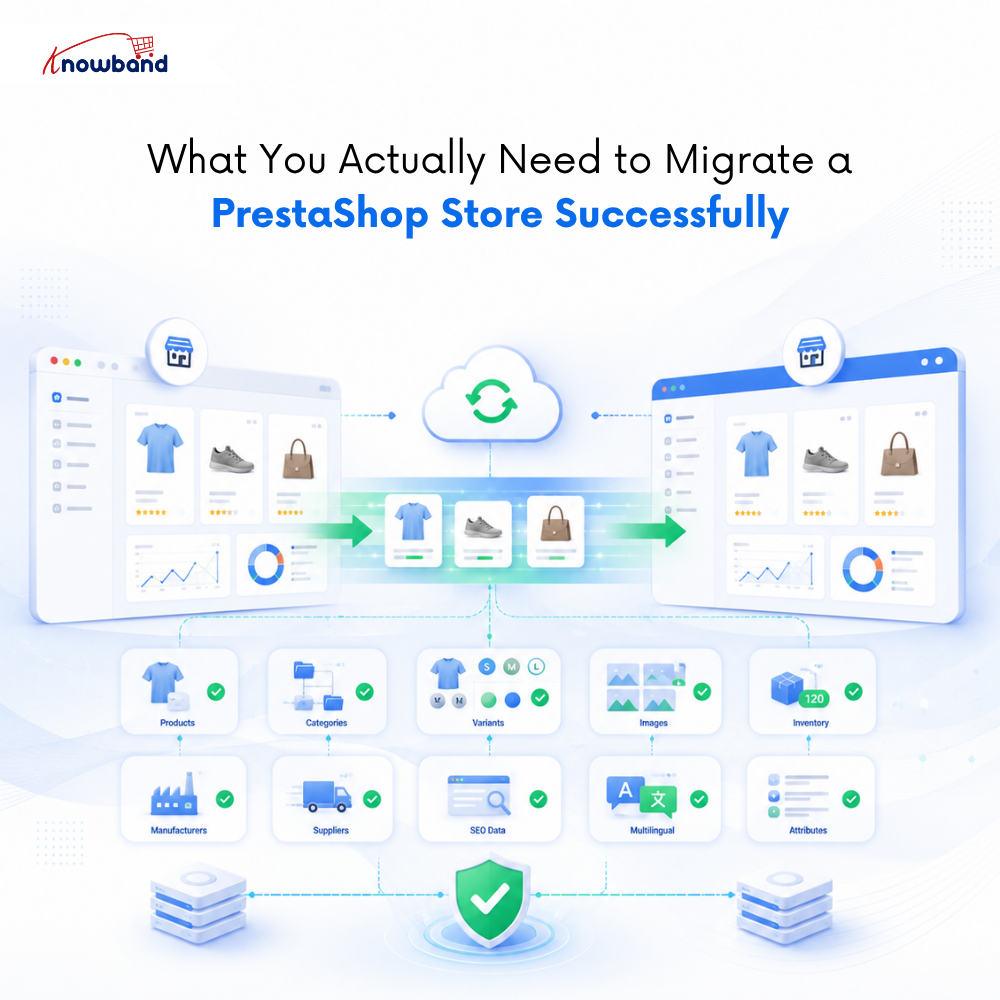

Catalog migration between PrestaShop stores means moving from PrestaShop 1.7 to 8.x or 9.x, or splitting one store into two regional stores, which is the scenario where the native importer breaks down most completely.
Most merchants think migration means moving products. In reality, it means moving everything your store depends on to function correctly. Miss one piece and you are looking at broken pages, wrong prices, or customers seeing products in the wrong language.
Here is what a complete migration actually covers:
Your product data, including names, descriptions, SKUs, prices, tax rules, and visibility settings. Your category structure with parent-child relationships, friendly URLs, and category images intact. Product combinations and variants with size, color, material, combination references, price impact, and default combination settings all carried over correctly. Product images, including cover images, gallery images, and variant-specific images in the right order. Manufacturers, suppliers, features, and attribute groups with all their values and assignments. Stock quantities, availability settings, and out-of-stock behavior. SEO metadata, including meta titles, meta descriptions, and friendly URLs for every product and category, because losing these means losing months of search ranking work. And for multilingual stores, every translation needs to stay correctly linked to its language.
The PrestaShop Catalog Import Export Module by Knowband handles this as a seamless transfer workflow. Export from the source store with combinations enabled, import into the destination store, and the module creates missing attribute groups and values automatically rather than throwing an error. Every language exports to the same file. No separate pass per locale, no manual field matching across files.
How Does the PrestaShop Import Export Module Profile System Work
The single feature that separates this from a basic transfer tool is the profile system. Every import or export configuration, data type, file format, language selection, column set, and FTP destination is saved as a named profile. Create it once. Run it whenever needed, or set it on a cron schedule and let it run without any manual involvement. This is what makes the PrestaShop Import Export Module genuinely useful for recurring catalog operations.
A store fetching pricing updates from a supplier feed can configure an import profile that points to the supplier’s SFTP location, runs daily via cron scheduling, and sends a completion email to the admin. If a row fails, the transfer logs show exactly which record failed and why, so only the affected rows need to be corrected and re-imported; the rest of the catalog is untouched.
That same logic applies to catalog backups. Each scheduled export generates a file timestamped and stored in the transfer history. If a bulk update produces unexpected results, a previous version can be downloaded directly from the logs and re-imported to restore the catalog to its prior state.
How Can You Bulk Update Prices in PrestaShop Without a Developer
One of the most time-consuming recurring tasks for any mid-size store is a price update across hundreds of products. The conventional approach involves either editing products one by one or attempting a CSV import that may or may not map correctly and may or may not touch only the fields that need changing.
With a PrestaShop Bulk Data Manager approach, the process is: export the catalog to XLSX, edit the price column in Excel, and import the file back with the same saved profile. The module updates only the columns that were mapped; prices change while descriptions and images remain exactly as they were.
For stores syncing from a supplier feed, even the manual edit step disappears. The supplier publishes an updated file to an FTP location, the scheduled import profile picks it up, and the catalog reflects the new prices before the store opens the next morning. No developer required, no file handling, no manual trigger.
Which File Formats Does the PrestaShop Catalog Import Export Module Support
Four file formats are supported for both import and export: CSV, XLSX, JSON, and XML. Most merchants will use CSV or XLSX for direct spreadsheet work and bulk price updates. JSON and XML become relevant when synchronising data between stores, connecting with third-party platforms, or building automated migration workflows.
Supporting all four in both directions means the same module covers the full range of catalog operations a store typically needs over a year, whether that means importing supplier feeds, migrating catalog data, synchronizing inventory updates, or exporting product information for external systems.
How Does the Module Handle Import Errors Before They Reach Your Live Store
Partial import failures are a real operational risk for stores with large catalogs. The standard outcome with most basic importers is discovering that something went wrong only after browsing the catalog and noticing broken products, at which point the damage is already live.
The column mapping screen in this PrestaShop Automated Catalog Manager shows a live preview of the first rows of the source file before the import runs. Required fields not mapped are flagged before moving forward. Duplicate field assignments are blocked. When an import does run, and a row fails, the transfer log records the row number and the specific error. The PrestaShop Automated Catalog Manager ensures admins fix only what broke, re-import only the affected rows, and the live catalog is never touched beyond what was intentional.
Who Should Use the PrestaShop Catalog Import Export Module
Not every PrestaShop store needs this. If the catalog is under 100 products, changes rarely, and migration is a one-time event, the built-in importer may be sufficient.
The PrestaShop Catalog Import Export Module earns its place for stores managing medium to large catalogs where catalog operations recur weekly or more often, stores running multilingual setups where translation preservation is not optional, agencies managing multiple PrestaShop installations who need consistent, repeatable transfer workflows, and any merchant currently spending developer time on what should be a self-service admin task.
For those operations, the module pays for itself quickly, not in a theoretical ROI calculation, but in the hours it stops consuming every update cycle.
The full feature set, pricing, and compatibility details are available on the PrestaShop Bulk Data Manager product page. Compatible with PrestaShop 1.7.x through 9.x, with no coding required.
- Best PrestaShop SEO Module: 10 Must-Have Features to Improve Rankings
- Three Recovery Emails Recover 37% More Carts Than One: Building the Right PrestaShop Abandoned Cart Sequence
- How to Create an SEO-Friendly Blog in PrestaShop: A Practical Guide to Content, SEO & AI Search
- How to Turn Your OpenCart Blog Into a Revenue-Generating Content Strategy
- Integrating a Custom Payment Gateway in PrestaShop: Technical Requirements, API Flow, and Real-World OPC Challenges