Top 5 PrestaShop Modules Every Store Should Install in 2025

PrestaShop 9 is here, and with it comes a fresh wave of performance improvements, new APIs, and developer-friendly updates. But even the most advanced version of PrestaShop needs the right set of modules to unlock its full potential.

To truly stand out in 2025’s competitive e-commerce landscape, you need the right modules to extend functionality, improve customer experience, and streamline your operations.

Whether your goal is faster checkout, stronger SEO, better marketing, or global scalability, the right add-ons can transform your store from “just functional” into a high-performing sales machine.

In this guide, we have shared the Top 5 PrestaShop modules every store should install in 2025, addons that will make your online shop faster, smarter, more secure, and more profitable.

So why wait? Let’s explore the amazing prestashop module that will increase your sales and customer base.
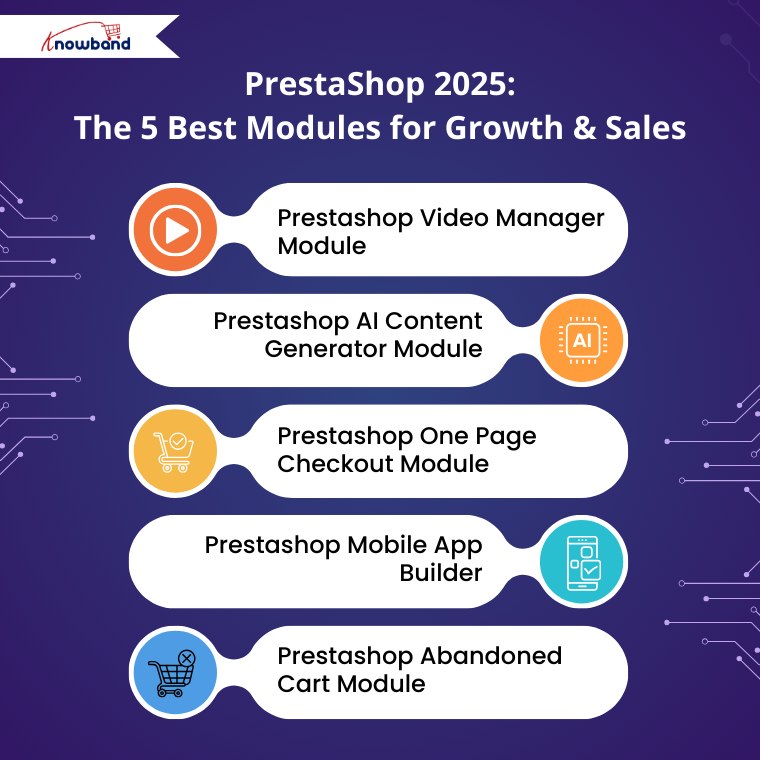
1 . Prestashop Video Manager Module: 

Nowadays, people love to see the actual product rather than just static images. So, Knowband has taken this into account and developed the VideoMate, which is a complete video manager module for a store.

Store owners can download the reels, shorts or any trending social media platforms like Instagram, YouTube, TikTok, etc. Moreover, the videomate allows you to add those videos to product pages, category pages and the home page.

Well, it’s not only limited to the category page, but you can also add the videos to the best sellers as well as the new products page.

2. Prestashop AI Content Generator Module:

AI is involved in our daily lives. Now you don’t have to manually add the content to the page because Knowband has developed a module that not only generates the content but also translates the content into any language.

Furthermore, the Prestashop AI Content Generator & Translator not only contains one AI but it holds the power of 4 AI, including Gemini, ChatGPT, Claude & DeepSeek. 

So why waste your time writing product descriptions when you have the Prestashop AI Content Generator & Translator Module?

3. Prestashop One Page Checkout Module

Customers often get frustrated when they’re forced to navigate through multiple pages just to complete an order. This lengthy process is one of the main reasons behind high cart abandonment rates.

That’s why a one-page checkout is a great choice, and obviously, it has become a necessity. It simplifies the buying process by bringing everything onto a single screen.

Introducing the PrestaShop One Page Checkout Module, a powerful solution that merges all the essential steps, including personal details, address, shipping, delivery methods, payment options, and order summary, into one seamless page.

4. Prestashop Mobile App Builder

Today, fewer customers shop through websites- most prefer the convenience of a mobile app. With the PrestaShop Mobile App Builder, you can turn your store into a fully functional shopping app, giving customers a faster, more personalised, and engaging shopping experience right at their fingertips.

In the Prestashop Mobile App Builder, you don’t have to manually add products. It automatically syncs products, categories, and even payment options from your website, and the same will be shown on the app. Additionally, product quantities and prices don’t need to be added manually, as they are synced directly from the website.

5. Prestashop Abandoned Cart Module

When a customer abandons your cart, it is important to know which customer did so. 

The Prestashop Abandoned Cart Module allows you to track and analyse abandoned carts and recover lost sales by sending reminders via email or push notifications. Moreover, the Prestashop Abandoned cart Module provides detailed insights into the products left in the cart, the customer’s behaviour, and allows you to create targeted campaigns to encourage them to complete their purchase. 

Furthermore, this not only helps increase conversions but also improves overall customer engagement and retention.

Conclusion

So why wait? Upgrade your store today with Prestashop addons like AI Content Generator, Abandoned Cart Module, Videomate, and Mobile App.

These modules streamline store management, boost customer engagement, recover lost sales, and enhance the overall shopping experience.

With automated content creation, multilingual support, personalised cart recovery, video marketing, and a seamless mobile app, your store will be equipped to attract more customers, increase conversions, and stay ahead of the competition. 

Take your Prestashop store to the next level today and unlock its full potential!


New Update: What’s New in PrestaShop AI Content Generator Module by Knowband

In the fast-competitive world of e-commerce, content is most important. From product descriptions to meta titles, high-quality content not only informs potential buyers but also enhances SEO, driving traffic and boosting sales. Knowband has recently released a significant update to its PrestaShop AI Content Generator module, making it even more powerful and user-friendly for online store owners.

Introducing DeepSeek: A Smarter AI Experience

The latest update introduces DeepSeek, an advanced AI model that works alongside Chat & Reasoner. Previously, the module relied on Claude, Gemini, and ChatGPT, but with DeepSeek, users can expect more refined and contextually accurate content generation. Moreover, this upgrade ensures that AI-generated content is not only grammatically correct but also highly relevant to the products and categories in your store. 

The addition of DeepSeek represents a major achievement in AI-driven eCommerce content creation, making it faster and easier for merchants to maintain a high-quality online presence.

Key Features  of the Prestashop AI Content Generator Module

Product Content Generation

First and foremost, the PrestaShop AI Content Generator excels in creating high-quality product content effortlessly. Not only does it generate product descriptions, meta descriptions, and meta titles, but it also ensures that each product is presented clearly and attractively.

 Moreover, the module supports multilingual stores by translating product titles, meta descriptions, and meta titles into multiple languages. 

Consequently, merchants can reach a wider global audience without the hassle of manual translation.

Category Content Generation

In addition to product pages, category pages are vital for guiding customers and improving SEO. The Prestashop AI-Powered Content Generator & Translator module effectively generates comprehensive category descriptions, meta descriptions, and meta titles, making each page both informative and search-engine-friendly. Furthermore, it translates category titles, meta descriptions, and meta titles, allowing international customers to navigate the store seamlessly. As a result, your website maintains consistency and professionalism across all categories.

CMS Page Content (New)

Another exciting enhancement in the latest update is the ability to generate content for CMS pages, which previously required manual creation. Specifically, the Knowband’s Prestashop CMS AI Content Generator &Translator now generates CMS descriptions, meta descriptions, and meta titles. In addition, these CMS titles, descriptions, and metadata can be translated into different languages. This ensures that your content remains consistent, SEO-optimised, and engaging across every part of your website.

Bulk CSV Upload (New)

To further improve efficiency, the module has a Bulk CSV Upload feature. W

ith this, store owners can generate content for multiple products at once simply by uploading a CSV file containing product IDs and fields marked with 0 or 1. 

Large inventories can be managed quickly and accurately, reducing the time and effort required for content creation.

Key Page Generation (New)

Moreover, the module now supports key page generation for products, categories, and CMS pages. 

Along with this, users can add additional prompts for each page, allowing for more tailored and precise content creation. Therefore, every main section of your website is fully optimized, aligning closely with marketing goals and brand identity.

Task Logs

To enhance usability and transparency, the module includes detailed task logs. Moreover, these logs track all content generation activities, helping users monitor progress efficiently. ‘

As a result, merchants can stay organised and ensure that no task is overlooked, making content management smoother and more reliable.

Editing Options

Finally, while the module automates much of the content creation process, it also provides flexibility through editing options. 

Users can modify both the prompts and the AI-generated content, ensuring that each description, title, or meta tag reflects the store’s unique brand voice. 

🤖 Also on OpenCart?


Knowband Launches AI Content Generator and Translator Plugin for OpenCart


Running an OpenCart store? The AI Content Generator and Translator Plugin by Knowband is available for OpenCart too, bulk content generation, multilingual translation, SEO-optimized descriptions, support for ChatGPT, Claude, and Gemini, and a rollback feature for full content control.

Explore the OpenCart AI Content Generator Plugin

Why This Update Matters for eCommerce Stores

The improvements in the Knowband PrestaShop AI Content Generator module address several common challenges faced by online merchants. 

First, content creation can be time-consuming, especially for stores with extensive catalogues. By automating the generation of product, category, and CMS content, this module allows store owners to focus on other critical aspects of their business, such as marketing and customer engagement.

Secondly, the addition of bulk operations and task logs streamlines workflow and improves efficiency. Store owners can generate content for hundreds of products in a matter of minutes, while logs provide a clear overview of completed tasks and pending actions.

Finally, the new prompts and additional key page generation ensure that AI content aligns closely with the merchant’s specific goals. If the store owners find the unsatisfactory content for the particular product, then they can add an additional product.

Therefore, whether it’s crafting persuasive product descriptions, engaging category overviews, or informative CMS pages, this module provides a comprehensive solution for all content needs.

Conclusion

In conclusion, the latest update to the Knowband PrestaShop AI Content Generator Addon is a game-changer for e-commerce store owners. 

With the introduction of DeepSeek, expanded content generation capabilities, bulk CSV uploads, key page generation, and detailed task logs, this module now offers unmatched efficiency and versatility.

 By automating content creation, store owners can enhance SEO, engage customers more effectively, and save significant time. For those looking to optimise their online store’s content strategy, this update represents a powerful addon that combines AI intelligence with practical usability.

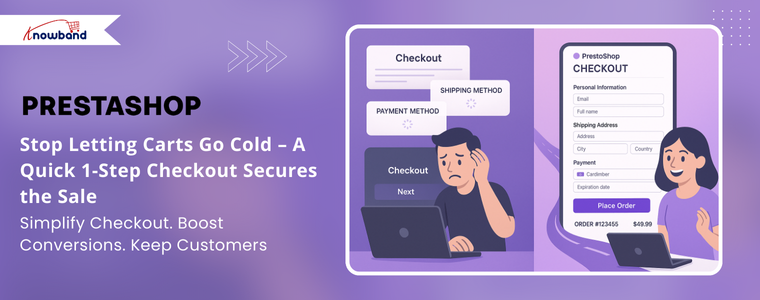
Stop Letting Carts Go Cold : A Quick 1-Step Checkout Secures the Sale

Are you losing customers at the final step? You’re not alone. Cart abandonment is one of the biggest struggles faced by eCommerce store owners worldwide, and research shows that a complicated checkout process is one of the main reasons customers walk away without completing their orders. When customers are asked to click through 5 or 6 different pages, fill in repetitive forms, and face unnecessary delays, frustration builds up. Instead of finishing their purchase, they abandon their carts and often move straight to a competitor who offers a faster and simpler checkout experience.

This is where the PrestaShop One Page Checkout Module changes the game. Instead of spreading the process across multiple pages, it combines all the key steps, including personal information, delivery address, shipping methods, payment options, and order confirmation, into one clean, user-friendly page. The result? A quick, seamless, and hassle-free checkout experience that your customers will love.

By streamlining checkout, you not only reduce cart abandonment but also increase customer satisfaction, loyalty, and repeat purchases. Faster checkout means fewer distractions, smoother conversions, and ultimately, more sales for your store. 

Stop Losing Sales to Complicated Checkouts

Every online store faces the same nightmare- customers fill their carts, head to checkout, then disappear. It happens because traditional multi-step checkout processes are simply too much work. PrestaShop One Page Checkout Module changes everything by bringing the entire checkout experience onto a single, streamlined page.

Think about it: no more jumping between pages, no more endless loading screens, no more abandoned carts. Your customers can enter their details, choose shipping, and complete payment all in one place. It’s that simple, and it works.

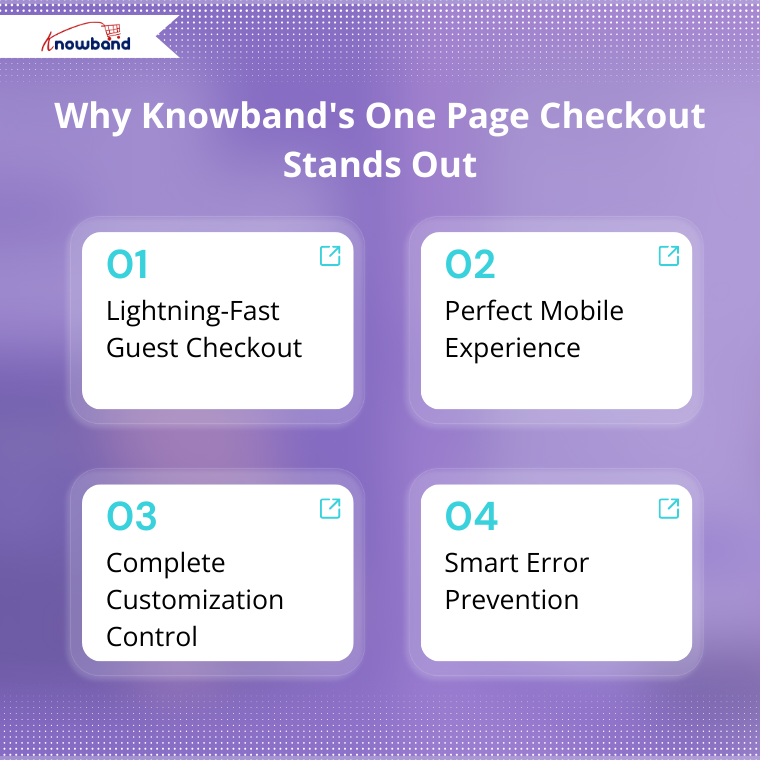
Why Knowband’s Prestashop One Page Checkout Stands Out

Lightning-Fast Guest Checkout

First and foremost, Knowband eliminated the biggest barrier to quick purchases,  mandatory account creation. Your customers can buy instantly without signing up, or they can log in using their Google or Facebook accounts in seconds. Moreover, this flexibility means more completed sales and happier customers.

Perfect Mobile Experience

Over half your customers shop on mobile devices, so your checkout better work flawlessly on every screen size. Furthermore, the module’s responsive design ensures your checkout looks perfect and functions smoothly on multiple devices, including mobile devices, tabs as well and systems. 

Complete Customisation Control

Your checkout should reflect your brand, not look generic. With our module, you control everything, including field arrangements, button colours, layout design, and overall appearance. Make it match your store’s personality perfectly while maintaining optimal functionality.

Smart Error Prevention

 Moreover, a real-time validation system catches mistakes instantly, letting customers fix problems before they become deal-breakers. No more frustrated customers abandoning full carts over simple errors.

Real Results You Can Measure

Slash Cart Abandonment Rates

When checkout becomes effortless, customers stick around to complete their purchases. Moreover, store owners have consistently reported dramatic reductions in cart abandonment after implementing Knowband’s Prestashop One Page Checkout Addon.

Boost Conversion Rates Immediately

Fewer steps equal more sales, it’s that straightforward. By removing friction from the buying process, you’ll see more visitors convert to paying customers right away.

Satisfy More Customers

Happy customers return and recommend your store to others. Furthermore, streamlined checkout creates positive experiences that build customer loyalty and drive word-of-mouth marketing.

Serve Global Markets Better

If you wish to sell internationally, then  Knowband’s Prestashop Quick Checkout module supports multiple languages and currencies, making international customers feel welcome and confident about purchasing from your PrestaShop store.

Flexible Payment and Shipping Options

Your customers have preferences, and this powerful module accommodates them all. Support multiple payment gateways and shipping methods while setting up location-specific carriers. Give your customers the choices they want while maintaining control over your operations.

Start Free, Upgrade When Ready

Not sure if it’s right for your store? Try the Knowband free version first. Test the core features, see the improvements, then upgrade to Knowband’s premium version when you’re ready for advanced capabilities like social login integration, Google auto-address filling, custom field management, and detailed analytics.

Why Choose Knowband?

Proven Expertise: Knowband helped thousands of PrestaShop stores optimise their checkout processes 

Easy Integration: Prestashop Quick Checkout module installs seamlessly with your existing PrestaShop setup 

Ongoing Support: Get regular updates and dedicated customer support when you need it.

Universal Compatibility: The prestashop one-page checkout addon is now compatible with Prestashop 9. x.x, 8. x.x, & 1.7x.

Scalable Solution: Perfect for small shops or enterprise-level operations

Ready to Stop Losing Sales?

Your competitors are already optimising their checkout processes. So, don’t let a complicated checkout system lose your customers. 

Knowband’s PrestaShop Quick Checkout Module transforms browsers into buyers by removing every possible barrier between your customers and their completed purchases.

The solution is here, tested, and proven effective. Install Knowband’s One Page Checkout Module today and watch your store’s sales go high with SuperCheckout.

Check out the tutorial:

Turn Your OpenCart Store Into a Mobile App: A Simple Solution for Android and iOS

Running an online store today means handling many tasks at once. First, you manage products and customers. Then, you deal with shipping and daily operations. However, there’s one more thing you need to consider: mobile shopping.

Why Your Store Needs a Mobile App

Today’s customers spend most of their time on smartphones. In fact, they find it much faster to shop through apps than websites. Furthermore, mobile apps offer a smoother shopping experience. Therefore, if your store doesn’t have an app, you might be losing customers to competitors.

This is where an Opencart mobile app builder becomes essential. Specifically, Knowband’s mobile app solution helps OpenCart store owners create apps without any technical skills.

Understanding the Mobile App Builder

The mobile app builder is a simple tool that works with your existing OpenCart store. First, you install it like any other extension. Next, you set up basic details such as your logo and colours. After that, the system automatically creates both Android and iOS apps for you.

Most importantly, you don’t need to write any code or hire developers.

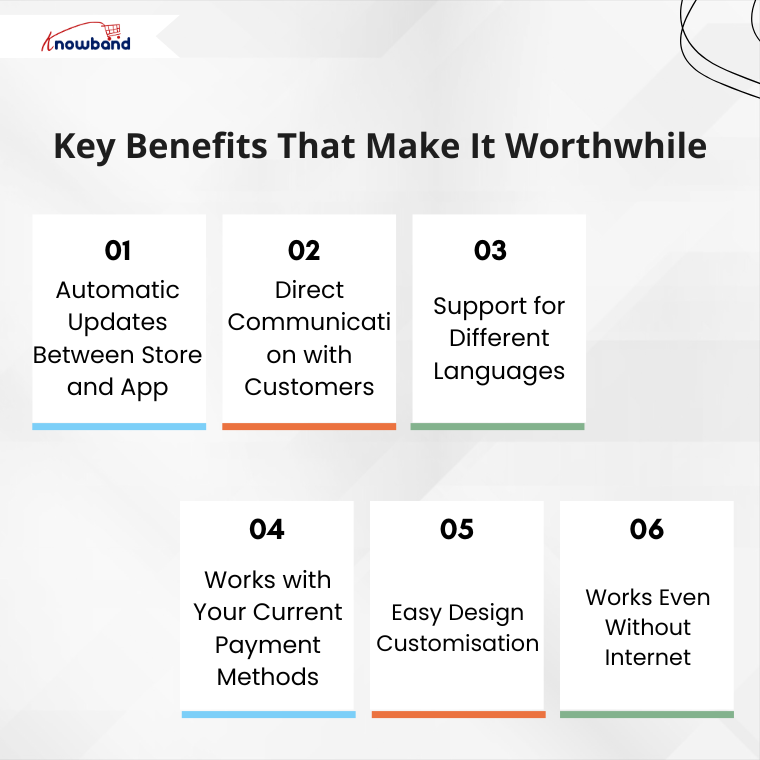
Key Benefits That Make It Worthwhile

1. Automatic Updates Between Store and App

When you change something on your website, it immediately appears in your mobile app. For example, if you update product prices or add new items, customers see these changes right away. As a result, you save time and avoid mistakes because everything stays in sync.

2. Direct Communication with Customers

Instead of relying only on emails, you can send instant messages to app users. For instance, you can notify them about sales, order updates, or remind them about items in their cart. Consequently, this leads to more sales and better customer engagement.

3. Support for Different Languages

If you serve customers from various countries, this feature is particularly useful. Then Knowband’s Opencart Mobile app Builder Extension works with multiple languages, including those that read from right to left. Therefore, all your customers can use the app created from Mobile App Builder comfortably in their preferred language.

4. Works with Your Current Payment Methods

The app automatically includes all your existing payment options. Whether you accept credit cards, PayPal, or cash on delivery, everything works the same way. Additionally, you don’t need to set up anything new.

5. Easy Design Customisation

You can change how your app looks without any technical knowledge. Simply update your logo, colours, or banner images from your admin panel. Moreover, you can even add video banners to make your app more attractive. As a result, your app reflects your brand perfectly.

6. Works Even Without Internet

Unlike many mobile apps, this one lets customers browse even when their internet connection is weak. Although they can’t complete purchases offline, they can still look at products. This small feature greatly improves the user experience.

Getting Started: Simple Steps

The setup process is straightforward and user-friendly. Here’s what you need to do:

First, purchase and install the Opencart Mobile App Builder Extension on your store. Then, fill in basic information such as:

  • Your app’s name
  • App icon and splash screen
  • Notification settings
  • Color preferences

After you complete these steps, the Knowband team creates your app files. Finally, you receive ready-to-publish apps for both the Android and iOS stores.

Why Choose This Over Custom Development?

You might wonder why not hire a development team instead. However, custom development has several drawbacks:

Traditional development takes months to complete. Additionally, it costs much more money upfront. Furthermore, you need ongoing technical support for updates and maintenance.

In contrast, using this app builder offers several advantages:

  • Quick setup and launch
  • Lower overall costs
  • No need for technical expertise
  • Automatic updates and maintenance

Therefore, Knowband Mobile App Builder for OpenCart smarter choice for most store owners.

The Real Value You Get

This Knowband’s Opencart Mobile App Builder Plugin offers more than just a mobile app. Instead, it provides a complete mobile shopping experience for your customers. Moreover, it helps you compete with larger retailers who already have mobile apps.

When customers can shop easily on their phones, they’re more likely to buy from you again. Additionally, mobile apps often lead to higher sales compared to mobile websites.

Making Your Decision

In conclusion, creating a mobile app for your OpenCart store is a smart business move. The mobile app builder handles all the technical work, so you can focus on growing your business.

If you’re still unsure, consider trying the demo version first. This way, you can see exactly how it works. Remember, in today’s mobile-first world, having an app isn’t just nice to have – it’s becoming essential for business success.

For further information, visit the OpenCart Mobile App Builder Plugin page and enhance your customers’ mobile shopping experience


eBay, Etsy, and Google Shopping – Which Marketplace Is Right for Your Business?


You may also like to read:
Discover how integrating your PrestaShop store with Etsy can save time and maximize sales. Read MoreIn today’s highly competitive e-commerce world, it’s no longer enough to sell products on just your own website. Instead, to reach more customers and increase your revenue, selling across multiple marketplaces has become a smart and often necessary strategy.

Among the most popular platforms for online sellers are eBay, Etsy, and Google Shopping. Each of these marketplaces has its own unique audience, benefits, and requirements. That leads to the question of how to pick the right one for your business needs.

Let’s take a closer look at each platform, so you can make an informed decision that matches your goals. Additionally, we’ll show you how you can simplify the integration process with a ready-to-use plugin.

Ebay Marketplace

[New Upgrade Alert]

Knowband is excited to announce the release of Prestashop eBay Marketplace Addon version 2.2.1, packed with the latest enhancements to streamline your PrestaShop–eBay operations. This update focuses on making inventory management and API tracking easier, faster, and more reliable.

With this new version, you can now:

1. Inventory Comparison

The Inventory Comparison tab helps you keep your PrestaShop store and eBay listings perfectly in sync. It automatically compares stock levels between platforms, highlights discrepancies, and prevents overselling, saving you time and reducing manual errors.

2. Rate Limit Monitoring

The Rate Limit tab allows you to monitor your eBay API usage in real time.  You can check the data of all APIs with the Total limit, how much is used & remaining usage before you hit API limits, ensuring your store continues to sync smoothly without interruptions.

These two major enhancements give you better control, fewer errors, and a seamless integration experience.

Upgrade to v2.2.1 today and take your PrestaShop – eBay integration to the next level!

Check out the user manual for detailed guidance

Let’s start with eBay, one of the longest-running and most reliable online marketplaces globally. With millions of active buyers across the globe, it offers a variety of products for customers of all kinds of products, from electronics and apparel to home goods and collectables.

Why choose eBay?

  • Wide customer reach: eBay connects you with more than 130 million active buyers globally.
  • Wide product range: You can sell new, used, or refurbished products
  • Flexible selling formats: Auctions, Buy It Now, and Best Offer options

However, eBay is highly competitive, especially for generic products. As a result, to succeed, sellers need high ratings, fast shipping, and clear, detailed product descriptions.

If you’re using platforms like PrestaShop or OpenCart, you can use Knowband’s eBay Marketplace Integration Plugins to automate product listings, sync inventory, and manage orders right from your store backend, thereby saving you time and effort.

Etsy Marketplace

On the other hand, Etsy is a platform for creative sellers. If you sell handmade goods, craft supplies, artwork, or vintage products, Etsy is where your products will shine.

Why choose Etsy?

  • Targeted audience: Etsy customers actively seek unique and artisan products
  • Strong community: Sellers and buyers value personalisation and creativity
  • Simple store setup: Great for small businesses and solo creators

Etsy has clear rules about what types of products are allowed on the platform. In fact, mass-produced items are generally not allowed unless they’re designed by you and manufactured through approved partners.

Similar to eBay, Knowband’s Etsy Marketplace Integration Plugins helps you list your products on Etsy directly from your existing store platform. 

Furthermore, inventory sync, price updates, and order management are all handled automatically, thus letting you focus more on creativity and less on manual work.

Google Shopping Marketplace

In contrast, unlike traditional marketplaces, Google Shopping is a product listing service from Google that displays your items directly in Google Search in the Shopping tab. Moreover, it’s ideal for sellers who want to drive traffic to their own store while still reaching a large audience.

Why choose Google Shopping?

  • High-intent buyers: Shoppers come with strong purchase intent
  • Improved visibility: Products appear directly in Google results
  • Drive traffic to your store: Unlike eBay and Etsy, customers are sent to your website to complete the purchase

However, Google Shopping requires you to manage a product feed and comply with Google Merchant Centre policies.

Similarly, Knowband’s Google Shopping Integration Module links your store directly to the Google Merchant Centre.

It also automates product feed creation, keeps your listings up to date, and makes sure they follow Google’s guidelines.


So, which platform is the right choice for your business?

That depends on what you’re selling, who you want to reach, and your business goals. Here’s a quick guide to help you decide:

eBay is ideal for selling general products, branded items, and electronics. With its global reach, it’s perfect for sellers targeting a broad and diverse audience. Furthermore, the platform attracts customers looking for variety, deals, and trusted brands.

On the other hand, Etsy is a great choice for selling handmade, vintage, custom, or creative items.

 It’s popular with people who like special, one-of-a-kind products, craftsmanship, and unique items. Specifically, if your products tell a story or are made with a personal touch, Etsy is a great fit.

Meanwhile, Google Shopping works well for nearly any product type and is especially effective for driving traffic to your own online store. In addition, it places your products directly in front of search engine customers who are actively looking and often ready to purchase.

But you don’t have to stick to just one platform. In fact, many successful sellers use a multichannel strategy, listing their products on all three platforms to maximise reach and revenue.

Final Thoughts

Whether you’re a small creator selling handcrafted candles or a growing business offering electronics and fashion accessories, choosing the right marketplace or combination of marketplaces can have a huge impact on your success.

By leveraging ready-made integration modules for platforms like PrestaShop, OpenCart & Magento 2, you can eliminate manual uploads, sync inventories in real time, and manage orders from a centralised dashboard.

Finally, if you’re ready to expand your reach across eBay, Etsy, and Google Shopping, explore our integration solutions designed to save you time and grow your business faster.

You may also like to read:
Discover how integrating your PrestaShop store with Etsy can save time and maximize sales. Read More

Step-by-Step Guide to Launch Your eCommerce Mobile App with Knowband

Today, most people shop on their phones, so making the buying experience easy and smooth is a must. With mobile commerce on the trend, having your own app can give your brand a competitive edge.

That’s where Knowband’s Mobile App Builder comes in. Whether you’re using PrestaShop, Magento, OpenCart, or WooCommerce, Knowband makes it incredibly easy to turn your online store into a sleek mobile app with no coding required.

If you’re thinking about launching your e-commerce app, here’s a step-by-step guide to walk you through the entire process.

Step 1: Choose the Right App Builder for Your Platform

First things first, go to Knowband.com and select the Prestashop Mobile App Builder module that matches your store’s platform. Whether you’re running on PrestaShop, Magento 2, OpenCart or WooCommerce, there’s a version tailored just for you.

Once you’ve purchased the module, you will receive a downloadable ZIP file along with setup instructions.

Step 2: Install the Module on Your Website

Next up, it’s time to install the module on your site, and the good news is that it’s a pretty straightforward process. 

Depending on the platform you’re using, the steps may vary slightly. If you’re using PrestaShop, you can easily upload the module right from the admin panel. 

For Magento 2 users, installation is typically done using Composer or via FTP, whichever you’re more comfortable with. 

If your store is built on OpenCart or WooCommerce, the installation is even easier; it just takes a few clicks within the extensions or plugin section of your admin dashboard.

Once the Opencart Mobile App Builder Extension is successfully installed using FTP, you’ll see the Mobile App Builder panel show up right in your backend.

 Moreover, store owners can start set to begin customising their app’s design and functionality.

Step 3: Customise the App Design and Features

Knowband gives the full control to the store owner to customise the app based on the store’s needs.

Using the Mobile App Builder module, you can easily set up banners, sliders, featured product sections, countdown timers, and more. Furthermore, you’ll also be able to tweak the theme colours, fonts, and layout, so your app matches your brand perfectly.

Everything is highly customizable, and you don’t need to write a single line of code.

Step 4: Provide App Branding Details

Once your app layout is ready and you’re happy with the design, the next step is to provide your branding details so Knowband can begin building your mobile app. Moreover, this information helps ensure that your app looks and feels exactly like your brand, consistent, professional, and personalised.

Here’s what you’ll need to share:

  • App name
  • Logo and app icon
  • Splash screen image
  • Primary theme colour
  • Your store URL
  • Firebase keys (used for enabling push notifications)
  • Developer account access ( Android & iOS)

If that list feels a bit overwhelming, don’t worry, Knowband has you covered. We provide clear, step-by-step documentation and friendly support for the WooCommerce Mobile App Builder Plugin to walk you through each requirement. Whether you’re a first-time app creator or just need a little guidance, our team is always ready to help.

Step 5: App Compilation and Delivery

After you’ve submitted all the required information, our team takes over.

We compile your mobile app for both Android and iOS and typically deliver the test builds within 4-5 working days. You’ll receive APK (for Android) and IPA (for iOS) files, which you can test on real devices before going live.

Moreover, this is a good way to review the app thoroughly and ensure everything works just as expected.

Step 6: Test Your App Thoroughly

Before launching, it’s important to test your app across multiple devices and platforms. Try out the login process, navigation, product browsing, checkout, payment gateways, push notifications, and anything else that matters to your user experience.

If you notice any issues or have last-minute customisation requests, our support team is responsive and ready to assist.

Step 7: Publish to App Stores

You can upload the APK file to your Google Play Developer Account and submit the iOS version through your Apple Developer Account using App Store Connect. If you’re unsure how to do this, Knowband guide you through the process or even handles it for you.

Step 8: Promote and Optimise Your App

Promote your mobile app on your website with banners or pop-ups, share download links on social media, and offer exclusive app-only deals to encourage downloads. Moreover, you can also use push notifications to keep users engaged and bring them back to your store regularly.

Don’t forget to monitor reviews, track analytics, and gather feedback so you can continuously improve the experience.

Final Thoughts

Launching a mobile app for your e-commerce store doesn’t have to be expensive or complicated. With Knowband’s Magento 2 Mobile App Builder Plugin, you can go from idea to live app in just a few days and provide your customers with the modern, mobile-first experience they expect.

Whether your store is on PrestaShop, OpenCart, Magento 2, or WooCommerce, we have the perfect solution to create your own mobile app based on your website or store theme. Visit opencartmobileshop.com to get started.

So why wait? Now is the perfect time to take your store mobile.

Get started today and let your store go mobile with KnowBand

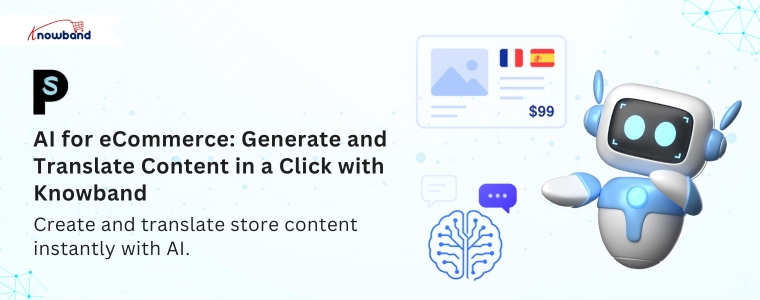
AI for E-Commerce: Generate and Translate Content in a Click with Knowband

Writing and maintaining optimised content for an e-commerce store often demands significant time and effort. The AI Content Generator and Translator Module from Knowband offers a powerful solution to simplify this process.

This all-in-one module brings together the strengths of ChatGPT, Claude AI, and Gemini AI, enabling store owners to easily create and translate content with minimal effort.

Whether you’re adding new products, updating meta details, or targeting a multilingual audience, this module streamlines everything in just a few clicks. Moreover, the plugin is available for all major platforms like prestashop, opencart, Magento 2, & woocommerce.

Let’s explore how this all-in-one solution transforms content management for your online store.

Key Features of the Knowband’s PrestaShop AI Content Generator and Translator

1. Multi-AI Engine Support

The PrestaShop AI Content Generator Module smoothly connects with leading AI engines such as ChatGPT (GPT-3.5 and GPT-4), Claude AI (Haiku and Sonnet models), and Gemini AI (including 1.5 Flash, 2.0 Flash, and Pro versions).

As a result, you gain the flexibility to choose the engine and model that best aligns with your specific needs, whether you’re looking for creative flair, factual accuracy, or ultra-fast content generation.

2. Complete Content Generation

The PrestaShop AI Content Generator Module quickly creates important content for online stores, like product descriptions, meta titles, meta descriptions, and category text. Moreover, all content is well-structured, SEO-friendly, and crafted in a tone that resonates with online customers, ensuring both clarity and conversion potential.

3. Bulk Content Management

If you are managing a large store? Then no worries. The Opencart AI Bulk Content Generator Extension enables store owners to create or translate large volumes of content efficiently in a single operation. Furthermore, this saves hours of manual effort and helps you scale faster.

4. SEO Optimisation Built-In

From keyword-rich meta titles to optimised product descriptions, the WooCommerce AI Content Generator and Translator Addon ensures that your content ranks well on search engines.

5. Accurate Multilingual Translations

Most importantly, with Knowband’s Magento 2 ChatGPT AI Content Translator Plugin, store owners can effortlessly translate content into multiple languages while maintaining both accuracy and proper formatting. Moreover, this includes everything from product and category titles to descriptions, as well as meta information like titles and descriptions, ensuring your store speaks clearly and effectively to a global audience.

6. Predefined AI Prompts

The powerful & advanced AI Content Generator Module includes 14 built-in prompts for both content generation and translation. Additionally, the store owner can customise the prompt according to the way they like.

Moreover, these prompts make it easy to execute tasks based on your specific needs and desired content style or description, eliminating the need to write instructions manually.

7. User-Friendly Admin Interface

Even with complex advanced technology, the Prestashop Content Translator & Generator Addon is designed for simplicity. Moreover, store admins can operate everything from an intuitive dashboard—no coding or technical knowledge needed.

8. Activity Logs for Full Transparency

Each action performed using the WooCommerce AI Content Generator Plugin is automatically logged for tracking and transparency.

Moreover, you can review timestamps, prompt types, and content changes to keep track of all updates made via AI.

Top Benefits of Using Knowband’s AI Content Generator and Translator Module

Boosts Productivity and Focus

First and foremost, by automating repetitive content tasks, store owners and teams can redirect their time and energy toward strategic areas like marketing, customer engagement, and business development, instead of spending hours writing and translating content manually.

Ensures Brand Consistency Across Markets

In addition, the AI-generated and translated content maintains a consistent tone, style, and message across all product listings and languages. This helps your brand appear reliable, professional, and trustworthy, regardless of the target audience or region.

Reduces Dependency on Third Parties

Moreover, with AI handling both content creation and translation, there’s less need to hire external writers or translators. This not only reduces costs but also gives you greater control over output quality and turnaround time.

Accelerates Global Expansion

As a result, the built-in multilingual capabilities allow your store to easily reach and engage international customers, enabling faster entry into new markets without the usual complexities of manual localisation.

Supports Scalability

Finally, whether you’re managing 50 or 5,000 products, the module is built to handle bulk operations seamlessly. In other words, as your store grows, the module scales with you, keeping your content strategy efficient and future-proof.

Conclusion

The AI Content Generator and Translator Plugin is a must-have for any store looking to scale efficiently while maintaining high-quality content. Whether you’re managing SEO, translating for global reach, or launching new products, this single module handles it all with ease.

Whether you’re launching new products, managing hundreds of listings, or expanding into international markets, this all-in-one AI-powered addon simplifies everything. Moreover, it integrates the strengths of ChatGPT, Claude, and Gemini, giving you unmatched flexibility and control.

As a result, you save valuable time, reduce operational costs, and enhance your store’s SEO performance. In addition, accurate multilingual translations enable you to connect with a global audience while maintaining quality and brand tone.

So, why wait?
Install the Knowband AI plugins today—and let your store speak every language, brilliantly.

Top 10 Use Cases of AI That Are Transforming eCommerce

Artificial Intelligence (AI) is transforming industries worldwide, and its impact on e-commerce is nothing short of revolutionary. From personalised shopping experiences to intelligent inventory management, AI is helping online businesses grow faster, work smarter, and serve customers better.

At Knowband, we’re always focused on providing cutting-edge e-commerce solutions and AI plays a big part in shaping the future of online retail. In this blog, we’ll dive into 10 powerful and practical use cases of AI that are actively reshaping the e-commerce landscape.

Whether you’re a store owner, marketer, or developer, these innovations show how AI can boost efficiency, improve customer satisfaction, and drive sales.

1. Personalised Product Recommendations

One of the most used applications of AI in e-commerce is product recommendations. By analysing a customer’s browsing history, past purchases, and real-time behaviour, AI systems can predict what products they are most likely to buy.

Platforms like Amazon use advanced algorithms to tailor recommendations, increasing average order value and improving customer satisfaction. Moreover, these personalised experiences are key to driving sales and building long-term customer loyalty.

2. Smart Search and Visual Discovery

Artificial intelligence is streamlining product discovery, offering users a more seamless search experience. Moreover, traditional keyword-based search is being replaced with AI-powered search that understands natural language and intent.

Even more impressive is the search option, where the customer can add their product to find similar images. For example, fashion or furniture retailers use image recognition tools so customers can shop by photo — a feature that enhances discovery and improves conversion rates.

3. AI Chatbots and Virtual Assistants

AI-powered chatbots have become necessary for e-commerce stores. These bots can handle product inquiries, order tracking, returns, and even personalised recommendations, all without human intervention.

What sets AI chatbots apart from traditional scripted bots is their ability to learn from interactions and improve over time. Furthermore, they provide instant, 24/7 support, reduce response times, and free up human agents for more complex issues.

4. Dynamic Pricing and Discount Optimisation

AI enables real-time pricing strategies based on demand, competitor pricing, inventory levels, and customer behaviour. Furthermore, by using machine learning algorithms, e-commerce businesses can automatically adjust prices to stay competitive while maximising profits.

Moreover, this dynamic pricing is already being used by major retailers to improve sales performance, especially during promotions, peak seasons, or flash sales.

5. Sentiment Analysis and Customer Feedback

Gaining insight into customer perceptions of your products or brand is essential. AI leverages natural language processing to evaluate reviews, social media conversations, and feedback, helping to identify overall sentiment

However, this analysis helps businesses identify strengths and weaknesses, improve products, and tailor marketing strategies.

6. Inventory and Supply Chain Forecasting

AI is instrumental in optimising inventory management and streamlining logistics operations. By analysing past sales, seasonal fluctuations, and current market trends, predictive analytics can accurately estimate future product demand. This helps avoid overstocking or stockouts, reducing storage costs and improving delivery efficiency.

Some platforms use AI to automatically reorder products or optimise warehouse layout, ensuring a smoother supply chain operation.

7. Fraud Detection and Payment Security

Online fraud is a growing concern, but AI is helping combat it effectively. AI models detect suspicious behaviour, such as unusual login locations, rapid transactions, or mismatched payment details.

By learning from patterns, these systems become better over time at identifying fraudulent activity and reducing chargebacks. This not only protects customers but also helps maintain trust in the platform.

8. Automated Content Creation

Writing product descriptions and marketing content for a big catalogue takes a lot of time and can be boring. With the rise of AI, tools like ChatGPT, Gemini, Claude, and DeepSeek now assist in generating SEO-friendly product descriptions, meta tags, email campaigns, and even blog posts. This significantly reduces the workload, ensures consistency, and allows content teams to focus on strategy and creativity rather than repetitive tasks.

Knowband offers advanced AI-powered content generation and translation plugin for major eCommerce platforms including PrestaShop, OpenCart, WooCommerce, and Magento 2.

Moreover, Knowband’s PrestaShop AI Content Generator & Translator Module enables store owners to effortlessly generate product descriptions, meta titles, meta descriptions, and translate content into all available store languages — improving global reach and efficiency.

We also offer customisation services to tailor the AI content generation features to your specific eCommerce needs.

Integrate Your Prestashop Shop with powerful AI Engines like ChatGPT, Claude, Gemini & DeepSeek

No Coding Skills Required

SHOP NOW

9. Customer Retention and Churn Prediction

AI can analyse user behaviour to predict which customers are likely to stop engaging or abandon the brand. By identifying at-risk customers, businesses can send timely offers, reminders, or personalised incentives to re-engage them.

This proactive approach increases customer retention and improves lifetime value (LTV).

10. Voice Commerce

With the rise of voice assistants like Alexa, Google Assistant, and Siri, voice commerce is becoming a popular shopping channel. Customers can now use voice commands to search for products, add them to their cart, and complete purchases.

AI enables these assistants to understand user intent, recommend relevant products, and carry out transactions, making shopping more convenient and accessible.

Final Thoughts

AI is doing more than improving eCommerce — it’s transforming the way the industry operates. From smarter customer experiences to backend efficiency, AI-driven technologies are helping businesses stay competitive in a fast-evolving digital marketplace.

Whether you’re running a small online store or managing a large retail operation, integrating AI tools into your eCommerce strategy can lead to significant improvements in customer satisfaction, sales, and operational agility.

Looking for AI-driven solutions to boost your eCommerce store’s performance?

Our team offers tailored AI integrations, custom modules, and seamless migration services across platforms like PrestaShop, Shopify, Opencart, Magento 2 and WooCommerce. Transform your store into a smarter, more efficient, and future-ready business.

PrestaShop 9 Module Migration: A Developer’s Guide to Backward Compatibility

The release of PrestaShop 9 has brought exciting new features and improvements to the e-commerce platform. However, for module developers, this upgrade presents significant challenges when maintaining backwards compatibility with older versions. Furthermore, the complexity increases when you need to support legacy installations like PrestaShop 1.7.5 while simultaneously preparing for the latest version.

Understanding the Migration Challenge

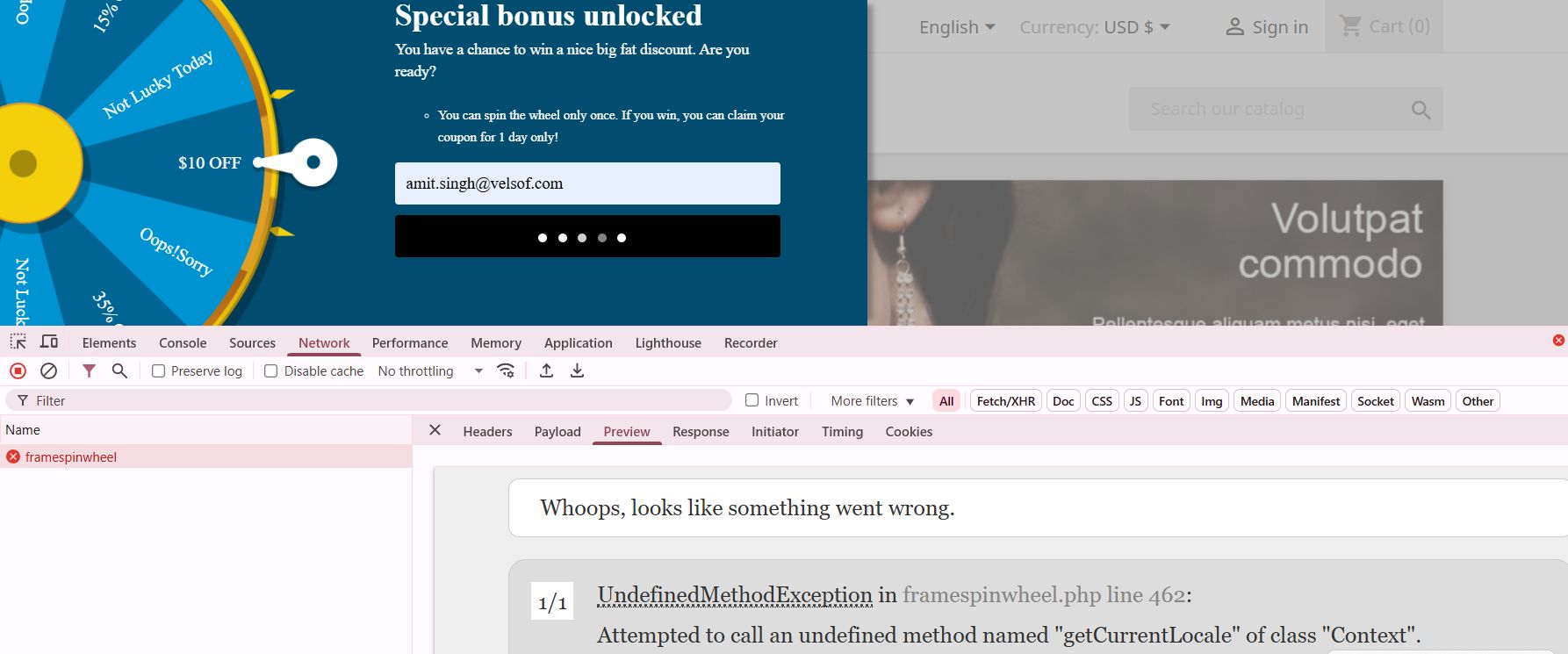
Upgrading modules from PrestaShop 8 to PrestaShop 9 can introduce unexpected compatibility issues. While a module may function correctly in the latest environment, it may break completely when tested on older versions like PrestaShop 1.7.5.

A common source of these issues is method availability differences across versions. Certain methods available in newer versions may not exist in older ones, leading to fatal errors. Additionally, architectural changes between PrestaShop versions can render previously stable code unusable without adjustments.

The Technical Breakdown: Price Formatting Nightmare

One particularly challenging example involved the getCurrentLocale() method. In PrestaShop 8 and 9, this code works flawlessly:

$formattedPrice = $this->context->getCurrentLocale()->formatPrice($price, $currency);

However, when the same code runs on PrestaShop 1.7.5, it throws a fatal error because getCurrentLocale() doesn’t exist. Consequently, the entire module becomes unusable on older installations.

The Solution: Smart Compatibility Detection

To resolve this issue, I implemented a robust compatibility checking system. First, I created a method existence check before calling any potentially unavailable functions:

public function formatPriceCompatible($price, $currency = null) {

    if (method_exists($this->context, ‘getCurrentLocale’)) {

        // Modern PrestaShop 8+ approach

        return $this->context->getCurrentLocale()->formatPrice($price, $currency);

    } else {

        // Legacy fallback for PS 1.7.x

        return Tools::displayPrice($price, $currency);

    }

}

Moreover, I extended this approach to version checking for more complex scenarios:

public function getPrestaShopVersion() {

    return defined(‘_PS_VERSION_’) ? _PS_VERSION_ : ‘1.6.0.0’;

}

public function isModernPrestaShop() {

    return version_compare($this->getPrestaShopVersion(), ‘1.7.6.0’, ‘>=’);

}

Beyond Price Formatting: Other Compatibility Pitfalls

Price formatting isn’t the only area where compatibility issues arise. Similarly, Mobile_Detect integration presents challenges because the library handling differs between versions. Therefore, I implemented a conditional loading mechanism:

public function loadMobileDetection() {

    if (class_exists(‘Mobile_Detect’)) {

        $this->mobileDetect = new Mobile_Detect();

    } elseif (file_exists(_PS_MODULE_DIR_ . ‘your_module/lib/Mobile_Detect.php’)) {

        require_once(_PS_MODULE_DIR_ . ‘your_module/lib/Mobile_Detect.php’);

        $this->mobileDetect = new Mobile_Detect();

    } else {

        // Fallback: assume desktop

        $this->mobileDetect = null;

    }

}

Hook System Evolution

Furthermore, the hook system has evolved significantly between versions. While newer hooks provide better functionality, they’re unavailable in older versions. Thus, I created a hook compatibility layer:

public function registerCompatibleHooks() {

    $modernHooks = [‘displayProductAdditionalInfo’, ‘displayAdminProductsExtra’];

    $legacyHooks = [‘displayProductTab’, ‘displayAdminProduct’];

   if ($this->isModernPrestaShop()) {

        return $this->registerHook($modernHooks);

    } else {

        return $this->registerHook($legacyHooks);

    }

}

Best Practices for Multi-Version Support

Essential Strategies for Maintaining Backward Compatibility:

Always test across versions before deploying any updates. Additionally, create a testing environment with multiple PrestaShop versions to catch compatibility issues early.

Use defensive programming techniques. In other words, never assume a method or class exists without checking first. Moreover, implement graceful fallbacks for every modern feature you use.

Document your compatibility range clearly. Therefore, merchants know exactly which PrestaShop versions your module supports.

Create abstraction layers for version-specific functionality. Consequently, your main code remains clean while compatibility logic stays separate.

The Future of Module Development

As PrestaShop continues evolving, module developers must balance innovation with backwards compatibility. Nevertheless, this challenge presents an opportunity to create more robust, flexible modules that serve a broader audience.

The key is building modules that gracefully degrade functionality rather than breaking entirely. Subsequently, merchants can continue using your module regardless of their PrestaShop version, while still benefiting from enhanced features when they upgrade.

Conclusion

PrestaShop 9 brings powerful new capabilities, but successful module development requires careful attention to backwards compatibility. By implementing proper version checking, creating fallback mechanisms, and thoroughly testing across versions, you can build modules that work seamlessly across the entire PrestaShop ecosystem.

Remember, the goal isn’t just to make your module work in the latest version—it’s to ensure it provides value to merchants regardless of their current PrestaShop installation. Therefore, invest time in compatibility testing and defensive programming. Your users will thank you for it.

If you’re looking for reliable PrestaShop plugins or need assistance with migration and compatibility services, our team is here to help. We specialize in delivering seamless solutions tailored to your store’s version—whether you’re on PrestaShop 1.6, 1.7, 8, or migrating to 9. Let us handle the complexity, so you can focus on growing your business with confidence.

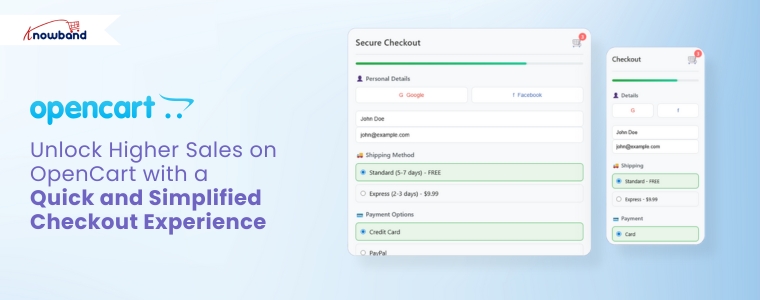
Unlock Higher Sales on OpenCart with a Quick and Simplified Checkout Experience

In today’s fast-paced eCommerce landscape, customers expect convenience at every step, especially during checkout. Unfortunately, a complex or time-consuming process can quickly drive them away. For this reason, adopting an OpenCart One Page Checkout solution is needed. Knowband’s OpenCart One Page Advanced Checkout Extension simplifies the checkout experience by making it quicker, more user-friendly, and highly efficient for customers.

Why You Need a Simplified Checkout in OpenCart

While attracting traffic through promotions and SEO is important, a poor checkout experience can unfortunately cancel all your efforts. Indeed, long forms, multiple page loads, and confusing steps increase cart abandonment significantly. However, an OpenCart simplified checkout module eliminates these issues by combining everything into one responsive, easy-to-complete page.

Furthermore, Knowband’s OpenCart fast checkout extension streamlines the buyer journey, helping your customers complete orders quickly and effortlessly. As a result, it not only improves user experience but also directly boosts your conversions.

Must-Have Features of Knowband’s One Page Checkout for OpenCart

Below are the features that make this OpenCart quick checkout extension an essential addition to your store:

Unified Checkout on One Page

First and foremost, the OpenCart Single Page Checkout combines billing, shipping, payment, and confirmation into a single view. Consequently, this eliminates the need for reloading pages or navigating multiple steps, making it easier for customers to place orders without distractions.

Social Login for Faster Access

Additionally, typing login details can be a hassle, especially on mobile. Therefore, this OpenCart responsive checkout popup allows customers to sign in with their Google or Facebook accounts, reducing friction and making the process significantly faster.

Guest Checkout with Background Registration

Additionally, the module allows customers to check out as guests while automatically generating an account behind the scenes. This feature benefits customers who want a fast checkout experience and, simultaneously, store owners who want more registered users.

Custom Field Control

Similarly, every store has different requirements. With this OpenCart One Page Supercheckout, you can manage the visibility and requirement status of each checkout field. The result? A clean, focused checkout that only asks for what’s necessary.

Intelligent Shipping-to-Payment Mapping

In addition, the module intelligently connects shipping methods to their respective payment options. This minimises confusion and ensures that customers see only the relevant choices during checkout.

Integrated Newsletter and Mailchimp Support

Furthermore, the OpenCart Free One Step Checkout module includes an optional newsletter signup checkbox. It also syncs directly with Mailchimp, allowing you to grow your mailing list automatically while customers complete their orders.

Mobile-Friendly and Multilingual

Finally, today’s shoppers use a range of devices and speak different languages. This OpenCart responsive checkout popup adapts perfectly to smartphones, tablets, and desktops. It also supports multilingual and multi-store setups for global businesses.

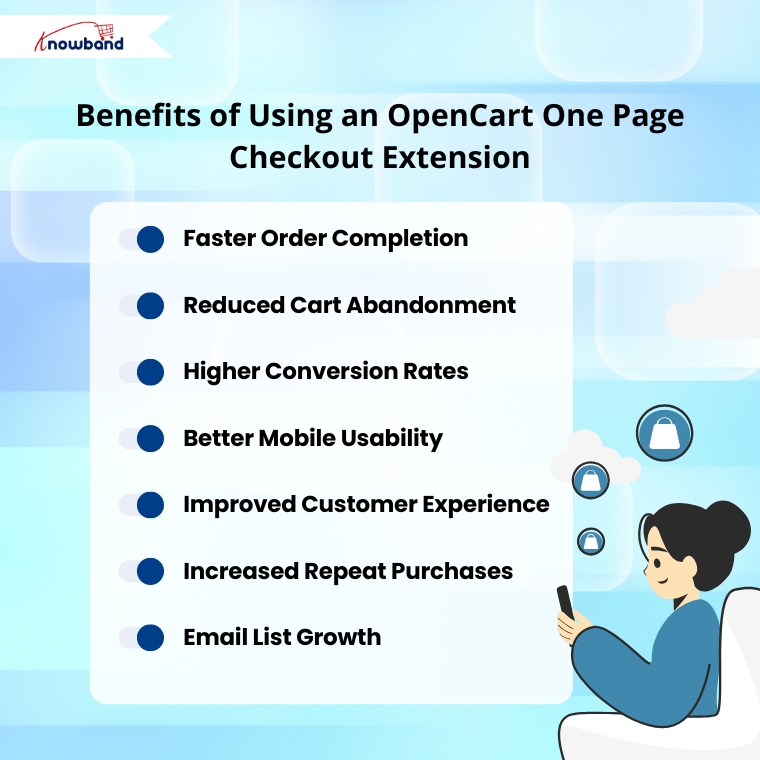
Benefits of Using Knowband’s OpenCart One-Page Checkout Extension

By installing the One Page Checkout for OpenCart, your store can experience a range of powerful benefits:

Faster Order Completion: Customers can place orders quickly with fewer clicks and no unnecessary steps.

Reduced Cart Abandonment: Simplified checkout minimises the risk of customers dropping off.

Higher Conversion Rates: A clear and efficient process helps turn more visitors into buyers.

Better Mobile Usability: Optimised layouts ensure a smooth experience on any device.

Improved Customer Experience: A clean interface shows customers that their time is respected.

Increased Repeat Purchases: A positive first experience encourages customers to return.

Email List Growth: Built-in newsletter signup helps you capture more leads for future campaigns.

Why Choose Knowband’s OpenCart Checkout Extension?

This OpenCart One Page Advanced Checkout Extension offers everything a modern eCommerce store needs:

  • Easy installation and configuration—no coding required
  • Customizable fields to suit your store’s specific needs
  • Social login, guest checkout, and email capture built in
  • Compatible with multilingual and multi-store OpenCart setups
  • Optimised for both desktop and mobile users
  • Proven to boost user satisfaction and sales

Final Thoughts: Streamline Your Checkout, Boost Your Revenue

To sum up, a fast and efficient checkout process is essential for any successful online store. Knowband’s OpenCart One Page Checkout module combines powerful features with a sleek, user-friendly interface to deliver exactly that.

If you’re looking for an OpenCart fast checkout extension that reduces abandonment, increases conversions, and improves mobile shopping, this is the ideal solution. With the OpenCart One Page Supercheckout, you get the same powerful results—more sales, fewer abandoned carts, and a better shopping experience for your customers.

Upgrade your store today and experience the difference a single page can make.

Watch the demo on YouTube