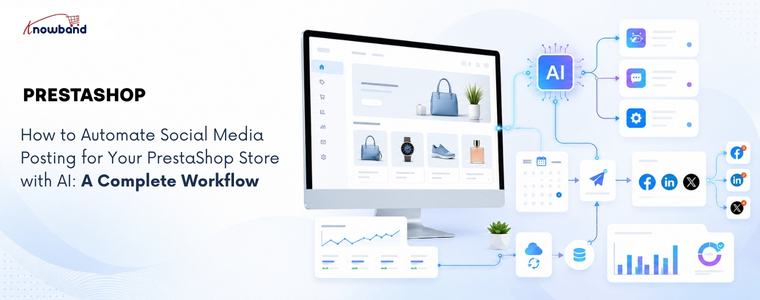
How to Automate Social Media Posting for Your PrestaShop Store with AI: A Complete Workflow

Launching a new product is only half the job. If it isn’t shared on social media at the right time, you risk missing the initial surge of attention that can drive traffic, engagement, and sales. In many stores, products go live first, while the social media announcement gets delayed or forgotten altogether. By the time someone remembers to post about it, the best opportunity to reach potential customers has already passed. This is where the PrestaShop AI Social Media Post Generator Module by Knowband can make a real difference. But generating captions alone isn’t enough. A truly effective solution should automate the entire workflow, from detecting a newly published product and creating platform-specific content to scheduling or publishing posts automatically. Otherwise, store admins still have to manually generate the content, choose the right social platforms, and publish each post themselves, leaving room for delays and missed opportunities.

Why a PrestaShop AI Social Media Post Generator Module Needs a Workflow

Marketers using AI content generation tools save an average of 6.1 hours per week on content-related tasks, according to HubSpot’s 2026 AI Trends Report, with senior practitioners saving 8 to 10 hours. That number only holds up if the solution they use is actually removing steps from the process, not just replacing a blank caption box with an AI-generated one someone still has to notice and post.

The real challenge with manual social media posting isn’t writing the post. It’s remembering to promote every new product, deciding what to say, and finding the right time to publish it.

A workflow-based setup removes all three decisions from the admin’s daily list, not just the writing part. That’s the actual difference between a caption generator and genuine automation.

The Trigger-to-Post Workflow: How Automated Social Content Actually Moves

Trigger-based automation starts with a store event, not a blank prompt. Here’s the full loop a properly configured setup runs through, from the moment a product changes status to the point an admin reviews what happened and adjusts the system.
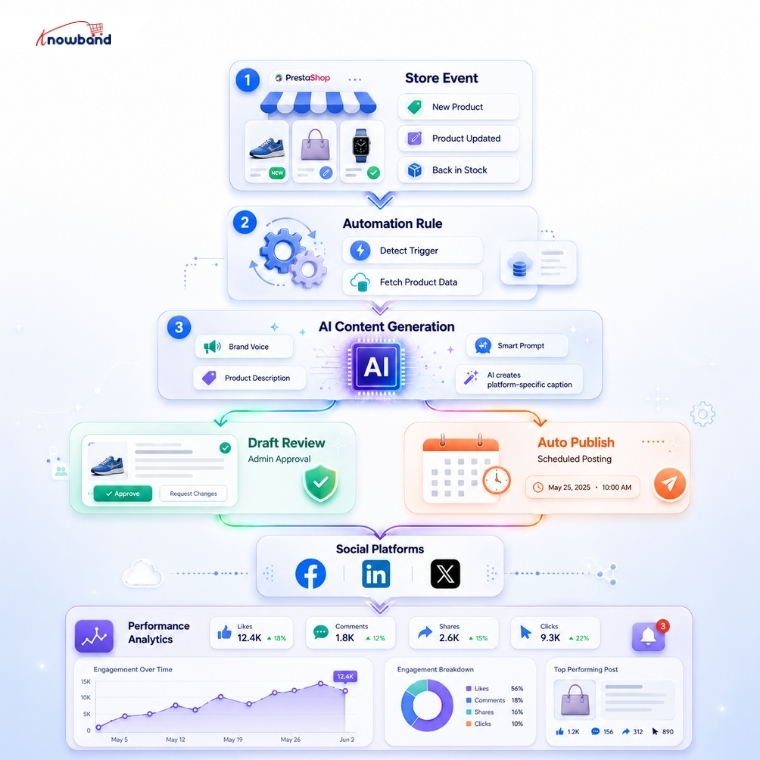
Every product event flows through the same loop: a trigger activates, the rule fetches the product data, AI generates the copy, and the post either waits for a human or is directly published, before performance data feeds back into the next round of prompts.

Building a Prompt Strategy So Posts Don’t Sound Like Generic AI Captions

The quality gap between AI social posts almost always comes down to what the prompt actually contains, not which AI model generated it. A prompt built only from a product name and price produces the same generic copy every AI tool writes when given nothing else to work with.

Brand voice closes most of that gap on its own. Feeding the AI a defined tone, whether professional, playful, or urgent, along with the actual industry context, gives it enough to write copy that sounds like a specific store instead of a template.

Product catalog content matters just as much here. A prompt built from the product name, description, price, and URL together produces noticeably more specific captions than one built from the name alone, since the AI has real details to reference instead of filling gaps with generic phrasing.

A word blacklist and per-platform CTA phrases round out the strategy. Blocking competitor names or discontinued product references prevents embarrassing mismatches, and a defined closing line per platform keeps the CTA on-brand instead of leaving the AI to invent one each time.

Choosing Between Draft Review and Auto-Publish with a PrestaShop Social Post Scheduling Addon

Immediate publishing works well once a rule has proven itself, but it’s the wrong starting point for a new rule. Running a new rule in draft mode first lets an admin check tone, accuracy, and CTA phrasing across a handful of real products before trusting it to publish unattended.

A PrestaShop Social Post Scheduling Addon adds a middle option worth using once a rule is trusted: scheduled publishing within a set delay window, rather than immediate or fully manual. Spacing a batch of fifty product posts across several days, instead of publishing all fifty the moment a rule is created, keeps a feed looking like ongoing activity rather than an obvious automated dump.

Limits on posts per day and posts per product per day exist specifically to prevent that dump effect. Restricting a single product to one post per day, even if a rule technically qualifies it for more, keeps the same item from appearing across every connected platform simultaneously and looking scripted.

Where a PrestaShop Social Media Automation Module Fits Into the Bigger Picture

Draft review, prompt strategy, and scheduling all solve pieces of the same problem, but they only work together if one system is coordinating all three. A PrestaShop Social Media Automation Module needs to sit between the store’s product events and the social platforms themselves, translating one into the other automatically.

That coordination is what separates a genuine workflow from a collection of separate settings an admin has to manage by hand. Post history, showing status, platform, engine used, and source, is what makes a PrestaShop Social Media Automation Module auditable rather than a black box once it’s running unattended.

How Knowband’s SocialAI Pro Runs This Entire Workflow

The Knowband SocialAI Pro PrestaShop AI Social Media Post Generator Module runs every stage of this workflow from one back-office panel. Rules handle the trigger logic (New Product, Back in Stock, or Manual); the AI engine (OpenAI ChatGPT, Google Gemini, or Anthropic Claude) generates platform-native copy for Facebook, LinkedIn, and X, and Post History logs every result with its engine, source, and status.

Brand voice fields, including tone, industry context, word blacklist, and per-platform CTA phrases, feed directly into the prompt for every generated post. The scheduled delay window spaces bulk posts across a configurable day range, and daily posting limits per rule and per product prevent the same item from flooding every channel at once.

Putting Your PrestaShop AI Social Media Post Generator Module Workflow Into Practice

A PrestaShop AI Social Media Post Generator Module earns its place by running the full loop, from trigger to publish to performance review, not by writing one caption at a time on request. Starting new rules in draft mode, refining the prompt once real output comes back, and only then moving to immediate or scheduled publishing is the sequence that actually works.

Store admins still assembling this manually, one post at a time, are spending hours a week on something a properly configured PrestaShop Social Media Automation Module already handles end-to-end. The workflow above is the difference between AI that writes captions and AI that runs a system.


7 Proven LLM Use Cases in E-commerce That Boost Sales in 2026


AI in e-commerce has evolved from being experimental to becoming a practical tool for daily operations and revenue generation. AI-referred traffic to US retail sites grew 393% year over year in the first quarter of 2026, and by March 2026, that AI traffic was converting 42% better than non-AI traffic, according to Adobe Analytics. Shoppers now arrive from ChatGPT, Perplexity, and Gemini already deep into their decision, and they are buying. For e-commerce merchants, the practical question is no longer whether AI belongs in the store, but which applications actually return more than they cost to set up. Some improve customers’ in-store experience directly, through faster responses and better product discovery. Others work quietly in the background, keeping the catalog visible to AI search engines or turning store data into decisions that a merchant can act on the same day. The following seven LLM use cases demonstrate how AI delivers value in e-commerce and how PrestaShop merchants can implement each one in practice.

Why LLM use cases in e-commerce shifted from experiment to revenue in 2026

Customers have started to rely on AI platforms more for their day-to-day decisions. When a customer is trying to figure out what to buy inside an AI chat, they are coming to your store with the intent to buy, which is why AI sessions are converting more than traditional channels and generating more revenue per visit.

As AI has become a bigger part of e-commerce, merchants who optimize their stores for AI visibility, AI-powered customer interactions, and faster content creation gain a competitive advantage.

1. Conversational AI shopping assistants that answer buyers in real-time

Conversational commerce is reshaping how customers interact with online stores. Bots have evolved simple but time-consuming question answering into a sophisticated shopping companionship, guiding customers throughout their journey by being present 24/7. This shift matters for conversion because most abandoned carts are not due to price. They occur because of unanswered questions. An assistant who resolves the question while intent is still warm generates revenue.

For PrestaShop stores, a good PrestaShop AI Chatbot handles this without hiring support staff. The PrestaShop AI Chatbot provides multiple model choices to store admin: ChatGPT, Claude, Gemini, DeepSeek, and trained on your catalog and FAQs, so it answers product and order questions, and suggests relevant items accurately. Because the AI-powered chatbot fetches from live store data, its answers stay accurate as your catalog changes, and a well-configured PrestaShop AI Chatbot quietly reduces the support load that used to take up weeks.

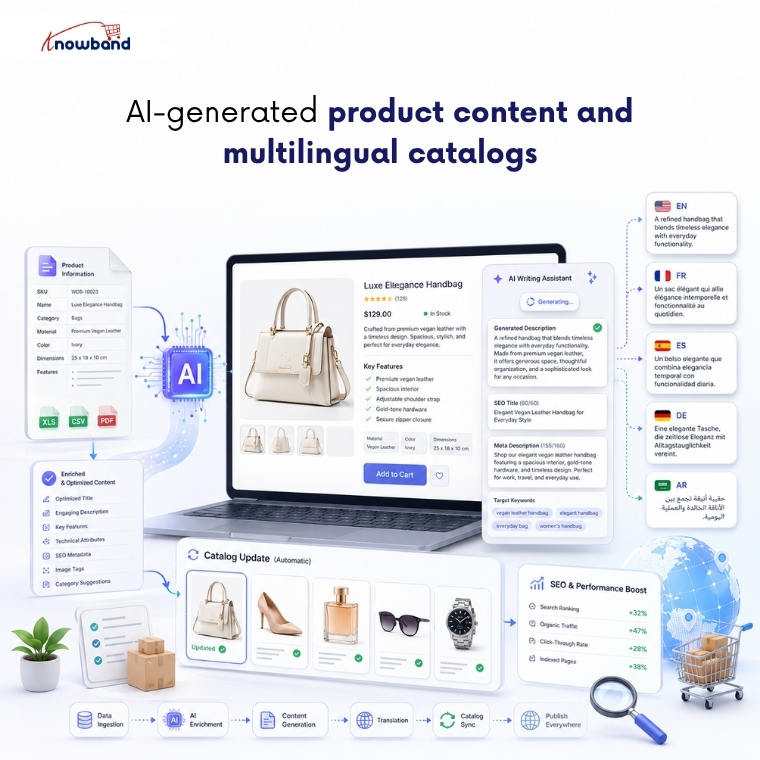
2. AI-generated product content and multilingual catalogs

Product descriptions serve as the foundation of e-commerce listings. But creating a unique product description in multiple languages for thousands of products manually is a very hectic task. At the same time, they have to be convincing enough for a human to buy, and have to be optimized enough to get crawled by Google and AI crawlers. Thin, half-written descriptions fail at both.

This is where language models genuinely earn their place. They draft descriptions, titles, and meta fields in a consistent voice across your whole catalog, then translate as well so you can sell in a new country without hiring a translator. The PrestaShop AI Content Generator and Translator bring both jobs into the back office. The module runs across several providers, Gemini, ChatGPT, Claude, and DeepSeek, writes copy and SEO meta in bulk, also translating catalog into multiple languages for international customers. For growing stores, an AI Content Generator and Translation Module makes it easy to keep product information updated while maintaining a consistent brand voice across multiple languages.

3. AI-powered review generation and authentic social proof

Reviews are one of the strongest conversion triggers. Most shoppers read them before they commit, and a product page carrying honest, specific feedback converts far better than one sitting at zero. The difficulty is rarely the value of reviews. It is gathering enough of them that customers start trusting and purchasing without a second thought.

AI can generate review-style content: star ratings, titles, and body copy written for specific products, published through the native Product Comments module. The PrestaShop AI Review Generator does exactly this, and the e-commerce AI review generation module gives merchants granular control over tone, language, rating distribution, and publishing schedule.

The module generates AI-powered review drafts on demand or according to a predefined schedule, helping merchants keep product pages active with fresh content. Administrators retain full control through configurable publishing rules, scheduled publishing, and manual approval options, ensuring only appropriate reviews appear on the storefront.

4. AI-written social media and marketing content

Keeping social channels updated with regular postings is where most small teams fall behind. Creating posts for every launch, every promotion, every seasonal push manually consumes time that merchants rarely have. Generative AI can create a week’s worth of social media content using store products, adapting the tone for each platform while keeping your publishing schedule consistent.

SocialAI Pro is the PrestaShop way into this. As a PrestaShop AI Marketing Content Generator Addon, it reads your product data and produces posts, captions, and hashtags you can line up and schedule easily. For stores that rely on social media but lack the time to create content consistently, the PrestaShop AI Marketing Content Generator Addon automatically generates accurate, on-brand posts directly from your product catalog.

5. AI-assisted product video across the storefront

Video sells because it answers what a photo cannot. Watch a product move and you grasp its size, its fit, and how it is used far quicker than any still image explains it, and that understanding turns into conversions. But creating videos for thousands of products is not only time-consuming, but it is also very expensive. AI removes that obstacle by making short product videos in less time and at less cost by using just a prompt.

VideoMate provides the perfect solution for PrestaShop store owners. Merchants looking for a Prestashop AI Video Generator usually want live product video added without the involvement of a developer. The Knowband’s PrestaShop VideoMate helps to generate videos using AI and add them to the home page, product pages, category pages, and best-seller pages from the admin panel with just a few clicks. The Prestashop AI Video Generator makes sure AI-generated product videos are actually displayed on your product pages, where they can influence purchase decisions, instead of remaining unused.

6. Getting your store recommended by AI search engines

AI assistants can only recommend a store they can read, and Adobe has found that many retail sites are not yet machine-readable enough for AI systems to interpret cleanly. If ChatGPT or Perplexity cannot parse your catalog and policies, you are invisible in the answers where high-intent shoppers now start.

An llms.txt file fixes that. It gives AI crawlers a clean, structured summary of what you sell and how you operate, in the format those models actually read.

The LLMs.txt Generator produces that file from your existing catalog. A PrestaShop llms.txt generator module lets you filter to active or featured products, include the CMS pages that answer purchase questions like shipping and returns, and toggle individual crawlers such as GPTBot, PerplexityBot, and Google-Extended. For multistore setups, a PrestaShop llms.txt add-on generates a separate file per shop, and a cron keeps each one updated as your catalog moves. Configured well, a PrestaShop llms.txt generator module is how a store starts being a source that AI engines trust.

👉Explore the Module with Our Video Guide

7. AI back-office analytics that sharpen every sales decision

Every restock, promotion, and retention call depends on knowing what your data says right now, and manual reporting workflow delivers that answer too slowly to act on.

Large language models reduce that gap. Admins can ask questions in plain English, get the number instantly, and uncover trends and opportunities that traditional reports often fail to reveal.

The PrestaShop Smart AI Admin Assistant puts this capability directly inside the back office. Its PrestaShop Back Office Analytics layer pairs a natural-language query interface with a full dashboard of configurable widgets covering revenue trends, best sellers, slow movers, low stock alerts, and reorder suggestions, all through read-only database access, so nothing in the store can be changed through the chat. Role-based access control means operations staff see the data relevant to their role without exposing financials or customer records across the whole team.

The difference between knowing a product is slowing down and knowing it three weeks before a stockout is the difference between a proactive decision and damage control. Strong PrestaShop Back Office Analytics is what closes that gap, not at the end of the month when the report runs, but the moment someone thinks to ask.

👉Explore the Module with Our Video Guide

Where these LLM use cases in e-commerce leave your store in 2026

The through-line across all seven is simple. AI now shapes both how customers find your store and how efficiently you run it, and the stores that treat this as a channel are advancing. You don’t need to implement every use case at once; instead, focus on the one that is closest to resolving your current goal, whether that is unanswered questions, thin content, or invisibility in AI search, and build from there.

What makes this practical for PrestaShop merchants specifically is that most of these capabilities already exist as modules that install into the admin you use every day, several of them from Knowband. Start with the use case that is costing you sales right now, and let the rest follow as the channel grows.

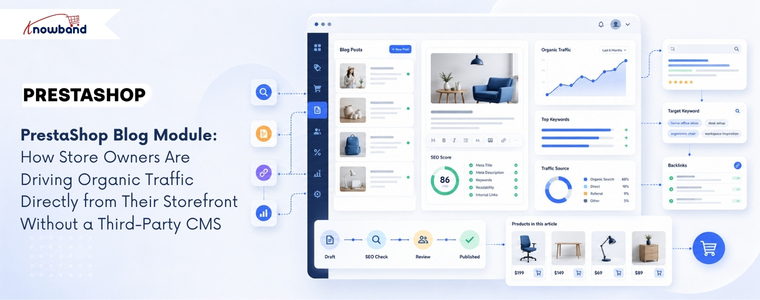
PrestaShop Blog Module: How Store Owners Are Driving Organic Traffic Directly from Their Storefront Without a Third-Party CMS

Most PrestaShop merchants looking to add a blog to their online store typically choose one of two approaches: they attach a WordPress subdomain and maintain two completely separate systems, or they give up on content marketing entirely because the setup feels too complex to manage. Each approach comes with its own set of challenges. The first creates a fragmented user experience and a technical architecture that requires managing two platforms, two hosting setups, and two content workflows simultaneously. The second leaves one of the most cost-effective long-term traffic channels completely unused. Businesses that blog consistently generate 55% more website visitors than those that don’t, according to HubSpot data that has held roughly steady for years. The challenge for PrestaShop stores specifically has been that blogging wasn’t a native capability until a dedicated blog solution for PrestaShop, such as PrestaShop Blog Module by Knowband, brings it directly into the storefront without requiring an external CMS at all.

Why Running a Blog Outside PrestaShop Creates More Problems Than It Solves

The WordPress-on-a-subdomain approach is the most common solution, and it works, technically. But it creates a disconnect that becomes more noticeable over time. The blog lives at blog.yourstore.com or yourstore.com/blog on a separate WordPress install, which means a visitor reading a blog post has to navigate back to the main store to browse or buy. That navigation friction can reduce the conversion potential of every piece of content you publish.

From an SEO standpoint, the separation can also limit some of the internal linking benefits that make content marketing most valuable. Blog posts that link to product pages on the same domain help build that domain’s authority for product-related search terms. Blog posts on a separate WordPress install may build more authority for the subdomain itself, with less direct benefit to the main store domain.

The operational overhead matters too. Two platforms mean two sets of updates, two admin panels, two sets of plugin conflicts to manage, and content that exists in a completely different database from the store it’s meant to support. Merchants who’ve maintained this setup for more than a year rarely describe it as sustainable.

What a Native PrestaShop Blog Module Changes About the Content Workflow

A PrestaShop Blog Module embedded directly in the store admin eliminates the platform split entirely. Blog posts, categories, comments, and banners all live in the same back office where the merchant manages products, orders, and customers. No external login, no separate workflow, no synchronisation problem.

The Knowband PrestaShop Blog Module organises content management into five admin sections: General Settings, Category Management, Post Management, Comments Management, and Banner Management. Each post has its own meta title, meta description, and keyword fields, meaning every article the merchant publishes is independently optimised for search without needing a separate SEO plugin. The blog homepage also has its own configurable meta title and meta description, which makes it a properly indexed landing page rather than an afterthought.

Post creation supports rich text formatting, cover images up to 5 MB, short descriptions for short previews, and the ability to mark any post as a popular post for sidebar featuring. Multiple blog themes are selectable from the admin panel without touching code, and the layout is fully mobile responsive across all PrestaShop themes.

How the Related Products Feature Connects Content to Commerce

The most commercially valuable feature in a PrestaShop Blog Module isn’t the SEO controls; it’s the related products display on each post page. The admin can select products to display below each blog article, drawing from either a specific category or a specific manufacturer. A post about outdoor furniture care can show the relevant product range beneath the article. A buying guide for running shoes can display the appropriate category directly in the content context where the reader’s intent is highest.

This feature turns content marketing from a pure traffic play into a conversion layer. The reader who arrives via a search query about “how to maintain garden furniture” isn’t just a pageview; they’re a prospective customer already in a relevant mindset, presented with matching products at the moment their interest is active. That connection between informational content and commercial product display is what makes a native blogging solution more valuable than a detached WordPress blog that can only link to the store externally.

The PrestaShop Content Marketing Module approach, treating each blog post as both a search traffic asset and a product touchpoint, is what separates stores that use content strategically from those that treat it as a branding exercise with no measurable return.

Comment Moderation, CAPTCHA, and Building a Sustainable Content Community

Blog comments are either a community-building asset or a spam management problem, depending on how they’re configured. The module lets the admin decide: comments can be restricted to registered customers only, opened to guest users, or disabled entirely. Admin approval is required before any comment appears publicly, which means the merchant controls what gets associated with the brand.

Facebook comments or the built-in comment system are both available, depending on whether the store wants to tie community discussion to social identity or keep it self-contained. reCAPTCHA integration prevents bot submissions at the comment form level. The admin enters the site key and secret key from the Google reCAPTCHA dashboard, and the verification runs automatically on every submission.

Comment management is handled from a dedicated admin panel where each comment can be approved, disapproved, or deleted. For stores where customer conversation around product-related content is a meaningful part of the brand experience, that moderation control matters more than it seems when first setting up a blog.

SEO Architecture: Categories, Priority Controls, and Sidebar Positioning

The PrestaShop Blog Manager Module includes category and subcategory management with individual meta title and meta description fields for each category, which means the content taxonomy the merchant creates is independently searchable rather than existing purely for navigation. A category called “Kitchen Appliance Guides” can rank for category-level search queries that a list of uncategorised posts cannot.

Sidebar block positioning, for blog categories, recent posts, popular posts, and the search box, is configurable independently from the admin panel, with priority settings that control which blocks appear first. The popular posts block drives internal page depth by showing readers other content worth exploring. The recent posts block keeps repeat visitors updated on new content without any manual curation required.

For merchants running multiple PrestaShop stores, the module is multi-store and multi-lingual compatible. Each store installation can maintain its own blog content, categories, and configuration, with language-specific metadata fields for each post and category. Knowband built this compatibility into the core of the module rather than as a feature addition, which means the admin workflow scales across store configurations without additional setup.

The Traffic Argument That Makes a PrestaShop Blog Module Worth Deploying

Content marketing compounds in a way that paid advertising does not. A product page optimised for a single transactional keyword captures traffic from people already ready to buy. A blog post targeting an informational or research-phase keyword captures traffic from people who aren’t yet in the store’s funnel, and who, given a related products display and a coherent browsing experience, may well enter it.

PrestaShop stores that publish consistently on topics their target customers search for build an organic traffic base that grows over months and years without proportional increases in ad spend. The PrestaShop Blog Module makes that approach available from within the existing admin panel, with the SEO controls, related product links, and comment community tools that turn a simple content feed into a functioning PrestaShop Blog Manager Module for long-term traffic growth.

The setup requires no code changes, no external platform, and no developer. The blog deploys from the module manager and integrates with the existing store theme automatically.


Why a Branded Mobile App Is Becoming the Default Growth Channel for PrestaShop Stores in 2026

Most PrestaShop merchants think about growth in terms of traffic: more ads, better SEO, wider social reach. What the data increasingly shows is that the stores pulling ahead aren’t necessarily acquiring more customers; they’re keeping more of the ones they already have, and a branded PrestaShop Mobile App is becoming the primary tool for doing that.

The math is unambiguous. Acquiring a new customer costs five to twenty-five times more than retaining an existing one, and retained customers spend up to 67% more than first-time buyers. Brands with mobile apps see up to 50% higher repeat purchase rates compared to mobile web alone, and app users purchase approximately 33% more frequently than non-app users. For a PrestaShop store with an established customer base, a dedicated app isn’t a feature addition; it’s a structural change to how the business grows.


What a PrestaShop Mobile App Does to Customer Retention That a Website Cannot

A website, however well-optimised, is passive. Customers need to remember the URL or find it through search. A branded PrestaShop Mobile App sits on the customer’s home screen, which is a qualitatively different relationship with the brand. Over a third of consumers keep their favourite brand’s app installed on their phone as a direct signal of trust and ongoing purchase intent.

The engagement gap is equally specific. Shoppers spend roughly 201 minutes per month in shopping apps, compared with around 11 minutes on mobile shopping websites. That difference isn’t explained by any single feature; it’s the cumulative effect of faster load times, saved preferences, native navigation, and the fact that an app is a contained environment without browser distractions. For merchants whose repeat customers are currently browsing, forgetting, and returning only when retargeted, that engagement gap represents recoverable revenue at low marginal cost.

Customer lifetime value responds directly to this shift. When 60% of first-time app buyers go on to make additional purchases, the app becomes less of a channel and more of a conversion funnel for turning single-purchase customers into repeat buyers who drive the majority of any store’s revenue.

Why Push Notifications Change the Economics of Re-Engagement

Email remains the backbone of eCommerce retention for most stores, but its limits are structural; average open rates rarely exceed 20%, and inbox competition compounds every quarter. Push notifications, available only to merchants with a native app, operate differently. They appear directly on a customer’s lock screen, require no inbox to compete in, and can be triggered automatically by purchase behavior or manually from the admin panel.

The Knowband PrestaShop Mobile App Builder includes automated notifications for order confirmation, delivery status updates, and abandoned cart recovery, each configurable with custom messages and time intervals. Manual campaigns can be pushed from the back office with an image, landing page redirect, and device targeting. The practical effect is that a merchant can send a back-in-stock alert, a flash sale notification, or an abandoned cart reminder, and reach customers who are already brand-familiar, without paying for an ad placement or competing in a crowded inbox.

Brands recover up to 22% of abandoned carts through automated push notifications, a channel that simply doesn’t exist for stores operating on mobile web alone. For a PrestaShop merchant running promotions or managing seasonal inventory, that recovery mechanism shifts from optional to significant quickly.

How the App Experience Drives Cross-Selling and Average Order Value

Repeat customers don’t just return more often, they buy more when they do. The app experience contributes to this directly through features that a mobile website handles inconsistently: related products on the product page, wishlist functionality that encourages return visits without requiring an immediate purchase, and a simplified checkout that removes the friction points that reduce order value on the first visit.

The PrestaShop Mobile App includes compatibility with PrestaShop’s Automatic Related Products module, bringing cross-selling directly into the app’s product pages. A customer browsing a jacket can see matching accessories without navigating away, and those related products appear in the same session where intent is already high. For stores where average order value matters as much as repeat frequency, this is a meaningful driver.

The wishlist feature compounds this over time. A customer who saves three items during one session and returns a week later for a specific purchase often converts on items they saved previously, a behavioral pattern that mobile web struggles to support because saved items depend on cookies and browser state rather than a persistent account.

The Brand Ownership Argument Most PrestaShop Merchants Haven’t Made Yet

There’s a competitive dimension to this that goes beyond retention rates. Every customer who downloads a store’s app has made a low-friction commitment to the brand; they found it, trusted it enough to install it, and allowed it to send notifications. That’s a qualitatively different customer relationship than one built through retargeting ads or search traffic, both of which disappear the moment spending stops.

A branded PrestaShop Mobile App with the store’s logo, colors, and theme deployed through Google Play and the Apple App Store gives the merchant a distribution channel they own outright. No algorithm changes, no ad auction dynamics, no platform dependency. The customer relationship exists in the app’s database, communicable directly through push notifications to a segment that opted in.

For international PrestaShop stores, the multi-currency and multi-language support built into the app extends this owned channel globally. A customer in Germany and a customer in Brazil both use the same app, see prices in their local currency, and browse in their native language without requiring separate storefronts or platform configurations.

What Building a PrestaShop Mobile App Actually Requires in 2026

The historical barrier to a branded app was development cost; custom Flutter or React Native builds ran from tens to hundreds of thousands of dollars before a single customer downloaded them. That barrier has changed for PrestaShop merchants specifically.

Knowband’s solution delivers ready-to-publish Android and iOS app files within one to two working days after a merchant shares their specifications. The app runs on Flutter with 100% synchronization to the live store, products, pricing, payment methods, shipping options, and inventory, all of which mirror the website in real time without a separate catalog to maintain.

The admin panel handles layout customization, push notification campaigns, GDPR compliance settings, and payment method configuration without requiring code access or developer involvement. For stores that have been weighing a PrestaShop Mobile App against the perceived complexity of building one, the actual setup process is considerably more straightforward than the question usually implies.

The Window for Early-Mover Advantage Is Still Open

Most PrestaShop stores have not yet deployed a branded app, which means merchants who move now face less customer-awareness competition than they will in two years. A customer who downloads a store’s app and builds a purchase habit inside it is significantly less likely to switch to a competitor, 76% of consumers who use brand apps do so more frequently when offered app-exclusive incentives, and the switching cost of an uninstall is psychologically higher than simply trying a different website.

The channel shift toward apps as the primary mobile commerce interface is already well underway in major retail categories. For PrestaShop merchants ready to stop depending entirely on paid acquisition and start building a retention-first growth model, a Mobile App for PrestaShop is the infrastructure that makes that shift possible without rebuilding anything that already works.


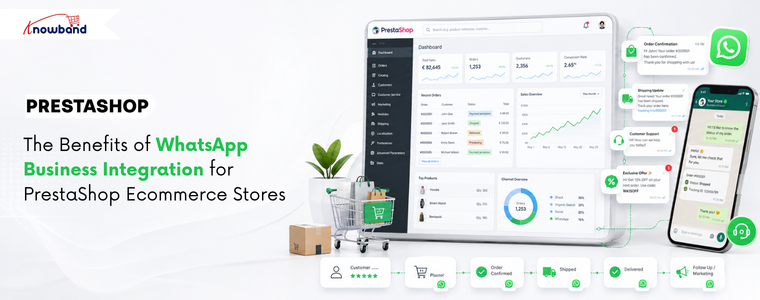
The Benefits of WhatsApp Business Integration for PrestaShop Ecommerce Stores

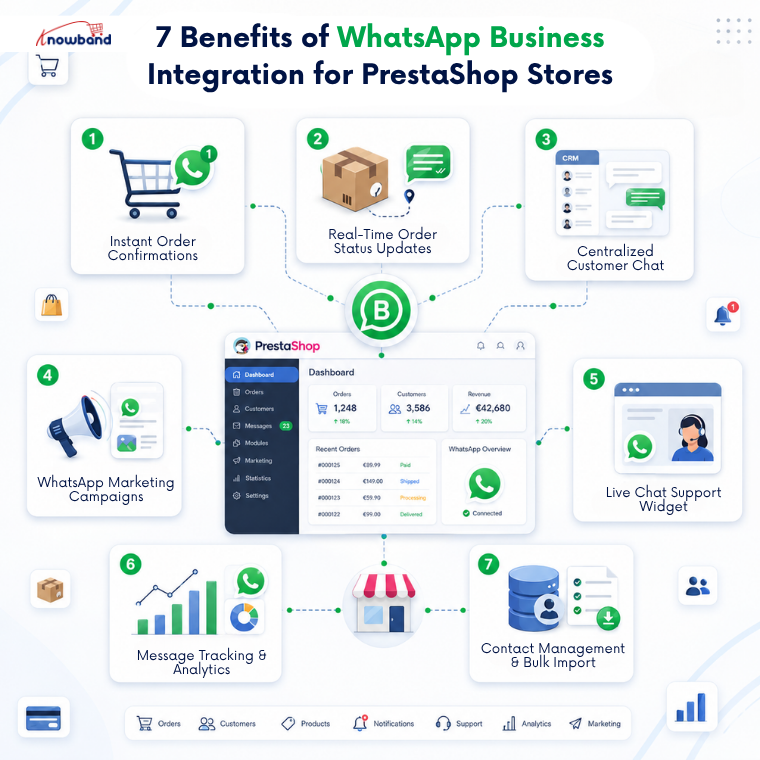
Email built ecommerce communication, but WhatsApp is rapidly reshaping it. With message open rates reaching 95-98% compared to email’s 20-25%, the channel difference is not marginal; it is structural. For PrestaShop store owners still relying entirely on email for order updates, customer support, and promotional campaigns, that gap is quietly costing real revenue every month. Here is what adding a good WhatsApp CRM solution for PrestaShop to your store, like Knowband’s PrestaShop WhatsApp CRM and Order Notification Module, actually changes, and why it matters for each part of your operation.

1. Automated Order Confirmations That Customers Actually See

Order confirmation emails get buried. Spam filters catch them. Customers check their inbox hours later and still are not sure if the order went through, so they open a support ticket or they call.

When WhatsApp order notifications are shared the moment a purchase is placed, that cycle stops. The customer gets a message on the app they already check dozens of times a day, within seconds of completing checkout. For stores processing a meaningful order volume daily, eliminating “did my order go through” tickets alone is worth the integration.

The Knowband PrestaShop WhatsApp CRM Module handles this through approved Utility templates mapped to specific order events. No manual trigger is needed. The message goes out, the customer sees it, and the conversation is already logged inside your admin.

2. Real-Time Status Updates That Reduce Inbound Support Volume

Order status changes are the single most common reason customers contact eCommerce support teams. Shipped? Delivered? Delayed? Without a proactive notification, they ask.

Every order status in PrestaShop, from Payment Accepted to Shipped to Delivered to Cancelled, can be mapped to a specific WhatsApp message template. When the status changes in your back office, the alert reaches the customer automatically. They are not hunting for a tracking link buried in their inbox. They receive a message the same way a friend would send one.

This is post-purchase communication done correctly: proactive, channel-native, and requiring nothing from your support team to trigger.

3. A Live Chat Panel Inside PrestaShop, Not on Someone’s Phone

Most PrestaShop stores that handle WhatsApp customer messages do so poorly. One team member manages conversations from a personal phone. Context disappears when someone else needs to step in. Nothing is logged against the customer record.

The PrestaShop WhatsApp Business API integration moves all of that into the admin via a dedicated CRM tab. Every contact thread is visible to your team. Replies go out from the admin panel. Automated notifications appear in the same thread, so agents can see exactly what a customer received before responding.

When the 24-hour free-text window closes, agents send an approved WhatsApp message template directly from the same interface. No tool-switching. No lost context.

4. WhatsApp Marketing Campaigns Built Into Your Store Admin

Promotional campaigns typically require a separate platform, a separate contact list, and manual coordination between your store data and your messaging tool. That friction reduces how often teams actually run them.

The module’s Promotions tab removes that gap. Build a contact list from your customer database, select an approved marketing template, set a schedule, and the CRON job handles delivery. Contact list segmentation means you target the right group, not every customer at once.

WhatsApp campaign conversion rates in eCommerce markets consistently run well above email equivalents. The platform’s built-in read behavior does most of the work; the PrestaShop WhatsApp CRM Module removes the operational overhead.

5. A Storefront Chat Widget That Connects Visitors to Real Agents

Pre-purchase questions kill conversions. A visitor who cannot get a quick answer to a shipping query or a product question will leave. A generic contact form does not solve this; response times are too slow, and the channel is the wrong one.

The Knowband PrestaShop WhatsApp live chat addon places a configurable floating icon on your storefront. Visitors click it, see available support agents by name and department, and tap to open a WhatsApp conversation directly on their phone. The exchange happens in real time, without any login or form.

Agent display order, avatars, department labels, and icon styling are all configurable from inside the PrestaShop backend. The widget works on both desktop and mobile, which matters given how much eCommerce traffic arrives from phones.

6. Full Message Tracking for Improved Customer Support Management

When a customer claims they never received a shipping notification or a conversation needs to be reviewed, having a searchable record matters. Manual WhatsApp exchanges on personal phones leave nothing you can retrieve.

Every message the PrestaShop WhatsApp CRM Module sends or receives is recorded, including direction, phone number, template name, delivery status, and timestamp. Filtering by date, number, or template makes it fast to pull a specific record.

For stores managing disputes or customer escalations, this log is a practical resource, not just a convenience.

7. Centralized Contact Management With Bulk Import

Running WhatsApp campaigns requires a contact database. Building one manually is slow. The PrestaShop WhatsApp CRM Module’s Contacts tab supports CSV bulk import, so existing customer lists come in without manual data entry.

Each contact links to a PrestaShop customer account and can be assigned to one or more named WhatsApp Lists. Campaign targeting works through those lists, one promotion, one list, no overlap.

Excel and CSV export options are included, so the contact database can also feed into other tools when needed.

Why This Channel Gap Will Only Widen

WhatsApp has crossed 3 billion monthly active users, and 88% of messages are read within five minutes of delivery. Email cannot compete on speed or attention at that scale. For any PrestaShop store still routing customer communication through email alone, the distance between where customers are and where the store’s infrastructure sits grows every quarter.

The PrestaShop WhatsApp Business API integration module, also known as the PrestaShop WhatsApp CRM and Order Notification Module by Knowband, covers the full range of communication touchpoints, automated confirmations, status updates, live support, promotional campaigns, and storefront chat, from a single installation. The Knowband PrestaShop WhatsApp CRM Module requires no developer for setup; the only work that happens outside PrestaShop is generating your Meta API credentials.

If you are already handling customer WhatsApp messages manually, the PrestaShop WhatsApp live chat addon can be the right choice for you.


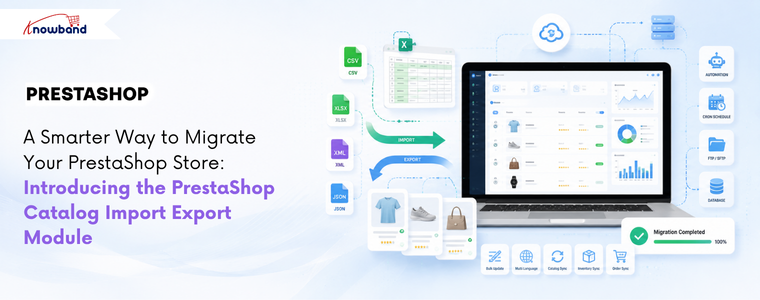
A Smarter Way to Migrate Your PrestaShop Store: Introducing the PrestaShop Catalog Import Export Module

If you manage a PrestaShop store with a large catalog, you already know this routine. Export a CSV, open it in a spreadsheet, make changes, re-upload it, redo the column mapping, and hope nothing breaks this time. Then do the whole thing again next week, from scratch, because none of that configuration was saved anywhere. The PrestaShop Catalog Import Export Module by Knowband is built specifically to fix this.

Merchants looking for a capable PrestaShop product import and export solution quickly find that the native importer covers the basics only. Combinations fail. Multi-language fields go missing. There is no scheduling and no way to automate any of it. The process consumes hours that keep adding up across every update cycle.

This post walks through where that friction actually comes from, what a proper catalog transfer workflow looks like, and how stores ranging from 200 to 50,000 products are handling it now.

Why PrestaShop’s Default Importer Is Not Good Enough for Real Catalog Work

The built-in CSV importer in PrestaShop handles a few sets of scenarios well. Uploading a basic list of new products without combinations, in one language, and for one-time imports.

The moment the catalog gets more complex, the gaps show up fast. Product combinations remain one of the biggest challenges during catalog imports, with merchants frequently reporting issues such as failed imports and incorrectly mapped attribute data in community discussions. Additionally, multilingual catalogs introduce another layer of complexity. Although PrestaShop’s default importer supports multilingual fields, managing translations through CSV files can become cumbersome as the number of languages and products grows. Merchants often need to invest extra time in preparing, validating, and updating language-specific data to ensure consistency across their catalog.

Beyond combinations and languages, the structural problem is repeatability. Every import starts over. There is no option to save a configuration, no option to automatically pull a file from an FTP location, and no transfer log to diagnose what went wrong when a batch fails silently.

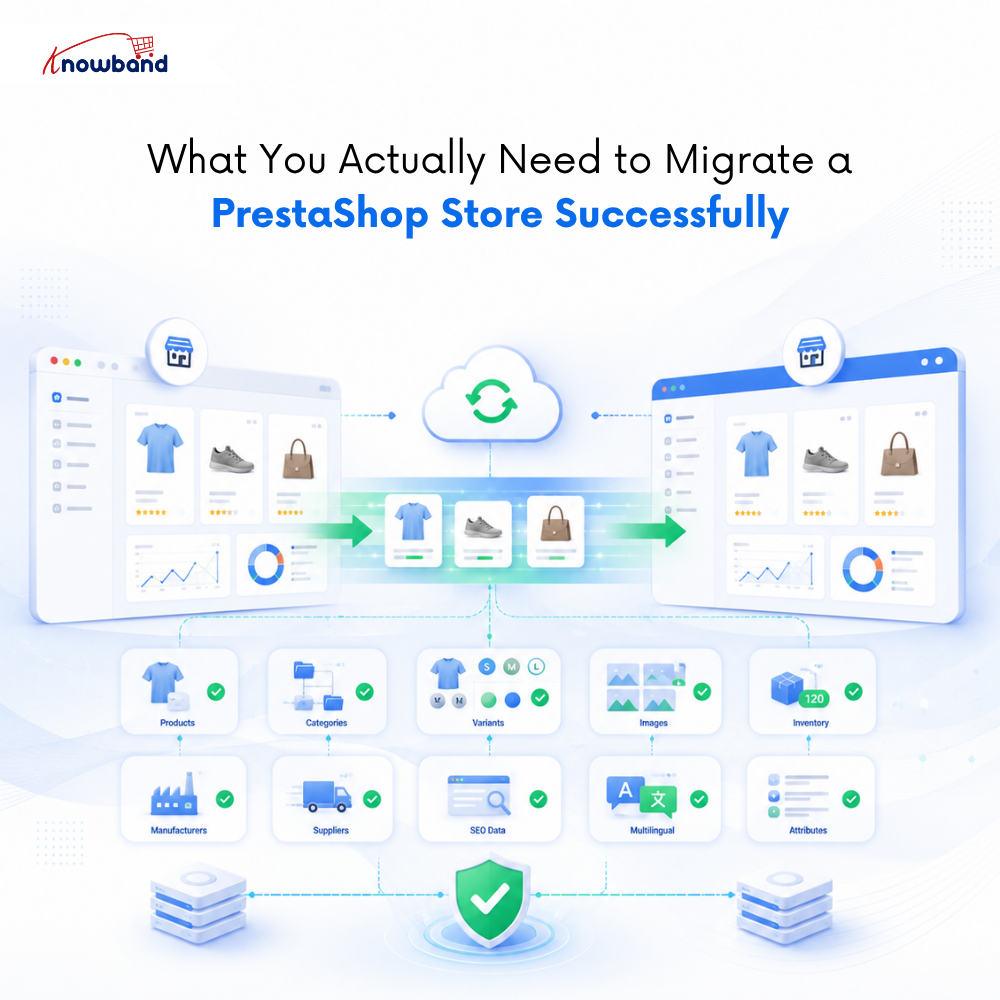
What You Actually Need to Migrate a PrestaShop Store Successfully

Catalog migration between PrestaShop stores means moving from PrestaShop 1.7 to 8.x or 9.x, or splitting one store into two regional stores, which is the scenario where the native importer breaks down most completely.

Most merchants think migration means moving products. In reality, it means moving everything your store depends on to function correctly. Miss one piece and you are looking at broken pages, wrong prices, or customers seeing products in the wrong language.

Here is what a complete migration actually covers:

Your product data, including names, descriptions, SKUs, prices, tax rules, and visibility settings. Your category structure with parent-child relationships, friendly URLs, and category images intact. Product combinations and variants with size, color, material, combination references, price impact, and default combination settings all carried over correctly. Product images, including cover images, gallery images, and variant-specific images in the right order. Manufacturers, suppliers, features, and attribute groups with all their values and assignments. Stock quantities, availability settings, and out-of-stock behavior. SEO metadata, including meta titles, meta descriptions, and friendly URLs for every product and category, because losing these means losing months of search ranking work. And for multilingual stores, every translation needs to stay correctly linked to its language.

The PrestaShop Catalog Import Export Module by Knowband handles this as a seamless transfer workflow. Export from the source store with combinations enabled, import into the destination store, and the module creates missing attribute groups and values automatically rather than throwing an error. Every language exports to the same file. No separate pass per locale, no manual field matching across files.

How Does the PrestaShop Import Export Module Profile System Work

The single feature that separates this from a basic transfer tool is the profile system. Every import or export configuration, data type, file format, language selection, column set, and FTP destination is saved as a named profile. Create it once. Run it whenever needed, or set it on a cron schedule and let it run without any manual involvement. This is what makes the PrestaShop Import Export Module genuinely useful for recurring catalog operations.

A store fetching pricing updates from a supplier feed can configure an import profile that points to the supplier’s SFTP location, runs daily via cron scheduling, and sends a completion email to the admin. If a row fails, the transfer logs show exactly which record failed and why, so only the affected rows need to be corrected and re-imported; the rest of the catalog is untouched.

That same logic applies to catalog backups. Each scheduled export generates a file timestamped and stored in the transfer history. If a bulk update produces unexpected results, a previous version can be downloaded directly from the logs and re-imported to restore the catalog to its prior state.

How Can You Bulk Update Prices in PrestaShop Without a Developer

One of the most time-consuming recurring tasks for any mid-size store is a price update across hundreds of products. The conventional approach involves either editing products one by one or attempting a CSV import that may or may not map correctly and may or may not touch only the fields that need changing.

With a PrestaShop Bulk Data Manager approach, the process is: export the catalog to XLSX, edit the price column in Excel, and import the file back with the same saved profile. The module updates only the columns that were mapped; prices change while descriptions and images remain exactly as they were.

For stores syncing from a supplier feed, even the manual edit step disappears. The supplier publishes an updated file to an FTP location, the scheduled import profile picks it up, and the catalog reflects the new prices before the store opens the next morning. No developer required, no file handling, no manual trigger.

Which File Formats Does the PrestaShop Catalog Import Export Module Support

Four file formats are supported for both import and export: CSV, XLSX, JSON, and XML. Most merchants will use CSV or XLSX for direct spreadsheet work and bulk price updates. JSON and XML become relevant when synchronising data between stores, connecting with third-party platforms, or building automated migration workflows.

Supporting all four in both directions means the same module covers the full range of catalog operations a store typically needs over a year, whether that means importing supplier feeds, migrating catalog data, synchronizing inventory updates, or exporting product information for external systems.

How Does the Module Handle Import Errors Before They Reach Your Live Store

Partial import failures are a real operational risk for stores with large catalogs. The standard outcome with most basic importers is discovering that something went wrong only after browsing the catalog and noticing broken products, at which point the damage is already live.

The column mapping screen in this PrestaShop Automated Catalog Manager shows a live preview of the first rows of the source file before the import runs. Required fields not mapped are flagged before moving forward. Duplicate field assignments are blocked. When an import does run, and a row fails, the transfer log records the row number and the specific error. The PrestaShop Automated Catalog Manager ensures admins fix only what broke, re-import only the affected rows, and the live catalog is never touched beyond what was intentional.

Who Should Use the PrestaShop Catalog Import Export Module

Not every PrestaShop store needs this. If the catalog is under 100 products, changes rarely, and migration is a one-time event, the built-in importer may be sufficient.

The PrestaShop Catalog Import Export Module earns its place for stores managing medium to large catalogs where catalog operations recur weekly or more often, stores running multilingual setups where translation preservation is not optional, agencies managing multiple PrestaShop installations who need consistent, repeatable transfer workflows, and any merchant currently spending developer time on what should be a self-service admin task.

For those operations, the module pays for itself quickly, not in a theoretical ROI calculation, but in the hours it stops consuming every update cycle.

The full feature set, pricing, and compatibility details are available on the PrestaShop Bulk Data Manager product page. Compatible with PrestaShop 1.7.x through 9.x, with no coding required.


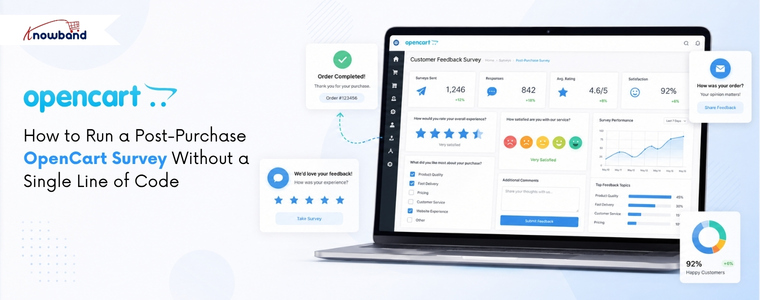
How to Run a Post-Purchase OpenCart Survey Without a Single Line of Code

Most unhappy customers say nothing. They finish their order, have a bad experience, and never come back. You never find out what went wrong. For an OpenCart store, this is a real problem; the platform gives you no built-in way to ask customers how they feel.

OpenCart comes with a basic contact form and a product review option. Neither one collects post-purchase feedback properly, and neither lets you ask specific questions after an order. Many store owners use external tools like Google Forms instead, but these send customers away from your store. Others just never ask at all.

A dedicated survey solution for OpenCart keeps everything inside your store. You build the form in the admin panel. The right OpenCart Survey Plugin takes care of form creation, display, email alerts, and spam blocking, all from one place.

Why an OpenCart Survey Plugin Fills a Gap That Native Features Cannot

The built-in OpenCart features were made for support requests and product ratings, not for understanding the full customer experience. A product review only tells you what someone thought about a product. A contact form only collects complaints. Neither one tells you about the checkout process, the delivery, or whether a first-time buyer will return.

Surveys placed on the order confirmation page get far more responses than survey links sent by email days later. On-page surveys see completion rates of 15 to 20 percent on average. Email survey links often get under 5 percent. Where you place the form matters more than what you ask.

Knowband’s OpenCart Form Builder Extension solves this from inside the back office, with no separate platform, no extra subscription, and no technical skills required.

How to Set Up Your First Survey Using an OpenCart Survey Plugin

Building a satisfaction survey takes five steps inside the Forms section:

Step 1: Create the form. Click Add New Form and give it a name. You can set a URL slug for the form page and share that link in emails or support tickets, or add it to your site manually. On the front end, a button can open the form as a pop-up on the same page instead.

Step 2: Pick a layout. One column works best for satisfaction surveys. It keeps questions in a clear, top-to-bottom order, which reduces the chance of customers leaving before finishing. Two or more columns are available for longer forms, where related fields make sense next to each other.

Step 3: Add your questions. A good starting point: a radio button for the overall satisfaction rating, a dropdown for the product or order type, and a text box for written comments. Add a file upload option if you want customers to send photos of any product issues.

Step 4: Set up email alerts. Each form sends its own email notification. Choose which inbox receives the alert when a customer submits. Use BCC to copy additional team members. Turn on the auto-responder so customers get a short confirmation straight away, even one line works.

Step 5: Set up the thank-you page. After submission, show a short message or redirect to another page. Keep it simple, just let the customer know their feedback was received.

Where to Place Your OpenCart Survey for the Highest Completion Rate

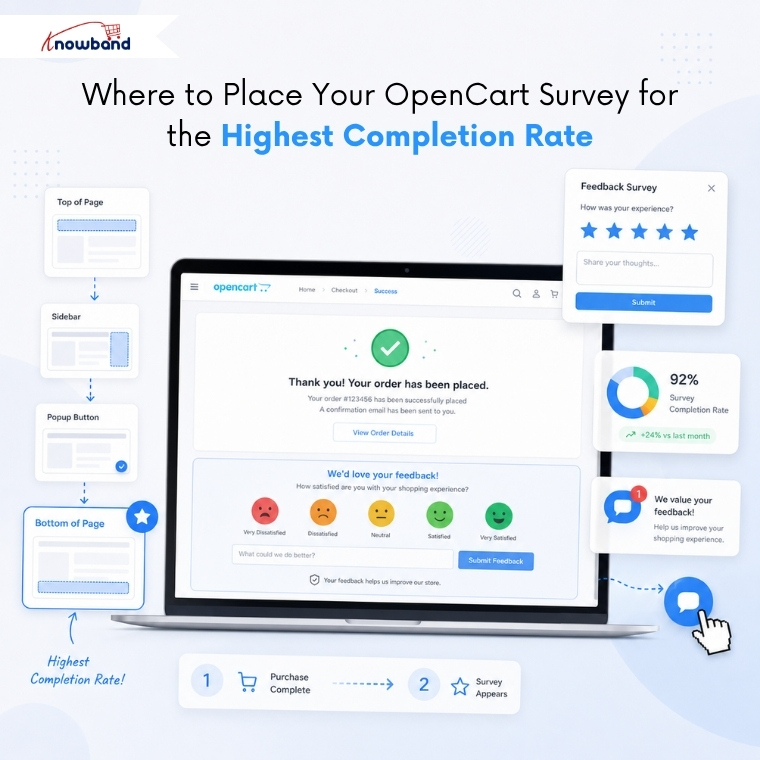
The Placements tab inside each form controls where the form appears on your site. This is where the OpenCart customer feedback plugin displays logic. Pick the page type: Home, Product, Checkout, Information, or Search. Then choose the position on that page: top of content, bottom of content, left column, right column, header, or footer. The form shows up on every page and position you select.

For a post-purchase survey, put it on the Checkout page at the bottom of the content area. This places the form on the order confirmation page, right after a customer completes their purchase. The experience is fresh, the customer is still on your site, and there is nothing to influence their buying decision because the order is already done.

The Settings tab lets you choose between an inline form and a pop-up that opens when a customer clicks a button. The floating button option keeps that button visible in the corner of the screen as the page scrolls, and the form stays easy to reach without getting in the way.

Keeping Your OpenCart Survey Results Spam-Free

Any form on a live website receives bot submissions over time. If spam fills your survey data, the results become unreliable. Spam protection in the OpenCart Form Builder Extension works at three levels.

Cloudflare Turnstile runs quietly in the background and blocks bots. Real customers see no puzzles or extra steps. The IP blocklist lets you block specific addresses or whole ranges using a wildcard. The email blocklist works the same way; one entry like *@mail.ru blocks every address from that domain.

Knowband includes pre-written patterns for the Spam Email Filter field, covering the most common spam sources. Copy them in, and they work immediately, no technical knowledge needed.

Turning Survey Responses Into an Email Marketing Sequence

The Synchronization tab inside each form connects Mailchimp integration and Brevo. Add your API key, choose the list, and every person who fills in the form gets added automatically. Brevo connects the same way.

A customer who gives a high rating is a good candidate for a review request. A customer who reports a problem can receive a follow-up message before they post a negative review anywhere else. Both of these can happen automatically from a single form submission, no manual work needed.

Every response appears in the Form Submissions panel with the date, the form name, what was filled in, and whether your team has already replied. You can reply directly from your admin panel. Exporting submissions regularly lets you track the customer satisfaction score over time and spot patterns across many responses.

Why the Right OpenCart Survey Plugin Pays Off Before Your Next Order Ships

The full setup, building the form, choosing placement, configuring email alerts, and turning on spam filtering, takes under 30 minutes the first time. No developer needed, no outside solutions to manage, no ongoing costs beyond the OpenCart Survey Plugin.

The OpenCart customer feedback plugin handles satisfaction surveys, product feedback, lead generation forms, support requests, and event sign-ups, all from one extension. Every day your store runs without a way to collect structured feedback is another day of useful customer data that you cannot get back.


PrestaShop Smart Admin Assistant: Top Use Cases for Store Owners in 2026

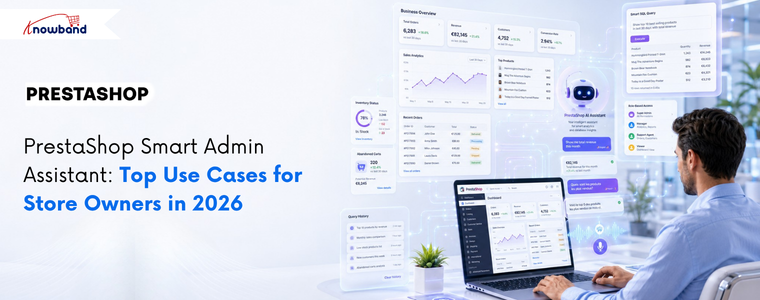
PrestaShop stores generate large volumes of operational data every day, from orders and customers to inventory, abandoned carts, revenue, and employee activity. While the data is readily available, getting to it means navigating multiple report pages, setting filters, and repeating the process for every single question. For admins checking the same figures daily, that time adds up fast. The Knowband PrestaShop Smart Admin Assistant sits inside your back office, and answers store questions in plain language, pulling results directly from your live database. No reports. No navigation. No SQL knowledge required. The module is launching soon. Here are the key use cases that show exactly how it changes day-to-day store management.

AI-Powered Natural Language Queries: No SQL Knowledge Required

Type a question in plain English, and the assistant returns the answer from your live store data within seconds. What makes this genuinely useful beyond convenience is the Show SQL Query feature. When enabled, the assistant surfaces the exact SQL it generated to produce the answer. A second setting, Allow SQL Edit and Re-run, lets the admin change that query and execute a revised version without writing SQL from scratch.

Before this, data requests involving multiple tables or custom filters sat in a developer backlog. Now, any admin can do that without any technical skills required.

Example: An admin wants to find customers who ordered at least three times but have not placed any order in the last 90 days, for a win-back campaign. They type: “Show me customers who ordered at least 3 times but have not placed any order in the last 90 days.”

The PrestaShop Smart Admin Assistant generates and runs this query:

SELECT

c.id_customer, c.firstname, c.lastname, c.email,

COUNT(o.id_order) AS total_orders,

MAX(o.date_add) AS last_order_date

FROM ps_customer c

JOIN ps_orders o ON c.id_customer = o.id_customer

GROUP BY c.id_customer

HAVING

COUNT(o.id_order) >= 3

AND MAX(o.date_add) < DATE_SUB(NOW(), INTERVAL 90 DAY)

ORDER BY last_order_date ASC;

The result is a table with customer name, email, total orders placed, and last order date. Every dormant repeat buyer in one view. The admin then adds a spend filter to focus on high-value customers first:

HAVING

COUNT(o.id_order) >= 3

AND MAX(o.date_add) < DATE_SUB(NOW(), INTERVAL 90 DAY)

AND SUM(o.total_paid) > 200  - admin adds this line

ORDER BY last_order_date ASC;

Re-run. Now, only customers who spent over 200 euros appear. Export from Query History. Win-back list ready. No developer, no phpMyAdmin, no waiting.

Database Views: Manage and Restrict AI Access to Store Data

The Database Views tab lets the admin choose which data domains the assistant is allowed to query. Available views include Orders, Customers, Products, Stock Availability, Shopping Carts, Cart Rules, Employees, Shipping Carriers, Product Combinations, and more.

Each view is a pre-built MySQL VIEW rather than a direct raw table query. This keeps things safe in two ways. The AI cannot modify any data because views are read-only. And because the joins are already built into each view, the answers come back more accurately than they would from querying raw tables directly.

Switch a view off, and the AI-powered admin assistant cannot reach that data, no matter the question. This is where PrestaShop back office analytics becomes properly controllable because the admin sets the limits, not the tool.

Example: A store owner wants the logistics team to use the PrestaShop Smart Admin Assistant for stock and order questions, but not customer personal data or employee records. Orders, Stock Availability, and Products stay on. Customers, Employees, and Customer Addresses go off. The logistics team can query what their role actually needs and nothing beyond that.

Role-Based Access Control: The Right Data for the Right Staff

The Access Control tab lets the store owner select which employee profiles can use the PrestaShop Smart Admin Assistant. Tick a profile, and it gets access. Leave all profiles unchecked, and access opens up for everyone. Tick only the ones that should have it, and the rest see nothing when they log in.

Example: A store with six admin accounts wants only the SuperAdmin and sales team to use the assistant. The store owner ticks those two profiles and leaves the rest unchecked. The translator and logistics staff log in, and the assistant is not visible to them at all. No code changes, no theme edits.

Predefined Chips: Daily Store Monitoring with One-Click

Predefined Chips are clickable question buttons that are present inside the chat widget. A predefined query runs instantly with a single click, eliminating the need for manual input.

The default set covers the most common daily checks: Orders Today, Revenue 30 Days, Abandoned Carts, Low Stock, Out of Stock, Active Customers, New Customers This Month, Cancelled Orders, Free Shipping Coupons, and No SKU Products. Every chip is editable, reorderable, and individually toggleable.

For stores running the same checks every morning, this alone saves significant time. The daily review that used to mean opening six different pages is now handled entirely through PrestaShop back office analytics in a single widget, in under a minute.

Example: A store manager checks four things every morning: today’s orders, this month’s revenue, products under five units in stock, and abandoned carts from the last 24 hours. All four are chips. The whole check is done in minutes.

Flexible AI Provider Selection: Choose OpenAI, Claude, or Gemini

The AI Provider tab gives the admin a choice between OpenAI, Anthropic Claude, and Google Gemini. Each requires the admin’s own API key and a model selection from that provider’s available tiers.

For Claude, the options are Haiku 4.5 for fast everyday queries, Sonnet 4.6 for a balance of speed and depth, and Opus 4.6 for complex multi-table work. OpenAI and Gemini follow the same tiered structure. Paying only for actual usage with no intermediary keeps running costs predictable regardless of store size. This is what makes the PrestaShop admin AI module genuinely accessible for stores that cannot commit to a fixed monthly AI subscription.

Example: Large-scale stores can use Haiku 4.5 for routine chip-based queries to maintain lower operational costs.. When the operations manager needs a detailed monthly breakdown across several joined tables, they switch to Sonnet 4.6 for that session and switch back after.

Voice Input, Widget Customisation, and Multilingual Support

Three features cover the remaining day-to-day usability of the PrestaShop Smart Store Management Addon.

Widget Layout puts every visual setting in one place: position, chatbot name, greeting message, avatar, width, height, and more. Changes reflect instantly in a live preview on the right. No CSS involved at any point.

Voice Input lets the admin ask questions out loud instead of typing. The Web Speech API built into the browser handles the transcription. For admins who move around, work on mobile, or simply find speaking faster than typing, this removes the last friction from getting a quick answer.

Chatbot Language gives the admin control over which language the PrestaShop Admin AI Module replies in. Setting it to Back-office Language ties the response to whatever language the admin panel is running in. Setting it to Custom Language lets the admin pick independently, which matters on multilingual teams where the back office language and the working language of individual staff members are different.

Example: A French-speaking operations manager works in a back office set to English for consistency across the team. Custom Language is set to French. The manager speaks a question using Voice Input and gets the answer back in French. Nothing in the back office configuration has changed.

Query History and Session Logs: A Full Audit Trail

Each question sent through the assistant lands in the Query History tab as a permanent record. The log captures the date, the employee, the question, the number of rows returned, response time in milliseconds, which AI provider ran it, the status, and the full SQL that executed.

Logs filter by date and status, and export to CSV or Excel. A retention setting purges entries older than a chosen number of days automatically, so the log table stays lean without manual cleanup. The Sessions tab keeps full conversation threads per employee for anyone who wants to review an earlier exchange or audit how the team is using the tool.

Example: A store owner gets an answer that looks off during the Monday morning check. They open Query History, pull up the exact query that ran, read the SQL, and spot that a database view was serving cached data. They hit Refresh Schema Now, rebuild the schema, and re-run with the correct result.

An AI smart admin assistant is most useful when it works from organised data Before you start asking it questions about sales or stock, it helps to know what your dashboard is already showing you. This guide to PrestaShop back office analytics explains which reports matter and how to read them without wasting time.

How the Knowband Smart Admin Assistant Improves Store Operations

Every feature covered here fills a gap that previously needed either a developer or a report that took too long to build. This PrestaShop admin AI module keeps the depth, the SQL still runs, the data is still live, and the controls are still precise, but the module removes the technical barrier between the admin and the information they need. For store owners spending more time in data analysis than on the business itself, the PrestaShop Smart Store Management Addon is the best practical fix.

The Knowband PrestaShop Smart Admin Assistant is launching next week. Stay tuned to find out more about the module and what it can do inside your back office.


Build Any PrestaShop Form in Minutes- Form Studio All-in-One Module

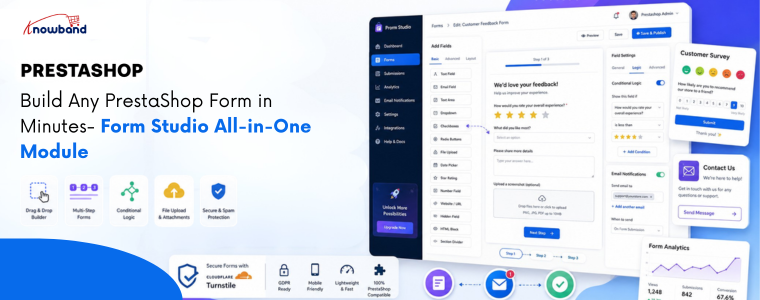
Prestashop Form Studio is an all-in-one form builder module that allows store owners to create custom forms without coding. With a drag-and-drop interface and flexible field options, you can quickly build contact forms, surveys, feedback forms, registrations, quote requests, and more directly inside your PrestaShop store.

If you’ve ever tried to collect customer feedback, run a product survey, or simply set up decent custom forms in PrestaShop, you already know the pain. Either you stitch something together with workarounds, or you spend hours digging through settings that weren’t built for what you actually need.

That’s exactly the problem Form Studio is designed to solve. It’s a PrestaShop Form Builder module that lets store owners create virtually any type of form, like Contact forms, Return request forms, Feedback form, Quote Request Form, Product inquiry forms and many more. Whether you need a quick contact form or a multi-step customer survey, it just works.

What Is Form Studio?

Form Studio is an all-in-one PrestaShop Form Builder Addon designed to give store owners complete control over how they collect information from visitors and customers.

This PrestaShop custom form builder combines a visual drag-and-drop interface with a flexible field library, making form creation genuinely easy, even for non-technical users.

Updated September 30, 2026: Need contact, quote, or registration forms without writing code? The PrestaShop Online Form Builder module gives you a drag-and-drop editor to create custom forms and collect customer data easily. It is ideal for capturing enquiries, feedback, and registrations. Explore the full introduction and features of the PrestaShop Online Form Builder module on PrestaShop Marketplace.

Key Features of Prestashop Form Builder Module

1. Flexible PrestaShop Form Builder

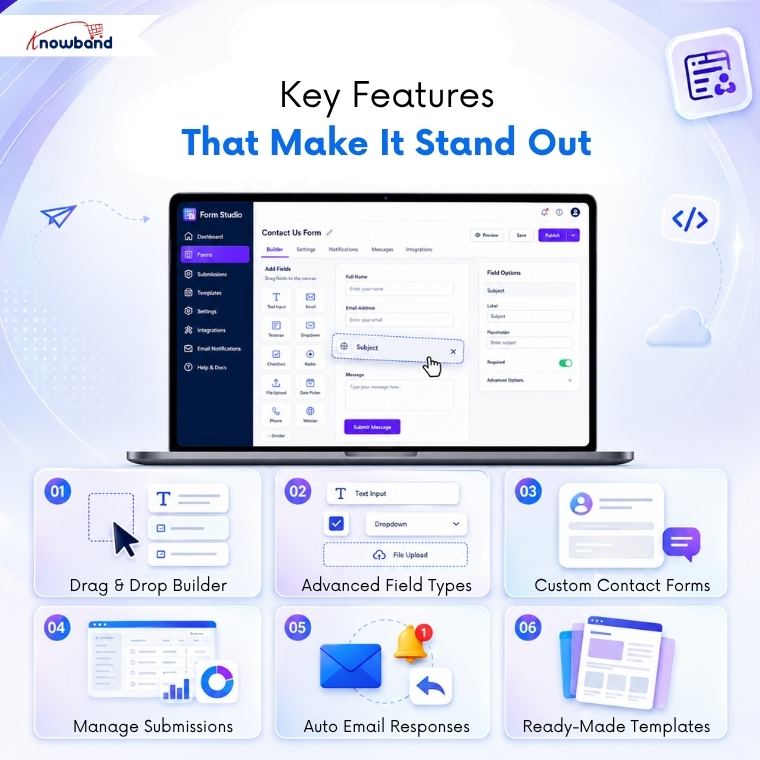
The drag-and-drop form builder in PrestaShop sounds simple because it is. You pick a field, drop it where you want it, configure it, and move on. No HTML. No PHP. No headaches.

You can arrange fields in any order, group them into sections, and preview exactly how your form will look before it goes live. That alone saves a ton of back-and-forth.

2. Every Field Type You Need in PrestaShop Form Studio

PrestaShop feedback forms support a wide range of input types:

  • Text fields, text areas, and email fields: For names, emails, and short answers
  • Number and phone number fields: For phone numbers, age, quantities, and more
  • Dropdown menus: Great for categorizing inquiries
  • Checkboxes and radio buttons: Perfect for surveys and polls
  • File uploads: Ideal for warranty claims or support tickets
  • Date pickers: Useful for collecting scheduling or timeline information
  • Cloudflare Turnstile: Added protection against spam bots

As a PrestaShop Survey Form Builder Module, it also handles complex survey logic, including conditional fields that show or hide based on previous answers.

3. Built-in PrestaShop Contact Form Module

Your default PrestaShop contact form is fine. But Form Studio turns it into something genuinely useful.

You can create branded, multi-section contact forms that route submissions to the right department, auto-respond to customers, and keep everything organized in one dashboard.

4. Submission Management & Notifications

Every form submission is stored inside your PrestaShop admin panel. You can check entries, filter submissions, and set up email notifications so you never miss an important message.

If you’re running a PrestaShop Survey & Form Builder campaign, you can also analyze responses directly from the backend.

5. Direct Backend From Communication

When a user submits a form, the module instantly notifies the admin via email and sends an automated confirmation to the customer. Every submission is logged in the backend under its respective form, giving store admins a complete record of responses, along with the ability to follow up with any submitter directly, using a personalized message.

6. Predefined Templates

The PrestaShop Survey Form Builder allows users to create predefined templates for:

  • Admin email notifications
  • Auto-response emails
  • Direct message templates for store admins

Furthermore, inside the email templates, you can dynamically include field values submitted by customers using the PrestaShop Feedback Form Builder Module.

.

🤖 Want AI platforms and LLMs to recommend your products?


LLMS.txt Generator for PrestaShop

Generate AI-ready llms.txt files to improve your store’s visibility and discoverability across AI search engines and large language models.

Try the demo for Free Now →


Who Should Use It?

Knowband PrestaShop Form Studio is a no-code form builder for PrestaShop websites and is a solid fit for:

  • Small to mid-sized PrestaShop stores that need flexibility without hiring a developer
  • Marketers running customer satisfaction surveys or lead capture campaigns
  • Support teams that need structured, organized inquiry forms
  • B2B stores handling complex onboarding or quote request workflows

If you’ve been searching for a reliable PrestaShop Form Creator that grows with your needs, Form Studio checks every box.

Types of Forms You Can Create

Additional types of forms that you can create using Form Studio include:

  • Contact forms
  • Return request forms
  • Product inquiry forms
  • B2B wholesale forms
  • Job application forms
  • Event registration forms
  • Warranty claim forms
  • Customer satisfaction surveys

How to Build a Form in Minutes

Here’s the basic workflow:

  1. Install Form Studio from your PrestaShop module manager
  2. Open the module and click “Create New Form”
  3. Drag your fields into the builder canvas
  4. Configure email configurations
  5. Place the form on any page using the configuration of where to display or hook

Frequently Asked Questions

1. What is Form Studio for PrestaShop?

Form Studio is an all-in-one PrestaShop Form Builder module by Knowband that lets you create contact forms, surveys, multi-step forms, and more using a visual drag-and-drop editor without any coding.

2. Can I use Form Studio as a PrestaShop Survey Module?

Yes. Knowband Prestashop Survey Module fully supports survey-style forms with multiple question types, conditional logic, rating fields, and submission analytics built directly into the PrestaShop admin panel.

3. Does Form Studio replace the default PrestaShop contact form?

It can. Form Studio works as a powerful PrestaShop contact form module replacement, giving you full design control, custom routing, and auto-response capabilities that the default form simply doesn’t offer.

4. Do I need coding knowledge to use the prestashop form builder?

Not at all. The entire PrestaShop Form Builder by Knowband experience is visual and no-code. You configure everything through a graphical interface inside your admin panel.

5. Is Form Studio compatible with all PrestaShop themes?

Form Studio is built to be theme-agnostic. It adapts to your store’s existing styles and can be placed on any page using hooks or shortcodes.

Conclusion

Building forms in PrestaShop doesn’t have to be technical.

With Prestashop Form Studio Builder Module, you get a true drag-and-drop PrestaShop Form Builder that handles everything from a simple contact form to a full-scale survey campaign inside one clean, easy-to-use module.

If your store currently relies on workarounds or a basic contact form that barely does the job, it’s time for an upgrade.

→ Try Prestashop Form Studio today and build your first form in minutes