

HubBox Error: Failed to open stream /sample/../../vendor/autoload.php
While using the library provided by HubBox, there is an error occurring. You need to solve this issue by using the provided steps in the blog.
Problem Statement
While using the library provided by HubBox, there is an error occurring-
require(C:\wamp64\www\HubBox\sample\src\public/../../vendor/autoload.php): failed to open stream: No such file or directory in C:\wamp64\www\HubBox\sample\src\public\index.php on line 14
Solution
This error occurred because of dependencies on files that are missed. You need to solve this issue by using below steps:
Step1: Delete the file sample/composer.lock from the library.
Step2: Make a folder with the name “vendor” under /sample/
Step3: Run the command “composer install” in command prompt at /sample/
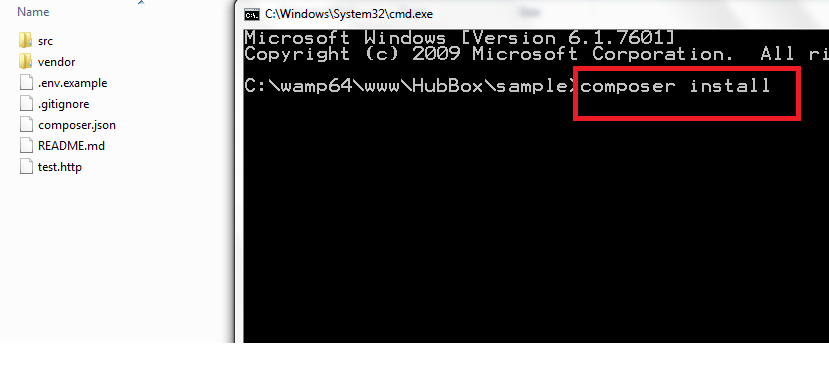
It will download all the dependency files which are required.
After successfully downloading all the dependencies, you will able to use the HubBox library.
- Top 5 Abandoned Cart Recovery Modules for PrestaShop
- PrestaShop AI Chatbot Module by Knowband: Everything You Need to Know About the Latest Updates
- How to Use PrestaShop’s Override System Without Breaking Core
- Implementing Lazy Loading for Product Images in OpenCart
- Troubleshooting Common Errors After Upgrading to PrestaShop 9.x