

Opencart Importer – User Manual
How to install Opencart Importer plugin on your server
Follow the following steps for installing Importer:
1. Install VQmod (if not yet installed, visit
https://code.google.com/p/vqmod/wiki/Install_OpenCart).
2. Unzip the archive and find Upload folder.
3. via FTP manager (like Filezilla or WinSCP – download here: https://filezilla-project.org/)upload to you main directory the files and folders in the Upload folder.
4. In Admin Panel go to Menu > Extensions > Modules > Importer v0.1.

5.Install Importer.

6.That is all – Your system is ready. Click on Edit and explore.
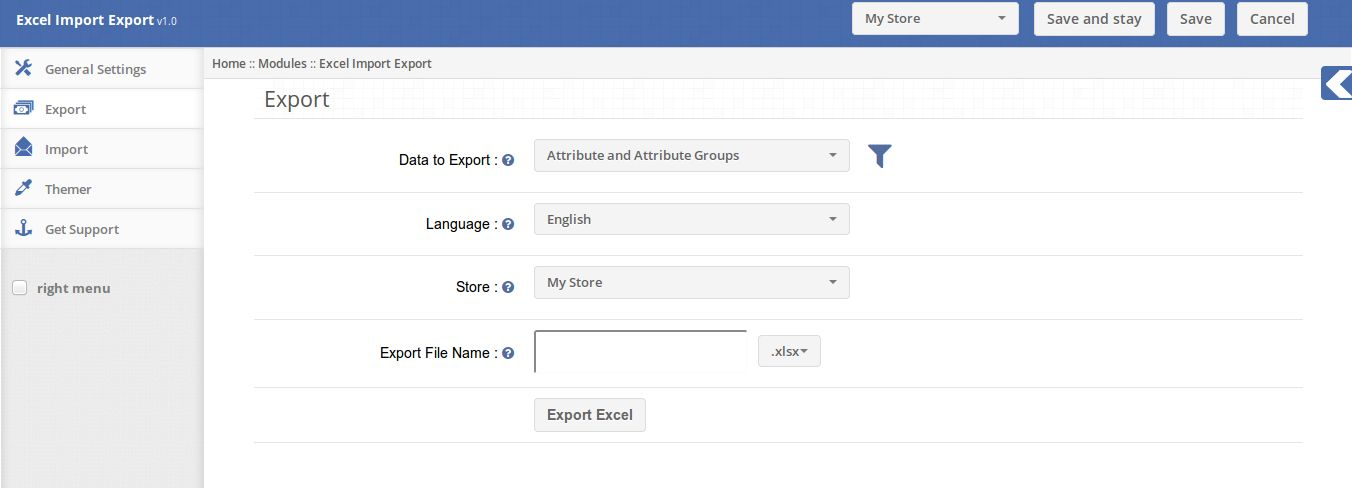
1. Export tab
The Export tab has option to export the store data in excel or zip file:
- Data To Export: Choose which data needs to be export either customer, customer groups,orders etc.
- Language: The store language in which data will be exported.
- Store: The store from which data will be exported
- Export File Name: The name of the excel file which will be generated.
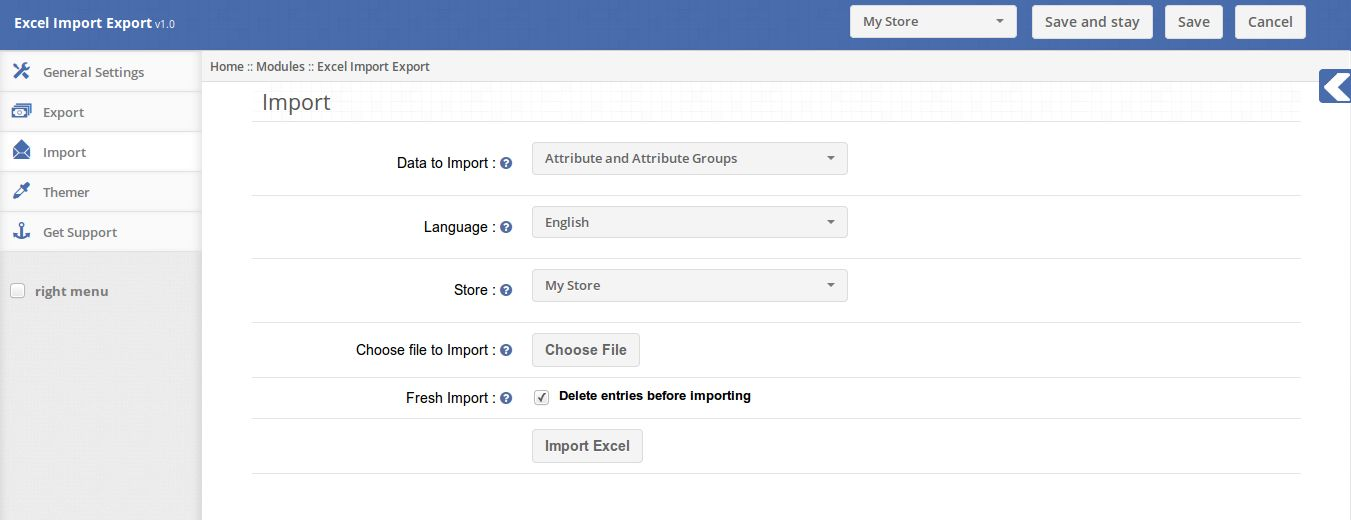
2. Import Tab
The Import Tab lets the Admin to import the data to the store.
- DataTo Import: Choose the data to import either customer, customer groups etc.
- Language: Choose the language of which data is imported.
- Store: Choose the store for which data is supposed to be imported.
- Choose File to Import: The excel file contains the data.
Recent blogs
- OpenCart SEO Audit Manager User Manual
- OpenCart Backup and Restore Extension: Complete User Manual
- OpenCart Advanced Security Manager Extension – Complete User Guide (Updated)
- OpenCart WhatsApp CRM and Order Notification Extension – Complete User Guide
- OpenCart SocialAI Pro Extension Complete User Manual