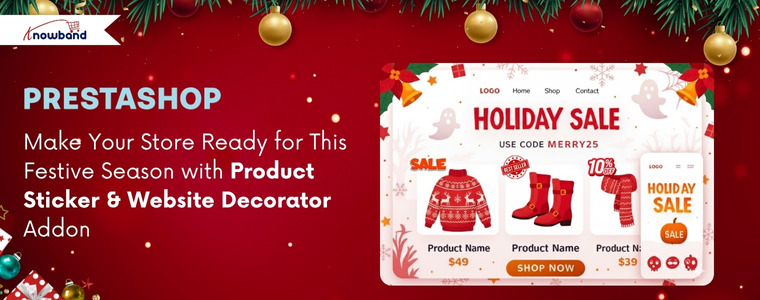
As the holiday season and special occasions like Thanksgiving, Christmas approach, online store owners have a golden opportunity to grab customer attention and boost engagement through visually appealing website decoration like Christmas themes, New Year’s themes, etc. Just as physical stores decorate their stores for Christmas or Valentine’s Day, your digital store should reflect the festive spirit. As this strategy isn’t just about aesthetics, it’s a smart UI optimisation technique that makes your website feel dynamic, relevant, and occasion-ready, ultimately driving customer focus and a positive shopping experience.
How the Themed Website Decoration Effects
Website decoration transforms a standard user interface into an immersive shopping environment. By setting themes according to occasions like Christmas, New Year’s, or Valentine’s Day, you create a seasonal vibe that encourages customers to browse and buy. Moreover, visual effects increase dwell time and make the shopping experience more memorable. For PrestaShop store owners, the Knowband PrestaShop Website Decoration Effects module offers a comprehensive solution to implement these stunning visual changes effortlessly.
How The Sticker Helps in Enhancing the Store’s Look
Adding the stickers on your product can increase the emergency of purchasing the product. Just suppose if you have applied a sticker as a Christmas sale only, then people will know that this product is only available for the Christmas festive.
Therefore, Knowband has introduced this Prestashop Product Sticker & Label Module only for this festive season.
Key Features of the Advanced PrestaShop Website Decoration Effects Addon
The module provides a rich set of features, giving the store admin granular control over the decorative elements and their display.
1. Predefined Diverse Visual Effects: The module already offers the visual effect templates like snow effects, which contain two sub-templates. Let’s go through these templates
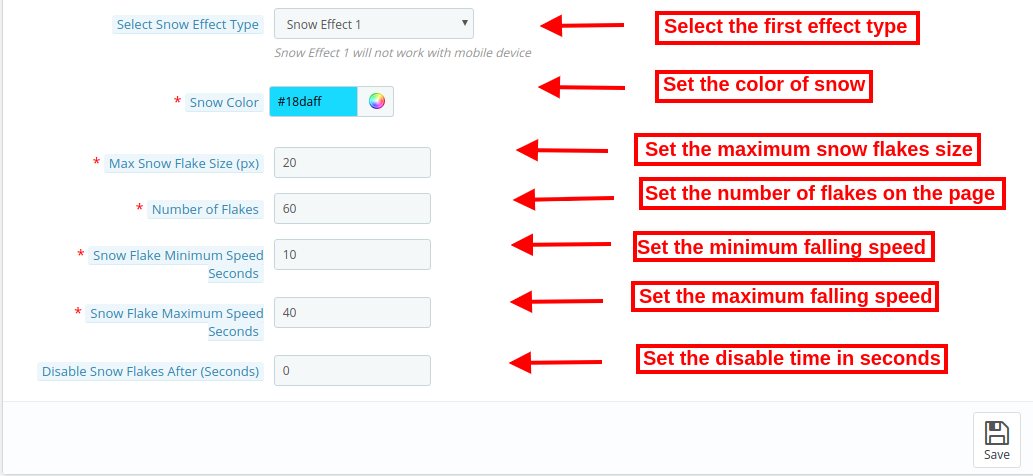
Snow Effect 1 (Traditional Flakes): The Prestashop Christmas Decoration Module allows the store owners to customise the colour, maximum flake size, number of flakes and speed range.
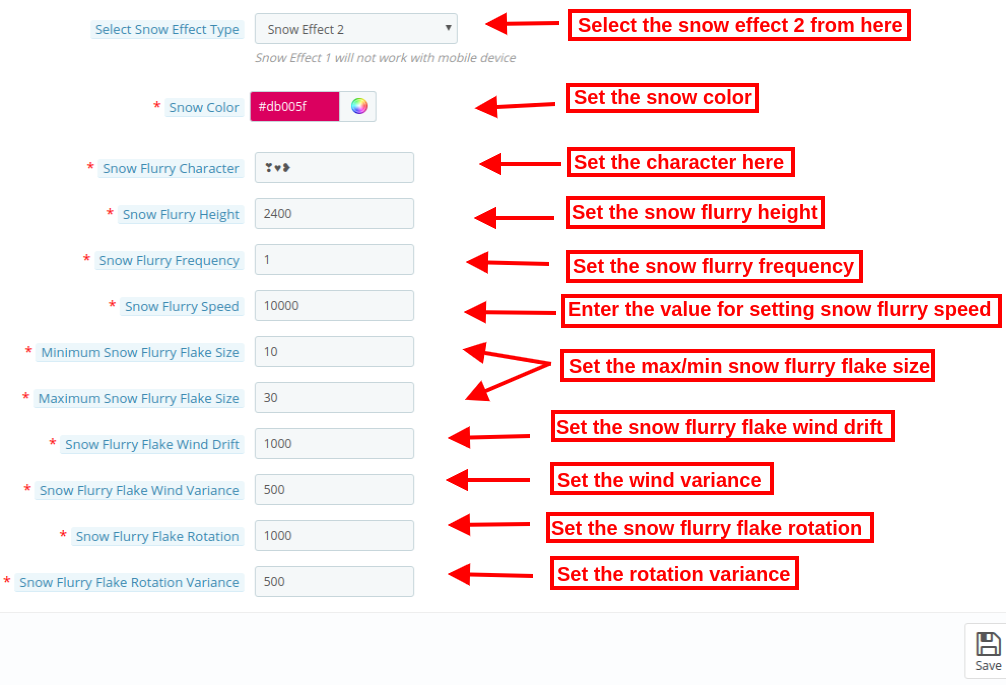
Snow Effect 2 (Shape Flurry): In this template, instead of standard snowflakes, store admins can display custom characters or shapes like hearts for Valentine’s Day or other thematic elements. Not only that, but you can also customise the height, frequency, speed, size, wind drift, and rotation of these falling elements.
2. Flexibility of Displaying Decorative Elements: Additionally, the Prestashop Website Decorator plugin offers four pre-defined headers and eight footer elements, with the crucial option to add new, customised elements. Additionally, random elements are perfect for light decorations, allowing for both static or moving effects, and complete control over their position.3. Smart Display & Timing Control. This feature allows you to fully customise when, where, and how seasonal or festive effects appear on your store. You can theme decorations for any occasion, choose specific pages for display, schedule start/end times, control how often visitors see the effects, and manage mobile visibility, all ensuring a visually engaging yet smooth shopping experience.4. Driving Sales with Discount Strips: The Prestashop Website Decorator Module, beyond pure decoration, the module integrates a sales strategy by offering a discount coupon strip.
Add Festive Stickers This Season to Boost Your Store’s Sales
Boost sales with festive stickers like Thanksgiving, Christmas, New Year & more! Give your store a festive vibe.
Key Features of the PrestaShop Product Sticker & Label Module
Easy Sticker & Label Creation: Using the Knowband Prestashop Product Sticker Module, you can create attractive product stickers such as New, Sale, Hot, Featured, Limited Stock, and more without any coding skills.
Pre-Designed & Customizable Templates: Knowband’s Prestashop Sale Stickers & Label already includes predefined stickers. Furthermore, store owners can easily choose from ready-made sticker designs or upload their own images to match their store’s branding.
Automatic Sticker Assignment: Most interestingly, store owners can set rules to automatically apply stickers to products based on conditions like price, stock, new arrivals, discounts, categories, and more.
Manual Assignment Option: If you want to add stickers to specific products manually, then do not worry. The Knowband’s Prestashop Product Sticker Addon allow the store owners to assign stickers to any product page whenever needed for special promotions.
Multiple Sticker Positions: Lastly, store owners can display stickers in various positions on product images, top-left, top-right, bottom-left, bottom-right, or custom coordinates, depending on your requirements.
Conclusion
By leveraging the PrestaShop Website Decoration Effects module along with the Prestashop Product Sticker & Label Add-on by Knowband, store owners can effortlessly enhance both the visual appeal and promotional impact of their site. Festive decorations create a captivating themed experience, while smart product stickers highlight key offers, new arrivals, and special deals, together boosting customer engagement, improving product visibility, and ultimately driving more sales.
For more information about features, benefits, and setup, visit https://www.prestamarketplace.com and explore how you can turn your Prestashop store into a professional store with Knowband Plugins.
The holiday season not only brings a tremendous opportunity to attract new customers and boost sales but also brings increased competition. Therefore, with online shoppers looking for festive, engaging, and seamless experiences, having the right tools in your Prestashop store is essential. Here are five must-have Prestashop Addons by Knowband that can help you create an inviting shopping environment, enhance engagement, and encourage more purchases this holiday season.
1. Prestashop Website Decoration Effect Addon:
Setting a festive ambiance is a simple yet effective way to draw customers in and enhance their shopping experience. The Prestashop Website Decoration Effect Addon lets you add holiday-themed decorations and animations to your website, such as falling snowflakes, twinkling lights, or festive icons. Furthermore, these small touches immediately communicate the holiday spirit, giving your store a warm and inviting feel.
Moreover, the customization options in the website decoration addon for Prestashop allow you to control where these effects appear, their frequency, and how they integrate with your brand’s look and feel. Thus, by creating a visually appealing holiday atmosphere, this Addon encourages customers to stay longer and browse more, increasing the chances they’ll make a purchase.
2. Prestashop Spin and Win Pop-Up Module:
The Second Recommendation: The Prestashop Spin and Win Pop-Up Module is a gamified feature that offers an interactive and exciting experience for visitors. Instead of a traditional discount pop-up, this module presents a spinning wheel where customers have the chance to win a variety of rewards, such as discounts, free shipping, or special offers. Furthermore, the act of spinning the wheel adds an element of fun to the shopping journey, helping to capture visitors’ attention and engage them right from the start.
Additionally, Knowband’s Spin and Win module for Prestashop asks customers to enter their email addresses before spinning, which helps build your mailing list for future promotions.
Boost Customer Engagement with Spin and Win Gamified Pop-Up
On the other hand, the sense of excitement created by the possibility of winning a prize can increase conversions as customers are more inclined to complete their purchase to use their reward. Therefore, by incorporating an engaging feature like this, you not only entertain visitors but also encourage them to shop with enthusiasm.
3. Prestashop Product Sticker and Label Addon:
Highlighting specific products or promotions can make a significant difference during the holiday season when customers are often looking for the best deals. The Prestashop Product Sticker and Label Addon allows you to add customizable stickers and labels to your products, such as “Best Seller,” “Holiday Special,” or “Limited Time Offer.” Furthermore, these visual markers help shoppers identify key items and holiday deals quickly, making it easier for them to navigate through your store.
Thus, with the Prestashop Product Sticker Addon, you can customize the design, colors, and placement of the labels to match your store’s holiday theme, ensuring they complement your brand rather than cluttering the page. Moreover, the labels not only make products stand out but also guide customers toward important items and offers, creating a smoother and more effective shopping experience.
Moreover, this can speed up decision-making and lead to quicker purchases, which is beneficial for both customers and store owners during the busy holiday season.
👉Explore the Module with Our Video Guide
4. Prestashop Gift Card Manager Addon:
Gift cards are an increasingly popular gift option, especially during the holidays, as they allow recipients the flexibility to choose their own gifts. The Prestashop Gift Card Manager Addon makes it easy for you to offer digital gift cards, a convenient and thoughtful solution for holiday shoppers. With this Addon, customers can purchase gift cards directly from your store and send them digitally to friends or family members. This is particularly useful for last-minute shoppers who may need a quick gift option that can be delivered instantly.
Furthermore, Knowband’s Prestashop Gift Card Addon also allows for customizations, so you can brand your gift cards with holiday-themed designs that match your store’s aesthetic.
Digital gift cards not only provide a convenient gift option but also encourage future spending, as recipients are likely to spend beyond the card’s value. By offering gift cards, you can cater to holiday shoppers’ needs while also driving additional revenue for your store.
5. Prestashop Gift the Product Addon:
The Prestashop Gift the Product Addon simplifies the process of gifting products, allowing customers to purchase items and send them directly to friends or family with just a few clicks. This feature is perfect for holiday shoppers who want to give a personal gift without going through a complicated checkout process. With this Addon, customers can add recipient details, select a personalized message, and choose gift packaging options if available, creating a seamless gifting experience that adds a personal touch.
Creating a Cohesive Holiday Shopping Experience with These Addons!
Using these five Addons in combination can transform your Prestashop store into a one-stop holiday shopping destination that customers will love. By setting a festive mood with decorations, adding interactive elements like Spin and Win, guiding shoppers with product labels, and offering convenient gifting options, you create a seamless and joyful shopping experience. Furthermore, each Addon plays a unique role in improving the shopping journey, whether it’s enhancing the visual appeal of your store, engaging customers with fun incentives, or simplifying the gifting process.
As the festive season approaches, online store owners are gearing up to make the most out of the heightened shopping fervor. At Knowband, we understand the significance of creating an engaging and visually appealing online shopping experience. That’s why we are thrilled to introduce the latest update for our PrestaShop Website Decoration Effect addon v1.5.
New Update:
Now, the PrestaShop Website Decoration Effect Addon is available for PrestaShop 9, ensuring smooth compatibility with PrestaShop 1.7 and PrestaShop 8. Install the module today and give your website a festive and engaging look.
In this article, we will explore the exciting new features that come with this update, designed to elevate your store’s aesthetic appeal and boost sales during the festive season.
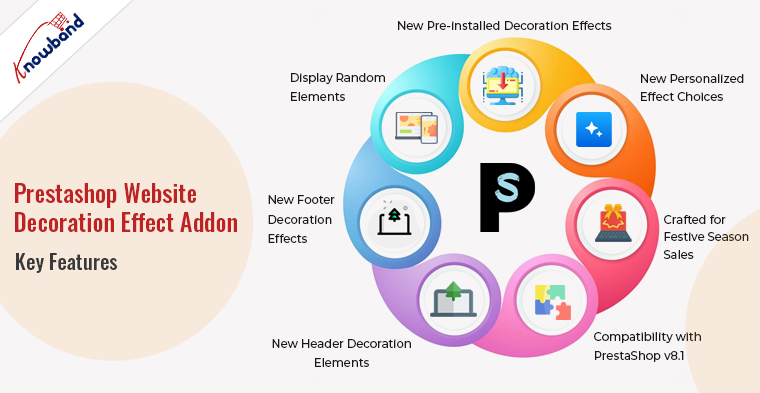
New Pre-installed Decoration Effects:
Our updated PrestaShop Website Decoration Effects plugin comes with a set of new pre-installed decoration effects. Furthermore, the same are carefully curated to add a touch of celebration to your online store. From sparkling lights to festive banners, these effects are designed to capture the spirit of the season and create a visually stunning environment for your customers.
New Personalized Effect Choices:
We understand that every online store is unique, and customization is key to standing out in the crowded digital marketplace. Moreover, with the PrestaShop Website Decoration Effect Addon v1.5 update, we’ve introduced new personalized effect choices. Allowing you to tailor the decoration effects to align with your brand identity and the specific theme of your store.
Crafted for Festive Season Sales:
The festive season is a prime opportunity for online retailers to boost sales and engage with their audience in a meaningful way. Our Advance PrestaShop Christmas Effects Module is meticulously crafted to meet all your festive season sales requirements. The combination of eye-catching decoration effects and a seamless shopping experience will leave a lasting impression on your customers, encouraging them to explore and make purchases on your PrestaShop online store.
Compatibility with PrestaShop v8.1:
Staying up-to-date with the latest technology is crucial for the success of any online business. We are proud to announce that our PrestaShop Website Decoration Effects plugin is now fully compatible with PrestaShop v8.1. This ensures that you can leverage the latest features and enhancements of the PrestaShop platform while creating a visually stunning storefront for your customers.
New Header Decoration Elements:
The header of your online store is the first thing visitors see, and making a strong first impression is essential. Thus, with the Prestashop Snow Flurry Effect Addon and the latest update, we’ve added new header decoration elements to our module. Now, you can enhance the top section of your PrestaShop store with festive elements that captivate your audience from the moment they land on your site.
New Footer Decoration Effects:
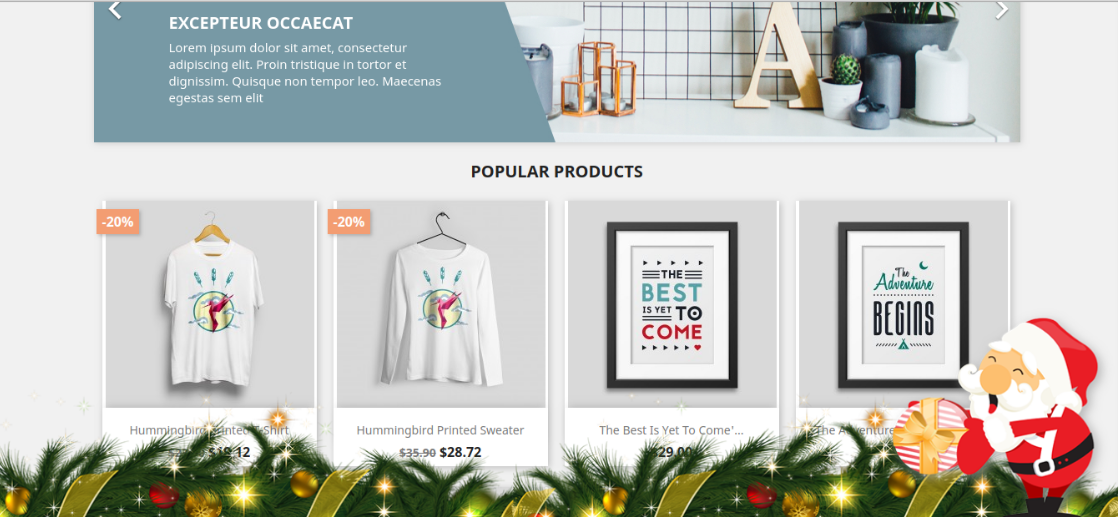
Completing the overall look of your store, we’ve also introduced new footer decoration effects with our Prestashop Special Decoration Effects Plugin. Thus, this addition ensures a cohesive and immersive experience for your customers, creating a visually harmonious journey from top to bottom. The footer decoration effects can be customized to complement your brand aesthetics and enhance the festive ambiance.
Display Random Elements:
To keep things fresh and dynamic, our updated PrestaShop Website Decoration Effects module allows you to display random decoration elements. This feature adds an element of surprise and ensures that your PrestaShop store always feels vibrant and engaging. Randomized effects can capture the attention of visitors and encourage them to explore different sections of your online store.
Conclusion!
Look and feel are two of the most important aspects of an eCommerce website. Not only does it provide a catchy impression on the visitors but also enhances their visual appeal towards eCommerce stores.
For the same reason, it becomes important to add welcome effects on your store for the visitors. Therefore, with new pre-installed effects, personalized choices, compatibility with PrestaShop v8.1, and much more this module is a must-have for online retailers looking to make a lasting impression during the festive season. In case you have any further queries or suggestions regarding website decoration effects, please feel free to reach out to our support staff at our email support@knowband.com.
The online store owners can now decorate their stores for different occasions like Christmas, New Year or Valentine’s Day. In this winter season, set the themes according to the occasions and grab the customer’s focus and attention. Website decoration is one of the smartest strategies to optimize the UI of the site and keep the customers engaged in the store. The visual effects can make your site look better and occasion ready.
Knowband offers the PrestaShop Website Decoration Effects module which decorates the website with respect to different occasions. This way the store admin can create a positive first impression. The store merchant can customize the PrestaShop Website Decoration Effects plugin for any holiday like Christmas, New Year and many others. We have also added Extra effects for New Year.
Now, the online store admin can also set up header, footer and random elements in the new version of our PrestaShop Website Decoration Effects module. Store merchants can show/hide snow effects. Now we offer multiple different decoration elements. The store merchant can set the elements according to the requirements. The updated PrestaShop Website Decoration Effects extension also allows showing customized elements from the admin interface. There is an option to show a discount coupon strip on selected website pages.
1.1 Features Offered by Advance Prestashop Christmas Effects Addon
Using PrestaShop Website Decoration Effects addon, the online store admin can decorate the store as per the occasion like New year, Christmas and Valentine’s day.
The PrestaShop Website Decoration Effects addon allows admin to show various snow effects, header elements, footer elements and random elements on all the website pages or selected website pages.
The online merchant has an option to show or hide snow effects, display effects on a mobile device also and set the display frequency of these effects.
The online store admin can also select a specific date and time duration for showing the special effects on the website pages.
Four different snow effects are available for decorating the store. Admin can use any of it as per the requirements.
In the second decoration effect, the online store merchant can show different shapes like heart, diamonds or other characters.
Admin can show different header elements on the selected page and duration. There are 4 header elements from which admin can select any element. The PrestaShop Website Decoration Effects plugin also allows admin to add new elements.
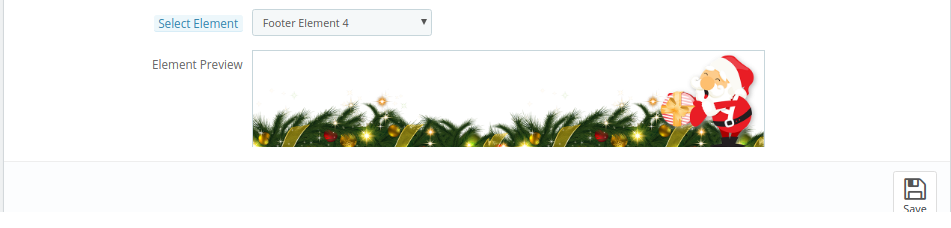
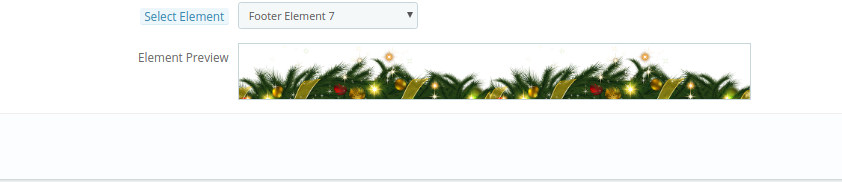
Admin can show different footer elements on the selected page and duration. There are 8 footer elements available for decoration. The PrestaShop Website Decoration Effects plugin also allows admin to add new footer elements.
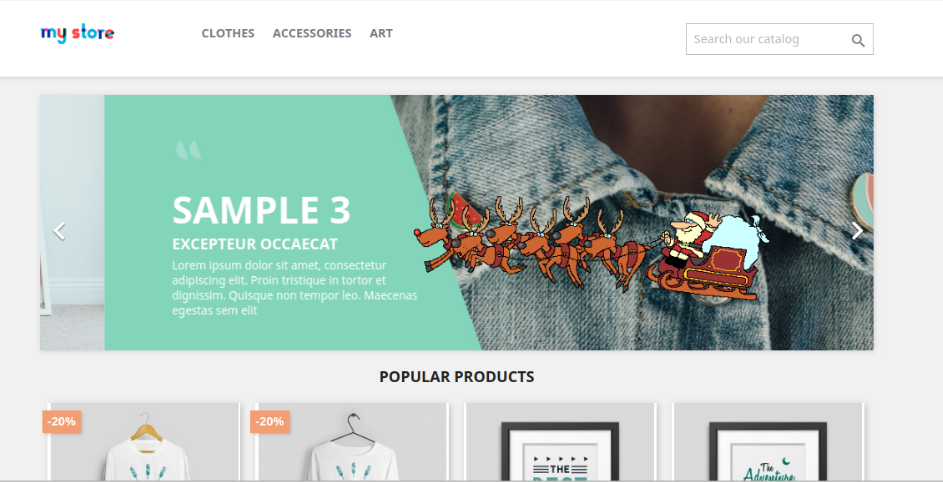
The Special decoration effects plugin has some random elements for light decorations. Admin can set the element movement type as static or moving. The Snowflakes effect module allows the setting position of elements.
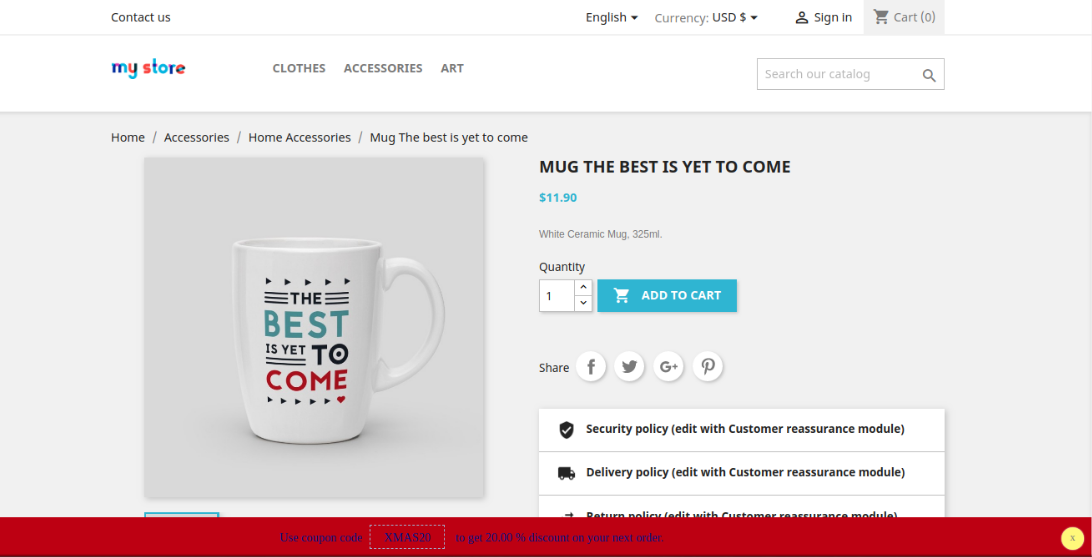
The online merchant can show a discount coupon strip for showing discounts on occasions in a different way.
Admin can also set the look and feel of a discount strip.
2.0 Steps for Installation
After purchasing the PrestaShop Website Decoration Effects addon from the store you’ll get these files:
1. A zipped file consists of the source code of this PrestaShop Website Decoration Effects addon.
2. User Manual
The store admin can follow these steps to install the PrestaShop Website Decoration Effects addon:
Follow these steps to install the PrestaShop Website Decoration Effects addon:
The admin needs to unzip the zipped file. This file includes some files and folders.
After that, the admin can copy the overall content of the folder and paste them into the “Modules” folder of the store’s directory.
The admin can follow the path – Root Directory/modules/.
3. As a store admin, you can install the PrestaShop Website Decoration Effects extension. You can find that in Store Admin -> Modules and Services. It would be shown as below –
Now, you just need to click on the “Install” button to install this PrestaShop Website Decoration Effects extension. A confirmation pop-up will be shown. Click on “Proceed with the installation” option. This step will install the PrestaShop Website Decoration Effects module and show notification – “Module(s) installed successfully”.
3.0 Admin Settings
The online store merchant can apply settings for showing special decoration effects from the admin section. Here, the admin can get these configuration settings:
General Settings
Header Element Settings
Footer Element Settings
Random Element Settings
Discount Coupon Settings
3.1 General Settings
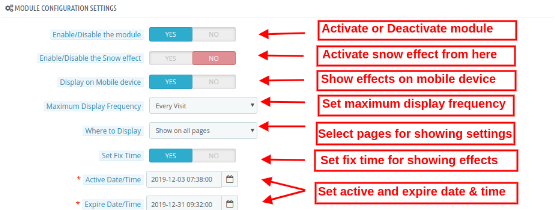
In the General Settings tab, the online merchant can apply basic settings for showing decoration effects on the website front-end interface. These are the available customization options:
Enable/Disable the module: Toggle the button for activating or deactivating the PrestaShop Website Decoration Effects module.
Enable/Disable the Snow effect: Activate or Deactivate the settings to display/hide the snow effects on website pages.
Display on a mobile device: Admin can enable this tab for showing decoration effects on mobile devices.
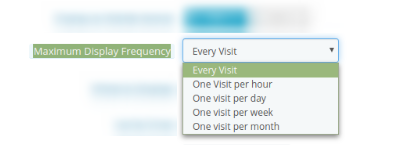
Maximum Display Frequency: Admin can set the frequency of showing decoration effects. Admin can show decoration effects on every visit of customers or one visit per hour/day/week/month.
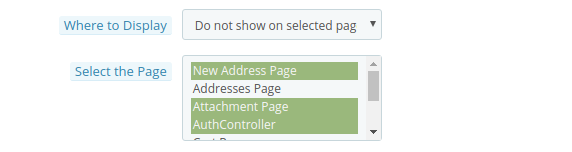
Where to display: Admin can select the pages for showing/hiding decoration effects. The PrestaShop Website Decoration Effects module also allows showing decoration effects on all the pages.
Show on all pages: Select this if you want to display these decorative effects on all the website pages.
Show on selected pages: You can select this option if you want to display the effects on particular webpages of the sites. On selecting this option, a new customization menu will be displayed for selecting the pages.
Do not show on selected pages: In this menu option, you need to select the pages on which you don’t want to display the snowflake effects.
While Enabling the snow Effects, Admin will get 4 available snow effects as shown below:
Select Snow Effect type: There are 4 snow effect types available in PrestaShop online store effects module. Admin can select the snow effects as per the requirements:
Snow Effect 1
On selecting Snow effect 1, you will get these customization options:
Snow color: There is a color picker tool by which you can set the color of the snow. In this effect, snowflakes will be displayed in the store.
Maximum snowflake size: In this menu option, you can set the maximum size of a snowflake. The PrestaShop Website Decoration Effects plugin will show the snowflakes as per the selected flake size.
Number of Flakes: Here, you can set the number of flakes for decorating the website. For dense effects, you can set a higher number but the recommended number of flakes is 25 according to the Advance PrestaShop Christmas Effects module.
Snowflake Minimum speed seconds: You can set the minimum speed of snowflakes in seconds.
Snowflake maximum speed seconds: Set the maximum snowflakes falling speed in seconds.
Disable snowflakes after: In this menu option, you can set the seconds after which you want to stop showing the snowflakes effect.
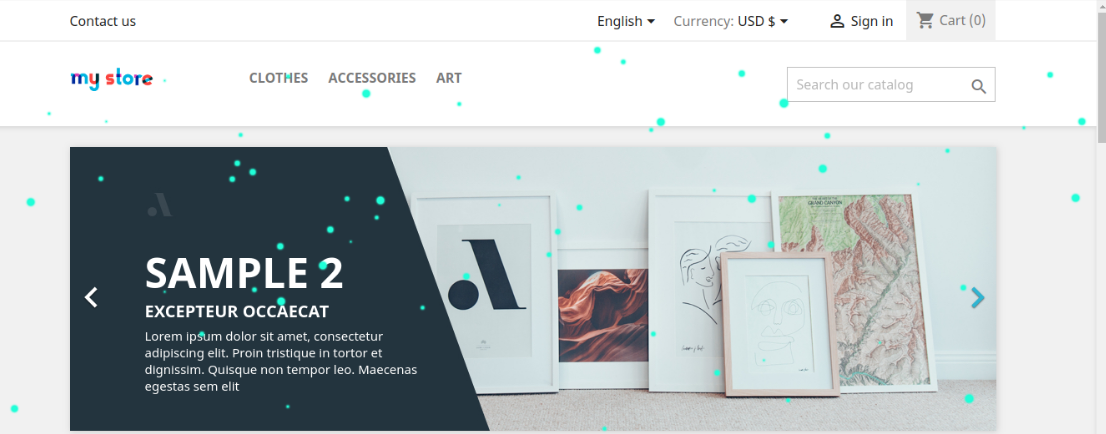
In the front-end interface the effect will look like the below-mentioned image:
Snow Effect 2
There will be different customization options available in snow effect 2.
Snow color: You can select the color for the effects using the color picker tool.
Snow flurry characters: In this menu option, the store admin can enter any character. For example during Valentine’s Day, the admin can show roses or hearts (like ♥❥) for decorating the website. These shapes will fall down on the website pages.
Snow flurry height: Set the height of the flurry from the admin interface. Admin can set it (in pixels) to control the height for which the snow flurry will fall. The admin can increase the snow flurry height for showing it all over the page.
Snow Flurry Frequency: Set the frequency of generating new snow flurries on the website. The lower number will create more snow flurry.
Snow Flurry Speed: Set the falling speed of snow flurries. You can set a lower number for faster snow flurry falling speed.
Minimum Snow Flurry Flake Size: Here, you can set the smallest size of the snow flurry flakes.
Maximum snow flurry flake size: In this menu option, you can set the maximum size of snow flurry flake.
Snow Flurry Flake Wind Drift: This value will control how far each snow flurry will drift in pixels in the left direction. Admin can enter a negative number to make the flow on the right side of the page.
Snow Flurry Flake Wind Variance: This value will control the drift of every snow flurry flake using the wind drift as the base value. A lower value will create less drift.
Snow Flurry Flake rotation: This value controls how much a snow flurry flake will rotate in degrees while falling.
Snow Flurry Flake Rotation Variance: How much a flurry flake will rotate while it falls. A lower value will offer fewer random rotations.
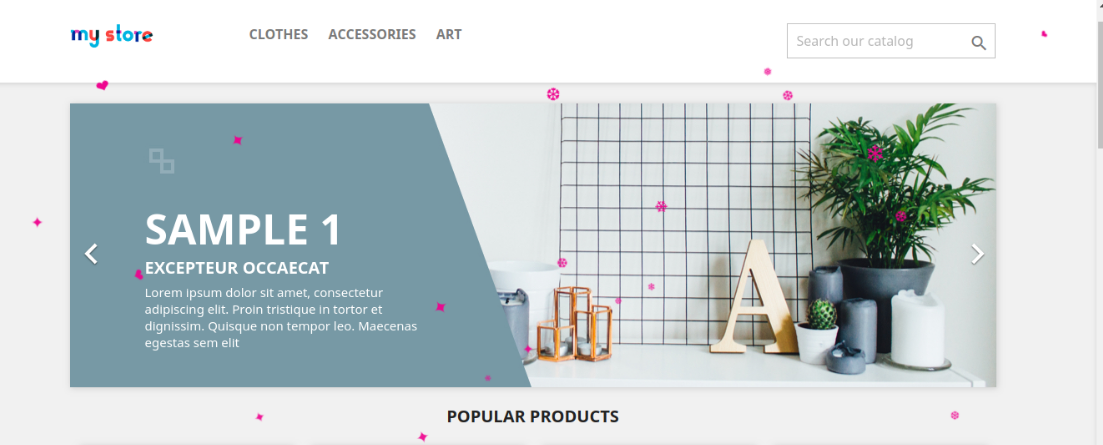
The effect will look as shown below:
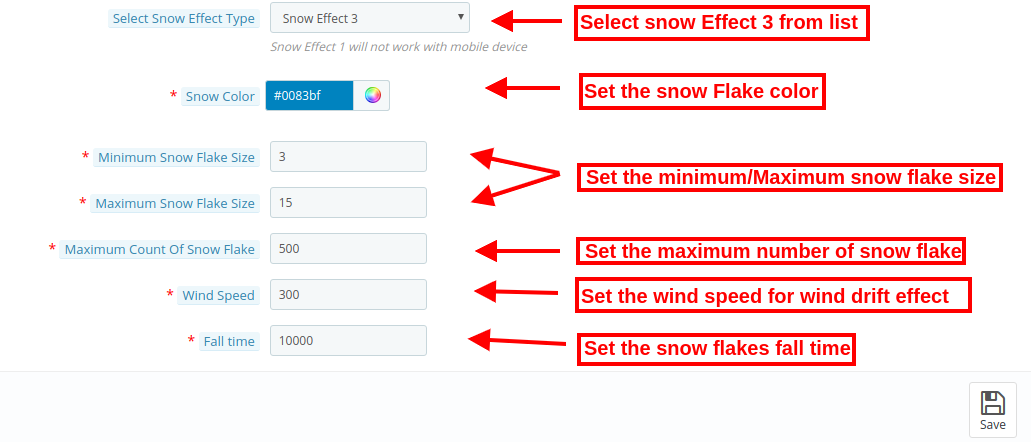
Snow Effect 3
In this effect, you will find the below-mentioned settings:
Snow color: There is a color picker tool by which you can set the color of the snow.
Minimum snowflake Size: Set the smallest size of the snowflakes from the admin interface of this Special decoration effects plugin.
Maximum snowflake size: In this menu option, you can set the maximum snowflake size.
Maximum count of snowflake: Set the maximum number of the snowflake from the admin interface of this PrestaShop Website Decoration Effects addon.
Wind Speed: Admin can set the wind speed value i.e., 300. The wind speed effect will show a wind drift in snowflakes. If the admin sets this value as 0, the snowflakes will fall in a straight line.
Fall time: Here, you can set the time taken by each snowflake. If admin sets the time 10,000 then the snowflakes will fall faster. For normal speed, the admin can set the lesser value as 1000.
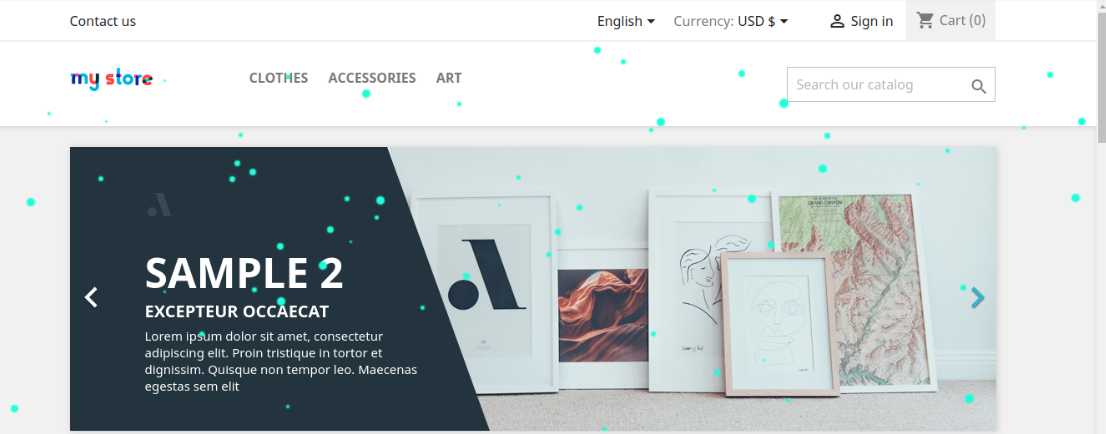
View the effects:
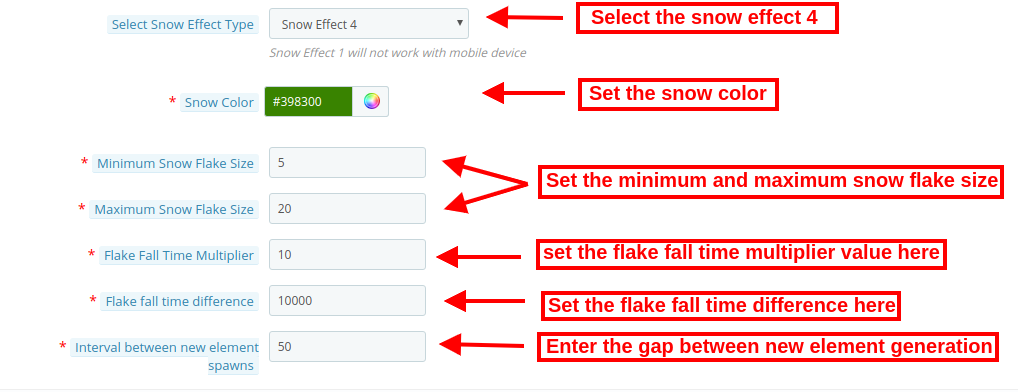
Snow Effect 4
Snow color: You can set the color of the snow using a color picker tool available in the PrestaShop Website Decoration Effects addon.
Minimum Snowflake Size: Set the smallest size of the snowflakes from the admin interface of this Special decoration effects plugin.
Maximum snowflake size: In this menu option, you can set the maximum snowflake size.
Flake falls time multiplier: Here, the store admin can enter the fall time multiplier value. The higher value will show a lower speed.
Flake fall time difference: Here, the admin can set the value of a difference between flakes to fall time.
Interval between new element spawn: The store admin can also set the difference value for the next element generation. If the value will be less, more flakes will display on the website pages.
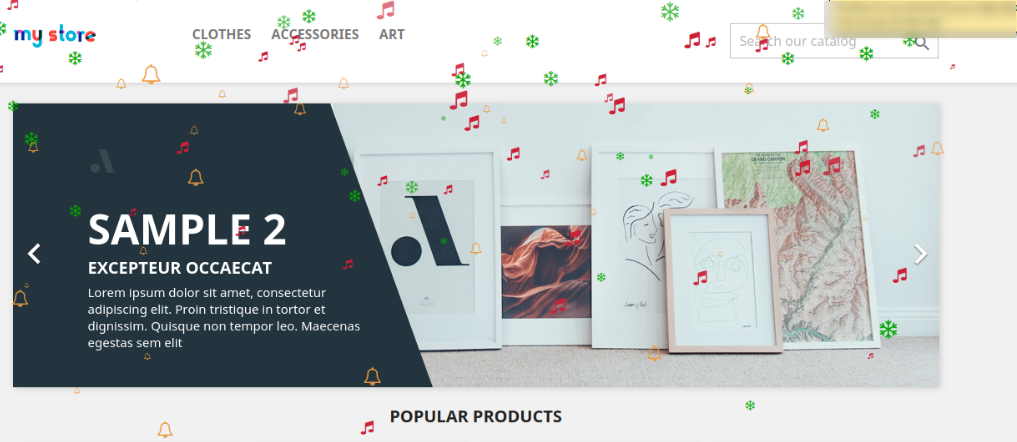
The effect will look as shown in the image below:
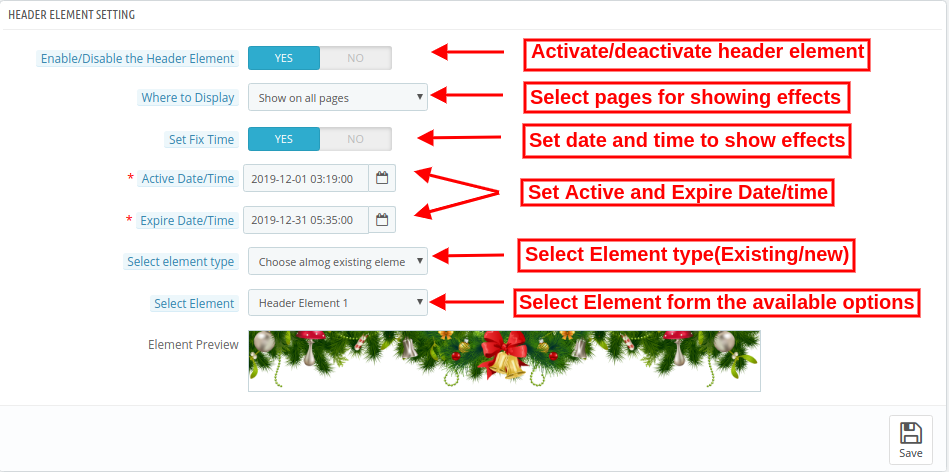
3.2 Header Element Settings
Apply header element settings and setup website header decorations:
Enable/disable the header Elements: Activate or deactivate the option to show/hide header elements.
Where to display: Select the pages on which you want to show/hide header elements effect.
Set Fix Time: You can set a specific time for showing decorative effects.
Active Date/time: Set start time from here.
Expire Date/time: Enter expire date and time
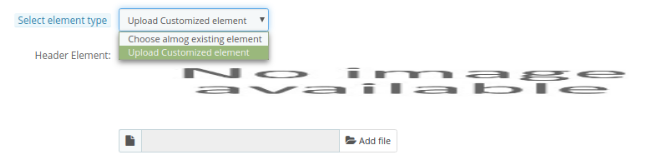
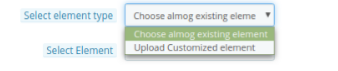
Select Element Type: Admin can select from available element types or upload customized elements.
Choose among existing elements: Admin can select from available elements.
Upload customized elements: Upload customized elements from the admin interface of this PrestaShop online store effects module.
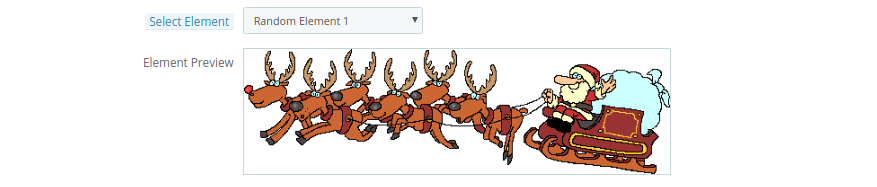
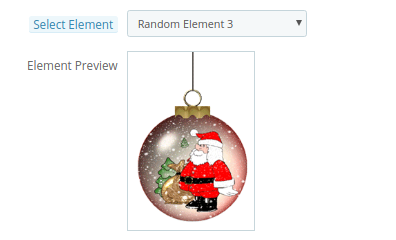
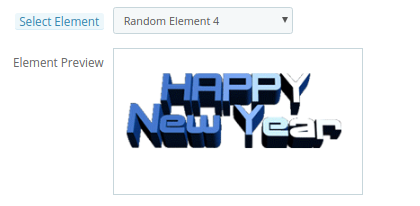
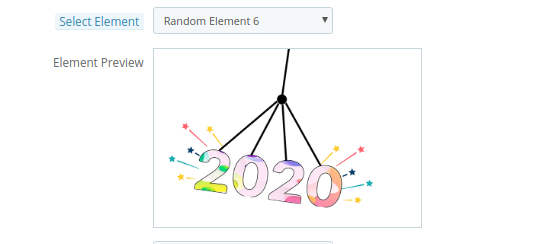
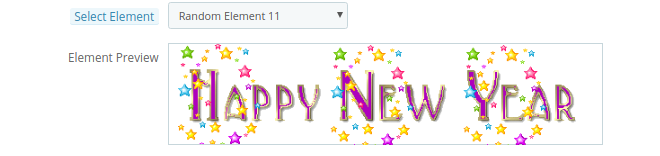
Select Element: Select from available header elements. These are the available elements.
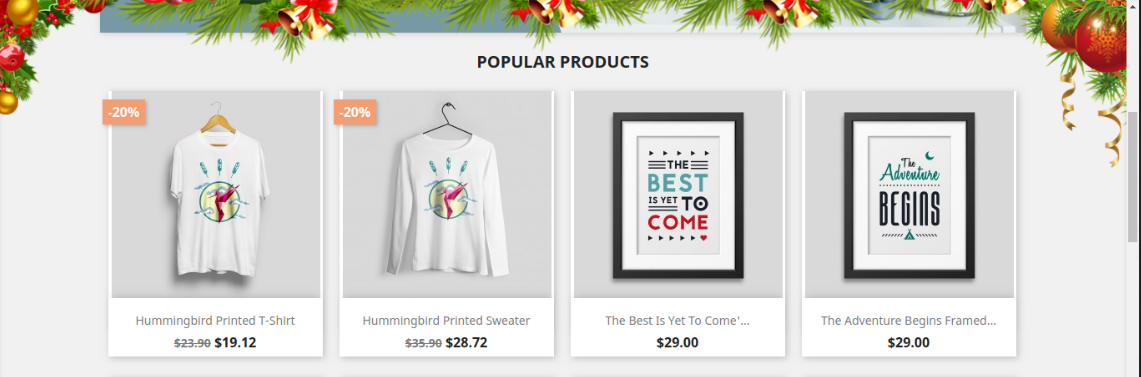
After applying these settings the store admin can view the impact on the website front-end interface.
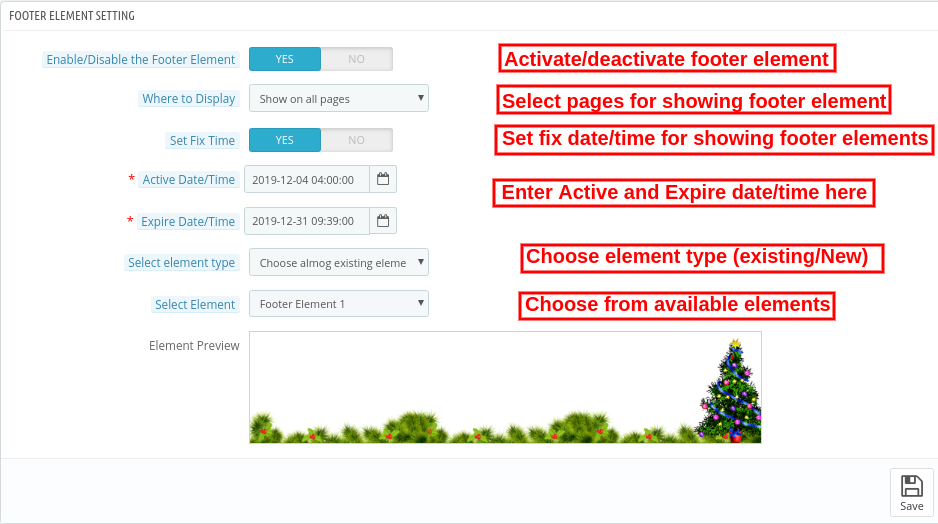
3.3 Footer Element Settings
Enable/disable the Footer element: Activate or Deactivate the footer elements settings for showing/hiding footer decorations.
Where to display: Admin can either show footer decoration effects on alpages or show the effects on selective pages.
Set Fix Time: Admin can also set a specific time for showing header effects on the website.
Active Date/time: Enter start date and time here.
Expire Date/time: Set Expire date/time effects.
Select Element Type: Admin can select from available options and or upload new elements.
Choose among existing elements: Admin can select from available elements.
Upload customized elements: Admin can also upload new elements from the admin interface.
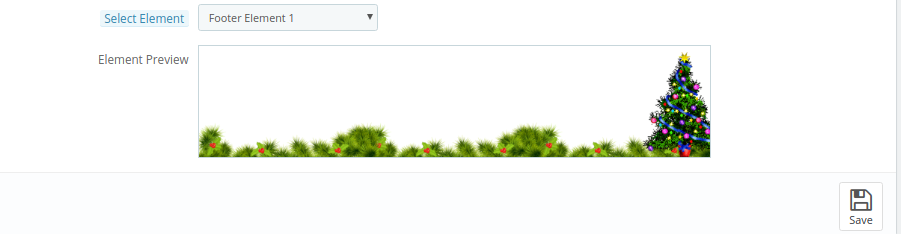
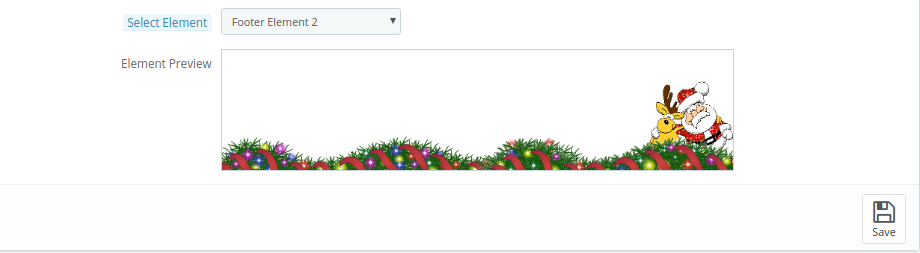
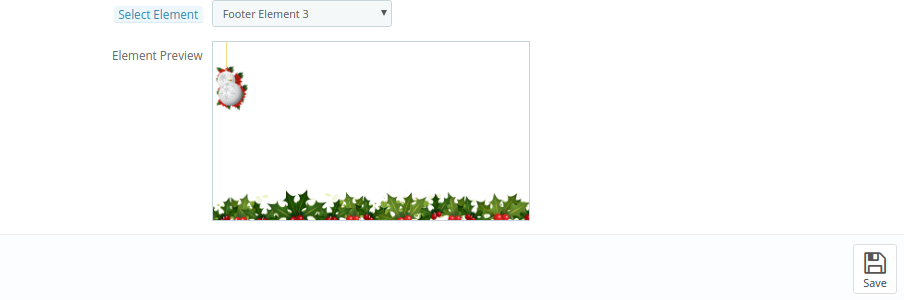
Select Element: Select from available header elements.
The effect will look as shown below:
3.4 Random Element Settings
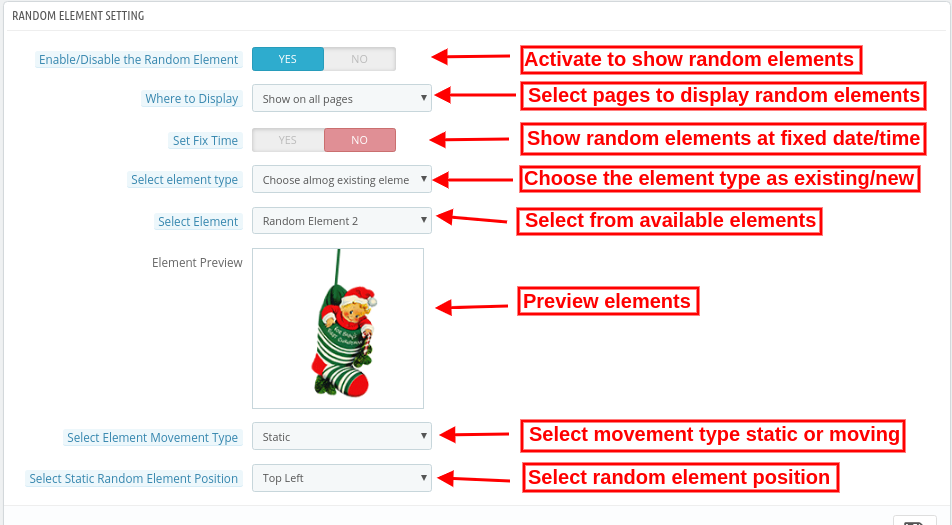
Enable/disable the Random Element: Admin can also show random decoration elements on the website front-end interface.
Where to display: Show on all the website pages or select pages for showing/hiding random elements.
Set Fix Time: Enter specific date/time on which you want to show random elements.
Active Date/time: Set start time here.
Expire Date/time: Set End date time here.
Select Element Type: Choose the element type as available or customize.
Choose among existing elements: As a store merchant, you can select from available elements.
Upload customized elements: You can also upload new elements from the admin interface.
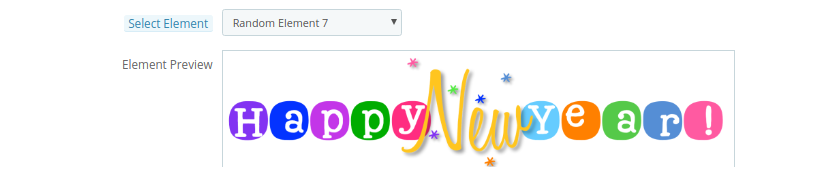
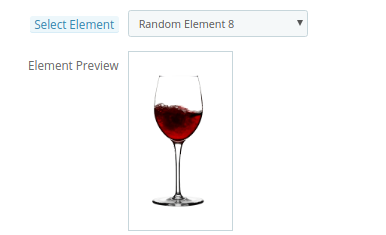
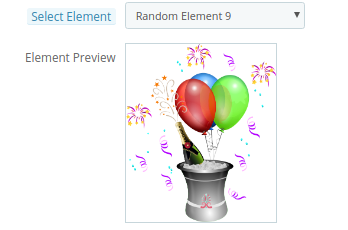
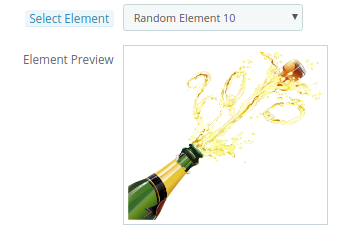
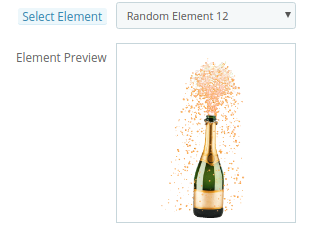
Select Element: Select from available header elements.
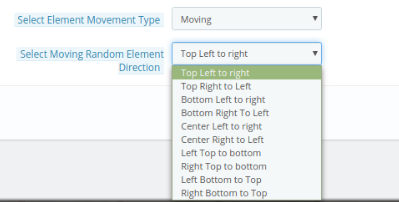
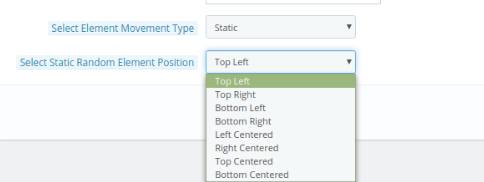
Select Element movement Type: Set movement type static or dynamic.
Select moving random element direction: Set moving random element direction.
Select Static Random Element Position: Set static random element direction.
The impact of these random elements will be as shown below:
3.5 Discount Coupon Settings
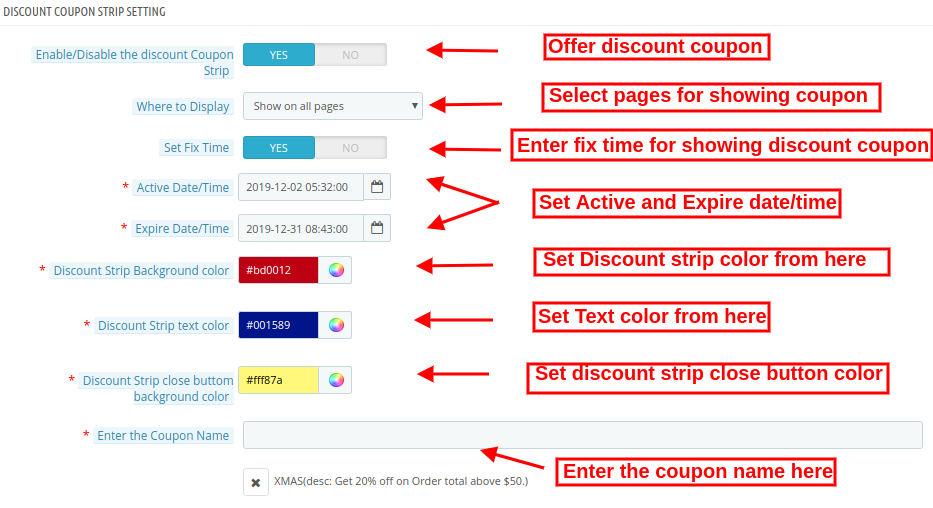
The PrestaShop Website Decoration Effects plugin allows offering discount coupons on special occasions via an attractive footer bar interface.
Enable/Disable the Discount strip: Activate/deactivate this option to show a discount strip on the website front-end interface.
Where to display: Admin can select the pages on which he wants to show these discount coupons.
Set Fix time: Set a specific time for showing the discount coupon.
Active Date/time: Enter the start date/time here.
Expire Date/time: Enter the end date/time here.
Discount Strip Background color: Set the color for showing as a background color of discount strips.
Discount Strip text color: Set text color of the discount strip.
Discount strip close button background color: Set close button background color of the discount strip.
Enter the coupon Name: Enter the coupon name here.
4.0 Front-End Interface
The online store merchant can decorate the online store using the Advance PrestaShop Christmas Effects plugin. The online store merchant can customize the PrestaShop Snow Flurry effect addon according to the various occasions like Christmas, New Year and many others.
Different snow effects offer a variety of decorations. The online store visitors and the customer can view the decorated store.
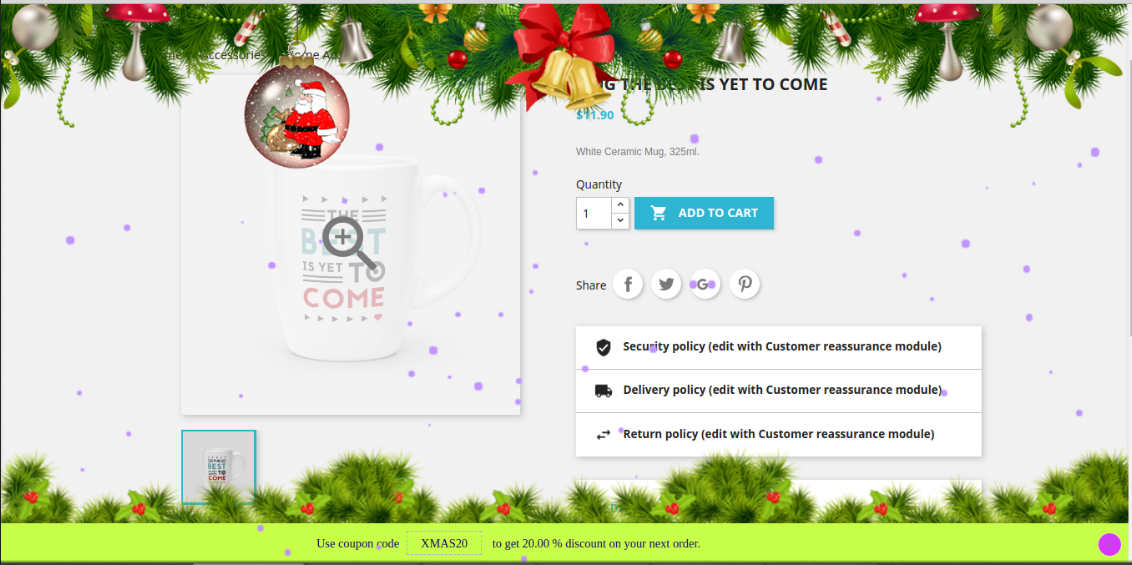
Fist Snow Effect with Elements: Here, in the image, you can view the beautiful impact of first show effect. You can also set different header, footer and random elements as per your website theme.
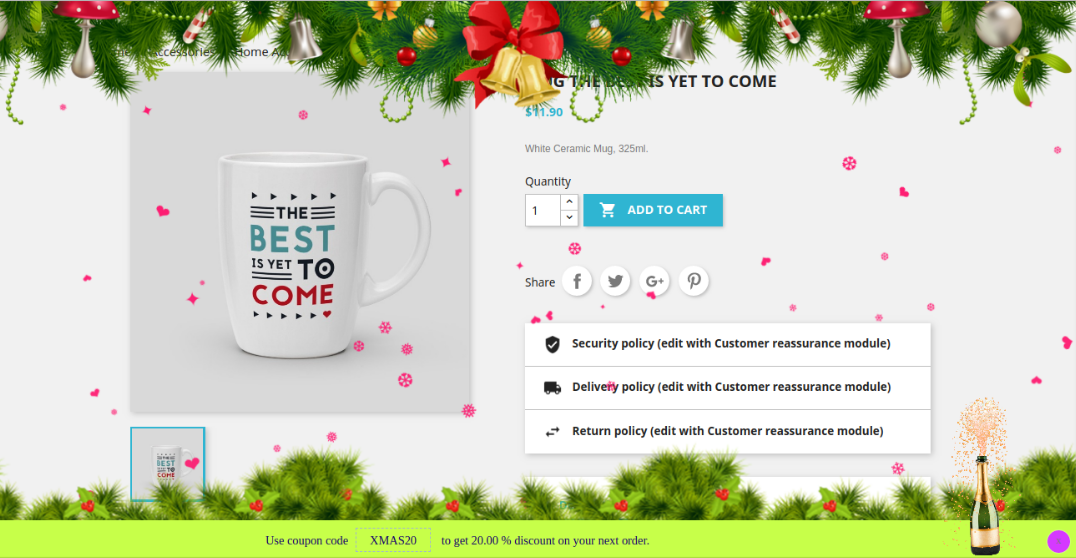
Second Snow Effect with Elements: In the Second snow effect, admin can show characters and set the flowing speed and other effects related settings.
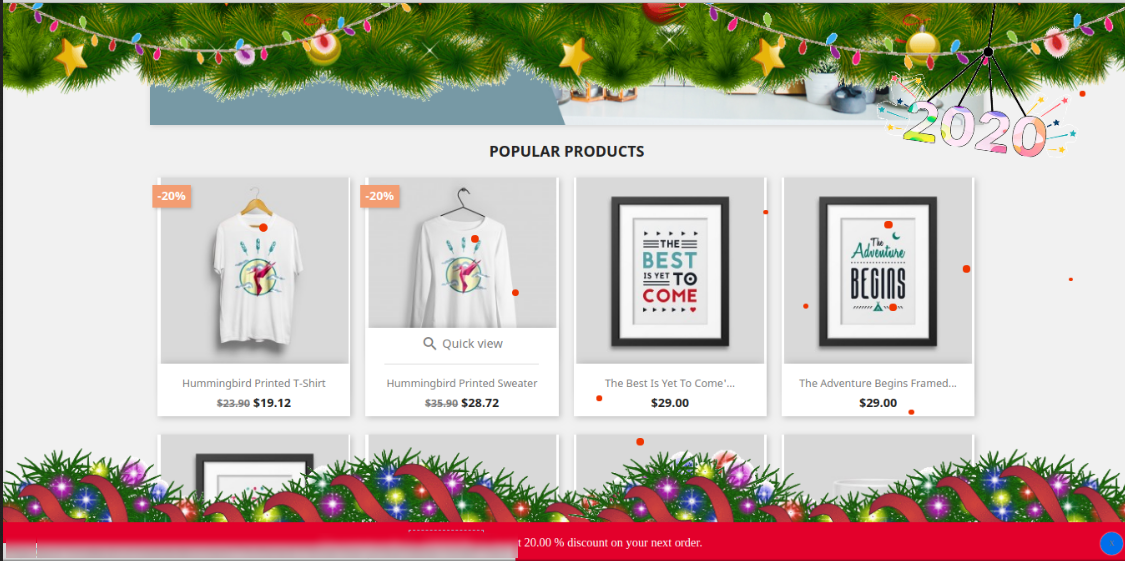
Third Snow Effect with Elements: In the third snow Effect, you can show snow flacks with different header and footer elements. Online users can view the discount strip.
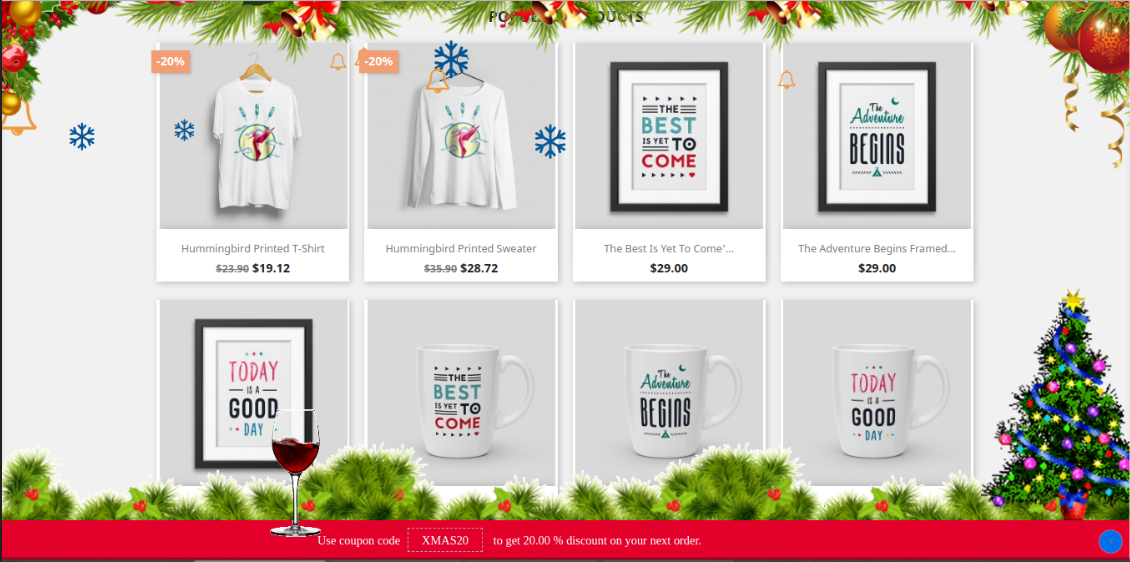
Fourth Snow Effect with Elements: In the fourth effect, online users can view colorful snow flurries with the attractive header, footer and random elements.
This way, the online store merchant can decorate the website and attract online customers. There are multiple decoration options, admin can use various options on different occasions.
5.0 Tutorial Videos Of Prestashop Website Decorator Addon
Check out the latest tutorial video for the prestashop website decorator addon. This tutorial video contains the installation, configuration, including theme selections like snow flakes or snow flurr, date and timing of the scheduling of the theme, header element settings as well as footer element settings of the module.