If you are looking for the best prestashop abandoned cart email reminder module, then it’s the best choice. Here we will be talking about the best abandoned cart modules and strategies to recover the lost sales.
Your Default Checkout Can be the Issue
Most people come and add the products to the cart, and then they leave. The top reason that to abandoned cart is complex checkout. If you are using the complex checkout that requires many pages, this is the reason your customer is abandoning the cart.
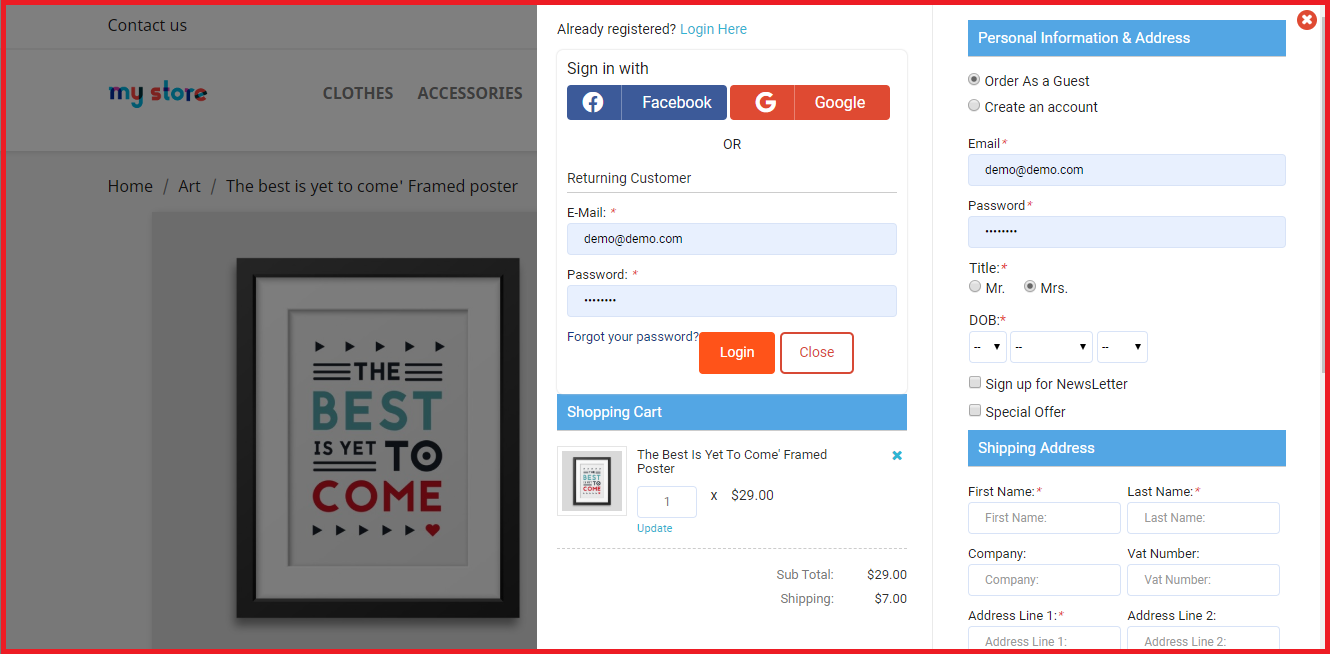
First, switch to a prestashop Quick checkout addon, and add this addon to your prestashop store. As this Fast Checkout for Prestashop will help you to combine all the pages like shipping address, delivery address, payment options, shipping options, product details and many more.
One thing that also increases the rate of abandoned carts is a lengthy login or registration process. This Knowband Prestashop Quick Checkout Addon also comes with built-in social login options like Facebook and Google.
How can you reduce the Prestashop Abandoned Carts
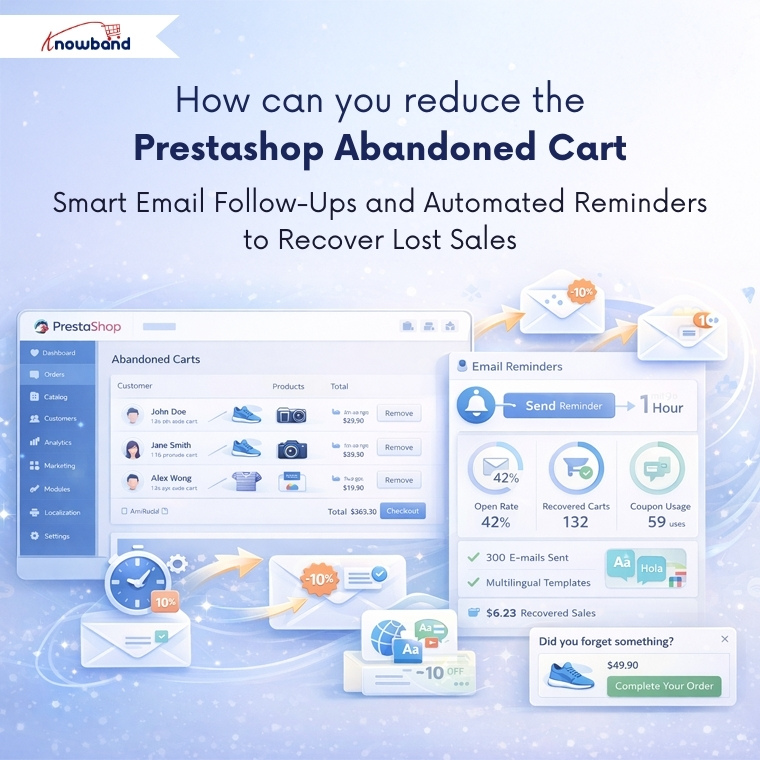
But what if there are already so many abandoned cart and now you want to clear abandoned carts in prestashop? So email follow-up and reminders are one of the best ways.
Integrate a Prestashop Email Follow-up module, which will send the reminder and emails to your prestashop abandoned cart users. Additionally, you can see all the details and statistics of the email coupon that has been sent to the users.
Moreover, you can schedule this cron at any of the time, like midnight time when users mostly scroll.
If your customers are international or you have an international audience, then do not worry. This Knowband Prestashop Email Follow-up module has provided the email template option differently in all the languages.
This Prestashop Email Follow-up module allows you to send the reminder to the website as well. Using this reminder, customers can easily grab the offers, make a deal and clear your abadnoned carts.
Tracking Your Success Using Prestashop Email Follow-Ups
These email reminder modules provide detailed analytics showing which emails are being opened, which discount codes are being used, and ultimately, which abandoned carts are converting into sales. Furthermore, this data becomes valuable for analysing the pattern of purchase. Furthermore, you might discover that certain products have higher recovery rates or that specific discount percentages work better than others.
The Power of Wishlists
Here’s something many store owners miss: not every product a customer browses needs to go straight to the cart. Offering this Knowband Prestashop wishlist Module feature gives customers a way to save items they’re interested in without the pressure of immediate purchase.
For customers, they provide a convenient way to bookmark products they want to return to later, maybe they are waiting for payday, comparing options, or just planning future purchases. For you as a store owner, wishlists offer incredible insights into customer preferences and trending products.
By analysing wishlist data, you can identify which items generate the most interest, spot seasonal trends, and even plan your inventory more effectively. You might notice certain products frequently appear together in wishlists, which could inform bundle deals or cross-selling strategies.
Putting These Abandoned Cart Solutions All Together
Recovering abandoned carts isn’t about using just one technique – it’s about creating a comprehensive approach. Start by removing complexity from your checkout process, then implement smart email follow-up strategies for those who still don’t complete their purchase. You should give customers flexibility with features like wishlists, and always keep testing and refining based on the data you collect.
Not every abandoned cart will convert, and that’s okay. But by implementing these strategies and modules, you will recover a meaningful percentage of lost sales, which can significantly impact your bottom line over time.
Always remember, each recovered cart represents a customer who wanted your product enough to add it to their cart in the first place. Your job is simply to make this as easy and appealing as possible for them to complete the purchase that final step.
For more information, check out the Quick checkout Addon for Prestashop. You can also try the demo. If you face any issues, you can reach out to us at support@knowband.com.
Read our latest blogs on AI Chatbots: https://www.whatech.com/og/artificial-intelligence/blog/1008494-ai-chatbot-now-available-for-opencart-and-prestashop-stores-in-2026.html