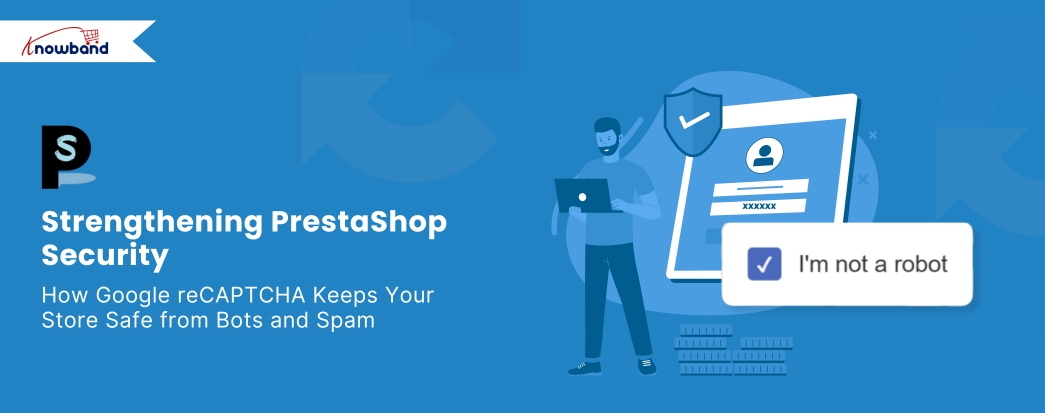
Strengthening PrestaShop Security: How Google reCAPTCHA Keeps Your Store Safe from Bots and Spam

As online shopping continues to dominate the e-commerce market, security concerns have grown more pressing than ever. Customers want a smooth shopping experience — but more importantly, they want it to be secure. For PrestaShop store owners, maintaining that balance between scalable and robust protection is critical. Fortunately, one smart and simple way to boost your store’s defences is by integrating Google reCAPTCHA.

With this in mind, we’re introducing the PrestaShop Google reCAPTCHA module, a lightweight yet powerful solution that helps you filter out malicious bots while letting real customers shop with confidence.

What is Google reCAPTCHA?

Google reCAPTCHA is a service from Google that helps website owners detect and block bots while allowing real human users to pass through without friction. Essentially, it does this by presenting simple challenges like identifying objects in images or clicking a checkbox labelled “I’m not a robot.”

While these tasks may seem trivial, they serve as an effective first line of defence. Bots, which are automated scripts designed to exploit forms and steal data, typically fail to pass these tests, keeping your website safer with minimal user effort.

Why PrestaShop Stores Need It

If you’re running a PrestaShop store, customer trust is everything. The moment a customer senses a lack of security — whether through spam in forms, malicious performance, or suspicious activities — they’re likely to abandon your site for a competitor. Even worse, repeated bot attacks can flood your system with fake accounts, clutter your database, and slow down key functions.

This is precisely where Knowband’s PrestaShop Google reCAPTCHA module becomes invaluable. It’s a proactive solution that quietly filters out suspicious activity in real time, letting your real customers shop uninterrupted while bots hit a dead end.

How the Knowband PrestaShop reCAPTCHA Module Works

This human verification tool is designed for simplicity and impact. Once installed, it can be placed on critical key pages throughout your store, including login, signup, contact, and checkout pages.

Here’s how it works:

First, when a visitor interacts with a protected form (like creating an account), they’re prompted with a reCAPTCHA challenge.

Next, if completed correctly, the user can proceed.

However, if not, access is denied, effectively preventing bots from registering, spamming, or completing fake checkouts.

Furthermore, the module integrates smoothly with your PrestaShop backend, ensuring top-tier security without affecting your site’s performance.

Key Benefits of Using the PrestaShop Google reCAPTCHA Addon
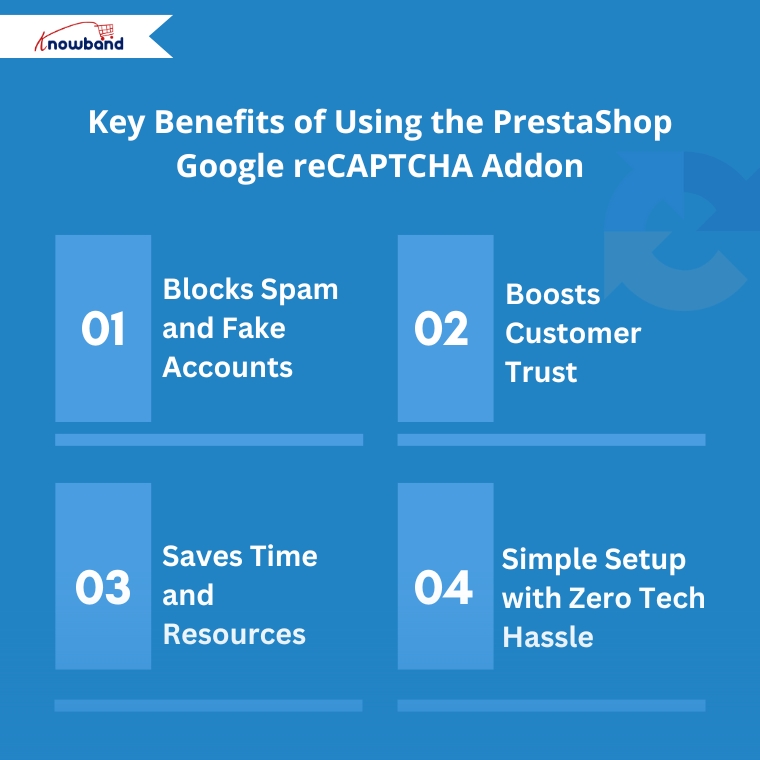
1. Blocks Spam and Fake Accounts

Bot-generated spam can overwhelm your contact forms and create fake user accounts that pollute your database. Fortunately, this module stops that activity at the gate, keeping your store clean and secure.

2. Boosts Customer Trust

When shoppers see that your site uses trusted security tools like Google reCAPTCHA, it reassures them that their personal and payment data is protected, which consequently encourages higher conversion rates.

3. Saves Time and Resources

Manually cleaning out fake accounts or filtering spam messages can take hours. However, with this automation in place, your team can focus on what really matters — running and growing your store.

4. Simple Setup with Zero Tech Hassle

No coding skills? No problem. The Knowband human reCAPTCHA module for PrestaShop is built to be plug-and-play. Simply install it, activate it, and choose where you want it to appear — all within a few clicks.

Where to Add reCAPTCHA for Maximum Protection

To fully leverage this module’s capabilities, it’s recommended to enable human verification in the following areas:

Login Page – Prevents brute-force attacks or unauthorised login attempts

Registration Page – Blocks bots from creating fake customer profiles

Contact Forms – Eliminate spam messages that clutter your inbox

Checkout Page – Ensures only genuine users can complete purchases

By adding reCAPTCHA at these key steps, you ensure your store’s most sensitive user interactions are protected.

Final Words: A Smart Move for a Safer Store

Security isn’t just a technical concern — it’s a business priority. Every time a bot bypasses your system, it erodes user trust and potentially damages your brand reputation. Therefore, by using the PrestaShop Google reCAPTCHA module by Knowband, you’re adding a vital shield to your online store.

This simple yet powerful tool helps keep bad actors out while preserving the frictionless shopping experience your customers expect. Whether you’re a beginner or an experienced store owner, this module is a smart, low-effort investment in your site’s future.

Don’t wait for bots to cause problems. Instead, stay one step ahead — secure your PrestaShop store with reCAPTCHA today.

Say Goodbye to Spam and Bots: Google reCaptcha for Prestashop by Knowband!

In the fast-paced world of eCommerce, protecting your website from spam, bots, and fraudulent activities is a top priority. Without proper security, your store can be vulnerable to malicious attacks that not only disrupt the user experience but also harm your brand reputation. As a Prestashop store owner, one of the best ways to safeguard your site is by integrating the Prestashop Google reCaptcha feature.

At Knowband, we’ve developed a robust solution to this problem with our Prestashop Google reCaptcha plugin. This addon ensures that your website is protected from spam, bots, and fraudulent users, without compromising the smooth user experience that your legitimate customers expect.

What is Google reCaptcha?

Google reCaptcha is an advanced security system designed to differentiate between human users and automated bots. You’ve likely encountered reCaptcha before – it’s the familiar tool that asks users to select images, check a box stating “I’m not a robot,” or complete other simple tasks. These tasks are easy for humans but difficult for bots, which makes it an effective method of preventing unwanted, automated access to your site.

The Prestashop Google reCaptcha module developed by Knowband integrates this security feature seamlessly into your store’s login, registration, and contact forms. Furthermore, by doing so, it acts as a barrier against bots while ensuring that real users can access your website without frustration.

reCaptcha V2 and V3: What’s the Difference?

One of the unique benefits of Knowband’s Prestashop Google reCaptcha addon is that it supports both reCaptcha V2 and reCaptcha V3 versions, giving you flexibility in choosing the right level of protection for your store.

reCaptcha V2:

reCaptcha V2 is the more widely recognized version, where users are prompted to interact with a verification checkbox (“I’m not a robot”) or solve simple image-based tasks. Furthermore, it’s highly effective at blocking bots and providing an extra layer of security to your forms.

Key features of reCaptcha V2 include:

  • User Interaction: The verification process requires the user to complete an action, like selecting images that meet certain criteria.
  • Versatile Application: V2 can be used on login, registration, and contact forms, making it a solid choice for blocking bots.
  • Highly Accurate: reCaptcha V2 offers high accuracy in distinguishing human users from bots, making it effective in preventing spam and malicious attacks.

reCaptcha V3:

On the other hand, reCaptcha V3 takes a different approach by operating silently in the background without requiring user interaction. Moreover, it assigns a “trust score” to each interaction, based on how likely the user is to be a bot. Depending on the score, you can act as requiring further verification or denying access.

Key features of reCaptcha V3 include:

  • No User Interaction: Users won’t need to solve any challenges or click checkboxes. The system monitors behavior and interactions in the background to detect bots.
  • Advanced Security: V3 provides a more sophisticated, unobtrusive approach to bot detection. The system learns from interactions and becomes better at identifying bots over time.
  • Flexible Integration: You can set thresholds for different types of actions on your store (e.g., login attempts, and form submissions), giving you greater control over how you handle potential bot traffic.

Which Version Should You Use?

Both versions have their advantages, and the choice between reCaptcha V2 and V3 depends on your specific needs.

If you want a more hands-on, highly accurate approach, V2 is a great choice, as it actively engages users in the verification process.

If you prefer a smoother, more invisible experience for your customers without compromising on security, V3 is ideal since it works silently in the background.

The good news is, that Knowband’s Prestashop Google reCaptcha module supports both versions, giving you the flexibility to choose based on your store’s requirements and customer experience goals.

Why is Google reCaptcha Important for Prestashop Stores?

Prestashop is one of the most popular eCommerce platforms, and like all online platforms, it can be a target for spammers and bots. Bots can overload your website with spam form submissions, create fake accounts, and even attempt brute-force login attacks. This can result in wasted server resources, a cluttered database, and a poor user experience for your actual customers.

Key Features of the Prestashop Google reCaptcha Module by Knowband!

Knowband’s Prestashop Google reCaptcha module is designed to offer maximum protection with minimal effort from your side. Below are some of the key features that make this addon a valuable addition to your Prestashop store:

1. Easy Integration and Configuration:

With Knowband’s Prestashop Google reCaptcha plugin, you don’t need to worry about complicated installations. The module is easy to integrate and can be configured quickly via the Prestashop admin panel. Once installed, it works seamlessly with your website’s forms.

2. Multiple Forms Protection:

The Prestashop Google reCaptcha addon can be integrated across various forms on your site, including the login, registration, and contact forms. Therefore, it means you get comprehensive protection across your store, safeguarding every point where bots could potentially enter.

3. Customizable reCaptcha Display:

Our plugin allows you to customize how and where the reCaptcha box appears on your site. You can choose between the standard checkbox reCaptcha (V2) or the invisible version (V3), which works in the background and only activates if suspicious activity is detected.

4. Human Verification Made Easy:

The Prestashop human verification system ensures that real users can easily complete the verification process. Human verification through reCaptcha is quick and user-friendly, making it a painless experience for your customers while keeping the bots out.

5. Protect Your Store from Data Overload:

Bots generating spam submissions and fake accounts can lead to data overload in your Prestashop store. By using the Prestashop human verification module, you can reduce the risk of filling up your database with unnecessary data, keeping your site running smoothly and efficiently.

6. Enhanced User Experience:

With the invisible version of reCaptcha (V3), human users are not interrupted during their interaction with your website. Furthermore, this ensures a seamless user experience, allowing them to focus on shopping rather than filling out unnecessary forms.

Knowband’s Prestashop Google ReCaptcha Module

Secure your PrestaShop store from spam and bots with Google reCAPTCHA, ensuring a safe and user-friendly experience for your customers.

SHOP NOW

Conclusion!

By integrating the Prestashop Google reCaptcha module by Knowband into your store, you’ll be able to secure your website from bots and spam without sacrificing the customer experience. With support for both reCaptcha V2 and V3, this versatile module gives you the flexibility to choose the right security level for your store. Protect your website today and ensure that only real, verified users can interact with your store.

Empower Your PrestaShop Store Security with Knowband’s Top PrestaShop Modules!

Website security is one of the most important foundations of any successful online business. A secure store protects sensitive customer data, prevents financial losses, and preserves the reputation you have worked hard to build. As cyber threats continue to grow in sophistication, relying on basic security measures is no longer sufficient. For PrestaShop store owners, taking a proactive approach to blocking malicious bots, unwanted traffic, and suspicious IPs is essential to maintaining both performance and customer trust. A well-secured store also signals credibility to shoppers, which directly supports customer retention and long-term sales growth. Investing in the right security tools is not just about defense; it is about building a store that customers feel confident shopping in.

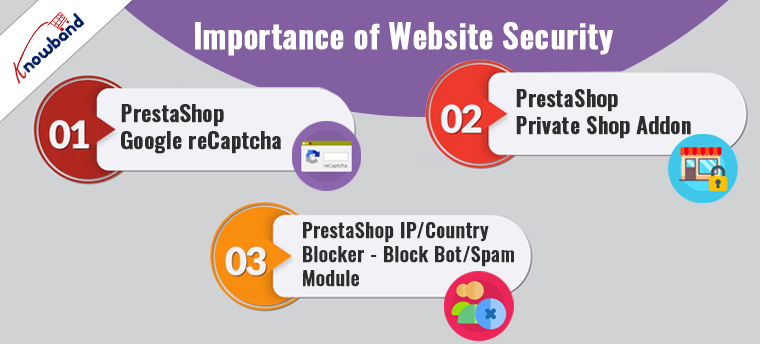
Importance of Website Security:

For businesses using PrestaShop, enhancing security doesn’t just protect against threats but also boosts customer confidence and ensures compliance with data protection laws. When it comes to website security, the topic covers several aspects, including SSL configurations, protection from spam and Bots, disabling shop access from particular countries, etc.
Here, we spotlight three essential PrestaShop modules designed to fortify your store’s security framework: PrestaShop Google reCAPTCHA, PrestaShop Private Shop Addon, and PrestaShop IP/Country Blocker.

🛡️ Related Read


How the IP Blocker for PrestaShop Shields Your Store Against Bots and Unwanted Traffic


Block malicious bots, spam accounts, and unwanted visitors by IP address, country, or user agent, a complete look at how the PrestaShop IP Blocker keeps your store secure and performing at its best.

Explore More About the IP Blocker Module

1. PrestaShop Google reCaptcha:

The internet is a vast space where security threats like bots and spam are ever-present. To safeguard your store from such nuisances, integrating the PrestaShop Google reCaptcha addon is a strategic move. Moreover, Knowband’s Prestashop v2 and v3 reCaptcha addon implements the advanced technology of Google reCAPTCHA, which distinguishes between human users and automated systems.

The beauty of Google reCAPTCHA is that it provides a seamless user experience by requiring minimal input from users, thus ensuring security without sacrificing usability. On top of that, the customers get an option to choose between Google reCaptcha v2 & reCaptcha v3 which are some of the most advanced captcha modules from Google. Thus, by adding this layer of security, you can prevent malicious activities and ensure that your interactions come from genuine users.

2. PrestaShop Private Shop Addon:

Privacy is a significant concern for many online shoppers. Following the same, Knowband’s PrestaShop Private Shop Addon caters to this need by allowing you to create an exclusive shopping environment. Furthermore, this module enables you to restrict access to your shop or specific products, making them accessible only to registered users.
Prestashop private shop module is an ideal solution for stores dealing with high-value goods, B2B transactions, or exclusive merchandise.
Additionally, it can serve as a tool for managing VIP customer experiences by providing access to special collections or promotions. Implementing this module not only enhances security but also gives you control over who views and purchases your products.

3. PrestaShop IP/Country Blocker – Block Bot/Spam Module:

Last but not least, to further enhance your store’s security posture, the PrestaShop IP/Country Blocker module is indispensable. The IP Blocker addon for Prestashop allows you to block access based on IP addresses or geographic locations.
Moreover, its primary function is to prevent bots and spam from harming your site, which can be particularly useful if you face frequent attacks from specific regions or need to comply with regional compliance requirements. Therefore, with the ability to customize restrictions, you can tailor security settings to best fit your business needs, ensuring that your store remains secure and compliant with international laws.

In the END!

In conclusion, strengthening your PrestaShop store with these top security modules can drastically reduce vulnerabilities and enhance customer trust. By implementing Google reCaptcha, creating a private shopping experience, and blocking unwanted IP addresses or countries, you ensure that your PrestaShop store remains a secure, trustworthy, and compliant digital shopping destination. Invest in these security enhancements to protect your business and provide your customers with a safe and enjoyable shopping experience.
Moreover, if you have any queries/suggestions regarding our website security special extensions, you can reach out to us at our email address support@knowband.com.