OpenCart Wish List Module that drives sales and engagement

Not every time you purchase products by directly adding them to the cart and checking out immediately. You often save some products for final review and add them to your wish list. The term ‘wish list’ sounds fascinating. In eCommerce, users can add all the products they are liking and willing to buy sooner or later to their wish list. Users won’t have to add to their cart until they’re ready to check out.

There is a high cart abandonment rate for most e-commerce brands, but few know how to reduce it. Abandoned cart reminder email strategies were addressed in a previous blog post that surely works. In this article, you will learn how a wish list can improve conversions in your OpenCart store. You can also find out about the most popular products and categories of the store that you can use in making marketing strategies and inventory management.

What is a wish list?

The wish-list feature enables e-commerce clients to build a list of goods that they are not yet ready to purchase, but that they plan to buy for themselves or receive as a gift in the future. Wish lists provide shoppers with a convenient way to arrange the items they want, making it unnecessary for quick reminders to use the shopping cart.

Not only do well-built wish lists lower the rate of cart abandonment (because of shoppers), they help boost the site’s customer experience by making it easier for customers to purchase from you and inspiring others to do the same.

Why do you need a wish-list or save for later option in your eCommerce store?

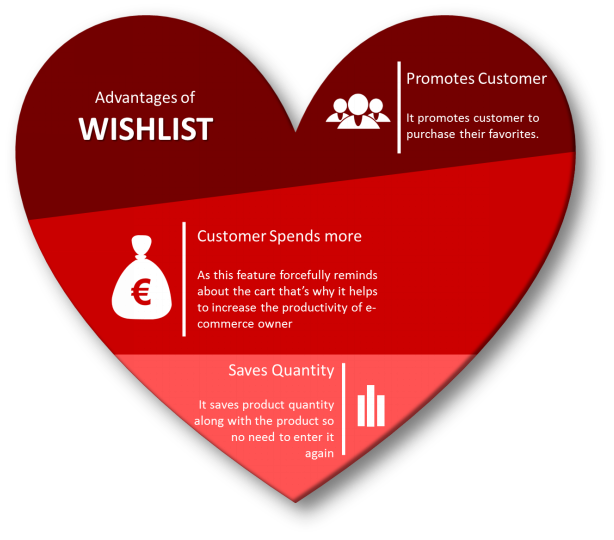
Besides the obvious advantage of enhancing the shopping experience of the consumer, Wishlist has the potential to provide online retailers with a much broader, strategic value. A Wishlist provides an incentive for clients to save products “for later” if at that moment they do not commit to a purchase and find them easily once they return to your shop.

  1. You will give your prospects a chance to save the items they will later show interest in.
  2. They help you keep track of what your customers want.
  3. They help you predict stock levels properly and manage inventory.
  4. You can use the wishlist data to have targeted marketing
  5. Easily assess the efficacy of your overall marketing activities by monitoring which goods end up on the wishlists of your customers.

Every Thing about OpenCart Wish List Module

1.     Attractive front-end representation

The wish list display should be attractive and clean. The look and feel of the front-end of the OpenCart Advance Wish List Module are neat and clean. It has a direct call to action button for adding products to the cart. You can edit want the button color, font, and other details according to the theme.

2.     Allows customer to maintain a private wish list:

The OpenCart Wish List Module acts as a handy way to remember the items that made it to the list, which is particularly important for major future events, such as weddings, new babies, housewarmings, etc. when assembling gift lists or drawing shopping lists. Mobile shoppers find this feature especially appealing because on a smaller screen it saves a lot of “browsing” time.

3.     Top Wish-listed Product and Categories

From this point of view, you might be tempted to suggest that you do not need a wishlist because you already know which of your best-selling items are. The advanced OpenCart wishlist addon helps the store vendor to evaluate the product that is most requested or most common. The category/product review reports can be presented by the OpenCart store admin in the form of a graph.

4.     Wish list module does Customer Analysis

The favorite product list addon of OpenCart helps the eCommerce merchant to evaluate the customer lists with the shortlisted product quantities and other details.

5.     Order Analysis Report

An Order listing tab is offered by the OpenCart wishlist extension. It allows the store manager to analyze the ordered products that were on the wishlist of the customers.

Benefits of OpenCart Wish List Module:

To see what items consumers save for later and what items they buy, you will analyze the data, which will help you find the underlying problems that hamper your sales: do customers need more data? Are they abandoning carts due to product price? Will discounts and deals work for them?

Conclusion: It improves the overall customer experience and for the merchant, it provides them with the data like the products that are most popular and frequently added to the cart. Some products are most added but least purchased. In that case, you can see where it is going wrong? Here the product analysis report will help.

Recommended Reads:

Opencart Advanced Wishlist Extension – User Manual

1.0 Introduction

Imagine you are browsing through your mobile phone and saw that pretty dress but couldnt buy it right now because its month’s end and let’s face it you are broke! You added it to your wishlist so that if its price comes down or when you get your salary credited, you will buy it. Suddenly a support Team member of that eCommerce site calls/e-mails you and offers you a coupon on that Dress. You feel happy and buy that Dress because now it’s affordable. Offering wish lists is an effective way to reduce Shopping Cart Abandonment and fulfill sales from customers who showed intent but didn’t end up purchasing. Wish lists are mutually beneficial: they give customers an easy way to remind themselves of a product and help merchants measure product interest beyond a clear-cut sale. OpenCart Advanced Wishlist Extension by Knowband helps customer to shortlist their favorite products so that they can be aware of the products they want to purchase or view later.

This OpenCart save for later extension is like a basket in hand where you add whatever you like and proceed with the checkout when you are ready to buy it. As a Store Admin you can keep a track on the requirements of your customers and proceed accordingly with your sales plan.


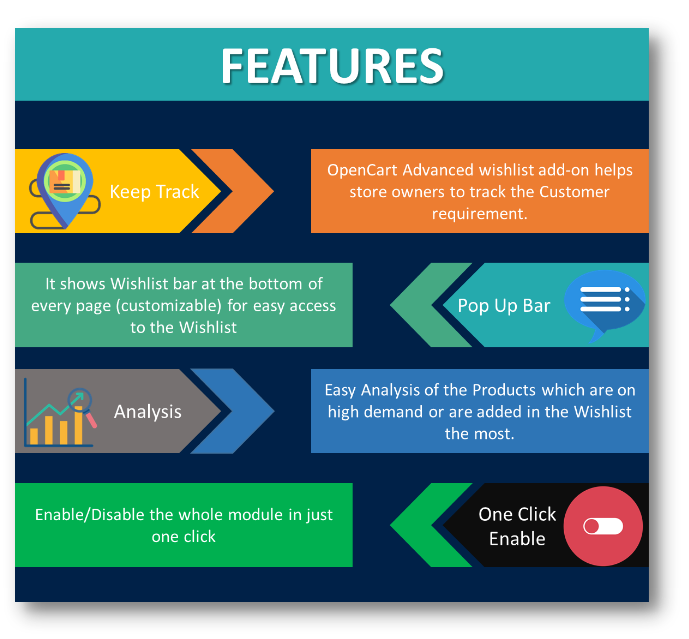
1.0.1 Features of OpenCart Advanced Wishlist Extension

2.0 Installation Guide

Before starting the installation process, you have to buy the Opencart Advanced order list extension by the Knowband store. Once purchased, you will receive the following files on your registered email.

  • Source code of Opencart Advanced order list extension in zipped file format.
  • User Manual of Opencart save for later plugin.

Now in order to install this on your online shop, follow the given steps:

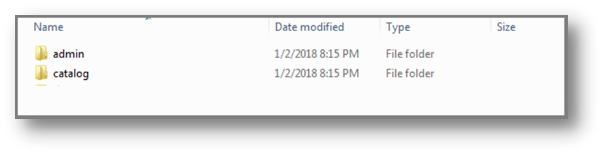
Step 1: Unzip the zip file. You will get the folders as shown in the image below


Step 2: Copy all the folders of the zip file in the Root Directory of OpenCart setup via FTP manager.

Step 3: There is a file name kbadvancedwishlist.ocmod.xml (for oc<3.0)
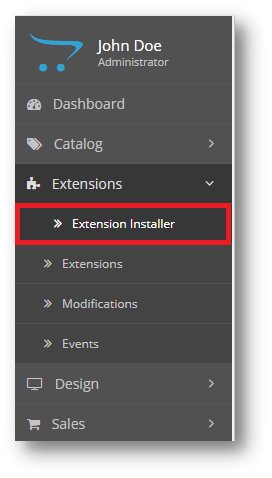
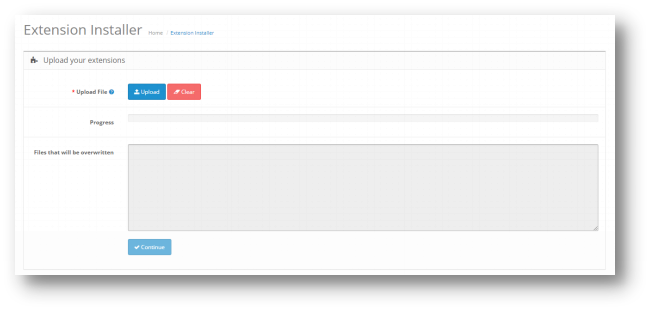
kbadvancedwishlist.ocmod.zip (for oc>3.0). You need to install this file in the following Location:


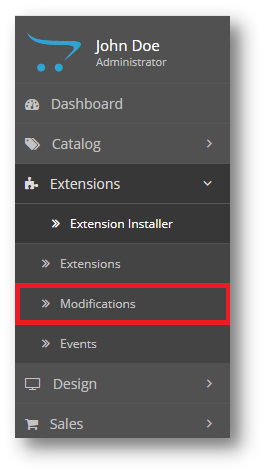
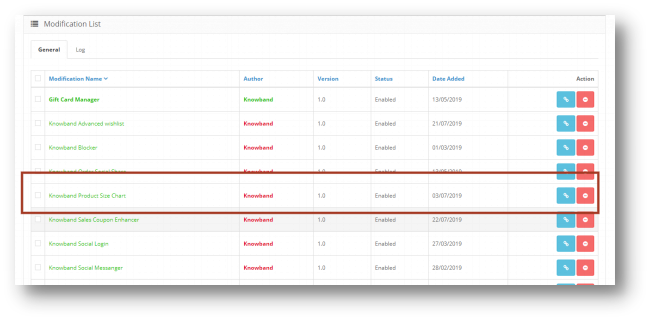
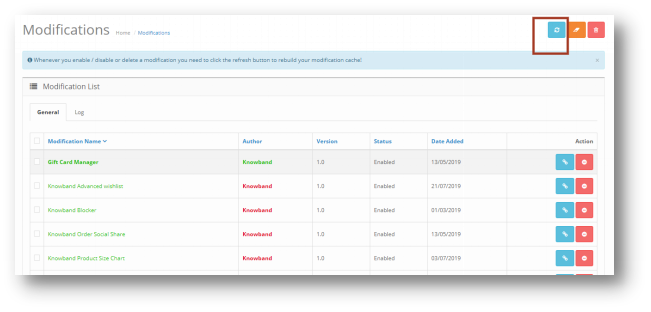
Step 4: After Installation you need to select this file and refresh Modifications:


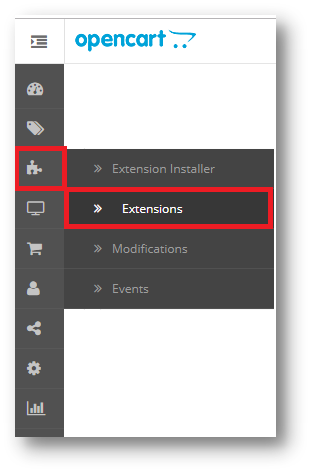
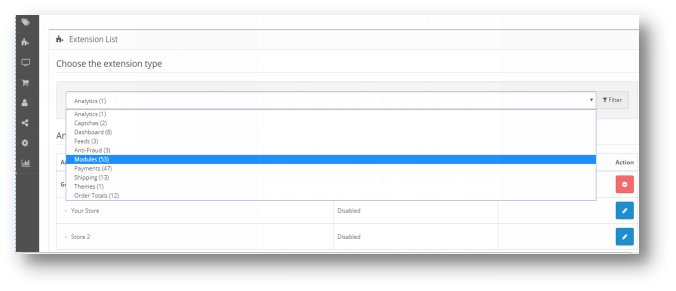
So, Opencart save for later plugin is now successfully installed and is ready to use at your store. Go to the admin menu and click on the extensions. Choose the Extension Type as Modules. You will find a list of modules. Select the Knowband Advanced Wishlist.

3.0 Admin Interface of OpenCart Advanced Wishlist Extenstion

To configure the Size guide module for OpenCart, Navigate the settings in the following order:
Admin Panel > Extensions >Modules>Knowband Advanced Wishlist

The Admin Interface of OpenCart Advanced Wishlist Extension is divided into 6 Tabs:

  • General Settings
  • Product Analysis Report
  • Customer Analysis Report
  • Order Analysis Report
  • Support

3.0.1 General Settings

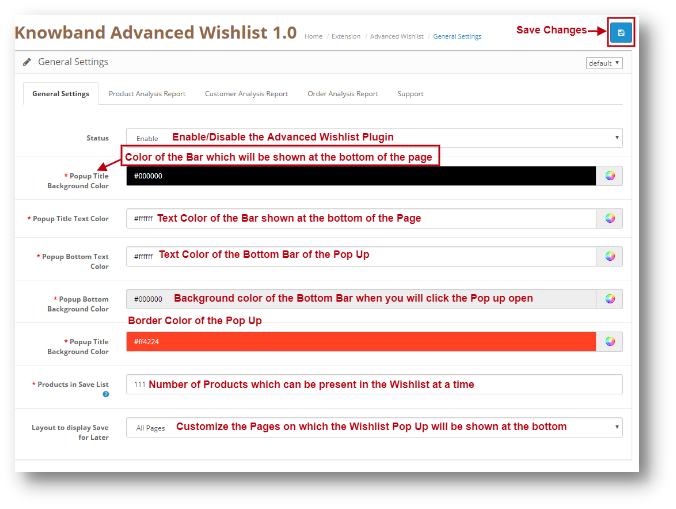
This setting will have the Option to enable/disable the plugin. The page will look like as shown below:


3.0.2 Product Analysis Report

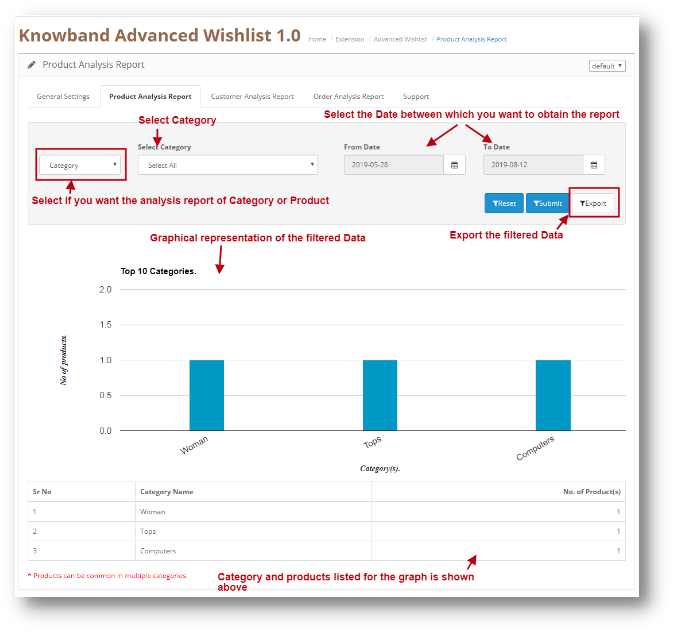
Through this setting of OpenCart save for later module, you can view the reports of a Particular Category. You can analyze the most popular category or the Category which was added in the Wishlist of the Users the most. The Screen will look like as shown below:


Filter your Report:
You can filter your Report on the basis of the categories added in your web Store and also on the basis of Date. You can just Enter the ‘To’ and ‘From’ Date and the reports will be shown to you.

3.0.3 Customer Analysis Report

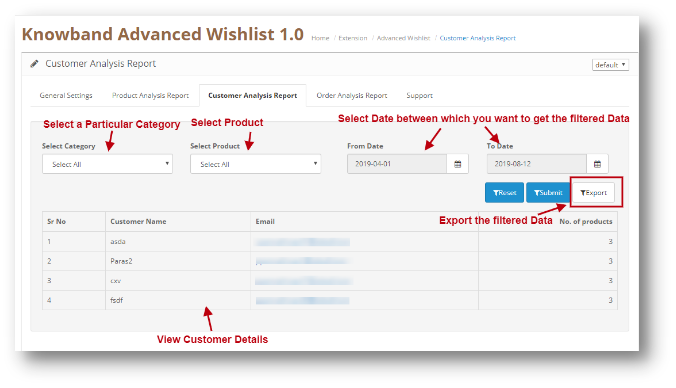
Through this setting of OpenCart Advanced Wishlist module, you can view the reports of a Particular Customer. You can analyze the most loyal customers of yours in your Store. The customer information will be shown here. The Screen will look like as shown below:


Filter your Report:
You can filter your Report on the basis of the categories and Products added in your web Store and also on the basis of Date. You can just Enter the ‘To’ and ‘From’ Date and the reports will be shown to you.

3.0.4 Order Analysis Report

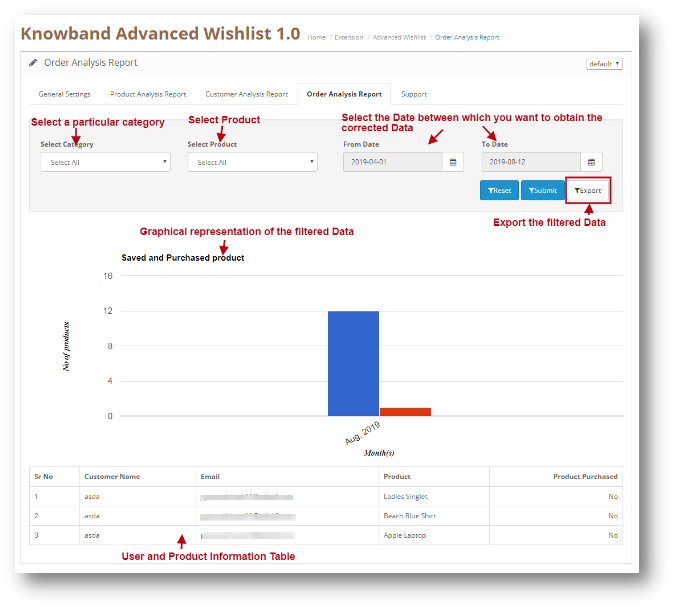
Through this setting of OpenCart Advanced Wishlist module, you can view the reports of a Particular Product on the basis of how much it was ordered by customers. You can also view the report of the products which was in the Customer’s Wishlist and were later added in the Cart and were ordered. You can analyze the most popular Product in your Store or the Product which was added to the Cart of the Users the most. The Screen will look like as shown below:

Filter your Report:
You can filter your Report on the basis of the categories and Products added in your web Store and also on the basis of Date. You can just Enter the ‘To’ and ‘From’ Date and the reports will be shown to you.

3.0.5 Support

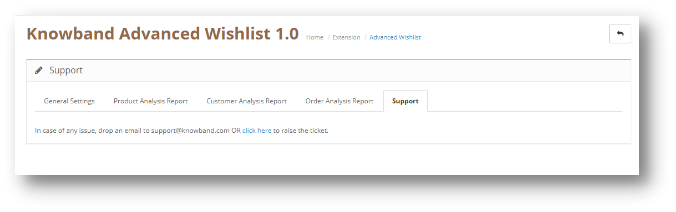
In case of any issue, drop an email to support@knowband.com OR click here to raise the ticket.

4.0 User Interface of OpenCart Advanced Wishlist Extention

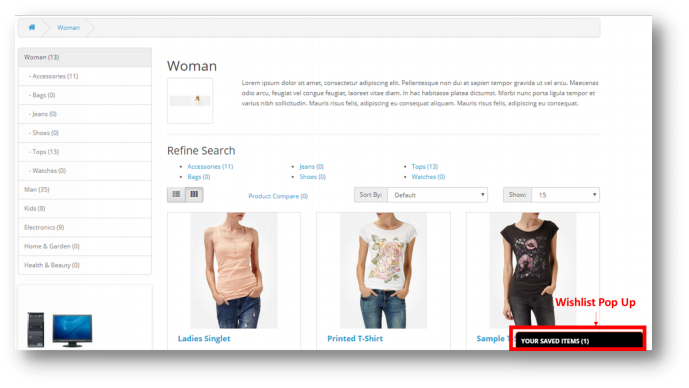
The Wishlist pop up will be shown to the user at the bottom of the page as shown below:

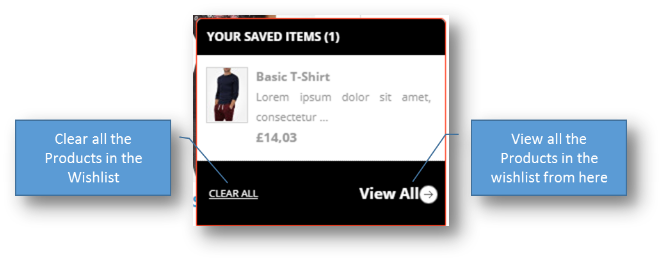
When User will click on the Pop-Up Bar, the following pop-up will show:

5.0 Opencart Advanced Wishlist Tutorial

In this comprehensive tutorial, we walk you through everything you need to know about the OpenCart Advanced Wishlist. From installation to complete configuration, we cover all the settings step by step.

You’ll also learn how to set up and customise the wishlist for the frontend, ensuring a seamless experience for your customers.

This video provides complete guidance from start to finish, making it easy for you to implement and manage the Advanced Wishlist on your OpenCart store.

6.0 Knowband Support

If you face any issues or need assistance with the OpenCart Advanced Wishlist, Knowband provides dedicated support to help you resolve your queries quickly. Our support team can assist with installation, configuration, customisation, and troubleshooting.

You can reach Knowband support via email at support@knowband.com or by raising a support ticket through our official website. We will guide you step by step to ensure the extension works perfectly for your store.

Explore more plugins

Opencart Video Manager extension:  https://www.knowband.com/opencart-videomate-extension

Opencart AI Content Generator Plugin: https://www.knowband.com/opencart-ai-content-generator