

Creating a multi-vendor marketplace akin to eBay can be a transformative step for your e-commerce business. However, building such a comprehensive platform can be challenging without the right tools. Fortunately, Knowband offers an exceptional Multi-Vendor Marketplace module for PrestaShop and OpenCart, designed to simplify the process and provide a seamless experience for both marketplace administrators and users.
Furthermore, multi-seller marketplaces like eBay have revolutionized the e-commerce landscape by bringing together a diverse array of products and sellers under one virtual roof. This model not only attracts a broad audience but also enhances the variety and competitiveness of the offerings.
Knowband’s Multi-Vendor Marketplace Extension:
Knowband is a trusted name in the e-commerce industry, known for delivering high-quality modules and extensions that enhance online store functionalities. On top of that the Multi-Vendor Marketplace Extension for Opencart is a comprehensive solution that equips you with all the tools needed to create and manage a successful multi-seller marketplace.
Key Features!

Intuitive Seller Dashboard:
With the multi-seller marketplace addon for Prestashop, sellers have access to a dedicated dashboard where they can manage their products, orders, and sales with ease. The dashboard provides detailed insights into performance metrics, helping sellers optimize their strategies.
Easy Product Listing:
The extension simplifies the product listing process for sellers. They can add, edit, and manage their products effortlessly, ensuring a smooth and efficient workflow.
Moreover, the admin has proper control over seller shops, which means the seller must have to get the product listings and orders approved by the Prestashop store admin to continue selling on the marketplace.
Commission Management:
Administrators can set and manage commission rates for different sellers. The extension supports flexible commission structures, including fixed and percentage-based fees, providing multiple revenue streams.
This means you can charge different commission rates from sellers based on their selling category.
Order and Shipping Management:
Sellers can handle their orders and shipping independently. The Multi-Vendor extension for Opencart integrates with various shipping carriers and supports multiple shipping methods, ensuring timely and reliable deliveries.
Review and Rating System:
A robust review and rating system enhances transparency and trust. Buyers can leave feedback for sellers and products, helping other users make informed purchasing decisions.
Multi-Language and Multi-Currency Support:
To cater to a global audience, the extension supports multiple languages and currencies.
Mobile-Friendly Design:
With a responsive design, the marketplace offers an optimal browsing experience across all devices, including desktops, tablets, and smartphones.
Benefits of Using Knowband’s Extension!
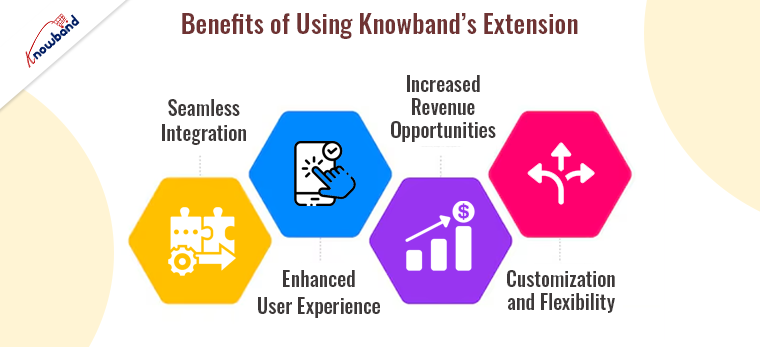
Seamless Integration:
Knowband’s Multi-Seller Marketplace Addon seamlessly integrates with PrestaShop and OpenCart, two of the most popular e-commerce platforms. This ensures that you can leverage the powerful features of these platforms while adding robust multi-vendor functionalities. The extension is designed to work out of the box, reducing the need for extensive customization and allowing you to focus on growing your marketplace.
Enhanced User Experience:
A user-friendly interface is crucial for attracting and retaining users. Furthermore, Knowband’s Multi-Channel Marketplace extension offers an intuitive experience for both sellers and buyers. It ensures that the sellers can manage their stores with ease, while buyers can enjoy a streamlined shopping experience, complete with advanced search and filtering options.
Increased Revenue Opportunities:
By providing a platform for multiple sellers, you can significantly expand your product range and attract more customers. The competitive nature of a multi-vendor marketplace often leads to better prices and increased sales.
Additionally, the marketplace extension for Prestashop allows you to earn through various revenue streams, including commission fees, subscription plans for sellers, and featured product listings.
Customization and Flexibility:
Knowband’s extension offers a high degree of customization, allowing you to tailor the marketplace to your specific needs. Moreover, you can configure seller registration processes, set commission rates, and customize the appearance of your marketplace to align with your brand identity. Therefore, this flexibility ensures that your marketplace stands out in a crowded e-commerce landscape.
Getting Started!
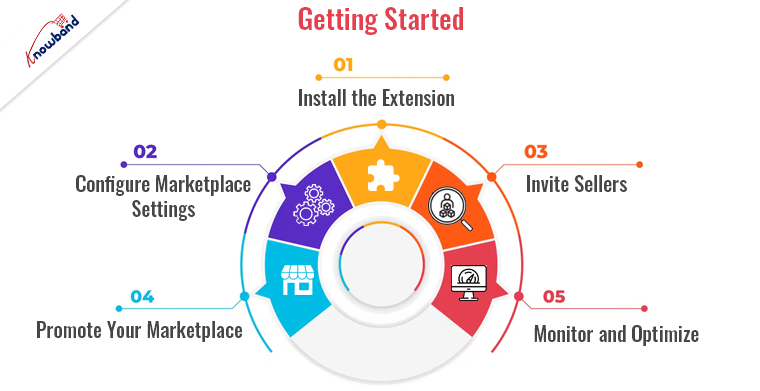
Building your own multi-vendor marketplace with Knowband’s extension is straightforward. Here’s a step-by-step guide to get you started:
Install the Extension:
Purchase and download the extension from Knowband’s website. Follow the provided installation instructions to integrate it with your PrestaShop or OpenCart store.
Configure Marketplace Settings:
Access the extension’s settings from your admin panel. Configure general marketplace settings, including commission rates, payment methods, and shipping options.
Invite Sellers:
Encourage sellers to join your marketplace by highlighting the benefits and ease of use. Provide them with clear guidelines and support to get started.
Promote Your Marketplace:
Utilize various marketing strategies to attract buyers and sellers to your new marketplace. Consider email marketing, social media campaigns, and SEO techniques to drive traffic.
Monitor and Optimize:
Use the detailed reports and analytics provided by the extension to monitor marketplace performance. Make data-driven adjustments to optimize user experience and maximize revenue.
Conclusion!
Building a multi-vendor marketplace like eBay is an ambitious but achievable goal with the right tools and strategies. Knowband’s Multi-Vendor Marketplace provides all the features and functionalities needed to create a successful platform. By leveraging this powerful extension, you can offer a unique shopping experience that attracts buyers, empowers sellers, and drives business growth.
Visit Knowband today and start building your multi-vendor marketplace with confidence!

Recommended Read: Stay Tuned: Prestashop v8.1 Compatible Multi-Vendor Marketplace Addon!


