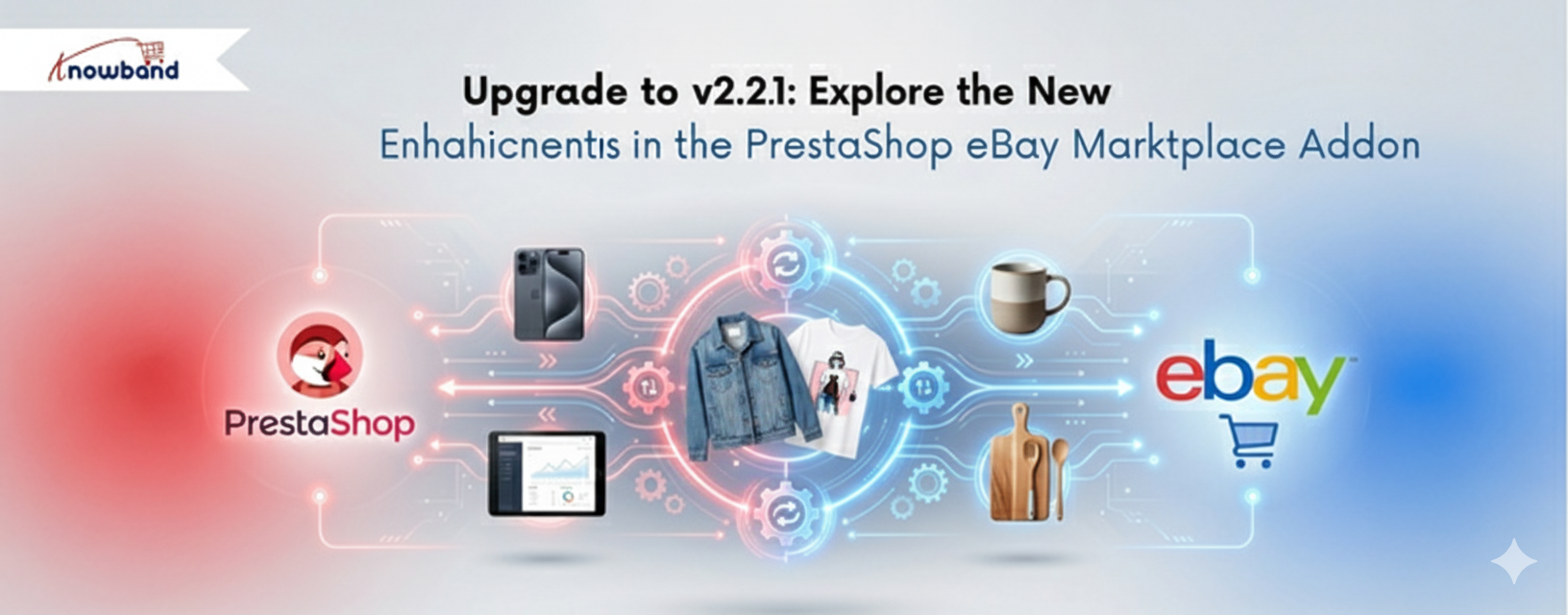
Upgrade to v2.2.1:Explore the New Enhancements in the PrestaShop eBay Module

Suppose you are a store manager of a PrestaShop store. Your products are selling, your customers are happy, but something is still missing. You are doing all the right things, but the majority of your traffic is from the local area. You have millions of people shopping on eBay every day, but putting up your products there manually sounds like a nightmare.

eBay reported $2.82 billion in revenue for Q3 2025 alone, a 9% year-over-year increase, with Gross Merchandise Volume hitting $20.1 billion in just three months. For the full year 2024, the platform processed $75 billion in GMV across more than 190 markets worldwide, serving 134 million active buyers.

What makes these figures particularly relevant for PrestaShop merchants isn’t just the scale; it’s the buyer behavior. eBay shoppers are search-driven, not loyalty-driven. They’re not looking for your brand specifically; they’re looking for a product. If yours appears in the right category at the right price, they buy it. For merchants selling electronics, auto parts, fashion, collectibles, or home goods, this represents a significant opportunity beyond the traffic your own website generates.

Now, what if all your PrestaShop products could go live on eBay in just a few minutes, with minimal effort? This is exactly what the PrestaShop eBay Marketplace Integration Module by Knowband does for store owners.

New Features and Essential Key Features in the Upgraded Version

Knowband has developed the PrestaShop eBay Integration Module to be easy and potent for store admins. Each of the features is meant to save time and make business management easier.

[New Enhancement] Inventory Comparison

Ensure accurate stock levels between PrestaShop and eBay with the Inventory Comparison feature. It retrieves the latest inventory data from eBay via cron jobs, compares it with your PrestaShop stock, and clearly indicates mismatches using Yes/No status, helping you avoid overselling and streamline inventory management.

[New Enhancement] Rate Limit

Maintain stable eBay integration with the Rate Limit feature. Moreover,  it monitors your eBay API usage, displays the number of API calls made, and notifies you when limits are exceeded, reducing synchronisation issues and ensuring uninterrupted operations

Explore more key features that make the Prestashop eBay Content Generator game changer.
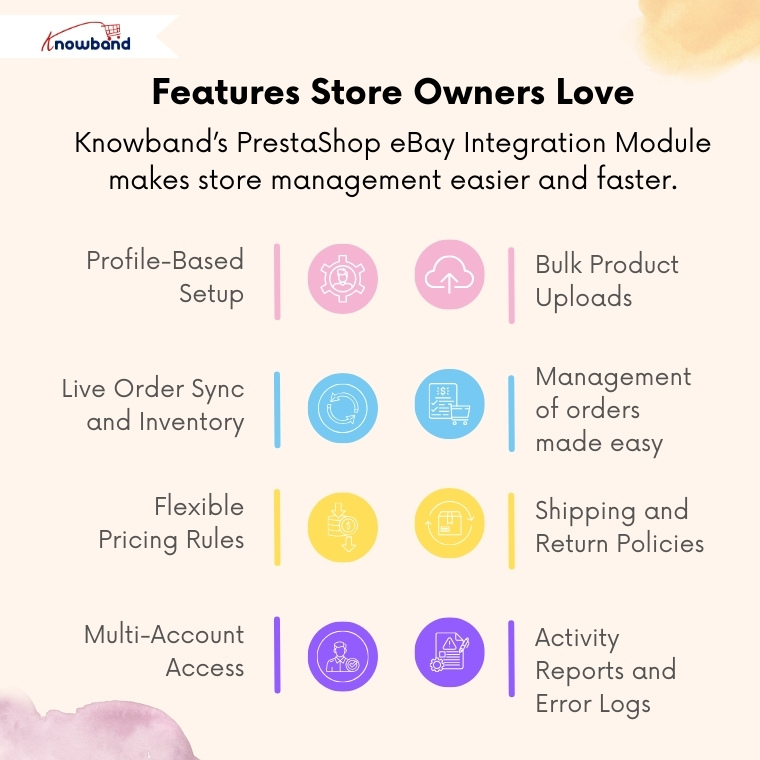
 

Profile-Based Setup

You can make as many profiles as you want, which can be utilised in dealing with different types or categories of products. Each profile has the option of prices, shipping, and returns.

Bulk Product Uploads

Add up to hundreds of products to eBay. The Prestashop eBay Marketplace Connector will save time in performing repeated tasks and updating listings in real-time.

Live Order Sync and Inventory.

Products purchased on eBay automatically get transferred to PrestaShop. PrestaShop eBay Integrator makes sure that the inventory is always on track.

Management of orders made easy

Orders on eBay are displayed directly on your PrestaShop admin panel. And any change from the PrestaShop backend can be seen in eBay’s frontend.

Flexible Pricing Rules

Want to make increases or cuts in price on eBay? It is easy to markup or even discount any category. 

Shipping and Return Policies

Design and operate shipping templates on a per-product basis. Thus, your eBay listings will automatically comply with the marketplace guidelines.

Multi-Account Access

When you want to use different eBay accounts to sell, you can customise all the accounts in one place with the eBay Prestashop Connector Addon.

Activity Reports and Error Logs.

To trace the updates, errors, or the API performance, admins can view the synchronisation logs in detail. Hence, it is not as problematic to troubleshoot and to be in control.

Why Every Store Owner Needs the PrestaShop eBay Integration Module

Obviously, it is like operating two businesses together with the Prestashop eBay Integration Addon without excessive manual work.

One Dashboard, Total Control

You do not have to re-log in to eBay repeatedly. You can control the listings of inventory and orders directly in the PrestaShop dashboard using the PrestaShop eBay Integration Addon.

Real-Time Sync = Real-Time Growth

The PrestaShop eBay API Integration Module updates eBay with price, title, or stock changes automatically. Thus, your stores never make errors that can happen when uploading manually.

Save Time, Sell More

The eBay Prestashop Integrator performs automatic tasks like product uploads, category mapping, and order importation, instead of spending hours working on it manually. Hence, store owners can do additional planning for sales and promotions.

Global Expansion Made Easy

The Prestashop eBay Marketplace Integration Module will make your brand visible to new people. In a few minutes, you can be seen by millions of global eBay customers.

Conclusion

Consider this: rather than accessing numerous dashboards and posting the same product twice, you can now conduct your eBay business directly in Prestashop.

Knowband eBay Prestashop Integration Module is the solution that provides store owners with all the features to grow within a short period of time on eBay with automation, control, and consistency.

Therefore, if you are a new eBay merchant, the Prestashop eBay Integration Module is the easiest route for your multi-channel success – it is simple to install, simple to operate, and grows as you do.

Go Global Effortlessly with the PrestaShop eBay Marketplace Integration Module by Knowband

Every e-commerce merchant dreams of reaching international customers, but the process of doing so can be complex. Dealing with listings, inventory synchronisations, and filling orders through various channels can become a nightmare. Hence, to connect with the huge customer base that eBay serves, Knowband provides a simple and trusted bridge, the PrestaShop eBay Marketplace Integration Module.

The eBay Prestashop API Integrator links your PrestaShop store to eBay, allowing you to list products, coordinate stock, and handle orders without having to leave your PrestaShop dashboard. Not only that, but this eBay integrator also automates and eliminates the manual work and enables you to sell without switching from your store. 

[New Feature Alert]  Keep Your Inventory Perfectly Synced with eBay with the Latest Version 2.2.1

We are excited to introduce a powerful new feature in the PrestaShop eBay Marketplace Connector Addon: Inventory Comparison & Rate Limits

Let’s explore these enhancements in detail.

1. Inventory Comparison in the PrestaShop eBay Marketplace Connector Addon

The Inventory Comparison feature in the knowband PrestaShop eBay Marketplace Connector Addon is designed to keep your store’s stock perfectly in sync with your eBay listings. It helps you avoid overselling, reduces manual inventory checks, and ensures accurate product availability for your customers. This feature comes with two main functionalities, each powered by dedicated cron jobs

This cron job is responsible for fetching the most up-to-date inventory directly from your eBay store. By regularly fetching the current stock levels, it ensures that your store always has accurate and fresh data for comparison.

Furthermore, the Inventory Comparison feature provides a seamless and reliable way to monitor and manage your inventory across platforms, keeping your e-commerce operations smooth and efficient.

2. Rate Limit Monitoring of APIs

To ensure your eBay integration continues to run smoothly, the Rate Limit Monitoring feature tracks your API usage in real time. It displays the number of API calls made and alerts you when you are approaching the usage limits. This proactive monitoring helps you avoid sync issues, maintain seamless operations, and ensure that your PrestaShop store and eBay remain perfectly connected.

Why Upgrade?

These enhancements, including Inventory Comparison and Rate Limit Monitoring, give the store owners greater control over your inventory and integration, reduce manual work, and help you prevent costly errors. Upgrade to Knowband’s Prestashop eBay Marketplace Addon version 2.2.1 today to take full advantage of these improvements and streamline your PrestaShop-eBay operations like never before!

Benefits: A Smarter Way to Sell Globally

PrestaShop eBay Marketplace Integration Addon makes selling globally easier as it centralises control, speeds up the process, and provides accuracy.

Firstly, merchants save time. All the product listings and order updates occur automatically between the two platforms. There will be no duplicity of work or mismatch of data. Secondly, it minimises risk. Live synchronisation provides uniformity in pricing and stocking of the products in the two sites. Otherwise, there is a risk of overselling and unhappy clients. Lastly, the Prestashop eBay Integrator Addon expands reach. A linkage to eBay will allow the PrestaShop retailers access to millions of buyers worldwide with a few simple clicks.

Concisely, Knowband’s Prestashop eBay Integration Addon is a solution that simplifies the complicated task of managing cross-platforms by providing a single workflow that can be trusted.

Key Features of the PrestaShop eBay Marketplace Integration Module

Stress-Free Profile Management

Store owners can group the products by category, shipping rule, and pricing condition. This product profile determines the way products will look and act on eBay. Moreover, you can create multiple profiles and can easily manage them from the admin panel.

Automatic Attribute and Category Mapping

The module can match your PrestaShop categories and attributes to eBay so that all products will display correctly and to the right people. Hence, such mapping minimizes listing errors as well as enhances the visibility of your products.

Bulk Product Listing

Moreover, using the eBay Prestashop Connector, you can add hundreds of products at once, instead of adding them individually. Hence, it makes the process fast and efficient.

Seamless Order Synchronization

All of your orders made on eBay are automatically displayed on your PrestaShop dashboard. Hence, merchants can manage and update statuses directly from the admin panel without switching platforms.

Multi-Account Management

If you sell in multiple countries and have multiple eBay stores, the addon helps you to have multiple eBay accounts on one PrestaShop admin panel.

Activity Logs and Error Tracking

Moreover, all the synchronisations and updates are logged. In case of an error, like a listing rejection, the system highlights it, and you can fix the error easily and carry on.

Integrate an AI Chatbot on Your Store Today

Let AI handle your customer queries and turn your store into a professional hub with the Prestashop AI ChatBot Addon

Integrate today!

How the PrestaShop eBay Integration Addon Works

Step 1: Initial Setup

First of all, you link your eBay account to your PrestaShop store. You can access the API credentials that are required to run the Prestashop eBay Marketplace Integration Addon from the eBay developer account. After the setup, you can choose the country by connecting eBay seller accounts & enabling tokens.

Step 2: Creation and configuration of the profile

Here, you create profiles based on categories for products you want to add. Next, you can also select a custom or eBay shipping profile and set price rules. As a result, this configuration ensures that items belonging to the same category are presented with the same settings on eBay.

Step3: Order Management & status

Here, in order management settings, admins can sync all the orders received on eBay. And in order status settings, you can map the default, paid, and shipped order statuses.

Step 4: Product Listing

You can see all the listed products with their status directly from eBay Prestashop Connector’s backend. Moreover, you can also disable the products, relist them, and revise them as well according to the needs.

Step 5: Automation and Synchronization

Once listed, the Prestashop eBay Marketplace Integration Module automatically controls the real-time information between platforms. Such as the stock level, prices, and the order details. When customers purchase on eBay, the inventory automatically updates in PrestaShop. Similarly, updates in PrestaShop change instantly on eBay as well. Additionally, in synchronisation settings, you can sync, relist, and update your store’s products, orders, and inventory with just one click.

Conclusion

In the e-commerce competitive environment, it is not a choice to sell on many platforms but rather a necessity. Knowband offers the PrestaShop eBay Marketplace Integration Module that allows merchants to control cross-platform selling in a non-technical way.

With automating listings, real-time stock synchronisation, multiple accounts, and activity tracking, the Prestashop eBay API Integration Module provides merchants with full control. 

Through the PrestaShop eBay Marketplace Integration Module by Knowband, your product is not only being sold, but your business is also growing worldwide.

Besides the Prestashop eBay Integration Addon, Knowband also offers powerful marketplace integration with Google Shopping and Etsy, which allows merchants to increase their visibility even more. These modules help sync product feeds, optimise listings, manage inventory, and simplify order handling, which makes multi-channel selling a hassle-free and more profitable experience across leading international platforms.

For more information, check out the video tutorial


Check out the Latest Blog

Prestashop Advance Wishlist Addon- Get It Before 2026

Check out our client success stories and see how Kriluma launched their app in just one week using Mobile App builder!

Connect with us on LinkedIn and watch your store grow

You may also like to read:
Learn how this addon helps you connect your PrestaShop store with eBay to manage listings and orders more smoothly. Read More

Top Features of Knowband’s eBay PrestaShop API Integrator You Should Know

In the world of competitive e-commerce, expanding your store across multiple marketplaces is vital. Listing your product on marketplaces helps drive sales and gain new customers. For this reason, Knowband has introduced Prestashop eBay Integration Addon which is a game changer for the prestashop stores. The PrestaShop eBay Marketplace Integration Module integrates with the Prestashop store seamlessly. It not only seamlessly integrates but automatically lists the product through a synchronization feature. As a result, the store admin does not need to manually list the product. Moreover, the Prestashop eBay API Integrator Module automatically syncs all the features and attributes to eBay from your Prestashop store.

[Exciting Update] Prestashop eBay Marketplace Addon v2.2.1 is Here!

Knowband has the latest version of the Prestashop eBay Marketplace Addon (v2.2.1), designed to make your PrestaShop – eBay integration faster, smarter, and more efficient. Furthermore, this update brings powerful features to simplify inventory and API management.

What’s New in v2.2.1?

 Enhanced Inventory Sync
Now, keep your eBay listings and PrestaShop store perfectly aligned. The improved Inventory Comparison tab has been added in Knowband’s Prestashop eBay API Connector Module, which identifies stock differences automatically, helping you prevent overselling and maintain accurate product availability across both platforms.

Real-Time API Usage Tracker
Stay ahead of API limits with the upgraded Rate Limit Monitor. Now, with the new version 2.2.1, you can view real-time data for all eBay APIs, including total limits, usage, and remaining calls. Moreover,  this ensures uninterrupted synchronisation between your store and eBay, so your operations never skip a beat.

Why Upgrade?

  • Accurate Inventory Management: Reduce manual errors and overselling with the new release

  • Smooth Integration: Keep your PrestaShop and eBay stores perfectly in sync.

  • Active API Monitoring: Avoid downtime due to exceeded API limits because now you can check before listing. 

Upgrade today to v2.2.1 and experience a more reliable, hassle-free PrestaShop–eBay connection!

Need guidance? Refer to the updated user manual for step-by-step instructions.

Why Use Knowband’s PrestaShop eBay Integration Module?

Managing multiple sales channels manually can be complicated and time-consuming. Keeping track of product listings, inventory, prices, and orders on both PrestaShop and eBay often leads to mistakes. It also takes up valuable time. That’s why the PrestaShop eBay Integration Plugin make it all easy for store admins as it removes all the stress by automating the entire process.

With that in mind, everything becomes faster and easier. The module includes uploading products, updating stock levels, and processing orders. You don’t need to switch between platforms or worry about missing updates. In fact, the module keeps everything synced between your PrestaShop store and your eBay account. This gives you more time to focus on growing your business.

Key Features of the Prestashop eBay Marketplace Integration

Quick & Easy Setup: Even without technical expertise, the installation and configuration are straightforward. The PrestaShop eBay API Integration Module gets your products live on eBay swiftly.

Bulk Product Uploads: The module allows you to upload hundreds of products simultaneously. It includes accurate descriptions, images, and prices. In addition, you can also align your store categories with eBay’s categories. This boosts product discoverability and sales.

Live Inventory & Price Updates: Say goodbye to overselling. The eBay PrestaShop Connector instantly synchronizes your stock quantities in PrestaShop. This happens whenever orders are placed on eBay. At the same time, it ensures that any pricing updates are reflected simultaneously on both platforms.

Centralized Order Management: Orders placed on eBay are directly imported into PrestaShop. This happens via the eBay PrestaShop API Integrator. This means you can track sales and manage fulfilment in one place. You won’t need to juggle different dashboards.

Flexible Shipping Settings: Tailor your shipping options with custom profiles. These work for specific eBay marketplaces like eBay US and UK. You also have the ability to enable or exclude international shipping destinations.

Advanced Attribute Mapping: Map the store’s product attributes with eBay attributes. This ensures your listings meet marketplace standards. It also helps them appear in the right search filters.

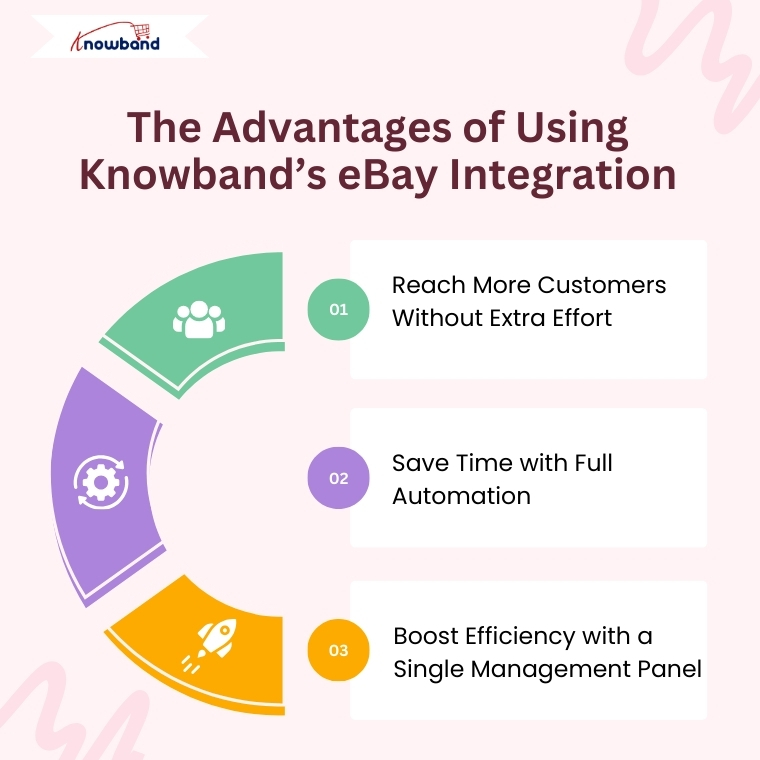
Advantages of Using the Knowband eBay PrestaShop Integrator

Expand Your Reach Globally: Connect your PrestaShop store with the vast eBay customer base effortlessly. The PrestaShop eBay Integration Free Module makes cross-border selling accessible. This works even for small businesses.

Save Time with Automation: Automate product uploads, stock syncing, pricing updates, and order processing. This way, you can focus on growing your business instead of handling tedious manual work.

Single Dashboard Control: Manage everything related to your eBay listings within your PrestaShop admin panel. This includes inventory, orders, and shipping. This improves efficiency and reduces errors.

Detailed Activity Logs: Keep track of all synchronization events with transparent logs. These monitor product updates, stock changes, and order statuses. This gives you full control.

How to Integrate Your Store with eBay Using Knowband’s Module

  1. Create an account on the eBay Developer Program.
  2. Next, obtain your API credentials by generating your Dev ID, App ID, and Cert ID.
  3. Configure the PrestaShop eBay Integrator by entering your API keys and PrestaShop store URL.
  4. Integrate your store’s categories with the appropriate eBay categories. Then set up your shipping options to ensure accurate product listings and hassle-free deliveries.
  5. Finally, start syncing your products, inventory, and orders seamlessly.

Final Thoughts

For PrestaShop store owners looking to scale their operations internationally, Knowband’s PrestaShop eBay Integration Addon offers an all-in-one solution. It simplifies multi-channel selling. Whether you’re interested in a free Prestashop eBay Integration addon or a feature-rich paid module, Knowband’s modules ensure your store stays up-to-date. As a result, your customers receive timely service.

So why wait? Leverage the power of the Prestashop eBay Integrator today. Unlock new growth opportunities with minimal effort.

The Ultimate Guide to Multi-Channel Selling on PrestaShop

Expanding Your Reach: Why Selling on Multiple Channels Matters

Running an online store isn’t just about setting up a website and waiting for customers. Today’s shoppers explore multiple platforms before making a purchase. If your products aren’t available across channels like Google Shopping, Etsy, eBay, and more, then you’re missing out on potential sales. Multi-channel selling helps you tap into a broader audience, build brand recognition, and create multiple revenue streams. 73% of online shoppers use multiple channels before making a purchase decision.

Key Benefits of Multi-Channel Selling

High Sales and Revenue

 Each additional platform you sell on creates new revenue opportunities, allowing you to attract different customer bases that prefer shopping on specific platforms.

Better Visibility and Great Engagement

Your products become more accessible to a larger customer base, increasing the chances of discovery and purchase. With better visibility, your store attracts more visitors, leading to higher engagement and better conversions.

Stronger Brand Recognition

Customers see your products more often, increasing trust, credibility, and brand recall over time. Thus, it helps increase brand recognition. More Customer Base and Increased Sales: Selling on different platforms increases the scalability of the products of your store. That’s why it attracts more customers on different marketplaces.

How to Succeed in Multi-Channel Selling

1. Know Your Audience and Choose the Right Platforms

Every sales platform works differently. Identify where your customers shop the most and focus your efforts there. Whether they browse marketplaces, use social media, or search on Google, understanding their habits helps you sell smarter.

Research Market Trends: Stay updated on industry trends to see where similar products are selling best. Analyze competitors, read customer reviews, and follow market reports to identify the most profitable channels. Look for seasonal trends and emerging shopping habits to stay ahead of the competition, where similar products are selling best.

Consider Product Fit: Each platform caters to a different audience and product type. For example, fashion and lifestyle products perform well on social media, while specialized electronics may sell better on dedicated marketplaces. Therefore, choose platforms that align with your product category and customer preferences to maximize success.

2. Keep Your Inventory in Sync Across Channels

One of the biggest challenges in multi-channel selling is managing inventory efficiently. Selling the same product on multiple platforms without a centralized inventory system can lead to overselling, customer dissatisfaction, and retention.

Automatic Inventory Synchronization: Get Plugins that update your stock on all platforms at the same time. This way, you don’t have to change it manually, and there won’t be mistakes in the product.

Keep Extra Stock: Always have some extra products, especially for popular items. This helps you avoid running out when many people buy at once.

3. Optimize Product Listings for Each Channel

Managing stock across different platforms can get confusing. If you don’t update your products properly, you might sell an item that’s already out of stock or run out of popular products too fast. A good system helps avoid these problems and keeps your business running smoothly.

Managing stock properly is important when selling on multiple platforms. If you don’t keep track, you might sell products that are already out of stock or struggle to fulfil orders. Keeping your inventory updated helps you avoid these problems and keeps your customers happy.

Use automatic stock updates: Use to sync inventory across all platforms in real-time. This means whenever a product is sold on one platform, the stock updates everywhere, preventing overselling or manual errors. Without automation, you might accidentally sell more than you have, leading to cancellations and unhappy customers..

Track best-selling products: The PrestaShop Google Shopping allows the admin to analyze past sales and predict future demand. Some products perform better than others, and by checking which items are selling fast, you can prepare in advance. This helps you stock the right amount of products and prevents running out of popular items.


Knowband’s PrestaShop Modules for Multi-Channel Selling!

At Knowband, we create easy-to-use PrestaShop Modules that help you sell on multiple platforms without extra effort.

 1. PrestaShop Google Shopping Integration

Google Shopping is a powerful platform where millions of shoppers search for products daily. By listing your products on Google Shopping, you can increase visibility and attract more buyers. The research has shown that 87% of people begin their search for shopping from Google.

The Knowband PrestaShop Google Shopping Integrator allows you to showcase your products directly on Google Shopping without the need for manual updates. This automation increases product visibility, boosts traffic, and helps drive more sales.

Key Features of the PrestaShop Google Shopping Integration Module.

Automated Product Syncing: Automatically sync your PrestaShop store with Google Shopping so product details stay updated without manual work.

Bulk Product Uploads: Save time by uploading all your products at once. The Knowband’s Google Shopping allows the admin to list the products in bulk at a time, reducing the manual work.

Smart Attribute Mapping: Easily match your product details with Google’s requirements to improve listing accuracy. The admin can map the store’s category with all the attributes to Google’s category.

Auto-Generated Feeds: Keep your listings fresh with automated product feed updates. The extension allows the feed features to automatically sync all the updated product details. With Knowband’s PrestaShop Google Shopping Integration, you can effortlessly display your products in Google search results, driving more traffic to your store.

2. PrestaShop eBay Marketplace Integration

The Knowband PrestaShop eBay Marketplace Integration Extension makes it effortless to manage your eBay store directly from your PrestaShop dashboard. Instead of manually updating listings and tracking stock, this extension automates the entire process, helping you scale your business smoothly.

Key Features of the eBay Integration:

1.  Sync Products & Inventory: The Knowband’s PrestaShop eBay Integration module ensures that your product listings and stock levels remain consistent across both platforms. Any changes made to product details, stock quantities, or pricing in your PrestaShop store are automatically reflected on eBay. This prevents overselling and stock discrepancies, ensuring a smooth selling experience.

2. Real-Time Updates: Stay up to date with automated real-time synchronization of orders, pricing, and inventory changes. As soon as a product is sold on eBay, the stock is adjusted in PrestaShop. Order statuses are updated instantly, keeping customers informed and reducing manual effort. This feature helps in avoiding price mismatches, out-of-stock issues, and processing delays.

3. Customizable Product Listings: Easily create and manage eBay product listings directly from your PrestaShop back office. Optimize listings by customizing product titles, descriptions, images, pricing, and attributes for better visibility on eBay. You can also apply different pricing rules for eBay without affecting your PrestaShop store, ensuring better profitability.

Integrate Your Opencart Shop with Etsy Marketplace

No Coding Skills Required

SHOP NOW

3. PrestaShop Etsy Marketplace Addon

Etsy is a leading marketplace for handmade, vintage, and unique products, with over 95 million active buyers. It hosts over 7.5 million active sellers, making it a competitive yet rewarding platform for businesses that specialize in niche and creative products. In 2023 alone, Etsy sellers generated over $13 billion in gross merchandise sales, proving the platform’s massive potential.

The PrestaShop Etsy Marketplace Addon simplifies the process of managing your Etsy store directly from your PrestaShop dashboard. Instead of manually updating listings, tracking orders, or adjusting stock levels, this extension automates everything, saving time and reducing errors.

Key Features of the Etsy Connector:


Price and Order Synchronization: Knowband’sPrestaShop Etsy Marketplace Addon ensures real-time price and order synchronization, keeping your inventory and pricing updated across both platforms.

Bulk Uploads: Easily add multiple products to Etsy in one go. The Knowband’s Etsy Marketplace Addon allows the admin to list bulk products at the same time smoothly.

Category Mapping: Ensure your products appear in the right Etsy categories with the correct attributes for better visibility.

Price & Stock Synchronization: Keep pricing and stock updated to prevent overselling. The Knowband’s Etsy Marketplace Integration Addon allows price management within the module.

Conclusion: Sell Smarter with Knowband’s PrestaShop Multi-Channel Extensions

Selling on Google Shopping, eBay, and Etsy opens up new sales opportunities. With Knowband’s PrestaShop solutions, you can automate inventory management, sync orders, and optimize product listings all from one place. The Knowband’s Marketplace Addons save time, reduce manual errors, and help you grow your business effortlessly.

Knowband’s PrestaShop Marketplace Integration Addons simplify the process by automating inventory updates, order synchronization, and product listing management. With these smart integrations, you can sell effortlessly across multiple platforms, save time, and focus on growing your business. Take advantage of multi-channel selling today and unlock new opportunities for success.