In the fast-paced world of eCommerce, managing multiple online platforms can be a daunting task. For businesses that sell on both Prestashop and Etsy, keeping everything in sync while trying to maximize sales can become overwhelming. Therefore, enter the Prestashop Etsy Marketplace Integration Addon — a game-changing solution that simplifies your workflow, allowing you to focus on growing your business rather than getting bogged down in the details.
Upgrade to Prestashop Etsy Integrator v4.0.1 for New Key Enhancements
The latest version of our Etsy integration module has been released and is designed to make your workflow with the Etsy marketplace smoother.
Here’s what’s new in V4.0.1:
1. OpenAPI Support for Etsy
Etsy’s API now requires OpenAPI authentication. Now the module contains the necessary authentication header change according to Etsy’s requirements, so your PrestaShop store continues the connection with Etsy without interruption. Make sure to upgrade before 18 January, as connections may be disrupted if the update isn’t applied by then.
2. Improved Return Policy Handling
Admins can now manage and sync multiple return policies and map them to specific profiles. Furthermore, categories associated with these profiles automatically update the return policies on Etsy, making returns management effortless and accurate.
Why You Need the Prestashop Etsy Marketplace Integration Addon:
Running an online store involves a lot of moving parts, from managing product listings to tracking inventory and fulfilling orders. If you’re operating on multiple platforms like Prestashop and Etsy, these tasks can multiply, leading to increased chances of errors and wasted time. On the other hand, Knowband’s Prestashop Etsy Integration Addon is designed to automate these processes, providing a seamless connection between your Prestashop store and your Etsy shop.
With the Prestashop Etsy Integration Module, you can synchronize your products, manage orders, and handle inventory across both platforms effortlessly.
Key Features of the Prestashop Etsy Integration Addon!
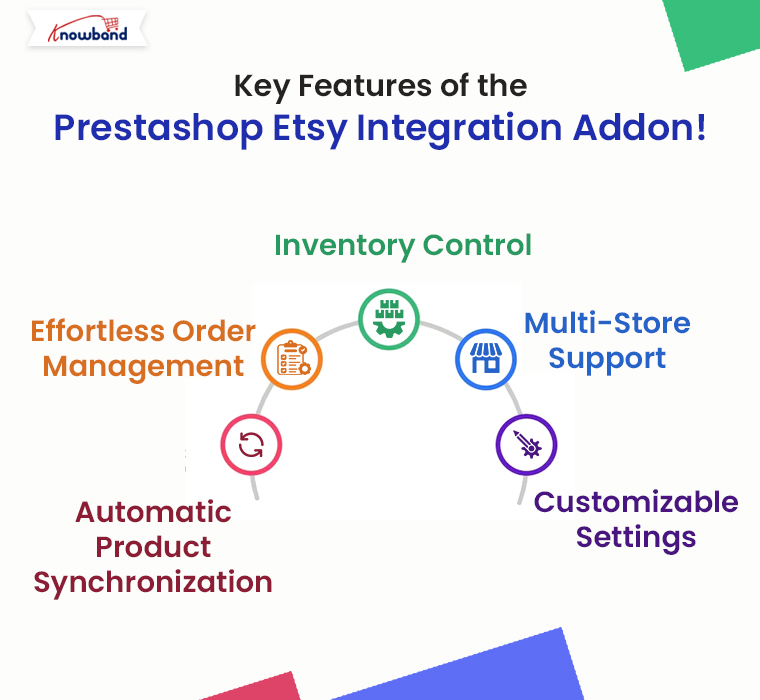
The Prestashop Etsy Integration Extension comes packed with features that make it an indispensable tool for any eCommerce business looking to expand its reach on Etsy without the added workload.
Here are some of the standout features:
Automatic Product Synchronization: The Prestashop Etsy Synchronization Addon allows you to sync products between Prestashop and Etsy automatically. Any changes you make in your Prestashop store, whether it’s updating product descriptions, changing prices, or adjusting stock levels, are instantly reflected on your Etsy shop.
Effortless Order Management: Managing orders across multiple platforms can be tricky, but the Etsy Prestashop Integration Addon simplifies this by centralizing order management. Furthermore, all orders placed on Etsy are automatically imported into your Prestashop store, where you can process them alongside your other orders.
Inventory Control: The Prestashop Etsy Connector ensures that your inventory is always up-to-date across both platforms. This means you’ll never have to worry about overselling a product on one platform because of outdated stock information.
Multi-Store Support: If you manage multiple Etsy shops, the Prestashop Etsy Integration Plugin can handle them all. The addon allows you to connect multiple Etsy stores to a single Prestashop installation, making it easy to manage all your shops from one central location.
Customizable Settings: The Etsy Prestashop API Integrator provides a range of customization options, allowing you to tailor the integration to suit your specific needs. Whether you want to synchronize only certain products or control how orders are imported, the addon offers the flexibility to adapt to your workflow.


Knowband’s Prestashop Etsy Marketplace Integration Addon
Knowband’s Prestashop Etsy Marketplace Integration module helps Prestashop store owners seamlessly connect their stores with Etsy to expand their reach and increase sales.
Benefits of Using the Prestashop Etsy Marketplace Integration Addon!
Integrating your Prestashop store with Etsy using this powerful addon offers several benefits:
Save Time: By automating routine tasks such as product updates and order processing, Knowband’s Prestashop Etsy Integration Module frees up valuable time that you can invest in growing your business.
Reduce Errors: Manual data entry is prone to mistakes, which can lead to incorrect product listings, pricing discrepancies, and stock issues. Therefore, the Etsy Prestashop Connector eliminates these risks by ensuring all data is synchronized automatically.
Increase Sales: With accurate and consistent product listings across both platforms, you can attract more customers and boost sales. The Prestashop Etsy Integration Extension helps you maintain a professional and reliable online presence, which is crucial for building trust with your customers.
Simplified Multi-Channel Management: The Etsy Prestashop Synchronization Addon consolidates all your eCommerce operations into one platform, making it easier to manage your business as it grows.
How to Get Started with the Prestashop Etsy Integration Addon

Getting started with the Prestashop Etsy Marketplace Integration Addon is straightforward. Here’s a simple guide to help you begin:
Install the Addon: Download and install the Prestashop Etsy API Integrator from your Knowband account.
If you’re looking for a cost-effective solution, you might also explore the Free Etsy PrestaShop Integration module options available online.
Configure Your Settings: Once installed, navigate to the addon settings in your Prestashop dashboard. Here, you can connect your Etsy account, configure product synchronization settings, and customize how orders are handled.
Sync Your Products: After configuring your settings, start syncing your products. The Prestashop Etsy Integrator will handle the rest, ensuring all your product details are accurately reflected on Etsy.
Manage Orders: With the addon in place, you’ll receive Etsy orders directly in your Prestashop store. Process these orders as you would any other, and watch as your business runs more smoothly than ever before.
Why Choose Our Prestashop Etsy Marketplace Integration Addon?
Knowband’s Etsy Prestashop Integrator stands out for its ease of use, reliability, and comprehensive feature set. Whether you’re just starting or have an established business, this addon provides the tools you need to succeed on Etsy without the hassle of manual management.
For those who are cost-conscious, consider exploring a Prestashop Etsy Integration Free Module. These options can provide a great starting point and give you a taste of what full integration can do for your business.

Conclusion!
The Prestashop Etsy Integration Addon is a must-have for any eCommerce business looking to sell more while managing less. By automating key processes, this addon not only saves time and reduces errors but also opens up new opportunities for growth on the Etsy platform.
Whether you’re a seasoned seller or new to eCommerce, the Etsy Prestashop Connector is the ultimate tool for streamlining your multi-channel strategy and maximizing your online sales.
You may also like to read:
See how this free connector simplifies Etsy integration for your PrestaShop store and enhances marketplace reach. Read More