The PrestaShop Delivery Boy App is a robust delivery management system that allows store managers to manage home deliveries fast and hassle-free. The framework is designed and developed considering the struggle of eCommerce store owners after receiving the orders.
It is often a major turn-off for the store customers whenever the product delivery gets delayed. There could be a number of reasons behind the cause. It’s not necessary that the store admin or team is to be blamed every time. Instead, this could be due to poor delivery management.
That’s where KnowBand PrestaShop Delivery Boy App comes as a savior. The module allows the store admin to add unlimited delivery boys to the store. Once added and approved, the delivery boys will be able to login into Delivery Boy App and manage deliveries of those orders which are assigned to them. The admin can keep a keen eye on the progress and thus PrestaShop Delivery Boy App will save the store owner from any mismanagement.
Both the admin and delivery boys have access to this app. Henceforth, enabling order deliveries to be easily allocated and handled. This is a ready-made, time-saving solution that makes the delivery process safe and secure.
Currently, it is available for two eCommerce platforms: PrestaShop and OpenCart
Prime Features of PrestaShop Delivery Boy App
The Delivery Boy Mobile App for eCommerce is developed to make the difficult task of timely deliveries simpler. With the aid of the delivery boy app, the admin can track all the orders and delivery boys can see the order status.
- Admin can register delivery boys by adding their details.
- Delivery boy can log-in with the email address and password assigned.
- The delivery boy can see the order status from the dashboard.
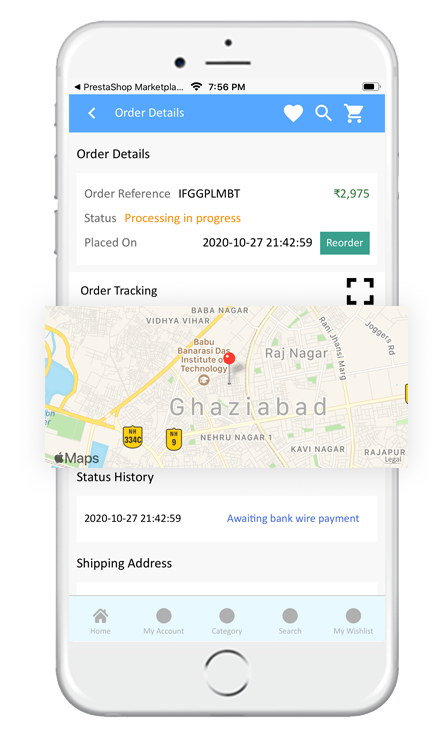
- Delivery boy can see the navigation map for order tracking.
- Delivery Boy can mark the order as assigned, in progress & delivered.
- Sorting of orders is possible: date wise and according to order status.
- Delivery process validation with OTP
- Admin and Delivery boy both can see the commission earned by the delivery boy.
- The app can be published on the Apple store for iOS users and Google Play store for Android users.
1. Register Delivery Boys
The process for registering a delivery boy on the Delivery Boy App is straightforward. The admin will have to add personal details like the name of the delivery boy, email address, verified image, vehicle details, and other required information.
Once the process of registration is completed, the new registered delivery boy will receive the log-in credentials like and User ID and password for further processing.
2. Proficient dashboard for delivery boys
The proficient dashboard displays order information along with assigned, pending & delivered orders to the delivery boy.
3. Google map integration
There will be a navigation system integrated with Google Maps on the app with a marker to pick the desired spot.
4. Delivery boy app has orders listing screen
The delivery boy can see the orders listed on the order listing including all the assigned, pending, and delivered orders.
The delivery boy has the sorting and filtering options for convenience. He can sort the orders for a time like recent and earlier orders first or by price like low to high or high to low.
Other filter options present in the delivery order listing are Order ID, After Date (Orders created after this date), Till Date (Orders created till this date), and Order status (Assigned, pending, or delivered)
5. Interactive App Interface
The app has an interactive screen layout and its quick and simple navigation makes the screen switching easier for delivery boys.
6. Easy Navigation on the app
For the convenience of the delivery agents, a very easy to navigate menu is provided on the App. From here, any sub-pages on the app can be reached by the delivery agent.
With the navigation menu, the delivery boy can jump to the dashboard, order page, configuration tab, or can also log out from the application.
7. One-Time-Password Verification
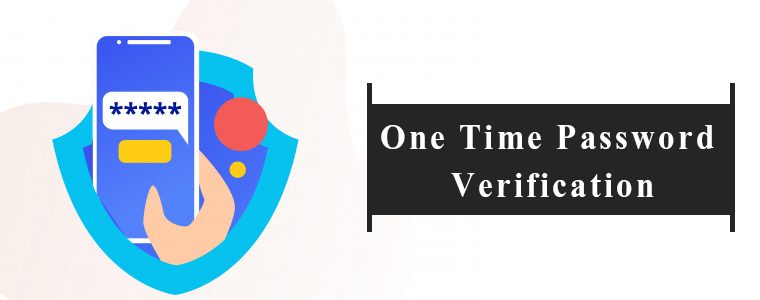
When the order has been picked up by the agent, the customer will receive a push notification/email informing about the order status.
The customer shall receive an OTP, which they shall provide to the delivery agent at the time of successful delivery. Then only the order status will be marked as shipped.
8. Super smooth delivery management
PrestaShop Delivery Management App also increases customer loyalty by keeping the delivery theme up to date by live monitoring and chatting with store administrators and delivery agents.
9. Order Delivery Management
This section helps the managers of the store to keep track of all the orders and the delivery men assigned to them. Based on the status of the orders, i.e. ‘Available’,’ Allocated’,’ Shipped’ & ‘Pending’, the administrators can handle the distribution assignment automatically as well as manually.
10. Delivery Boy Management
The store admin can track the delivery boy’s position and manage them with ease. This helps the administrator to most systematically handle all their distribution agents.
The store administrator can monitor the status of the delivery boys in a tabular form using order ID, order date, order delivery date, order amount, or other necessary details.
Also, the admin may activate or disable the status of the agent. The admin will view the information of orders shipped or declined by this agent on this agent’s details screen.
The administrator is also able to add filters on the table that allow the delivery boy to calculate the commission.
11. Delivery Location Management
It may happen that the real-time location and the delivery locations are not the same. In that case, the app allows the customers to add the delivery location which the delivery boy needs to follow.
The store administrator can also handle this if needed. The admin may also enter the delivery location manually and the delivery agent will be informed of the same.
12. Accept/Reject Orders
The delivery boy can accept or reject the orders assigned but he has to specify a reason if rejected.
13. Email notification

The customers and the delivery boy will be informed with a push notification or email notifications. The email will be sent for order status like order picked, in progress, or delivered.
14. Mobile App compatibility and other benefits
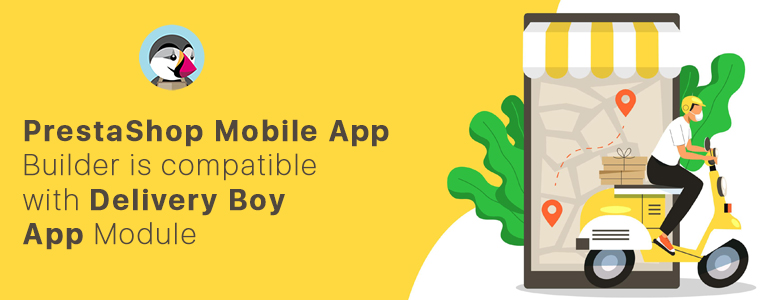
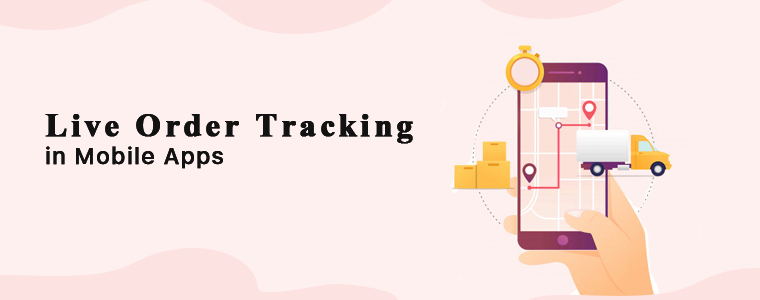
One benefit of this “delivery boy app” module is that if the store’s mobile app has been designed using the “PrestaShop Mobile App Builder” module, its corresponding “Delivery Boy App” will provide live monitoring of the shipped orders by default.
Simply quoting, the orders can be tracked using the delivery boy app if the PrestaShop store is using our Knowband’s Mobile App Builder.
Read more in detail from:
PrestaShop Mobile App Builder is compatible with Delivery Boy App
Conclusion:
Both module and app have been designed by our technical experts. It is a one-stop solution for businesses looking forward to offering home delivery. You can start various businesses like food delivery business, grocery delivery, medicine home delivery, or any other on-demand delivery hyperlocal business with Delivery Boy App on an eCommerce store.
Need to discuss or got any questions? Drop us an email at support@knowband.com.
Recommended Reads: