If you’re considering infinite scrolling on your site, pause and reconsider this feature because it does more harm than good to a website. Endless scrolling is a web design technique that continuously loads content or products as the user scrolls down the page, eliminating the need for pagination. Continuous scrolling is desirable for content that streams continuously and has a fairly flat layout, where each content element is at the same level in the hierarchy and has a similar chance of being relevant to customers. This makes sense for e-commerce sites with numerous products to display. Infinite scrolling is n’t new. Twitter was the first platform to use infinite scrolling in 2005. Since then, many social media platforms and e-commerce websites have adopted it. If you’re wondering why you should add endless scrolling, there are a handful of benefits.
Here, I’ll talk about how to improve your customer’s endless scrolling experience.
1. Speed and performance optimization
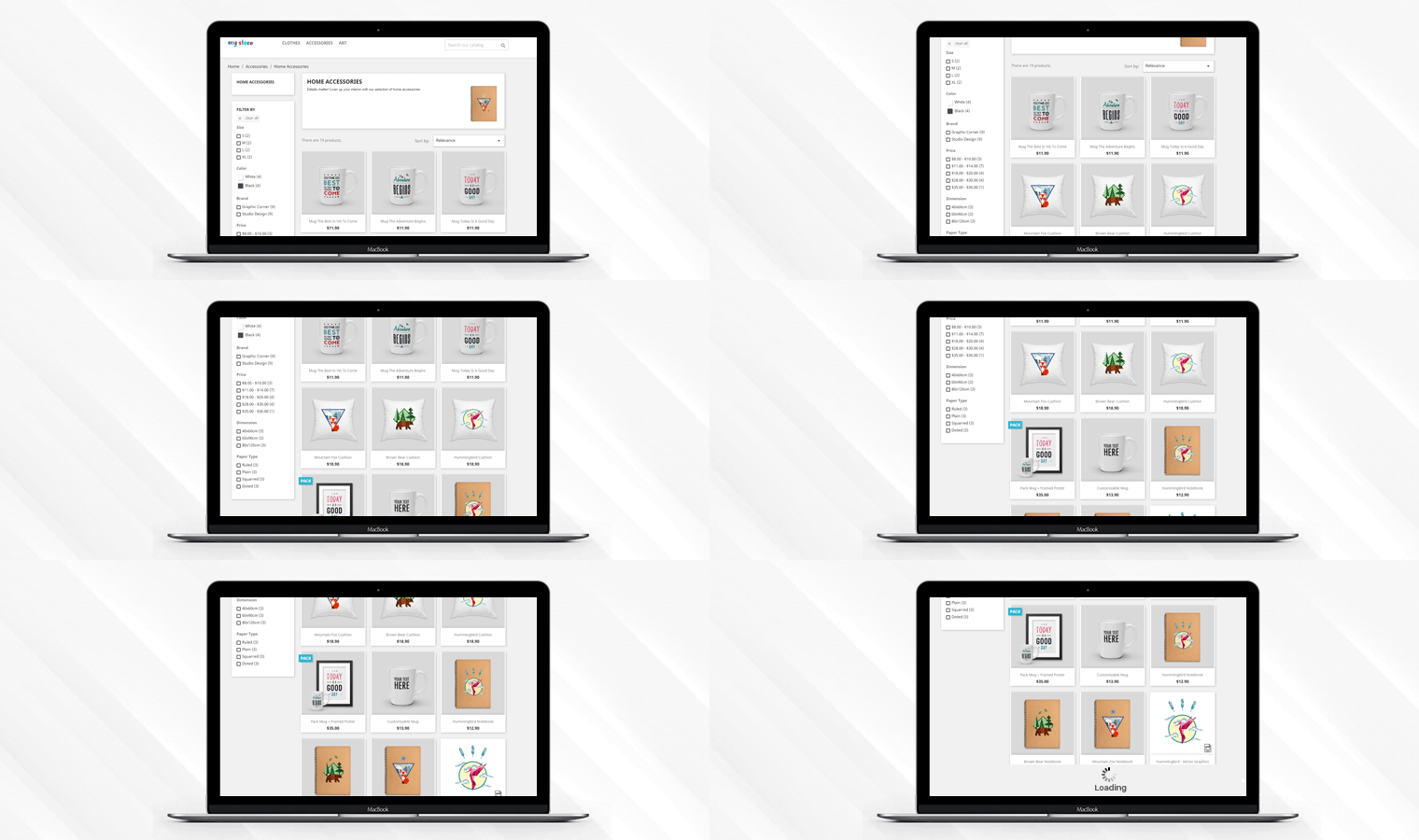
Pagination is the process where a user has to tap a button multiple times to see more products. With endless scrolling, the user can view products continuously without any effort. Performance and speed testing of an e-commerce website is a key element of site optimization. Ensure your products load quickly for everyone and, if possible, try converting your website into a PWA (Progressive Web App). Users would have to scroll much further on a mobile device than on a desktop with a similar list of items due to the smaller screen size. Therefore, it’s advisable to optimize for speed and performance.
2. Content optimization for seamless scrolling
The internet has given users an endless amount of knowledge at the click of a few buttons. Because the amount of knowledge is so vast, content marketing has become increasingly challenging. To make your content stand out, you must create a meaningful and engaging user experience (UX) through better content development and UX design. Write articles tailored to your audience by studying data such as trending meta descriptions.
Will endless scrolling work for your site?
Is it necessary to find out if endless scrolling is a good idea for your store? It’s appropriate for some of the circumstances discussed in this section.
- To tell stories: create a linear framework that storytellers can take advantage of.
- Continuous, extended content, such as a lengthy article or a multi-step tutorial, provides a better user experience than dividing it into many separate pages.
- If the material cannot be separated into separate sections and must be viewed as a whole, for example, an infographic
- To highlight the characteristics, qualities, or attributes of a product in a story.
- For product display: show an endless number of products from a category on mobile websites like Amazon.
3. Smooth scrolling on touchscreen devices
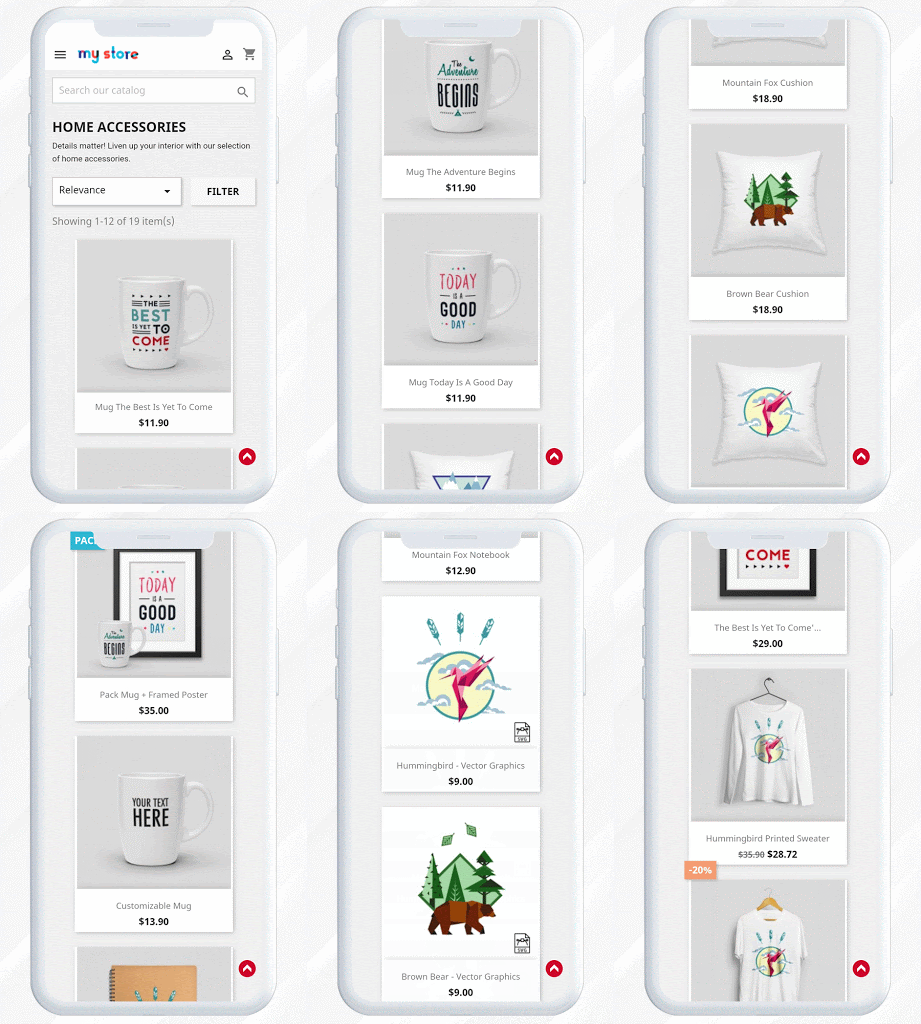
Mobile device usage has grown significantly in recent years. It’s so easy to navigate through multiple Facebook or Instagram pages with just a swipe of your thumb. Infinite scrolling provides an amazing browsing experience for mobile users, especially in mobile apps and web browsers. With automated product loading, customers simply need to scroll to find the product they’re looking for. It’s also perfect for navigation and ease of use.
How to take advantage of endless displacement?
Endless scrolling is now a standard part of user interfaces, and many e-commerce websites are using it as a design trend. Here are some trends you can follow to make it more engaging and increase user engagement. Endless scrolling, combined with these additions to your product page design, will provide users with a seamless scrolling experience.
- It provides a user-friendly experience – You can add thumbnails with an optimal size that loads faster.
- Right navigation is necessary: If the user clicks on an image to open it, and then presses the ‘back’ button, it should remember the last scroll position.
- Add virtual photography – And virtual photography helps you create better-than-perfect merchandise photos at a fraction of the cost of traditional photography.
- Personalization is key. With the help of various available software and applications, you can allow them to see what the product looks like by visualizing it in the place where they are supposed to put it.
Or if they’re buying a showpiece or clothing, it will be convincing if you let them see how it will look on them. They’ll spend more time on your website and it will keep them engaged. Many retailers already using these options are reducing product returns and offering consumers a more enjoyable shopping experience.
Endless scrolling with KnowBand’s infinite scrolling module
If you want to provide your users with a seamless, infinite scrolling experience, the knowBand module can help. The Infinite Scroll module is available for almost all major e-commerce platforms, including OpenCart, PrestaShop, and Magento.
Take a look at them:
OpenCart Infinite Scroll Extension
Infinite/Non-End Scrolling Add-on for Prestashop
Endless Scroll Extension for Magento
Infinite Scroll Extension for Magento 2
It offers several features that make infinite scrolling more efficient. The infinite scroll module eliminates conventional pagination and provides a smooth user experience. It allows you to use manual triggers. With this support, users can also manually load products after a limit you set. The Infinite Scroll Extension also has an additional feature that allows customers to go to the top of the page by clicking a link. It adds automatic scrolling to the product listing page and allows users to quickly browse your store’s products without changing pages.
Conclusion: It’s an open secret that infinite scrolling works well on certain types of websites that display large amounts of visual content, such as photos and videos. That’s why optimizing your e-commerce pages for infinite scrolling can have a significant impact on your conversion rates. Try continuous scrolling and see if it works best for your online store.

Articles that may interest you: