Google Play Policy & API Updates Effective August 31, 2025: What Developers Need to Know

Google Play has announced a comprehensive set of policies and API updates that will come into effect on August 31, 2025. Importantly, these changes are part of Google’s continuous efforts to strengthen user security, improve app quality, and ensure consistency across its ecosystem.

For developers and businesses with apps on the Play Store, these updates are not optional. Furthermore, failing to comply with the new requirements could result in apps being removed from the Play Store, preventing new users from discovering them and limiting access for existing users.

In this article, we are providing a comprehensive breakdown of the new policies, their technical implications, and how developers can prepare.

Target API Level Requirements

First and foremost, one of the most critical changes in this update revolves around target API levels.

New Apps & Updates: Starting August 31, 2025, all new apps and app updates submitted to the Play Store must target Android 15 (API level 35) or higher. Additionally, this ensures that apps leverage the latest security features and performance optimizations provided by the Android operating system.

Existing Apps: Meanwhile, apps already published on the Play Store will need to target at least Android 14 (API level 34) to remain visible to users with newer devices. Consequently, apps that fail to meet this requirement may remain installed for existing users but will no longer be available for download by new users.

Extension Option: Fortunately, Google is offering a short grace period. Developers can request an extension until November 1, 2025, through the Play Console. However, this should be treated as a backup option rather than a primary strategy.

Why this policy matters to your mobile app

Essentially, apps targeting outdated API levels miss out on the latest security patches, privacy controls, and performance improvements. Therefore, this requirement ensures that all active apps remain compatible with modern devices and meet user expectations.

Play Billing Library

In addition to API requirements, another key change relates to in-app purchases and subscriptions.

All new apps and app updates must now use Play Billing Library version 7 or newer. Notably, this is a significant update as it impacts how developers handle in-app purchases (IAPs), subscriptions, refunds, and payment flows.

Moreover, Google emphasises this requirement to improve transaction security, provide a consistent purchase experience, and reduce fraudulent activities.

Similar to the API level requirement, developers may request an extension until November 1, 2025, to migrate to the new library.

SDK & Development Tools

To ensure a smooth transition, Google strongly recommends developers use the latest Android SDK and associated development tools.

Specifically, the SDK Upgrade Assistant in Android Studio helps developers identify outdated dependencies, upgrade API levels, and resolve compatibility issues.

As a result, this reduces manual effort, minimises migration errors, and ensures that apps take advantage of new frameworks, improved APIs, and enhanced security controls.

Ultimately, staying updated with the Android SDK isn’t just about compliance; it’s about future-proofing your app. Apps built on outdated SDKs may struggle with compatibility on new devices, leading to crashes and poor reviews.

Scoped Storage & File Access

Meanwhile, Google introduced Scoped Storage in Android 11, and by 2025, it will become an enforced standard.

Moving forward, apps will no longer have broad access to external storage. Instead, they must:

  • Store files in app-specific directories
  • Use the MediaStore API for media files
  • Leverage the Storage Access Framework (SAF) when users need to select specific files

Impact on developers: Consequently, apps that still rely on legacy storage permissions may face rejection or functionality issues on Android 15. Therefore, migrating to Scoped Storage ensures smoother performance, stronger security, and better user trust.

Deprecated APIs

Furthermore, Google has clarified that apps relying on deprecated or outdated APIs may face rejection during Play Store review.

Essentially, deprecated APIs are those that are no longer recommended because newer, more secure alternatives exist.

As a result, continuing to use them increases the risk of crashes, security vulnerabilities, and poor performance on modern devices.

News and Magazines Apps

If your app falls under the News and Magazines category, there’s an extra requirement you can’t afford to miss.

Specifically, developers must submit a special declaration in the Play Console.

Notably, the deadline for this was August 27, 2025, slightly earlier than the general policy update.

Ultimately, this declaration ensures that apps categorised as news sources meet standards for credibility, transparency, and responsible content distribution.

How Knowband Can Help

If your store is built on PrestaShop, OpenCart, WooCommerce, or Magento 2, Knowband has you covered.

Our Mobile App Builder Module is already fully compatible with Google’s latest policy changes.

Here’s what we offer:

  • Hassle-free update process for your eCommerce app without interrupting your business operations
  • Guaranteed compliance with the new target API level requirement and all other Google Play policies
  • End-to-end support from our expert team for smooth migration, testing, and deployment
  • Proven track record of helping thousands of merchants successfully launch and maintain Google Play-compliant apps

With Knowband, you can focus on growing your business while we handle the technical compliance and optimisation for your mobile app.

Final Thoughts

In conclusion, the August 31, 2025, Google Play deadline is approaching fast, and for Android developers and eCommerce store owners, it’s a milestone that cannot be ignored. Unfortunately, missing these updates could result in app removal, loss of visibility, reduced downloads, and disruption of your business operations.

However, by acting early and adopting the right strategies, you can ensure your app stays compliant, secure, and optimised for the latest Android ecosystem.

With Knowband’s Mobile App Builder, you get a hassle-free, future-proof solution designed for PrestaShop, OpenCart, WooCommerce, and Magento 2 stores. From guaranteed Google Play compliance to delivering a seamless shopping experience for your customers, Knowband helps you stay ahead of deadlines and competition.

Don’t wait until the last minute, upgrade your store app with Knowband today and keep your business growing without interruptions!

Explore:

Turn Your OpenCart Store Into a Mobile App: A Simple Solution for Android and iOS

Running an online store today means handling many tasks at once. First, you manage products and customers. Then, you deal with shipping and daily operations. However, there’s one more thing you need to consider: mobile shopping.

Why Your Store Needs a Mobile App

Today’s customers spend most of their time on smartphones. In fact, they find it much faster to shop through apps than websites. Furthermore, mobile apps offer a smoother shopping experience. Therefore, if your store doesn’t have an app, you might be losing customers to competitors.

This is where an Opencart mobile app builder becomes essential. Specifically, Knowband’s mobile app solution helps OpenCart store owners create apps without any technical skills.

Understanding the Mobile App Builder

The mobile app builder is a simple tool that works with your existing OpenCart store. First, you install it like any other extension. Next, you set up basic details such as your logo and colours. After that, the system automatically creates both Android and iOS apps for you.

Most importantly, you don’t need to write any code or hire developers.

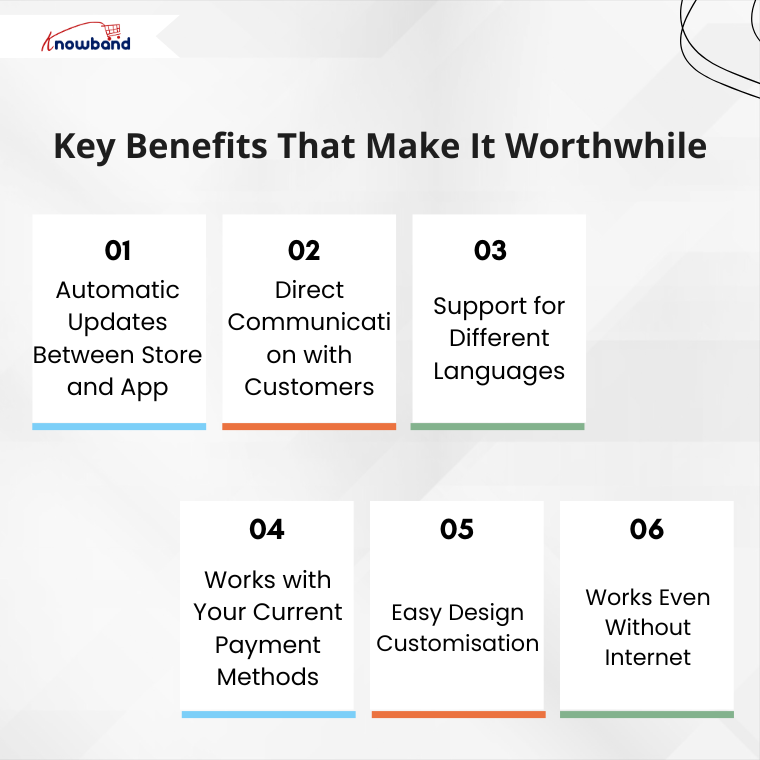
Key Benefits That Make It Worthwhile

1. Automatic Updates Between Store and App

When you change something on your website, it immediately appears in your mobile app. For example, if you update product prices or add new items, customers see these changes right away. As a result, you save time and avoid mistakes because everything stays in sync.

2. Direct Communication with Customers

Instead of relying only on emails, you can send instant messages to app users. For instance, you can notify them about sales, order updates, or remind them about items in their cart. Consequently, this leads to more sales and better customer engagement.

3. Support for Different Languages

If you serve customers from various countries, this feature is particularly useful. Then Knowband’s Opencart Mobile app Builder Extension works with multiple languages, including those that read from right to left. Therefore, all your customers can use the app created from Mobile App Builder comfortably in their preferred language.

4. Works with Your Current Payment Methods

The app automatically includes all your existing payment options. Whether you accept credit cards, PayPal, or cash on delivery, everything works the same way. Additionally, you don’t need to set up anything new.

5. Easy Design Customisation

You can change how your app looks without any technical knowledge. Simply update your logo, colours, or banner images from your admin panel. Moreover, you can even add video banners to make your app more attractive. As a result, your app reflects your brand perfectly.

6. Works Even Without Internet

Unlike many mobile apps, this one lets customers browse even when their internet connection is weak. Although they can’t complete purchases offline, they can still look at products. This small feature greatly improves the user experience.

Getting Started: Simple Steps

The setup process is straightforward and user-friendly. Here’s what you need to do:

First, purchase and install the Opencart Mobile App Builder Extension on your store. Then, fill in basic information such as:

  • Your app’s name
  • App icon and splash screen
  • Notification settings
  • Color preferences

After you complete these steps, the Knowband team creates your app files. Finally, you receive ready-to-publish apps for both the Android and iOS stores.

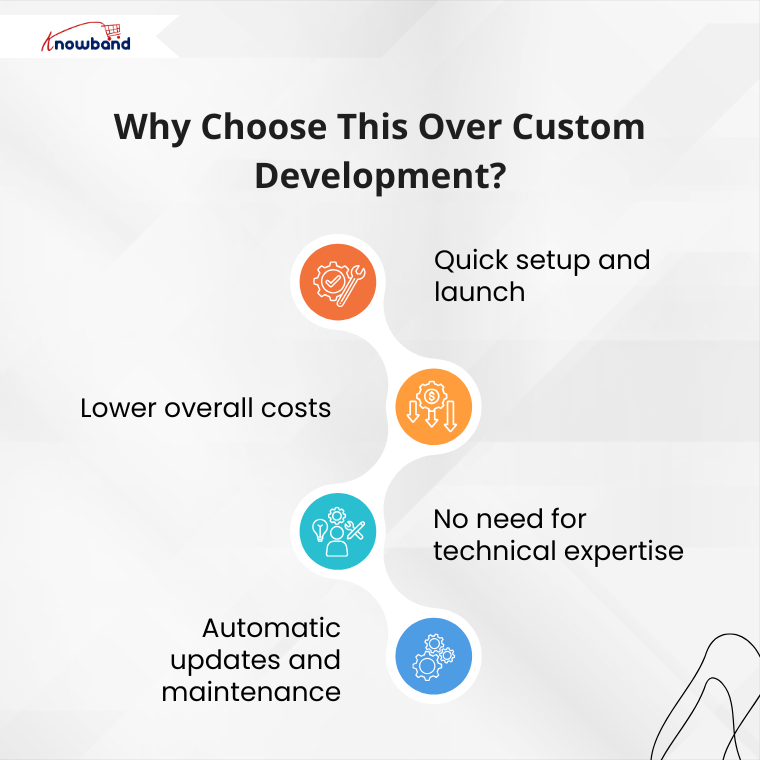
Why Choose This Over Custom Development?

You might wonder why not hire a development team instead. However, custom development has several drawbacks:

Traditional development takes months to complete. Additionally, it costs much more money upfront. Furthermore, you need ongoing technical support for updates and maintenance.

In contrast, using this app builder offers several advantages:

  • Quick setup and launch
  • Lower overall costs
  • No need for technical expertise
  • Automatic updates and maintenance

Therefore, Knowband Mobile App Builder for OpenCart smarter choice for most store owners.

The Real Value You Get

This Knowband’s Opencart Mobile App Builder Plugin offers more than just a mobile app. Instead, it provides a complete mobile shopping experience for your customers. Moreover, it helps you compete with larger retailers who already have mobile apps.

When customers can shop easily on their phones, they’re more likely to buy from you again. Additionally, mobile apps often lead to higher sales compared to mobile websites.

Making Your Decision

In conclusion, creating a mobile app for your OpenCart store is a smart business move. The mobile app builder handles all the technical work, so you can focus on growing your business.

If you’re still unsure, consider trying the demo version first. This way, you can see exactly how it works. Remember, in today’s mobile-first world, having an app isn’t just nice to have – it’s becoming essential for business success.

For further information, visit the OpenCart Mobile App Builder Plugin page and enhance your customers’ mobile shopping experience


Step-by-Step Guide to Launch Your eCommerce Mobile App with Knowband

Today, most people shop on their phones, so making the buying experience easy and smooth is a must. With mobile commerce on the trend, having your own app can give your brand a competitive edge.

That’s where Knowband’s Mobile App Builder comes in. Whether you’re using PrestaShop, Magento, OpenCart, or WooCommerce, Knowband makes it incredibly easy to turn your online store into a sleek mobile app with no coding required.

If you’re thinking about launching your e-commerce app, here’s a step-by-step guide to walk you through the entire process.

Step 1: Choose the Right App Builder for Your Platform

First things first, go to Knowband.com and select the Prestashop Mobile App Builder module that matches your store’s platform. Whether you’re running on PrestaShop, Magento 2, OpenCart or WooCommerce, there’s a version tailored just for you.

Once you’ve purchased the module, you will receive a downloadable ZIP file along with setup instructions.

Step 2: Install the Module on Your Website

Next up, it’s time to install the module on your site, and the good news is that it’s a pretty straightforward process. 

Depending on the platform you’re using, the steps may vary slightly. If you’re using PrestaShop, you can easily upload the module right from the admin panel. 

For Magento 2 users, installation is typically done using Composer or via FTP, whichever you’re more comfortable with. 

If your store is built on OpenCart or WooCommerce, the installation is even easier; it just takes a few clicks within the extensions or plugin section of your admin dashboard.

Once the Opencart Mobile App Builder Extension is successfully installed using FTP, you’ll see the Mobile App Builder panel show up right in your backend.

 Moreover, store owners can start set to begin customising their app’s design and functionality.

Step 3: Customise the App Design and Features

Knowband gives the full control to the store owner to customise the app based on the store’s needs.

Using the Mobile App Builder module, you can easily set up banners, sliders, featured product sections, countdown timers, and more. Furthermore, you’ll also be able to tweak the theme colours, fonts, and layout, so your app matches your brand perfectly.

Everything is highly customizable, and you don’t need to write a single line of code.

Step 4: Provide App Branding Details

Once your app layout is ready and you’re happy with the design, the next step is to provide your branding details so Knowband can begin building your mobile app. Moreover, this information helps ensure that your app looks and feels exactly like your brand, consistent, professional, and personalised.

Here’s what you’ll need to share:

  • App name
  • Logo and app icon
  • Splash screen image
  • Primary theme colour
  • Your store URL
  • Firebase keys (used for enabling push notifications)
  • Developer account access ( Android & iOS)

If that list feels a bit overwhelming, don’t worry, Knowband has you covered. We provide clear, step-by-step documentation and friendly support for the WooCommerce Mobile App Builder Plugin to walk you through each requirement. Whether you’re a first-time app creator or just need a little guidance, our team is always ready to help.

Step 5: App Compilation and Delivery

After you’ve submitted all the required information, our team takes over.

We compile your mobile app for both Android and iOS and typically deliver the test builds within 4-5 working days. You’ll receive APK (for Android) and IPA (for iOS) files, which you can test on real devices before going live.

Moreover, this is a good way to review the app thoroughly and ensure everything works just as expected.

Step 6: Test Your App Thoroughly

Before launching, it’s important to test your app across multiple devices and platforms. Try out the login process, navigation, product browsing, checkout, payment gateways, push notifications, and anything else that matters to your user experience.

If you notice any issues or have last-minute customisation requests, our support team is responsive and ready to assist.

Step 7: Publish to App Stores

You can upload the APK file to your Google Play Developer Account and submit the iOS version through your Apple Developer Account using App Store Connect. If you’re unsure how to do this, Knowband guide you through the process or even handles it for you.

Step 8: Promote and Optimise Your App

Promote your mobile app on your website with banners or pop-ups, share download links on social media, and offer exclusive app-only deals to encourage downloads. Moreover, you can also use push notifications to keep users engaged and bring them back to your store regularly.

Don’t forget to monitor reviews, track analytics, and gather feedback so you can continuously improve the experience.

Final Thoughts

Launching a mobile app for your e-commerce store doesn’t have to be expensive or complicated. With Knowband’s Magento 2 Mobile App Builder Plugin, you can go from idea to live app in just a few days and provide your customers with the modern, mobile-first experience they expect.

Whether your store is on PrestaShop, OpenCart, Magento 2, or WooCommerce, we have the perfect solution to create your own mobile app based on your website or store theme. Visit opencartmobileshop.com to get started.

So why wait? Now is the perfect time to take your store mobile.

Get started today and let your store go mobile with KnowBand

AI for E-Commerce: Generate and Translate Content in a Click with Knowband

Writing and maintaining optimised content for an e-commerce store often demands significant time and effort. The AI Content Generator and Translator Module from Knowband offers a powerful solution to simplify this process.

This all-in-one module brings together the strengths of ChatGPT, Claude AI, and Gemini AI, enabling store owners to easily create and translate content with minimal effort.

Whether you’re adding new products, updating meta details, or targeting a multilingual audience, this module streamlines everything in just a few clicks. Moreover, the plugin is available for all major platforms like prestashop, opencart, Magento 2, & woocommerce.

Let’s explore how this all-in-one solution transforms content management for your online store.

Key Features of the Knowband’s PrestaShop AI Content Generator and Translator

1. Multi-AI Engine Support

The PrestaShop AI Content Generator Module smoothly connects with leading AI engines such as ChatGPT (GPT-3.5 and GPT-4), Claude AI (Haiku and Sonnet models), and Gemini AI (including 1.5 Flash, 2.0 Flash, and Pro versions).

As a result, you gain the flexibility to choose the engine and model that best aligns with your specific needs, whether you’re looking for creative flair, factual accuracy, or ultra-fast content generation.

2. Complete Content Generation

The PrestaShop AI Content Generator Module quickly creates important content for online stores, like product descriptions, meta titles, meta descriptions, and category text. Moreover, all content is well-structured, SEO-friendly, and crafted in a tone that resonates with online customers, ensuring both clarity and conversion potential.

3. Bulk Content Management

If you are managing a large store? Then no worries. The Opencart AI Bulk Content Generator Extension enables store owners to create or translate large volumes of content efficiently in a single operation. Furthermore, this saves hours of manual effort and helps you scale faster.

4. SEO Optimisation Built-In

From keyword-rich meta titles to optimised product descriptions, the WooCommerce AI Content Generator and Translator Addon ensures that your content ranks well on search engines.

5. Accurate Multilingual Translations

Most importantly, with Knowband’s Magento 2 ChatGPT AI Content Translator Plugin, store owners can effortlessly translate content into multiple languages while maintaining both accuracy and proper formatting. Moreover, this includes everything from product and category titles to descriptions, as well as meta information like titles and descriptions, ensuring your store speaks clearly and effectively to a global audience.

6. Predefined AI Prompts

The powerful & advanced AI Content Generator Module includes 14 built-in prompts for both content generation and translation. Additionally, the store owner can customise the prompt according to the way they like.

Moreover, these prompts make it easy to execute tasks based on your specific needs and desired content style or description, eliminating the need to write instructions manually.

7. User-Friendly Admin Interface

Even with complex advanced technology, the Prestashop Content Translator & Generator Addon is designed for simplicity. Moreover, store admins can operate everything from an intuitive dashboard—no coding or technical knowledge needed.

8. Activity Logs for Full Transparency

Each action performed using the WooCommerce AI Content Generator Plugin is automatically logged for tracking and transparency.

Moreover, you can review timestamps, prompt types, and content changes to keep track of all updates made via AI.

Top Benefits of Using Knowband’s AI Content Generator and Translator Module

Boosts Productivity and Focus

First and foremost, by automating repetitive content tasks, store owners and teams can redirect their time and energy toward strategic areas like marketing, customer engagement, and business development, instead of spending hours writing and translating content manually.

Ensures Brand Consistency Across Markets

In addition, the AI-generated and translated content maintains a consistent tone, style, and message across all product listings and languages. This helps your brand appear reliable, professional, and trustworthy, regardless of the target audience or region.

Reduces Dependency on Third Parties

Moreover, with AI handling both content creation and translation, there’s less need to hire external writers or translators. This not only reduces costs but also gives you greater control over output quality and turnaround time.

Accelerates Global Expansion

As a result, the built-in multilingual capabilities allow your store to easily reach and engage international customers, enabling faster entry into new markets without the usual complexities of manual localisation.

Supports Scalability

Finally, whether you’re managing 50 or 5,000 products, the module is built to handle bulk operations seamlessly. In other words, as your store grows, the module scales with you, keeping your content strategy efficient and future-proof.

Conclusion

The AI Content Generator and Translator Plugin is a must-have for any store looking to scale efficiently while maintaining high-quality content. Whether you’re managing SEO, translating for global reach, or launching new products, this single module handles it all with ease.

Whether you’re launching new products, managing hundreds of listings, or expanding into international markets, this all-in-one AI-powered addon simplifies everything. Moreover, it integrates the strengths of ChatGPT, Claude, and Gemini, giving you unmatched flexibility and control.

As a result, you save valuable time, reduce operational costs, and enhance your store’s SEO performance. In addition, accurate multilingual translations enable you to connect with a global audience while maintaining quality and brand tone.

So, why wait?
Install the Knowband AI plugins today—and let your store speak every language, brilliantly.

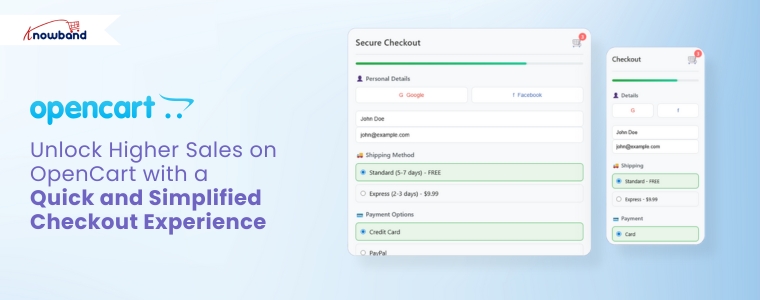
Unlock Higher Sales on OpenCart with a Quick and Simplified Checkout Experience

In today’s fast-paced eCommerce landscape, customers expect convenience at every step, especially during checkout. Unfortunately, a complex or time-consuming process can quickly drive them away. For this reason, adopting an OpenCart One Page Checkout solution is needed. Knowband’s OpenCart One Page Advanced Checkout Extension simplifies the checkout experience by making it quicker, more user-friendly, and highly efficient for customers.

Why You Need a Simplified Checkout in OpenCart

While attracting traffic through promotions and SEO is important, a poor checkout experience can unfortunately cancel all your efforts. Indeed, long forms, multiple page loads, and confusing steps increase cart abandonment significantly. However, an OpenCart simplified checkout module eliminates these issues by combining everything into one responsive, easy-to-complete page.

Furthermore, Knowband’s OpenCart fast checkout extension streamlines the buyer journey, helping your customers complete orders quickly and effortlessly. As a result, it not only improves user experience but also directly boosts your conversions.

Must-Have Features of Knowband’s One Page Checkout for OpenCart

Below are the features that make this OpenCart quick checkout extension an essential addition to your store:

Unified Checkout on One Page

First and foremost, the OpenCart Single Page Checkout combines billing, shipping, payment, and confirmation into a single view. Consequently, this eliminates the need for reloading pages or navigating multiple steps, making it easier for customers to place orders without distractions.

Social Login for Faster Access

Additionally, typing login details can be a hassle, especially on mobile. Therefore, this OpenCart responsive checkout popup allows customers to sign in with their Google or Facebook accounts, reducing friction and making the process significantly faster.

Guest Checkout with Background Registration

Additionally, the module allows customers to check out as guests while automatically generating an account behind the scenes. This feature benefits customers who want a fast checkout experience and, simultaneously, store owners who want more registered users.

Custom Field Control

Similarly, every store has different requirements. With this OpenCart One Page Supercheckout, you can manage the visibility and requirement status of each checkout field. The result? A clean, focused checkout that only asks for what’s necessary.

Intelligent Shipping-to-Payment Mapping

In addition, the module intelligently connects shipping methods to their respective payment options. This minimises confusion and ensures that customers see only the relevant choices during checkout.

Integrated Newsletter and Mailchimp Support

Furthermore, the OpenCart Free One Step Checkout module includes an optional newsletter signup checkbox. It also syncs directly with Mailchimp, allowing you to grow your mailing list automatically while customers complete their orders.

Mobile-Friendly and Multilingual

Finally, today’s shoppers use a range of devices and speak different languages. This OpenCart responsive checkout popup adapts perfectly to smartphones, tablets, and desktops. It also supports multilingual and multi-store setups for global businesses.

Benefits of Using Knowband’s OpenCart One-Page Checkout Extension

By installing the One Page Checkout for OpenCart, your store can experience a range of powerful benefits:

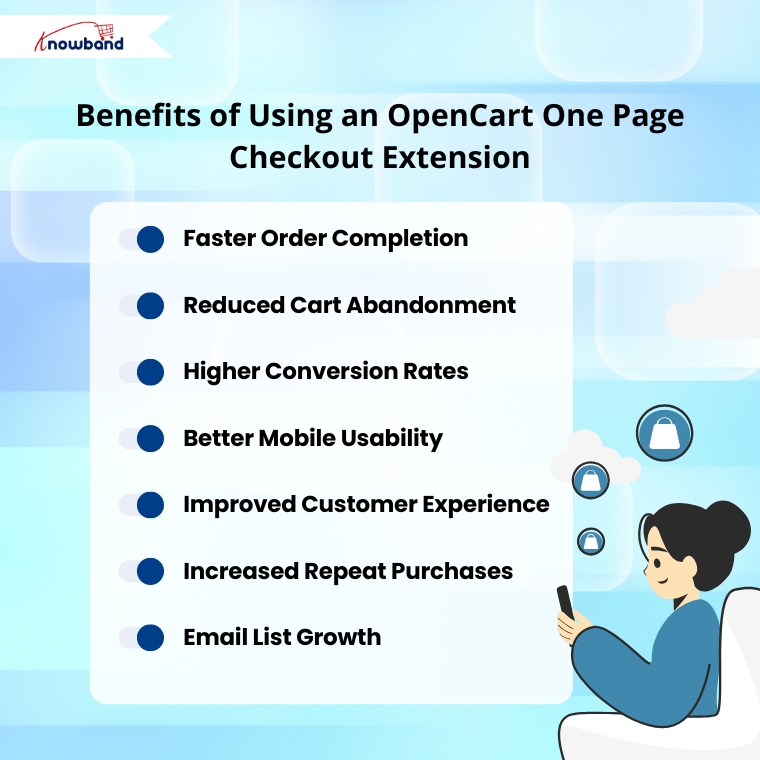
Faster Order Completion: Customers can place orders quickly with fewer clicks and no unnecessary steps.

Reduced Cart Abandonment: Simplified checkout minimises the risk of customers dropping off.

Higher Conversion Rates: A clear and efficient process helps turn more visitors into buyers.

Better Mobile Usability: Optimised layouts ensure a smooth experience on any device.

Improved Customer Experience: A clean interface shows customers that their time is respected.

Increased Repeat Purchases: A positive first experience encourages customers to return.

Email List Growth: Built-in newsletter signup helps you capture more leads for future campaigns.

Why Choose Knowband’s OpenCart Checkout Extension?

This OpenCart One Page Advanced Checkout Extension offers everything a modern eCommerce store needs:

  • Easy installation and configuration—no coding required
  • Customizable fields to suit your store’s specific needs
  • Social login, guest checkout, and email capture built in
  • Compatible with multilingual and multi-store OpenCart setups
  • Optimised for both desktop and mobile users
  • Proven to boost user satisfaction and sales

Final Thoughts: Streamline Your Checkout, Boost Your Revenue

To sum up, a fast and efficient checkout process is essential for any successful online store. Knowband’s OpenCart One Page Checkout module combines powerful features with a sleek, user-friendly interface to deliver exactly that.

If you’re looking for an OpenCart fast checkout extension that reduces abandonment, increases conversions, and improves mobile shopping, this is the ideal solution. With the OpenCart One Page Supercheckout, you get the same powerful results—more sales, fewer abandoned carts, and a better shopping experience for your customers.

Upgrade your store today and experience the difference a single page can make.

Watch the demo on YouTube


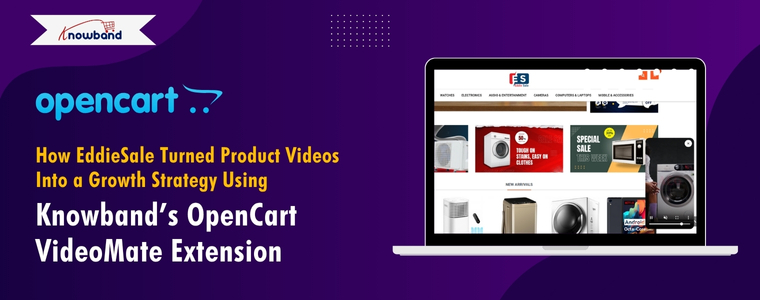
How EddieSale Turned Product Videos Into a Growth Strategy Using Knowband’s OpenCart VideoMate Extension

In today’s fast-paced eCommerce world, product visuals are no longer enough — customers expect immersive experiences that build trust and help them make quick buying decisions. For EddieSale, a growing online store powered by OpenCart, this meant going beyond static images and text. Their breakthrough came with Knowband’s OpenCart Video Manager Extension, a powerful plugin that allowed them to seamlessly integrate product videos into their store. What started as a simple upgrade turned into a full-fledged growth strategy, driving higher engagement, better conversion rates, and a noticeable boost in customer confidence.

When Amanda started EddieSale, an online electronics store, her vision was clear: to offer reliable, affordable tech products that customers could trust. From Bluetooth speakers to smartwatches and other home gadgets, her store was packed with the kind of everyday electronics that modern shoppers love.

But within a few months, Amanda noticed something many small business owners face: while visitors were browsing her store and even adding items to their carts, a lot of them weren’t checking out. Traffic was steady, but sales were not keeping up.

It wasn’t a problem with pricing or product selection. The real issue was something Amanda didn’t expect—her product pages weren’t telling the full story.

Understanding the Customer Gap

Amanda realized that while her product photos were clear and her descriptions detailed, they still weren’t enough for electronics buyers.

“People want to see tech in action,” she explained. “They want to hear how the speaker sounds, watch how the smartwatch screen responds, or understand how a camera performs. A static photo just doesn’t cut it for those kinds of products.”

Customers were curious but hesitant. They had unanswered questions. Amanda thought about hiring someone to custom-code video sections into her product pages, but as a small business owner, time and budget were tight.

Discovering the OpenCart VideoMate Extension

While looking for OpenCart extensions that could help, Amanda came across Knowband’s VideoMate Extension for OpenCart. The promise was simple: let store owners easily add videos to product pages, the homepage, category listings, and more—without touching a single line of code.

“It sounded like exactly what I needed—something easy and flexible,” Amanda said.

She installed the Plugin and was pleasantly surprised at how smooth the process was. Within a couple of hours, she had product demo videos, unboxing clips, and reviews from YouTube integrated directly into her store.

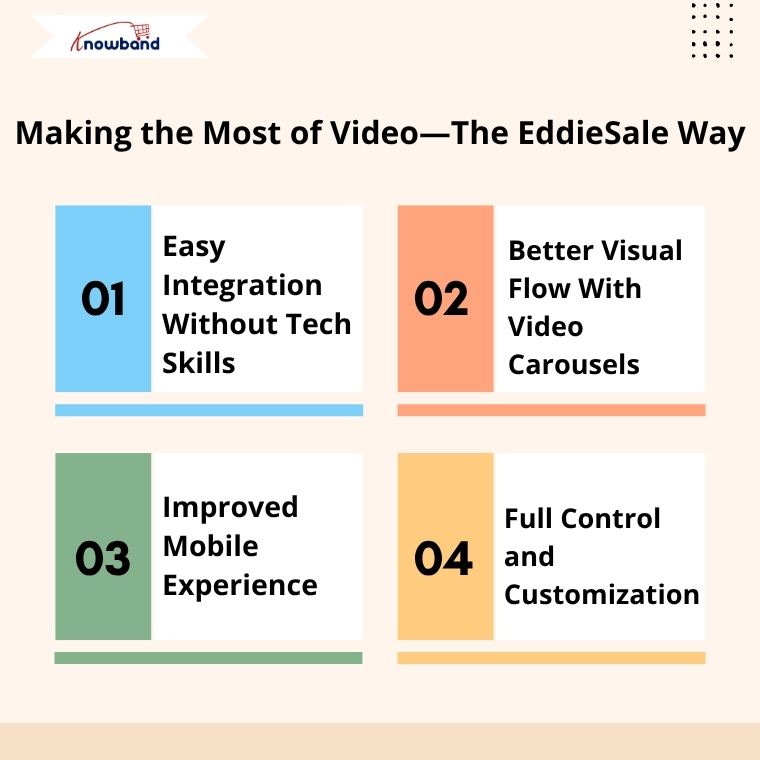
Making the Most of Video—The EddieSale Way

Amanda started by focusing on her top-selling categories. She added short demo videos for Bluetooth speakers, tutorials for smartwatches, and real-life usage clips for home security cameras.

Here’s what stood out to her:

1. Easy Integration Without Tech Skills

Amanda didn’t need a developer or a learning curve. The admin panel was intuitive. She could upload or embed videos, change their placement, and even preview them in real time.

2. Better Visual Flow With Video Carousels

She made use of the video carousel feature to showcase seasonal gadgets and customer favorites on her homepage. This not only made the store look more modern but kept users engaged longer.

3. Improved Mobile Experience

Since most of EddieSale’s traffic came from smartphones, it was important that videos looked good on all devices. Fortunately, the Extension was fully responsive—everything adjusted automatically, from the homepage to product pages.

4. Full Control and Customization

Whether Amanda wanted to show one video or ten, the Plugin gave her control over layout, order, and placement. She could test different setups and make changes anytime without external support.

Real Results That Made a Difference

After just a few weeks of using VideoMate, Amanda started to notice tangible improvements:

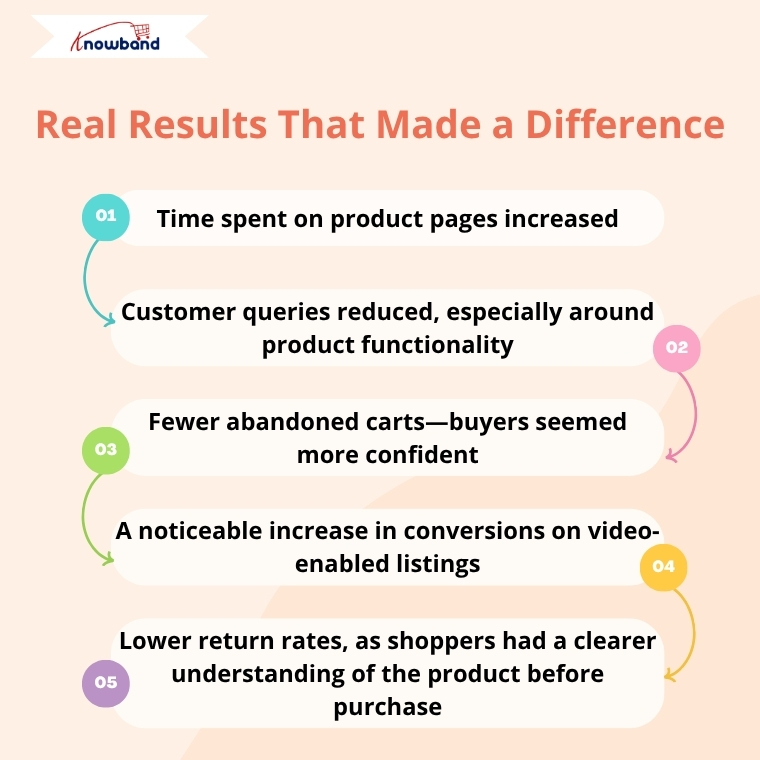
  • Time spent on product pages increased
  • Customer queries reduced, especially around product functionality
  • Fewer abandoned carts—buyers seemed more confident
  • A noticeable increase in conversions on video-enabled listings
  • Lower return rates, as shoppers had a clearer understanding of the product before purchase

Customers even left comments saying they appreciated being able to “see the product in real life” before making a decision.

Building Trust Through Transparency

For Amanda, the biggest success wasn’t just the increase in sales—it was the trust she built with her audience.

“VideoMate helped me bring my products to life. I didn’t have to change my entire site or hire anyone. Just by showing how products work, I was able to connect with my customers better—and that made all the difference.” said Amanda

A Simple Extension With a Big Impact

Amanda continues to use the VideoMate Extension as part of her store’s strategy. Every time she adds a new product or runs a seasonal campaign, she pairs it with video content. It’s now a natural part of how EddieSale operates.

For other OpenCart store owners wondering if it’s worth the effort, Amanda has this advice:

“If your product needs more than a photo to explain, don’t wait. This Extension saves time, builds trust, and helps your store stand out—without making your life harder.”

Final Thoughts

EddieSale’s success story is proof that even small tweaks—like adding product videos—can have a big impact. By using Knowband’s OpenCart VideoMate Extension, Amanda didn’t just improve her product pages—she gave her customers the confidence they needed to click “buy.”

If you’re looking for a genuine way to enhance your OpenCart store and give your customers a better experience, VideoMate might just be your store’s next smart move.

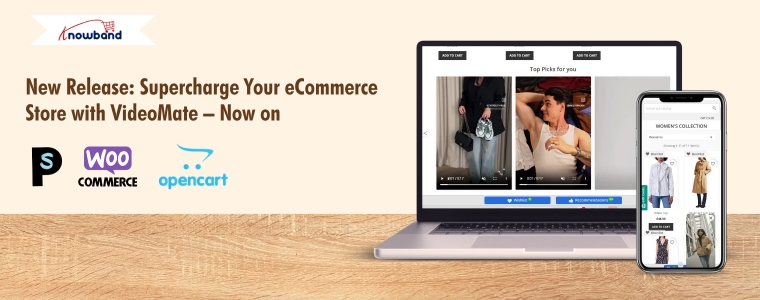
New Release: Supercharge Your eCommerce Store with VideoMate – Now on PrestaShop, WooCommerce & OpenCart

In today’s competitive eCommerce space, standing out requires more than just great products. It demands immersive, informative, and visually engaging shopping experiences. While product images serve as a basic necessity, they often fail to deliver the full picture. This is where video content becomes a game-changer—and why merchants across platforms are turning to modern video solutions to enhance the aesthetic appeal of their stores and connect with today’s visual-first customers.

Recognizing this growing demand, Knowband has launched the much-anticipated VideoMate Addon. Now available for PrestaShop, WooCommerce, and OpenCart, VideoMate is an all-in-one eCommerce video solution designed to bring your store to life with high-impact video marketing. Whether you want to display how-to guides, showcase product reviews, tell your brand story, or integrate short-form content from social platforms, this robust e-commerce video module simplifies it all.

Why Your Store Needs Video

To begin with, modern customers prefer to see products in action. The video gives them the next best thing to a hands-on experience, offering clarity, confidence, and connection that static visuals can’t match.

Studies show that customers are more likely to convert after watching a product video. That’s because video:

  • Provides better product understanding
  • Reduces hesitation and return rates
  • Builds trust through authenticity
  • Enhances emotional engagement
  • Increases time-on-site and improves SEO

Clearly, integrating video isn’t just a creative enhancement—it’s a conversion strategy.

How Video Content Influences Buyer Behavior

More specifically, video content speaks directly to the way online customers consume information. A PrestaShop Video Manager Module, for instance, lets customers see a product’s features, texture, and use cases. Similarly, a well-placed OpenCart product video extension builds credibility with visual proof, making it easier for customers to say “yes.”

Through a Prestashop Video Manager addon, you can share your brand’s mission, showcase behind-the-scenes content, or present video testimonials that make your store feel more human. In addition, short-form content such as downloaded Instagram Reels or Twitter videos can be uploaded using the PrestaShop Instagram Reels Addon or the OpenCart Twitter video plugin—further extending your reach and consistency across channels.

How Knowband’s VideoManager Addon for Prestashop, Opencart & WooCommerce Helps Your Store Stand Out

Fortunately, VideoMate takes the complexity out of video marketing. Whether you’re running PrestaShop, WooCommerce, or OpenCart, this addon allows you to upload, place, and manage videos across your store with ease. As a result, you can enhance product pages, boost homepage engagement, and even feature time-sensitive offers with floating widgets—all without technical skills.

By supporting formats such as a PrestaShop homepage video module, a PrestaShop video carousel module, and a floating video widget for both OpenCart and PrestaShop, VideoMate offers unmatched flexibility.

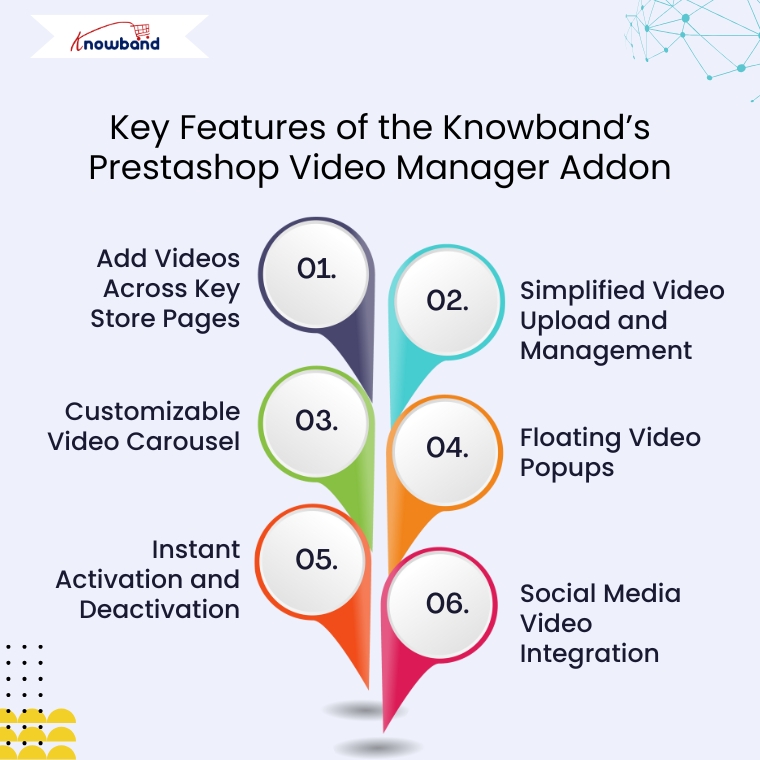
Key Features of the Knowband’s Prestashop Video Manager Addon

Add Videos Across Key Store Pages

First and foremost, VideoMate enables video placement on all crucial store pages. This includes product pages, category pages, homepages, best-seller sections, and even new arrivals. With options like the PrestaShop homepage video module and the OpenCart category video plugin, you can deliver compelling content exactly where it matters most.

Simplified Video Upload and Management

Next, the built-in video uploader for OpenCart video manager extension makes adding videos incredibly simple. Upload directly from your local system, assign content to specific pages, and edit or remove videos anytime—no coding required. This level of ease turns your store into a flexible video-powered selling machine.

Customizable Video Carousel

To further boost interactivity, the PrestaShop video carousel module and its OpenCart equivalent let you create scrollable, auto-playing video sections. Add custom headings, adjust transition timing, and control how many videos are displayed. This not only modernizes your store’s design but also improves customer engagement.

Floating Video Popups

For time-sensitive promotions or feature highlights, the floating video widget module for PrestaShop and OpenCart floating video extension provide an elegant solution. These popups can be positioned left or right, and are designed to attract attention without disrupting the browsing flow.

Instant Activation and Deactivation

For ultimate control, you can enable or disable videos directly from the admin panel. Whether you’re running seasonal campaigns, testing performance, or updating content, you have real-time flexibility without needing developer support.

Social Media Video Integration

Lastly, the PrestaShop social media video addon and OpenCart video plugin support embedded content from platforms like Instagram and Twitter. This means you can repurpose engaging short-form content—such as reels, product clips, or influencer shoutouts—right into your store. It’s a powerful way to unify your eCommerce and social marketing efforts.

Conclusion

In conclusion, integrating video into your online store is no longer just an enhancement—it’s a necessity. The VideoMate Addon equips merchants on PrestaShop, OpenCart, and WooCommerce with the trending features needed to transform static shopping experiences into engaging, video-rich journeys that build trust and boost sales.

With support for everything from product videos and video carousels to floating widgets and Instagram Reels, this addon combines ease of use with powerful functionality. Whether you’re telling your brand story, showcasing reviews, or launching new collections, VideoMate Plugin for WooCommerce helps you connect with customers in the most compelling way possible.

Explore the full potential of videos with the eCommerce Video Manager Addon because a product seen in videos is a product one step closer to being sold.

How AI Is Revolutionising the E-Commerce Industry in 2025

As the e-commerce industry is growing, AI is also evolving in e-commerce, reducing the manual effort that a humans can do. Like writing product descriptions, titles, and meta descriptions, the content that increases the seo ranking on the search engines.

This is where Knowband’s OpenCart AI Powered Content Generator Extension come in. The Knowband has designed the AI Extensions for OpenCart, OpenCart, Magento 2 and WooCommerce. Significantly, these smart plugins allow store owners to automatically generate and translate product and category content, which helps in saving time, improving SEO, and reaching new market trends effortlessly.

Why AI Content Generation Matters in 2025

Today’s customers expect more than basic product listings. The customers liked the  Products’s with rich look, relevant, and engaging content that helps them make faster decisions to buy. On top of that, SEO optimization and multilingual support are no longer optional as they’re critical to growth and global reach.

So, are you creating all this content manually? It’s time-consuming and mostly likely error-prone. Therefore, Knowband’s AI Content Generator solves this problem with automation and precision.

Harnessing the Power of Multi-Engine AI Technology

What makes Knowband’s solution unique is its support for multiple advanced and popular AI models. E-Merchants can choose the most suitable engine based on their content needs and budget. 

Knowband’s has launched the AI Extensions with individual AI Engines and with combine AI Large Language Models or engines like Openai: GPT-3.5, GPT-4, Anthropic Claude: Haiku 3, Sonnet 3.5 and Google Gemini: 1.5 Pro, 1.5 Flash, 1.5 Flash-8b, 2.0 Flash, and 2.0 Flash Lite Preview and one more most awaiting AI Model DeepSeek.

Essential Features of the Knowband OpenCart AI-Powered Content Generator Extension

Smart Content Generation

Firstly, AI Content Generator for OpenCart makes content creation effortless by producing compelling product and category descriptions, meta details like title and description, and SEO-friendly copy. With minimal input, the Extension delivers well-structured content that motivates customers and enhances conversions, giving store owners more time to focus on strategy and customer relationships.

Seamless Language Translation

Expanding to global audiences is simple with built-in AI translation. The  AI Content Translator Extension automatically converts your store content into multiple languages with international customers.

Versatile AI Model Integration

The AI-powered content Generator for OpenCart is powered by multiple advanced AI engines, giving users the authority to choose the most suitable model. Moreover, the Extension supports Chatgpt (GPT-3.5, GPT-4), Claude (Haiku 3, 3.5, Sonnet 3.5 new and old), and Gemini.

Built-In SEO Enhancements

The AI Extension follows SEO guidelines to automatically generate SEO-optimised content. Furthermore, from product descriptions to metadata, everything is generated to help increase visibility, drive organic traffic, and improve your rankings on platforms like Google.

User-Friendly Dashboard

Lastly, you don’t need to be a tech expert or coder to use this Extension. Additionally, the intuitive interface ensures anyone can generate, customise, and manage content directly within the OpenCart store.

Benefits of the powerful AI Content Generator to the E-Merchants

Optimised for SEO Results

OpenCart AI-Powered Extension is built to enhance search engine visibility across different languages. Significantly, by aligning with modern SEO standards, it helps increase organic traffic and contributes to long-term online store success, ultimately leading to higher conversions and revenue.

AI-Powered Content Creation

With advanced AI integration, this AI-powered content Generator Extension empowers merchants to generate compelling product descriptions, meta titles, and meta descriptions automatically. Moreover, this automation not only improves content quality but also saves valuable time and manual effort.

Multilingual Content Made Easy

Reaching a global audience becomes effortless with the Extension’s automatic translation feature. Furthermore, the multilingual content helps the store owner to increase engagement and drive sales.

High-Efficiency Bulk Generation

If you have to manage the content of hundreds or thousands of products? No problem. Moreover, the AI-powered Extension can create content for large product catalogues in one go. Furthermore, this efficient solution helps you scale your store’s content strategy while reducing manual work.

Conclusion

The Knowband OpenCart AI Content Translator Extension empowers store admins to streamline content creation and multilingual translation with ease. Furthermore, this powerful plugin automates repetitive content-related tasks, freeing up valuable time that you can redirect toward strategic business activities.

Moreover, by leveraging the intelligence of AI Models, the AI Content Generator Extension enhances product content to align with SEO best practices, thus boosting your store’s visibility in search results and driving more organic traffic.

With just a few clicks, merchants can generate engaging product descriptions, compelling titles, and concise summaries. Additionally, the Extension supports automatic translation of content into multiple languages, making it easier to tap into international markets seamlessly.


Boost Your Sales with OpenCart Google Merchant Feeds Integration

Are you struggling to increase the visibility of your OpenCart store? Want to attract more customers and boost your sales? The solution lies in listing your products on Google Merchant Console.

By integrating your store with Google Merchant Center, you can display your products on Google Shopping, reaching millions of potential buyers.

Therefore, we’ll explore how Knowband’s OpenCart Google Shopping Integration Module can help you grow your business its features and benefits, and why it’s a must-have tool for every OpenCart store owner.

Introducing Google Shopping for eCommerce?

Google Shopping is a platform where users can search for products and compare prices from different online stores. Furthermore, when you list your products on Google Shopping, they appear in Google search results and in the Shopping tab. This not only increases your store’s visibility but also drives more potential customers to your website.

To display your products on Google Shopping, you need to create a product feed and submit it to Google Merchant Center. This is where the OpenCart Google Shopping Integration Extension helps by automating the process for the Opencart eCommerce merchants.

Why Do You Need OpenCart Google Shopping Integration?

Manually adding and updating product feeds in Google Merchant Center can be time-consuming and complex. However, the OpenCart Google Shopping Integration Plugin simplifies this by automatically syncing your store’s products with Google Shopping.

Here’s why you need the OpenCart Google Shopping Feed Integration Extension:

  • Automated Feed Submission: No need to manually upload product details. The extension syncs your product feed with Google Merchant Center.
  • Increased Sales & Traffic: Your products get listed on Google Shopping, bringing more traffic and potential buyers.
  • Error-Free Listings: The module ensures that product data is submitted in the correct format, reducing errors and feed rejection.
  • Real-Time Synchronization: Any changes you make in your store (price, stock, descriptions) are automatically updated in Google Shopping.

Key Features of OpenCart Google Shopping Integration Module

The OpenCart Google Shopping Module comes with powerful features that make selling on Google Shopping easier.

1. Easy Product Feed Generation: The Knowband module generates Google Shopping Feeds for OpenCart, which includes all product details like title, description, price, and images.

2. Automatic & Manual Sync Options: With the OpenCart Google Shopping Connector, you can schedule automatic feed updates or manually sync whenever needed.

3. Advanced Filtering Options: The OpenCart Google Shopping Synchronizer allows you to select specific products, categories, or brands to include in the feed.

4. Multi-Language & Multi-Currency Support: Sell internationally? No problem! The extension supports multiple languages and currencies.

5. Feed Optimization: The module ensures your product feed follows Google’s guidelines, improving your chances of getting approved.

How to Use OpenCart Google Shopping Integration Plugin?

Setting up OpenCart Google Shopping Feed Integration Extension is easy. Follow these steps:

Step 1: Install the Extension

First, install the Free or Paid Google Shopping OpenCart Integration Module on your OpenCart store.

Step 2: Connect with Google Merchant Center

Link your store with Google Merchant Center by entering the connection details.

Step 3: Configure the Settings

Customize the feed settings under profile configurations, select products to include, and set the sync frequency.

Step 4: Generate & Submit the Feed

Generate the Google Shopping Feed for OpenCart and submit it to Google Merchant Center.

Step 5: Monitor and Optimize

Check for errors, update missing attributes, and optimize your product titles and descriptions for better visibility.

Benefits of Using OpenCart Google Shopping Module!

Using the Free Google Shopping Integration Module for OpenCart offers several advantages:

Saves Time & Effort: Automates feed submission, reducing manual work.

Increases Product Visibility: Your products appear in Google search results and Google Shopping.

Boosts Sales & Conversions: More exposure leads to higher sales.

Improves Marketing Performance: Helps with Google Ads campaigns by providing high-quality product feeds.

Integrate Your Opencart Shop with Etsy Marketplace

No Coding Skills Required

SHOP NOW

Free vs. Paid Google Shopping Integration Modules:

If you are looking for a Free Google Shopping Opencart Synchronization Module, we have got you covered at Knowband. While our free Opencart Google Shopping Connector module offers basic functionality, premium OpenCart Google Shopping Merchant Free Extensions come with advanced unlocked features.

Furthermore, the paid OpenCart Google Shopping Integration Extension is a better investment if you want seamless integration and long-term benefits.

Conclusion!

Integrating your OpenCart store with Google Shopping is one of the best ways to boost sales and reach more customers. Moreover, the OpenCart Google Shopping Integration Module simplifies the process by automating product feed submissions and ensuring real-time updates.

If you haven’t started using the Opencart Free Google Shopping Synchronization Module, now is the time! Enhance your store’s visibility, drive more traffic, and increase your sales with the OpenCart Google Shopping Module.

Would you like to see a demo of the Opencart Google Merchant Centre Connector in action? Get started today and grow your online business!