

How to create Google Firebase Key for Push Notification?
Creating Google Firebase Key for Push notification is too simple if you follow a few simple steps. Knowband discusses here how to create one for your app

Google provides this free service to let the users reliably deliver messages at no cost. Comparing with earlier Google’s GCM, FCM is way more developer-friendly. In the year 2016, Google announced major improvements in its Firebase platform. And that’s how FCM – Firebase Cloud Messaging came into the picture. Push notifications are one of the most important tools for seamless marketing. One should make sure to incorporate this feature while creating a mobile application. In this tutorial, you will know how to get the Google Firebase key to send push notifications to Android devices. So, let’s begin.
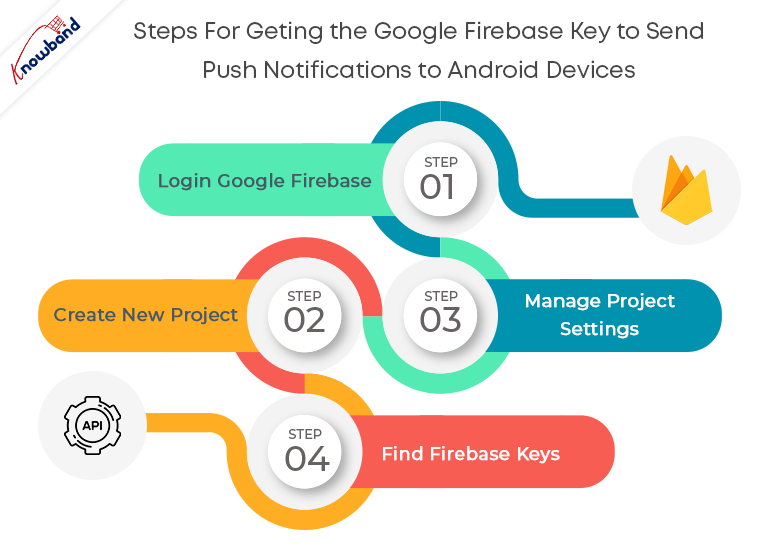
Step 1: Login Google Firebase
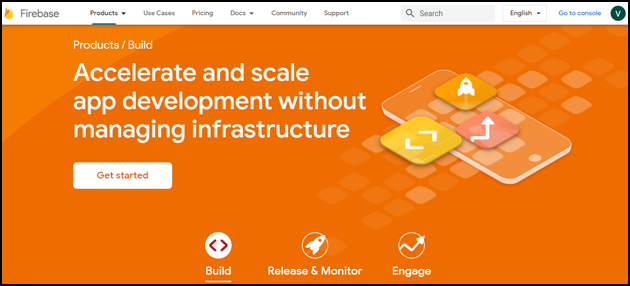
Visit the Google Firebase website and click on the Get Started button.
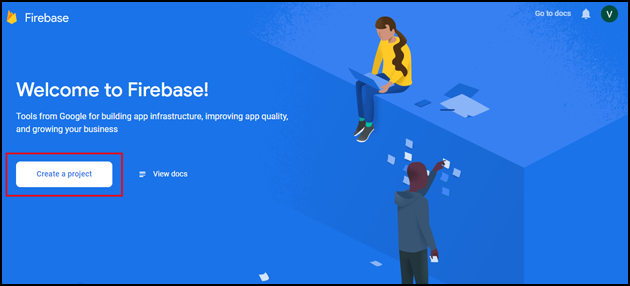
Get started with Create a project button.
Step 2: Create New Project
As you click on Create Project, you will have to go through a 3-step process:
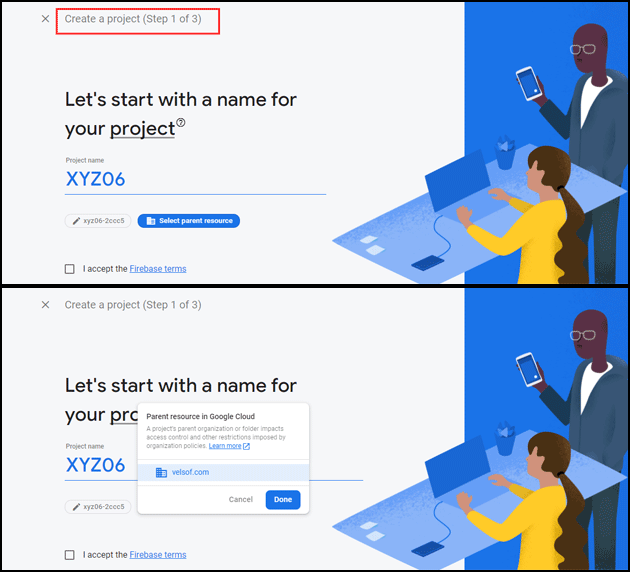
Create a project (Step 1 of 3)
Provide your Project name and select the parent resource.
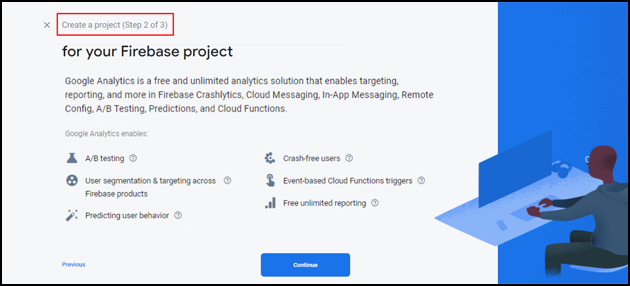
Create a project (Step 2 of 3)
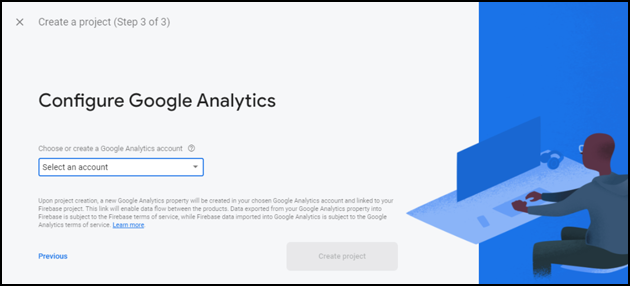
Create a project (Step 3 of 3)
Choose your Google analytics account in step 3 of ‘Create a project’.
It will take a few seconds to create the project. Once the project is ready, click continue.

Step 3: Manage Project Settings
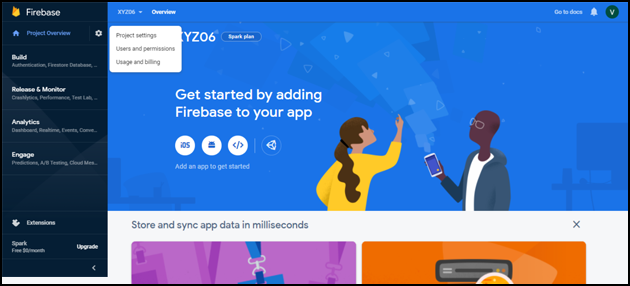
Once the project is created, click on Project settings.
Step 4: Find Firebase Keys
In the project settings, click on General settings. From here, you can directly get the web API key.
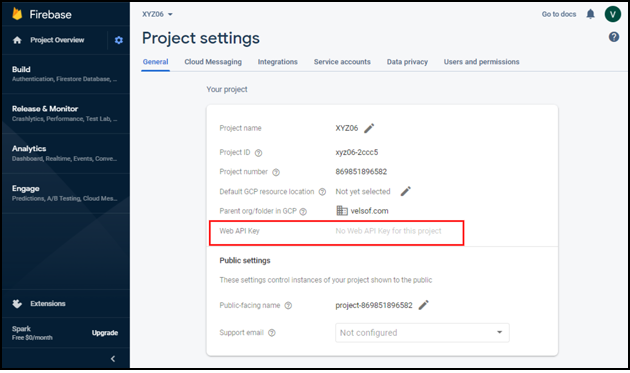
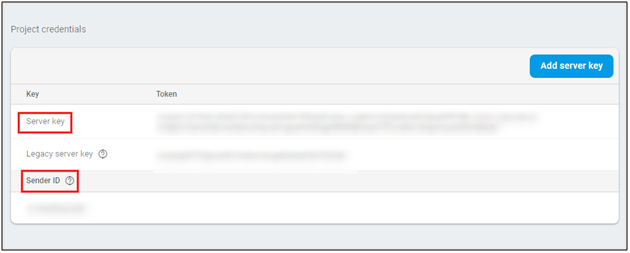
Now, click on cloud messaging settings for Server key and FCM sender ID as shown in the below snapshot:
Conclusion
And it’s done. Creating Google Firebase keys isn’t tricky in any way. If each of the above-mentioned steps is followed properly, it’s just a matter of few clicks and entries.

You can also find How to create a Facebook app for Facebook login authentication?
If you face any issues, please feel free to reach us at [email protected].
Knowband provides extensions for Prestashop, Opencart, Magento, Magento 2, and WooCommerce. Check out our popular PWA module available for Prestashop, Opencart, Magento 2 and Woocommerce. Know more:
- 7 Common eCommerce Problems and How to Fix Them in 2026
- Why a Branded Mobile App Is Becoming the Default Growth Channel for PrestaShop Stores in 2026
- Why Knowband’s Prestashop Mobile App Builder Is a Mobile Sales Game-Changer in 2026
- Lebrun’s Mobile App Launch: From Concept to Reality in Weeks
- Fashion Plano Mobile App Goes Live with Knowband’s PrestaShop MAB: Mobile eCommerce Success Story