In the fast-paced world of eCommerce, reaching the right audience is crucial for the success of your online store. With fierce competition on platforms like Prestashop, OpenCart, WooCommerce, and Magento 2, relying solely on your website may limit your sales potential. That’s where multichannel selling comes into play, allowing you to expand your store’s visibility across leading platforms like eBay, Etsy, and Google Shopping.
If you’re looking to seamlessly integrate your online store with these platforms, Knowband offers powerful solutions. Our eBay Connector for Prestashop, Etsy Connector, and Google Shopping Connector extensions enable effortless integration, helping you unlock the full potential of multichannel selling.
Let’s explore how these connectors can help you scale your business and maximize profits.
Why Multichannel Selling Matters!
Before diving into the benefits of Knowband’s connectors, it’s essential to understand why multichannel selling is a game-changer for eCommerce stores.
Increase Visibility:
Listing your products on multiple platforms increases your store’s exposure. Moreover, platforms like eBay, Etsy, and Google Shopping attract millions of shoppers daily, ensuring your products reach a broader audience.
Diversify Revenue Streams:
Relying on a single sales channel can be risky. On the other hand, by expanding to multiple platforms, you reduce the risk and tap into new revenue streams.
Build Trust and Credibility:
Established platforms like eBay and Etsy offer a trusted shopping experience. Thus, by listing your products there, you gain instant credibility with potential buyers.
Targeted Audiences:
Each platform has its own user base. Instance, eBay attracts bargain hunters, Etsy appeals to handmade and vintage enthusiasts, while Google Shopping is ideal for comparison shoppers. By listing on these platforms, you can target different segments of shoppers.
Streamline Your Multichannel Selling with Knowband’s Connectors:
At Knowband, we understand the challenges of managing products, inventory, and orders across multiple platforms. That’s why we’ve developed easy-to-use connectors for eBay, Etsy, and Google Shopping that seamlessly integrate with your Prestashop, OpenCart, WooCommerce, and Magento 2 stores.
Let’s look at each connector and how it can help you grow your business.
eBay Connector: Unlock the Multi-channel Selling on eBay!
eBay remains one of the most popular online marketplaces globally, with over 180 million active buyers. Therefore, by integrating your store with eBay using Knowband’s eBay Connector for Prestashop, you can tap into this vast marketplace without the hassle of managing two separate platforms.
Key Features:
- Bulk Product Upload: Save time by uploading multiple products at once from your store to eBay.
- Automated Sync: Sync product details, pricing, and inventory between your store and eBay in real time.
- Order Management: Manage all your eBay orders directly from your eCommerce platform’s back office which eliminates the need to switch between multiple dashboards.
- Customization: Tailor product listings for eBay with custom pricing and inventory rules.
By using the eBay Connector, you’ll be able to maintain a unified inventory, avoid overselling, and effortlessly expand your store’s reach to millions of eBay shoppers.
Etsy Connector: Access a Unique Marketplace for Creative Goods!
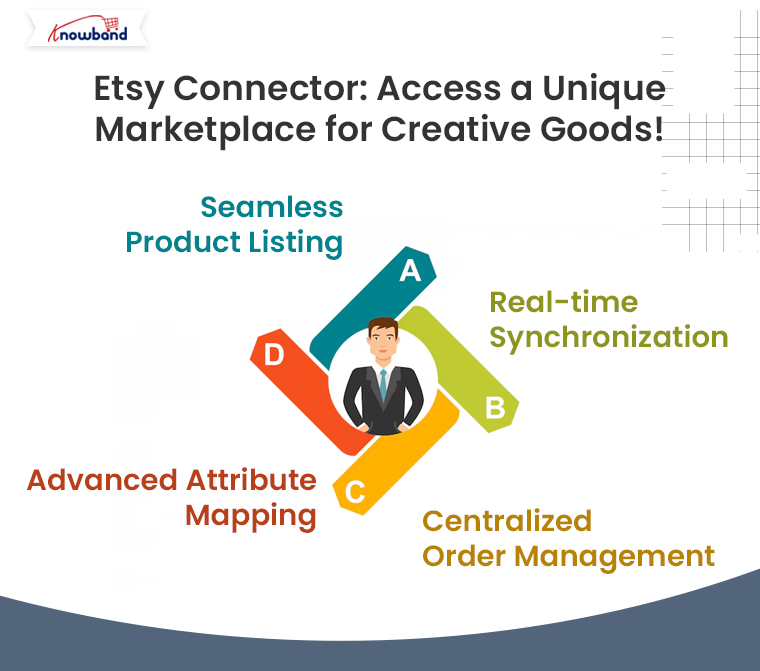
Etsy is the go-to platform for buyers seeking unique, handmade, vintage, and craft items. If your store specializes in these types of products, the Etsy Connector is a perfect solution to showcase your goods to Etsy’s dedicated audience of more than 80 million active buyers.
Key Features:
- Seamless Product Listing: Effortlessly upload your store’s products to Etsy, complete with titles, descriptions, and pricing.
- Real-time Synchronization: Keep your store’s product data in sync with Etsy, ensuring accurate inventory and pricing across platforms.
- Centralized Order Management: Process all Etsy orders from your eCommerce store’s backend for streamlined order fulfillment.
- Advanced Attribute Mapping: Map your store’s attributes with Etsy’s specific product requirements to ensure proper product categorization.
With the Prestashop Etsy Connector Addon, your store can tap into Etsy’s niche market, helping you reach customers who appreciate craftsmanship, artistry, and creativity.
Google Shopping Connector: Boost Your Product Visibility on Google!
With Google Shopping, your products can appear in front of millions of shoppers actively searching for items like yours. Moreover, Knowband’s Google Shopping Connector for Prestashop helps you showcase your store’s products on Google Shopping effortlessly.
Key Features:
Product Feed Management: Easily create and upload a Google Shopping product feed with all the necessary data (product titles, descriptions, prices, etc.).
- Automated Sync: Ensure real-time updates for product information and pricing across your store and Google Shopping.
- Category Mapping: Map your store’s categories with Google Shopping’s requirements for better targeting.
By using Knowband’s Google Shopping Connector, you’ll increase your product’s visibility across Google’s powerful shopping ads, driving more traffic to your store and boosting your sales.
How Knowband’s Connectors Simplify Your Multichannel Selling?
Using Knowband’s connectors offers numerous advantages for businesses of all sizes:
- Time Efficiency: No need to manually upload products or update inventory. Furthermore, the automated synchronization keeps everything in order, freeing up time to focus on other aspects of your business.
- Accuracy: Eliminate the risk of overselling with real-time inventory updates.
- Improved Order Management: All orders, whether from your store or other platforms, are managed in one place, simplifying fulfillment and customer service.
- Easy Setup: Our connectors are designed for ease of use. With intuitive interfaces, you can quickly set up the integration without technical expertise.
Take Your Store to New Heights with Knowband’s Connectors!
If you want to expand your store’s reach and tap into the enormous potential of platforms like eBay, Etsy, and Google Shopping, Knowband’s connectors offer the perfect solution. By integrating your eCommerce store with these platforms, you can increase your visibility, reach more customers, and ultimately, grow your sales.

You may also like to read:
See how this free connector simplifies Etsy integration for your PrestaShop store and enhances marketplace reach. Read More