Apple, the tech giant never fails to justify its motto – Think Different and why not to have an extraordinary approach? Look where this approach has brought them, a trillion dollar worth company. This time they came up with the new announcement regarding privacy policies. The iPhone maker is asking all the developers to link the applications and their updates on the Apple App Store with the Privacy Policies. These new privacy rules will be under effect by October 3rd, 2018.
Which apps are required to be linked with the policies?
Well, till now you must have thought that the iOS apps are already equipped with the Privacy Policies. Then what’s the motive of enforcing them?
Actually, till now the privacy policies were linked with only subscription-based apps on the iOS store. But, now it is mandatory for all the applications and even their updates to comply with the concerned policies. As per the official announcement, the iPhone maker is even mandating the privacy policies even to the offline applications that do not require internet for operation. The offline app developers have been asked to host a website with concerned privacy policy page.
How will it benefit the iPhone users?
Apple has made itself clear that it won’t pull out the apps which are already there in the store, but it even asked their developers to link the policies whenever any future update is shipped. With this move, Apple is trying to bound the app developers to actually explain to users the ways in which they can delete their personal stored information on the applications. In order to bring it into effect, the tech giant even requires all the developers to comply apps with the GDPR rights at some level. After this, the customers will just tap associated privacy policy and read it in Safari.
You had an idea for an iOS application and got it developed. Great! Let’s find what are the requirements for launching your app on the Apple App Store. Publishing app on iOS store isn’t that easy. Apple store has a lot of requirements before app submission which might be confusing sometimes. It is better to keep all the necessary things ready before you begin the process. The successful distribution of your app directly depends on complying with these requirements. This document lists all the details required to publish app on Apple App Store.
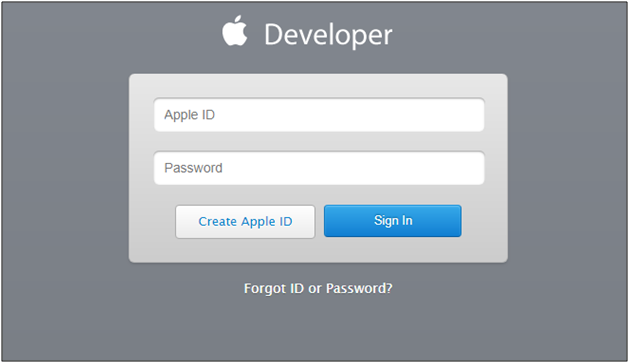
Create a Developer Account
First of all, the user who is intending to go live with the App Store needs to have a developer account. The paid account requires around $99 per year for the subscription. This account has all the details required to manage the app on the App Store.
Follow the steps mentioned in the link below in order to register as a developer.
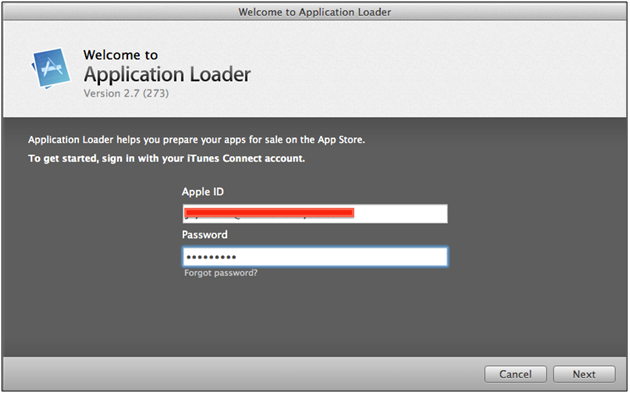
Uploaded binary on iTunes Connect – The binary should be uploaded on iTunes Connect. A binary (IPA file) can be uploaded on iTunes Connect via Xcode or Application Loader.
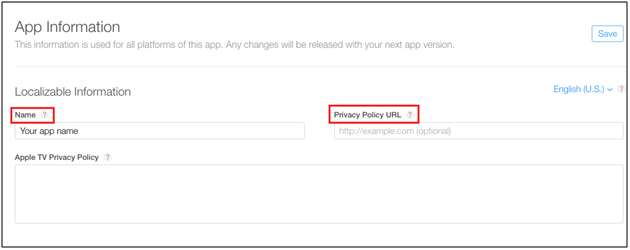
App Name – Name of your application to be displayed on App Store.
Privacy Policy URL – URL redirecting to privacy policy of your app.
Promotional Text (max 170 characters) – The promotional text can’t exceed more than 170 characters. It lets you inform your App visitors about current features without requiring an updated submission. This promotional text will appear above your description on the App Store for customers with devices running iOS 11 or later, and Mac OS 10.13 or later.
Description (max 4000 characters) – Description of your app must contain detailed features and app functionalities. It will be displayed in the App Store and can’t exceed more than 4000 characters.
Support URL – A URL with support information for your app. It will be visible on the App Store.
Copyright – The name of the person or entity that owns the exclusive rights to application along with the year when the rights were obtained. (for example, “2008 Acme Inc.”). Here, do not provide a URL.
App Icon – App icon plays the major role in providing first impression of your app, so try to make accurate app icon.
General Information – This contains all the information related to you as First Name, Last Name, Address, City, State, Postal Code, Country, Phone Number, and Email.
Screenshots – You must provide a set of screenshots for all types of devices.
For iPhone, you need one set of screenshots for a 5.5-inch display.
For iPad, you need one set of screenshots for a 12.9-inch display.
You can find the complete screenshot specifications here:
Also, find a small list of the things which need to be taken care of for the review process –
App metadata – It should not contain any name or should not point to a third party platform such as Android etc.
Screenshots – The uploaded screenshots should not be captured from an Android device.
Objectionable Content – The app will be rejected if it supports or sells any kind of drugs, alcohol products etc.
What you must avoid before publishing the app in the Apple App Store
Well, if your eyes are on publishing the apps on the Apple App Store then you should completely understand the app submission process on the Apple App Store. The app submission process on the Apple App Store included a ton of requirements & guidelines. So, check these guidelines before publishing an app on the Apple App Store:
1. Avoid any kind of racist, sexist or homophobic content
2. Do not include any sort of false information
3. Do not make a copy of another app
4. Crashes & Bugs
5. Accurate Information
6. Poor UI
7. Irrelevant Information
8. Bad Performance
Releasing application on App Store
After acquiring all the required things for app submission, it’s time to get it published. The steps below illustrate how you can release an application on the App Store –
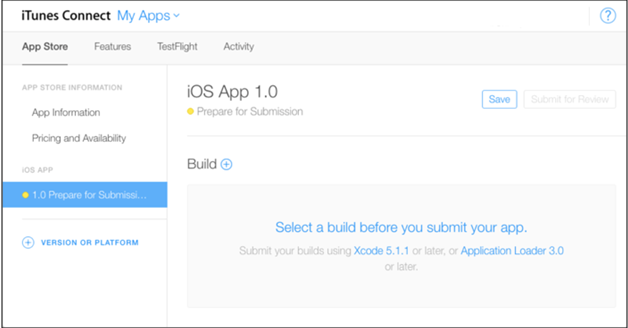
Upload the binary on iTunesConnect and submit the app for the review process. The binary can be uploaded using Xcode or Application loader.
Click on plus (+) button shown at top start corner.
Click on New App option.
Fill the required details and click on Create
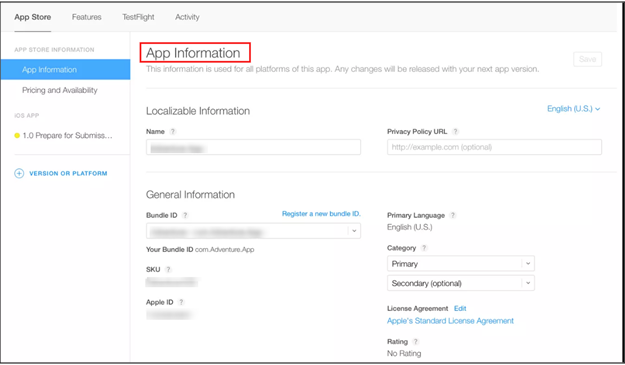
Now, you will be redirected to the next page where you will have to fill the metadata related with your app. Following details are required in this section –
App Information
Pricing and Availability
Prepare for Submission
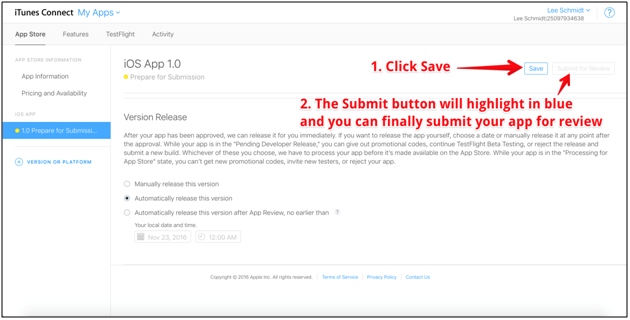
After filling out the information, click on Submit for Review . It will ask to choose in between two more options and the binary status will be changed to `Waiting for Review`
Once, the review is completed by Apple, the application will be live on App Store.
Conclusion
The process of app distribution on the Apple App Store might seem quite lengthy for a new application, but it is worth the effort. Manage all the above-mentioned prerequisites before app distribution and the process will become seamless for you. You can even find a more detailed info on the topic here.
Sometimes, Apple regulators reject the app for some reasons. Find few such app rejection reasons and their solutions here. A better way to avoid such happening is by Creating a proper application and start counting the download figures.
Publishing an iOS app on Apple App Store is surely an inevitable task for app developers. Developing an application requires the huge effort and for making it publicly available for the users, getting it listed on the App Store is a must.
How beneficial could be publishing an iOS app on Apple App Store, it can be understood by following fact which tells that recently Apple has set a record of $300 million in purchases on the very first day of the year 2018.
Publishing your mobile app requires a plenty of challenges which could be simply dealt with in a few steps discussed as follows:
1. Set up your iTunes Connect Account:
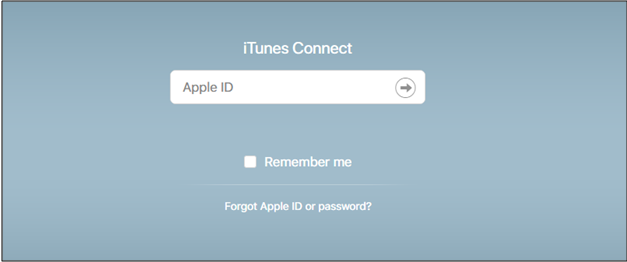
You need an active and paid account in iTunes Connect for publishing an app on the iOS store. The paid account requires around $99 per year for the subscription. This account has all the details required to manage the app on the App Store. Once your account is created, configure it and choose an iOS developer program in Apple Member Center. Also, Apple provides a detailed guide on how to connect with the App Store.
2. Gather all the information required for publishing app:
Once the account is created, now it’s time to prepare your app’s homepage on the App Store. It involves a simple process which could be more seamless if all the required things are already prepared. Here, is the list of requirements:
Maximum two categories for your application. They help the users to find your app easily. Apple even has a detailed info on choosing effective categories for your application.
Keywords for the app which will make app search easier
The name of your organization
Company contact details
App Screens
3. Upload the app:
You again need your iTunes Developer account for uploading an app. Once all of the necessary app details have been entered in the iTunes Connect, you can upload your app on Apple Member account and Apple development tools as Xcode or Application Loader. After you create an iTunes Connect record for your app, the upload is displayed in the Activity section.
To prepare the proper build for your app, you have to establish a few crucial things which will be available till your app remains in App Store:
a) In the Apple Member Center:
Assign Access for developers to the Apple Member Center (see guide)
Create Distribution Provisioning profiles (more info)
Create an app ID with a unique bundle ID. (Once uploaded can’t be changed, read here)
These points listed above generates a proper build for your app and makes it ready for uploading. It is better to ask your developer for the complete job as it requires some technical knowledge.
b) In iTunes Connect:
Upload a .ipa file to the existing app in iTunes Connect ()
Note: Your app won’t appear at once after being uploaded. Do not panic at that. Apple takes some time for processing the .ipa file on their servers.
4. App review and release
After successful submission of your application to Apple, you are given three choices regarding when you want to publish your application. These are :
Automatic app release (App will be published as soon as it is accepted by Apple)
Automatic app release, no earlier than (App will be published on a selected day and time)
Manual app release (You can choose the right moment)
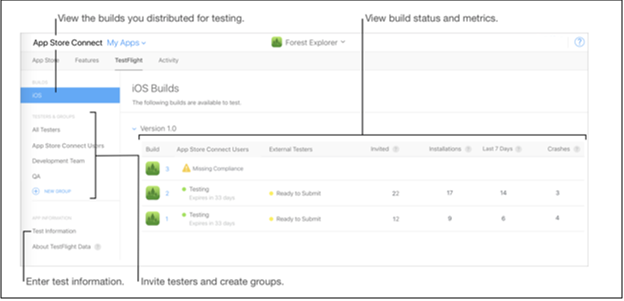
Note: You can also check for app testing. Test Flight functionalities are a good alternative before making the app live.
Wrapping Up
I hope these points would be helpful in publishing iOS app on Apple App Store. Developing an iOS app requires technical knowledge, which can be a bit arduous. Similarly, publishing app can be exciting and nerve-wrecking for a newbie developer. For both experienced and inexperienced developers, sometimes it might be time-consuming also. But when you have millions of user in the target zone, the efforts are worth to make.