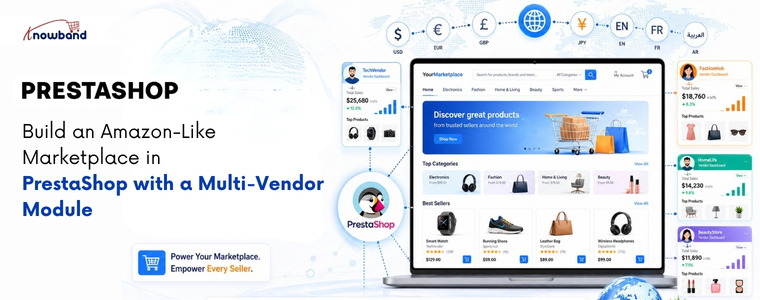
Build an Amazon-Like Marketplace in PrestaShop with a Multi-Vendor Module

Yes! You can create a marketplace in PrestaShop by installing a PrestaShop Multi-Vendor Marketplace Module by Knowband that allows multiple vendors to register, manage their own store, and list products individually. This setup of the PrestaShop Multi Vendor Marketplace gives you centralised admin control, automated commission tracking, and individual vendor dashboards, without hiring a technical team to build from scratch.

Why PrestaShop Works Well for a Multi-Vendor Marketplace

PrestaShop is an open-source eCommerce platform used by over 300,000 merchants worldwide. Its modular structure makes it a practical choice for marketplace development because you extend what already works rather than rebuilding core functionality.

The prestashop platform natively supports multiple languages, currencies, and easy-to-handle store configurations. When you add a PrestaShop Multi Vendor Module  on top of that foundation, you get a marketplace that handles seller management, product listings, and order routing in one place. That combination is what makes it a genuine alternative to building on a proprietary platform.

According to most developers and merchants who have worked with both PrestaShop and competing platforms, PrestaShop offers more customisation control at a lower total cost, particularly for businesses that want marketplace features without the licensing fees of enterprise solutions.

What a Multi-Vendor Module Actually Does

The Prestashop Multivendor Module allows the sellers to register theirself as seller and list products. All the functionalities like approving seller, product, commission are handled by store admin from the backend.

Key Features of Knowband Prestashop Multivendor Listing Module
Vendor Registration and Approval
Sellers register through a front-end portal. The admin reviews each application and approves or rejects it. Furthermore, approved vendors get access to their own dashboard where they manage listings, orders, and payouts.

Separate Seller Storefronts
Each vendor operates their own product catalogue within your marketplace. They set prices, manage stock, and define their shipping for their listings. All purchases, however, go through your central checkout, so payment collection and commission stays under your control.

Commission Tracking and Payouts
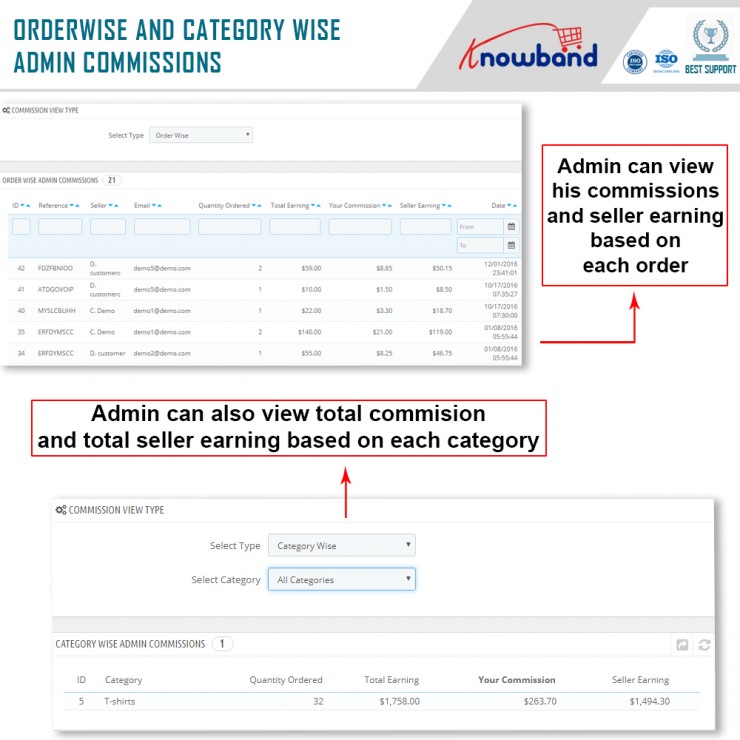
The module automatically calculates your platform commission for every sale. For example, if you set a 12% commission on electronics, the system deducts that amount and generates a payout report for the vendor. You process the remaining balance manually or through an integrated payment options.

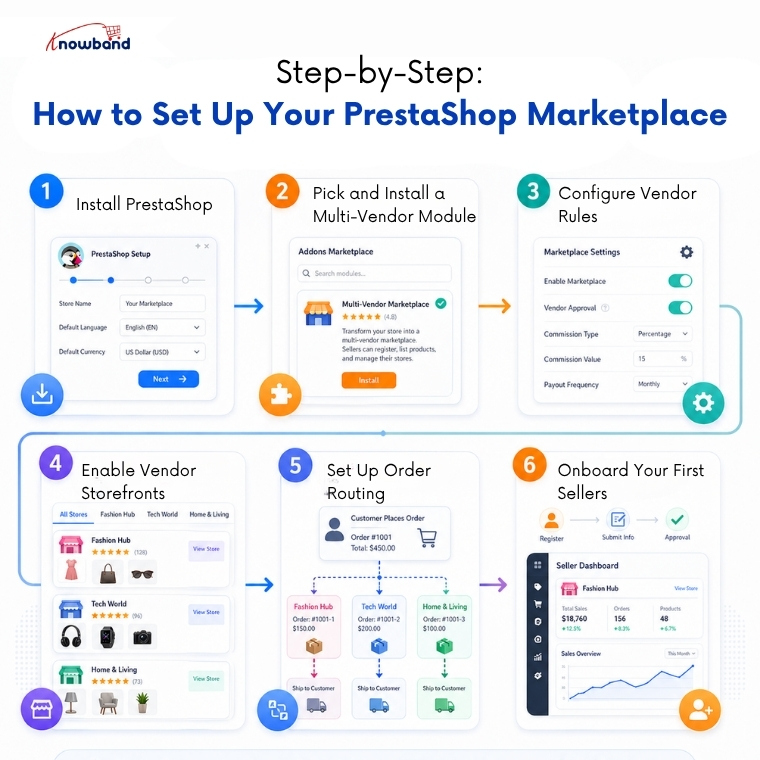
Step-by-Step: How to Set Up Your PrestaShop Marketplace

Step 1- Install PrestaShop
Download the latest PrestaShop version from the official site. Run the installation, set your store name, base currency, and primary language. Keep the admin credentials secure from the start.

Step 2 – Pick and Install a Multi-Vendor Module
Go to the PrestaShop Addons marketplace and search for PrestaShop Multi Vendor Module. Webkul’s Multi-Vendor Marketplace module is a dependable choice with broad feature coverage. Install it through the Module Manager inside your admin panel.

Step 3- Configure Vendor Rules
Open the module settings and define how vendor registration works. Set whether vendors need manual approval or can activate automatically. Establish your commission rates at this stage — either a flat percentage across all categories or different rates per category.

Step 4- Enable Vendor Storefronts
Turn on public-facing vendor pages. Each seller gets a dedicated storefront page showing their products, ratings, and basic business information. This gives buyers confidence and gives vendors a reason to promote their store URL.

Step 5- Set Up Order Routing
Configure how orders split between vendors when a buyer purchases from multiple sellers in one transaction. Most modules handle this automatically, but verify the settings match how you want fulfillment to work.

Step 6- Onboard Your First Sellers
Open registration and invite sellers to sign up. Prepare a short onboarding guide covering how to list products, set shipping options, and read their dashboard reports. Clear instructions reduce support requests significantly.

Why Customers Prefer Knowband’s Prestashop Multi Seller Listings Module

A functional marketplace needs more than product listings. These features separate a professional setup from a basic one:

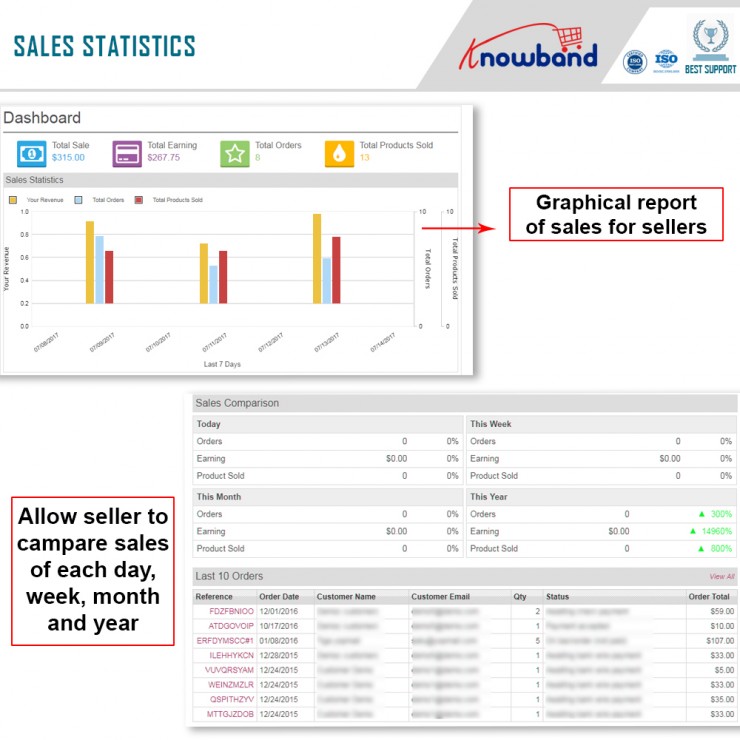
  • A vendor dashboard with real-time order and earnings data
  • Product approval controls so admin reviews listings before they go live
  • A customer review and rating system for each vendor
  • Dispute management plugins for handling order problems between buyers and sellers
  • SEO-friendly vendor pages that search engines can index independently
  • Automated commission reports that vendors can download themselves

FAQ

Q1: Do I need a developer to build this marketplace?
Not necessarily. Prestashop Multi-vendor Marketplace module are designed for installation through the admin panel. However, if you want custom design changes or specific integrations, a developer saves time.

Q2: What is the best multi-vendor module for PrestaShop?
Knowband’s Prestashop Multi-Vendor Marketplace module covers the widest range of features including commission management, vendor dashboards, and shipping configuration.

Q3: Can vendors set their own shipping rates?
Yes. This Prestashop Multivendor Marketplace modules allow vendors to define their own carriers, delivery zones, and shipping costs independently from the main store settings.

Q4: How do vendor payouts work?
The Prestahsop Multi Vendor marketplace module owner collects all payments at checkout. This marketplace creator module generates commission-based payout reports for each vendor. You then transfer the vendor’s share manually or through tools like PayPal, bank transfer, or a payout integration.

Q5: How many vendors can PrestaShop support?
There is no hard vendor limit. Performance depends on your hosting environment. A well-configured VPS or dedicated server handles hundreds of active vendors and thousands of product listings without issues.

Conclusion

PrestaShop gives you a solid starting point, and the PrestaShop Multi Vendor Marketplace module fills in everything else needed to run a working marketplace. Set up vendor registration, configure your commissions, enable seller storefronts, and you have a platform where independent sellers can operate alongside each other under your brand. The technical barrier is lower than most people expect, and the operational control you retain is higher than most hosted marketplace solutions allow.


 

Prestashop Marketplace Addon – A must-have tool for marketplace creation

Searching for an amazing asset to transform your eCommerce store into a practical marketplace? Knowband’s Prestashop Marketplace Addon is what you want. Moreover, The Prestashop Marketplace Module permits storekeepers to grow their store’s scope. Moreover, proposition a more extensive scope of products and administrations to their customers. Besides, the Prestashop marketplace module helps you change the whole eCommerce site into a marketplace.

The Prestashop Multi-seller Marketplace module also helps with stock management, request management, goods management, and more. Surprisingly, so do the methods of delivery used in the marketplace. Furthermore, these capabilities are accessible through the module’s backend. The Prestashop Marketplace plugin even allows sellers to charge a commission by the proprietor on the things they sell. Moreover, in return for the commission they pay, sellers will have the valuable chance to promote their brand to the marketplace audience.

Other than the above unbelievable elements, Knowband Prestashop Multi-vendor Marketplace Plugin gives extraordinary highlights to the customers, and we loved that component of the module without a doubt.

In this blog, we will take a look at a few things. Starting with the insightful observations about the plugin. Moreover, how beneficial is the Prestashop Multi vendor Marketplace Module for the customers. Lastly, what you should not do to make the most of the addon. Let us go forth and check them out below.

Thoughtful observations of the Prestashop Marketplace Addon

  • The effortlessness with which the module might be introduced and arranged

The primary thing admin like about the Prestashop Multi-vendor Marketplace Plugin is that it is so easy to introduce. Moreover, it is easy to set the module. Although the system of configuration is tedious, a definitive item is significant. Accordingly, this is just the start of the advantages of utilizing the Prestashop Marketplace module.

  • As the owner of the platform, you have total power over everything

The administrator fosters the platform utilizing the module. Additionally, lays out all stage guidelines. Besides, supports/avoids vendors from selling on the stage. That isn’t true! Moreover, the administrator holds control of all the other things. For instance:

What products are accessible on the stage?

Who is as yet selling and who is done selling?

What classes are the things referenced ready?

  • Which conveyance techniques are accessible to customers?; and so much more.

Subsequently, the administrator has unlimited authority over all that occurs on the stage – thanks to the Prestashop Multi-seller Marketplace module.

  • Income is continuous

As the chairman, you might pick whether to have 10 vendors, 30 sellers, or 50 sellers on the site. They will likewise be the ones selling on your foundation through the Knowband Marketplace. You may either keep selling your things or just make a due/deal with the Prestashop marketplace’s tasks. The best thing is that you might keep acquiring and making payments for your eCommerce business regardless. Profit keeps on developing because of the Prestashop marketplace module’s income models. You may likewise bring in cash through item posting charges, membership projects, and request commissions.

  • The correspondence is clear and inconspicuous

While we’re discussing three unmistakable gatherings – administrator, seller, and shopper – it’s basic to keep up with the lines of correspondence open. Thus, the underlying email layouts are helpful for a wide range of correspondence on the stage. There’s an email for everything, whether it’s cautioning the client on the request status change or illuminating the administrator about any new vendor enlistments.

How useful is Prestashop Marketplace to customers? 

  • Straightforward towards customers

At the point when your foundation approaches are straightforward to customers, they begin confiding in your foundation more. Besides, buyers can inspect vendor data on a committed seller page for every seller. The email title, as well as the body content, is modifiable from the module’s backend. Further, customers might rate and assess traders recorded on the Marketplace site’s most memorable page.

  • Allows for the evaluation of vendors

Buyers can audit vendors using the Prestashop Multi-seller Marketplace module. Clients can also provide evaluations for the items they’ve purchased, as well as for the vendors. Consumers can also offer product and vendor reviews through the module.

  • Multiple Vendors availability

Customers have the novel chance to investigate products from all of the dynamic Prestashop multi-sellers on the site, found around the world. Besides, customers can look over many products and purchase their top picks along these lines.

  • Smooth exchange

With the help of Prestashop Marketplace Addon, purchasers can undoubtedly and quickly track a lot of things. For instance, the products and orders from the seller on the Prestashop Marketplace. The greatest benefit of the module is, that the exchange interaction is incredibly free from even a hint of harm. Further, it allows clients to buy things with next to no concerns.

  • Simple Return/Refund presented by Prestashop Marketplace Module

The Prestashop marketplace addon makes it simple to look for a return, discount, or exchange. Moreover, customers don’t have to go through any extra advances. Moreover, can continue to no one’s surprise. Besides, clients can essentially return things and get a discount. Further, since they are not committed to supplanting them and can undoubtedly get a discount. Customers might be discounted in their desired way.

  • Register as Vendor

In the marketplace, any purchaser has the choice of turning into a vendor. Customers who need to sell their products on the platform can now enlist as sellers. In addition, they can rapidly finish up the structure on the Prestashop marketplace’s front end.

What not to do with the Prestashop Multi-seller Marketplace module?

  • Not doing all the examinations before setting up a Prestashop marketplace plugin

The absolute first slip-up that you shouldn’t make with the Prestashop Multi vendor Marketplace Module is getting it. Indeed, purchasing isn’t a mix-up. However, getting it without doing all the examinations. In fact, you can look at every one of the potential choices accessible to you. Look at the User Manual, Admin Demo, and the Front Demo on the item page of Knowband. Subsequently, you’ll get a superior comprehension of the Prestashop Multi vendor Marketplace plugin by Knowband.

  • Not understanding what all the administrator needs to do in the marketplace

The entire arrangement of the Prestashop Multi vendor Marketplace Plugin is finished by the administrator. Besides, the administrator puts down the principles, deals with the seller enrollments, handles commissions and payout demands, and significantly more. As a matter of fact, on the off chance that he doesn’t do all that, the stage won’t work. Consequently, the administrator needs to see all work he has to do with the Prestashop Multi seller Marketplace module.

  • Accept that making the Prestashop Marketplace Module is adequate

Many market proprietors expect that just launching is sufficient to get an enormous number of purchasers. However, this is false. It likewise needs a steady pattern of reasonable promotion. For instance, educating others about the benefits of your marketplace, alongside the resources, where you can send the Media Release of your marketplace conveyance (free and paid, you should be ready to pay for your promotion), composing different articles on the significance of your online market, using all possible social media to invite people to utilize it, etc.

In the End

So, the Prestashop marketplace addon is a highly functional and beneficial option for your business. In fact, it helps you enhance the sales and revenues of your business. Therefore, it is a powerful tool that you must invest in. In case you have any queries about the plugin, let us know at support@knowband.com.