How PrestaShop Delivery Boy Mobile App can help you with Seamless Delivery Management?

The PrestaShop Delivery Boy App is a robust delivery management system that allows store managers to manage home deliveries fast and hassle-free. The framework is designed and developed considering the struggle of eCommerce store owners after receiving the orders.

It is often a major turn-off for the store customers whenever the product delivery gets delayed. There could be a number of reasons behind the cause.  It’s not necessary that the store admin or team is to be blamed every time. Instead, this could be due to poor delivery management.

That’s where KnowBand PrestaShop Delivery Boy App comes as a savior. The module allows the store admin to add unlimited delivery boys to the store. Once added and approved, the delivery boys will be able to login into Delivery Boy App and manage deliveries of those orders which are assigned to them. The admin can keep a keen eye on the progress and thus PrestaShop Delivery Boy App will save the store owner from any mismanagement.

Both the admin and delivery boys have access to this app. Henceforth, enabling order deliveries to be easily allocated and handled. This is a ready-made, time-saving solution that makes the delivery process safe and secure.

Currently, it is available for two eCommerce platforms: PrestaShop and OpenCart

Prime Features of PrestaShop Delivery Boy App

The Delivery Boy Mobile App for eCommerce is developed to make the difficult task of timely deliveries simpler. With the aid of the delivery boy app, the admin can track all the orders and delivery boys can see the order status.

  • Admin can register delivery boys by adding their details.
  • Delivery boy can log-in with the email address and password assigned.
  • The delivery boy can see the order status from the dashboard.
  • Delivery boy can see the navigation map for order tracking.
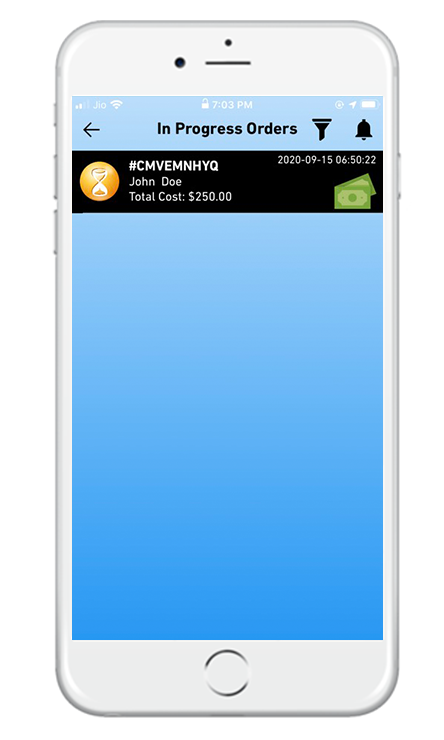
  • Delivery Boy can mark the order as assigned, in progress & delivered.
  • Sorting of orders is possible: date wise and according to order status.
  • Delivery process validation with OTP
  • Admin and Delivery boy both can see the commission earned by the delivery boy.
  • The app can be published on the Apple store for iOS users and Google Play store for Android users.

1. Register Delivery Boys

The process for registering a delivery boy on the Delivery Boy App is straightforward. The admin will have to add personal details like the name of the delivery boy, email address, verified image, vehicle details, and other required information.

Once the process of registration is completed, the new registered delivery boy will receive the log-in credentials like and User ID and password for further processing.

2. Proficient dashboard for delivery boys

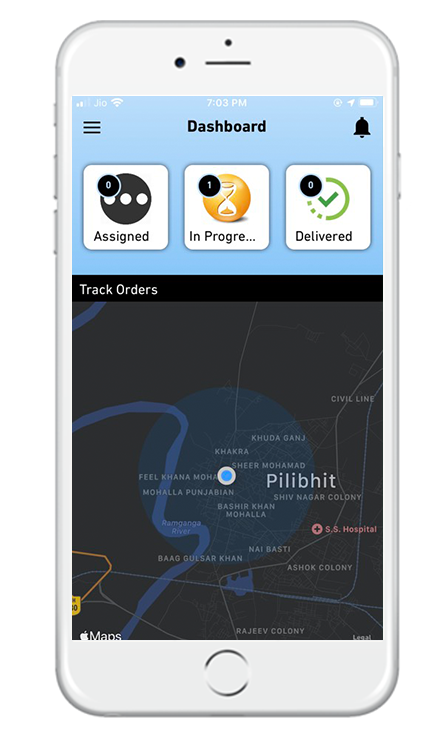
The proficient dashboard displays order information along with assigned, pending & delivered orders to the delivery boy.

3. Google map integration

There will be a navigation system integrated with Google Maps on the app with a marker to pick the desired spot.

4. Delivery boy app has orders listing screen

The delivery boy can see the orders listed on the order listing including all the assigned, pending, and delivered orders.

The delivery boy has the sorting and filtering options for convenience. He can sort the orders for a time like recent and earlier orders first or by price like low to high or high to low.

Other filter options present in the delivery order listing are Order ID, After Date (Orders created after this date), Till Date (Orders created till this date), and Order status (Assigned, pending, or delivered)

5. Interactive App Interface

The app has an interactive screen layout and its quick and simple navigation makes the screen switching easier for delivery boys.

6. Easy Navigation on the app

For the convenience of the delivery agents, a very easy to navigate menu is provided on the App. From here, any sub-pages on the app can be reached by the delivery agent.

With the navigation menu, the delivery boy can jump to the dashboard, order page, configuration tab, or can also log out from the application.

7. One-Time-Password Verification
When the order has been picked up by the agent, the customer will receive a push notification/email informing about the order status.

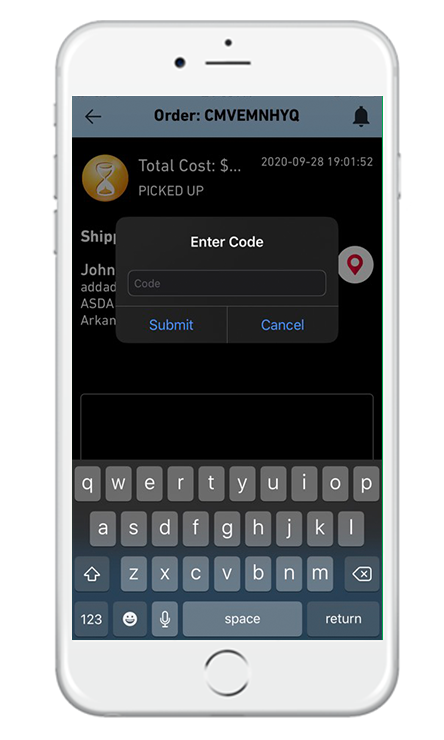
The customer shall receive an OTP, which they shall provide to the delivery agent at the time of successful delivery. Then only the order status will be marked as shipped.

8. Super smooth delivery management

PrestaShop Delivery Management App also increases customer loyalty by keeping the delivery theme up to date by live monitoring and chatting with store administrators and delivery agents.

9. Order Delivery Management
This section helps the managers of the store to keep track of all the orders and the delivery men assigned to them. Based on the status of the orders, i.e. ‘Available’,’ Allocated’,’ Shipped’ & ‘Pending’, the administrators can handle the distribution assignment automatically as well as manually.

10. Delivery Boy Management

The store admin can track the delivery boy’s position and manage them with ease. This helps the administrator to most systematically handle all their distribution agents.

The store administrator can monitor the status of the delivery boys in a tabular form using order ID, order date, order delivery date, order amount, or other necessary details.

Also, the admin may activate or disable the status of the agent. The admin will view the information of orders shipped or declined by this agent on this agent’s details screen.

The administrator is also able to add filters on the table that allow the delivery boy to calculate the commission.

11. Delivery Location Management

It may happen that the real-time location and the delivery locations are not the same. In that case, the app allows the customers to add the delivery location which the delivery boy needs to follow.

The store administrator can also handle this if needed. The admin may also enter the delivery location manually and the delivery agent will be informed of the same.

12. Accept/Reject Orders

The delivery boy can accept or reject the orders assigned but he has to specify a reason if rejected.

13. Email notification

The customers and the delivery boy will be informed with a push notification or email notifications. The email will be sent for order status like order picked, in progress, or delivered.

14. Mobile App compatibility and other benefits

One benefit of this “delivery boy app” module is that if the store’s mobile app has been designed using the “PrestaShop Mobile App Builder” module, its corresponding “Delivery Boy App” will provide live monitoring of the shipped orders by default.

Simply quoting, the orders can be tracked using the delivery boy app if the PrestaShop store is using our Knowband’s Mobile App Builder.

Read more in detail from:

PrestaShop Mobile App Builder is compatible with Delivery Boy App 

Conclusion:

Both module and app have been designed by our technical experts. It is a one-stop solution for businesses looking forward to offering home delivery. You can start various businesses like food delivery business, grocery delivery, medicine home delivery, or any other on-demand delivery hyperlocal business with Delivery Boy App on an eCommerce store.

Need to discuss or got any questions? Drop us an email at support@knowband.com.

Recommended Reads:
Tips to Make Delivery Management More Efficient Using Delivery Boy App

Delivery management is the process of transporting a product from one end to another ensuring no damage in the most effective and efficient manner. Often referred to as dispatch or fleet management, the question here comes is How do we get these items transferred from point A to point B? How to overcome the challenges coming on the way during delivery management for eCommerce?

The B2C businesses require a robust delivery system that can handle the order tracking from order pickup to order delivery to provide an excellent customer experience. This role has never been in greater demand as customer expectations continue to grow. Since eCommerce is expanding, the demand for home delivery has been increased, and having a yardstick delivery system is of foremost importance.

What is delivery management?

The delivery management starts after the customer places the order. Whether you are a small B2C business owner or a multi-national brand, delivery management isn’t that simple. The store owner has to take care of the logistics, the order status, delivery boy, vehicle driver, shipping charges for cost efficiency, and last but not least the product condition at the time it reaches the customer’s door.

You can always hire a delivery manager. A delivery, logistics, or dispatch manager is commonly referred to as the person in charge of deliveries. The delivery in charge is also tasked with local delivery and driver operations control. They are also the middle point of communication between warehouses and those making deliveries in smaller businesses. Delivery managers prefer to concentrate on trouble spots, such as overdue orders, in more robust operations where orders are processed programmatically.

There are various software and modules available for delivery management that can help you with the seamless handling of the entire home delivery process. And if you have a PrestaShop or OpenCart store then you are fortunate enough because KnowBand has launched the Delivery Boy app for both the platforms. This will surely lend a helping hand to your home delivery business to successfully manage it.

KnowBand Delivery Boy Mobile App

The eCommerce store owners often struggle with late deliveries or hassled management. The customer who places an order needs the delivery as soon as possible. It is the prime duty of the eCommerce store admin to ensure that the product delivery should be quicker and handy.

We offer a handy delivery boy mobile app and admin panel to simplify both management and user-end delivery. Check them out:

PrestaShop Delivery Boy Mobile App

OpenCart Delivery Boy Mobile App

Make the delivery system more efficient using the delivery boy mobile app

Since we have discussed the challenges and tips to overcome them now it is time to see the solution that is instantly available for your store.  The ready-made delivery boy app to manage the delivery system! This can be

1. Easy configuration and customization:

You can configure the Delivery Boy from the Module Admin panel. The app can be customized for the preferred theme and you can add a logo and your brand name.

2. Create a delivery boy profile:

The registration can be done by adding some personal details of the delivery boy like name, email, profile image, vehicle number, vehicle type, etc.

3. Notify with Automated emails:

Once the Delivery Boy account is set up by the administrator, the Delivery Boy App login credentials are sent via email. You can also enable or disable the Delivery Boy from the admin panel (through store admin).

4. Delivery boy can check orders

The delivery boy can check the orders in his vicinity. Which ones are closer, how many orders are placed, and how many are actually pending?

5. Accept or reject the orders

The delivery boy may accept the delivery order or if the location is not suitable or he is done with the day or in case of any emergency, he can also reject the same with reason.

6. Door Step Delivery:

With a no-touch delivery system, get your orders delivered locally, with easy navigation provided.

7. Push notification:

When the order is placed or is out for delivery, or about the expected date of delivery or when the order is finally delivered, a Push notification should hit the customer device.

and a lot more. Check this informative guide for further details.

Challenges in Delivery Management:

There are various issues faced by eCommerce owners or physical store owners when they provide on-demand home delivery to their customers. The most annoying thing is waiting without knowing the order status. Some of the challenges are discussed here:

  • Incorrect tracking information- Problem finding specific addresses in deliveries. No way to keep track of agents/drivers.
  • Delayed Delivery- Customers do not know the estimated arrival time.
  • Handling delivery refusal by the customer-
  • Lack of proper database of deliveries, agents, and customers
  • Communication with drivers/agents is hard

You might need some software that can handle your deliveries in order to boost your delivery management system. But this program often costs you a lot of money. But in the market, pocket-friendly and better solutions are available. Let’s understand what the applications for distribution management should be able to do.

Tips to improve your delivery operations management

By completing more deliveries with fewer resources (man-hours, equipment, fuel), distribution operations are continuously trying to bring down costs while also ensuring a high level of customer service. Delivery managers frequently use a variety of instruments and techniques to optimize their metrics and scale up their activities.

1. Set your priorities:

A simple way to plan the day is by prioritizing the orders. You may classify those customers or stops that must be served based on the relevance of an order or the stated calendar date by doing this.
By specifying the priority of the order, you let the algorithm know what must be included in the optimization of the path. Or on the flip side, if you run into resource constraints, let orders get moved to another date.

2. Never give commitments that are hard to stick with

Today’s consumers expect accountability and are more concerned with businesses delivering than with pace throughout promised time-windows. If these consumer expectations cannot be met, organizations run the risk of harming their image.
False commitments will drive your customers away. You might have succeeded in achieving your target this time but if you fail to deliver the product on time then you will lose a potential lead and will impact the retention rate.

3. Pick up the orders faster

There are many things you can do to collect orders faster: plan your order list concerning the position of the goods in the warehouse, pick several orders at once (batch picking), consider how long it takes to pick products, consider the best way to handle various sizes of the products to be selected, and investigate whether people or robots are faster to pick them at the warehouse.

4. Incorporate order and vehicle tracking system

Tracking a vehicle with Google map integration is not rocket science anymore. Visibility to vehicle locations in real-time can help dispatchers understand when a driver may be off course, saving valuable resources and avoiding costly delays. Customer support teams also leverage vehicle tracking to tell customers when their delivery is likely to be completed.
Vehicle tracking will let you know if the driver is heading in the right direction on his or her way to their next delivery or not. You can even come to know about the traffic information with real-time tracking and geolocation intelligence.

5. Upgrade your delivery system with technology

Technology combined with AI improves human skills and reduces everyday work. In several different ways, AI can optimize the delivery management: customer service chat-bots, image recognition where AI extracts information from an image, identification of anomalies, quality assurance through image, video, and data tracking, delivery time prediction, fraud detection cameras, delivery robots, and more.

You can reduce the shipping cost with some pro tips discussed in my previous blog post:

6 Simple Ways to Reduce Shipping Cost

Conclusion:

So obviously, inside your online store, it’s always safer to have an integrated shipment tracking system for delivery management. The PrestaShop delivery boy app and OpenCart Delivery Boy App is an integrated eCommerce solution with complete tracking features, including the tracking dashboard given on the backend of the module. So you never need to step out of your PrestaShop store.

PrestaShop Delivery Boy App – User Manual

1.0 Introduction

The Delivery Boy App for PrestaShop allows online store owners to offer seamless delivery management. The store owner can easily add a delivery boy app, assign orders, track them simply via the module. The delivery boy app for PrestaShop allows the delivery boys to simply log in and use the app to deliver orders.

The PrestaShop Delivery Management App can be published on Google Play Store and Apple App store for public download. Once the delivery boy is approved from the admin panel, he can log in to the app and start accepting orders.

1.2 Delivery Boy App Compatible with Mobile App Builder

Our PrestaShop Delivery Boy App is compatible with Mobile App Builder and as result, the users can get live order tracking. In simple words, if a user is using PrestaShop Mobile App can get live tracking of their order in the app itself. The condition is that the PrestaShop Delivery Boy App module is being used in the same store.

Check Demo App:

iOS: https://apps.apple.com/in/app/prestashop-delivery-boy-app/id1531825460

2.0 Admin Panel Screens

Upon the installation of the PrestaShop Delivery Boy App module on a PrestaShop eCommerce website, it’s now time for the store admin to manage their Delivery Boy App. They can do so from the admin panel of this module. Below is the detailed explanation:

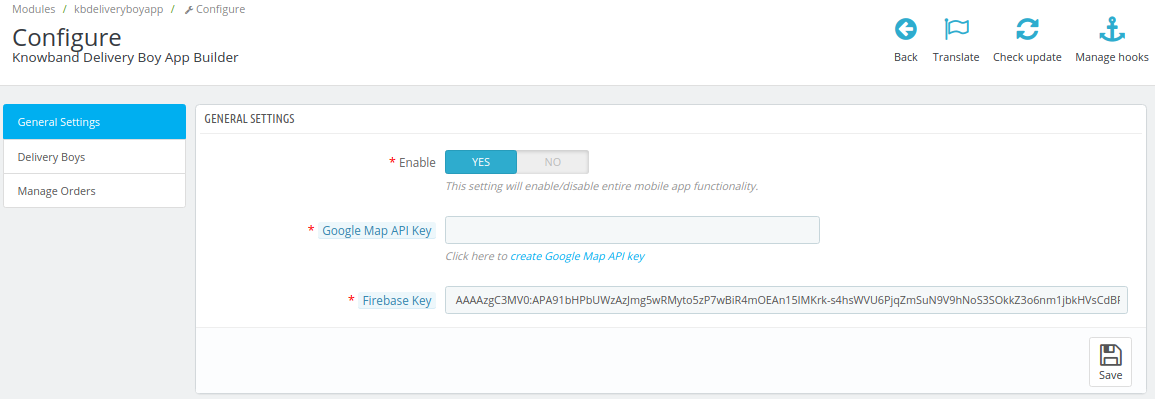
2.1 General Settings:

A) Enable: This toggle switch enables the delivery boy app to either be on or off, i.e. enabled/ disabled.

B) Google Map API Key: Such an API key handles the location mapping, also helps with navigation.

C) Order Status: Options available in this allows the admin to set default statuses for the orders such as for-

  • Disabled Open Orders
  • Status Once Order is assigned
  • Status once order is picked up
  • Status once order is delivered
  • Payment to be collected

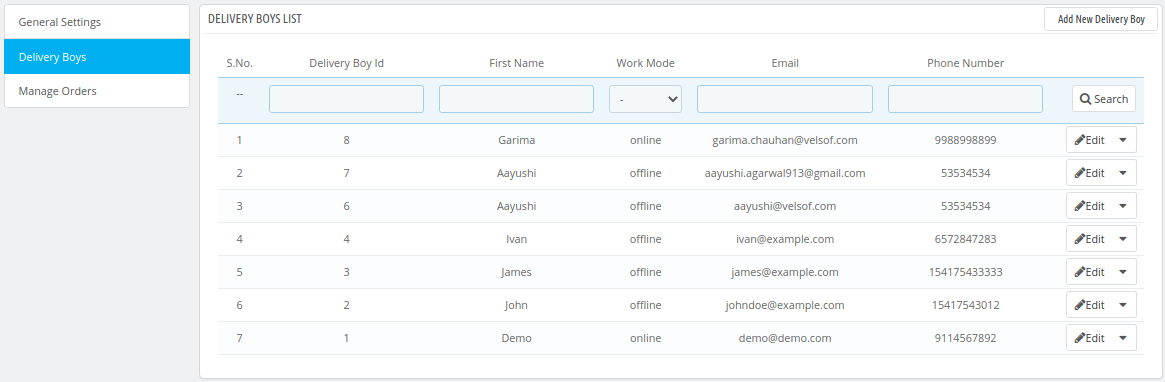
2.2 Delivery Boy Settings:

This settings tab contains information about all the delivery agents that are using the ‘Delivery Boy App’. From this settings tab, the store admin can also add new delivery agents.

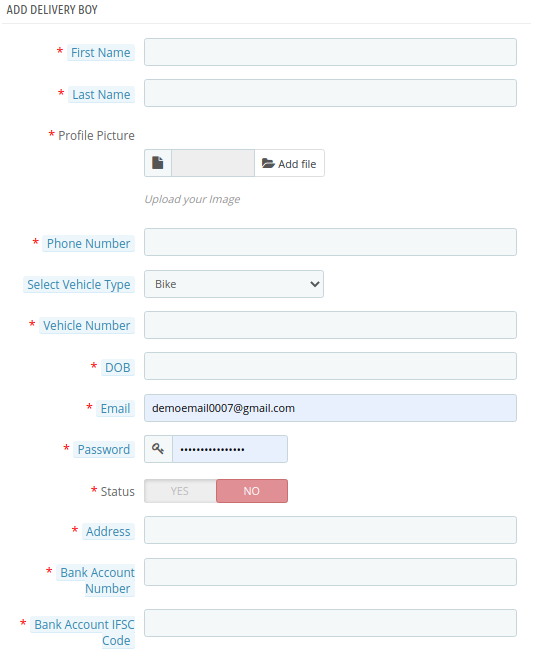
2.3 Add Delivery App:

The store admin can enter various parameters such as name, profile picture, phone number, DOB, email, password, address, etc. Also, the vehicle information including vehicle type (car/bike/others), vehicle number. Bank account details are also included here so that agents can receive their payments in their accounts.

The store owner also gets to edit the information of existing delivery agents on the above-mentioned parameters.

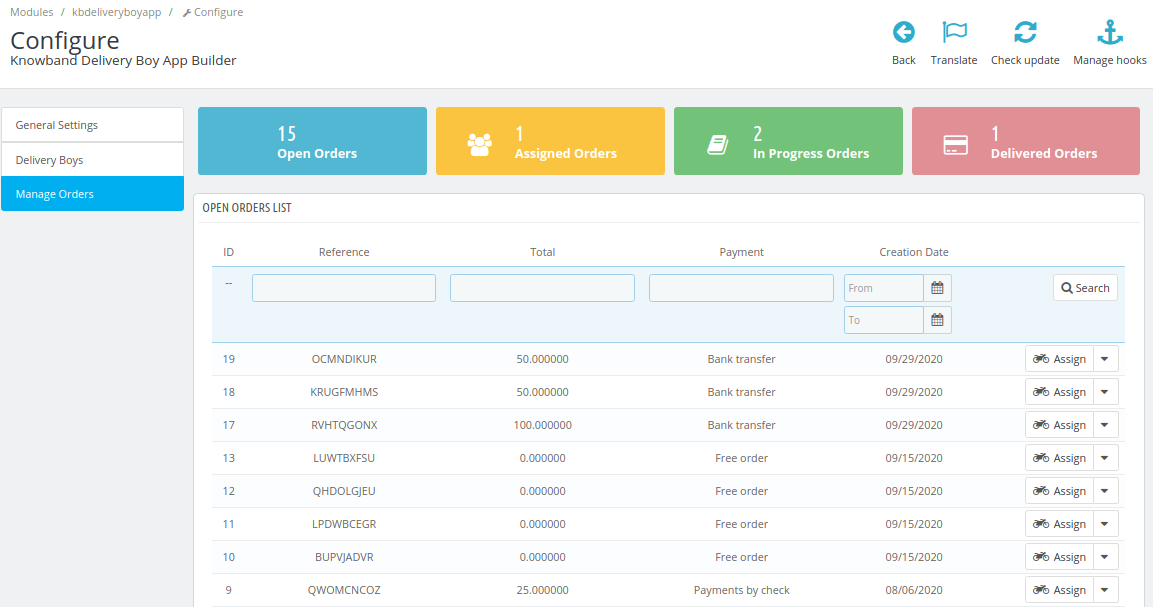
2.4 Manage Orders:

For store admin to manage their orders on the Delivery Boy App, a simple categorization is done for convenient management. They are-

  • Open Orders

  • Assigned Orders

  • In-Progress Orders

  • Delivered Orders

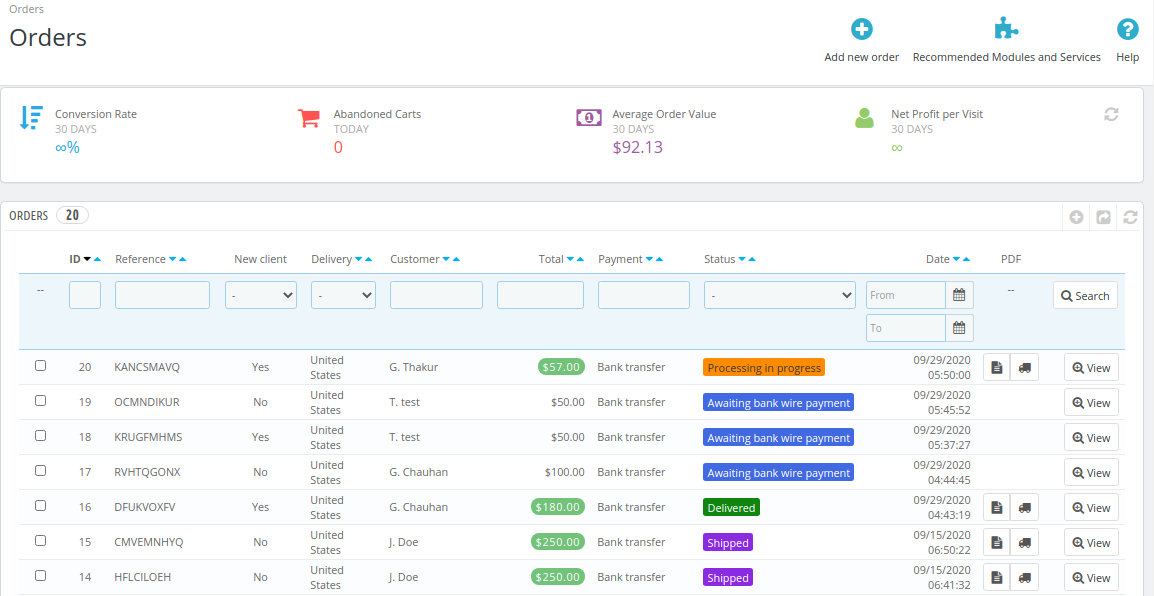
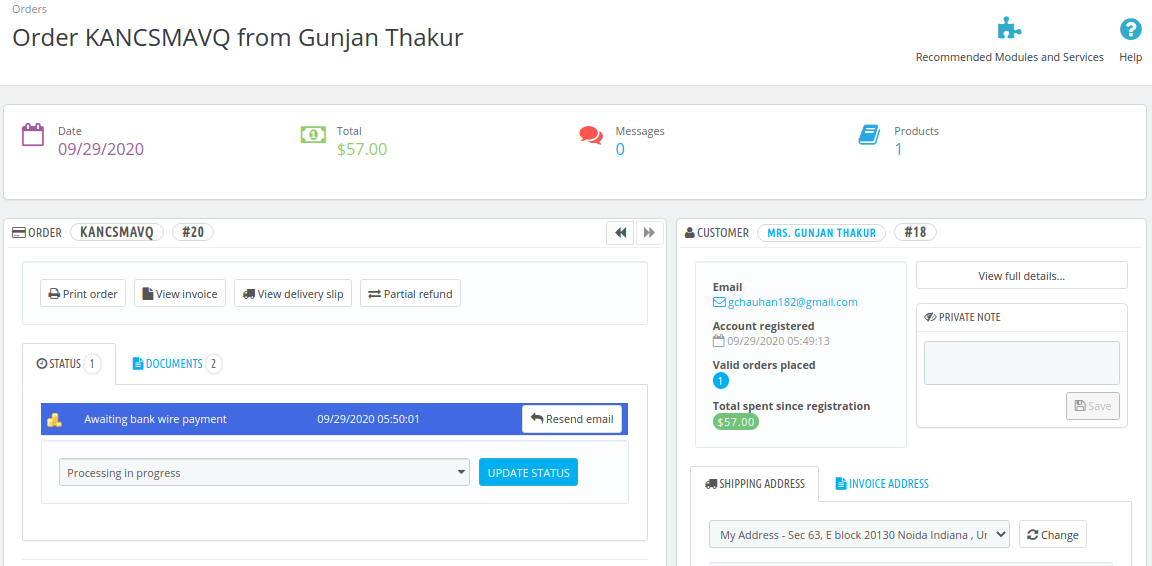
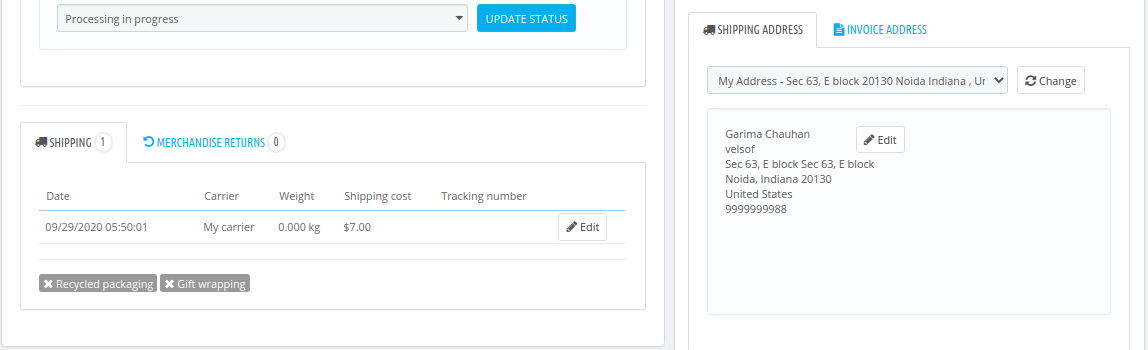
In all these lists, a very systematic arrangement is made in a tabular format for easy management. Admins can also manually assign any order to a particular delivery agent. Upon clicking on a delivery boy to view his/her information, the following screen is shown to the admin to manage that delivery boy.

The two icons of a ‘file’ & ‘delivery truck’ are meant for invoices. The icon ‘magnifying glass’ is meant for viewing all the details about a particular delivery assigned to that delivery boy. This is how its screenshots look like.

3.0 Front End Screens

3.1 Splash Screen:

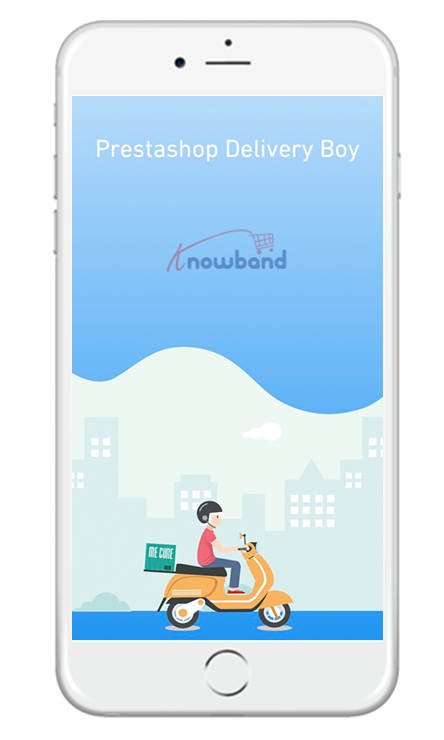
The PrestaShop Delivery Boy App takes care of all the management & processing for the delivery agents. The welcome screen or the splash screen of the app (on the front end) can be designed at the time of development with your brand logo and name.

3.2 Delivery Boy login screen:

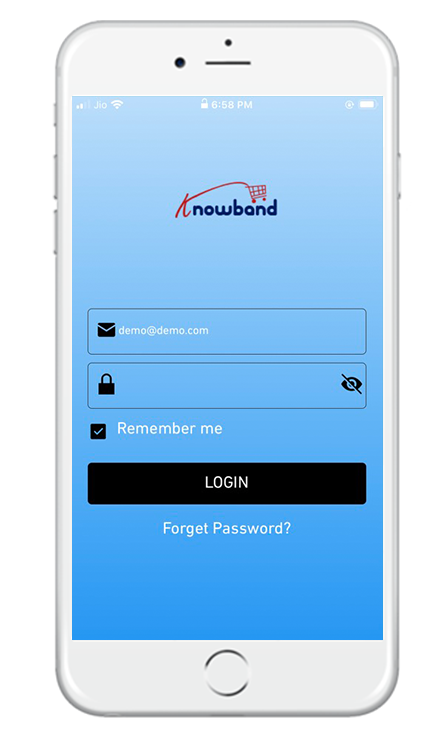
All of the delivery boys (that are approved by the admins) can log in to their ‘delivery boy app’ using the login screen as shown in the frontend screenshot. Upon setting up a new password (such as when someone forgets his/her password), the delivery boys get the options to change their password on their registered email id/ phone number.

3.3 Dashboard Screen:

The main dashboard of the PrestaShop Delivery Boy App displays all the necessary information all gathered at this one screen. From the dashboard, a delivery boy can navigate anywhere on the app to access various other things such as order delivery records, assigned orders, delivered orders, my-info & many other screens. By default, the map (as shown in the screenshot) shows the exact location of the delivery boy & the tracking of the order.

3.4 OTP Login for Delivery:

For the complete security of the orders, an OTP is sent to the customer (who placed the order). While delivering the order to the customer, delivery boys need to ask the customer for that OTP and enter in his/her delivery boy app. Only then the order is successfully delivered (if it’s the right OTP i.e. the right customer).

3.5 Delivery Boy Information:

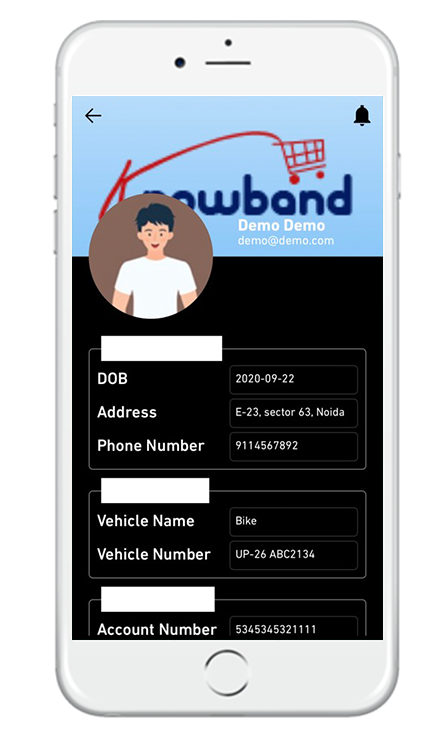
This screen contains all the information of the delivery boy. It’s like a my-info or my-account screen for the delivery boy. Information such as name, profile picture, phone number, DOB, email, password, address, vehicle details & bank account details is available on this screen.

3.6 Navigation Menu:

The Navigation menu/ Toggle menu is what allows the delivery boy to navigate anywhere on the app. As shown in the screenshot, assigned orders, in-progress orders, delivered orders can be accessed by the delivery boys. The status of the delivery boy, i.e. whether he is online/offline can also be seen here.

3.7 Order Accept/Reject:

Whenever an order is assigned to a delivery boy, he gets to accept/reject the order. Upon accepting the order, the assigned order shows up on the ‘assigned order’ page as shown on the screen-shot.

3.8 In-progress Orders:

All the orders that are in-progress are displayed on the ‘in-progress’ tab. Delivery boys can access these orders to process them.

3.9 Order Details:

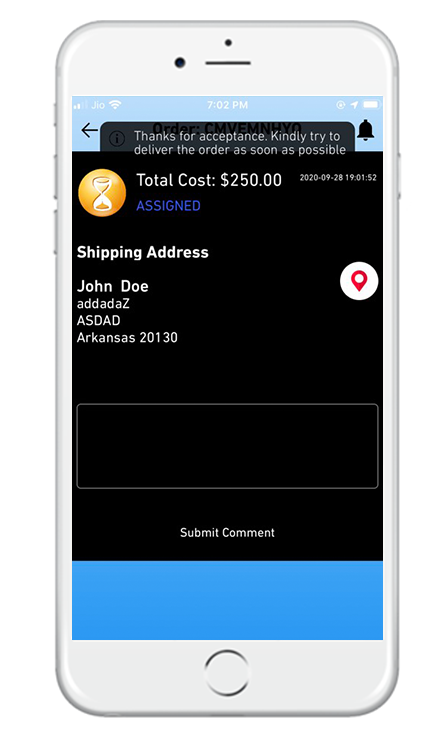
This is what the screen looks like the delivery boy right when he accepts to deliver an order. The cost of the order & the delivery address is shown here as well. The delivery boy can even submit a comment he needs.