OpenCart is one of the easiest and most relevant platforms for building an eCommerce website. If you are looking for a platform with fewer coding and technical skills requirements, you will find OpenCart useful. Not only does OpenCart allow you to choose shop themes, but online sellers can also find the platform open for custom developments. Along with custom developments, the sellers can also take advantage of a vast variety of Extensions. Furthermore, the OpenCart Extensions offer the easiest and most ready-to-use solution for customizations.
A Quick Overview of Some of the Must-Have OpenCart Extensions
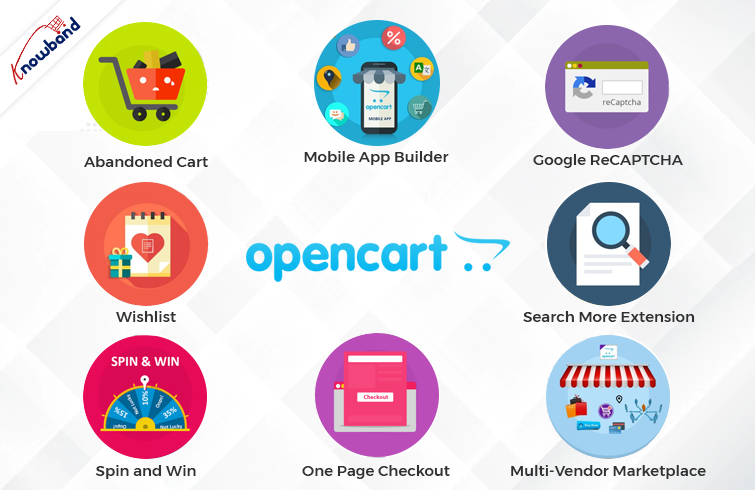
OpenCart Spin and Win
As a well-said quote indicates, the first impression that matters. The same thing applies to online shops. As soon as the customer visits the shop, he starts evaluating various aspects.
Thus, it becomes most important to offer a warm welcome to the visitors. To make things simple, Knowband provides Spin and Win OpenCart plugins for the seller. What the OpenCart Spin and Win Extension do, is show a gamified pop-up on the first screen of your store. Moreover, by entering their email addresses, online visitors can also win exciting offers and discounts. Further, the admins can set the gravity for prices from the backend of their Knowband OpenCart Spin and Win Plugin.
OpenCart Wishlist

A wishlist is a basic and must-have feature of every online business. The reason is that wishlists are quite helpful for narrowing down the favorite items and the same for later orders.
Likewise, Knowband offers the Wishlist Extension for OpenCart as a single-time payment option. If you are looking for an easy-to-use and configured OpenCart Wishlist Extension is the one.
OpenCart Abandoned Cart Notification

Usually, customers add their favorite products to the cart and somehow cancel their order. The term is called “cart abandonment.” Likewise, there are always huge chances of turning abandoned carts into real orders.
With the help of the Knowband OpenCart Abandoned Cart Notification Extension, the admins can send follow-up emails to the customers. Also, the admins can remind the buyers of their abandoned carts.
Thus, you are looking for quite-sounding OpenCart plugins for your shop. You should always put the OpenCart Follow-up Email Extension on your OpenCart Plugins list.
Mobile Apps for the OpenCart Store

Selling from a single platform is not enough in the competitive online business market. What the market demands is mobile apps while going online shopping.
Not only do mobile apps attract users for purchases, but they also play a huge marketing role through Push Notifications. Likewise, Android and iOS Mobile App Maker for OpenCart is a solution for creating Android and iOS mobile apps for your online store.
Moreover, the Mobile App Maker OpenCart Extension will allow OpenCart merchants to get their apps live within 2-3 business days. Hence, if you are looking for a special next-level plugin, the Knowband OpenCart Mobile App Builder is the easiest solution.
Google ReCAPTCHA

When starting an OpenCart business, security is one of the most important factors. Spamming and abuse are quite common these days for online e-commerce businesses.
Assuring security, Knowband Google ReCAPTCHA comes with a human verification system. Moreover, you can also choose the verification system before the customer passes the verification. Knowband ReCAPTCHA is the no-code easiest way to protect your store against spammers.
OpenCart Search More Extension
There are a large number of visitors who are not aware of the actual product names. But in the end, they visit your store with the strong intention of finding what they need.
At Knowband, we have designed an OpenCart Search Auto Suggest Extension for sellers. Moreover, having the Search Auto Suggest OpenCart Plugin on board will allow the visitors to see an auto suggestion. As well as related search results in no time.
Visitors can not only find their desired items by entering a few alphabets. But the Auto Search OpenCart Plugins present related products below the search bar on your OpenCart store.
OpenCart Multi-Vendor Marketplace Extension
Have you ever wondered what the reason behind the success of major marketplaces is? It’s the wide product categories. Online OpenCart sellers can also turn their single-seller store into a multi-vendor marketplace. Moreover, the OpenCart sellers can add an extra income source to their business. How? By generating commission from the sellers.
For example, the Knowband OpenCart Multi-Vendor Marketplace Extension allows store admins to get a per-sale commission. Moreover, they can define the desired commission rate from the listed sellers.
Along with per sales commission, the Multi-Seller Marketplace OpenCart Extension offers seller admin ticket management. With the OpenCart Marketplace Module, it is easy to handle all the seller queries at ease.
OpenCart One Page Check-Out:
The Tedious checkout process is one of the major reasons that stand for cart abandonment. Usually, customers find filling details in one after the other pages.
The providing the most simplified checkout process ever, Knowband has designed OpenCart One Page Checkout Plugin. With the help of the Knowband One Page Checkout Extension, online retailers can design a page where they can receive every single detail for orders.
Likewise, customers will not have to go through a long checkout process. Rather, they can find all the details box on a single page while visiting the OpenCart shop.
In the End,
With remarkable consistency, we are offering eCommerce plugins for the last 12 years. In this incredible journey, Knowband has achieved various tags and rewards. For instance, we earned OpenCart Super Hero Level Expertise, Hero Seller, and many more. We not only offer pre-tailored OpenCart modules but also always welcome any sort of custom development on your online site.
Furthermore, we are also available at our official email address, support@knowband.com. Feel free to connect for a quick discussion in case of any queries or suggestions.